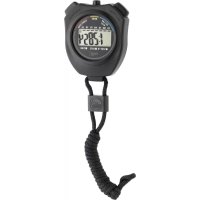
38.2030 - Stopwatch TFA - Free user manual and instructions
Find the device manual for free 38.2030 TFA in PDF.



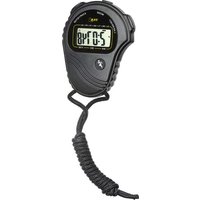
| Product Type | Stopwatch with time display and alarm |
| Brand | TFA |
| Model | 38.2030 |
| Case dimensions | 65 x 21 x 79 mm |
| Weight | 50 g (device only) |
| Power supply | 1 LR44 battery (1.5 V) |
| Display | Hours, minutes, seconds, day of week, date, alarm |
| Time formats | 12 h or 24 h |
| Main functions | Stopwatch, alarm clock, hourly chime, lap time measurement, snooze |
| Stopwatch resolution | 1/100 s for the first 30 minutes, then 1 s |
| Maximum stopwatch capacity | 23 h 59 min 59 s |
| Case material | Plastic |
| Care and cleaning | Clean with a dry cloth; replace battery if display or sound is weak |
| Safety | Do not expose to extreme temperatures, vibrations, shocks, moisture. Keep out of reach of children. Do not repair yourself. Batteries: do not throw into fire, short-circuit, disassemble, or recharge. |
| Spare parts and repairability | Not user-repairable; no spare parts provided |
| General information | Private use only, not intended for medical or public use |
Frequently Asked Questions - 38.2030 TFA
User questions about 38.2030 TFA
0 question about this device. Answer the ones you know or ask your own.
Ask a new question about this device
Download the instructions for your Stopwatch in PDF format for free! Find your manual 38.2030 - TFA and take your electronic device back in hand. On this page are published all the documents necessary for the use of your device. 38.2030 by TFA.
USER MANUAL 38.2030 TFA
No part of this manual may be reproduced without written consent of TFA Dostmann. The technical data are correct at the time of going to print and may change without prior notice.
Thank you for choosing this instrument from TFA.
1. Before you start using it
- Please make sure to read the instruction manual carefully.
- Following and respecting the instructions in your manual will prevent damage to your instrument and loss of your statutory rights arising from defects due to incorrect use.
- We shall not be liable for any damage occurring as a result of non following of these instructions. Likewise, we take no responsibility for any incorrect readings and for any consequences which may result from them.
- Please take particular note of the safety advice!
- Please keep this instruction manual for future reference.
2. Field of operation and all the benefits of your new instrument at a glance
Time
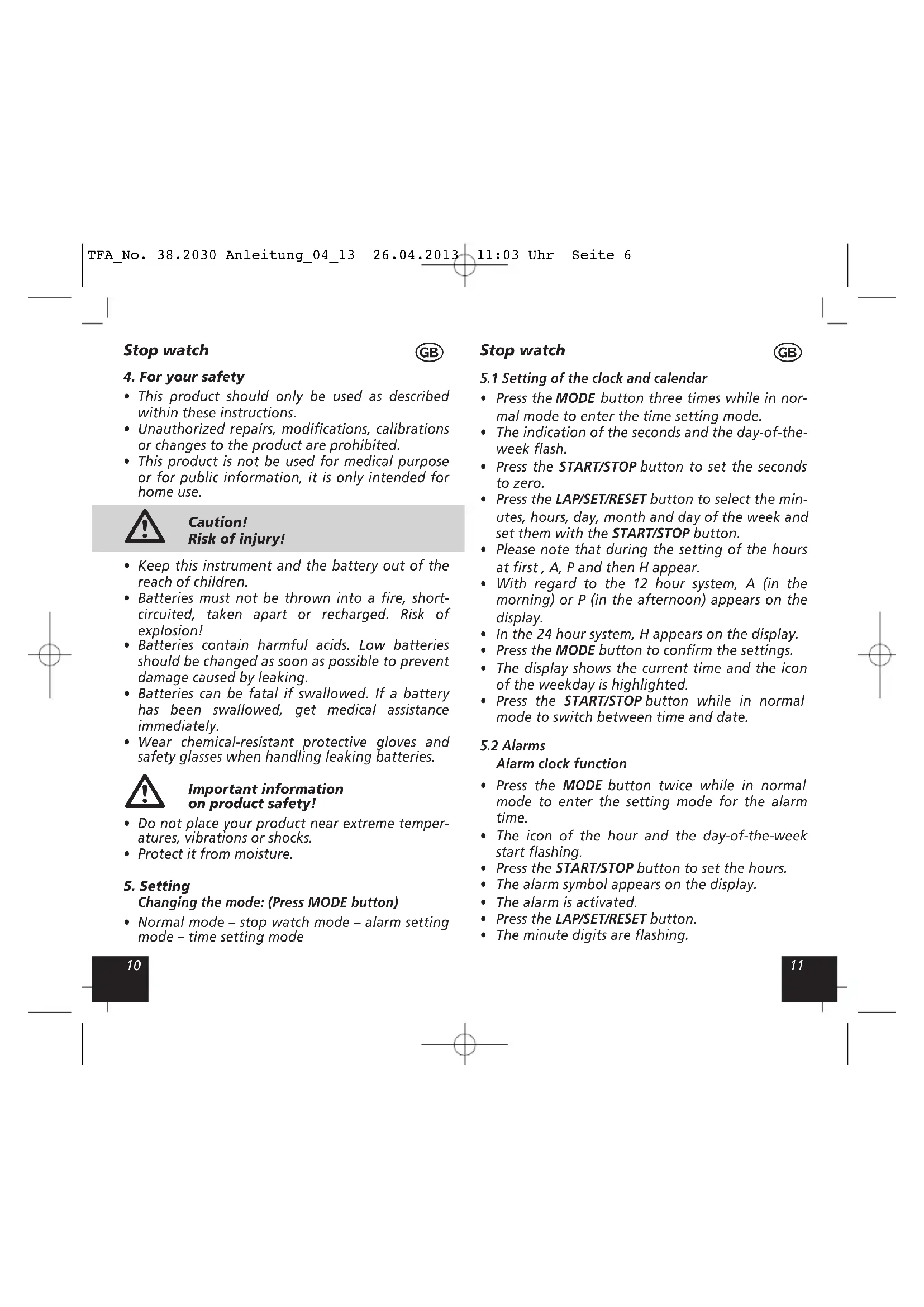
- The display shows in normal mode the time (hour, minute, second), and the day of the week, the date and the adjusted alarm time are available.
• 12 and 24 hours display.
Stop watch
• Resolution: 1/100 seconds
• Maximum working time: 23 hours, 59 minutes and 59 seconds
Alarm
- Alarm clock function
- Hourly chime
Stop watch

4. For your safety
- This product should only be used as described within these instructions.
- Unauthorized repairs, modifications, calibrations or changes to the product are prohibited.
- This product is not be used for medical purpose or for public information, it is only intended for home use.

Caution! Risk of injury!
- Keep this instrument and the battery out of the reach of children.
- Batteries must not be thrown into a fire, short-circuited, taken apart or recharged. Risk of explosion!
- Batteries contain harmful acids. Low batteries should be changed as soon as possible to prevent damage caused by leaking.
- Batteries can be fatal if swallowed. If a battery has been swallowed, get medical assistance immediately.
- Wear chemical-resistant protective gloves and safety glasses when handling leaking batteries.

Important information on product safety!
- Do not place your product near extreme temperatures, vibrations or shocks.
- Protect it from moisture.
5. Setting
Changing the mode: (Press MODE button)
- Normal mode – stop watch mode – alarm setting mode – time setting mode
Stop watch

5.1 Setting of the clock and calendar
- Press the MODE button three times while in normal mode to enter the time setting mode.
- The indication of the seconds and the day-of-the-week flash.
- Press the START/STOP button to set the seconds to zero.
- Press the LAP/SET/RESET button to select the minutes, hours, day, month and day of the week and set them with the START/STOP button.
- Please note that during the setting of the hours at first, A, P and then H appear.
- With regard to the 12 hour system, A (in the morning) or P (in the afternoon) appears on the display.
• In the 24 hour system, H appears on the display. - Press the MODE button to confirm the settings.
- The display shows the current time and the icon of the weekday is highlighted.
- Press the START/STOP button while in normal mode to switch between time and date.
5.2 Alarms
Alarm clock function
- Press the MODE button twice while in normal mode to enter the setting mode for the alarm time.
- The icon of the hour and the day-of-the-week start flashing.
- Press the START/STOP button to set the hours.
- The alarm symbol appears on the display.
• The alarm is activated. - Press the LAP/SET/RESET button.
• The minute digits are flashing.
Stop watch
GB
- Press the START/STOP button to adjust the minutes.
- Press the MODE button to confirm the settings.
- The current time appears on the display, the alarm symbol and the icon of the day-of-the-week is highlighted.
- When the alarm time is reached, the alarm will ring.
- If the alarm is not stopped with the LAP/SET/RESET button, the alarm sound will automatically turn off after a few seconds and will be reactivated at the same time.
- Press the START/STOP button and the snooze function will be activated. The alarm sound will be reactivated after 5 minutes.
- Press the LAP/SET/RESET and the START/STOP buttons at the same time to activate/turn off the alarm function.
- The alarm symbol appears/disappears on the display.
- Press the LAP/SET/RESET button while in normal mode to change between the time and the alarm time.
5.3 Hourly chime
- Press and hold the LAP/SET/RESET button while in normal mode.
- The adjusted alarm time appears on the display.
- Press the MODE button at the same time to activate the hourly chime.
- Under all the icons of the day-of-the-week black highlights appear.
• The hourly chime is now activated. - To deactivate the hourly chime, press and hold the LAP/SET/RESET button and press the MODE button at the same time to deactivate the function.
• The black highlights disappear.
Stop watch
GB
5.4 Stop watch function
- Press the MODE button while in normal mode to enter the stop watch mode. In the stop watch mode the black highlights are flashing.
- With the START/STOP button you can start and stop the countdown.
- Press the LAP/SET/RESET button to clear the countdown.
- The total countdown will be 29 minutes and 59,99 seconds and the indication of the counted time will be in 100th of a second interval.
• After the first 30 minutes the clock will automatically switch to one second increment.
• After that, the smallest unit will no longer be 100th of seconds but only full seconds.
5.4.1 Split time measurement
- Press the START/STOP button to activate the stop watch. Press the LAP/SET/RESET button and the elapsed time will be displayed. The stop watch is running in the background and by pressing the LAP/SET/RESET button again, the current time appears on the display. With this function, it is possible to measure any number of split times from the start.
5.4.2 Storing the split time
- Start the stop watch with the START/STOP button. If the first runner arrived at the destination, press the LAP/SET/RESET button and with the second runner the START/STOP button. On the display you can read the time of the first runner and by pressing the LAP/SET/RESET button the time of the second runner. Press the LAP/SET/RESET button again to clear the values.
Stop watch

6. Battery replacement
- Change the battery when the display and/or the sound become weak.
- Open the battery compartment by unscrewing the five small screws with a suitable screwdriver.
- Remove the cover carefully.
- Put a new battery LR 44 (+ pole above)
- Before you screw the cover back on again, insert the hand strap into the two slots.
7. Waste disposal
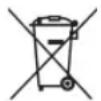
Never dispose of empty batteries and rechargeable batteries in household waste.
As a consumer, you are legally required to take them to your retail store or to appropriate collection sites depending on national or local regulations in order to protect the environment.
The symbols for the heavy metals contained are:
Cd=cadmium, Hg=mercury, Pb=lead
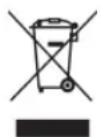
This instrument is labelled in accordance with the EU Waste Electrical and Electronic Equipment Directive (WEEE).
Please do not dispose of this instrument in household waste. The user is obligated to take end-of-life devices to a designated collection point for the disposal of electrical and electronic equipment, in order to ensure environmentally-compatible disposal.
Stop watch

8. Specifications
Hours/minutes/seconds display 23 hours, 59 minutes and 59 seconds
Resolution:
Within 30 minutes:
1/100th of a second interval (the display shows minutes, seconds and 1/100th of seconds)
Up to 30 minutes:
1 second (the display shows hours, minutes and seconds)
Power consumption: 1 x LR44 (included)
Housing dimension: 65 x 21 x 79 mm
Weight: 50 g (instrument only)
Chronomètre

Alimentation: 1 x LR44 (incluse)
- Before you start using it
- Field of operation and all the benefits of your new instrument at a glance
- Time
- Stop watch
- Alarm
- For your safety
- Caution! Risk of injury!
- Important information on product safety!
- Setting
- Changing the mode: (Press MODE button)
- Setting of the clock and calendar
- Alarms
- Alarm clock function
- GB
- Hourly chime
- Stop watch function
- Split time measurement
- Storing the split time
- Battery replacement
- Waste disposal
- Specifications
- Chronomètre
Brand : TFA
Model : 38.2030
Category : Stopwatch