60.2034 - Digital thermometer TFA - Free user manual and instructions
Find the device manual for free 60.2034 TFA in PDF.



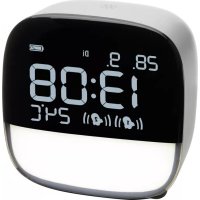
| Product type | Digital alarm clock with night light and indoor thermometer |
| Brand | TFA |
| Model | 60.2034 |
| Dimensions (L x W x H) | 81 x 67 x 82 mm |
| Weight (device only) | 175 g |
| Power supply | AC adapter 100-240V AC (included) and micro-USB cable |
| Built-in battery | Rechargeable Li-Ion 3.7 V / 1200 mAh |
| Battery life | Approximately 15 to 20 days (without night light) |
| Temperature measurement range | 0 °C to +50 °C |
| Temperature resolution | 1 °C |
| Display | LCD with time, date, temperature and icons |
| Number of alarms | 2 (AL1 and AL2) |
| Alarm volume | 3 adjustable levels |
| Snooze function | Yes, 5 minutes |
| Built-in night light | Yes, adjustable intensity from 10 to 100% |
| Night light timer | Adjustable auto-off (5, 10, 15, 30, 45 or 60 min) |
| Touch sensor | Yes, SNOOZE/LIGHT button |
| Manual languages | FR, DE, EN, ES, IT, NL and others |
| Maintenance | Soft damp cloth, no solvents |
| Safety | Do not expose to water, do not open, user non-replaceable Li-ion battery |
Frequently Asked Questions - 60.2034 TFA
User questions about 60.2034 TFA
0 question about this device. Answer the ones you know or ask your own.
Ask a new question about this device
Download the instructions for your Digital thermometer in PDF format for free! Find your manual 60.2034 - TFA and take your electronic device back in hand. On this page are published all the documents necessary for the use of your device. 60.2034 by TFA.
USER MANUAL 60.2034 TFA
Thank you for choosing this instrument from TFA.
Before you use this product
- Please make sure you read the instruction manual carefully.

• The operating instructions are enclosed with the device or can be downloaded at
www.tfa-dostmann.de/en/service/downloads/instruction-manuals
• This product should only be used as described within these instructions.
- Following and respecting the instructions in your manual will prevent damage to your instrument and loss of your statutory rights arising from defects due to incorrect use. We shall not be liable for any damage occurring as a result of non-following of these instructions.
- Please take particular note of the safety advice!
- Please keep this instruction manual safe for future reference.
Digital alarm clock and night light
1. Delivery contents
• Digital alarm clock • Micro USB cable and power adaptor
• Instruction manual
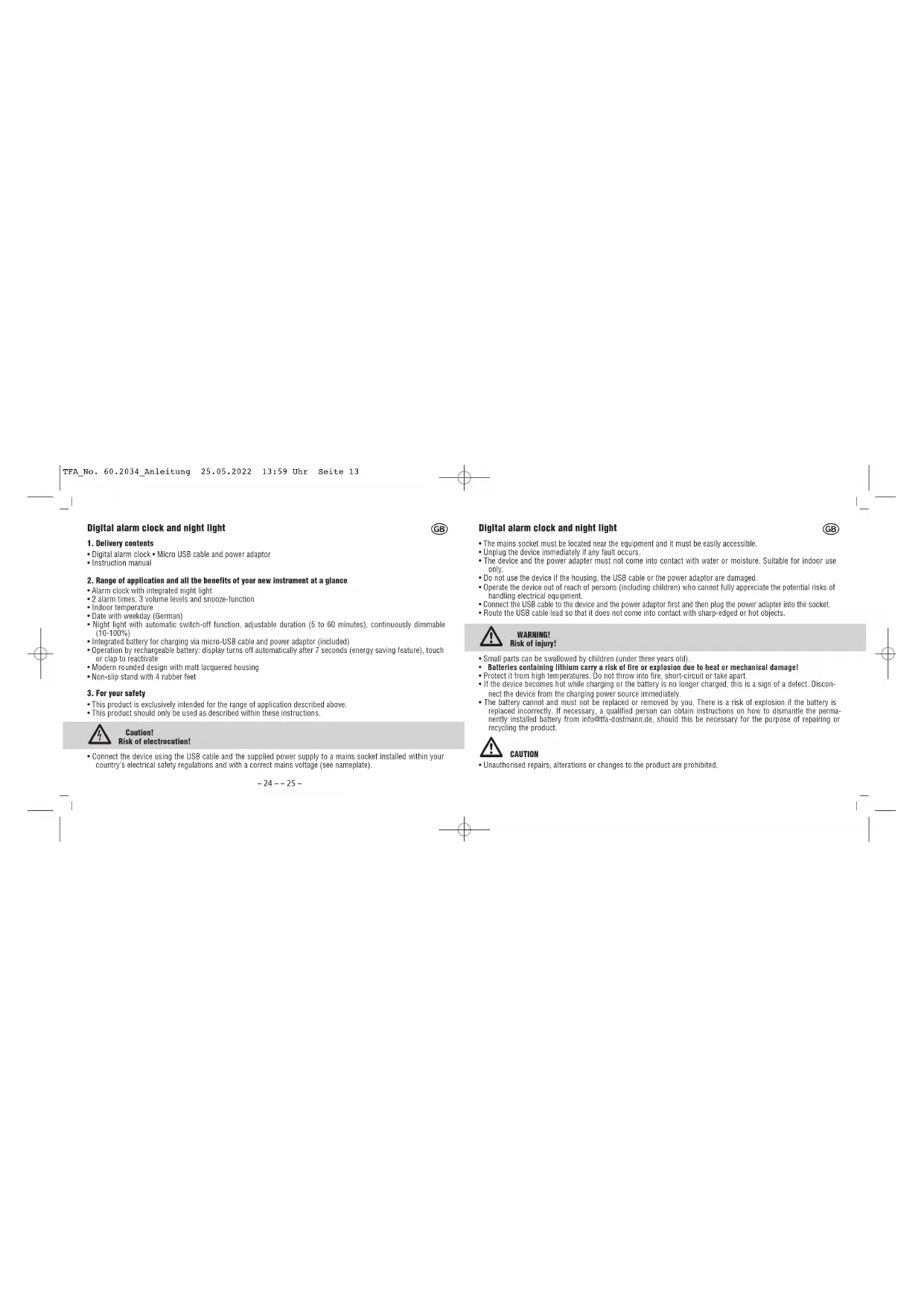
2. Range of application and all the benefits of your new instrument at a glance
• Alarm clock with integrated night light
• 2 alarm times, 3 volume levels and snooze-function
- Indoor temperature
• Date with weekday (German)
- Night light with automatic switch-off function, adjustable duration (5 to 60 minutes), continuously dimmable (10-100%)
- Integrated battery for charging via micro-USB cable and power adaptor (included)
• Operation by rechargeable battery: display turns off automatically after 7 seconds (energy saving feature), touch or clap to reactivate
• Modern rounded design with matt lacquered housing
• Non-slip stand with 4 rubber feet
3. For your safety
• This product is exclusively intended for the range of application described above.
• This product should only be used as described within these instructions

Caution! Risk of electrocution!
- Connect the device using the USB cable and the supplied power supply to a mains socket installed within your country's electrical safety regulations and with a correct mains voltage (see nameplate).
-24--25-

Digital alarm clock and night light

- The mains socket must be located near the equipment and it must be easily accessible.
- Unplug the device immediately if any fault occurs.
- The device and the power adapter must not come into contact with water or moisture. Suitable for indoor use only.
- Do not use the device if the housing, the USB cable or the power adaptor are damaged.
- Operate the device out of reach of persons (including children) who cannot fully appreciate the potential risks of handling electrical equipment.
- Connect the USB cable to the device and the power adaptor first and then plug the power adapter into the socket.
- Route the USB cable lead so that it does not come into contact with sharp-edged or hot objects.

WARNING! Risk of injury!
- Small parts can be swallowed by children (under three years old)
- Batteries containing lithium carry a risk of fire or explosion due to heat or mechanical damage!
- Protect it from high temperatures. Do not throw into fire, short-circuit or take apart.
- If the device becomes hot while charging or the battery is no longer charged, this is a sign of a defect. Disconnect the device from the charging power source immediately.
- The battery cannot and must not be replaced or removed by you. There is a risk of explosion if the battery is replaced incorrectly. If necessary, a qualified person can obtain instructions on how to dismantle the permanently installed battery from info@fa-dostmann.de, should this be necessary for the purpose of repairing or recycling the product.

CAUTION
- Unauthorised repairs, alterations or changes to the product are prohibited.
Digital alarm clock and night light
- Do not expose the device to extreme temperatures, vibrations or shocks.
• The instrument is not unbreakable. In case of falling down parts can break. - Clean the device with a soft damp cloth. Do not use solvents or scouring agents.
4. Elements
A: LCD display (Fig. 1):
A 1: Date A 2: Day of the week
A 3: Night light symbol A 4: Charging status symbol
A 5: Night light AUTO-OFF A 6: Time
A 7: Indoor temperature A 8: Alarm symbol 2
A 9: Alarm symbol 1 A 10: Snooze symbol
B: Buttons (Fig. 2+3):
B 1: SNOOZE/LIGHT sensor button B 2: + button
B 3: - button B 4: ALARM button
B 5: SET button
C: Housing (Fig. 2+3):
C 1: Night light C 2: Ventilation slots
C 3: Micro USB port C 4: 4 rubber feet
5. Getting started
- Remove the protective film from the display.
- Plug the supplied USB cable into the designated port on the device and connect the unit to the mains using the power adapter.
-26--27-

Digital alarm clock and night light

- Do not apply excessive force when connecting the USB cable. The USB plug fits only one way into the USB port.
• The instrument turns on.
6. Charging
■ Before the first use, please charge it fully.
- When using the mains adapter as a power source, the integrated Li-Ion battery is charged. To fully charge, leave the device connected for approximately 6 hours. The charging status symbol (segment A) flashes during charging.
- When the device is fully charged, the charging status symbol will appear filled (segment A + B ).
- If you operate the device without a power connection, the battery runtime is about 15-20 days (without night light).
- The charging status of the device is shown on a symbol with two segments. If the battery voltage is below 50 %, segment A disappears.
- Segment B flashes, when the battery needs to be charged (battery voltage below 20%).
- Please charge the device immediately to preserve battery life.
- Recharge the battery every six months, even if the device is not in use.
- Please switch off the device (hold and press + and - button at the same time) if not using it for a long time.
7. Operation
7.1 Display light
- To save energy, the display lades out automatically after 7 seconds (completely extinguished after 10 seconds) if the device is not connected to the mains. The display remains permanently active when you leave the unit connected.
• To temporarily activate the display, touch the alarm clock slightly or make a loud sound (such as clapping your hands). In setting mode and during the alarm, the display light remains on.
Digital alarm clock and night light

8. Settings
- Press and hold the + or - button in the respective setting mode for quick setting.
- The device will automatically quit the setting mode if no button is pressed for 20 seconds. The device will automatically use the settings you have made so far.
8.1 Selling of the lime, date, night light timer and alarm volume
- Press and hold the SET button in normal mode to enter the setting mode.
• The first adjustable value flashes on the display. - Use the + or - button to make the desired setting.
- Confirm with the SET button and go to the next setting.
• The sequence is shown as follows:
- Year month day
- Hours, minutes
- Night light AUTO OFF (default "nL" 15 minutes)
– Alarm volume (default "AL" 3)
• After all adjustments are completed, press the SET button to exit the setting mode.
8.1.1 Selling AUTO OFF function for the night light "nL"
- In the setting mode you can set the timer for the automatic off-function of the night light. Press the + or - button to set the desired time duration (5, 10, 15, 30, 45 or 60 minutes). After time has expired, the night light will switch off automatically (see "Night light").
8.1.2 Alarm volume setting "AL"
- In setting mode, press the + or - button to adjust the alarm tone volume in 3 steps (step 1 = minimal volume).
-28--29-
Digital alarm clock and night light

9. Alarm clock function
9.1 Alarm time setting
- Press and hold the ALARM button in normal mode to enter the alarm setting mode.
- The hour digit and the alarm symbol 1 start flashing.
- Press the + or - button to set the hours
- Confirm the setting with the ALARM button.
- Set the minutes in the same way.
- Confirm the setting with the ALARM button.
- ALARM 2 can be adjusted in the same way.
- Confirm the setting with the ALARM button.
- Confirm the setting with the ALARM button.
9.2 Activate and deactivate the alarm
- When the alarm time is changed in alarm setting mode, the alarm is automatically activated and the corresponding alarm symbol 1 and/or 2 appears.
- To activate or deactivate the alarm function in normal mode, press the ALARM button. The alarm symbols appear or disappear on the display. The sequence is shown as follows: AL1 ON → AL2 ON → AL1+AL2 ON → AL1+AL2 OFF.
10. Wake-up process
- When the alarm is activated, the alarm starts to ring at the selected volume level when the set alarm time is reached. The backlight turns on
- Press any button (except SMOOZE/LIGHT) and the alarm will stop.
- If the alarm is not stopped manually, the ascending alarm tone automatically turns off after two minutes and it will be reactivated at the same set time on the following day.
- When the alarm rings, press the SNOOZE/LIGHT button and the snooze function is activated. The snooze symbol will appear on the display.
Digital alarm clock and night light

• The alarm will be interrupted for 5 minutes.
- Press any button (except SNOOZE/LIGHT) and the snooze function will stop.
11. Night light
- Press the SMOOZE/LIGHT button once in normal mode to switch on the night light (default: highest brightness level). The night light symbol appears on the display.
- Press and hold the SNOOZE/LIGHT button to dim the night light continuously (10-100%).
• To switch off the night light press the SNOOZE/LIGHT button again. The night light symbol disappears.
• To activate the night light with timer function, press the SNOOZE/LIGHT button twice in quick succession in normal mode. - AUTO OFF is indicated and the adjusted time duration appears briefly on the display. After time has expired, the night light will switch off automatically (see "Selling AUTO OFF function for the night light").
- To deactivate the night light with timer function before it expires, press the SNOOZE/LIGHT button again twice in quick succession.
• AUTO OFF disappears.
12. Troubleshooting
Problem Solution
| No display on the device | → To switch on press and hold the + and - button at the same time |
| → Connect the device with USB cable and power adapter and charge the battery | |
| → Check the connection | |
| → Short-term activation of the display by touch or sound | |
| → Permanent operation with USB-/mains connection only! |
Incorrect Indication → Set the clock
-30--31-
Digital alarm clock and night light

→ Factory reset: To reset to factory setting, press and hold the + and SET button at the same time
Alarm clock does not ring → To activate the alarm function press the ALARM button in normal mode.
SNOOZE/LIGHT sensor button → Touch sensor button only briefly. Do not press too hard or leave your finger doesn't react on the button. Wait some seconds and try it again.
If your device fails to work despite these measures, please contact the retailer where you purchased the product from for advice.
13. Waste disposal
This product and its packaging have been manufactured using high-grade materials and components which can be recycled and reused. This reduces waste and protects the environment.
Dispose of the packaging in an environmentally friendly manner using the collection systems that have been set up.

Disposal of the electrical device
Caution! This device contains a built-in battery that cannot be removed without damaging the housing. Improper removal represents a safety risk. Hand in the device unopened at the collection point; the device and battery will be disposed of properly.
This product is labelled in accordance with the EU Waste Electrical and Electronic Equipment Directive (WEEE).
This product must not be disposed of in ordinary household waste. As a consumer, you are required to take end-of-life devices to a designated collection point for the disposal of electrical and electronic equipment, in order to ensure environmentally-compatible disposal. Observe the current regulations in place!
Digital alarm clock and night light


WARNING!
Batteries containing lithium can explode
- Old batteries and rechargeable batteries containing lithium (Li=lithium) present a high risk of fire and explosion due to heat or mechanical damage with potentially serious consequences for people and the environment. Pay particular attention to correct disposal.
- Specifications
| Power consumption USB 1.5 m cable with power supply (included) |
| Input: 100-240V AC 50/60Hz 0.3A max |
| Output: 5.0V DC 1.2A, 6.0W |
| Average active efficiency: ≥75% |
| No-load power consumption: ≤0.10 W |
| Built-in Li-Ion rechargeable battery |
Capacity / Energy 3.7V / 1200mAh
Charging power source Micro-USB 5V DC | 500mA
Accessories Charging cable (USB to Micro-USB)
Charging time About 6 hours
Battery runtime About 15 to 20 days (without night light)
-32--33-
Digital alarm clock and night light

Temperature
| Measuring range 0 °C... +50°C |
Resolution 1°C
Accuracy ±1 °C
Indication: LL / HH Outside measuring range
Housing dimension 81 x 67 x 82 mm
Weight 175 g (device only)
No part of this manual may be reproduced without written consent of TFA Dostmann. The technical data are correct at the time of going to print and may change without prior notice.
The latest technical data and information about this product can be found in our homepage by simply entering the product number in the search box.
www.Ha-dosimann.de
E-Mail: info@fa-costmann.co
TFA Dostmann GmbH & Co. KG, Zum Ottersberg 12, 97077 Wertheim, Germany
Commercial registration number: Reg. Gericht Mannheim HRA 570186
05/22
- Digital alarm clock and night light
- Delivery contents
- Range of application and all the benefits of your new instrument at a glance
- For your safety
- Caution! Risk of electrocution!
- WARNING! Risk of injury!
- CAUTION
- Elements
- A: LCD display (Fig. 1):
- B: Buttons (Fig. 2+3):
- C: Housing (Fig. 2+3):
- Getting started
- Charging
- Operation
- Display light
- Settings
- Selling of the lime, date, night light timer and alarm volume
- Selling AUTO OFF function for the night light "nL"
- Alarm volume setting "AL"
- Alarm clock function
- Alarm time setting
- Activate and deactivate the alarm
- Wake-up process
- Night light
- Troubleshooting
- Waste disposal
- Disposal of the electrical device
- WARNING!
- Batteries containing lithium can explode
Brand : TFA
Model : 60.2034
Category : Digital thermometer