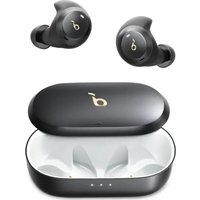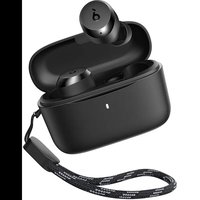
Space A40 - Earphones soundcore - Free user manual and instructions
Find the device manual for free Space A40 soundcore in PDF.



User questions about Space A40 soundcore
0 question about this device. Answer the ones you know or ask your own.
Ask a new question about this device
Download the instructions for your Earphones in PDF format for free! Find your manual Space A40 - soundcore and take your electronic device back in hand. On this page are published all the documents necessary for the use of your device. Space A40 by soundcore.
USER MANUAL Space A40 soundcore
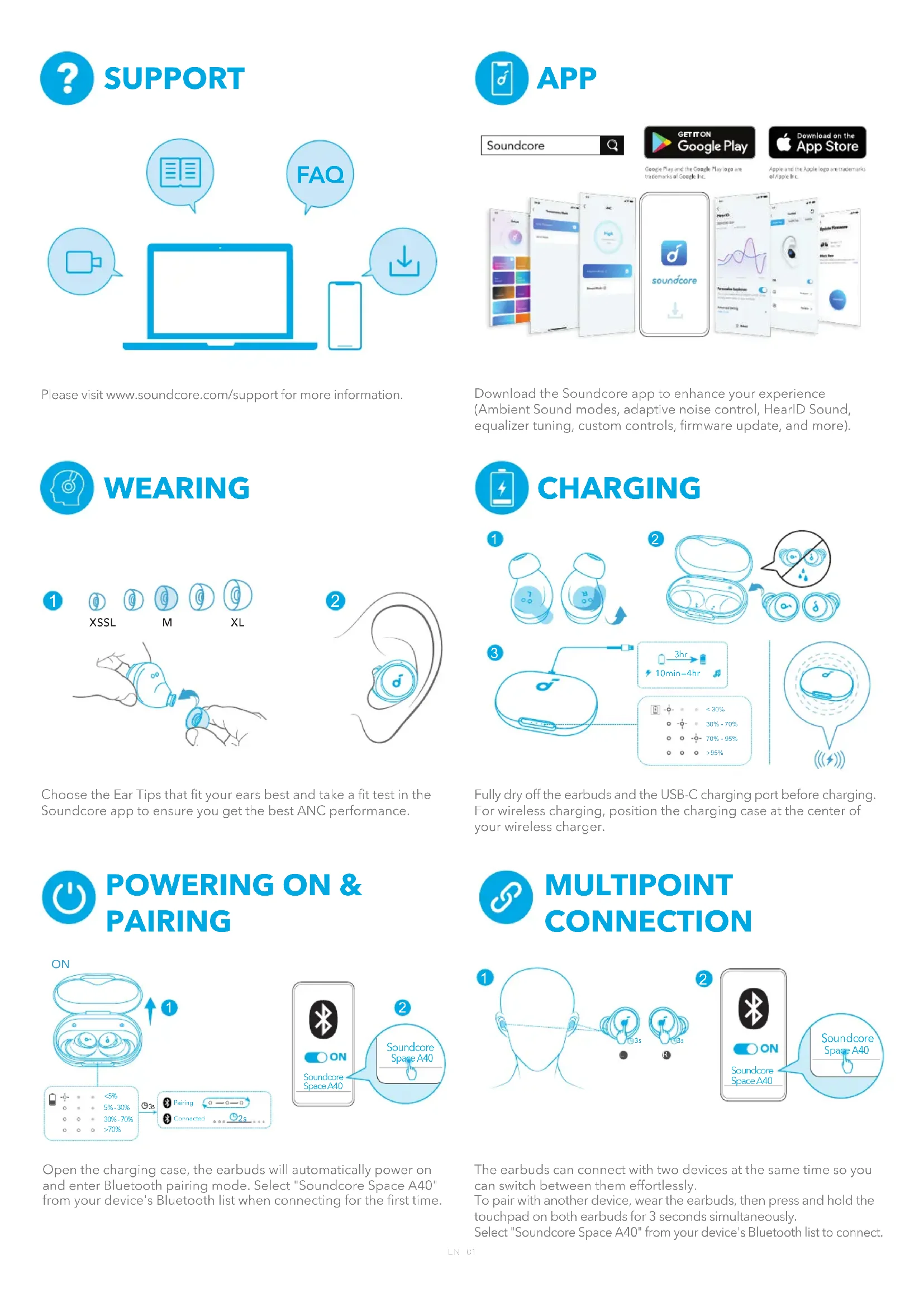
Please visit www.soundcore.com/support for more information.

WEARING
1
①
XSSL
①
①
M
⑥
⑨
XL
natural_image
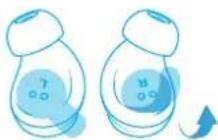
Illustration of a hand holding a small blue device with a circular arrow indicating motion (no text or symbols)2
natural_image
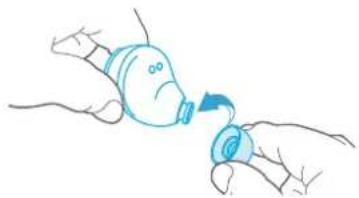
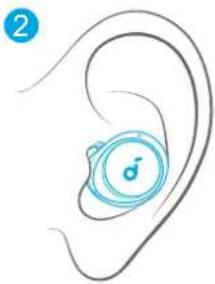
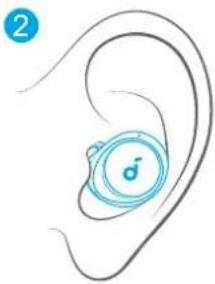
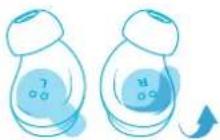
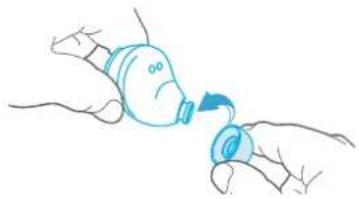
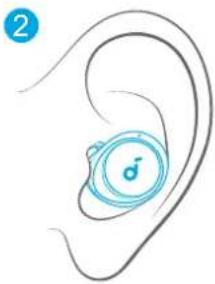
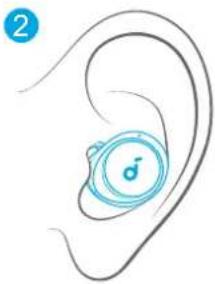
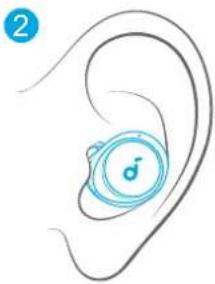
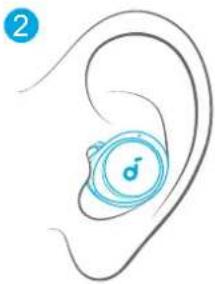
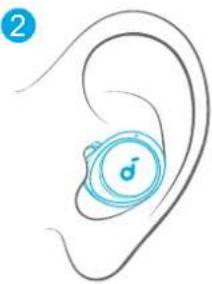
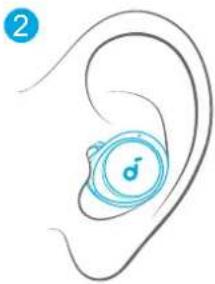
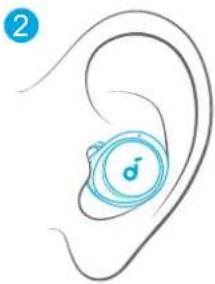
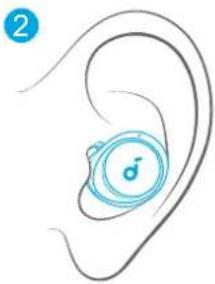
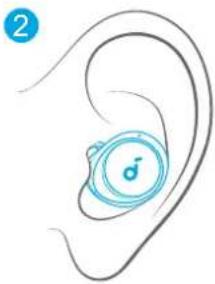
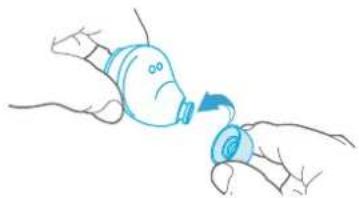
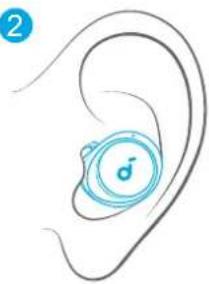
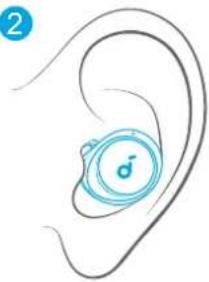
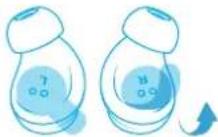
Illustration of a human ear with a blue circular device labeled '♂' (no text or symbols beyond the label)Choose the Ear Tips that fit your ears best and take a fit test in the Soundcore app to ensure you get the best ANC performance.

POWERING ON & PAIRING
text_image
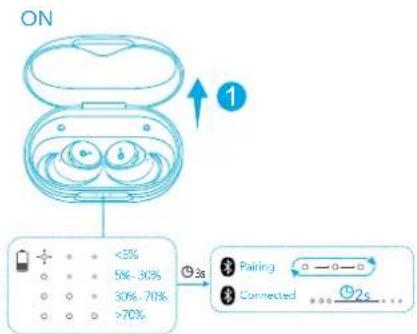
ON 1 <5% 5% - 30% 30% - 70% >70% 2s Pairing Connected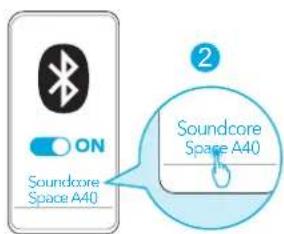
text_image
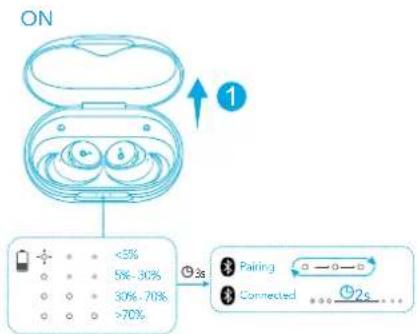
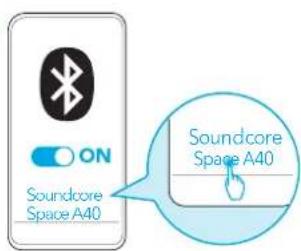
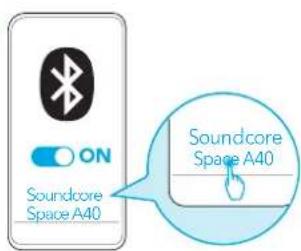
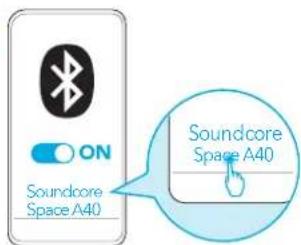
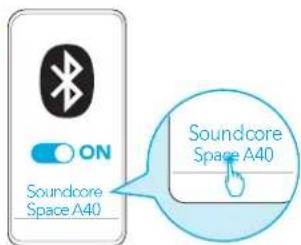
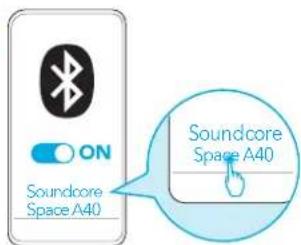
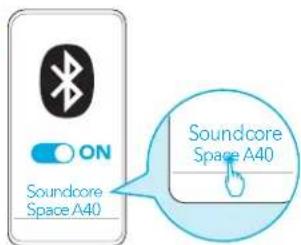
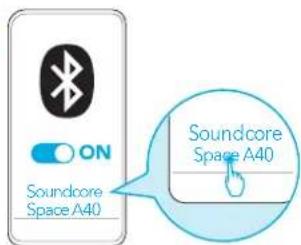
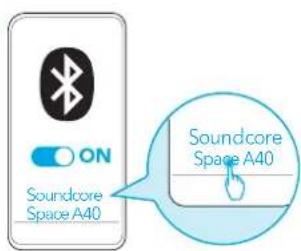
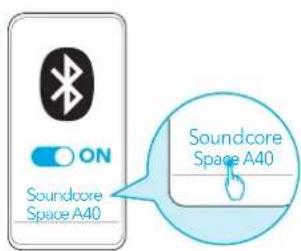
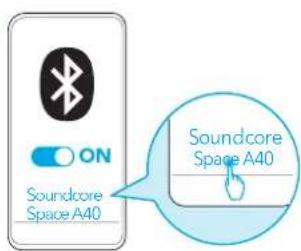
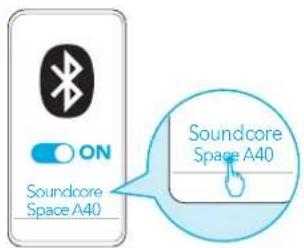
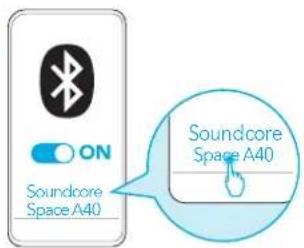
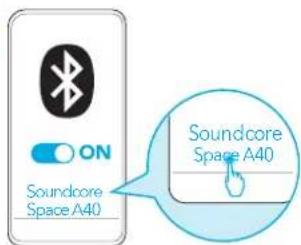
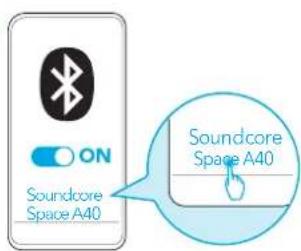
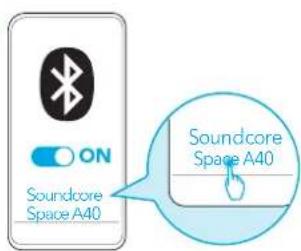
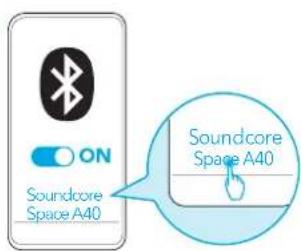
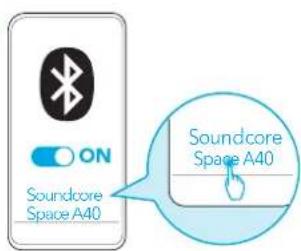
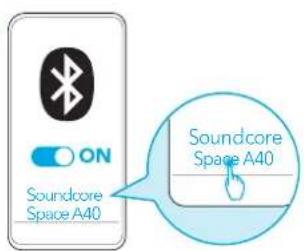
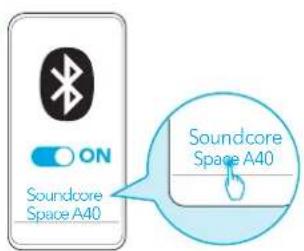
ON Soundcore Space A40 Soundcore Space A40Open the charging case, the earbuds will automatically power on and enter Bluetooth pairing mode. Select "Soundcore Space A40" from your device's Bluetooth list when connecting for the first time.

APP
Soundcore


GETITON Google Play

Download on the App Store
Google Play and the Google Play logo are trademarks of Google Inc.
Apple and the Apple logo are trademarks of Apple Inc.
text_image
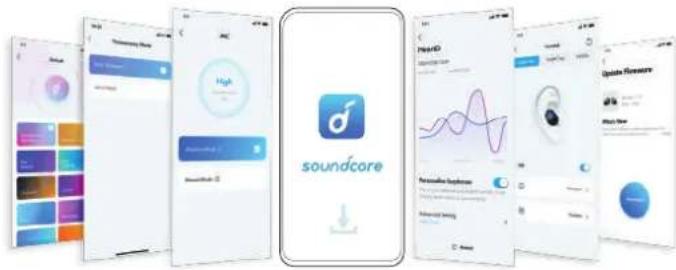
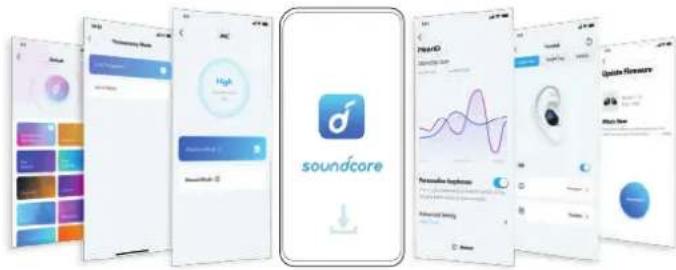
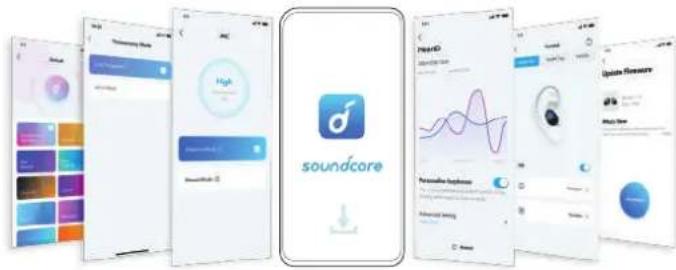
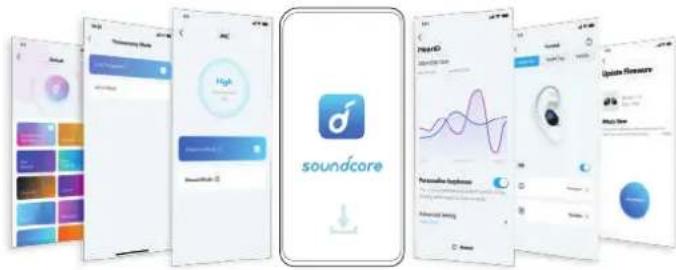
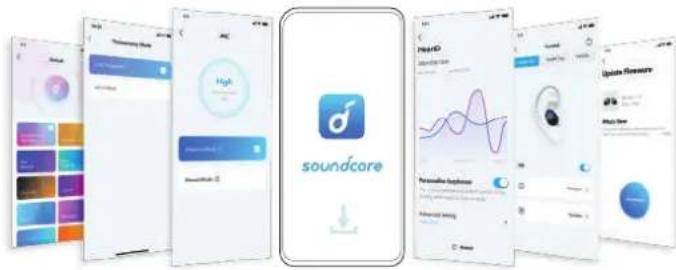
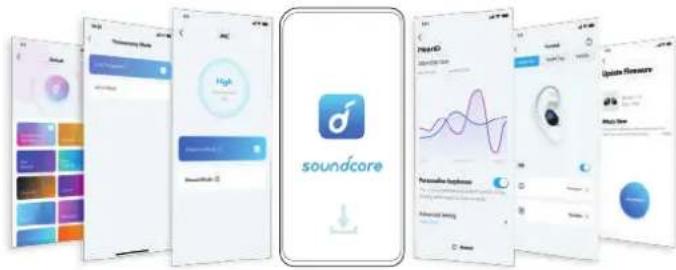
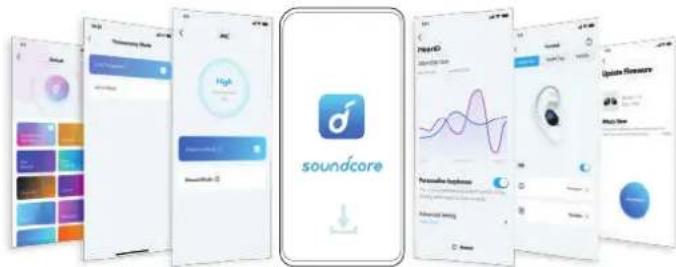
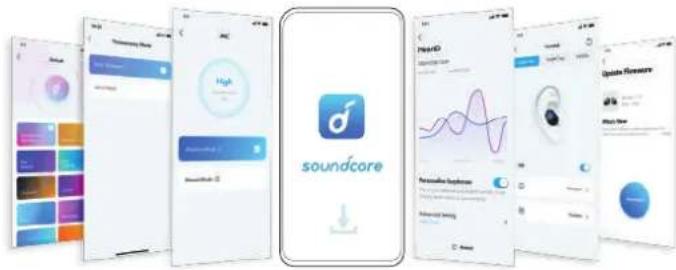
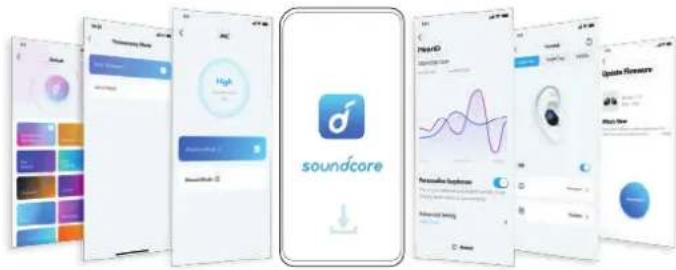
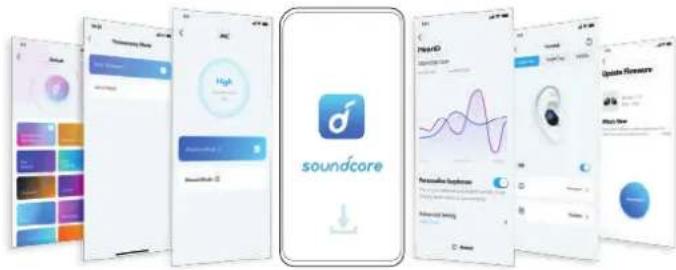
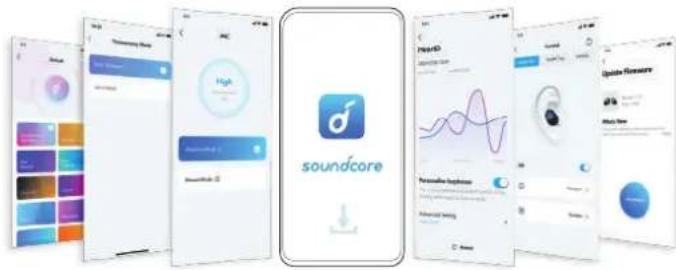
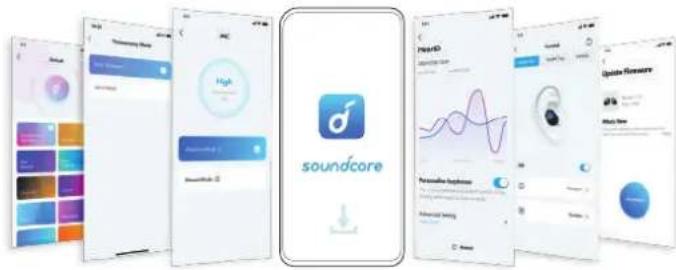
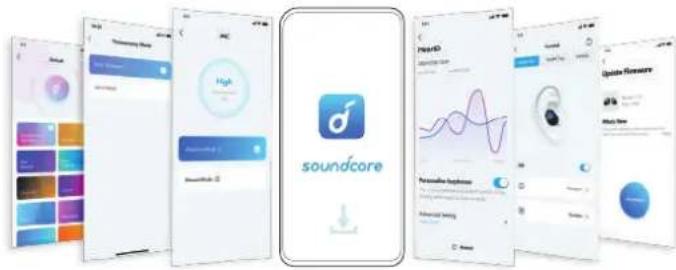
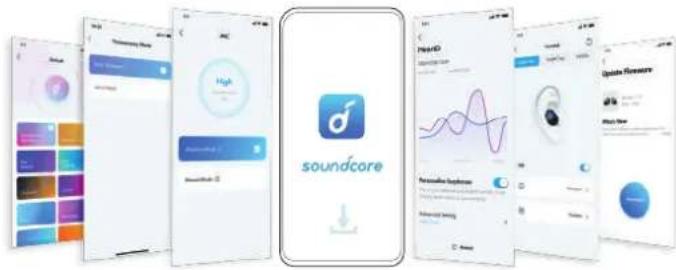
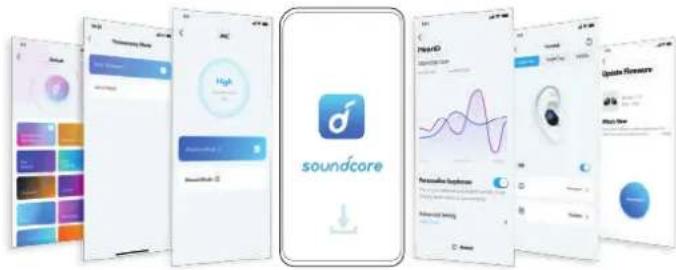
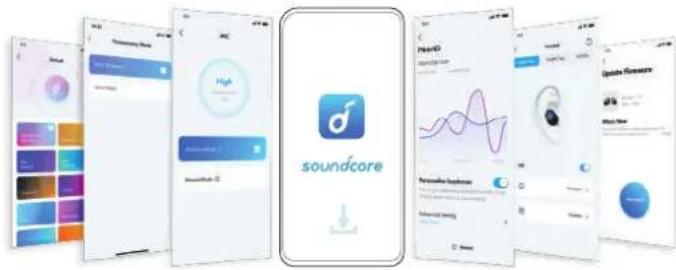
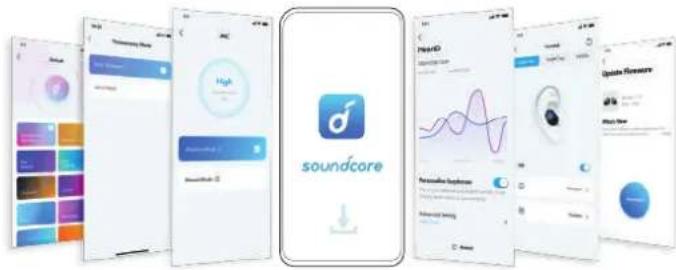
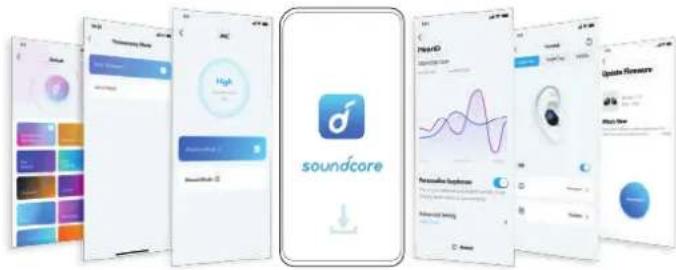
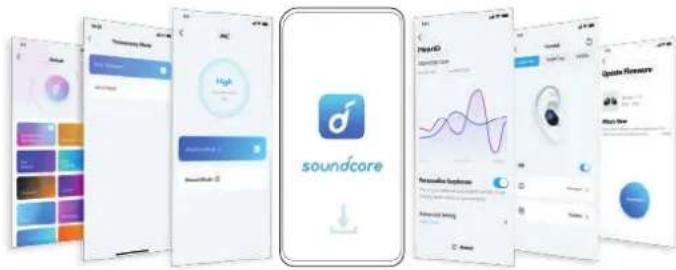
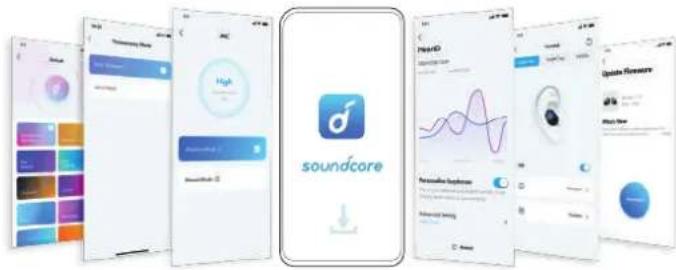
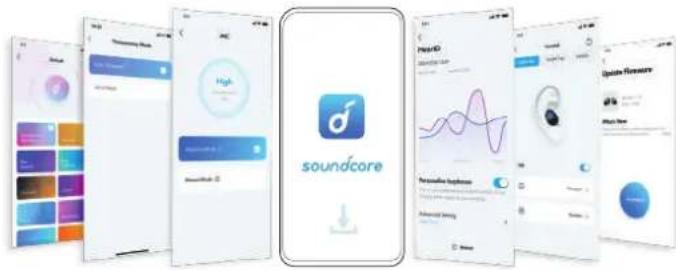
Screenshot collage of Soundcore app interface showing app icons, UI panels, and charts for audio and voice functionsDownload the Soundcore app to enhance your experience (Ambient Sound modes, adaptive noise control, HearID Sound, equalizer tuning, custom controls, firmware update, and more).
CHARGING
1
2
text_image
Diagram illustrating a medical procedure with labeled components and a magnified view showing fluid behavior around a device.3
text_image
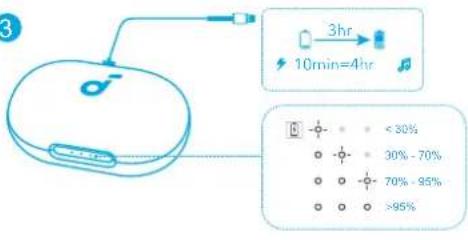
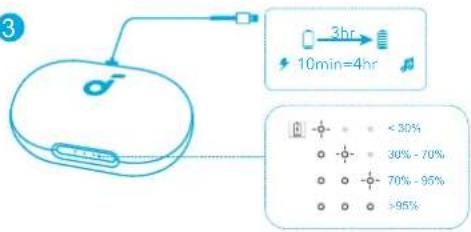
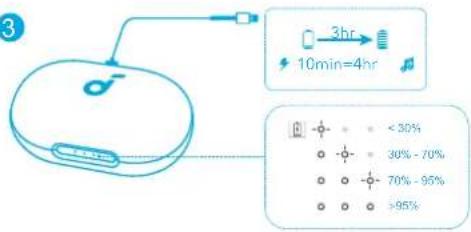
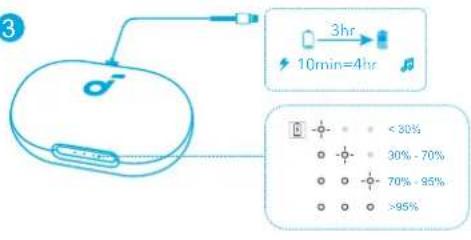
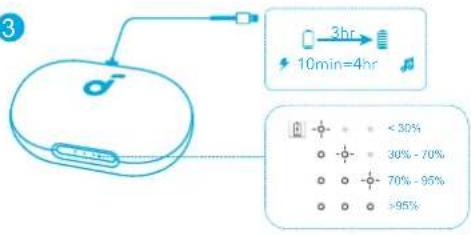
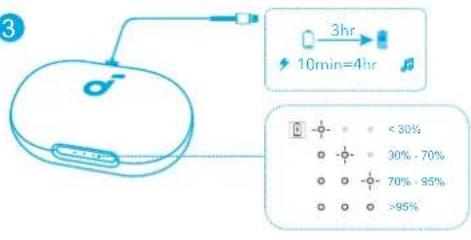
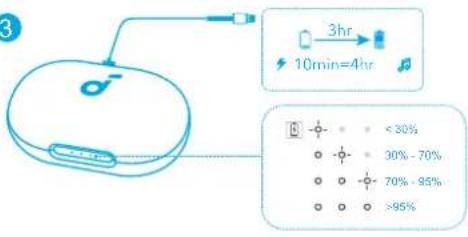
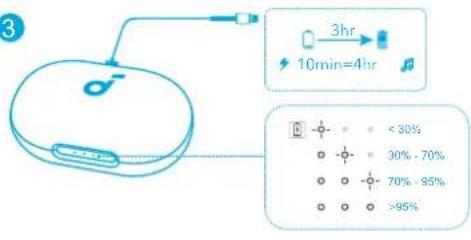
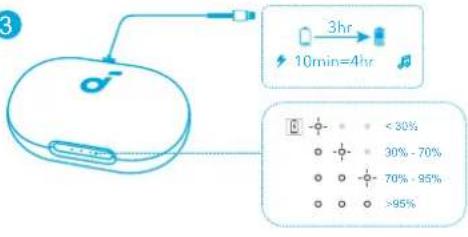
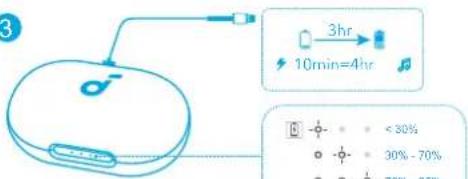
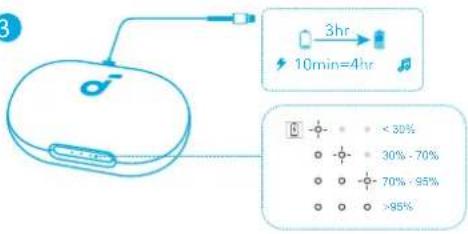
3 3hr 10min=4hr < 30% 30% - 70% 70% - 95% >95%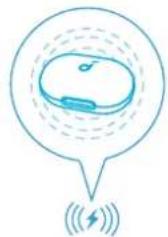
natural_image
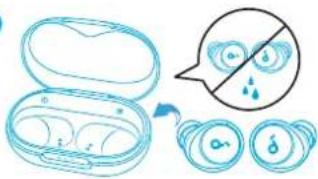
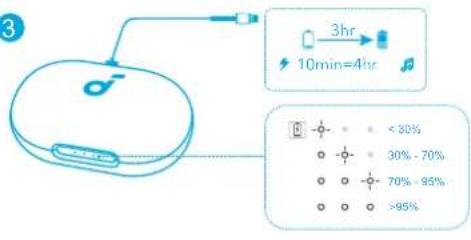
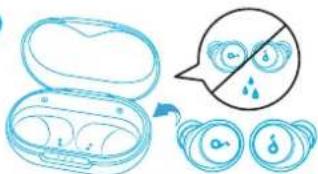
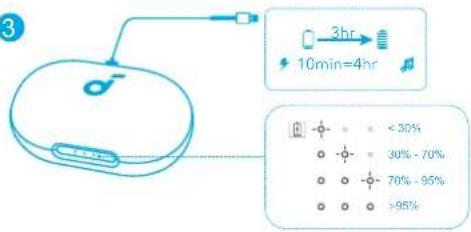
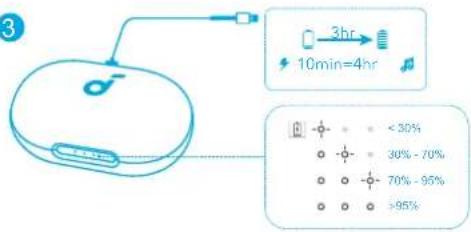
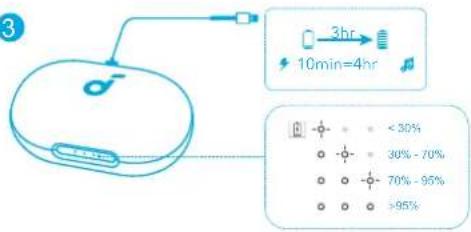
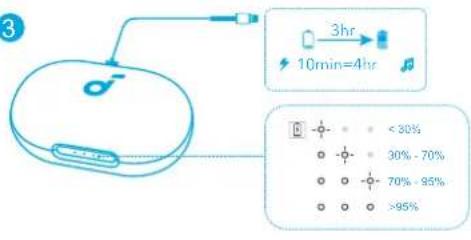
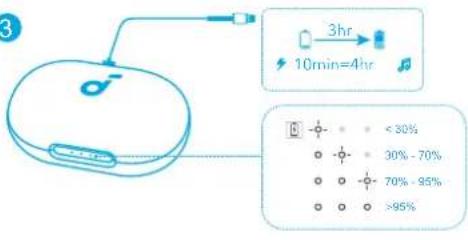
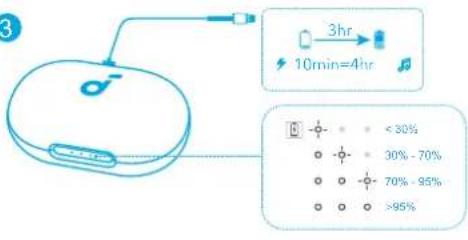
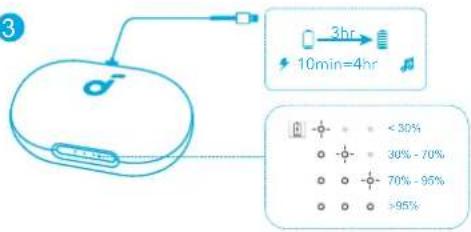
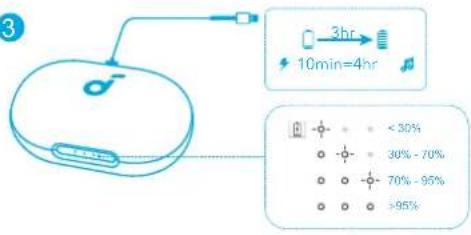
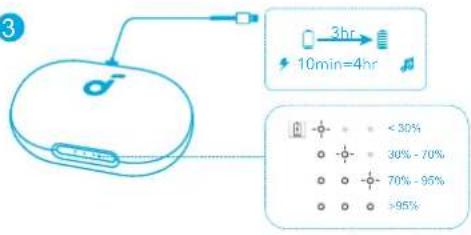
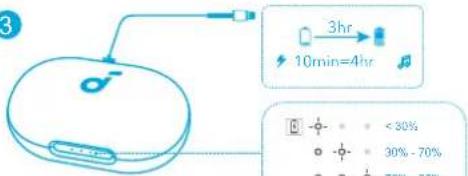
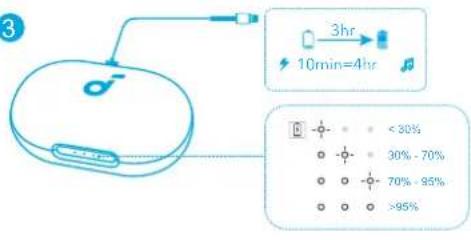
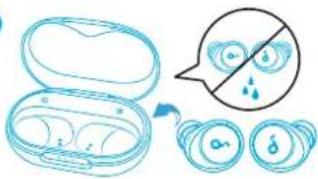
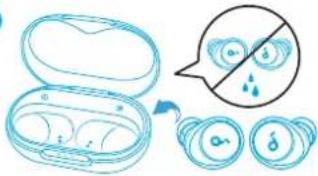
Simple line drawing of a device inside a speech bubble with signal waves below (no text or symbols)Fully dry off the earbuds and the USB-C charging port before charging. For wireless charging, position the charging case at the center of your wireless charger.

MULTIPOINT CONNECTION
1
text_image
Diagram showing ear anatomy with labeled parts and magnified views of the head, including '3s' and 'R' annotations.2
text_image
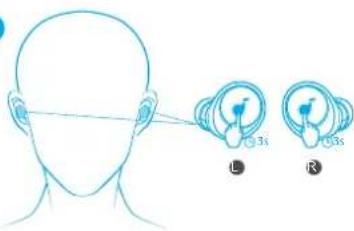
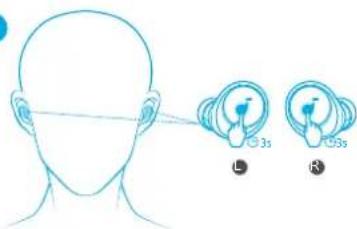
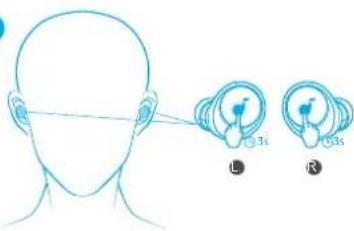
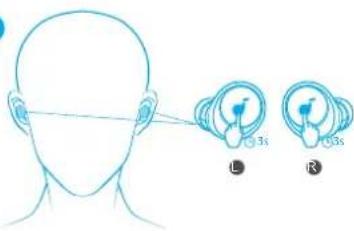
ON Soundcore Space A40 Soundcore Space A40The earbuds can connect with two devices at the same time so you can switch between them effortlessly. To pair with another device, wear the earbuds, then press and hold the touchpad on both earbuds for 3 seconds simultaneously. Select "Soundcore Space A40" from your device's Bluetooth list to connect.
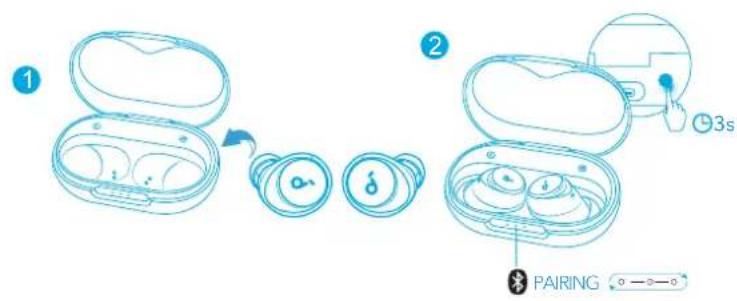
MANUAL PAIRING
text_image
1 2 3s PAIRINGTo manually enter Bluetooth pairing mode, place the earbuds in the charging case and leave the case open. Then press and hold the button on the charging case for 3 seconds until the LED indicators flash white in sequence continuously.

NOISE CANCELLATION
text_image
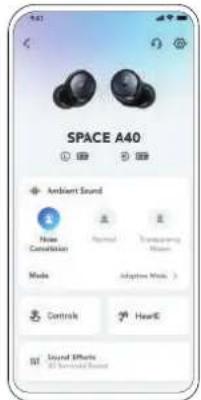
SPACE A40 Ambient Sound Noise Conversion Normal Transparent Mirror Media Adaptive Audio > Controls HeartE Sound Effects All Seemed Sound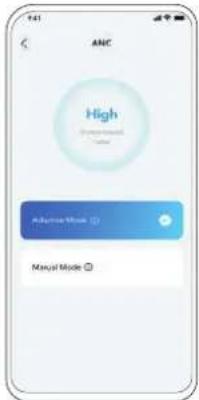
text_image
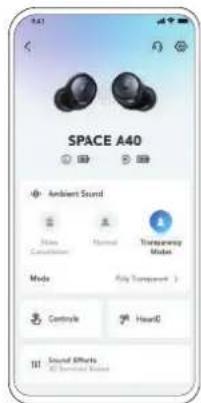
ANC High Adaptive Mode Manual ModeTo reduce unwanted ambient noise, select a noise cancellation mode in the Soundcore app.
- Adaptive Mode: Automatically switch to the most suitable noise cancelling equalizer for different user scenarios.
- Manual Mode: Set the level of noise cancellation manually.
LDAC LDAC
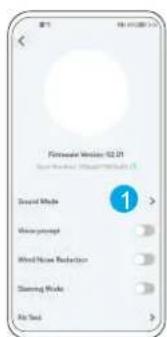
text_image
Foresteve Version 02.01 Sound Mode Noise perception Wind Noise Reduction Sliding Mode Air Touch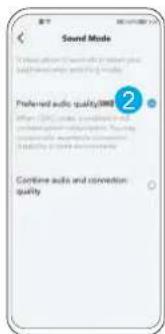
text_image
Sound Mode 2 Preferred audio quality(000) When I/O can be considered and conventional, the audio is used to provide a sound mode.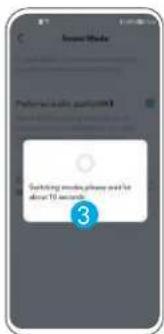
text_image
Switching words, please add to above 10 seconds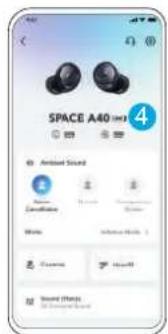
text_image
SPACE A40 Ambient Sound Decalination Noise Audio Sound Effects Sound EffectsUse devices powered by Android 8.0 or later to experience LDAC quality sound.

CONTROLS
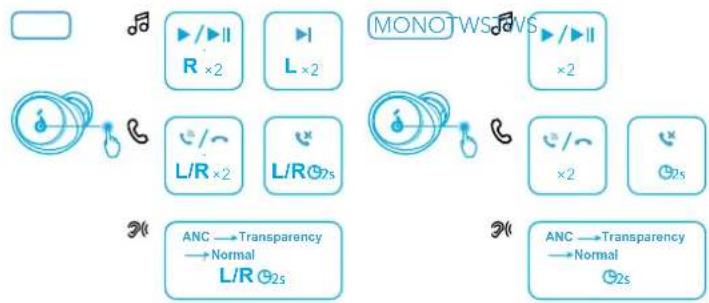
flowchart
graph TD
    A["Input"] --> B["Audio Input"]
    B --> C["R ×2"]
    C --> D["L ×2"]
    D --> E["L/R ×2"]
    E --> F["L/R 0.7s"]
    F --> G["Output"]
    G --> H["Audio Output"]
    H --> I["L/R 0.2s"]
    I --> J["Transparency → Normal"]
    J --> K["MONOTWS/INS"]
    K --> L["Audio Output"]
    L --> M["L ×2"]
    M --> N["L/R 0.7s"]
    N --> O["L/R 0.2s"]
    O --> P["Output"]
x2: Tap twice
2s: Tap and hold for 2 seconds
*You can also customize controls in the Soundcore app.

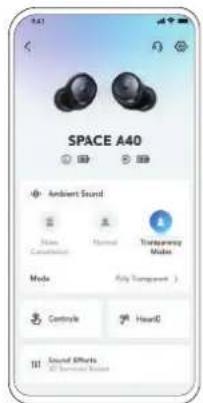
TRANSPARENCY
text_image
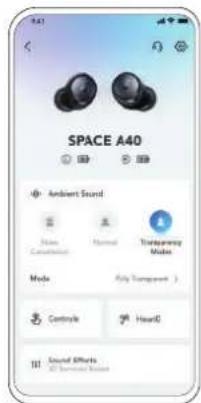
SPACE A40 Ambient Sound Mode Cancerebell Normal Transparency Mode Mode Fully Transparent > Controls HearD Sound Effects All Generated Sound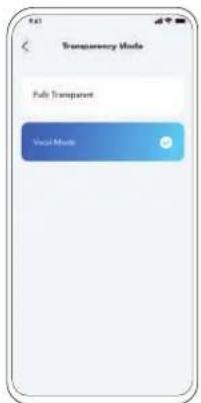
text_image
Transparency Mode Fully Transparent Voice ModeTo stay aware of your surroundings while listening to music, select a transparency mode in the Soundcore app.
• Fully Transparent: Hear all ambient sounds.
- Vocal Mode: Voices stand out more clearly from other ambient sounds.

POWERING OFF
text_image
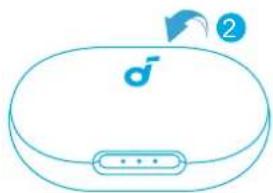
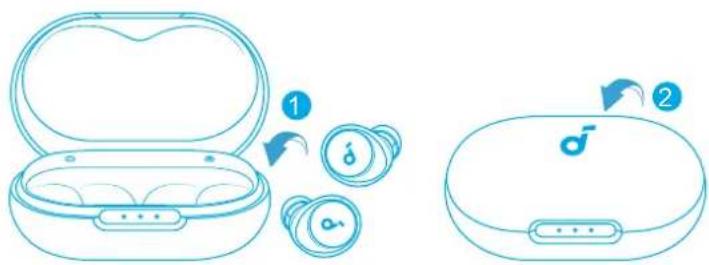
Diagram showing two types of wireless earbuds with labeled parts and directional arrows indicating steps 1 and 2.Return the earbuds to the charging case and close the case.
text_image
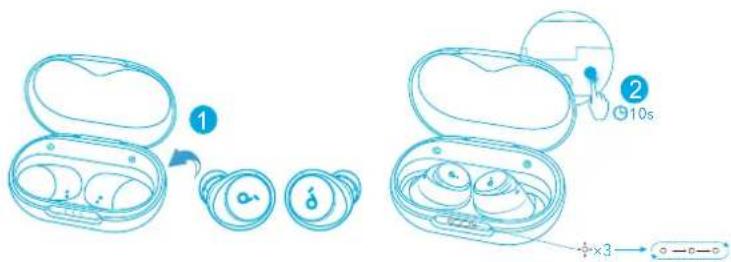
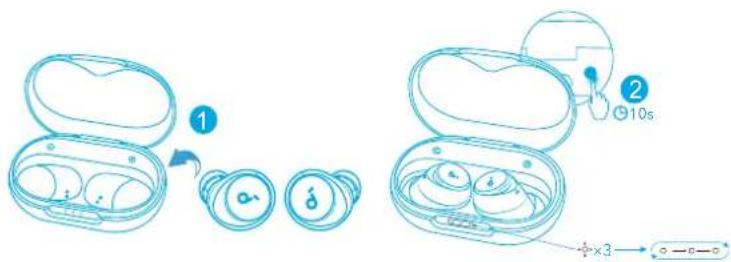
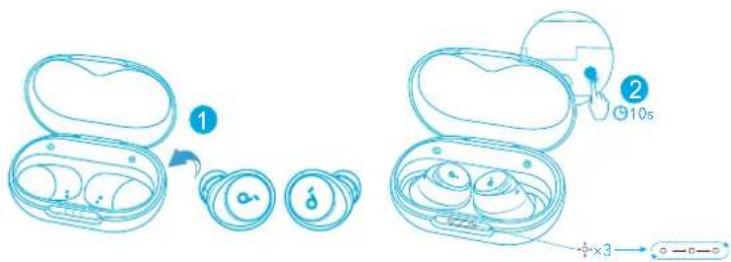
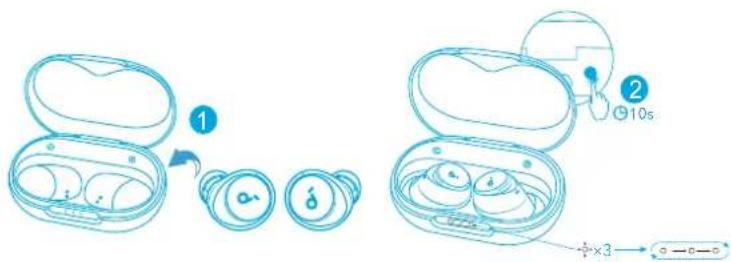
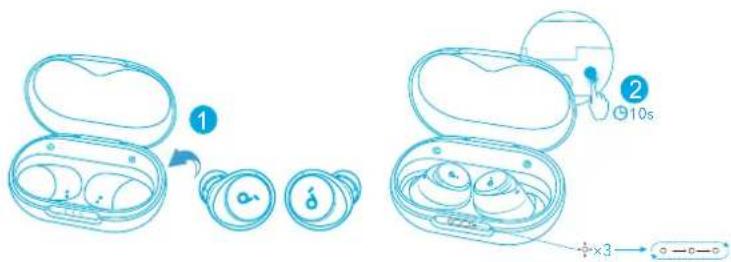
Diagram showing two types of wireless earbuds with labeled parts and a 10s time indicatorPlace the earbuds in the charging case and leave the case open. Then press and hold the button on the case for 10 seconds until the LED indicators on the case flash white 3 times and then flash in sequence.
Specifications are subject to change without notice.
| Input 5 V | --- 0.65 A |
| Rated output power 2.2 mW | |
| Battery capacity | 53 mAh x 2 (earbuds);800 mAh (charging case) |
| Charging time 2 hours | |
| Playtime(with ANC mode turned off) | Up to 10 hours (Total 50 hours with the charging case) |
| Playtime(with ANC mode turned on) | Up to 8 hours (Total 40 hours with the charging case) |
| Driver unit 10 mm dynamic driver | |
| Frequency response 20 Hz - 20 kHz | |
| Impedance 16 Ω | |
| Waterproof level (Earbuds) IPX4 | |
| Bluetooth version 5.2 | |
| Bluetooth range 10 m / 33 ft |

PODPORA

flowchart
graph TD
    A["Laptop"] --> B["Phone icon"]
    A --> C["Smartphone icon"]
    D["FAQ"] --> E["Document icon"]
    F["Download icon"] --> G["Download icon"]
natural_image
Illustration of a hand holding a blue medical device with a circular arrow indicating motion (no text or symbols)2
natural_image
Illustration of a human ear with a blue circular device labeled '♂' (no text or symbols beyond the label)text_image
ON 1 <5% 5% -30% 30% -70% >70% 2s Pairing Connected 2s...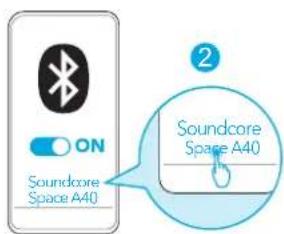
text_image
ON Soundcore Space A40 Soundcore Space A40Download on the App Store
Google Play and the Google Play logo are trademarks of Google Inc.
Apple and the Apple logo are trademarks of Apple Inc.
text_image
Screenshot collage of Soundcore app interface showing app icons, a music note logo, and a waveform graph.text_image
Diagram illustrating a medical procedure with an open pill container, a magnified view of circular devices with internal symbols, and a speech bubble containing droplets.3
text_image
3 3hr 10min=4hr < 30% 30% - 70% 70% - 95% >95%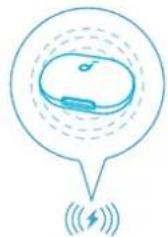
natural_image
Simple line drawing of a device inside a speech bubble with signal waves below (no text or symbols)text_image
3s 13s 13s2
text_image
ON Soundcore Space A40 Soundcore Space A40text_image
1 2 3s PAIRINGtext_image
ANC High Adaptive Mode Manual Modetext_image
Sound Mode 2 Preferred audio quality(000) When I/O has provided sound and when I/O is necessary, then the quality of audio is necessary. Combine audio and conversion quality.
text_image
Switching words, please add to above 10 seconds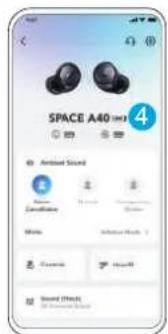
text_image
SPACE A40 Ambient Sound Environment Status Ambient Sound 1 2 3 4 5 6 7 8 9 10 11 12 13 14 15 16 17 18 19 20 Sound Effectstext_image
Diagram showing two types of wireless earbuds with labeled parts and directional arrows indicating steps 1 and 2.text_image
Diagram showing two types of wireless earbuds with labeled parts and a 10s time indicatortext_image
1 XSSL M XL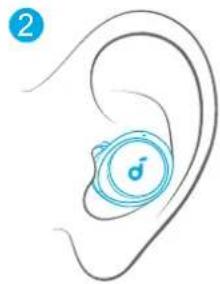
natural_image
Illustration of a human ear with a blue circular device on the inner ear (no text or symbols)text_image
ON 1 <5% 5% 30% 30%-70% >70% 3s Pairing Connected 2s...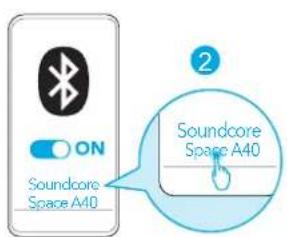
text_image
ON Soundcore Space A40 Soundcore Space A40
Apple and the Apple logo are trademarks of Apple Inc.
text_image
Screenshot collage of Soundcore app interface showing app icons, UI panels, and a music waveform displayDownload Soundcore-appen for at forbedre din oplevelse (tilstande for omgivelseslyde, adaptiv støjkontrol, Hearldlyd, equalizerjustering, brugerdefinerede betjeningsknapper, firmwareopdatering m.m.).
OPLADNING
1
2
text_image
Diagram illustrating a medical procedure with an open case, a magnified view showing liquid droplets, and a blue speech bubble indicating no need.3
text_image
3 3hr 10min=4hr <30% 30%-70% 70%-95% >95%text_image
Diagram showing human head with facial landmark annotations and two labeled diagrams (L and R) pointing to specific regions.2
text_image
ON Soundcore Space A40 Soundcore Space A40text_image
1 2 3s PAIRINGtext_image
ANC High Adaptive Mode Manual Modetext_image
Sound Mode 2 Preferred audio quality(000) When I/O has provided sound and when I/O is required, then the quality of audio is required. Combine audio and conversion quality.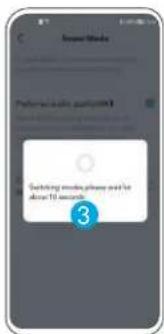
text_image
Switching words, please add to above 10 seconds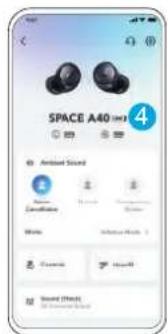
text_image
SPACE A40 Ambient Sound Environment Status Ambient Sound 1 2 3 4 5 6 7 8 9 10 11 12 13 14 15 16 17 18 19 20 Sound Effectstext_image
Diagram showing two types of wireless earbuds with labeled parts and directional arrows indicating steps 1 and 2.text_image
Diagram showing two types of wireless earbuds with labeled parts and a 10s time indicatortext_image
1 XSSL M XL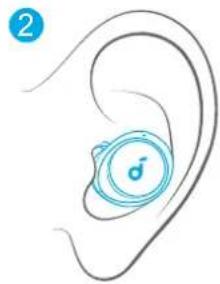
natural_image
Illustration of a human ear with a circular icon labeled 's' on the inner ear (no text or symbols beyond the icon)text_image
ON 1 <5% 5% 30% 30%-70% >70% 3s Pairing Connected 2s...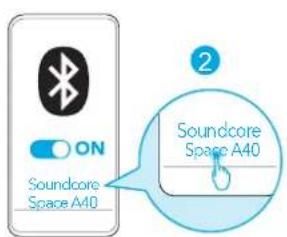
text_image
ON Soundcore Space A40 Soundcore Space A40
Download on the App Store
Google Play and the Google Play logo are trademarks of Google Inc.
Apple and the Apple logo are trademarks of Apple Inc.
text_image
Screenshot collage of a smartphone app interface showing app icons, ratings, and UI elements like audio, soundcore, and audiovisual.text_image
Diagram illustrating a medical procedure with an open case, a magnified view showing liquid droplets, and a blue speech bubble indicating no need.3
text_image
3 3hr 10min=4hr <30% 30%-70% 70%-95% >95%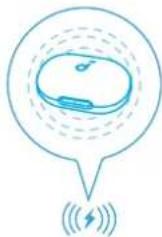
text_image
Diagram showing human head with facial landmarks and two labeled eye positions (L and R) for visual perception.2
text_image
ON Soundcore Space A40 Soundcore Space A40text_image
1 2 3s PAIRINGtext_image
ANC High Adaptive Mode Manual Modetext_image
Sound Mode 2 Preferred audio quality(0.000) When I/O can be connected to the corresponding sound mode, I can proprietally communicate between I do not use any other mode. Combine audio and connection quality.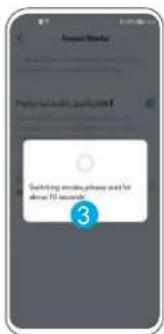
text_image
Switching messages, please need for above 10 seconds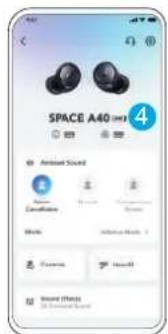
text_image
SPACE A40 HD3 Audio Sound Decalination Audio Audio Audio Audio Audio Audio Audio Audio Audio Audio Audiotext_image
SPACE A40 Ambient Sound Mode Catalyst Thermal Transparency Modes Mode Fully Transparent > Controls HeartE Sound Effects © Electronic Sound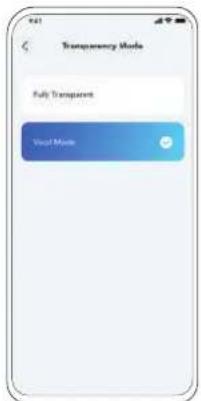
text_image
Transparency Mode Fully Transparent Visual Modetext_image
Diagram showing two types of wireless earbuds with labeled parts and directional arrows indicating steps 1 and 2.text_image
Diagram showing two types of wireless earbuds with labeled parts and a 10-second duration indicator.text_image
1 XSSL M XL
natural_image
Illustration of a human ear with a circular icon labeled 's' on the inner ear (no text or symbols beyond the icon)text_image
ON 1 <5% 5% 30% 30%-70% >70% Pairing Connected 2s...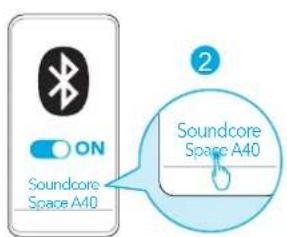
text_image
ON Soundcore Space A40 Soundcore Space A40
Download on the App Store
Google Play and the Google Play logo are trademarks of Google Inc.
Apple and the Apple logo are trademarks of Apple Inc.
text_image
Screenshot collage of Soundcore app interface showing app icons, UI panels, and a music waveform displaytext_image
Diagram illustrating a medical procedure with an open case, a magnified view showing liquid droplets, and a blue speech bubble indicating no need.3
text_image
3 3hr 10min=4hr <30% 30%-70% 70%-95% >95%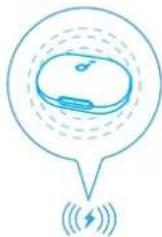
text_image
Diagram showing human head with facial landmark detection points labeled 3s and R, likely for anatomical or diagnostic reference.2
text_image
ON Soundcore Space A40 Soundcore Space A40text_image
1 2 3s PAIRINGtext_image
ANC High Adaptive Mode Manual Modetext_image
Sound Mode 2 Preferred audio quality(0.000) When I/O can be connected to the corresponding sound. Can be in the connection I should be done.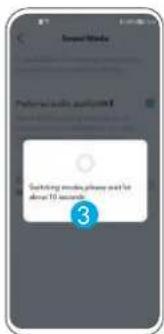
text_image
Switching messages, please need for above 10 seconds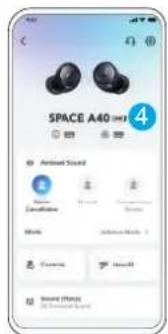
text_image
SPACE A40 HD3 Audio Sound Decalination Audio Audio Audio Audio Audio Audio Audio Audio Audio Audio Audiotext_image
SPACE A40 Ambient Sound Mode Catalyst Thermal Transparency Modes Mode Fully Transparent > Controls HeartE Sound Effects © Electronic Sound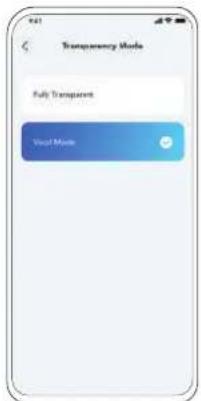
text_image
Transparency Mode Fully Transparent Visual Modetext_image
Diagram showing two types of wireless earbuds with labeled parts and directional arrows indicating steps 1 and 2.text_image
Diagram showing two types of wireless earbuds with labeled parts and a 10s time indicatorflowchart
graph TD
    A["Laptop"] --> B["FAQ"]
    A --> C["Download Icon"]
    A --> D["Mobile Phone Icon"]
text_image
1 XSSL M XL
natural_image
Illustration of a human ear with a circular icon labeled 's' on the inner ear (no text or symbols beyond the icon)text_image
ON 1 <5% 5% 30% 30%-70% >70% 3s Pairing Connected 2s...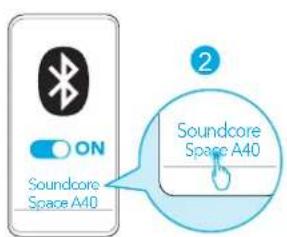
text_image
ON Soundcore Space A40 Soundcore Space A40
Download on the App Store
Google Play and the Google Play logo are trademarks of Google Inc.
Apple and the Apple logo are trademarks of Apple Inc.
text_image
Screenshot collage of Soundcore app interface showing app icons, UI panels, and charts for audio and voice functionstext_image
Diagram illustrating a medical procedure with an open case, a magnified view showing liquid droplets, and a blue speech bubble indicating no need.3
text_image
3 3hr 10min=4hr <30% 30%-70% 70%-95% >95%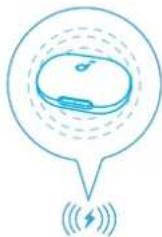
text_image
3s 5s L R2
text_image
ON Soundcore Space A40 Soundcore Space A40text_image
1 2 3s PAIRINGtext_image
SPACE A40 Ambient Sound Noise Constellation Normal Transparency Normal Media Adaptive Media > Controls HeartE Sound Effects All Seemed Sound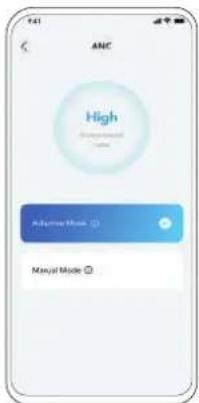
text_image
ANC High Adaptive Mode Manyai Modetext_image
Sound Mode 2 Preferred audio quality(000) When I/O can be considered and conventional, the audio is used to provide a sound mode.
text_image
Switching words, please add to above 10 seconds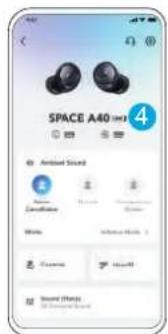
text_image
SPACE A40 Ambient Sound Decalination Noise Audio Sound Effects Sound Effectstext_image
SPACE A40 Ambient Sound Mode Cancetition Normal Transparency Mode Mode Fully Transparent > Controls HearE Sound Effects All Environmental Sound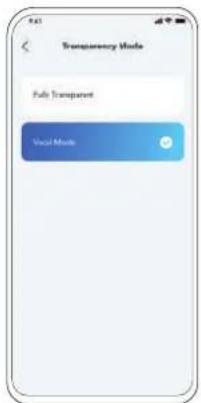
text_image
Transparency Mode Fully Transparent Voice Modetext_image
Diagram showing two types of wireless earbuds with labeled parts and step indicatorstext_image
Diagram showing two types of wireless earbuds with labeled parts and a 10-second duration indicator.
m = 311

XL
natural_image
Illustration of two hands performing a medical procedure with a blue tool (no text or symbols)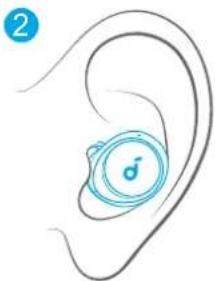
natural_image
Illustration of a human ear with a circular icon labeled 'd' (no text or symbols beyond the icon)
Download on the App Store
Google Play and the Google Play logo are trademarks of Google Inc.
Apple and the Apple logo are trademarks of Apple Inc.
text_image
Screenshot collage of Soundcare app interface showing app icons, UI panels, and a music player logo.text_image
Diagram illustrating a medical procedure with an open device and multiple droplets, accompanied by a speech bubble containing a 'no' symbol.3
text_image
3 3hr 10min=4hr <30% 30%-70% 70%-95% >95%text_image
Diagram showing human head with facial landmark annotations and corresponding visual diagrams labeled L and R.2
text_image
ON Soundcore Space A40 Soundcore Space A40text_image
1 2 3s PAIRINGtext_image
ANC High Adaptive Mode Manyai Modetext_image
Sound Mode 2 Preferred audio quality(000) When I/O is selected, connected to a common audio level. The audio level is selected for the connection quality. Combine audio and connection quality.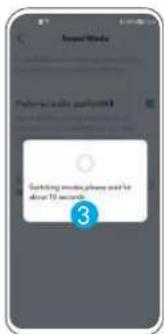
text_image
Switching words, please add to above 10 seconds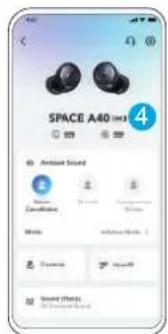
text_image
SPACE A40 Ambient Sound Ambient Sound Ambient Sound Ambient Sound Ambient Sound Ambient Sound Ambient Sound Ambient Sound Ambient Sound Ambient Soundtext_image
SPACE A40 Ambient Sound Mode Continuous Minimal Transparency Mode Mode Fully Transparent > Controls HearD Sound Effects All Generated Sound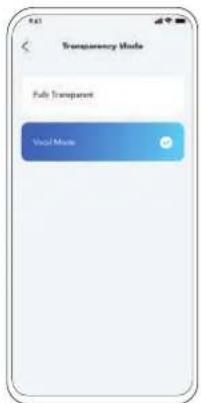
text_image
Transparency Mode Multi Transparent Visual Modetext_image
Diagram showing two types of wireless earbuds with labeled parts and directional arrows indicating steps 1 and 2.text_image
Diagram showing two types of wireless earbuds with labeled parts and a 10s time indicatortext_image
1 XSSL M XL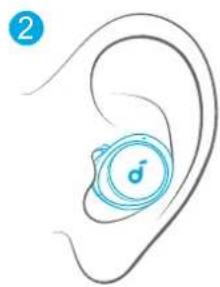
natural_image
Illustration of a human ear with a circular icon containing a musical note symbol (no text or labels)text_image
ON 1 <5% 5% 30% 30%-70% >70% 3% Pairing Connected 2s...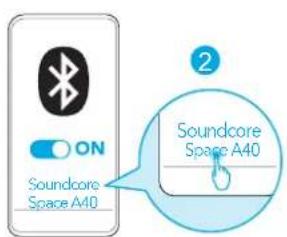
text_image
ON Soundcore Space A40 Soundcore Space A40text_image
Soundcore GET IT ON Google Play Download on the App Store Google Play and the Google Play logo are Trademarks of Google Inc. Apple and the Apple logo are trademarks of Apple Inc. soundcoreflowchart
graph TD
    A["1: E-wear kit with 7,000 units"] --> B["2: Processed e-wear unit with 1,000 units"]
    B --> C["3: Monitoring device with 3hr time constraint 10min=4hr"]
    C --> D["4: Display screen with 70%-95% range and >95% detection rate"]
text_image
1 2 3s PAIRINGtext_image
ANC High Adaptive Mode Manyai Modetext_image
Sound Mode 2 Preferred audio quality(000) When I/O can be considered and conventional, the audio is used to provide a sound mode.
text_image
Switching words, please add to above 10 seconds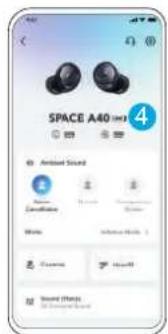
text_image
SPACE A40 Ambient Sound Decalination Noise Audio Sound Effects Sound Effectstext_image
SPACE A40 Ambient Sound Mode Cancerebell Normal Transparency Mode Mode Fully Transparent > Controls HearD Sound Effects All Generated Sound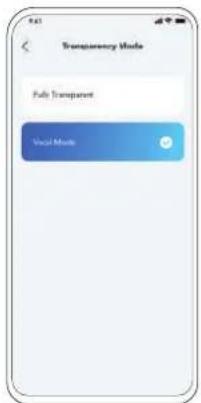
text_image
Transparency Mode Fully Transparent Voice Modetext_image
Diagram showing two types of wireless earbuds with labeled parts and directional arrows indicating steps 1 and 2.text_image
Diagram showing two types of wireless earbuds with labeled parts and a 10-second time indicatornatural_image
Illustration of a hand holding a small blue device with a circular arrow indicating motion (no text or symbols)2
natural_image
Illustration of a human ear with a blue circular device labeled '♂' (no text or symbols beyond the label)text_image
ON 1 <5% 5% -30% 30% -70% >70% 3s Pairing Connected 2s...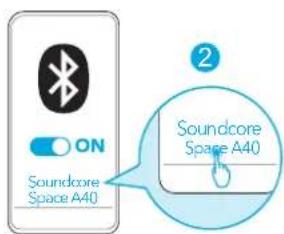
text_image
ON Soundcore Space A40 Soundcore Space A40Download on the App Store
Google Play and the Google Play logo are trademarks of Google Inc.
Apple and the Apple logo are trademarks of Apple Inc.
text_image
Screenshot collage of Soundcore app interface showing app icons, UI panels, and charts for audio and voice functionstext_image
Diagram illustrating a medical procedure with labeled components and a magnified view showing fluid behavior around a device.3
text_image
3 3hr 10min=4hr < 30% 30% - 70% 70% - 95% >95%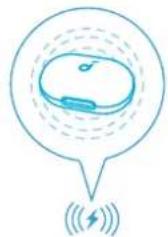
natural_image
Simple line drawing of a device inside a speech bubble with wireless signal icon below (no text or symbols)text_image
Diagram showing ear anatomy with labeled parts and magnified views of the head, including '3s' and 'R' annotations.2
text_image
ON Soundcore Space A40 Soundcore Space A40text_image
1 2 3s PAIRINGtext_image
ANC High Adaptive Mode Manyai Modetext_image
Sound Mode 2 Preferred audio quality(000) When I/O can be considered and conventional, the audio is used to provide a sound mode.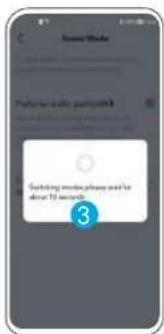
text_image
Switching words, please add to above 10 seconds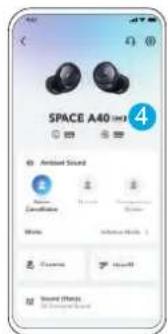
text_image
SPACE A40 Ambient Sound Decalination Noise Audio Sound Effects Sound Effectstext_image
SPACE A40 Ambient Sound Mode Cancerebell Normal Transparency Mode Mode Fully Transparent > Controls HearD Sound Effects All Generated Sound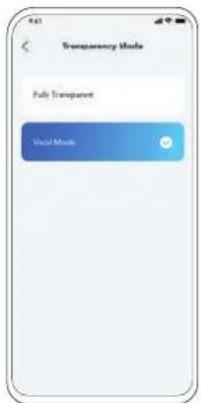
text_image
Transparency Mode Fully Transparent Voice Modetext_image
Diagram showing two types of wireless earbuds with labeled parts and directional arrows indicating sequence.text_image
Diagram showing two types of wireless earbuds with labeled parts and a 10s time indicatornatural_image
Illustration of a hand holding a small blue device with a circular arrow indicating motion (no text or symbols)2
natural_image
Illustration of a human ear with a blue circular device labeled '♂' (no text or symbols beyond the label)text_image
ON 1 <5% 5% -30% 30% -70% >70% 2s Pairing Connected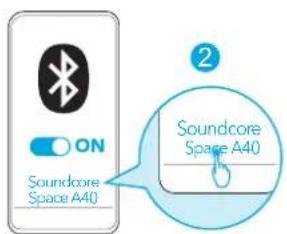
text_image
ON Soundcore Space A40 Soundcore Space A40Download on the App Store
Google Play and the Google Play logo are trademarks of Google Inc.
Apple and the Apple logo are trademarks of Apple Inc.
text_image
Screenshot collage of Soundcore app interface showing app icons, UI panels, and charts for audio and voice functionstext_image
Diagram illustrating a medical procedure with labeled components and a magnified view showing fluid behavior around a device.3
text_image
3 3hr 10min=4hr < 30% 30% - 70% 70% - 95% >95%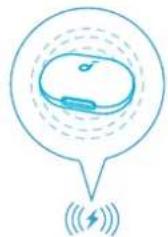
natural_image
Simple line drawing of a device inside a speech bubble with signal waves below (no text or symbols)text_image
Diagram showing ear anatomy with labeled parts and magnified views of the head, including '3s' and 'R3' annotations.2

text_image
ON Soundcore Space A40 Soundcore Space A40text_image
2 3s PAIRINGtext_image
ANC High Adaptive Mode Manual Modetext_image
Sound Mode 2 Preferred audio quality(SMS) After 100% mode compression and convection power (convection). The mode is the noise reduction Conline audio and convection quality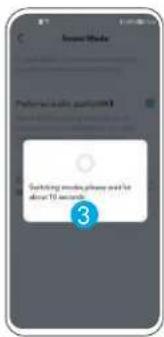
text_image
Switching mobile phone and for about 12 seconds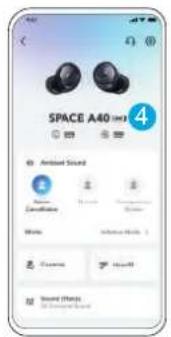
text_image
SPACE A40 4 Antiseal Sound Canculation Noise Audio Sound Effectsflowchart
graph TD
    A[" "] --> B["R ×2"]
    B --> C["L ×2"]
    C --> D["L/R ×2"]
    D --> E["L/R⊗7s"]
    E --> F["AND → Transparency → Normal / L/R ⊕2s"]
    F --> G["AND → Transparency → Normal ⊕2s"]
    style A fill:#f9f,stroke:#333
    style G fill:#f9f,stroke:#333
    note right of C MONOTWS: R ×2
    note right of D L ×2
    note right of E L/R⊗7s
    note right of F ANC → Transparency → Normal / L/R ⊕2s
text_image
SPACE A40 Ambient Sound Mode Cannabis Normal Transparency Mode Fully Transparent > Controls HearE Sound Effects All Generated Sound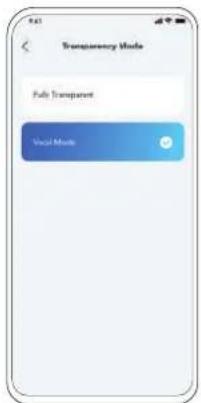
text_image
Transparency Mode Fully Transparent Voice Modetext_image
Diagram showing two types of wireless earbuds with labeled parts and step indicatorstext_image
Diagram showing two types of wireless earbuds with labeled parts and a 10s time indicatornatural_image
Illustration of a hand holding a small blue device with a circular arrow indicating motion (no text or symbols)2

natural_image
Illustration of a human ear with a blue circular device labeled '♂' (no text or symbols beyond the label)text_image
ON 1 <5% 5% -30% 30% -70% >70% 2s Pairing Connected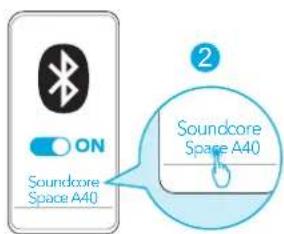
text_image
ON Soundcore Space A40 Soundcore Space A40Download on the App Store
Google Play and the Google Play logo are trademarks of Google Inc.
Apple and the Apple logo are trademarks of Apple Inc.

text_image
Screenshot collage of Soundcore app interface showing app icons, UI panels, and charts for audio and voice functionstext_image
Diagram illustrating a medical procedure with labeled components and a magnified view showing fluid behavior around a device.3
text_image
3 3hr 10min=4hr < 30% 30% - 70% 70% - 95% >95%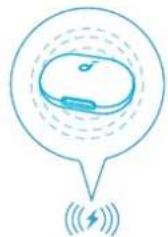
natural_image
Simple line drawing of a device inside a speech bubble with wireless signal icon below (no text or symbols)text_image
Diagram showing ear anatomy with labeled parts and magnified views of the head, including '3s' and 'R' annotations.2
text_image
ON Soundcore Space A40 Soundcore Space A40text_image
1 2 3s PAIRING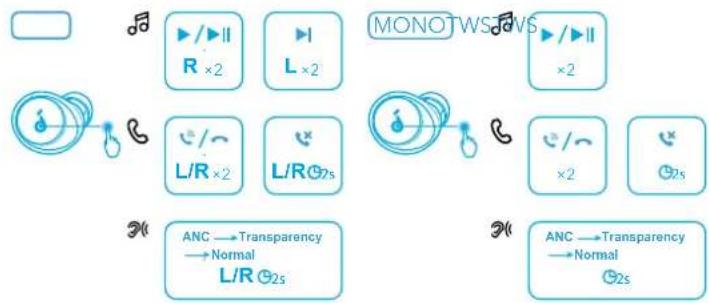
flowchart
graph TD
    A["Radio"] --> B["R ×2"]
    B --> C["L ×2"]
    C --> D["L/R ×2"]
    D --> E["L/R⊗2s"]
    E --> F["Anc → Transparency → Normal / L/R ⊗2s"]
    G["MONOTWS"] --> H["R ×2"]
    H --> I["L ×2"]
    I --> J["L/R ⊗2s"]
    J --> K["ANc → Transparency → Normal ⊗2s"]
text_image
ANC High Progressive Mode Manual Modetext_image
Sound Mode Please click a button to switch your phone and link audio. Preferred audio quality (IWM) 2 Please click user to access the user and link audio. Please use the audio and connection quality.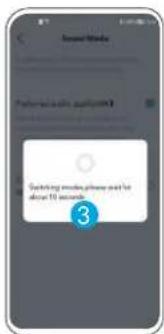
text_image
Switching more, please need for about 10 seconds.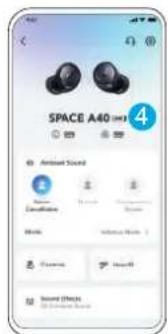
text_image
SPACE A40 4 Antiseal Sound Decade Audio Audio Audio Audio Audio Audio Audiotext_image
SPACE A40 Ambient Sound Name Composition Normal Transparency Males Fully Transparent Controls HearO Sound Effects © Community Sound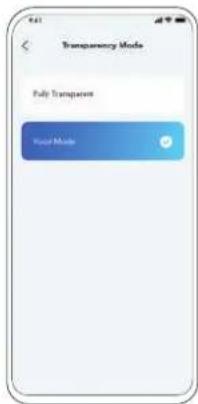
text_image
Transparency Mode Fully Transparent Host Modenatural_image
Line drawing of an open wireless earbuds with a lock icon and two circular buttons, no text or symbols present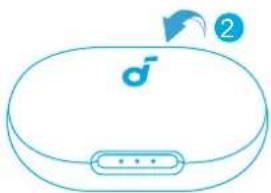
natural_image
Simple line drawing of a closed device with a male symbol on the lid and a button, no text or labels present.text_image
Diagram showing two types of wireless earbuds with labeled parts and a 10-second time indicatornatural_image
Illustration of a hand holding a small blue device with a circular arrow indicating motion (no text or symbols)2
natural_image
Illustration of a human ear with a blue circular device labeled '♂' (no text or symbols beyond the label)Velg øretuppene som passer best til ørene dine, og ta en passformtest i Soundcore-appen for å sikre at du får den beste ANC-ytelsen.

INSCHAKELEN EN KOPPELEN
text_image
ON 1 <5% 5% - 30% 30% - 70% >70% 2s Pairing Connected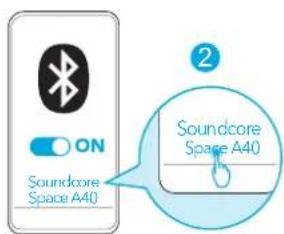
text_image
ON Soundcore Space A40 Soundcore Space A40Download on the App Store
Google Play and the Google Play logo are trademarks of Google Inc.
Apple and the Apple logo are trademarks of Apple Inc.
text_image
Screenshot collage of Soundcore app interface showing app icons, UI panels, and charts for audio and voice functionstext_image
Diagram illustrating a medical procedure with labeled components and a magnified view showing fluid behavior around a device.3
text_image
3 3hr 10min=4hr < 30% 30% - 70% 70% - 95% >95%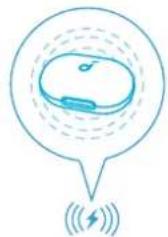
natural_image
Simple line drawing of a device inside a speech bubble with signal waves below (no text or symbols)text_image
Diagram showing ear anatomy with labeled parts and magnified views of the head, including '3s' and 'R' annotations.2
text_image
ON Soundcore Space A40 Soundcore Space A40text_image
1 2 3s PAIRING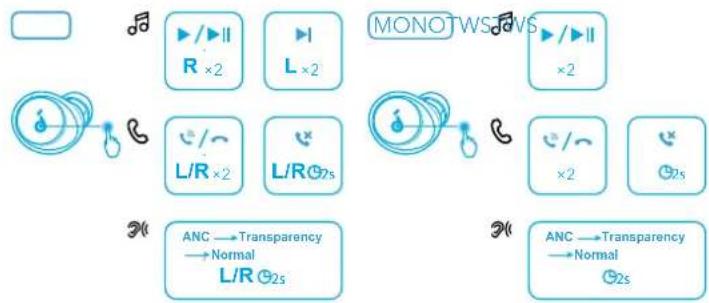
flowchart
graph TD
    A["Radio"] --> B["R ×2"]
    B --> C["L ×2"]
    C --> D["L/R ×2"]
    D --> E["L/R⊗2s"]
    E --> F["Anc → Transparency → Normal / L/R ⊗2s"]
    G["MONOTWS"] --> H["R ×2"]
    H --> I["L ×2"]
    I --> J["L/R ⊗2s"]
    J --> K["ANc → Transparency → Normal ⊗2s"]
text_image
ANC High MLV Mode (M) Manual Mode (S)text_image
Sound Mode Preference audio and connection quality 2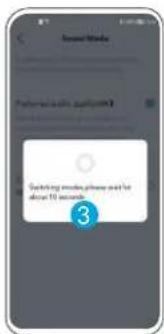
text_image
Switching more, please need for about 10 seconds.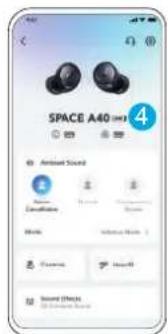
text_image
SPACE A40 4 Antiseal Sound Decade Audio Audio Audio Audio Audio Audio Audio
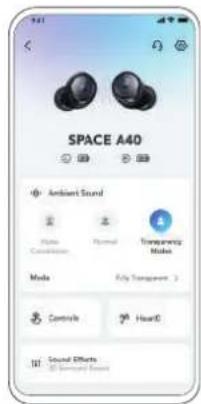
TRANSPARANTIE
text_image
SPACE A40 Ambient Sound Noise Control Normal Transparency Males Fully Transparent Controls HearO Sound Effects © Community Sound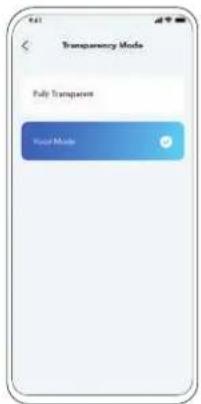
text_image
Transparency Mode Fully Transparent Host Modenatural_image
Line drawing of an open wireless earbuds with a lock icon and two circular buttons, no text or symbols present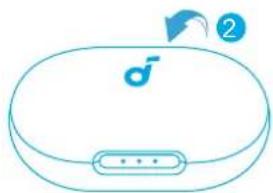
natural_image
Line drawing of a closed electronic device with a logo and button, no text or symbols presenttext_image
Diagram showing two types of wireless earbuds with labeled parts and a 10s time indicatortext_image
1 XSSL M XL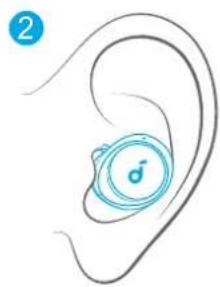
natural_image
Illustration of a human ear with a circular icon containing a musical note symbol (no text or labels)text_image
ON 1 <5% 5% 30% 30%-70% >70% 3s Pairing Connected 2s...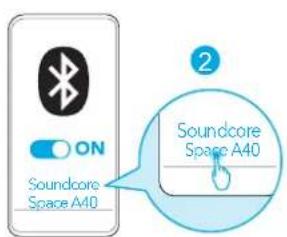
text_image
ON Soundcore Space A40 Soundcore Space A40text_image
Soundcore GET IT ON Google Play Download on the App Store Google Play and the Google Play logo are Trademarks of Google Inc. Apple and the Apple logo are trademarks of Apple Inc. soundcoreflowchart
graph TD
    A["1: E-wear kit with 7,000 units"] --> B["2: Processed e-wear unit with 1,000 units"]
    B --> C["3: Monitoring device with 3hr time constraint 10min=4hr"]
    C --> D["4: Display screen with 70%-95% range and >95% detection rate"]
text_image
1 2 3s PAIRINGtext_image
SPACE A40 Ambient Sound Noise Constellation Normal Transparency Normal Media Adaptive Media > Controls HeartE Sound Effects All Seemed Sound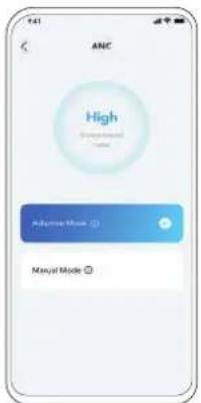
text_image
ANC High Adaptive Mode Manual Modetext_image
Sound Mode 2 Preferred audio quality(000) When I/O can be considered and conventional, the audio is used to provide a sound mode.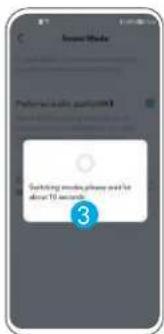
text_image
Switching words, please add to above 10 seconds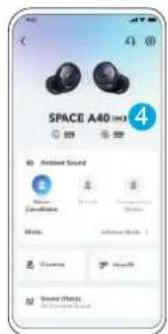
text_image
SPACE A40 Ambient Sound Decalination Noise Audio Sound Effects Sound Effectstext_image
SPACE A40 Ambient Sound Noise Cancereference Normal Transparency Modes Mode Fully Transparent > Controls HearD Sound Effects All Sensory Features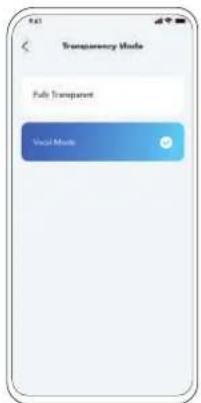
text_image
Transparency Mode Fully Transparent Voice Modetext_image
Diagram showing two types of wireless earbuds with labeled parts and directional arrows indicating steps 1 and 2.text_image
Diagram showing two types of wireless earbuds with labeled parts and a 10s time indicatortext_image
1 XSSL M XL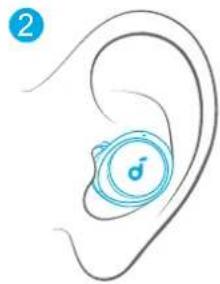
natural_image
Illustration of a human ear with a circular icon labeled 's' on the inner ear (no text or symbols beyond the icon)text_image
ON 1 <5% 5% 30% 30%-70% >70% 3x Pairing Connected 2s...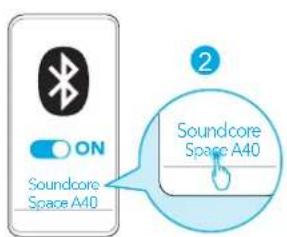
text_image
ON Soundcore Space A40 Soundcore Space A40
Apple and the Apple logo are trademarks of Apple Inc.
text_image
Screenshot collage of a smartphone app interface showing app icons, UI panels, and a central 'soundcore' logo.text_image
Diagram illustrating a medical procedure with an open case, a magnified view showing liquid droplets, and a speech bubble indicating no need.3
text_image
3 3hr 10min=4hr <30% 30%-70% 70%-95% >95%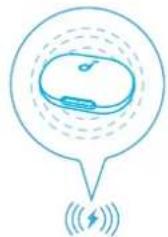
natural_image
Simple line drawing of a device inside a speech bubble with wireless signal icon below (no text or symbols)text_image
1 2 3s PAIRINGtext_image
ANC High MLV Mode (M) Manual Mode (S)text_image
Sound Mode Please click a button to switch your phone and link audio. Preferred audio quality (IWM) 2 Please click user to access the user and link audio. Please use the audio and connection quality.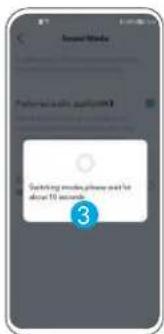
text_image
Switching more, please need for about 10 seconds.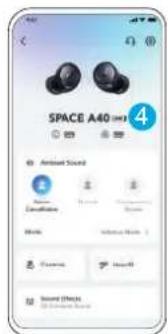
text_image
SPACE A40 4 Antiseal Sound Decade Audio Audio Audio Audio Audio Audio Audiotext_image
SPACE A40 Ambient Sound Noise Control Thermal Temporary Mole Male Fully Transparent > Controls Heart Sound Effects All Generated Sound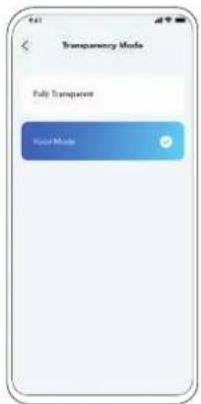
text_image
Transparency Mode Fully Transparent Host Modetext_image
Diagram showing two types of earbuds with labeled parts, illustrating the usage or application steps.text_image
Diagram showing two types of wireless earbuds with labeled parts and a 10-second duration indicator.text_image
1 XSSL M XL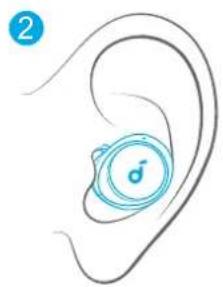
natural_image
Illustration of a human ear with a circular device labeled 'd' (no text or symbols beyond the label)text_image
ON 1 <5% 5% 30% 30%-70% >70% 3x Pairing Connected 2s...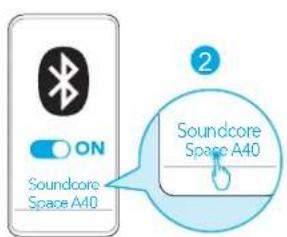
text_image
ON Soundcore Space A40 Soundcore Space A40
Apple and the Apple logo are trademarks of Apple Inc.
text_image
Screenshot collage of a smartphone app interface showing app icons, UI panels, and a 'soundcore' logo.text_image
Diagram illustrating a medical procedure with an open box, a magnified view showing water droplets and a speech bubble containing liquid droplets.3
text_image
3 3hr 10min=4hr < 30% 30% - 70% 70% - 95% >95%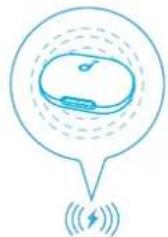
natural_image
Simple line drawing of a device inside a speech bubble with signal waves below (no text or symbols)text_image
Diagram showing human head with facial landmark detection points labeled 3s and 3s, marked with letter L and R symbols2
text_image
ON Soundcore Space A40 Soundcore Space A40text_image
1 2 3s PAIRINGtext_image
ANC High Manual Modetext_image
Sound Mode Preference audio and connection quality 2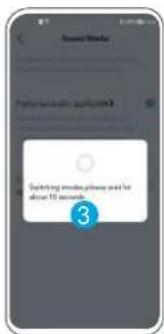
text_image
Switching more, please need for about 10 seconds.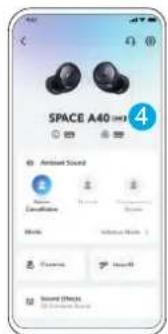
text_image
SPACE A40 4 Antiseal Sound Decade Audio Audio Audio Audio Audio Audio Audiotext_image
SPACE A40 Ambient Sound Noise Control Thermal Temporary Mole Male Fully Transparent > Controls Heart Sound Effects All Generated Sound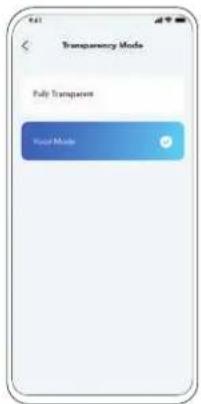
text_image
Transparency Mode Fully Transparent Host Modetext_image
Diagram showing two types of earbuds with labeled parts, illustrating the usage or application steps.Coloque os fones de ouvido de volta no estojo carregador e feche o estojo.
text_image
Diagram showing two types of wireless earbuds with labeled parts and a 10-second time indicatortext_image
1 XSSL M XL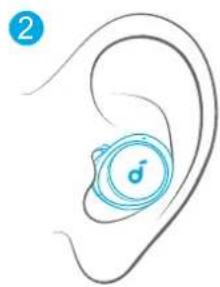
natural_image
Illustration of a human ear with a circular icon containing a musical note symbol (no text or labels)text_image
ON 1 <5% 5% 30% 30%-70% >70% 3% Pairing Connected 2s...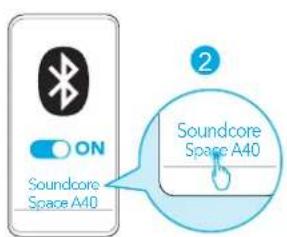
text_image
ON Soundcore Space A40 Soundcore Space A40text_image
Soundcore GET IT ON Google Play Download on the App Store Google Play and the Google Play logo are Trademarks of Google Inc. Apple and the Apple logo are trademarks of Apple Inc. soundcoretext_image
Diagram illustrating a medical procedure with open and closed devices, showing a magnified view of a surgical or catheter setup with labeled components.3
text_image
3 3hr 10min=4hr < 30% 30% - 70% 70% - 95% >95%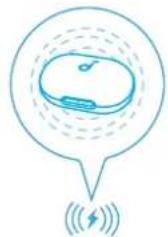
natural_image
Simple line drawing of a device inside a speech bubble with wireless signal icon below (no text or symbols)text_image
Diagram showing human head with facial landmark detection points labeled 3s and 3s, marked with letter L and R symbols2
text_image
ON Soundcore Space A40 Soundcore Space A40text_image
2 3s PAIRINGtext_image
SPACE A40 Ambient Sound Noise Constellation Normal Transparency Normal Media Adaptive Media > Controls HeartE Sound Effects All Seemed Sound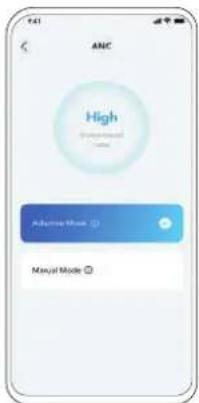
text_image
ANC High Adaptive Mode Manyai Modetext_image
Sound Mode Please use audio and conversion your bad sound mode, and try it more. Preferred audio quality(MR) When I/O can be considered to and then used to perform. You may make the audio and conversion to avoid noise.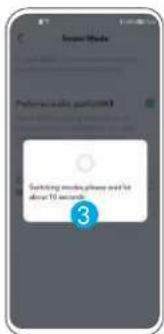
text_image
Switching messages, please need for about 10 seconds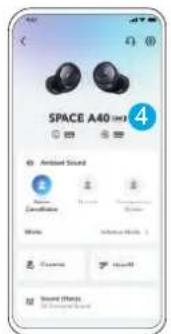
text_image
SPACE A40 4 Antiseal Sound Audio Canculation Audio Audio Audio Audio Audio Audio Audioflowchart
graph TD
    A["MONOTWS"] --> B["R ×2"]
    A --> C["L ×2"]
    D["ANC"] --> E["Transparency → Normal L/R 02s"]
    F["MONOTWS"] --> G["R ×2"]
    F --> H["L ×2"]
    I["ANC"] --> J["Transparency → Normal 02s"]
text_image
SPACE A40 Ambient Sound Mode Cannabis Normal Transparency Mode Fully Transparent > Controls HearE Sound Effects All Generated Sound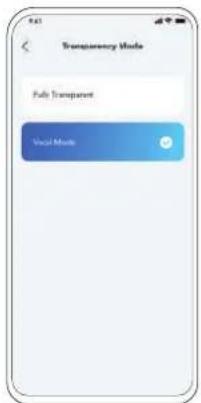
text_image
Transparency Mode Fully Transparent Voice Modetext_image
Diagram showing two types of wireless earbuds with labeled parts and step indicatorstext_image
Diagram showing two types of wireless earbuds with labeled parts and a 10s time indicatortext_image
1 XSSL M XL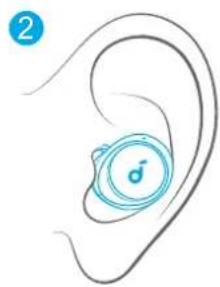
natural_image
Illustration of a human ear with a circular icon containing a musical note symbol (no text or labels)text_image
ON 1 <5% 5% 30% 30%-70% >70% 3s Pairing Connected 2s...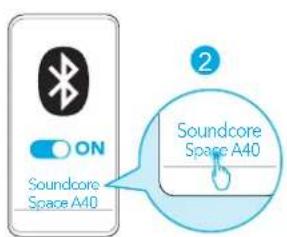
text_image
ON Soundcore Space A40 Soundcore Space A40
Apple and the Apple logo are trademarks of Apple Inc.
text_image
Screenshot collage of a smartphone app interface showing app icons, UI panels, and a 'soundcore' logo.text_image
Diagram illustrating a medical or laboratory procedure with labeled components and a magnified view showing water droplets and a speech bubble.3
text_image
3 3hr 10min=4hr < 30% 30% - 70% 70% - 95% >95%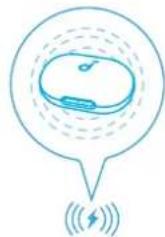
Pred nabíjaním úplne osušte slúchadlá a nabíjací port USB-C. Pri bezdrótovom nabíjaní umiestnite nabíjacie puzdro do stredu plochy bezdrótovej nabíjačky.

VIACBODOVÉ PRIPOJENIE
1
text_image
3s 5s2
text_image
ON Soundcore Space A40 Soundcore Space A40text_image
1 2 3s PAIRING
flowchart
graph TD
    A["Radio"] --> B["R ×2"]
    B --> C["L ×2"]
    C --> D["L/R ×2"]
    D --> E["L/R⊗7s"]
    E --> F["Anc → Transparency → Normal / L/R⊗2s"]
    G["MONOTWS"] --> H["R ×2"]
    H --> I["L ×2"]
    I --> J["L/R ×2"]
    J --> K["L/R⊗7s"]
    K --> L["ANc → Transparency → Normal / L/R⊗2s"]
text_image
SPACE A40 Ambient Sound Noise Constellation Normal Transparency Normal Media Adaptive Media > Controls HeartE Sound Effects All Seemed Sound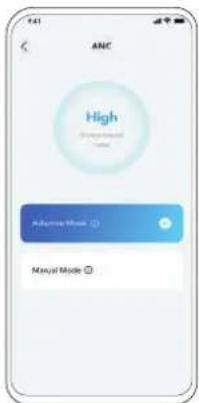
text_image
ANC High Adaptive Mode Manyai ModeAk chcete potlačit nežiaduci okolitý hluk, vyberte v aplikácii Soundcore režim potlačenia hluku.
text_image
Sound Mode 2 Preferred audio quality(SMS) After 100% audio, convection and convection power, convection, Convection and Convection Quality
text_image
Switching mobile phone and for about 12 seconds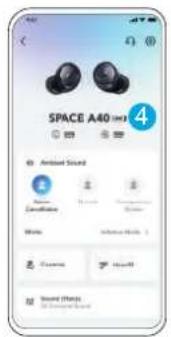
text_image
SPACE A40 4 Audio Sound Canculation Status Audio Impact Sound EffectsREŽIM BEZ REDUKCIE HLUKU
text_image
SPACE A40 Ambient Sound Mode Cannabis Normal Transparency Mode Fully Transparent > Controls HearE Sound Effects All Generated Sound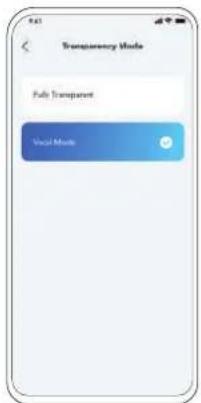
text_image
Transparency Mode Fully Transparent Voice Modenatural_image
Line drawing of an open wireless earbuds with a numbered callout indicating the step 1 (no text or symbols on the devices themselves)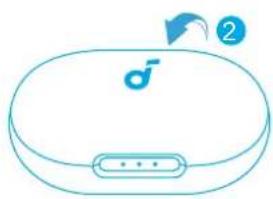
natural_image
Line drawing of a closed electronic device with a speaker icon and control buttons (no text or symbols)Vrátte slúchadlá do nabíjacieho puzdra a puzdro zatvorte.
text_image
Diagram showing two types of wireless earbuds with labeled parts and a 10s time indicatornatural_image
Illustration of a hand holding a small blue device with a circular arrow indicating motion (no text or symbols)2
natural_image
Illustration of a human ear with a blue circular device labeled '♂' (no text or symbols beyond the label)text_image
ON 1 <5% 5% - 30% 30% - 70% >70% 3s Pairing Connected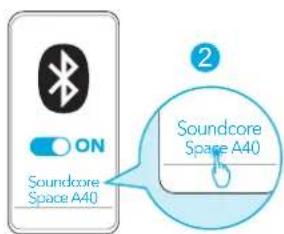
text_image
ON Soundcore Space A40 Soundcore Space A40Download on the App Store
Google Play and the Google Play logo are trademarks of Google Inc.
Apple and the Apple logo are trademarks of Apple Inc.
text_image
Screenshot collage of Soundcore app interface showing app icons, UI panels, and charts for audio and voice functionstext_image
Diagram illustrating a medical procedure with labeled components and a magnified view showing fluid behavior around a device.3
text_image
3 3hr 10min=4hr < 30% 30% - 70% 70% - 95% >95%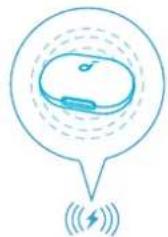
natural_image
Simple line drawing of a device inside a speech bubble with signal waves below (no text or symbols)text_image
Diagram showing ear anatomy with labeled parts and magnified views of the head, including 'L' and 'R' labels.2
text_image
ON Soundcore Space A40 Soundcore Space A40text_image
1 2 3s PAIRINGtext_image
SPACE A40 Ambient Sound Noise Constellation Normal Transparency Normal Media Adaptive Media > Controls HeartE Sound Effects All Seemed Sound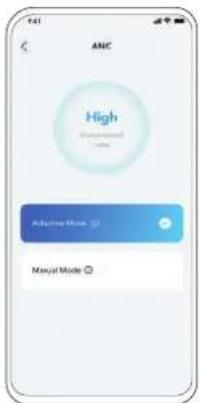
text_image
ANC High Adaptive Mode Manual Modetext_image
Sound Mode 2 Preferred audio quality(SMS) After 100% mode compression and convection power (convection). Select the moderate of noise reduction Combine audio and convection quality
text_image
Switching mobile phone and for about 12 seconds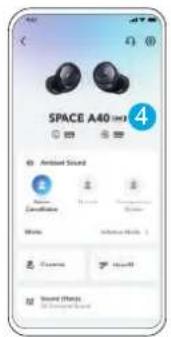
text_image
SPACE A40 4 Audio Sound Canculation Status Audio Impact Sound Effectsflowchart
graph TD
    A[" "] --> B["R ×2"]
    B --> C["L ×2"]
    C --> D["L/R ×2"]
    D --> E["L/R⊗7s"]
    E --> F["ANC → Transparency → Normal / L/R ⊕2s"]
    G["MONOTWS"] --> H["R ×2"]
    H --> I["L ×2"]
    I --> J["L/R ×2"]
    J --> K["L/R⊗7s"]
    K --> L["ANC → Transparency → Normal /⊗2s"]
x2: Dvakrat tapnite
2s: Tapnite in držite 2 sekundi
text_image
SPACE A40 Ambient Sound Mode Cannabis Normal Transparency Mode Fully Transparent > Controls HearE Sound Effects All Generated Sound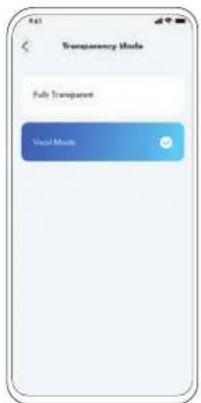
text_image
Transparency Mode Fully Transparent Voice Modetext_image
Diagram showing two types of wireless earbuds with labeled parts and step indicatorstext_image
Diagram showing two types of wireless earbuds with labeled parts and a 10s time indicatornatural_image
Illustration of a hand holding a small blue device with a circular arrow indicating motion (no text or symbols)2
natural_image
Illustration of a human ear with a circular device labeled '♂' (no text or symbols beyond the label)text_image
ON 1 <5% 5% - 30% 30% - 70% >70% 2s Pairing Connected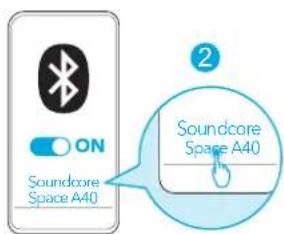
text_image
ON Soundcore Space A40 Soundcore Space A40Download on the App Store
Google Play and the Google Play logo are trademarks of Google Inc.
Apple and the Apple logo are trademarks of Apple Inc.
text_image
Screenshot collage of Soundcore app interface showing app icons, UI panels, and charts for audio and voice functionstext_image
Diagram illustrating a medical procedure with labeled components and a magnified view showing fluid behavior around a device.3
text_image
3 3hr 10min=4hr < 30% 30% - 70% 70% - 95% >95%FLERPUNKTSANSLUTNING
1
text_image
Diagram showing ear anatomy with labeled parts and magnified views of the head, including '3s' and 'R3' annotations.2
text_image
ON Soundcore Space A40 Soundcore Space A40text_image
1 2 3s PAIRING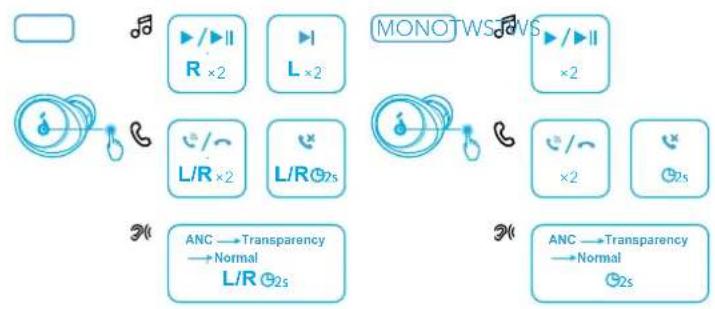
flowchart
graph TD
    A[" "] --> B["▶/▶II R ×2"]
    B --> C["▶ L ×2"]
    C --> D["MONOTWSAWS"]
    D --> E["▶/▶II ×2"]
    E --> F["×2"]
    F --> G["×2"]
    G --> H["Hz5"]
    H --> I["×2"]
    I --> J["×2s"]
    J --> K["ANC → Transparency → Normal L/R Hz5"]
    K --> L["ANC → Transparency → Normal Hz5"]
text_image
SPACE A40 Ambient Sound Noise Constellation Normal Transparency Normal Media Adaptive Media > Controls HeartE Sound Effects All Seemed Sound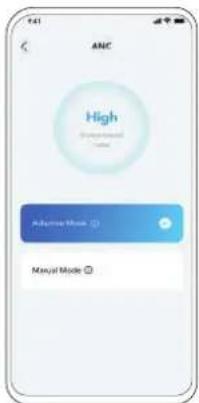
text_image
ANC High Adaptive Mode Manyai Modetext_image
Sound Mode 2 Preferred audio quality(SMS) After 100% mode compression and convection power (convection). The mode reduction of noise reduction Combine audio and convection quality
text_image
Switching mobile phone and for about 12 seconds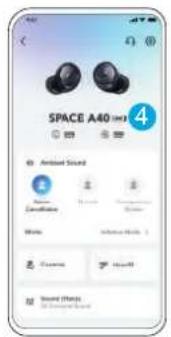
text_image
SPACE A40 4 Ambient Sound Ambient Sound Ambient Sound Ambient Sound Ambient Sound Ambient Sound Ambient Sound Ambient Sound Ambient Sound Ambient Sound Ambient Sound Ambient Sound Ambient Sound Ambient Sound Ambient Sound Ambient Sound Ambient Sound Ambient Sound Ambient Sound Ambient Sound Ambient Sound Ambient Sound Ambient Sound Ambient Sound Ambient Sound Ambient Noise Ambient Noise Ambient Noise Ambient Noise Ambient Noise Ambient Noise Ambient Noise Ambient Noise Ambient Noise Ambient Noise Ambient Noise Ambient Noise Ambient Noise Ambient Noise Ambient Noise Ambient Noise Ambient Noise Ambient Noise Ambient Noise Ambient Noise Ambient Noise Ambient Noise Ambient Noise Ambient Noise Ambient Noise AmbientNoisetext_image
SPACE A40 Ambient Sound Mode Cannabis Normal Transparency Mode Fully Transparent > Controls HearE Sound Effects All Generated Sound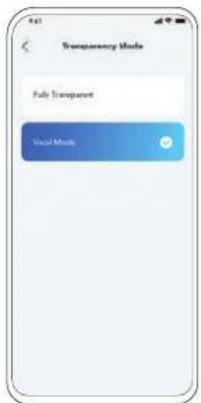
text_image
Transparency Mode Fully Transparent Voice Modenatural_image
Line drawing of an open wireless earbuds with a lock icon and a numbered callout (no text or symbols)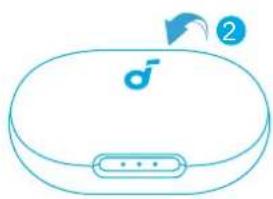
natural_image
Line drawing of a closed electronic device with a speaker icon and control buttons (no text or symbols)text_image
Diagram showing two types of wireless earbuds with labeled parts and a 10s time indicatornatural_image
Illustration of a hand holding a small blue device with a circular arrow indicating motion (no text or symbols)2
natural_image
Illustration of a human ear with a blue circular device labeled '♂' (no text or symbols beyond the label)text_image
ON 1 <5% 5% -30% 30% -70% >70% 2s Pairing Connected 2s...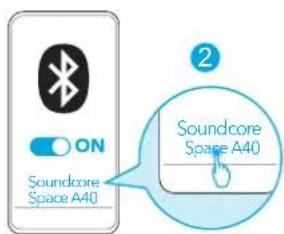
text_image
ON Soundcore Space A40 Soundcore Space A40Download on the App Store
Google Play and the Google Play logo are trademarks of Google Inc.
Apple and the Apple logo are trademarks of Apple Inc.
text_image
Screenshot collage of Soundcore app interface showing app icons, UI panels, and charts for audio and voice functionstext_image
Diagram illustrating a medical procedure with labeled components and a magnified view showing fluid behavior around a device.3
text_image
3 3hr 10min=4hr < 30% 30% - 70% 70% - 95% >95%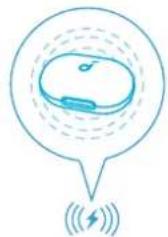
natural_image
Simple line drawing of a device inside a speech bubble with signal waves below (no text or symbols)text_image
1 2 3s PAIRINGtext_image
ANC High Adaptive Mode Manyai Modetext_image
Sound Mode 2 Preferred audio quality(000) When I/O can be considered and conventional, the audio is used to provide a sound mode.
text_image
Switching words, please add to above 10 seconds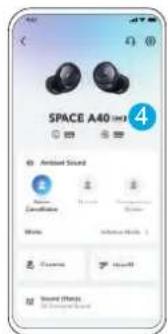
text_image
SPACE A40 Ambient Sound Decalination Noise Audio Sound Effects Sound Effectstext_image
SPACE A40 Ambient Sound Mode Cancerebell Normal Transparency Mode Mode Fully Transparent > Controls HearD Sound Effects All Generated Sound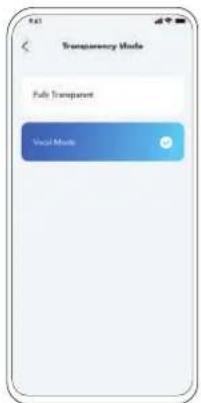
text_image
Transparency Mode Fully Transparent Voice Modetext_image
Diagram showing two types of wireless earbuds with labeled parts and step indicatorstext_image
Diagram showing two types of wireless earbuds with labeled parts and a 10s time indicatornatural_image
Illustration of a hand holding a small blue device with a circular arrow indicating motion (no text or symbols)2
natural_image
Illustration of a human ear with a blue circular device labeled '♂' (no text or symbols beyond the label)text_image
ON 1 <5% 5% - 30% 30% - 70% >70% 2s Pairing Connected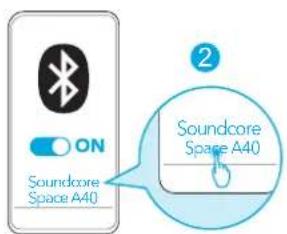
text_image
ON Soundcore Space A40 Soundcore Space A40Download on the App Store
Google Play and the Google Play logo are trademarks of Google Inc.
Apple and the Apple logo are trademarks of Apple Inc.
text_image
Screenshot collage of Soundcore app interface showing app icons, UI panels, and charts for audio and voice functionstext_image
Diagram illustrating a medical procedure with labeled components and a magnified view showing fluid behavior around a device.3
text_image
3 3hr 10min=4hr < 30% 30% - 70% 70% - 95%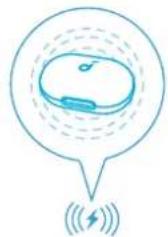
natural_image
Simple line drawing of a device inside a speech bubble with signal waves below (no text or symbols)text_image
Diagram showing ear anatomy with labeled parts and magnified views of the head, including '3s' and 'R3' annotations.2
text_image
ON Soundcore Space A40 Soundcore Space A40text_image
1 2 3s PAIRINGtext_image
SPACE A40 Ambient Sound Noise Cannabition Normal Programming Music Mode Adaptive Mode Controls HeartE Sound Effects 3D Semiconic Sound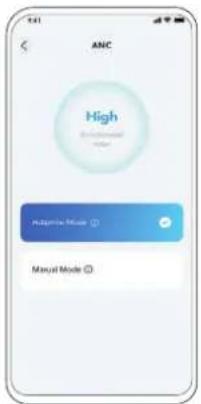
text_image
ANC High Manual Modetext_image
Firmware Version 02.01 Sound Mode Visual perception Wind/Heat Reduction Lighting Mode Air Test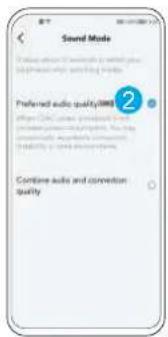
text_image
Sound Mode Preference audio quality(ABS) 2 Combine audio and connection quality
text_image
Switching mobile phone and for about 10 seconds.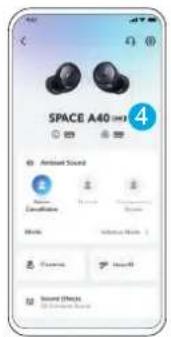
text_image
SPACE A40 4 Antiseal Sound Sound Effects Audio Cancelling Audio Audio Audio Audiotext_image
Transparency Mode Fully Transparent Host Modetext_image
Diagram showing two types of wireless earbuds with labeled parts and step indicatorstext_image
Diagram showing a device with open case and two buttons, labeled with number 1 pointing to the second button.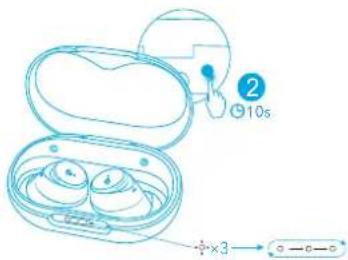
text_image
2 10s +×3 → -6-5natural_image
Illustration of a hand holding a small blue device with a circular arrow indicating motion (no text or symbols)2
natural_image
Illustration of a human ear with a blue circular device labeled '♂' (no text or symbols beyond the label)text_image
ON 1 <5% 5% - 30% 30% - 70% >70% 2s Pairing Connected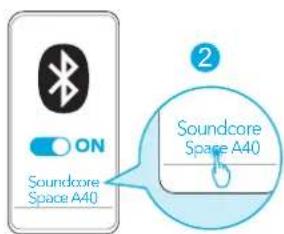
text_image
ON Soundcore Space A40 Soundcore Space A40Download on the App Store
Google Play and the Google Play logo are trademarks of Google Inc.
Apple and the Apple logo are trademarks of Apple Inc.
text_image
Screenshot collage of Soundcore app interface showing app icons, UI panels, and charts for audio and voice functionstext_image
Diagram illustrating a medical procedure with labeled components and a magnified view showing fluid behavior around a device.3
text_image
3 3hr 10min=4hr < 30% 30% - 70% 70% - 95% >95%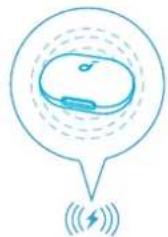
natural_image
Simple line drawing of a device inside a speech bubble with signal waves below (no text or symbols)text_image
Diagram showing ear anatomy with labeled parts and magnified views of the head, including 'L' and 'R' labels.2
text_image
ON Soundcore Space A40 Soundcore Space A40text_image
2 3s PAIRINGtext_image
SPACE A40 Ambient Sound Noise Constellation Normal Transparency Normal Media Adaptive Media > Controls HeartE Sound Effects All Seemed Sound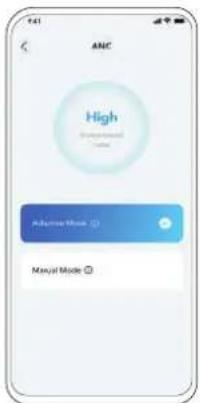
text_image
ANC High Adaptive Mode Manual Modetext_image
Sound Mode Preferred audio quality(SMS) 2 Comline audio and convection quality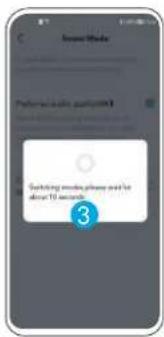
text_image
Switching mobile phone and for about 12 seconds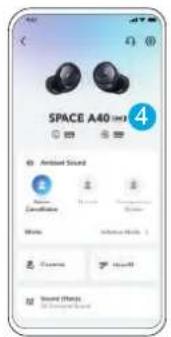
text_image
SPACE A40 4 Audio Sound Canculation Noise Audio Sound Effectsflowchart
graph TD
    A["MONOTWSA"] --> B["R ×2"]
    A --> C["L ×2"]
    A --> D["L/R ×2"]
    A --> E["L/R⊗2s"]
    A --> F["ANC → Transparency → Normal → L/R⊗2s"]
    A --> G["ANC → Transparency → Normal →⊗2s"]
x2:두 번 탱하기
2s: 2 초간 길게 누르기
text_image
SPACE A40 Ambient Sound Mode Cannabis Normal Transparency Mode Fully Transparent > Controls HearE Sound Effects All Generated Sound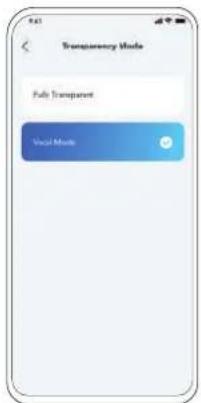
text_image
Transparency Mode Fully Transparent Voice Modetext_image
Diagram showing two types of wireless earbuds with labeled parts and step indicatorstext_image
Diagram showing two types of wireless earbuds with labeled parts and a 10s time indicatornatural_image
Illustration of a hand holding a small blue device with a circular arrow indicating motion (no text or symbols)2
natural_image
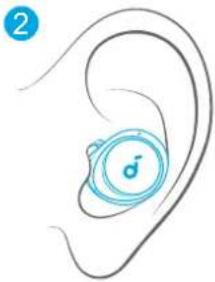
Illustration of a human ear with a blue circular device on the inner ear (no text or symbols)text_image
ON 1 <5% 5% - 30% 30% - 70% >70% 2s Pairing Connected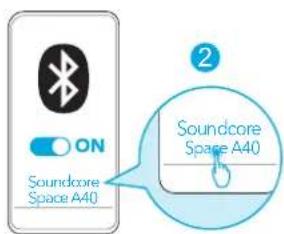
text_image
ON Soundcore Space A40 Soundcore Space A40Download on the App Store
Google Play and the Google Play logo are trademarks of Google Inc.
Apple and the Apple logo are trademarks of Apple Inc.
text_image
Screenshot collage of Soundcore app interface showing app icons, UI panels, and charts for audio and voice functionstext_image
Diagram illustrating a medical procedure with labeled components and a magnified view showing fluid behavior around a device.3
text_image
3 3hr 10min=4hr b < 30% 30% - 70% 70% - 95% >95%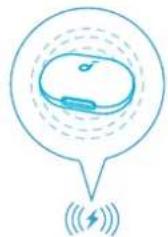
natural_image
Simple line drawing of a device inside a speech bubble with signal waves below (no text or symbols)text_image
Diagram showing ear anatomy with labeled parts and magnified views of the head, including '3s' and 'R' annotations.2
text_image
ON Soundcore Space A40 Soundcore Space A40text_image
2 3s PAIRINGtext_image
SPACE A40 Ambient Sound Noise Constellation Normal Transparency Normal Media Adaptive Media > Controls HeartE Sound Effects All Seemed Sound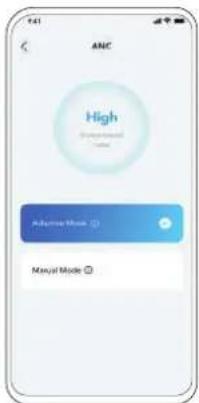
text_image
ANC High Adaptive Mode Manyai Modetext_image
Sound Mode 2 Preferred audio quality(SMS) After 100% mode compression and convection power (convection). The mode reduction of noise reduction Combine audio and convection quality
text_image
Switching mobile phone and for about 12 seconds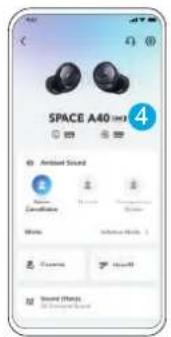
text_image
SPACE A40 4 Audio Sound Canculation Status Audio Impact Sound Effectsflowchart
graph TD
    A[" "] --> B["R ×2"]
    B --> C["L ×2"]
    C --> D["L/R ×2"]
    D --> E["L/R⊗7s"]
    E --> F["ANC → Transparency → Normal / L/R ⊕2s"]
    G["MONOTWS"] --> H["R ×2"]
    H --> I["L ×2"]
    I --> J["L/R ×2"]
    J --> K["L/R⊗7s"]
    K --> L["ANC → Transparency → Normal /⊗2s"]
x2: 点击两次
2s: 点击并按住 2 秒钟
text_image
SPACE A40 Ambient Sound Noise Cancereference Normal Transparency Modes Mode Fully Transparent > Controls HearD Sound Effects All Sensory Features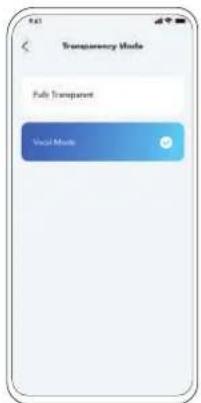
text_image
Transparency Mode Fully Transparent Voice Modetext_image
Diagram showing two types of wireless earbuds with labeled parts and step indicators将耳机放回充电盒并关闭充电盒。

重置 规格
text_image
Diagram showing two types of wireless earbuds with labeled parts and a 10s time indicatornatural_image
Illustration of a hand holding a small blue device with a circular arrow indicating motion (no text or symbols)2
natural_image
Illustration of a human ear with a blue circular device labeled '♂' (no text or symbols beyond the label)text_image
ON 1 <5% 5% - 30% 30% - 70% >70% 2s Pairing Connected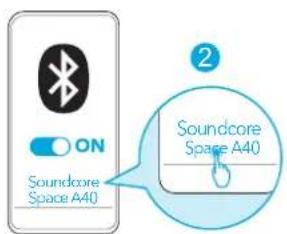
text_image
ON Soundcore Space A40 Soundcore Space A40Download on the App Store
Google Play and the Google Play logo are trademarks of Google Inc.
Apple and the Apple logo are trademarks of Apple Inc.
text_image
Screenshot collage of Soundcore app interface showing app icons, UI panels, and charts for audio and voice functionstext_image
Diagram illustrating a medical procedure with labeled components and a magnified view showing fluid behavior around a device.3
text_image
3 3hr 10min=4hr < 30% 30% - 70% 70% - 05%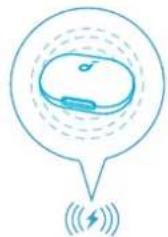
natural_image
Simple line drawing of a device inside a speech bubble with signal waves below (no text or symbols)text_image
Diagram showing ear anatomy with labeled parts and magnified views of the head, including '3s' and 'R3' annotations.2
text_image
ON Soundcore Space A40 Soundcore Space A40text_image
2 3s PAIRINGtext_image
SPACE A40 Ambient Sound Noise Constellation Normal Transparency Normal Media Adaptive Media > Controls HeartE Sound Effects All Seemed Sound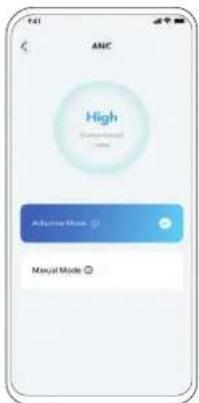
text_image
ANC High Adaptive Mode Manyai Modetext_image
Sound Mode 2 Preferred audio quality(SMS) After 100% mode compression and convection power (convection). The mode reduction of noise reduction Combine audio and convection quality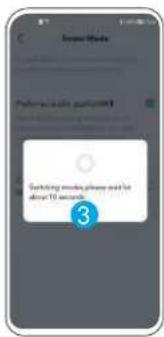
text_image
Switching mobile phone and for about 12 seconds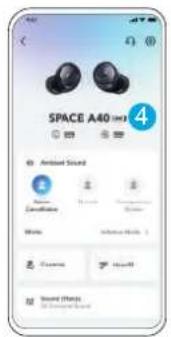
text_image
SPACE A40 4 Audio Sound Canculation Noise Audio Sound Effectsflowchart
graph TD
    A[" "] --> B["R ×2"]
    B --> C["L ×2"]
    C --> D["L/R ×2"]
    D --> E["L/R⊗7s"]
    E --> F["ANC → Transparency → Normal / L/R ⊕2s"]
    G["MONOTWS"] --> H["R ×2"]
    H --> I["L ×2"]
    I --> J["L/R ×2"]
    J --> K["L/R⊗7s"]
    K --> L["ANC → Transparency → Normal /⊗2s"]
x2: 輕點兩下
2秒:按住2秒
text_image
SPACE A40 Ambient Sound Noise Cancereference Normal Transparency Modes Mode Fully Transparent > Controls HearD Sound Effects All Sensory Features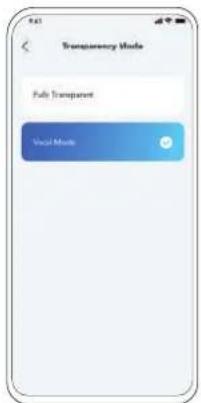
text_image
Transparency Mode Fully Transparent Voice Modetext_image
Diagram showing two types of wireless earbuds with labeled parts and step indicators將耳機放回充電盒中,再關上充電盒。

重設 規格
text_image
Diagram showing two types of wireless earbuds with labeled parts and a 10s indicator for size reference.將耳機裝入充電盒,並保持充電盒開啟。

Download on the App Store
Google Play and the Google Play logo are trademarks of Google Inc.
Apple and the Apple logo are trademarks of Apple Inc.
text_image
Screenshot collage of Soundcore app interface showing app icons, charts, and UI elementsمَقِبْتَيْنَّلِ تَطْبِيقَ Soundcore لِتَحَسِينَ تَجْرِبِيك (أُضْاعَ الصُوتَ الْمَحِيَطِيِ وَالْتَكَّمِ الْتَكَّيَفِيِ فِي Soundcore) وَضْبِطُ المُعَادِلِ وَتَصْحِيُسْ عَناصرَ التُكَّمِ وَتَحَدِيُّتُ الْرِنَامِجُ الْتَابِتُ الْضْوَضَاءٍ وَصُوت HearID (وَالْمَزِيدِ).
الارتداء

الشحن
1

XSSL

M


XL
natural_image
Illustration of a hand holding a small blue object with an arrow indicating motion (no text or symbols)2
natural_image
Illustration of a human ear with a circular device on the inner ear (no text or symbols)1
2
text_image
Diagram illustrating a medical procedure with an open pill container, a magnified view of a droplet, and a sequence of droplets with labels.3
text_image
3hr 10min=4hr < 30% 30% - 70% 70% - 95% >95%text_image
ON 1 <5% 5% - 30% 30% - 70% >70% 3s Pairing Connected 2s...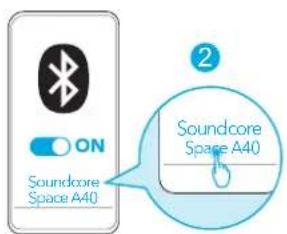
text_image
ON Soundcore Space A40 Soundcore Space A401
text_image
3s 132

text_image
ON Soundcore Space A40 Soundcore Space A40text_image
2 3s PAIRING

▶
MONOTWSTW


8

×

C


3
ANC → Transparency
→ Normal
L/R ②s
24
ANC → Transparency
→ Normal
②2s
text_image
ANC High Adaptive Mode Manual Mode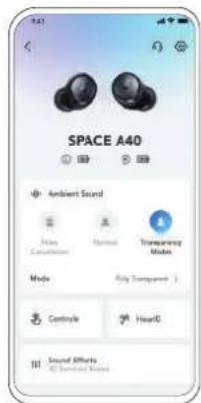
text_image
SPACE A40 Ambient Sound Mode Cancetition Normal Transparency Mode Mode Fully Transparent > Controls HearD Sound Effects All Generated Sounds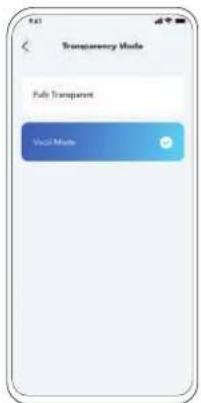
text_image
Transparency Mode Fully Transparent Voice Modetext_image
Sound Mode Preferred audio quality(0.000) After 10% noise, preferred audio quality and conversion power/impedance, following in dBV to audio accuracy 3dBV to audio accuracy Combine audio and conversion quality.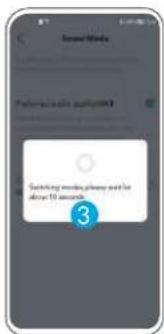
text_image
Switching minutes, please need for above 10 seconds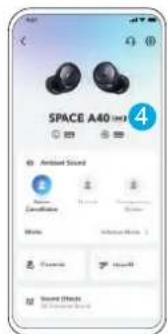
text_image
SPACE A40 Ambient Sound Ambient Sound Ambient Sound Ambient Sound Ambient Sound Ambient Sound Ambient Sound Ambient Sound Ambient Sound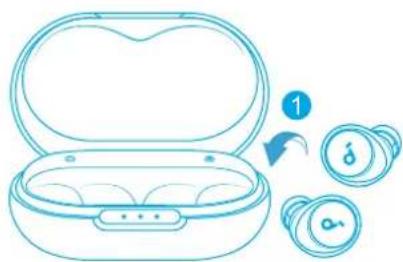
natural_image
Line drawing of an open wireless earbuds with a lock and coins nearby (no text or symbols)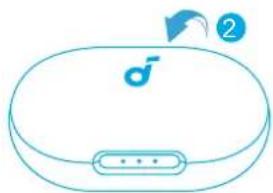
natural_image
Line drawing of a closed electronic device with a logo and connector (no text or symbols)text_image
Diagram showing a device with open case and two circular buttons labeled with icons, one marked with number 1.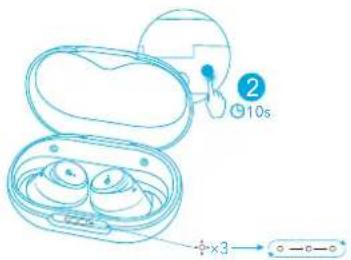
text_image
2 10s +×3text_image
Screenshot collage of Soundcore app interface showing app icons, charts, and UI elementsnatural_image
Illustration of a person performing a medical procedure on an infant's abdomen (no text or symbols present)2
natural_image
Illustration of a human ear with a blue circular device on the inner ear (no text or symbols)1
2
text_image
Diagram illustrating eye contact with a device, showing open case, magnified view of eye contact with 'no eye' symbol and droplets3

text_image
3 10min=4hr 3hr < 30% 30% - 70% 70% - 95% >95%text_image
ON 1 <5% 5%-30% 30%-70% >70% 3s Pairing Connected 2s...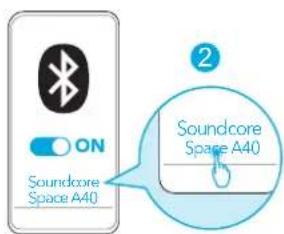
text_image
ON Soundcore Space A40 Soundcore Space A40text_image
Diagram illustrating two steps of a pairling device, showing open and closed earbuds with labeled components and time indicator.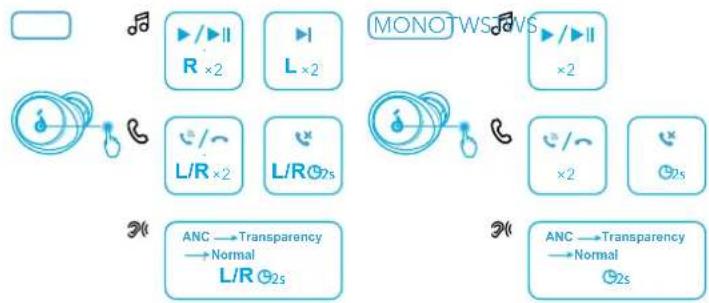
flowchart
graph TD
    A["Radio"] --> B["R ×2"]
    B --> C["L ×2"]
    C --> D["L/R ×2"]
    D --> E["L/R⊗2s"]
    E --> F["Anc → Transparency → Normal / L/R ⊗2s"]
    G["MONOTWS"] --> H["R ×2"]
    H --> I["L ×2"]
    I --> J["L/R ⊗2s"]
    J --> K["ANC → Transparency → Normal ⊗2s"]
text_image
ANC High Environmental Adaptive Mode Manual Mode. Soundcore
תָרִי

text_image
SPACE A40 Ambient Sound Mode Cancetition Normal Transparency Mode Mode Fully Transparent > Controls HearE Sound Effects All Generated Sounds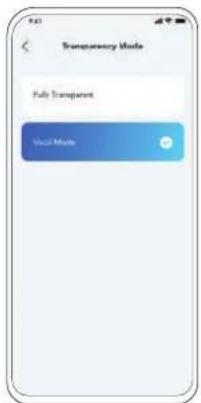
text_image
Transparency Mode Fully Transparent Voice Modetext_image
Sound Mode Preferred audio quality(000) After 12C cycles, connected to and connected to the out of the sound mode. Combine audio and connection quality.
text_image
Switching words, please add to above 10 seconds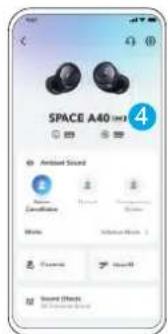
text_image
SPACE A40 Ambient Sound Ambient Sound Ambient Sound Ambient Sound Ambient Sound Ambient Sound Ambient Sound Ambient Sound Ambient Sound Ambient Sound Ambient Sound Ambient Sound Ambient Sound Ambient Sound Ambient Sound Ambient Sound Ambient Sound Ambient Sound Ambient Sound Ambient Sound Ambient Sound Ambient Sound Ambient Sound Ambient Sound Ambient Sound Ambient Noise Ambient Noise Ambient Noise Ambient Noise Ambient Noise Ambient Noise Ambient Noise Ambient Noise Ambient Noise Ambient Noise Ambient Noise Ambient Noise Ambient Noise Ambient Noise Ambient Noise Ambient Noise Ambient Noise Ambient Noise Ambient Noise Ambient Noise Ambient Noise Ambient Noise Ambient Noise Ambient Noise Ambient Noise AmbientNoise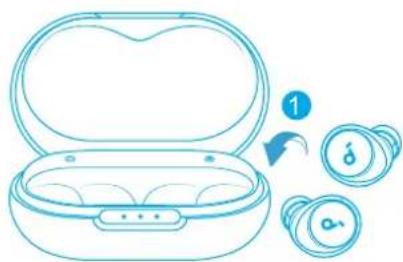
natural_image
Line drawing of an open wireless earbuds with a lock and app icons nearby (no text or symbols)