QMF320B2 - TV wall mount Secura - Free user manual and instructions
Find the device manual for free QMF320B2 Secura in PDF.



User questions about QMF320B2 Secura
0 question about this device. Answer the ones you know or ask your own.
Ask a new question about this device
Download the instructions for your TV wall mount in PDF format for free! Find your manual QMF320B2 - Secura and take your electronic device back in hand. On this page are published all the documents necessary for the use of your device. QMF320B2 by Secura.
USER MANUAL QMF320B2 Secura
Want to watch a video that shows how easy this DIY project will be?

Watch it now at: san.us/3018
Get it right the first time. HeightFinder™ shows you where to drill.

Check it out at: san.us/3021

Our install experts are standing by to help.
Call
US: +1 (800) 359-5520
EMEA: +31 (0) 495 580 852
UK: +44 (0) 800 056 2853
CAUTION:IMPORTANT SAFETY INSTRUCTIONS
PLEASE READ ENTIRE MANUAL PRIOR TO USE - SAVE THESE INSTRUCTIONS
Before getting started, let's make sure this mount is perfect for you!
1
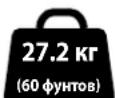
Does your TV (including accessories) weigh MORE than 60 lbs. (27.2 kg)?
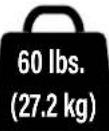
No? Perfect - you may continue.
Yes? This mount is NOT compatible.
Visit secura-av.com or call US: +1 (800) 359-5520 | EMEA: +31 (0)
495 580 852 | UK: +44 (0) 800 056 2853 to find a compatible mount.

CAUTION: DO NOT exceed the maximum weight
indicated. This mounting system is intended for use only with the maximum weights indicated. Use with products heavier than the maximum weights indicated may result in collapse of the mount and its accessories, causing possible injury.
2
What is your wall made of?
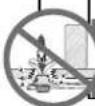
CAUTION:
DO NOT install into drywall alone
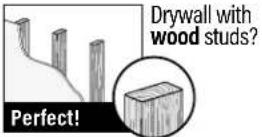
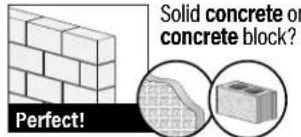

Unsure?
Contact customer service: US:+1(800)359-5520
P: +31 (0) 495 580 852
UK: +44 (0) 800 056 2853
3
Do you have all the tools needed?
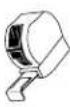
Tape Measure
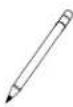
Pencil
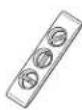
Level
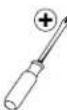
Screw
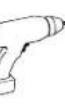
Electric
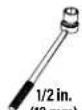
Socket
Wrench
Stud
Finder
A
AMT
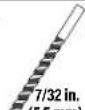
Woo
Bit
Masonry
Drill Bit
Dnry Harnmer
Bit
4
Ready to begin?
Please read through these instructions completely to be sure you're comfortable with this easy install process.
Also check your TV owner's manual to see if there are any special requirements for mounting your TV.
If you do not understand these instructions or have doubts about the safety of the installation, assembly or use of this product, contact Customer Service: US: +1 (800) 359-5520 | EMEA: +31 (0) 495 580 852 | UK: +44 (0) 800 056 2853.

CAUTION: Avoid potential personal injury or property damage!
This product is designed for use in wood stud, solid concrete, and concrete block walls - DO NOT install into drywall alone
The wall must be capable of supporting five times the weight of the TV and mount combined
- Do not use this product for any purpose not explicitly specified by manufacturer
Manufacturer is not responsible for damage or injury caused by incorrect assembly or use
Dimensions
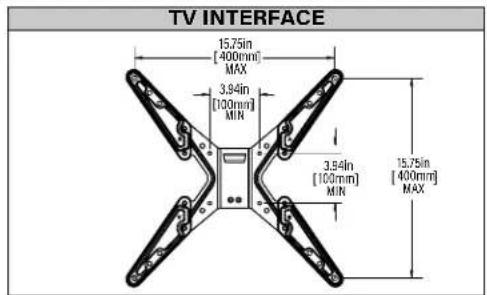
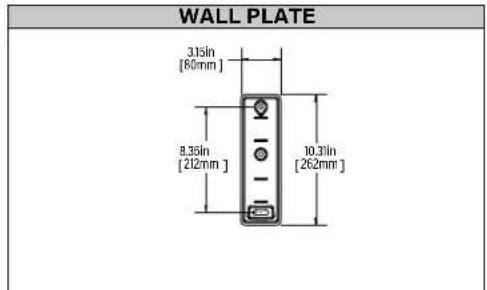
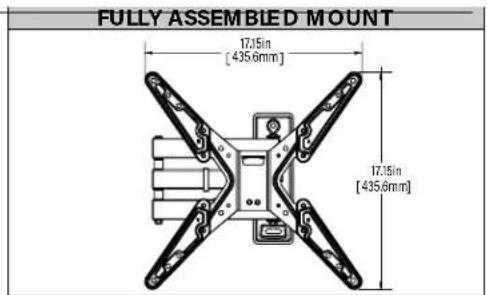
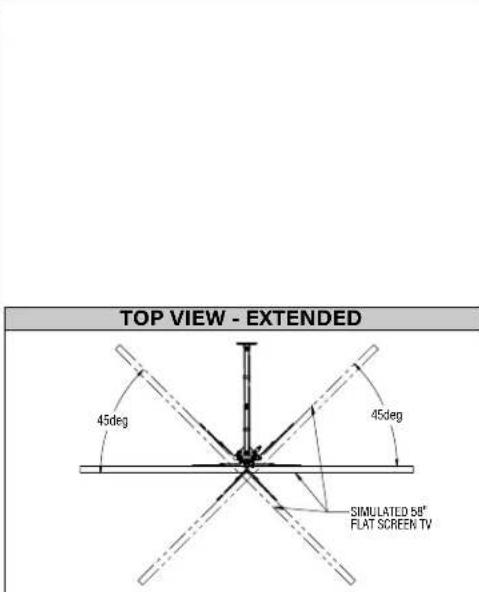
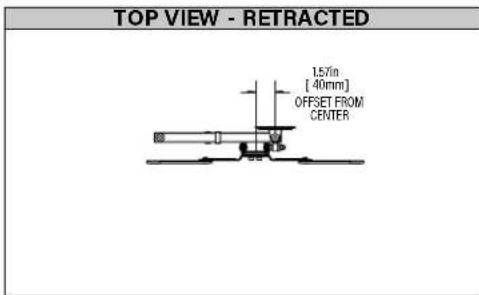
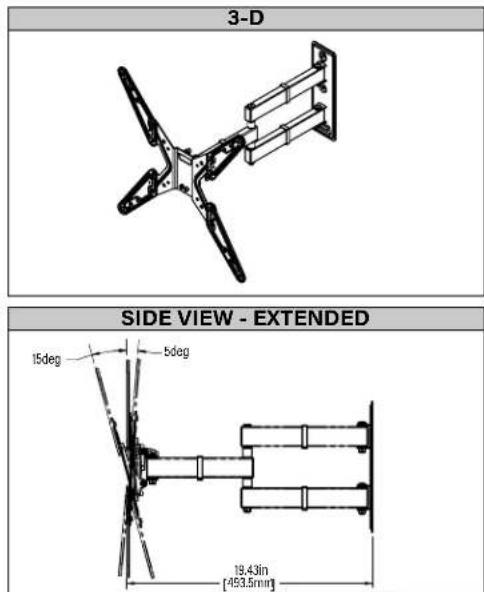
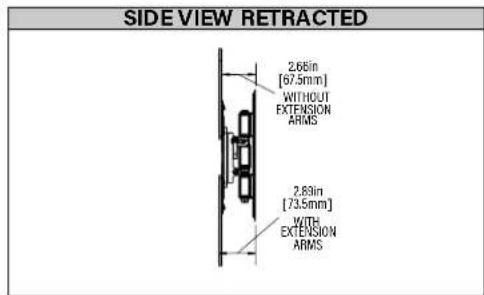
STEP 1 Attach Faceplate to TV
STEP1 Parts and Hardware
WARNING: This product contains small items that could be a choking hazard if swallowed.
Before starting assembly, verify all parts are included and undamaged. If any parts are missing or damaged, do not return the damaged item to your dealer; contact Customer Service. Never use damaged parts!
NOTE: Not all hardware included will be used.

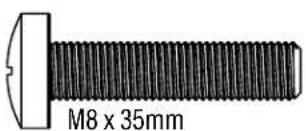
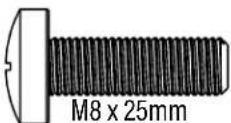
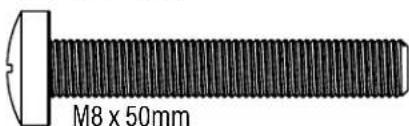
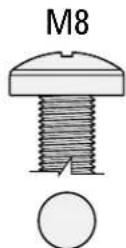
TV Screws
(qty. 4 each) [Only one size fits your TV]
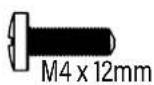
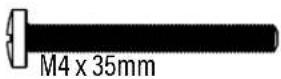
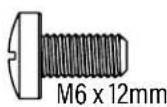
M6
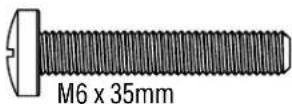
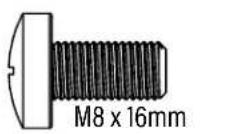
M8

Washers
M4 M4/M6/M8M4
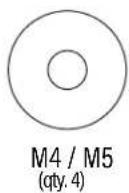
M6/M8
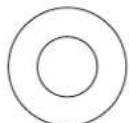
M6/M8
(qty.4)

3ucers [If necessary]
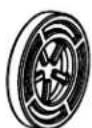
2.5mm
(qty.8)
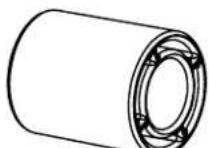
22mm
(qty. 4)
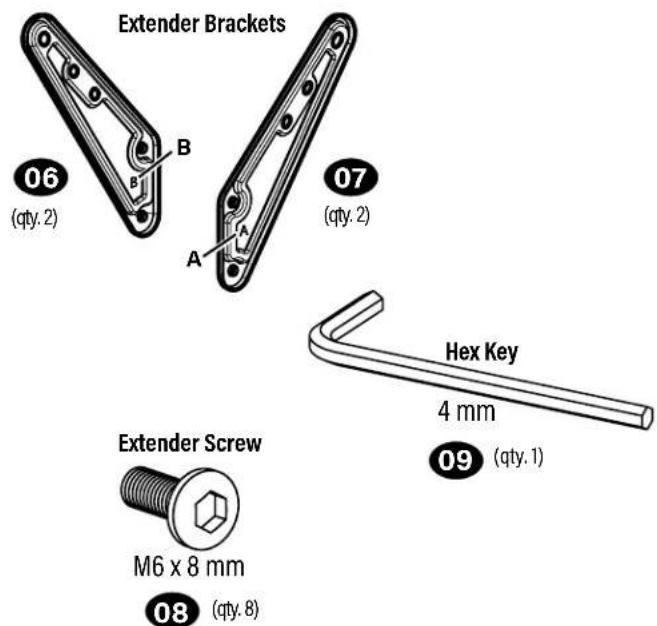
STEP1 Parts and Hardware (continued)
Faceplate (attached)

05 (qty.1)
1.1 Remove Faceplate from Arm
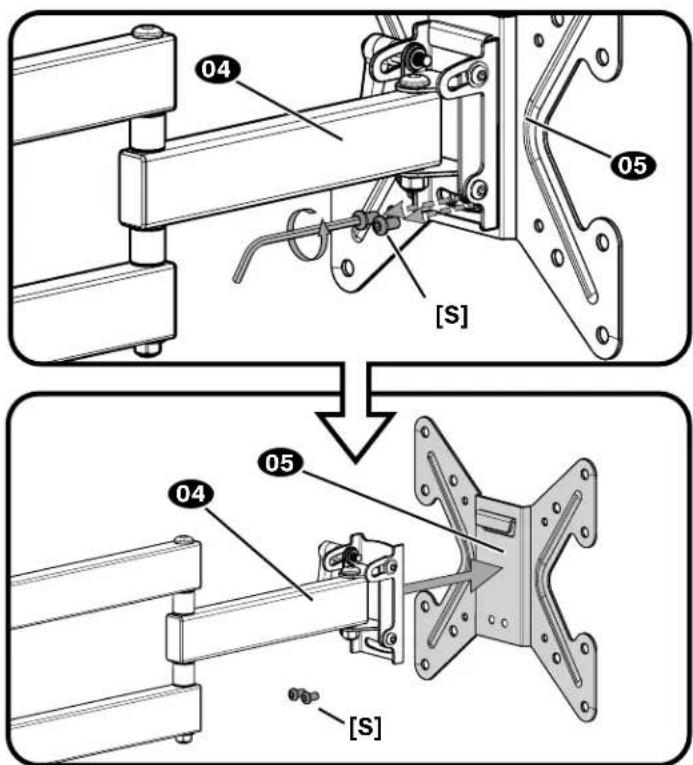
NOTE: Save screws [S] for use in Step 3.
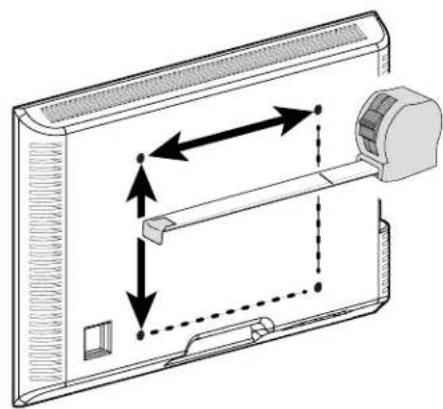
1.2 Measure TV hole pattern
| mm cm inches ≈ | |
| 100 10 4 | |
| 130 13 5 | |
| 200 20 7 % | |
| 300 30 11 3/4 | |
| 340 34 13 3/4 | |
| 400 40 15 3/4 |
1.3 Determine Configuration
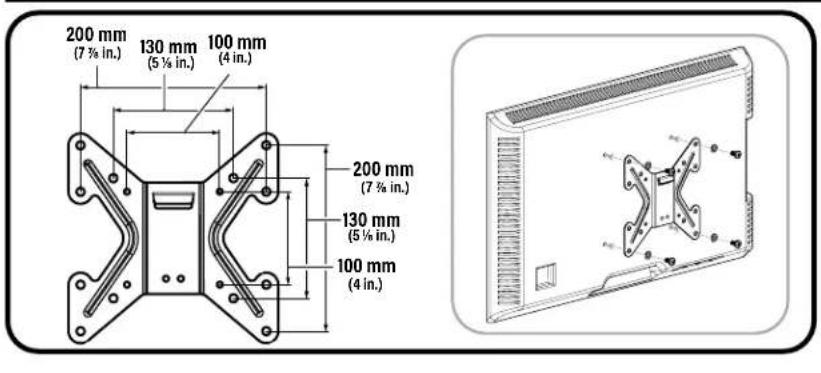
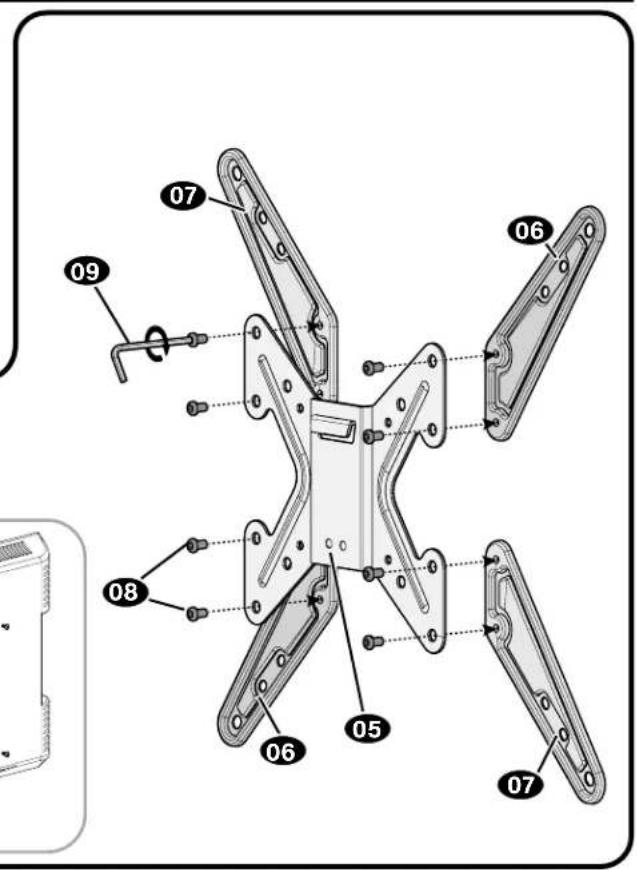
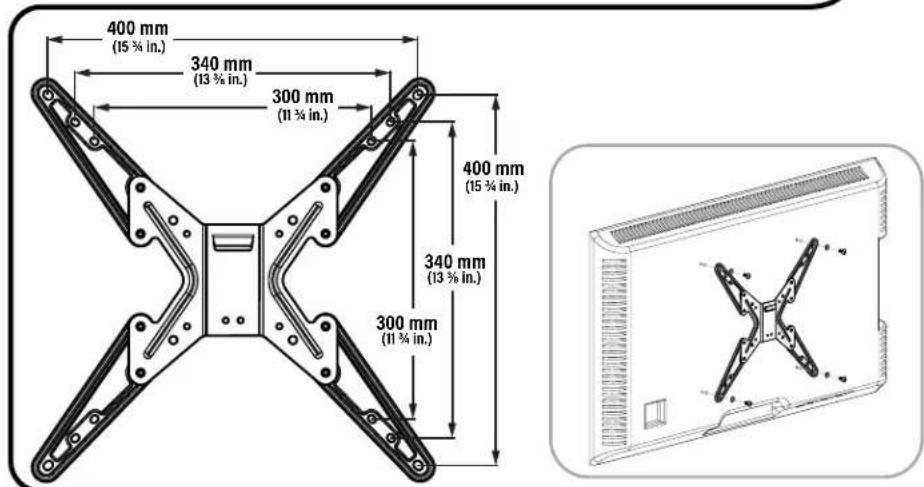
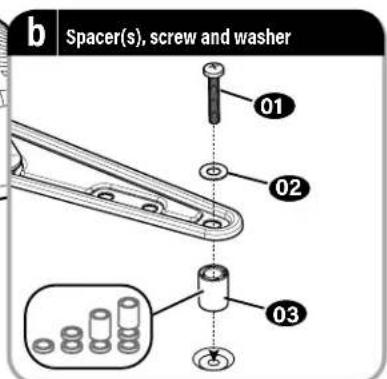
1.4 Select TV Screws
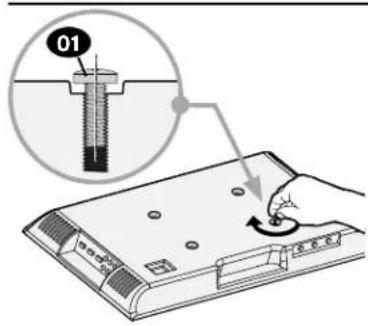
M4
M6
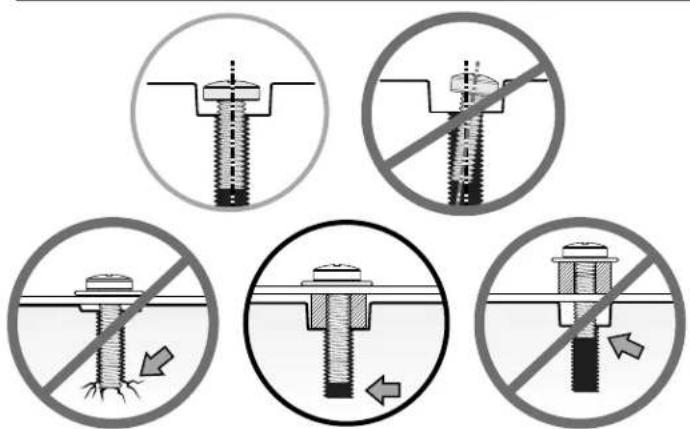
CAUTION: Verify adequate thread engagement with your screw/washer/ spacer combination AND TV bracket (STEP 1-5).
- Too short will not hold the TV. - Too long will damage the TV.
1.5 Spacers (if needed)
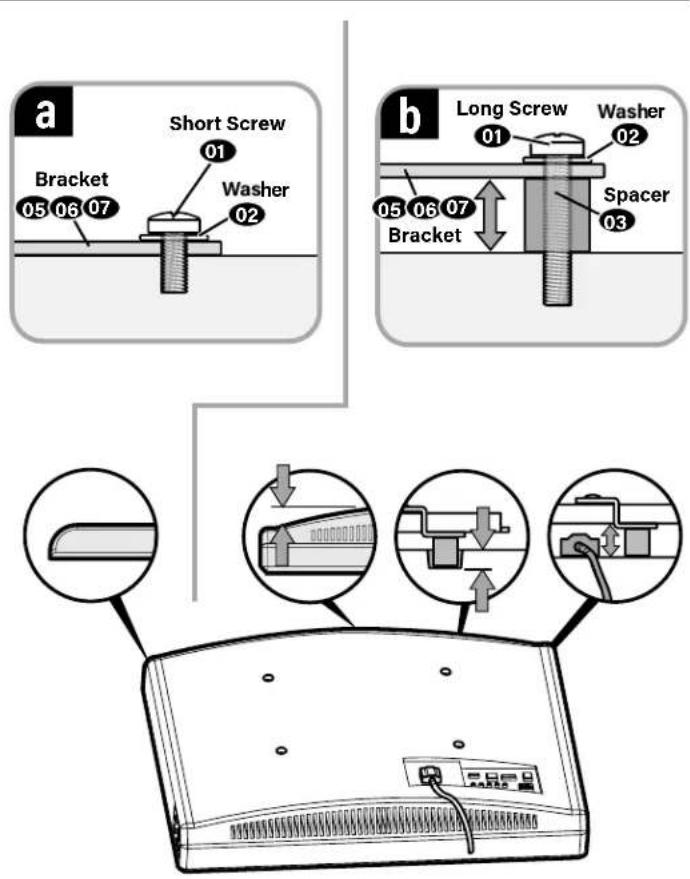
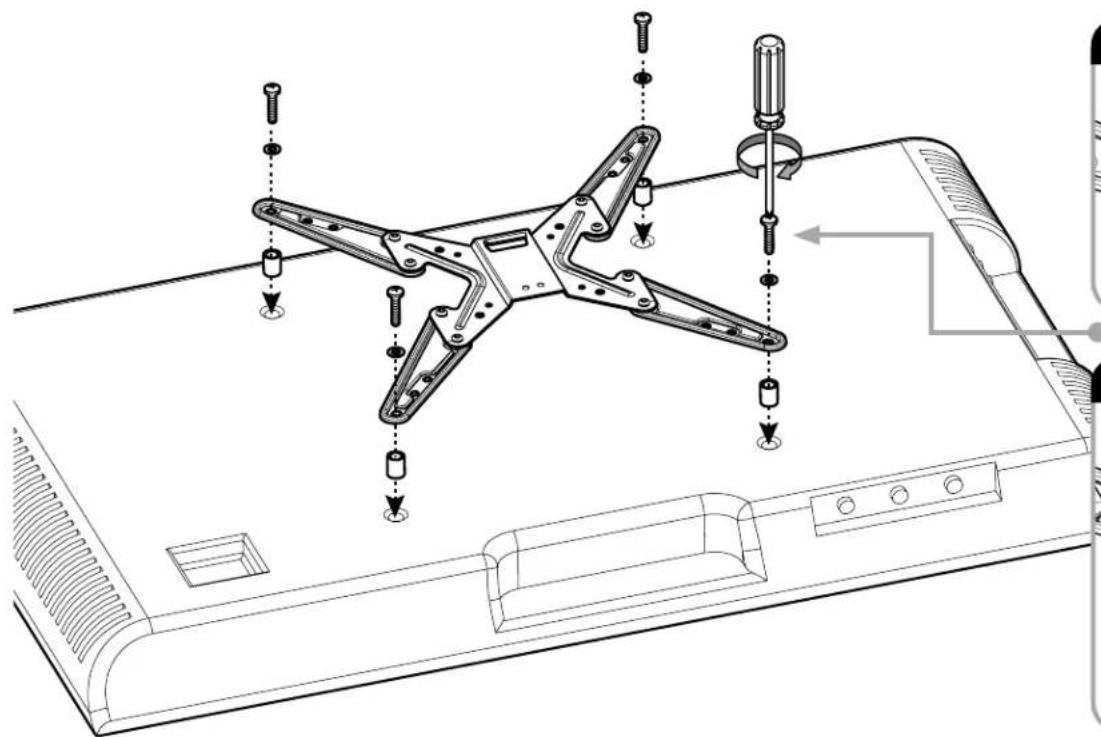
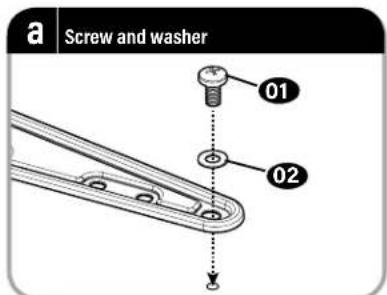
1.6 Install Faceplate
CAUTION: Avoid potential personal injuries and property damage! DO NOT use power tools for this step. Tighten the screws only enough to secure the TV bracket to the TV. DO NOT overtighten the screws.
If your TV included inset spacers or wall mount adapters, use them UNDER the mount hardware.
STEP 2 Attach Wall Plate / Arm to Wall


For wood stud installations, follow STEP 2A on PAGE 11
For concrete installations, follow STEP 2B on PAGE 14
STEP 2 Parts and Hardware
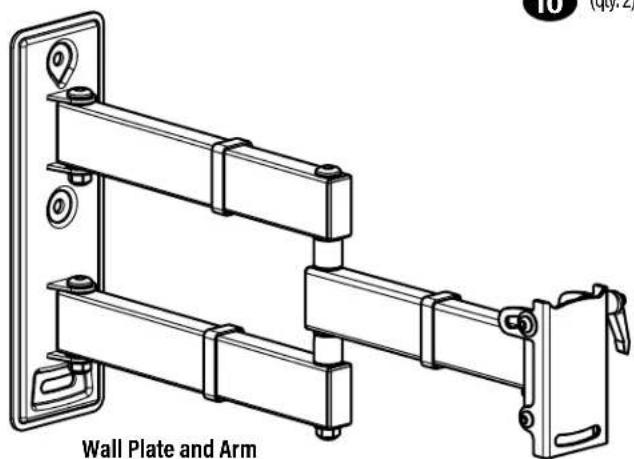
04 (qty.1)
Lag Screw
10
(qty.2)
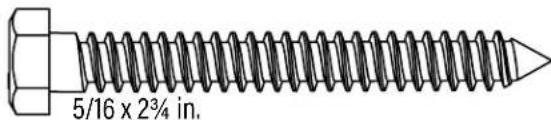
5/16 in.
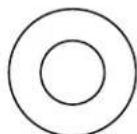
Lag Screw Washer
11
(qty.2)
For concrete installations ONLY

CAUTION: Do not use in drywall or wood
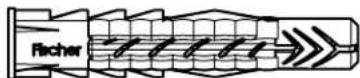
Concrete Anchor
Fischer UX10 x 60R
12
(qty. 2)
STEP 2A d Stud Option
CAUTION: Avoid potential personal injuries and property damage!
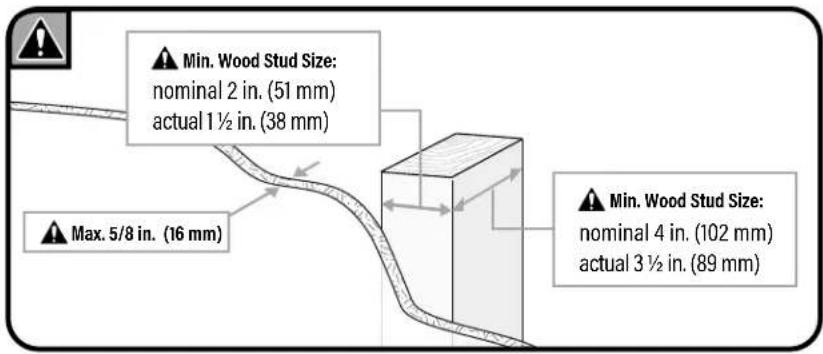
- Drywall covering the wall must not exceed 5/8 in. (16 mm)
- Minimum wood stud size:
nominal 2 × 4 in. (51 × 102 ~mm) actual 112 × 312 in. (38 × 89 ~mm)
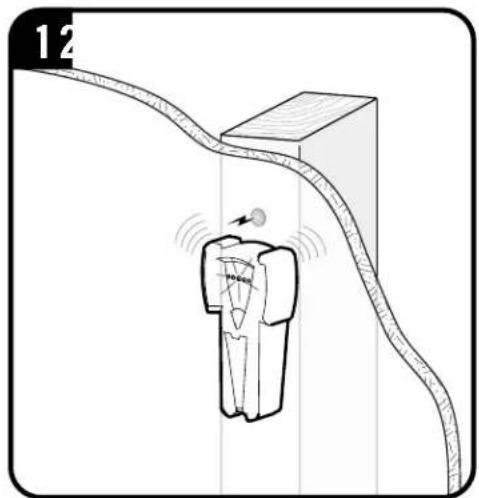
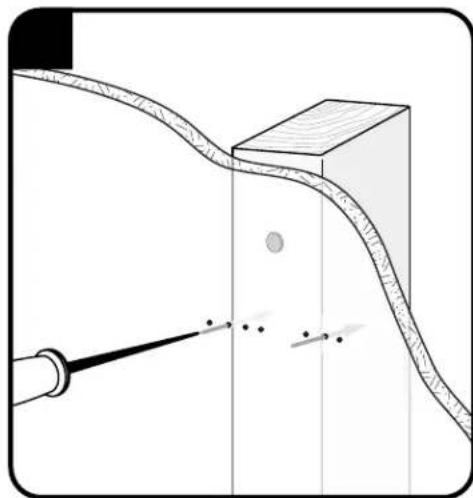
- Stud center must be verified
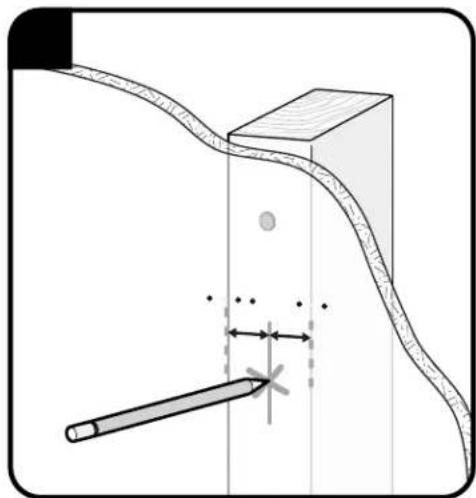
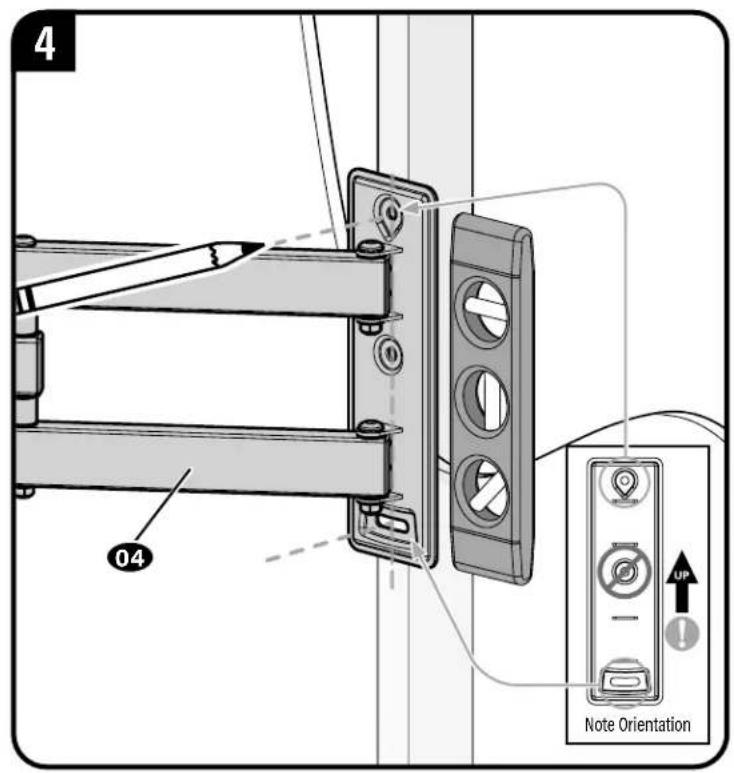
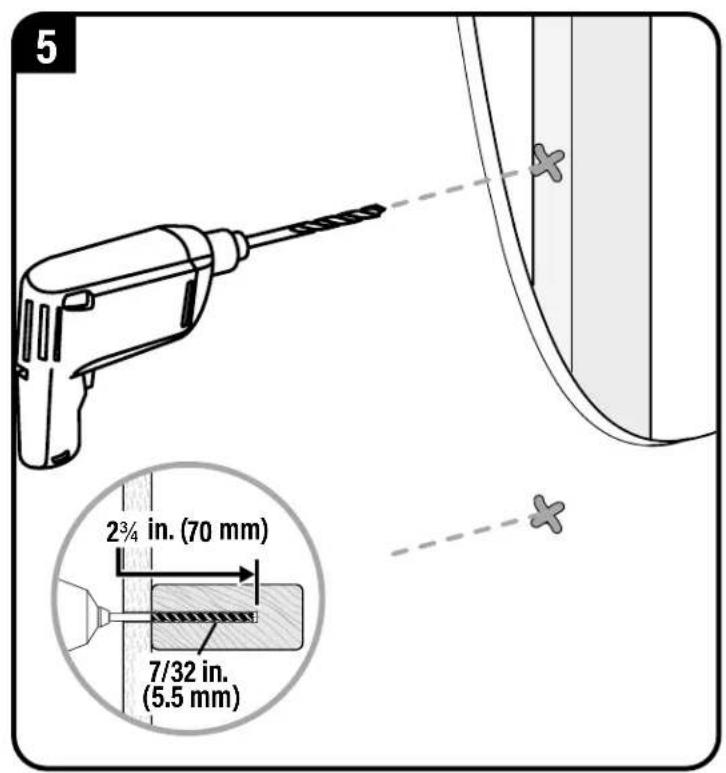
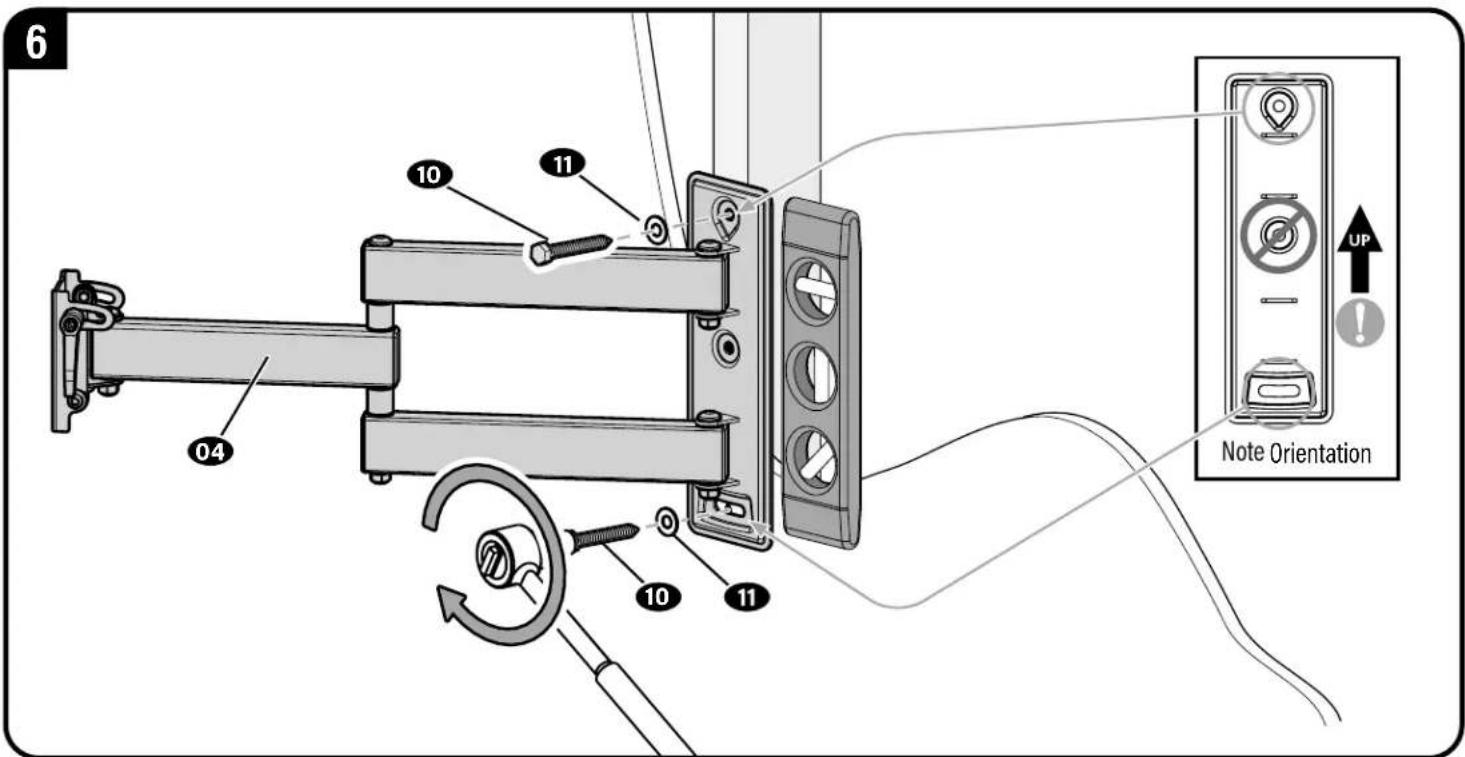
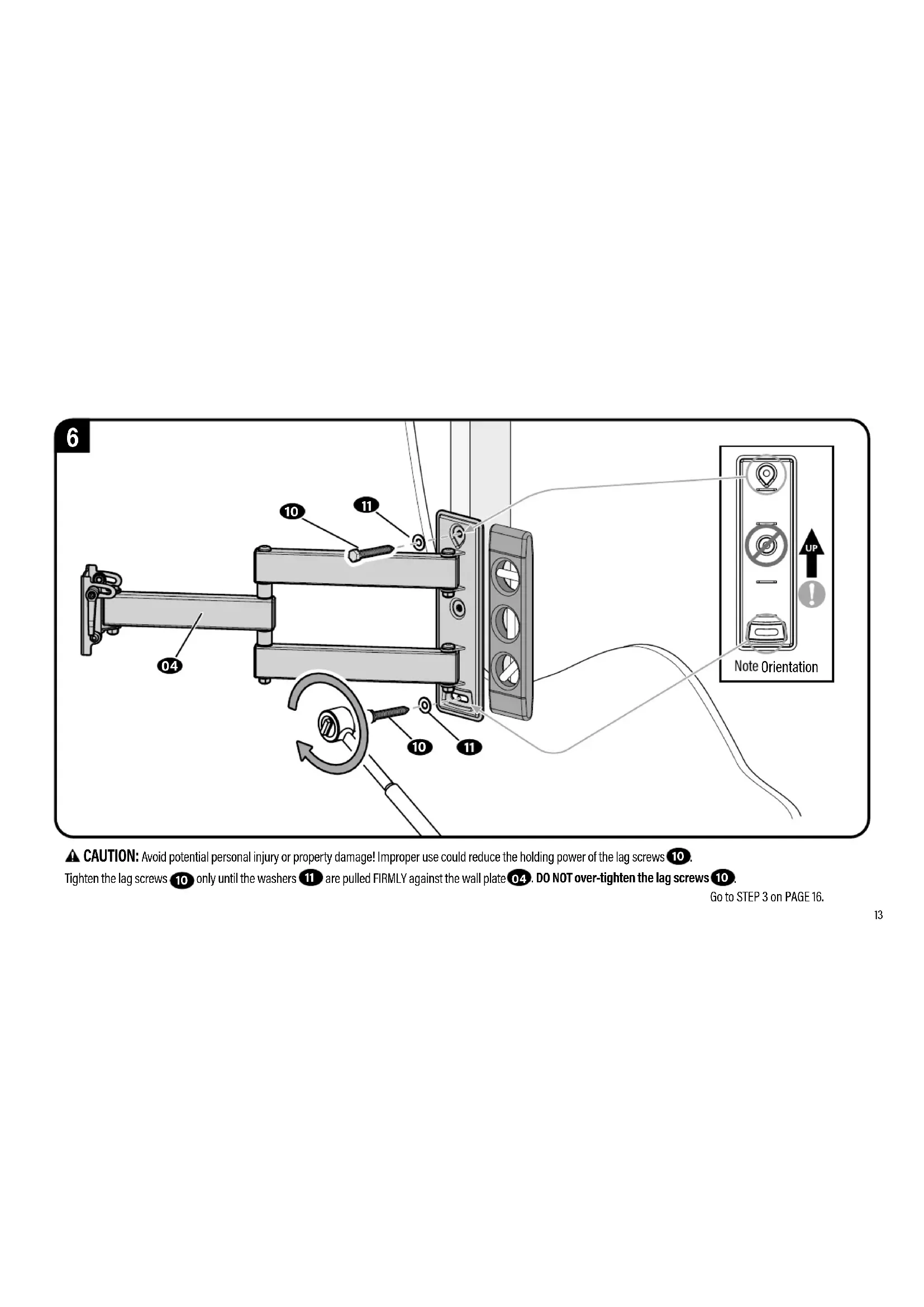
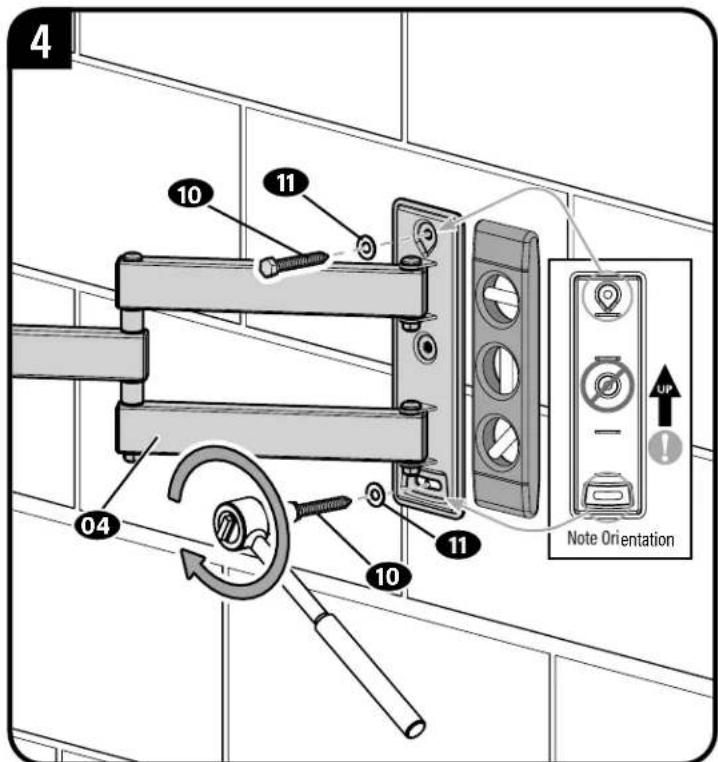
CAUTION: Avoid potential personal injury or property damage! Improper use could reduce the holding power of the lag screws 10
Tighten the lag screws 10 only until the washers 11 are pulled FIRMLY against the wall plate 04. DO NOT over-tighten the lag screws 10
Go to STEP 3 on PAGE 16.
STEP2B
#d Concrete or Concrete Block Options
CAUTION: Avoid potential personal injuries and property damage!
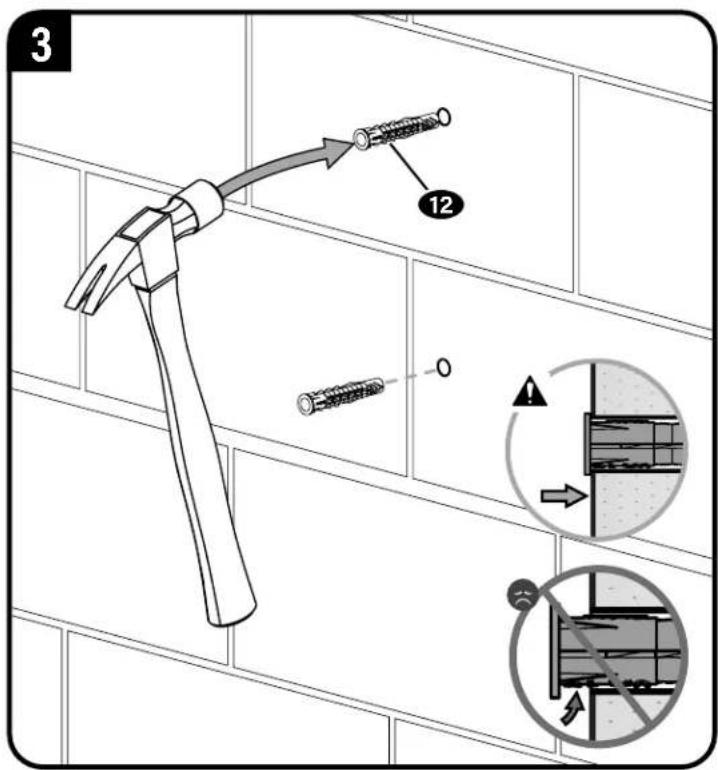
- Mount arm assembly 0.4 directly onto concrete surface (no wall covering)
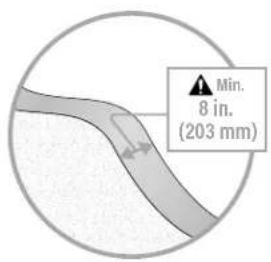
- Minimum solid concrete thickness: 8 in. (203 mm)
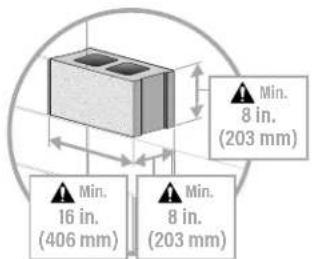
- Minimum concrete block size: 8 × 8 × 16 in. (203 x 203 x 406 mm)
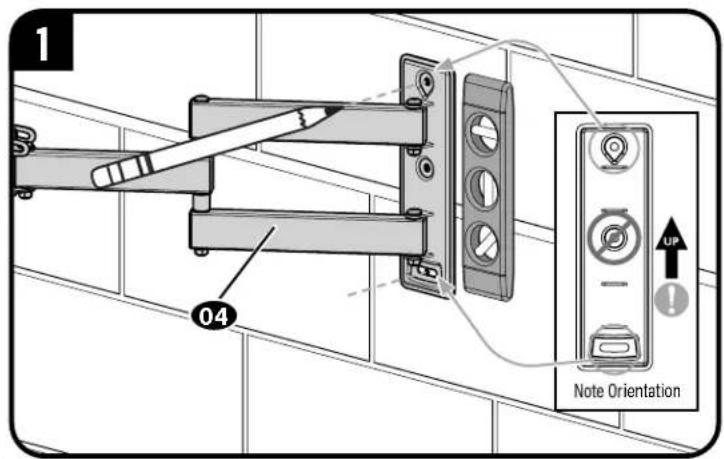
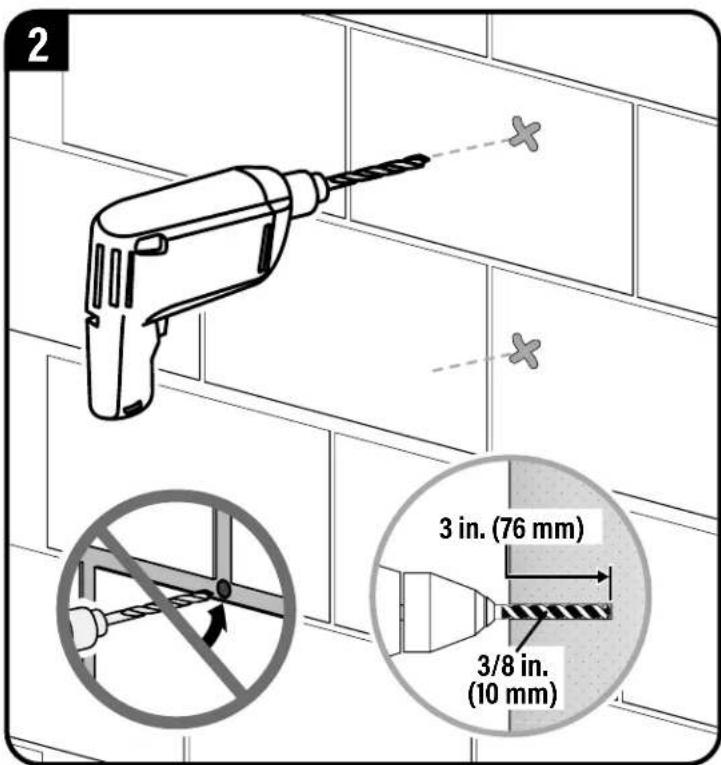
IMPORTANT: Never drill into the mortar between blocks.
CAUTION: Avoid potential personal injury or property damage! Improper use could reduce the holding power of the lag screws 10. Tighten the lag screws 10 only until the washers 11 are pulled FIRMLY against the wall plate 04 DO NOT over-tighten the lag screws 10
STEP 3 Attach TV to Wall Plate

HEAVY! You may need assistance with this step.
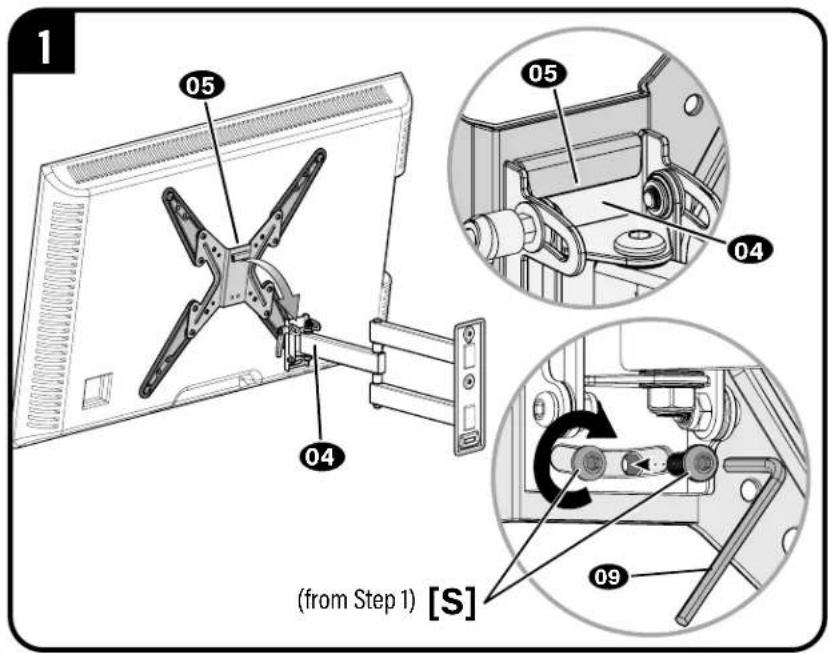
CAUTION: Avoid potential personal injury or property damage. These screws [S] must be installed to secure the TV onto the arm 04.
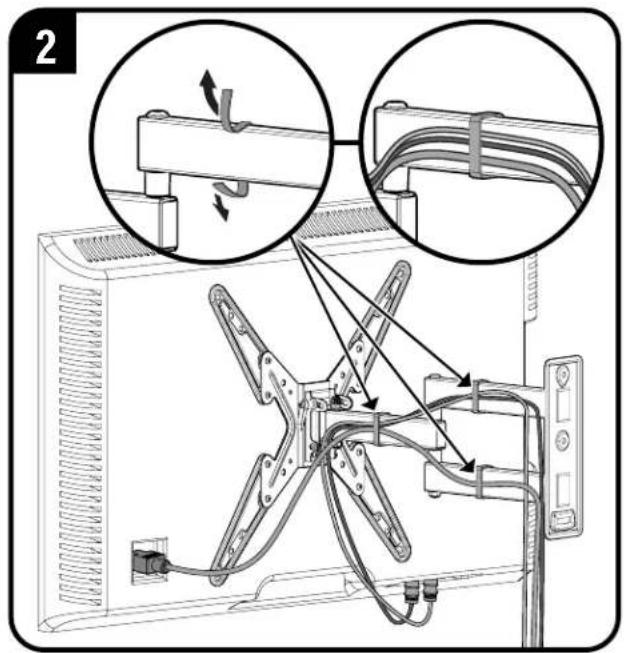
NOTE: Fully extend arms 04 to ensure enough slack in cables.
Adjustments
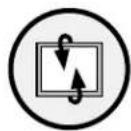
TILT
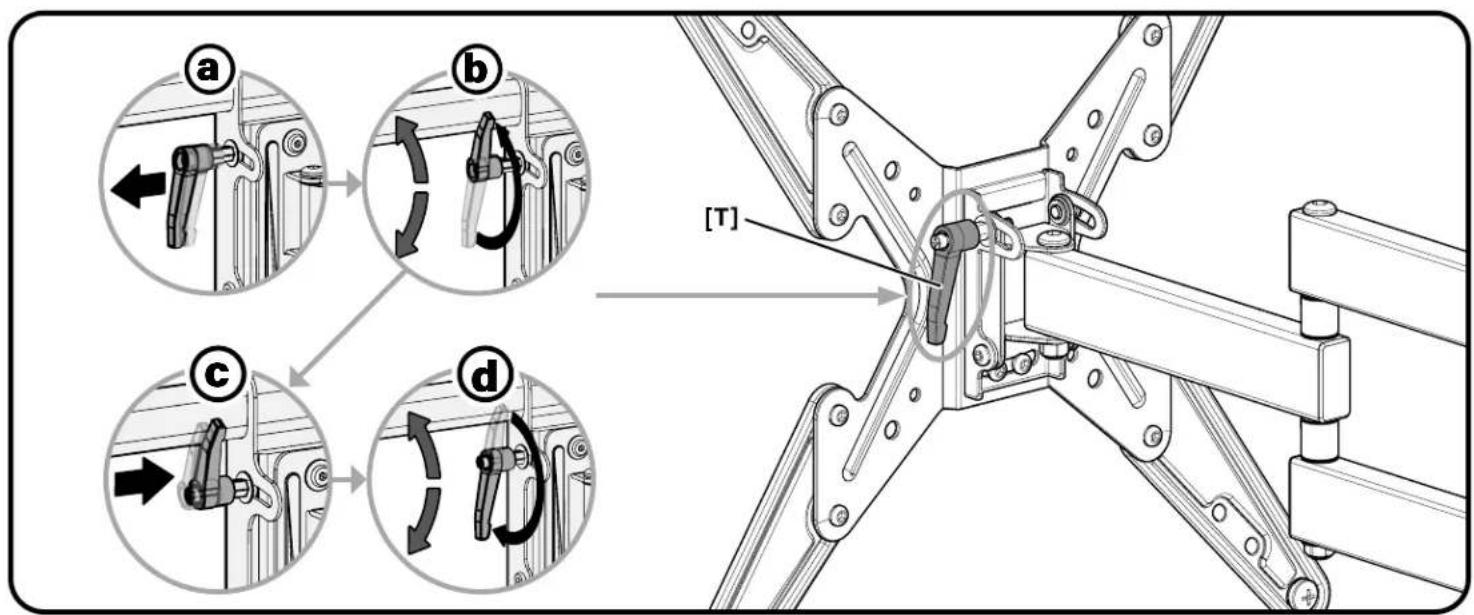
Your TV should adjust easily when moved, then stay in place.
If your TV is too loose or too tight, adjust the tilt tension knob [T].

NOTE: Once your TV is in place, tighten the tilt tension knob [T] to prevent unwanted movement.
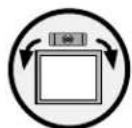
LEVEL
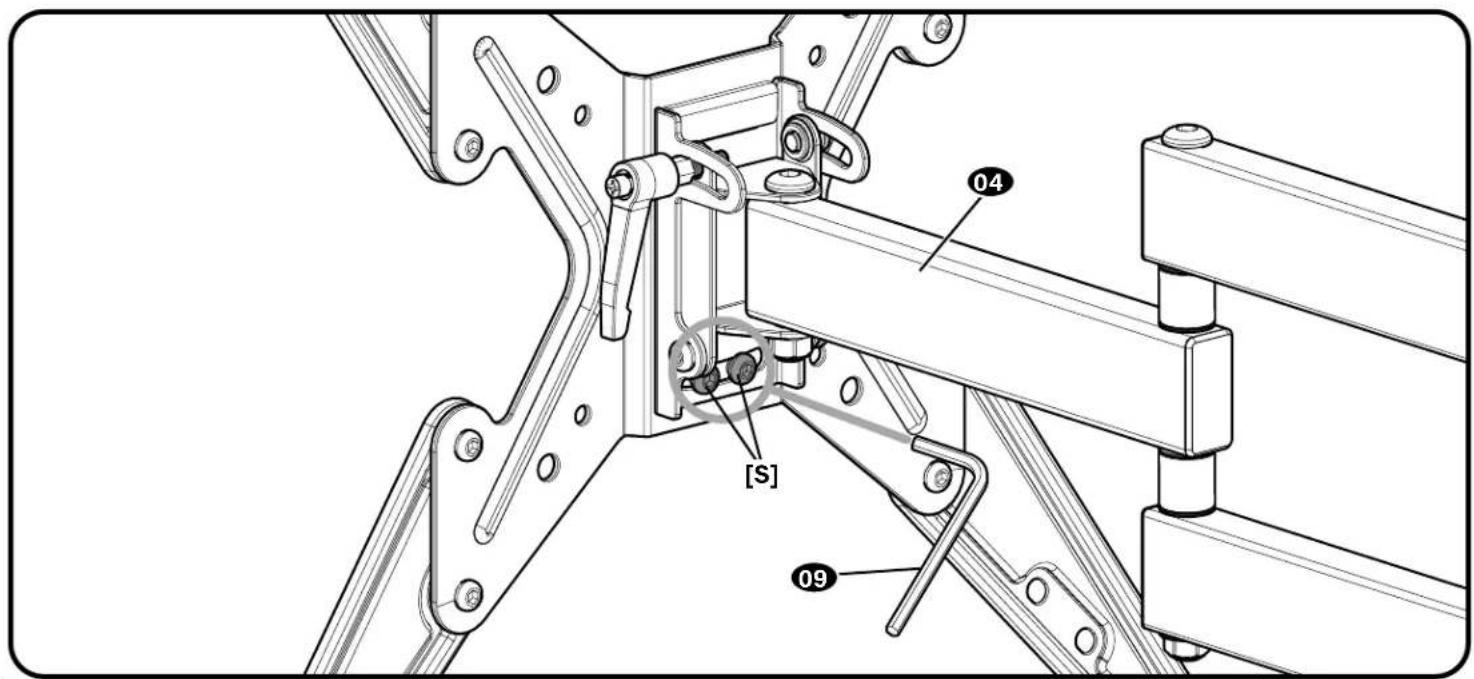
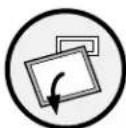
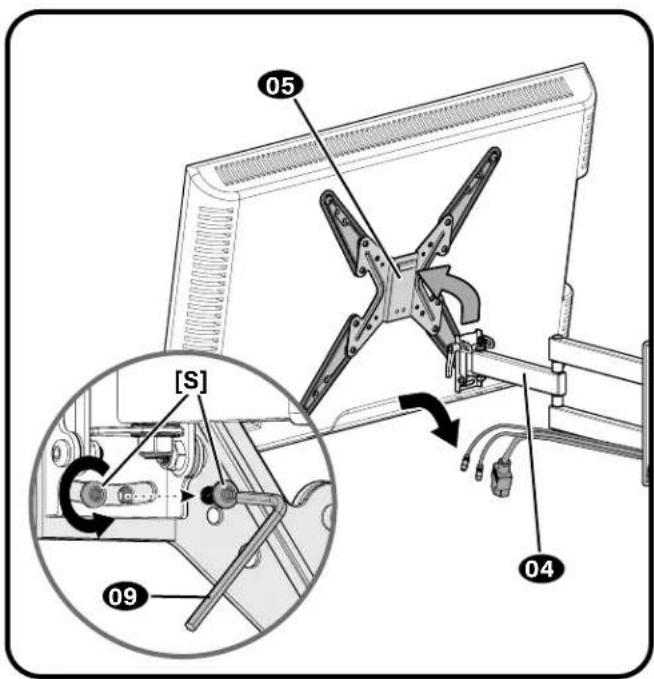
To adjust TV level, loosen screws [S] on the rear of the arm plate using hex key 09, adjust level, and retighten to secure.
CAUTION: Avoid potential personal injury or property damage. These screws [S] must be installed to secure the TV onto the arm 04
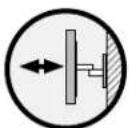
EXTEND RETRACT
ONLY IF NECESSARY
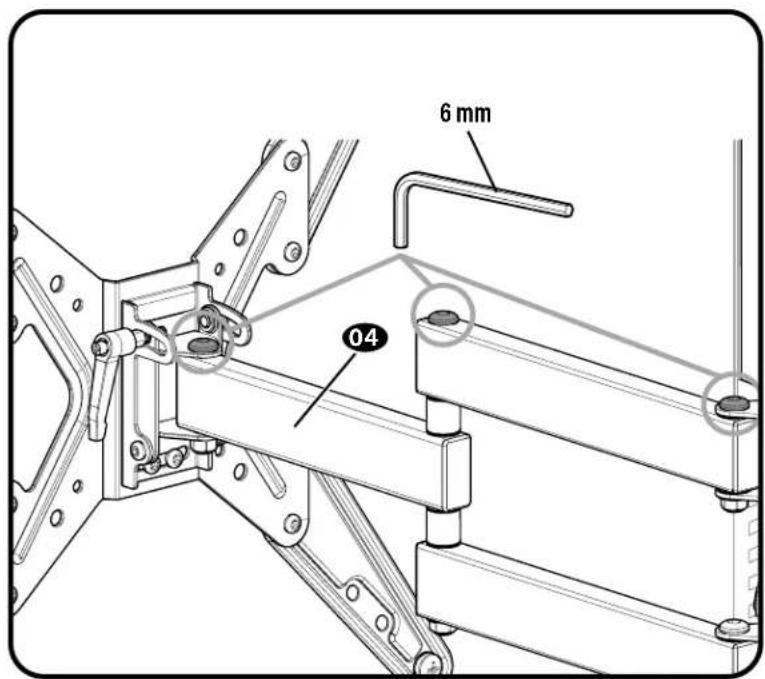
To adjust arm tension, use a 6 mm hex key (not included).

CAUTION: Avoid potential personal injury or property damage! ot remove the screws during adjustments.
REMOVE

HEAVY! You may need assistance with this step.
ESPANOL

m = 311 ;
Vouavesdoudes?
-NEPEI3KCTIYATAUMEI3DEJNIAPOHOCTBIO IPOOHTITE DAHHOE PYKOBOCTBO
Ipeed nauanom yctahOBKn Heo6xOdImo y6eDntbcra, yTO 3TO KpenneHne npoxoNT JIA BaWero TeNEBn3opa!
Baw TeleBn3Op Becnt 6oJee 27.2 Kr (60 yHTOB) BmecTe c npHaJnxHocTAmu?
HeT- PpeKpaCHO!
Ja -Tto KpennneHE NOxOoMIT. Pocetate Be6-aiv.com IINI POABOHTE NO TenefoHy US:+1 (800) 359-5520 | EMEA:+31 (0)495 580 852 | Benvko6puTahm: +44 (0) 800 056 2853, 0r6bH naHIO NOxOoDauee KpennneHe.
BHUMAHNE!
He donyckaiTe npBbIeHnYka3aHHo
MAKcIMaHbHOHarpy3Kn.3a KpeNexHaa CnCTeMa paccuHTaHa HA mCpOb3oBaHHe C Harpy3Kn, He npBeBuaauoiye Jyka3aHHe MAKcIMaHbHOe 3aHueYeHe. nCnpBbOBAHc YcPTOyCBAMm. MaccA KOtOpBxPiPbeBuAet YkazAHHOe MAKcIMaHbHOe 3aHueYeHe, MOKeT npBvCeTn N KOBpeXdEHHIO KPOhUTeHn A n PpHnAaHxHcToH K NOnyueHHIO TpABm.
I3 KaKOro MaTepuAna CdeHa Bawa CteHa?
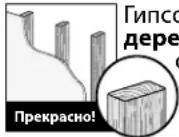
Tnncokaptoh CdepebbHHbIMCTOJKAM?
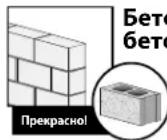
Betoh nIe 6ToHHBe 6IOnK?

HeyBepenb?
Посьогене в сокрпоблкиманов KMIENTОВ: US:+1(800)359-5520 EMEA:+31(0)49580852 Венихбогштану:+44(0)8000562853
YBaCeCTbBce Heo6xOaMmbie HnCtpyMeHtBi?
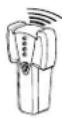
MkaTeBk pKaeB
Wnno
Kapananda
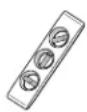
ypoBeHb
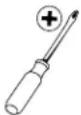
Orbeptka
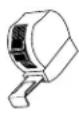
Mepnay pyntka
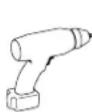
3eKtpoApenb
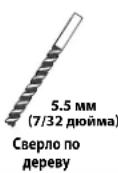
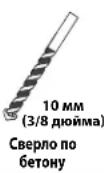
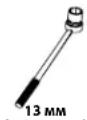
(172/08/MA) Topceboi raeebn knooy
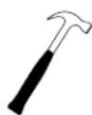
Monotok
TOTOBbl Haatb?
PHTTE DAHUYIO INCTPYKMIIO NONCTbO, UTObI YBEPEHO I C NERKCTbO BBIONHITcYTAHOKBy. CM. CNEIAaJIbHItepeOBaHINK Y cTcAHOBKe TeneBV3Opa B HNTCPKIMIK TEAEHIOyI pINBaeHHNIE HCTPYKMIINII He YEPEBO, Yo DAHIO II dEINE YCTAHOBHe, CObaHO IIN KCNPIyATnpyTeCbe30anaChbIOObpAOM, ObaTInTeCb B cHTePocnyBaHnIA KMIENToB: US:+1 (800) 359-5520 | EMEA:+31 (40) 955 580 852 | BenikobpntAHnra:+44 (0) 800 056 2853.
BHIMAHHE! Co6IIOaIte octopokHOCTb Inra npoeTbpaueHnB O3MOXHbIX TpaBM INN NOBpeKdHn IMUyecTBa!
- 13dnepeHnhaeHnoNcNoB3OBaHnHa npebBnHbX cToKax, cTeHax u6 6toHa n 6toHbX 6koB.3APPEUAECTC yctaHOBKa TOnbKO Ha rncokapToHe.
CTeHa donxHb BbIepKnBaTb Harpy3Ky, B nIb Ta p3 npBbIaOuSyIO o6uN Bec TeNeBn3opa n KpOHTeHa.
He nCnoB3yIte n3dennne dna KaKoH-ni6o cen, ABHO He orOBOpEHNO npON3BODHTeNEM.
PON3B0DNTeH He Hecet OTBETCBHHOCTn 3a NoBpeJdHeMe O6OpjOBAHN mnn NtnyHe Me nIb3OBateNem TpaMbI NO pNnHMe HnnpabNbHcO bOpkn mnn EKcTTyatau nn3eNIA.
UAR 1 KpeHHeHMe KPOHHTeHOB Ha TeNEBn3Op
CM.ctp.4
PYCCKMI
NoCTaBnAeMbIe KOMNKeTyoUOuH N KpeNExKHbIe 3JeMeHTbl
PNEyPExEHEIEMBcOCTABe H3dEINrEcTbMeKHe DetAIn, KOTOpBle MOrY Tb3BaTb yUwBe npn pOnrTaBHaHm.
Pepd 6cbpK y6bntcE, Cte BcTAE HMeTeBnHn He NobpekdeB. Ecn KaaKnboBtBnOeBnHe, E Bo3BaPauaIte nDenepy; o6paTcB b cHTP o6CnykBAHHN KKnHtE. He Iocnblte NopebckHbte TaeTl
PIMMEAHNE. PnMOHTaKe HcNb3yOTcH He Bce BKnIOeHHbE B KOMnNEK TNOCTABKN KpenexHbE 3JEMeHTbl.
1.1 ChTne nuebo naHn co taHn PnPMEyAHNE. CoXpaHNTe BnHTb [S] dna nCnoNb3ObaHn Ha ware 3.
1.2 M3mepenpe paccToHHMexkyMOHTaXhBIMNOTBepCTnMnIJI TeNEBu3opa
1.3 OnpeDeneneBapnHaT KaPenneHn
1.4 BbI6Op BnHTOB DnT TeBn3opa
BHMAHHE! 56dTeb b nOthobHn Hndpehauero coTahna pe3b6b08tob mBtob c BytnkAA. Cmukomkopotkapeba He yepuTT Tenea3op. CmukomDnHHaPe3b6a npoeepuTT Tenea3op.
1.5 PpocTabKn? (PpH Heo6xoDmOocTn)
PIMMEYAHME.1nObn3yIeKOMNKeTHeBtynKnDnTeNeBm3OpOB CnnocKo3aHHeCTeHKOJ
1.6 YctahOBka IuueBOH naHeHH
BHIMAHWE! CoNIOaHTe OCTOPOKHOCTbIpyneOTBpaueHn BO3MOXbIX TpABM IIN NOBpeKJeHn IMyueCTBa! He mONbTyte 3eKTPoHCTpyMeHTb IraHHO onepaum. 3aTIRBAite BHTb C yCNmHe BoJIbHM, cem DoCTaTOHO dI KpEInHNe TeneBUHNOHOro KPOHIeHa K TeneBu3opy. He 3aTARBAite BuHTb CNIKOM CmblHo.
WAR 2 KpenneHHe HacteHHo nlaCTnHbI/HTaHrK CTeHe CM. ctp.10
JAR2A KpennneHHe Ha DepeBAAHbIe CTOnKn CM. ctp.11
BHMAHHE6012403006070BIO 63E6KHAHME NOnyueHnme TPABM INNOBEPKDEHNIMUeCTBAI ToIINAHnTnKoAPKTHO, NOKpBbAouOe CTHy, He OJINKHnPBbAHTu 1.5 CM (5/8 DIOIMA).MHNAMHbNpa3aMepeBHeHHN CTOJI:6015,5X102CM(2X4DIOIMA)HOMINAHbNba3.8X8,9X2DIOIMA).Heo6xOIMO npOBepBeH pAcTOCTHO MEKdy CEHTPMA CTOe
BHIMAHHEI Co6noidaeite octopoxhOCTb npeoTbaeHnBa 30MxHbIX TpABMnnnoepKHeHnMmUeCTBa! HEnpaBnHoe HcNtob3aHMe MoKET yMeHNbUMT npOHOCTCoDmHHeHn 10
3aTnBaiTe 60ntb11 TOnbKO DoTex np, noka wai6b11 He 6dyT noTHyTB KCTHOBOI PnACTHHe 04. HE 3aTnBaiTe 60ntb10
JAR 2B KpennneHnE Ha cTeHy n3 6eToHa nn6eToHHbIX 6nOKOB Cm. crp.14
ABHIMAHHE! Co6noaie octopoxhoctBo 36eHAAHne noyehnraTpaBmnnnoBpeKeHHnMMyueCTBa!-YCTAOHbTEHaCTEHHyIOAactHy HHOICPcTeBHeHO Ha 60eHTHO HOEepxHCTb (6e3IOKpbTHN).
MHHHmBnH TOUINHA 6eTOHHO CTENb:20,3 cm (8 dIOHMOB). MHHHmBnHbI pa3MeP 6eTOHoro 6NOKa: 20,3 x 20,3 x 40,6 cm (8 x 8 x 16 dIOHMOB).
ABHIMAHHEI Co6nOaIte OTOPOKHOCTb BO I36EkaHHe NIOUYeHHN TpaBm NIOBpeKdHmYIeCTBaYcTaHOBITE HACTEHHy nTactHy B c60pe HEnoCpeCDtBEHHo H a 6eToHHy IOeBPXHOCTb (6e3IOKPbITM).
BAXHO! He donyckaeTcBepnmb OTBepCTN B Wbax Mekdy 6nokam.
ABHIMAHHE! Co6noaie octopoknOCTbI pyneotpaweHn BO3MOKhblx TpaBm IIN nopejdeHn IMUeCTBa HEnpaBnHbHOe nCNOb3oBAHNE MOKET yMeHNbHT bpPOOHCTc coEHNHnB 10
3aTnBae 60ntb11 Tonbko do Tex nop, noka Waiobbl 11 He bnyt noTayhck CTehOBo NlaCTUHe 04 HE 3aTnBAe 60ntb10
WAT3KpenHHeTeBnOpa KHaCTeHHo nactHe
50JIbUH BECI Ha 3OM WARE BAM MOXET NOHADo6MbCT NOMOUB.
CM. ctp. 16
BAXKHO!3TN BUNTB[S] HxHIO 08a3TeNbHO yCTAHOBNTI JRA 3akpenneHnTeneBun3opa Ha Wtahre 04
PIMeAHHE. BHTHHe TAYHry 04 do ee nonHO r yINHEHH, rTO6bIOCTABIT DOCTAOHH3aACnDnHb Ka6ene H npedOTBpATMb IVHATRKeHHe SO bpeM DBXKEHHUHTA
PerynipOBKn Cm. ctp. 17
PeynnpbKBAyHAKIOHA Baa TeneB3pO npKeHneN KHeMEnrBo NonoKeHnePi nppeMeEeHBe, a 3aTeK octabTaCnHa MeCte. ECh nTeneB3pO nppeMeuaerCnHkoM neoKn HcHkoM TRKeNo, k3MeHInTe HATRKeHHe, BpaAa pyKoh peryrTtOp HATRKeHnR Pn HAKHOI [T] IPIMeayHae. Toe toro, kK YKTahOBHe TeneB3pO B HxHoe NonoKeHne, 3aTHeHne peryrTtOp HATRKeHnePi HAKHOI, 406bI ppeTpBAtbHb HENeHHeBd ABKeHHe.
PERYNPOBKA YPOBHA Tc06abpoHbTbeNepoOocnab6te BnH perynpaKn ypOBA [S] cnoMooIbIeCTHrpHOrIO KIOA O9 BApOBHHTe TeneB3Op H3aTHHe TBeH perynpaKn ypOBA [S] BAXHO! 3Tu BnHTb [S] HkyHO
BbIBHHTb/3AIBHHytb-TOIbKO ECLN HE06XoIMMO 6 mM wectnrrpaHrO KIOUa He BXoIT B KOMNIeK T NOCTABKN. BHMAHMe! HE BBOPaHmEe BnHTbl, IpOCTO NOBEPHIte IX HACTOBKO, YTOOB BYINONHtB Heobnyo perynnpokv.
CHATNE TENEBUN3OPA 50nbOW BECaHa ZTOM WARE BAM MoKet NoHaO6bNbCn NOMoCb.
日本語

注意:食雪士里雪雪雪雪雪雪雪雪雪雪雪雪雪雪雪雪雪雪雪雪雪雪雪雪雪雪雪雪雪雪雪雪雪雪雪雪雪雪雪雪雪雪雪雪雪雪雪雪雪雪雪雪雪雪雪雪雪雪雪雪雪雪雪雪雪雪雪雪雪雪雪雪雪雪雪雪雪雪雪雪雪雪雪雪雪雪雪雪雪雪雪雪雪
Thank you for choosing Secura! Please take a moment to let us know how we did:
Legrand AV Inc.
6436 City West Parkway
Eden Prairie, MN 55344 USA
US: +1 (800) 359-5520
Legrand AV Netherlands B.V.
Franklinstraße 14
6003 DK Weert Netherlands
UK: +44 (0) 800 056 2853
EMEA: +31 (0) 495 580 852
Authorized Representative for the UK
Starline Holding Technology Ltd.
Unit C Island Road
Reading RG2 ORP UK
Legrand AV Inc. and its affiliated corporations and subsidiaries (collectively, "Legrand"), intend to make this manual accurate and complete. However, Legrand makes no claim that the information contained herein covers all details, conditions, or variations. Nor does it provide for every possible contingency in connection with the installation or use of this product. The information contained in this document is subject to change without notice or obligation of any kind. Legrand makes no representation of warranty, expressed or implied, regarding the information contained herein. Legrand assumes no responsibility for accuracy, completeness or sufficiency of the information contained in this document.
©2021 Legrand AV Inc. All rights reserved. Secura is a brand of Legrand. Secura, the Secura logo, and MountFinder are trademarks of Legrand. All other brand names or marks are used for identification purposes and are trademarks of their respective owners.
Legrand AV Inc. - 6436 City West Parkway, Eden Prairie, MN 55344
6901-602873 00