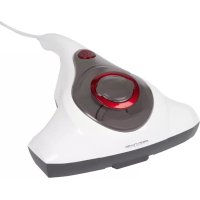
PCMS 3079 - Vacuum Cleaner ProfiCare - Free user manual and instructions
Find the device manual for free PCMS 3079 ProfiCare in PDF.

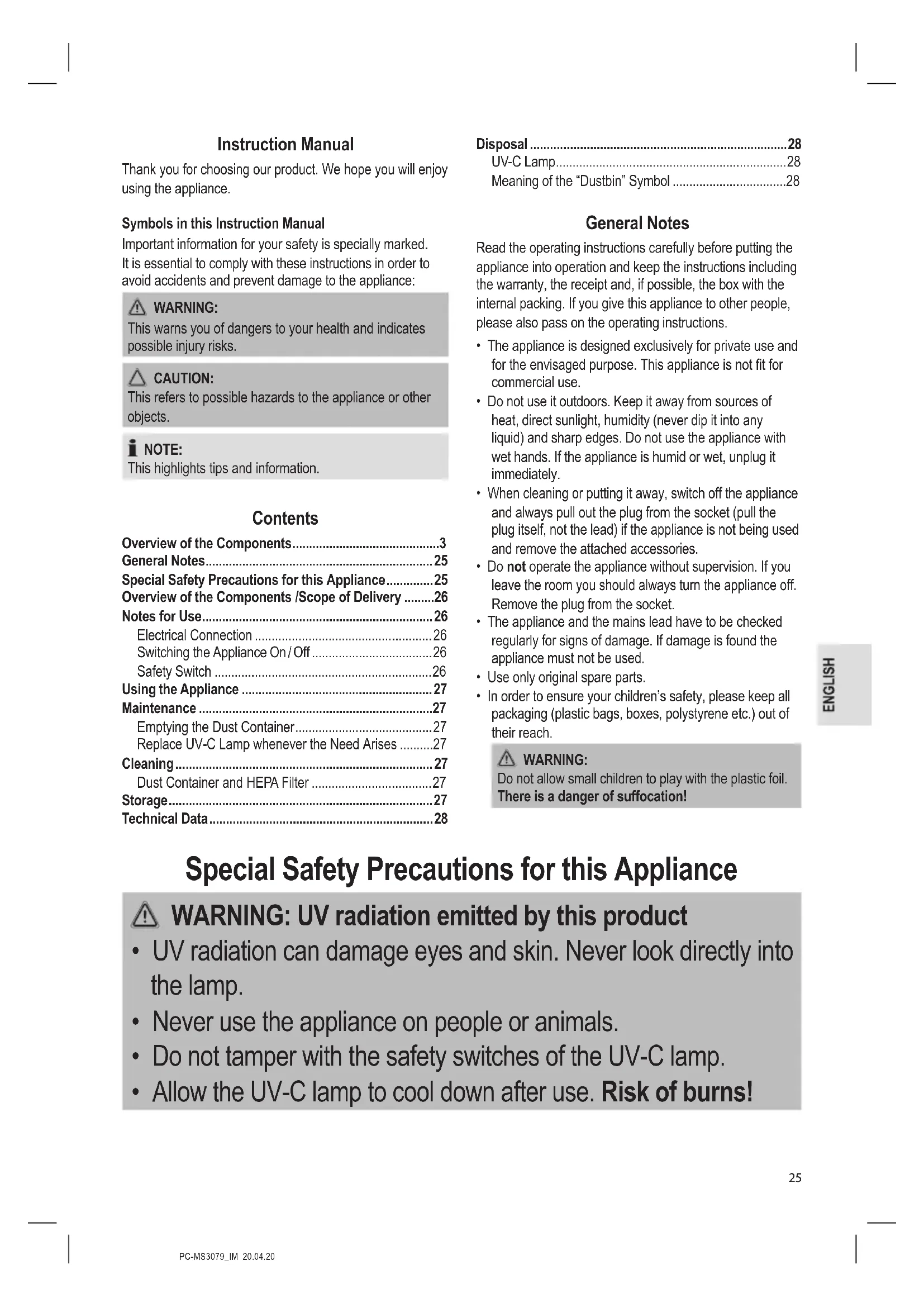


| Product type | Handheld vacuum with UV-C lamp and vibration |
| Brand | ProfiCare |
| Model | PCMS 3079 |
| Power supply | 220-240 V ~, 50-60 Hz |
| Power consumption | 300 W |
| Net weight | Approx. 1.27 kg |
| Protection class | II |
| Filter type | Washable HEPA filter |
| Dust container capacity | Not specified (transparent removable container) |
| Main functions | Suction, vibration, UV-C lamp for disinfection |
| Usage | For textile surfaces (mattresses, sofas, etc.) |
| Safety switch | Two switches: one for vibration, one for UV-C lamp (requires flat surface) |
| Maintenance | Empty container after each use; clean HEPA filter with water (dry completely before reassembly) |
| UV-C lamp replacement | Replaceable by user (bipin type, remove screws underneath) |
| Cable length | Not specified (approx. 4 m estimated) |
| Color | Not specified (gray/black typical) |
Frequently Asked Questions - PCMS 3079 ProfiCare
User questions about PCMS 3079 ProfiCare
0 question about this device. Answer the ones you know or ask your own.
Ask a new question about this device
Download the instructions for your Vacuum Cleaner in PDF format for free! Find your manual PCMS 3079 - ProfiCare and take your electronic device back in hand. On this page are published all the documents necessary for the use of your device. PCMS 3079 by ProfiCare.
USER MANUAL PCMS 3079 ProfiCare
natural_image
White and gray portable air conditioner with red circular lid and 'PROFI-CARE' branding (no additional text or symbols visible)Milbensauger PC-MS 3079
Mijtenstofzuiger • Aspirateur à acariens • Aspiradora para ácaros
Thank you for choosing our product. We hope you will enjoy using the appliance.
Symbols in this Instruction Manual
Important information for your safety is specially marked. It is essential to comply with these instructions in order to avoid accidents and prevent damage to the appliance:

WARNING:
This warns you of dangers to your health and indicates possible injury risks.

CAUTION:
This refers to possible hazards to the appliance or other objects.

NOTE:
This highlights tips and information.
Contents
Overview of the Components....3
General Notes......25
Special Safety Precautions for this Appliance....25
Overview of the Components /Scope of Delivery .....26
Notes for Use....26
Electrical Connection 26
Switching the Appliance On/Off 26
Safety Switch 26
Using the Appliance 27
Maintenance....27
Emptying the Dust Container....27
Replace UV-C Lamp whenever the Need Arises .....27
Cleaning....27
Dust Container and HEPA Filter 27
Storage....27
Technical Data....28
Disposal 28
UV-C Lamp....28
Meaning of the "Dustbin" Symbol ....28
General Notes
Read the operating instructions carefully before putting the appliance into operation and keep the instructions including the warranty, the receipt and, if possible, the box with the internal packing. If you give this appliance to other people, please also pass on the operating instructions.
- The appliance is designed exclusively for private use and for the envisaged purpose. This appliance is not fit for commercial use.
- Do not use it outdoors. Keep it away from sources of heat, direct sunlight, humidity (never dip it into any liquid) and sharp edges. Do not use the appliance with wet hands. If the appliance is humid or wet, unplug it immediately.
- When cleaning or putting it away, switch off the appliance and always pull out the plug from the socket (pull the plug itself, not the lead) if the appliance is not being used and remove the attached accessories.
- Do not operate the appliance without supervision. If you leave the room you should always turn the appliance off. Remove the plug from the socket.
- The appliance and the mains lead have to be checked regularly for signs of damage. If damage is found the appliance must not be used.
- Use only original spare parts.
- In order to ensure your children's safety, please keep all packaging (plastic bags, boxes, polystyrene etc.) out of their reach.

WARNING:
Do not allow small children to play with the plastic foil. There is a danger of suffocation!
Special Safety Precautions for this Appliance

WARNING: UV radiation emitted by this product
- UV radiation can damage eyes and skin. Never look directly into the lamp.
- Never use the appliance on people or animals.
- Do not tamper with the safety switches of the UV-C lamp.
-
Allow the UV-C lamp to cool down after use. Risk of burns!
-
Do not repair the appliance by yourself. Always contact an authorized technician. If the supply cord is damaged, it must be replaced by the manufacturer, its service agent or similarly qualified persons in order to avoid a hazard.
- This appliance can be used by children aged from 8 years and above and persons with reduced physical, sensory or mental capabilities or lack of experience and knowledge if they have been given supervision or instruction concerning use of the appliance in a safe way and understand the hazards involved.
• Children shall not play with the appliance. - Cleaning and user maintenance shall not be made by children without supervision.
- Do not suck up liquids!
- Do not suck up hot ashes or pointed or sharp objects!
- Do not use the appliance in damp rooms!
- Never vacuum without the filter in place. Always check that the filter is fitted properly after it has been inserted!
- Keep hair, clothing and body parts away from the suction opening during operation!
- Keep the vacuum cleaner away from sources of heat like radiators, ovens, etc.!
Overview of the Components / Scope of Delivery
1 Dust container
2 Dust container handle
3 On / off switch
4 Handle
5 Ventilation openings
6 HEPA filter
7 Suction opening
8 Vibration surface
9 UV-C lamp
10 Pin base for UV-C lamp
11 Vibration button / On button for UV-C lamp
12 Casters
13 Casters (safety switch)
26
Notes for Use
Electrical Connection
- Before connecting the plug to the wall socket, check whether the mains voltage is correct. Refer to the information on the rating plate of the appliance.
- Connect the appliance to a certified wall socket only.
Switching the Appliance On/Off
Press the on / off switch ^① to start or shut down the appliance.
Safety Switch
The appliance is equipped with two safety switches. When pressing the vibration button the appliance must be placed on a flat surface in order for the UV-C lamp to turn on.
Using the Appliance
i NOTE:
• Always test the appliance on a small, insignificant spot first.
- Make sure to always clean mattresses on both sides.
- Insert the mains plug into a correctly installed power socket.
- Place the appliance on the surface to be cleaned.
- Use the on / off switch ^① to put the appliance into operation.
- Press and hold the vibration button on the bottom of the handle. The surface to be cleaned is shaken due to the vibration and the dust will be sucked up. In addition, the UV-C lamp turns on.
- Move the appliance slowly and evenly over the surface to be cleaned.
- Maintain an offset when positioning the appliance as the track width of the suction is limited by design.
- Use the on / off switch to put the appliance out of operation.
Maintenance
i NOTE:
Replace the filter and the UV-C lamp whenever the need arises.
Emptying the Dust Container
Empty the dust container after each use.
- Disconnect the mains plug from the socket.
- Remove the dust container by pulling it up via the handle.
- Then remove the filter from the dust container.
- Empty the dust container.
- Place the filter back into the dust container.
- Put the dust container back into the appliance.
Replace UV-C Lamp whenever the Need Arises
In case the UV-C lamp is defective, you can replace it.
- Disconnect the mains plug from the socket.
- Loosen the screw on the cover that is located at the bottom of the appliance using a Phillips screwdriver.
- Remove the cover.
- The UV-C lamp is attached to two pin bases. Carefully pull them up and detach the UV-C lamp from the pin bases. Replace it with a UV-C lamp of the same type.
- Put the UV-C lamp back in a reverse order and reattach the cover.
Cleaning

WARNING:
- Before cleaning remove the mains lead from the socket.
- Under no circumstances should you immerse the appliance in water for cleaning purposes. Otherwise this might result in an electric shock or fire.

CAUTION:
- Do not use a wire brush or any abrasive items.
- Do not use any acidic or abrasive detergents.
Clean the housing with a soft, dry cloth without additives.
Dust Container and HEPA Filter
- Remove the dust container by pulling it up via the handle.
- Then remove the filter from the dust container.
- Empty the dust container. Rinse, if necessary.
-
Brush out the filter. If heavily soiled, you may clean the filter under running water.
-
Allow all parts to dry completely before putting them back into the appliance!
- Place the filter back into the dust container.
- Put the dust container back into the appliance.
Storage
- Clean the appliance as described and allow it to dry.
- We recommend that you keep the appliance in the original packaging if it will not be used for long periods.
• Always store the appliance out of the reach of children in a dry, well ventilated place.
Technical Data
Model: PC-MS 3079
Power supply: 220-240 V\~, 50-60 Hz
Power consumption: 300 W
Protection class:....II
Net weight: .... approx. 1.27 kg
The right to make technical and design modifications in the course of continuous product development remains reserved.
This appliance has been tested according to all relevant current CE guidelines, such as electromagnetic compatibility and low voltage directives, and is manufactured according to the latest safety regulations.
Disposal
UV-C Lamp
- Dispose of the UV-C lamp in a proper manner by separating it from the appliance.
• Alternatively, you may also send the lamp back to us.
Meaning of the "Dustbin" Symbol
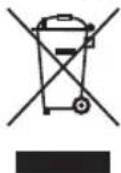
Protect our environment: do not dispose of electrical equipment in the domestic waste. Please return any electrical equipment that you will no longer use to the collection points provided for their disposal.
This helps avoid the potential effects of incorrect disposal on the environment and human health.
This will contribute to the recycling and other forms of re-utilisation of electrical and electronic equipment.
Information concerning where the equipment can be disposed of can be obtained from your local authority.
Instrukcja obsługi
CTC Clatronic Sp. z o.o
Ul. Brzeska 1
45-960 Opole
Usuwanie
Lampa UV-C
- Milbensauger PC-MS 3079
- Symbols in this Instruction Manual
- WARNING:
- CAUTION:
- NOTE:
- Contents
- General Notes
- Special Safety Precautions for this Appliance
- WARNING: UV radiation emitted by this product
- Overview of the Components / Scope of Delivery
- Notes for Use
- Electrical Connection
- Switching the Appliance On/Off
- Safety Switch
- Using the Appliance
- i NOTE:
- Maintenance
- Emptying the Dust Container
- Replace UV-C Lamp whenever the Need Arises
- Cleaning
- Dust Container and HEPA Filter
- Storage
- Technical Data
- Disposal
- UV-C Lamp
- Meaning of the "Dustbin" Symbol
- Instrukcja obsługi
- Usuwanie
- Lampa UV-C
Brand : ProfiCare
Model : PCMS 3079
Category : Vacuum Cleaner