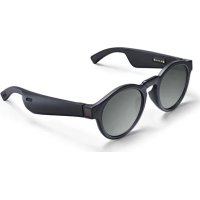
Frames Rondo - Headphones BOSE - Free user manual and instructions
Find the device manual for free Frames Rondo BOSE in PDF.



| Product Type | Bluetooth audio glasses with sunglass lenses |
| Brand | Bose |
| Model | Frames Rondo |
| Connectivity | Bluetooth 4.2 (estimated), range 9 m |
| Lens Type | Polarized, tinted, mirrored or photochromic, category 2, UV400 |
| Power | Rechargeable lithium-ion battery via magnetic cable (wall USB charger or computer) |
| Battery Life | Approximately 5.5 hours of listening (estimated) |
| Main Functions | Play/pause, track skip, volume (via device), calls, voice commands (Siri/Google Assistant) |
| Microphone | Integrated on the right temple |
| Indicator Lights | Status light (white) for Bluetooth and charging |
| Voice Prompts | Built-in, can be disabled via the Bose Connect app |
| Dedicated App | Bose Connect (iOS/Android) for connection, updates and settings |
| Care and Cleaning | Cloth provided; avoid solvents, alcohol, ammonia |
| Storage | Carrying case provided; fold temples inward |
| Safety | Do not wear while driving at night or at dusk; do not use in water; choking hazard (small parts) |
| Spare Parts and Repairability | Lenses and battery replaceable by Bose; limited warranty |
| Standards | ANSI Z80.3, AS/NZS 1067.1, EN ISO 12312-1 (cat. 2), UV400 |
| Package Contents | Glasses, charging cable, cloth, case |
| Weight | Approximately 50 g (estimated) |
Frequently Asked Questions - Frames Rondo BOSE
User questions about Frames Rondo BOSE
0 question about this device. Answer the ones you know or ask your own.
Ask a new question about this device
Download the instructions for your Headphones in PDF format for free! Find your manual Frames Rondo - BOSE and take your electronic device back in hand. On this page are published all the documents necessary for the use of your device. Frames Rondo by BOSE.
USER MANUAL Frames Rondo BOSE
Sunglasses (nonprescription) are devices that consist of spectacle frames or clips with absorbing, reflective, tinted, polarizing, or photosensitized lenses intended to be worn by a person to protect the eyes from bright sunlight but not to provide refractive corrections. This device is available for over the counter sale.

Refer to instructions for use.
Please read and keep all safety and use instructions.
Important Safety Instructions
- Read these instructions.
- Keep these instructions.
- Heed all warnings.
- Follow all instructions.
- Do not use this apparatus near water.
- Clean only with a dry cloth.
- Only use attachments/accessories specified by the manufacturer.
- Unplug this apparatus during lightning storms or when unused for long periods of time.
- Refer all servicing to qualified personnel. Servicing is required when the apparatus has been damaged in any way, such as power-supply cord or plug is damaged, liquid has been spilled or objects have fallen into the apparatus, the apparatus has been exposed to rain or moisture, does not operate normally, or has been dropped.

WARNINGS/CAUTIONS
- Do NOT use the frames at a high volume for any extended period.
- To avoid hearing damage, use your frames at a comfortable, moderate volume level.
- Turn the volume down on your device before wearing the frames or placing them near your ears, then turn the volume up gradually until you reach a comfortable listening level.
- Use caution while driving and follow applicable laws regarding use of a mobile phone.
- Focus on your safety and that of others if you use the frames while engaging in any activity requiring your attention, e.g., while riding a bicycle or walking in or near traffic, a construction site or railroad, etc. Remove the frames or adjust your volume to ensure you can hear surrounding sounds, including alarms and warning signals.
- Do NOT use the frames if they emit any loud unusual noise. If this happens, turn the frames off and contact Bose customer service.
- Do NOT submerge or expose the frames for extended period to water, or wear while participating in water sports, e.g., swimming, waterskiing, surfing, etc.
- Remove frames immediately if you experience a warming sensation or loss of audio.

Contains small parts which may be a choking hazard. Not suitable for children under age 3.

This product contains magnetic material. Consult your physician on whether this might affect your implantable medical device.
- To reduce the risk of fire or electrical shock, do NOT expose this product to rain, liquids or moisture.
- Do NOT expose this product to dripping or splashing, and do not place objects filled with liquids, such as vases, on or near the product.
- Keep the product away from fire and heat sources. Do NOT place naked flame sources, such as lighted candles, on or near the product.
- Do NOT make unauthorized alterations to this product.
- Use this product only with an agency-approved power supply that meets local regulatory requirements (e.g., UL, CSA, VDE, CCC).
- Do not expose products containing batteries to excessive heat (e.g. from storage in direct sunlight, fire or the like).
- Do NOT wear the frames while charging.
• After each use, wipe both sides of the lenses and all parts of the frame with the cloth bag provided or a dry cloth.
NOTE: This equipment has been tested and found to comply with the limits for a Class B digital device, pursuant to Part 15 of the FCC Rules. These limits are designed to provide reasonable protection against harmful interference in a residential installation. This equipment generates, uses, and can radiate radio frequency energy and, if not installed and used in accordance with the instructions, may cause harmful interference to radio communications. However, there is no guarantee that interference will not occur in a particular installation. If this equipment does cause harmful interference to radio or television reception, which can be determined by turning the equipment off and on, the user is encouraged to try to correct the interference by one or more of the following measures:
- Reorient or relocate the receiving antenna.
- Increase the separation between the equipment and receiver.
- Connect the equipment into an outlet on a circuit different from that to which the receiver is connected.
- Consult the dealer or an experienced radio/TV technician for help.
Changes or modifications not expressly approved by Bose Corporation could void the user's authority to operate this equipment.
This device complies with part 15 of the FCC Rules and with Industry Canada license-exempt RSS standard(s). Operation is subject to the following two conditions: (1) This device may not cause harmful interference, and (2) this device must accept any interference received, including interference that may cause undesired operation.
This device complies with FCC and Industry Canada radiation exposure limits set forth for general population. This transmitter must not be co-located or operating in conjunction with any other antenna or transmitter.
CAN ICES-3 (B)/NMB-3(B)
PPE Regulation (EU) 2016/425

Bose Corporation hereby declares that this product is in compliance with the essential requirements and other relevant provisions of Directive 2014/53/EU and all other applicable EU directive requirements. The complete declaration of conformity can be found at: www.Bose.com/compliance
For Europe:
Frequency band of operation 2400 to 2483.5 MHz:
Bluetooth: Maximum transmit power less than 20 dBm EIRP.
Bluetooth Low Energy: Maximum power spectral density less than 10 dBm/MHz EIRP.

This symbol means the product must not be discarded as household waste, and should be delivered to an appropriate collection facility for recycling. Proper disposal and recycling helps protect natural resources, human health and the environment. For more information on disposal and recycling of this product, contact your local municipality, disposal service, or the shop where you bought this product.
DON'T attempt to remove the rechargeable lithium-ion battery from this product. Contact your local Bose retailer or other qualified professional for removal.
QTY: 1 EA

Manufactured For:
Bose Corporation, 100 The Mountain Road, Framingham, MA 01701

Do not use if package is damaged.


- This product complies with the ANSI Z80.3, AS/NZS 1067.1, and EN ISO 12312-1.
- Tinted eyewear is not recommended to be worn for night driving.
- NOT SUITABLE FOR DRIVING IN TWILIGHT OR AT NIGHT.
- The product is designed to block greater than 99% UVA and UVB light energy. This product is in compliance with ANSI Z80.3.
- Only lenses approved by Bose should be used with the Alto or Rondo products.
- Not for direct observation of the sun.
- Not for protection against artificial light sources, e.g. solaria.
- Not for use as eye protection against mechanical impact hazards.
- When not in use, store the product in the carry case provided.
- Contact Bose customer service for a replacement power supply or lenses. Visit: worldwide.Bose.com/Support/Frames
EU FILTER CATEGORY: ISO12312-1 CAT. 2
AUSTRALIAN LENS CATEGORY: 1067.1 CAT. 2

Good protection against sunglare
UV rating: UV 400 cut
Please complete and retain for your records
The serial and model numbers are located on the left temple.
Serial number:
Model number:
Please keep your receipt with your owner's guide. Now is a good time to register your Bose product.
You can easily do this by going to http://global.Bose.com/register

Date of Manufacture: The eighth digit in the serial number indicates the year of manufacture; “9” is 2009 or 2019.
China Importer: Bose Electronics (Shanghai) Company Limited, Part C, Plan 9, No. 353 North Riying Road, China (Shanghai) Pilot Free Trade Zone
EU Importer: Bose Products B.V., Gorslaan 60, 1441 RG Purmerend, The Netherlands
Taiwan Importer: Bose Taiwan Branch, 9F-A1, No.10, Section 3, Minsheng East Road, Taipei City 104, Taiwan Phone Number: +886-2-2514 7676
Mexico Importer: Bose de México, S. de R.L. de C.V., Paseo de las Palmas 405-204, Lomas de Chapultepec, 11000 México, D.F. Phone Number: +5255 (5202) 3545
Apple, the Apple logo, and Siri are trademarks of Apple Inc., registered in the U.S. and other countries. App Store is a service mark of Apple Inc.
The Bluetooth ® word mark and logos are registered trademarks owned by Bluetooth SIG, Inc. and any use of such marks by Bose Corporation is under license.
Google, Google Play, and the Google Play logo are trademarks of Google LLC.
Bose and Bose Frames are trademarks of Bose Corporation.
Bose Corporation Headquarters: 1-877-230-5639
©2019 Bose Corporation. No part of this work may be reproduced, modified, distributed or otherwise used without prior written permission.
WHAT'S IN THE CARTON
Contents 10
FRAME CONTROLS
Power on 11
Power off.... 12
Auto-off 12
Frame functions.... 13
Media playback functions.... 13
Volume functions.... 13
Call functions.... 14
Access voice control.... 15
BATTERY
Charge the frames.... 16
Check the frames battery level.... 16
FRAME STATUS
Bluetooth® connection status.... 17
Charging status.... 17
VOICE PROMPTS
Voice prompt notifications.... 18
Call notifications 18
Battery notifications.... 18
Disable voice prompts.... 18
BLUETOOTH CONNECTIONS
Connect your mobile device using the Bose Connect app (recommended) 19
Connect using the Bluetooth menu on your mobile device 20
Disconnect a mobile device.... 21
Reconnect a mobile device.... 21
Clear the frames device list.... 21
CARE AND MAINTENANCE
Store the frames.... 22
Maintain the frames.... 23
Replacement parts and accessories.... 23
Limited warranty 23
Serial and reference number locations.... 24
TROUBLESHOOTING
Try these solutions first 25
Other solutions 25
LABEL SYMBOLS
Symbols and descriptions 27
CONTENTS
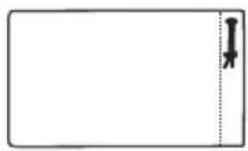
Confirm that the following parts are included:
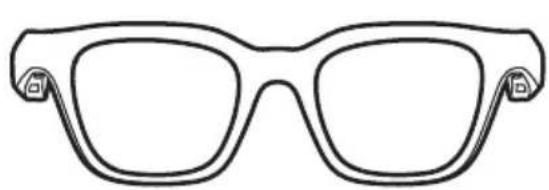
Bose Frames

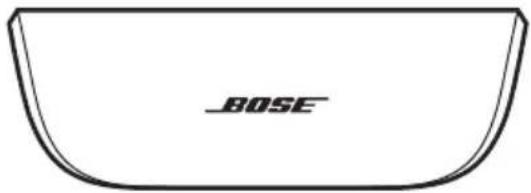
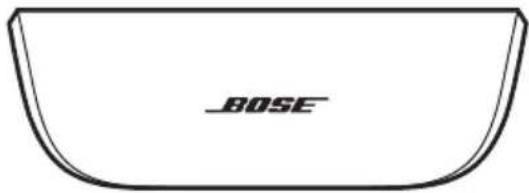
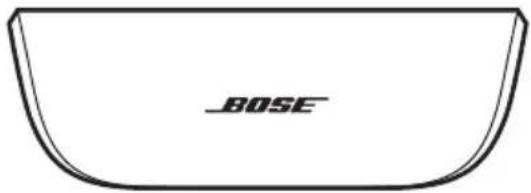
Carry case

Charging cable Cloth bag
NOTE: If any part of the product is damaged, do not use it. Contact your authorized Bose dealer or Bose customer service.
Visit: worldwide.Bose.com/Support/Frames
Power on frames
Control media playback
Control Bluetooth functions
Control call functions
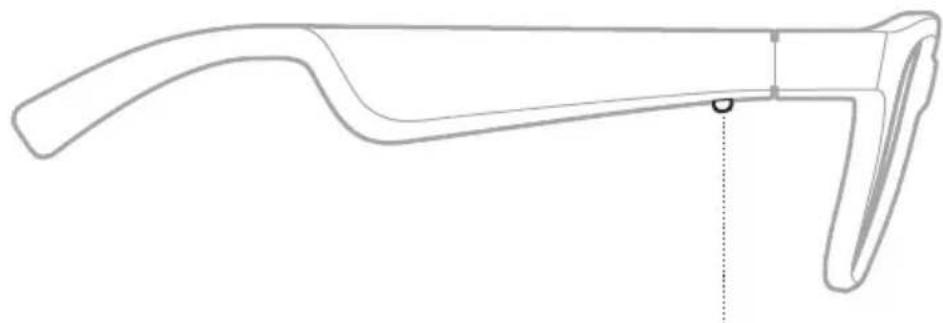
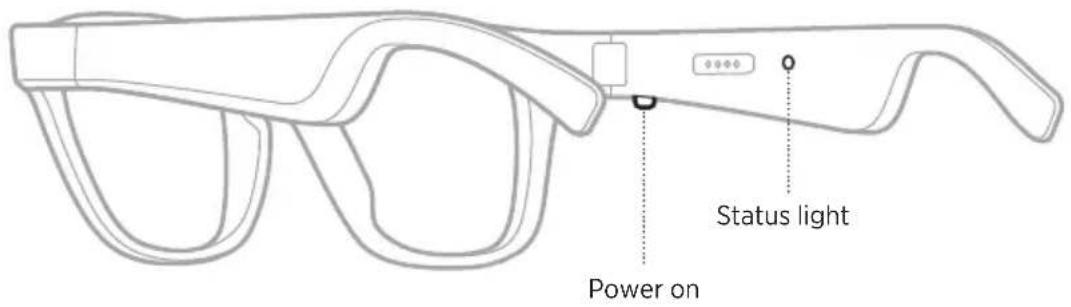
POWER ON
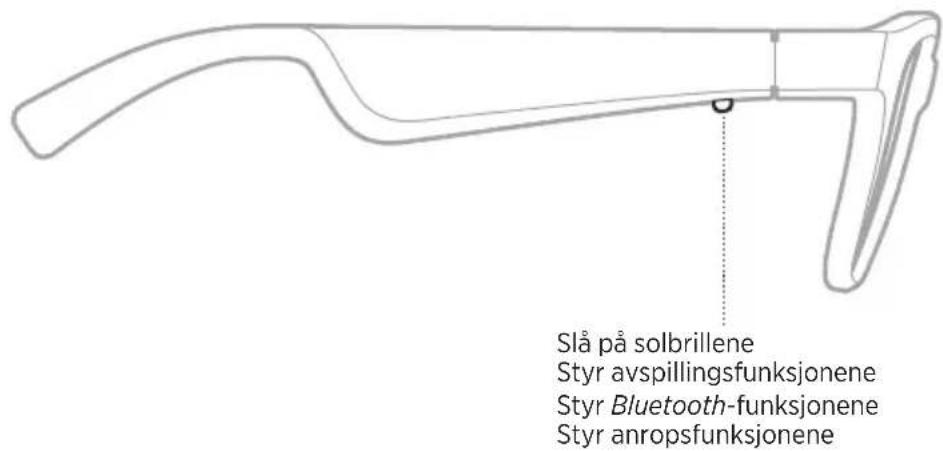
Press the button on the right temple.
The status light glows solid white for 2 seconds then glows according to Bluetooth connection status (see page 17). A voice prompt announces the battery level and Bluetooth connection status.
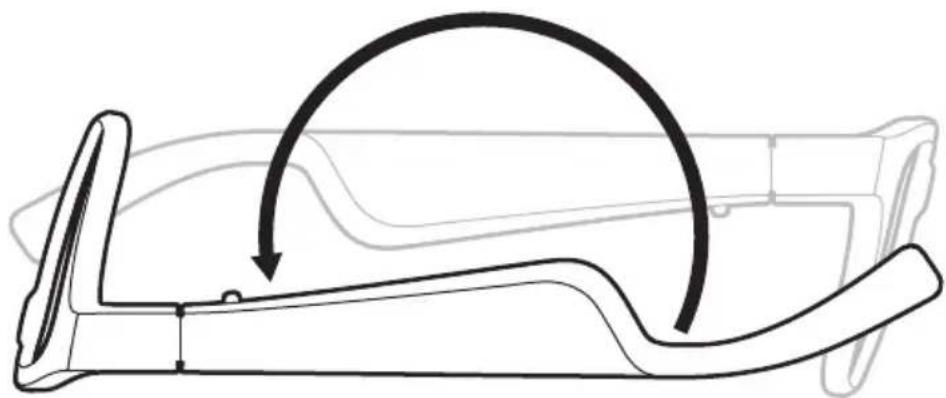
POWER OFF
Flip the frames upside down for 2 seconds.
The status light glows solid white then fades to black.
NOTE: After the frames power off, you can move them in any orientation.
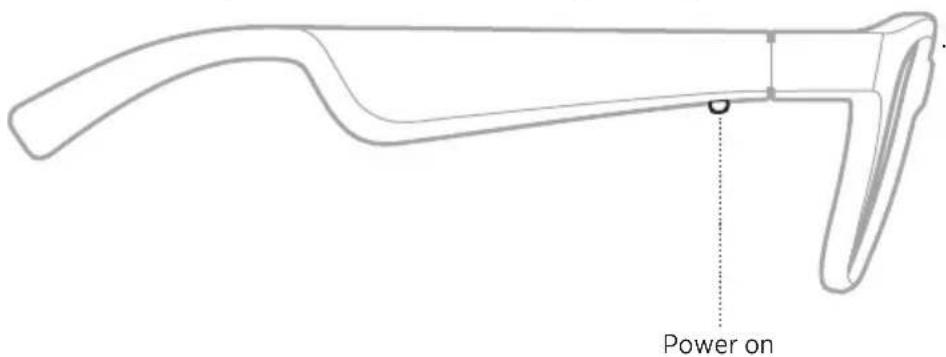
AUTO-OFF
Auto-off conserves the battery when the frames are not being used. The frames power off when audio has stopped and you have not moved the frames for 5 minutes.
To power on the frames, press the button on the right temple.
FRAME FUNCTIONS
Media playback functions
The button on the right temple controls media playback.
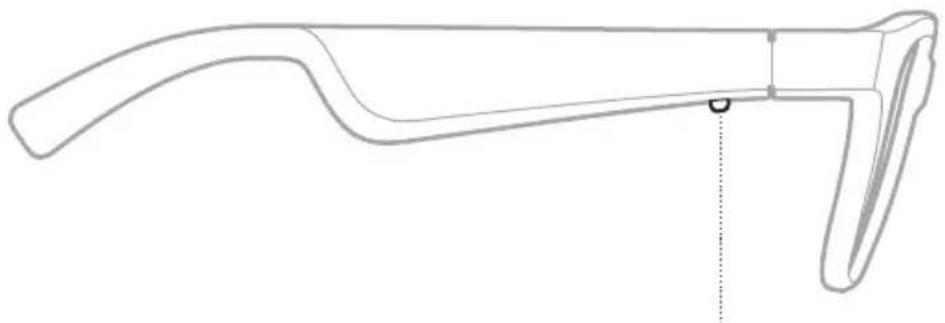
Control media playback
FUNCTION WHAT TO DO
| Play/Pause Press once. | |
| Skip forward Double-press. | |
| Skip backward Triple-press. |
Volume functions
To increase or decrease the volume, use the volume controls on your mobile device or the Bose Connect app.
Call functions
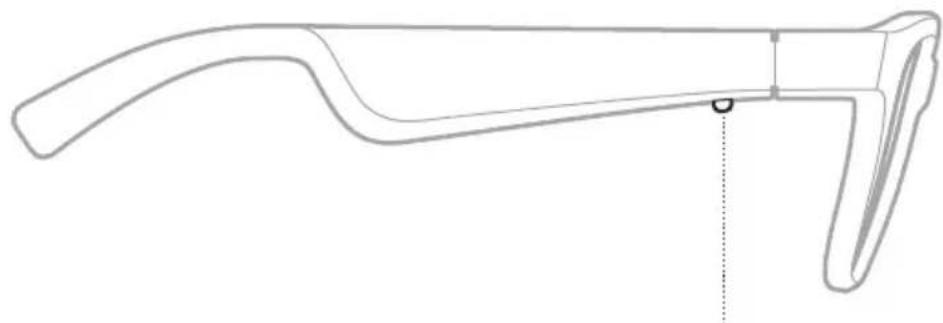
The button for call functions and the microphone are located on the right temple.
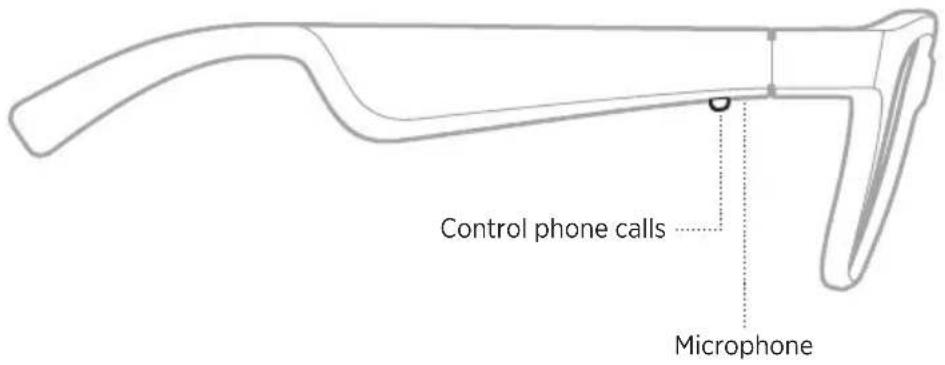
FUNCTION WHAT TO DO
| Answer a call Press once. | |
| End a call Press once. | |
| Decline an incoming call Press and hold for 1 second. | |
| Answer a second incoming call and put the current call on hold | While on a call, press once. |
| Decline a second incoming call and stay on current call | While on a call, press and hold for 1 second. |
| Switch between two calls With two active calls, double-press. | |
| Create a conference call With two active calls, press and hold for 1 second. | |
Access voice control
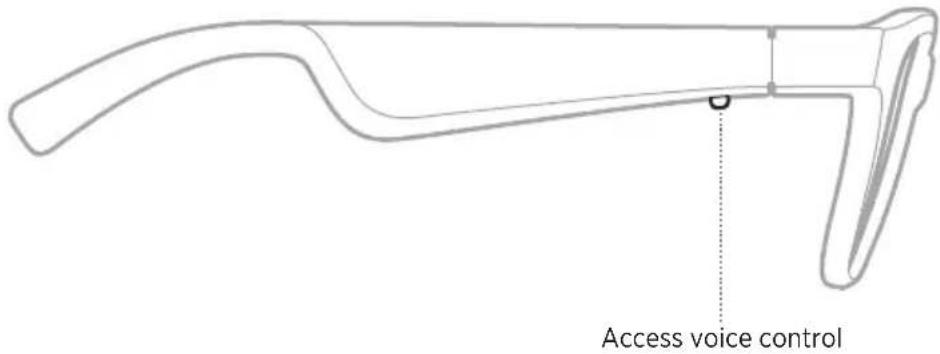
The frames microphone acts as an extension of the microphone in your mobile device. Using the button on the right temple, you can access the voice control capabilities on your device to make/take calls or ask Siri or your Google Assistant to play music, tell you the weather, give you the score of a game, and more.
Press and hold the button to access voice control on your device.
You hear a tone that indicates voice control is active.
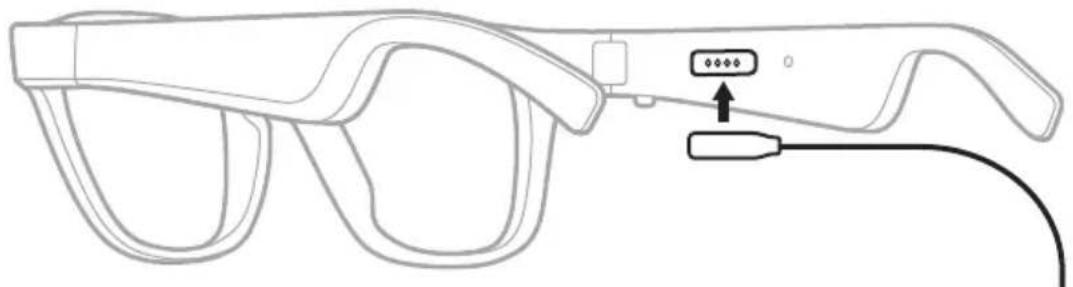
CHARGE THE FRAMES
- Align the pins on the charging cable with the charging port on the right temple.
NOTE: The pins must be correctly oriented with the charging port to successfully charge the frames.
-
Lightly press the pins against the charging port until they magnetically snap into place.
-
Connect the other end into a USB wall charger or computer that is powered on.
CAUTION: Use this product only with an agency-approved power supply that meets local regulatory requirements (e.g., UL, CSA, VDE, CCC).
While charging, the status light blinks white (see page 17). When the battery is fully charged, the status light glows solid white.
NOTES:
• The frames do not play audio while charging.
- Do NOT wear the frames while charging.
CHECK THE FRAMES BATTERY LEVEL
• Each time you power on the frames, a voice prompt announces the battery level.
NOTE: While using the frames, a voice prompt announces if the battery needs to be charged.
- Check the bottom right corner of the home screen in the Bose Connect app.
- If connected to an Apple device, the device displays the frame battery level near the upper right corner of the screen and in the notification center.
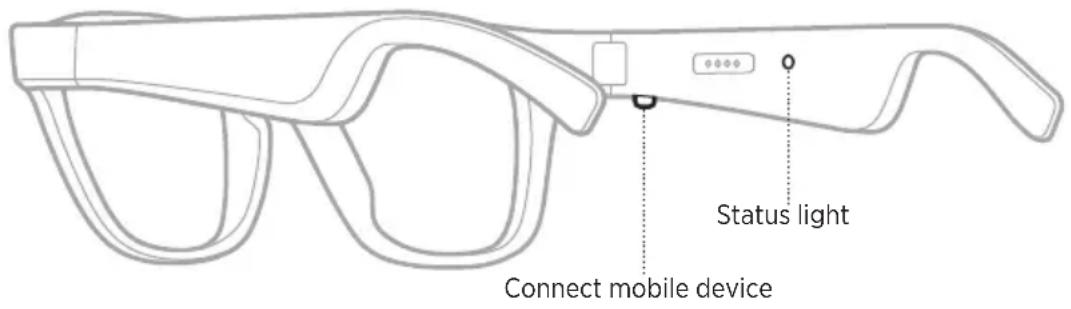
The status light is located on the right temple.

BLUETOOTH CONNECTION STATUS
Shows the Bluetooth connection status for mobile devices.
INDICATOR ACTIVITY SYSTEM STATE
Slow blinking white Ready to connect/Connecting
Fast blinking white Connected
CHARGING STATUS
Shows the battery charge level when the frames are connected to power.
INDICATOR ACTIVITY SYSTEM STATE
Solid white Full charge
Blinking white Charging
Voice prompts guide you through the Bluetooth connection process, announce the battery level, and identify the connected device.
VOICE PROMPT NOTIFICATIONS
Call notifications
A voice prompt announces incoming callers and call status.
Battery notifications
Each time you power on the frames, a voice prompt announces the battery level. When you're using the frames and the battery is low, you hear "Battery low, please charge now."
DISABLE VOICE PROMPTS
Use the Bose Connect app to disable/enable voice prompts.
NOTE: Disabling voice prompts disables notifications.
Bluetooth wireless technology lets you stream audio from mobile devices such as smartphones, tablets, and laptop computers. Before you can play audio from a device, you must connect the device to the frames.
CONNECT YOUR MOBILE DEVICE USING THE BOSE CONNECT APP (RECOMMENDED)
Download the Bose Connect app and follow the app instructions.
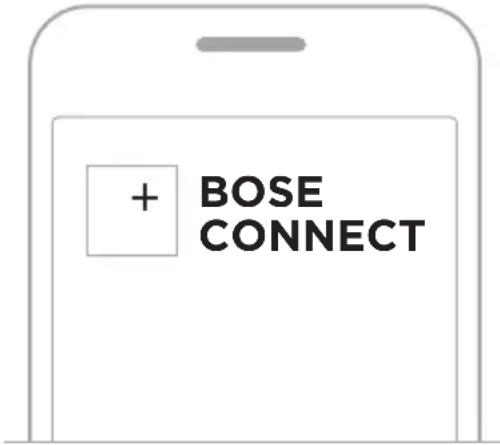
Once connected, you hear “Connected to
CONNECT USING THE BLUETOOTH MENU ON YOUR MOBILEDEVICE
- Power off the frames (see page 12).
- Press and hold the button on the right temple until you hear "Ready to connect," and the status light slowly blinks white.
- On your device, enable the Bluetooth feature.
TIP: The Bluetooth feature is usually found in the Settings menu.
- Select your frames from the device list.
TIP: Look for the name you entered for your frames in the Bose Connect app. If you didn't name your frames, the default name appears.
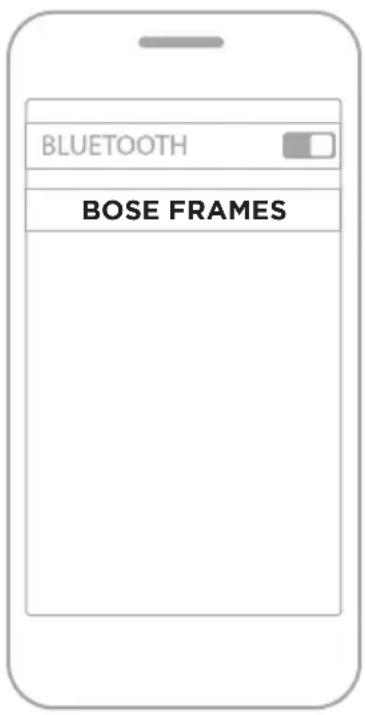
Once connected, you hear “Connected to
DISCONNECT A MOBILE DEVICE
Use the Bose Connect app to disconnect your mobile device.
TIP: You can also use Bluetooth settings to disconnect your device. Disabling the Bluetooth feature disconnects all other devices.
RECONNECT A MOBILE DEVICE
When powered on, the frames try to reconnect with the most recently-connected device.
NOTE: The device must be within range (30 ft. or 9 m) and powered on.
CLEAR THE FRAMES DEVICE LIST
- Power off the frames (see page 12).
- Press and hold the button on the right temple until you hear "Bluetooth device list cleared," and the status light slowly blinks white.
- Delete your frames from the Bluetooth list on your device.
All devices are cleared, and the frames are ready to connect.
STORE THE FRAMES
The frames collapse for easy, convenient storage.
- Fold the temples inward towards the lenses so the temples lay flat.

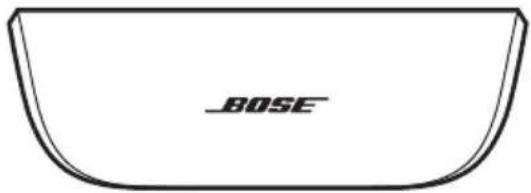
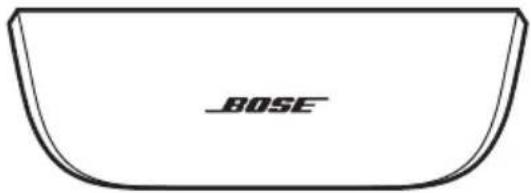
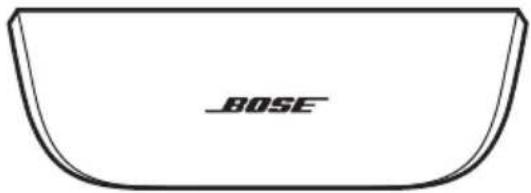
- Place the frames into the case with the lenses facing towards the front of the case.

NOTES:
• Make sure to power off the frames when not in use.
- Before storing the frames for more than a few months, make sure the battery is fully charged.
MAINTAIN THE FRAMES
The frames and cloth bag may require periodic care.
COMPONENT CARE INSTRUCTIONS
| Frames | After each use, wipe both sides of the lenses and all parts of the frame with the cloth bag provided.CAUTIONS:Do NOT use any sprays, solvents, chemicals, or cleaning solutions containing alcohol, ammonia or abrasives.Do NOT allow liquids to spill into any openings. |
| Cloth bag | 1. Launder by hand with cold water.2. Hang to dry. |
REPLACEMENT PARTS AND ACCESSORIES
Replacement parts and accessories can be ordered through Bose customer service.
Visit: worldwide.Bose.com/Support/Frames
LIMITED WARRANTY
The frames are covered by a limited warranty. Visit our website at global.Bose.com/warranty for details of the limited warranty.
To register your product, visit global.Bose.com/register for instructions. Failure to register will not affect your limited warranty rights.
SERIAL AND REFERENCE NUMBER LOCATIONS
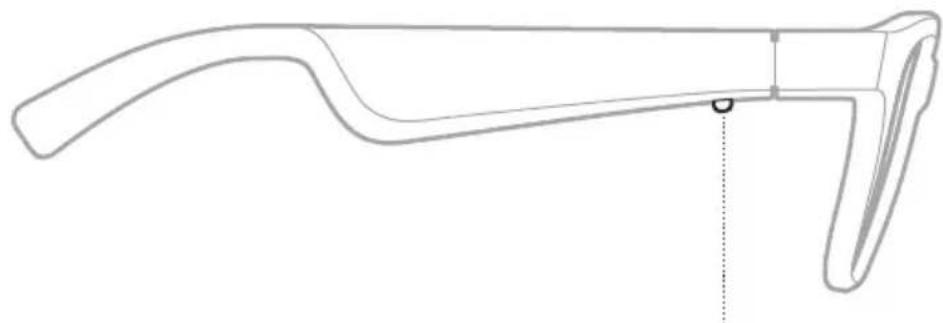
The serial number is located on the inner left temple, and the reference number is located on the inner right temple.

TRY THESE SOLUTIONS FIRST
If you experience problems with the frames, try these solutions first:
• Power on the frames (see page 11).
- Check the state of the status light (see page 17).
- Make sure your mobile device supports Bluetooth pairing (see page 19).
- Download the Bose Connect app and run available software updates.
- Charge the battery (see page 16).
- Increase the volume on your mobile device and music app.
- Connect another mobile device (see page 19).
OTHER SOLUTIONS
If you could not resolve your issue, see the table below to identify symptoms and solutions to common problems. If you are unable to resolve your issue, contact Bose customer service.
PROBLEM WHAT TO DO
| Frames don’t connect with mobile device | On your device:Turn theBluetoothfeature off and then on.Delete the frames from theBluetoothlist on your device. Connect again (see page 19).Move your device closer to the frames and away from any interference or obstructions.Connect a different mobile device (see page 19).Visit:worldwide.Bose.com/Support/Framesto see how-to videos.Clear the frames device list (see page 21). Connect again. |
| Bose Connect app doesn’t work on device | Make sure the Bose Connect app is compatible with your device. Visit:worldwide.Bose.com/Support/FramesUninstall the Bose Connect app on your device then reinstall the app (see page 19). |
| No sound | Press play on your mobile device to make sure audio is playing.Move your device closer to the frames and away from any interference or obstruction.Use a different music source.Connect a different device (see page 19). |
PROBLEM WHAT TO DO
| Poor sound quality | Use a different music source. Connect a different mobile device. Move the device closer to the frames and away from any interference or obstructions. Turn off any audio enhancement features on the device or music app. |
| Frames don’t charge | Make sure the pins on the charging cable are correctly aligned with the charging port on the frames and magnetically snapped into place. Secure both ends of the charging cable. If the frames have been exposed to high or low temperatures, let the frames return to room temperature and then try charging again. Try a different USB wall charger or computer. |
| Microphone isn’t picking up sound | Make sure the microphone opening on the right temple is not blocked. Try another phone call. Try another compatible device. |
| Device not responding to button presses | For multi-press functions: vary speed of presses. Make sure your music app supports the function. Power off and then power on your frames. On your device: ·Turn the Bluetooth feature off and then on. ·Delete the frames from the Bluetooth list on your device. Connect again (see page 20). Try another compatible device. |
SYMBOLS AND DESCRIPTIONS
SYMBOL DESCRIPTION
| * | Bluetooth |
 | California Energy Commission - Battery Charger Energy Efficiency |
| [ASAS] | CE certification mark |
 | Choking hazard |
| [487X] | Customer support |
 | Date of Manufacture |
| [2X8X] | Documentation |
 | Do not use if package is damaged |
| [4H14] | Downloads |
| [WWZT]Energy Verified Basement Enerpétique Verité | Energy efficiency verification |
| [T0H2] | Forum |
 | Good protection against sunglare |
 | Keep dry |
 | Magneticinterference |
| [677X] | Manufacturer |
 | Phone |
 | Regulatory Compliance Mark |
| [8TCA] | Reference number |
| [T03Z] | Refer to instructions for use |
| [42HZ] | Security information |
| [487Z] | Serial number |
 | Temperature limit |
SYMBOL DESCRIPTION
| [15K8] | Videos |
 | Warning/Caution |
| ### | Wheeled bin |
Bose Corporation, 100 The Mountain Road, Framingham, MA 01701

Importor i Kina: Bose Electronics (Shanghai) Company Limited, Part C, Plan 9, No. 353 North Riying Road, Kina (Shanghai) Pilot Free Trade Zone
Importør i EU: Bose Products B.V., Gorslaan 60, 1441 RG Purmerend, Holland
Importør i Taiwan: Bose Taiwan Branch, 9F-A1, No.10, Section 3, Minsheng East Road, Taipei City 104, Taiwan Telefonnummer: +886-2-2514 7676
Importar i Mexico: Bose de México, S. de R.L. de C.V., Paseo de las Palmas 405-204, Lomas de Chapultepec, 11000 México, D.F. Telefonnummer: +5255 (5202) 3545
HVAD INDEHOLDER ÅESKEN
Indhold 10
SOLBRILLERNES BETJENINGSKNAPPER
Tænd 11
Sluk.... 12
Automatisk slukning 12
Solbrillernes funktioner 13
Bose Frames
Bæretaske
AUTOMATISK SLUKNING
NOTER:
Bose Corporation, 100 The Mountain Road, Framingham, MA 01701

China-Import: Bose Electronics (Shanghai) Company Limited, Part C, Plan 9, No. 353 North Riying Road, China (Shanghai) Pilot Free Trade Zone
EU-Import: Bose Products B.V., Gorslaan 60, 1441 RG Purmerend, Niederlande
Taiwan-Import: Bose Taiwan Branch, 9F-A1, No.10, Section 3, Minsheng East Road, Taipei City 104, Taiwan Telefonnummer: +886-2-2514 7676
Mexiko-Import: Bose de México, S. de R.L. de C.V., Paseo de las Palmas 405-204, Lomas de Chapultepec, 11000 México, D.F. Telefonnummer: +5255 (5202) 3545
Bose Frames
Transport-Etui
Frames einschalten
HINWEISE:
Bose Corporation, 100 The Mountain Road, Framingham, MA 01701

Importeur in China: Bose Electronics (Shanghai) Company Limited, Part C, Plan 9, No. 353 North Riying Road, China (Shanghai) Pilot Free Trade Zone
Importeur in de EU: Bose Products B.V., Gorslaan 60, 1441 RG Purmerend, Nederland
Importeur in Taiwan: Bose Taiwan Branch, 9F-A1, No.10, Section 3, Minsheng East Road, Taipei City 104, Taiwan Telefoonnummer: +886-2-2514 7676
Importeur in Mexico: Bose de México, S. de R.L. de C.V., Paseo de las Palmas 405-204, Lomas de Chapultepec, 11000 México, D.F. Telefoonnummer: +5255 (5202) 3545
Bose Frames

Draagetui

Oplaadkabel Hoesje

AUTOMATISCH UIT
OPMERKINGEN:
Bose Corporation, 100 Mountain Road, Framingham, MA 01701

Importador en China: Bose Electronics (Shanghai) Company Limited, Part C, Plan 9, No. 353 North Riying Road, China (Shanghai) Pilot Free Trade Zone
Gafas Bose Frames
Estuche
Visite: worldwide.Bose.com/Support/Frames
APAGADO AUTOMÁTICO
NOTAS:
Visite: worldwide.Bose.com/Support/Frames
GARANTÍA LIMITADA
Bose Corporation, 100 The Mountain Road, Framingham, MA 01701

Bose Frames
Suojakotelo

Latausjohto Kangaspussi
AUTOMAATTINEN VIRRANKATKAISU
Virran kytkeminen
LASIEN TOIMINNOT
HUOMAUTUKSIA:
Bose Corporation, 100 The Mountain Road, Framingham, MA 01701

CONNEXIONS BLUETOOTH
Lunettes Bose
Étui de transport
Consultez le site worldwide.Bose.com/Support/Frames

MISE HORS TENSION AUTOMATIQUE
FONCTIONS DES LUNETTES
REMARQUES :
Consultez le site worldwide.Bose.com/Support/Frames
GARANTIE LIMITÉE
Bose Corporation, 100 The Mountain, Framingham, MA 01701

Importatore per la Cina: Bose Electronics (Shanghai) Company Limited, Part C, Plan 9, No. 353 North Riying Road, China (Shanghai) Pilot Free Trade Zone
Importatore per l'UE: Bose Products B.V., Gorslaan 60, 1441 RG Purmerend, Paesi Bassi
Importatore per Taiwan: Bose Taiwan Branch, 9F-A1, No.10, Section 3, Minsheng East Road, Taipei City 104, Taiwan Numero di telefono: +886-2-2514 7676
Importatore per il Messico: Bose de México, S. de R.L. de C.V., Paseo de las Palmas 405-204, Lomas de Chapultepec, 11000 México, D.F. Numero di telefono: +5255 (5202) 3545
Bose Frames

Custodia
Visitare: worldwide.Bose.com/Support/Frames

NOTE:
Visitare: worldwide.Bose.com/Support/Frames
GARANZIA LIMITATA
A Bose Corporation számára, 100 The Mountain Road, Framingham, MA 01701

Kínai importôr: Bose Electronics (Shanghai) Company Limited, Part C, Plan 9, No. 353 North Riying Road, Kína (Shanghai) Pilot Free Trade Zone
EU-importör: Bose Products B.V., Gorslaan 60, 1441 RG Purmerend, Hollandia
Tajvani importör: Bose Taiwan Branch, 9F-A1, No.10, Section 3, Minsheng East Road, Taipei City 104, Tajvan. Telefonszám: +886-2-2514 7676
Mexikói importör: Bose de México, S. de R.L. de C.V., Paseo de las Palmas 405-204, Lomas de Chapultepec, 11000 Mexikó, D.F. Telefonszám: +5255 (5202) 3545
Bose Frames

Hordtok
AUTOMATIKUS KIKAPCSOLÁS
MEGJEGYZÉSEK:
Bose Corporation, 100 The Mountain Road, Framingham, MA 01701

Importor for Kina: Bose Electronics (Shanghai) Company Limited, Part C, Plan 9, No. 353 North Riying Road, Kina (Shanghai) Pilot Free Trade Zone
Importør for EU: Bose Products B.V., Gorslaan 60, NL-1441 RG Purmerend, Nederland
Importør for Taiwan: Bose Taiwan Branch, 9F-A1, No.10, Section 3, Minsheng East Road, Taipei City 104, Taiwan Telefonnummer: +886-2-2514 7676
Importor for Mexico: Bose de México, S. de R.L. de C.V., Paseo de las Palmas 405-204, Lomas de Chapultepec, 11000 México, D.F. Telefonnummer: +5255 (5202) 3545
STELL OG VEDLIKEHOLD
Oppbevare solbrillene.... 22
Bose Frames

Bæreveske

Ladekabel Tøypose
MERKNAD: Ikke bruk produktet hvis deler av det er skadet. Kontakt en autorisert Bose-forhandler eller kundestøtte for Bose.
Gå til worldwide.Bose.com/Support/Frames
AUTOMATISK AVSLÅING
STATUS FOR BLUETOOTH-TILKOBLING
Viser statusen for Bluetooth-tilkobling for mobilenheter.
LAMPE SYSTEMSTATUS
KOBLE TIL MOBILENHETER PÅ NYTT
MERKNADER:
California Energy Commission – Battery Charger Energy Efficiency
Bose Corporation, 100 The Mountain Road, Framingham, MA 01701

Importer — Chiny: Bose Electronics (Shanghai) Company Limited, Part C, Plan 9, No. 353 North Riying Road, Chiny (Szanghaj) Pilot Free Trade Zone
Importer — UE: Bose Products B.V., Gorslaan 60, 1441 RG Purmerend, The Netherlands
Importer — Tajwan: Bose Taiwan Branch, 9F-A1, No.10, Section 3, Minsheng East Road, Taipei City 104, Tajwan. Numer telefonu: +886-2-2514 7676
Importer — Meksyk: Bose de México, S. de R.L. de C.V., Paseo de las Palmas 405-204, Lomas de Chapultepec, 11000 México, D.F. Numer telefonu: +5255 (5202) 3545
Okulary Bose Frames
Futeral
UWAGI:
Bose Corporation, 100 The Mountain Road, Framingham, MA 01701

Importador na China: Bose Electronics (Shanghai) Company Limited, Part C, Plan 9, No. 353 North Riying Road, China (Shanghai) Pilot Free Trade Zone
Importador na CE: Bose Products B.V., Gorslaan 60, 1441 RG Purmerend, The Netherlands
Importador em Taiwan: Bose Taiwan Branch, 9F-A1, No.10, Section 3, Minsheng East Road, Taipei City 104, Taiwan – Número de telefone: +886-2-2514 7676
Bose Frames
Estojo
Visite: worldwide.Bose.com/Support/Frames
OBSERVAÇÕES:
Visite: worldwide.Bose.com/Support/Frames
GARANTIA LIMITADA
Bose Corporation, 100 The Mountain Road, Framingham, MA 01701

Kinaimportör: Bose Electronics (Shanghai) Company Limited, Part C, Plan 9, No. 353 North Riying Road, Kina (Shanghai) Pilot Free Trade Zone
EU-importör: Bose Products B.V., Gorslaan 60, 1441 RG Purmerend, Nederländerna
Taiwanimportör: Bose Taiwan Branch, 9F-A1, No.10, Section 3, Minsheng East Road, Taipei City 104, telefonnummer Taiwan: +886-2-2514 7676
Mexikoimportör: Bose de México, S. de R.L. de C.V., Paseo de las Palmas 405-204, Lomas de Chapultepec, 11000 México, D.F. Telefonnummer: +5255 (5202) 3545
VAD FINNS I FÖRPACKNINGEN
Innehåll.... 10
BÅGARNAS KNAPPAR
Sätta på 11
Stänga av 12
Bose-bågar
Fodral
AUTOMATISK AVSTÄNGNING
TÄNK PÅ FÖLJANDE:
ملاحظات:
• ستخدمه.
• عة شهر.
فصل جهاز المحمول
الإيقاف التلقائي
Bose إطار نظارة


کیس قماشکبل شحن
.Bose Business Employment Shares
833564-0010




- REFER TO INSTRUCTIONS FOR USE
- PLEASE READ AND KEEP ALL SAFETY AND USE INSTRUCTIONS
- IMPORTANT SAFETY INSTRUCTIONS
- WARNINGS/CAUTIONS
- CAN ICES-3 (B)/NMB-3(B)
- PPE REGULATION (EU) 2016/425
- FOR EUROPE
- FREQUENCY BAND OF OPERATION 2400 TO 2483.5 MHZ
- QTY: 1 EA
- MANUFACTURED FOR
- PLEASE COMPLETE AND RETAIN FOR YOUR RECORDS
- WHAT'S IN THE CARTON
- FRAME CONTROLS
- BATTERY
- FRAME STATUS
- VOICE PROMPTS
- BLUETOOTH CONNECTIONS
- CARE AND MAINTENANCE
- TROUBLESHOOTING
- LABEL SYMBOLS
- CONTENTS
- POWER ON
- POWER OFF
- AUTO-OFF
- FRAME FUNCTIONS
- MEDIA PLAYBACK FUNCTIONS
- VOLUME FUNCTIONS
- CALL FUNCTIONS
- ACCESS VOICE CONTROL
- CHARGE THE FRAMES
- NOTES
- CHECK THE FRAMES BATTERY LEVEL
- BLUETOOTH CONNECTION STATUS
- INDICATOR ACTIVITY SYSTEM STATE
- CHARGING STATUS
- VOICE PROMPT NOTIFICATIONS
- CALL NOTIFICATIONS
- BATTERY NOTIFICATIONS
- DISABLE VOICE PROMPTS
- CONNECT YOUR MOBILE DEVICE USING THE BOSE CONNECT APP (RECOMMENDED)
- CONNECT USING THE BLUETOOTH MENU ON YOUR MOBILEDEVICE
- DISCONNECT A MOBILE DEVICE
- RECONNECT A MOBILE DEVICE
- CLEAR THE FRAMES DEVICE LIST
- STORE THE FRAMES
- MAINTAIN THE FRAMES
- REPLACEMENT PARTS AND ACCESSORIES
- LIMITED WARRANTY
- SERIAL AND REFERENCE NUMBER LOCATIONS
- TRY THESE SOLUTIONS FIRST
- OTHER SOLUTIONS
- SYMBOLS AND DESCRIPTIONS
- HVAD INDEHOLDER ÅESKEN
- SOLBRILLERNES BETJENINGSKNAPPER
- AUTOMATISK SLUKNING
- NOTER
- HINWEISE
- AUTOMATISCH UIT
- OPMERKINGEN
- APAGADO AUTOMÁTICO
- NOTAS
- GARANTÍA LIMITADA
- AUTOMAATTINEN VIRRANKATKAISU
- LASIEN TOIMINNOT
- HUOMAUTUKSIA
- CONNEXIONS BLUETOOTH
- MISE HORS TENSION AUTOMATIQUE
- FONCTIONS DES LUNETTES
- REMARQUES
- GARANTIE LIMITÉE
- NOTE
- GARANZIA LIMITATA
- AUTOMATIKUS KIKAPCSOLÁS
- MEGJEGYZÉSEK
- STELL OG VEDLIKEHOLD
- AUTOMATISK AVSLÅING
- STATUS FOR BLUETOOTH-TILKOBLING
- KOBLE TIL MOBILENHETER PÅ NYTT
- MERKNADER
- UWAGI
- OBSERVAÇÕES
- GARANTIA LIMITADA
- VAD FINNS I FÖRPACKNINGEN
- BÅGARNAS KNAPPAR
- AUTOMATISK AVSTÄNGNING
- TÄNK PÅ FÖLJANDE
- الإيقاف التلقائي
Brand : BOSE
Model : Frames Rondo
Category : Headphones