Urun S - Smartwatch UMIDIGI - Free user manual and instructions
Find the device manual for free Urun S UMIDIGI in PDF.



| Product Type | Smartwatch |
| Brand | UMIDIGI |
| Model | Urun S |
| Display | 1.1 inch color display |
| Weight | 43.6 g |
| Battery Life | 7 to 15 days (depending on usage) |
| Battery | Lithium-ion 280 mAh |
| Charging Time | Approximately 2.5 hours |
| Water Resistance | 5 ATM (swimming in pool, cold water, no diving or sauna) |
| Bluetooth | BLE 5.0 |
| Sensors | Accelerometer, magnetic, optical heart rate |
| Compatible Operating System | Android 4.4+ / iOS 8.0+ |
| App | Paiactive (iOS/Android) |
| Sports Functions | Multiple sports modes, step tracking, distance, calories |
| Heart Rate | Real-time measurement and recording |
| Pulse Oximeter | Blood oxygen level monitoring |
| Sleep | Sleep quality monitoring |
| Notifications | Calls, messages, alarms (via app) |
| Music Control | Play/pause from watch |
| Weather | Real-time display |
| Flashlight | Screen used as light source |
| Compass | Requires calibration before use |
| Photo Remote | Remote shutter via watch |
| Countdown | Yes |
| Operating Temperature | -20 °C to 45 °C |
| Cleaning | Detergent without soap, alcohol for stubborn stains |
Frequently Asked Questions - Urun S UMIDIGI
User questions about Urun S UMIDIGI
0 question about this device. Answer the ones you know or ask your own.
Ask a new question about this device
Download the instructions for your Smartwatch in PDF format for free! Find your manual Urun S - UMIDIGI and take your electronic device back in hand. On this page are published all the documents necessary for the use of your device. Urun S by UMIDIGI.
USER MANUAL Urun S UMIDIGI
Operating Instructions
www.umidigi.com
Please read the instructions carefully and keep it safe.
Thanks
Thanks for choosing UMIDIGI products!
We will always focus on innovation and continue to provide high quality smart devices for better user experience.
Plesase leave us review of feedback if you like it, we do appreciate.
Follow UMIDIGI:


YouTube:youtube.com/umidigi.
Facebook:facebook.com/umidigi.
Twitter:twitter.com/umidigi.
Instagram:instagram.com/umidigi.
Language Catalogue
English 01
Deutsch 10
Italiano 19
Español 28
Français 37
日本語 46
UMIDIGI is registered trademark by
Shenzhen Youmi Intelligent Technology Co., Ltd. All other trademarks are the property of their respective owner.
Visit www.umidigi.com for more information
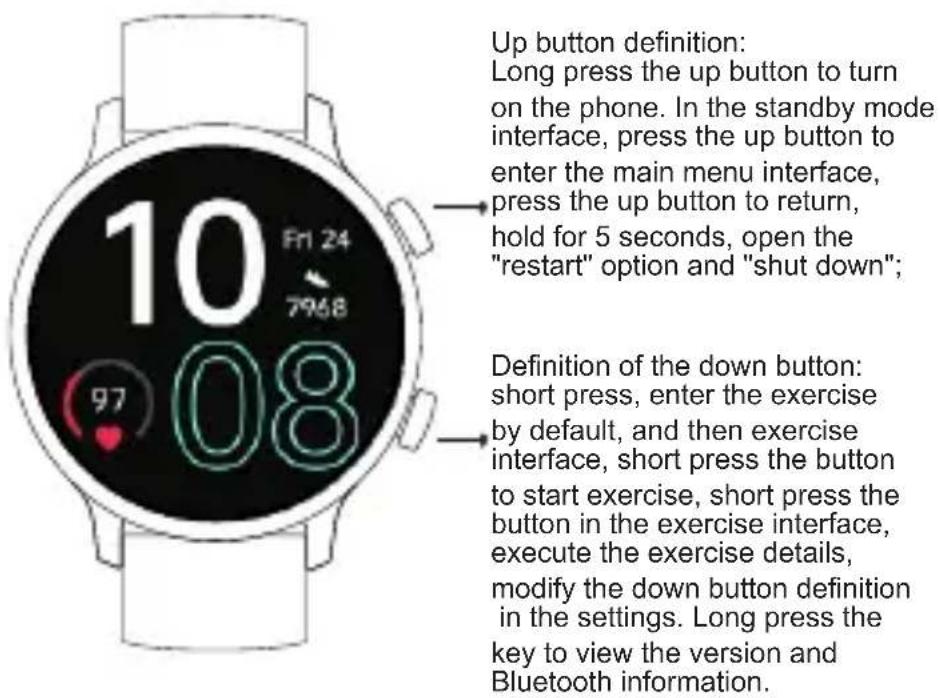
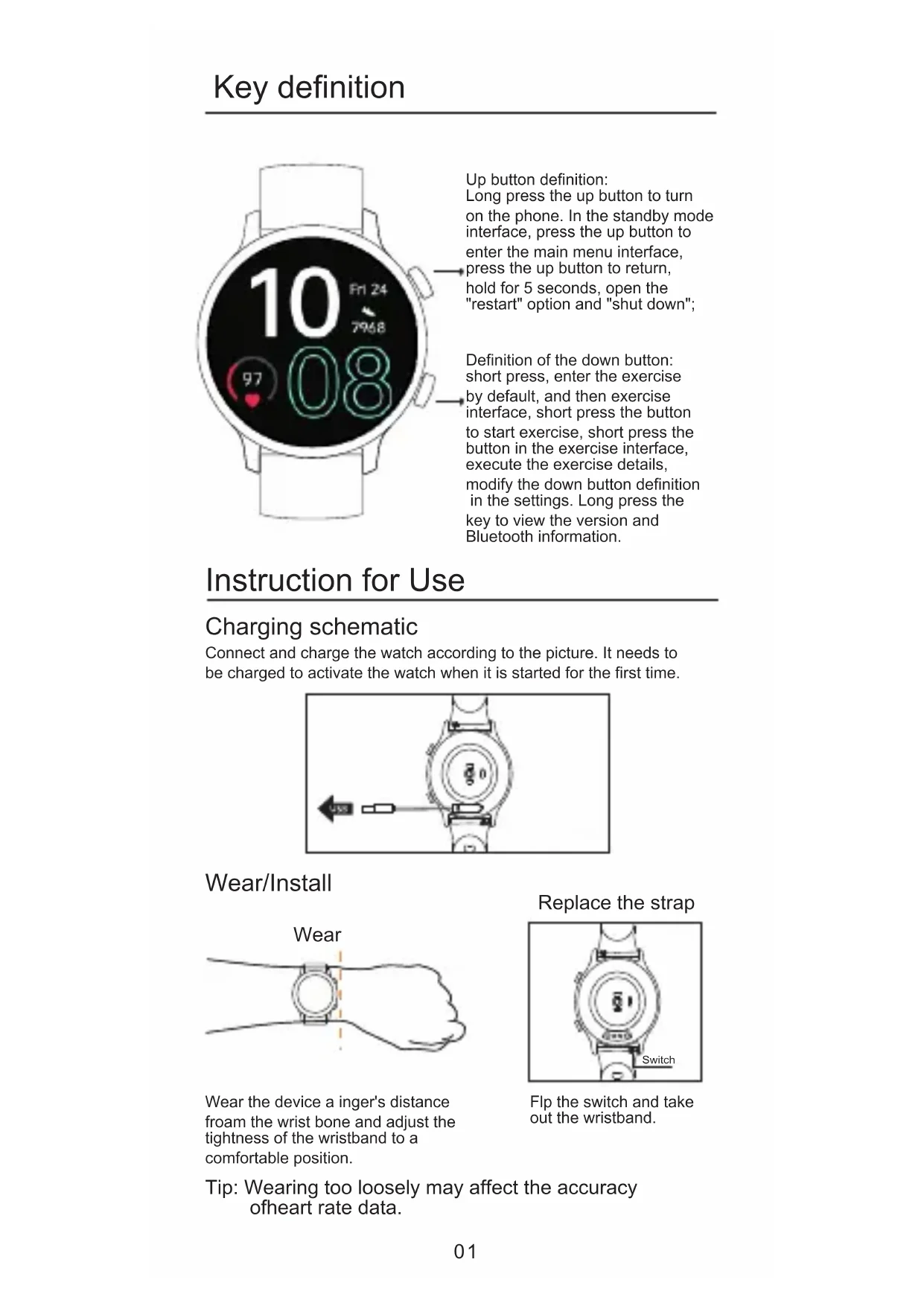
Instruction for Use
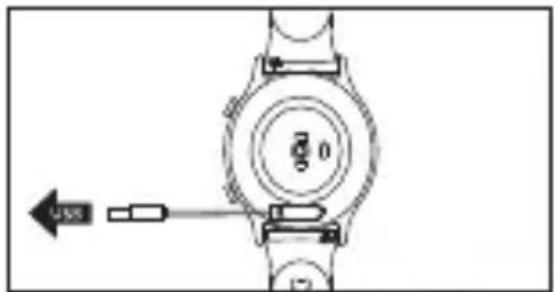
Charging schematic
Connect and charge the watch according to the picture. It needs to be charged to activate the watch when it is started for the first time.
Wear/Install
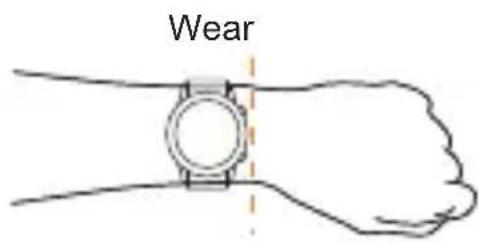
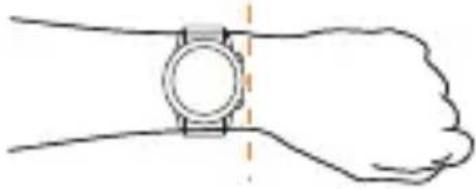
Wear the device a inger's distance froam the wrist bone and adjust the tightness of the wristband to a comfortable position.
Replace the strap
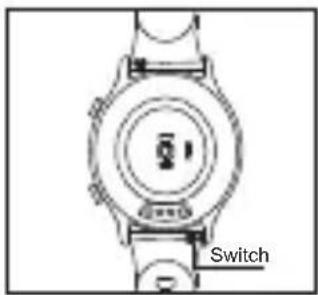
Flp the switch and take out the wristband.
Tip: Wearing too loosely may affect the accuracy of heart rate data.
Download and install App
You can set up the watch through the Paiactive app for iOS or Android devices. The steps are shown as follows:
Notes: The hardware platform of the equipment system shall meet requirements.

IOS 8.0 version or above
Andriod 4.4 system or above
Correct operation:
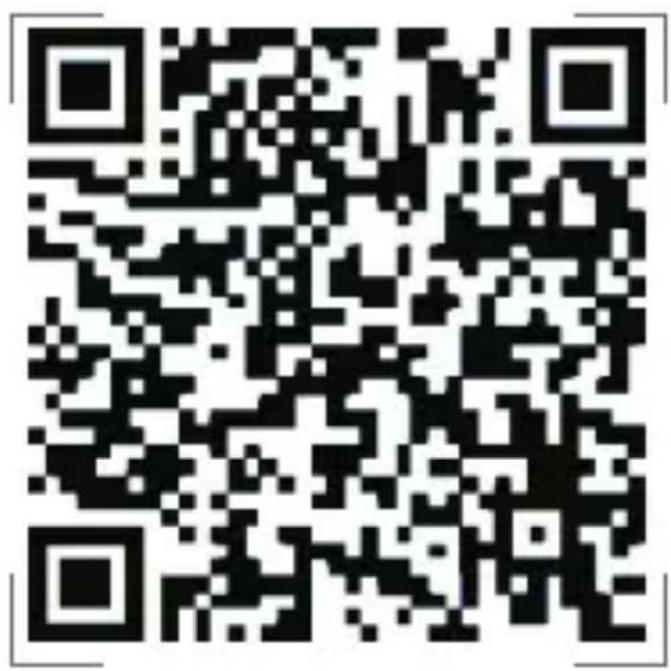
Scan the QR code below or download the Palactive app with watch through the mobile app store.
Wrong operation:
Pair the watch directly with the bluetooth in your mobile phone's settings.
Bind process
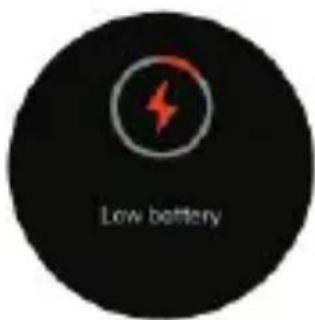
①please charge to activate the watch before you use it.
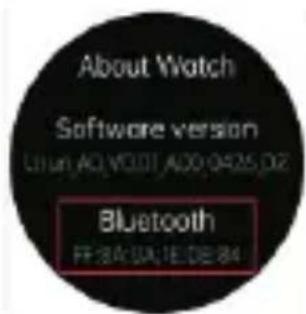
②In the watch, enter the Settings - about watch View Bluetooth address
Bind Watch
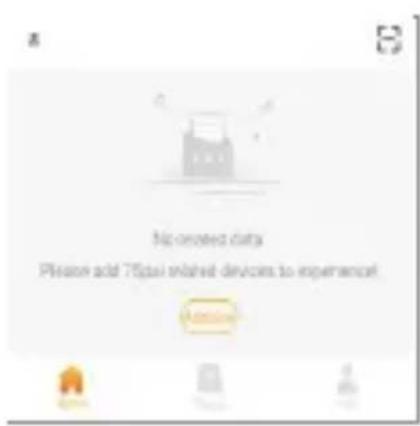
③Turn on the Bluetooth on your mobile phone
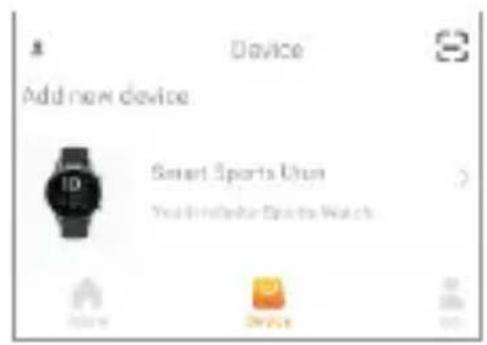
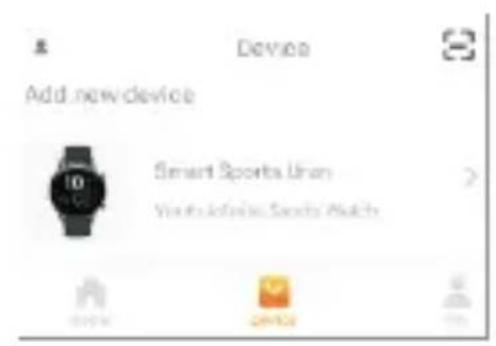
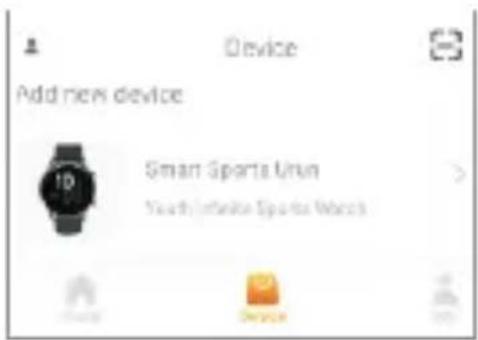
④Open "Paiactive"APP, register, add device.
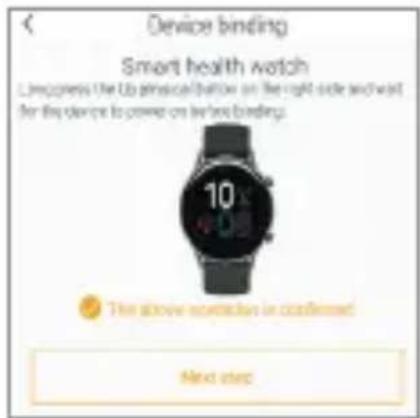
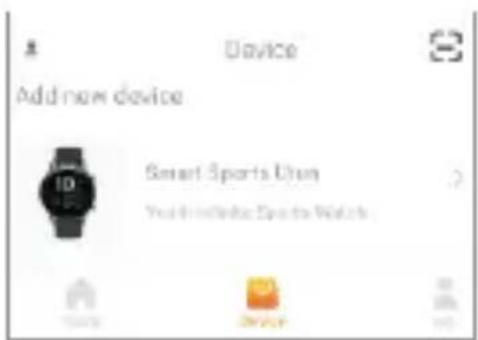
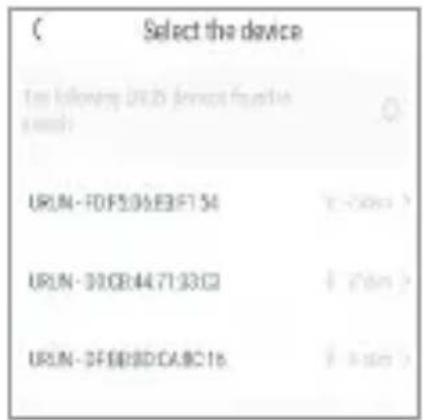
⑤Select product model: Urun S
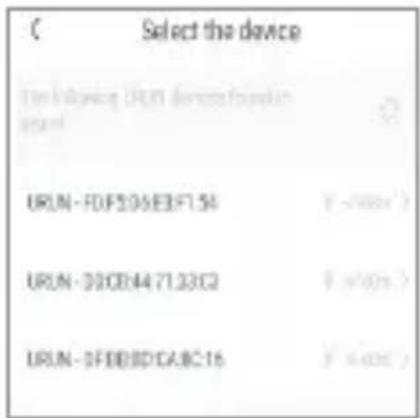
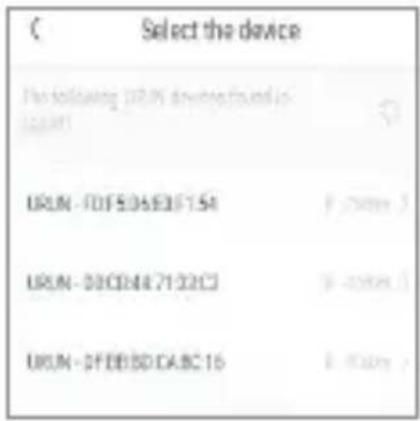
⑥Click the next step ⑦Select watch Bluetooth address
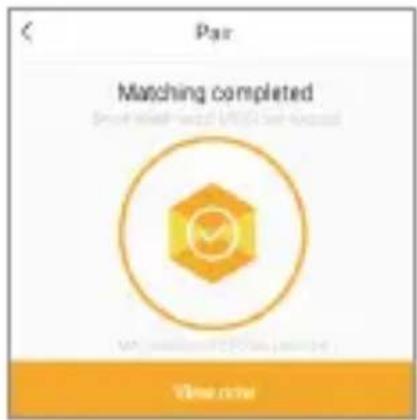
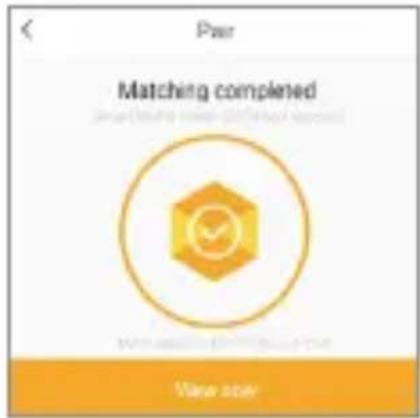
⑧Show successful addition
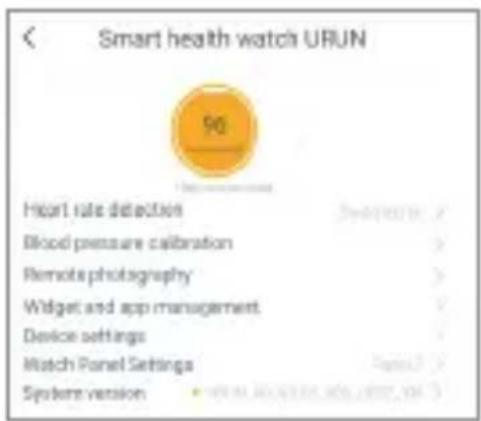
⑨Click to view now to enter the operation interface
Notes:
● Dürfing binding process, Paiactive will prompt you to enable GPS and Bluetooth, and authorize "Paiactive" to get access to the GPS on your mobile phone.
● After binding the Apple phone, you need to pair the Urun S watch with the phone's Bluetooth so that the watch can provide various information.
Synchronous Data
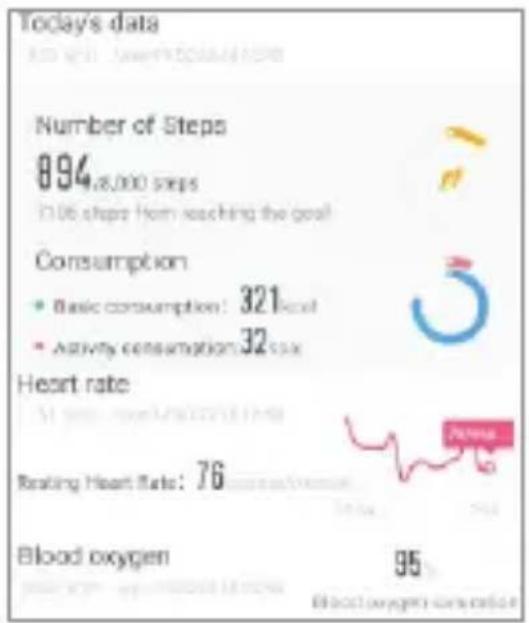
The data is synchronized in real time.and the sports mode can save a biece of sports information shown as follows:
other
| Metric | Value | | --- | --- | | Number of Steps | 894,000 steps | | Consumption | Basic consumption: 321 kcal | | Consumption | Activity consumption: 32 kcal | | Heart rate | 76 | | Reading Heart Rate | 76 | | Blood oxygen | 95 | Blood oxygen consumptionMain interface operation
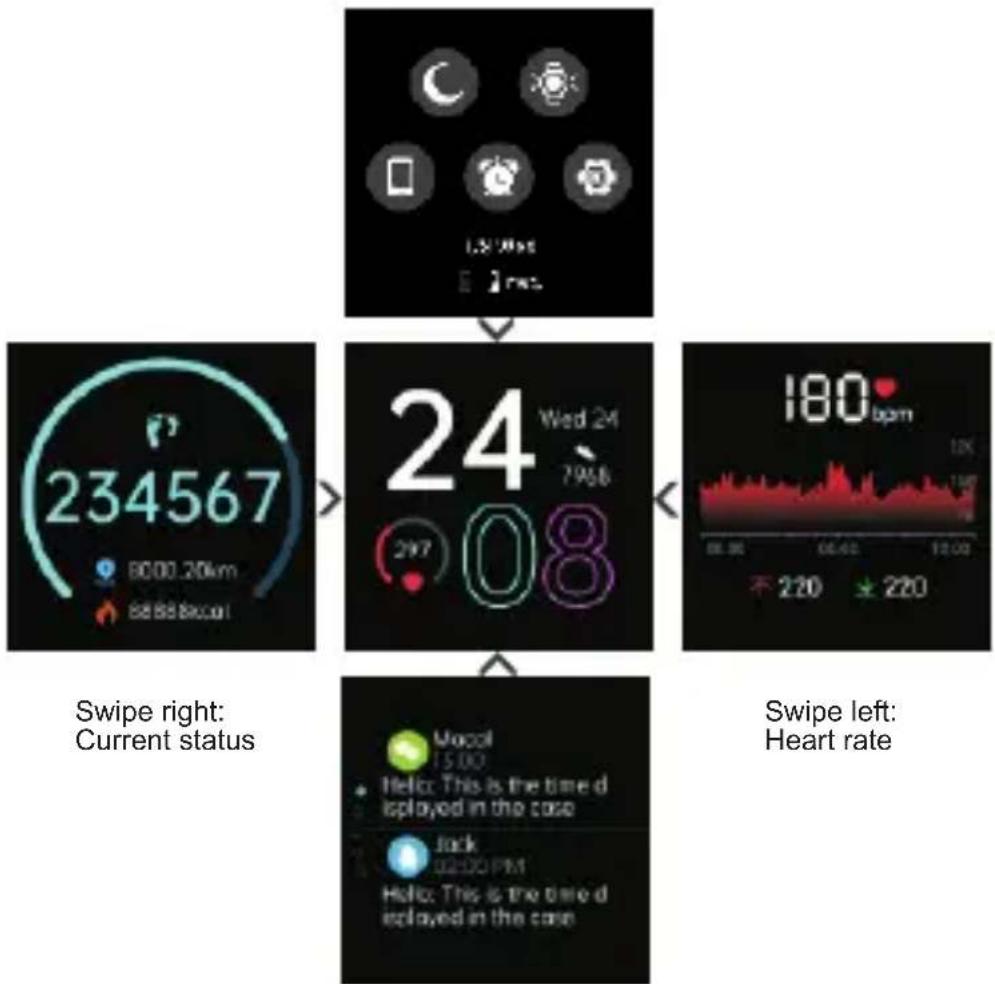
Swipe the screen to enter different interfaces.
Swipe down:Shortcut interface
flowchart
graph TD
    A["Current status: Swipe right"] --> B["234567 timer: 80.00.20km"]
    B --> C["24 Wed 24: 79.58"]
    C --> D["24 08: 297"]
    D --> E["180 bpm: 12.00"]
    E --> F["220"]
    F --> G[" Suicide: 15.00"]
    G --> H["Hello: This is the time displayed in the case"]
    H --> I["Jack: 02:00 PM"]
    I --> J["Hello: This is the time displayed in the case"]
    J --> K[" Suicide: 15.00"]
    K --> L[" Suicide: 15.00"]
    L --> M[" Suicide: 15.00"]
    M --> N[" Suicide: 15.00"]
    N --> O[" Suicide: 15.00"]
    O --> P[" Suicide: 15.00"]
    P --> Q[" Suicide: 15.00"]
    Q --> R[" Suicide: 15.00"]
    R --> S[" Suicide: 15.00"]
    S --> T[" Suicide: 15.00"]
    T --> U[" Suicide: 15.00"]
    U --> V[" Suicide: 15.00"]
    V --> W[" Suicide: 15.00"]
    W --> X[" Suicide: 15.00"]
    X --> Y[" Suicide: 15.00"]
    Y --> Z[" Suicide: 15.00"]
    Z --> AA[" Suicide: 15.00"]
    AA --> AB[" Suicide: 15.00"]
    AB --> AC[" Suicide: 15.00"]
    AC --> AD[" Suicide: 15.00"]
    AD --> AE[" Suicide: 15.00"]
    AE --> AF[" Suicide: 15.00"]
    AF --> AG[" Suicide: 15.00"]
    AG --> AH[" Suicide: 15.00"]
    AH --> AI[" Suicide: 15.00"]
    AI --> AJ[" Suicide: 15.00"]
    AJ --> AK[" Suicide: 15.00"]
    AK --> AL[" Suicide: 15.00"]
    AL --> AM[" Suicide: 15.00"]
    AM --> AN[" Suicide: 15.00"]
    AN --> AO[" Suicide: 15.00"]
    AO --> AP[" Suicide: 15.00"]
    AP --> AQ[" Suicide: 15.00"]
    AQ --> AR[" Suicide: 15.00"]
    AR --> AS[" Suicide: 15.00"]
    AS --> AT[" Suicide: 15.00"]
    AT --> AU[" Suicide: 15.00"]
    AU --> AV[" Suicide: 15.00"]
    AV --> AW[" Suicide: 15.00"]
    AW --> AX[" Suicide: 15.00"]
    AX --> AY[" Suicide: 15.00"]
Swipe up: Information
Function Introduction
natural_image
Simple icon of a running person inside a yellow circle (no text or symbols)Enter the sports menu, you can choose different sports mode

natural_image
Blue circular icon with a white clipboard and checklist symbol (no text or numbers)Record the most recent exercise data
natural_image
Green circular icon with white number 24 and circular arrows, no text or symbols beyond the numberCurrent status; Number of steps, distance, heat.
natural_image
Red circular icon with a white heart and heartbeat line inside (no text or symbols)A single heart rate measurement that monitors your heart rate data. The APP has a continuous heart rate measurement switch.
Monitor sleep quality
natural_image
Red circular icon with white symbol resembling a droplet or smokestack (no text or numbers)Monitoring blood oxygen levels.
Timer function

Control music play on your mobile phone (watch cannot store music)

natural_image
Yellow circular icon with a white speech bubble containing three dots (no text or symbols)For information prompt, set it in the APP inadvance to display synchronously.

Real-time display of weather and temperature in the area
The alarm function only supports setting time on the App.

Turn on the flashlight, the screen can be used as a backup light source.
As long as the watch is in normal connection with the mobile phone, the alarm will ring even if the mobile phone is in silent state.

natural_image
Green circular icon with a white compass symbol (no text or numbers)Before using the compass, azimuth calibration of the algorithm should be carried out to ensure accuracy.

natural_image
Pink circular icon with a white camera symbol in the center (no text or numbers)After connecting the device can remote control the camera on your phone
natural_image
Green circular icon with a white hourglass symbol in the center (no text or numbers)Countdown function.

natural_image
Blue circular icon with a white gear symbol in the center (no text or numbers)Set the function
Notes: For more functions and operation, please check the Paiactive software of the mobile phone.
Start sports
①Enter sports
Click the sports icon automatic timing

select the sports type >
enter the sports
②During sports
Pause motion: Long press the key, prompt pause/restore, click Restore
Exercise: Click to resume exercise
③Stop exercise: Remind whether to end this exercise Select Yes
Heart rate test
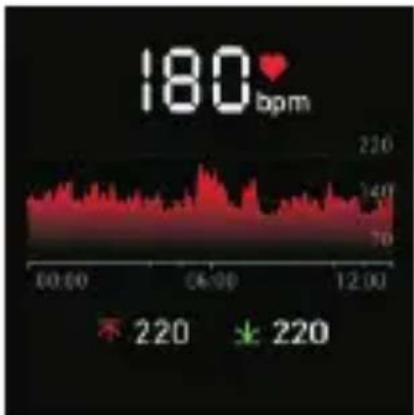
Note: Please wear the strap tightly to test accurately when testing heart rate.
| Model | Urun S | Screen type | 1.1-inch color screen |
| Battery capacity | 280mAh | Charging voltage | 5V±0.2V |
| Charging time | about 2.5 hours | Battery life | 7-15days |
| Waterproof level | 5ATM | Weight of product | 43.6g |
| Operating temperature | -20°C-45°C | Bluetooth version | BLE 5.0 |
| GPS | NO | sensor | Accelerator sensor Geomagnetic sensor Optical heart rate sens or |
Range of charging temperature: 10°C-45 °C Battery life: Actual battery life and charging time will vary depending on usage and environment, etc.
Waterproof: Not suitable for diving, swimming in the sea, or sauna. But suitable for swimming in swimming pool or in shower (cold water) and shallow beach.
Cleaning and Maintenance
It is recommended to wear and maintain according to the following three points:
① Keep the product clean;
② Keep the product dry;
③ Do not wear it too tight.
* Do not use household cleaners to clean the watch, but use the soap free detergent.
* It is recommended to use alcohol to scrub stains that are not easy to remove.
Frequently Asked
- Mobile APP search for the watch failed
①It is recommended to restart Bluetooth after restarting the phone, and then connect.
②Confirm whether the mobile phone system meets Android 4.4 or IOS 8.0 or above.
- The watch received no alerts, text messages
①You need to turn on the smart reminder function and the call reminder switch in the APP, and synchronize to the watch.
②The phone needs to be paired with the watch via Bluetooth.
③You need to keep your watch connected to Bluetooth.
Note: The watch information prompt and caller ID are not supported by Android phones. iOS system mobile phone support.
3. Bluetooth is often disconnected
① If the distance between the watch and the mobile phone is too far, the connection effect of more than 10m bluetooth is obviously weakened.
② Whether there is a shield between the watch and the mobile phone, the human body, wearing metal jewelry, etc., will interfere with the bluetooth connection signal.
③ Whether the bluetooth function of the mobile phone is abnormal.
4.How to restart: Restart mode: long press the key, prompt whether to restart/shut down, select restart.
5. Do I need to keep my bluetooth on when I wear my watch?
① For the three functions, i.e. counting steps, sleeping and alarm clock, you do not need to connect the watch to the mobile phone all the time. If you only need to wear a watch when you exercise, you can connect the watch and your mobile phone to view the data synchronously after the exercise.
② For the functions of call alert, message alert, find the phone, you need to turn on the mobile phone's bluetooth, and maintain the connection with the mobile phone.
6、How to set the watch time
After opening the APP, opening the Bluetooth and connecting the watch, the time will be automatically synchronized.
More deatiled questions can be answered with help and feedback in the APP.
Safety and Product Information Notes
Battery warhing
Do not disassemble, bore or damage the battery. Do not disassemble the built-in batteries of non-replaceable battery devices. Do not use sharp objects to remove the battery.
Health Warning
If you are wearing a pacemaker or other implanted electronic devices, please consult your doctor before using the heart rate monitoring strap.
The optical heart rate sensor of the watch glows green and blinks. If you have epilepsy or are sensitive to flashing light sources, please consult your doctor if you can wear this product.
The device tracks your daily activities through sensors. These data are intended to tell you about your daily activities. such as steps, sleep, distance, heart rate and calories, but may not be completely accurate.
The device, accessories, heart rate sensors and other relevant data are designed for entertainment and fitness, not for medical purposes. They are not applicable to the diagnosis, monitoring, treatment or prevention of any diseases or symptoms. The heart rate data is for reference only. We are not responsible for any consequences caused by any data deviation.
Cycling Warming
Please maintain good judgment at all times and ride in a safe manner. Make sure your bike and hardware are properly maintained,.The watch has no waterproof effect on seawater, acidic and alkaline solutions, chemical reagents and other corrosive liquid. The damage or defects caused by misuse or improper use are not covered by the warranty.Avoid wearing the watch too tight indaily use. Please keep the parts of the watch touching the skin dryWhen your heart rate is measured, keep your arm still during the test.
Caution
Rise of explosion if battery is replaced by an incorrect type dispose of used batteries according to the instructions.
The device meets the EU ROHS criterion. Please refer to IEC 62321, EU ROHS Directive 2011/65/EU and revised directive.
This device complies with Part 15 of the FCC Rules. Operation is subject to the following two conditions:
(1) this device may not cause harmful interference.
(2) this device must accept any interference received, including interference that may cause undesired operation.
Changes or modifications not expressly approved by the party responsible for compliance could avoid the user's authority to operate the equipment.
This equipment has been tested and found to comply with the limits for a Class B digital device, pursuant to Part 15 of the FCC Rules. These limits are designed to provide reasonable protection against harmful interference in a residential installation. This equipment generates, uses and can radiate radio frequency energy and, if not installed and used in accordance with the instructions, may cause harmful interference to radio communications. However, there is no guarantee that interference will not occur in a particular installation. If this equipment does cause harmful interference to radio or television reception, which can be determined by turning the equipment off and on, the user is encouraged to try to correct the interference by one or more of the following
measures:
---Reorient or relocate the receiving antenna.
---Increase the separation between the equipment and receiver.
---Connect the equipment into an outlet on a circuit different from that to which the receiver is connected.
— Consult the dealer or an experienced radio/TV technician for help.
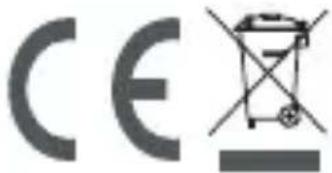
Old electrical appliances must not be disposed of together with the residual waste, but have to be disposed of separately. The disposal at the communal collecting point via private persons is for free. The owner of old appliances is responsible to bring the appliances to these collecting points or to similar collection points. With this little personal effort, you contribute to recycle valuable raw materials and the treatment of toxic substances.
Bedienungsanleitung
Schlüsseldefinition
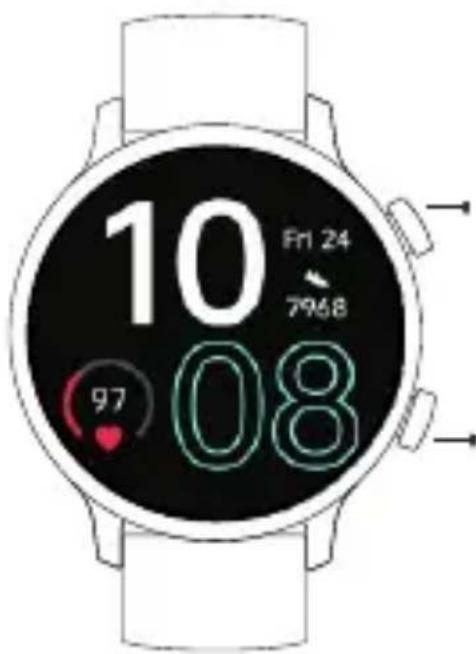
Tragen / Installieren
Tragen
natural_image
Line drawing of a wristwatch with a circular head and wrist strap, no text or symbols presentFalscher Betrieb:
other
| Metric | Value | | --- | --- | | Number of Steps | 894,000 steps | | Consumption | Basic consumption: 321 kcal | | Consumption | Activity consumption: 32 kcal | | Heart rate | 76 | | Reading Heart Rate | 76 | | Blood oxygen | 95 | Blood oxygen consumptionnatural_image
Yellow circular icon with a white running figure (no text or symbols)natural_image
Green circular icon with the number 24 and a white circular arrow symbol (no text or numbers)For information prompt, set it in the APP inadvance to display synchronously.

natural_image
Green circular icon with a white hourglass symbol in the center (no text or numbers)Countdown-Funktion.
other
| Metric | Value | | --- | --- | | Number of Steps | 894,000 steps | | Consumption | Basic consumption: 321 kcal | | Consumption | Activity consumption: 32 kcal | | Heart rate | 76 | | Blood oxygen | 95 | | Average blood oxygen consumption | 32 kcal |natural_image
Simple icon of a running person inside a yellow circle (no text or symbols)natural_image
Blue circular icon with a white clipboard and checklist symbol (no text or numbers)natural_image
Green circular icon with white number 24 and circular arrows, no text or symbols beyond the numbernatural_image
Red circular icon with a white heart and heartbeat line inside (no text or symbols)natural_image
Red circular icon with white symbol resembling a droplet or valve, no text or numbers present.natural_image
Yellow circular icon with a white speech bubble containing three dots (no text or symbols)natural_image
Orange circular icon with a white alarm clock symbol (no text or numbers)natural_image
Green circular icon with a white compass symbol (no text or numbers)natural_image
Pink circular icon with a white camera symbol in the center (no text or numbers)---Reorient or relocate the receiving antenna. ---Increase the separation between the equipment and receiver. ---Connect the equipment into an outlet on a circuit different from that to which the receiver is connected.
— Consult the dealer or an experienced radio/TV technician for help.
natural_image
Simple icon of a running person inside a yellow circle (no text or symbols)natural_image
Blue circular icon with a white clipboard and checklist symbol (no text or numbers)natural_image
Red circular icon with a white heart and heartbeat line inside (no text or symbols)natural_image
Blue circular logo with a crescent moon and stylized 'z' letters (no text or symbols beyond the graphic design)natural_image
Red circular icon with white symbol resembling a droplet or splash, no text or numbers present.natural_image
Yellow circular icon with a white speech bubble containing three dots (no text or symbols)natural_image
Orange circular icon with a white alarm clock symbol (no text or numbers)natural_image
Green circular icon with a white lightbulb symbol emitting rays (no text or numbers)natural_image
Blue circular icon with a white smartphone silhouette (no text or symbols)natural_image
Green circular icon with a white compass symbol (no text or numbers)natural_image
Pink circular icon with a white camera symbol in the center (no text or numbers)natural_image
Green circular icon with a white hourglass symbol in the center (no text or numbers)natural_image
Blue circular icon with a white gear symbol in the center (no text or numbers)natural_image
Line drawing of a wristwatch with a circular head and wrist strap, no text or symbols presentother
| Metric | Value | | --- | --- | | Number of Steps | 894,000 steps | | Consumption | Basic consumption: 321 kcal | | Consumption | Activity consumption: 32 kcal | | Heart rate | 76 | | Reading Heart Rate | 76 | | Blood oxygen | 95 | Blood oxygen consumptionnatural_image
Simple icon of a running person inside a yellow circle (no text or symbols)natural_image
Blue circular icon with a white clipboard and checklist symbol (no text or numbers)natural_image
Red circular icon with white symbol resembling a droplet or valve, no text or numbers present.natural_image
Green circular icon with a white musical note symbol (no text or numbers)natural_image
Yellow circular icon with a white speech bubble containing three dots (no text or symbols)natural_image
Orange circular icon with a white alarm clock symbol (no text or numbers)natural_image
Green circular icon with a white lightbulb symbol emitting rays (no text or numbers)natural_image
Blue circular icon with a white smartphone silhouette (no text or symbols)natural_image
Green circular icon with a white compass symbol (no text or numbers)natural_image
Pink circular icon with a white camera symbol in the center (no text or numbers)natural_image
Green circular icon with a white hourglass symbol in the center (no text or numbers)More deatiled questions can be answered with help and feedback in the APP.
natural_image
Line drawing of a wristwatch with a circular head and wrist strap, no text or symbols present誤った操作:
③Bluetoothをオンにする
あなたの携帯電話で
⑥次のステップをクリックします
⑧成功した追加を表示
注意:
⑤製品モデルを選択: Urun S
other
| Metric | Value | | --- | --- | | Number of Steps | 894,000 steps | | Consumption | Basic consumption: 321 kcal | | Consumption | Activity consumption: 32 kcal | | Heart rate | 76 | | Blood oxygen | 95 | Reaching Heart Rate: 76主なインターフェース操作
flowchart
graph TD
    A["左にスワイプ:心拍数"] --> B["右にスワイプ:現在のステータス"]
    B --> C["234567: 80:00.20km, 88:88.8kcal"]
    C --> D["24: Wed 24, 7:96, 2:97"]
    D --> E["180 bpm: 06:42, 12:02, 不 220"]
    E --> F["Macol 15:00: Hello: This is the time d iplayed in the case, Jack 02:00 PM: Hello: This is the time d iplayed in the case"]
上にスワイプ:情報
natural_image
Simple icon of a running person inside a yellow circle (no text or symbols)natural_image
Blue circular icon with a white clipboard and checklist symbol (no text or numbers)最新の運動データを記録する
natural_image
Green circular icon with white number 24 and circular arrows, no text or symbols beyond the number現在の状態; ステップ数、距離、熱。
natural_image
Red circular icon with a white heart and heartbeat line inside (no text or symbols)natural_image
Red circular icon with white symbol resembling a droplet or valve, no text or numbers present.血中酸素濃度のモニタリング。
natural_image
Orange circular icon with a white stopwatch symbol (no text or numbers)タイマー機能

natural_image
Yellow circular icon with a white speech bubble containing three dots (no text or symbols)natural_image
Simple weather icon showing sun partially behind a cloud (no text or symbols)エリアの天気と気温をリアルタイムで表示
natural_image
Orange circular icon with a white alarm clock symbol (no text or numbers)natural_image
Green circular icon with a white lightbulb symbol emitting rays (no text or numbers)natural_image
Blue circular icon with a white smartphone silhouette (no text or symbols)natural_image
Green circular icon with a white compass symbol (no text or numbers)natural_image
Pink circular icon with a white camera symbol in the center (no text or numbers)natural_image
Green circular icon with a white hourglass symbol in the center (no text or numbers)カウントダウン機能。

natural_image
Blue circular icon with a white gear symbol in the center (no text or numbers)関数を設定する
Follow UMIDIGI community a place where you can share and discuss with UMIDIGI user keep posted with the most up-to-day news.
Manufacturer: Shenzhen Youmi Intelligent Technology Co., Ltd.
Add:406-407 Jinqi Zhigu Building,4/F,1 Tangling Road,Nanshan District,Shenzhen City,China
Amazon service Email : amazonservice@umidigi.com.
Made in China