Sport Bluetooth Earphones AM61R - Smartwatch HONOR - Free user manual and instructions
Find the device manual for free Sport Bluetooth Earphones AM61R HONOR in PDF.



User questions about Sport Bluetooth Earphones AM61R HONOR
0 question about this device. Answer the ones you know or ask your own.
Ask a new question about this device
Download the instructions for your Smartwatch in PDF format for free! Find your manual Sport Bluetooth Earphones AM61R - HONOR and take your electronic device back in hand. On this page are published all the documents necessary for the use of your device. Sport Bluetooth Earphones AM61R by HONOR.
USER MANUAL Sport Bluetooth Earphones AM61R HONOR
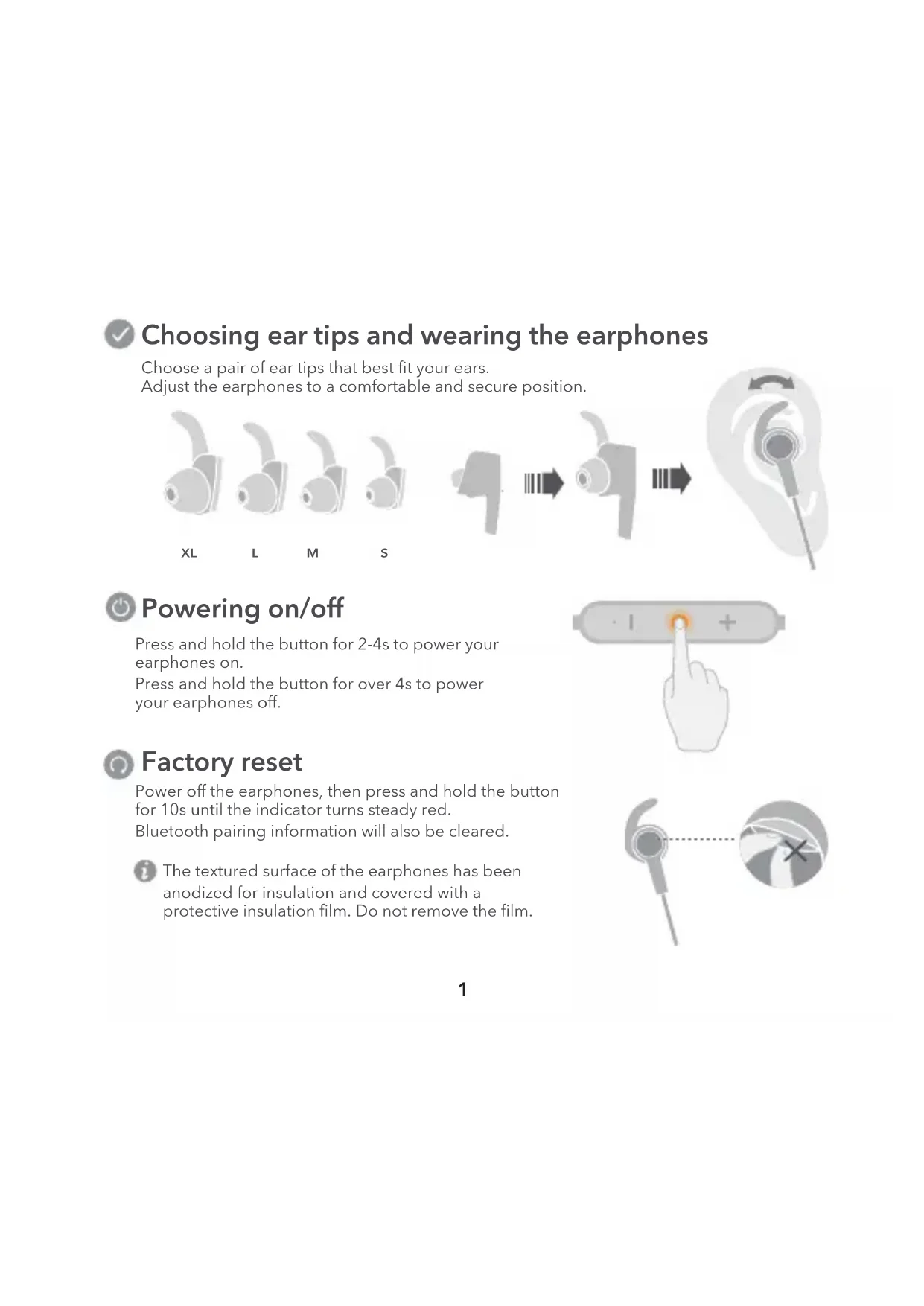
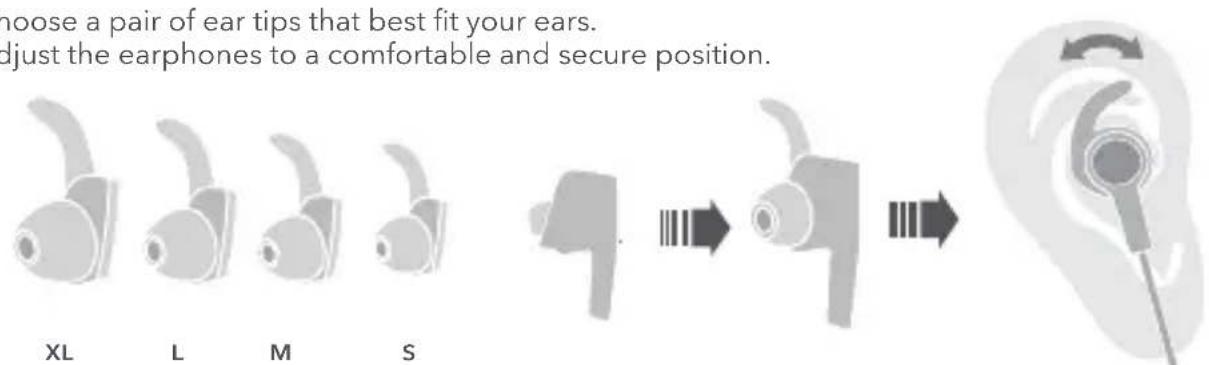
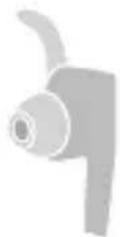
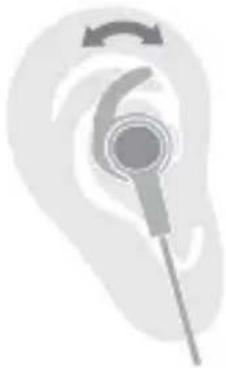
Choosing ear tips and wearing the earphones
Choose a pair of ear tips that best fit your ears. Adjust the earphones to a comfortable and secure position.

Powering on/off
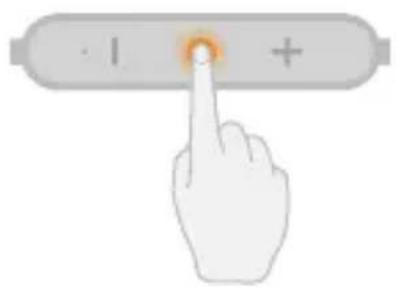
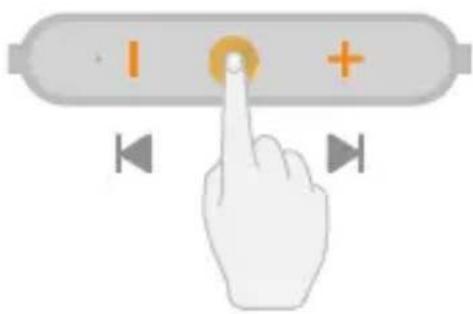
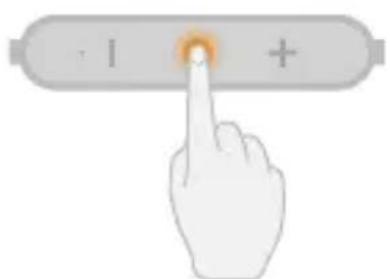
Press and hold the button for 2-4s to power your earphones on.
Press and hold the button for over 4s to power your earphones off.

Factory reset
Power off the earphones, then press and hold the button for 10s until the indicator turns steady red.
Bluetooth pairing information will also be cleared.
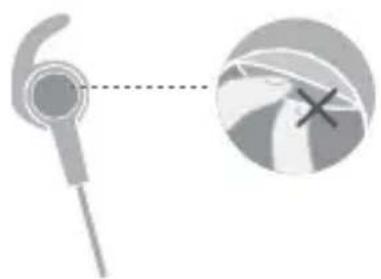

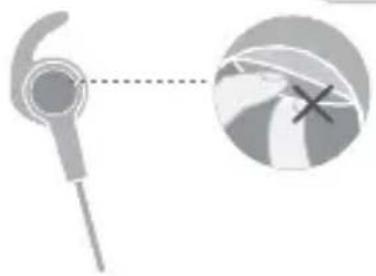
The textured surface of the earphones has been anodized for insulation and covered with a protective insulation film. Do not remove the film.

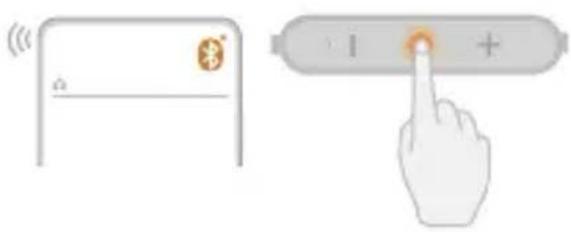
Pairing
- When powering on for the first time, the earphones will automatically enter Pairing mode.
- When the earphones are powered off, press and hold the button for about 4s until the indicator flashes red and blue for the earphones to enter Pairing mode.
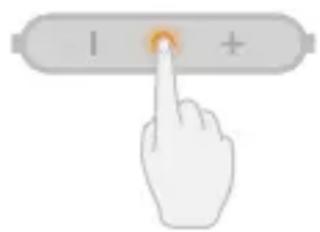
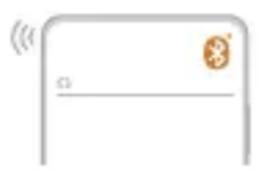

After entering Pairing mode, the earphones will automatically power off if no connection is made within 3 min.

Reconnecting when powering on
When you power on the earphones, they will automatically reconnect to the last phone they were connected to.

Reconnection after long-distance disconnection
After the earphones disconnect from your phone:
If you return back within the Bluetooth range in under 10 min, the connection will automatically resume.
If you return back within 10-30 min, the connection can be manually reconnected. If you do not return back within 30 min, the earphones will automatically power off.

Due to differences in Bluetooth technologies, some phone models do not support automatic reconnection. This does not indicate an issue with your earphones.

Connecting to two phones
- Connect the earphones to phone A, then power the earphones off.
- Press and hold the button on the earphones for about 4s to connect to phone B.
- Access the list of paired devices on phone A and reconnect to the earphones.

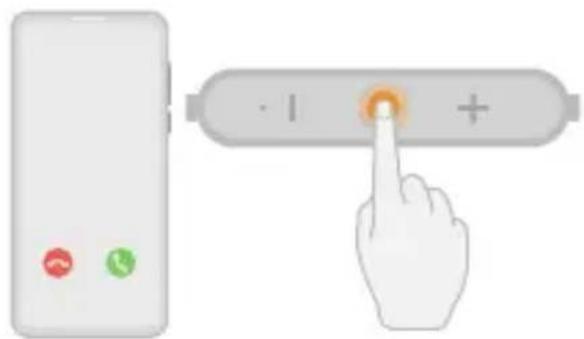
Receiving calls in standby mode
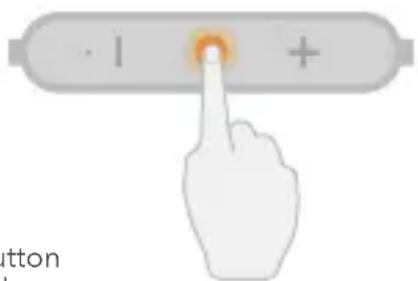
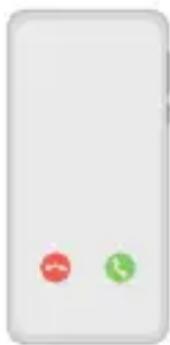
Press the button to answer it, or press and hold the button for 2-4s to reject it.

During a call
Press the button to end it, or press and hold the button for 2-4s to switch between the phone and the earphones.

Receiving a call during an ongoing call
Press the button to end the ongoing call and answer the new call. Press the button twice to put the ongoing call on hold and answer the new call.
Press and hold the button for 2-4s until you hear a prompt tone to continue the ongoing call and reject the new call.
Operations may vary slightly depending on the phone brand and specifications. If you have any questions, contact Honor after-sales personnel for assistance.

Remaking a call
Press the button twice to remake the last outgoing call. Press the button again to cancel the call.

Receiving a call during music playback
Press the button to pause the music and answer the call. Press the button again to end the call and resume music playback.

Ensure that the earphones and your phone are within range and there are no obstacles between them. Otherwise, call or music quality may be compromised and Bluetooth may even disconnect.

Music playback
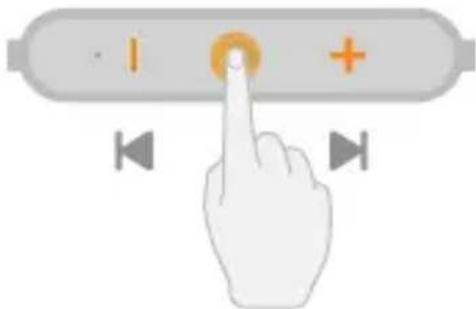
Press the button to play/pause during music playback. Press and hold the + / - button for over 2s to switch songs.

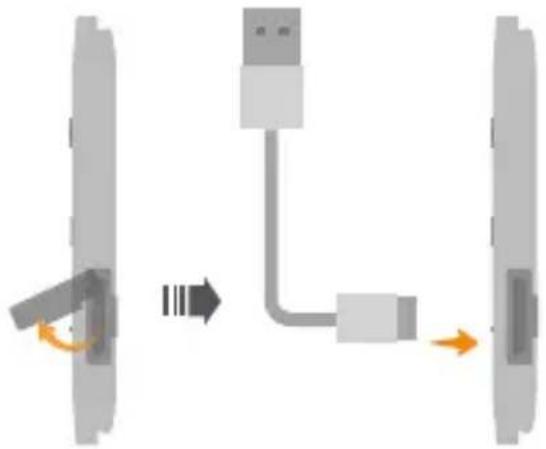
Charging
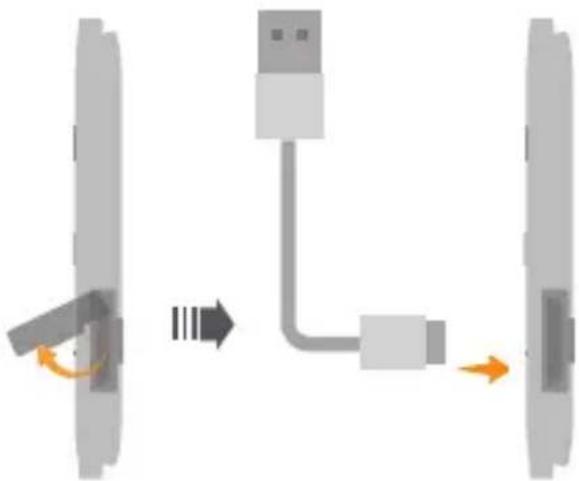
During charging, the indicator will be steady red. After the earphones are fully charged, the indicator will be steady blue.

Note
- If the earphones automatically power off due to low battery and are not charged within 30 days, they may not charge normally.
After charging, ensure that the Micro-USB port cover is closed to prevent liquid from entering the port and causing a short circuit.
Safety Information
Before using and operating this device, read the following precautions to ensure optimal device performance and avoid dangers or unauthorized operations.
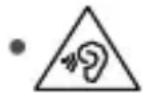
To prevent hearing damage, avoid using the device at a high volume for long periods of time.
- Some wireless devices may interfere with implantable medical devices and other medical equipment, such as pacemakers, cochlear implants, and hearing aids. When using the product, keep it at least 15cm away from such medical devices. Consult the manufacturer of your medical equipment for more information.
- Use this device at temperatures between 5^ to 35^ ( 40^ to 90^ ) and store this device and its accessories at temperatures between 5^ to 35^ ( 40^ to 90^ ). Extreme heat or cold may damage this device.
- When charging this device, ensure that the charger is plugged into a nearby power socket that is easy to reach. Disconnect the charger from this device and unplug the charger from the power socket once this device is fully charged.
- Ensure that the power adapter meets the requirements of Clause Q.1 in IEC62368-1/EN62368-1 and it is tested and approved according to national or local standards.
- Observe all local traffic laws and regulations while using this device. Do not use this device while driving.
- Keep this device and its accessories that may contain small components out of the reach of children. Otherwise, children may damage this device and its accessories by mistake, or swallow small components, which may cause choking.
- Do not expose this device and its accessories to rain or moisture, as this is a potential fire hazard and may cause you to experience an electric shock.
- Avoid placing this device or its accessories in environments that are too hot (for example, near heat sources or open flame) or cold as this may cause device malfunctions or even explosions.
- Do not disassemble, drop, hit, squeeze, or modify the device battery. Do not insert foreign objects into the device battery, or otherwise puncture it. Do not submerge the device battery in water or other liquids. Do not store the device battery in high-temperature environments as this may cause it to short-circuit, overheat, leak, catch on fire, and even explode.
- Avoid disassembling or modifying this device and its accessories. Unauthorized disassembly and modifications may result in voiding of the factory warranty. If your device is faulty, visit an authorized Honor Customer Service Center for assistance.
- Respect local laws on the disposal of this device and its accessories and support recycling efforts.
- If you experience skin discomfort when wearing the device, take it off and consult a doctor.
Disposal and recycling information
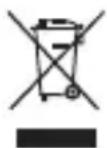
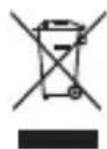
The symbol on the product, battery, literature or packaging means that the products and batteries should be taken to separate waste collection points designated by local authorities at the end of life. This will ensure that EEE waste is recycled and treated in a manner that conserves valuable materials and protects human health and the environment.
For more information, please contact your local authorities, retailer or household waste disposal service or visit the website https://www.hihonor.com/.
EU regulatory conformance
Statement
Hereby, Honor Device Co., Ltd. declares that this device AM61R is in compliance with the essential requirements and other relevant provisions of Directive 2014/53/EU, EU REACH regulation, RoHS and Batteries (where included) directive.
The most recent and valid version of the Doc (Declaration of Conformity) can be viewed at https://www.hihonor.com/global/legal/certification/.
This device may be operated in all member states of the EU.
Observe national and local regulations where the device is used.
This device may be restricted for use, depending on the local network.
Frequency Bands and Power
Bluetooth: 2402 MHz-2480 MHz: 5 dBm.
RF Exposure Information
This device is a low-power radio transmitter and receiver. As recommended by international guidelines, the device meets applicable national SAR limits of 2.0W / kg (10g) and 1.6W / kg (1g). 10g SAR: meets low-power exclusion level, SAR test is not required.
Legal statement
Copyright © Honor Device Co., Ltd. 2021, All rights reserved.
Documents and manuals that come with the product are for reference only and do not constitute any commitments or guarantees. The actual product may vary (including but not limited to color and size).
The Bluetooth® word mark and logos are registered trademarks owned by the Bluetooth SIG, Inc. and any use of this mark by Honor Device Co., Ltd. is under license.
Privacy protection
To understand how we protect your personal information, please visit https://www.hihonor.com/privacy-policy/worldwide/ and read our privacy policy.

https://www.hihonor.com/global/legal/certification/.
https://www.hihonor.com/global/legal/certification/.
(RF)
J 10 1.6 2.0 2.0 2.0 2.0 2.0 2.0 2.0
i j 1
2021 Honor Device Co., Ltd.
y
(20
Bluetooth SIG, Inc. ASyAsxLaoAaAsyAsyAsyCldle AsyBleuTooth aSyI aSy
Honor Device Co., Ltd.
aagaaaiy
https://www.hihonor.com/privacy-policy/worldwide/ 8jz j j aaiinl iiaaiai
1i 1
aaii iiaii jao aaii iiaai iaiy iaiy iaiy iaiy iaiy iaiy iaiy iaiy
.https://www.hihonor.com/
y
AM61R jHsH Honor Device Co., Ltd.
.https://www.hihonor.com/global/legal/certification/
(EU) 21 JdJgJgJgJgJg
Jolll jiee 138 juj 2 xue ball jiao jao jiall jiuji jie
01 1 1 1 1 1 1 1 1 1 1 1 1 1 1 1 1 1 1 1 1 1
x1 = - 4,x2 = - 3
1 1
glss 1111111111111111111111111111
aiee eae aee eae eae eae eae eae eae eae eae eae eae eae eae eae eae eae eae eae eae eae eae eae eae eae eae eae eae eae eae eae eae eae eae eae eae eae eae eae eae eae eae
(1)
.0jaiil g jiai jiai l jao a o ci i 1d aai
gall

-1+ jy jxj yba Jaii. 1e iuiu uuiuuiuuiuuiuui
#

Jolly Jn j 1eLaw n nn y. yal gall n gn l kll e 1
边

30 152 152 152 152 152 152 152 152
.
Jglgul Jgsd USB giaiae 10e jao 10a
1

( x,y,) = 2| y| - | z|
4 2 2
aalss 1

jglxgbsbina jglgslg jglxbaia
1 4 2
aJg aalso eai aalso

jrrr jll 50bcnlll 50c 211 49 111 111
aall aoll 211
ailll lal 1 1 1 1 1 1 1 1 1 1 1 1 1 1 1 1 1 1 1 1 1 1
.
y 1
Honor 1
aills 1 j! oie

aillal 1y jai yj jll xbciai .julao jai jai jai jai bina
aagai jie e aalso

aillalgljy jzj y jllle biall aallg lde jj gao gaaal jll jll
aannnnnnae
gge gge gge gge gge gge gge gge gge gge gge gge gge gge gge gge gge gge gge gge gge gge gge gge gge gge gge gge gge gge gge gge gge gge gge gge gge gge gge gge gge gge gge gge gge gge gge
y
山
j 1
i j 1
biolai ci jsl cielow jiei iie
4 4
j111111111111111
1
1
Jieiie 1ie Juaai jle!

y 1
a

10 30 30 30 30 30 30 30 30 30 30 30 30 30 30 30 30 30 30 30 30 30 30 30 30 30 30 30 30
1
i 1

J
1
"14 2
J 3
gaii gai jia iie aiee 1

Ji j 1
aiai aiai joo joi joi iolao

XL

L

M

S



1

4 2 j 2
.
4 4 4 4 4 4 4 4 4 4 4 4 4 4 4 4 4 4 4 4 4 4 4 4 4 4 4 4 4 4
jbjjieleow jia
eaaa 1

10 10 10
y
y
aai jia jiai jia iie aai jiaai
ailll jy y. aalll al jte a

AM61R
HONOR
PRINTED WITH
SOYINK