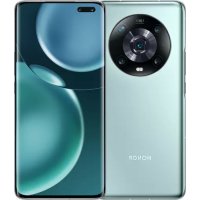
10 GT - Phone HONOR - Free user manual and instructions
Find the device manual for free 10 GT HONOR in PDF.


Pick your language and provide your email: we'll send you a specifically translated version.
| Product Type | Smartphone |
| Brand | Honor |
| Model | 10 GT |
| Dimensions | 149.6 x 71.2 x 7.7 mm |
| Weight | 153 g |
| Battery Capacity | 3400 mAh |
| Charging | 5V/4.5A fast charging |
| Display | 5.84-inch IPS LCD |
| Processor | Kirin 970 |
| RAM | 6 GB |
| Storage Options | 64 GB / 128 GB |
| Rear Camera | 12 MP + 2 MP dual |
| Front Camera | 24 MP |
| Operating System | Android 8.1 (EMUI 8.1) |
| Network | GSM / HSPA / LTE |
| SIM | Dual SIM (Nano-SIM) |
| Security Features | Fingerprint sensor (rear-mounted), Face unlock |
| Cleaning Instructions | Wipe with a soft, dry cloth. Avoid water exposure. |
| Spare Parts & Repairability | Battery replaceable, screen repair available through authorized service centers. |
| Release Year | 2018 |
Frequently Asked Questions - 10 GT HONOR
How to insert a SIM card in Honor 10 GT?
Use the ejector pin to remove the SIM tray. Insert the Nano-SIM cards with the gold contacts facing down. Push the tray back in.
How to take a screenshot on Honor 10 GT?
Press and hold the Power button and Volume Down simultaneously until the screen flashes.
Does Honor 10 GT support fast charging?
Yes, it supports 5V/4.5A fast charging. Use the original charger and cable for best results.
How to expand storage on Honor 10 GT?
The device does not have a microSD card slot. Storage is fixed at 64GB or 128GB.
How to factory reset Honor 10 GT?
Go to Settings > System & updates > Reset > Factory data reset. Backup your data first.
Is Honor 10 GT waterproof?
No, it has no official water resistance rating. Avoid exposure to water.
How to enable face unlock on Honor 10 GT?
Go to Settings > Security & privacy > Face recognition and follow the prompts to enroll your face.
How to update Android on Honor 10 GT?
Go to Settings > System & updates > Software update to check for and install updates via OTA.
How to clean the camera lens on Honor 10 GT?
Gently wipe the lens with a microfiber cloth to avoid scratches. Do not use harsh chemicals.
How to repair a cracked screen on Honor 10 GT?
Contact an authorized Honor service center for screen replacement. DIY repairs may void warranty.
User questions about 10 GT HONOR
0 question about this device. Answer the ones you know or ask your own.
Ask a new question about this device
No questions yet. Be the first to ask one.
Download the instructions for your Phone in PDF format for free! Find your manual 10 GT - HONOR and take your electronic device back in hand. On this page are published all the documents necessary for the use of your device. 10 GT by HONOR.