09814 - Air purifier Maxxmee - Free user manual and instructions
Find the device manual for free 09814 Maxxmee in PDF.



| Product Type | Digital Air Purifier |
| Brand | Maxxmee |
| Model | 09814 |
| Power Supply | 220 - 240 V ~ 50/60 Hz, max. 50 W |
| Max. Airflow | 180 m³/h |
| Max. Recommended Area | 30 m² |
| Max. Noise Level | 55 dB |
| Filtration Technologies | Pre-filter, HEPA filter, activated carbon filter, ionization, UV lamp, photocatalysis |
| Number of Speeds | 3 (low, medium, high) |
| Timer | 1 to 8 hours |
| Automatic Mode | Yes, with air quality sensor |
| Sleep Mode | Yes (dimmed screen, minimum speed) |
| Child Safety | Yes (control panel lock) |
| Remote Control | Yes, with CR2025 button cell included |
| Display | Screen showing air quality, temperature, speed, timer, etc. |
| Filter Cleaning | Not washable, replacement required |
| Exterior Cleaning | Soft dry cloth |
| Spare Parts | Combined filter available at www.dspro.de/kunden-service |
| Intended Use | Domestic, for rooms up to 30 m² |
Frequently Asked Questions - 09814 Maxxmee
User questions about 09814 Maxxmee
0 question about this device. Answer the ones you know or ask your own.
Ask a new question about this device
Download the instructions for your Air purifier in PDF format for free! Find your manual 09814 - Maxxmee and take your electronic device back in hand. On this page are published all the documents necessary for the use of your device. 09814 by Maxxmee.
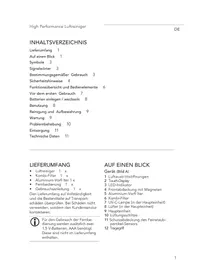
USER MANUAL 09814 Maxxmee
Functional Overview of the Operating Elements 13
Inserting / replacing batteries 14
Use 14
Cleaning and Storage 14
Maintenance 15
Troubleshooting 15
Disposal 16
Technical Data 16
ITEMS SUPPLIED
Air purifi er 1x
- Remote control incl. 3 V button cell CR2025, already inserted 1 ×
- Operating instructions 1 x
Check the items supplied for completeness and the components for transport damage. If you find any damage, do not use the device but contact our customer service department.
Remove any possible fims, stickers or transport protection from the device.
Never remove the rating plate and possible warnings!

Before using the remote control, the protective strip has to be removed from the battery compartment.
AT A GLANCE
Device
(Fig. A)
1 Control panel with display
2 Front cover
3 Combination fi Iter (behind the front cover)
4 Base
5 Main unit
6 Fan (in the main unit)
7 UV lamps (in the main unit)
8 Air vents (on the back)
9 Ventilation slots
10 Sensor for measuring air quality
11 Carrying handle (on the back)
Control panel
(Picture B)
12 Field ON/OFF
13 Field AUTO
14 Field SPEED
15 Field ION
16 Display
17 Field RESET
18 Field TIMER
19 Field SLEEP
20 Field CHILD LOCK
Display
(Fig. C)
21 Replace fi I ter
22 Air purification active
23 Fan activity
24 Particulate matter value
25 Current temperature
26 Timer setting
27 Child lock active
28 Ionisation active
29 AUTO mode active
30 Night mode active
31 Speed setting
32 Sterilisation active (UV light)
33 Air quality
Displays are shown as follows: XX
Key numbers are shown as follows: (1)
Picture references are shown as follows: (Fig. A)
EN
Dear Customer,
We are delighted that you have chosen the MAXXMEE Digital Air Purifier. It filters and purifi es the ambient air with 6 effi cient technologies. Allergens, pollen, particulate matter etc. are optimally fi itered out by the pre-fi Iter, HEPA fi Iter and activated carbon filter, while dirt particles from the air in the room are bound by the ionisation function. Thanks to the UV light and a photocatalyst, dirt particles no longer stand a chance. Ideal for allergy sufferers. With max. 55 db it is quiet and thanks to the sleep mode it can also operate during the night with no problems.
If you have any questions about the device and about spare parts/accessories, contact the customer service department via our website: www.dspro.de/kundenservice
We hope you will enjoy the use of your MAXXMEE Digital Air Purifi er.
Information About the Operating Instructions
Before using the device for the first time, please read through these operating instructions carefully and keep them for future reference and other users. They form an integral part of the device. The manufacturer and importer do not accept any liability if the information in these operating instructions is not complied with.

IMPORTANT NOTICES! PLEASE KEEP FOR REFERENCE!
SYMBOLS
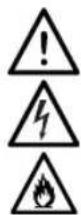
Danger symbols: These symbols indicate possible dangers. Read the associated safety notices carefully and follow them.

Supplementary information
Read operating instructions before use!
Symbol for direct current
SIGNAL WORDS
Signal words indicate hazards if the associated notices are not followed.
DANGER - high risk, results in serious injury or death
WARNING - medium risk, may result in serious injury or death
NOTICE - may result in risk of damage to material
Digital Air Purifier
EN
INTENDED USE
This device is intended for purifying and ionising the ambient air.
The device is not a substitute for adequate ventilation.
The device is not suitable for use as a (fume) extractor hood
Do not use the device indoors where smoky or gaseous insect repellents have been used, or in places with oily residues, incinerators or chemical vapours.
The device is not designed to filter carbon monoxide (CO) or radon (Rn) gases from the air. It is not suitable as a safety device for accidents involving combustion and hazardous chemicals.
The device is suitable for a surface area of no more than 30m^2 It is not a substitute for an air-conditioning system.
The device is for personal use only and is not intended for commercial applications.
Use the device only for the specified purpose and as described in the operating instructions. Any other use is deemed to be improper.
The warranty does not cover faults caused by incorrect handling, damage, calcifi cation or attempted repairs. The same applies to normal wear and tear.
SAFETYNOTICES
This device may be used by children aged 8 and over and by people with reduced physical, sensory or mental abilities or a lack of experience and/or knowledge if they are supervised or have received instruction on how to use the device safely and have understood the dangers resulting from failure to comply with the relevant safety precautions.
Children must not play with the device.
- Cleaning and user maintenance must not be carried out by children, unless they are supervised.
Children younger than 8 years of age and animals must be kept away from the device and the connecting cable.
The device must always be switched off and disconnected from the mains power when left unattended and before cleaning it.
- Do not make any modifications to the device. If the device or the connecting cable is damaged, it must be replaced by the manufacturer, customer service department or a similarly qualified person (e.g. specialist workshop) in order to avoid any hazards.
EN

DANGER - Danger of Electric Shock
Use and store the device only in closed rooms.
Do not use the device in rooms with high humidity.
- Never immerse the device and the connecting cable in water or other liquids and ensure that they cannot fall into water or become wet.
If the device does fall into water, switch off the power supply immediately. Do not attempt to pull it out of the water while it is connected to the mains power! Have the device checked by a specialist workshop before putting it back into operation.
- Never touch the device and the connecting cable with wet hands when the device is connected to the mains power.

WARNING - Danger of Fire
- Do not use the device in the vicinity of highly flammable materials (curtains, textiles, etc.). Do not place any combustible materials (e.g. cardboard, paper, plastic) on the device.
- Do not use flammable substances such as air fresheners or similar products in the immediate vicinity of the device.
- Do not insert anything into the openings of the device and make sure that they do not become clogged. The device must not be used with blocked openings.

WARNING - Danger of Injury
- Keep children and animals away from the packaging material. There is a danger of suffocation.
Make sure that the connecting cable does not present a trip hazard. There is a danger of falling over it.
Batteries can be deadly if swallowed. Batteries and the remote control
should therefore be kept out of the reach of children and animals. If a battery is swallowed, immediate medical attention must be sought. There is a danger of burns from battery acid.
If a battery leaks, avoid physical contact with the battery acid, and wear protective gloves if necessary. If you touch battery acid, rinse the affected areas with abundant clear water straight away and seek medical assistance immediately. There is a danger of burns from battery acid.
NOTICE - Risk of Damage to Material and Property
Lay the connecting cable in such a way that it does not become squashed or bent and does not come into contact with hot surfaces.
- Switch off the device and pull the mains plug out of the socket if an error occurs during operation or before a thunderstorm.
Always switch off the device first before the mains plug is pulled out of the socket. When you pull it out of the socket, always pull on the mains plug and never the mains cable!
- Never pull or carry the device by the connecting cable.
- Do not use the device in the immediate vicinity of devices which operate using short waves or microwaves. Maintain a minimum gap of 2 metres.
- Protect the device from other heat sources, naked fl ames, sub-zero temperatures, persistent moisture, wet conditions and impacts.
- Do not lay or place any heavy objects on the device.
Use only original accessories from the manufacturer in order to guarantee that there is no interference that may prevent the device from working and to avoid possible damage.
NOTICE - Risk of Damage to
Material and Property from Batteries
Use only the battery type specified in the technical data.
Take the battery out of the remote control when it is dead or if you will not be using the remote control for a prolonged period. This will prevent any damage caused by leaks.
- Do not use the remote control if a battery has leaked. Remove a leaking battery from the device immediately.
FUNCTIONAL OVERVIEW OF THE OPERATING ELEMENTS
Touch the relevant fi eld to activate or deactivate the individual function. The control lamps above the individual operating elements indicate which functions are active.
Control panel
ON/OFF (12)
Switching the device on / off
AUTO (13)
Activating / Deactivating the AUTO mode When this function is active, the device measures the air quality via the sensor (10) and automatically selects a suitable setting.
Please Note: In the AUTO mode the speed level cannot be adjusted manually.
SPEED (14)
Setting the speed level
The fan of the device has 3 speed levels. You can set them by repeatedly touching the SPEED fi eld. The level can be identifi ed in the display (16) by the number of bars (2 bars -5 bars -8 bars). In addition, the fan symbol in the display rotates faster the higher the level is.
ION (15)
Activating/deactivating the ionisation If this function is active, negatively charged ions which bind dirt particles from the air are released.
RESET (17)
Reset the reminder for changing the combination filter
If the combination fi iter has been changed, touch this fi eld to reset the change reminder.
TIMER (18)
Activating / setting / deactivating the timer The device has an 8-hour timer. You can adjust this by repeatedly touching the TIMER fi eld (1 to 8 - Off). When the timer is active, the setting appears alternately with the current room temperature on the display (16).
SLEEP (19)
Activating/deactivating the night mode When this function is active, the display turns off except for the SLEEP symbol. The fan runs at the lowest speed level.
CHILD LOCK (20)
Activating/deactivating the child lock When this function is active, all operating elements are locked. If a fi eld is touched nevertheless, three warning tones will sound.
Touch the fi eld to activate the function and press it for about 5 seconds to deactivate it.
Remote control
The buttons on the remote control (Fig. D) correspond to the functions of the operating elements on the control panel (1). Only the ionisation and sterilisation functions on the remote control are divided into two individual buttons (Ion + Sterilize).
INSERTING / REPLACING BATTERIES
The battery compartment is located on the narrow side of the remote control. Before inserting the batteries, check whether the contacts in the remote control and on the batteries are clean, and clean them if necessary.
- Pull out the battery compartment (Fig. E).
- Remove the used battery and insert a new battery (3 V; CR2025). The positive pole must be facing upwards.
- Slide the battery compartment into the remote control. You must hear and feel it engage.
Replace the battery if the power of the remote control starts to wane.
USE
Please Note!
The device must have clearance of at least 30cm above it and to all sides and be placed on a dry, even, solid and moisture-resistant surface.
Before use, ensure that the combination fi tter is correctly fit tted.
Only connect the device to a socket that is properly installed and matches the technical data of the device. The socket must also be readily accessible after connection so that the connection to the mains can quickly be isolated.
Do not operate the device unsupervised so that you can intervene immediately if there are any faults.
- Position the device at the required location.

For efficien operation we recommend closing the windows and doors of the room.
- Fully unwind the connecting cable and connect it to an easily accessible plug socket. You will hear a beep. All elements on the control panel (1) will light up and go out, with the exception of the -- display. The operating lamp in the ON/OFF (12) flashes. The device is in standby mode.
- Touch the (ON/OFF) to switch on the device. The operating lamp lights up permanently and the device starts to operate. The AUTO programme and the ionisation ION (15) function are preset.
- Adjust the settings of the device to suit your individual needs (see the "Functional Overview of the Operating Elements" chapter).
- If the device is no longer going to be used, switch off the device via the ON / OFF fi eld and pull the mains plug out of the socket.
CLEANING AND STORAGE
Please Note!
The combination filter cannot and must not be cleaned.
- Do not use any sharp or abrasive cleaning agents or cleaning pads to clean the device. These may damage the surfaces.
Make sure that the device is not connected to the mains power.
- Wipe down the device with a soft, damp cloth.
- Store the device in a clean, dry place so that it is protected and is out of the reach of children and animals when it is not in use.
Digital Air Purifier
MAINTENANCE
The device must be kept operational. It indicates via a symbol when the combination filter (3) has to be replaced. The intervals at which the combination filter has to be replaced depend on the air quality and the frequency of use of the device.

Replacement parts can be purchased via the following website: www.dspro.de/kundenservice
- Grasp the top end on both sides between the main unit (5) and the front cover (2).
- Press against the housing with your thumbs, then detach and remove the front cover from the main unit.
- Pull the combination fi tter out of the main unit by the loop on the top edge.
- Insert a new combination fi tter into the device. Make sure that it is fitted evenly.
- First insert the front cover with the catches at the bottom into the recesses on the main unit, and press it against the main unit at the top. You must hear and feel it engage.
TROUBLESHOOTING
If the device does not work properly, check whether you are able to rectify the problem yourself. If the problem cannot be solved with the steps below, contact the customer service department.

Do not attempt to repair an electrical device yourself!
The device does not work.
The mains plug is not inserted in the socket correctly.
Correct the fit of the mains plug.
EN
The socket is defective.
Try another socket.
There is no mains voltage.
Check the fuse of the mains connection.
The combination filter (3) is not fitted correctly in the main unit (5).
Correct the fit of the filter.
The device has not been switched on via the ON/OFF field (12).
Press the ON/OFF field.
The fuse in the fuse box is triggered.
Too many devices connected to the same circuit.
Reduce the number of devices in the circuit.
The remote control does not work.
The battery is dead.
Replace the batteries.
There are obstacles between the remote control and the sensor in the device.
- Remove possible obstacles or aim the remote control at the sensor in the device from a different position.
The distance between the remote control and the device is too great.
Reduce the distance.
EN
DISPOSAL

Dispose of the packaging material in an environmentally friendly manner so that it can be recycled.

Batteries should be removed before disposing of the remote control and disposed of separately from it at suitable collection points.
This device is governed by the European Directive 2012/19/EU on waste electrical and electronic equipment (WEEE). Do not dispose of this device as normal domestic waste, but rather in an environmentally friendly manner via an offi cially approved waste disposal company.
TECHNICAL DATA
Article number: 09814
ID of the operating instructions: Z 09814 M DS V1 0720 dk
Device
Model number: J503
Power supply: 220 - 240V 50 / 60Hz
Power: max. 50 W
Max. air throughput: 180m^3 /h
Area of application: 25 - 30m
Noise level: max. 55 dB
Protection class: II
Remote control
Power supply: 3V (1 x 3 V button cell CR2025)

All rights reserved.
SOMMAIRE
Composition 17
Apercu general 17
Symboles 18
Chere cliente, cher client,
MISE EN PLACE / REMPLACEMENT DES PILES
WAARSCHUWING - Brandgevær
Ionising activeren/deactiveren
De contactdoos is defect.