Wave Buds - Wireless Earbuds JBL - Free user manual and instructions
Find the device manual for free Wave Buds JBL in PDF.


| Product type | Wireless in-ear headphones |
| Brand | JBL |
| Model | Wave Buds |
| Transducer | 8 mm / 0.315" dynamic driver |
| Earbud weight (single) | 4.5 g |
| Charging case weight | 34 g |
| Total weight | 43 g |
| Battery type (earbuds) | Lithium-ion polymer 47 mAh / 3.8 V |
| Battery type (case) | Lithium-ion polymer 550 mAh / 3.8 V |
| Charging time | Less than 2 hours |
| Music playback time | Up to 8 hours |
| Talk time | Up to 4.5 hours |
| Bluetooth version | 5.2 |
| Supported Bluetooth profiles | A2DP V1.3, AVRCP V1.6, HFP V1.7 |
| Frequency response | 20 Hz – 20 kHz |
| Impedance | 16 ohms |
| Sensitivity | 100 dB SPL at 1 kHz |
| Microphone sensitivity | -38 dBV/Pa at 1 kHz |
| Key features | Ambient Aware, TalkThru, voice control (Bixby/Siri), dual connection, mono/stereo mode |
| Power supply | 5 V – 1 A |
| Cleaning and maintenance | Wipe with a dry, soft cloth. Do not immerse in water. |
| Max operating temperature | 45 °C |
Frequently Asked Questions - Wave Buds JBL
User questions about Wave Buds JBL
0 question about this device. Answer the ones you know or ask your own.
Ask a new question about this device
Download the instructions for your Wireless Earbuds in PDF format for free! Find your manual Wave Buds - JBL and take your electronic device back in hand. On this page are published all the documents necessary for the use of your device. Wave Buds by JBL.
USER MANUAL Wave Buds JBL
text_image
QR code with central logo containing 'JBL' text and a circular emblem in the center.
text_image
QR code with central logo containing 'JBL' text and a circular emblem in the center.( FOR CHINA ONLY )
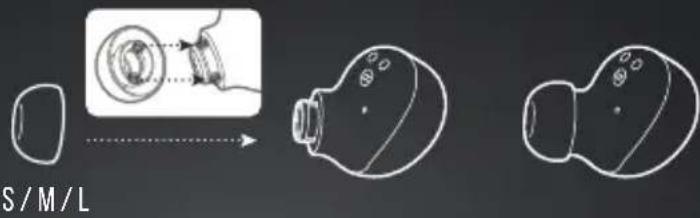
HOW TO WEAR
1 TRY DIFFERENT SIZES FOR A PERFECT FIT AND AUDIO PERFORMANCE.
text_image
S/M/L
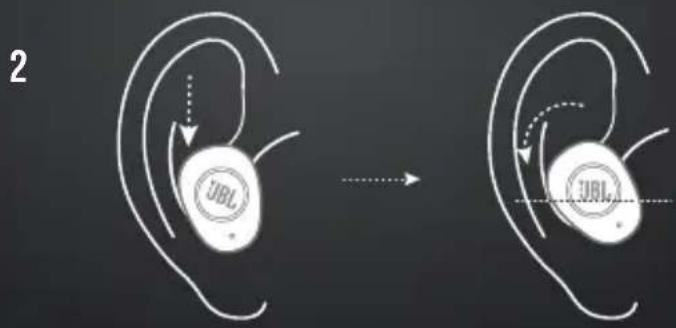
text_image
2 UBL UBLFIRST TIME USE
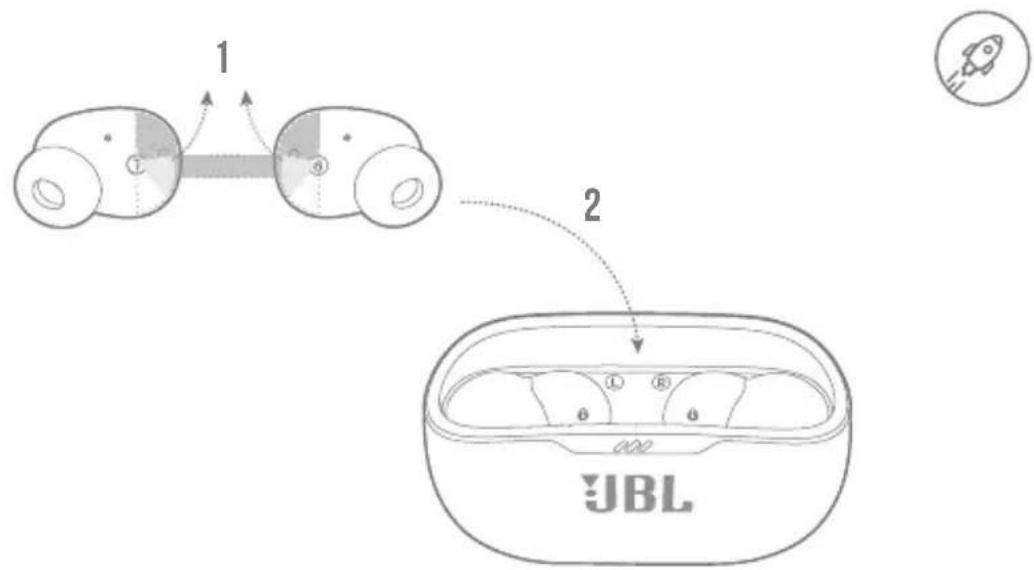
text_image
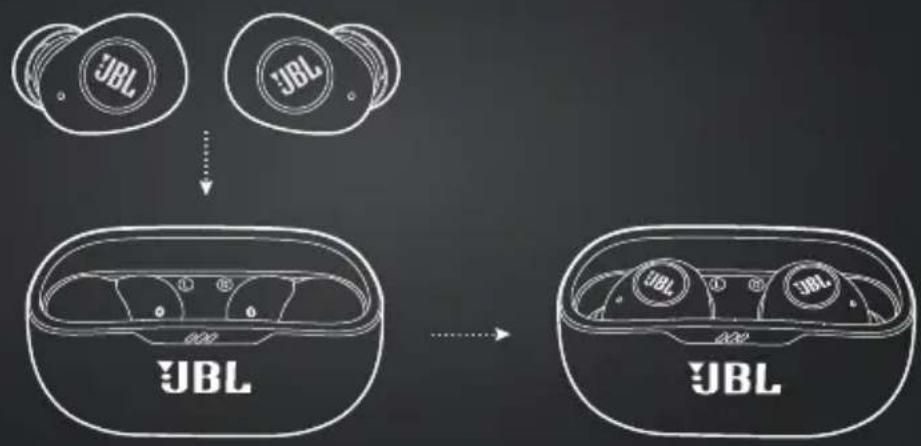
1 2 JBLPOWER ON & CONNECT

flowchart
graph TD
    A["JBL"] -->|1| B["Chamber"]
    B --> C["Bluetooth"]
    C --> D["Device"]
    D --> E["JBL Wave BUDS Connected"]
    E --> F["Now Discoverable"]
    G["JBL"] --> H["Chamber"]
    H --> I["Bluetooth"]
    I --> J["Device"]
    J --> K["JBL Wave BUDS Connected"]
    K --> L["Now Discoverable"]
    M["JBL"] --> N["Chamber"]
    N --> O["Bluetooth"]
    O --> P["Device"]
    P --> Q["JBL Wave BUDS Connected"]
    Q --> R["Now Discoverable"]
    S["JBL"] --> T["Chamber"]
    T --> U["Bluetooth"]
    U --> V["Device"]
    V --> W["JBL Wave BUDS Connected"]
    W --> X["Now Discoverable"]
    Y["JBL"] --> Z["Chamber"]
    Z --> AA["Bluetooth"]
    AA --> AB["Device"]
    AB --> AC["JBL Wave BUDS Connected"]
    AC --> AD["Now Discoverable"]
    AE["JBL"] --> AF["Chamber"]
    AF --> AG["Bluetooth"]
    AG --> AH["Device"]
    AH --> AI["JBL Wave BUDS Connected"]
    AI --> AJ["Now Discoverable"]
    AK["JBL"] --> AL["Chamber"]
    AL --> AM["Bluetooth"]
    AM --> AN["Device"]
    AN --> AO["JBL Wave BUDS Connected"]
    AO --> AP["Now Discoverable"]
    AQ["JBL"] --> AR["Chamber"]
    AR --> AS["Bluetooth"]
    AS --> AT["Device"]
    AT --> AU["JBL Wave BUDS Connected"]
    AU --> AV["Now Discoverable"]
    AW["JBL"] --> AX["Chamber"]
    AX --> AY["Bluetooth"]
    AY --> AZ["Device"]
    AZ --> BA["JBL Wave BUDS Connected"]
    BA --> BB["Now Discoverable"]
    BC["JBL"] --> BD["Chamber"]
    BD --> BE["Bluetooth"]
    BE --> BF["Device"]
    BF --> BG["JBL Wave BUDS Connected"]
    BG --> BH["Now Discoverable"]
    BI["JBL"] --> BJ["Chamber"]
    BJ --> BK["Bluetooth"]
    BK --> BL["Device"]
    BL --> BM["JBL Wave BUDS Connected"]
    BM --> BN["Now Discoverable"]
    BO["JBL"] --> BP["Chamber"]
    BP --> BQ["Bluetooth"]
    BQ --> BR["Device"]
    BR --> BS["JBL Wave BUDS Connected"]
    BS --> BT["Now Discoverable"]
    BU["JBL"] --> BV["Chamber"]
    BV --> BW["Bluetooth"]
    BW --> BX["Device"]
    BX --> BY["JBL Wave BUDS Connected"]
    BY --> BZ["Now Discoverable"]
    CA["JBL"] --> CB["Chamber"]
    CB --> CC["Bluetooth"]
    CC --> CD["Device"]
    CD --> CE["JBL Wave BUDS Connected"]
    CE --> CF["Now Discoverable"]
    DG["JBL"] --> DH["Chamber"]
    DH --> DI["Bluetooth"]
    DI --> DJ["Device"]
    DJ --> DE["JBL Wave BUDS Connected"]
    DE --> DF["Now Discoverable"]
    DGF["JBL"] --> DGH["Chamber"]
    DGH --> DGJ["Bluetooth"]
    DGJ --> DGK["Device"]
    DGK --> DGL["JBL Wave BUDS Connected"]
DUAL CONNECT

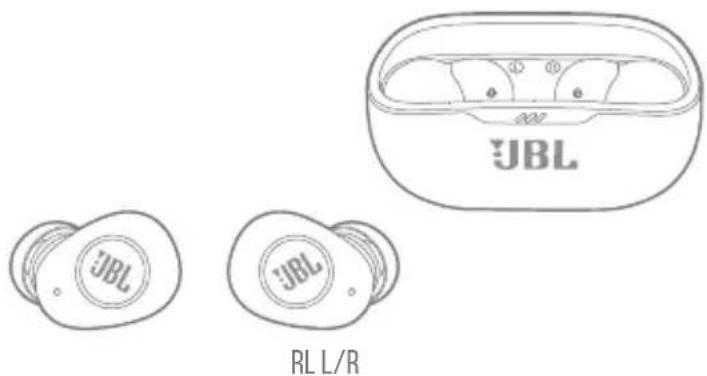
text_image
JBL JBL JBL RL L/RSTEREO MODE
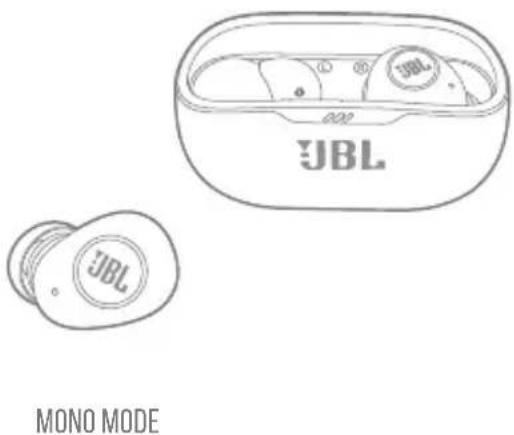
text_image
JBL JBL MONO MODECONTROLS


TAP × 1
TAP × 2

TAP × 3

HOLD (2s)

L


BIXBY/SIRI®/OTHERS BIXBY/SIRI

R


®/OTHERS
* ENABLE ADVANCE CONTROLS BY CONNECTING YOUR JBL WAVE BUDS TO JBL HEADPHONES APP

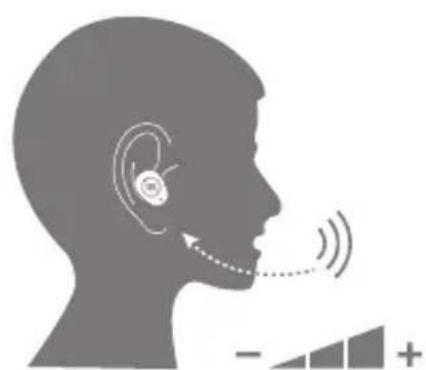
VOICEAWARE

natural_image
Silhouette of a human head with ear and earplifier, showing sound waves (no text or symbols)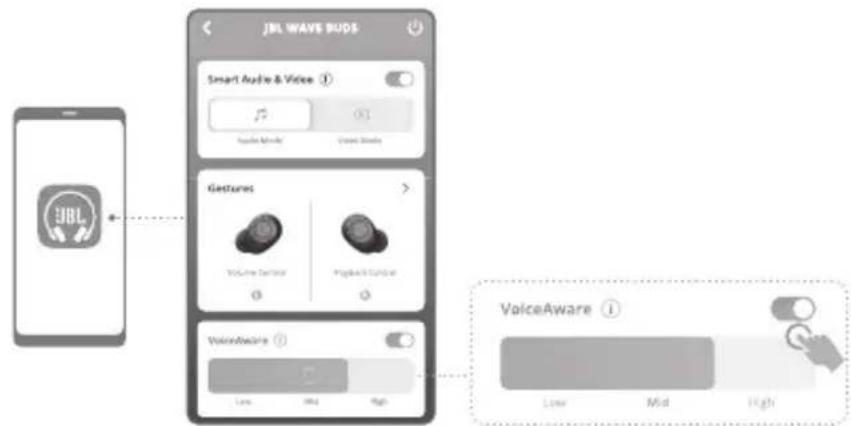
text_image
JBL WAVE BUDS Smart Audio & Voice Apple Music Voice Music Features Voice Trench Playback Trench VoiceAware Low Mid High VoiceAwarePOWER OFF
flowchart
graph TD
    A["Input Device 1: JBL"] --> C["JBL"]
    B["Input Device 2: JBL"] --> C
    C --> D["Output Device 3: JBL"]
    D --> E["Output Device 4: JBL"]
MANUAL SETUP
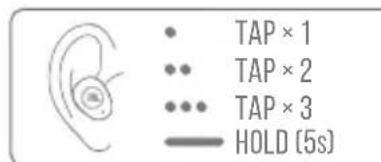
text_image
TAP × 1 TAP × 2 TAP × 3 HOLD (5s)CONNECT TO A NEW BLUETOOTH DEVICE
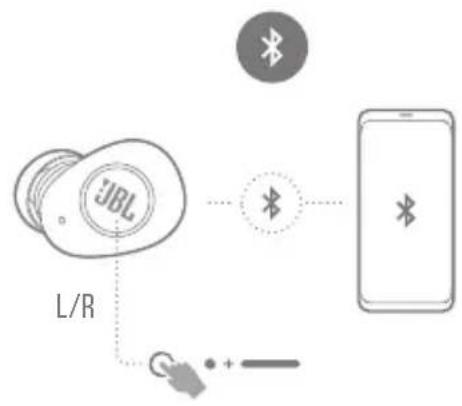
flowchart
graph TD
    A["JBL Card"] -->|L/R| B["Mobile Phone"]
    C["Bluetooth"] -->|Bluetooth| B
    D["+ -"] --> B
FACTORY RESET

DO MORE WITH THE APP


text_image
JBL WAVE BUDS Ambient Sound Control CI OFFICE SENS COOLIVE Equalizer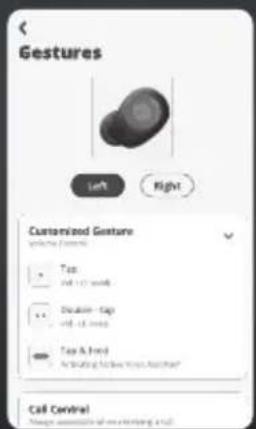
text_image
Gestures Left Right Customized Gesture forming (first) Top top +12 words Duration - top top - 12 words Top & first An expanding the new text. No change? Call Central Please choose to use this tool.
line
| Label | Value | | ------------ | ----- | | JATT | 100 | | VOCAL | 80 | | BASS | 70 | | EXTREAVE BASS | 60 |CHARGING
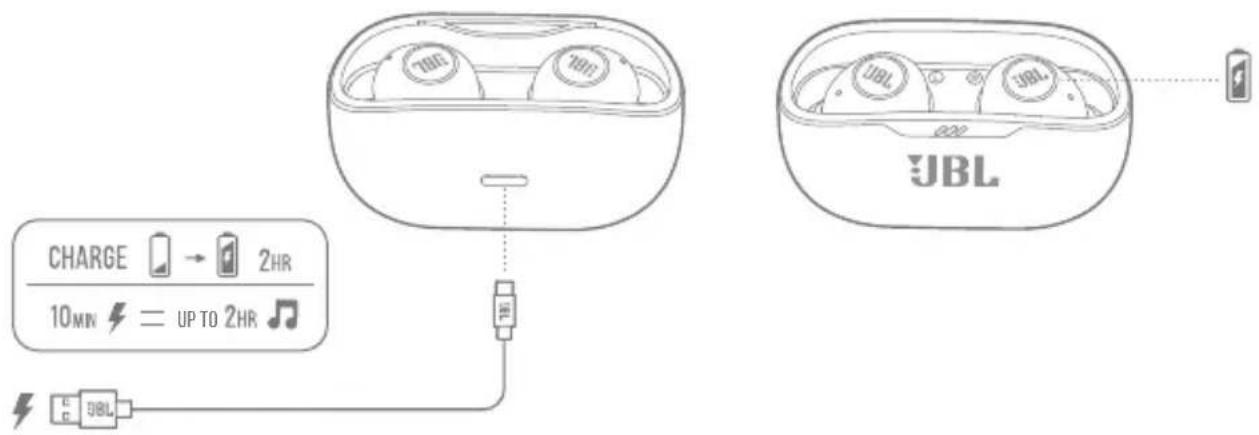
text_image
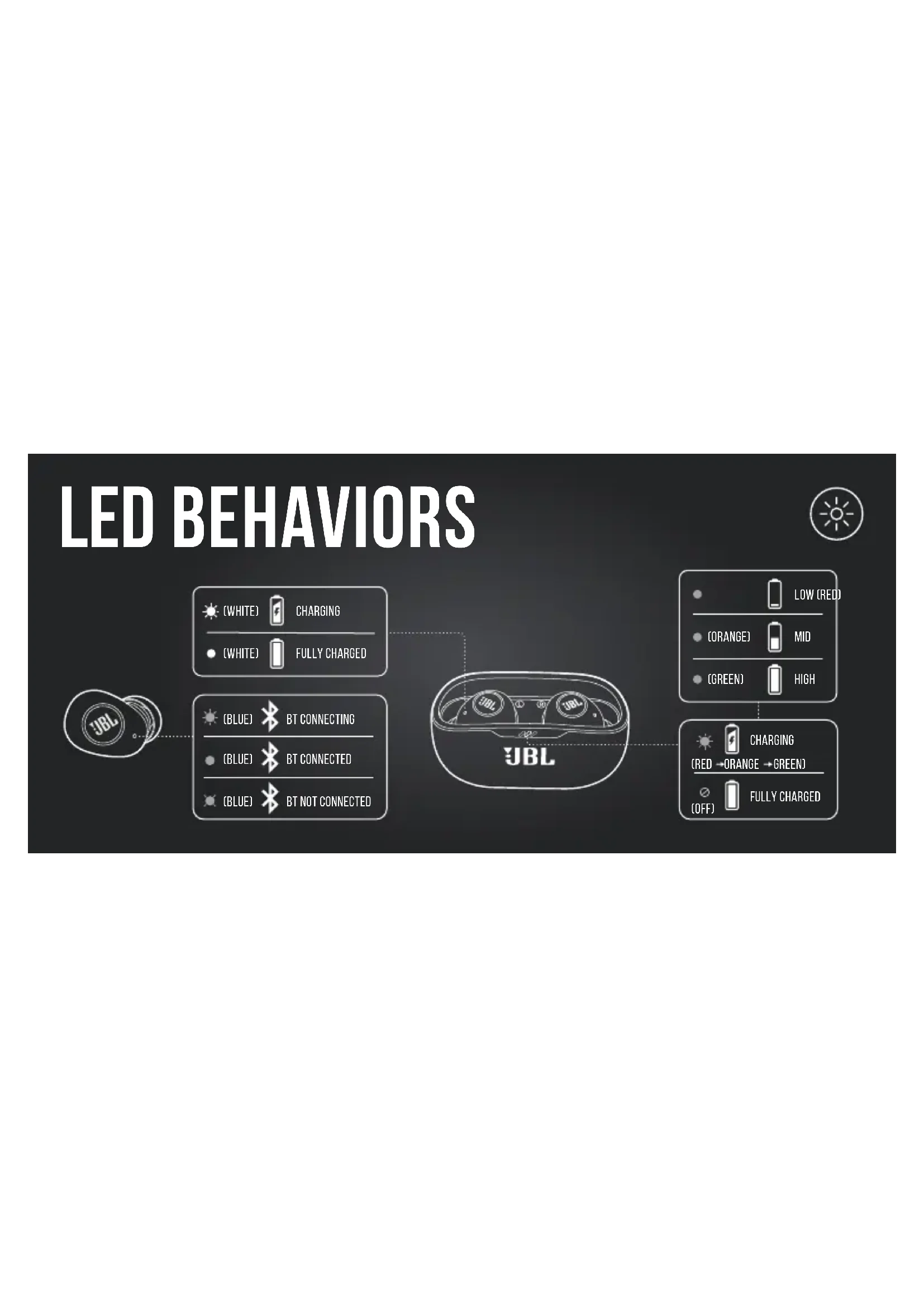
CHARGE → 2HR 10MIN ← UP TO 2HR JBL JBL JBLLED BEHAVIORS



[WHITE]

CHARGING

[WHITE]

FULLY CHARGED

[BLUE]

BT CONNECTING

(BLUE)

BT CONNECTED

(BLUE)

BT NOT CONNECTED
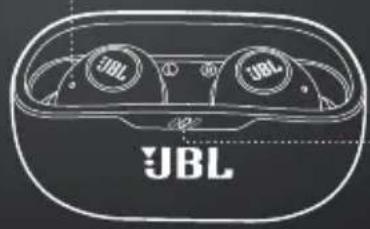
natural_image
Line drawing of a JBL (Jubil) smart earbuds with two buttons and a body labeled 'JBL' (no additional text or symbols)

LOW (RED)

(ORANGE)

MID

(GREEN)

HIGH


CHARGING

ORANGE GREEN)


FULLY CHARGED
TECH SPEC
Model: WAVE BUDS
Driver size: 8 mm/0.315" Dynamic Driver
Power supply: 5 V ---1 A
Earbud: 4.5 g per pc (9 g combined)/0.0099 lbs per pc (0.0198 lbs combined)
Charging case: 34 g/0.075 lbs
Earbud battery type: Lithium-ion polymer (47 mAh/ 3.8 V)
Charging case
battery type: Lithium-ion polymer (550 mAh/ 3.8 V)
Charging time: <2 hrs from empty
Music playtime with
BT on: 8 hrs
Talk time: 4.5 hrs
Frequency response: 20 Hz – 20 kHz
Impedance: 16 ohm
Sensitivity: 100 dB SPL@1 kHz
Maximum SPL: 95 dB
Microphone sensitivity: -38 dBV/Pa@1 kHz
Bluetooth version: 5.2
Bluetooth profile
version: A2DP V1.3, AVRCP V1.6, HFP V1.7
Bluetooth transmitter
frequency range: 2.4 GHz - 2.4835 GHz
Bluetooth transmitter
power: <10 dBm
Bluetooth transmitter
modulation: GFSK, π/4-DQPSK, 8DPSK
Maximum operation
temperature: 45 °C

FRD
CONTENU DE LA BOÎTE APPLICATION
performances audio parfaits.
HVAD ER DER I ÅESKEN
APP
Bluetooth-Profilversion: A2DP V1.3, AVRCP V1.6, HFP V1.7
A2DP V1.3, AVRCP V1.6, HFP V1.7
Bluetooth-profiliversio: A2DP V1.3, AVRCP V1.6, HFP V1.7
Bluetooth-lähettimen
taajuusalue: 2,4 GHz - 2,4835 GHz
collegando le tue JBL WAVE BUDS
(BLAUW) BT is verbonden
0.0099 lbs per pc (0.0198 lbs combined)
MANUELL KONFIGURERING
Koble til en ny Bluetooth-enhet
Tilbakestilling til fabrikkinnstillinger
GJ∅R MER MED APPEN
LADING
LED-ATFERD
(Hvit) Lading
(Hvit) Fulladet
(Blä) BT kobler til
(Blå) BT tilkoblet
(Blå) BT ikke tilkoblet
(Rød) Lav
(Oransje) Middels
(Grønn) Høy
Bluetooth-profilens version: A2DP V1.3, AVRCP V1.6, HFP V1.7
Bluetooth-sändarens
frekvensomfäng: 2,4 GHz – 2,4835 GHz
Ambient Aware (Ortam
Farkındalığı)*
Talkthru*
每隻 0.0099 lbs (兩隻 0.0198 lbs)
充電盒:34 g/0,075 lbs
KEGUNAAN LAIN APLIKASI
MENGISI DAYA
POLA LED
A2DP V1.3、AVRCP V1.6、HFP V1.7
Bluetooth対応トランスミ
* JBL WAVE BUDS를 JBL Headphones
앱에 연결하여 고급
컨트롤을 활성화합니다.
VOICEAWARE
전원 끄기
수동 설정
새 Bluetooth 장치 연결
공장 초기화
앱으로 더 많은 기능 즐기기
충전
LED 동작
(흰색)충전 중
(흰색)완전히 충전됨
(파란색)BT연결중
(파란색)BT연결됨
(파란색)BT연결되지 않음
(빨간색)낮음
(주황색)중간
(초록색)높음
(빨간색-주황색-초록색)
충전 중
(꺼짐)완전히 충전됨
기술사양
모델: WAVE BUDS
A2DP V1.3, AVRCP V1.6, HFP V1.7
2.4 GHz - 2.4835 GHz
<10 dBm
GFSK, π/4-DQPSK, 8DPSK
45°C
The Bluetooth ^® word mark and logos are registered trademarks owned by Bluetooth SIG, Inc. and any use of such marks by HARMAN International Industries, Incorporated is under license. Other trademarks and trade names are those of their respective owners.
WARNING
DO NOT ATTEMPT TO OPEN, SERVICE, OR DISASSEMBLE THE BATTERY | DO NOT SHORT CIRCUIT | MAY EXPLODE IF DISPOSED OF IN FIRE | RISK OF EXPLOSION IF BATTERY IS REPLACED BY AN INCORRECT TYPE | DISPOSE OR RECYCLE USED BATTERIES ACCORDING TO THE INSTRUCTIONS