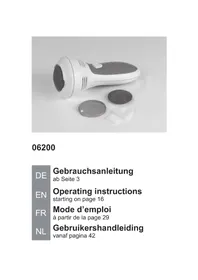
06200 - Callus removal VitalMaxx - Free user manual and instructions
Find the device manual for free 06200 VitalMaxx in PDF.



| Brand | VitalMaxx |
| Model | 06200 |
| Product type | Callus remover (callus eliminator) |
| Intended use | Removal of calluses and dry dead skin on feet, domestic use |
| Power supply | 4 AAA batteries (1.5 V) or USB cable (power adapter not included) |
| Supply voltage | 6 V DC |
| Included attachments | 2 attachments (coarse and fine) |
| Protective cap | Yes |
| Filter | Yes, removable and washable |
| Cleaning brush | Included |
| USB cable | Included (USB-A to micro-USB) |
| Suction function | Integrated |
| Safety system | Automatic shut-off in case of excessive pressure |
| Care and cleaning | Attachments washable under water, filter tapped/brushed, device cleaned with damp cloth |
| Battery replacement | Remove used batteries, observe polarity (+/-) |
| Spare parts | Replacement attachments available (not included) |
| Repairability | Do not repair yourself, contact customer service |
| Warranty | Manufacturing defects covered, normal wear excluded |
| Standards | CE, WEEE directive 2012/19/EU |
| Customer service | DS Produkte GmbH, Am Heisterbusch 1, 19258 Gallin, Germany |
Frequently Asked Questions - 06200 VitalMaxx
User questions about 06200 VitalMaxx
0 question about this device. Answer the ones you know or ask your own.
Ask a new question about this device
Download the instructions for your Callus removal in PDF format for free! Find your manual 06200 - VitalMaxx and take your electronic device back in hand. On this page are published all the documents necessary for the use of your device. 06200 by VitalMaxx.
USER MANUAL 06200 VitalMaxx
Operating instructions
starting on page 16
FR
Mode d'emploi
a partir de la page 29
NL
Before Initial Use 22
Power Supply 23
Changing the Attachment 24
Use 24
Cleaning and Storage 26
Technical Data 27
Troubleshooting 27
Disposal 28
Dear Customer,
We are delighted that you have chosen this callus remover.
Before using the device for the first time, please read the operating instructions carefully and keep them for future reference. If the device is given to someone else, it should always be accompanied by these operating instructions. They are an integral part of the device. The manufacturer and importer do not accept any liability if the information in these operating instructions is not complied with.
If you have any questions about the device and about spare parts / accessories, contact the customer service department via our website: www.dspro.de/kundenservice
Explanation of the Symbols and Signal Words

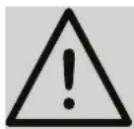
Danger symbol: This symbol indicates dangers of injury. Read through the associated safety notices carefully and follow them.
Supplementary information

Symbol for direct current

Read operating instructions before use!
DANGER warns of serious injuries and danger to life
WARNING warns of possible serious injuries and danger to life
NOTICE warns of material damage
Intended Use
- This device is intended to be used to remove calluses as well as dry skin from your feet.
- Only use the device on your feet; do not use it on other parts of your body.
- The device is designed for personal use only and is not intended for commercial applications.
- The device should only be used as described in the operating instructions. Any other use is deemed to be improper.
- The warranty does not cover faults caused by incorrect handling, damage or attempted repairs. The same applies to normal wear and tear.
Safety Notices
This device should not be used by people (including children) with impaired sensory or mental faculties or who do not have adequate experience and/or knowledge of such devices, unless they are supervised by a person responsible for their safety, or have received instructions from such a person on how to use the device.
The device is not a toy!
The device must always be switched off and disconnected from the mains power when it is left unattended and before assembling, disassembling, changing battery or cleaning the device.
DANGER - Danger of Electric Shock!
- Never immerse the device and the USB connector in water or other liquids and ensure that they cannot fall into water or become wet.
Should the device fall into water, switch off the power supply immediately. Do not attempt to pull it out of the water while it is still connected to the mains power! - Never touch the device and the USB connector with wet hands.

WARNING - Danger of Injury!
Danger of suffocation! Keep children and animals away from the packaging material.
Danger of strangulation! Make sure that the USB cable is always kept out of the reach of small children and animals.
Danger of burns from battery acid!
-Batteries can be fatal if swallowed. Keep batteries and the device out of the reach of children and animals. If a battery is swallowed, immediate medical attention must be sought.
-If a battery leaks, avoid physical contact with the battery acid. Wear protective gloves if necessary. If you touch battery acid, rinse the affected areas with abundant fresh water straight away and seek medical assistance immediately.
People who have a pacemaker or belong to another risk group should consult a doctor before using the device.
The device is not suitable for people who suffer from haemophilia, diabetes, or an immunodeficiency disorder.
- Do not use the device on injured, infected, loose, or (sun-) burnt skin or in the direct vicinity of acne, birthmarks, warts or varicose veins.
If you have skin problems on your feet, consult a doctor before using the device.
For reasons of hygiene, an attachment should only be used by one person.
- Do not use the device if it is damaged. Before each use, check whether the device is in good condition. If there is any damage or wear or sharp edges, injuries could occur.
Make sure that the rotating parts of the device only come into contact with the calluses to be treated. Never touch the attachment with your fingers during operation!
Danger of injury due to rotating device parts! Keep clothing, jewellery, hair, hands and other body parts away from the device so that nothing can get caught in rotating device parts.
Use only original accessories from the manufacturer in order to guarantee that there is no interference that may prevent the device from working and to avoid possible damage.
Consult a doctor if skin irritations occur.
Danger of tripping! Make sure that the connected USB cable does not present a trip hazard.
NOTICE - Risk of Damage to Material and Property from Batteries
Use only the battery type specified in the technical data. When replacing batteries, ensure the correct polarity (+ / -) .
Always replace all batteries together. Never use batteries of different types or brands, or batteries with different capacities.
Take the batteries out of the device when they are dead or if you will not be using the device for a prolonged period. This will prevent any damage that might occur if a battery leaks.
Remove a dead battery from the device immediately.
NOTICE - Risk of Damage to Material and Property
Only use suitable USB mains adapters whose technical data is the same as that of the device.
Make sure that the USB cable is not squashed, bent or laid over sharp edges and does not come into contact with hot surfaces. Do not wrap the USB cable around the device (danger of the cable breaking).
No liquid must be allowed to enter the device. Do not immerse in water! Never use while bathing or showering!
The device should only be used if it has been fully and correctly assembled! The filter must be inserted and must not be damaged! If the dirt were to get inside the device, this could damage the motor.
Do not insert any objects into the openings of the device.
-
Protect the device from heat, naked flames, direct sunlight, sub-zero temperatures, persistent moisture, wet conditions and impacts.
-
Do not allow the device to operate unattended. Switch off the device and put on the protective cap when you are not using it.
In the event of damage / faults, switch the device off immediately. -
Do not make any modifications to the device. Do not try to repair it yourself or to replace any individual parts. In the event of damage, contact the customer service department.
Items Supplied
1xbasicdevice
- 1 x protective cap
- 2 × attachment (1 x coarse and 1 x fine)
1 x ring
1 x filter
- 1 x USB cable (A connector to Micro B connector)
- 1 x cleaning brush
- 1 x operating instructions
Check the items supplied for completeness and transport damage. If you find any damage to the components, do not use them, but contact our customer service department.
Four batteries (1.5 V, AAA type) are required for battery operation. These are not supplied.
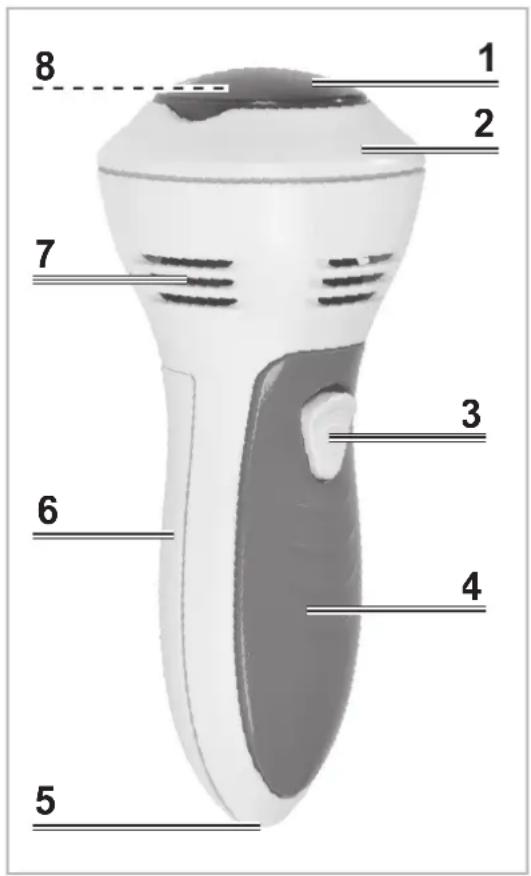
Device Overview
1 Protective cap
2 Ring
3 On/Off switch
4 Handle
5 Micro USB input
6 Battery compartment
7 Ventilation slots
8 Attachment (under protective cap)
Before Initial Use
- Remove any protective films and stickers that may be present from the device. Never remove the rating plate and any possible warnings!
- Clean the attachments before you first use them as they may have possible production residues on them. Follow the instructions in the "Cleaning and Storage" chapter to do this.
Power Supply

PLEASE NOTE!
No batteries may be inserted in the device if it is to be operated via the USB cable.
The device can either be operated with batteries or be connected to the mains power via the USB cable.
Batteries
Before inserting the batteries, check whether the contacts in the device and on the batteries are clean, and clean them if necessary.
- Pull up the battery compartment cover by the tab labelled OPEN and take it off.
- Remove any used batteries if necessary and dispose of them in an environmentally friendly way.
- Insert four new batteries. Pay attention to the correct polarity (+ / -) .
- Insert the locking lug of the battery compartment cover into the opening which is provided for it and press the battery compartment cover shut. It must engage audibly.
Replace the batteries when the power of the device starts to wane.
USB Cable
- Connect the end with the Micro USB connector to the Micro USB input (5) on the device.
- Connect the other end with the USB connector to a plug socket via a suitable USB mains adapter (not supplied with the device).
Changing the Attachment
PLEASE NOTE!
A damaged / worn attachment can cause injuries to the skin and must be replaced.
- Grip the protective cap (1) at the level of the two recesses on the ring (2) and pull it off.
- Grip the attachment (8) at the level of the two recesses on the ring and pull it off the device.
- Place another or new attachment on the mount and press it on firmly. It must engage audibly.
Use
PLEASE NOTE!
The device should only be used with a correctly applied attachment!
Only use the device on uninjured calluses on your feet.
Do not use the device on tender, soft skin.
- Do not press the attachment against the skin with force. It could be injured.
From time to time, check the area you are treating to avoid penetrating your skin too deeply and causing injuries. Do not hold the attachment on one spot for longer than 2 to 3 seconds.
If you experience an unpleasant sensation while you are using the device, stop applying it immediately!
Removal of Calluses
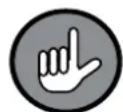
For dry application, make sure that there are no cream or care oil residues on your feet.
- Connect the device to the mains power via the USB cable or insert batteries (see the "Power Supply" chapter).
- Grip the protective cap (1) at the level of the two recesses on the ring (2) and pull it off.
- Place the required attachment (8) on the device (see the "Changing the Attachment" chapter).
- Slide the On / Off switch (3) to the ON position to switch on the device. The attachment starts to rotate and the suction function is activated.
- Place the rotatin g attachment against the callus and move the device back and forth and to the sides. Move the device slowly and without pressure.
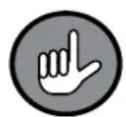
If the device is pressed too firmly against the skin, the attachment will automatically come to a stop to prevent skin injuries.
- Switch off the device after use by sliding the On / Off switch to the OFF position.
After Treatment
- After treatment, apply cream to the feet so that the skin becomes soft and tender.
- Clean the device after each use (see the "Cleaning and Storage" chapter).
Cleaning and Storage

PLEASE NOTE!
-
Do not use any caustic or abrasive cleaning agents to clean the device. These may damage the surface.
-
Remove the attachment (8) from the device (see the "Changing the Attachment" chapter) and brush off any flakes of skin with the cleaning brush that is also supplied. Then rinse off the attachment under running water.
- Turn the ring (2) towards the symbol and take it off.
- Remove the filter and tap it out. Clean it with the cleaning brush if necessary.
- Place the filter on the device.
- Place the ring on the device and turn it towards the symbol to fix it in place.
- Place the attachment on the mount in the device. Please Note: The attachment must be completely dry!
- Place on the protective cap (1) and press it on firmly so that its locking lugs hook into the suction openings in the ring.
- Wipe down the device with a damp cloth and then dry it with a dry cloth.
- Store the device and accessories in a dry place which is not accessible to children and animals.
Technical Data

Article number: 06200
Model: BG-F-900
Voltage supply: 6 V DC (4 x 1.5 V battery, AAA type)
ID of operating instructions: Z 06200 M DS V1 0518
Troubleshooting
If the device does not work properly, check whether you are able to rectify the problem yourself. If the problem cannot be solved with the steps listed, contact the customer service department.

Do not attempt to repair an electrical device yourself!
| Problem Possible | cause/solution |
| The device is not working. | Battery mode: Are the batteries too weak or incorrectly inserted? Insert new batteries if necessary and check the polarity. |
| USB cable: Are the plug connections fitted correctly? Correct the fi t. Is the plug socket defective? Try another plug socket. Is the mains adapter defective or unsuitable? Try another mains adapter. Is there no mains voltage? Check the fuse of the electrical distributor (fuse box). | |
| The calluses are not being properly removed. | The attachment (8) is worn. Replace the attachment. |
| The device does not suck properly. | Is the filter clogged up? Clean the filter. The fi iter must be replaced if necessary. |
Disposal
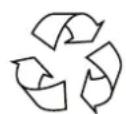
Dispose of the packaging material in an environmentally friendly manner so that it can be recycled.
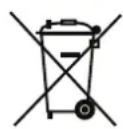
The batteries should be removed prior to disposal of the device and disposed of separately from the device at suitable collection points.
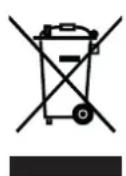
This device is governed by the European Directive 2012/19/EU on waste electrical and electronic equipment (WEEE). Do not dispose of this device as normal domestic waste, but rather in an environmentally friendly manner via an offi cially approved waste disposal company.
Customer Service / Importer:
DS Produkte GmbH
Am Heisterbusch 1, 19258 Gallin, Germany
Tel.: +49 38851 314650
(Calls to German landlines are subject to your provider's charges.)
All rights reserved.
Sommaire
Chere cliente, cher client,