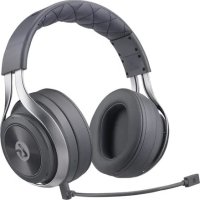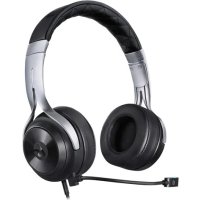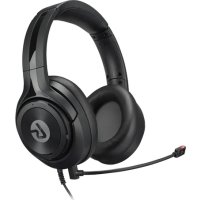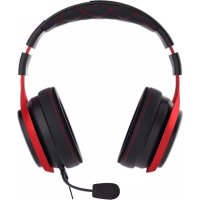
LS25 - Headphones LucidSound - Free user manual and instructions
Find the device manual for free LS25 LucidSound in PDF.


| Product Type | Wired headset |
| Brand | LucidSound |
| Model | LS25 |
| Microphone | Removable external microphone + built-in internal microphone |
| Connectivity | 3.5mm jack |
| Compatibility | PlayStation, Xbox One, PC, mobile devices |
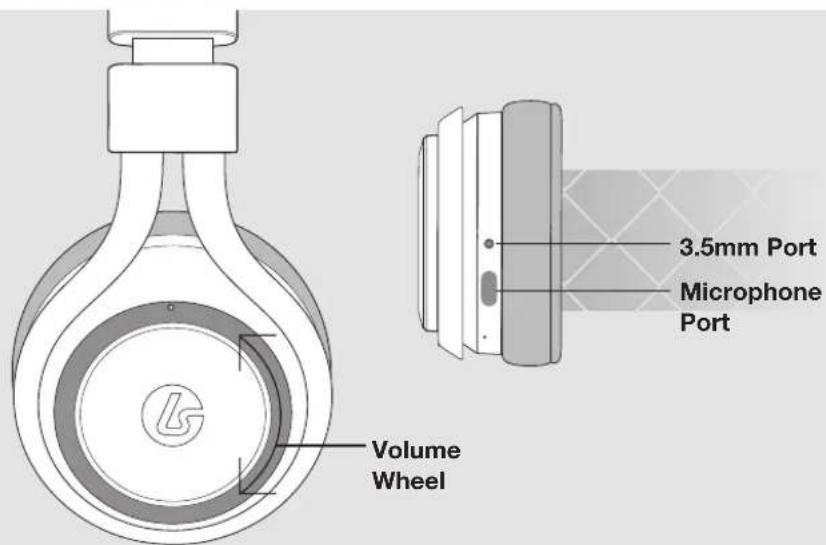
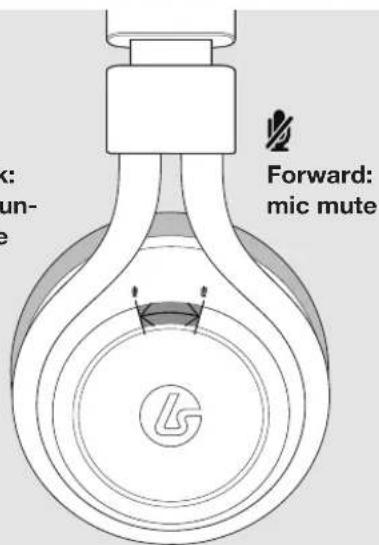
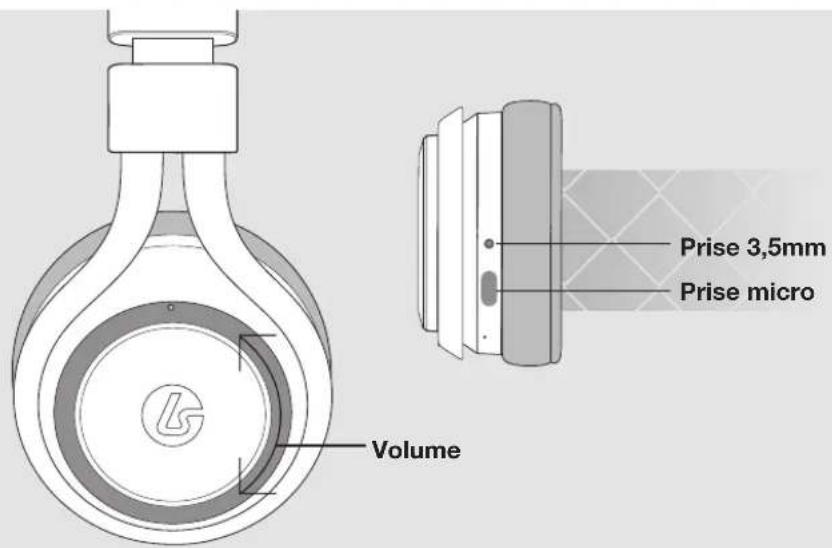
| Integrated controls | Volume and microphone mute (forward/backward button) |
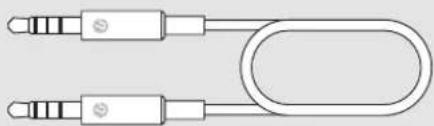
| Included accessories | 3.5mm cable for PC, 3.5mm mobile cable, external microphone |
| Spatial sound | Windows Sonic for Headphones (Xbox One and PC) |
| Warranty | 2 years (Europe), 1 year (Canada) |
| Care | Wipe with a dry soft cloth |
| Safety | Avoid moisture and shocks |
| Spare parts | Cables and external microphone available separately |
| Manufacturer | Lucid Sound Inc., made in China |
Frequently Asked Questions - LS25 LucidSound
User questions about LS25 LucidSound
0 question about this device. Answer the ones you know or ask your own.
Ask a new question about this device
Download the instructions for your Headphones in PDF format for free! Find your manual LS25 - LucidSound and take your electronic device back in hand. On this page are published all the documents necessary for the use of your device. LS25 by LucidSound.
USER MANUAL LS25 LucidSound
natural_image
Close-up of a black and white headboard with a S5 logo, shown against a plain background (no text or symbols visible)
EN HEADSET

[L]
[R]

Back: mic un-
mute

ENA

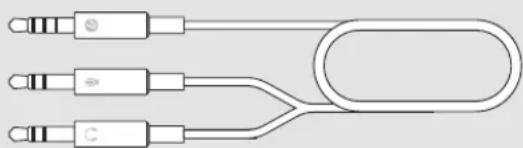
Boom Mic 3.5mm to PC cable
natural_image
Pure mechanical linkage diagram without any text, numbers, or symbols
natural_image
Pure electrical circuit lines without any symbols
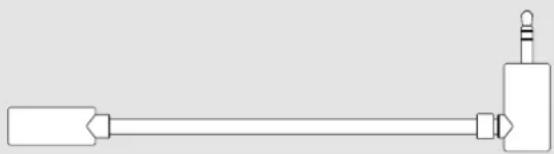
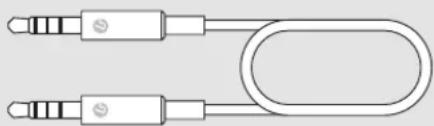
Mobile 3.5mm Cable
natural_image
Pure diagram of two connected audio/video cables with no text or symbols
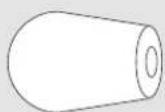
Wind Sock
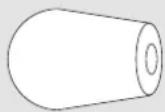

Mic Port Cover [2]

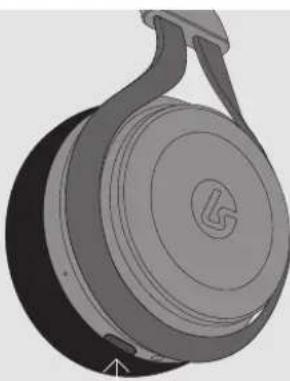
The LS25 includes an optional boom microphone. When this microphone is removed, an internal microphone is activated.
To connect the boom microphone, insert it into the port on the bottom of the headset.
natural_image
3D rendering of a mechanical component with a circular head and handle (no text or symbols visible)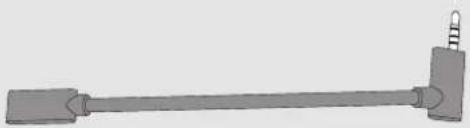
natural_image
Simple 3D illustration of a mechanical lever with a spring attached (no text or symbols)4 SETUP

Go into Settings > Devices > Audio Devices and set the 'Output to Headphone' to 'All Audio'.
2 Set the 'Volume Control (Headphones)' to maximum. You can now use the controls on the headset to adjust volume and mute.
MOBILE SETUP

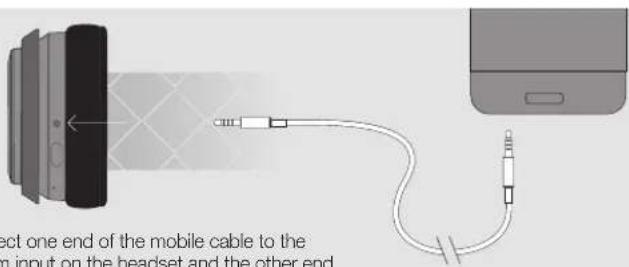
Connect one end of the mobile cable to the 3.5mm input on the headset and the other end to the 3.5mm output on the mobile device.
natural_image
Diagram showing a game controller connecting to a device via cable (no text or symbols present)Controllers with 3.5mm port
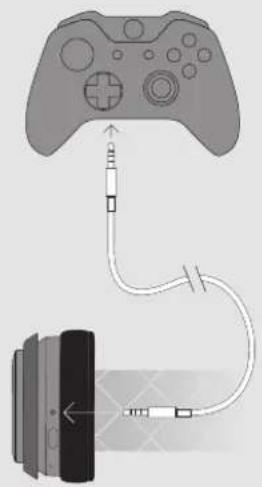
Connect one end of the Xbox One chat cable to the 3.5mm port on the headset and the other end to the 3.5mm port on the Controller.
2 Press the Xbox Guide button and navigate to the gear icon.
3 Set 'Headset volume' to maximum. Make sure that 'Headset mic' is turned to 'On'.
4 Set 'Headset chat mixer' for the desired level of game and chat audio balance (default is 50%). You can now use the controls on the headset to adjust volume and mute.
Controllers without 3.5mm port
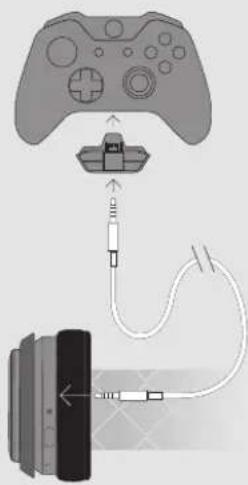
If the Xbox One Controller does not have a 3.5mm port, an Xbox One Stereo Headset adapter is required (not included).
Connect one end of the Xbox One chat cable to the 3.5mm port on the headset and the other end to the 3.5mm port on the Stereo Headset Adapter.
2 Adjust the game/chat balance on the Stereo Headset Adapter for the desired level of chat and game audio balance.
Adjust the volume on the Stereo Headset Adapter to Maximum. You can now use the controls on the headset to adjust volume and mute.
EN PC SETUP

For computers with separate headphone and mic ports
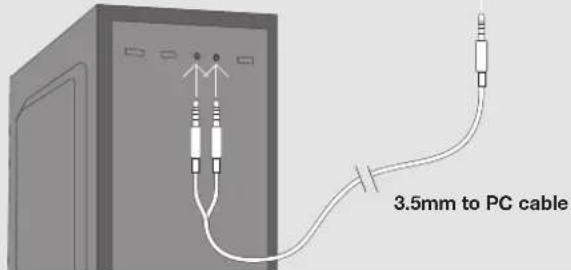
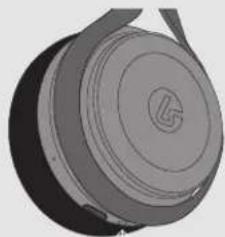
Connect the single jack end of the 3.5mm to PC cable to the 3.5mm port on the headset.
2 Connect the green jack to the headphone port on the computer.
3 Connect the pink jack to the microphone port on the computer.
Open the computer's sound control panel and set the LS25 to be the input and output device.
natural_image
3D rendered mechanical component with circular top and flange (no text or symbols)For computers with a single combined headphone/mic port
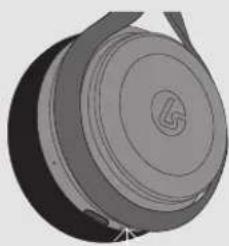
Connect one end of the mobile cable to the 3.5mm port on the headset and the other end to the 3.5mm port on the computer.
2 Open the computer's sound control panel and set the LS25 to be the input and output device.
natural_image
3D rendered mechanical component with circular and ring features (no text or symbols)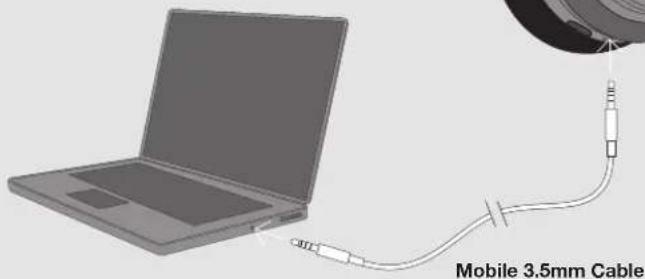
ENABLING WINDOWS SONIC FOR HEADPHONES
[ XBOX ONE | PC ]

EN
Press the Xbox Guide button and navigate to All settings > Display & sound > Audio output. Under the Headset Audio dropdown select 'Windows Sonic for Headphones'.
For PCFor XBOX ONE
Right click the speaker icon in the taskbar. Choose Spacial Sound (None) from the pop up menu. Choose 'Windows Sonic for Headphones' as the Spatial sound format. Click 'OK.'
SUPPORT
?#!*
Model No: LS25
LucidSound, Inc. Made in China
©2017 Lucid Sound, Inc. 701 Palomar Airport Rd., Suite 230, Carlsbad, CA 92011 U.S.A. LucidSound and the Lucid Sound logo, are trademarks of Lucid Sound, Inc., its subsidiaries, and affiliates. The shape and design of this product are a trade dress of Lucid Sound, Inc., its subsidiaries and affiliates. All rights reserved. All other product names and images are trademarks or registered trademarks of their respective owners. Made in China. Product features, appearance and specifications may be subject to change without notice. Please retain this information for future reference.
A copy of the EU/ED Declaration of Conformity can be found at lucidsound.com/EUDOC.
EN SUPPORT
?#!\*
Warranty
LucidSound, Inc. warrants this product to be free from defects in materials and workmanship for the warranty period. This non-transferable, 1-year limited warranty is only to you, the first end-user purchaser. If a defect covered by this warranty occurs AND you provide proof of purchase, LucidSound, Inc., at its option, will repair or replace the product at no charge (excluding shipping to LucidSound).
The LucidSound, Inc., 1-year limited warranty is available to customers in the United States and worldwide. Your sole and exclusive remedy is repair or replacement of your LucidSound product. In no event shall LucidSound's liability exceed the original purchase price of the product. This warranty does not apply to: (a) normal wear and tear or abusive use; (b) industrial, professional or commercial use; (c) if the product has been tampered with or modified.
To receive warranty service, please contact us at: lucidsound.com
(toll free) 888-661-4469
1-760-579-6969
Europe
LucidSound, Inc. 2-year limited warranty is available to customers in Europe.
Australia
Our goods come with guarantees that cannot be excluded under the Australian Consumer Law. You are entitled to a 1 year replacement warranty in which you are entitled to have the goods repaired or replaced if the goods fail to be of acceptable quality and the failure does not amount to a major failure.
What you must do:
If a defect has appeared within 90 days from the date of purchase, the product may be returned to the retailer for a replacement.
If a defect has appeared after 90 day from the date of purchase, you must initiate a repair by following the online repair process at www.lucidsound.com.au.
Once all details are completed, you will receive a return authorisation number.
Then label and ship your LucidSound headset – including the return authorisation (RA) number, freight prepaid, to LucidSound's authorised repair centre.
LucidSound
c/o Tecworks International Pty Ltd
Unit 1/12 Tollis Place
Seven Hills NSW 2141
Please ensure the return authorisation (RA) number is prominently displayed on the outside of your packaging. The cost incurred to return the product to the retailer or to the authorised repair centre as part of a Warranty claim are your responsibility.
What we will do:
During the Warranty Period, we will, at our option, repair or replace the product or any defective parts. We will also bear the reasonable costs of standard return shipping. If this cannot be done, then we will refund the purchase price to you.
AU wholesale distributor:
Bluemouth Interactive Pty Ltd, Level 2, 2 Darling Street, South Yarra, Victoria, 3141
Email: support@bluemouth.com.au


FRCA
[G]
[D]

natural_image
Pure electrical circuit lines without any symbols2 Câble mobile 3,5mm
natural_image
Pure diagram of two USB cable connectors without any text or symbols4 Bonnette anti-vent
natural_image
3D rendering of a mechanical component with a circular head and handle (no text or symbols visible)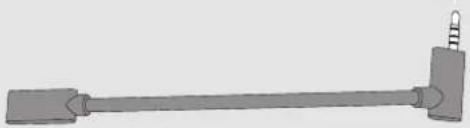
natural_image
Simple 3D illustration of a mechanical lever with a spring attached (no text or symbols)TION
4

FR
natural_image
Diagram showing a game controller connected to a device via cable (no text or symbols present)natural_image
Diagram showing a game controller connected to a cable via cable connector, with an external device below (no text or symbols present)Manettes sans port 3,5mm
natural_image
3D rendered mechanical component with circular top and flange (no text or symbols)natural_image
3D rendered mechanical component with circular features and a central hole (no text or symbols)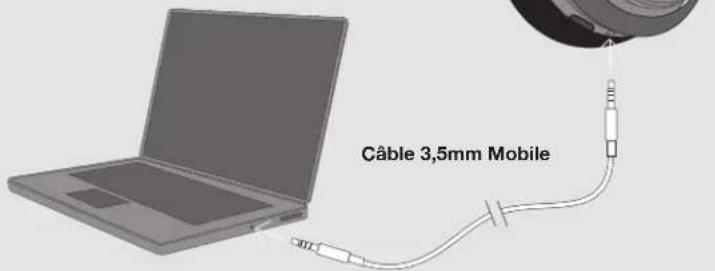
FR
ACTIVATION DE WINDOWS SONIC FOR HEADPHONES [ XBOX ONE | PC ]
![LucidSound LS25 - ACTIVATION DE WINDOWS SONIC FOR HEADPHONES [ XBOX ONE | PC ] - 1](/content/2026/04/587914/images/a437d1b0a9b9db21cf9fcb0dd0d454364ff3868054d5eb52ce8ffa7aabe99408.jpg)
natural_image
Pure electrical circuit lines without any symbols![LucidSound LS25 - ACTIVATION DE WINDOWS SONIC FOR HEADPHONES [ XBOX ONE | PC ] - 2](/content/2026/04/587914/images/d9f6f4663814ad50eb4ae91f042011e47941841208f3c1d897e7a40c5f918a1d.jpg)
Mobil 3,5mm Kabel
![LucidSound LS25 - ACTIVATION DE WINDOWS SONIC FOR HEADPHONES [ XBOX ONE | PC ] - 3](/content/2026/04/587914/images/a59b6358df1e0f4f61c8bd217101e02495d86f9353305fafcc7b9aa0b3dfd27e.jpg)
natural_image
Pure electrical connector diagram without any text, numbers, or symbols![LucidSound LS25 - ACTIVATION DE WINDOWS SONIC FOR HEADPHONES [ XBOX ONE | PC ] - 4](/content/2026/04/587914/images/247c6e05fc95ee77a0b86fd52b6cec81cd1c9677bdbefc50b11288487df2ea60.jpg)
Mikrofon-Windschutz
![LucidSound LS25 - ACTIVATION DE WINDOWS SONIC FOR HEADPHONES [ XBOX ONE | PC ] - 5](/content/2026/04/587914/images/dfb9b778c65aa69e70bcbc1cd79d2b29ac75e4bebbfa99abbe759e8778799939.jpg)
![LucidSound LS25 - ACTIVATION DE WINDOWS SONIC FOR HEADPHONES [ XBOX ONE | PC ] - 6](/content/2026/04/587914/images/bf2fa08fe86dbb13d80c52f919c610ae83778b1726774316f87e932e888c597a.jpg)
natural_image
3D rendered mechanical component with circular head and handle (no text or symbols)![LucidSound LS25 - ACTIVATION DE WINDOWS SONIC FOR HEADPHONES [ XBOX ONE | PC ] - 7](/content/2026/04/587914/images/276ffbf3dad0dd0e7d52ff135069772757ece8a5e3d92507cd10a2fdb695f2a0.jpg)
natural_image
Simple 3D illustration of a mechanical lever with a spring attached (no text or symbols)4 SETUP

DE
natural_image
Diagram showing a game controller connected to a device via cable (no text or symbols present)Mit 3,5mm Anschluß
natural_image
Diagram showing a game controller connected to a cable via cable connector (no text or symbols present)Ohne 3,5mm Anschluß
natural_image
3D rendered mechanical component with circular features and a central knob (no text or symbols visible)natural_image
3D rendered mechanical component with circular top and flange (no text or symbols)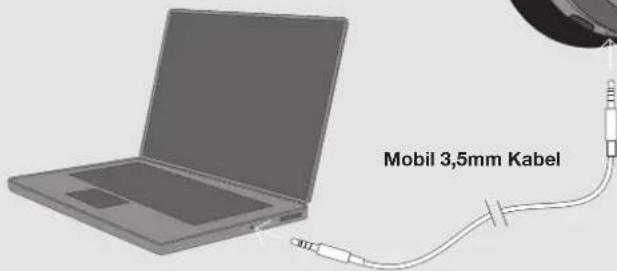
DE
AKTIVIEREN VON WINDOWS SONIC FOR HEADPHONES [ XBOX ONE | PC ]
![LucidSound LS25 - AKTIVIEREN VON WINDOWS SONIC FOR HEADPHONES [ XBOX ONE | PC ] - 1](/content/2026/04/587914/images/39574a97c4d123b24e88135a1ba435efe3028606a6840ad8c06125027ebd2e4e.jpg)
natural_image
Pure electrical circuit lines without any symbols2 Cavo 3,5 millimetri
![LucidSound LS25 - AKTIVIEREN VON WINDOWS SONIC FOR HEADPHONES [ XBOX ONE | PC ] - 2](/content/2026/04/587914/images/81d039e755e5c1f1a75aee84c0ab33b3ff0f08b6fcadb30580fe6618809d7def.jpg)
natural_image
Pure diagram of two USB cable connectors without any text or symbolsnatural_image
3D rendered illustration of a mechanical component with a circular head and handle (no text or symbols)![LucidSound LS25 - AKTIVIEREN VON WINDOWS SONIC FOR HEADPHONES [ XBOX ONE | PC ] - 3](/content/2026/04/587914/images/ca8aba10d5c9db91b3364a75be31bdfca0e45e33923689119dee54bd7b334b5d.jpg)
natural_image
Simple 3D illustration of a mechanical lever with a handle and pivot (no text or symbols)![LucidSound LS25 - AKTIVIEREN VON WINDOWS SONIC FOR HEADPHONES [ XBOX ONE | PC ] - 4](/content/2026/04/587914/images/c685428b1a407641d5bbf67b19cd57680cce6a0daac9ecb8a8a4477989bdee17.jpg)
natural_image
Diagram showing a game controller connected to a device via cable (no text or symbols present)Con porta 3,5mm
Senza porta 3,5mm
natural_image
3D rendering of a mechanical component with concentric rings and a central circular feature (no text or symbols)natural_image
3D rendered mechanical component with circular top and flange (no text or symbols)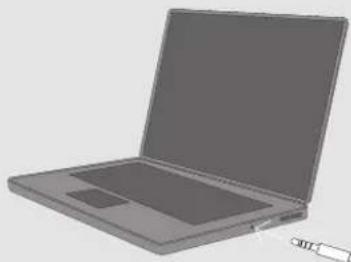
natural_image
Illustration of a gray laptop computer with blank screen and scroll (no text or symbols)Câble 3,5mm Mobile
IT
ABILITANDO WINDOWS SONIC FOR HEADPHONES [XBOX ONE | PC]
![LucidSound LS25 - ABILITANDO WINDOWS SONIC FOR HEADPHONES [XBOX ONE | PC] - 1](/content/2026/04/587914/images/04a91bfc82b651378a807276cdeed6db3339b8239a32c10d9dbeaa0278ea8991.jpg)
natural_image
Pure electrical circuit lines without any symbols![LucidSound LS25 - ABILITANDO WINDOWS SONIC FOR HEADPHONES [XBOX ONE | PC] - 2](/content/2026/04/587914/images/39ae076cf62654a4aceae452260b6a1059305c5825fd89cba53c5b98fee225e3.jpg)
natural_image
Pure diagram of two connected audio/video cables with no text or symbols![LucidSound LS25 - ABILITANDO WINDOWS SONIC FOR HEADPHONES [XBOX ONE | PC] - 3](/content/2026/04/587914/images/b9e970886b2e5adc9c9a7bba74328dcf87017cdcdf4d634f5786399dbca39099.jpg)
natural_image
3D rendering of a mechanical component with a circular head and handle (no text or symbols visible)![LucidSound LS25 - ABILITANDO WINDOWS SONIC FOR HEADPHONES [XBOX ONE | PC] - 4](/content/2026/04/587914/images/a2f84d677d87b61bb5c4136e08e291dfa4c10ee0e0a2ca5e21c457e7bd37e72a.jpg)
natural_image
Simple 3D illustration of a mechanical lever with a spring attached (no text or symbols)CONFIGURACIÓN PLAYSTATION®4

natural_image
Diagram showing a game controller connecting to a device via cable (no text or symbols present)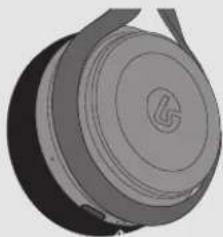
natural_image
3D rendered mechanical component with circular top and flange (no text or symbols)natural_image
3D rendered mechanical component with circular top and flange (no text or symbols)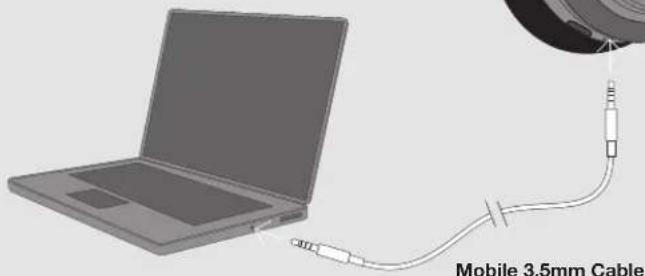
natural_image
Illustration of a laptop connected to a cable with an attached resistor, labeled 'Mobile 3.5mm Cable' (no other text or symbols)Mobile 3.5mm Cable
ACTIVACIÓN DE WINDOWS SONIC FOR HEADPHONES [ XBOX ONE | PC ]
![LucidSound LS25 - ACTIVACIÓN DE WINDOWS SONIC FOR HEADPHONES [ XBOX ONE | PC ] - 1](/content/2026/04/587914/images/13ca9ba5aab28247aa374090a5404203ace193294eb26ed8b844b07b9cbb7b35.jpg)
ES