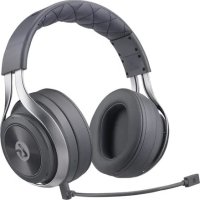
LS31 - Headphones LucidSound - Free user manual and instructions
Find the device manual for free LS31 LucidSound in PDF.


| Product type | Wireless gaming headset |
| Brand | LucidSound |
| Model | LS31 |
| Dimensions (approx.) | 200 x 180 x 90 mm |
| Weight (approx.) | 350 g |
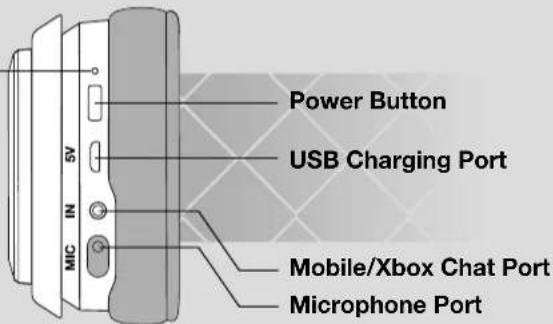
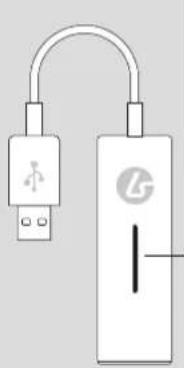
| Power | Rechargeable battery via USB port (cable included) |
| Battery life (estimated) | 15 hours |
| Wireless connectivity | 2.4 GHz RF with USB base |
| Wired connectivity | 3.5 mm jack for mobile/Xbox Chat |
| Compatibility | PS4, PS4 Pro, PS4 Slim, Xbox One, PC/Mac, mobile devices |
| Main functions | Independent game and chat volume, microphone mute wheel, microphone monitor, 3 EQ modes (neutral, boosted bass, boosted treble) |
| Microphone | Detachable external microphone with cover, mute indicator LED |
| LED indicators | Headset: solid on (connected), slow blinking (disconnected), fast blinking (low battery), pulsing (charging). Base: solid on (connected), blinking (disconnected). |
| Care and cleaning | Clean with a soft, dry cloth. Do not use abrasive products. |
| Safety | Maintain a minimum distance of 0.5 cm between the radiating element and the body. Do not expose to water or moisture. |
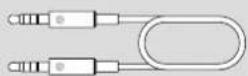
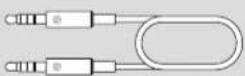
| Included accessories | USB charging cable, optical cable, Xbox Chat / Mobile 3.5 mm cable, external microphone, microphone jack cover |
| Warranty | 2 years in Europe, 1 year in Canada |
| Regulatory information | Compliant with IC, WEEE, RoHS standards. EU declaration of conformity available. |
Frequently Asked Questions - LS31 LucidSound
User questions about LS31 LucidSound
0 question about this device. Answer the ones you know or ask your own.
Ask a new question about this device
Download the instructions for your Headphones in PDF format for free! Find your manual LS31 - LucidSound and take your electronic device back in hand. On this page are published all the documents necessary for the use of your device. LS31 by LucidSound.
USER MANUAL LS31 LucidSound
natural_image
Black and white photo of a modern headboard with exposed audio equipment (no text or symbols visible)
[L]
natural_image
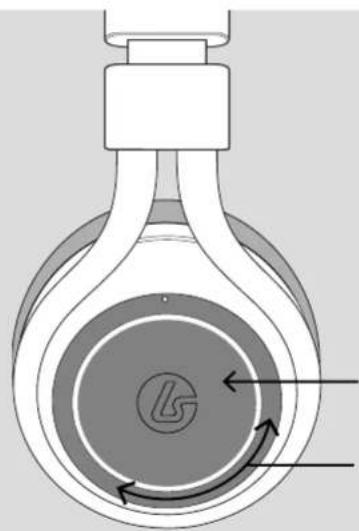
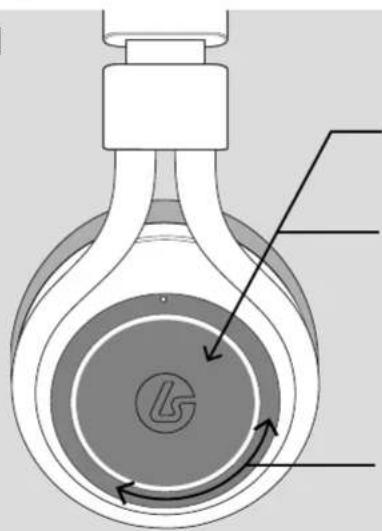
Cross-sectional diagram of a mechanical device with labeled components (no readable text or symbols)Power/Charging LED
Solid = ON/Connected/Charged
Slow Blink = Not Connected
Fast Blink = Battery Low
Pulsing = Charging
Game Mute Button
Game Volume Wheel
EN HEADSET

[R]
natural_image
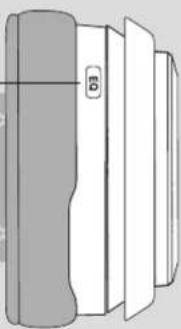
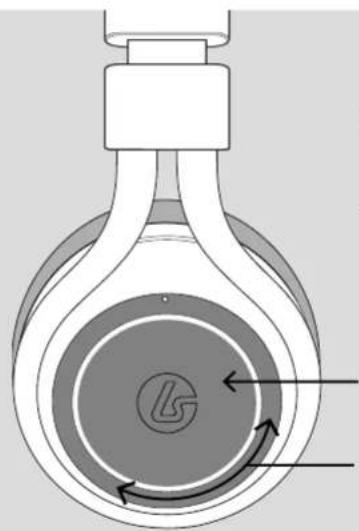
Cross-sectional diagram of a mechanical device with labeled parts and rotational arrows (no text or symbols)Mic Monitoring
Mic Monitor On/Off = Press and hold for 3 seconds
Mic Mute
Mute/Unmute = Short Press
LED on Boom Mic
illuminates when muted

Chat Volume
Wheel
EQ Select
1 beep = Normal
2 beeps = Bass Boost
3 beeps = Treble Boost
1 beep = Normal
2 beeps = Bass Boost
3 beeps = Treble Boost
natural_image
Pure technical line drawing of a mechanical component without any text, numbers, or symbolsACCESSORIES

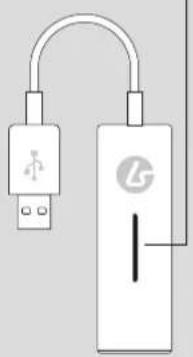
BASE STATION
EN

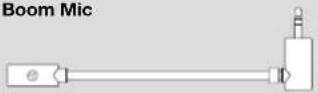
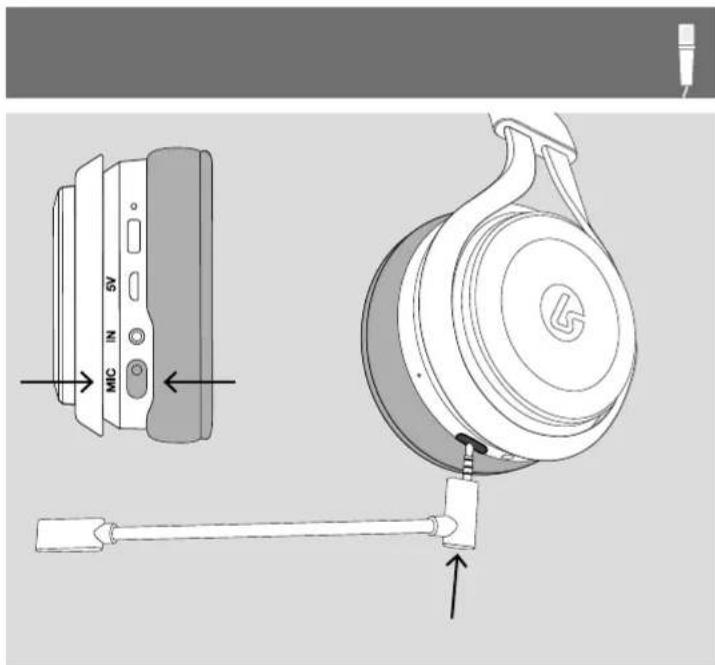
Boom Mic

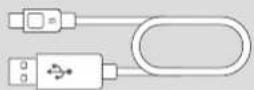
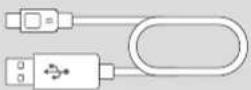
USB Charging Cable

Mic Port Cover


Optical Cable
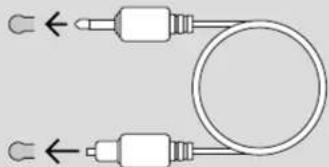
natural_image
Pure electrical circuit lines without any symbols
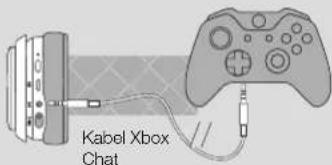
Xbox Chat Cable / Mobile 3.5mm Cable
Status LED
Solid = Connected
Flashing = Not Connected
Optical Input
natural_image
Illustration of a USB device connected to a battery with a logo (no text or symbols on the device itself)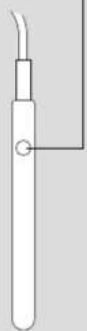
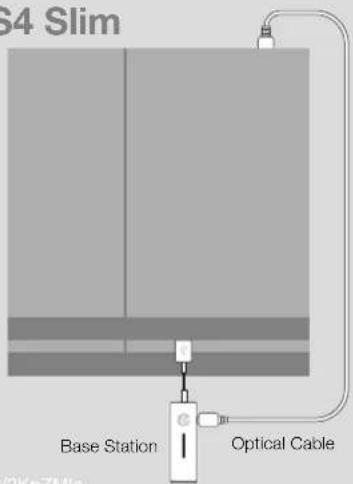
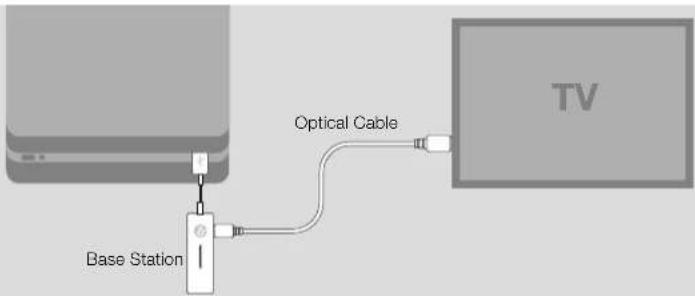
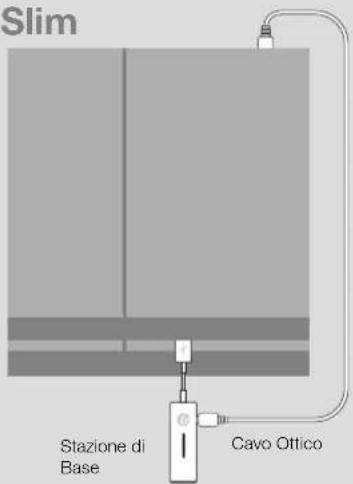
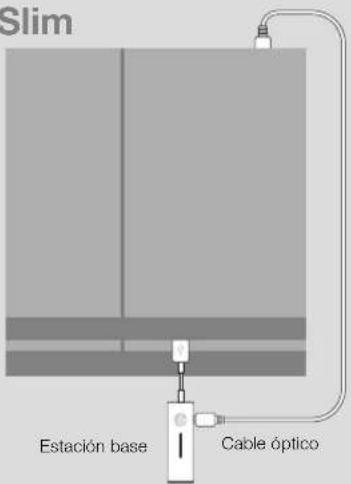
PS4 and PS4 PRO PS4 Slim
!!! IMPORTANT !!!
To complete setup for PS4 (original) and PS4 Pro, go to:

https://bit.ly/2tuC3FW https://bit.ly/2KpZMla
!!! IMPORTANT !!!
To complete setup for PS4 Slim, go to:

EN XBOX ONE SETUP PC / MAC SETUP

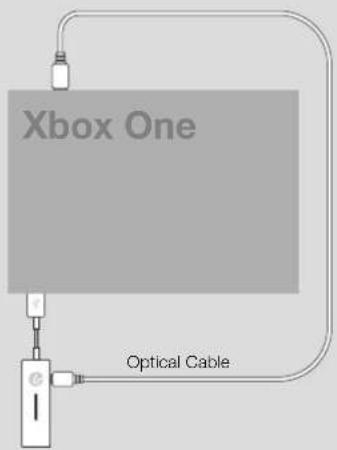
Base Station
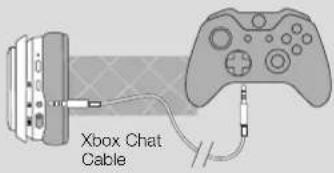
!!! IMPORTANT !!!
To complete setup for Xbox One, go to:

https://bit.ly/2lDe5or

!!! IMPORTANT !!!
For detailed setup instructions for PC/Mac, go to:
https://bit.ly/2KnD7pp

MOBILE SETUP

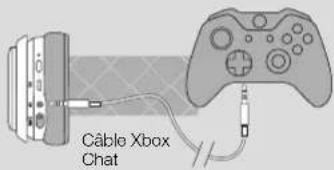
With the headset powered OFF, connect the Mobile 3.5mm cable between the headset and the phone. The volume and mute controls do not function in this mode.
SUPPORT
?#!*
EN
Model No: LS31RX IC: 21203-06302 LucidSound, Inc.
Model No: LS31TX IC: 21203-06301 Made in China
RF Frequency: 2.40335 GHz to 2.47935 GHz
Output Power: TX = 5.83 dBm RX = 3.58 dBm
Manufacturer: LucidSound, Inc.
Importer: Information can be found at lucidsound.com
This device complies with Industry Canada licence-exempt RSS-247 standard. Operation is subject to the following two conditions: (1) this device may not cause interference, and (2) this device must accept any interference, including interference that may cause undesired operation of the device.
IC Radiation Exposure Statement:
This equipment complies with IC RSS-102 radiation exposure limits set forth for an uncontrolled environment. This equipment should be installed and operated with minimum distance 0.5 cm between the radiator and your body.
EU DECLARATION OF CONFORMITY
CE
Hereby we guarantee that snakebyte distribution GmbH, located at 13 Konrad-Zuse-Str., Schwerte 58239, Germany, is marketing this device LS31 under the brand name LucidSound and complies with the legal requirements and the requirements of Directive 2014/53/EU. This notification is listed under:
lucidsound.com/EUDOC.

WEEE (Waste Electrical and Electronic Equipment Directive)
If you eventually want to dispose of this product at a later time, please observe the following instructions: Electronic equipment should not be disposed of together with household waste. Please recycle the device if the appropriate recycling ways are available to you. Please contact your local authority or retailer and ask them for advice on recycling.
RoHS
This product has been certified as RoHS compliant in accordance with Directive 2011/65/CE.
Disposal of Batteries/Rechargeable Batteries
Please follow regional guidelines for the disposal of rechargeable batteries or contact local authorities, your household waste disposal service or the shop where you purchased the product. Batteries/rechargeable batteries must not be disposed of into the normal household garbage. Please use a rechargeable battery disposal in your neighborhood or community, if available.
Warranty
LucidSound, Inc. warrants this product to be free from defects in materials and workmanship for the warranty period. This non-transferable, 1-year limited warranty is only to you, the first end-user purchaser. If a defect covered by this warranty occurs AND you provide proof of purchase, LucidSound, Inc., at its option, will repair or replace the product at no charge (excluding shipping to LucidSound).
The LucidSound, Inc., 1-year limited warranty is available to customers in the United States and worldwide. Your sole and exclusive remedy is repair or replacement of your LucidSound product. In no event shall LucidSound's liability exceed the original purchase price of the product. This warranty does not apply to: (a) normal wear and tear or abusive use; (b) industrial, professional or commercial use; (c) if the product has been tampered with or modified. This non-transferable warranty is only valid in the region/country in which the headset was originally purchased.
EN
SUPPORT
?#!\*
To receive warranty service, please contact us at:
lucidsound.com
(toll free) 888-661-4469
1-760-579-6969
Europe
LucidSound, Inc. 2-year limited warranty is available to customers in Europe.
Australia
Our goods come with guarantees that cannot be excluded under the Australian Consumer Law. You are entitled to a 1 year replacement warranty in which you are entitled to have the goods repaired or replaced if the goods fail to be of acceptable quality and the failure does not amount to a major failure.
What you must do:
If a defect has appeared within 90 days from the date of purchase, the product may be returned to the retailer for a replacement.
If a defect has appeared after 90 days from the date of purchase, you must initiate a repair by following the online repair process at www.lucidsound.com.au.
Once all details are completed, you will receive a return authorisation number. Then, label and ship your LucidSound headset – including the return authorisation (RA) number, freight prepaid, to LucidSound's authorised repair centre.
LucidSound
c/o Tecworks International Pty Ltd
Unit 1 / 12 Tollis Place
Seven Hills NSW 2141
Please ensure the return authorisation (RA) number is prominently displayed on the outside of your packaging. The cost incurred to return the product to the retailer or to the authorised repair centre as part of a Warranty claim are your responsibility.
What we will do:
During the Warranty Period, we will, at our option, repair or replace the product or any defective parts. We will also bear the reasonable costs of standard return shipping. If this cannot be done, then we will refund the purchase price to you.
AU wholesale distributor:
Bluemouth Interactive Pty Ltd, Level 2, 2 Darling Street, South Yarra, Victoria, 3141 Email: support@bluemouth.com.au
©2018 Lucid Sound, Inc. 701 Palomar Airport Rd., Suite 230, Carlsbad, CA 92011 U.S.A. Lucid Sound and the Lucid Sound logo are trademarks of Lucid Sound, Inc., its subsidiaries, and affiliates. The shape and design of this product are a trade dress of Lucid Sound, Inc., its subsidiaries and affiliates. All rights reserved. All other product names and images are trademarks or registered trademarks of their respective owners. Made in China. Product features, appearance and specifications may be subject to change without notice. Please retain this information for future reference.
[G]
natural_image
Cross-sectional diagram of a mechanical device with labeled components (no readable text or symbols)Diode Alimentation
natural_image
Cross-sectional diagram of a mechanical device with labeled components and directional arrows (no readable text or symbols)Mic Monitoring
natural_image
Pure diagram of a mechanical component with no text, numbers, or symbols visible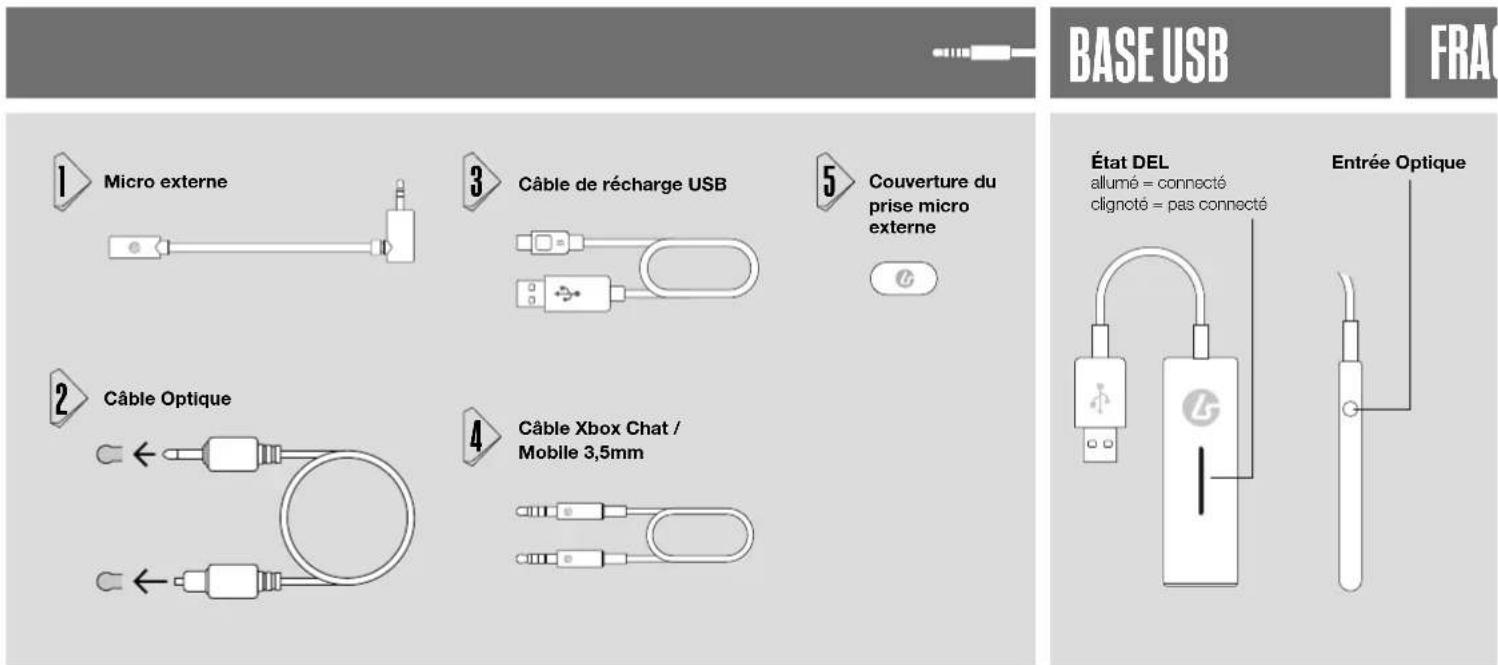
natural_image
Technical line drawing of a mechanical component with a hook and mounting bracket (no text or symbols)


PS4 et PS4 PRO PS4 Slim
!!! IMPORTANT !!!

https://bit.ly/2tuC3FW
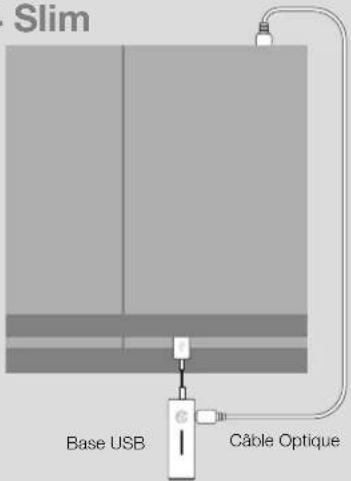
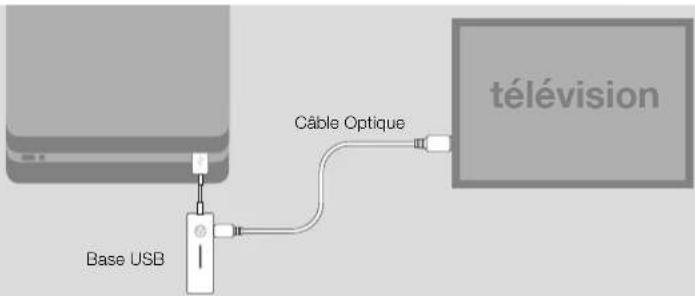
https://bit.ly/2KpZMla

INSTALLATION XBOX ONEFR

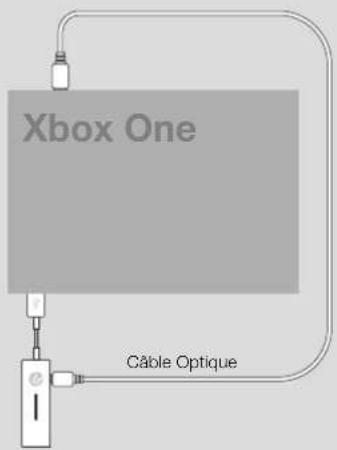
Base USB
!!! IMPORTANT !!!
https://bit.ly/2KnD7pp

MOBILE

lucidsound.com/EUDOC
Garantie
natural_image
Cross-sectional diagram of a mechanical device with labeled components (no readable text or symbols)Power/Aufladen LED
natural_image
Cross-sectional diagram of a mechanical device with labeled components and rotational arrows (no text or symbols)Mikrofonmonitor
natural_image
Pure technical line drawing of a mechanical component without any text, numbers, or symbolsDEZ BEHÖR

USB BASIS


Mikrofonarm
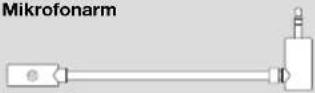

Micro USB Ladekabel

natural_image
Pure electrical circuit lines without any symbols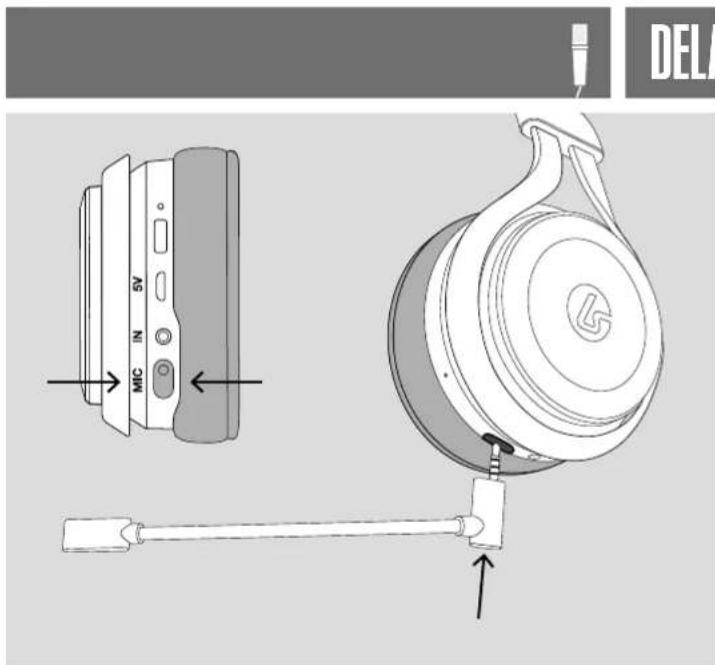
DE | PLAYSTATION4 SETUP

https://bit.ly/2KpZMla

XBOX ONE SETUP

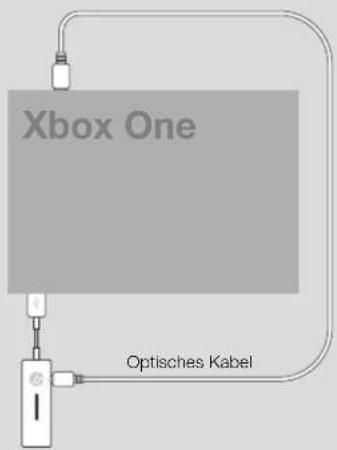
USB Basis
!!! WICHTIG !!!
https://bit.ly/2KnD7pp


MOBILE GERÄTE
lucidsound.com/EUDOC
natural_image
Cross-sectional diagram of a mechanical device with labeled components and directional arrows (no readable text or symbols)LED di accensione
natural_image
Cross-sectional diagram of a mechanical device with labeled parts and rotational arrows (no text or symbols)natural_image
Pure technical diagram of a mechanical component without any text, numbers, or symbols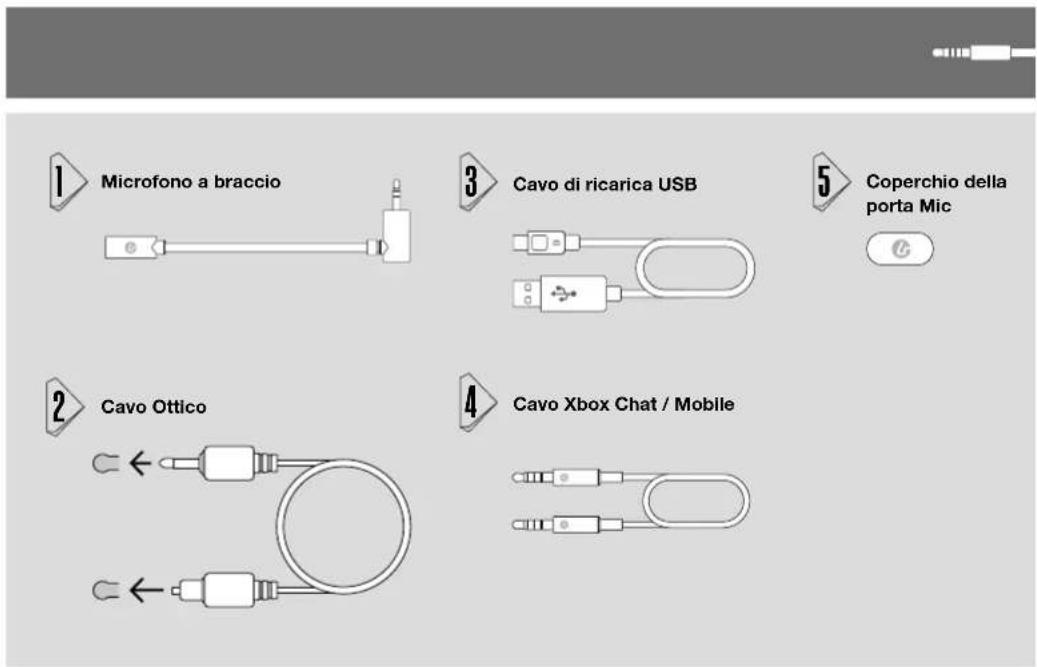

https://bit.ly/2tuC3FW
https://bit.ly/2KpZMla

https://bit.ly/2KnD7pp

EU DECLARATION OF CONFORMITY
CE
natural_image
Cross-sectional diagram of a mechanical device with labeled components and directional arrows (no readable text or symbols)Encendido/Carga LED
natural_image
Cross-sectional diagram of a mechanical device with labeled components and directional arrows (no readable text or symbols)Control monitorizado del microfono
natural_image
Pure technical diagram of a mechanical component with no visible text, numbers, or symbolsES ACCESSORIOS


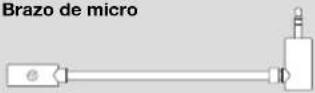
Brazo de micro

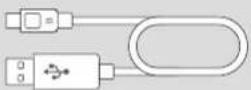
Cable de Carga Micro USB
natural_image
Pure electrical circuit lines without any symbols
Cable de Xbox Chat / Mobile
ESTACIÓN BASE
Indicador LED
Luz fija = Conectado
LED parpadea = No
conectado
natural_image
Diagram of a USB device connected to a power bank via cable (no text or symbols)ES

https://bit.ly/2tuC3FW
https://bit.ly/2KpZMla

https://bit.ly/2KnD7pp

MÓVILES

lucidsound.com/EUDOC