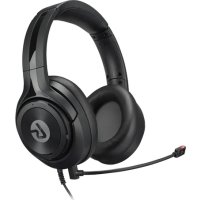
LS10N - Headphones LucidSound - Free user manual and instructions
Find the device manual for free LS10N LucidSound in PDF.


| Product Type | Gaming Headset |
| Brand | LucidSound |
| Model | LS10N |
| Color | Black (estimated) |
| Weight | 320 g (estimated) |
| Dimensions (L x W x H) | 20 x 18 x 10 cm (estimated) |
| Connection Type | 3.5 mm Jack |
| Cable Length | 1.2 m (estimated) |
| Microphone | Built-in microphone + detachable external microphone |
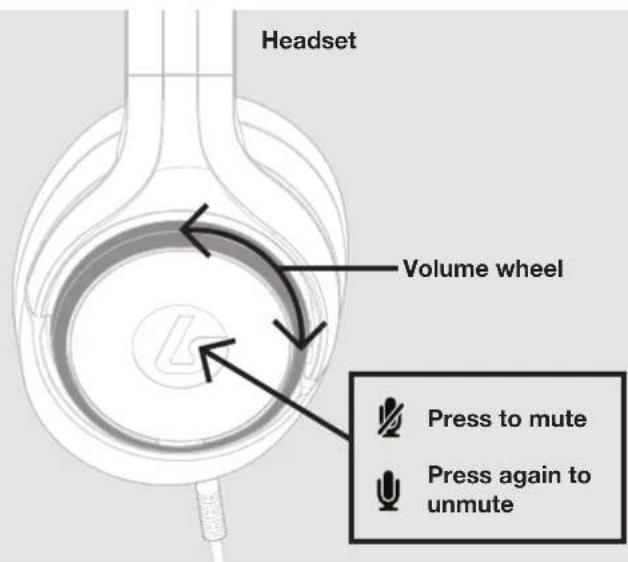
| Main Functions | Volume control (wheel), microphone mute (button), optional external microphone |
| Compatibility | Nintendo Switch, mobile devices, PC (via 3.5 mm jack) |
| Power | None (passive headset, no battery) |
| Warranty | 2 years (Europe), 1 year (Canada) |
| Certifications | CE, RoHS, WEEE Directive |
| Box Contents | LS10N headset, 3.5 mm audio cable, external microphone, user manual |
| Care and Cleaning | Clean with a soft, dry cloth. Do not use chemical products. |
| Spare Parts and Repairability | Contact the manufacturer via lucidsound.com for any repair or spare parts |
| General Information | Made in China. Importer: Sony DADC, Czech Republic. |
Frequently Asked Questions - LS10N LucidSound
User questions about LS10N LucidSound
0 question about this device. Answer the ones you know or ask your own.
Ask a new question about this device
Download the instructions for your Headphones in PDF format for free! Find your manual LS10N - LucidSound and take your electronic device back in hand. On this page are published all the documents necessary for the use of your device. LS10N by LucidSound.
USER MANUAL LS10N LucidSound
WIRED GAMING HEADSET
CASQUE DE JEU CÂBLÉ
USER GUIDE
GUIDE D'UTILISATION
BEDIENUNGSANLEITUNG
GUÍA DE USO
MANUALE D'USO
GUIA DO USUÁRIO
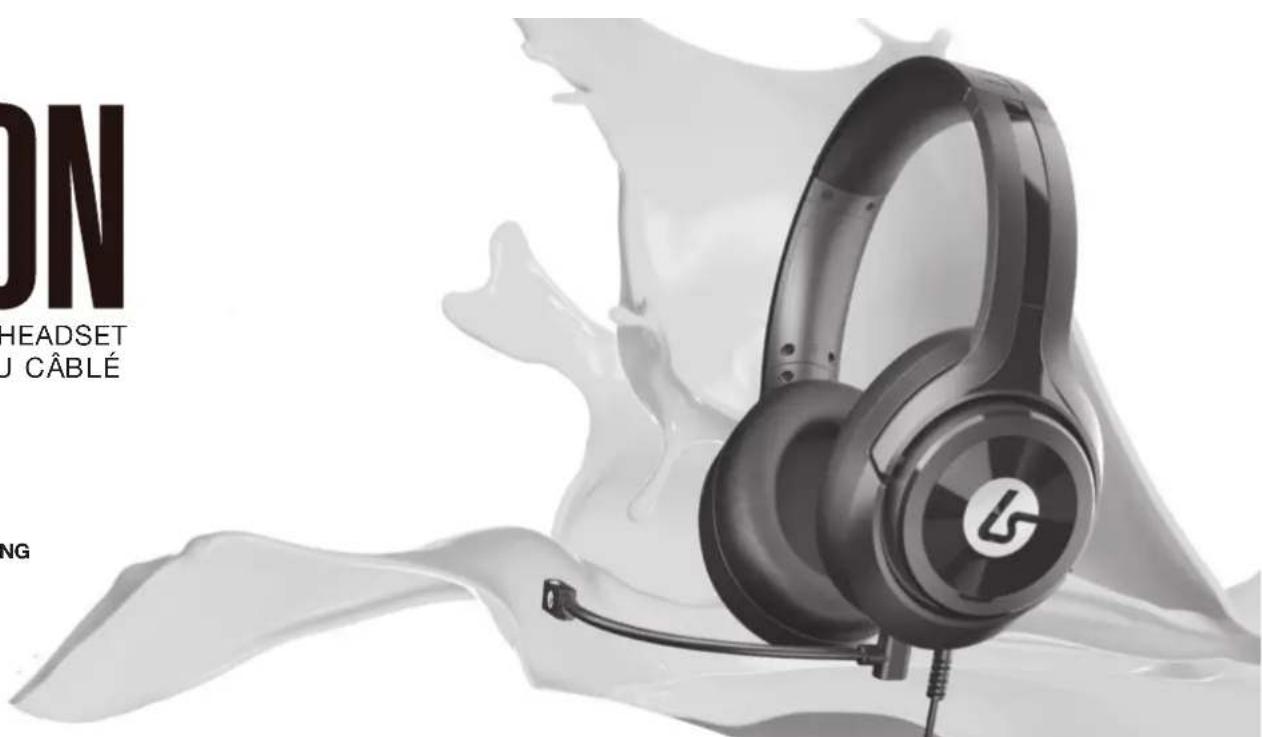
HEADSET & BOOM MIC

EN
[L]
EN
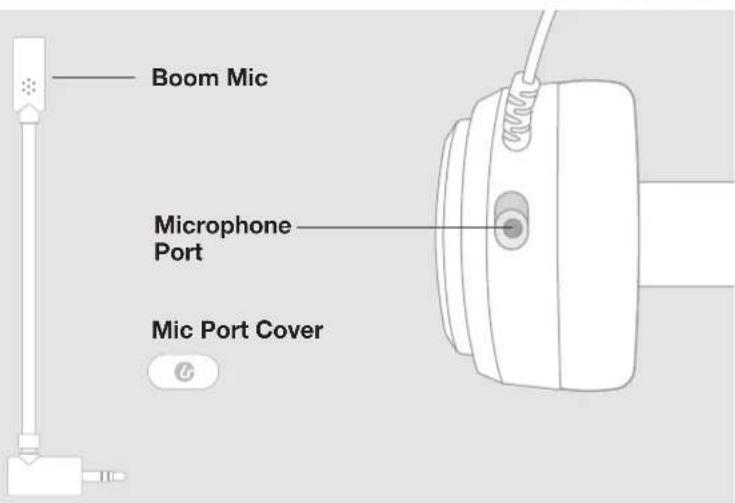
MICROPHONE

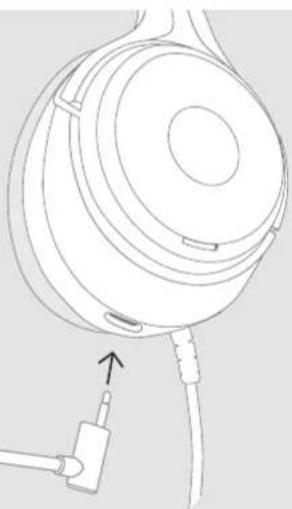
The LS10 includes an optional boom microphone. When this microphone is removed, an internal microphone is activated.
To connect the boom microphone, insert it into the port on the bottom of the headset.
natural_image
Line drawing of a head-mounted audio headset with attached cable and connector (no text or symbols)NINTENDO SWITCH SETUP

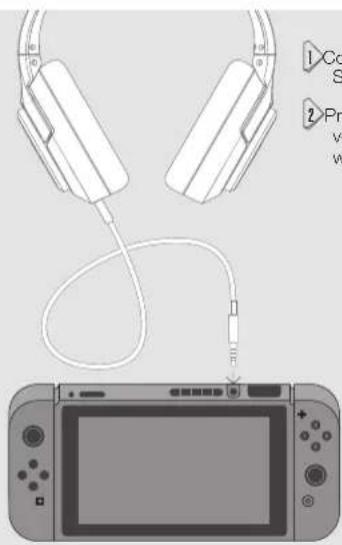
Connect the headset to the 3.5mm output on the Switch.
2. Press the volume up button on the Switch until the volume is 100%. You can now use the volume control wheel on the headset to control the volume.
!!! IMPORTANT !!!
For set up and FAQs go to:

https://bit.ly/2TILFQ4
MOBILE SETUP SUPPORT

?#!*
EN
natural_image
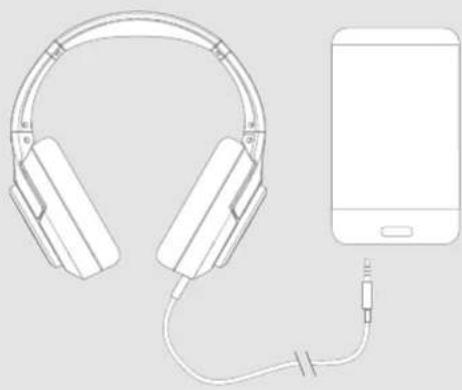
Line drawing of a pair of headphones connected to a smartphone (no text or symbols)Connect the mobile cable to the 3.5mm output on the mobile device.
Model No: LS10N
Manufacturer: LucidSound, Inc. Made in China
EU DECLARATION OF CONFORMITY
CE
Hereby we guarantee that Sony DADC, Czech Republic s.r.o. Dobranska 545, 33209 Stenovice, Czech Republic., is marketing this device LS10N under the brand name LucidSound and complies with the legal requirements and the requirements of Directive 2014/53/EU. This notification is listed under: lucidsound.com/EUDOC.
EN
SUPPORT
?#!\*

WEEE (Waste Electrical and Electronic Equipment Directive
If you eventually want to dispose of this product at a later time, please observe the following instructions: Electronic equipment should not be disposed of together with household waste. Please recycle the device if the appropriate recycling ways are available to you. Please contact your local authority or retailer and ask them for advice on recycling.
RoHS
This product has been certified as RoHS compliant in accordance with Directive 2011/65/CE.
Warranty
Europe
LucidSound, Inc. 2-year limited warranty is available to customers in Europe. LucidSound, Inc. warrants this product to be free from defects in materials and workmanship for the warranty period. This non-transferable, 2-year limited warranty is only to you, the first end-user purchaser. If a defect covered by this warranty occurs AND you provide proof of purchase. LucidSound, Inc., at its option, will repair or replace the product at no charge (excluding shipping to LucidSound).
Your sole and exclusive remedy is repair or replacement of your LucidSound product. In no event shall LucidSound's liability exceed the original purchase price of the product. This warranty does not apply to: (a) normal wear and tear or abusive use; (b) industrial, professional or commercial use; (c) if the product has been tampered with or modified. This non-transferable warranty is only valid in the region/country in which the headset was originally purchased.
To receive warranty service, please contact us at: lucidsound.com
©2020 Lucid Sound, Inc. 5939 Darwin Ct., Suite 100, Carlsbad, CA 92008 U.S.A. The shape and design of this product are a trade dress of Lucid Sound, Inc., its subsidiaries and affiliates. All rights reserved. All other product names and images are trademarks or registered trademarks of their respective owners. Made in China. Product features, appearance and specifications may be subject to change without notice. Please retain this information for future reference.
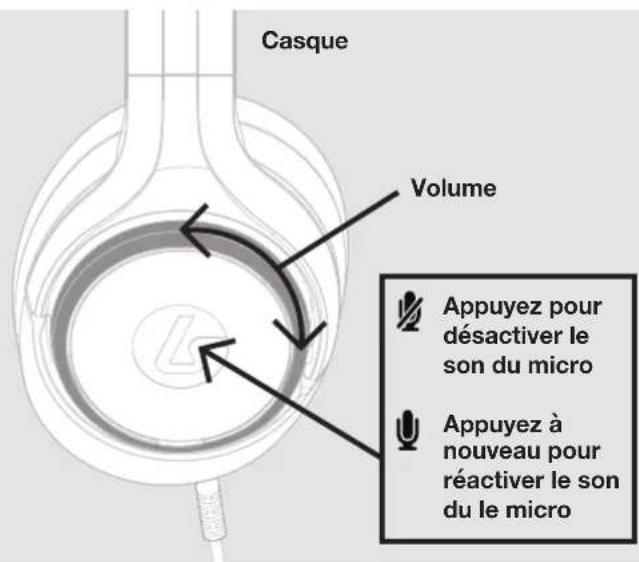
CASQUE & MICRO EXTERNE

FR
[G]
natural_image
Illustration of headphones connected to a gaming console via cable (no text or symbols)
natural_image
Line drawing of a pair of headphones connected to a smartphone (no text or symbols)lucidsound.com/EUDOC
FR
SUPPORT
?#!\*

natural_image
Line drawing of a head-mounted audio headset with attached cable and connector (no text or symbols)natural_image
Illustration of headphones connected to a digital gaming device (no text or symbols present)natural_image
Line drawing of a pair of headphones connected to a smartphone via cable (no text or symbols)lucidsound.com/EUDOC
DE
SUPPORT

natural_image
Illustration of headphones connected to a gaming console (no text or symbols)
natural_image
Line drawing of a pair of headphones connected to a smartphone (no text or symbols)lucidsound.com/EUDOC
IT
SUPPORT

DIRETTIVA RAEE (RIFIUTI DI APPARECCHIATURE ELETTRICHE ED ELETTRONICHE)
natural_image
Illustration of a pair of headphones connected to a gaming console (no text or symbols)
natural_image
Line drawing of a pair of headphones connected to a smartphone via cable (no text or symbols)lucidsound.com/EUDOC.
ES
SUPORTE
?#!\*

natural_image
Illustration of a pair of headphones connected to a small electronic device (no text or symbols present)natural_image
Line drawing of a pair of headphones connected to a smartphone (no text or symbols)lucidsound.com/EUDOC.
PT
SUPORTE
?#!\*