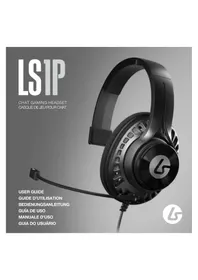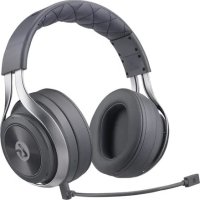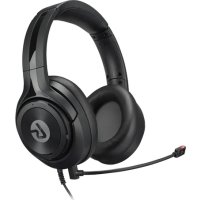
LS100X - Headphones LucidSound - Free user manual and instructions
Find the device manual for free LS100X LucidSound in PDF.


| Product Type | Wireless Headset for Xbox and PC |
| Brand | LucidSound |
| Model | LS100X |
| Weight | Approximately 300 g |
| Connectivity | Bluetooth, Wireless USB Adapter |
| Compatibility | Xbox Series X|S, Xbox One, PC (Windows 10/11) |
| Battery Life | Up to 20 hours |
| Battery Type | Rechargeable Lithium-ion (850 mAh, 3.7 V) |
| Microphone Type | Detachable Boom Microphone + Internal Microphone |
| Main Controls | Volume wheel, Game/Chat balance wheel, Center button, EQ/BT button |
| Equalization Modes | Signature Sound, Bass Boost, FPS |
| LED Indicators | Connection status, charging, battery |
| RF Frequency Range | 2.402 GHz – 2.480 GHz |
| RF Output Power | TX: 7 dBm, RX: 9 dBm |
| Care and Cleaning | Clean with a soft, dry cloth. Do not use chemicals. |
| Hearing Safety | Risk of hearing damage – do not listen at high volume for extended periods. |
| Battery Warning | Do not attempt to replace the battery yourself. Recycle in accordance with local regulations. |
| Warranty | 1 year (USA), 2 years (Europe) |
| Certifications | FCC, CE, RoHS, WEEE, IC, SAR |
| Box Contents | Headset, Wireless USB Adapter, USB Charging Cable, Quick Start Guide |
Frequently Asked Questions - LS100X LucidSound
User questions about LS100X LucidSound
0 question about this device. Answer the ones you know or ask your own.
Ask a new question about this device
Download the instructions for your Headphones in PDF format for free! Find your manual LS100X - LucidSound and take your electronic device back in hand. On this page are published all the documents necessary for the use of your device. LS100X by LucidSound.
USER MANUAL LS100X LucidSound
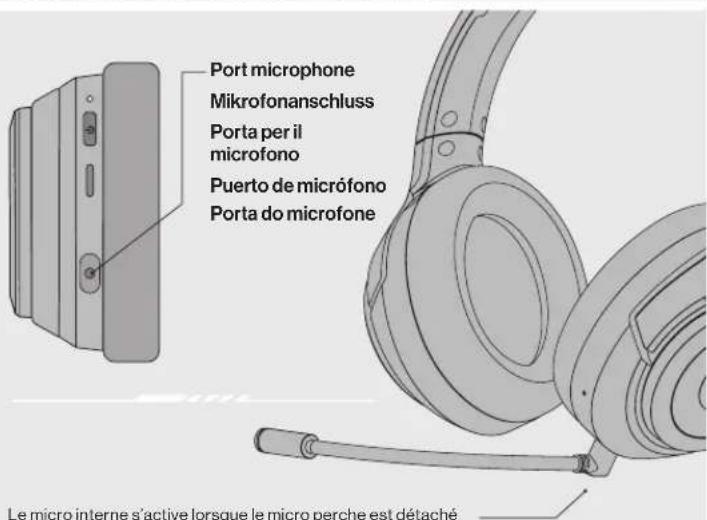
MicrophoneAccessories

En

Boom Mic
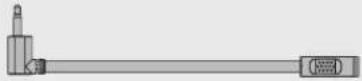

Microphone
Port Cover


USB C Charging Cable
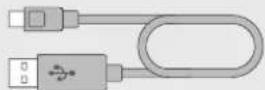

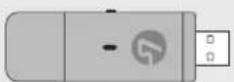
Wireless USB Adapter
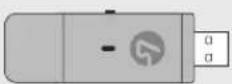
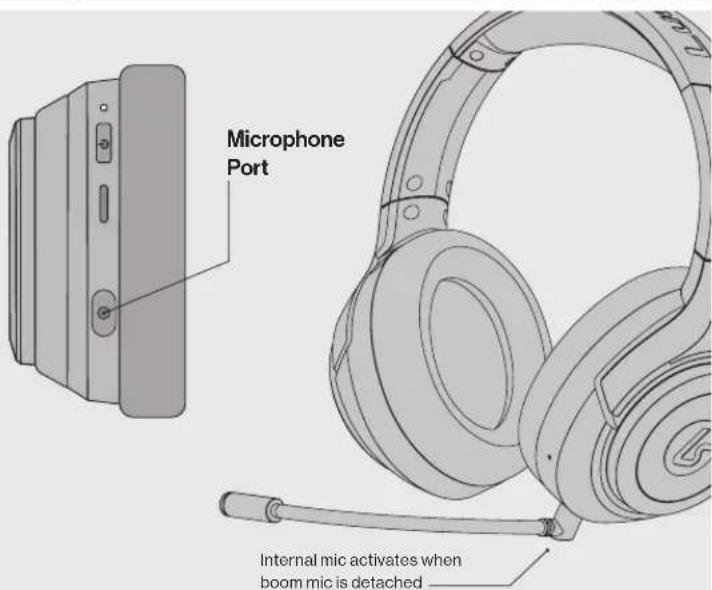
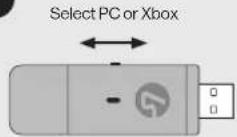
En Setup: Wireless USB Adapter Setup: Bluetooth

1
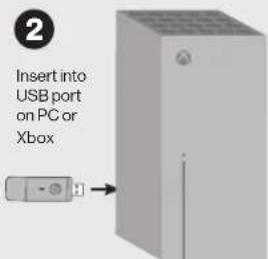
3
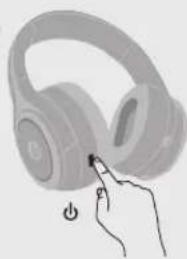
natural_image
Hand pressing a button on a black-and-white hardcover head (no text or symbols visible)4
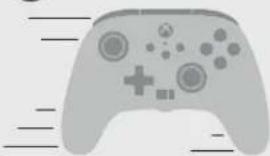
natural_image
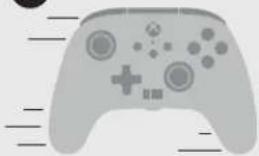
Gray gaming controller with action buttons and a plus sign, no text or symbols visible!!! IMPORTANT !!!
To complete setup for Xbox and enable Surround Sound go to:
https://www.lucidsound.com/support
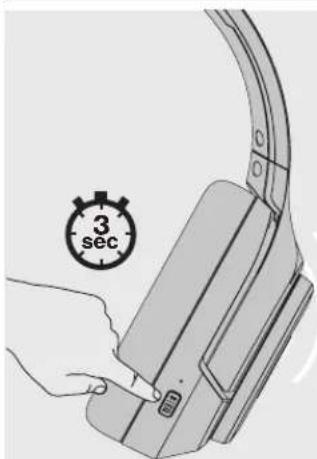
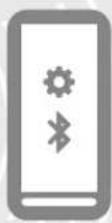
Press and hold EQ/BT for 3 seconds.
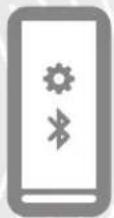
Select "LucidSound LS100X" from your device's Bluetooth settings.
[L]
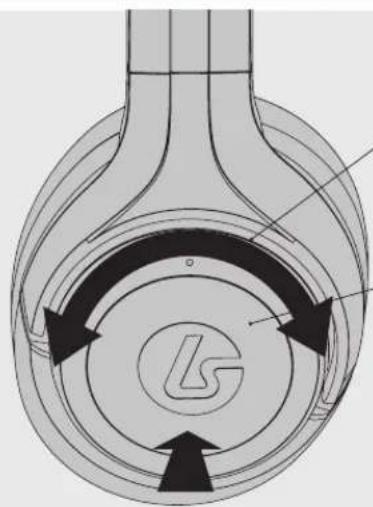
natural_image
Technical diagram of a mechanical component with arrows indicating motion or flow, no visible text or symbolsVolume Wheel
Rotate to adjust volume. Beeps at minimum and maximum values.
Center Button
Long Hold: Toggle between Bluetooth and Gaming Mode
One Tap, Gaming Mode: Mute all audio
One Tap, Bluetooth Mode:
Play/Pause/Answer/End Call
Double Tap: Check battery level, voice prompt will indicate level
Power/Charging LED
Solid:
On/Connected/Charged
Slow Blink:
Not connected
Pulsing:
Charging
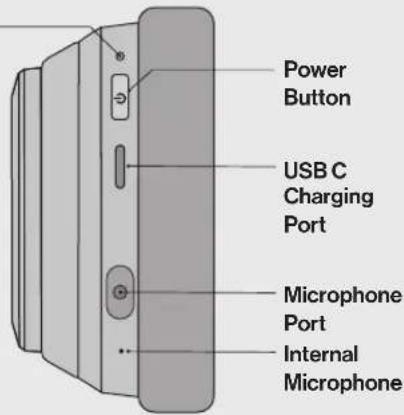
En
Headset: Right Side

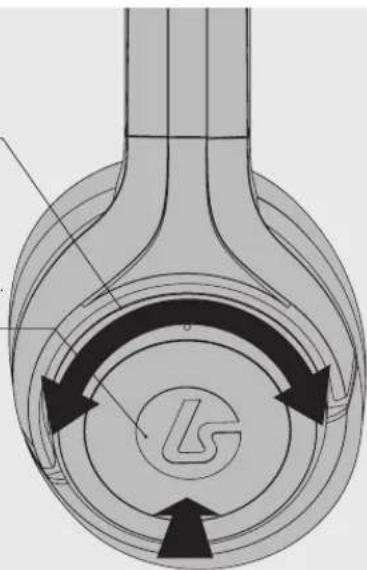
[R]
Wheel
Gaming Mode: On Xbox, rotate to adjust the game/chat balance. On PC, rotate to adjust the chat volume level. Beeps at minimum and maximum values and on Xbox double beeps at 50% game/chat balance.
Bluetooth Mode: Rotate to track forward/back.
Center Button
One Tap: Mic mute/unmute

LED on Boom Mic illuminates when muted.
Long Hold: Mic Monitor On/Off.
Voice prompt will indicate change.
natural_image
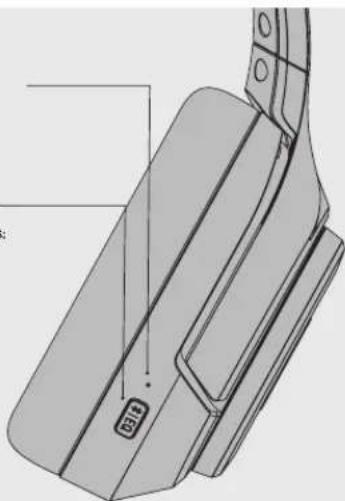
Technical diagram of a mechanical component with arrows indicating flow or movement, no readable text or symbols present.Bluetooth LED Indicator
Solid: On/Connected
Slow Blink: Not connected
Fast Blink: Pairing mode
EQ/Bluetooth Button
One Tap: Cycle through EQ modes:
Signature Sound, Bass Boost, and FPS
Long Hold (3 seconds):
Activates Bluetooth pairing
BLUETOOTH MODE
Hold (1 second): Activate
Siri/Google on
iOS/Android
natural_image
Technical line drawing of a mechanical component with no visible text or symbolsWireless USB Adapter

Charging En

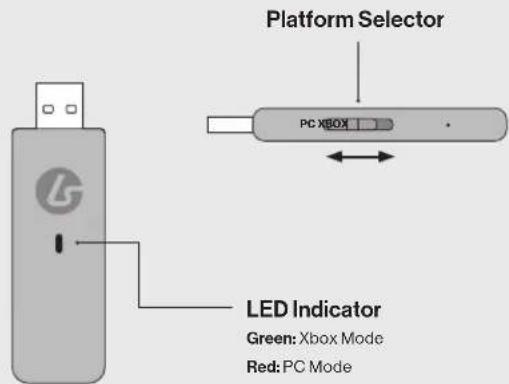
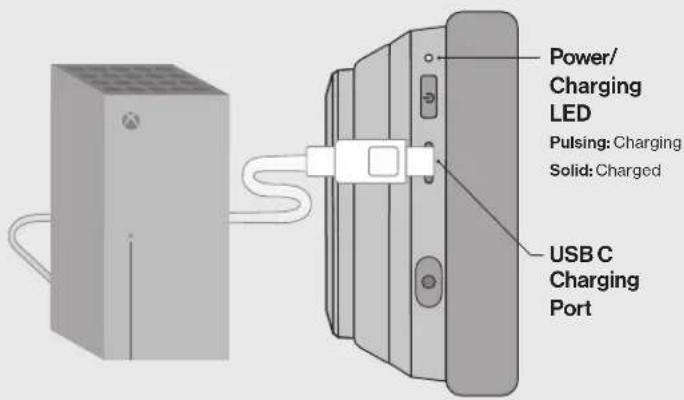
NOTE: Remember to charge your headset at least once every 30 – 60 days when either the low battery indicator is active, or the battery is depleted so that the battery retains its ability to charge. Remember to fully charge the headset at least once a year if the headset will not be used for an extended period of time so that the battery retains its ability to charge. Battery capacity will gradually reduce over time with repeated charging.
Support ?#!\*En
TROUBLESHOOTING
For latest FAQs, visit
LucidSound.com/support
Why do I hear static or no sound?
Ensure the Wireless Headset is paired with the console/device by referencing the LED indicators. Make sure the Volume Wheel is not set to minimum. On Xbox make sure that the Game/Chat Balance Wheel is not maxed out to either Game or Chat audio. Check console/device menu settings to ensure sound is being output to the headset.
Why can't my friends hear me?
Make sure that the Boom Mic is securely attached to the headset, and that the Boom Mic LED is not on. Check console/device menu settings to ensure the headset microphone is selected for input.
COMPLIANCE IDENTIFICATION
WIRELESS USB ADAPTER
Model: XBHS0007 TX
FCC ID: YFK-LS100XAB
IC:9246A-LS100XAB
HEADSET
Model No.: XBHS0007-01
FCCID:YFK-LS100AA
IC:9246A-LS100AA
RF FREQUENCY
2.402 GHz to 2.480 GHz
OUTPUT POWER: TX=7dBm; RX=9dBm INPUT POWER: 3.7V, 850mAh
MANUFACTURED FOR: ACCO Brands USA, LLC
4 Corporate Drive, Lake Zurich, Illinois
60047 United States
ACCOBrands.com | LucidSound.com
Made in China
FCC STATEMENT
This device complies with Part 15 of the FCC Rules. Operation is subject to the following two conditions:
(1) this device may not cause harmful interference, and (2) this device must accept any interference received, including interference that may cause undesired operation.
WARNING: Changes or modifications to this unit not expressly approved by the party responsible for compliance could void the user's authority to operate the equipment.
NOTE: This equipment has been tested and found to comply with the limits for Class B digital device, pursuant to Part 15 of the FCC Rules. These limits are designed to provide reasonable protection against harmful interference in a residential installation. This equipment generates, uses and can radiate radio
frequency energy and, if not installed and used in accordance with the instructions, may cause harmful interference to radio communications. However, there is no guarantee that interference will not occur in a particular installation. If this equipment does cause harmful interference to radio or television reception, which can be determined by turning the equipment off and on, the user is encouraged to try to correct the interference by one or more of the following measures:
- Reorient or relocate the receiving antenna.
- Increase the separation between the equipment and receiver.
- Connect the equipment into an outlet on a circuit different from that to which the receiver is connected.
- Consult the dealer or an experienced radio/ TV technician for help.
FCC Caution: To assure continued compliance, any changes or modifications not expressly approved by the party responsible for compliance could void the user's authority to operate this equipment. (Example - use only shielded interface cables when connecting to computer or peripheral devices).
FCC Radiation Exposure Statement:
This equipment complies with FCC RF radiation exposure limits set forth for an uncontrolled environment.
This transmitter must not be co-located or operating in conjunction with any other antenna or transmitter.
CANICES-003(B)/NMB-003(B)
This device contains licence-exempt transmitter(s)/receiver(s) that comply with Innovation, Science and Economic Development Canada's licence-exempt RSS(s). Operation is subject to the following two conditions:
-
This device may not cause interference;
-
This device must accept any interference, including interference that may cause undesired operation of the device.
This equipment complies with IC RSS-102 radiation exposure limit set forth for an uncontrolled environment.
IC SAR COMPLIANCE
This equipment could be installed and operated with minimum distance 0cm between the radiator and your body. End user must follow the specific operating instructions for satisfying RF exposure compliance. This transmitter must not be co-located or operating in conjunction with any other antenna or transmitter. The portable device is designed to meet the requirements for exposure to radio waves established by the ISED. These requirements set a SAR limit of 1.6 W/kg averaged over one gram of tissue. The highest SAR value reported under this standard during product certification for use when properly worn on the body/ head.

HEARING DAMAGE RISK
High sound pressure! Do not listen at high volumes for long periods.
BATTERY WARNING
Don't attempt to replace the rechargeable battery yourself- you may damage the battery, which could cause overheating, fire, and injury.
The Lithium-ion battery in your device should be serviced or recycled by PowerA or an authorized provider and must be recycled or disposed of separately from household waste.
Dispose of batteries according to your local environment laws and guidelines.
Don't use or leave the product containing rechargeable batteries exposed to very high or very low temperature (e.g. at strong direct sunlight or in a vehicle in extremely hot or extremely cold weather), or in an environment with extremely low air pressure can result in an explosion, fire, or the leakage of flammable liquid or gas.
Don't use this product in a location where static electricity is rich, otherwise, the internal safety devices may be damaged,
causing a harmful situation.
In case the electrolyte gets into the eyes due to the leakage of battery, do not rub eyes! Rinse eyes with clean running water and seek medical attention immediately. Otherwise, it may injure eyes or cause a loss of sight.
If the battery gives off an odor, generates heat, or in any way appears abnormal during use, recharging or storage, immediately remove it from battery charger and place it in a safe spill-proof storage, made of glass or metal.
Be aware discarded batteries may cause fire. Do not heat this product or throw it into fire, or mechanically crush or cut the battery.
DECLARATION OF CONFORMITY
Trade Name: LucidSound
Model No.: XBHS0007-01
US Company Name: ACCO Brands USA, LLC
Address: 4 Corporate Drive, Lake Zurich, Illinois 60047 United States
Internet contact information:
ACCOBrands.com | LucidSound.com
Corporate Drive, Lake Zurich, Illinois 60047 USA, is marketing this device
under the brand name LucidSound and declares that this wireless headset is in compliance with Directive 2014/53/EU. The full text of the EU Declaration of Conformity is available at the following internet address:
LucidSound.com/EUDOC
REGIONAL COMPLIANCE SYMBOLS
More information available via web search of each symbol name.

The WEEE (Waste of electrical and electronic equipment) symbol requires battery disposal outside of other household waste per local regulations. Contact your city office, waste disposal service, or retailer for guidance.

The CE (Conformité Européenne aka European Conformity) mark is a declaration from the manufacturer that the product meets applicable European Directives and Regulations for health, safety, and environmental protection.

The UKCA (UK Conformity Assessment) mark is a declaration from the manufacturer that the product meets applicable UK Regulations for health, safety, and environmental protection.

The Regulatory Compliance
Mark is a visible indication of a product's compliance with all applicable ACMA (Australian Communications and Media Authority) regulatory arrangements, including all technical and record-keeping requirements regarding the electrical safety and/or electromagnetic compatibility (EMC).
RoHS
This product has been certified as RoHS compliant in accordance with Directive 2011/65/CE.
WARRANTY
USA and worldwide:
1-Year limited warranty
Europe: 2-Year limited warranty. Visit LucidSound.com/Warranty for details.
Australian Warranty Statement:
Our goods come with guarantees that cannot be excluded under the Australian Consumer Law. You are entitled to a 1 year replacement warranty in which you are entitled to have the goods repaired or replaced if the goods fail to be of acceptable quality and the failure does not amount to a major failure.
What you must do: If a defect has
appeared within 90 days from the date of purchase, the product may be returned to the retailer for a replacement.
If a defect has appeared after 90 days from the date of purchase, you must initiate a repair by following the online
repair process at: www.LucidSound.com.au.
Once all details are completed, you will receive a return authorisation number. Then, label and ship your LucidSound headset – including the return authorisation (RA) number, freight prepaid, to LucidSound's authorised repair centre.
LucidSound
c/o Tecworks International Pty Ltd Unit 1/12 Tollis Place
Seven Hills NSW 2141
Please ensure the return authorisation (RA) number is prominently displayed on the outside of your packaging. The cost incurred to return the product to the retailer or to the authorised repair centre as part of a Warranty claim are your responsibility.
What we will do:
During the Warranty Period, we will, at our option, repair or replace the product or any defective parts. We will also bear the reasonable costs of standard return
shipping. If this cannot be done, then we will refund the purchase price to you.
AU wholesale distributor:
Level 2, 2 Darling Street South Yarra, Australia VIC 3141 | bluemouth.com.au | +61(3) 9867 2666
Email: support@bluemouth.com.au
ADDITIONAL LEGAL
©2022 ACCO Brands USA LLC. LucidSound, the LucidSound logo, PowerA, and the PowerA logo are trademarks of ACCO Brands Corporation.
Microsoft, Xbox, Xbox "Sphere" Design, Xbox Series X|S, Xbox One, and Windows are trademarks of the Microsoft group of companies. All other trademarks are the property of their respective owners. All rights reserved.
The Bluetooth® word mark and logos are registered trademarks owned by Bluetooth SIG, Inc. and any use of such marks by LucidSound is under license.
The shape and design of this product is a trade dress of ACCO Brands USA LLC. Product features, appearance and specifications may be subject to change without notice. Please retain this information for future reference.
Accessoires / Zubehör / Accessori / Accesorios / Acessórios


Micro perche / Galgenmikrofons / Microfono ad asta / Micrófono jirafa / Microfone Boom
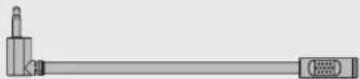

Couverture du prise micro externe Mikrofonanschluss kappe Coperchio della porta mic Puerto de micro cubierto Tampa do conector do microfone


Câble de charge USB C USB-C Ladekabel Cavo di ricarica USB C Cable de carga USB C Cabo de carga USB C
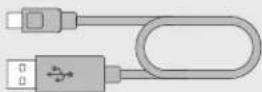

Adaptateur USB sans fil Kabelloser USB-Adapter Adattatore USB wireless Adaptador inalámbrico USB Adaptador USB Sem Fios
Microphone / Mikrofon Microfono / Micrófono / Microfone

natural_image
Exterior view of a gray industrial cabinet or enclosure unit (no visible text or symbols)
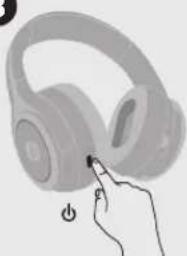
natural_image
Hand pressing a button on an electronic headphones (no text or symbols visible)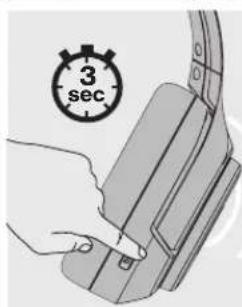

natural_image
Gray gaming controller with action buttons and a plus sign (no text or symbols)!!! IMPORTANT / WICHTIG / IMPORTANTE !!!
Pour terminer la configuration de la Xbox et activer le son Surround, accédez à: Um die Einrichtung für die Xbox abzuschließen und Surround-Sound zu aktivieren, gehen Sie zu: Per completare la configurazione per Xbox e abilitare l'audio surround, vai su: Para completar la configuración de Xbox y habilitar el sonido envolvente, ve a: Para concluires a configuração para Xbox e attivares o som surround, acede a:
https://www.lucidsound.com/support
natural_image
Diagram of a device rear panel with labeled ports and connectors (no text or symbols)natural_image
Cross-sectional diagram of a mechanical component with arrows indicating direction (no text or symbols)natural_image
Technical line drawing of a mechanical component or bracket (no text or symbols)natural_image
Diagram showing two connected devices: a server unit and a device with a cable (no text or symbols visible)Voyant LED
d'Alimentation/de Charge
FCC ID: YFK-LS100XAB
IC:9246A-LS100XAB
CASQUE
DÉCLARATION DE CONFORMITÉ
Nom commercial : LucidSound
Modell No.: XBHS0007-01 FCC ID: YFK-LS100AA
IC:9246A-LS100AA
HF-FREQUENZ: 2.402 GHz to 2.480 GHz AUSGANGSLEISTUNG: TX-7dBm; RX-9dBm EINGANGSLEISTUNG: 3.7V, 850mAh
HERGESTELLTFÜR: ACCO Brands USA, LLC 4 Corporate Drive, Lake Zurich, Illinois 60047 United States
ACCOBrands.com | LucidSound.com IN CHINA HERGESTELLT

FCC ID: YFK-LS100XAB
IC:9246A-LS100XAB
CHEEIE
Modello No.: XBHS0007-01
FCC ID: YFK-LS100AA
IC: 9246A-LS100AA
FREQUENZA RF:
2.402 GHz to 2.480 GHz
POTENZA DIUSCITA
TX=7dBm·BX=9dBm
POTENZA DUNGRESSO:
3.7V,850mAh
PRODOTTOPER: ACCO Brands USA, LLC
4 Corporate Drive, Lake Zurich, Illinois
60047United States
ACCOBrands.com | LucidSound.com
FATTO IN CINA

RISCHIO DI DANNI ALL'UDITO
©2022 ACCO Brands USA LLC.
FCC ID: YFK-LS100XAB
IC:9246A-LS100XAB
AURICULARES
Modelo No.: XBHS0007-01 FCC ID: YFK-LS100AA IC: 9246A-LS100AA
FCC ID: YEFK-LS100XAB
IC:9246A-LS100XAB
AUSCULTADORES
Modello No.: XBHS0007-01
FCC ID: YFK-LS100AA
IC:9246A-LS100AA
FREQUÊNCIA RE
2.402 GHz to 2.480 GHz
POTÊNCIA DE SAÍDA:
TX=7dBm; RX=9dBm
POTÊNCIA DE ENTRADA:
3.7V,850mAh
PRODUZIDO PARA: ACCO Brands USA, LLC 4 Corporate Drive, Lake Zurich, Illinois
60047 United States
ACCOBrands.com | LucidSound.com
FATTO INCINA