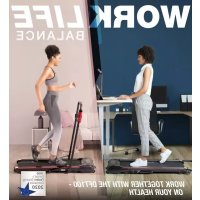
DFT100 - Treadmills Sportstech - Free user manual and instructions
Find the device manual for free DFT100 Sportstech in PDF.


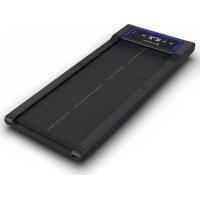
| Product Type | Folding Treadmill |
| Brand | Sportstech |
| Model | DFT100 |
| Unfolded dimensions (L x W x H) | 1240 x 625 x 1050 mm |
| Folded dimensions (L x W x H) | 650 x 290 x 1395 mm |
| Net Weight | 26.8 kg |
| Gross Weight (packaging) | 30 kg |
| Speed | 0.8 - 8 km/h |
| Running Surface | 390 x 1000 mm |
| Display | LED (calories, time, distance, speed) |
| Power Supply | 220-240 V / 50/60 Hz |
| Bluetooth | Yes (for music and Fitshow app) |
| Maximum User Weight | 100 kg |
| Folding Capability | Folds vertically and horizontally (storage under bed/table) |
| Remote Control | Included (start/stop control, speed) |
| App | Fitshow (iOS and Android) |
| Safety Key | Yes (emergency stop and lock) |
| Standby Mode | Automatic after 10 minutes of inactivity |
| Maintenance | Regular lubrication with silicone oil, belt centering |
| Error Codes | E1 (communication), E2 (motor/sensor), E4 (incline), E5 (overload), E6 (voltage), E7 (safety key) |
| Usage | Household use only |
| Warranty | According to manufacturer's conditions (not specified) |
Frequently Asked Questions - DFT100 Sportstech
User questions about DFT100 Sportstech
0 question about this device. Answer the ones you know or ask your own.
Ask a new question about this device
Download the instructions for your Treadmills in PDF format for free! Find your manual DFT100 - Sportstech and take your electronic device back in hand. On this page are published all the documents necessary for the use of your device. DFT100 by Sportstech.
USER MANUAL DFT100 Sportstech
natural_image
Line drawing of a treadmill with adjustable arms and scrollbars (no text or symbols)BENUTZERHANDBUCH
DEUTSCH
Link zu den Videos: https://service.innovamaxx.de/dft100_video
Facebook-Seite
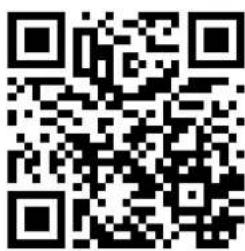

https://www.instagram.com/sportstech.de https://www.facebook.com/sportstech.de
INHALTSVERZEICHNIS
DECLARATION OF CONFORMITY 135


MONTAGEANLEITUNG

natural_image
Technical line drawing of a mechanical device with mounting brackets and internal components, showing rotational motion (no text or symbols)
HERUNTERLASSEN
natural_image
Technical line drawing of a mechanical frame assembly with no visible text or symbolsAUFBEWAHRUNG
LAGERUNG
natural_image
Technical line drawing of a mechanical device with mounting brackets and a central panel (no text or symbols)natural_image
Technical line drawing of a rectangular electronic device with internal channels and mounting feet (no text or symbols)WARTUNG UND PFLEGE
natural_image
Technical line drawing of a tanker truck with visible wheels and side-mounted sensors (no text or symbols)Power-Schalter
FUNKTIONSTASTEN:
Kinomap


natural_image
Red square logo with white stylized 'FS' letters (no additional text or symbols)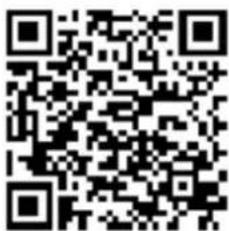


Recyclingkreislauf
We are pleased you chose a device from the SPORTSTECH product range. With sports equipment from SPORTSTECH you get the highest quality and latest technology.
In order to fully use the potential of your device and be able to enjoy it for many years, please read this manual carefully before starting up and beginning of training, and use the device according to the instructions. The operational safety and function of the device can only be guaranteed if the legal provisions on general safety and accident prevention as well as the safety instructions in this user manual are observed. We shall not assume any liability for damages resulting from improper use or incorrect operation.


Please ensure that all persons using the device have read and understood the user manual.
Keep the user manual in a safe place to be able to access it at any time if needed.
Errors and omissions excepted.
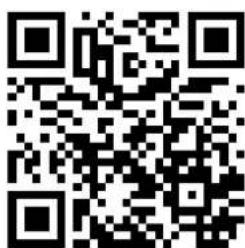
Our video tutorials for you!
Assembly, use, disassembly.
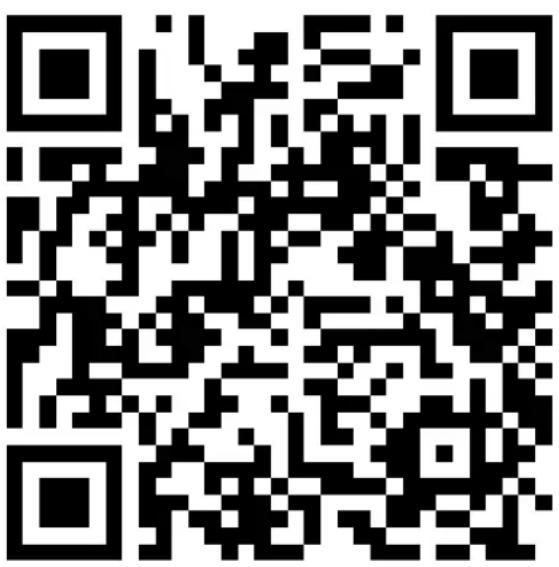
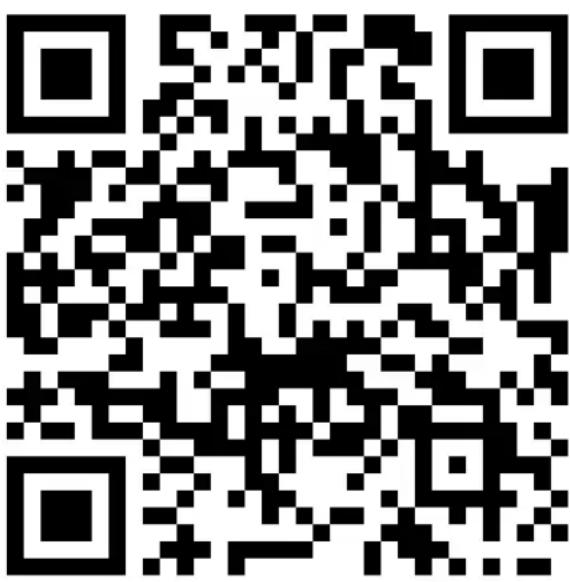
- Scan the QR code
- Watch videos
- Start fast and safely

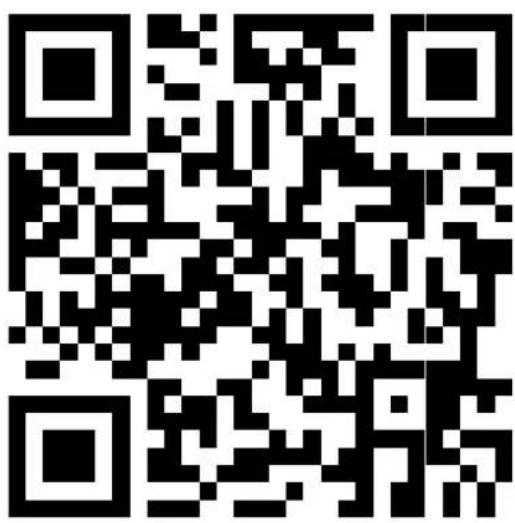
Link to the videos: https://service.innovamaxx.de/dft100_video
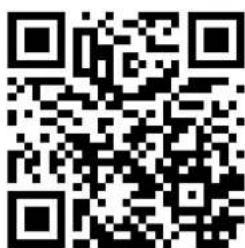
We are also on social media!
Get the latest product information, training content and much more on our:
Instagram-page

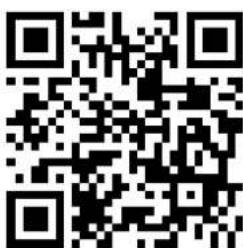
Facebook-page
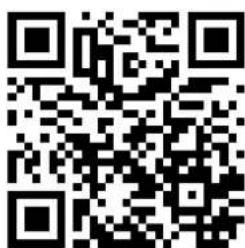

https://www.instagram.com/sportstech.de https://www.facebook.com/sportstech.de
INDEX
IMPORTANT SAFETY INSTRUCTIONS....28
STEPS OF ASSEMBLY....32
FOLDING INSTRUCTION....33
STORAGE 34
MAINTENANCE AND CARE....35
IMPORTANT ELECTRICAL INFORMATION ....37
FUNCTIONS 37
EXERCISE INSTRUCTIONS....38
STRETCH EXERCISE 39
FUNCTION OF THE CONSOLE....40
TROUBLESHOOTING....42
IMPORTANT MATTER 44
APPLICATION SOFTWARE (APP) 45
RECYCLING 46
DECLARATION OF CONFORMITY 135

IMPORTANT SAFETY INSTRUCTIONS

Basic precautions, including the following important safety instructions should always be followed when using this treadmill. Read all instructions before using this treadmill.
DANGER: To reduce the risk of electric shock, always unplug the treadmill from the electrical outlet immediately after using and before cleaning, assembling, or servicing the treadmill. Failure to follow these instructions may lead to personal injury and cause damage to the treadmill.
WARNING: To reduce the risk of burns, fire, electric shock or injury to any persons, please read the following:
- Never leave the treadmill unattended while plugged in. Disconnect by turning off the master power switch and unplugging from wall outlet when not in use and before putting on or taking off parts.
- Use this appliance only for its intended use as described in this manual. Do not use attachments not recommended by the manufacturer.
- Never operate this treadmill if it has a damaged cord or plug, or if it is not working properly. If it has been dropped or damaged, or been exposed to water, return the appliance to a service center for examination and repair.
- Do not attempt any maintenance or adjustments other than those described in this manual. Should any problems arise, discontinue use and consult an Authorised Service Representative.
- Never operate the appliance with the air openings blocked. Keep the air openings free of lint, hair, and other obstructions.
- Do not use the treadmill outdoors.
- Do not pull the treadmill by its power cord or use the cord as a handle.
- Keep children and pets away from the equipment while in use.
- Elderly or disabled users should only use this treadmill in the presence of an adult who can provide assistance if required.
- Do not operate where aerosol (spray) products are being used or where oxygen is being administered.
- Keep dry - do not operate in a wet or moist condition.
- The motor cover can become hot while the treadmill is in use. Do not place the treadmill on a blanket or other flammable surface as this can create a fire hazard.
- Keep electrical cord away from heated surfaces.
- Keep the treadmill on a solid, level surface with a minimum safety area clearance of 2 meters around the treadmill. Be sure the area around the treadmill remains clear of any obstructions during use.
- This treadmill is for domestic household use only.
- Only one person should use the treadmill at a time.
- Wear comfortable and suitable clothing when using the treadmill. Do not use the treadmill barefoot or in socks. Always wear appropriate, enclosed athletic footwear. Never wear loose or baggy clothing as it can become caught on the treadmill and create an entrapment hazard.
• Always hold on to the handrails while using the treadmill. - Always make sure the spring knob and round knob are in place when folding and moving the treadmill.
- Do not leave children who are under 12 years-old unsupervised near or on the treadmill.
- To disconnect, turn all controls to the off position, then remove plug from the wall outlet.
-
This appliance is not intended for use by persons (including children) with reduced physical, sensory or mental capabilities, or lack of experience and knowledge, unless they have been given supervision or instruction concerning use of the appliance by a person responsible for their safety.
-
Children should not be allowed to play on or near the treadmill at any time.
- CAUTION - RISK OF INJURY TO PERSONS - To avoid injury, use extreme caution when stepping onto or off of a moving treadmill belt. Carefully read this instruction manual before use.
• Maximum Weight Capacity is 100 kgs. - Pull out the Safety Tether Key for emergency stop.
- This unit must be plugged into a nominal 220-240 volt 50 Hz outlet which has been grounded.
- Keep hands clear of all moving parts. Never place hands or feet under the treadmill while in use.
- Do not use the treadmill on a carpet that is greater than 1.3 cm in height.
- Before using the treadmill, check that the belt is aligned and centered on the running deck and all visible fasteners on the treadmill are sufficiently tightened and secure.
• Children shall not play with the appliance. - Cleaning and user maintenance shall not be made by children without supervision.
- If the supply cord is damaged, it must be replaced by the manufacturer, its service agent or similarly qualified persons persons in order to avoid a hazard.
- Never operate this treadmill if it is in the folded position.
- Allow the running belt to fully stop and unplug the power cord from the wall outlet before folding up the treadmill.
• Always face towards the computer console and do not run backwards on the running belt. - The device is intended exclusively for home use and not for commercial purposes.
- Place and use the device on a dry, even and non-slip surface with at least 2 meters space around it
- Never place the unit on a surface if it blocks the ventilation openings.
- To protect the floor or carpet from damage or discoloration, place a special floor mat under the unit.
WARNING: Before beginning any exercise program consult your physician. This is especially important for people who are over 35 years old or who have pre-existing health problems. Read all instructions before using any fitness equipment. Do not operate this exercise equipment without properly fitted guards, as the moving parts can present a risk of serious injury if exposed.
CONFIGURATION LIST
 |  |  |  |
| No. | Part Names |
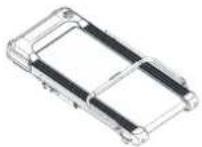
| 1 | Treadmill frame |
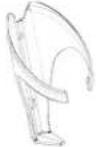
| 31 | Bottle holder |
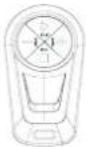
| 32 | Remote control bracket |
| 41 | Remote control |
| 68 | Security key |
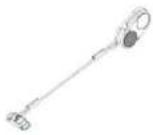
| 69 | Allen key x2 |
TECHNICAL PARAMETERS
| Product name Sportstech DFT100 Treadmill | |
| Assembly dimensions (LxWxH) 1240 | × 625 × 1050 mm |
| Folding size 650 x 290 x 1395 mm | |
| Speed: 0,8 - 8 km/h | |
| Mains voltage: 220-240 V / 50/60 Hz | |
| Tread: 390 | × 1000 mm |
| Display: LED | |
| Net weight / packaging weight: 26,8 kg / 30 kg | |
| Connections: Bluetooth | |
| Maximum user weight: 100 kg | |
| Package dimensions: | 1290 × 660 × 1060 mm |
At the following link At the following link you will find the exploded drawing you will find the exploded drawing and the spare parts list: and the spare parts list:
https://service.innovamaxx.de/dft100_spareparts

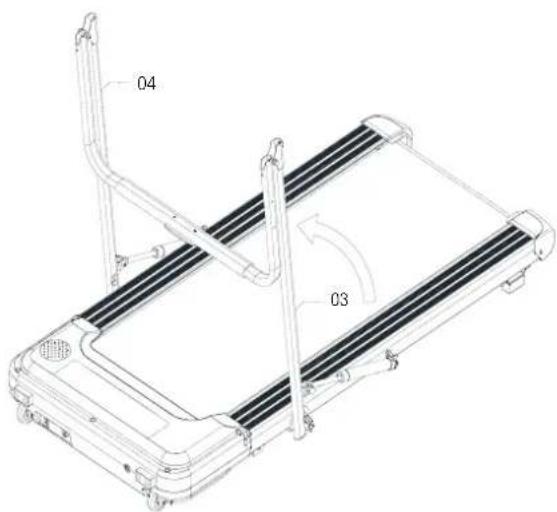
STEPS OF ASSEMBLY

Firmly tighten all component parts and pre-assembled parts!
STEP 1
Push the left (03) and right (04) grip-bars up in the direction of the arrow until both have reached the fixing position.
STEP 2
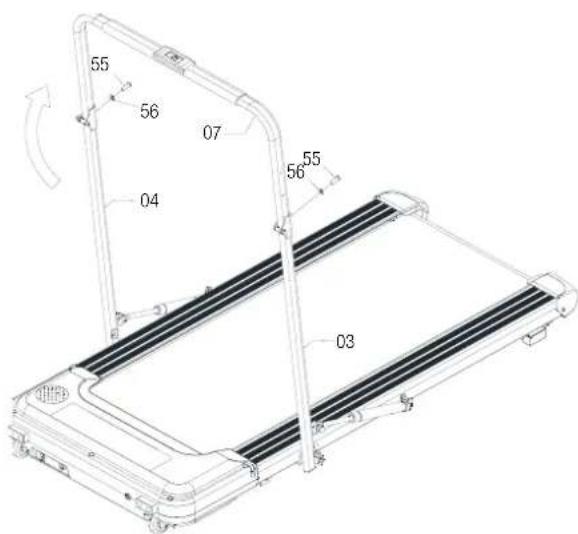
Lift the grip-bar (07) in the direction of the arrow and attach the bar to the left (03) and right (04) bar using the screws (55) and washers (56) provided.
STEP 3
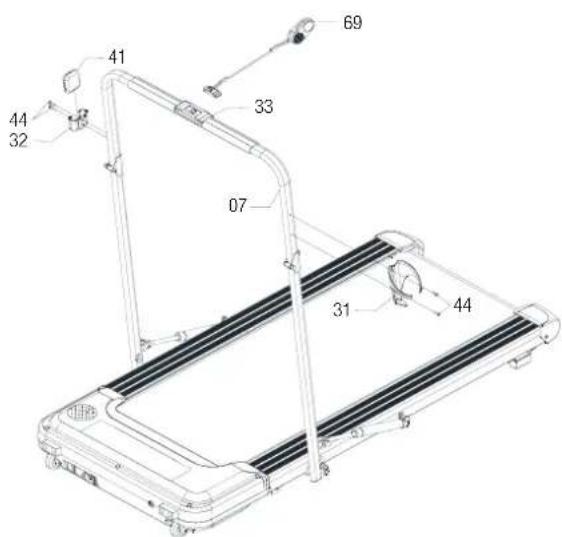
Use the screws and washers provided to attach the bottle holder (31) to the left and the remote control bracket (32) on the right side of the grip-bar (07) and tighten the screws (44) well. Then insert the remote control (41) into the holder and insert the magnetic end of the Security key (69) in the designated location (33).
FOLDING INSTRUCTION
Before transport or folding, the device must be disconnected from the power and cables must be removed from the device!
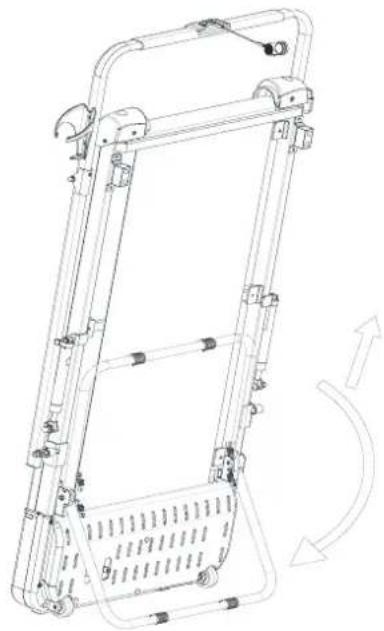
STANDING UPRIGHT/ TRANSPORTING
To stand the treadmill upright, grasp the rear end of the treadmill and lift it up so that you can transport the device on the front rollers. Hold the treadmill firmly with one hand and grasp the support frame with the other. Pull it up slightly so that it disengages and tension on the suspension arises.
Now fold the support frame down until it snaps back into place. Make sure that the support frame is fully engaged before you use the treadmill Ready to go!
natural_image
Technical line drawing of a mechanical device with no visible text or symbolsLOWERING
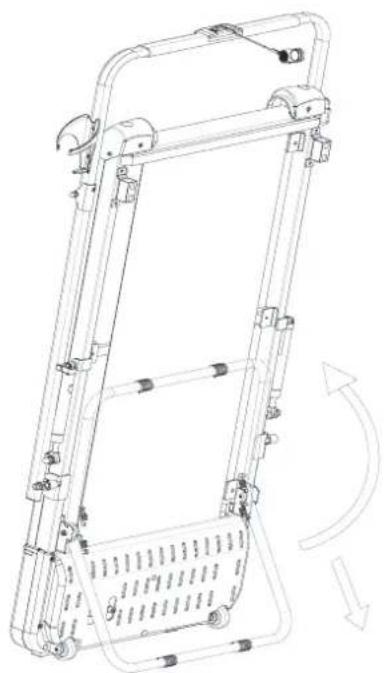
To lower the treadmill, hold the top of the machine firmly with one hand and grasp the support frame with the other. Press the support frame down so that it disengages and tension is created on the suspension. Now pull it up until it is fully engaged again and has reached the original position before you lower the treadmill again.
natural_image
Technical line drawing of a mechanical frame assembly with no visible text or symbols
STORAGE
STORAGE
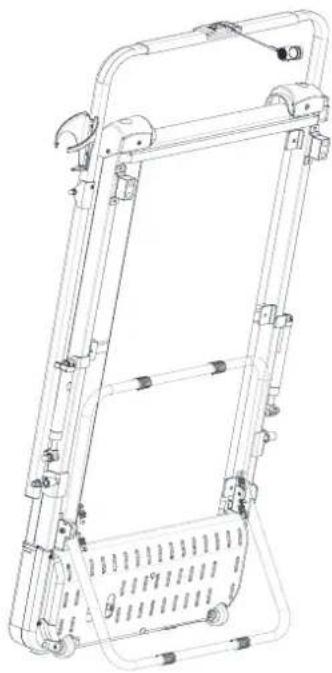
Store the device in a clean and dry environment indoors. Never store the device outdoors. Make sure that the circuit breaker is switched off after use and the power plug is removed.
natural_image
Technical line drawing of a mechanical ladder assembly with mounting brackets and structural supports (no text or symbols)VERTICAL STORAGE
After folding, place the machine near the wall to avoid falling down. Keep out of reach of children.
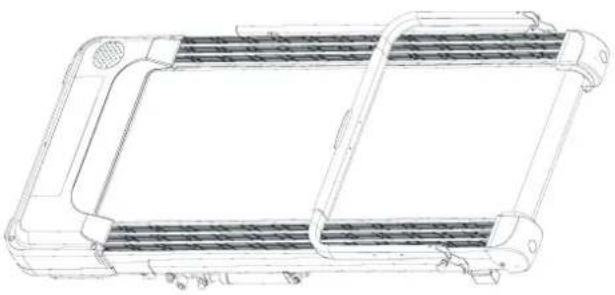
HORIZONTAL STORAGE
After folding, you can store the machine under a table or any other available space.
natural_image
Technical line drawing of a rectangular electronic device with internal channels and mounting feet (no text or symbols)MAINTENANCE AND CARE
General maintenance and care will help to maintain the life and performance of your treadmill. Keep the unit clean by dusting the components on a regular basis. Clean both sides of the running belt to prevent dust from accumulating underneath the belt. Keep your running shoes clean to avoid the running board and belt getting dirty. Clean the surface of the running belt with a clean damp cloth.
It is recommended that the machine is powered off for 10 minutes after 2 hours of continuous use and completely powered off whilst not in use.
A loose running belt can result to the runner sliding off while running. If the running belt is too tight it will decrease the motors performance and also create more friction between the roller and running belts. The most suitable position is when the belt is pulled out 50-75mm from the running board.
CENTERING THE RUNNING BELT:
Place the treadmill on a level surface and set it to a maximum of 3.5 km/h
to check if the rotating treadmill is slipping. Make the necessary settings on the adjusting screws for treadmill alignment (at the rear end of the device).
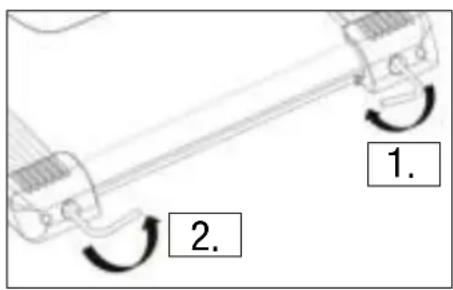
When the treadmill moves to the right:
- Turn the right adjusting screw 12 turn clockwise.
- Then turn the left adjusting screw 12 turn counterclockwise.
- Now check whether the treadmill is properly centered. If not, repeat this step.

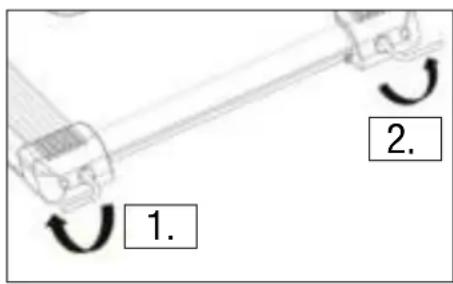
When the treadmill moves to the left:
- Turn the left adjusting screw 12 turn clockwise.
- Then turn the right adjusting screw 12 turn counterclockwise.
- Now check whether the treadmill is properly centered. If not, repeat this step.
LUBRICATE THE TREADMILL
IMPORTANT: To carry out the following work steps, make sure that the treadmill has been successfully disconnected from the circuit and is switched off. Failure to observe this may result in considerable risk of injury!
- You must lubricate your treadmill before using it for the first time!
- Use the supplied silicone oil in the correct dosage.
- The lubrication of the tread and treadmill is an important factor, the friction that occurs affects the life and functions of the treadmill. It is recommended to regularly check and maintain the treadmill.
- To do this, be sure to follow the instructions listed in this manual.
PERIODIC LUBRICATION CHECK
-
Carefully slide one hand between the treadmill and tread deck.
-
If the hand is slightly damp and oily: the treadmill is sufficiently lubricated.
-
If the hand is dry and there are no residues of silicone oil: lubrication of the treadmill is necessary.
-
The moving parts should rotate freely and quietly.
- Anomalies in moving parts affect the safety of the device.
- Regularly check all screws on the device and secure / tighten them if necessary.
RECOMMENDATIONS
| Easy user | Use / Training less than 3 hours / week | every six months |
| Moderate user | Use / Training 3-5 hours / week | every three months |
| Heavy user | Use / Training more than 5 hours / week | every two months |
IMPORTANT ELECTRICAL INFORMATION
WARNING:
This treadmill needs the right power source to work properly. For your safety and the safety of others, please check that the power source is correct before connecting the device. Any power source that is stronger or weaker than the prescribed value can cause significant damage to the device and / or the user.
GROUNDING METHODS:
This product must be grounded. Grounding provides the least resistance for electrical current and will reduce the risk of electrical hazards. The plug must be plugged into an appropriate outlet that is properly installed and grounded in accordance with all local codes and ordinances. Ensure that the product is connected to an outlet which contains the same configuration as the plug. Do not use an adaptor for this product.
This product is only to be used with a correct circuit and a grounding plug that looks like the plug illustrated in figure A. Make sure that the product is connected to an outlet with the same configuration as the plug. Do not use an adaptor for this product.
DANGER:
Improper connection of the equipment-grounding conductor can result in risk of electric shock. Check with a certified electrician if you are in doubt as to whether the product is properly grounded. Do not modify the plug provided with the product. If it does not fit the outlet, have a proper outlet installed by an electrician.
WARNING:
- NEVER use a ground fault circuit interrupter (GFCI) with this treadmill. Keep the power cord away from any moving parts of the treadmill including the elevation mechanism and the transport wheels.
- NEVER operate the treadmill using a generator or UPS power supply.
- NEVER remove any parts without disconnecting the AC power first.
- NEVER expose the treadmill to rain or moisture. This treadmill is not designed for outdoor use, near pools or in any other high humidity environment.
FUNCTIONS
SAFETY LOCK FUNCTION:
Removing the Safety Key (No. 68) from the computer console while the treadmill is running will cause it to stop immediately. Once the treadmill reaches a full stop, the window display of the computer will show “- - -” and the buzzer will beep 3 times. To start the treadmill again, insert the magnet end of the Safety Key (No. 68) into the computer console and press the START button.
POWER SAVE FUNCTION:
When the treadmill has been idle for 10 minutes, it will enter the power saving mode. While the treadmill is in this mode, the computer display will be turned off. Press any button to turn it back on.
POWER ON:
Flick the power switch to „I“ to turn on the treadmill.
POWER OFF:
Flick the power switch to „0“ to turn the treadmill off at anytime. This includes during exercise.
SAFETY NOTE:
- We recommend that you maintain a slow speed at the beginning of a session and hold the handrails until you have become familiar with the treadmill.
- Insert the magnet end of the Safety Key (No. 68) into the computer console and attach the opposite end (containing the safety clip on it) to your clothing before starting your workout. To end your workout, press the STOP button or remove the Safety Key (No.68) and the treadmill will stop immediately.
EXERCISE INSTRUCTIONS
GETTING STARTED
Before starting any exercise program, you should consult your physician to determine if you have any medical or physical conditions that could put your health and safety at risk or prevent you from using the equipment properly.
Be aware of your body's signals. Incorrect or excessive exercise can damage your health.
Stop exercising immediately if you experience any of the following symptoms: pain, tightness in your chest, irregular heartbeat, and shortness of breath, lightheadedness, dizziness, or feelings of nausea.
Get to know your treadmill. Before attempting to use the treadmill take some time to stand alongside and familiarize yourself with the controls.
- Once you get on, you can stand with your feet on the side rails and stabilize yourself by holding onto the handrails.
- Next, attach the clip end of the Safety Key to your clothes and insert the magnetic end of the key into the computer console.
- Press the START button to start the machine.
- The machine will start at the system default setting speed of 1.0 KPH. when you feel comfortable, you may slowly increase this speed.
- When you are finished with your exercise, press the STOP button to stop the machine or you can remove the magnetic end of the Safety Key to stop the machine.
STRETCH EXERCISE
No matter how you do sports, please do some stretch at first, The warm muscle will extend easily, so warm up yourself with 5-10 minutes, Then We suggest the following stretch exercise, five times. 10 counts for each time or longer do these exercise again after sports.
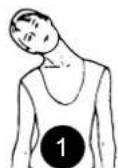
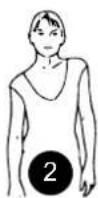
1 HEAD ROLLS
Rotate your head to the right for one count, feeling the stretch up the left side of your neck, then rotate your head back for one count, stretching your chin to the ceiling and letting your mouth open. Rotate your head to the left for one count, then drop your head to your chest for one count.
2 SHOULDER LIFTS
Lift your right shoulder toward your ear for one count. Then lift your left shoulder up for one count as you lower your right shoulder.
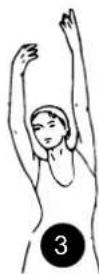
3 SIDE STRETCHES
Open your arms to the side and lift them until they are over your head. Reach your right arm as far toward the ceiling as you can for one count. Repeat this action with your left arm.
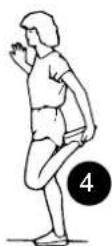
4 QUADRICEPS STRETCH
With one hand against a wall for balance, reach behind you and pull your right foot up. Bring your heel as close to your buttocks as possible. Hold for 15 counts and repeat with left foot.
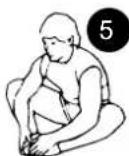
5 INNER THIGH STRETCH
Sit with the soles of your feet together and your knees pointing outward. Pull your feet as close to your groin as possible. Gently push your knees toward the floor. Hold for 15 counts.
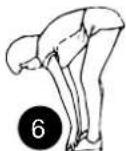
6 TOE TOUCHES
Slowly bend forward from your waist, letting your back and shoulders relax as you stretch toward your toes. Reach as far as you can and hold for 15 counts.
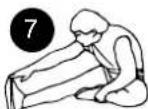
7 HAMSTRING STRETCHES
Extend your right leg. Rest the sole of your left foot against your right inner thigh. Stretch toward your toe as far as possible. Hold for 15 counts. Relax and then repeat with left leg.
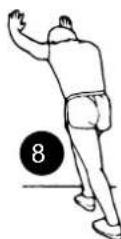
8 CALF / ACHILLES STRETCH
Lean against a wall with your left leg in front of the right and your arms forward. Keep your right leg straight and the left foot on the floor; then bend the left leg and lean forward by moving your hips toward the wall. Hold, then repeat on the other side for 15 counts.
FUNCTION OF THE CONSOLE
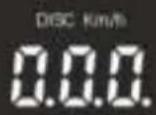
TURN ON THE DEVICE
-
To start the device, first establish a power connection.
-
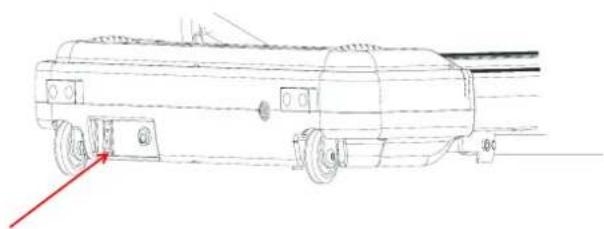
Now press the power switch on the front end of the treadmill to „I“. If the device is switched on, the buzzer sounds four times.
ACTIVATE THE REMOTE CONTROL AND START THE TREADMILL
Attach the magnetic end of the Safety key on the grip-bar. The LED display switches to operating mode.
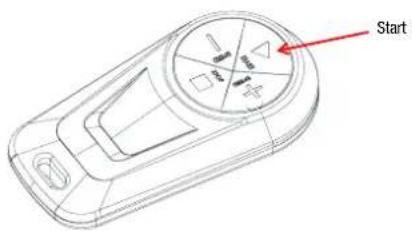
Now press the START button on the remote control. The LED display shows a countdown of 5 seconds and the buzzer sounds.
After the countdown ends the treadmill starts to run with an initial speed of 1km/h.
Power
natural_image
Technical line drawing of a vehicle with wheels and a red arrow indicating direction (no text or symbols)FUNCTION KEYS:
-
SPEED BUTTONS +/-: As soon as the treadmill is running, press the +/- buttons to increase or decrease the speed in 0.1km/h increments. Pressing and holding one of these buttons for more than 12 second increases or decreases the speed continuously.
-
STOP: To stop the treadmill, press the STOP button. The device comes to a standstill and all data is reset to the basic setting. Alternatively, you can also pull out the safety key to bring the device to an abrupt stop.
LED-DISPLAY:
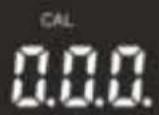
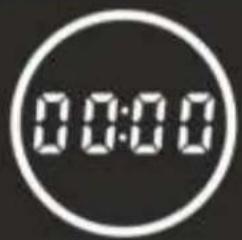
The integrated LED display shows - from left to right - the calories burned (CAL), the previous time and - alternating every 3 seconds - the distance traveled (DISC) and the current running speed (km/h).
The speed range of the treadmill is between 1-8 km/h, where 1 km/h is the starting speed and 8 km/h is the maximum speed.
REMOTE CONTROL, APP AND BLUETOOTH:
- REMOTE CONTROL: You can control the device using the supplied remote control using the function keys mentioned above.
- APP: You can also control the device using the fit show app to start and stop the treadmill via your app or to regulate the speed.
- BLUETOOTH MUSIC FUNCTION: Start the treadmill and activate the Bluetooth function on your mobile device. Search for your treadmill via Bluetooth and establish a connection to „RZ_Media“ or „FS-208CD4-A“. You can then play your music on the treadmill.
STANDBY MODE:
If the treadmill is in operation for 10 minutes without using it, the device automatically switches to standby mode and darkens the LED display. Press any key to turn the display back on and exit standby.

TROUBLESHOOTING
| CODE | ERROR DESCRIPTION SOLUTION OPTIONS | |
| E1 | Communication Issues: faulty communication between controller and electronic measuring unit after switching the device on. | Stop the device to access the error mode. The device can no longer be started. The buzzer sounds 9 times and the error code is displayed. Check the connection between the controller and the electronic measuring unit and make sure that all cables are properly connected. If the cabling is damaged, it must be replaced by specialist personnel. |
| E2 | The controller cannot recognize the motor's voltage.No speed sensor signal: Despite the voltage output from the controller to the DC motor, the speed feedback from the motor cannot be received for longer than 3 seconds. | 1. Check that the motor wires are properly connected to the controller.2. Stop the device to access the error mode. The buzzer sounds 9 times and the error code is displayed. If the system goes into standby mode after about 10 seconds, a restart can be carried out.Possible reasons: If the signal from the speed sensor is not received for longer than 3 seconds, check whether the sensor plug is properly inserted or is damaged; a damaged sensor plug must be replaced by specialist personnel.3. Stop the device to access the error mode. The buzzer of the electronic counter sounds 9 times and the error code is displayed. If you can return to normal and go into standby after stopping, then a normal start can be carried out.Possible reasons: Check if the motor wires are properly connected. Check whether the controller emits an abnormal smell and have it replaced by specialist personnel if necessary. |
| E4 | Tilt motor correction failure or malfunction | Turn the device off and on again. Check the operation of the tilt motor again.If necessary, have the inverter replaced and check the function again. If necessary, have the tilt motor replaced and check the function again. |
| E5 | Overcurrent protection: In the operating state, the controller continuously detects a motor DC current of more than the value of the nominal current + 6A for more than 3s. | Stop the device to access the error mode. The buzzer of the electronic counter sounds 9 times and the error code is displayed. If the system goes into standby mode after about 10s, a restart can be carried out.Possible reasons: The system's self-protection is triggered in the event of excessive current flow, which is caused by the excessive load exceeding the nominal value or by a blockage of the treadmill, which prevents the motor from rotating. |
| CODE | FEHLERBESCHREIBUNG LÖSUNGSV | VORSCHLÄGE |
| E5 | Overcurrent protection: In the operating state, the controller continuously detects a motor DC current of more than the value of the nominal current + 6A for more than 3s. | Turn off the device and restart it.Also check whether there is an overcurrent or smell of fire when the engine is running. If necessary, have the motor replaced. Check whether the controller emits an abnormal smell; if so, have it replaced. Check whether the mains voltage is inconsistent or too low and use the correct mains voltage for a new test. |
| E6 | Explosion protection: Unusual mains voltage or motor failure will damage the drive motor circuit. | Stop the device to access the error mode. The buzzer sounds 9 times and the error code is displayed. If the system goes into standby mode after about 10s, a restart can be carried out.Possible reasons: Check whether the mains voltage is less than 50% of the normal value. Ensure the correct voltage and test the device again.Check whether the controller emits a burning smell; if so, have the controller replaced. Also check that the motor wires are properly connected. |
| E7 | Security key not in position | Place the security key in the correct position.If necessary, have the security key replaced and reconnect it to the device. |

IMPORTANT MATTER
WARNING
- Please consult your doctor and receive complete physical examination before using the product. Don't carry out frequent and violent exercise without permission of doctor. Please stop using the product and consult your doctor if you feel unwell in use. The product shall be used correctly. Please read service manual in detail before exercise.
- Please keep children and pets away if the product is unattended or idle.
- Please wear suitable clothes including sneakers. Please don't loosen your clothes in exercise to prevent them from being hooked by the machine.
- Ensure that all bolts and nuts are tightened when using the equipment.
- Regularly maintain the treadmill to keep it in good condition.
BEFORE USE
How to start exercise plan depends on your physical condition. If you have not exercised for years or you are seriously overweight, you must gradually increase exercise time, such as a few minutes every week.
At the beginning you may only exercise for a few minutes in target heart rate scope. Anyway, your aerobic fitness will be improved in about 6-8 weeks. Don't lose heart if it takes more time. It is very important to exercise at your own pace. Some day you will be able to exercise continuously for 30min.
- Please consult your doctor before exercise or training. Ask the doctor to inspect your training and diet plan and give suggestions on your exercise plan.
- Set exercise goal after consulting with your doctor to ensure that the plan is practical, and start exercise plan at leisure.
- You can add some aerobic exercises into exercise plan, such as walking, jogging, swimming, dancing or riding. Test pulse frequently. If you have no electronic heartbeat monitor, consult the doctor about how to correctly measure pulse with hand from wrist or neck. In addition, you must set target heart rate on the basis of age and physical condition.
- Drink enough water in exercise. You must supplement water lost due to overexercise to prevent dehydration.
- Don't drink a great deal of ice water or beverage. The temperature of drinking water or beverage shall be room Temperature.
- Target heart rate.
MEASURE PULSE
To determine whether your heartbeat is in target heart rate scope, first you must know how to measure heart rate. The simplest way is to measure pulse of carotid arteries between trachea and neck muscles on both sides of neck. Count number of beats of pulse in 10s and multiply the number of beats by 6 to obtain heartbeat per minute.
APPLICATION SOFTWARE (APP)
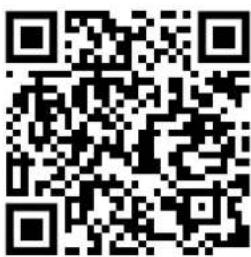
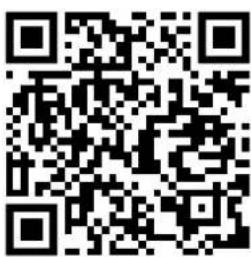
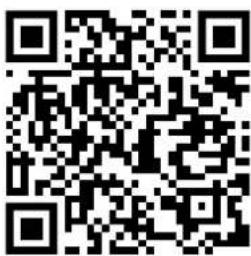
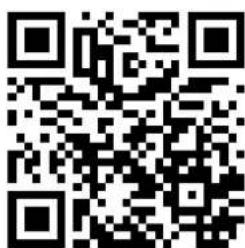
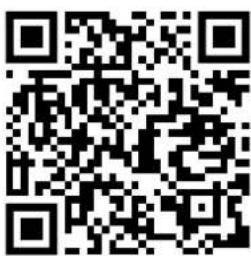
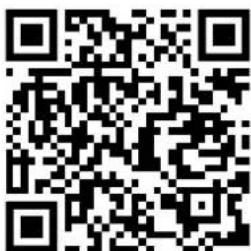
You can download the app using the QR codes shown here or search in your store. Minimum compatibility specifications for mobile device; android 5.0 or higher with Bluetooth 4.0, iOS 8.0 or higher.
Android iOS
Kinomap

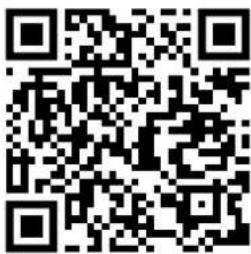
Notes on using the App:
As an android user, please make sure that under "Settings -> Device Security" the "Unknown sources" is set by ensuring it is ticked.
Please remember to turn on the Bluetooth feature on your device.
The QR code at the beginning of the manual will guide you to various YouTube tutorials. There you can access more information about the App and the device.
Android iOSFitShow
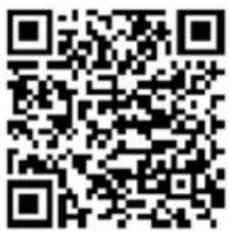

natural_image
Red square logo with white stylized 'FS' letters (no additional text or symbols)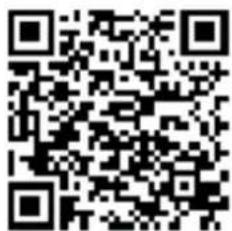


Recycling loop
Packaging material can be conveyed back to the raw material cycle. Dispose of packaging material in accordance with legal provisions. Information can be retrieved from the return or collections systems of your community.
Notes on the Electrical and Electronic Equipment Act (ElektroG)
We would like to point out to owners of electrical and electronic equipment that, according to the applicable legal regulations, electrical devices must be disposed of separately from municipal waste. The symbol of a crossed-out waste bin shown on the electrical and electronic equipment shown below also indicates the obligation to dispose of the batteries separately:
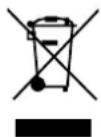
According to the ElektroG, as distributors of electrical devices, we are obliged to take back certain old electrical and electronic equipment free of charge in accordance with Section 17 (2) ElektroG and in conjunction with Section 17 (1) ElektroG. We comply with this legal obligation through DR Deutsche Recycling Service GmbH / take-e-way GmbH. You can also hand in your electrical equipment at the designated collection points of the public waste disposal authorities. By disposing of your old devices according to the legal requirements, you make an important contribution in the reuse and recycling of old devices.
As the end user, you are responsible for the deletion of all manner of personal data on electronic devices before handing the devices over for disposal.
MANUAL ESPAÑOL
Estimado cliente,
Enlace a los videos: https://service.innovamaxx.de/dft100_video

https://www.instagram.com/sportstech.de https://www.facebook.com/sportstech.de
ÍNDICE
DECLARATION OF CONFORMITY....135

ES
INSTRUCCIONES DE MONTAJE

natural_image
Technical line drawing of a mechanical device with mounting brackets and internal components, showing rotational motion (no text or symbols)BAJAR
natural_image
Technical line drawing of a mechanical frame assembly with no visible text or symbols
ALMACENAMIENTO
ALMACENAMIENTO
natural_image
Technical line drawing of a mechanical ladder assembly with mounting brackets and control panels (no text or symbols)ALMACENAMIENTO VERTICAL
natural_image
Technical line drawing of a rectangular electronic device with internal channels and mounting feet (no text or symbols)natural_image
Technical line drawing of a tanker vehicle (no text or symbols present)BOTONES:
Kinomap


natural_image
Red square logo with white stylized 'FS' letters (no additional text or symbols)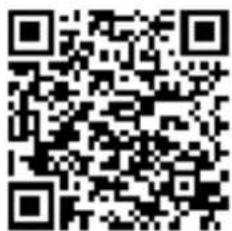


Reciclaje loop
la page Facebook

https://www.instagram.com/sportstech.de https://www.facebook.com/sportstech.de
SOMMAIRE
DES INFORMATIONS DE SÉCURITÉ IMPORTANTES....72
LISTE DES CONFIGURATIONS....74
PARAMÈTRES TECHNIQUES....74
DESSIN ÉCLATÉ/LISTE DES PIÈCES DE RECHANGE 75
INSTRUCTIONS DE MONTAGE....76
INSTALLATION 77
RANGEMENT 78
MAINTENANCE ET ENTRETIEN....79
INFORMATIONS ÉLECTRIQUES IMPORTANTES 81
FONCTIONS....81
INSTRUCTIONS D'EXERCICE 82
EXCERCICE D'ÉTIREMENT 83
FONCTION DE LA CONSOLE 84
DÉPANNAGE....86
FAIT IMPORTANT 88
LOGICIEL D'APPLICATION (APP) 89
RECYCLAGE 90
DECLARATION OF CONFORMITY....135
DES INFORMATIONS DE SÉCURITÉ IMPORTANTES

INSTRUCTIONS DE MONTAGE

natural_image
Technical line drawing of a mechanical device with mounting brackets and internal components, showing rotational motion (no text or symbols)ABAISSER
natural_image
Technical line drawing of a mechanical device with mounting brackets and a central panel (no text or symbols)
RANGEMENT
RANGEMENT
natural_image
Technical line drawing of a mechanical device with mounting brackets and a central panel (no text or symbols)RANGEMENT VERTICAL
natural_image
Technical line drawing of a rectangular electronic device with internal channels and mounting feet (no text or symbols)MAINTENANCE ET ENTRETIEN
natural_image
Technical line drawing of a tanker truck with visible engine and side-mounted wheels (no text or symbols)Power-Schalter
TOUCHES DE FONCTION:
TÉLÉCOMMANDE, APPLICATION ET BLUETOOTH:
LOGICIEL D'APPLICATION (APP)
Kinomap


natural_image
Red square logo with white stylized 'FS' letters (no additional text or symbols)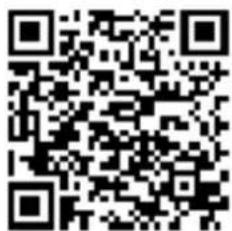

Chaîne du recyclage
Link per il Video: https://service.innovamaxx.de/dft100_video

https://www.instagram.com/sportstech.de https://www.facebook.com/sportstech.de
INDICE
IMPORTANTI ISTRUZIONI DI SICUREZZA 94
DECLARATION OF CONFORMITY 135

IMPORTANTI ISTRUZIONI DI SICUREZZA

IT
natural_image
Technical line drawing of a mechanical device with mounting brackets and a curved arrow indicating rotation (no text or symbols)ABBASSAMENTO
natural_image
Technical line drawing of a mechanical device frame with mounting brackets and internal components (no text or symbols)
CUSTODIA
STOCCAGGIO
natural_image
Technical line drawing of a mechanical ladder assembly with mounting brackets and control panel (no text or symbols)IN VERTICALE
natural_image
Technical line drawing of a rectangular electronic device with internal channels and mounting feet (no text or symbols)3 STRETCHING LATERALE
4 STRETCHING DEI QUADRICIPITI
5 STRETCHING INTERNO COSCIA
7 STRETCHING DEI TENDINI
natural_image
Technical line drawing of a tanker truck with visible engine and side-mounted wheels (no text or symbols)TASTI FUNZIONE:
Kinomap


natural_image
Red square logo with white stylized 'FS' letters (no additional text or symbols)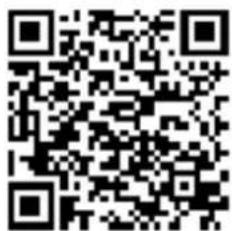


Link naar de video's: https://service.innovamaxx.de/dft100_video

https://www.instagram.com/sportstech.de https://www.facebook.com/sportstech.de
INHOUD
BELANGRIJKE VEILIGHEIDSINSTRUCTIES 116
MONTAGE - ONDERDELEN 118
APPLICATIESOFTWARE (APP)....133
RECYCLING 134
DECLARATION OF CONFORMITY....135
BELANGRIJKE VEILIGHEIDSINSTRUCTIES


MONTAGE-INSTRUCTIES

natural_image
Technical line drawing of a mechanical device with mounting brackets and internal components, showing rotational motion arrows (no text or symbols)LATEN ZAKKEN
natural_image
Technical line drawing of a mechanical device frame with mounting brackets and internal components (no text or symbols)
OPSLAG
OPSLAG
natural_image
Technical line drawing of a mechanical ladder assembly with mounting brackets and control panel (no text or symbols)VERTICAAL OPBERGEN
natural_image
Technical line drawing of a rectangular electronic device with internal channels and mounting feet (no text or symbols)ONDERHOUD EN ZORG
5 STRETCHING BINNENKANT DIJEN
7 STRETCHING ACHILLESPEES
HET APPARAAT INSCHAKELEN
natural_image
Technical line drawing of a tanker truck with visible engine and wheels (no text or symbols)Aan/uit-schakelaar
FUNCTIETOETSEN:
APPLICATIESOFTWARE (APP)
Kinomap


natural_image
Red square logo with white stylized 'FS' letters (no additional text or symbols)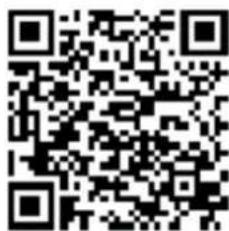


Recyclingcyclus
At the following link
you will find the declaration of conformity:
https://service.innovamaxx.de/dft100_conformity
Verkauf durch / Distributed by / Distribuido por / Distribué / Distribuito da / Verkoop via
InnovaMaxx GmbH
Potsdamer Platz 11
10785 Berlin

+49 30 220 663 569

service@innovamaxx.de

http://www.sportstech.de
- BENUTZERHANDBUCH
- DEUTSCH
- INHALTSVERZEICHNIS
- MONTAGEANLEITUNG
- HERUNTERLASSEN
- AUFBEWAHRUNG
- LAGERUNG
- WARTUNG UND PFLEGE
- FUNKTIONSTASTEN:
- Recyclingkreislauf
- Our video tutorials for you!
- Assembly, use, disassembly.
- We are also on social media!
- INDEX
- IMPORTANT SAFETY INSTRUCTIONS
- CONFIGURATION LIST
- TECHNICAL PARAMETERS
- STEPS OF ASSEMBLY
- Firmly tighten all component parts and pre-assembled parts!
- STEP 1
- STEP 2
- STEP 3
- FOLDING INSTRUCTION
- STANDING UPRIGHT/ TRANSPORTING
- LOWERING
- STORAGE
- VERTICAL STORAGE
- HORIZONTAL STORAGE
- MAINTENANCE AND CARE
- CENTERING THE RUNNING BELT:
- When the treadmill moves to the right:
- When the treadmill moves to the left:
- LUBRICATE THE TREADMILL
- PERIODIC LUBRICATION CHECK
- RECOMMENDATIONS
- IMPORTANT ELECTRICAL INFORMATION
- WARNING:
- GROUNDING METHODS:
- DANGER:
- FUNCTIONS
- SAFETY LOCK FUNCTION:
- POWER SAVE FUNCTION:
- POWER ON:
- POWER OFF:
- SAFETY NOTE:
- EXERCISE INSTRUCTIONS
- GETTING STARTED
- STRETCH EXERCISE
- HEAD ROLLS
- SHOULDER LIFTS
- SIDE STRETCHES
- QUADRICEPS STRETCH
- INNER THIGH STRETCH
- TOE TOUCHES
- HAMSTRING STRETCHES
- CALF / ACHILLES STRETCH
- FUNCTION OF THE CONSOLE
- TURN ON THE DEVICE
- ACTIVATE THE REMOTE CONTROL AND START THE TREADMILL
- FUNCTION KEYS:
- LED-DISPLAY:
- REMOTE CONTROL, APP AND BLUETOOTH:
- STANDBY MODE:
- TROUBLESHOOTING
- IMPORTANT MATTER
- WARNING
- BEFORE USE
- MEASURE PULSE
- APPLICATION SOFTWARE (APP)
- Notes on using the App:
- Recycling loop
- Notes on the Electrical and Electronic Equipment Act (ElektroG)
- MANUAL ESPAÑOL
- Estimado cliente,
- ÍNDICE
- INSTRUCCIONES DE MONTAJE
- BAJAR
- ALMACENAMIENTO
- ALMACENAMIENTO VERTICAL
- BOTONES:
- Reciclaje loop
- SOMMAIRE
- DES INFORMATIONS DE SÉCURITÉ IMPORTANTES
- INSTRUCTIONS DE MONTAGE
- ABAISSER
- RANGEMENT
- RANGEMENT VERTICAL
- MAINTENANCE ET ENTRETIEN
- TOUCHES DE FONCTION:
- TÉLÉCOMMANDE, APPLICATION ET BLUETOOTH:
- LOGICIEL D'APPLICATION (APP)
- Chaîne du recyclage
- INDICE
- IMPORTANTI ISTRUZIONI DI SICUREZZA
- ABBASSAMENTO
- CUSTODIA
- STOCCAGGIO
- IN VERTICALE
- STRETCHING LATERALE
- STRETCHING DEI QUADRICIPITI
- STRETCHING INTERNO COSCIA
- STRETCHING DEI TENDINI
- TASTI FUNZIONE:
- INHOUD
- BELANGRIJKE VEILIGHEIDSINSTRUCTIES
- MONTAGE-INSTRUCTIES
- LATEN ZAKKEN
- OPSLAG
- VERTICAAL OPBERGEN
- ONDERHOUD EN ZORG
- STRETCHING BINNENKANT DIJEN
- STRETCHING ACHILLESPEES
- HET APPARAAT INSCHAKELEN
- FUNCTIETOETSEN:
- APPLICATIESOFTWARE (APP)
- Recyclingcyclus
Brand : Sportstech
Model : DFT100
Category : Treadmills