ECO 15M - Heating EWT - Free user manual and instructions
Find the device manual for free ECO 15M EWT in PDF.



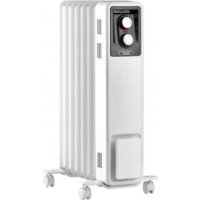
| Product type | Oil-filled radiator |
| Model | ECO 15M |
| Brand | EWT |
| Number of fins | 5 |
| Nominal power | 1500 W |
| Minimum power | 500 W |
| Power supply | 230 V ~ 50 Hz |
| Heat settings | 3 (500 W / 1000 W / 1500 W) |
| Thermostat | Yes, adjustable with frost protection |
| Timer | No (model without timer) |
| Casters | Yes, included |
| Handle | Yes |
| Tip-over safety | Yes |
| Overheat protection | Yes, thermal cut-off |
| Protection rating | IP24 (estimated for bathroom) |
| Cleaning | Unplug, let cool, wipe with a damp cloth |
| Cord length | Approximately 1.5 m (estimated) |
| Country of manufacture | Ireland (Glen Dimplex address) |
| Warranty | 2 years (estimated) |
Frequently Asked Questions - ECO 15M EWT
User questions about ECO 15M EWT
0 question about this device. Answer the ones you know or ask your own.
Ask a new question about this device
Download the instructions for your Heating in PDF format for free! Find your manual ECO 15M - EWT and take your electronic device back in hand. On this page are published all the documents necessary for the use of your device. ECO 15M by EWT.
USER MANUAL ECO 15M EWT
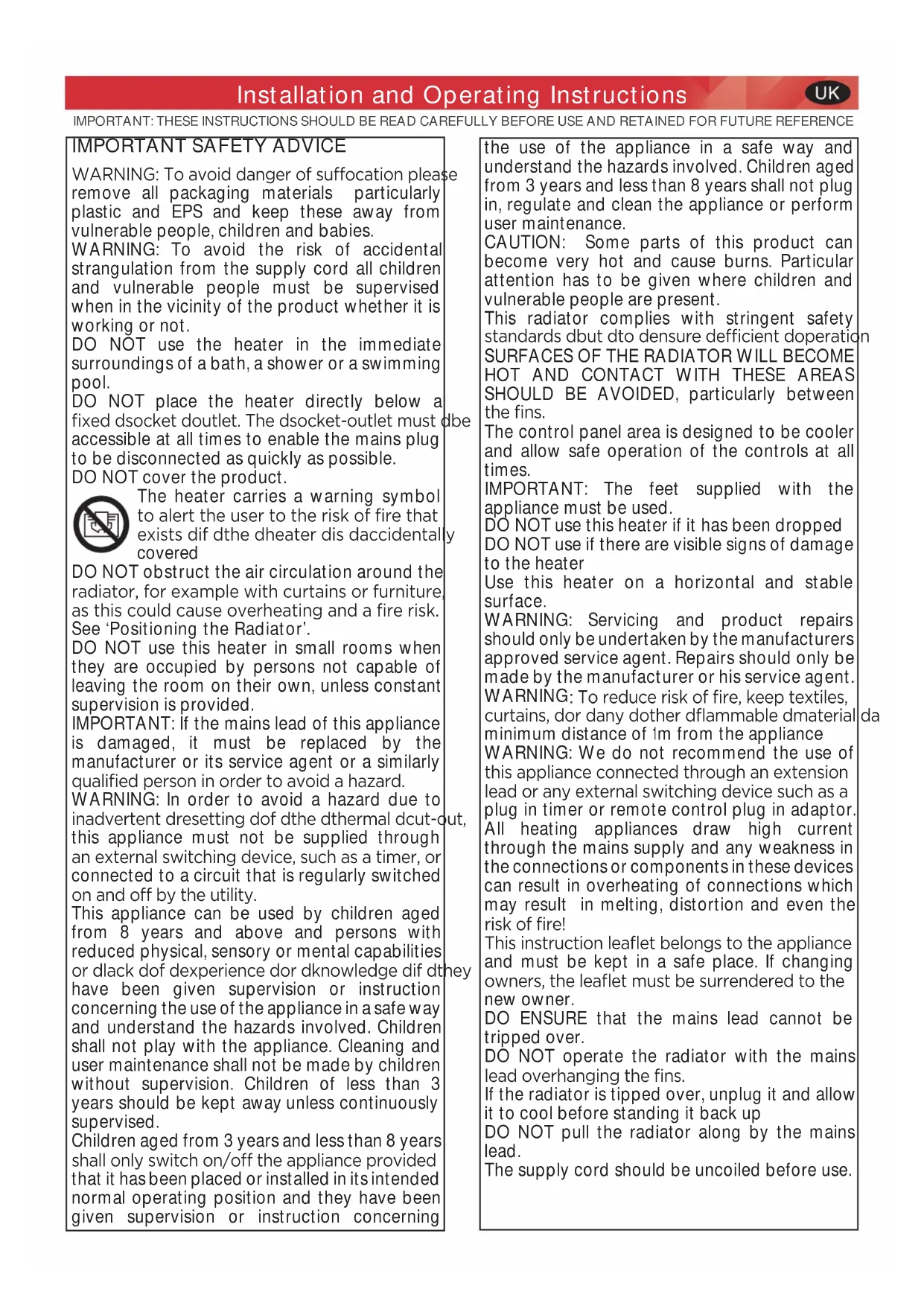
WARNING: To avoid danger of suffocation please remove all packaging materials particularly plastic and EPS and keep these away from vulnerable people, children and babies.
WARNING: To avoid the risk of accidental strangulation from the supply cord all children and vulnerable people must be supervised when in the vicinity of the product whether it is working or not.
DO NOT use the heater in the immediate surroundings of a bath, a shower or a swimming pool.
DO NOT place the heater directly below a fixed dsocket doutlet. The dsocket-outlet must be accessible at all times to enable the mains plug to be disconnected as quickly as possible.
DO NOT cover the product.

The heater carries a warning symbol to alert the user to the risk of fire that exists dif dthe dheater dis daccidentally covered
DO NOT obstruct the air circulation around the radiator, for example with curtains or furniture, as this could cause overheating and a fire risk. See ‘Positioning the Radiator’.
DO NOT use this heater in small rooms when they are occupied by persons not capable of leaving the room on their own, unless constant supervision is provided.
IMPORTANT: If the mains lead of this appliance is damaged, it must be replaced by the manufacturer or its service agent or a similarly qualified person in order to avoid a hazard.
WARNING: In order to avoid a hazard due to inadvertent dresetting dof dthe dthermal dcut-out, this appliance must not be supplied through an external switching device, such as a timer, or connected to a circuit that is regularly switched on and off by the utility.
This appliance can be used by children aged from 8 years and above and persons with reduced physical, sensory or mental capabilities or dlack dof dexperience dor dknowledge dif dt have been given supervision or instruction concerning the use of the appliance in a safe way and understand the hazards involved. Children shall not play with the appliance. Cleaning and user maintenance shall not be made by children without supervision. Children of less than 3 years should be kept away unless continuously supervised.
Children aged from 3 years and less than 8 years shall only switch on/off the appliance provided that it has been placed or installed in its intended normal operating position and they have been given supervision or instruction concerning
the use of the appliance in a safe way and understand the hazards involved. Children aged from 3 years and less than 8 years shall not plug in, regulate and clean the appliance or perform user maintenance.
CAUTION: Some parts of this product can become very hot and cause burns. Particular attention has to be given where children and vulnerable people are present.
This radiator complies with stringent safety standards dbut dto densure deficient doperation SURFACES OF THE RADIATOR WILL BECOME HOT AND CONTACT WITH THESE AREAS SHOULD BE AVOIDED, particularly between the fins.
The control panel area is designed to be cooler and allow safe operation of the controls at all times.
IMPORTANT: The feet supplied with the appliance must be used.
DO NOT use this heater if it has been dropped DO NOT use if there are visible signs of damage to the heater
Use this heater on a horizontal and stable surface.
WARNING: Servicing and product repairs should only be undertaken by the manufacturers approved service agent. Repairs should only be made by the manufacturer or his service agent.
WARNING: To reduce risk of fire, keep textiles, curtains, dor dany dother dflammable dmaterial minimum distance of 1m from the appliance
WARNING: We do not recommend the use of this appliance connected through an extension lead or any external switching device such as a plug in timer or remote control plug in adaptor.
All heating appliances draw high current through the mains supply and any weakness in the connections or components in these devices can result in overheating of connections which may result in melting, distortion and even the risk of fire!
This instruction leaflet belongs to the appliance and must be kept in a safe place. If changing owners, the leaflet must be surrendered to the new owner.
DO ENSURE that the mains lead cannot be tripped over.
DO NOT operate the radiator with the mains lead overhanging the fins.
If the radiator is tipped over, unplug it and allow it to cool before standing it back up
DO NOT pull the radiator along by the mains lead.
The supply cord should be uncoiled before use.
ELECTRICAL CONNECTION
WARNING THIS APPLIANCE MUST BE EARTHED
Assembly and Positioning
FITTING THE CASTORS
WARNING The radiator must only be operated with the wheels and castors fitted and in the upright position.
The dcastors dmust dbe dfitted dto dthe dcontrol dpanel dand dor bracket between the last and second last fin on the opposite end, as shown in Fig.1.
To fit the castors, turn the radiator upside down on a carpet or other soft surface to avoid damage
Warning : The radiator is heavy – ensure that it is supported to prevent it from toppling. Ask a second person to help with this if necessary.
To fit the castors, position the castor plates (A) in position and secure using the wing bolts (B). there are guides to ensure the correct positioning and orientation of the caster plate.
Return the radiator to the correct orientation so it rests on the castors. The product is now ready for use.
POSITIONING THE HEATER
Select the position for the heater ensuring there is clearance from any furniture and fittings of at least 300mm above the heater and 150mm each side and 300mm from the control and end panel. We recommend maximising the clearance where possible.
Models & General Information
MODELS
| Model Description | Power (W) | |
| ECO15 | 5 fin, thermostat, three heat settings & Neon | 1500 |
| ECO15C2A | 5 fin, thermostat, three heat settings, neon & electro mechanical timer | 1500 |
| ECO15C2B | 5 fin, thermostat, three heat settings, neon & electronic 7 day timer | 1500 |
| ECO20 | 7 fin, thermostat, three heat settings & Neon | 2000 |
| ECO20C2A | 7 fin, thermostat, three heat settings, neon & electro mechanical timer | 2000 |
| ECO20C2B | 7 fin, thermostat, three heat settings, neon & electronic 7 day timer | 2000 |
| ECO25 | 11 fin, thermostat, three heat settings & Neon | 2500 |
| ECO25C2A | 11 fin, thermostat, three heat settings, neon & electro mechanical timer | 2500 |
| ECO25C2B | 11 fin, thermostat, three heat settings, neon & electronic 7 day timer | 2500 |
GENERAL
The radiator is designed for operation on an AC electricity supply, and is suitable for use in domestic dwellings and similar indoor locations.
The dradiator dis dfitted dwith dcastors dand da dhandle dfor dease movement. A rotary selector switch provide the ability to choose an available heat output and an adjustable thermostat enables the room temperature to be controlled accordingly. It is supplied with a cord and plug and is ready for use once the castors have been correctly fitted.
ndthe
Operation
IMPORTANT - OBJECTS OR CLOTHING MUST NOT BE PLACED ON THIS HEATER.
Before using the heater ensure that all warnings and instructions have been read carefully.
Once dthe dcasters dhave dbeen dfitted, dto dactivate dthe dheate simply plug it in. Neon indicating lights (i, see Fig 2) located at the controls area will illuminate when the appliance is plugged into the mains. This indicates the appliance is energised and ready for use.
CONTROLS (See Fig. 2 & 3)
Thermostat (T)
The Thermostat controls the heat output according to the room temperature. This ensures that the heater will not produce heat unnecessarily when the room is warm. To set the temperature you drequire, dturn dthe dthermostat dknob dclockwise duntil dthe required setting is reached. Alternatively to heat a cold room quickly, turn the thermostat knob up fully. When the room has reached the desired temperature, turn the thermostat knob anti-clockwise until the thermostat just clicks off. The heater will now automatically operate at this temperature. The thermostat also has a frost protection setting marked ✿. This setting is useful in areas such as garages, to prevent frost damage. If the thermostat is set to its minimum setting ✿, dthe heater will cycle on and off to maintain a temperature of approximately 5° to help protect against frost.
Note - Should the heater fail to come on when the thermostat is at a low setting, this may be due to the room temperature being higher than the thermostat setting.
Heat Selector Switch (S)
Heat dselection dis dprovided dvia da drotar dswitch doffering dfc settings. The heat output can be altered to suit the application, conditions and for improve the economy of operation.
Available output options are as follows:
| Switch setting | ||||
| Model O I II | III | |||
| ECO15(C2*) | Off | 500W | 1000W | 1500W |
| ECO20(C2*) | Off | 600W | 1400W | 2000W |
| ECO25(C2*) | Off | 800W | 1700W | 2500W |
Timer Models
Selected models are supplied with either an electronic 7 day timer or a 24 hour electro mechanical timer, see Fig. 4 & 5
DIGITAL TIMER (Ti) (C2B models only)
IMPORTANT: Remember to observe all safety warnings when operating the heater on auto setting, either attended or unattended.
The timer allows you to select 'AUTO' or 'MAN ON' by pressing the d'MODE' dbutton duntil dthe drequired dMODE dappears dat bottom of the timer display.
'MAN dOFF' dMODE dheat dis dpermanently doff. dThis dis dalso default screen.
'MAN ON' MODE allows power to the heater uninterrupted by the program settings.
'AUTO dDLY' dswitches dthe dheater dON dand dOFF devery dda according to a set daily program.
'AUTO BLK' switches the heater ON and OFF according to a set of programs for weekdays only or weekends only.
Initial Operation
For initial use, plug the heater into a regular household power point and turn the power on. The timer is now ready to be set up for use.
Setting Time
- Hold the 'PROGRAM' button until the clock symbol 🔒 appears on the screen and the hour digit flashes. The user can now set the clock.
- To adjust the hour use the '-' & '+' buttons. Confirm the hour digit by pressing 'ENTER'.
- Once 'ENTER' has been pressed the minutes will flash. To adjust the minutes use the '-' & '+' buttons. Confirm the minute digit by pressing 'ENTER'.
- The timer now returns to the default display.
- To reset incorrect time, repeat previous steps.
Once the correct time is set, a total of four ON/OFF time programs can be set for operation.
Setting Programmes
OPTION d1; dDaily d('DLY' don ddisplay): dThis dis da ddaily dprog function, Monday to Sunday with four ON/OFF program options available.
OPTION 2; Block ('BLK' on display): This is a block program function, Monday to Friday with four ON/OFF program options or Saturday to Sunday with four ON/OFF program options.
Press dthe d'PROGRAM' dkey dto set the programs dstarting with 'Daily ON' P1.
SETTING P1 ON TIME
- To set the hour use the '-' & '+' buttons. Confirm the hour digit by pressing ENTER.
- To set the minutes use the '-' & '+' buttons. Confirm the minute digit by pressing ENTER.
Note: The minutes can only be set in 10 minute blocks. Setting P1 Off Time - To set the hour use the '-' & '+' buttons. Confirm the hour digit by pressing ENTER.
- To set the minutes use the '-' & '+' buttons. Confirm the minute digit by pressing ENTER.
Repeat steps 1 to 4 to programme P2, P3 and P4. After programming P4 you automatically enter the BLOCK programme option. Repeat steps 1 to 4 to programme P2, P3 and P4. After programming P4 you automatically exit the BLOCK programme option.
At any time while programming the timer you can press the PROGRAM button to exit to the default display.
NOTE: You can cycle quickly from daily mode to block modes by pressing the MODE button.
NOTE: dIf dthe d'ON' dtime dis dthe dsame das dthe d'OFF' dtime d appliance will ignore the program.
The Advance Function
When in 'AUTO' MODE, if the '+' button is pressed for longer than 2 seconds the programme will ADVANCE to the next setting programmed and will only revert back to the program. The when the subsequent programme time is reached. When the 'ADVANCE' function is running the 'ADVANCE' segment will be displayed on the LCD screen. If the '-' button is pressed when the 'ADVANCE' programme is running the 'ADVANCE' feature will be automatically cancelled and the programme will run as normal.
^a Note - Timer Memory Back Up Batteries - Once the heater has been left plugged in with the socket switched on for at least 72 dhours dthe dtimer's dmemory dback dup dbatteries dwill dbe d charged.
Once the timer batteries are fully charged, if there is a power cut or if the heater is disconnected from the mains for less than six months, then the timer will continue to keep time & the settings in the memory will remain intact. If however the timer back up batteries have not been charged fully, or if the heater is deprived of power for longer than six months, then the time and the programme settings are likely to be lost and you may therefore need to reset the time and the programme before using the AUTO MODE again.
ELECTROMECHANICAL TIMER (Ti) (C2A models)
Setting the time of day
To set the time of day, rotate the timer dial clockwise (indicated by the arrow) until the correct time of day is opposite the reference mark ▶ - see Fig. 5. The 24-hour clock is used ; e.g. time shown for 4 pm is '16' (16:00hrs).
Operation Modes
Set the operation mode using the slide switch on the timer - see Fig. 6:
Position I - Manual operation
This setting allows power to the heater uninterrupted by the timer settings. The heat selector switch and thermostat will control the output (see 'Controls').
Position Ⓤ - 'Auto' operation
This setting allows the heater to be switched ON and OFF according to a set 24 hour program period.
DO NOT disconnect this heater from the mains supply unless it is being taken out of use (e.g. in summer or for storage), otherwise the timer clock will stop.
Setting the 'Auto' ON and OFF times
To set the timer :
- Using your finger tip or the tip of a pencil, push in as many segments as necessary around the dial, according to the times you don't require heat - see Fig. 6. Each segment pushed in switches the heater OFF for that part of the hour. All other segments will be ON. For example, Fig. 6 shows the timer set to switch the heater OFF between 11pm and 1.45am
- You can select as many ON periods as you like, within the 24-hour day. The settings will repeat every day until changed.
- To change ON and OFF times, simply push in any 'ON' segments you wish to cancel and pull out new 'ON'
Safety Features
This appliance incorporates a number of safety devices. In addition to the 'Important Safety Advice' section your attention is drawn to the following;
Tilt Switch
The tilt switch will prevent the heater from working if it is accidentally tipped over on its side.
If the radiator is tipped over while it is hot, disconnect the power and allow it to cool, then stand the radiator back upright. Reconnect the power - normal operation should be resumed.
Safety Overheat Protection
The heater dis dfitted dwith da dthermal dsafety cut-out dwhich d switch off the heater should it overheat for any reason. If the cut-out operates it is the result of abnormal overheating. The appliance should be disconnected from the power supply and customer services should be contacted for further advice - see 'After Sales Service'.
DO NOT attempt to reuse the product until the fault has been suitably rectified.
Additional
Storage
If dthe dradiator dis dnot drequired dfor dlong dperiods, dfor dexample during the summer, it should be stored in a dry place and preferably covered to prevent the accumulation of dirt and dust. The supply cord should be neatly coiled around the cable wrap (see Fig. 1) and the plug should be inserted in to the plug pin holes provided in the cable wrap.
IMPORTANT
On timer models, the heater must be kept plugged in at the mains to retain the time and the programmed settings. If unplugged from the mains, resetting the time and the programmed settings will be necessary.
Cleaning
WARNING d- dALWAYS dDISCONNECT dTHE dPOWER dSUPPLY BEFORE CLEANING THE HEATER.
Do not use detergents, abrasive cleaning powder or polish of any kind on the body of the heater.
Allow the heater to cool, then wipe with a dry cloth to remove dust and a damp cloth (not wet) to clean off stains. Be careful not to allow moisture in to the heater.
Recycling
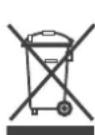
For electrical products sold within the European Community.
At the end of the electrical products useful life it should not be disposed of with household waste.
Please recycle where facilities exist. Check with your
Local Authority or retailer for recycling advice in your country.
After Sales Service
Should dyou drequire dafter dsales dservice, dplease dcontact dthe retailer from whom the appliance was purchased or contact the service number relevant to your country on the warranty card.
Please do not return a faulty product to us in the first instance as this may result in loss or damage and delay in providing you with a satisfactory service.
Please retain your receipt as proof of purchase.
| Model Identifier(s):dECO12(C2*) ECO15(C2*) ECO20(C2*) | ECO25(C2*) | |||||
| Heat output | ||||||
| Nominal heat output | Pnom | 1.2 | 1.5 | 2.0 | 2.5 | kW |
| Minimum heat output (indicative) | Pmin | 0.4 | 0.5 | 0.6 | 0.8 | kW |
| Maximum continuous heat output | Pmax,c | 1.2 | 1.5 | 2.0 | 2.5 | kW |
| Auxiliary electricity Consumption | ||||||
| At nominal heat output | elmax | 0.0 | 0.0 | 0.0 | 0.0 | kW |
| At minimum heat output | elmin | 0.0 | 0.0 | 0.0 | 0.0 | kW |
| In standby mode | eISB | 0.0 | 0.0 | 0.0 | 0.0 | kW |
| Type of heat output/ room temperature control | ||||||
| With mechanical thermostat room temperature control | Yes | |||||
| Contact details | Barn Road, Dunleer, Co. Louth, Ireland, A92 WV02 | |||||
CONSEILS DE SÉCURITÉ IMPORTANTS
WAARSCHUWING: DIT TOESTEL MOET WORDEN GEAARD
Stille inn programmer
ALTERNATIV 1: Daglig ("DLY" på displayet): Dette er en ddaglig dprogramfunksjon, dfra dmandag dtil dsøndag med fire tilgjengelige AV/PÅ-programalternativer.
Stille inn tidsuret:
- Bruk fingeren eller tuppen på en blyant til å dytte inn så mange segmenter som nødvendig rundt skiven, i henhold til timene du ikke ønsker loppvarming - se Fig. 6. Hvert segment som er trykket inn vil slå radiatoren AV for den delen av
PLACERING AF RADIATOREN
Glen Dimplex Benelux B.V. – Netherlands
Saturnus 8
8448 CC Heerenveen
Nederland
E-mail: info@glendimplex.nl
www.glendimplex.nl
AT
Firma Schurz
Merangasse 17
A-8010 Graz.
+43 (316) 32 30 41
- Warranty Card
- Guarantee Period (in Years)
- Model(s)
- Date of Purchase
- Stamp & Signature of retailer
- Fault/Defect
- Contact Number & Address