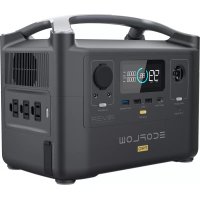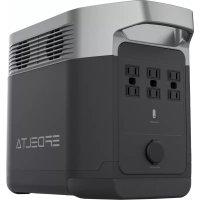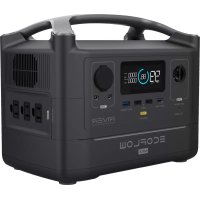
RIVER 600 Max - Power bank ECOFLOW - Free user manual and instructions
Find the device manual for free RIVER 600 Max ECOFLOW in PDF.

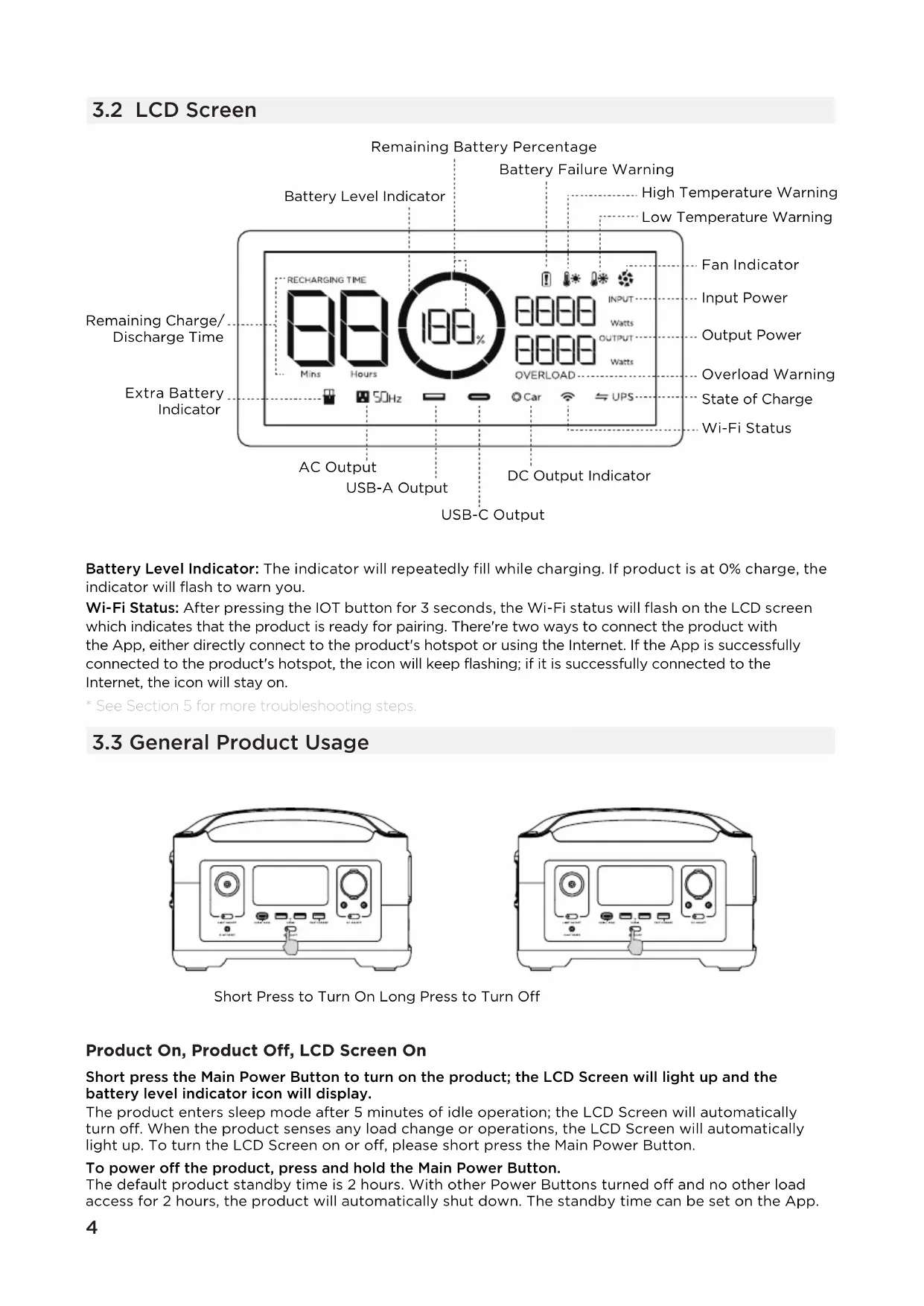


| Product Type | Portable Battery |
| Brand | EcoFlow |
| Model | RIVER 600 Max |
| Dimensions | 28.8 x 18.5 x 19.4 cm |
| Net Weight | Approximately 5 kg |
| Battery Capacity | 288 Wh, 28.8 V |
| Battery Chemistry | Lithium-ion |
| Lifespan | 500 cycles at 80% capacity |
| AC Outputs | 2 outlets, pure sine wave, 600 W total (surge 1200 W), 230 V~ 50 Hz |
| USB-A Outputs | 2 ports 12 W max each (total 24 W) + 1 fast charge port 18 W max |
| USB-C Output | 1 port, 100 W max |
| Vehicle Charger Output | 13.6 V=10 A, 136 W max |
| DC5521 Outputs | 2 ports, 13.6 V=3 A each |
| AC Charge Input | X-Stream, 250 W max, 10 A |
| Solar Charge Input | 10-25 V=12 A, 200 W max |
| Car Charge Input | 12 V, 8 A |
| X-Boost | Maximum supported power up to 1800 W |
| Emergency Power Supply (EPS) | Switching < 30 ms in case of grid failure |
| Connectivity | Wi-Fi, EcoFlow app |
| Operating Temperature (Discharge) | -20 °C to 45 °C |
| Charging Temperature | 0 °C to 45 °C |
| Storage Temperature | -20 °C to 45 °C (optimal 20-30 °C) |
| Protections | Overvoltage, overload, overheat, short circuit, low temperature, low voltage, overcurrent |
| Box Contents | AC charging cable 1.5 m, car charging cable 1.5 m, MC4 to XT60 solar cable, DC5521-DC5525 cable, user manual and warranty card |
| Maintenance and Cleaning | Wipe with a dry, soft, clean cloth. Store in a dry, well-ventilated place. |
| Long-term Storage | Discharge to 30% then recharge to 60% every 3 months |
Frequently Asked Questions - RIVER 600 Max ECOFLOW
User questions about RIVER 600 Max ECOFLOW
0 question about this device. Answer the ones you know or ask your own.
Ask a new question about this device
Download the instructions for your Power bank in PDF format for free! Find your manual RIVER 600 Max - ECOFLOW and take your electronic device back in hand. On this page are published all the documents necessary for the use of your device. RIVER 600 Max by ECOFLOW.
USER MANUAL RIVER 600 Max ECOFLOW
EcoFlow RIVER | User Manual
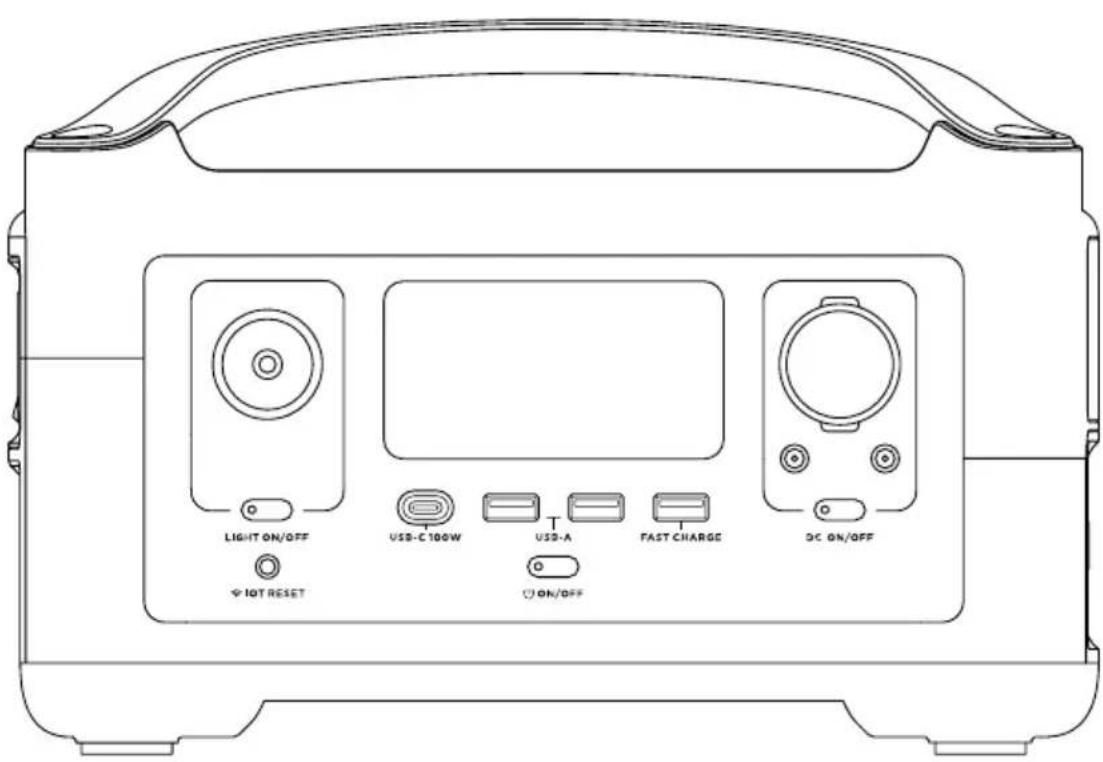
text_image
LIGHT ON/OFF USB-C 100W T USD-A FAST CHARGE DC ON/OFF ON/OFF IOT RESETDISCLAIMER
Read all safety tips, warning messages, terms of use, and disclaimers carefully. Refer to the terms of use and disclaimer at https://ecoflow.com/pages/terms-of-use and stickers on the product before use. Users take full responsibility for all usage and operations. Familiarize yourself with the related regulations in your area. You are solely responsible for being aware of all relevant regulations and using EcoFlow products in a way that is compliant.
CONTENTS
1. Specifications 1
2. Safety Instructions
2.1 Usage 2
2.2 Disposal Guide 2
3. Getting Started
3.1 Product Details 3
3.2 LCD Screen 4
3.3 General Product Usage 4
3.4 AC Charging 6
3.5 Solar Charging 6
3.6 Car Charging 7
3.7 APP 7
3.8 X-Boost 8
3.9 Emergency Power Supply (EPS) 8
4. FAQs 9
5. Troubleshooting 10
6. What's In the Box 11
7. Storage & Maintenance 11
1. Specifications
General Info
| Net Weight | Approximately 11lbs(5kg) |
| Dimensions | 11.3in x 7.3in x 7.7in(28.8 x 18.5 x 19.4cm) |
| Capacity | 288Wh 28.8V --- |
| Wi-Fi | Supported |
Output Ports
| AC (x2) | Pure Sine Wave, 600W total (Surge 1200W), 230V~ (50Hz/60Hz) |
| Max Device(s) Power Supported by X-Boost | 1800W |
| USB-A (x2) | 5V=2.4A 12W Max, per port, 24W total |
| USB-A Fast Charge (x1) | 5V=2.4A 9V=2A 12V=1.5A 18W Max, per port |
| USB-C (x1) | 5/9/12/15/20V=5A 100W Max, per port |
| Car Charger(x1) | 13.6V=10A, 136W Max |
| DC5521 Output (x2) | 13.6V=3A, per port |
* Car charger shares power with the DC5521 output port, offering a maximum output of 136W.
Input Ports
| AC Charge | X-Stream Fast Charge 250W Max, 10A |
| AC Input Voltage | 220-240V~ 50Hz/60Hz, 10A |
| Solar Charger | 10-25V=12A, 200W Max |
| Car Charger | Supports 12V Battery, 8A |
Battery Info
| Cell Chemistry | Lithium-ion |
| Cycle Life | 500 cycles to 80%+ capacity |
| Protection | Over Voltage Protection, Overload Protection, Over Temperature Protection, Short Circuit Protection, Low Temperature Protection, Low Voltage Protection, Overcurrent Protection |
Environmental Operating Temperature
| Optimal Operating Temperature | 20°C~30°C (68°F~86°F) |
| Discharge Temperature | -20°C~45°C (-4°F~113°F) |
| Charge Temperature | 0°C~45°C (32°F~113°F) |
| Storage Temperature | -20°C~45°C (-4°F~113°F)(optimal: 20°C~30°C(68°F~86°F)) |
* Whether the product can be charged or discharged depends on the actual temperature of the battery pack.
2. Safety Instructions
2.1 Usage
- Do not use the product near a heat source, such as a fire source or a heating furnace.
- Avoid contact with any liquid. Do not immerse the product in water or get it wet. Do not use the product in rain or humid environments.
- Do not use the product in an environment with strong static electricity/magnetic fields.
- Do not disassemble the product in any way or pierce the product with sharp objects.
- Avoid using wires or other metal objects that may result in a short circuit.
- Do not use unofficial components or accessories. If you need to replace any components or accessories, please visit official EcoFlow channels to check relevant information.
- When using the product, please strictly follow the operating environment temperature specified in this user manual. If the temperature is too high, it may result in a fire or explosion; if the temperature is too low, the product performance may be severely reduced, or the product may cease to work.
- Do not stack any heavy objects on the product.
- Do not lock the fan forcibly during use or place the product in an unventilated or dusty area.
- Please avoid impact, falls, or severe vibrations when using the product. In case of a severe external impact, turn off the power supply immediately and stop using the product. Ensure the product is well fastened during transportation to avoid vibrations and impacts.
- If you accidentally drop the product into water during use, please place it in a safe open area, and stay away from it until it is completely dry. The dried product should not be used again, and should be properly disposed of according to Section 2.2 below. If the product catches fire, we recommend that you use the fire extinguishers in the following order: water or water mist, sand, fire blanket, dry powder, and finally a carbon dioxide fire extinguisher.
- Use a dry cloth to clean off dirt on the product ports.
- Rest the product on a flat surface to avoid damages caused by the product falling over. If the product is overturned and severely damaged, turn it off immediately, place the battery in an open area, keep it away from combustible matter and people, and dispose of it in accordance with local laws and regulations.
- Ensure that the product is kept out of reach of children and pets.
2.2 Disposal Guide
- If conditions permit, make sure that the battery is fully discharged before disposing it in a designated battery recycling bin. The product contains batteries with potentially dangerous chemicals, so it is strictly prohibited to dispose of it in ordinary trash cans. For more details, please follow the local laws and regulations on battery recycling and disposal.
- If the battery cannot be fully discharged due to a product failure, please do not dispose of the battery directly in the battery recycling box. In such case, you should contact a professional battery recycling company for further processing.
- Please dispose of over-discharged batteries that cannot be recharged.
3. Getting Started
3.1 Product Details
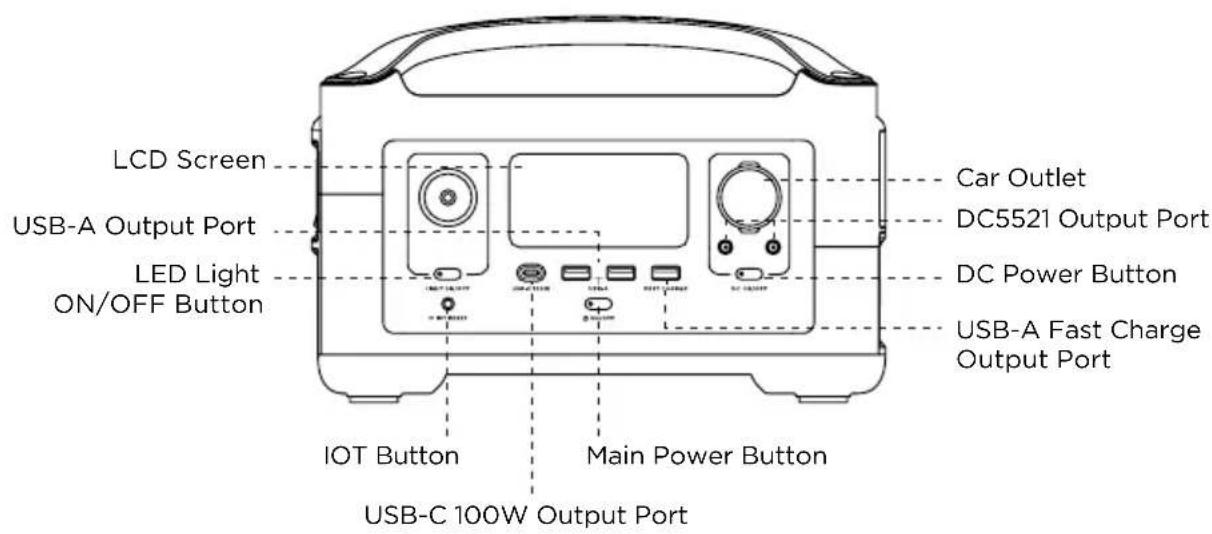
text_image
LCD Screen USB-A Output Port LED Light ON/OFF Button IOT Button Main Power Button USB-C 100W Output Port Car Outlet DC5521 Output Port DC Power Button USB-A Fast Charge Output Port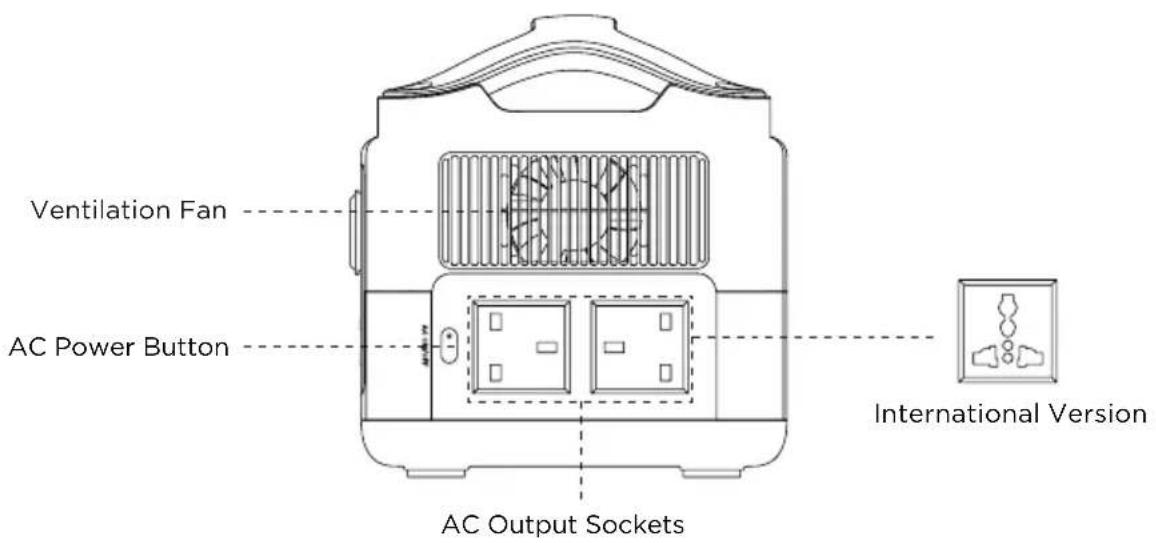
text_image
Ventilation Fan AC Power Button AC Output Sockets International Version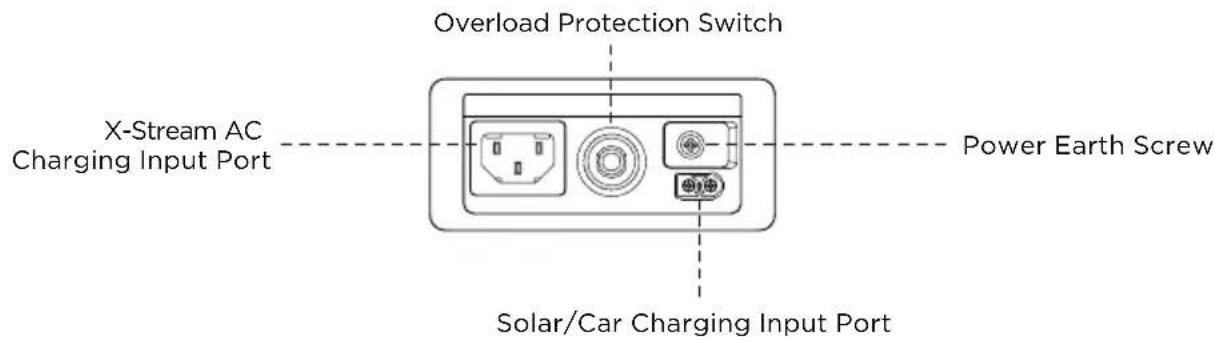
text_image
Overload Protection Switch X-Stream AC Charging Input Port Power Earth Screw Solar/Car Charging Input Port3.2 LCD Screen
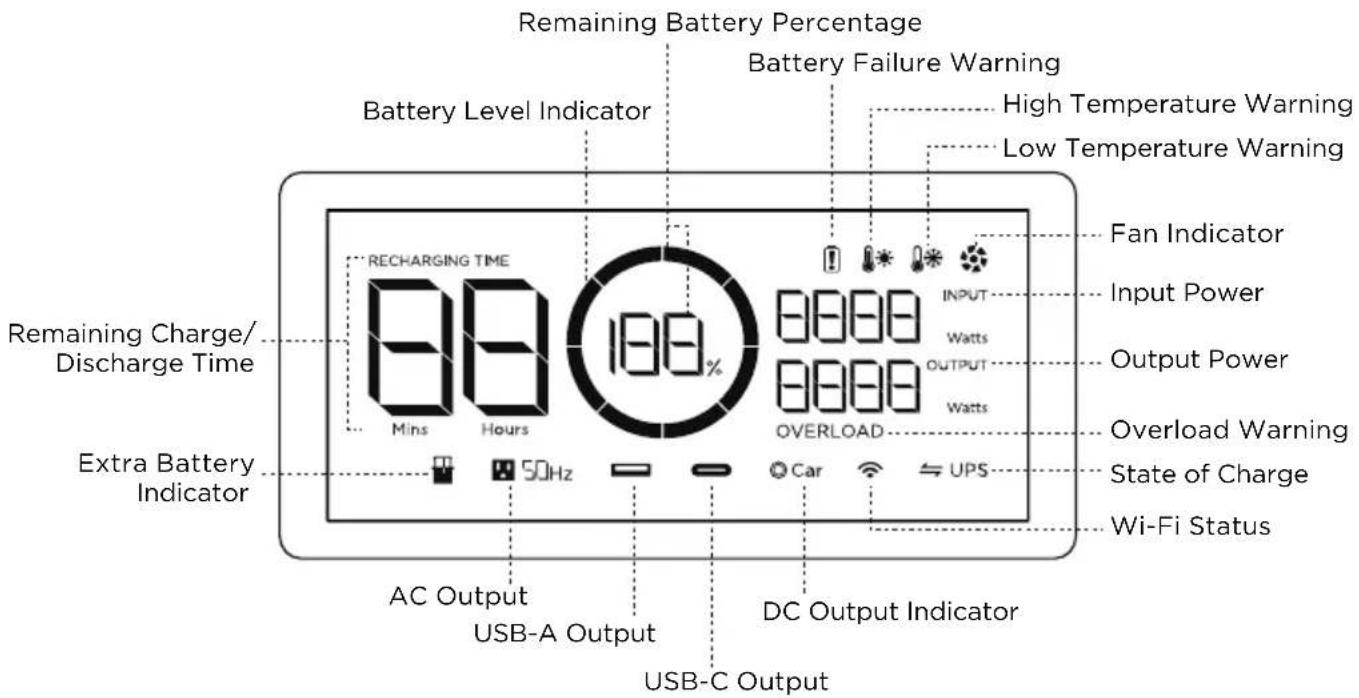
text_image
Remaining Battery Percentage Battery Failure Warning High Temperature Warning Low Temperature Warning Battery Level Indicator Fan Indicator Input Power Output Power Overload Warning State of Charge Wi-Fi Status Remaining Charge/ Discharge Time RECHARGING TIME 88% Mins Hours 100% OVERLOAD Car UPS Extra Battery Indicator 50Hz AC Output USB-A Output DC Output Indicator USB-C OutputBattery Level Indicator: The indicator will repeatedly fill while charging. If product is at 0% charge, the indicator will flash to warn you.
Wi-Fi Status: After pressing the IOT button for 3 seconds, the Wi-Fi status will flash on the LCD screen which indicates that the product is ready for pairing. There're two ways to connect the product with the App, either directly connect to the product's hotspot or using the Internet. If the App is successfully connected to the product's hotspot, the icon will keep flashing; if it is successfully connected to the Internet, the icon will stay on.
* See Section 5 for more troubleshooting steps.
3.3 General Product Usage
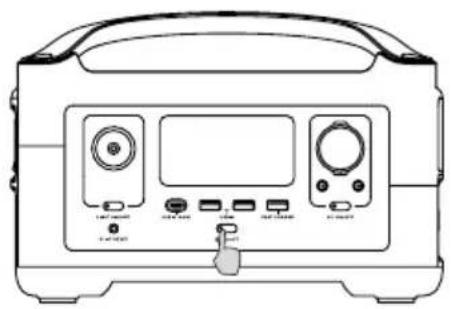
natural_image
Front view of a portable electronic device with front panel, buttons, and control knobs (no visible text or labels)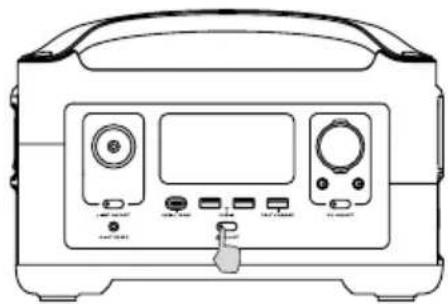
natural_image
Front view of a portable electronic device with front panel, buttons, and display (no visible text or symbols)Short Press to Turn On Long Press to Turn Off
Product On, Product Off, LCD Screen On
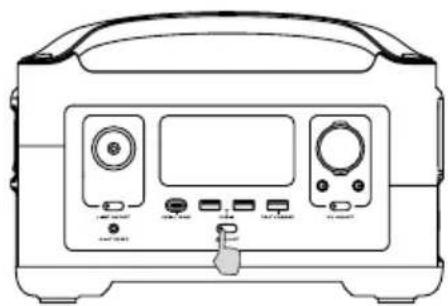
Short press the Main Power Button to turn on the product; the LCD Screen will light up and the battery level indicator icon will display.
The product enters sleep mode after 5 minutes of idle operation; the LCD Screen will automatically turn off. When the product senses any load change or operations, the LCD Screen will automatically light up. To turn the LCD Screen on or off, please short press the Main Power Button.
To power off the product, press and hold the Main Power Button.
The default product standby time is 2 hours. With other Power Buttons turned off and no other load access for 2 hours, the product will automatically shut down. The standby time can be set on the App.
DC Output Port
With the Main Power Button turned on, short press the DC Power Button to use the DC Output port. Short press the DC Power Button again to turn it off.
With the DC Power Button on, the product will not automatically shut down.
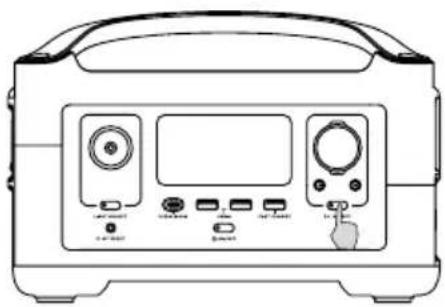
natural_image
Front view of a medical or laboratory device with labeled ports and control buttons (no text or symbols visible)Short Press DC Power Button
AC Output Port
With the Main Power Button turned on, short press the AC Power Button to use the AC Output ports. Short press the AC Power Button again to turn it off.
The default standby time of the AC Output port is 12 hours. Without any load access for 12 hours, the AC Power Button will automatically turn off.
Please turn off AC power button when not in use to save power consumption.
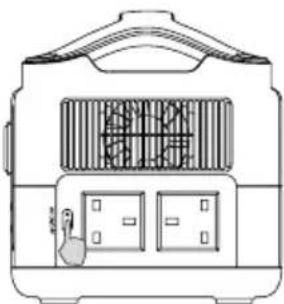
natural_image
Line drawing of a portable air conditioner unit with front panel and side vent (no text or symbols)Short Press AC Power Button
3.4 AC Charging
X-Stream is an AC fast charge technology that recharges your portable power station at the fastest speed possible. For slower, quieter charging, download the EcoFlow app and enable Slow Charging. The unit will shut down if the current from an AC source exceeds 10A for an extended period. The Overload Protection Switch will need to be pressed before powering the unit back on.
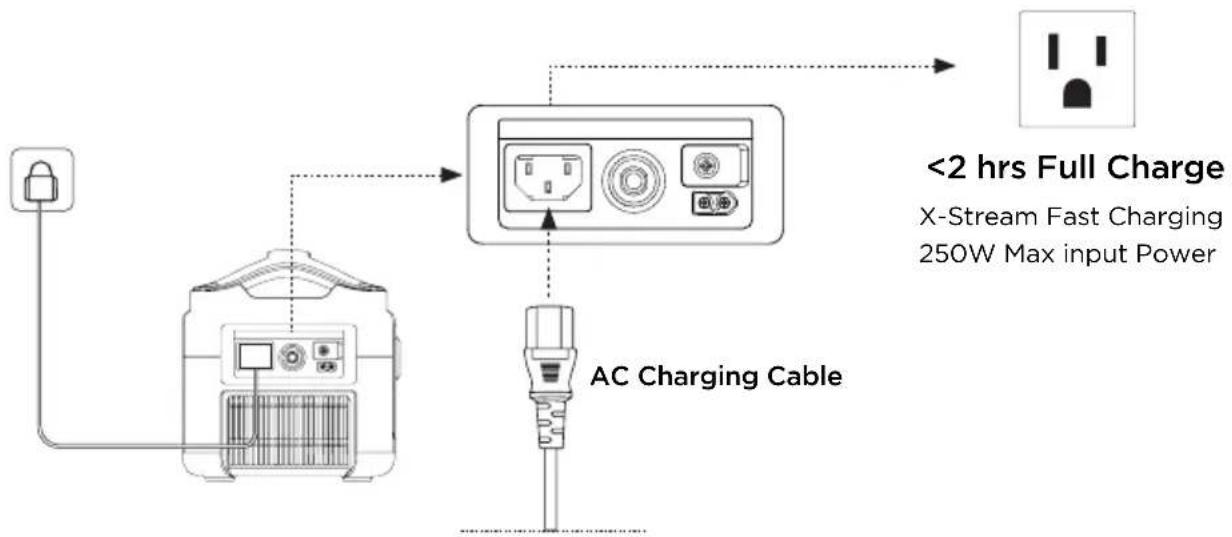
flowchart
graph TD
    A["AC Charging Cable"] --> B["X-Stream Fast Charging 250W Max input Power"]
    B --> C["<2 hrs Full Charge"]
    style A fill:#f9f,stroke:#333
    style B fill:#ccf,stroke:#333
    style C fill:#cfc,stroke:#333
Please use AC charging Cable for fast charging. EcoFlow takes no responsibilities for any consequences caused by failures to follow instructions, including but not limited to charging with AC charging Cable.
3.5 Solar Charging
Users can connect solar panels in series as shown in the figure to recharge the product.
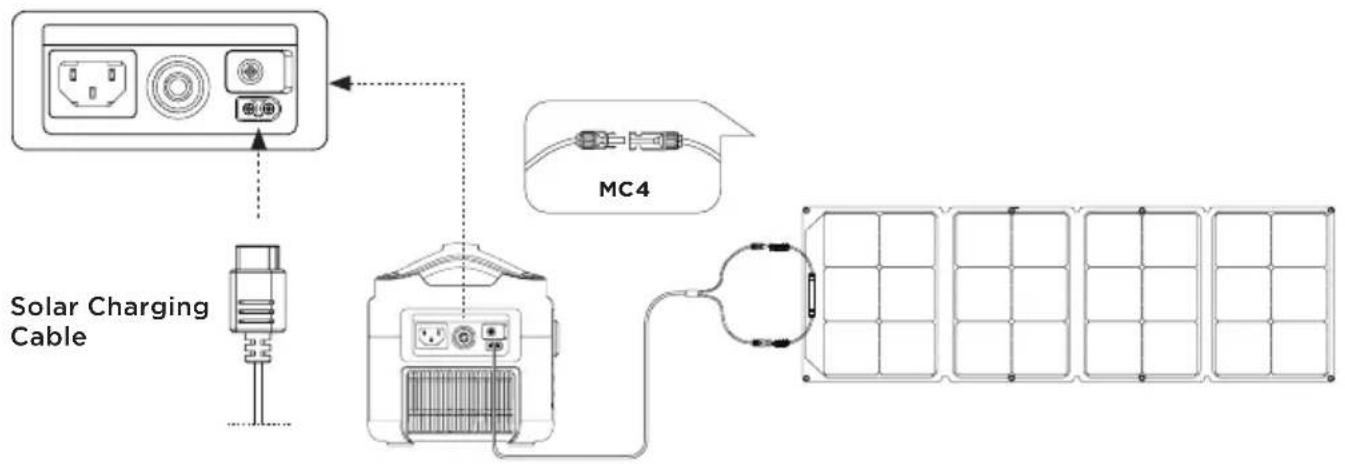
flowchart
graph TD
    A["Solar Charging Cable"] --> B["Power Grid"]
    B --> C["MC4 Module"]
    C --> D["Grid of Solar Panels"]
When using an EcoFlow solar panel to charge the product, please follow the instructions that come with the solar panel.
Before connecting the solar panel, please ensure that the solar panel's output voltage is within voltage range to avoid product damage.
3.6 Car Charging
Users can recharge the product through the Car Charging Input Port. Please charge using the car charger after you've started the car to avoid failure to start due to insufficient car battery. In addition, please make sure that Car Charging Input Port and the Car Charging Cable are in good condition. EcoFlow takes no responsibilities for any losses or damages caused by failures to follow instructions.
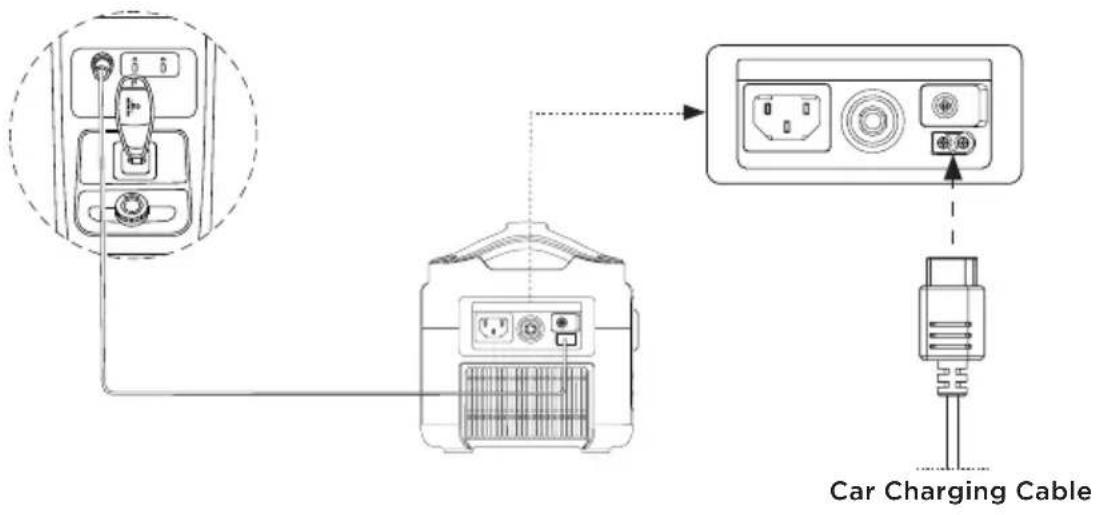
text_image
Car Charging Cable3.7 APP
The EcoFlow App gives users the ability to control and monitor EcoFlow power stations remotely. Read the EcoFlow App user guide and access the download link here: https://ecoflow.com/pages/ecoflow-app
Privacy Policy
By using EcoFlow Products, Applications and Services, you consent to the EcoFlow Term of Use and Privacy Policy, which you can access via the "About" section of the "User" page on the EcoFlow App or on the official EcoFlow website at https://ecoflow.com/pages/terms-of-use and https://ecoflow.com/pages/privacy-policy

text_image
QR code image containing encoded data, no visible human-readable text3.8 X-Boost
To avoid operation failure due to overload protection, the X-Boost feature will be automatically enabled when the total output exceeds the rated output power, which enables the product to power high wattage appliances at the rated output power.
X-Boost Tips:
- X-Boost is enabled by default; you can enable or disable it in the EcoFlow App.
- X-Boost is not available when the AC output is turned on in a recharging state (in bypass mode) and when X-Boost is disabled.
- X-Boost is not applicable for all electrical appliances; it's incompatible with appliances with strict voltage requirements. Appliances with voltage protection (such as precise instruments) are not supported. X-Boost mode is more suitable for heating devices. Please conduct your own tests with your devices with X-Boost enabled.
3.9 Emergency Power Supply (EPS)
The product supports EPS. When you connect the grid power to the AC Input Port of the product through an AC Charging cable, you can power electrical devices through the AC Output Sockets (AC power will come from the grid and not the power station in this situation). In case of a sudden blackout, the product can automatically switch to the battery powered supply mode within 30ms. As a basic UPS function, this function does not support 0ms switching. Please do not connect the product to any device that requires 0ms UPS, such as data servers and workstations. Please test and confirm the compatibility before using the product. We recommend that you only charge one device at a time and avoid using multiple ones at the same time to avoid overload protection. EcoFlow takes no responsibilities for any device failures or data losses caused by failures to follow instructions.
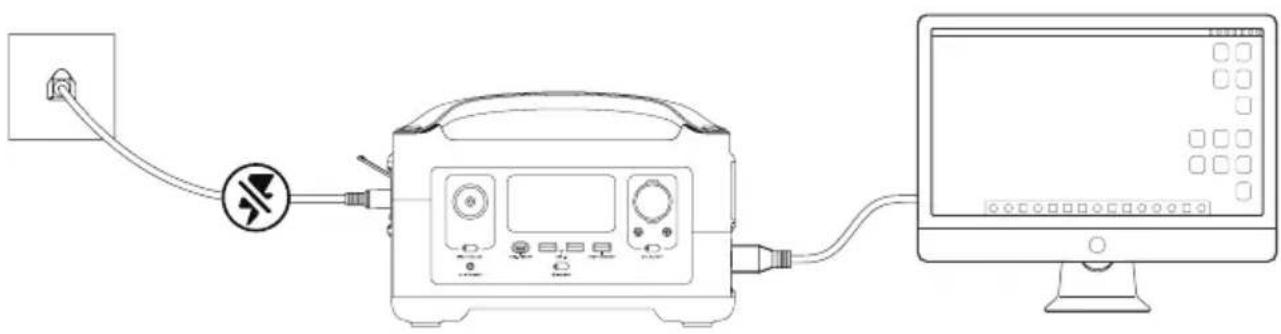
natural_image
Line drawing of a medical device connected to a computer monitor, showing wiring and control panel (no text or symbols)4. FAQs
- Is there an extra battery unit that adds capacity?
Yes, this product does have expandable capacity. Please refer to the user manual of RIVER extra battery for detailed instruction.
- What battery does the product use?
It uses high-quality lithium-ion battery.
- What devices can the product's AC output port power?
This device can power plenty of your appliances and devices. Before you use it, we recommend that you confirm the power of the appliances first and ensure the power sum of all loaded appliances is lower than the rated power.
- How long can the product charge my devices?
The charging time is shown on the product's LCD Screen, which can be used to estimate the charging time of most appliances with stable power usage.
- How can I know if the product is charging?
When it's charging, the remaining charging time will be shown on the LCD Screen. Meanwhile, the charging indicator icon begins to rotate with the remaining battery percentage and the input power shown on the right of the circle.
- How to clean the product?
Please gently wipe it with a dry, soft, clean cloth or paper towel.
- How to store the product?
Before storing, please turn off the product first, and then store it in a dry, ventilated place at room temperature. Do not place it near water sources. For long-term storage, please discharge the battery to 30% and recharge it to 60% every three months to extend its battery life.
- Can I bring the product on a plane?
No.
5. Troubleshooting
| Indicator Problem | Solution | |||
 | Icons Flash together | High Temperature Charge Protection | Charging can be resumed automatically after the battery cools down. | |
| Icons Flash together | High Temperature Discharge Protection | The power supply can be resumed automatically after the battery cools down. | ||
| Icons Flash together | Low Temperature Charge Protection | Charging can be resumed automatically after battery temperature rises above 5°C(41°F). | ||
| Icons Flash together | Low Temperature Discharge Protection | The power supply can be resumed automatically after the battery temperature rises above -12°C(10°F). | ||
| Icons Flash together | Overload Discharging Protection | Battery Exclamation and OVERLOAD icons flash together.Disconnect all appliances, restart the RIVER, and add each appliance back in in turn. Please note that electrical appliances must be operated within rated power. | ||
| Icons Flash together | AC Output Overload Protection | Normal operation will be resumed automatically after you remove the overloaded device and restart the product.Electrical appliances should be used within rated power.(Refer to X-Boost instructions to get more details about power limitations). | ||
| Icons Flash together | AC High Temperature Protection | Please confirm whether the fan inlet and outlet are blocked, if not, normal operation will be resumed automatically after the product temperature drops. | ||
| SOHz | Icons Flash together | AC Low Temperature Protection | Normal operation will be resumed automatically after the product is used at optimum environmental temperatures. | |
| Icon Flashes | Fan Blockage | Please check if the fan is blocked by foreign materials. | ||
| Car | OVERLOAD | Icons Flash together | Car Charger Overload Protection | The product will resume normal operation automatically after you remove the device connected to the car charger. |
| Car | Icons Flash together | Car Charger High Temperature Protection | After the product cools down, it will resume normal operation automatically. | |
| Icon Stays On | Battery Failure | Contact EcoFlow Customer Service | ||
If the Alarm Prompt shows on the product LCD screen during use and does not disappear after a restart, please stop using it immediately (do not try to charge or discharge).
If you require any other assistance, please contact EcoFlow Customer Service.
6. What's In the Box
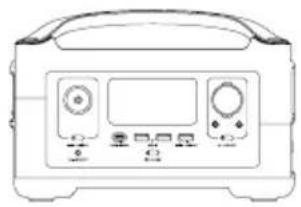
natural_image
Front view of a standard analog oscilloscope device with control panel and display (no visible text or labels)RIVER
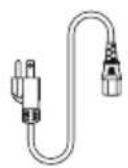
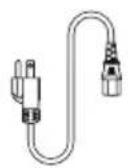
AC Charging Cable (1.5m) Car Charging Cable
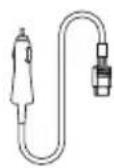
(1.5m)
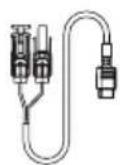
Solar Charging Cable (MC4 to XT60 Input)
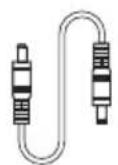
DC5521-DC5525 Cable
User Manual and Warranty Card
7. Storage & Maintenance
- Ideally, use and store the product between 20^ C to 30^ C ( 68^ F to 86^ F), and always keep it away from water, intense heat, and sharp objects. Do not store in temperatures above 45^ C ( 113^ F) or below -10^ C ( 14^ F) for an extended period.
- Storing a battery with a low charge for a long period shortens its lifespan. This product mitigates the damage by putting the battery into hibernation mode. To get the most out of the battery, make sure it is about 60% before putting this product into long-term storage, and then once every three months, discharge the battery to 30% and recharge it back to 60%.
ECOFLOW
natural_image
Front view of a portable electronic device with front panel, buttons, and control knobs (no visible text or labels)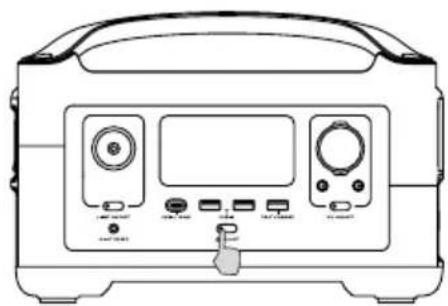
natural_image
Front view of a portable electronic device with control panel and buttons (no visible text or symbols)natural_image
Front view of a medical or laboratory instrument with labeled ports and control buttons (no text or symbols visible)natural_image
Line drawing of a portable electric heater with two outlets and a handle (no text or symbols)text_image
QR code image containing encoded data, no visible human-readable text3.8 X-Boost
natural_image
Line drawing of a medical device connected to a computer monitor, showing wiring and control panel (no text or symbols)4. FAQ-Bereich
natural_image
Front view of a standard analog oscilloscope device with control panel and display (no visible text or labels)RIVER
natural_image
Front view of a medical or laboratory instrument with labeled ports and a hand pointing to the left side (no text or symbols visible)natural_image
Front view of a portable electronic device with control panel and buttons (no visible text or symbols)natural_image
Front view of a medical or laboratory device with labeled buttons and ports (no readable text or symbols)natural_image
Line drawing of a portable air conditioner unit with two outlets and a handle (no text or symbols)text_image
QR code image containing encoded data, no visible human-readable text3.8 X-Boost
natural_image
Line drawing of a medical device connected to a computer monitor, showing wiring and control panel (no text or symbols)4. Foire aux questions
natural_image
Front view of a standard analog oscilloscope device with control panel and display (no visible text or labels)RIVER
natural_image
Front view of a portable electronic device with front panel, buttons, and indicator lights (no visible text or symbols)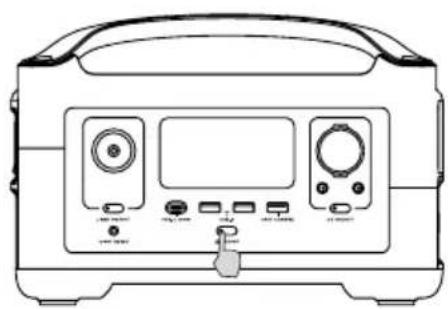
natural_image
Front view of a medical or laboratory instrument with control panel and buttons (no visible text or symbols)natural_image
Front view of a portable electronic device with front panel, buttons, and control buttons (no visible text or symbols)natural_image
Line drawing of a portable air conditioner unit with front panel and control panel (no text or symbols)text_image
QR code image containing encoded data, no visible human-readable text3.8 X-Boost
natural_image
Line drawing of a medical device connected to a computer monitor, showing wiring and control panel (no text or symbols)4. DOMANDE FREQUENTI
natural_image
Front view of a standard analog oscilloscope device with control panel and display (no visible text or labels)RIVER
natural_image
Front view of a portable electronic device with front panel, buttons, and control buttons (no visible text or symbols)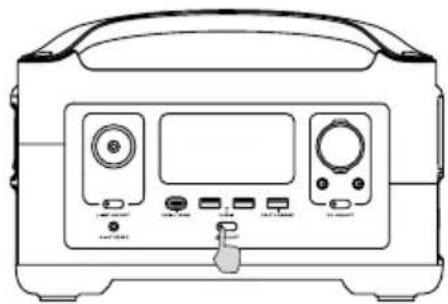
natural_image
Front view of a medical or laboratory device with control panel and buttons (no visible text or symbols)natural_image
Line drawing of a portable electronic device front panel with control buttons and a dial (no text or symbols)natural_image
Line drawing of a portable air conditioner unit with two outlets and a handle (no text or symbols)https://ecoflow.com/pages/ecoflow-app
text_image
QR code image containing encoded data, no visible human-readable text3.8 X-Boost
natural_image
Line drawing of a medical device connected to a computer monitor, showing wiring and control panel (no text or symbols)natural_image
Front view of a standard analog oscilloscope device with control panel and display (no visible text or labels)RIVER
natural_image
Front view of a portable electronic device with front panel, buttons, and control buttons (no visible text or symbols)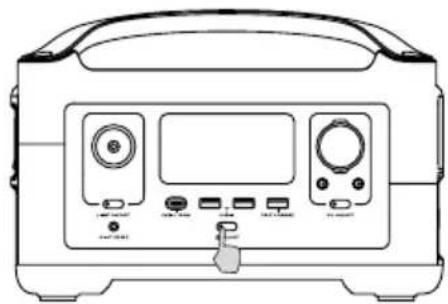
natural_image
Front view of a medical or laboratory device with control panel and buttons (no visible text or symbols)natural_image
Front view of a medical or laboratory device with control panel and buttons (no visible text or symbols)natural_image
Line drawing of a portable air conditioner unit with two outlets and a fan (no text or symbols)text_image
QR code image containing encoded data, no visible human-readable text3.8 X-Boost
3.9 Noodvoeding (Emergency Power Supply/EPS)
natural_image
Line drawing of a medical device connected to a computer monitor, showing wiring and control panel (no text or symbols)natural_image
Front view of a standard analog oscilloscope device with control panel and display (no visible text or labels)RIVER
natural_image
Front view of a portable electronic device with front panel, display screen, and control buttons (no text or symbols visible)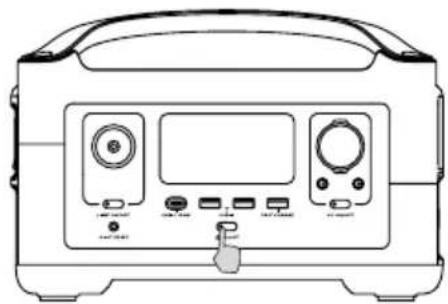
natural_image
Front view of a portable electronic device with control panel and buttons (no visible text or symbols)natural_image
Front view of a portable electronic device with front panel, display screen, and control buttons (no text or symbols visible)natural_image
Line drawing of a portable air conditioner unit with two outlets and a handle (no text or symbols)text_image
QR code image containing encoded data, no visible human-readable text3.8 X-Boost
natural_image
Line drawing of a medical device connected to a computer monitor, showing wiring and control panel (no text or symbols)natural_image
Line drawing of a standard analog oscilloscope device with control panel and display (no text or symbols)RIVER
natural_image
Front view of a portable electronic device with control panel and buttons (no visible text or symbols)短按啟動 長按關閉
natural_image
Front view of a portable electronic device with control panel and buttons (no visible text or symbols)產品啟動、關閉及 LCD 顯示器亮起
natural_image
Front view of a portable electronic device with front panel, control buttons, and indicator lights (no text or symbols visible)短按直流電源開關
AC輸出端口
natural_image
Line drawing of a portable air conditioner unit with front panel and door (no text or symbols)短按交流電源開關
3.4 交流充電
text_image
QR code image containing encoded data, no visible human-readable text3.8 X-Boost
natural_image
Line drawing of a medical or electrical device connected to a computer monitor, with no visible text or symbols.4. 常見問題
- 有沒有可以增加容量的加電包裝置?
natural_image
Front view of a standard analog oscilloscope device with display and control knobs (no text or labels visible)RIVER