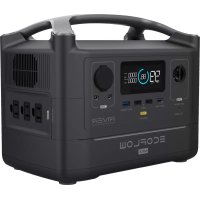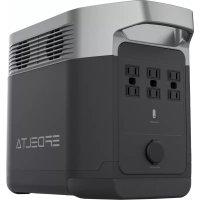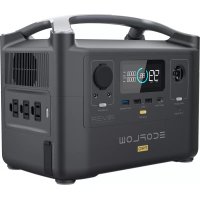
RIVER Pro - Power bank ECOFLOW - Free user manual and instructions
Find the device manual for free RIVER Pro ECOFLOW in PDF.




| Product type | Portable power station / External battery |
| Brand | EcoFlow |
| Model | RIVER Pro (RIVER 2 Pro) |
| Dimensions | 270 x 260 x 226 mm |
| Weight | Approximately 7.8 kg |
| Battery capacity | 768 Wh (40 Ah at 19.2 V) |
| Battery technology | Lithium iron phosphate (LFP) |
| Cycle life | > 80% capacity remaining after 3000 cycles |
| AC output power | 800 W (peak 1600 W), pure sine wave |
| AC output outlets | 2 outlets |
| USB-C output | 100 W max (5/9/12/15/20 V, 5 A) |
| USB-A output | 12 W max per port (2 ports) |
| Cigarette lighter output | 126 W max (12.6 V, 10 A) |
| DC5521 output | 2 ports |
| AC input (mains charging) | 100-120 V ~ 50/60 Hz, 10 A max |
| Solar input | 11-50 V, 13 A, 220 W max |
| Car input | 12/24 V, 8 A, 100 W max |
| USB-C input | 100 W max |
| X-Boost function | Power devices up to 1600 W |
| Emergency power supply (EPS) | Switchover in < 30 ms in case of grid failure |
| Connectivity | Wi-Fi 2.4 GHz and Bluetooth |
| Discharge temperature | -10 °C to 45 °C |
| Charge temperature | 0 °C to 45 °C |
| Recommended storage | 20-30 °C with 60% charge every 3 months |
| Mobile app | EcoFlow (remote monitoring and control) |
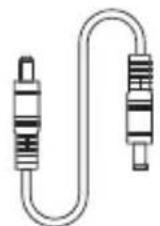
| Box contents | RIVER 2 Pro station, AC charging cable, DC5521 cable, user manual, warranty card |
| Safety | Overload, overheat, short-circuit protection; do not immerse or expose to heat |
| Maintenance | Fully discharge then recharge to 60% every 3 months for long-term storage |
Frequently Asked Questions - RIVER Pro ECOFLOW
User questions about RIVER Pro ECOFLOW
0 question about this device. Answer the ones you know or ask your own.
Ask a new question about this device
Download the instructions for your Power bank in PDF format for free! Find your manual RIVER Pro - ECOFLOW and take your electronic device back in hand. On this page are published all the documents necessary for the use of your device. RIVER Pro by ECOFLOW.
USER MANUAL RIVER Pro ECOFLOW
Read this user manual carefully before using the product to ensure that you completely understand the product and can correctly use it. After reading this user manual, keep it properly for future reference. Improper use of this product may cause serious injury to yourself or others, or cause product damage and property loss. Once you use this product, it is deemed that you understand, approve and accept all the terms and content in this document. EcoFlow is not liable for any loss caused by the user's failure to use the product in compliance with this user manual.
In compliance with laws and regulations, EcoFlow reserves the right to final interpretation of this document and all documents related to the product. This document is subject to changes (updates, revisions, or termination) without prior notice. Please visit EcoFlow's official website to obtain the latest product information.
Content
Specifications 1
Safety Instructions 2
3
What's in the Box 3
Product Details 4
Overview 4
LCD Screen 5
Power On/Off 6
Charge Your Devices 6
Charge RIVER 2 Pro 7
AC Charging (Grid Charging) 7
Solar Charging 7
Car Charging 8
USB-C charging 8
Additional Features 9
X-Boost 9
EPS 9
Troubleshooting 10
FAQ 11
Care and Maintenance 11
Specifications
| General Information | |
| Model EFR620 | |
| Weight Approximately 7.8kg(17.2lbs) | |
| Dimension 270 x 260 x 226mm(10.6 x 10.2 x 8.9inches) | |
| Capacity 768Wh (40Ah 19.2V) | = |
| Wi-Fi(2.4G) | Frequency range : 20M: 2412-2462MHz/40M: 2422-2452MHz Maximum output power : 0.071W |
| Bluetooth | Frequency range : 2402-2480MHz Maximum output power : 0.005W |
| Input Specifications | |
| AC Input 100V-120V~50Hz/60Hz, 10A Max | |
| Car Charging Input 12V/24V 8A, 100W Max | = |
| Solar Charging Input 11-50V 13A, 220W Max | = |
| USB-C Input 5/9/12/15/20V 5A, 100W Max | = |
| Output Specifications | |
| USB-C Output 5/9/12/15/20V 5A, 100W Max | = |
| USB-A Output 5V 2.4A 12W Max per port | = |
| DC Output 12.6V 10A/3A/3A, 126W Max | = |
| AC Output | Pure sine wave, 800W total (1600W Peak) 120V~50Hz/60Hz* |
| Battery Specifications | |
| Cell Material LFP battery | |
| Cycle Life 80%+ capacity after 3000 cycles | |
| Operating Temperature | |
| Optimal Ambient Temperature for Operation | 20°C~30°C(68°F to 86°F) |
| Ambient Temperature for Discharging | -10°C~45°C(14°F to 113°F) |
| Ambient Temperature for Charging | 0°C~45°C(32°F to 113°F) |
| Ambient Temperature for Storage | -10°C~45°C (optimal: 20°C~30°C) 14°F to 113°F (optimal: 68°F to 86°F) |
Safety Instructions
WARNING - When using this product, basic precautions should always be followed, including the following:
Usage
- Do not use the product near a heat source, such as a fire source or a heating furnace.
- When using the product, please strictly follow the operating environment temperature specified in this user manual. If the temperature is too high, it may result in a fire or explosion; if the temperature is too low, the product performance may be severely reduced, or the product may cease to work.
- If this product accidentally catches fire, we recommend that you use the fire extinguishers in the following order: Water or water mist, sand, fire blanket, dry powder, and carbon dioxide fire extinguishers.
- Do not allow this product to come into contact with any liquid. Do not use this product in the rain or high humidity.
- If water is found inside the product, or the product is accidentally dropped into water, it must not be used or turned on again. Please place it in a safe open area, and stay away from it until it is completely dry. Please do not approach the product before it is dry. Please take anti- electric shock measures before touching the product. The dried product should not be used or discarded at will. Please properly dispose of it after contacting Customer Service.
- Use a dry cloth to clean off dirt on the product ports.
- Do not use this product in an environment with strong static electricity or strong magnetic field.
- Do not stack any heavy objects on the product.
- Store the product in a dry and ventilated place. When charging the internal battery, work in a well ventilated area and do not restrict ventilation in any way.
- Keep this product out of reach of children and pets.
- Do not place the battery under extremely low air pressure, otherwise events like explosion or leakage of flammable liquid or gas may occur.
- Do not disassemble or puncture this product in any way with sharp objects.
- Do not block the fan forcibly during use.
- Do not touch the product port with wires or other metal objects to avoid short circuit or other risks.
- When using or transporting this product, please avoid shocks, drops and violent vibrations. In case of severe external shock, please stop using this product immediately and turn off the power.
- Do not use unofficial components or accessories as this will void the warranty. Consult official EcoFlow channels if you need to replace any component or accessory.
- This product is not recommended for powering medical emergency equipment related to personal safety, including but not limited to medical grade ventilators (hospital version CPAP: Continuous Positive Airway Pressure), artificial lungs (ECMO: Extracorporeal Membrane Oxygenation). It can normally work with a home ventilator (home version CPAP), and does not have to be continuously monitored by professionals. Please follow your doctor's
instructions and consult with the manufacturer for restrictions on the use of the equipment. If it is used for general medical equipment, please be sure to monitor the power status to ensure that the power does not run out.
- When in use, power supply products will inevitably generate electromagnetic fields, which are likely to affect the normal operation of medical implants or personal medical equipment such as pacemakers, cochlear implants, hearing aids, defibrillators etc. If these types of medical equipment are being used, please contact the manufacturer to inquire about any restrictions on the use of such equipment. These measures are fundamental to ensure a safe distance between the medical implants (for example, pacemakers, cochlear implants, hearing aids, defibrillators, etc.) and this product while in use.
- When the power supply is connected in the normal mode to a refrigerator, the power supply may be automatically shut down due to the power fluctuation property of the refrigerator. If the refrigerator stores medicines, vaccines or other high-value items, it is highly recommended that you set the AC output to "Never Turn Off" through the APP when connecting the power supply product to ensure continuous power supply. Users should pay attention to the power consumption of the power supply.
- Do not put fingers or hands into the product.
- To reduce risk of damage to the electric plug and cord, pull the plug rather than the cord when disconnecting the power pack.
- Do not operate the power pack with a damaged cord or plug, or a damaged output cable.
- To reduce the risk of electric shock, unplug the power pack form the outlet before attempting any instructed servicing.
- Have servicing performed by a qualified repair person using only identical replacement parts. This will ensure that the safety of the product is maintained.
- Do not use a battery pack or appliance that is damaged or modified. Damaged or modified batteries may exhibit unpredictable behavior resulting in fire, explosion or risk of injury.
- Users not to place the product on the floor, or at a height less than 457 mm (18 inches) above the floor, during use in a repair facility.
- For long-term storage, please discharge the product every three months (firstly discharge it to 0% , then recharge it to 60% ); the product will not be covered by the warranty if it is not charged or discharged for more than 6 months.
- The device may only be used indoors and that no outdoor use is allowed under any conditions.
Disposal Guide
- Whenever possible, please completely discharge the battery of this product before placing the product in the designated battery recycling bin. This product contains batteries. Batteries are hazardous chemicals and should not be disposed of in ordinary trash cans. For details, please follow local laws and regulations on battery recycling and disposal.
- If the battery cannot be completely discharged due to the failure of the product itself, please do not dispose of the battery directly in the battery recycling bin, and contact a professional battery recycling company for further processing.
- The battery will not start after over-discharge, please dispose of it.
Grounding Instructions
- This product must be grounded. When charging it should malfunction or break down, grounding provides a path of least resistance for electric current to reduce the risk of electric shock. This product is equipped with a power cord that has an equipment grounding conductor and a grounding plug. The plug must be plugged into an outlet that is properly installed and grounded in accordance with all local codes ordinances.
- Improper connection of the equipment grounding conductor is able to result in a risk of electric shock. Check with a qualified electrician if you are in doubt as to whether the product is properly grounded. Do not modify the plug provided with the product – if it will not fit the outlet, have a proper outlet installed by a qualified electrician.

SAVE THESE INSTRUCTIONS
EcoFlow App

Control, monitor and customize your EcoFlow River 2 Pro from afar with the EcoFlow App.
What's in the Box
AC Charging CableRIVER 2 Pro
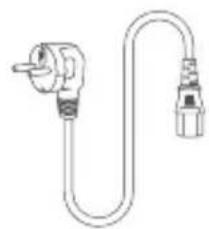
DC5521 Connection Cable User Manual & Warranty Card
Product Details
Overview
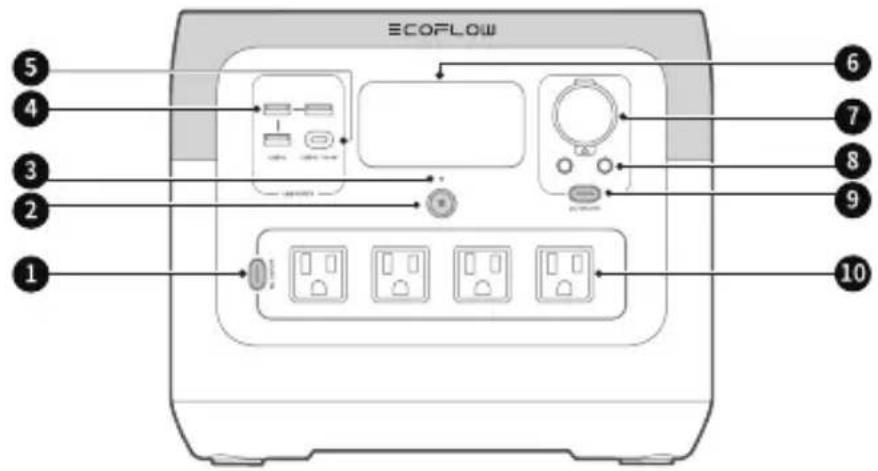
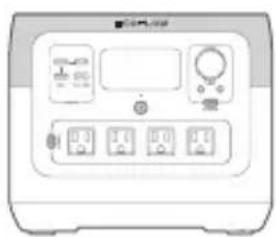
- AC output switch
- Main power switch
- Power indicator
- USB-A port
-
USB-C port
-
LCD
- Car charger outlet
- DC5521 output port (x2)
- DC output switch
- AC output socket
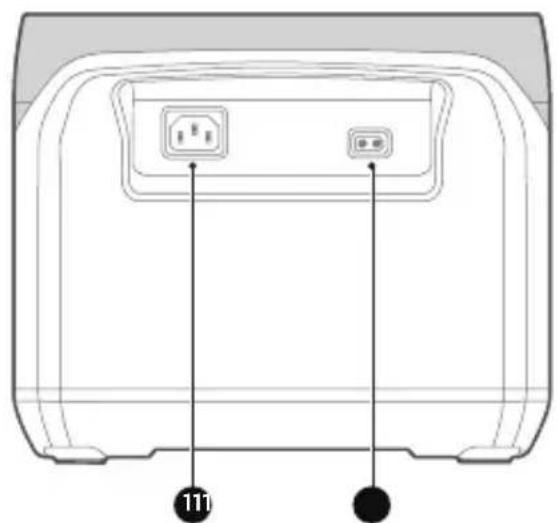
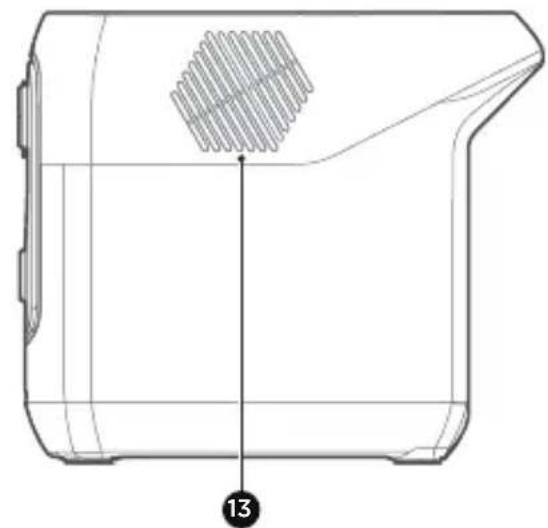
- X-Stream AC charging input port 12. Solar/Car charging input port
- Fan (do not block)
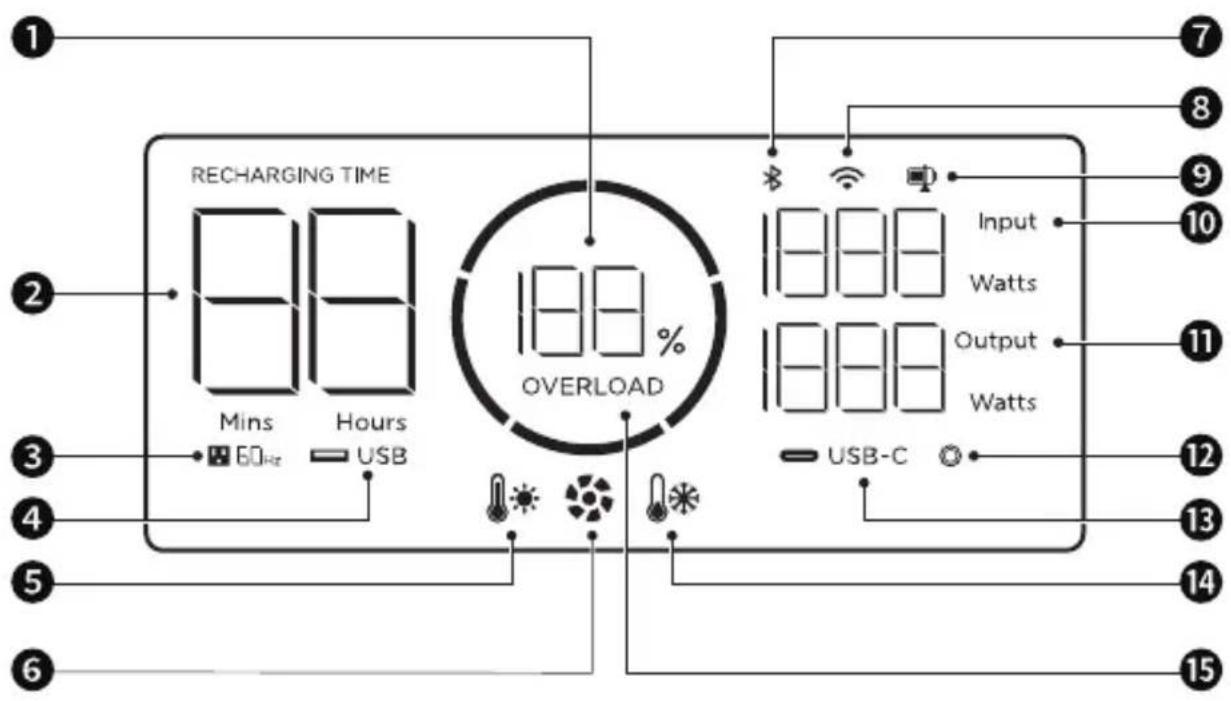
-
Remaining battery
-
Discharge/Recharge level limitation
-
Remaining charge/discharge time
-
Input power
-
AC output
-
Output power
-
USB-A output
-
Car output
-
High temperature warning
-
USB-C output
-
Fan indicator
-
Low Temperature warning
-
Bluetooth connection status
-
Overload Warning
-
Wi-Fi status
Power On/Off
Press the main power button once to turn on the product, then the LCD screen lights up and the main power indicator becomes breathing white; press and hold the main power button (for about 3 seconds) to turn off the product, meanwhile, the LCD screen also goes off.
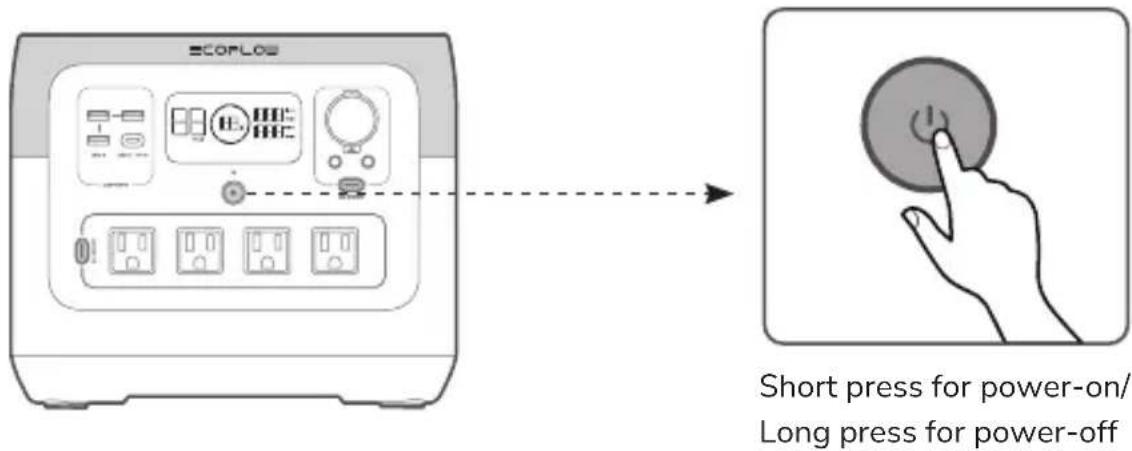
- After the product is turned on, press the main power button once to turn off the LCD screen.
- If the product is not used for 5 minutes, it will enter hibernation state with the LCD screen gone off.
- When RIVER 2 Pro is charging, it can't be turned off by pressing and holding the main power button unless the charging cable is unplugged first.
Charge Your Devices
The USB-A and USB-C output ports are automatically turned on once the product is turned on. Press the "DC output switch" or "AC output switch" once to turn on their corresponding DC/AC output sockets; press again to turn them off.
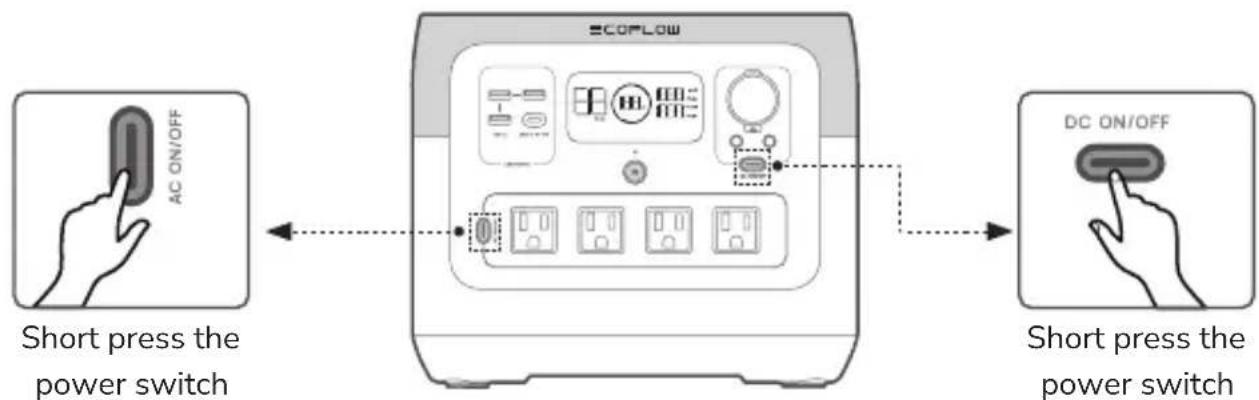

When using the AC output socket, make sure that the sum power of all loaded devices is less than the rated power.
Charge RIVER 2 Pro
AC Charging (Grid Charging)
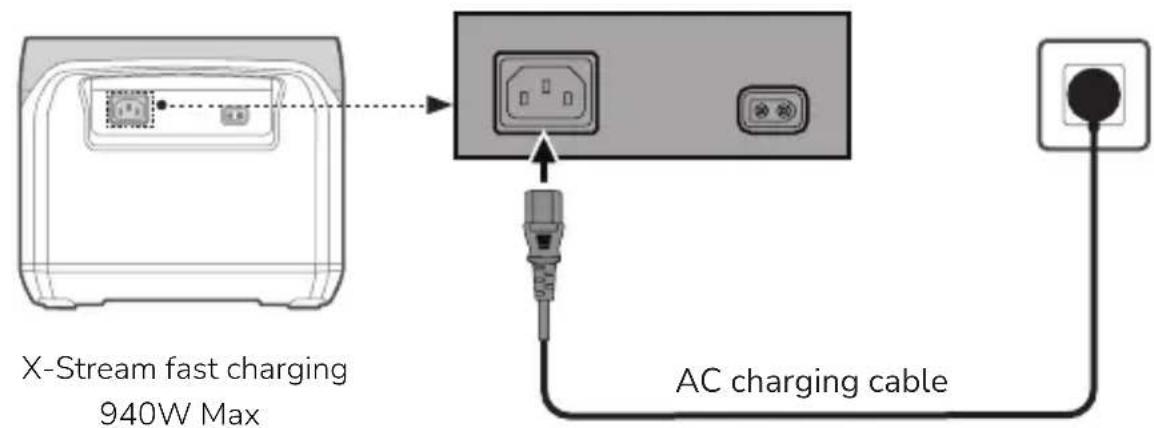
Fully charged in 1.17 hour

- For AC charging, we recommend that you use a power socket with a capacity of more than 10A and ensure that the working current of the socket is constantly greater than 10A.
- For AC charging, please use the AC charging cable included in the package and plug the cable directly into a wall outlet instead of an extension socket.
Solar Charging
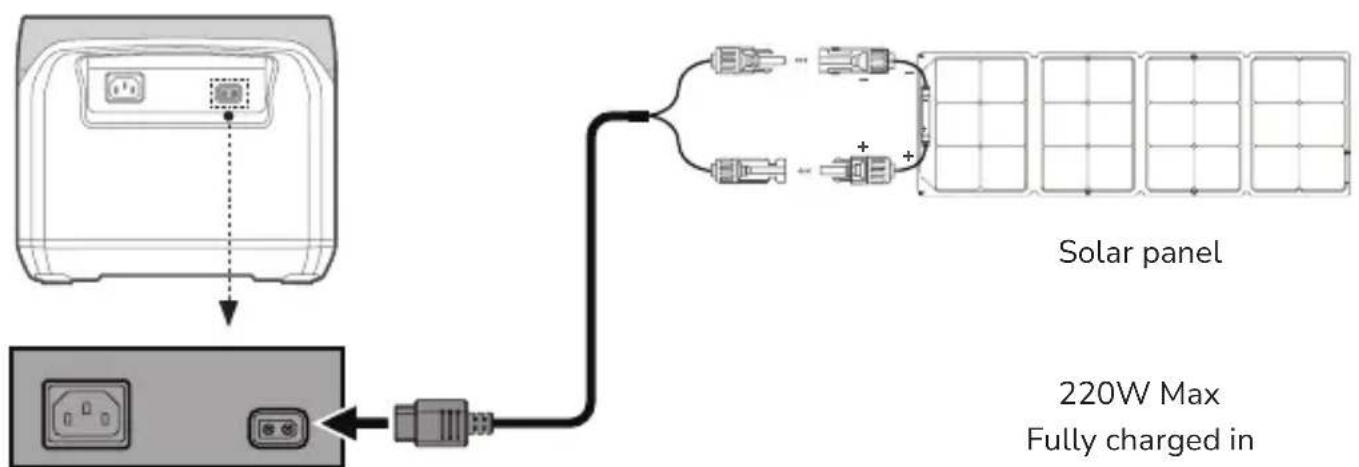
Solar charging cable
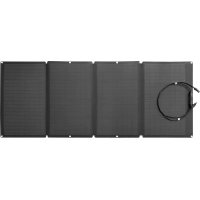
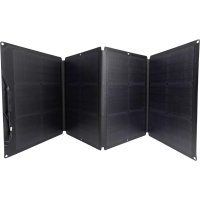
Solar panel
220W Max
Fully charged in
approximate 4.5 to 9 hours

- The solar charging cable (MC4-XT60 adapter cable) and the solar panel are supplied separately.
- When using an EcoFlow solar panel to charge the product, connect them according to the instructions in the user manual.
- Before connecting the solar panel, ensure that the output voltage of the solar panel is less than 50V to avoid product damage.
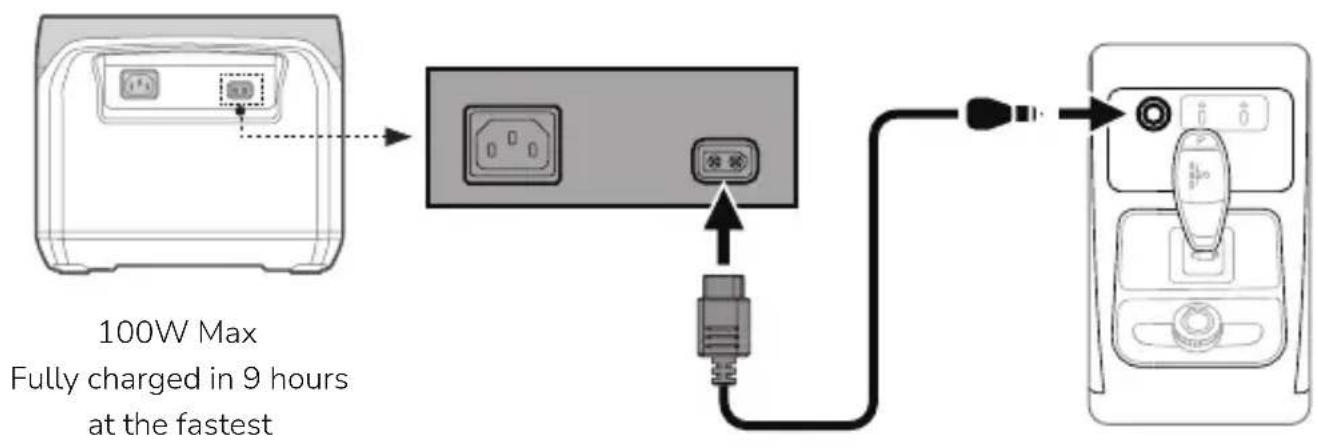
Car Charging
You can recharge the product through the car power outlet. The product supports 12V/24V car chargers and a maximum charging current of 8A.
Please charge using the car charger after the car is started to avoid failure to start due to insufficient car battery. In addition, please make sure that the car power outlet is securely connected to the cigarette lighter of the car charger input cable.
EcoFlow takes no responsibilities for any loss or damage caused by failure to follow instructions.
USB-C charging
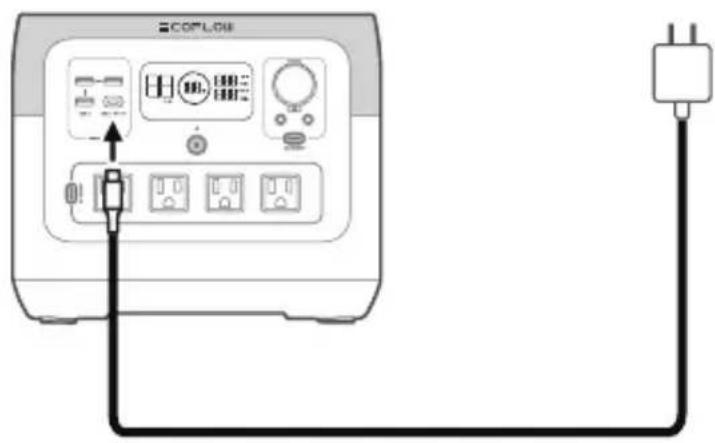
100W Max Fully charged in approximate 9 hours
Additional Features
X-Boost
The product supports X-Boost. It can power devices rated at up to 1600W without incurring operation failure due to overload protection. Observe the following tips when using the X-Boost feature:
- The X-Boost feature is not suitable for appliances with voltage protection (such as precise instruments).
- It is suitable for heating and motor devices. Please conduct your own tests to check whether your devices support X-Boost.
EPS
The product supports emergency power supply (EPS). When you connect the grid power to the AC input port of the product through an AC cable, you can power electrical devices through the AC output port (AC power will come from the grid instead of the power station in this situation). In case of a sudden blackout, the product can automatically switch to the battery-powered supply mode within 30ms.
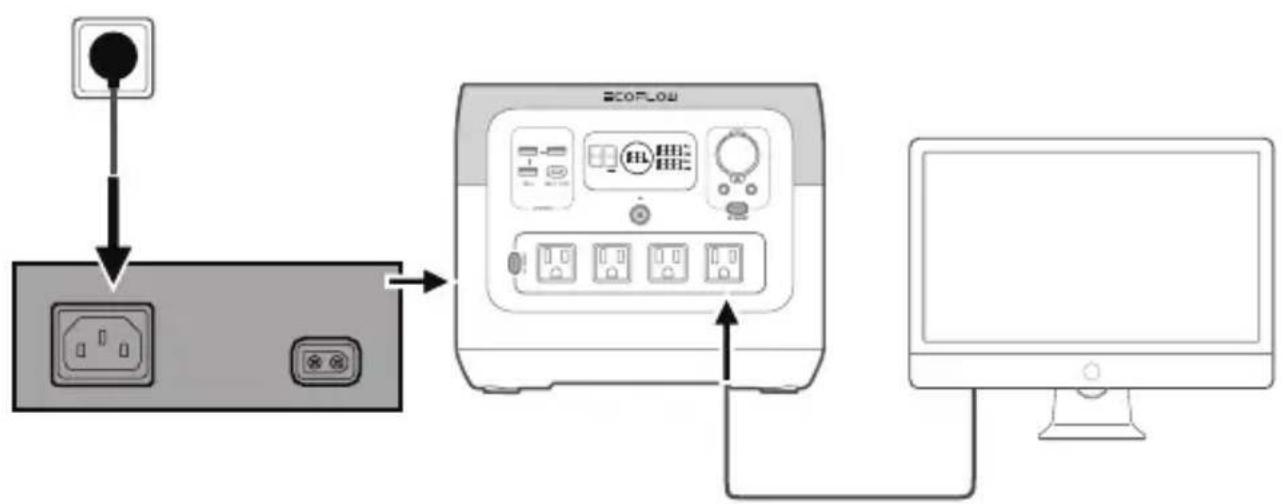

As a basic UPS feature, the EPS does not support 0ms switching. Please do not connect the product to any device that requires 0ms UPS (such as data servers and workstations). Please test and confirm the compatibility before using the product. We recommend that you charge only one device (with maximum power < 1000W and AC input ≥ 110V ) at a time and do not use multiple ones at the same time to avoid triggering overload protection. EcoFlow takes no responsibilities for any device failure or data loss caused by failure to follow instructions.
Troubleshooting
| Indicator Problem Solution | ||
| * Flashing | Battery discharge low temperature | Normal operation will resume automatically when the battery warms up. |
| * Flashing | Battery discharge high temperature | Normal operation will resume automatically after the battery cools down. |
| * Flashing | Battery charging low temperature | Normal operation will resume automatically after the battery temperature is restored to above 3°C. |
| RECHARGING TIME | Battery charging high temperature | Normal operation will resume automatically after the battery cools down. |
| * Flashing | Battery charging high temperature | Normal operation will resume automatically after the battery cools down. |
| 60Hz Flashing | AC output low temperature | Normal operation will resume automatically when the product warms up. |
| 60Hz Flashing | AC output high temperature | Ensure that the air inlet and outlet of the product are unobstructed. Normal operation will resume automatically after the temperature decreases. |
| OVERLOAD Flashing | USB-C or car charging output overload | Remove overpower devices and restart the product to resume normal operation. |
| OVERLOAD Flashing AC output overload | Remove overpower devices and restart the product to resume normal operation. The sum power of loaded electrical appliances must not exceed the rated power (for the power limit of electrical appliances in the X-Boost mode, please refer to the X-Boost feature introduction). | |
| RECHARGING TIME Flashing Charging overload | Remove the charging cable and normal operation will resume automatically after restart. | |
| * Flashing Fan blocked | Check whether the fan is blocked by foreign objects. | |
| 60Hz Flashing | Failure of communication between main control board and AC | Normal operation will resume automatically after restart. |

If a warning is prompted during the use of the product and the warning icon persists after restart, please stop using the product immediately (do not attempt to charge or discharge it). For problems not covered in the preceding table, please consult EcoFlow customer service.
FAQ
- What battery does the product use?
High-quality LFP battery.
- What devices can the product's AC output socket power?
The rated power of the product is 800W and the peak power is 1600W. With the X-Boost feature, the product's AC output sockets can power devices rated at 1600W or below.
We recommend that you confirm the power of devices before use, and ensure that the sum power of all loaded devices is less than the rated power.
- How do I know how long the product can charge my devices?
The charging time is shown on the product's LCD screen, which can be used to estimate the charging time of most appliances with stable power usage.
- How do I know if the product is charging?
During charging, the remaining charging time is shown on the LCD screen. Meanwhile, the circle indicator around the remaining battery percentage rotates and the input power is shown.
- Can I take the product on a plane?
No.
- Can I switch the frequency of the product?
We recommend that you do not switch the frequency in general cases. If you need to switch the AC frequency due to special circumstances, please turn on the AC power, and then press and hold the AC output switch for 10 seconds or use the app to switch frequency.
Care and Maintenance
- For safety, please do not store the product in an environment temperature higher than 45^ or lower than -10^ for a long time.
- For long-term storage, please recharge the product every three months (firstly discharge it to 0% , then recharge it to 60% ). The product will not be covered by the warranty if it is not charged or discharged for more than 6 months.
- If the product has been idle for too long and the battery is severely low, it will enter a deep sleep protection mode. In such case, please charge the product before using it again.
ECOFLOW
ECOFLOW
ECOFLOW RIVER 2 Pro
Application EcoFlow 3