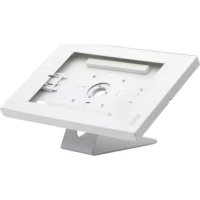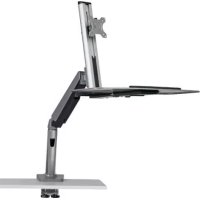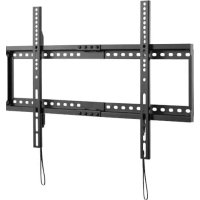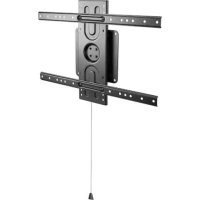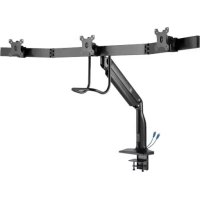
DMPDT1732AM - TV wall mount Tripp Lite - Free user manual and instructions
Find the device manual for free DMPDT1732AM Tripp Lite in PDF.


User questions about DMPDT1732AM Tripp Lite
0 question about this device. Answer the ones you know or ask your own.
Ask a new question about this device
Download the instructions for your TV wall mount in PDF format for free! Find your manual DMPDT1732AM - Tripp Lite and take your electronic device back in hand. On this page are published all the documents necessary for the use of your device. DMPDT1732AM by Tripp Lite.
USER MANUAL DMPDT1732AM Tripp Lite
Precision Placement Triple-Display Desk Clamp with Antimicrobial Tape* with USB 3.0 Port
Model: DMPDT1732AM
Espanol 12 • Français 23 • Pycckn 34 • Deutsch 45


CAUTION: DO NOT EXCEED MAXIMUM LISTED WEIGHT CAPACITY. SERIOUS INJURY OR PROPERTY DAMAGE MAY OCCUR!


14.3 lb. x 3 (6.5 kg x 3) AntiMICROBIAL PRODUCTS
*Antimicrobial tape on handle aids in resisting the growth of bacteria, viruses, fungi, mold and mildew.
WARRANTY REGISTRATION
Register your product today and be automatically entered to win an ISOBAR® surge protector in our monthly drawing!

triplite.com/warranty


1111 W. 35th Street, Chicago, IL 60609 USA triplite.com/support
Copyright © 2021 Tripp Lite. All rights reserved.
Safety Instructions
Note: Read the entire instruction manual before you start assembly and installation.

- Do not begin the installation until you have read and understood the instructions and warnings contained in this manual. If you have any questions regarding any of the instructions or warnings, please visit triplite.com/support.
- This mount was designed to be installed and utilized ONLY as specified in this manual. Improper installation of this product may cause damage or serious injury.
This product should only be installed by someone of good mechanical ability, with basic building experience and a full understanding of this instruction manual. - Ensure the mounting surface can safely support the combined load of the equipment and all attached hardware and components.
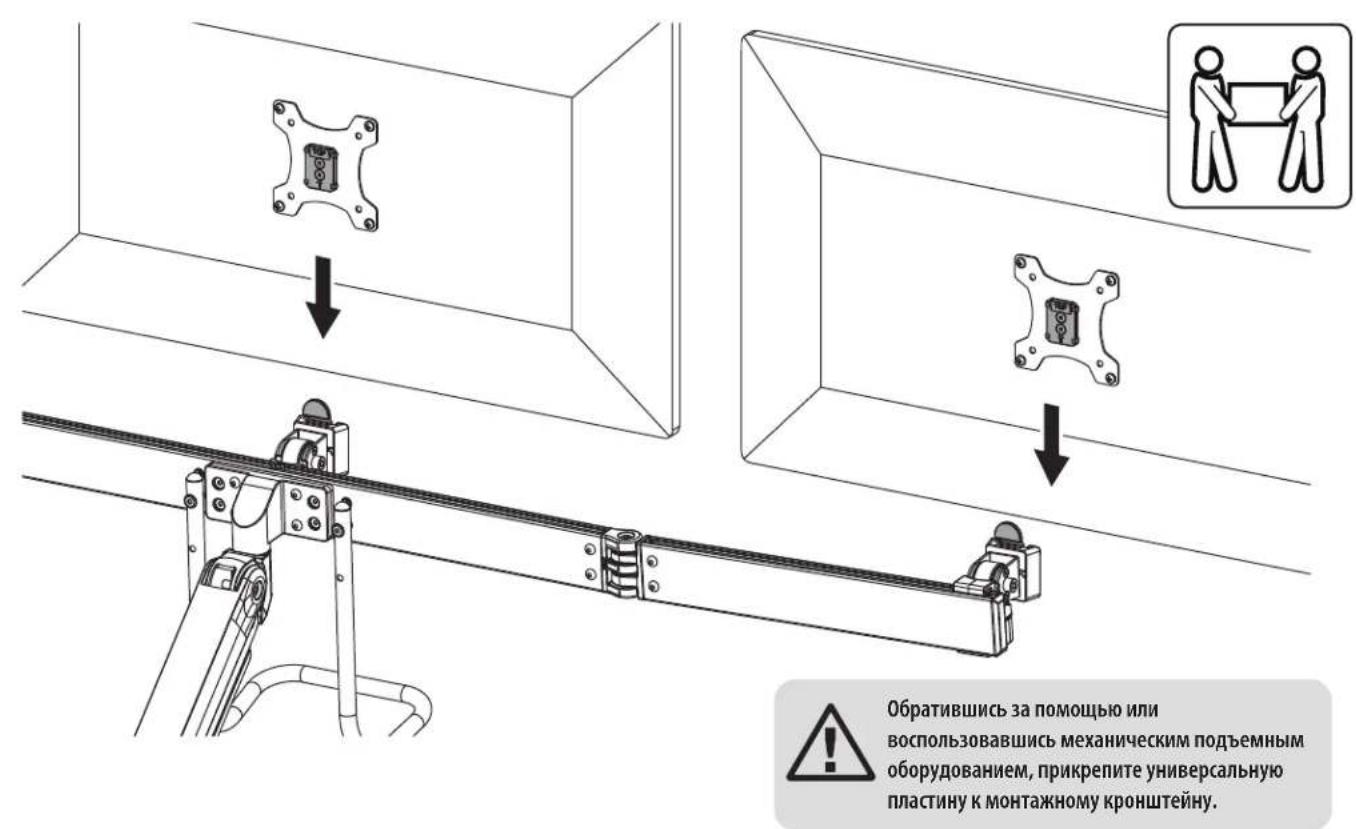
- Use an assistant or mechanical lifting equipment to safely lift and position equipment.
- Tighten screws firmly, but do not over-tighten. Over-tightening screws can damage the unit and greatly reduce the screws' holding power.
- This product is intended for indoor use only. Using this product outdoors could lead to product failure and personal injury.
Warranty and Product Registration
5-Year Limited Warranty
Seller warrants this product, if used in accordance with all applicable instructions, to be free from original defects in material and workmanship for a period of 5 years from the date of initial purchase. If the product should prove defective in material or workmanship within that period, Seller will repair or replace the product, at its sole discretion.
THIS WARRANTY DOES NOT APPLY TO NORMAL WEAR OR TO DAMAGE RESULTING FROM ACCIDENT, MISUSE, ABUSE OR NEGLECT. SELLER MAKES NO EXPRESS WARRANTIES OTHER THAN THE WARRANTY EXPRESSLY SET FORTH HEREIN. EXCEPT TO THE EXTENT PROHIBITED BY APPLICABLE LAW, ALL IMPLIED WARRANTYES, INCLUDING ALL WARRANTYES OF MERCHANTABILITY OR FITNESS, ARE LIMITED IN DURATION TO THE WARRANTY PERIOD SET FORTH ABOVE; AND THIS WARRANTY EXPRESSLY EXCULES ALL INCIDENTAL AND CONSEQUENTIAL DAMAGES. (Some states do not allow limitations on how long an implied warranty lasts, and some states do not allow the exclusion or limitation of incidental or consequential damages, so the above limitations or exclusions may not apply to you. This warranty gives you specific legal rights, and you may have other rights which vary from jurisdiction to jurisdiction.)
WARNING: The individual user should take care to determine prior to use whether this device is suitable, adequate or safe for the use intended. Since individual applications are subject to great variation, the manufacturer makes no representation or warranty as to the suitability or fitness of these devices for any specific application.
PRODUCT REGISTRATION
Visit triplite.com/warranty today to register your new Tripp Lite product. You'll be automatically entered into a drawing for a chance to win a FREE Tripp Lite product!*
- No purchase necessary. Void where prohibited. Some restrictions apply. See website for details.
Tripp Lite has a policy of continuous improvement. Specifications are subject to change without notice. Photos and illustrations may differ slightly from actual products.
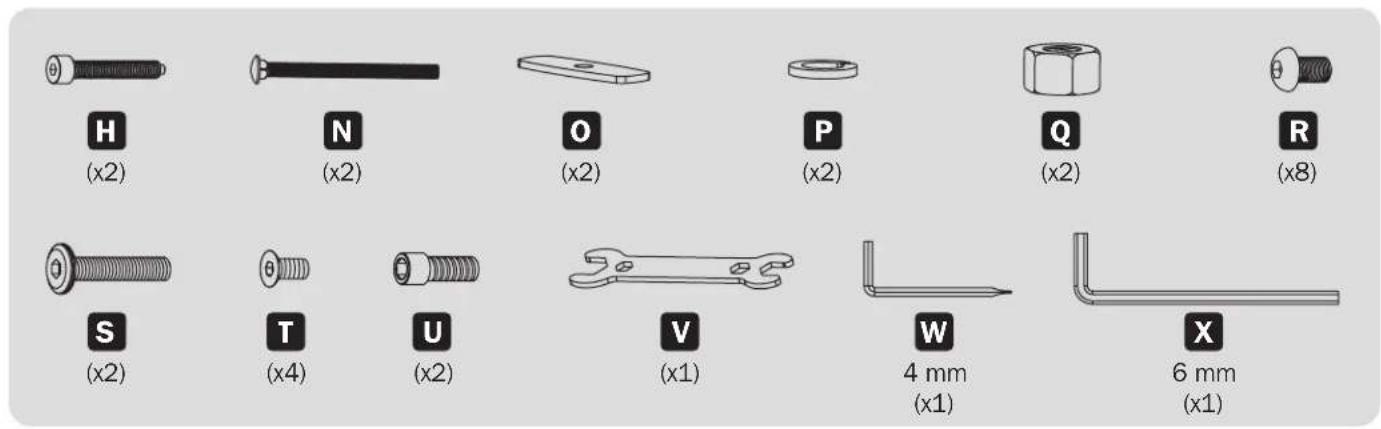
Component Checklist
IMPORTANT: Ensure you have received all parts according to the component checklist prior to installing. If any parts are missing or faulty, visit tripplite.com/support for service.
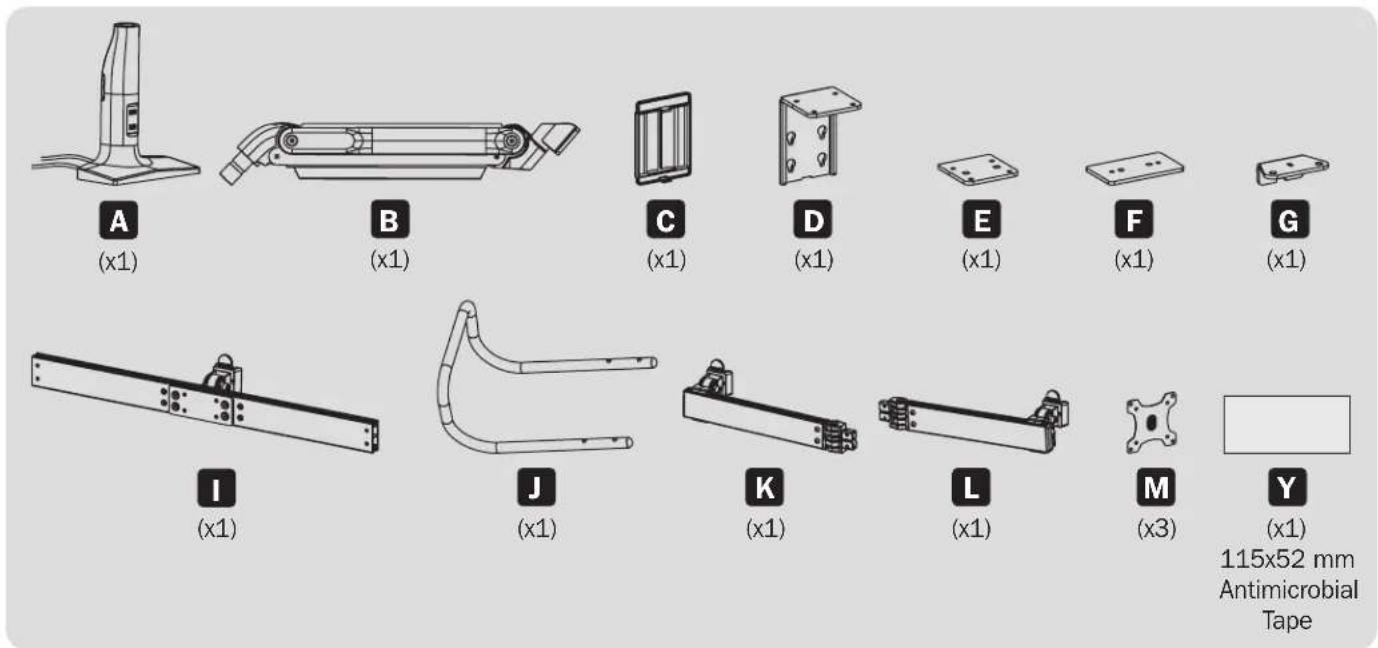
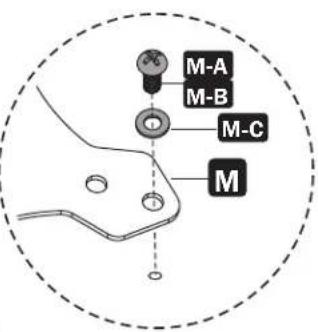
Package M (x3)

Package P
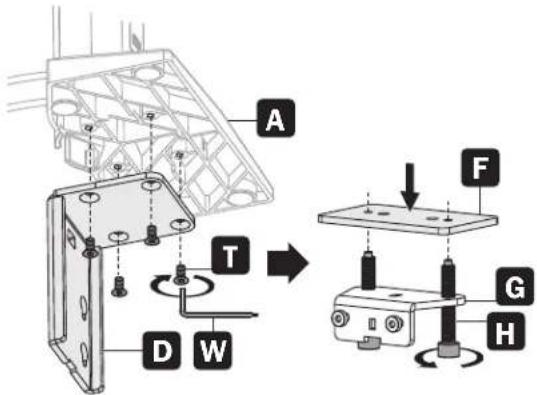
Assembly
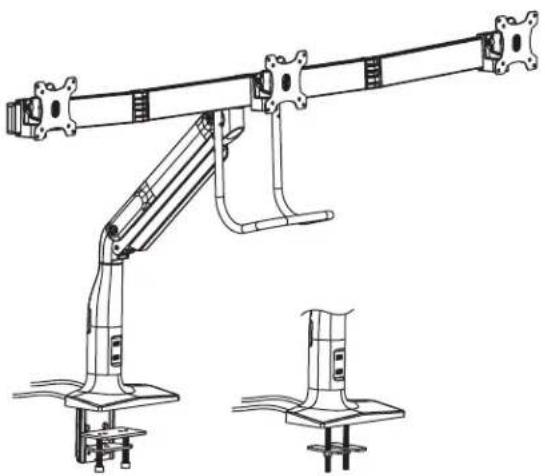
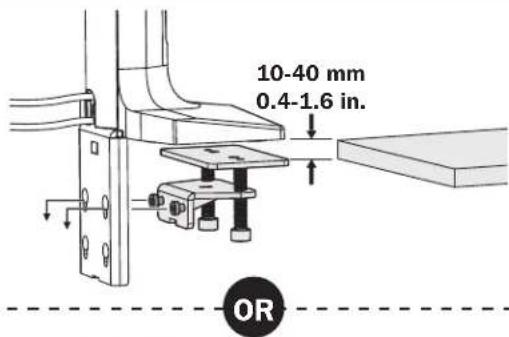
1 Base Assembly and Desk Installation
1a 15edge Installation Hole Installation
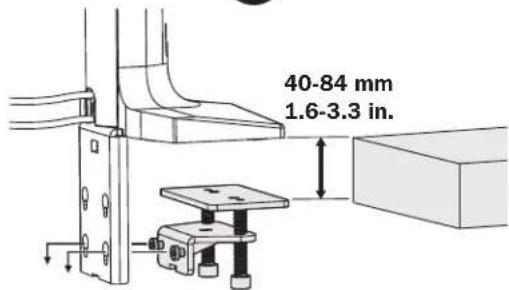
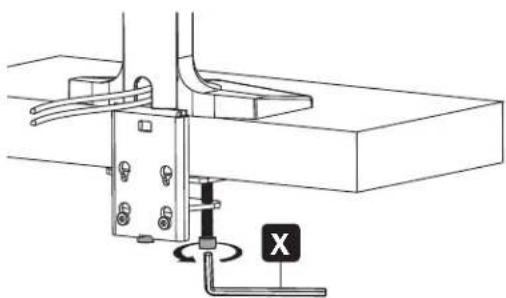
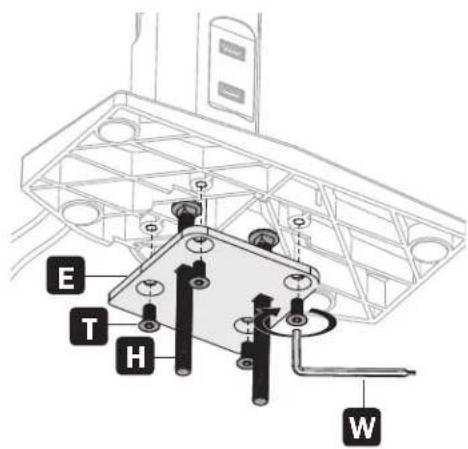
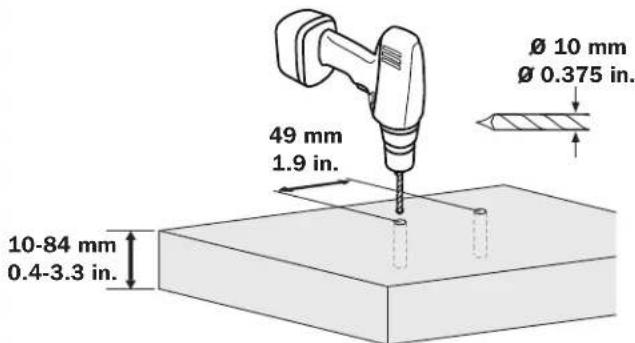
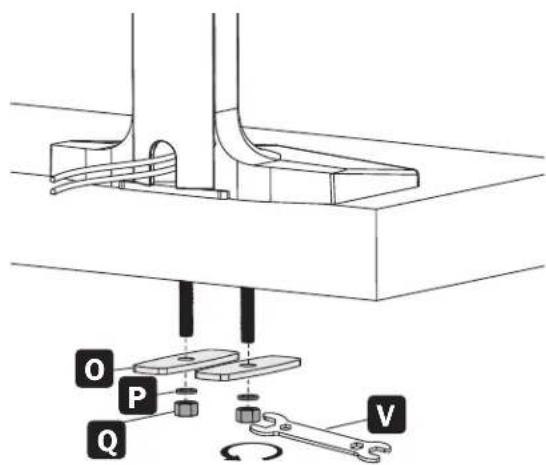
Assembly

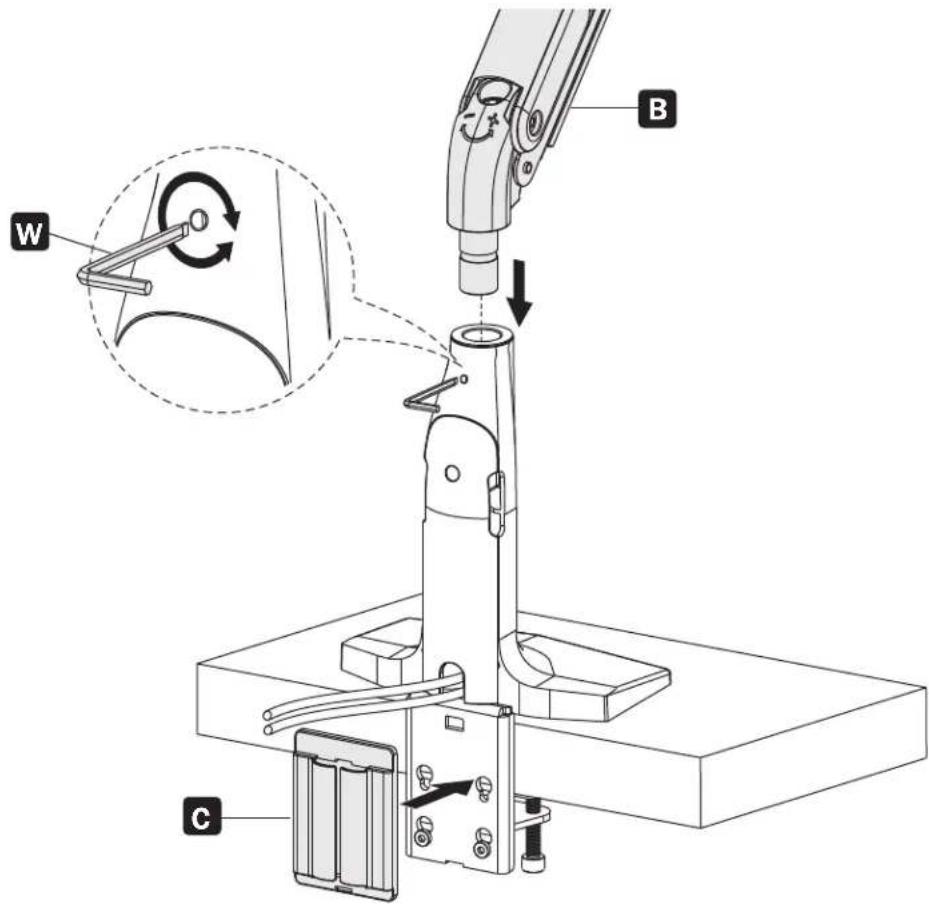
Attaching the Arm to the Base

Attaching the Center Mounting Bracket to the Arm
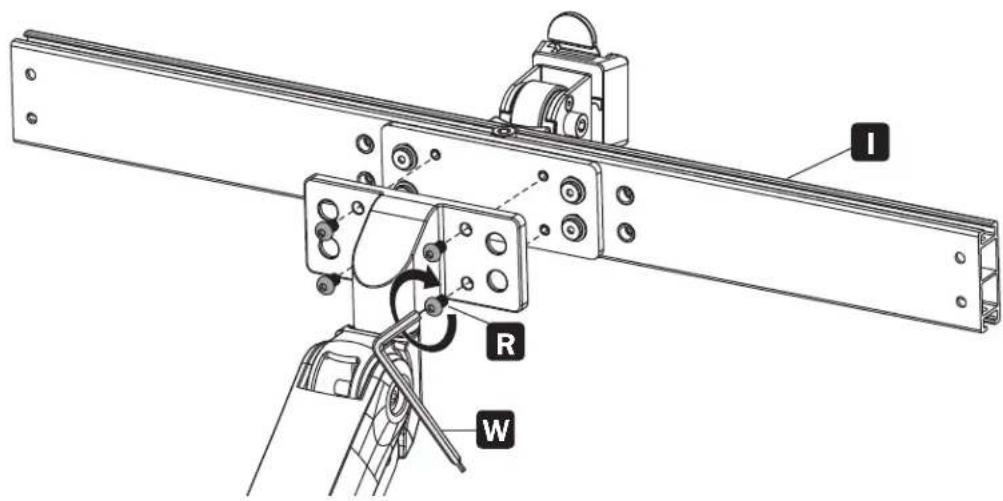
Assembly
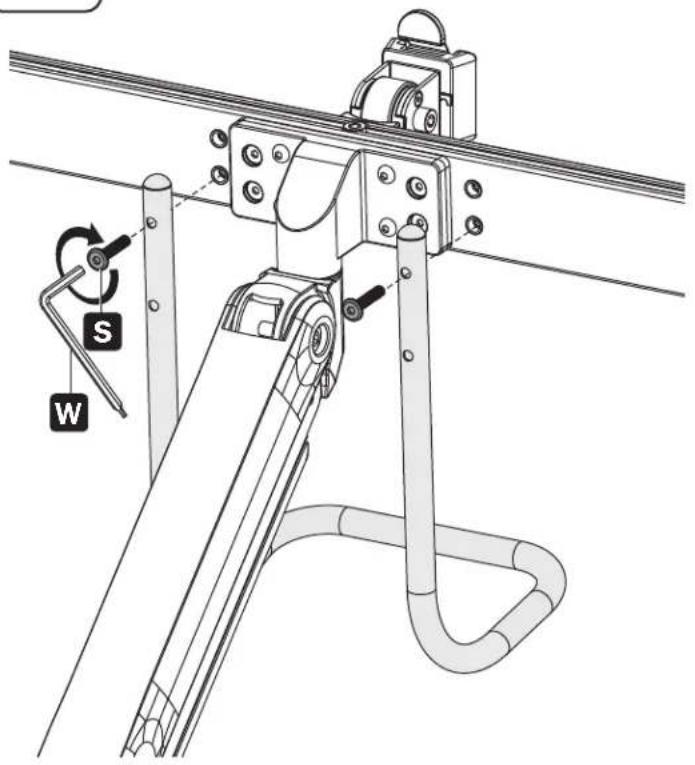
4
Attaching the Handle
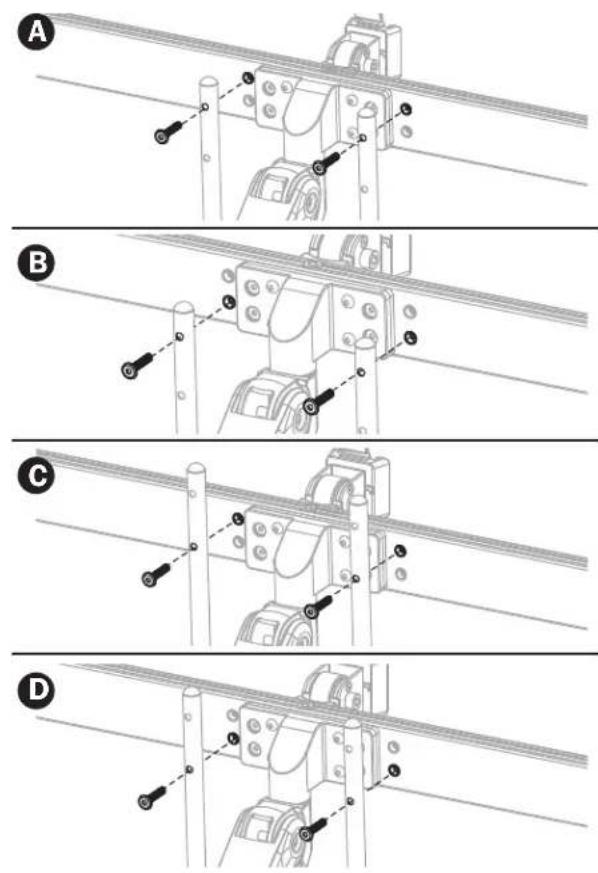
5
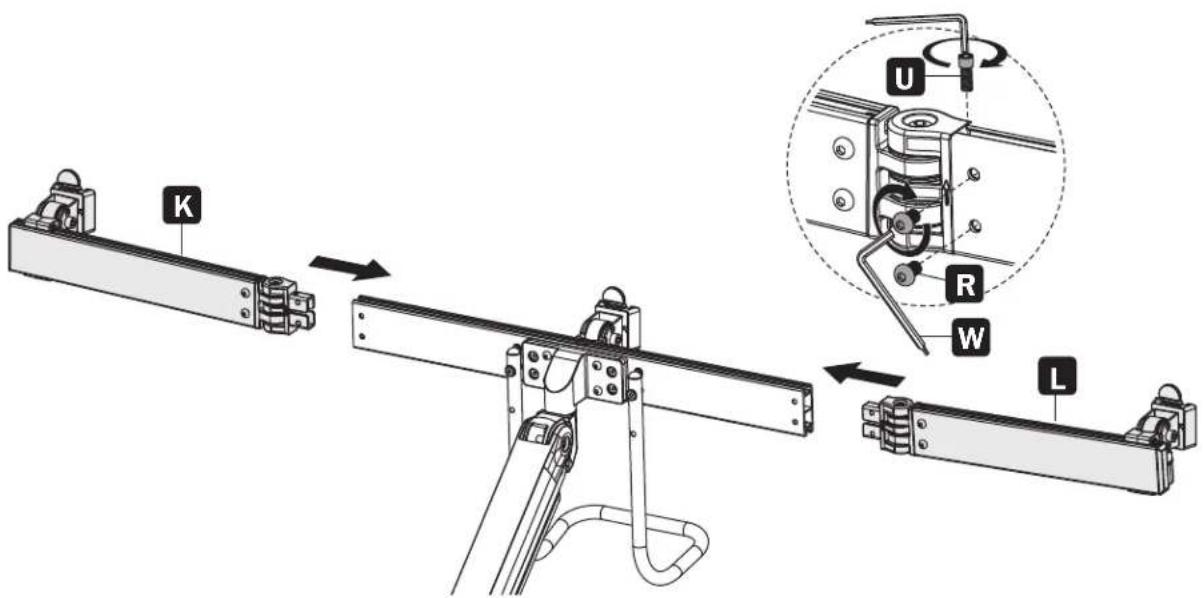
Attaching the Left and Right Mounting Brackets
Assembly
6
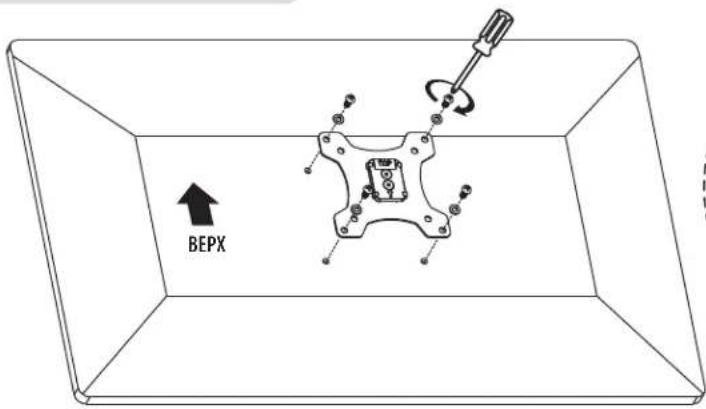
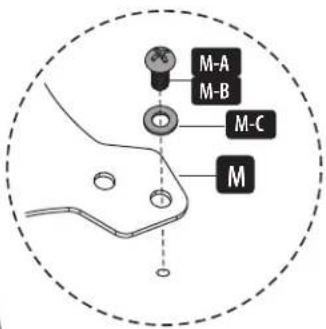
Attaching the Universal Plates to the Mounting Brackets

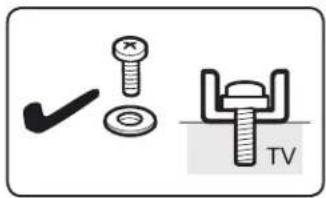
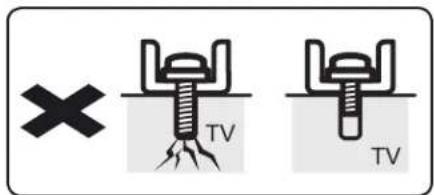
Do not over-tighten screws.
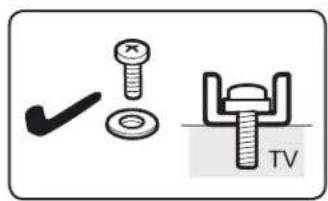
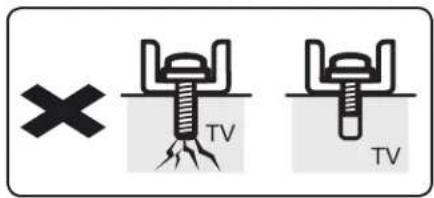
Too Long Too Short
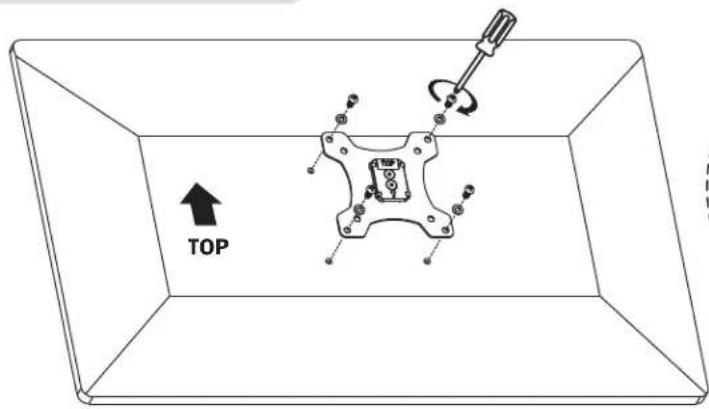
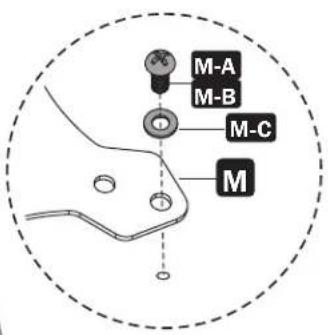
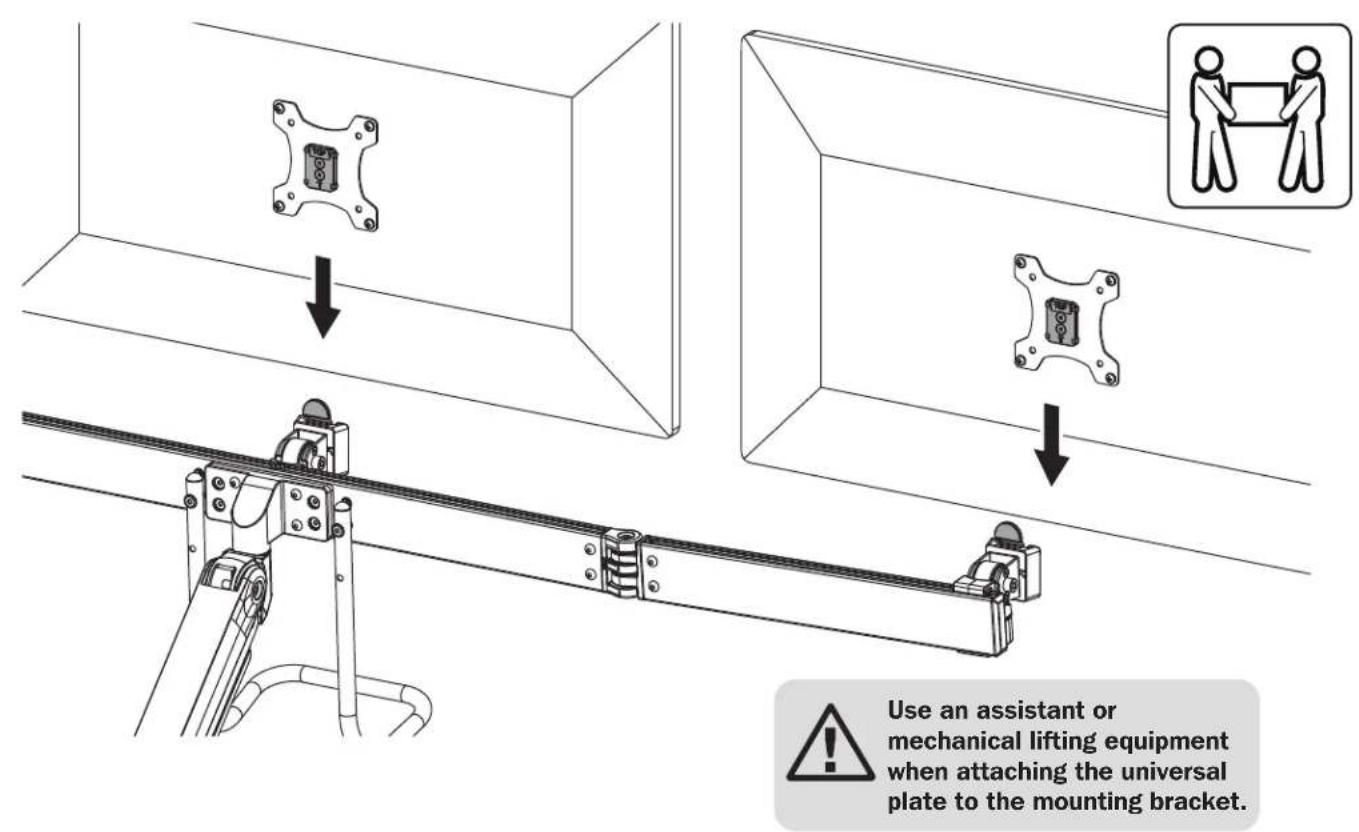
Assembly

Balancing the Arm
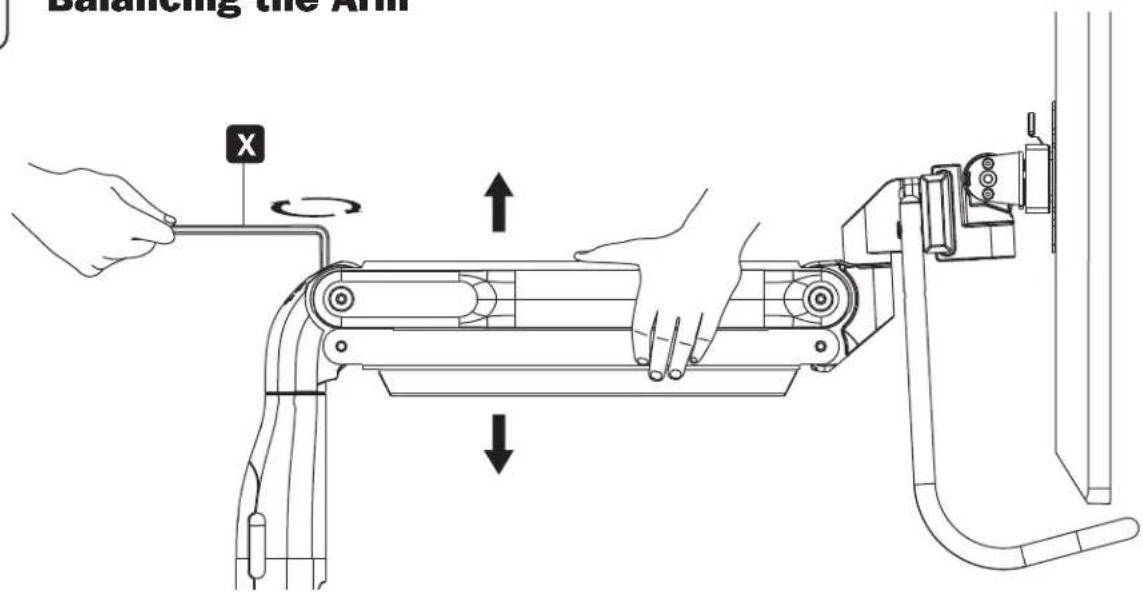
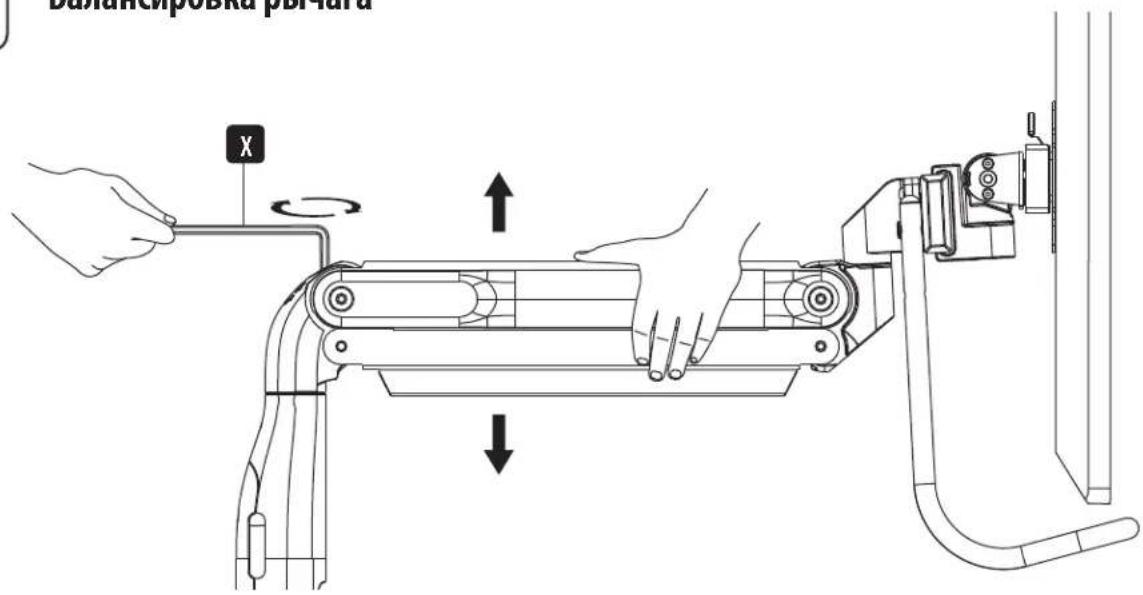
To properly balance the arm with monitors mounted, adjust the spring tension using the supplied hex key as follows:
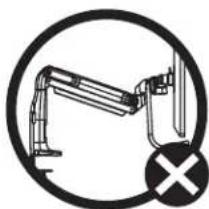
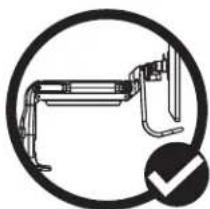
First, position and firmly hold the arm horizontally as shown. Ask for assistance should you require it.
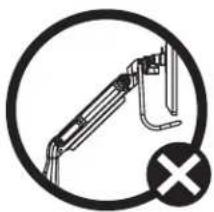
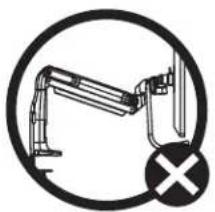
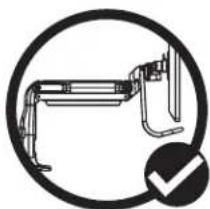

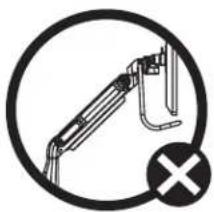
To avoid damage to monitors or mount, always keep the arm in a horizontal position while making adjustments. Ask for assistance should you require it.
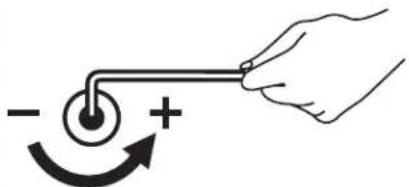
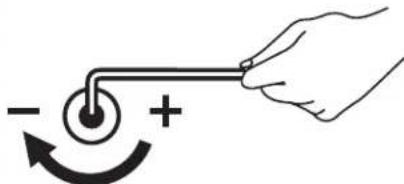
If the arm drops, turn the adjustment screw counterclockwise until it stays in a horizontal position.
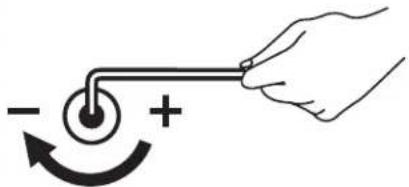
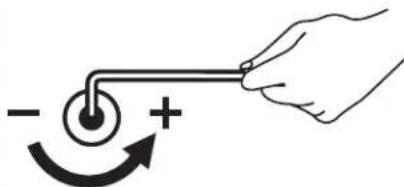
If the arm rises, turn the adjustment screw clockwise until it stays in a horizontal position.

Do not over-tighten screws.
Assembly

Securing the Cable Management Covers
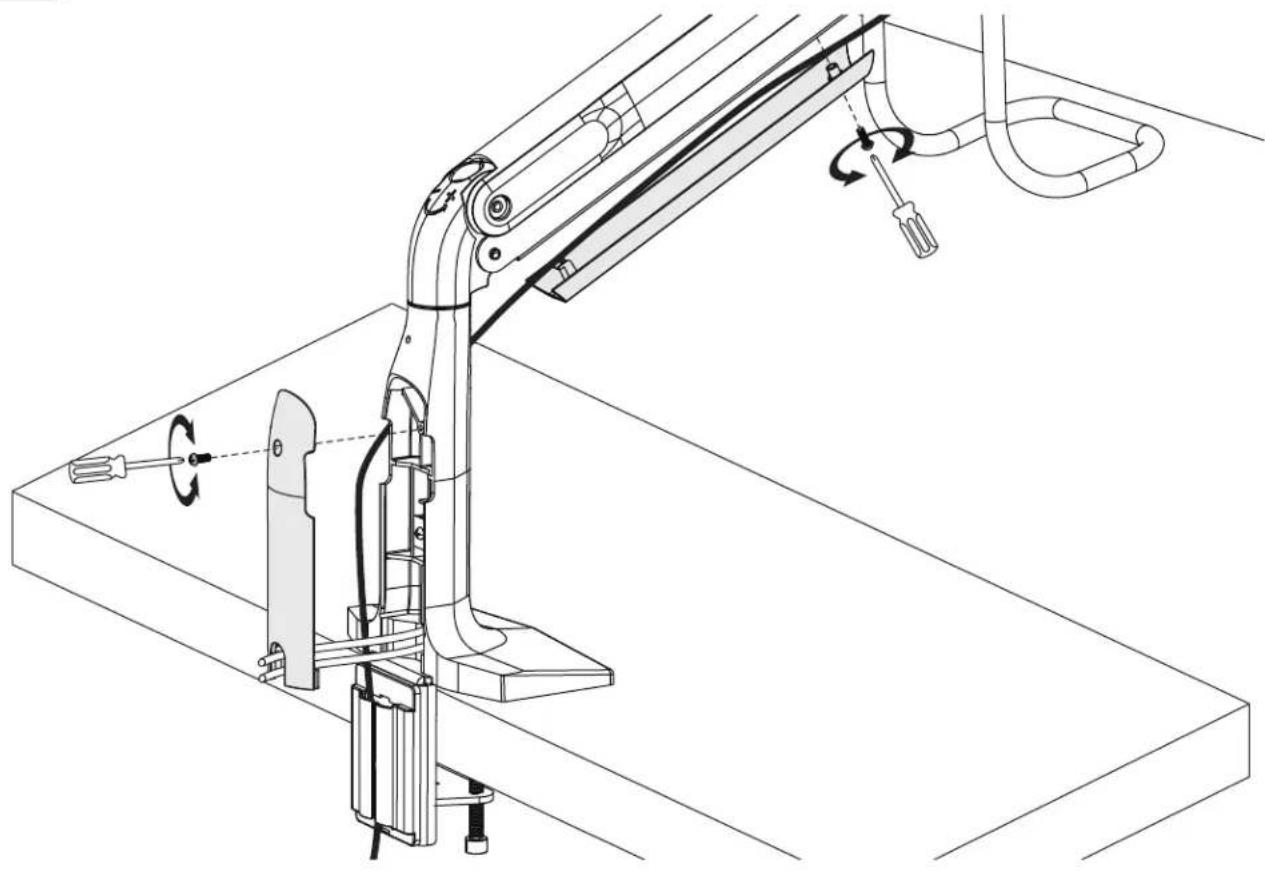
Assembly

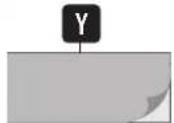
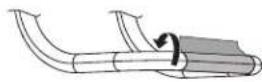
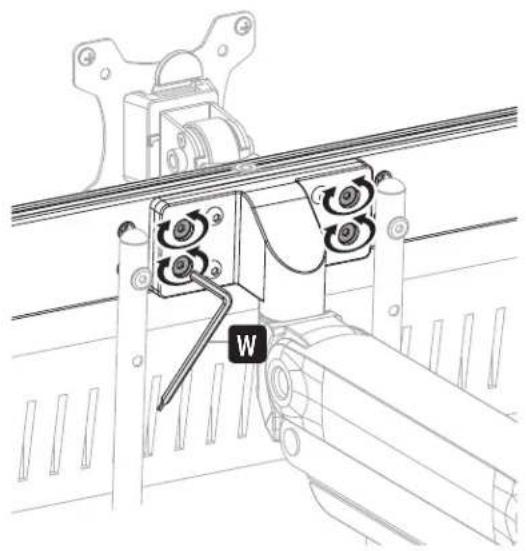
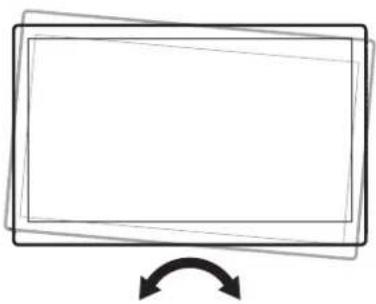
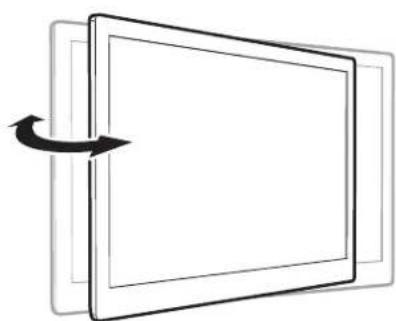
Adjustment and Applying the Antimicrobial Tape
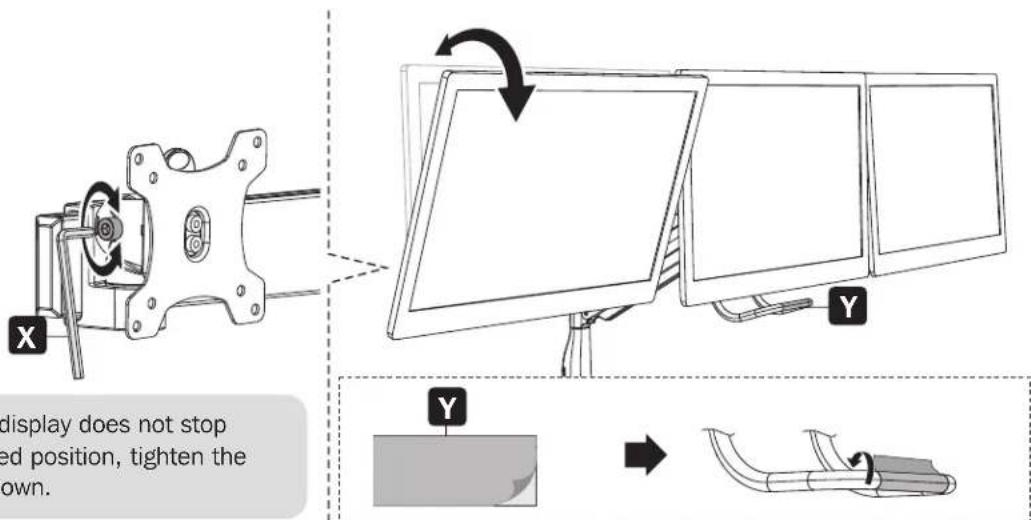
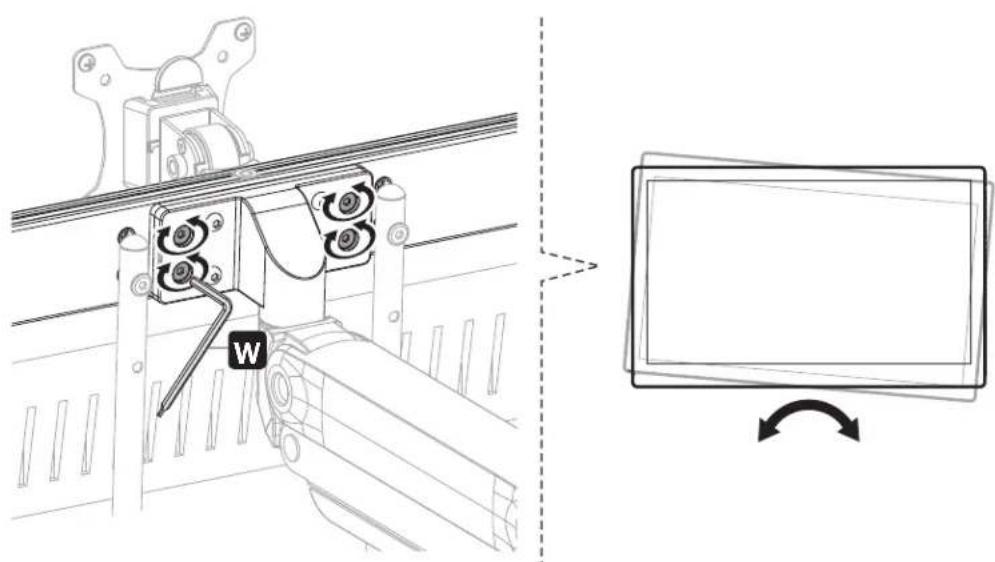
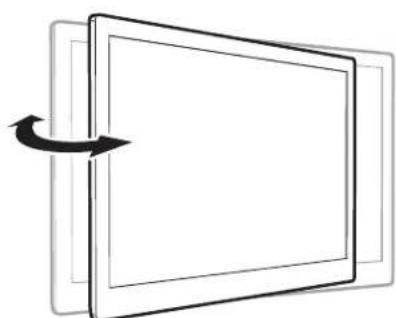
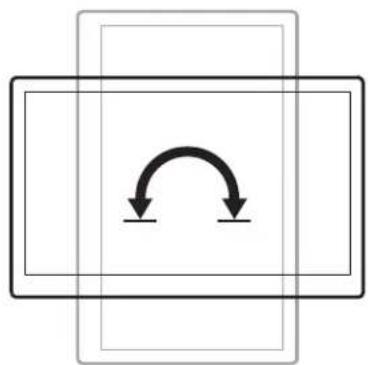
Assembly
Maintenance
- Check that the bracket is secure and safe to use at regular intervals (at least every three months).
- Please visit tripplite.com/support if you have any questions.


1111 W. 35th Street, Chicago, IL 60609 USA • triplite.com/support
Safe-IT x31tMICROBIAL
PRODUCTS
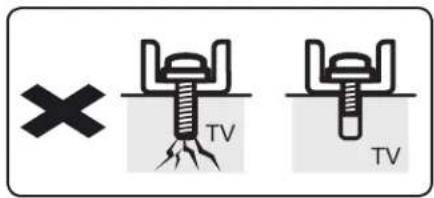
Trop long Trop court
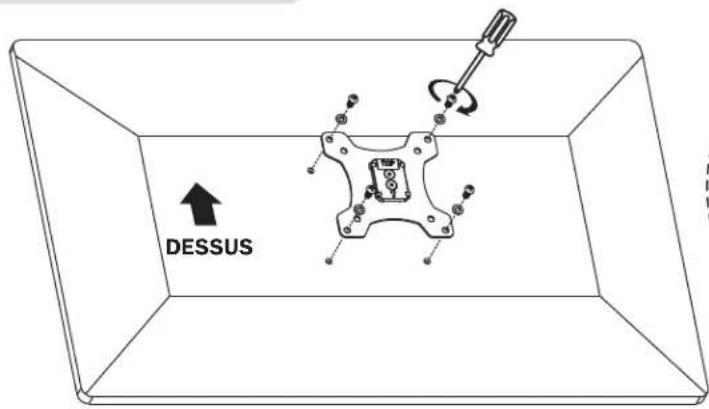

Assemblage

Équilibrage du bras
1111 W. 35th Street, Chicago, IL 60609 USA • triplite.com/support
2104290*9331851Rc#4
PykoBODCTBO N0Ib30BaTeJia
He nepetarmbaite BHTbl.
Gnukom
JINHHbI
GIMUKOM
KOPOTKNI
Popraok c60pkn
7 BaJahncipOBka pbIyara
Iy naeao yapBHOeBnBaHn pyhara c yctaHOBHeHHMoHITopamO tpepynpyTe HAxKeHne npyKnHb C nmoouIO NOCTabEmoB KOMNKeT TOpEBOrO KNoUc neDyOuMm 06pa30M:
Chayana yctahOBHTe nnoTHO ydepkBaHTe pbHAR B Trop3oHTaBHom noJIOKeHH, KaK poka3aHO ha pncyHke. Pn Heo6xOIMOCtNo 6opatntc3a NOMOsbHO.

Bo n36exaHne noBpeKDeHHa MOHTOpOB Nm KPOHHTeHa npn BbIOnHeHH perynuPBOKn 06a3aTeNbHO depKHe pbyar B rOpN3OHTaBHom NIOXKeHH. Pn Hnoe6xOaMocTn 6bpatntec 3a NOMooub.
Iy onyckannpaHra nOBepnHTe perynpoBHyb BnHT npTb YacobO CTpeKN DoTexnop, nOKa OH He OKaKETcB Ropn3OHtalbHom NOJKeHN.
Ia noBbema pbHara NoBepHHTe peryInpOBOHyBn BHT NO cAcBOB CTpeKKe Do Tex nop, nOKa OH He OKaXeTcB Tropn3oHTaJIbHOM NIOJoxEHN.

He nepetarmbaTe BnHTbl.
8
KpenJIeHne 3auntHbIX Ka6eIbHbIX KaHaIIOB
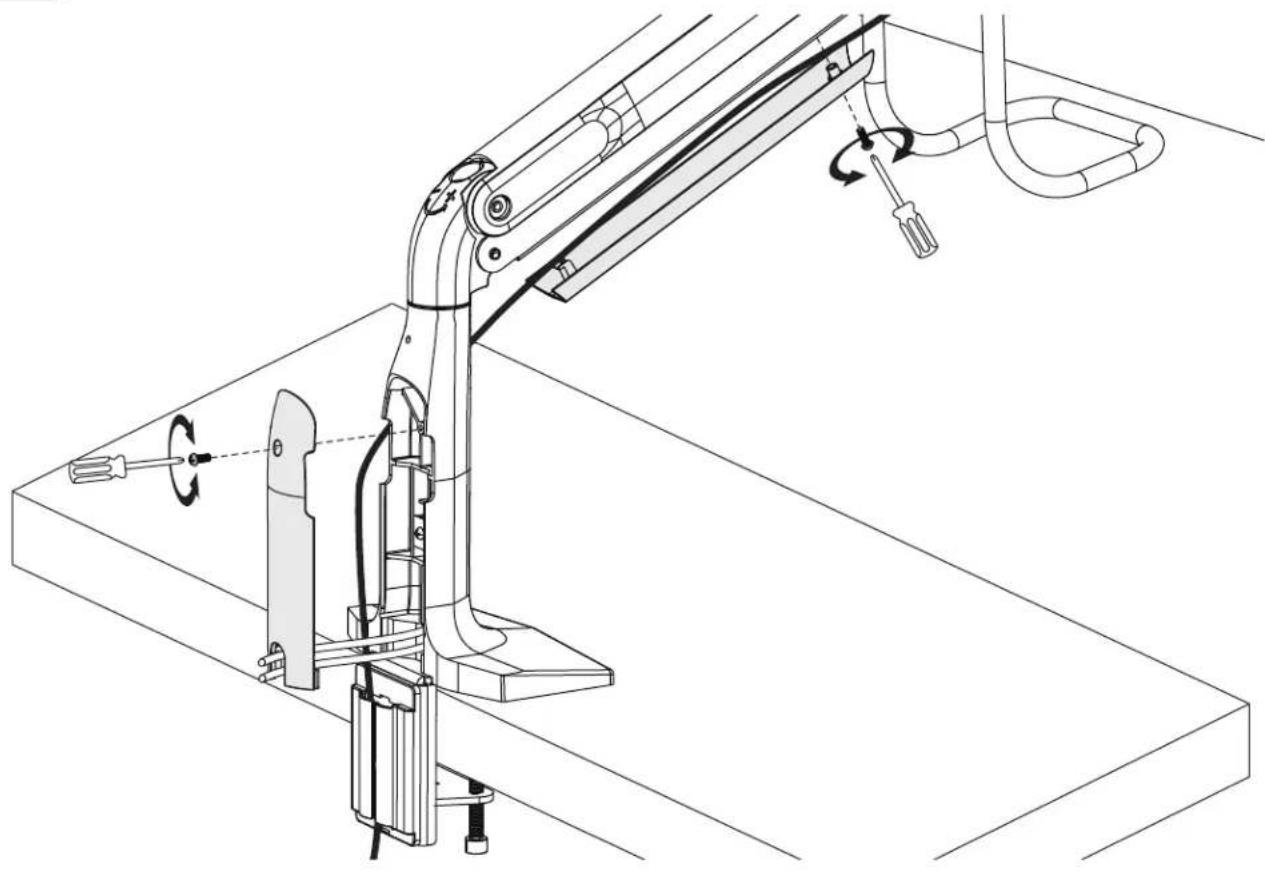
Popraok c60pkn
9
PerynpoBka n haKneuBaHne npoTubOMKnpo6HoJ JeHTbl
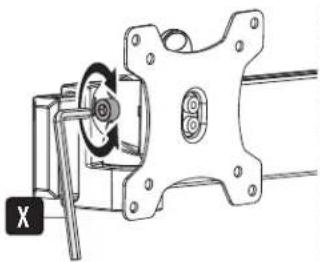
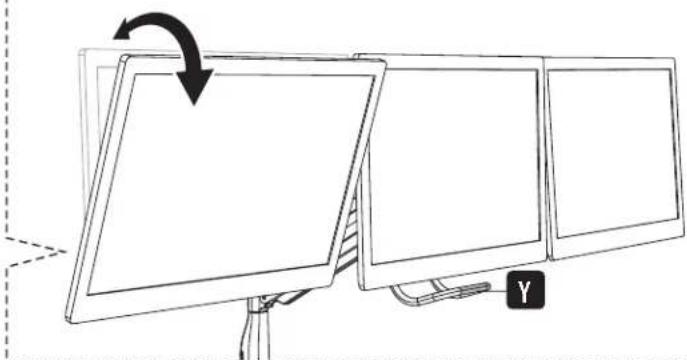
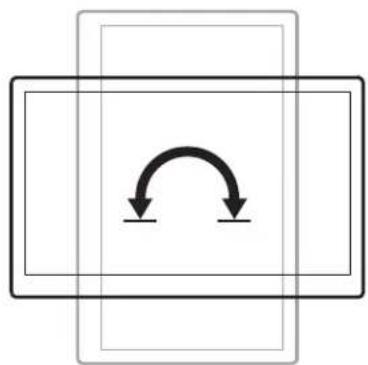
PnmuueaHHe Ecm nncnne He OctaHaBnBaETCB HuyHom IIOXeHN, 3aTAHNTe BnHTb, KaK NOKa3aHO Ha pucyHke.


Popraok c60pkn
TexHmueckoe 06cnyKbAHne
Peyrnapho (Hepeke, yem pa3 Btpn Mecaua) npobepaTe HadeXHocTb KpennIeHna KpOHHTeHa N 6e0anacOchTb ero nCnoB3oBAHnA.
B Cnyae Bo3nHKnOBHeMa KaKx-Im6 BoNpOcOB nocTeCTpaHnU tripplite.com/support.
Bedienungsanleitung
Manufacturing Excellence
1111 W. 35th Street, Chicago, IL 60609 USA · triplite.com/support
1111 W. 35th Street, Chicago, IL 60609 USA • triplite.com/support