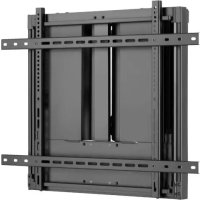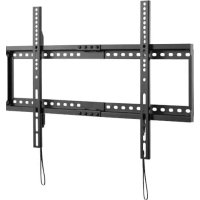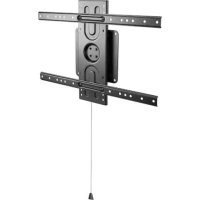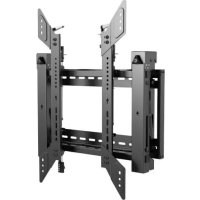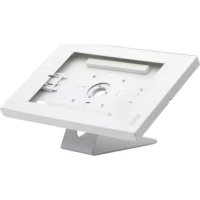
DMTB911 - TV wall mount Tripp Lite - Free user manual and instructions
Find the device manual for free DMTB911 Tripp Lite in PDF.


| Product Type | Wall Mount for Tablet |
| Brand | Tripp Lite |
| Model | DMTB911 |
| Compatibility | Tablets from 9.7 to 11 inches (24.6 to 27.9 cm) |
| Compatible Devices | iPad 5/6/7/8/9, iPad Air 1/2/3/4, iPad Pro (Gen 1/2/3/4/5), Samsung Galaxy Tab A7 (10.4"), Tab A (10.1"), Tab S6 (10.4") |
| Material | Steel and plastic |
| Approximate Dimensions | 25 x 18 x 6 cm |
| Approximate Weight | 0.5 kg |
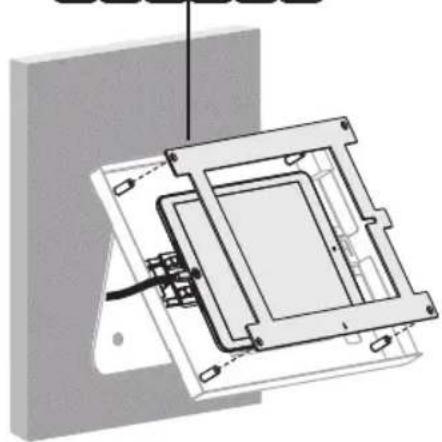
| Installation | Wall mounting with included screws, interchangeable panels |
| Adjustment | Adjustable clamps to hold the tablet |
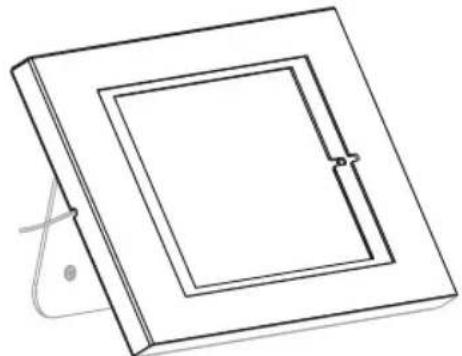
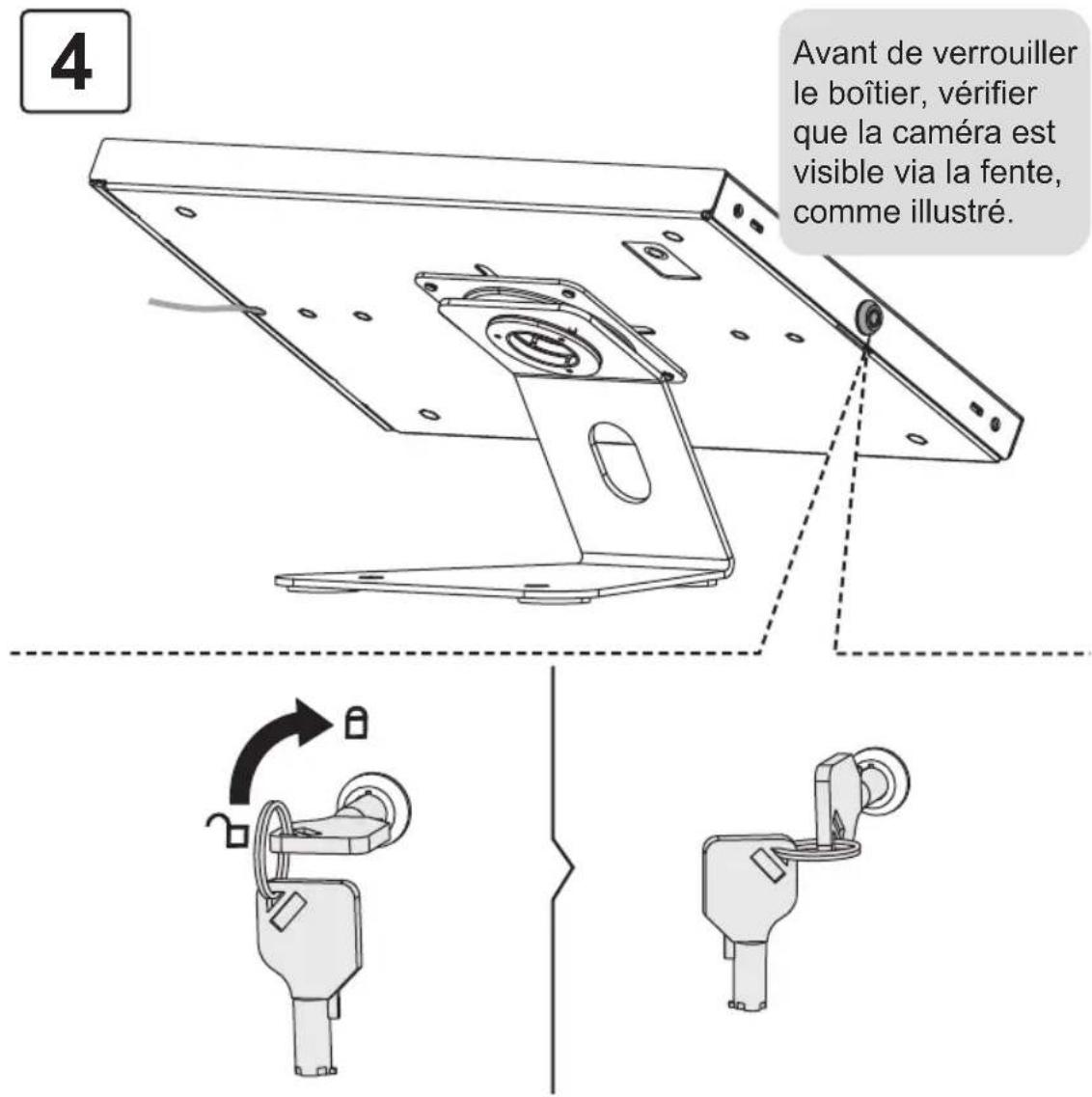
| Security | Case lock after camera alignment |
| Maintenance | Clean with a soft, dry cloth |
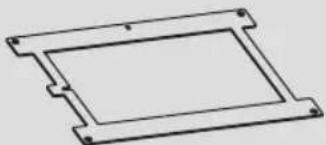
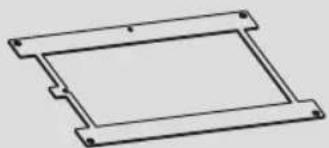
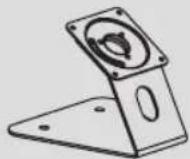
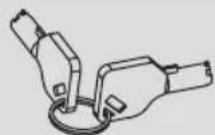
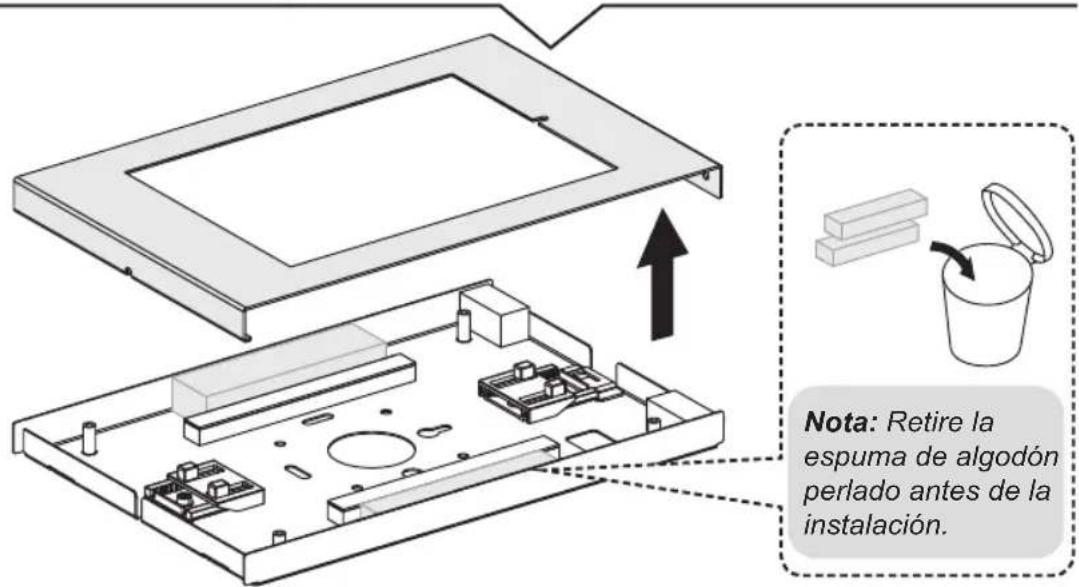
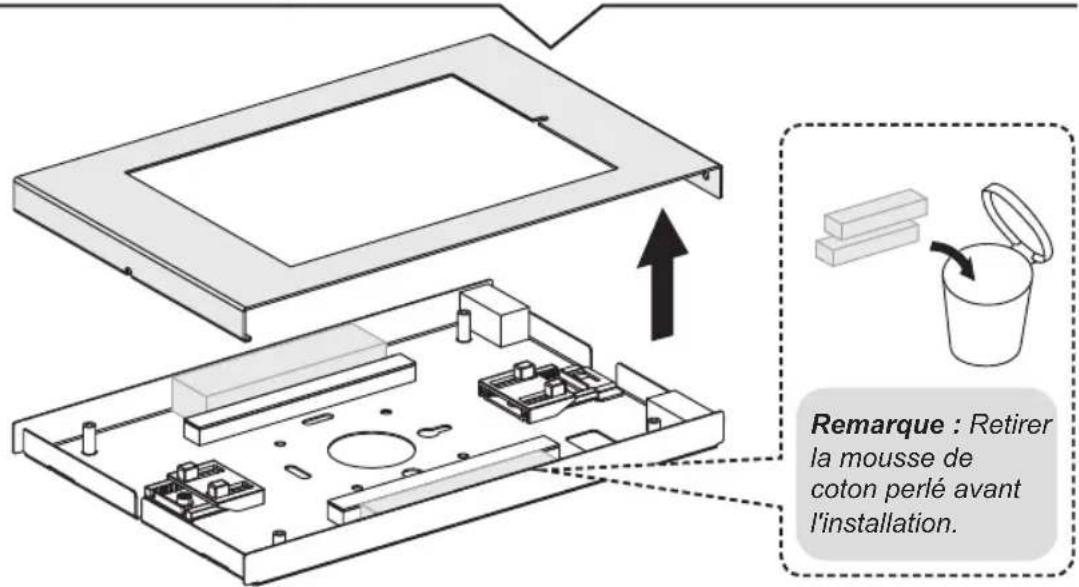
| Package Contents | Case, panels B to G, screws K, foam padding |
Frequently Asked Questions - DMTB911 Tripp Lite
User questions about DMTB911 Tripp Lite
0 question about this device. Answer the ones you know or ask your own.
Ask a new question about this device
Download the instructions for your TV wall mount in PDF format for free! Find your manual DMTB911 - Tripp Lite and take your electronic device back in hand. On this page are published all the documents necessary for the use of your device. DMTB911 by Tripp Lite.
USER MANUAL DMTB911 Tripp Lite
Installation Instructions
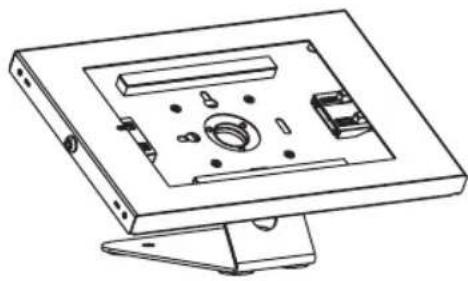
natural_image
Technical line drawing of a mechanical assembly with internal components (no text or symbols)Tablet Mount for 9.7 to 11" tablets
Model: DMTB911
Español 9 • Français 17 • Русский 25 • Deutsch 33
WARRANTY REGISTRATION
Register your product today and be automatically entered to win an ISOBAR® surge protector in our monthly drawing!
tripplite.com/warranty


1111 W. 35th Street, Chicago, IL 60609 USA • tripplite.com/support
Copyright © 2022 Tripp Lite. All rights reserved.
Component Checklist
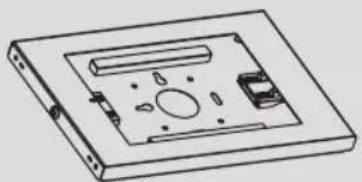
natural_image
Technical line drawing of a mechanical component with no visible text or symbolsA
x1
natural_image
Pure technical line drawing of a rectangular component with mounting holes (no text or symbols)B
x1
natural_image
Pure geometric diagram of a square frame with corner markers (no text or symbols)C
x1
natural_image
Pure technical line drawing of a rectangular component with mounting holes (no text or symbols)D
x1
natural_image
Pure technical line drawing of a rectangular frame with mounting holes (no text or symbols)E
x1
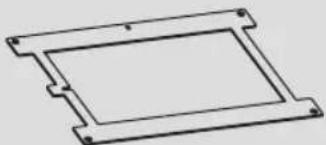
natural_image
Pure technical line drawing of a rectangular frame with mounting holes (no text or symbols)F
x1
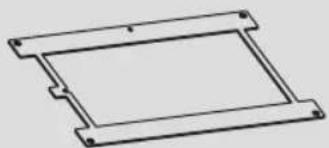
natural_image
Pure technical line drawing of a rectangular frame with mounting holes (no text or symbols)G
x1
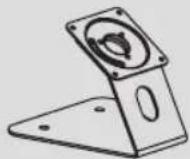
H
x1
Package P


x4
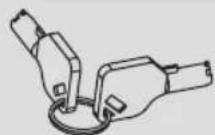

x1
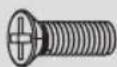

x4


x4
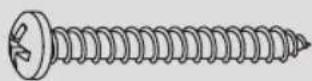

x2
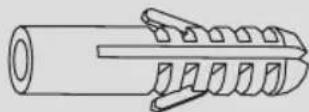

x2
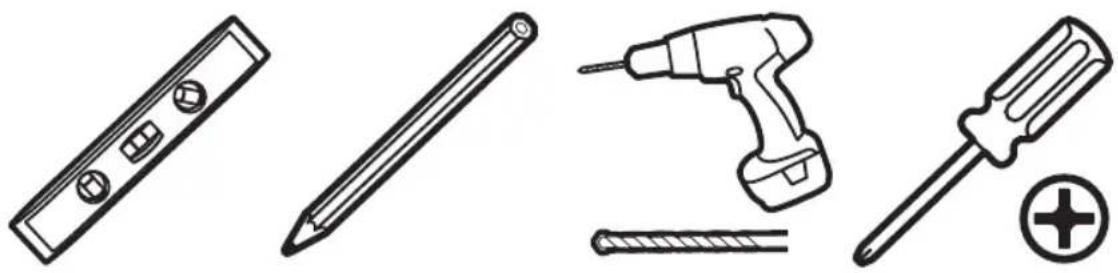
Installation
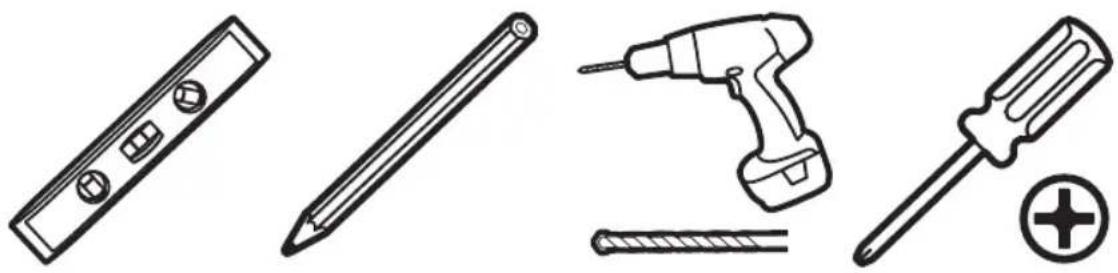
natural_image
Line drawings of four different tools: a push-button, screwdriver, screwdriver with screw, and a plus button (no text or symbols)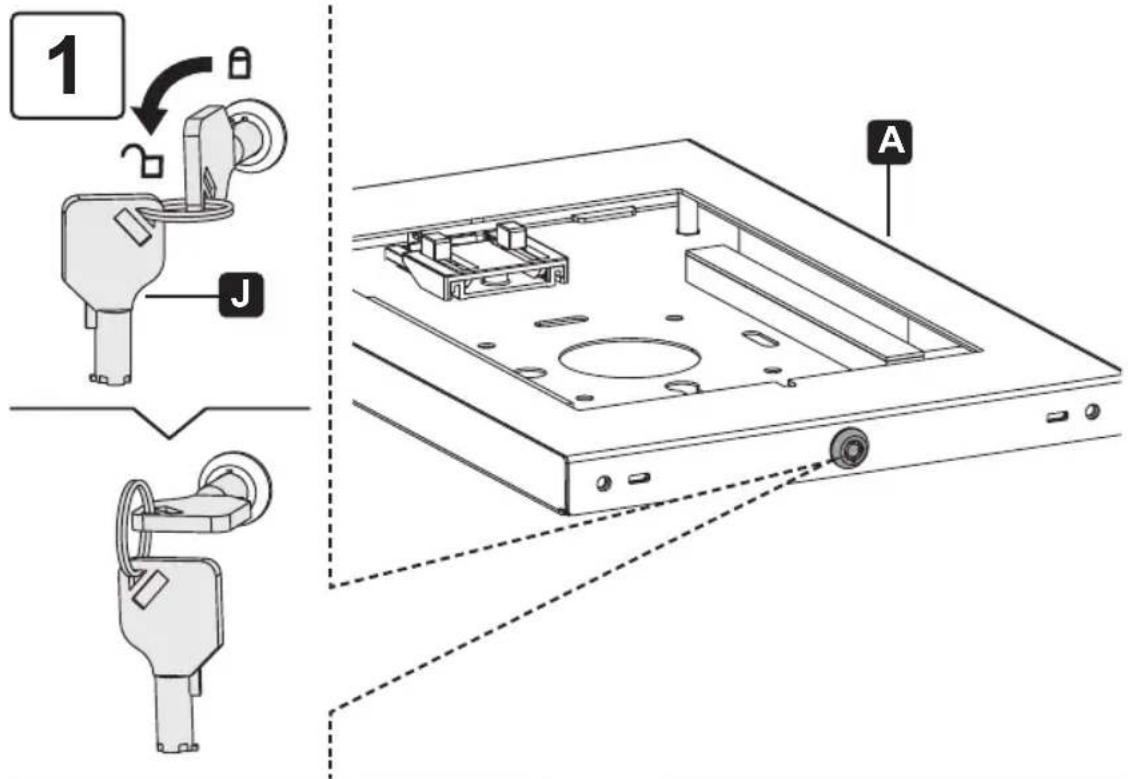
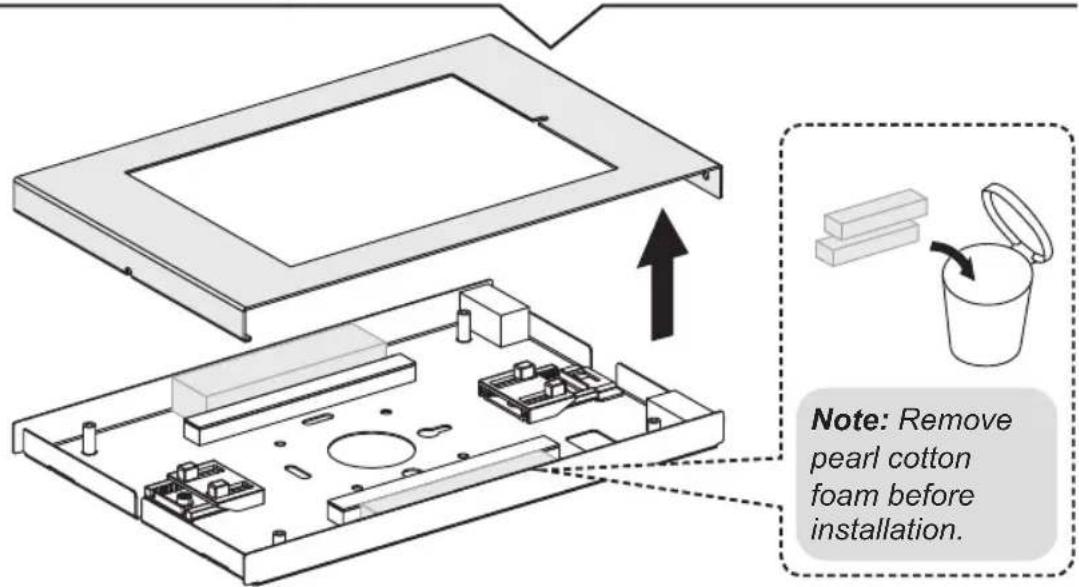
Installation
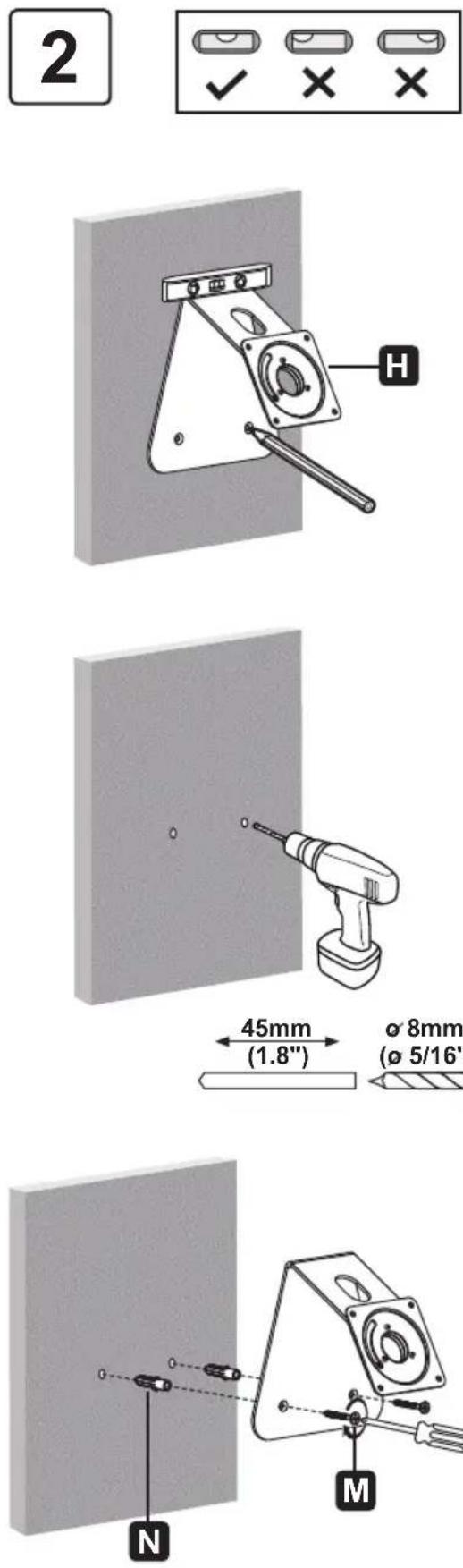
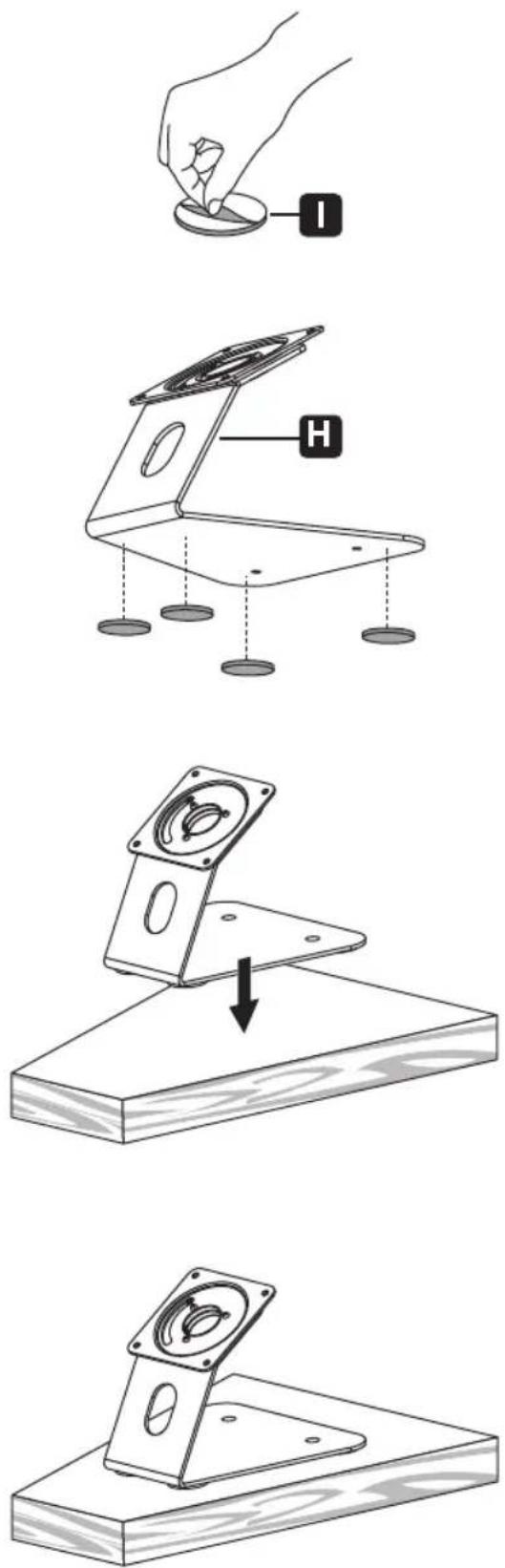
Installation
3
natural_image
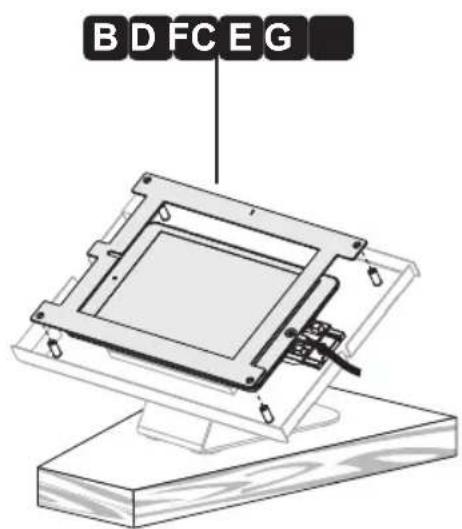
Technical diagram of an open electronic device showing internal components and a labeled component (no text or symbols present)BDFCEG
natural_image
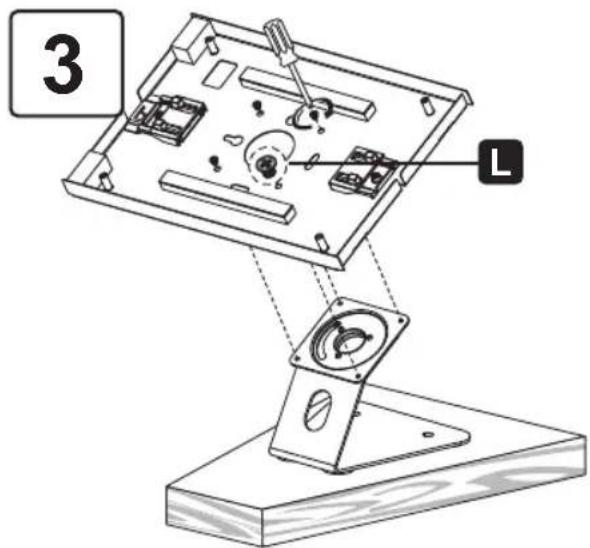
Technical diagram of a mechanical assembly with no visible text or symbols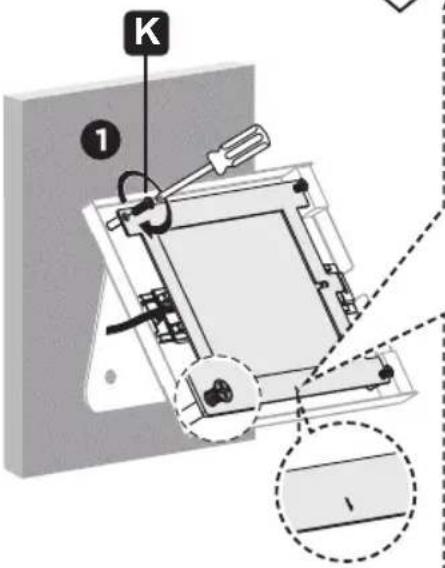
2
natural_image
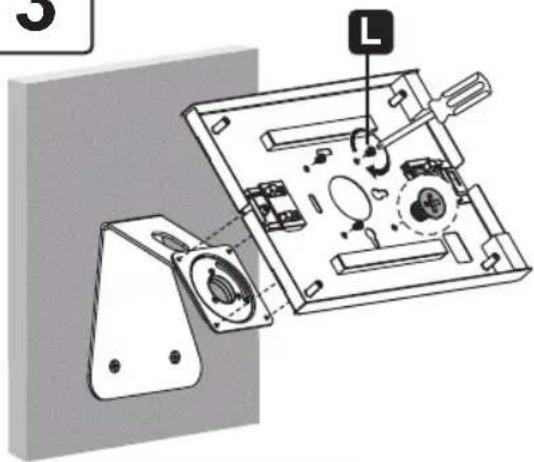
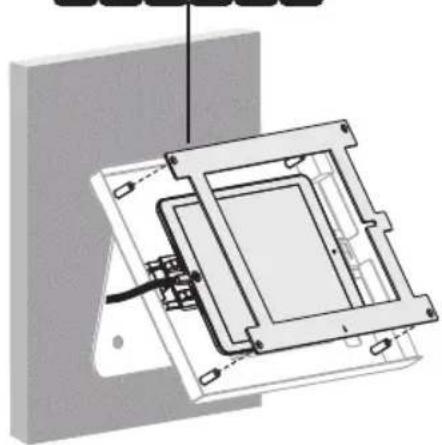
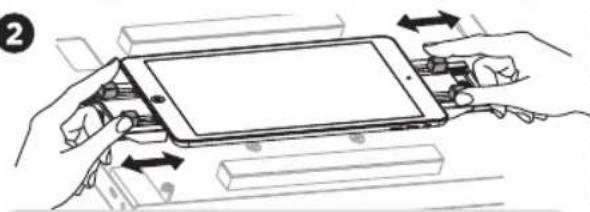
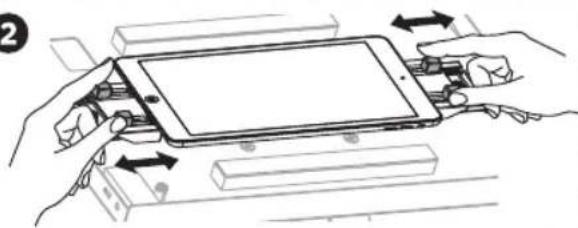
Illustration of hands assembling a tablet device with arrows indicating assembly or operation (no text or symbols present)Attach the panel to the enclosure using four screws
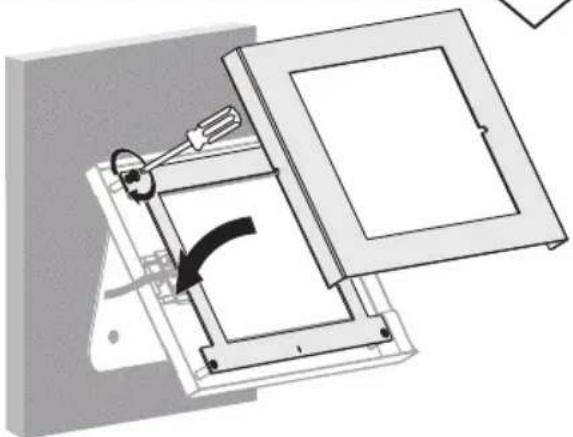
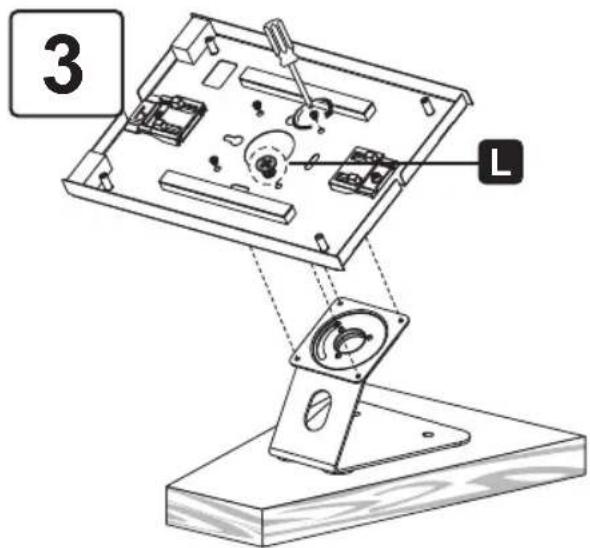
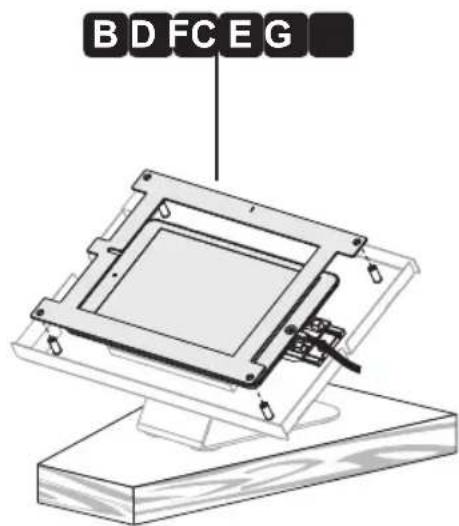
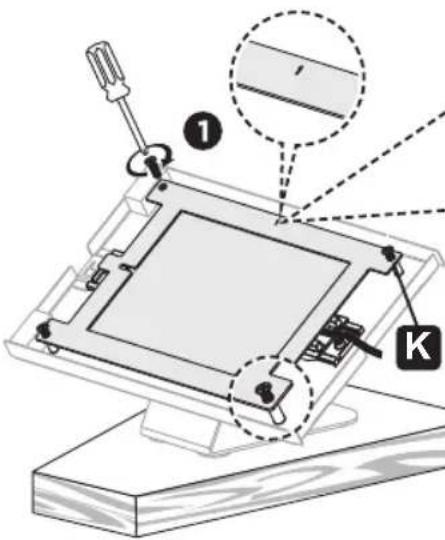
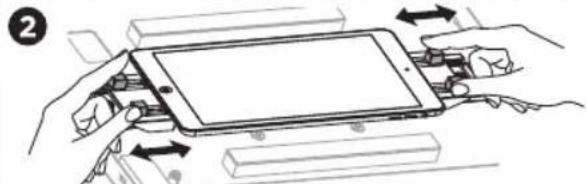
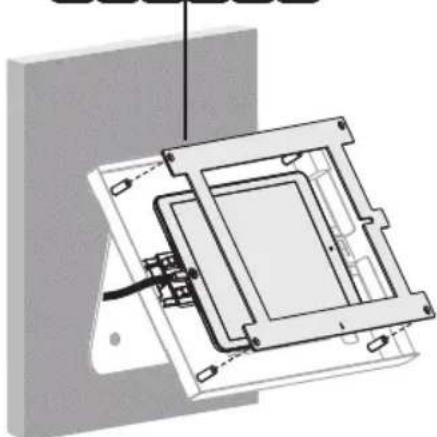
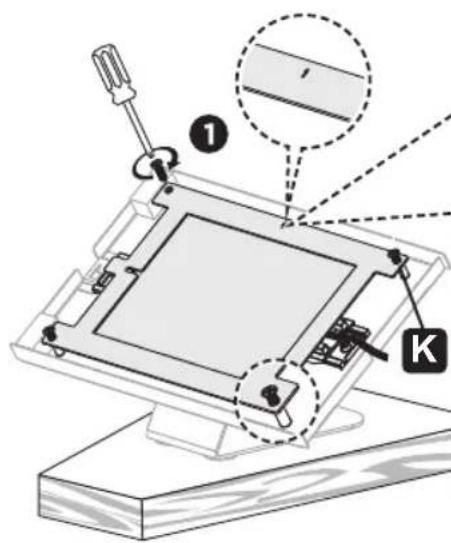
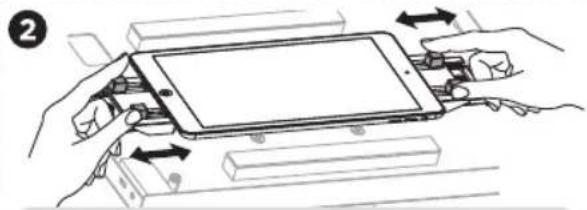
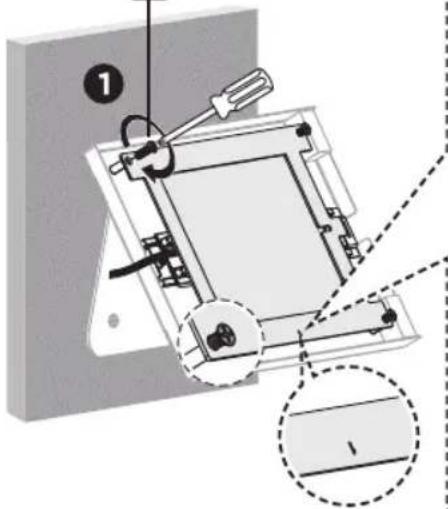
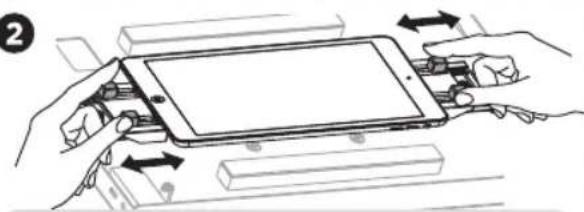
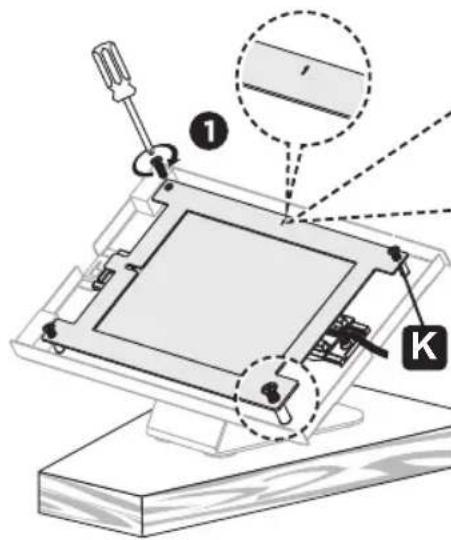
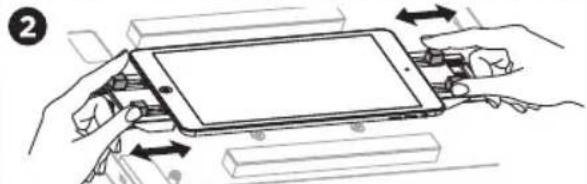
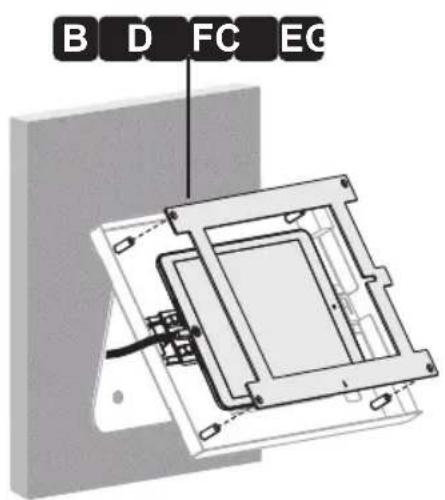
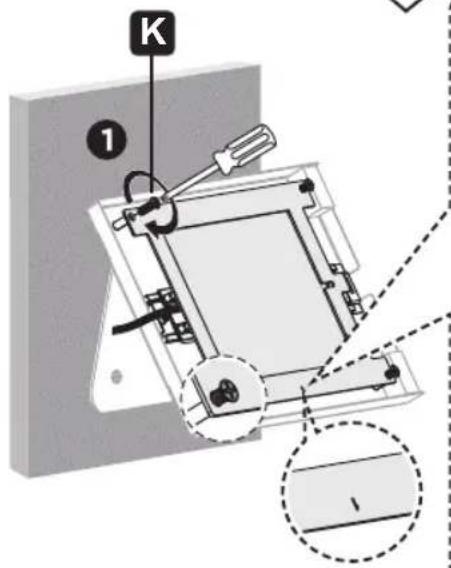
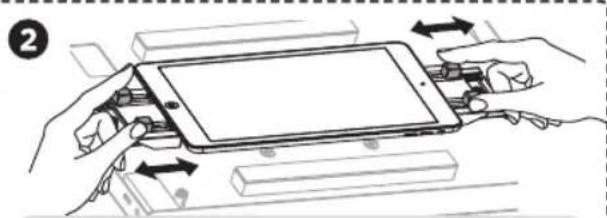
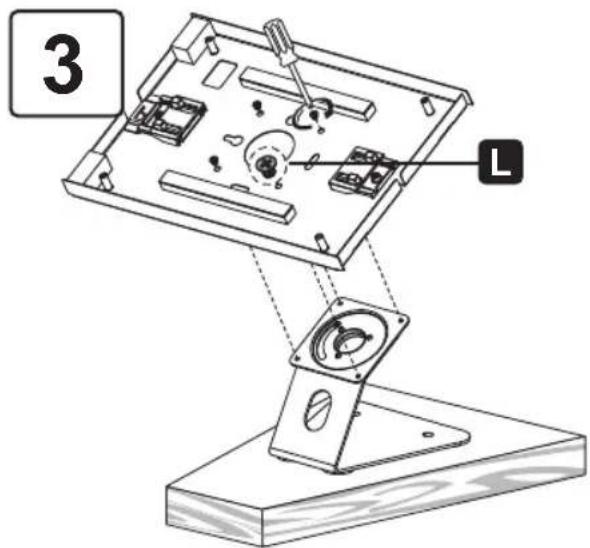
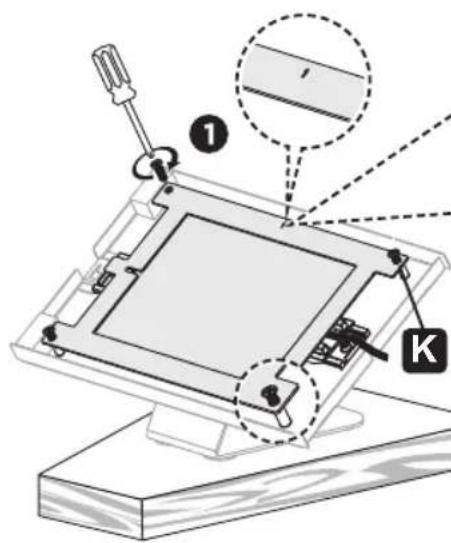
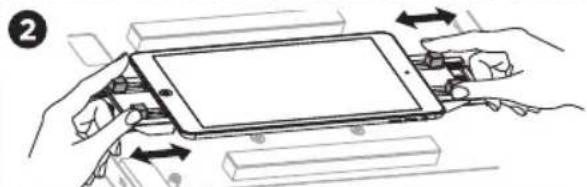
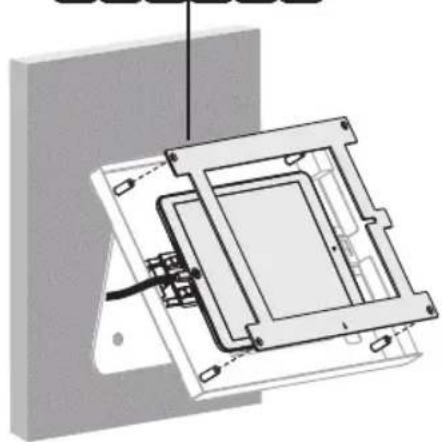
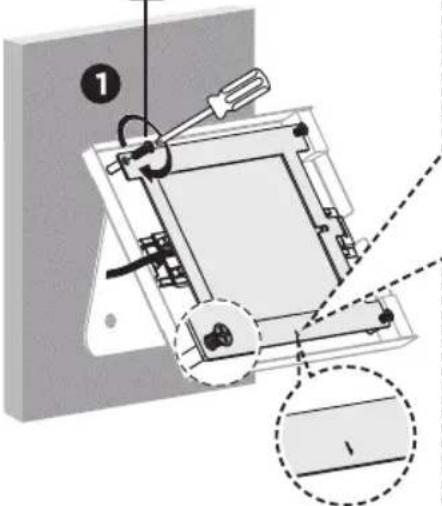
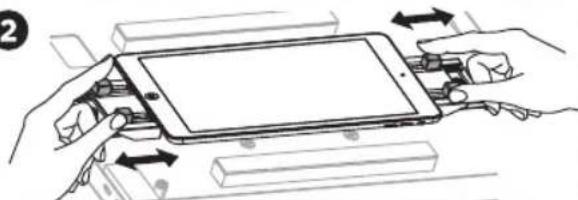
K Before completely tightening the screws, adjust the two claws to hold the tablet and to ensure the screen is aligned and visible through the front panel.
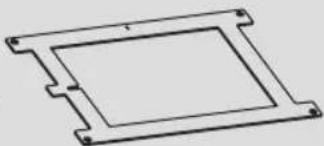
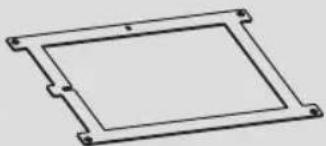
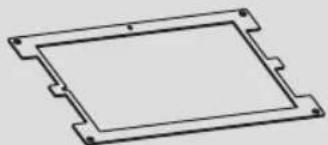
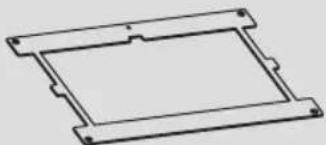
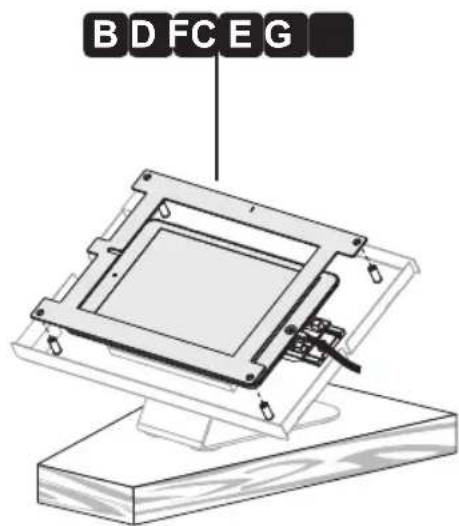
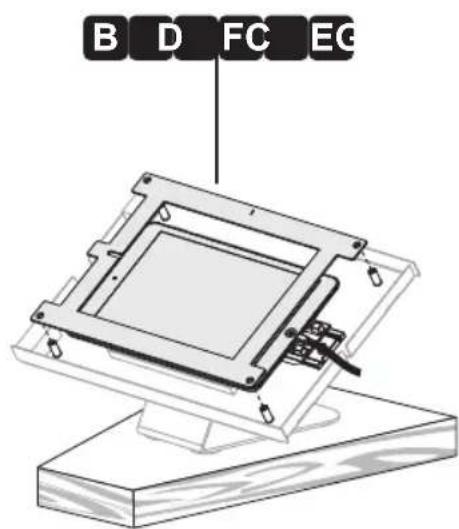
Choose the corresponding panel according to the tablet.
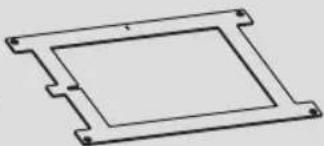
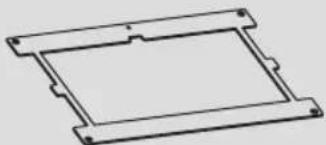
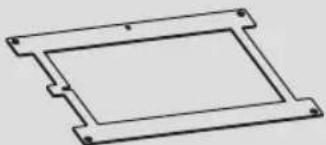
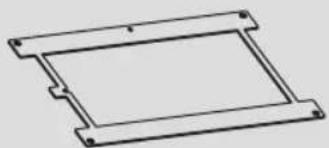
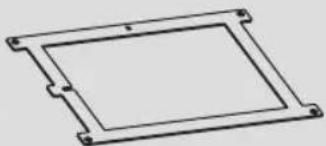
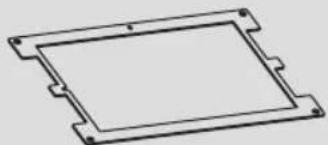
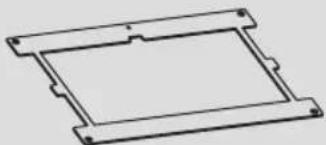
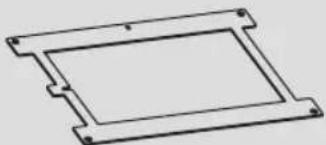
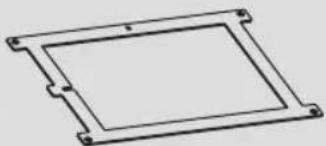
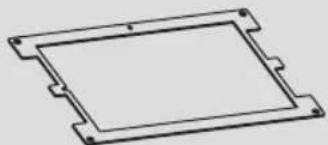
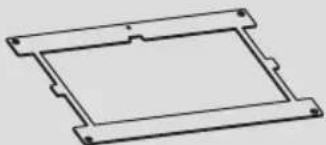
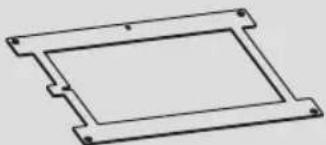
Panel B: For 9.7" iPad 5/6, iPad Air 1/2 & iPad Pro (Gen 1)
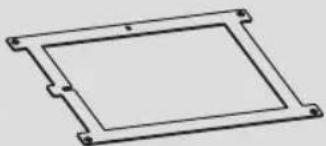
Panel C: For 10.2" iPad 7 /8/9 & 10.5" iPad Air 3, iPad Pro (Gen 2)
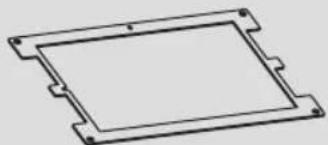
Panel D: For 11" iPad Pro (Gen 3/4/5) & 10.9" iPad Air 4
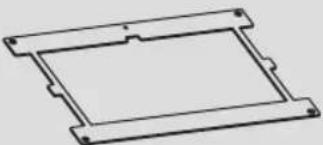
Panel E: For 10.4" Samsung Galaxy Tab A7
Panel F: For 10.1" Samsung Galaxy Tab A
Panel G: For 10.4" Samsung Galaxy Tab S6
natural_image
Mechanical assembly diagram showing a rotating component with a curved arrow indicating rotation (no text or symbols present)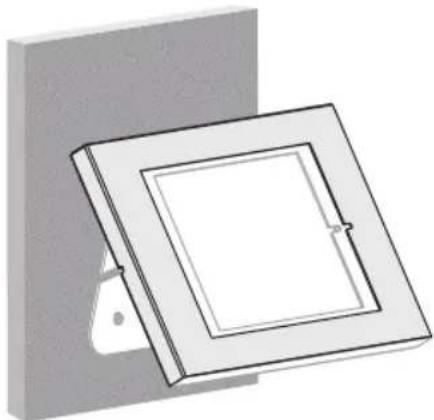
natural_image
3D diagram of a square frame mounted on a wall, with a small protrusion and mounting bracket (no text or symbols)Installation
natural_image
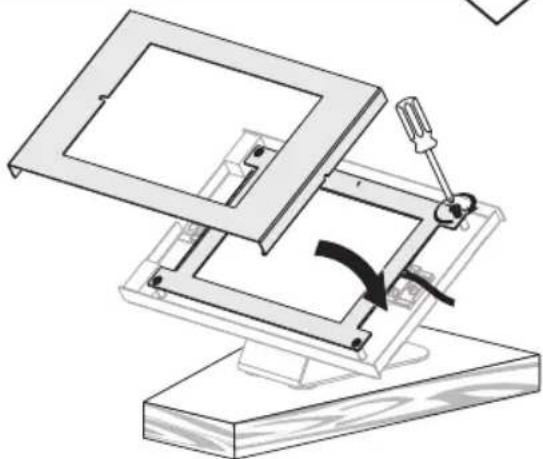
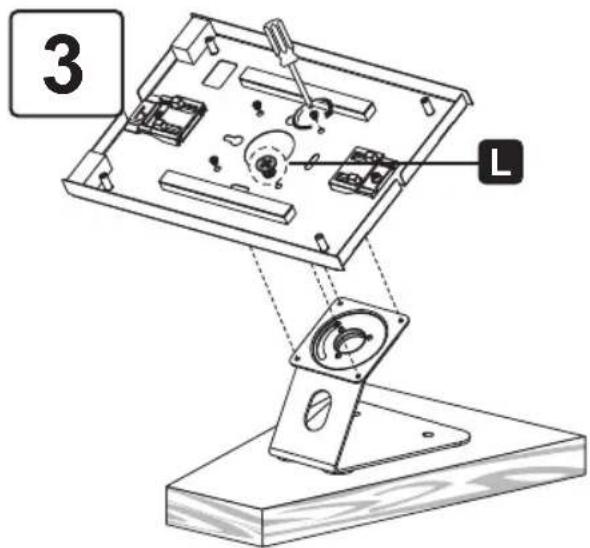
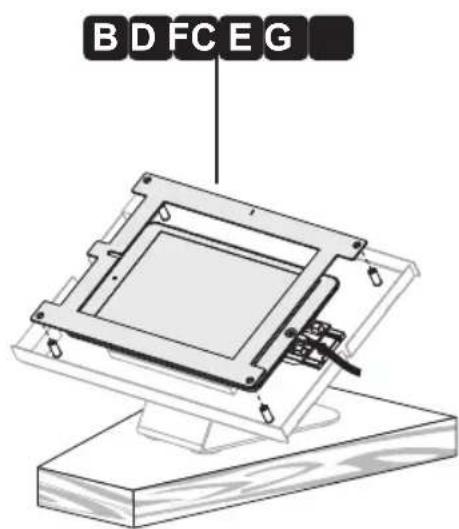
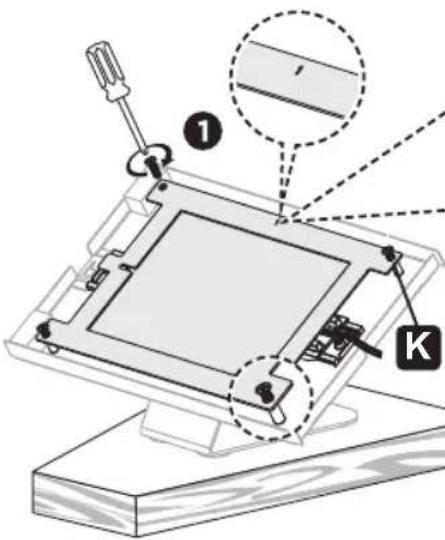
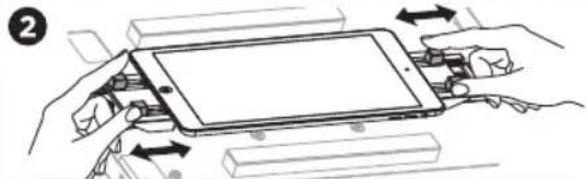
Illustration of hands assembling a tablet device with arrows indicating assembly or movement (no text or symbols)Attach the panel to the enclosure using four screws K. Before completely tightening the screws, adjust the two claws to hold the tablet and to ensure the screen is aligned and visible through the front panel.
Choose the corresponding panel according to the tablet.
Panel B: For 9.7" iPad 5/6, iPad Air 1/2 & iPad Pro (Gen 1)
Panel C: For 10.2" iPad 7 /8/9 & 10.5" iPad Air 3, iPad Pro (Gen 2)
Panel D: For 11" iPad Pro (Gen 3/4/5) & 10.9" iPad Air 4
Panel E: For 10.4" Samsung Galaxy Tab A7
Panel F: For 10.1" Samsung Galaxy Tab A
Panel G: For 10.4" Samsung Galaxy Tab S6
natural_image
Technical line drawing of a mechanical assembly with a lever and base mount (no text or symbols)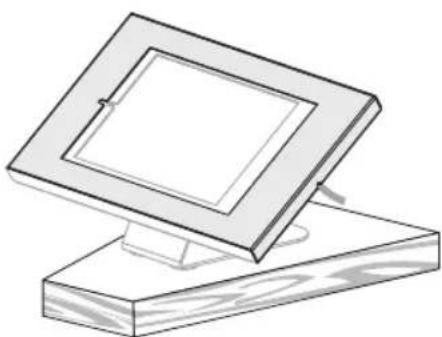
natural_image
Simple line drawing of a wooden frame with a square holder, no text or symbols presentInstallation
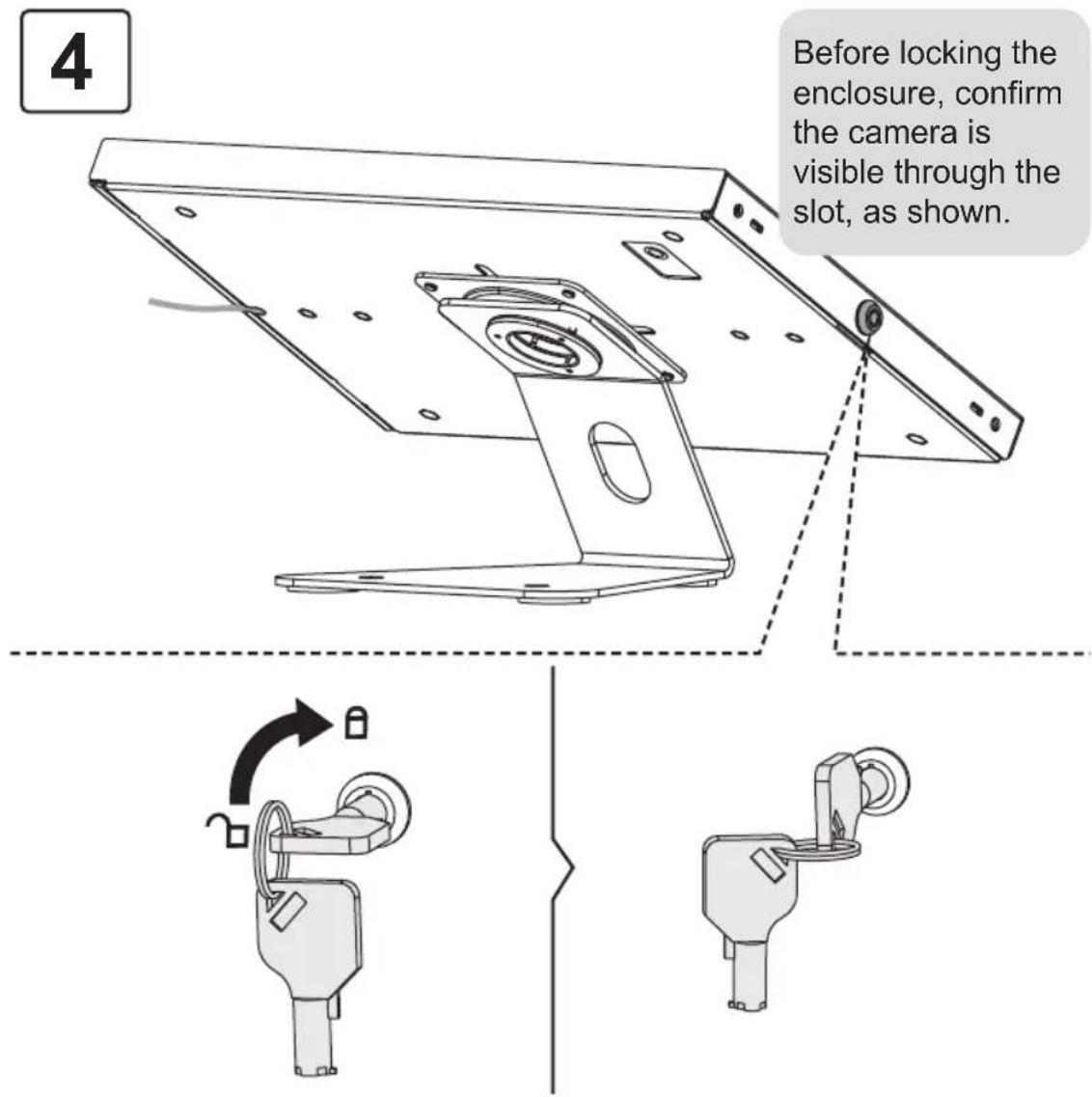
Installation
5
natural_image
Line drawing of a square frame mounted on a stand, no text or symbols present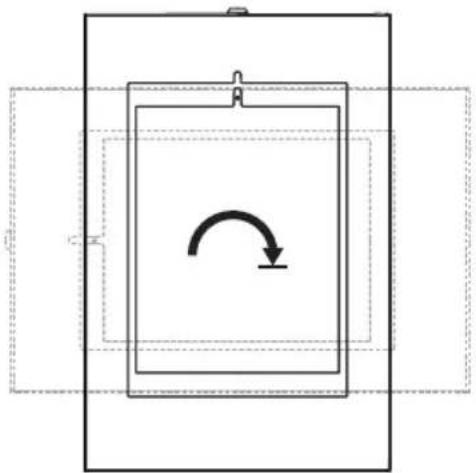
natural_image
Pure diagram of a rectangular frame with an internal curved arrow, no text or symbols present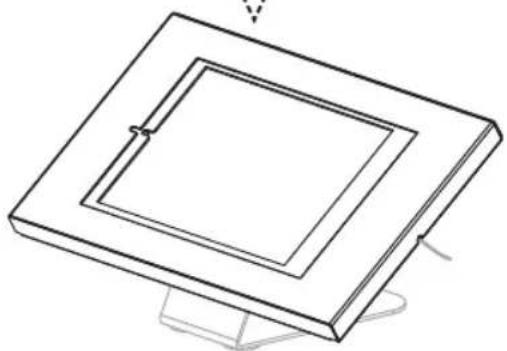
natural_image
Isometric line drawing of a square frame with a small central slot, mounted on a stand (no text or symbols)
1111 W. 35th Street, Chicago, IL 60609 USA • tripplite.com/support
natural_image
Technical line drawing of a mechanical assembly with internal components (no text or symbols)1111 W. 35th Street, Chicago, IL 60609 EE UU • tripplite.com/support
natural_image
Technical line drawing of a mechanical component with no visible text or symbolsA
x1
natural_image
Pure technical line drawing of a rectangular component with mounting holes (no text or symbols)B
x1
natural_image
Pure technical line drawing of a rectangular frame with mounting holes (no text or symbols)C
x1
natural_image
Pure technical line drawing of a rectangular component with mounting holes (no text or symbols)D
x1
natural_image
Pure technical line drawing of a rectangular frame with mounting holes (no text or symbols)E
x1
natural_image
Pure technical line drawing of a rectangular frame with mounting holes (no text or symbols)F
x1
natural_image
Pure technical line drawing of a rectangular frame with mounting holes (no text or symbols)G
x1
H
x1
Paquete P


x4

x1
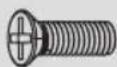

x4


x4
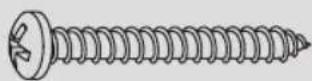

x2
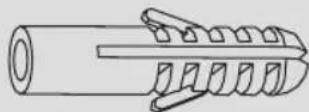

x2
Instalación
natural_image
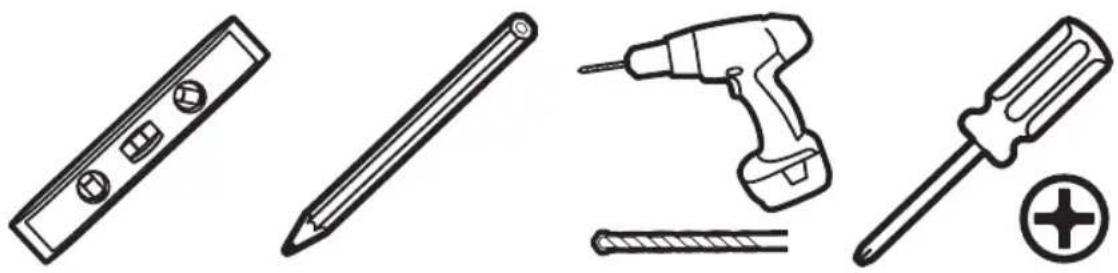
Line drawings of four different tools: a push-button, screwdriver, screwdriver with screw, and a pencil (no text or symbols)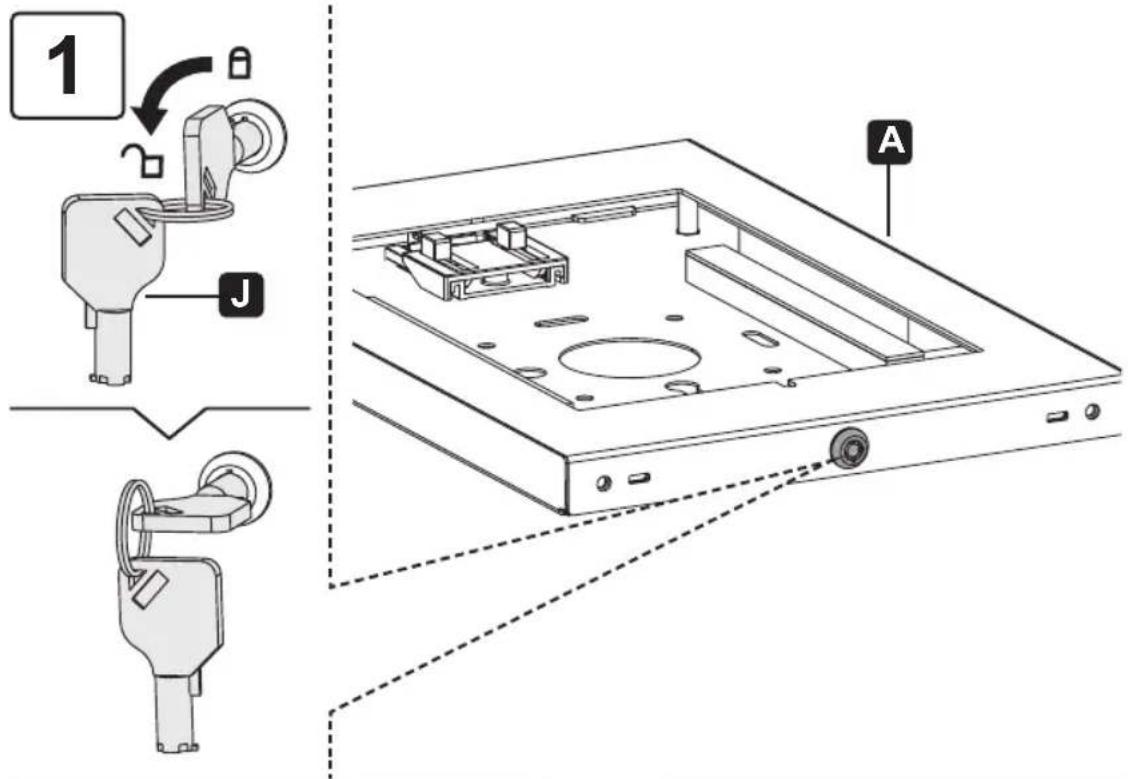
natural_image
Technical diagram of an open electronic device with internal components and a labeled component (no text or symbols present)BDFCEG
natural_image
Technical diagram of a mechanical assembly with no visible text or symbols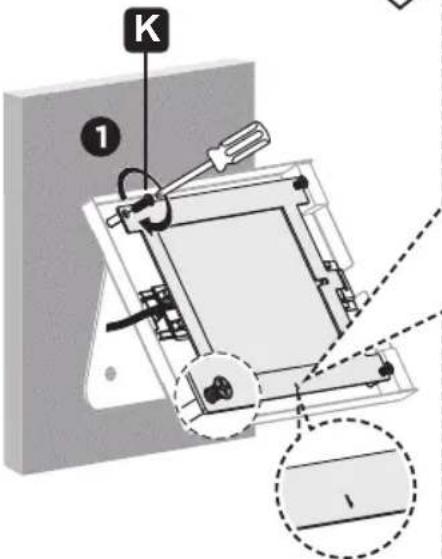
2
natural_image
Illustration of hands assembling a tablet device with arrows indicating assembly or operation (no text or symbols present)natural_image
Mechanical assembly diagram showing a rotating component with a curved arrow indicating rotation (no text or symbols present)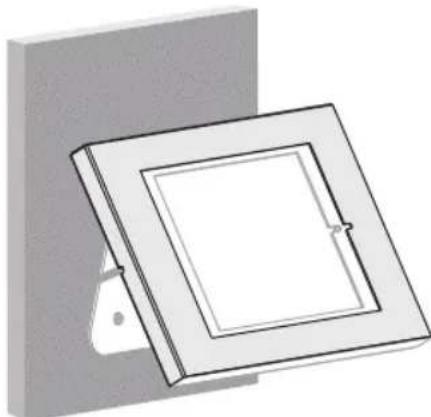
natural_image
3D diagram of a square frame mounted on a wall, with no visible text or symbolsInstalación
natural_image
Illustration of hands assembling a tablet device with arrows indicating assembly or operation (no text or symbols present)natural_image
Technical line drawing of a mechanical assembly with a lever and curved arrow indicating rotation (no text or symbols)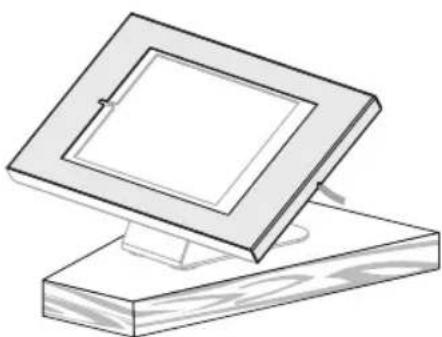
natural_image
Simple line drawing of a square frame mounted on a wooden base (no text or symbols)Instalación
4
natural_image
Line drawing of a square frame mounted on a stand, no text or symbols present
natural_image
Pure diagram of a rectangular frame with an internal curved arrow, no text or symbols present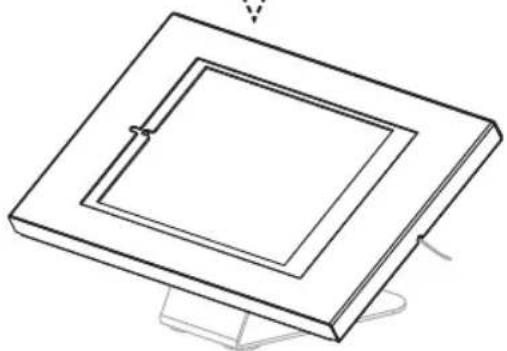
natural_image
Isometric line drawing of a square frame with a central hole, mounted on a stand (no text or symbols)
1111 W. 35th Street, Chicago, IL 60609, EE UU • tripplite.com/support
natural_image
Technical line drawing of a mechanical assembly with internal components (no text or symbols)1111 W. 35th Street, Chicago, IL 60609 USA • tripplite.com/support
natural_image
Technical line drawing of a mechanical component with no visible text or symbolsA
× 1
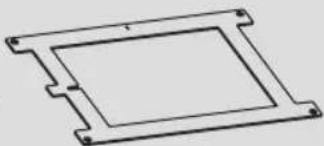
natural_image
Pure technical line drawing of a rectangular component with mounting holes (no text or symbols)B
x 1
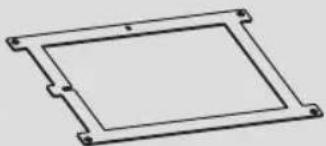
natural_image
Pure technical line drawing of a rectangular frame with mounting holes (no text or symbols)C
x 1
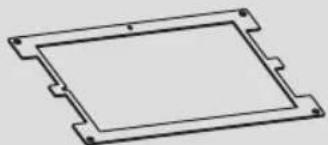
natural_image
Pure technical line drawing of a rectangular component with mounting holes (no text or symbols)D
x 1
natural_image
Pure technical line drawing of a rectangular frame with mounting holes (no text or symbols)E
x 1
natural_image
Pure technical line drawing of a rectangular frame with mounting holes (no text or symbols)F
x 1
natural_image
Pure technical line drawing of a rectangular frame with mounting holes (no text or symbols)G
x 1
H
x 1
Emballage P

I
×4
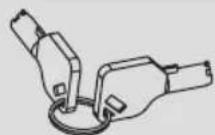
J
x 1
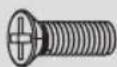
K
x 4

L
×4
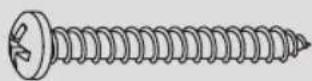
M
x 2
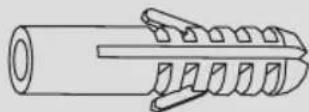
N
x 2
Installation
natural_image
Illustration of four different tools: a push-button, a screwdriver, a flat screwdriver with a plus symbol, and a tool holder (no text or labels present)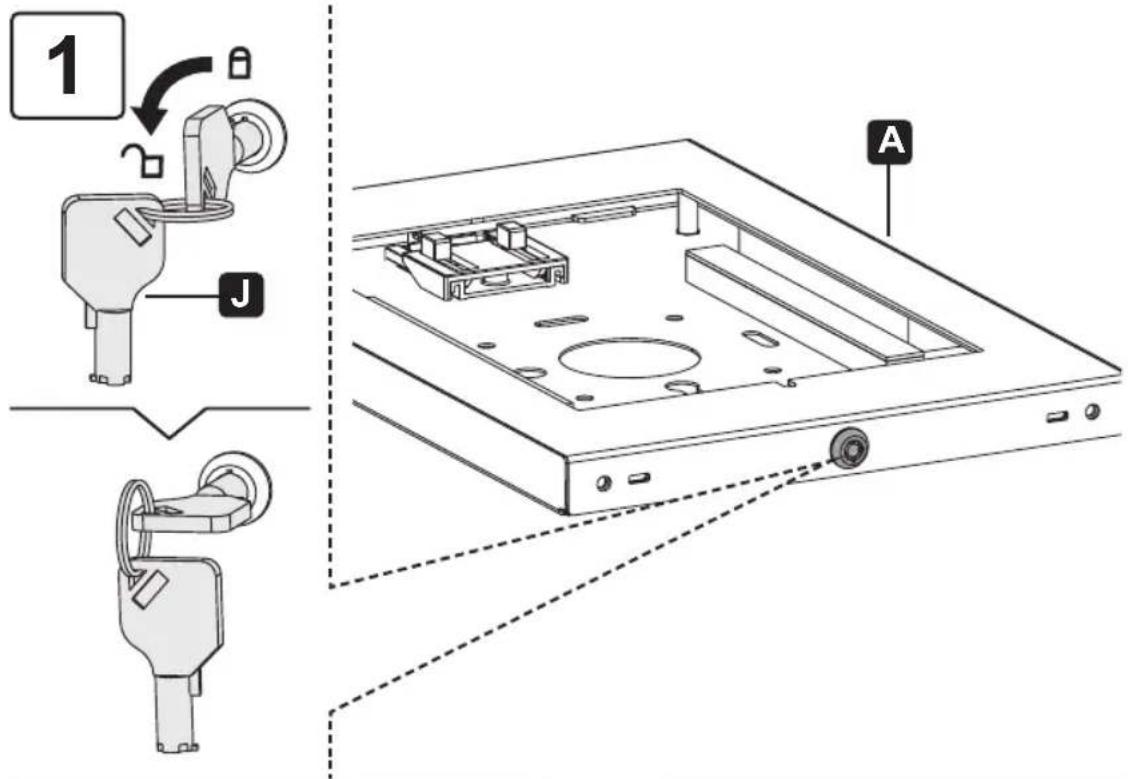
natural_image
Technical diagram of an open electronic device with internal components and a labeled component (no text or symbols present)BDFCEG
natural_image
Technical diagram of a mechanical assembly with internal components and mounting base (no text or labels)K
natural_image
Mechanical assembly diagram showing a device with labeled parts and a magnified inset view (no text or symbols present)2
natural_image
Illustration of hands assembling a tablet device with arrows indicating assembly or operation (no text or symbols present)natural_image
Mechanical assembly diagram showing a rotating component with a curved arrow indicating rotation (no text or symbols present)
natural_image
3D diagram of a square frame mounted on a wall, with no visible text or symbolsInstallation
natural_image
Illustration of hands assembling a tablet device with arrows indicating assembly or movement (no text or symbols)natural_image
Technical line drawing of a mechanical assembly with a lever and base mount (no text or symbols)
natural_image
Simple line drawing of a wooden frame with a square frame on top, no text or symbols present.Installation
natural_image
Line drawing of a square frame mounted on a stand, no text or symbols present
natural_image
Pure diagram of a rectangular frame with an internal curved arrow, no text or symbols present
natural_image
Isometric line drawing of a square frame with a central slot, mounted on a stand (no text or symbols)
1111 W. 35th Street, Chicago, IL 60609 USA • tripplite.com/support
natural_image
Technical line drawing of a mechanical assembly with internal components (no text or symbols)1111 W. 35th Street, Chicago, IL 60609 USA • tripplite.com/support
natural_image
Technical line drawing of a mechanical component with no visible text or symbolsA
1 шт.
natural_image
Pure technical line drawing of a rectangular component with mounting holes (no text or symbols)B
1 шт.
natural_image
Pure technical line drawing of a rectangular frame with mounting holes (no text or symbols)C
1 шт.
natural_image
Pure technical line drawing of a rectangular component with mounting holes (no text or symbols)D
1 шт.
natural_image
Pure technical line drawing of a rectangular frame with mounting holes (no text or symbols)E
1 шт.
natural_image
Pure technical line drawing of a rectangular frame with mounting holes (no text or symbols)F
1 шт.
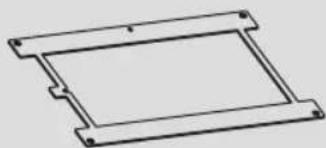
natural_image
Pure technical line drawing of a rectangular frame with mounting holes (no text or symbols)G
1 шт.
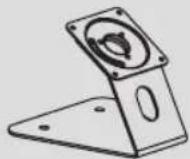
H
1 шт.
natural_image
Illustration of four different tools: a push-button, a screwdriver, a flat screwdriver with a plus symbol, and a tool holder (no text or labels present)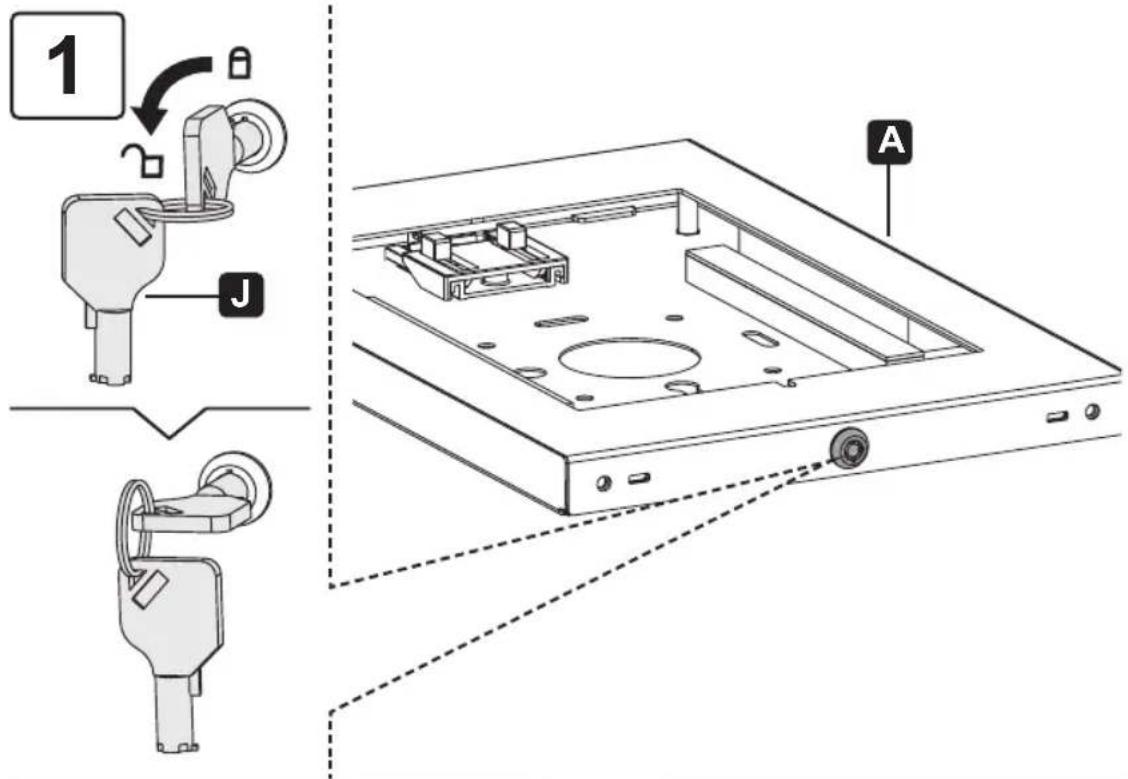
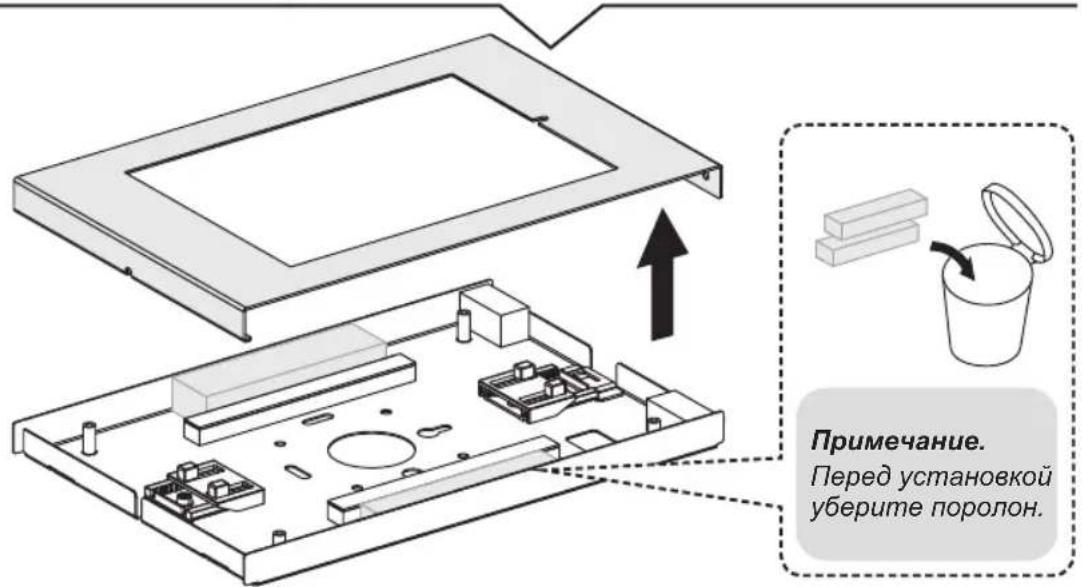
natural_image
Mechanical assembly diagram showing a bracket with mounting holes and a tool inserted, labeled 'H' (no text or symbols beyond label)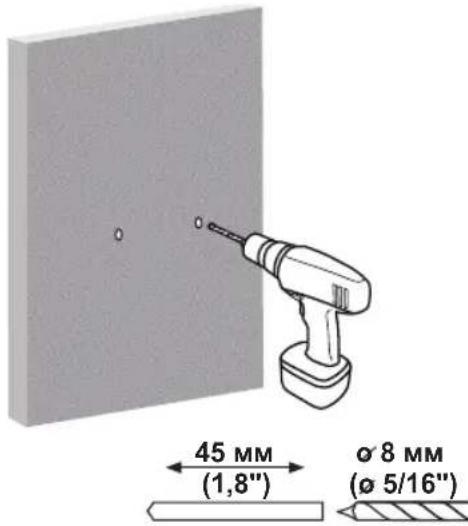
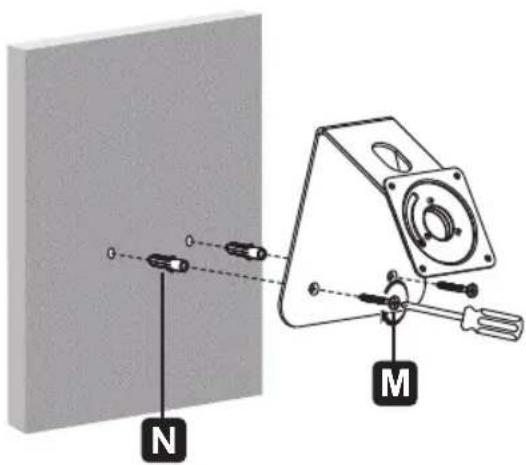
Установка
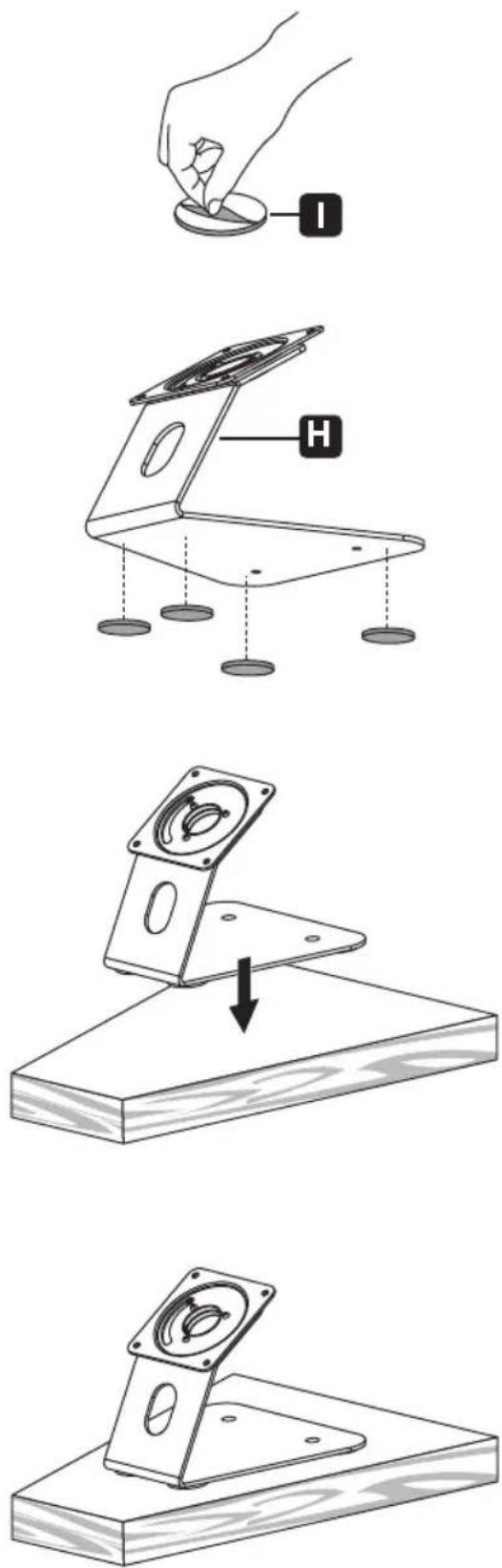
natural_image
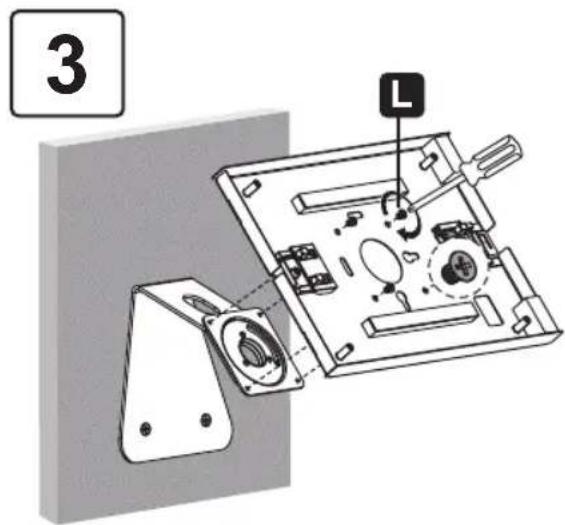
Illustration of hands assembling a tablet device with arrows indicating assembly or movement (no text or symbols)natural_image
Mechanical assembly diagram showing a rotating component with a curved arrow indicating motion (no text or symbols)
natural_image
3D diagram of a square frame mounted on a wall, with a small protrusion and mounting bracket (no text or symbols)Установка
natural_image
Illustration of hands assembling a tablet device with arrows indicating assembly or movement (no text or symbols)natural_image
Diagram of a mechanical device with a lever and rotating component, no text or symbols present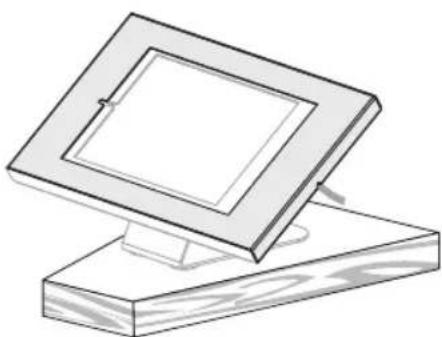
natural_image
Simple line drawing of a framed picture frame resting on a wooden base (no text or symbols)Установка
4
Перед блокировкой
корпуса убедитесь
в том, что камера
видна через
отверстие, как
natural_image
Line drawing of a square frame mounted on a stand, no text or symbols present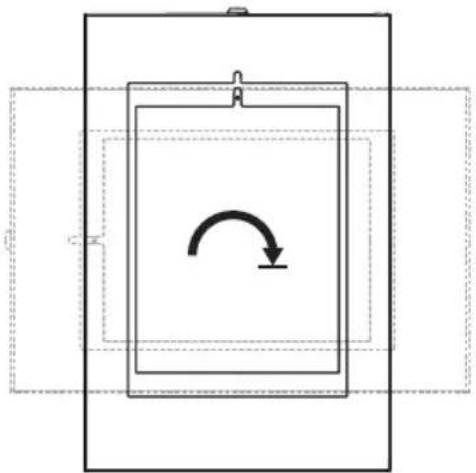
natural_image
Pure diagram of a rectangular frame with an internal curved arrow, no text or symbols present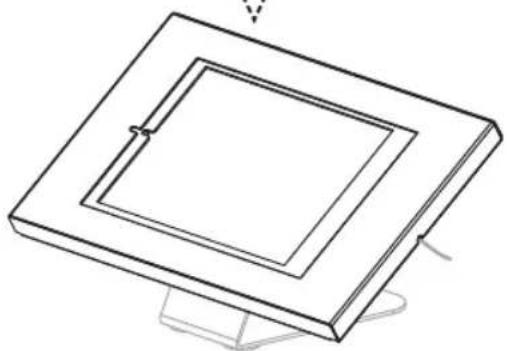
natural_image
Isometric line drawing of a square frame with a central hole, mounted on a stand (no text or symbols)
1111 W. 35th Street, Chicago, IL 60609 USA • tripplite.com/support
natural_image
Technical line drawing of a mechanical assembly with internal components (no text or symbols)1111 W. 35th Street, Chicago, IL 60609 USA • tripplite.com/support
natural_image
Technical line drawing of a mechanical component with no visible text or symbolsA
x 1
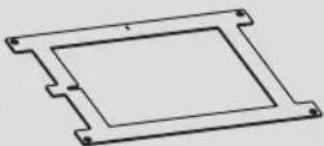
natural_image
Pure technical line drawing of a rectangular component with mounting holes (no text or symbols)B
x 1
natural_image
Pure technical line drawing of a rectangular frame with mounting holes (no text or symbols)C
x 1
natural_image
Pure technical line drawing of a rectangular component with mounting holes (no text or symbols)D
x 1
natural_image
Pure technical line drawing of a rectangular frame with mounting holes (no text or symbols)E
x 1
natural_image
Pure technical line drawing of a rectangular frame with mounting holes (no text or symbols)F
x 1
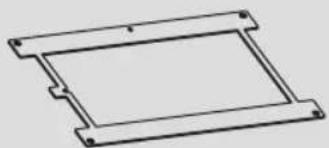
natural_image
Pure technical line drawing of a rectangular frame with mounting holes (no text or symbols)G
x 1
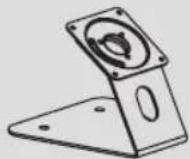
H
x 1
Paket P

I
×4
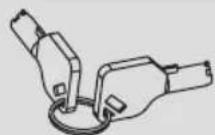
J
x 1
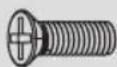
K
x 4

L
×4
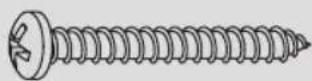
M
x 2

N
x 2
Installation
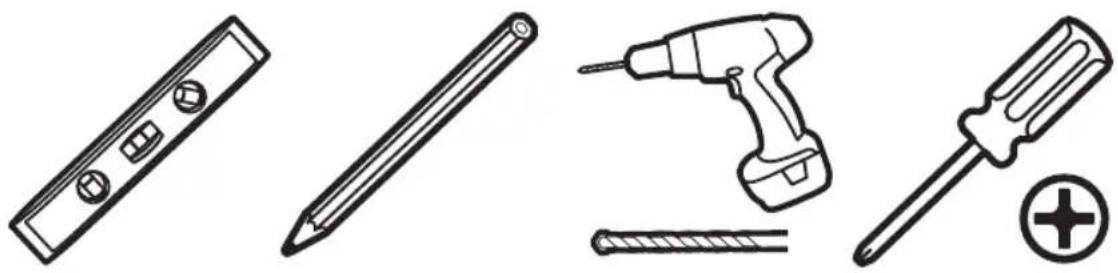
natural_image
Illustration of four different tools: a push-button, a screwdriver, a flat screwdriver with a plus symbol, and a tool holder (no text or labels present)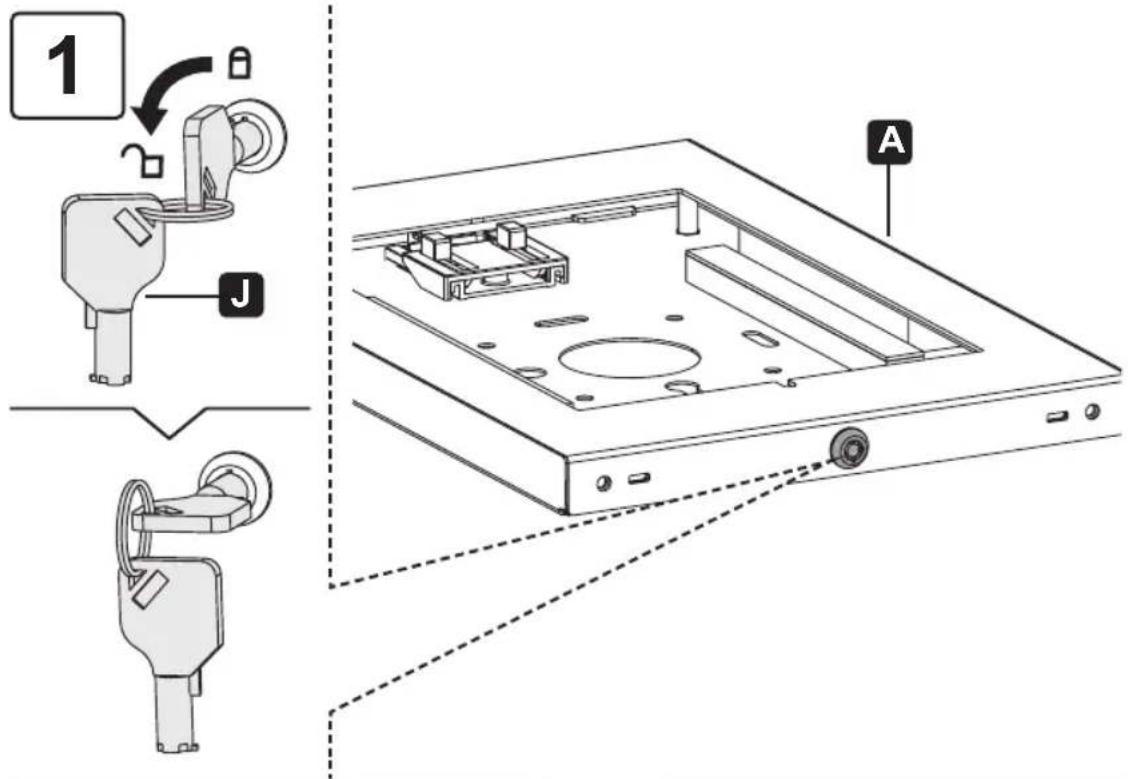
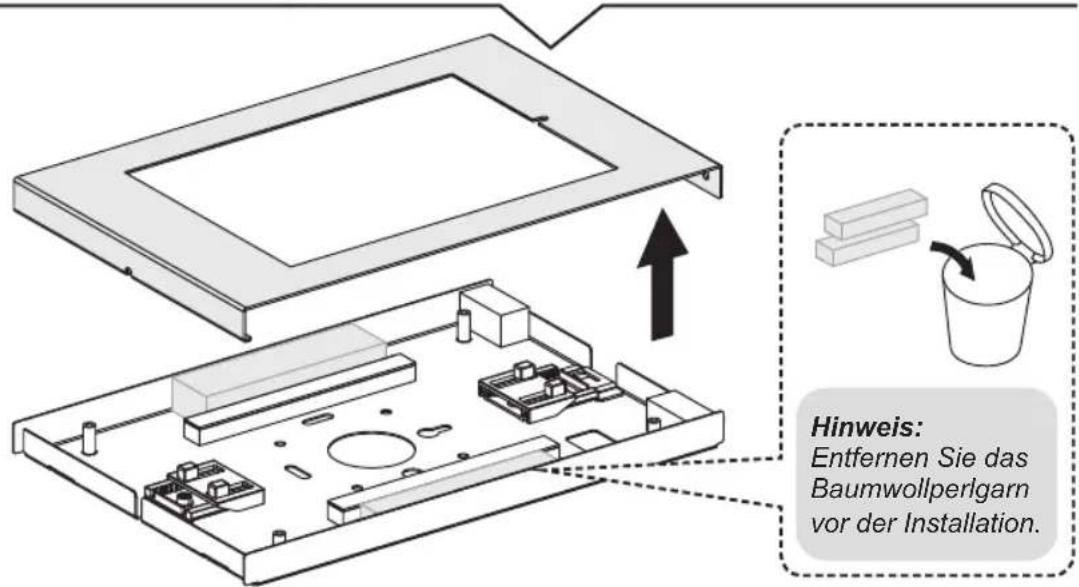
natural_image
Technical diagram of an open electronic device showing internal components and a labeled component (no text or symbols present)BDFCEG
natural_image
Technical diagram of a mechanical assembly with internal components and mounting base (no text or symbols)K
natural_image
Technical diagram of a mechanical assembly with labeled components and dashed-line detail (no readable text or symbols)2
natural_image
Illustration of hands assembling a tablet device with arrows indicating assembly or operation (no text or symbols present)natural_image
Mechanical assembly diagram showing a rotating component with a curved arrow indicating rotation (no text or symbols present)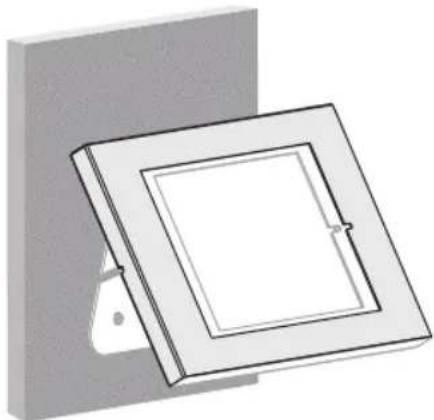
natural_image
3D diagram of a square frame mounted on a wall, with no visible text or symbolsInstallation
natural_image
Illustration of hands assembling a tablet device with arrows indicating assembly or movement (no text or symbols)natural_image
Technical line drawing of a mechanical assembly with a lever and base mount (no text or symbols)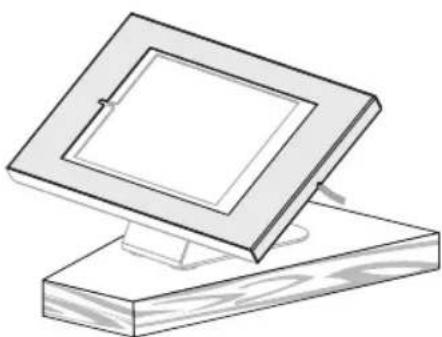
natural_image
Simple line drawing of a wooden frame with a square frame on top, no text or symbols present.Installation
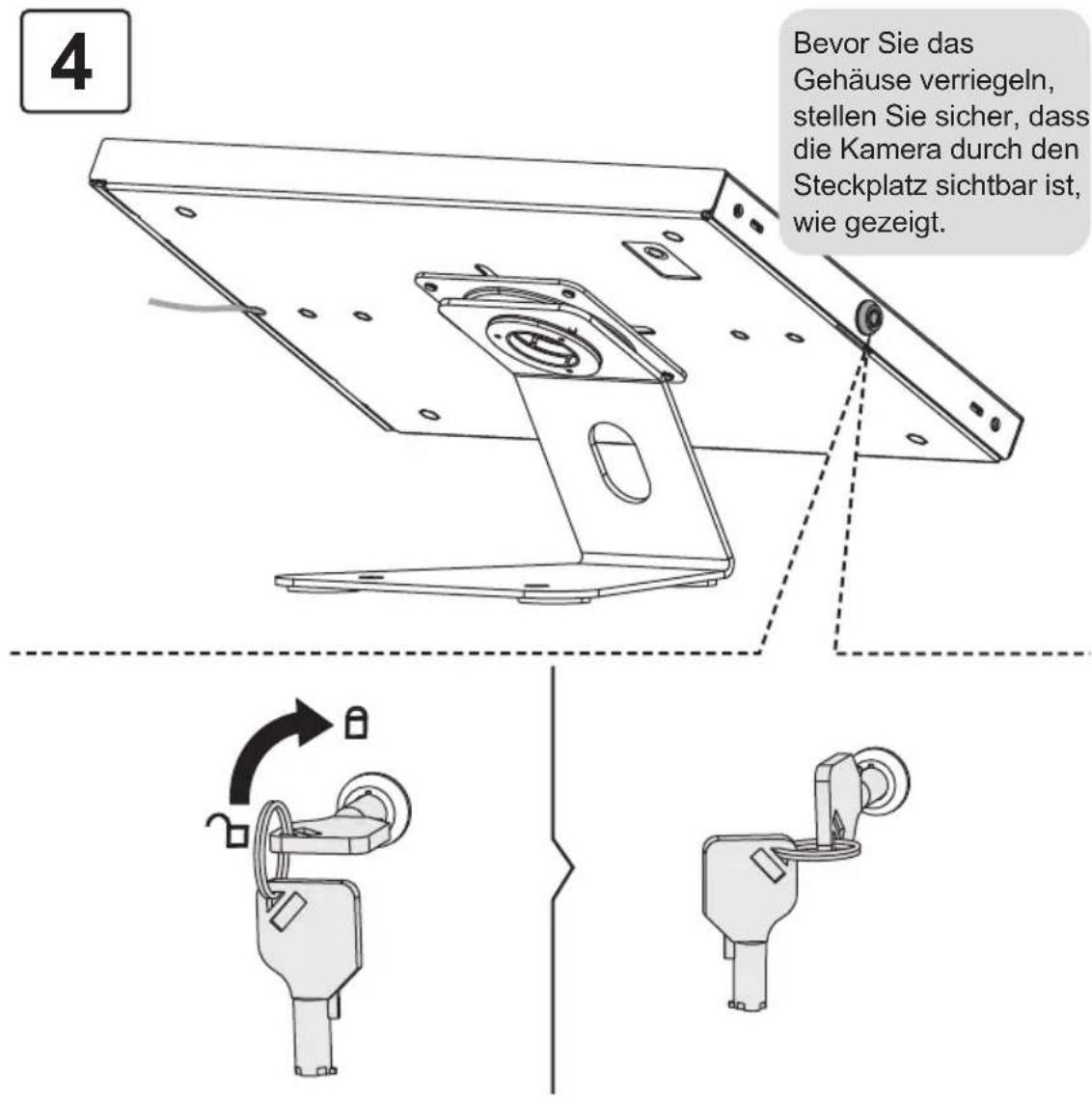
natural_image
Line drawing of a square frame mounted on a stand, no text or symbols present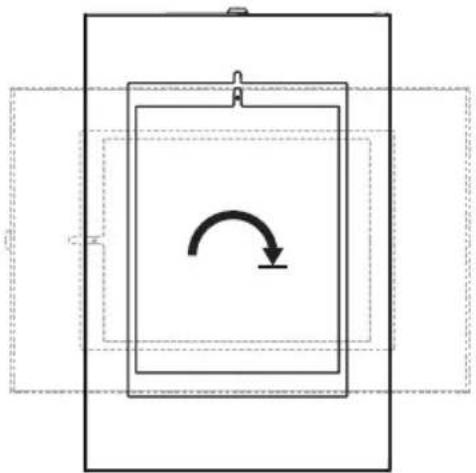
natural_image
Pure diagram of a rectangular frame with an internal curved arrow, no text or symbols present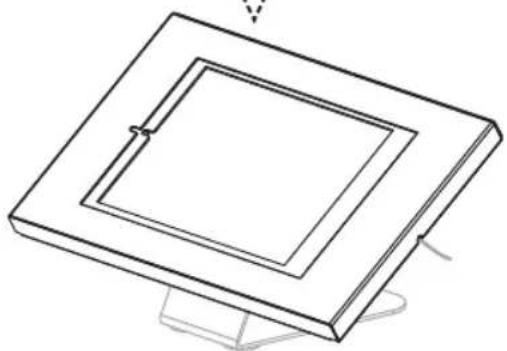
natural_image
Isometric line drawing of a square frame with a small central slot, mounted on a stand (no text or symbols)
1111 W. 35th Street, Chicago, IL 60609 USA • tripplite.com/support