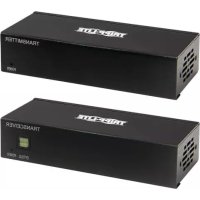
B127A111BDTD - HDMI Extender Tripp Lite - Free user manual and instructions
Find the device manual for free B127A111BDTD Tripp Lite in PDF.


| Product Type | HDMI/DisplayPort Extender Kit over Cat6 |
| Brand | Tripp Lite |
| Model | B127A111BDTD (B127A-1A1-BDBD / B127A-1A1-BDBH) |
| Maximum Resolution | 4K x 2K (3840 x 2160) @ 60 Hz |
| Maximum Distance | Up to 70 m (230 ft) via Cat6 24 AWG cable |
| Transmission Technology | HDBaseT over Cat6, Power over Cable (PoC) |
| Power Supply | External power adapter (100-240 V AC, 50/60 Hz), supplied with multiple plugs |
| Power Consumption | Approx. 10 W (transmitter and receiver) |
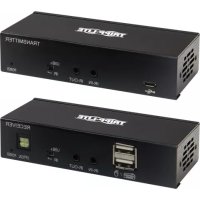
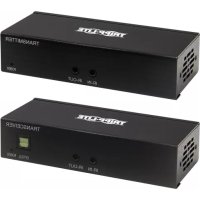
| Transmitter Connectors | 1 x DisplayPort IN, 1 x HDMI OUT (local), 1 x RJ45, 1 x USB Micro-B, 2 x 3.5mm IR jacks |
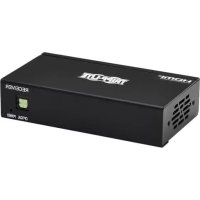
| Receiver Connectors | 1 x HDMI OUT (BDBH) or DisplayPort OUT (BDBD), 1 x RJ45, 2 x USB-A, 1 x Toslink, 2 x 3.5mm IR jacks |
| Supported Audio Formats | Up to 7.1 channels, Toslink audio extraction |
| HDCP Compatibility | HDCP 2.2 |
| IR Control | Bidirectional, via included IR cables |
| USB Port | USB 1.1 for keyboard/mouse (host on transmitter side, devices on receiver side) |
| Mounting | Wall, rack (19"), or pole mount (hardware included) |
| Warranty | 1-year limited |
| Maintenance and Cleaning | Unplug before cleaning, use a dry, lint-free cloth |
| Safety | Use only the supplied adapter, do not expose to moisture, not recommended for life support equipment |
| Spare Parts and Repairability | Contact Tripp Lite support for any repairs or parts |
| General Information | No software or driver required, plug-and-play installation |
Frequently Asked Questions - B127A111BDTD Tripp Lite
User questions about B127A111BDTD Tripp Lite
0 question about this device. Answer the ones you know or ask your own.
Ask a new question about this device
Download the instructions for your HDMI Extender in PDF format for free! Find your manual B127A111BDTD - Tripp Lite and take your electronic device back in hand. On this page are published all the documents necessary for the use of your device. B127A111BDTD by Tripp Lite.
USER MANUAL B127A111BDTD Tripp Lite
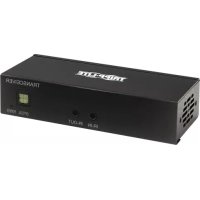
DisplayPort over Cat6 Extender and Receiver Kit, 4K/60 Hz
DisplayPort over Cat6 Model: B127A-1A1-BDBD
DisplayPort to HDMI over Cat6 Model: B127A-1A1-BDBH
Español 13 • Français 24 • Русский 35 • Deutsch 46
WARRANTY REGISTRATION
Register your product today and be automatically entered to win an ISOBAR ^® surge protector in our monthly drawing!
tripplite.com/warranty


Manufacturing Excellence.
1111 W. 35th Street, Chicago, IL 60609 USA • tripplite.com/support
Copyright © 2021 Tripp Lite. All rights reserved.
Package Contents
• Transmitter and Receiver Units
- External Power Supply Plug Adapters: NEMA 1-15P North America; AS/NZS 3112 Australia; BS 1363 U.K.; CEE 7/16 Schuko
- Mounting Hardware
Optional Accessories:
• N202-Series Cat6 24 AWG Solid-Wire Patch Cables
• P569-XXX-CERT or P568-XXX-2A Series High-Speed HDMI 2.0 Cables
• P580-Series DisplayPort Cables with Latches
Product Features
B127A-1A1-BDBH
- DisplayPort 1.2a to HDMI over Cat6 Power over Cable (PoC) Extender Kit
- Extends a 4K x 2K (3840 x 2160) @ 60 Hz signal, as specified in HDMI 2.0, up to 230 ft. (70 m) from the source.
• Built-in local HDMI port supports 4K @ 60 Hz signal - Remote receiver unit features built-in equalization (EQ) control and auto EDID image adjustment
• Supports up to 7.1-channel surround sound audio - Receiver features built-in Toslink port for audio extraction function
- HDCP 2.2 compatible
- Plug-and-play - no software or drivers required
• Supports bi-directional IR and USB 1.1 function by DIP switch selection - Includes mounting hardware that enables both the local transmitter and remote receiver units to be wall-mounted, rack-mounted or pole-mounted
Product Features
B127A-1A1-BDBD
- DisplayPort 1.2a over Cat6 extender and receiver kit with Power over Cable (PoC)
- Extends a 4K x 2K (3840 x 2160) @ 60 Hz signal up to 230 ft. (70 m) from the source
• Built-in local HDMI port supports 4K x 2K (3840 x 216) @ 60 Hz resolutions - Remote receiver unit features built-in equalization (EQ) control and audio EDID image adjustment
• Supports up to 7.1-channel surround sound audio - Receiver features a Toslink port for audio extraction
• Supports DisplayPort 1.2a and is HDCP 2.2 compatible - Plug-and-play - no software or drivers required
• Supports bi-directional IR and USB 1.1 function by DIP switch selection - Includes mounting hardware that enables both the local transmitter and remote receiver units to be wall-mounted, rack-mounted or pole-mounted
Disclaimer
Before installation, check the following settings of your source(s) and TV/monitor(s):
- Set to display 60 Hz. Double-check factory settings, in case the default is set to a lower frequency (Hz) than advertised.
- Ensure the input setting of your monitor is set at HDMI 2.0. Some displays may have default setting at HDMI 1.4
Note: This is only important for the B127A-1A1-BDBH model; the B127A-1A1-BDBD will need DP 1.2a settings.
-
Verify your monitor has the HDR feature enabled. Some displays may have this feature disabled as a factory setting.
-
Check if the Ultra HD (UHD) Deep Color setting is enabled on your TV/monitor. Confirm with your TV/monitor manufacturer which HDMI ports support UHD Deep Color.
Note: Only for the B127A-1A1-BDBH model.
- Check the USB/IR DIP switch, as the default setting is set to "IR".
Note: To connect a local monitor to your installation, the UHD Deep Color setting may need to be disabled on your local TV/monitor (depending on the make/model) to achieve 4K/60 Hz resolution.
Mounting Instructions
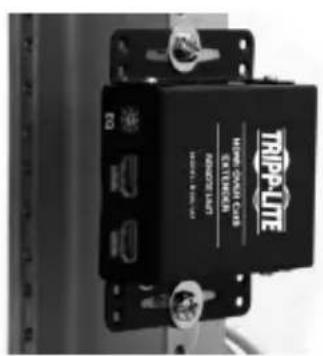
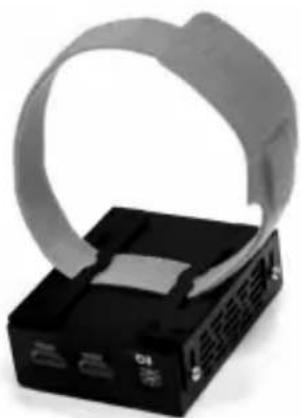
The B127A-1A1-BDBH and B127A-1A1-BDBD include mounting hardware that allows for a variety of mounting methods. The following images illustrate how the included mounting brackets can be attached for different installations.
Note: The model shown in the below images is for illustrative purposes only. Your product may vary by model number, size or port orientation. The mounting options for all over IP units are the same.
Wall-mount
19" Rack-mount Pole-mount
natural_image
Black electronic device with a coiled cable wrapped around it, no visible text or symbols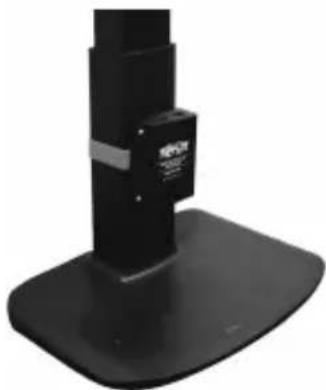
natural_image
Black mechanical device with a stand and mounting base (no visible text or symbols)Standard Extender Kit Installation
Model B127A-1A1-BDBH
Notes:
- Test to ensure the entire installation works properly before pulling cables through ceilings/walls.
- To achieve maximum distance and performance, use 24 AWG solid wire Cat6 cable. Using stranded-wire Cat6 cable or cable with a gauge (AWG) size higher than 24 AWG will result in shorter extension distance. Higher gauge cabling, such as 26 AWG, has a more limited transmission capability than lower gauge cabling. All Tripp Lite N202-Series Cat6 cables are made with 24 AWG solid-wire cabling.
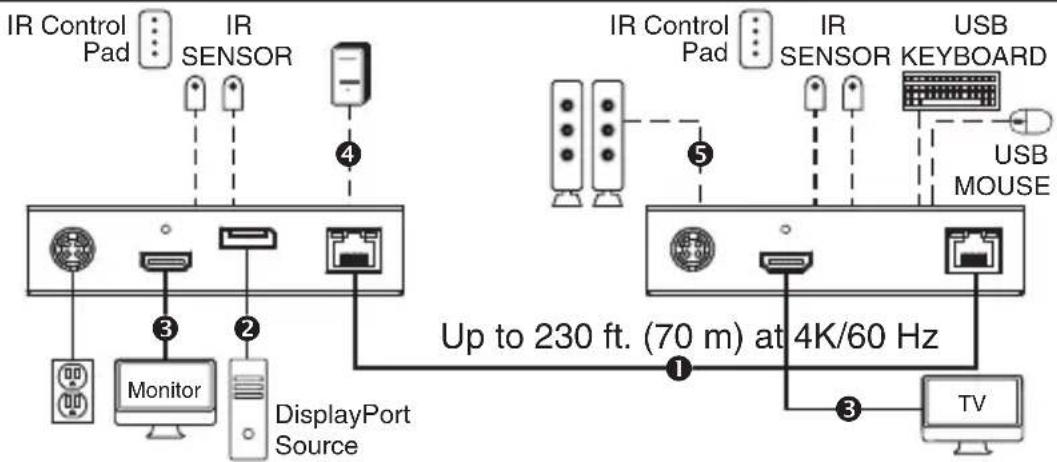
- The installation diagram shows a B127A-1A1-BDBH unit.
- External power is not required for remote receiver units due to Power over Cable (PoC) technology incorporated in the transmitter units.
B127A-1A1-BDBH extender kit
① Up to 230 ft. Cat6 solid cable at 4K/60 Hz Micro-USB cable
② Up to 15 ft. DisplayPort cable at 4K/60 H _2 Toslink cable
③ Up to 15 ft. HDMI 2.0 cable at 4K/60 Hz
- Make sure all equipment in the installation—such as monitors, the DisplayPort source and the transmitter—is powered OFF.
Standard Extender Kit Installation
- Using a DisplayPort cable, connect the DisplayPort source to the INPUT port on the local transmitter unit.
- Optional for B127A-1A1-BDBH: Using an HDMI cable (such as Tripp Lite P569-XXX-CERT or P568-XXX-2A Series cables), connect a local monitor to the LOCALOUT port on the B127A-1A1-BDBH local transmitter unit.
- Using Cat6 cable, connect the RJ45 port on the local transmitter unit to the RJ45 port on the remote receiver unit.
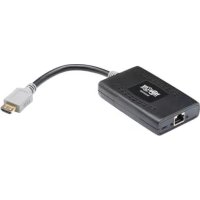
- Using an HDMI cable (such as Tripp Lite P569-XXX-CERT or P568-XXX-2A Series cables), connect the remote receiver unit's HDMI port to a monitor.
- Turn the power on to your connected TVs/monitors. The LOCAL (orange) LED will illuminate to indicate the local port has been connected to a display.
- Connect the external power supply to the local transmitter unit and plug it into an available wall outlet or (optional) Tripp Lite Surge Protector, Power Distribution Unit (PDU) or Uninterruptible Power Supply (UPS). The POWER (green) LED on the local transmitter unit will illuminate to indicate the unit is receiving power from the external power supply. The POWER (green) LED on the remote receiver unit will illuminate to indicate the unit is receiving power from the local transmitter unit through PoC technology.
Note: The external power adapter can be plugged into either the transmitter or receiver unit. - Turn on the power to the DisplayPort source. The OUTPUT (orange) LED on the local transmitter unit will illuminate to indicate a signal is being received from the source.
- The (orange) RJ45 LED will illuminate on both the local transmitter and remote receiver units to indicate a signal is being received from the source to display. The screen should now display on the connected monitor.
Standard Extender Kit Installation
Model B127A-1A1-BDBD
Notes:
- Test to ensure the entire installation works properly before pulling cables through ceilings/walls.
- To achieve maximum distance and performance, use 24 AWG solid wire Cat6 cable. Using stranded-wire Cat6 cable, or cable with a gauge (AWG) size higher than 24 AWG, will result in shorter extension distance. Higher gauge cabling, such as 26 AWG, has a more limited transmission capability than lower gauge cabling. All Tripp Lite N202-Series Cat6 cables are made with 24 AWG solid-wire cabling.
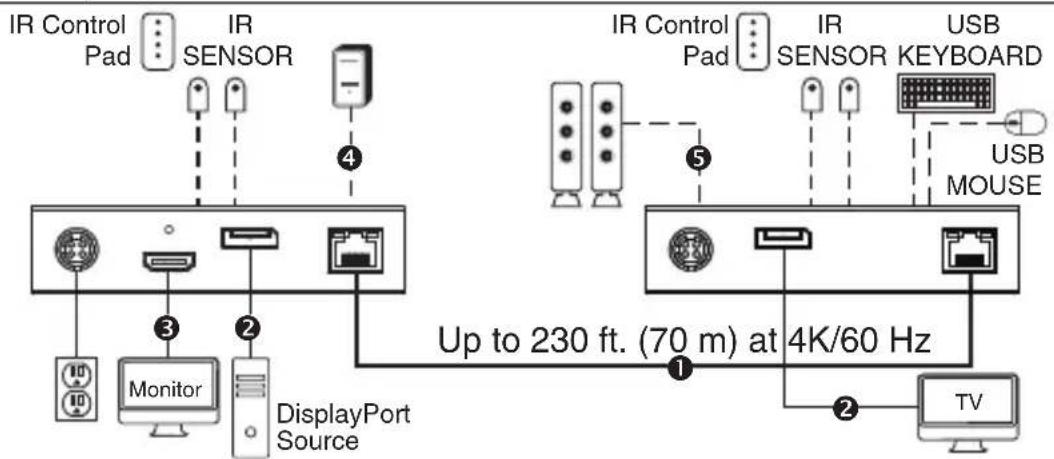
- The installation diagram shows a B127A-1A1-BDBD unit.
- External power is not required for remote receiver units due to Power over Cable (PoC) technology incorporated in the transmitter units.
B127A-1A1-BDBD extender kit
① Up to 230 ft. Cat6 solid cable at 4K/60 Hz ^4 Micro-USB cable
② Up to 15 ft. DisplayPort cable at 4K/60 H _2 5 Toslink cable
③ Up to 15 ft. HDMI 2.0 cable at 4K/60 Hz
LOCAL / TRANSMITTER REMOTE / RECEIVER
- Make sure all equipment in the installation—such as monitors, the DisplayPort source and the transmitter—is powered OFF.
Standard Extender Kit Installation
- Using a DisplayPort cable, connect the DisplayPort source to the INPUT port on the local transmitter unit.
- Using an HDMI cable (such as Tripp Lite P569-XXX-CERT or P568-XXX-2A Series cables), connect a local monitor to the LOCALOUT port on the B127A-1A1-BDBD local transmitter unit.
- Using Cat6 cable, connect the RJ45 port on the local transmitter unit to the RJ45 port on the remote receiver unit.
- Using a DisplayPort cable, connect the remote receiver unit's DisplayPort port to a monitor.
- Turn the power on to your connected TVs/monitors. The LOCAL (orange) LED will illuminate to indicate the local port has been connected to a display.
- Connect the external power supply to the local transmitter unit and plug it into an available wall outlet or (optional) Tripp Lite Surge Protector, Power Distribution Unit (PDU) or Uninterruptible Power Supply (UPS). The POWER (green) LED on the local transmitter unit will illuminate to indicate the unit is receiving power from the external power supply. The POWER (green) LED on the remote receiver unit will illuminate to indicate the unit is receiving power from the local transmitter unit through PoC technology.
- Turn on the power to the DisplayPort source. The OUTPUT (orange) LED on the local transmitter unit will illuminate to indicate a signal is being received from the source.
- The (orange) RJ45 LED will illuminate on both the local transmitter and remote receiver units to indicate a signal is being received from the source to display. The screen should now display on the connected monitor.
USB/IR/Toslink Controls
The extender kit provides the following functional controls:
- USB 1.1 – One USB Micro-B input at transmitter, dual USB-A outputs at receiver
- Bi-Directional IR – Dual 3.5 mm jacks at both the transmitter and receiver
- Toslink output at receiver and transceiver
(Optional) Connect the included IR-OUT cable to the transmitter unit's IR-OUT port. Place the sensor on the IR-OUT cable in an unobstructed area within clear view of the device being controlled. Then connect the included IR-IN cable to the receiver unit's IR-IN port. The IR-IN cable will communicate the desired command via the transmitter's IR-OUT cable.
Note: The IR-OUT cable receives the signal from the remote control and sends it to the device being controlled (e.g. Blu-ray ^™ player, etc.).
(Optional) With a user-supplied USB Micro-B cable (such as Tripp Lite U050-XXX Series USB cable), connect to the transmitter's Micro-B port. Then connect a keyboard and mouse to the available USB-A ports on the receiver unit.
(Optional) Connect a Toslink cable (such as Tripp Lite's A102-XXM Series cables) to a set of speakers, an audio receiver or other audio system equipped with Toslink digital outputs.
Warranty and Product Registration
1-Year Limited Warranty
TRIPP LITE warrants its products to be free from defects in materials and workmanship for a period of one (1) year from the date of initial purchase. TRIPP LITE's obligation under this warranty is limited to repairing or replacing (at its sole option) any such defective products. To obtain service under this warranty, you must obtain a Returned Material Authorization (RMA) number from TRIPP LITE or an authorized TRIPP LITE service center. Products must be returned to TRIPP LITE or an authorized TRIPP LITE service center with transportation charges prepaid and must be accompanied by a brief description of the problem encountered and proof of date and place of purchase. This warranty does not apply to equipment which has been damaged by accident, negligence or misapplication or has been altered or modified in any way.
EXCEPT AS PROVIDED HEREIN, TRIPP LITE MAKES NO WARRANTIES, EXPRESS OR IMPLIED, INCLUDING WARRANTIES OF MERCHANTABILITY AND FITNESS FOR A PARTICULAR PURPOSE. Some states do not permit limitation or exclusion of implied warranties; therefore, the aforesaid limitation(s) or exclusion(s) may not apply to the purchaser.
EXCEPT AS PROVIDED ABOVE, IN NO EVENT WILL TRIPP LITE BE LIABLE FOR DIRECT, INDIRECT, SPECIAL, INCIDENTAL OR CONSEQUENTIAL DAMAGES ARISING OUT OF THE USE OF THIS PRODUCT, EVEN IF ADVISED OF THE POSSIBILITY OF SUCH DAMAGE. Specifically, TRIPP LITE is not liable for any costs, such as lost profits or revenue, loss of equipment, loss of use of equipment, loss of software, loss of data, costs of substitutes, claims by third parties, or otherwise.
PRODUCT REGISTRATION
Visit tripplite.com/warranty today to register your new Tripp Lite product. You'll be automatically entered into a drawing for a chance to win a FREE Tripp Lite product!*
* No purchase necessary. Void where prohibited. Some restrictions apply. See website for details.
WEEE Compliance Information for Tripp Lite Customers and Recyclers (European Union)
Under the Waste Electrical and Electronic Equipment (WEEE) Directive
and implementing regulations, when customers buy new electrical and electronic equipment from Tripp Lite they are entitled to:
- Send old equipment for recycling on a one-for-one, like-for-like basis (this varies depending on the country)
- Send the new equipment back for recycling when this ultimately becomes waste
WARNING
Use of this equipment in life support applications where failure of this equipment can reasonably be expected to cause the failure of the life support equipment or to significantly affect its safety or effectiveness is not recommended.
Tripp Lite has a policy of continuous improvement. Specifications are subject to change without notice. Photos and illustrations may differ slightly from actual products.


Manufacturing Excellence.
1111 W. 35th Street, Chicago, IL 60609 USA • tripplite.com/support
12
20-09-170 93-3D2E_RevA
1111 W. 35th Street, Chicago, IL 60609 EE UU • tripplite.com/support
natural_image
Black electronic device with a gray paper clip attached to its side (no visible text or symbols)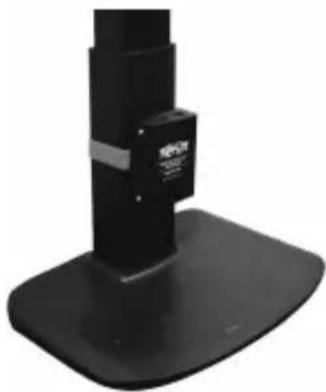
natural_image
Black and white photo of a mechanical device with a base and top component (no visible text or symbols)1111 W. 35th Street, Chicago, IL 60609 EE UU • tripplite.com/support
20-09-170 93-3D2E_RevA
1111 W. 35th Street, Chicago, IL 60609 USA • tripplite.com/support
1111 W. 35th Street, Chicago, IL 60609 USA • tripplite.com/support
20-09-170 93-3D2E_RevA
1111 W. 35th Street, Chicago, IL 60609 USA • tripplite.com/support
natural_image
Black electronic device with a gray paper clip attached to its side (no visible text or symbols)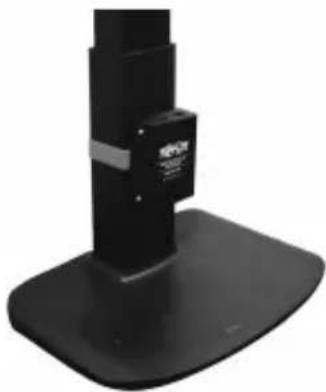
natural_image
Black and white photo of a mechanical device with a base and top component (no visible text or symbols)1111 W. 35th Street, Chicago, IL 60609 USA • tripplite.com/support
20-09-170 93-3D2E_RevA
Benutzerhandbuch
1111 W. 35th Street, Chicago, IL 60609 USA • tripplite.com/support
natural_image
Black electronic device with a coiled cable wrapped around it, no visible text or symbols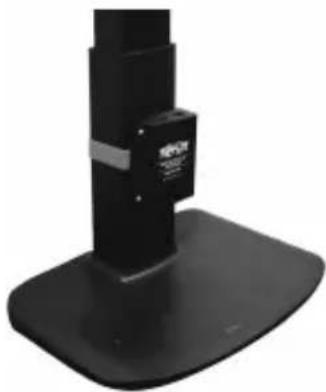
natural_image
Black and white photo of a mechanical device with a base and top component (no visible text or symbols)
Manufacturing Excellence.
1111 W. 35th Street, Chicago, IL 60609 USA • tripplite.com/support
20-09-170 93-3D2E_RevA
- DisplayPort over Cat6 Extender and Receiver Kit, 4K/60 Hz
- WARRANTY REGISTRATION
- Package Contents
- Optional Accessories:
- Product Features
- B127A-1A1-BDBH
- B127A-1A1-BDBD
- Disclaimer
- Mounting Instructions
- Standard Extender Kit Installation
- Model B127A-1A1-BDBH
- Notes:
- B127A-1A1-BDBH extender kit
- Model B127A-1A1-BDBD
- B127A-1A1-BDBD extender kit
- USB/IR/Toslink Controls
- Warranty and Product Registration
- 1-Year Limited Warranty
- PRODUCT REGISTRATION
- WEEE Compliance Information for Tripp Lite Customers and Recyclers (European Union)
- WARNING
- Benutzerhandbuch
Brand : Tripp Lite
Model : B127A111BDTD
Category : HDMI Extender