PIP1010 - Baby monitors MOTOROLA - Free user manual and instructions
Find the device manual for free PIP1010 MOTOROLA in PDF.



| Product type | Baby monitor (IP camera) |
| Brand | Motorola |
| Model | PIP1010 |
| Power supply | DC 5V / 1000 mA power adapter |
| Connection | Wi-Fi (2.4 GHz band) |
| Compatible app | Motorola Nursery (iOS and Android) |
| Required operating system | Android 7.0+ / iOS 10.0+ |
| Minimum Internet speed | 0.6 Mbps upload |
| Night vision | Yes (infrared) |
| Two-way audio | Yes |
| Motion detection | Yes |
| Wi-Fi range | Approximately 30 meters (depending on environment) |
| Viewing angle | 110° (typical) |
| Video resolution | 720p (typical) |
| Wall mounting | Yes (mount supplied) |
| Power indicator | Steady blue (on), flashing red (unpaired) |
| Safety | Power cord must be kept out of children's reach (distance > 1 m) |
| Box contents | Camera, power adapter, wall mount, screws, wall plugs, manual |
| Dimensions (approx.) | 90 x 90 x 120 mm |
| Weight (approx.) | 100 g |
| Operating temperature | 0°C to 40°C |
| Humidity | 10% to 90% (non-condensing) |
| Maintenance | Clean with a soft, dry cloth |
Frequently Asked Questions - PIP1010 MOTOROLA
User questions about PIP1010 MOTOROLA
0 question about this device. Answer the ones you know or ask your own.
Ask a new question about this device
Download the instructions for your Baby monitors in PDF format for free! Find your manual PIP1010 - MOTOROLA and take your electronic device back in hand. On this page are published all the documents necessary for the use of your device. PIP1010 by MOTOROLA.
USER MANUAL PIP1010 MOTOROLA
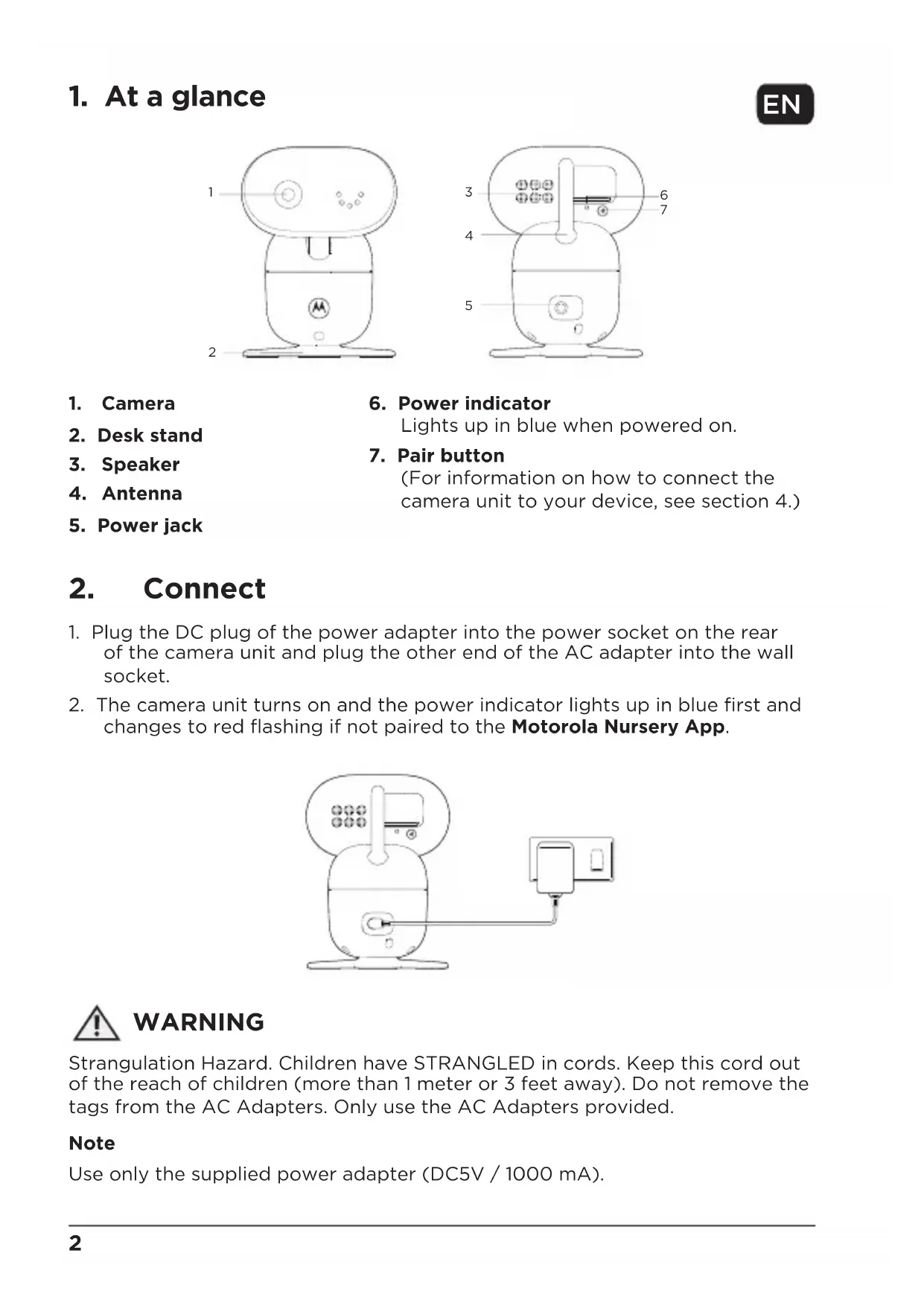
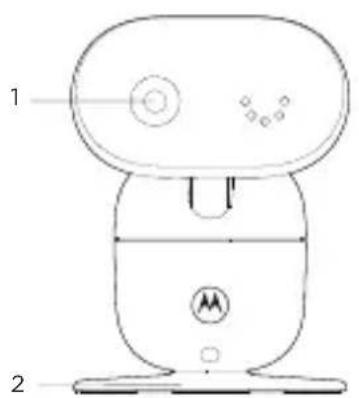
- Camera
- Desk stand
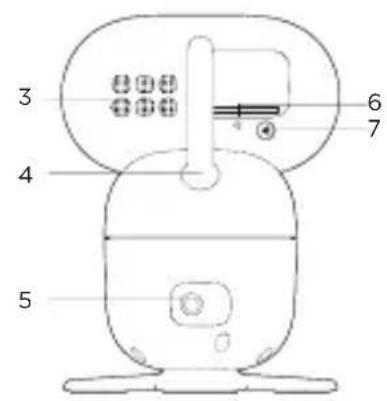
- Speaker
- Antenna
-
Power jack
-
Power indicator
Lights up in blue when powered on.
- Pair button
(For information on how to connect the camera unit to your device, see section 4.)
2. Connect
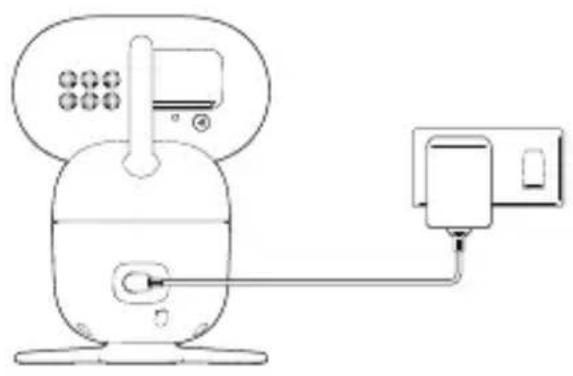
- Plug the DC plug of the power adapter into the power socket on the rear of the camera unit and plug the other end of the AC adapter into the wall socket.
- The camera unit turns on and the power indicator lights up in blue first and changes to red flashing if not paired to the Motorola Nursery App.

WARNING
Strangulation Hazard. Children have STRANGLED in cords. Keep this cord out of the reach of children (more than 1 meter or 3 feet away). Do not remove the tags from the AC Adapters. Only use the AC Adapters provided.
Note
Use only the supplied power adapter (DC5V / 1000 mA).
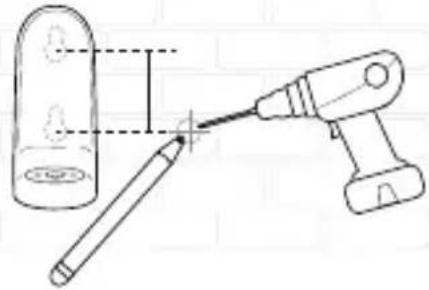
3. Wall mount the camera unit
1
2
3
45
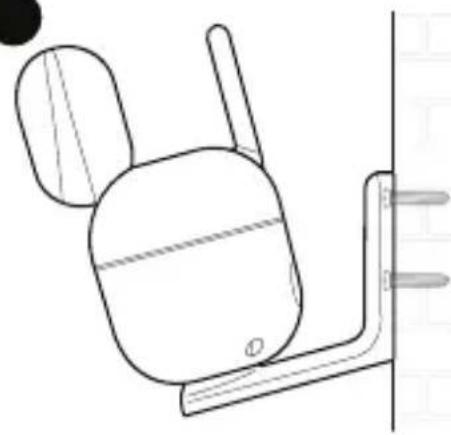
- Mark the positions of 2 screw holes on the wall. Drill a screw hole at each marking.
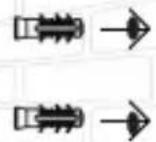
- Install the supplied wall anchors into 2 screw holes on the wall.
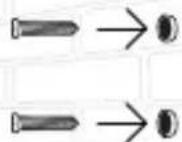
- Insert the supplied wall mounting screws into the wall anchors.
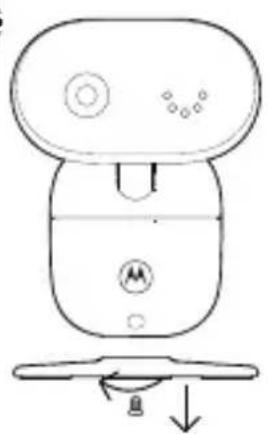
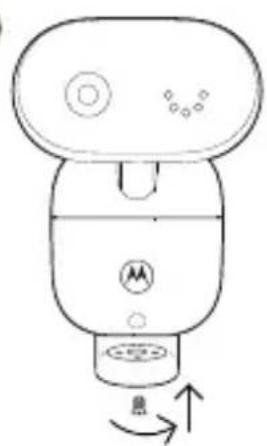
- Remove the desk stand by loosening the screw on the underside of the desk stand.
- Fix and fasten this screw on the camera unit and the wall mount bracket.
- Hang the wall mount bracket on the wall mounting screws on the wall.
Note
The pack includes a power adapter with a longer cord which is beneficial for wall mount application, where your wall socket is far from the camera.
4. View the baby through your device
Minimum system requirement of your device
- Android™ System: Version 7.0 or above
- iPhone®/iPad® iOS: Version 10.0 or above
- High Speed (Wi-Fi®) Internet: At least 0.6 Mbps upload bandwidth per camera (you can test your internet speed on this site: http://www.speedtest.net).
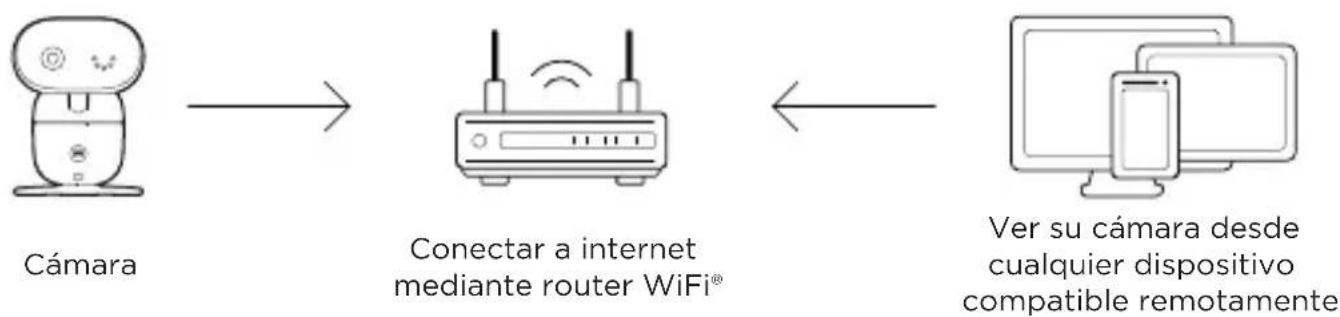
Connect to Wi-Fi® and use the Nursery App
- Scan the QR code with your smart device and download the Motorola Nursery App from App Store for iOS devices or from Google Play™ Store for Android™ devices.
- Install the App on your device.
- Follow the on-screen instructions to run and sign up or log in to the App.
- Open the Motorola Nursery App on your compatible smartphone or tablet.
- Follow the in-app instructions to create your account and connect the camera to your device.
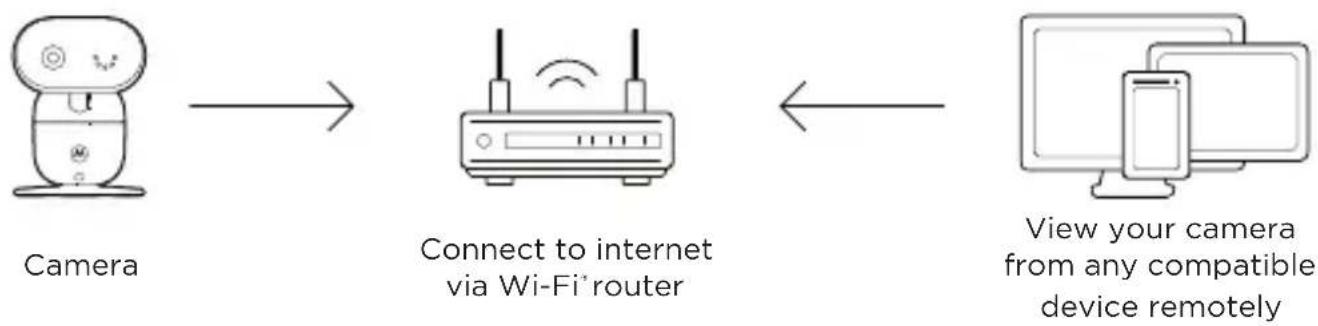
- When the connection is successfully established, you can remotely adjust the camera with your device.

Note
If the connection is lost, check your Wi-Fi settings and reconnect your Wi-Fi if necessary. Ensure the camera unit is switched on. Wait for a few minutes for the camera unit to reconnect with your device.
1. Overzicht
- Camera
- Bureausstandards
- Luidspreker
- Antenne
-
Voedingsaansluiting
-
Aan/Uit-indicator
Conectar a WiFi® usable la app Nursery
For customers in Europe and UK:
Imported and Distributed by: A.I.&E., Adriaan Mulderweg 9-11, 5657 EM Eindhoven, The Netherlands. Edco UK Ltd, 1st Floor, Two Chamberlain Square, Birmingham, B3 3AX, UK.
EU Declaration of Conformity
Hereby, MZGW declares that the radio equipment type is in compliance with RE Directive 2014/53/EU. The full text of the EU declaration of conformity is available on the website: motorolanursery.com.
UK Declaration of Conformity
Hereby, MZGW declares that this product is in compliance with the requirements for UKCA marking. The Declaration of Conformity can be obtained at motorolanursery.com.
Distributed or sold by Meizhou Guo Wei Electronics Co. LTD., official licensee for this product. MOTOROLA and the Stylized M Logo are trademarks or registered trademarks of Motorola Trademark Holdings, LLC. and are used under license. All other trademarks are the property of their respective owners. © 2022 Motorola Mobility LLC. All rights reserved.
Version 1 (EU_UK)