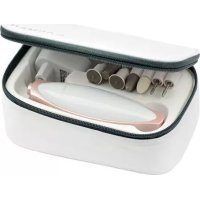
NC2110 - Manicure and pedicure set Carmen - Free user manual and instructions
Find the device manual for free NC2110 Carmen in PDF.



User questions about NC2110 Carmen
0 question about this device. Answer the ones you know or ask your own.
Ask a new question about this device
Download the instructions for your Manicure and pedicure set in PDF format for free! Find your manual NC2110 - Carmen and take your electronic device back in hand. On this page are published all the documents necessary for the use of your device. NC2110 by Carmen.
USER MANUAL NC2110 Carmen
- Innovative finger TOUCH Control manicure set for superior performance, hygienic, intuitive and reliable control
- Programmed progressive (stepless) rotation speed control up to 4.000 rpm
- Touch panel: + & - for speed control, 2 indication colours shows Left & Right rotation
- 7 sapphire attachments for high efficiency and durable usage
- Slim hand fit design for comfort and LED light for easy use
Diabetes User friendly with Auto-Stop sensor - Blinking indicator
HOME button for power on/off
2 years warranty
Power adapter input voltage 100-240V, 50/60Hz 190mA
This device conforms to the
Directive 2014/35/EU.

Electromagnetic Compatibility Directive
2014/30/EU and the Low Voltage
> MANICURE SET
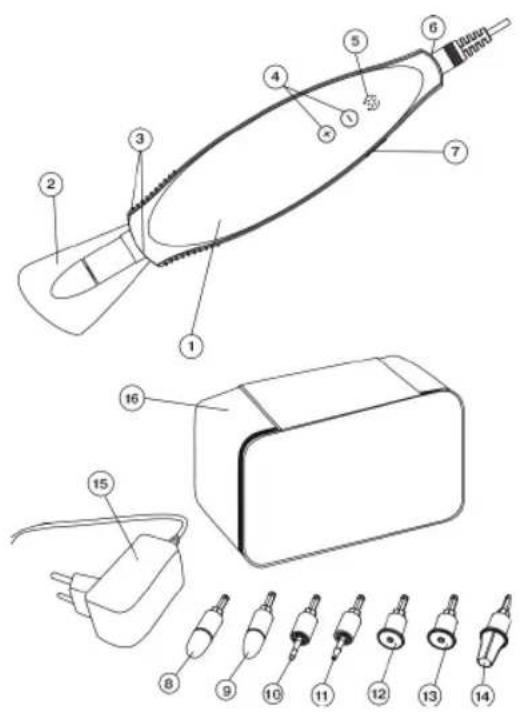
- Motor unit
- Safety cover
- LED illumination
- Attachment rotation speed control touch buttons + / -
- Attachment rotation direction touch button
- Power adapter connection socket
- On/off button «0/1»
- Felt cone
- Sapphire cone
- Flame milling cutter
- Cylindrical milling cutter
- Sapphire disk fine
- Sapphire disk coarse
- Sapphire callus rasp
- Power adapter
- Storage case
DELIVERY SET
Unitbody-1.pc.
Attachments-7pcs.
Safetycover-1pc.
Poweradapter-1pc.
Case - 1 pc.
Instructionmanual-1pc.
Pouch-1pc.
4 • ENGLISH
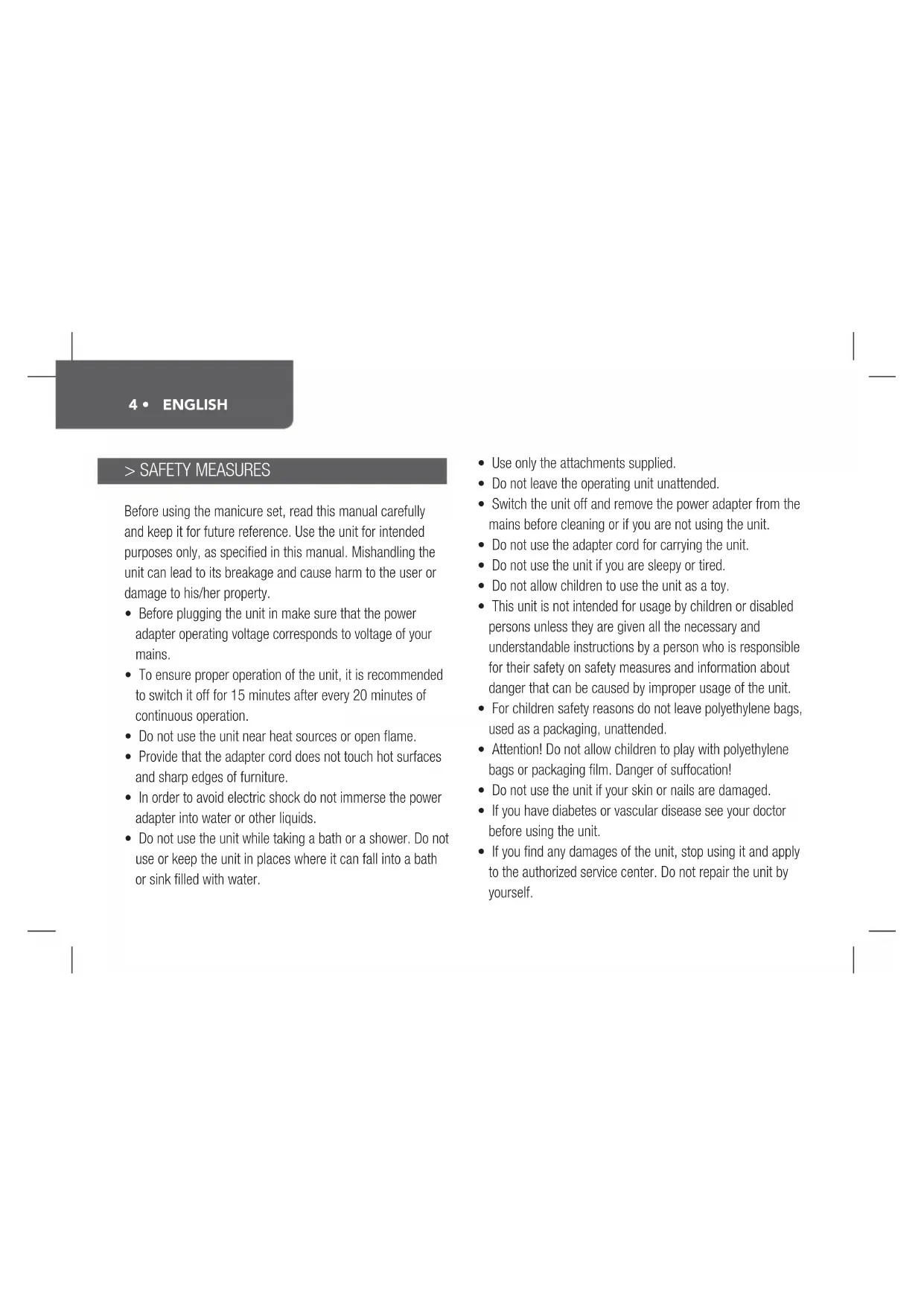
> SAFETY MEASURES
Before using the manicure set, read this manual carefully and keep it for future reference. Use the unit for intended purposes only, as specified in this manual. Mishandling the unit can lead to its breakage and cause harm to the user or damage to his/her property.
- Before plugging the unit in make sure that the power adapter operating voltage corresponds to voltage of your mains.
- To ensure proper operation of the unit, it is recommended to switch it off for 15 minutes after every 20 minutes of continuous operation.
- Do not use the unit near heat sources or open flame.
- Provide that the adapter cord does not touch hot surfaces and sharp edges of furniture.
- In order to avoid electric shock do not immerse the power adapter into water or other liquids.
-
Do not use the unit while taking a bath or a shower. Do not use or keep the unit in places where it can fall into a bath or sink filled with water.
-
Use only the attachments supplied.
- Do not leave the operating unit unattended.
- Switch the unit off and remove the power adapter from the mains before cleaning or if you are not using the unit.
- Do not use the adapter cord for carrying the unit.
- Do not use the unit if you are sleepy or tired.
- Do not allow children to use the unit as a toy.
- This unit is not intended for usage by children or disabled persons unless they are given all the necessary and understandable instructions by a person who is responsible for their safety on safety measures and information about danger that can be caused by improper usage of the unit.
- For children safety reasons do not leave polyethylene bags, used as a packaging, unattended.
- Attention! Do not allow children to play with polyethylene bags or packaging film. Danger of suffocation!
- Do not use the unit if your skin or nails are damaged.
- If you have diabetes or vascular disease see your doctor before using the unit.
- If you find any damages of the unit, stop using it and apply to the authorized service center. Do not repair the unit by yourself.
THE UNIT IS INTENDED FOR HOUSEHOLD USE ONLY BEFORE THE FIRST USE
In case of unit transportation or storage at low temperature it is necessary to keep it for at least two hours at room temperature before switching on.
Unpack the unit and remove any stickers that can prevent unit operation.
Clean the unit body (1) with a soft, slightly damp cloth and then wipe dry.
- Rub the attachments (8-14) with medical alcohol to disinfect them.
> USAGE
Insert one of the attachments (8-14) into the motor unit (1).
If necessary, install the safety cover (2) on the unit body.
- Insert the power adapter (15) connector into the socket (6).
- Insert the power adapter (15) into the mains socket, a sound signal will be heard and the indicator of the touch button (5) will blink red and green.
- Switch the unit on by pressing the button (7) 0 / 1 , the indicator of the button (5) will light constantly, the buttons (4) - / + illumination will light up, the LED illumination (3) will light up, the unit will be switched on and will start operating at medium speed.
- Touch the buttons (4) «-» and «+» to adjust attachment rotation speed.
After setting the required attachment rotation speed you can block the touch buttons (4, 5) by pressing and holding the on/off button 0 / 1 (7) for 2 seconds, the buttons (4) illumination brightness will be reduced.
To unblock the buttons (4, 5) press the on/off button 0 / 1 (7), the unit will be switched off. - Switch the unit on again as described above.
Note:
- Every touch of the touch buttons is accompanied by a sound signal and blinking of the button (5).
- Two sound signals indicate that the minimal or maximal rotation speed was set.
- We recommend to use the low rotation speed for nails
6 • ENGLISH
treatment and higher rotation speed for rough skin treatment.
- Select attachment rotation direction by touching the button (5), if the button glows red, the attachment rotates counter clock-wise and if the button glows green, the attachment rotates clockwise.
- LED illumination (3) is switched on when the unit is switched on by the button (7) «0/1». To switch the illumination off draw your finger from the button (4) «+» to the button (5) slowly, to switch it on draw your finger backwards.
After operation switch the unit off by pressing the button (7) 0 / 1 and take the power adapter out of the socket.
> ATTACHMENTS
We suggest some options for usage of the manicure/ pedicure attachments. Attention: Always switch the unit off and remove the power adapter from the mains before installing and changing the attachments.
Felt cone (8)
Smoothing and polishing the edge of the nail after filing as well as for cleaning the nail surface. Always polish in circular movements and do not allow the felt cone to rest in one place, otherwise friction could cause heat to develop.
Sapphire cone (9)
This attachment is used for smoothing of the nail surface and rough skin areas. Gently move the attachment along the treated nail or skin surface.
Flame milling cutter (10)
For removing ingrowing nails. Carefully guide the flame cutter up to the part to be treated and remove parts of the nail as necessary.
Cylindrical milling cutter (11)
Grinding of lignified foot nail surfaces as well as smoothing of these. For this purpose, apply the milling cutter horizontally to the nail surface and remove the unwanted layer of nail using slow circular movements.
Sapphire disk fine (12)
Filling and treatment of the nails, fine grained sapphire disk. The specific aspect of this sapphire disk is that only the inner disk rotates, while the outer support is stationary. This enables precise filing of the nails without the risk of burning the skin with the fast rotating disk.
Sapphire disk coarse (13)
Filing and treatment of the nails, coarse grain sapphire disk. This attachment allows you to shorten even thick nails by filing. Since it quickly removes large areas of the nail, you should proceed with caution in this case also.
Sapphire callus rasp (14)
For rapid removal of stubborn calluses and hard skin.
When filling, always work from the outside of the nail towards the tip! Always check results regularly during treatment. As soon as the application becomes unpleasant, stop the treatment.
> Tips
Follow these recommendations to keep your nails healthy and achieve good results when using the manicure/pedicure set.
- Avoid getting of irritant chemicals on your nails.
- Do not expose your hands to extreme cold. Always wear gloves when it's cold.
- Do not use alkaline soap and excessive amount of water when washing your hands.
- Good nail hydration is a key to healthy and strong nails, resistant to nail peeling and fragility. After a manicure procedure treat your nails with moisturizing cream or lotion.
- Use only high quality nail polish to prevent nail peeling. Polish your nails before using any moisturizer.
Before removing cuticles moisturize them first and then lift gently. - For safe removing of cuticles use manicure clippers instead of scissors.
8· ENGLISH
- To prevent nail thinning smoothen and polish your nails with 7-10 days intervals.
> CLEANING AND CARE
- Disconnect the unit from the mains before cleaning.
- Wipe the unit body with a soft damp cloth and then wipe dry.
- Do not use abrasives and solvents to clean the unit body.
- Never immerse the unit and power adapter into water or other liquids.
- Rub the attachments periodically with medical alcohol to disinfect them.
STORAGE
-Cleantheunit.
- Keep the unit, power adapter and attachments in the case (16).
- Keep the unit away from children in a dry cool place.
> ENVIRONMENT AND WASTE
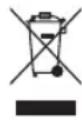
In accordance with the European Directive 2012/19/EUon Waste Electrical and Electronic Equipment (WEEE), this device is marked with the symbol of a crossed-out wheelie bin indicating that this product cannot be disposed of as household waste. The device must be brought to the appropriate waste collection point for treatment, removal, and recycling of WEEE (information can be obtained at the town hall of your domicile) or brought back to a dealer based on the principle of "1 for 1 free of charge" (the dealer's
takeback does not create a right to a payment or rebate). The consumer or user contributes to the preservation of the natural resources and to the protection of human health by respecting the environment in this manner.
> WARRANTY
This CARMEN device comes with a two (2)-year warranty to be counted from the date of purchase under normal conditions of use. This warranty does not cover damage directly or indirectly caused by misuse, neglect, unauthorised use, accidents, unauthorised repairs or modifications, as well as a lack of maintenance. Please save your receipt/invoice as proof of your purchase. This device's accessories are not covered by a warranty. Exclusions from the warranty
- Modifications, dismantling or integration with another device or an assembly making the device fixed or semi-fixed.
Normal wear and tear of the parts, - Degradation due to improper use,
- Failure to comply with the user manual or with the maintenance and safety instructions,
- Damage resulting from poor maintenance or a lack of maintenance,
- Damage caused by external factors (lightening...),
Abnormal use of the device,
- Improper storage,
- Shocks,
- Deformation of the tank,
The device having been submerged,
Expired warranty.