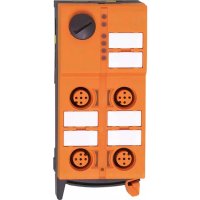
AC5295 - Electronic module IFM - Free user manual and instructions
Find the device manual for free AC5295 IFM in PDF.

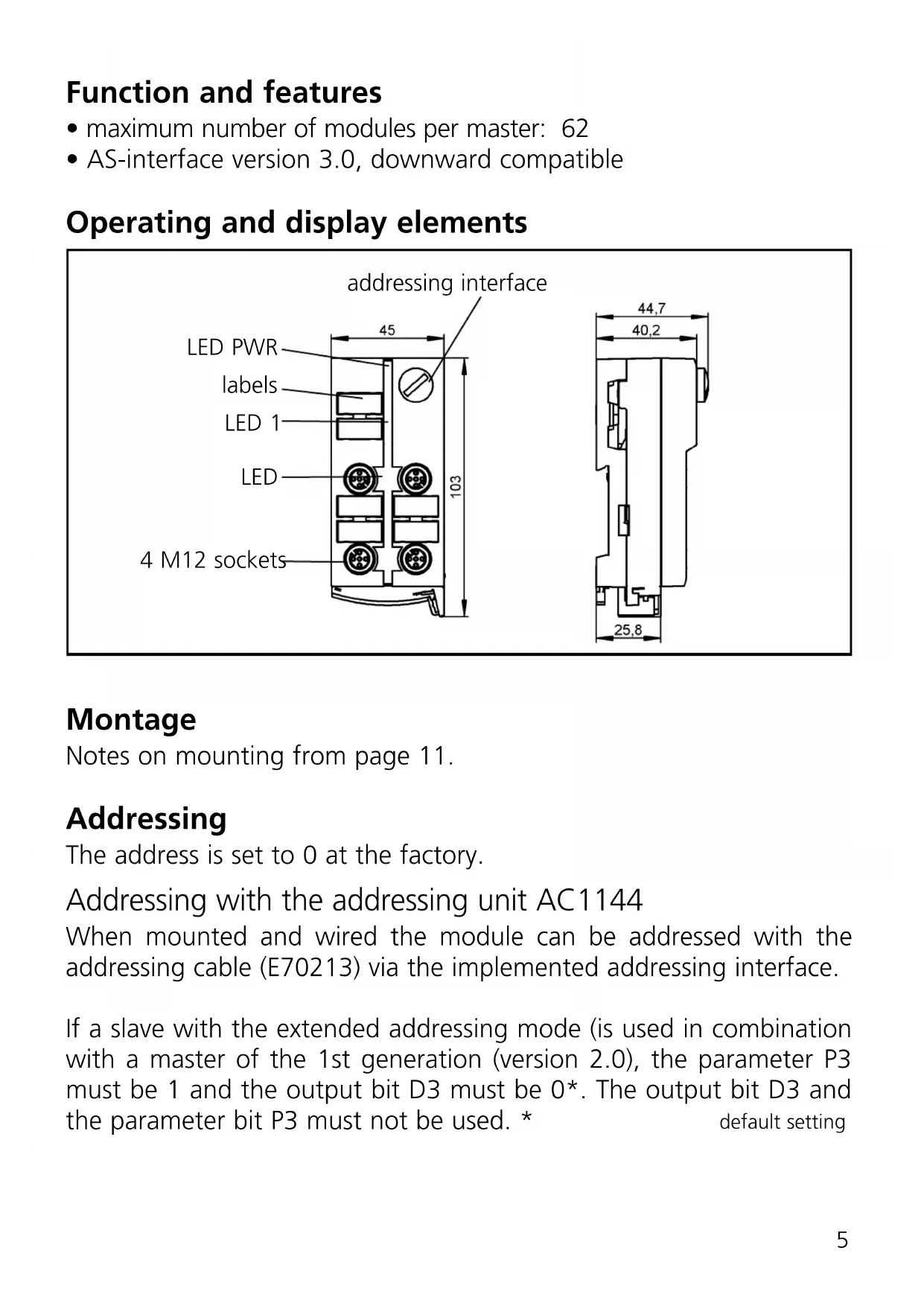


| Product type | AS-interface ClassicLine electronic module |
| Brand | IFM |
| Model | AC5295 |
| AS-interface version | 3.0 (compatible with version 2.0) |
| Number of inputs | 4 inputs for sensors |
| Connection type | M12 connector |
| Protection degree | IP67 |
| Supply voltage | 30 V DC via AS-i flat cable (yellow) |
| LED display | LED PWR (green), LED FAULT (red), yellow LED per input/output |
| Addressing | Via AC1144 addressing unit and E70213 cable |
| Max. number of modules per master | 62 |
| AS-i profile | S-0.A.E (extended addressing mode possible) |
| Tightening torque of connectors | 0.6 to 0.8 Nm |
| Maintenance and cleaning | Avoid dirt and dust deposits to ensure locking |
| Safety | Use protective caps (E73004) for unused connectors |
| Spare parts | Protective caps E73004, sealing ring E70413, addressing cable E70213 |
| Accessories | AC1144 addressing unit, E70213 addressing cable |
| Compatibility with older master | Requires parameter P3 set to 1 and bit D3 set to 0 for extended mode |
| Available languages | French, German, English and others on request |
| Document format | Free PDF, 15 pages |
| Flat cable orientation | 3 possible directions via base and top part adjustment |
Frequently Asked Questions - AC5295 IFM
User questions about AC5295 IFM
0 question about this device. Answer the ones you know or ask your own.
Ask a new question about this device
Download the instructions for your Electronic module in PDF format for free! Find your manual AC5295 - IFM and take your electronic device back in hand. On this page are published all the documents necessary for the use of your device. AC5295 by IFM.
USER MANUAL AC5295 IFM
Function and features
maximum number of modules per master: 62
- AS-interface version 3.0, downward compatible
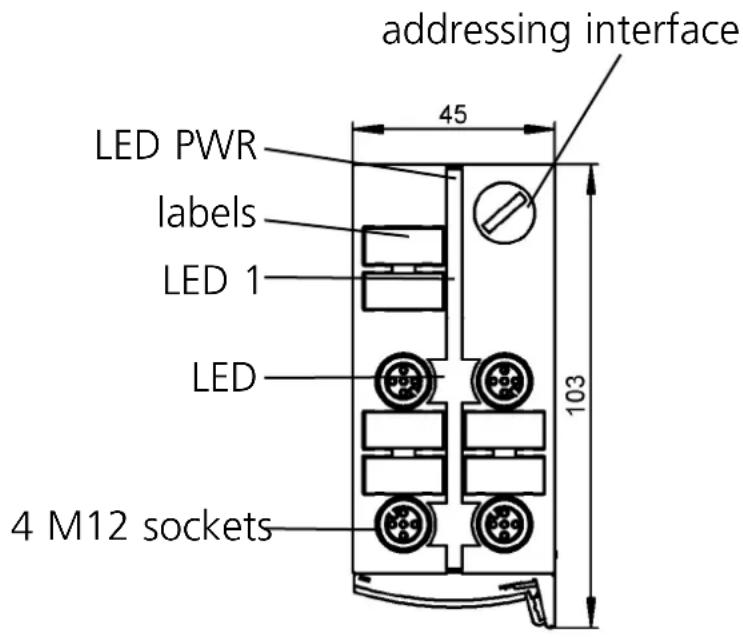
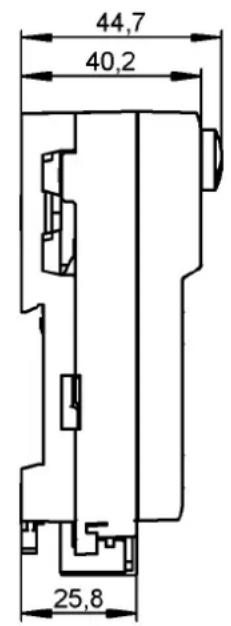
Operating and display elements
Montage
Notes on mounting from page 11.
Addressing
The address is set to 0 at the factory.
Addressing with the addressing unit AC1144
When mounted and wired the module can be addressed with the addressing cable (E70213) via the implemented addressing interface.
If a slave with the extended addressing mode (is used in combination with a master of the 1st generation (version 2.0), the parameter P3 must be 1 and the output bit D3 must be 0^ . The output bit D3 and the parameter bit P3 must not be used. * default setting
If a slave with the extended addressing mode is used in combination with a master of the first generation (version 2.0), an address between 1A and 31A must be assigned to this slave.
AC5295
4 inputs
AS-i profile S-0.A.E / extended addressing mode: yes
| Data bit D0 D1 | D2 D3 | |||||
| Input I1 I2 I3 I4 | ||||||
| Socket I-1/2 I-1/2 | I-2 I-3/4 | I-3/4 I-4 | ||||
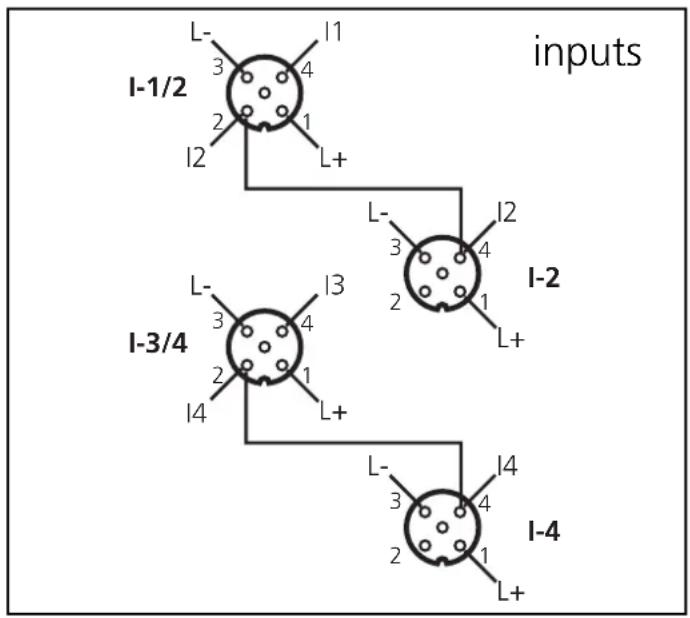
Electrical connection
Connect the connectors of the sensors/actuators to the M12 sockets. To ensure the protection rating IP 67 you must
- cover the unused sockets with protective caps (E73004)*, tightening torque 0.6...0.8 Nm.
- use the flat cable end seal (E70413)* if the module is at the end of the cable line.
*) to be ordered separately
Operation

Avoid build-up of dirt and dust on the upper and lower parts so that the locking mechanism is not affected.
Check the safe functioning of the unit. LED display:
- LED yellow: input /output switched
- LED PWR green: AS-i voltage supply o.k.
- LED FAULT red is lit: AS-i communication error, slave does not participate in the "normal" exchange of data, e.g. slave address 0
- LED FAULT red flashes: peripheral fault, e.g. sensor supply /output overloaded or shorted
- LED 1 yellow: logic state of the outputs

Overload and short circuit of the input supply and the outputs are signalled as peripheral fault to the AS-i master (version 2.1 or higher).
Technical data
You can download the data sheet from our website at www.ifm-electronic.com if required.
Orientation of the flat cable on delivery
Carefully place the yellow AS-i flat cable into the profile slot.
Mount the upper part.
With the supplied lower part the flat cable can be aligned in three directions.
For the requested direction place the flat cable guide (1) accordingly.
Settings at the lower part
Select the position 1, 2 or 3 depending on the requested flat cable alignment () .
A = Factory setting
Settings at the upper part
Then set the selected position at the upper part. To do so, turn the arrow to the corresponding number (figure D1 and D2).
Use a tool, e.g. a screwdriver (figure D1) or the yellow / black flat cable guide (figure D2).
Open the unit using a tool as shown (e.g. screwdriver).
Take care in laying the AS-i flat cable, the flat cable should be laid straight for about 15 cm.
Brand : IFM
Model : AC5295
Category : Electronic module