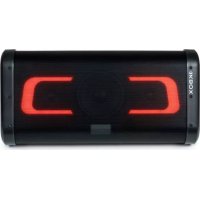
PARTYBTIPKBOX - Loudspeaker BIGBEN - Free user manual and instructions
Find the device manual for free PARTYBTIPKBOX BIGBEN in PDF.


| Brand | Bigben |
| Model | PARTYBTIPKBOX |
| Product type | Portable Bluetooth speaker with microphones and vocal effects |
| Dimensions (L x W x H) | 488 x 223 x 237 mm |
| Power supply | 110-240 V ~ 50/60 Hz, 1 A |
| Battery type | Rechargeable Li-ion 7.4 V 4000 mAh (29.6 Wh) |
| Battery life | Approximately 2 h at 100% volume, 4 h at 50% volume |
| Charging time | 5 to 6 hours |
| Bluetooth version | 5.0 |
| Bluetooth range | Up to 10 m |
| Protection rating | IPX4 (splash resistant) |
| Maximum power | 80 W |
| RMS power | 2 x 10 W + 20 W |
| Speakers | 2 x 5.7 cm (20 W) + 13.3 cm (40 W) |
| Audio inputs | Bluetooth, USB (FAT16/32), AUX 3.5 mm, microphones 2 x 6.35 mm |
| USB output | 5 V DC 2 A (charging) / 1.2 A (playback) |
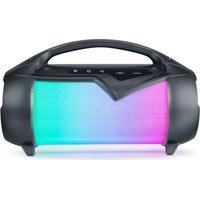
| Lighting | Front RGB LED, side LED strip for battery level |
| Material | Plastic and electronic components |
| Package contents | Speaker, USB cable, 3.5 mm audio cable, carrying strap, 2 wired microphones |
| Maintenance | Clean with a soft cloth only; do not use abrasive products |
| Operating conditions | Indoor use only, temperate, away from heat and humidity |
| Repairability | No information provided; refer to qualified repairer |
| Standby power consumption | 0.5 W (lights off) / 2.6 W (lights on) |
Frequently Asked Questions - PARTYBTIPKBOX BIGBEN
User questions about PARTYBTIPKBOX BIGBEN
0 question about this device. Answer the ones you know or ask your own.
Ask a new question about this device
Download the instructions for your Loudspeaker in PDF format for free! Find your manual PARTYBTIPKBOX - BIGBEN and take your electronic device back in hand. On this page are published all the documents necessary for the use of your device. PARTYBTIPKBOX by BIGBEN.
USER MANUAL PARTYBTIPKBOX BIGBEN
natural_image
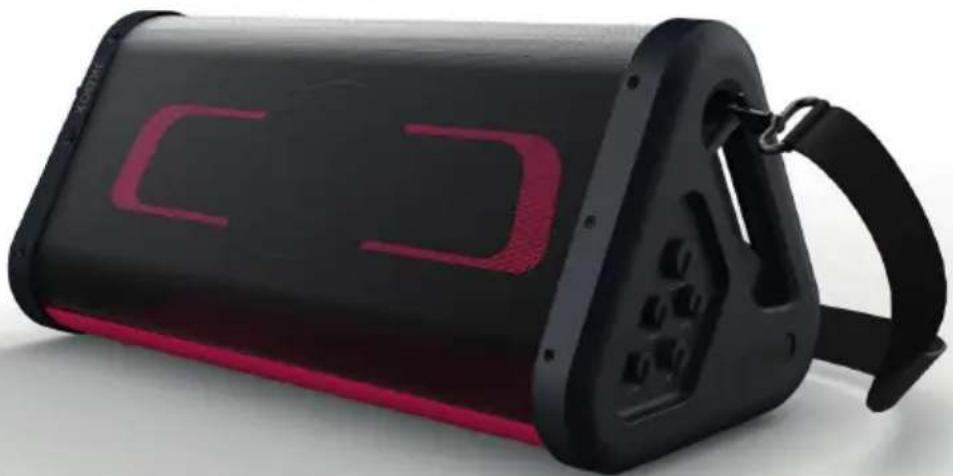
Black and red portable electronic device with a strap strap (no visible text or symbols)MODE D'EMPLOI
AVANT D'UTILISER CET APPAREIL, VEUILLEZ LIRE ATTENTIVEMENT CE MODE D'EMPLOI ET LE CONSERVER AFIN DE POUVOIR LE CONSULTER ULTÉRIEUREMENT.
Démarrage 2
Manufactured by BIGBEN INTERACTIVE
396, Rue de la Voyette
CRT2 - FRETIN
CS 90414
59814 LESQUIN Cedex - France
www.bigben.eu





Fabricant : Bigben Interactive FRANCE
396, Rue de la Voyette, C.R.T. 2, Fretin, CS90414 - 59814 Lesquin Cedex, France
BELGIQUE, customerservice@bigben-interactive.be
NEDERLAND, customerservice@bigben-interactive.nl
ESPAÑA, sat@bigbenespana.es
ITALIA, support@bigbeninteractive.it
www.bigben.eu
BIGBEN PARTY
PARTYBTIPKBOX
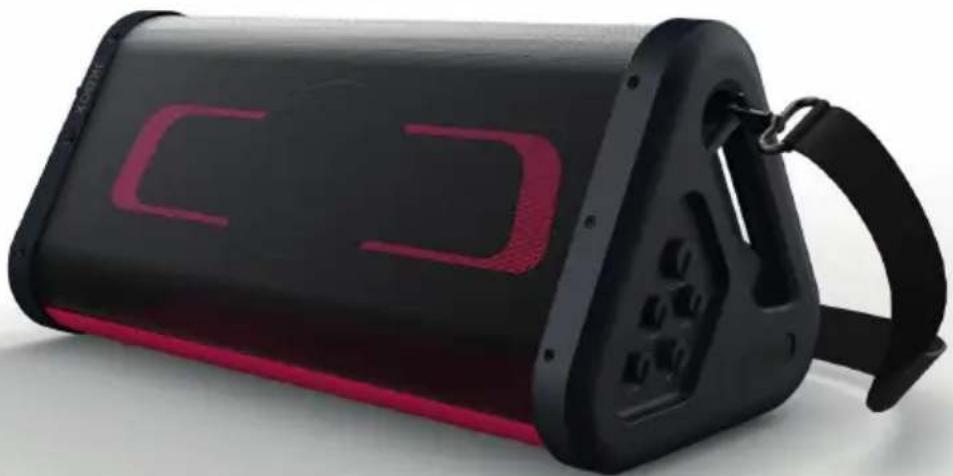
PORTABLE PARTY SPEAKER
natural_image
Black and red portable electronic device with illuminated buttons and a handle (no visible text or symbols)INSTRUCTIONS FOR USE
BEFORE USING THIS APPLIANCE, PLEASE CAREFULLY READ THESE INSTRUCTIONS FOR USE, AND KEEP THEM IN A SAFE PLACE FOR FUTURE CONSULTATION.
Getting started 11
Safety warning and notice 11
Package contents 13
Description of parts 14
Charging
16
Functions
16
Technical specifications 17
Environmental protection 17
Additional information 17
Compliance declaration 18
Getting started
• Take the device out of the box
- Remove all the packaging from the product.
- Place the packaging materials in the box or dispose of them safely according to recycling guidelines.
Safety warning and notice
You must read and understand all instructions before using this device. The warranty will not apply if damage is caused by failure to follow the instructions.

- Do not sleep with the product.
- The appliance must be placed at least 20 cm from the human body when in use.
- Never remove the appliance casing.
- Never place this device on other electrical equipment.
-
Protect the power cord from being walked on or pinched, particularly at the plugs, sockets, and the point where it exits the device. Make sure that the power voltage corresponds to the voltage shown on the rating plate at the rear of the device. Always pull the plug from the socket when disconnecting from the mains. Never pull on the cord. Ensure you have completed all the other connections before connecting the plug.
-
Only use attachments/accessories that are recommended by the manufacturer.
-
Entrust all device repairs to qualified repairers. A repair is needed when the device has been damaged in any fashion, and in particular:
-
if the power cord is damaged;
- if the device is immersed in a liquid;
- if the device is exposed to rain or humidity;
- if the device does not operate normally;
-
or if the device has been dropped or impacted.
-
The series panel is located on the bottom of the device.
-
Never block the air vents.
-
Ensure you have sufficient stable space around the device for ventilation.
- This device must be used in a moderate climate, away from direct sunlight, naked flames or heat, heating devices, cookers or any other device (including amplifiers) that generates heat. Do not install near a heat source.
- The batteries (battery pack or inserted batteries) must not be exposed to excessive heat,
such as sunshine, fire, etc.
- Always unplug the device before cleaning it. Never lubricate any part of this device. Clean it using a soft cloth. Do not use abrasive products or harsh cleaners. Ensure that you always have easy access to the power cord, plug or adaptor to disconnect this appliance from the mains if necessary.
- Disconnect this appliance in the event of a storm or if you are not going to use it for a long period of time.
- This device can be used by children aged 8 and over, and by persons with a physical or sensory disability, learning difficulties or a lack of experience and knowledge, provided they are supervised or have received instructions on the safe use of the device, and they understand the risks involved. Children must not play with the appliance or the power cord (risk of strangulation). Children must not clean or maintain the appliance without supervision.
- This device must only be supplied with very low safety voltage corresponding to the marking on the device.
- The battery should be removed from the device before disposal. The device must be disconnected from the power supply when removing the battery.
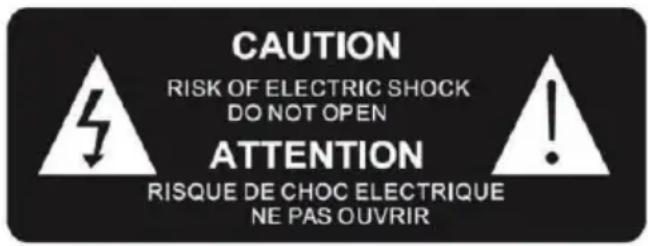
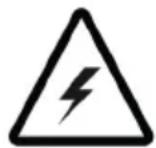
The lightning symbol inside an equilateral triangle warns users of the presence of uninsulated hazardous electric voltages inside the product that are powerful enough to present an electrocution risk.

The exclamation mark inside a triangle indicates the presence of important operating and maintenance (repair) instructions in the literature accompanying the appliance.
Avoid using batteries under the following conditions:
- Crushing or mechanically tearing the battery, which may cause an explosion.
- Putting a battery in an environment with very high temperature (fire, hot oven) and/or extremely low atmospheric pressure, which may cause an explosion or leak of flammable liquid or gas.
| Class II material |  |
| Direct current |  |
| Alternating current |  |
| For indoor use only |  |
Package contents
Check and identify the package contents:
- 1 speaker
• 1 USB charging cable
• 1 3.5mm audio cable
• 1 removable carry strap
• 2 wired microphones
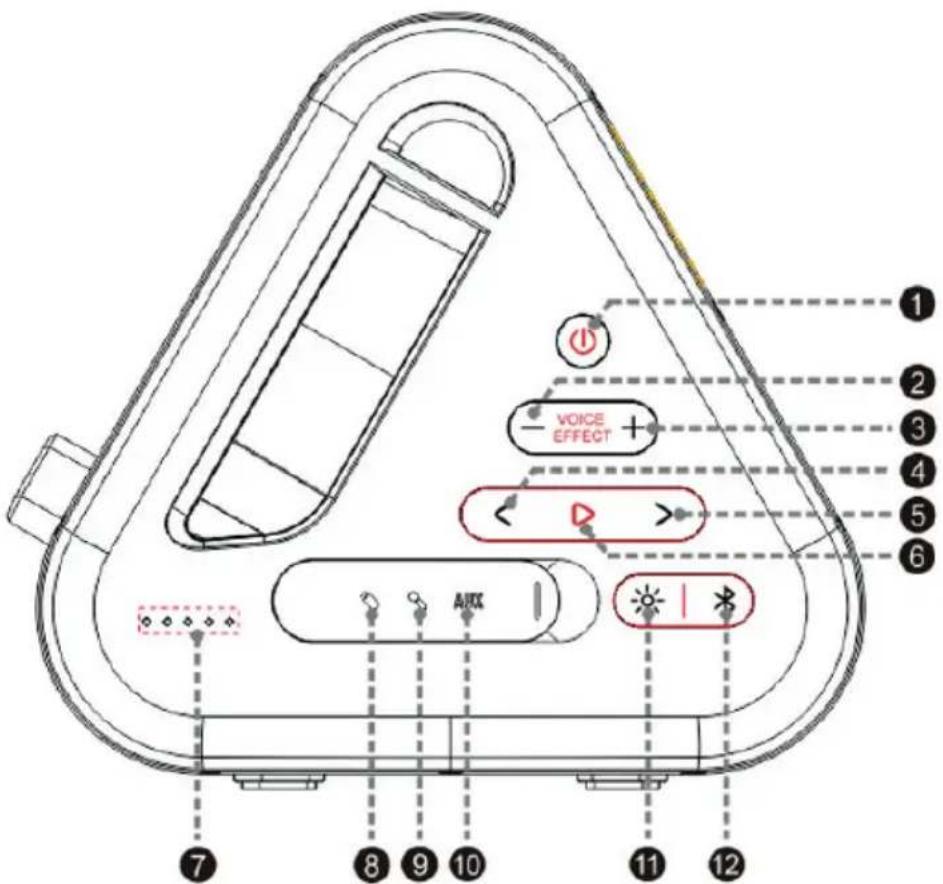
Description of parts
1. ON/OFF power button
Press for at least 2 seconds to switch on and off – Beeps can be heard each time the device is turned on and off.
2&3. Voice effects
Pitch mode (optional only) switches between treble, bass and normal mode. Treble and bass modes are 1 octave above or below for a fun effect when singing.
4. Previous track
Skip back one track via Bluetooth and USB – Short press / long press to rewind in USB mode
5. Next track
Go forward one track via Bluetooth and USB – Short press long press to go forward in USB mode
6. Play/Pause
The play/pause button for Bluetooth and USB playback. Short press to play or pause.
7. Indicator lights
- Battery level indicator on the side with 4 LEDs. The number of lit LEDs indicates the battery level
1 LED = 25% 2 LEDs = 50% 3 LEDs = 75% 4 LEDs = 100%
- If the battery level is below 15%, LED 1 starts flashing.
This LED strip also serves as a power indicator.
- Three other coloured LEDs indicate power connection. They are located to the right of the battery LEDs.
Blue for Bluetooth, green for AUX IN, white for USB.
- The default setting is Bluetooth: the blue LED flashes when searching for a Bluetooth connection and stays on once the device is connected. A beep is heard each time Bluetooth is connected or disconnected.
8. USB port
USB charging output: 5 V DC 2 A (for external power supply) and 5 V DC 1.2 A (for music playback)
- The charging current of the external power supply may vary with different phone charging cables or other USB cables.
- When USB media is connected to the USB port, the speaker automatically switches to USB mode (supports MP3 and WAV files in FAT 16 and FAT 32 formats)
9. Microphone input jack (2 x 6.35 mm jack)
Simply connect one of the microphones supplied and turn on the device to start singing.
10. Aux-in port
When the AUX cable is connected to the 3.5mm power supply, the speaker enters AUX mode.
11. Lighting button (RGB lighting at the front)
- Short press: switching between RGB light and white light.
- Long press: turn on/off the LEDs.
12. Bluetooth mode
Press this button to put the PARTYBTIPKBOX back in Bluetooth search mode and pair it with another device.
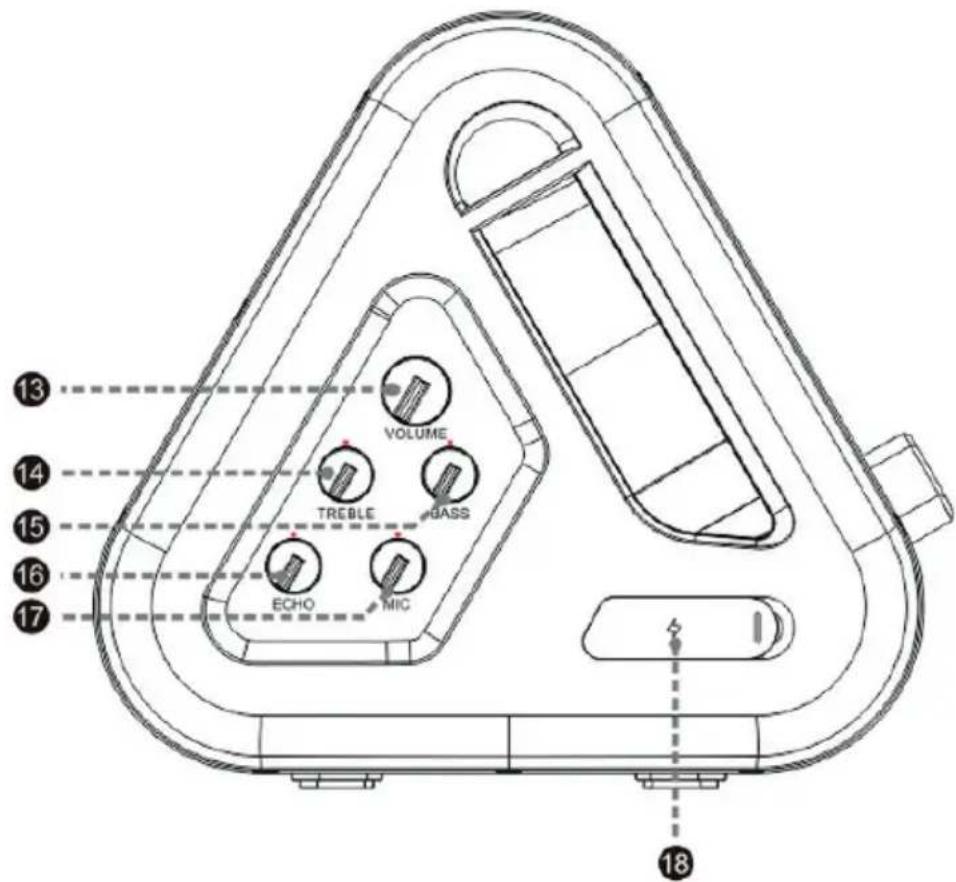
13. Volume
Music volume output level adjustment knob.
14. Treble
Treble adjustment knob (treble for music).
15. Bass
Bass adjustment button (bass for music).
16. Echo
Echo / reverb level adjustment knob (echo for microphone)
17. MIC
Microphone output level adjustment knob
18. Charging port
Power supply: 110-240V\~50/60Hz 1A
Charging:
Connect the charging cable to the speaker and connect it to the mains at 110-240V\~50/60Hz.
Bluetooth connection:
Pairing name: PARTYBTIPKBOX
Briefly press the button ✝ to enter Bluetooth mode.
Search “PARTYBTIPKBOX” on your mobile device. Once you have found and selected it, a sound will be heard to indicate that the speaker has been successfully connected to your device.
During pairing, the LED indicators flash cyclically. After successful pairing, they turn solid blue for a few seconds, then return to normal light mode.
Bluetooth disconnection:
To manually disconnect Bluetooth on the speaker, press the play button for 2 or 3 seconds.
Comment: If there is an incoming call while the PARTYBTIPKBOX system is connected to your mobile phone to play music, the music is immediately paused while you answer the call and play will resume once the call is ended (depending on the type of mobile phone, play may sometimes remain paused after the end of the call).
Comment: the maximum connection distance is approximately 10 m. Place your Bluetooth speaker as close as possible to this device to avoid the connection being disturbed.
Functions
- IPX4 (splash-proof)
USB - AUX-IN
- BLUETOOTH
- RECHARGEABLE BATTERY
• VOLUME +/- - PLAY/PAUSE
- PREVIOUS/NEXT TRACK
• EXTERNAL BATTERY
Technical specifications
In an environment with electrostatic discharge, the device may turn off. (the device may not operate normally). The user should then reset the device and choose an appropriate mode.
| Type Specifications Type Specifications | |||
| Speaker | 2 x 5.7 cm (20 W) + 13.3 cm (40 W) | Charging time 5-6 | hours |
| Max speaker 80 W Playback time | 100% volume for about 2 hours, 50% volume for about 4 hours. | ||
| RMS power 2 x 10 W + 20 W | Bluetooth version | 5.0 | |
| Standby consumption | 0.5W (lights off)2.6 W (lights on) | EIRP | 2.66dBm (0.54mW) for BT classic3.10dBm (0.49mW) for BLE |
| Power consumption | 77W | ||
| Power supply | 110 – 240 V ~ 50/60 Hz1 A | Bluetooth frequency | 2.402 – 2.480GHz |
| Speaker impedance | 2 x 8 Ω + 4 Ω | Speaker frequency | 80Hz – 20 kHz |
| S/N ratio ≥ 55 dB | Loud-speaker | Speaker 5.7 cm 8 Ω + 13.3 cm 4 Ω | |
| Battery type | Battery 7.4 V 4000 mAh Li-ion | Transmission distance | 10 m |
| Output (V, A) 7.4 V 4 Ah 29.6 Wh Size 488 x 223 x 237 mm | |||
Environmental protection

Your product has been designed and manufactured using high-quality materials and components that can be recycled and reused.
Attention should be drawn to the environmental aspects of battery disposal.
When this crossed-out wheelie bin symbol is applied to a product, it means that the product is covered by European Directive 2002/96/EC. Please find out about the local separate collection system for electrical and electronic products. Please act according to your local rules and do not dispose of old products in your household waste. By ensuring this product is disposed of correctly, you are also helping to prevent potentially negative consequences for the environment and human health.
Additional information
- In order to save energy, when the appliance does not issue any audio output for a certain amount of time, it will automatically go into standby mode. It can then be restarted using the power button.
- The word Bluetooth®, the brand and logo are registered trademarks belonging to Bluetooth SIG, Inc. and any use of these by Bigben Interactive is made under licence. The other brands and trade names belong to their respective owners.
Compliance declaration
- Bigben Interactive hereby declares that the PARTYBTIPKBOX radio equipment is in compliance with Directive 2014/53/EU. The full text of the EU declaration of conformity is available on the following website: www.bigben-interactive.co.uk/support/
Made in China
Manufactured by BIGBEN INTERACTIVE
396, Rue de la Voyette
CRT2 - FRETIN
CS 90414
59814 LESQUIN Cedex - France
www.bigben.eu





Fabricant : Bigben Interactive FRANCE
396, Rue de la Voyette, C.R.T. 2, Fretin, CS90414 - 59814 Lesquin Cedex, France
BELGIQUE, customerservice@bigben-interactive.be
NEDERLAND, customerservice@bigben-interactive.nl
ESPAÑA, sat@bigbenespana.es
ITALIA, support@bigbeninteractive.it
www.bigben.eu
BIGBEN PARTY
PARTYBTIPKBOX
ALTAVOZ PORTÁTIL DE FIESTA
natural_image
Black and red portable electronic device with illuminated buttons and a handle (no visible text or symbols)BELGIQUE, customerservice@bigben-interactive.be
NEDERLAND, customerservice@bigben-interactive.nl
ESPANA, sat@bigbenespana.es
ITALIA, support@bigbeninteractive.it
www.bigben.eu
BIGBEN PARTY
IT
PARTYBTIPKBOX
ALTOPARLANTE PORTATILE DA PARTY
natural_image
Black and red portable electronic device with a black handle and illuminated display screen (no visible text or symbols)ISTRUZIONI PER L'USO
PRIMA DI UTILIZZARE L'APPARECCHIO, LEGGERE ATTENTAMENTE LE ISTRUZIONI PER L'USO E CONSERVARLE PER UN'EVENTUALE CONSULTAZIONE FUTURA.
Avvio 29
Manufactured by BIGBEN INTERACTIVE
396, Rue de la Voyette
CRT2 - FRETIN
CS 90414
BELGIQUE, customerservice@bigben-interactive.be
NEDERLAND, customerservice@bigben-interactive.nl
ESPANA, sat@bigbenespana.es
ITALIA, support@bigbeninteractive.it
www.bigben.eu
BIGBEN PARTY
PT
PARTYBTIPKBOX
COLUNA DE FESTA PORTÁTIL
natural_image
Black and red portable electronic device with illuminated buttons and a handle (no visible text or symbols)MANUAL DE INSTRUÇÕES
ANTES DE UTILIZAR ESTE APARELHO, LEIA ATENTAMENTE ESTE MANUAL DE INSTRUÇÕES E GUARDE-O PARA CONSULTA POSTERIOR.
Iniciação 38
www.bigbeninteractive.com/support/
Made in China
BELGIQUE, customerservice@bigben-interactive.be
NEDERLAND, customerservice@bigben-interactive.nl
ESPANA, sat@bigbenespana.es
ITALIA, support@bigbeninteractive.it
www.bigben.eu
BIGBEN PARTY
PARTYBTIPKBOX
TRAGBARER PARTY-LAUTSPRECHER
natural_image
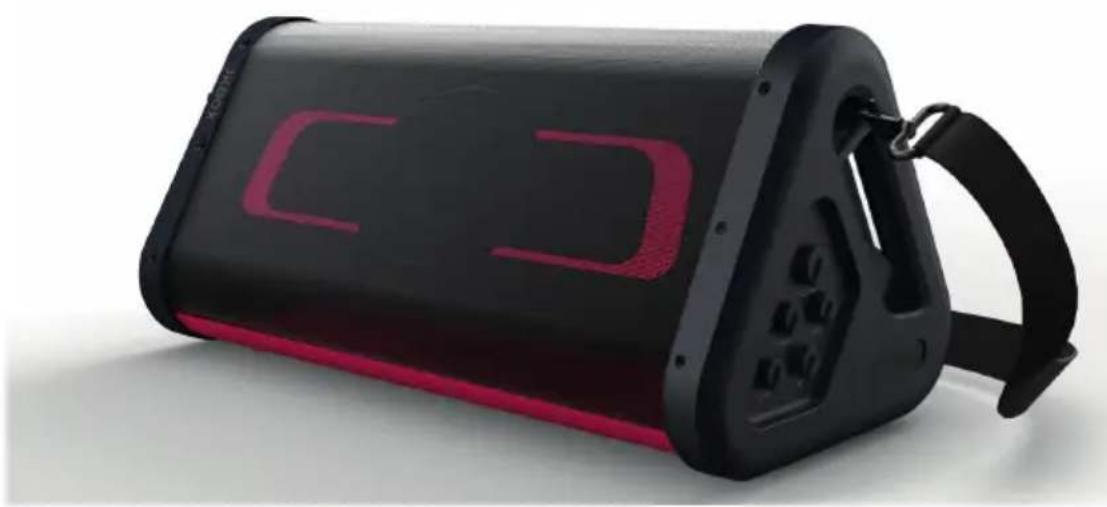
Black and red portable electronic device with a strap strap (no visible text or symbols)BEDIENUNGSANLEITUNG
BELGIQUE, customerservice@bigben-interactive.be
NEDERLAND, customerservice@bigben-interactive.nl
ESPAÑA, sat@bigbenespana.es
ITALIA, support@bigbeninteractive.it
www.bigben.eu
BIGBEN PARTY
NL
PARTYBTIPKBOX
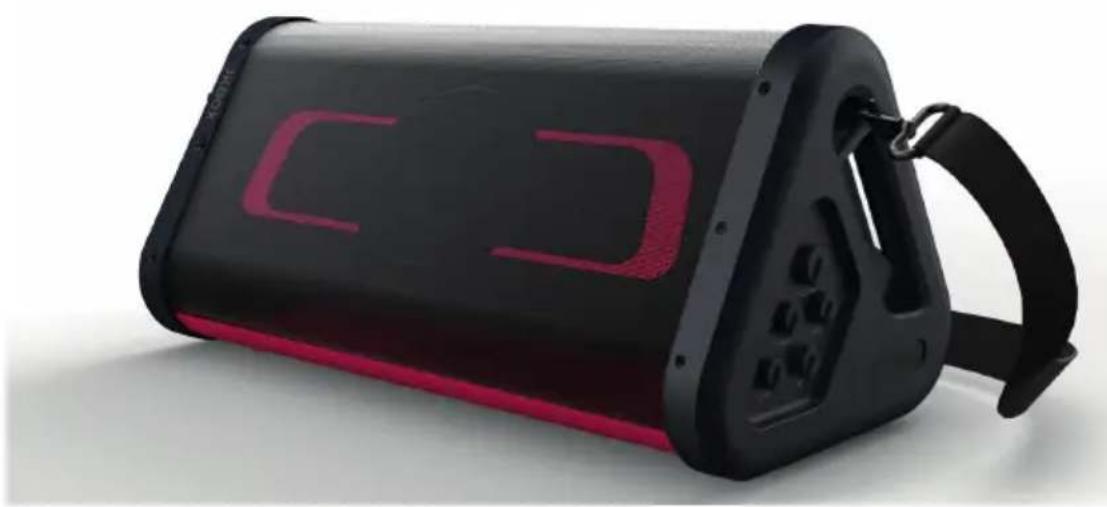
DRAAGBARE PARTYLUIDSPREKER
natural_image
Black and red portable electronic device with a strap strap (no visible text or symbols)GEBRUIKSAANWIJZING
ALVORENS DIT APPARAAT TE GEBRUIKEN, LEES DEZE INSTRUCTIES AANDACHTIG DOOR EN BEWAAR DEZE VOOR TOEKOMSTIGE RAADPLEGING.
Starten 57
Manufactured by BIGBEN INTERACTIVE
396, Rue de la Voyette
CRT2 - FRETIN
CS 90414
BELGIQUE, customerservice@bigben-interactive.be
NEDERLAND, customerservice@bigben-interactive.nl
ESPAÑA, sat@bigbenespana.es
ITALIA, support@bigbeninteractive.it
www.bigben.eu
BIGBEN PARTY
PL
PARTYBTIPKBOX
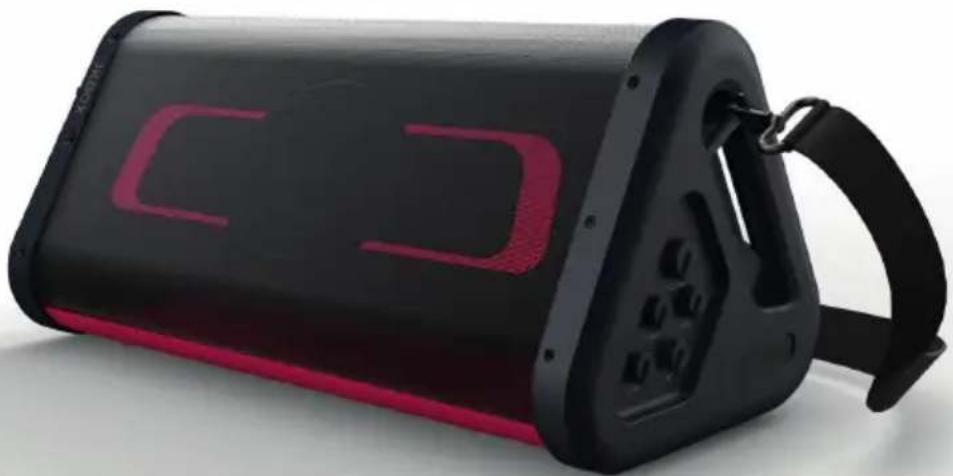
GŁOŚNIK PRZENOŚNY
natural_image
Black and red portable electronic device with illuminated buttons and a handle (no visible text or symbols)INSTRUKCJA OBSŁUGI
1 dioda LED = 25% 2 diody LED = 50% 3 diody LED = 75% 4 diody LED = 100%
BELGIQUE, customerservice@bigben-interactive.be
NEDERLAND, customerservice@bigben-interactive.nl
ESPAÑA, sat@bigbenespana.es
ITALIA, support@bigbeninteractive.it
www.bigben.eu
BIGBEN PARTY
PARTYBTIPKBOX
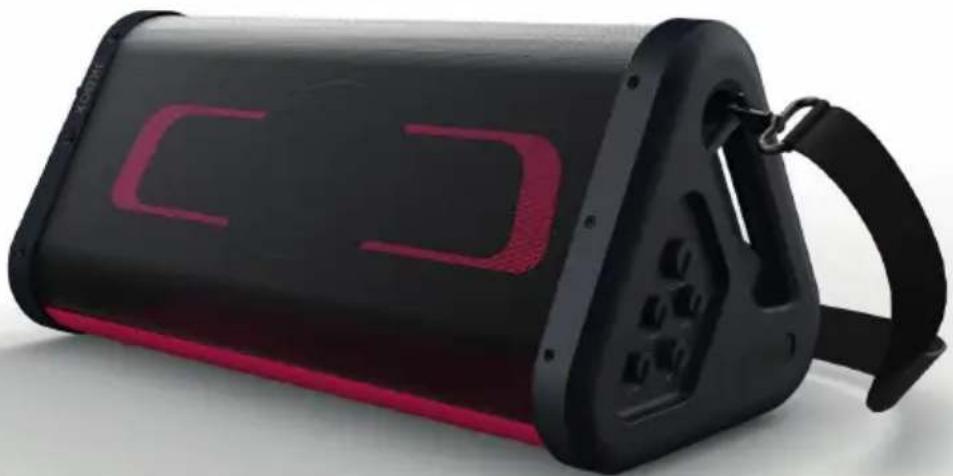
PRENOSIVI ZVUČNIK ZA VEČERNJE IZLASKE
natural_image
Black and red portable electronic device with illuminated buttons and a handle (no visible text or symbols)UPUTE ZA UPORABU
PRIJE KORIŠTENJA OVOG APARATA PAŽLJIVO PROČITAJTE OVE UPUTE ZA UPORABU I SAČUVAJTE IH ZA BUDUĆE UPORABE.
| Class II material | |
| Direct current | |
| Alternating current | |
| For indoor use only | |
Sadržaj pakiranja
BELGIQUE, customerservice@bigben-interactive.be
NEDERLAND, customerservice@bigben-interactive.nl
ESPANA, sat@bigbenespana.es
ITALIA, support@bigbeninteractive.it
www.bigben.eu


- MODE D'EMPLOI
- BIGBEN PARTY
- PORTABLE PARTY SPEAKER
- INSTRUCTIONS FOR USE
- Getting started
- Safety warning and notice
- Avoid using batteries under the following conditions:
- Package contents
- Description of parts
- ON/OFF power button
- 2&3. Voice effects
- Previous track
- Next track
- Play/Pause
- Indicator lights
- USB port
- Microphone input jack (2 x 6.35 mm jack)
- Aux-in port
- Lighting button (RGB lighting at the front)
- Bluetooth mode
- Volume
- Treble
- Bass
- Echo
- MIC
- Charging port
- Charging:
- Bluetooth connection:
- Bluetooth disconnection:
- Functions
- Technical specifications
- Environmental protection
- Additional information
- Compliance declaration
- ALTAVOZ PORTÁTIL DE FIESTA
- ALTOPARLANTE PORTATILE DA PARTY
- ISTRUZIONI PER L'USO
- COLUNA DE FESTA PORTÁTIL
- MANUAL DE INSTRUÇÕES
- TRAGBARER PARTY-LAUTSPRECHER
- BEDIENUNGSANLEITUNG
- DRAAGBARE PARTYLUIDSPREKER
- GEBRUIKSAANWIJZING
- INSTRUKCJA OBSŁUGI
- PRENOSIVI ZVUČNIK ZA VEČERNJE IZLASKE
- UPUTE ZA UPORABU
- Sadržaj pakiranja
Brand : BIGBEN
Model : PARTYBTIPKBOX
Category : Loudspeaker