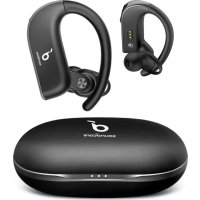
Spirit X2 - Headphones soundcore - Free user manual and instructions
Find the device manual for free Spirit X2 soundcore in PDF.



| Product Type | True wireless in-ear headphones |
| Brand | Soundcore |
| Model | Spirit X2 |
| Bluetooth Version | V5.0 |
| Bluetooth Range | 10 m (33 ft) |
| Battery Capacity (earphones) | 65 mAh x 2 |
| Battery Capacity (case) | 545 mAh |
| Charging Time | 1.5 hours |
| Playback Time (earphones) | 9 hours |
| Total Playback Time (with case) | 36 hours |
| Speaker Size | 12 mm |
| Frequency Response | 20 Hz - 20 kHz |
| Impedance | 16 Ω |
| Waterproof Rating | IP68 |
| Charging Input | 5 V, 550 mA |
| Rated Output Power | 7 mW at 1% THD |
| Charging Connector | USB-C (cable included) |
| Main Functions | Play/pause, next/previous track, volume, EQ mode, calls, voice assistant |
| Care and Cleaning | Dry the earphones and USB port before charging |
Frequently Asked Questions - Spirit X2 soundcore
User questions about Spirit X2 soundcore
0 question about this device. Answer the ones you know or ask your own.
Ask a new question about this device
Download the instructions for your Headphones in PDF format for free! Find your manual Spirit X2 - soundcore and take your electronic device back in hand. On this page are published all the documents necessary for the use of your device. Spirit X2 by soundcore.
USER MANUAL Spirit X2 soundcore
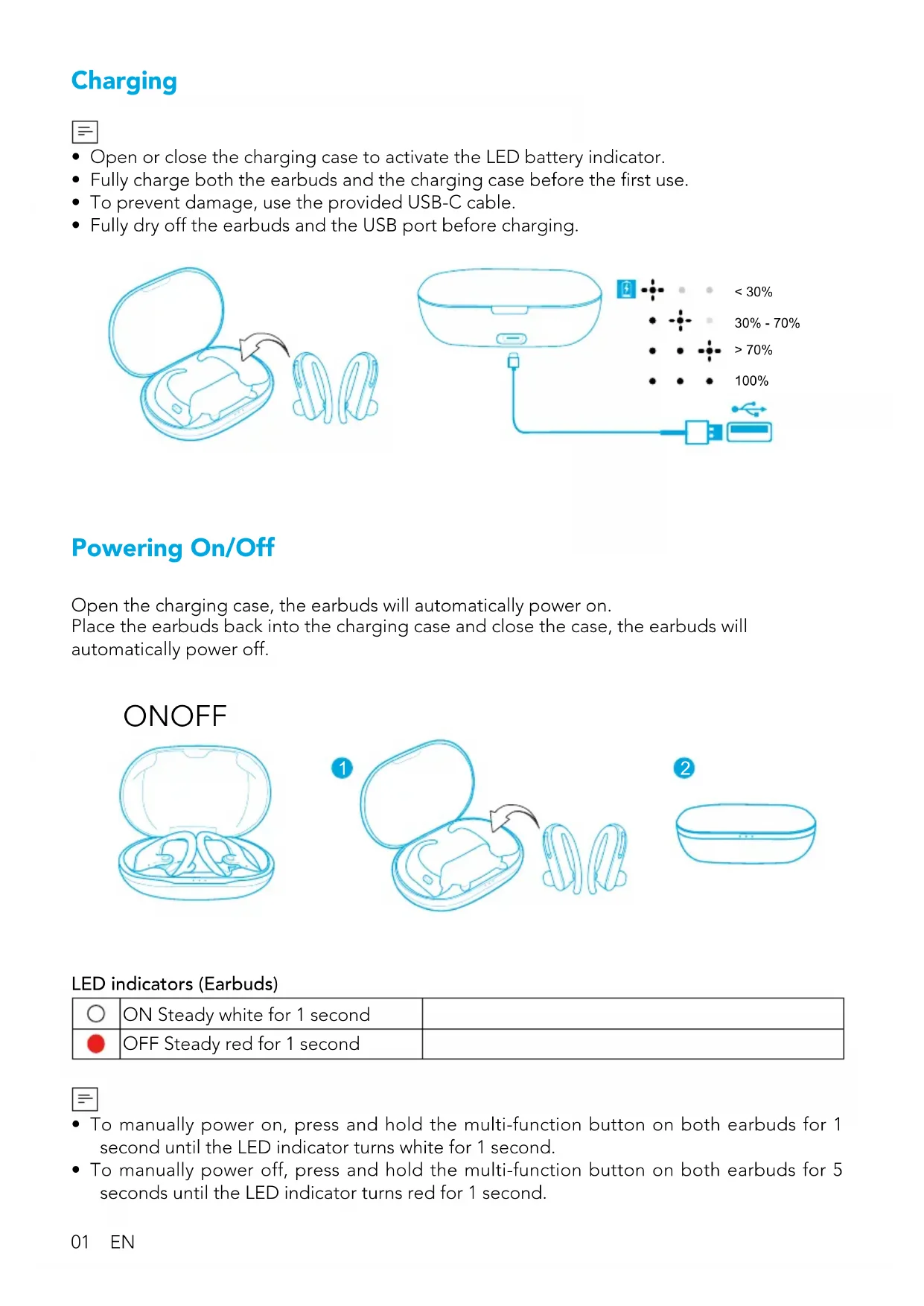
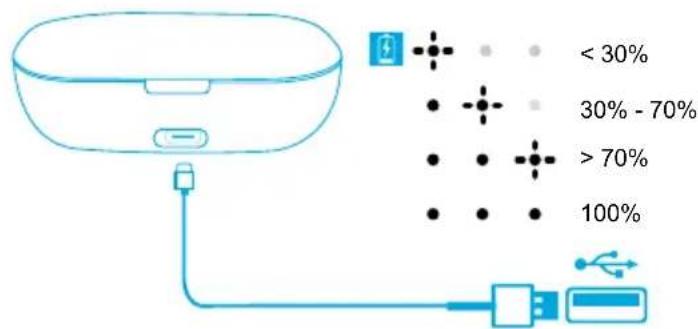
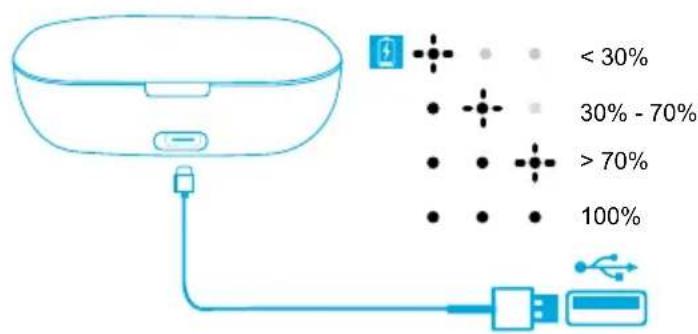
- Open or close the charging case to activate the LED battery indicator.
- Fully charge both the earbuds and the charging case before the first use.
- To prevent damage, use the provided USB-C cable.
- Fully dry off the earbuds and the USB port before charging.
Powering On/Off
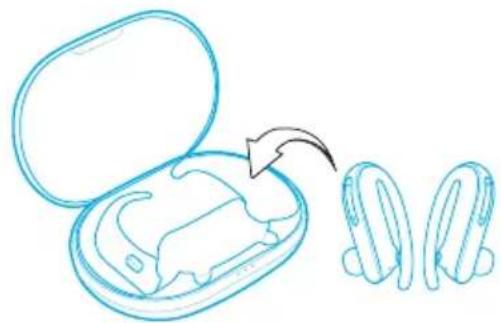
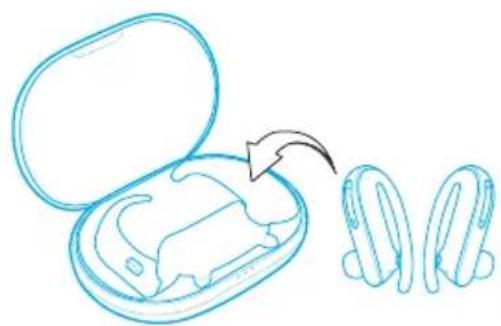
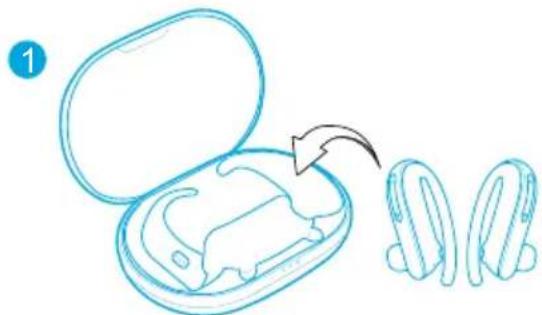
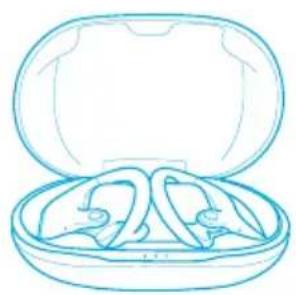
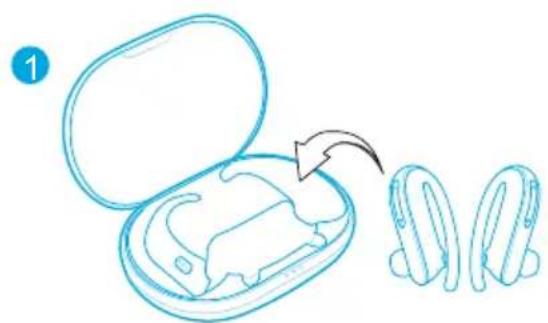
Open the charging case, the earbuds will automatically power on.
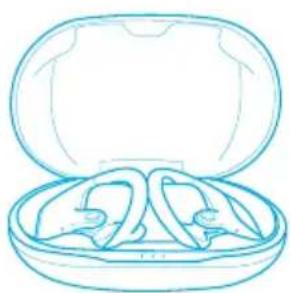
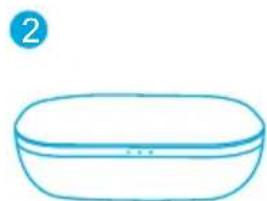
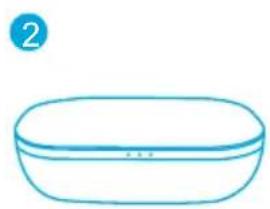
Place the earbuds back into the charging case and close the case, the earbuds will automatically power off.
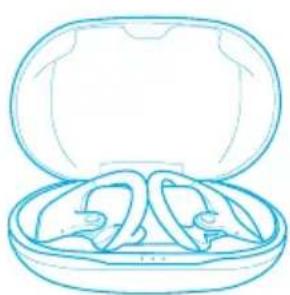
ONOFF
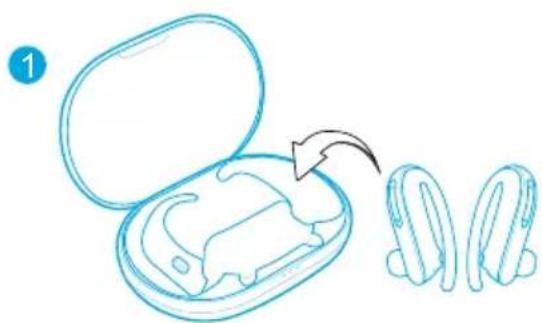
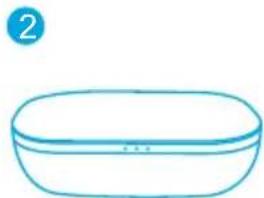
LED indicators (Earbuds)
| ○ | ON Steady white for 1 second | |
| ● | OFF Steady red for 1 second |

- To manually power on, press and hold the multi-function button on both earbuds for 1 second until the LED indicator turns white for 1 second.
- To manually power off, press and hold the multi-function button on both earbuds for 5 seconds until the LED indicator turns red for 1 second.
Pairing
True Wireless Stereo Connection
Open the charging case, the right earbud will automatically connect with the left earbud.
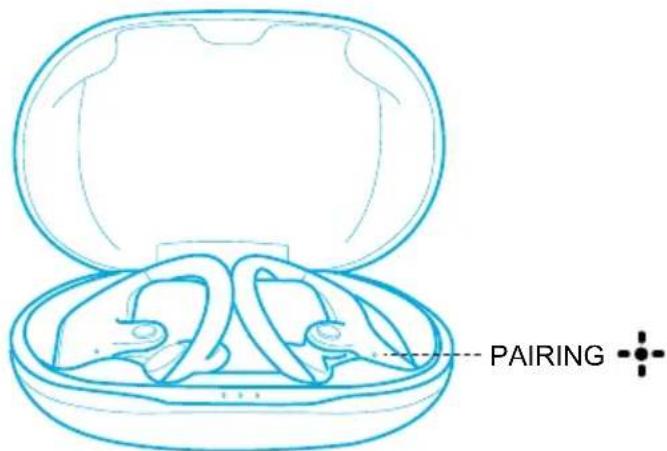
LED indicators (Earbuds)
| - - - | Flashing white TWS connecting | |
| - - - | Rapidly flashing white (Primary earbud) Slowly flashing white (Secondary earbud) | TWS connected |
三
- When powered off, press and hold the multi-function button on both earbuds for 1 second, the earbuds will enter TWS connecting mode.
- When powered on and connected, place either one of the earbuds into the charging case, you can keep using the other one.
- When powered on and connected, if either one of the earbuds is out of battery and powered off, you can keep using the other one.
- When you are on a call, place either one of the earbuds into the charging case and close the charging case, 3 to 5 seconds later, the microphone in the other earbud will be activated.
Bluetooth Pairing with your Device
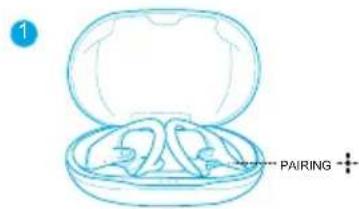
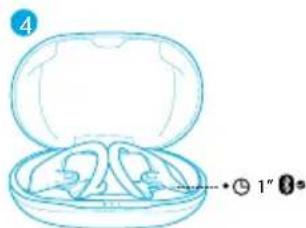
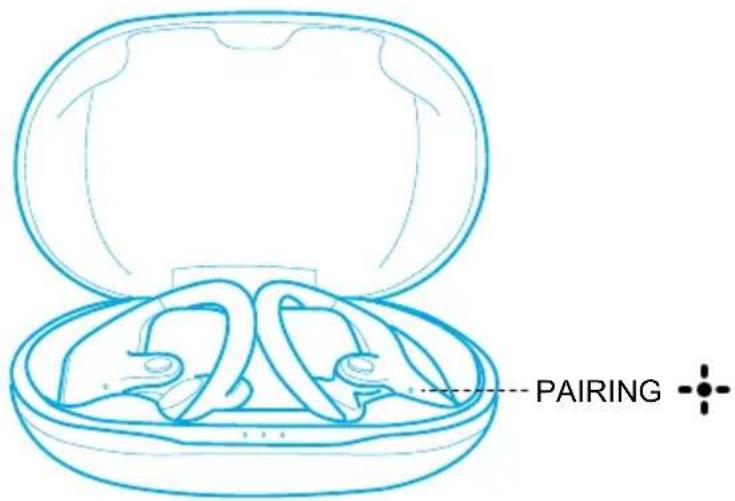
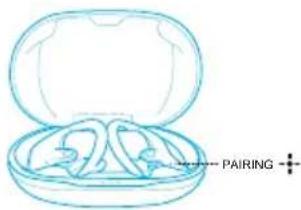
- Open the charging case and wait for 1 to 3 seconds until the LED on one of the earbuds rapidly flashes white, the earbud enters pairing mode successfully.
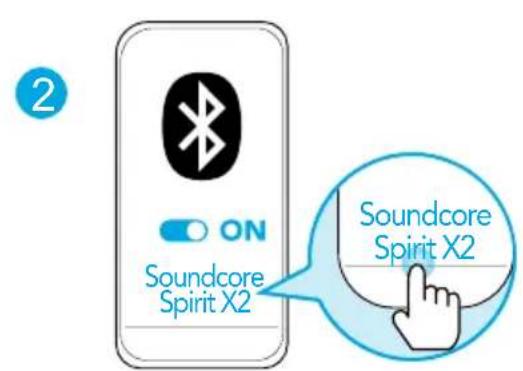
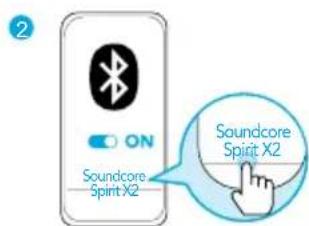
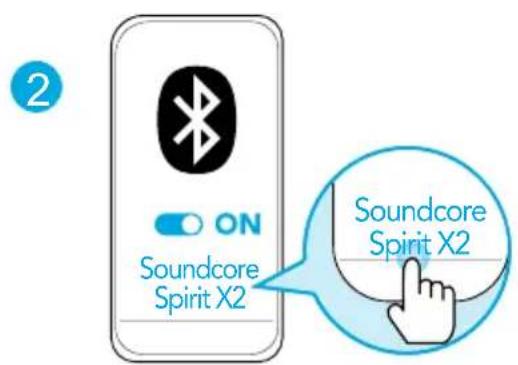
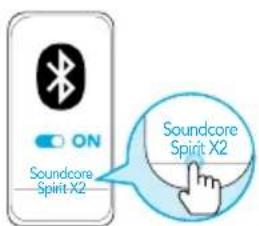
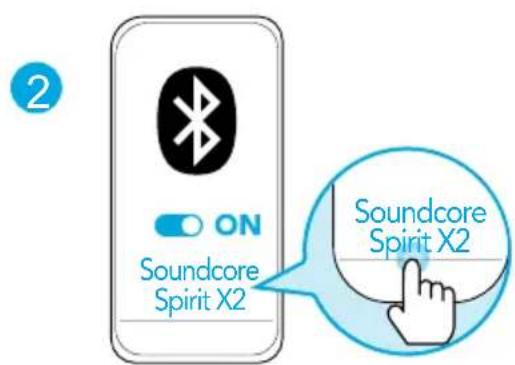
- Turn on Bluetooth on your device and click "Soundcore Spirit X2".
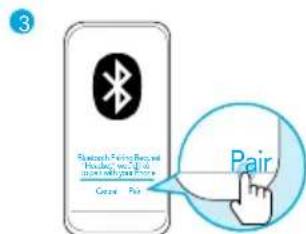
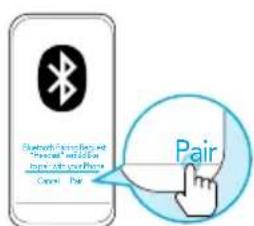
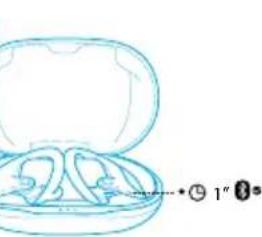
- Wait for 3 to 5 seconds until you see a pop-up and click "Pair". The LED on the earbud will turn white for 1 second when Bluetooth connected.
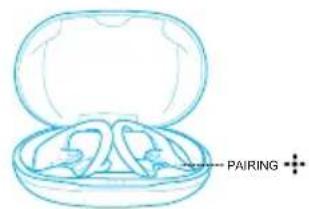
1
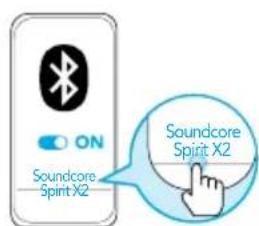
2
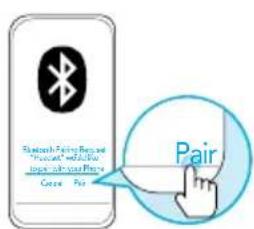
3
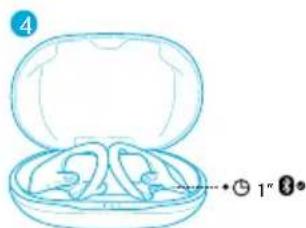
LED indicators (Earbuds)
| -/- | Flashing white Bluetooth pairing | |
| -/- | Steady white for 1 second Bluetooth | connected |
#
- In the pairing process, some devices are incompatible with Qualcomm True Wireless Primary-Secondary dual pairing names, it may notice "connection unsuccessful" when you tap "Pair" or even no screen pops up. Don't worry and it will not influence the using.
- Once successfully paired, the primary earbud connects with your device and transfers signal to the secondary earbud, the latter one will not connect with your device. As a result, in the Bluetooth pairing list on your device, it may indicate that only one side is connected while the other side is not.
| BLUETOOTH |
| Soundcore XXX connected |
| Soundcore XXX-L Not connected |
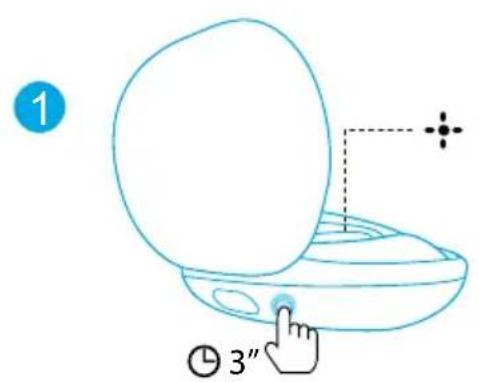
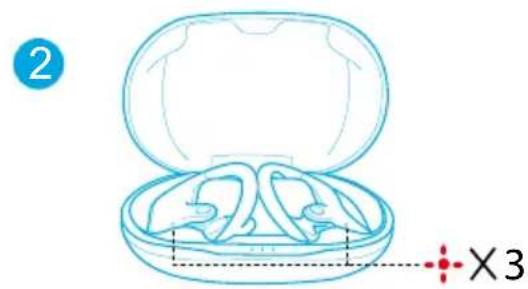
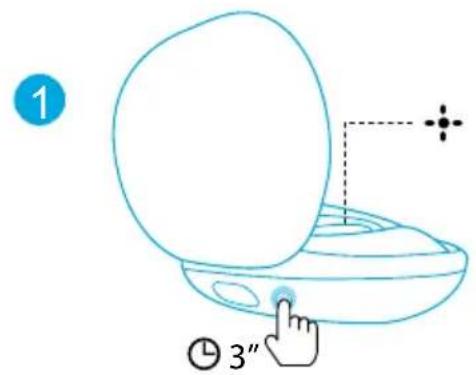
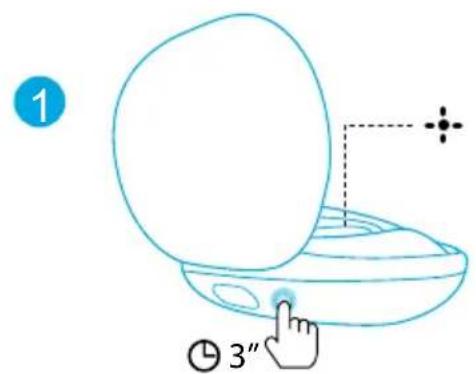
To pair with another Bluetooth device, open the charging case and make sure the earbuds are being charged, then press and hold the button on the charging case for 3 seconds until the LED indicator on one earbud flashes white rapidly.
三
- Each time you power on your Soundcore earphones, it will automatically connect to your last successfully connected device if available.
Wearing
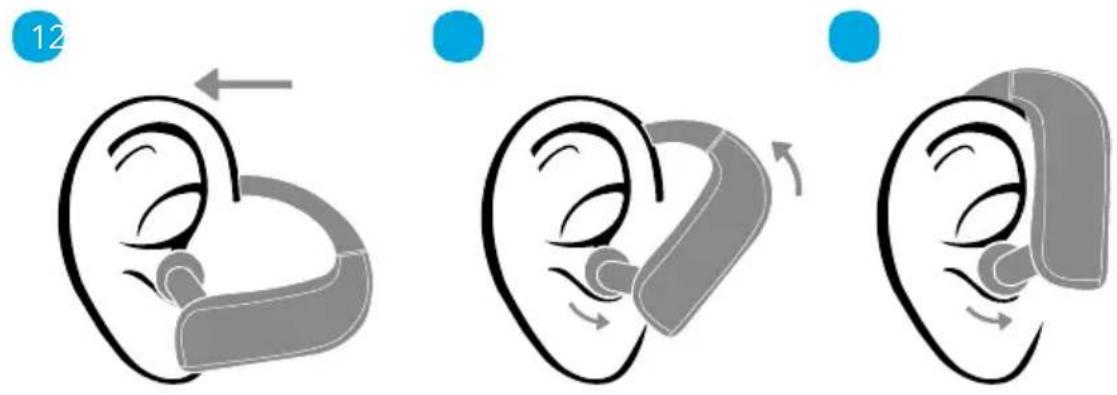
- Choose the EarTips that fit your ears best.
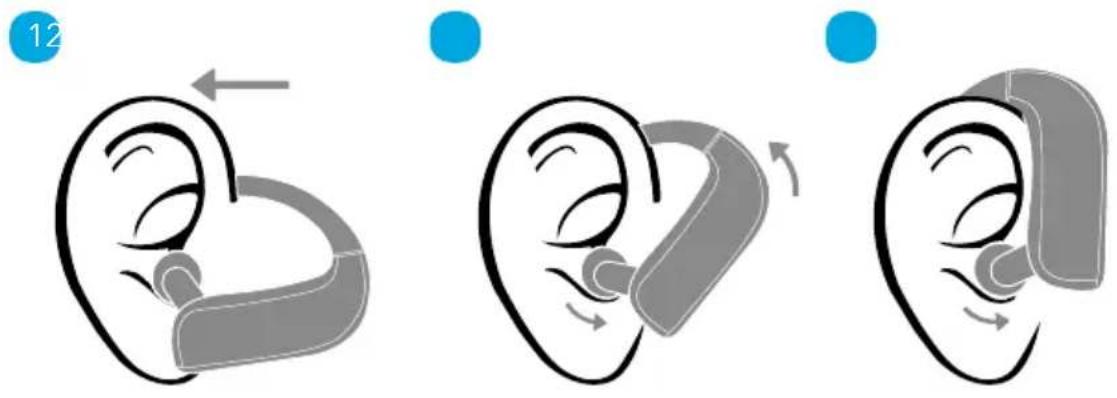
- Route the ear hooks around your ears, then insert the earbuds into the inner canal of your ears.
- Adjust the earbuds until you find the most comfortable position.
Controls

Play / Pause Press (L or R)

Next track Press and hold for 1 second (R)
Previous track

Press and hold for 1 second (L)
Volume up / down / Press

EQ Switch Press and hold for 1 second (L or R)

Answer / End a call Press (L or R)

Reject a call

Press and hold for 1 second (L or R)
Transfer a call between earphones and mobile phone

Activate Siri or other voice assistant software

Press twice (L or R)
Reset
You might need to reset the earbuds if you experience any connectivity problems or function issues.
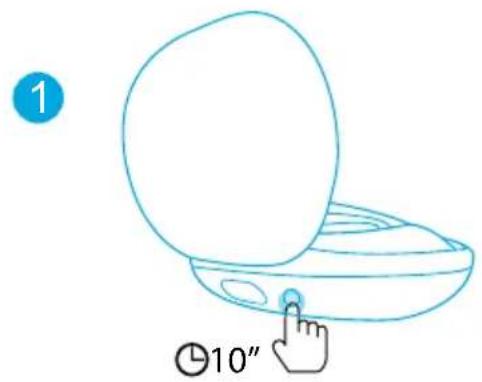
- Place the earbuds into the charging case and make sure they are being charged.
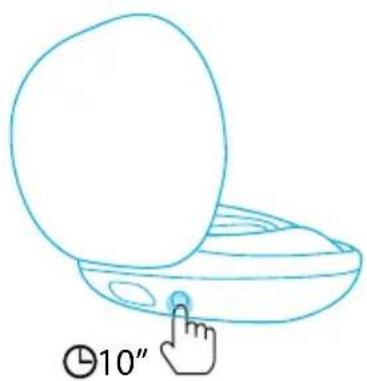
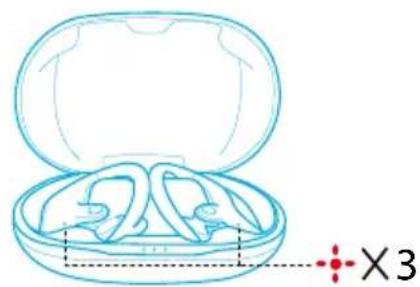
- Keep the charging case open, then press and hold the button on the charging case for 10 seconds until the LED indicators on both earbuds flash red 3 times and then turn white.
All the memory data will be cleared.
Specifications
Specifications are subject to change without notice.
Input 5 V 550 mA
一
Rated output power 7 mW @ 1% THD
Battery capacity 65mA× 2 (earbuds); 545mA (charging case)
Charging time 1.5 hours
Playtime (varies by volume level and content)
9 hours (Totally 36 hours with the charging case)
Driver size 12mm× 2
Frequency response 20Hz - 20kHz
Waterproof level IP68
Impedance 16 Ω
Bluetooth version V 5.0
Bluetooth range 10m / 33 ft
Qualcomm® aptX™ Technical specifications
Compression ratio: 4:1
Word depth: Support 16bit and 24bit
Decoding delay: Sample rate 48kHz<2ms
Dynamic range: 16bit>92dB, 24bit>120dB
Data rates: 352kbps
Decode mode: Stereo
Qualcomm aptX is a product of Qualcomm Technologies, Inc. and/or its subsidiaries. Qualcomm is a trademark of Qualcomm Incorporated, registered in the United States and other countries. aptX is a trademark of Qualcomm Technologies International, Ltd., registered in the United States and other countries.
Nabijeni

Bluetooth version V 5.0
Dosah pripojeni Bluetooth 10 m / 33 ft
Oplader

'Ek800n Bluetooth 'Ek8.5.0
True Wireless Stereo-tilkobling
Tamanho do driver 12mm× 2
Bluetooth-conpajkeHne c Baunm yctpoiCTBOM
- OtkpoTe 3apAHHbI FyTnp I NOOxDnTe OT 1 Do 3 c, CBeTOINoHbI INHnKaTOp Ha ODHOM n3 HayuHnKOB HauHET MIRaTb 6eBIM. HayuHnK nepeWeJ B pexm copraKeHn.
- BkIIOuHTb Bluetooth Ha yCTpOJCTBe n HaKMnTe Ha «Soundcore Spirit X2».
- Побождente ot 3do5cekyн,пoka He otkpoeTc BcPbIbAIOUe ee OKHO,и habKMITE «ConpЯжHee CBeToNDnHbInHdNkAtOp Ha HayuHnke 3aRopntc 6eIbIM Ha 1 cekyHny npu yctaHOBNeHH nOdknIoUeHn Bluetooth.
CocToHHe cBeToDnOdHOro nHnKaTopa (HayuHnKn)
| -1- | Miraet 6eIbIM BbIopJIHЯETcR coPraJKeHne | Bluetooth |
| -1- | Toguit 6eIbIM CBeTOM B TeUeHne 1 c Bluetooth noIcklIoueH | |
#
B xode npocecca copjxehn I nna HeKOtOpbIX yCTPOINCTB, HecOBmectnMbIX C DBOHbIMN OCHOBHbIMNDOONHTeNBbIMN IMeHAMn COpJxehn TexHONrN Qualcomm True Wireless, moKet noaBntcAo6uHHe «He ydaNoCb yCTaHOBNTb NOkIIOueHne» npn HaxaTn «CoPjxehne» nII n daXe moKet He NoaBntbcra BCnblBaIOUzni 3KpaH.3To He 6ydet npenrTCTBOBaTb NCNOlb3OBAHIO.
- После успшно соржени OCHOВнй hayшнк NOДКПIOчaETС K Baшему yctpoiCTBy n nepedaet cnHaN Ha BTOPOH hayshNK, KOtOpBn He 6yIeT NOДКПIOчEN K Baшему yctpoiCTBy.B pe3yIbTaTe 3TOrO, cncOK cponjжени Bluetooth Ha Baшem yctpoiCTBe MOJeT OTo6paJxA Tb TOnbKO noDknIOUeHne OdHOB CTOpOHbI, a He o6eNx.
| BLUETOOTH |
| Soundcore XXX подклочen |
| Soundcore XXX-L He подклочen |
HOMnHaJIbHaI MOUHOCTb BbIXOJHO CnIHana 7 MBT @ KO3ΦΦNcIeHT HeINHeINbIX NCKaKeHIn 1%
Emkoctb aKKymyIaTopa 65 mA x 2 (hayuHnKn); 545 mA (3apnHbI yTnp)
Bpem3apn1.5
BpeMa BocnpOn3BeDeHnna (3aBnCnT OT ypoBHn 9u (Bcero 36 u BmecTe c 3apnHbIM cyTIpom) rpoMKoCTn n BOCnpOn3BODnMOr MaTePnAna)
Pa3Mep dInHaMnka 12 MMx2
YactoTHaXapaKtepeNCTnka 20T-20K
CTeENb BnlaO3aunTbI IP68
IVMpeHaHc 16Ω
Bepcsy Bluetooth V 5.0
Paɪnyc DeɪcTBnɪy Bluetooth 10 M
Nabijanie

- Otvorte alebo zatvorte nabijacie puzdro, aby ste aktivovali LED kontrolku batérié.
Pred prvym pouzitim obe sluchadla a nabijacie puzdro plne nabite. - Aby sa predišlo poškodeniu, použite dodaný kábel USB-C.
Pred nabijanim uplne osuste sluchadla a USB port.
Zapnutie/vypnutie
Otverte nabijacia puzdro, sluchadla sa automaticky zapnu.
Umiestnite sluchadla spat do nabijaceho puzdra a zatvorte ho, sluchadla sa automaticky vypnú.
ONOFF
Cift basin (L veya R)
Sifirlama
Tamanho do driver 12mm× 2
True Wireless Stereo
i 1
()LED
Qualcomm True 12000000000000000000000000000000000000000000000000000000000000000000000000000
| BLUETOOTH |
| Jaçadé Soundcore XXX |
| Jaçadé Soundcore XXX-L |
e 3 3 3 3 3 3 3 3 3 3 3 3 3 3 3 3 3 3 3 3 3 3 3 3 3 3 3 3 3 3 3 3

NIOIN 1yip nTIN,nyon nn nn
nuiin 1 ninn ,ynon nn no,nyon nn nn nn
ONOFF
(nn) nnn
n nn nnn nn nnn nnn nnn nnn nnn nnn nnn nnn nnn nnn nnn nnn nnn nnn nnn nnn nnn nnn nnn nnn nnn nnn nnn nnn nnn nnn nnn nnn nnn nnn nnn nnn nnn nnn nnn nnn nnn nnn nnn nnn nnn nnn nnn nnn nnn nnn nnn nnn nnn nnn nann nn




| Bluetooth® | ® | -○- |
| Bluetooth Bluetooth® | (1 n°o o o) n°o | -○- |

Qualcomm True Wireless lionn nnnn nn nnnn nn nnnn nn nnnn nn nnnn nn nnnn nn nnnn nn nnnn nn nnnn nn nnnn nn nnnn nn nnnn nn nnnn nn nnnn nn nnnn nn nnnn nn nnnn nn nnnn nn nnnn nn nnnn nn nnnn nn nnnn nn nnnn nn nnnn nn nnnn nn nnnn
,
n"pnnnblteothn nnnnnn nn nnnnnnnnnnnnnnnnn
N
| BLUETOOTH |
| Soundcore XXX |
| Soundcore XXX-L |
n nn nnnn nn nnnnnnnnnnnnnnnnnnnnnnnnnnnnnnnnnnnnnnnnnnnnnnnnnnnnnnnnnnnnnnnnnnnnnnnnnnnnnnnnnnnnnnnnnnnnnnnnnnnnnnnnnnnnnnn

n nn nn nn nn nn nn nn nn nn nn nn nn nn nn nn nn nn nn nn nn nn nn nn nn nn nn nn nn nn nn nn nn nn nn nn nn nn nn nn nn nn nn nn nn nn nn nn nn nn nn nn nn nn nn nn nn nn nn nn nn nn nn nn nn nn nn nn nn nn nn nn nn nn nn nn nn nn nn nn nn nn nn nn nn nn nn nn nn nn nn nn nn nn nn nn nn nn nn nn nn
JNTNINN
.1
JINN NNNN NNNN NNNN NNNN NNNN NNNN.2
.3
777

(nixnn)ynnwn/nyon
()nNnW7pnnYn7nnn
()nnn nwnywnynnnynna
yn7

ynnn nn nn nnnn
(XXNIXn)nnn nn nynnnyEQxn

(1nIX7nnu)yn7nnnu 0/nu
INn)nnn nn7 pnnyn (xnu
nnn
Tn1970n127nnnna
(1nixnnu) nyny nnx yio nniin Siri nx yon
n nn nnnnnnnnnnnnnnnnnnnnnnnnnnnnnnnnnnnnnnnnnnnnnnnnnnnnnnnnnnnnnnnnnnnnnnnnnnnnnnnnnnnnnnnnnnnnnnnnnnnnnnnnnnnnn
nuyu n xtiy on nn nn nn nn .1
10 yn7 nyun nnyn nnyn nyn np nn, nnn nn.2
n nn nnnn nn nnnnnnnnnnnnnnnnnnnnnnnnnnnnnnnnnnnnnnnnnnnnnnnnnnnnnnnnnnnnnnnnnnnnnnnnnnnnnnnnnnnnnnn
17n"17n"17n
1
2
10079n
yynnnn nn nnnn nn

3-15
ninn
THD 1% @ 0x177 7 7777790
(y)545;(n)2x65
nno
niyy 1.5 nviy m
(nynn nn no 36 no) nnu 9 (nnn nn nn nn nn nn nn nn nn nn
2Xn"n 12
nnn nn
20-20
IP68n7nnn
Ω16
V5.0Bluetooth non
'n 10 Bluetooth niu