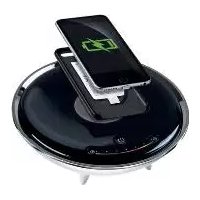
TY1200100E1 - Wireless Charger Livarno Lux - Free user manual and instructions
Find the device manual for free TY1200100E1 Livarno Lux in PDF.



| Brand | Livarno Lux |
| Model | TY1200100E1 |
| Product type | LED Wireless Charger |
| Dimensions | Height 75 mm, diameter 205 mm |
| Power supply | Power adapter 100-240 V~, 50/60 Hz, output 12 V / 1 A |
| Max. rated power | 12 W (including charging) |
| Charging current | 5 V, 800 mA |
| Protection class | II |
| Wireless charging standard | QI (inductive charging) |
| Package contents | LED wireless charger, power supply, 2 QI charging receivers, manual |
| Main functions | QI wireless charging, warm white light, RGB light, touch dimmer, charging indicator (red/green) |
| Care and cleaning | Unplug before cleaning, use duster or brush, no harsh detergents |
| Safety instructions | Indoor dry use, do not open, avoid contact with water, do not cover |
| Warranty | 3 years |
| After-sales service (France) | EGLO FRANCE LUMINAIRE SARL, Tel: +33 389 6250 30, E-mail: info-france@eglo.com |
| Repairability | Spare parts available via customer service, paid repairs outside warranty |
Frequently Asked Questions - TY1200100E1 Livarno Lux
User questions about TY1200100E1 Livarno Lux
0 question about this device. Answer the ones you know or ask your own.
Ask a new question about this device
Download the instructions for your Wireless Charger in PDF format for free! Find your manual TY1200100E1 - Livarno Lux and take your electronic device back in hand. On this page are published all the documents necessary for the use of your device. TY1200100E1 by Livarno Lux.
USER MANUAL TY1200100E1 Livarno Lux
HANDYLADESTATION MIT LED-STIMMUNGSLICHT/ SMARTPHONE CHARGER WITH LED LIGHTING / CHARGEUR SANS FIL À LED
DE AT CH
HANDYLADESTATIONMIT LED-STIMMUNGSLICHT
Operation and Safety Notes
NL BE
OPLAADSTATION VOOR MOBILE TELEFOON MET LED-SFEERLICHT
Before reading, unfold the page containing the illustrations and familiarise yourself with all functions of the device.
FR BE
GB / IE Operation and Safety Notes Page 11
Intended use......Page 12
Scope of delivery....Page 12
Description of Parts Page 13
Technical Data Page 13
Safety Page 13
Safety Notices....Page 13
Initial use Page 14
Dimming the mood light....Page 14
Setting RGB colours....Page 14
Charging your smartphone's rechargeable battery Page 14
Using the mobile phone case......Page 14
Maintenance and Cleaning......Page 15
Disposal Page 15
Declaration of Conformity Page 15
Warranty / Service centre Page 15
Warranty Page 15
Service address......Page 16
Warranty card......Page 16
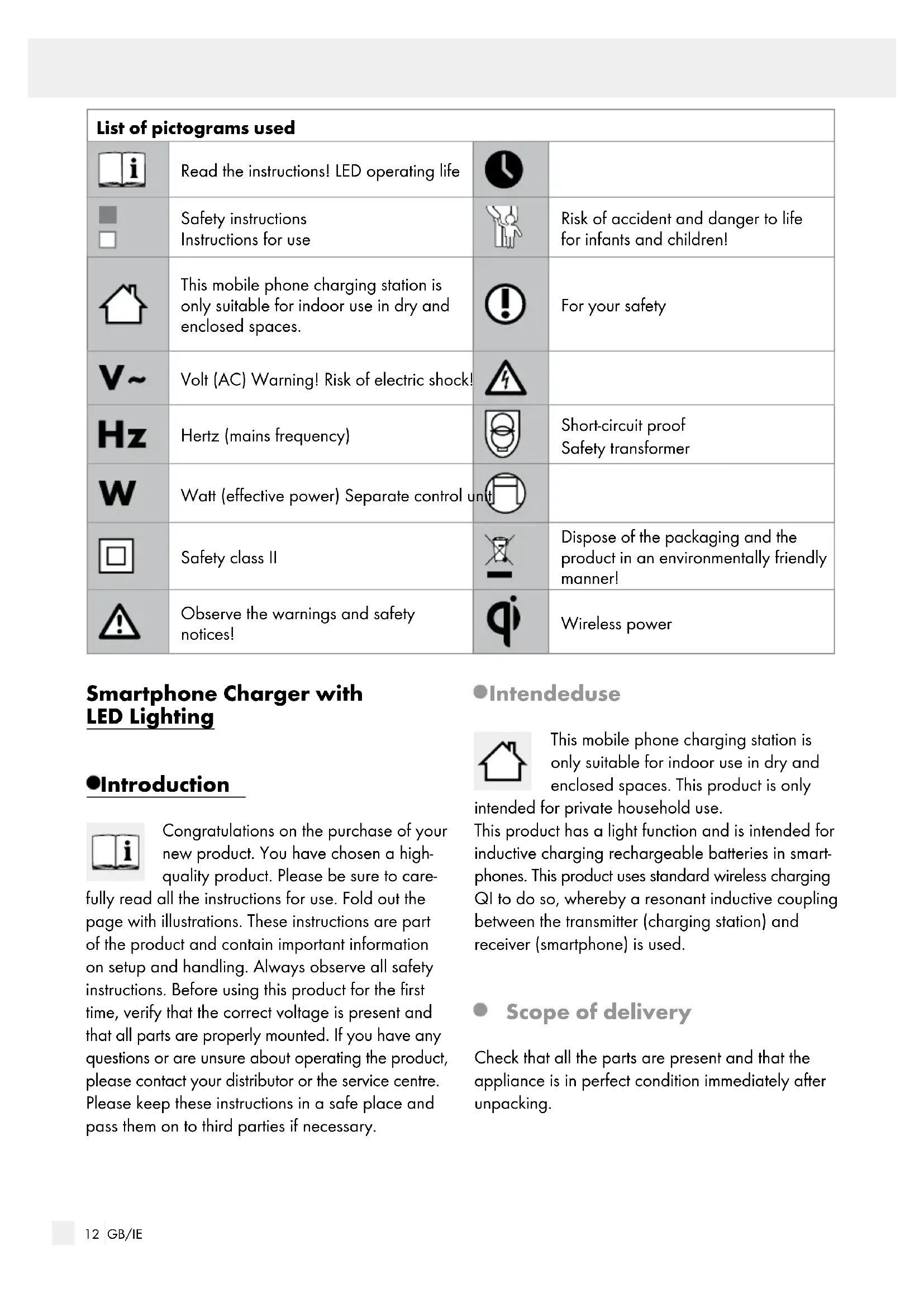
| List of pictograms used | |||
 | Read the instructions! LED operating life |  | |
| [T8ZW] | Safety instructionsInstructions for use |  | Risk of accident and danger to life for infants and children! |
| [SEBX] | This mobile phone charging station is only suitable for indoor use in dry and enclosed spaces. | [BYZW] | For your safety |
 | Volt (AC) Warning! Risk of electric shock! |  | |
 | Hertz (mains frequency) |  | Short-circuit proofSafety transformer |
 | Watt (effective power) Separate control un | [CS2D] | |
 | Safety class II | [3SCE] | Dispose of the packaging and the product in an environmentally friendly manner! |
 | Observe the warnings and safety notices! | [244A] | Wireless power |
Smartphone Charger with LED Lighting
Introduction

Congratulations on the purchase of your new product. You have chosen a high-quality product. Please be sure to care-
fully read all the instructions for use. Fold out the page with illustrations. These instructions are part of the product and contain important information on setup and handling. Always observe all safety instructions. Before using this product for the first time, verify that the correct voltage is present and that all parts are properly mounted. If you have any questions or are unsure about operating the product, please contact your distributor or the service centre. Please keep these instructions in a safe place and pass them on to third parties if necessary.
Intendeduse

This mobile phone charging station is only suitable for indoor use in dry and enclosed spaces. This product is only
intended for private household use.
This product has a light function and is intended for inductive charging rechargeable batteries in smartphones. This product uses standard wireless charging QI to do so, whereby a resonant inductive coupling between the transmitter (charging station) and receiver (smartphone) is used.
- Scope of delivery
Check that all the parts are present and that the appliance is in perfect condition immediately after unpacking.
1 Smartphone Charger with LED Lighting
1 Mains adapter (model TY1200100E1mn)
2 QI charging receivers
1 Operating instructions including warranty card
• Description of Parts
1 Charging status indicator
2 Wireless charging area
3 Touch slider (dimmer / RGB colour selector)
4 ⏻ button switch on / switch off / warm light / RGB light
5 Base
6 Connection socket
7 Mains adapter with connection cable
8 Charging receiver
- TechnicalData
Power supply: Mains adapter (model
TY1200100E1mn)
Operating voltage: 100-240V\~, 50/60Hz
Output voltage: 12V, 1A
Max. rated output,
including charging: 12 W
Chargingcurrent: 5 V = 800 mA
Protection class: II/☐
Dimensions: Height: 75 mm,
Diameter: 205 mm
Distributor:
EDI Light GmbH
Heiligkreuz 22
A-6136 Pill,
AUSTRIA
www.edi-light.com
Safety

Safety Notices
Damage due to failure to comply with these operating instructions will invalidate the warranty! We assume no liability for consequential damage! We assume no liability for property damage or personal injury due to improper handling or failure to observe the safety notices!


WARNING! RISK OF ACCIDENT AND DANGER TO LIFE FOR INFANTS AND CHILDREN!
This device may be used by children aged 8 years and up, as well as by persons with reduced physical, sensory or mental capacities, or those lacking experience and / or knowledge, as long as they are supervised or instructed in the safe use of the device and they understand the associated risks. Do not allow children to play with the device. Cleaning and user maintenance must not be performed by children without supervision.
Do not leave the charging station or packaging material lying unattended. Plastic film or bags, plastic parts, etc. can turn into dangerous toys for children.
We assume no liability for property damage or personal injury due to improper handling or failure to observe the safety notices!

Avoid the risk of fatal injury from electric shock
- Check the product for damage before each use. Never use the product if it is damaged in any way.
A damaged mains adapter poses the risk of fatal injury from electric shock. In the event of damage, repairs or other problems with the mains adapter, please contact the service centre or a qualified electrician.
■ Always fully unwind the connection cable.
Before using this product, verify the available mains voltage corresponds with the required
operating voltage of the mains adapter (see "Technical Data").
- Never allow the cables to touch or allow the product to come into contact with water or other liquids.
■ Never open any of the components of the electrical equipment or insert any objects into the components. This will pose the risk of fatal injury from electric shock.
■ Always unplug the mains adapter from the socket before cleaning. - Do not touch the mains adapter with wet hands.
■ To prevent hazards, a damaged connection cable must be replaced by the manufacturer or a professional.

For your safety
■ Position the mobile phone charging station in a place where it is protected from moisture and dirt.
■ Always be attentive! Always pay attention to what you are doing and use common sense.
Do not cover the mobile phone charging station with objects. Excessive heat build-up can result in fire.
- Do not look into the LED from a close distance during operation.
- Do not look at the LED with an optical instrument (e.g. magnifier).
- Plug the mains adapter into an easy to access socket.
Initialuse
Note: Remove all packaging material from the product.
☐ Insert the coaxial power connector of the mains adapter 7 into the connection socket 6 on the underside of the mobile phone charging station (Fig. B).
☐ Insert the mains adapter into the mains socket (Fig. C). The charging status indicator will briefly flash.
□Pressthe button ① to switch on the white light.
Dimming the mood light
□Pressthe button ④ to reach warm white light mode.
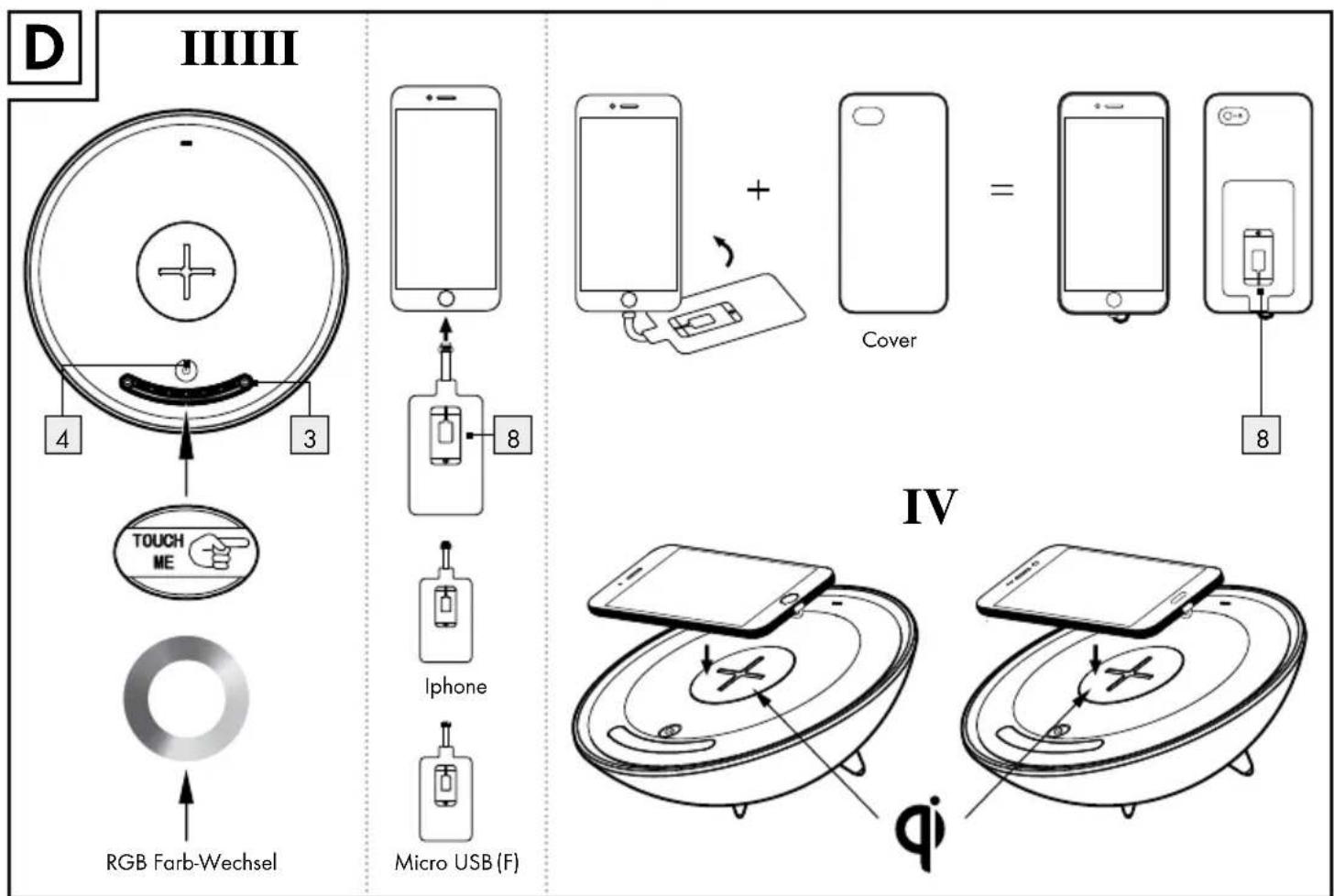
☐ Slide your finger over the touch slider 3 to regulate the brightness (direction + = brighter, direction - = darker) (Fig. D I).
- Setting RGB colours
☐ Press and hold the button 4 for approx. 3 seconds to reach RGB colour mode.
☐ Slide your finger over the touch slider 3 to select the colours (Fig. D I).
- Charging your smartphone's rechargeable battery
Place your QI compatible smartphone in the charging area 2 of the mobile phone charging station (Fig. D IV). The charging status indicator 1 will light up red during the charging process. When the rechargeable battery has been fully charged the charging status indicator will turn green.
If your smartphone is not QI compatible, proceed as follows:
☐ Insert the micro-USB plug of the charging receiver 8 into the micro-USB socket of your smartphone (Fig. D II). Place your smartphone with the ribbon cable connected in the charging area 2 of the mobile phone charging station.
☐ For iPhone mobile phones, please use the other charging receiver.
• Using the mobile phone case
☐ Connect the mobile phone properly with the respective charging pad provided.
Place this rotated at a 180 ° angle between your mobile phone and the mobile phone case for your phone and close the mobile phone and mobile phone cover properly.
☐ Caution: Ensure that the charging pad appropriate to your mobile phone is used and that the connecting cable is not squashed.

To help protect the environment, please dispose of the product properly when it has reached the end of its useful life and not in the household waste. Information on collection points and their opening hours can be obtained from your local authority.
● Maintenance and Cleaning
WARNING! DANGER OF ELECTRIC
SHOCK! Always unplug the mains adapter from the socket before cleaning.
To ensure electrical safety, never clean the mobile phone charging station with aggressive detergents or immerse it in water.
- Do not use solvents, petrol, etc. The mobile phone charging station would be damaged.
□ Clean with a duster or brush.
●Disposal

The packaging is made entirely of recyclable materials, which you may dispose of at local recycling facilities. The Green Dot is not valid for Germany.

Observe the marking of the packaging materials for waste separation, which are marked with abbreviations (a) and numbers (b) with following meaning: 1-7: plastics / 20-22: paper and fibre-board / 80-98: composite materials.

The product and packaging materials are recyclable, dispose of it separately for better waste treatment. The Triman logo is valid in France only.

Contact your local refuse disposal authority for more details of how to dispose of your worn-out product.
● Declaration of Conformity
CE This product fulfils the requirements of the applicable European and national directives. The relevant declarations and
documents are held by the manufacturer and may be viewed on their homepage at www.edi-light.com. This product meets the requirements of the German Equipment and Product Safety Act.
We reserve the right to make technical and visual changes to the product in the interest of product improvement. Typographical and printing errors excepted.
● Warranty / Service centre
Warranty
We provide a 3 year warranty from the date of purchase.
Our products are manufactured using modern production methods and are subject to precise quality control. We guarantee this product is of good quality. During the warranty period any defects in material or manufacture will be replaced free of charge In the event of an unexpected defect, please return the carefully packaged product to the service address specified.
The warranty does not extend to damage due to improper handling as well as wear items and consumables. These can be ordered from the telephone number listed for a charge.
Repairs not covered by the warranty (e.g. light bulb) may also be requested at cost from the service address listed.
Warranty / Service centre
The product will be repaired at the specified service location. Timely processing and return can only be ensured by sending the product directly to this address.
For additional product information, to order accessories or have a question about the service process, please contact our Customer Service Department at the telephone number specified. Please include the item number (see Technical Data) when inquiring about the product.
Serviceaddress
Great Britain/Irland
EGLO UK Ltd.
Unit 12 Cirrus Park
Lower Farm Road
Moulton Park Industrial Estate
Northampton NN3 6UR
T: +44 1604 790 986
E: info-greatbritain@eglo.com
IAN 283335
Please have your receipt and item number (e.g. IAN 12345) ready as your proof of purchase when enquiring about the product.
Warrantycard
Return address:
Name/First name:
Country / Postal code / City / Street
address:
Phone:
Item number / Description:
Purchase date / Point of purchase:
Description of the defect:
Date / Signature:
Non-warranty cases:

Please return the unrepaired item, carriage paid.

Please provide pricing. Repair the product against charge.
NL-4906 AA OOSTERHOUT (NBR)
T: +31 162 48 28 30
E: info-nl@eglo.com
België
EGLO BELGIUM B.V.B.A.
Antwerpsesteenweg 247
B-2950 KAPELLEN
T: +32 3 250 60 80
E: info-belgium@eglo.com
IAN 283335
EGLO ČESKO-MORAVSKÁ SVÍTIDLA SPOL. S.R.O.
Náchodská 2479/63
CZ-193 00 PRAHA 9 Horní Počernice
T: +420 281 924 163
E: info-czechrepublic@eglo.com
IAN 283335
(Edf. Best Point) 2° - 16A
San Fernando de Henares
E-28830 MADRID
T: +34 91 677 9044
E: info-spain@eglo.com
IAN 283335
- HANDYLADESTATION MIT LED-STIMMUNGSLICHT/ SMARTPHONE CHARGER WITH LED LIGHTING / CHARGEUR SANS FIL À LED
- HANDYLADESTATIONMIT LED-STIMMUNGSLICHT
- OPLAADSTATION VOOR MOBILE TELEFOON MET LED-SFEERLICHT
- SAFETY PAGE 13
- INITIAL USE PAGE 14
- MAINTENANCE AND CLEANING......PAGE 15
- DISPOSAL PAGE 15
- DECLARATION OF CONFORMITY PAGE 15
- WARRANTY / SERVICE CENTRE PAGE 15
- SMARTPHONE CHARGER WITH LED LIGHTING
- INTRODUCTION
- INTENDEDUSE
- SCOPE OF DELIVERY
- DESCRIPTION OF PARTS
- TECHNICALDATA
- DISTRIBUTOR
- SAFETY
- SAFETY NOTICES
- WARNING! RISK OF ACCIDENT AND DANGER TO LIFE FOR INFANTS AND CHILDREN
- AVOID THE RISK OF FATAL INJURY FROM ELECTRIC SHOCK
- FOR YOUR SAFETY
- INITIALUSE
- DIMMING THE MOOD LIGHT
- SETTING RGB COLOURS
- CHARGING YOUR SMARTPHONE'S RECHARGEABLE BATTERY
- IF YOUR SMARTPHONE IS NOT QI COMPATIBLE, PROCEED AS FOLLOWS
- USING THE MOBILE PHONE CASE
- ● MAINTENANCE AND CLEANING
- WARNING! DANGER OF ELECTRIC
- ●DISPOSAL
- ● DECLARATION OF CONFORMITY
- ● WARRANTY / SERVICE CENTRE
- WARRANTY
- WARRANTY / SERVICE CENTRE
- SERVICEADDRESS
- GREAT BRITAIN/IRLAND
- IAN 283335
- WARRANTYCARD
- BELGIË
Brand : Livarno Lux
Model : TY1200100E1
Category : Wireless Charger