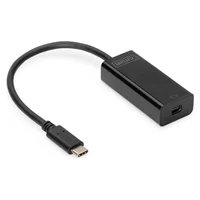
DA70878 - Network card / adapter Digitus - Free user manual and instructions
Find the device manual for free DA70878 Digitus in PDF.



| Product Type | USB-C to Mini DisplayPort Adapter |
| Brand | Digitus |
| Model | DA70878 |
| Input Connector | USB-C Male |
| Output Connector | Mini DisplayPort Female |
| Maximum Resolution | 3840 x 2160 @ 60 Hz |
| DisplayPort Standard | DisplayPort 1.2 Alt Mode |
| Data Rate | Up to 5.4 Gbps per lane (HBR2) |
| HDCP Protection | Yes |
| Power Supply | USB bus powered (no external power needed) |
| Dimensions (main unit) | 41.5 x 37 x 14.5 mm |
| Cable Length | 150 mm |
| Operating Temperature | 0 °C to 45 °C |
| Operating Humidity | 10% to 85% RH (non-condensing) |
| Storage Temperature | -10 °C to +70 °C |
| Storage Humidity | 5% to 90% RH (non-condensing) |
| Compatibility | Devices with USB-C port supporting DisplayPort Alternate Mode |
| Package Contents | Main unit, user guide |
| Care | Clean with a soft dry cloth. Do not use solvents. |
| Safety | Use in a dry environment, avoid moisture and extreme temperatures. |
| Repairability | Contains no user-serviceable parts. |
| Warranty | Contact the manufacturer (Assmann Electronic GmbH) |
Frequently Asked Questions - DA70878 Digitus
User questions about DA70878 Digitus
0 question about this device. Answer the ones you know or ask your own.
Ask a new question about this device
Download the instructions for your Network card / adapter in PDF format for free! Find your manual DA70878 - Digitus and take your electronic device back in hand. On this page are published all the documents necessary for the use of your device. DA70878 by Digitus.
USER MANUAL DA70878 Digitus
natural_image
Black USB drive adapter with cable, no visible text or symbols on device bodyUser Manual
DA-70878
DEAR CUSTOMER
Thank you for purchasing this product. For optimum performance and safety, please read these instructions carefully before connecting, operating or using this product. Please keep this manual for future reference.
1.0 Introduction
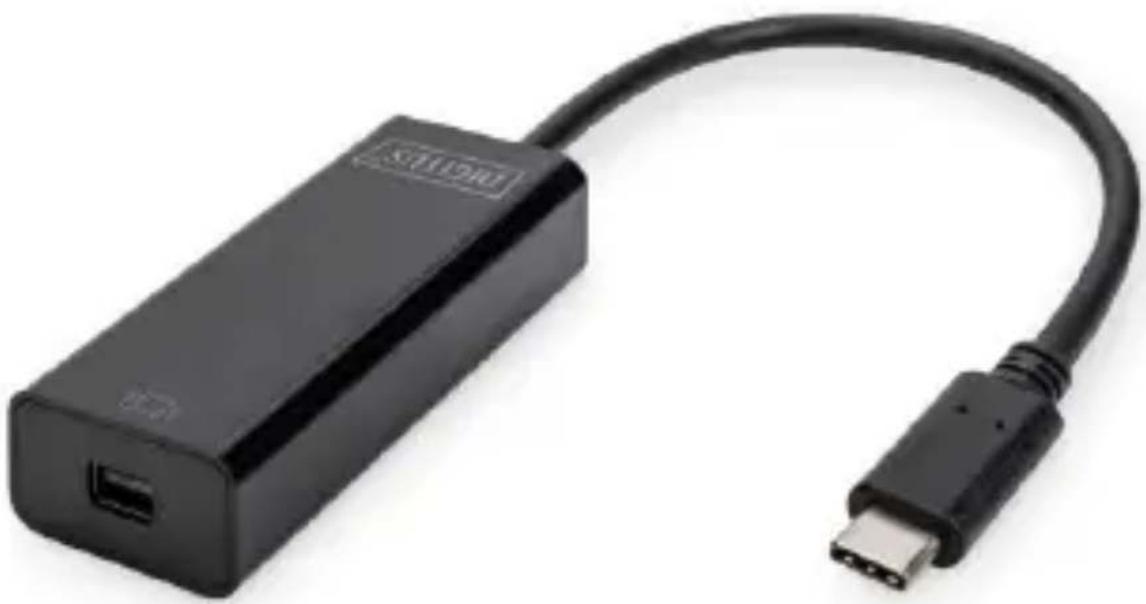
The USB-C™ to Mini DisplayPort™ Adapter allows you to connect an extra monitor with Mini DisplayPort™ port to your device (e.g. notebook, PC, smartphone, tablet).
2.0 Features
- Supports USB-C™ input and Mini DisplayPort™ output
- Supports DisplayPort™ 1.2 Alternate mode
- Supports per lane data rates of 5.4v Gbps (HBR2), 2.7 Gbps (HBR) and 1.62 Gbps (RBR)
• Supports content protection of HDCP
• Supports resolution up to 3840 x 2160 @ 60 HZ - USB bus power (no external power supply needed)
3.0 Specifications
| Inputs/Output Connector | |
| Input | 1x USB-CTM Male |
| Output | 1x Mini DisplayPortTM Female |
| Resolutions | |
| Resolutions | Max up to 3840 x 2160 @ 60HZ |
| Mechanical | |
| Size(L-W-H) | Main Unit: 41.5 x 37 x 14.5 mm Cable: 150 mm |
| Environmental | |
| Operating Temperature | 0°C to + 45°C |
| Operating Humidity | 10 % to 85 % RH (no condensation) |
| Storage Temperature | -10°C to + 70°C |
| Storage Humidity | 5% to 90 % RH (no condensation) |
| Power Requirement | |
| Power Source | USB bus powered |
4.0 Package Contents
Before attempting to use this unit, please check the packaging and make sure the following items are contained in the shipping carton:
- Main unit x1
- User Manual x1
5.0 Operation
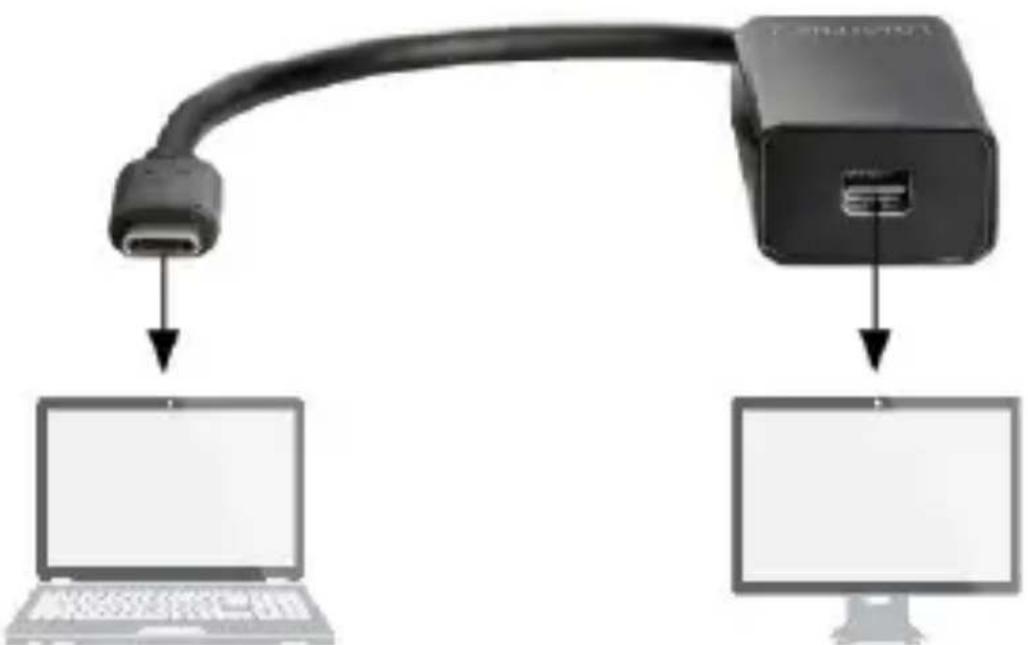
1) Connect USB-C™ plug of this product to the device (e.g. notebook, PC, smartphone, tablet)
2) Connect the Mini DisplayPort ^TM output of this product to the monitor with a Mini DisplayPort ^TM cable
6.0 Connection Diagram
flowchart
graph TD
    A["USB Cable"] -->|Data Link| B["Laptop"]
    A --> C["Desktop Computer"]
Notebook Mini DisplayPort™ Monitor
Hereby Assmann Electronic GmbH, declares that the Declaration of Conformity is part of the shipping content. If the Declaration of Conformity is missing, you can request it by post under the below mentioned manufacturer address.
www.assmann.com
Assmann Electronic GmbH
Auf dem Schüffel 3
58513 Lüdenscheid
Germany
text_image
CE
text_image
DIGITUS®USB Type-C™ 4K Mini-DisplayPort™ Grafikadapter
natural_image
Black USB drive adapter with cable, no visible text or symbols on device bodyBenutzerhandbuch
DA-70878
2. Schlüsselmerkmale
natural_image
Black USB device with cable and connector, no visible text or symbols on bodyGuide d'utilisation
DA-70878
CHER CLIENT,
flowchart
graph TD
    A["USB Cable"] --> B["Laptop"]
    C["Internet Port"] --> D["Computer"]
natural_image
Black USB device with attached cable, no visible text or symbols on the device bodyManuale dell'utente
DA-70878
CARI CLIENTI
natural_image
Black USB device with attached cable, showing ports and connector (no text or symbols visible)Manual de usuario
DA-70878
ESTIMADO CLIENTE
natural_image
Black USB drive adapter with cable, no visible text or symbols on device bodynatural_image
Black USB device with attached cable, showing ports and connector (no text or symbols visible)Kullanıcı Kılavuzu
DA-70878