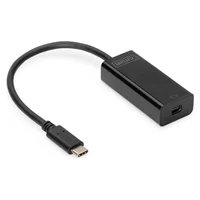
DN-15024 - Network card / adapter Digitus - Free user manual and instructions
Find the device manual for free DN-15024 Digitus in PDF.


Pick your language and provide your email: we'll send you a specifically translated version.
| Product Type | Gigabit Ethernet PCI Express Network Adapter |
| Model | DN-15024 |
| Brand | Digitus |
| Interface | PCI Express x1 (rev 2.0) |
| Data Transfer Rate | 10/100/1000 Mbps |
| Connector Type | RJ45 |
| Dimensions (L x W x H) | 120 mm x 20 mm x 100 mm |
| Weight | 50 g |
| Power Consumption | 2.5 W (via PCIe slot) |
| Operating Temperature | 0°C to 50°C |
| Storage Temperature | -10°C to 70°C |
| Supported Standards | IEEE 802.3, IEEE 802.3u, IEEE 802.3ab |
| Auto-Negotiation | Yes |
| Full Duplex Support | Yes |
| Wake-on-LAN | Yes |
| Operating System Compatibility | Windows 10/8/7, Linux, macOS (driver download required) |
| LED Indicators | Link/Act, Speed (1000/100/10) |
| Plug and Play | Yes |
| Maintenance | Keep connectors clean; avoid dust and static discharge |
| Safety Precautions | Handle with ESD protection; install in a powered-off computer |
| Spare Parts Availability | Not applicable; replace the unit if defective |
| Warranty | 2 years |
Frequently Asked Questions - DN-15024 Digitus
How do I install the Digitus DN-15024 network card?
Power off your computer, open the case, insert the card into an available PCIe x1 slot, secure it with a screw, close the case, and power on. Install the driver from the included CD or download from the Digitus website.
Which operating systems are supported by the DN-15024?
The card supports Windows 10/8/7, Linux, and macOS. Drivers for Windows and Linux are included on the CD; macOS users may need to download a compatible driver.
What is the maximum data transfer speed of this adapter?
The DN-15024 supports speeds up to 1000 Mbps (1 Gigabit per second) in full-duplex mode.
Does the DN-15024 support Wake-on-LAN?
Yes, Wake-on-LAN is supported. Enable it in the device properties within your operating system network settings.
How can I verify the card is working correctly?
After installation, check the LED indicators on the bracket: a solid green light indicates a link, and flickering shows activity. You can also run a network diagnostic tool or ping another device.
Is the Digitus DN-15024 compatible with my router?
Yes, it is compatible with any router or switch that has an RJ45 Ethernet port, supporting 10/100/1000 Mbps standards.
What should I do if the card is not recognized by Windows?
Try reseating the card in the PCIe slot. If that fails, go to Device Manager, scan for hardware changes, or manually install the driver from the CD or Digitus support site.
Can I use this card in a PCIe x16 slot?
Yes, the card is backward compatible with PCIe x4, x8, and x16 slots. It will work at x1 speed.
Does the DN-15024 come with a low-profile bracket?
The standard package includes a full-height bracket. A low-profile bracket is not included but may be available separately from Digitus.
How do I clean the network card?
Power off and unplug the computer. Use compressed air to blow dust off the card. Avoid touching the gold connectors. Reinstall only when completely dry.
User questions about DN-15024 Digitus
0 question about this device. Answer the ones you know or ask your own.
Ask a new question about this device
No questions yet. Be the first to ask one.
Download the instructions for your Network card / adapter in PDF format for free! Find your manual DN-15024 - Digitus and take your electronic device back in hand. On this page are published all the documents necessary for the use of your device. DN-15024 by Digitus.