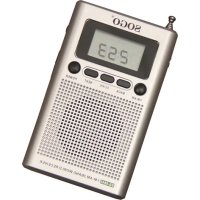
SS8840 - Radio Sogo - Free user manual and instructions
Find the device manual for free SS8840 Sogo in PDF.



User questions about SS8840 Sogo
0 question about this device. Answer the ones you know or ask your own.
Ask a new question about this device
Download the instructions for your Radio in PDF format for free! Find your manual SS8840 - Sogo and take your electronic device back in hand. On this page are published all the documents necessary for the use of your device. SS8840 by Sogo.
USER MANUAL SS8840 Sogo
Caution: please read and preserve these important instructions
ref. SS-8840

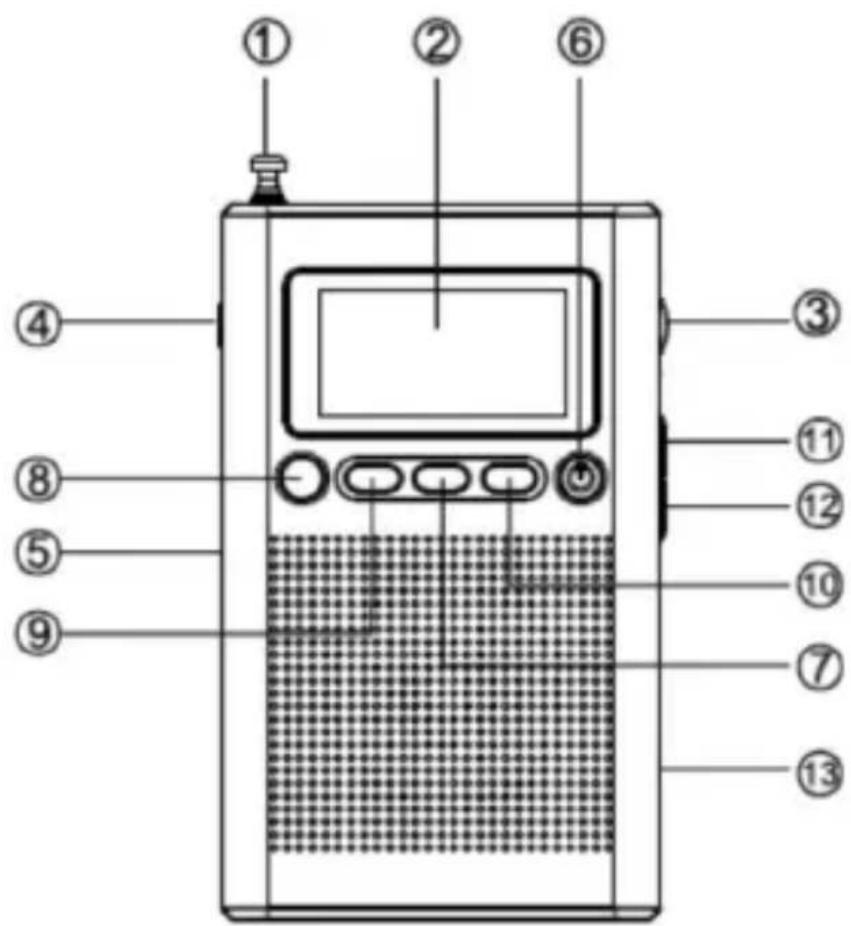
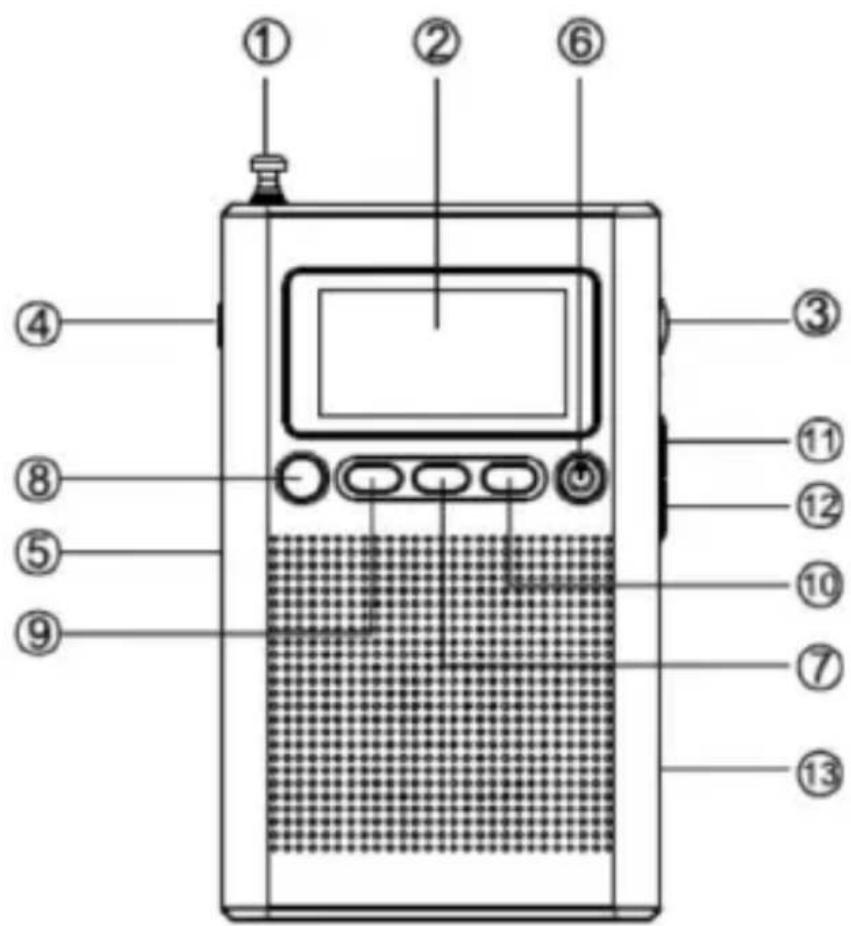
1) Press on "power switch button" (6), display screen displays "Hi" and switch on the radio.
2) Push volume button (3) to adjust volume
3) Press band switch button (8) to switch the band between FM/AM
4) Press tuning button (11, 12) to scan radio channels
5) After scanning radio channel, press save button (7), a blink of frequency on display screen represent a successful saving of channels. (Each band can save multiple number of radio frequency)
6) Press load button (7) and select saved radio frequency.
7) The magnetic antenna inside the radio is to listen to the AM band.
8) To listen to FM radio, please pull out the telescopic antenna (1) and obtain the optimal receiving effect by adjusting the length.
9) To not disturb others, please use earphone by plugging into earphone socket(4).
10) Change battery if the radio is not stable.
11) Press power switch button and display screen displays "off" represents the power is off.
CLOCK SETTING
This device adopts 12/24 hour system. After batteries are loaded the clock will run from "0:00".
1) Under the power-off state, if the indicator for alarm power-on " " is on the display screen, press Timer Set button (8) to cancel.
2) Hold time setting button (7), the 12 hour system blinks, press tunning button (11, 12) to select 12 or 24 hour time system.
3) Press time setting button twice, at the state of hour number blinks, press tunning button (11, 12) to set time of hour.
4) Press time setting button the third time, at the state of minute number blinks, press tumming button (11, 12) to set time of minute.
5) If time adjustment is needed, do the procedure all over again.
Note:
- When the time of hour/ minute is set, it must be set when the number of hour/ minute is blinking.
- When in 12-hour system, AM or PM on display screen represents the time in morning or afternoon.
TIME SETTING FOR POWER ON BY ALARM
1) Under the power off state, press Timer set (8) and the display screen displays the alarm indication "和" and alarm. This
indicated the radio enters the state of alarm power-on mode.
2) Under the power off state, press the timer set button(8) once and the indication for alarm power on "and "hour" number starts flashing on the screen. Press tuning button (11, 12) to set the hour time for alarm power-on.
3) Under the power off state, press time set button (8) twice and the indication for alarm power on " ⑨ "and "minute" number starts flashing on the screen. Press tuning button (11, 12) to set the hour time for alarm power-on.
4) If the alarm is due, the radio receives the band frequency before, power off automatically.
5) Under the power off state, press time set button (8) to disable the alarm. Note:
1) "rAd" displayed on the display screen stands for the function of power on by alarm and "bu2" stands for the function of alarm clock.
2) At the power off state, press the timer set button (8) for three times and screen displays "rAd" or "bu2". Press tunning buttons (11, 12) to select use of power on by alarm or alarm clock and press timer set button (8) to confirm.
USE OF SLEEP FUNCTION
This device has sleep function and will automatically powers off at the set time prior to sleep to avoid power waste caused by excessive energization.
1) Under power-on state, hold power button (6) for 2 seconds, the sleep indication " " and sleep time "15" will be shown, representing the radio is under sleep mode and will automatically power off after 15 minutes.
2) To change the sleep time, press and hold power button(6) for 2 seconds to adjust sleep time from the options 15-30-45-60-75-90 mins or OFF to cancel sleep function.
ANTENNA OPERATION
1) Listening to AM radio from using the internal magnetic antenna, you can achieve the best reception by rotating the machine direction.
2) When listening to FM radio, please pull out of the rod antenna, you can achieve the best reception by changing the antenna length and direction.
TECHNICAL SPECIFICATION
1) Frequency range
a. FM: 87.5 - 108 MHz
b. AM: 522 - 1620 KHz (9KHz stepping)
2) S/N Sensitivity
a. FM: better than 6 V
b. AM: better than 3mV/m
3) Single signal selection performance: better 20db
4)SNR: >
a. FM SNR: better than 50db
b. AM SNR: better than 40db
5) Power supply: DC 3V, 2 x AA batteries
6) Max current consumption: less than 150Ma
7) Internal speaker: 40mm 8Ω 0.5W
8) Dimension: 113 × 64 × 23 mm
9) Weight: 78g (w/o battery)
DECLARATION OF CONFORMITY
This device complies with Low Voltage Directive 2014/35/EC, Electromagnetic Compatibility Directive 2014/30/EU, Directive 2011/65/EU on the restriction of the use of certain hazardous substances in electrical and electronic equipment and Directive 2009/125/EC on the eco-design requirements applicable to energy-related products.

Déclaration de CONFORMITE
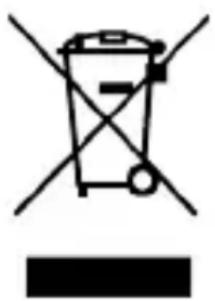
This symbol means that in case you wish to dispose of the product once its working life has ended, take it to an authorised waste agent for the selective collection of waste electrical and electronic equipment (WEEE)
Imported by:
Sanysan Appliances S.L, NIF: B98753056,
C/ Barcas 2, 2
46002 Valencia, Spain
Product made in P.R.C. - Designed by SOGO
based on the European Quality Standards
Customer Service: www.sogosat.com /
sogosat@sogosat.com / 0034 902 222 161