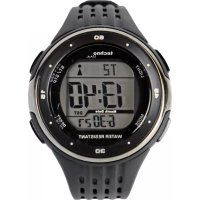
WT 947 - Digital watch TECHNOLINE - Free user manual and instructions
Find the device manual for free WT 947 TECHNOLINE in PDF.



| Product type | Radio-controlled digital watch |
| Brand | TECHNOLINE |
| Model | WT 947 |
| Power supply | 1 CR2032 battery (3V) |
| Case dimensions | Approx. 45 mm diameter, 12 mm thickness |
| Weight | Approx. 50 g (with battery) |
| Radio-controlled time reception | DCF77 (Europe), automatic and manual |
| Display | Hours, minutes, seconds, day, month, year (2000-2099), day of week |
| Time format | 12/24 hours selectable |
| Dual time zone | Yes |
| Alarms | 2 alarms with snooze function |
| Hourly chime | Yes (can be activated in alarm 1 mode) |
| Countdown timer | From 1 second to 24 hours |
| Stopwatch | Up to 23h59min59s, with intermediate time |
| Backlight | Electroluminescent (EL), 3 seconds |
| Water resistance | Not specified, avoid immersion |
| Care and cleaning | Soft dry cloth, avoid corrosive products |
| Precautions | Do not expose to shocks, extreme temperatures, excessive humidity, or direct sunlight |
| Battery replacement | CR2032, observe polarity |
| Recycling | Follow local regulations for batteries and WEEE |
| Warranty | Compliant with EU directives 2014/53/EU and ROHS 2011/65/EC |
Frequently Asked Questions - WT 947 TECHNOLINE
User questions about WT 947 TECHNOLINE
0 question about this device. Answer the ones you know or ask your own.
Ask a new question about this device
Download the instructions for your Digital watch in PDF format for free! Find your manual WT 947 - TECHNOLINE and take your electronic device back in hand. On this page are published all the documents necessary for the use of your device. WT 947 by TECHNOLINE.
USER MANUAL WT 947 TECHNOLINE
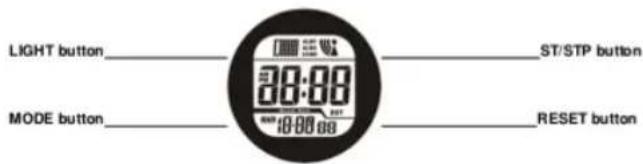
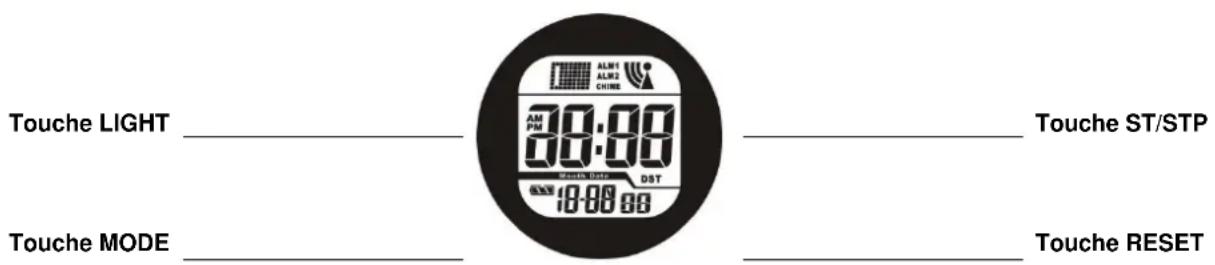
WT947-DIGITAL RADIO CONTROL WATCH INSTRUCTION (DCF)
Product features
Manual and automatic receiving of radio controlled time signal (DCF77).
With 2 Alarms and snooze function
12-digit timekeeping function, display hour, minute, second, day, month, year (2000-2099), day of week.
12/24 hour format selectable
Dual time function
Countdown function
Stopwatch function
Electro luminescence (EL) backlight
B. Product Function Mode
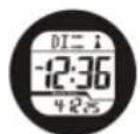
Time display mode

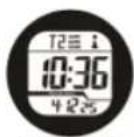

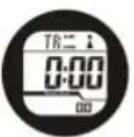
Timer mode
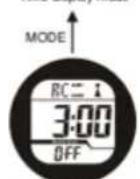
Auto reception ON/OFF


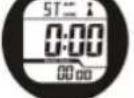
Stopwatch mode
Dual Time
When enter into dual time mode, press and hold down RESET button until "Hour" flashing to enter the setting mode. Press ST/STP button to adjust the flashing value. In dual time you can only set hour. Minute and seconds will automatically synchronize with normal time. Press MODE button to exit the setting mode.
Countdown
Countdown time can be set between 1 sec and 24 hours. When the countdown value reach zero, the alarm will ring for about 20 seconds. At this time press any key to stop the alarm. After the ring stops, the time will automatically return to previous start time. After displaying countdown mode, press ST/STP button to start the countdown. During the countdown, press ST/STP button to pause. Re-press ST/STP button to continue the countdown.
To completely stop the countdown, firstly pause it (Press ST/STP button) and then press RESET button. At this time the time will return to previous start time
Setting of Countdown Start Time
At countdown mode, press and hold down the RESET button until "Second" flashing to enter the setting mode. Press RESET button to step below items in sequence (flashing):
Second-->Minute-->Hour-->Exit
When the setting value is flashing, press ST/STP button to adjust it
To set start time of countdown to 24 hours, please set it at 0:00.
Press MODE button to exit the setting mode.
If without pressing any button within 30 seconds, it will back to normal timekeeping mode automatically.
Stopwatch
Time range of stopwatch is 23 hours, 59 minutes and 59 seconds.
If you do not stop the stopwatch, it will keep running. When the limit is hit, the stopwatch will re-start time counting from zero.
In stopwatch mode, press ST/STP button to start, re-press ST/STP button to stop. While stopped, press RESET button to return to zero.
When using the stopwatch split time: at stopwatch mode, press ST/STP button to start time keeping, press RESET button to enter split time status and start counting. Press RESET button to exit stop split time and show current value while counting continues in background. counting; press the ST/STP button to stop counting and display full time value counted. Re-press RESET button to make split time stopwatch return to zero.
At stopwatch mode, while time is counting, press MODE button to exit the stopwatch mode, the stopwatch will continue time keeping in background.
Alarm setting and functions
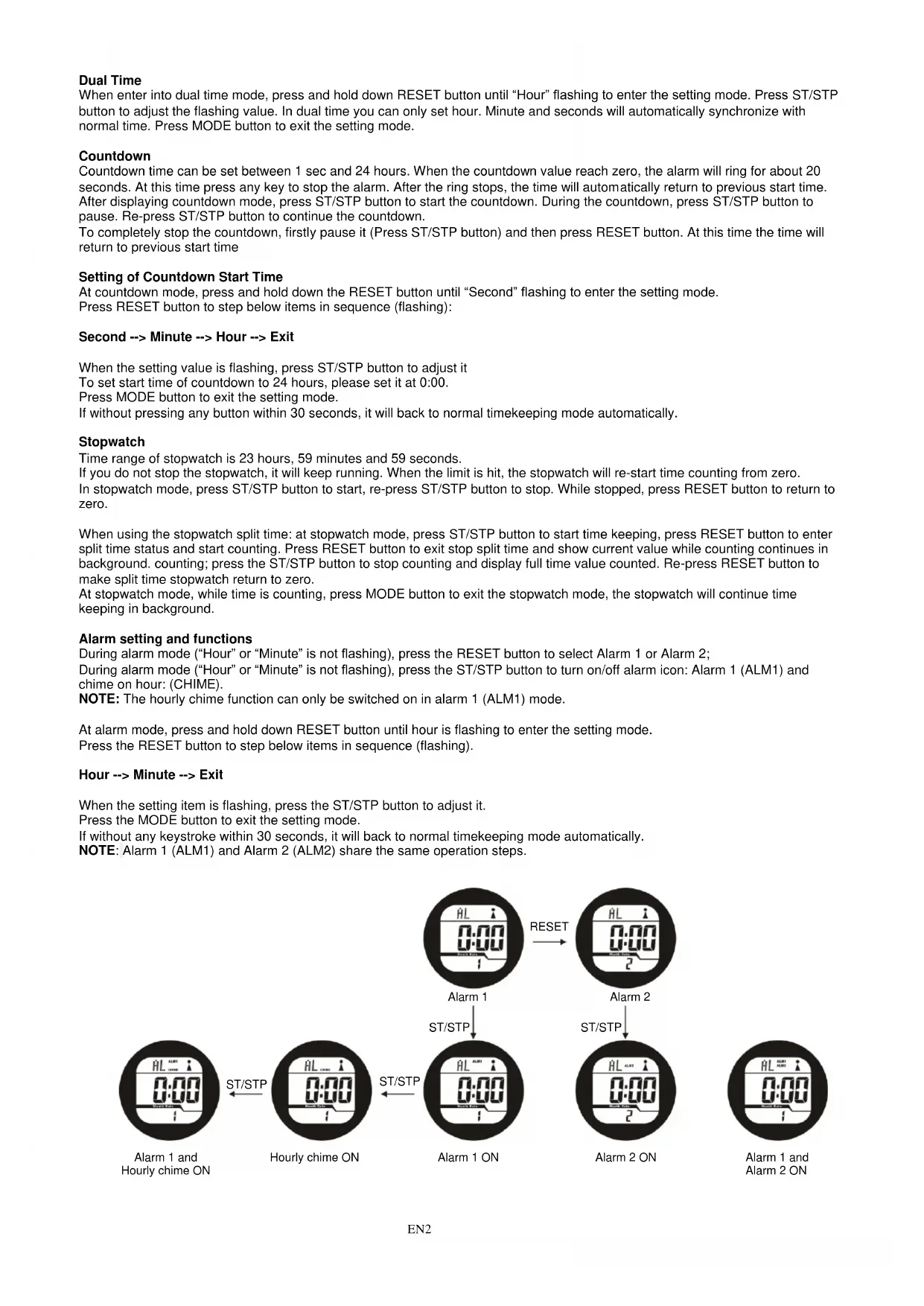
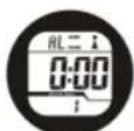
During alarm mode ("Hour" or "Minute" is not flashing), press the RESET button to select Alarm 1 or Alarm 2;
During alarm mode ("Hour" or "Minute" is not flashing), press the ST/STP button to turn on/off alarm icon: Alarm 1 (ALM1) and chime on hour: (CHIME).
NOTE: The hourly chime function can only be switched on in alarm 1 (ALM1) mode.
At alarm mode, press and hold down RESET button until hour is flashing to enter the setting mode.
Press the RESET button to step below items in sequence (flashing).
Hour-->Minute-->Exit
When the setting item is flashing, press the ST/STP button to adjust it.
Press the MODE button to exit the setting mode.
If without any keystroke within 30 seconds, it will back to normal timekeeping mode automatically.
NOTE: Alarm 1 (ALM1) and Alarm 2 (ALM2) share the same operation steps.
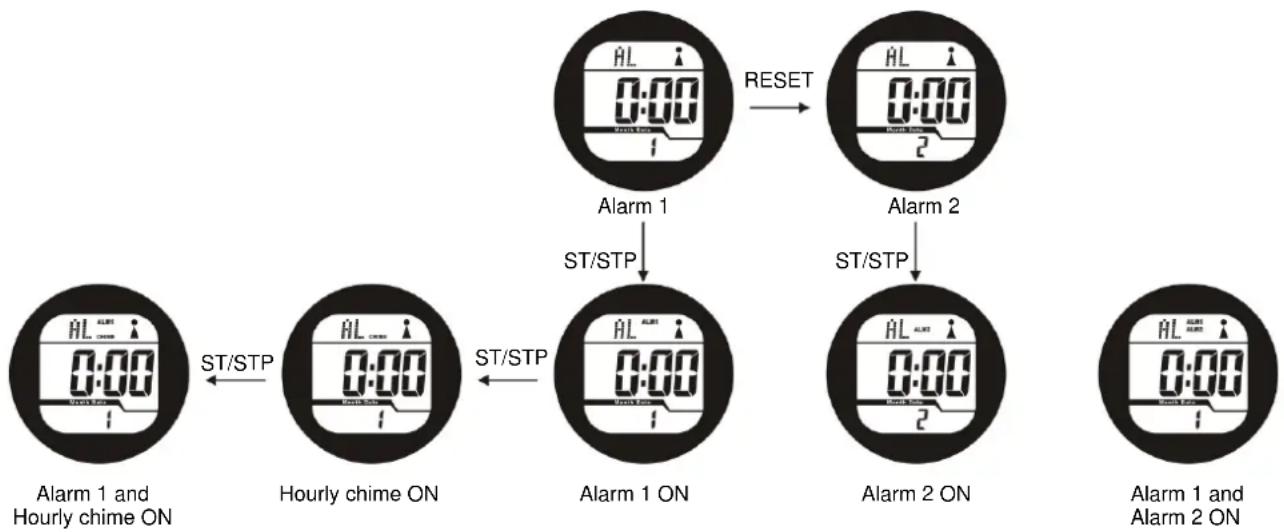
When the alarm rings, the alarm icon (ALM1 or ALM2) is flashing.
The alarm will automatically stop after ringing for 30 seconds when the preset time is reached.
Alarm-on icon and CHIME-on icon will display on all function modes.
Snoopze: When the alarm rings, press the MODE, RESET or ST/STP button to stop the ring and automatically launch snooze, the alarm will ring for 30 seconds in five minutes; within the 30 seconds without pressing MODE, RESET or ST/STP button, the snooze will automatically stop.
To end alarm sound faster, deactivate alarm using the alarm setting.
Automatic Receiving of DCF77 signal (radio-controlled signal)
At automatic RC receive mode, press the ST/STP button to select ON (means turn on automatic receiving), re-press the ST/STP button to select OFF (means turn off automatic receiving) to enter power save mode.
Manual Receiving of DCF77 signal (radio controlled signal)
At normal time mode, press and hold ST/STP button for 3seconds, when enter in to RCC reception mode, the symbol (A)
display and blink, if signal received success, the symbol (A) with three paces of signal items blinking, after adjusting
automatically, those signal and tower will keep in the display, if RCC reception failed, then no signal items display and blink around the tower.
Receiving signal
| Receiving status without any signal (signal tower is flashing) | |
| Receiving status with weak signal (signal tower is flashing) | |
| Receiving status with relatively weak signal (signal tower is flashing) | |
| Receiving status with good signal (signal tower is flashing) | |
| Received signal (signal tower will not flashing) | (信号) |
| Receiving no signal (signal tower will not flashing) |
Important notes:
If user turns on automatic receiving radio-controlled function, the internal set time for receiving is AM3:00
When automatic receiving RCC/ON is turned on, the product will automatically receive radio-controlled signal every 24 hours to correct the time.
Time of receiving RC signal is 5-10 minutes. If it cannot demodulate the signal within 10 minutes, then it will automatically give up receiving.
To ensure the receiving effect, we recommend user to lay the watch horizontally at the window when it's receiving signal.
We recommend user to turn off the receiving function when there's no need to receive radio to correct time, so as to save the power and extend the battery life.
Hereby, Technotrade declares that this product WT947 is in compliance with the essential requirements and other relevant provisions of Directive 2014/53/EU and ROHS 2011/65/EC. The original EU declaration of conformity may be found at: www.technoline.de/doc/4029665009476
Environmental reception effects
The clock obtains the accurate time with wireless technology. Same as all wireless devices, the reception is maybe affected by the following circumstances:
-
long transmitting distance
-
nearby mountains and valleys
-
near freeway, railway, airports, high voltage cable etc.
-
near construction site
among tall buildings
-
inside concrete buildings
-
near electrical appliances (computers, TV's, etc) and metallic structures
-
inside moving vehicles
Place the clock at a location with optimal signal, i.e. close to a window and away from metal surfaces or electrical appliances.
Precautions
- Do not subject the unit to excessive force or shock.
- Do not expose the unit to extreme temperatures, prolonged direct sunlight, extreme dust or humidity.
- Do not immerse in water.
- Avoid contact with any corrosive materials.
- Do not dispose this unit in a fire as it may explode.
- Do not open the inner back case or tamper with any components of this unit.
Batteries safety warnings
- Use only CR2032 as batteries.
Install batteries correctly by matching the polarities (+ / - ) -
Always replace a complete set of batteries.
-
Never mix used and new batteries.
- Remove exhausted batteries immediately.
- Remove batteries when not in use.
- Do not recharge and do not dispose of batteries in fire as the batteries may explode.
- Ensure batteries are stored away from metal objects as contact may cause a short circuit.
- Avoid exposing batteries to extreme temperature or humidity or direct sunlight.
- Keep all batteries out of reach from children. They are a choking hazard.
Use the product only for its intended purpose!
Consideration of duty according to the battery law

Old batteries do not belong to domestic waste because they could cause damages of health and environment. You can return used batteries free of charge to your dealer and collection points. As end-user you are committed by law to bring back needed batteries to distributors and other collecting points!
Consideration of duty according to the law of electrical devices
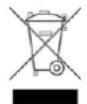
This symbol means that you must dispose of electrical devices separated from the General household waste when it reaches the end of its useful life. Take your unit to your local waste collection point or recycling centre. This applies to all countries of the European Union, and to other European countries with a separate waste collection system.
WT947 - MANUEL D'INSTRUCTIONS DE LA MONTRE NUMÉRIQUE TÉLÉ-PILOTÉE (DCF)