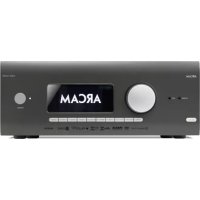
AV41 - Processor ARCAM - Free user manual and instructions
Find the device manual for free AV41 ARCAM in PDF.



| Product type | Multi-channel audio/video processor |
| Dimensions (W x D x H) | 433 x 425 x 171 mm |
| Net weight | 10.6 kg |
| Power supply | 110-120 V or 220-240 V, 50-60 Hz (switchable) |
| Power consumption (max) | 50 W |
| Power consumption (standby) | Less than 0.5 W |
| Number of HDMI inputs | 7 (HDMI 2.1, HDCP 2.3) |
| HDMI outputs | 3 (including eARC, zone 2) |
| Preamp outputs | 16 channels (XLR and RCA) |
| Supported audio formats | Dolby Atmos, DTS:X, Auro-3D, MQA, PCM up to 24-bit/192 kHz |
| Network connectivity | Ethernet, Wi-Fi, Bluetooth, AirPlay 2, Chromecast |
| Radio tuner | DAB/DAB+ and FM |
| Acoustic equalization | Dirac Live (calibration microphone included) |
| Supplied accessories | Universal remote control, 2 AAA batteries, DAB/FM antenna, 3 Wi-Fi/Bluetooth antennas, calibration microphone, USB cable, power cord |
| Safety | Standby consumption <0.5 W, overload protection, auto power-off |
| Maintenance and cleaning | Dust with a soft, dry cloth; do not use liquid or abrasive products |
| Spare parts and repairability | Contact Arcam after-sales service or an authorized dealer |
Frequently Asked Questions - AV41 ARCAM
User questions about AV41 ARCAM
0 question about this device. Answer the ones you know or ask your own.
Ask a new question about this device
Download the instructions for your Processor in PDF format for free! Find your manual AV41 - ARCAM and take your electronic device back in hand. On this page are published all the documents necessary for the use of your device. AV41 by ARCAM.
USER MANUAL AV41 ARCAM
AV41/AVR31/AVR21/AVR11
HANDBOOK
MANUEL
HANDBUCH
HANDLEIDING
MANUAL
PYKOBODCTBO
MANUALE
手册
徴図书
EN
HANDBOOK
ARCAM HDA
AV41/AVR31/AVR21/AVR11
Safety Guidelines
Important Safety Instructions
- Read these instructions.
- Keep these instructions.
- Heed all warnings.
- Follow all instructions
- Do not use this apparatus near water.
- Clean only with dry cloth
- Do not block any ventilation openings. Install in accordance with the manufacturer's instructions.
- Don't installearany heatsourcechusardrators; heat registers, stoves, or other apparatus (including amplifiers) that produce heat.
- Donot overeat the safety purpose of the polarized or grounding-type plug.
A polarized plug has two blades with one wider than the other. A grounding type plug has two blades and a third grounding plug. The wide blade or the third plug are provided for your safety. If the provided plug does not fit into your outlet, consult an electrician for replacement of the obsolete outlet.
- Protect the power cord from being walked on or pinched, particularly at plugs, convenience receptacles, and the point where they exit from the apparatus.
- Only use attachments/accessories specified by the manufacturer.
- Use only with the cart, stand tripod brackets, or table specified by the manufacturer, or sold with the apparatus.
When a cart is used, use caution when moving the cart/apparatus combination to avoid injury from hip over.

-
Unilignisparaparadurlinglightningstommswhen unused for long periods of time.
-
Refer all servicing to qualified service personnel. Servicing is required when the apparatus has been damaged in any way, such as power supply cord or plug is damaged, liquid has been spilled or objects have fallen into the apparatus, the apparatus has been exposed to rain or moisture, does not operate normally, or has been dropped.
-
Object or liquid entry
WARNING - Take care that objects do not fall and liquids are not spilled into the enclosure through any openings. The equipment shall not be exposed to dripping or splashing. Liquid-filled objects such as vases should not be placed on the equipment.
- Climate
The equipment has been designed for use in moderate climatics and in domestic situations.
- Cleaning
Unplug the unit from the mains supply before cleaning.
The case should normally only require a wipe with a soft, lint-free cloth. Do not use chemical solvents for cleaning.
We do not advise the use of furniture cleaning sprays or polishes as they can cause permanent white marks.
- Power sources
Only connect the equipment to a power supply of the type described in the operating instructions or as marked on the equipment.
The primary method of isolating the equipment from the mains supply is to remove the mains plug. The equipment must be installed in a manner that makes disconnection possible.
- Abnormal smell
If an abnormal smell or smoke is directed from the equipment, turn the power off immediately and unplug the equipment from the wall out of Contact your dealer and do not reconnect the equipment.
- Damage requiring service
The equipment should be serviced by qualified service personnel when:
A: The power-supply core or the plug has been damaged, or
8. Objects have fallen, or liquid has spilled into the equipment, or
C The equipment has been exposed to rain, or
12. the equipment does not appear to operate normally or exhibits a marked change in performance or
The equipment has been dropped or the endosure damaged.


CAUTION: To reduce the risk of electric shocks, do not remove cover (or back). No user serviceable parts inside. Refer servicing to qualified service personnel.
WARNING: To reduce the risk of fire or electric shock, do not expore this apparatus in rain or moisture.
The lightning flash with an arrowhead symbol within an equilateral triangle, is intended to alert the user to the presence of unsatisfied dangerous voltage within the product's enclosure that may be of sufficient magnitude so constitute a risk of electric shock to persons.
The explanation point within an equilateral triangle is intended to alert the user so the presence of important operating and maintenance (servicing) instructions in the literature accompanying the product.
CAUTION: In Canada and the USA, to prevent electric shock, match the wide blade of the plug to the wide slot in the socket and insert the plug fully into the socket.
Class II product
This equipment is a Class II or double insulated electrical appliance. It has been designed in such a way that it does not require a safety connection to electrical cards ("ground" in the U.S).
Warning
Mains plug/appliance coupler is used to disconnect device and it's still remain readily operable.
Safety Compliance
This equipment has been designed to meet the IEC/HN 6006s International electrical safety standard.
This device complies with Part 15 of the FCC Rules. Operation is subject to the following two conditions:
This devicemaynotcausehamfulinterference,and
This device must accept any interference received, including interference that may cause undesired operation.
The building installation shall be regarded as providing protection in accordance with the rating of the wall stocke outlet.
Caution on installation
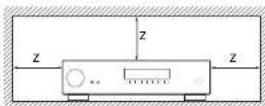
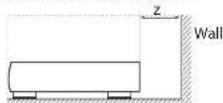
For proper heat dissipation, do not install this unit in a confined space, such as a boxkake or similar enclosure.
More than 0.3m (12in) is recommended.
Do not place any other equipment on this unit.
FCC Information (for US customers) PRODUCT
CONTAINS TRANSMITTER MODULE FCC ID: APILUXASTRO1, APILUXABT01
This product complies with Part 15 of the FCC Rules. Operation is subject to the following two conditions: (1) this product may not cause harmful interference, and (2) this product must accept any Interference received, including interference that may cause undesired operation.
IMPORTANT NOTICE: DO NOT MODIFY THIS PRODUCT!
This product, when supplied as indicated in the instructions contained in this manual, meets FCC requirements. Modification not expressly approved by AFCIAA may sold to your authority, granted by the FCC, to use the product. CAUTION (or Blutico/Alvi H)
To comply with FCC RF exposure compliance requirement, separation distance of at least 20~cm must be maintained between this product and all persons.
This product and its antenna must not be co-located or operating in conjunction with any other antenna or transmitter.
NOTE
This product has been tested and found to comply with the limits for a Class B digital device, pursuant to Part 15 of the FCC rules. These limits are designed to provide reasonable protection against harmful interference in a residential installation.
This product generates, uses and can radiate radio frequency energy and, if no, installed and used in accordance with the instructions, may cause harmful interference to radio communications. However, there is no guarantee that interference will not occur in a particular installation. If this product does cause harmful interference to radio or television reception which can be determined by turning the product OFF and ON, the user is encouraged to try to correct the interference by one or more of the following measures:
Reorient or relocate the receiving antenna.
L Increase the separation between the equipment ad Canadianis: CAN ICES-3 (B) / NMB-3 (B) "for the receiver. indoor use only"
C. Connects the product into a bullet on a circle different form that, at which the receiver is connected.
Consult the local retailer authorised to distribute this type of product or an experienced radio / TV technician for help.
IC Information (For Canadian customers)
PRODUCT
CONTAINS TRANSMITTER MODULE IC:
6132A-LUXASTRO1,6132A-LUXABT01
This product complies with RSS-247 of Industry Canada. Operation is subject to the following two conditions: (1) this product may not cause harmful interference, and (2) this product must accept any interference received, including interference that may cause undesired operation. This Class B digital apparatus complies with Canadian ICES 003.
CAUTION
To reduce potential radio interference to other users, the antenna type and its gain should be so chosen that the equivalent isotropically radiated power (eIRP) is not more than that permitted for successful communication. (1) the device for operation in the band 5,150-5,250 MHz is only for indoor use to reduce the potential for harmful interference to co-channel mobile satellite systems. (2) high-power radars are allocated as primary users (i.e., priority users) of the bands 5,250 - 5,350 MHz and 5,650 - 5,850 MHz and that these radars could cause interference and/or damage to LE-LAN devices.
For Canadian customers / Pour les clients
canadiens:CANICES-3B/NMB-3B"for
indoor use only
ATTENTION
RF Exposure Information
This equipment complies with FCC/TC radiation exposure limits set forth for an uncontrolled environment and means the FCC radio frequency (RF) exposure guidelines in Supplement C. In Of-165 and HSS-107 of the TC radio frequency (RF) Exposure rules. This equipment has very low levels of RF energy that are deemed to comply without testing of specific absorption ratio (SAR).
Safety Information (for European customers)
Avoid high temperatures. Allow for sufficient heat dispersion when installed in a rack.
Handle the power cord carefully. Hold the plug when unpugging this cord.
Keep the unit free from moisture, water, and dust.
Unpug the power cord when not using the unit for long periods of time.
Do not obstruct the ventilation holes.
Do not let foreign objects into the unit.
Do not let insecticides, benzene, and thinner come in contact with the unit.
Never disassemble or modify the unit in any way.
Ventilation should not be imaged.
Ventilation openings with items, such as newspapers, tablecloths or curtains.
Naked flame sources such as lighted candle or heater should not be placed on the unit.
[1-3]
Safety Information (for European customers)
Observe and follow local regulations regarding battery disposal.
Do not expose the unit to dropping or splashing fluids.
Do not place objects filled with liquids, such as vases, on the unit.
Do not handle the mains cord with wet hands. When the switch is in the OT position, the equipment is not completely switched off from MAIRS.
The equipment shall be installed near the power supply so that the power supply is easily accessible.
A note about recycling
This product's packaging materials are recyclable and can be reused. Please dispose of any materials in accordance with the local recycling regulations. When discarding the unit, comply with local rules or regulations.
Batteries should never be thrown away or incinerated but disposed of in accordance with the local regulations concerning battery disposal.
This product and its supplied accessories, excluding the batteries, constitute the applicable product according to the WEEE directive
Correct disposal of this product
These markings indicate that this product should not be disposed with other household waste throughout the EU.


To prevent possible harm to the environment or human health from uncontrolled waste disposal and to material resources, this product must be disposed of responsibly.
In dispense of your products, please use your oral return and collection systems or console. The installer where the product was purchased.
Radio specificton (for Europe model)
| Time Frequency Range Max. RF Power |
| Bluetooth 2.40Hz-2.80MHz 70dBm |
| wAN AN 2.40Hz-2.40Hz 6.075MHz 70dBm |
| 5GHz Radio 5.150-5.250MHz 236dBm |
| 5.250-5.350MHz 236dBm |
| 5.470-5.850MHz 400dBm |
| Note: The above specifications are based on the RE directive. |
| There is a possibility if can vary by country. |
Welcome
Thank you and congratulations...
for purchasing your Arcam HDA Receiver.
Arcam has been producing specialist audio products of remarkable quality for over three decades and the new Receivers are the latest in a long line of award winning Hi-Fi. The design of the HD4 range draws upon all of Arcam's experience as one of the UKs most retooled audio companies, to produce Arcam's best performing range of products yet designed and built to give you years of viewing and listening enjoyment.
This handbbook is intended to give you a detailed guide to using the Receiver. It starts by giving advice on installation, moves on to describe how to use the product and finishes with additional information on the more advanced features. Use the contents list shown on this page to guide you to the section of interest.
We hope that your HDA receiver will give you years of trouble-free operation. In the unlikely event of any fault, or if you simply require further information about Arcam products, our network of dealers will be happy to help you further information can also be found on the Arcam website at www.arcam.co.uk.
The HDA development team
Contents
Safety Guidelines EN-2
Welcome
Before You Begin... EN-6
Trademark Acknowledgments EN-8
Rear Panel Connections and Controls EN-9
Audio/Video Connections EN-10
Connection Guide EN-12
Radio & Wireless Audio Connectors EN-13
Other Connectors EN-14
Speakers
Connecting Speakers EN-16
Operation
Extended front panel menu EN-18
Updating firmware via USB EN-18
Front Panel Operation EN-19
Remote Control EN-20
Customising the Remote
Essential Setup
Auto Speaker Setup
Setup Menus
Connecting to a Network
EN-4
EN-15
EN-17
EN-22
EN-28
EN-29
EN-30
EN-34
Decoding Modes EN-35
Tuner Operation EN-37
Troubleshooting EN-38
Specifications EN-40
Worldwide Guarantee EN-42
Professional Installation?
It may be that the Receiver has been installed and set up as part of your Hi-Fi installation by a qualified Arcam dealer. In this case, you may wish to skip the sections of this handbook dealing with installation and setting up, and move directly to the sections dealing with using the unit. Use the Contents list to guide you to these sections.
DIY setup?
The Receiver is a powerful and sophisticated piece of AV equipment. If you are setting the unit up yourself, it is recommended that you read this handbook thoroughly before beginning. For instance, correct speaker configuration and placement is a key to getting the most out of your Receiver and making sure that all the elements of your system work in harmony.
Before You Begin...
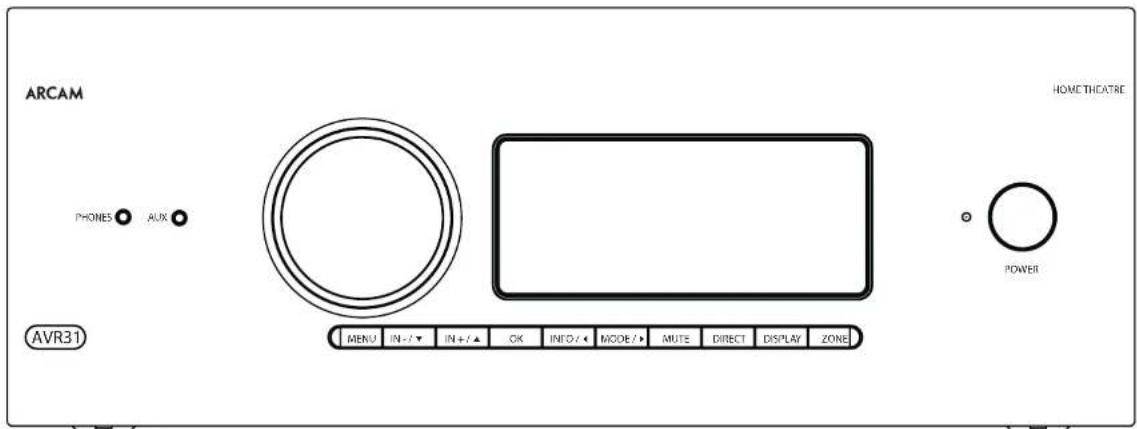
Arcam HDA Receiver
The Receivers are high-quality and high-performance home-cinema processors and amplifiers built to Arcam's quality design and manufacturing standards. They combine digital processing with high-performance audio and video components, cobring you an unrivalled home entertainment studio.
The Receiver allows switching and control of seven analogues and six digital audio sources in addition to internal FM and DAB+ radio - as well as networked audio sources - making any of the models an ideal hub for both home-cinema and two-channel stereo systems.
Since many of these source components are also capable of generating video signals, the Receiver includes broadcast-quality switching for DMI (xHDMI2.1) and 40Cot/s-HCP2.3), video/audio signals. Control of the Receiver is either by front panel control buttons, R remusate control, IP (Ethernet) control or RS232 port.
The remote control supplied with: The Receiver is a multidevice 'universal' learning remote control which is simple to use, and once set up it is able to control a complete system. It can be programmed using its vast internal code library to control CD and BD players, PVRs, TVs and other devices.
The installation of the Receiver in a listening room is an important process which requires care at every stage. For this reason, the installation information is very comprehensive and should be followed carefully to achieve an unvalued level of performance.
The Receiver is designed to produce a level of performance that will truly bring music and movies to life.
Placing the unit
Place the unit on a level, firm surface, avoid rigidity, sunlight and sources of heat or damp.
Do not place the Receiver on top of a power amplifier or another source of heat.
Do not place the amplifier in an enclosed space such as a bookcase or closed cabinet unless there is good proviso on for ventilation (see page EN-2).The Receiver will run warm during normal operation.
1 Do not place any other component on it. In the amplifier as this may obstruct airflow around the heat sink, causing the amplifier to run hot. (The unit, placed on top of the amplifier would become hot, too.)
Make sure the remote-control receiver on the front panel display is unobstructed, otherwise this will impair the use of the remote control. If line of sight is impractical, a remote-control repeater can be used with the rear panel connector (see page EN-34).
Do not place your record deck on top of a unit. Record decks are very sensitive to the noise generated by mains power supplies which will be heard as a background 'hum' if the record deck is too close.
Power
he amplifier is supplied with a moulded mains plug already fitted in the lead. Check that the plug supplied fits your supply - should you require a new mains load please contact your Arcam dealer
e/your marks supply on wage or marks plug is different, please contact your Arcon dealer immediately.
The Receiver can be switched for operation between 220-240V (switch position 230V) and 110-120V (switch position 115V).
NOTE: Ensure that the Receiver is switched off and the power lead removed before changing the position of the voltage range switch.
Push the PC plug end of the power cable into the socket on the back of the amplifier, making sure that it is pushed in firmly. Plug the other end of the cable into your main socket and, if necessary, switch the socket on.
The Receiver can be turned on using the power switch on the front panel. While switched on, the front panel HD will display white.
Standby power
The Receiver can be switched into standby mode using the ch button on the remote control. While in standby mode the front panel LED will glow red and (with default settings) power consumption is less than 0.5 Watts.
While in Stanogoy mode, it may be possible to hear a slight residual hum coming from the mains transformer inside the amplifier. This is perfect: no normal. However, if the unit is to be left unused for an extended period, we recommend that you disconnect it from the mains supply to save power.
Interconnect cables
We recommend the use of high-quality screened cables that are designed for the particular application. Other cables will have different incidence characteristics that will degrade the performance of your system (for example, do not use ceiling intended for video use to carry audio signals). All cables should be kept as short as practically possible.
It is good practice when connecting your equipment to make sure that the mains power-supply cabling is kept as far away as possible from your audio cables. Failure to do so may result in unwanted noise in the audio signals.
For information on speaker cables, please refer to the 'Speakers' section, beginning on page EN 16.
Radio interference
The Receiver is an audio device containing microprocessors and other digital electronics. Each model has been designed to very high standards of electromagnetic compatibility.
This is a Class A product. In a domestic environment this product may cause radio interference, in which case the user may be required to take adequate measures.
If the Receiver causes interference to radio or television reception (which can be determined by switching the Receiver off and on), the following measures should be taken:
Reorient the receiving antenna or route the antenna cable of the affected device as far as possible from the ARCAM Receiver and its cables.
Relocate the affected device with respect to the ARCAM Receiver.
11. Connect the affected device and the Receiver to different maina outlets.
If the problem persists, please contact your Arcam dealer.
Trademark Acknowledgments
| Dolby Vision, Dolby Atmos, Dolby Audio |
| Manufactured under License from Dolby Labs Laboratories, Dalian, Dalian Vision, Dalian Atmos, Dalian Atmos, and the registered trademark of Dolby Electronics. |
| DTS:X® For DTS patents, see http://patentsdb.com Manufactured under license from DTS Licensing Limited, DTS, the Symbol, DTS in corresponding line with the symbol. DTSX and the DTSX logo are registered trademarks or trade marks of DTS, no in the United States and/or other countries. ® DTS, Inc. All Rights Reserved. |
| DTS VirtuaX® For DTS patents, see http://patentsdb.com Manufactured under license from DTS Licensing Limited, DTS, the Symbol, DTS and the symbol together, VritiusX and the DTS VirtuaX logo are registered trademarks and/or trade marks of DTS, Inc. in the United States and/or other countries. ® DTS, Inc. All Rights Reserved. |
| IMAX® & DTS® Manufactured under license from IMAX Corporation, MAX® is a registered trademark of IMAX Corporation in the United States and/or other countries. For DTS patents, see http://patentsdb.com. Manufactured under license from DTS Licensing Limited, DTS, the Symbol, DTS and the symbol together and registered trademarks or trade marks of DTS, Inc. in the United States and/or other countries. ® DTS, Inc. All Rights Reserved. |
| Auro-3D® Manufactured under license from Auro Technologies, Aero, Aero 3D, Aero Codice and AutoMalis are registered Trademarks of Auro Technologies. |
| AAC/AAC Plus and Plus is a trademark of Coding Technologies See: http://codtech.whoist.com.net In more information. |
| HDMI LCDMI, the HDMI logo and High-Delphi EMI Multimedia Interfex are trademarks or registered trademarks of HMI Licensing LLC. |
| Bluetooth® The Bluetooth® brand name and logos are registered trademarks owned by the bluetooth BG, Inc. and any use of such names by 141KAN International Industries, incorporated in, under License. Other trademarks and trade names are licensed by the license holder. | |
| Qualcomm® Qualcomm® is a trademark of Qualcomm incorporated, registered in the United States and other countries, applX® is a trademark of Qualcomm Technologies international, Ltd., registered in the United States and other countries. | |
| App: AirPlay and the AirPlay logo, iPod, Phone and iPad trademarks of App Inc., registered in the U.S. and other countries, App Store is a service mark of Apple Inc. AirPlay 2 works with iPhone, iPad and iPod touch with OS 11.4 or later, Mac with OS X Mountain Lion or later, and PC with Windows 10.2.2 or later. | |
| Wi-Fi CERTIFIED | The Wi-Fi CEREBUILD Logo scertification marks of the Wi-Fi Alliance. |
| CHROMOSURFACE | Google, Google Flag, Chromosurfact, and other related marks are trademarks of Google LLC. The Google Assistant requires an internet connection and is not available in certain countries and languages. Availability and reach of certain features and services are devices, services, and network capabilities and may not be available in all access controlling devices in your home. Requires compatible smart devices. Subscriptions for devices and applications are required and additional terms consultant and/or charges may apply. |
| vTuner | This product is protected by certain intellectual property rights of NUIS and Siddeo. Use or distribution of such technology outside of this product is prohibited with whom a license from NEMS and fixed price or an authorized royalty. |
| MP3 | MP3 layer 3 auxiliary decoding technology licensed from Iuathelon & Immonon Int'lMedia. |
| Spotify® | Copies: The Spotify license is subject to Child party licenses found her: http://developer.apple.com/cqtl/child-party licenses/. |
| FLAC 11. Decader Copyright #3000, 2001, 2002, 2003 2004, 2005, 2006, 2007, 2008 & onwards |
| Redistribution and use in source and binary forms, will or without modification, are permitted provided that the following conditions are met: - Redistributons of source code must retain the above copyright notice, this list of conditions and the following disclaimer - Redistributons in binary form must reproduce the above copyright notice, this list of conditions and the following disclaimer in the documentation and/or other materials provided with the distribution. - Neither the name of the Xiphos Foundation nor the names of its contributors may be used to encase or promote products derived from this software without specific prior written permission. |
| THIS SCHOOL IS PROVISIONAL TO THE CIPPLICITY COLDING AND COATING MATERIALS (AS IS AND ANY LOGISTICS OR IMMUUL WARDANILIES INCLUDING BUT NOT LIKID) TO THE IMMUUL WARDANILIES OR MERCHANTIBILITY AND FITNESS FOR A PARTICULAR PURPOSE ARE DISCLAIMED IN NO PARTNET SHALL THE FOUNDATION OF CONTRIBUTORS BE PERABLE ANY DIRECT INTECT, INCENTRAL, SPECIM, EXTERMINARY OR CONSEQUENTLY DAMAGED INCLUDING BUT NOT LIMITED TO PROCEDURE OF SUBSTITUTE GOODS OR SERVICES LOSS OR USE DATA OR PROFIT OR BUSINESS INTERVENTION HOMES/HEARS CAUSED AND ON ANY THEORY OF LIABILITY WHEN IN CONTRACT, STRAY LIABILITY, OF TORT INCLUDING NEAGENCE OR OTHERWISE ARRISING IN ANY WAY OUT OF THE US OR ITS SO SU (RAVLT, LIVIY, AEWIS) OR THE PUBLISABILITY OF SUCH DAMAGE |
| MQA (Master Quality Authorized) |
| MQA is an award-winning British technology that delivers the sound of the original master recording. The master VQA file is fully authenticated and is small enough to stream or download. |
| VQA must contain all import information. |
| Acam APO, include MQA technology, which entables you to play back MQA studio files and a stream, delivering the sound of the original master recording. |
| 'MQA' on 'MQA Studio' indicates that the source is recording and playing on MQA stereo files and their owners' proviceance to ensure that the sound is copyright to that of the source material. MQA studio indicates it is playing an MQA Studio file, which has obtained approval in the music by the artist producer or has been verified by the copyright owner. |
| MQA and the Sound Wave Desire are registered race marks of MQA Limited in 2016 |
EN
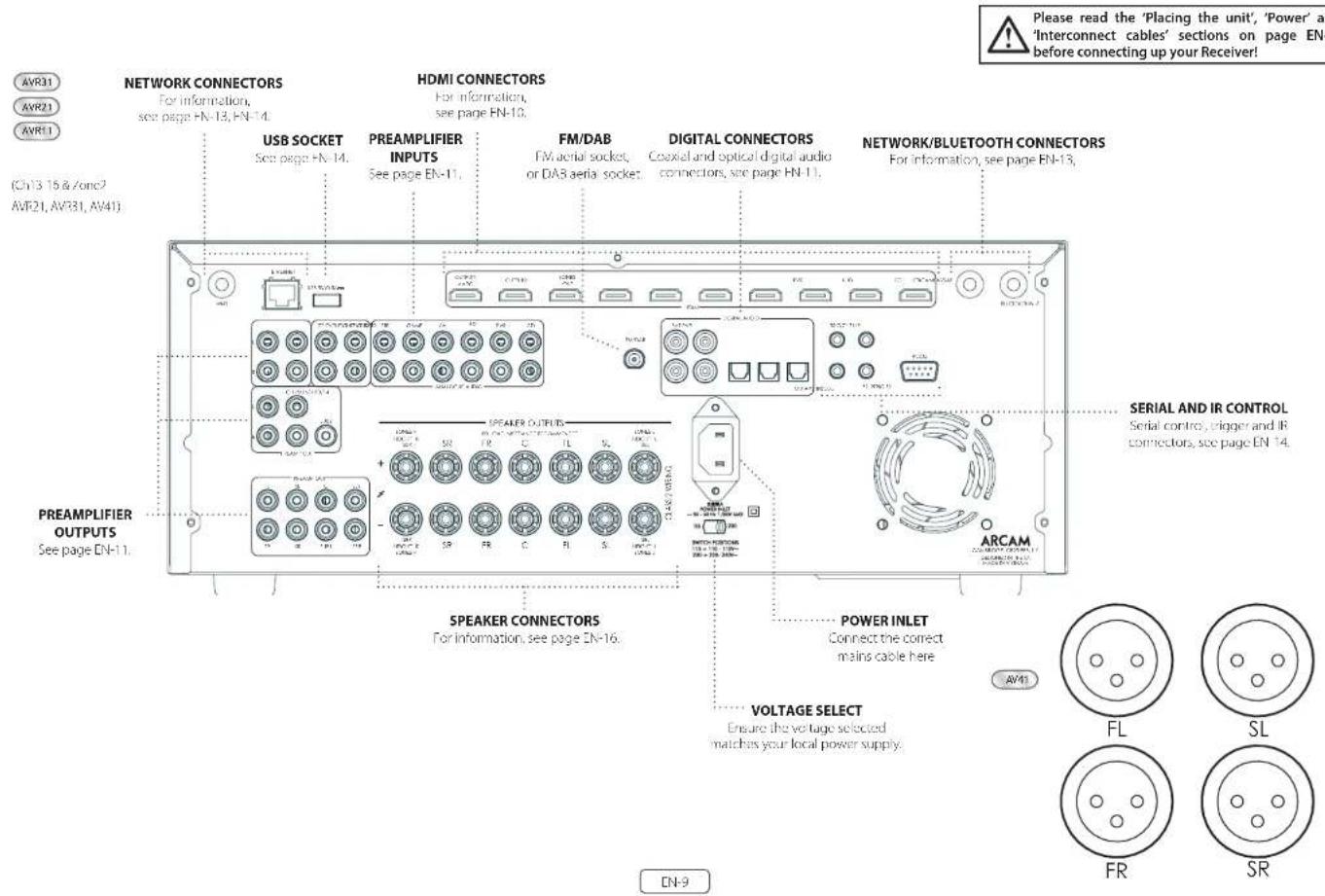
Audio/Video Connections
Before connecting your Receiver to your source components and speakers, please read through the next few pages which will explain all the instal and output, connectivity that is available. The 'Speakers' section explains how to connect up your speakers to avoid carriage to the amplifier and how to arrange your speakers for best performance.
General
The inputs are named to make it easier to reference connected devices (e.g. BID) [18] [19] they all have the same input circuit, so there is no reason why you should not connect a different device to any of the inputs. For example, if you had two BD players and the AV input was not being used, then the second BD player could be connected to the AV input.
When connecting a video source, its audio must be connected to the corresponding sociels. For example, if you had a satellite decoder plugged into a Sardio input, the audio must be connected to the Sardio inputs!
Making Connections
take care to place cables as far from any power supply cooling as is practicable, to reduce hum and other noise problems.
NOTE: For each input, you must set the 'Video Source' and 'Audio Source' settings according to the connection type. (see 'Input Config.' on page EN-31)

HDMI Connectors
PVR, UHD, BD, SAT, AV, GAME, STB
Connect the HDVI video outputs of your source equipment to these corresponding HDVI inputs.
OUTPUT (Zone2-AVR21, AVR31, AV41)
Connect this output to the IDM Video Input of your Display device. Output is compatible with IDMM Enhanced Audio Return Channel (eARC). If you have a supported television then sound from the Television's internal Tuner (eg. Freeview, Ffreeat, DVB T) will be available using the Receiver's Display input.
Digital audio connectors
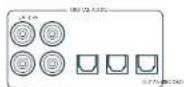
SAT, PVR, BD, CD, STB, AV
Connect these inputs to the digital outputs of your available source equipment.
Zone 2 connectors (AVR21, AVR31, AV41)
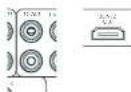
The Z22 out HDMI connector can be used to connect the output of the receiver to a system located in a second room.
Analogue preamplifier outputs
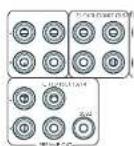
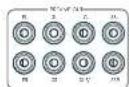
All preamplifier analogue outputs are buffered, have a low output impedance, are at line level and follow the Zone 1 volume control setting, they are able to drive long cables or several inputs in parallel if required.
For more information on connecting speakers or additional power amplifiers, see pages FN-9 and FN-16.
The AVM1 has X-R output, in addition to the pheromone pre-plays for connection to an external amplifier.
Analogue audio inputs
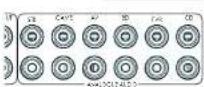
STB, GAME, AV, BD, PVR, CD
Connect the left unit right inputs to the left and right outputs of your source equipment.
Front panel AUX input

The front panel AUX input can be used as an analogue input, using a stereo 3.5mm lead.
Front panel PHONES socket
This socket accepts headphones with an impedance rating between 32 and 500 fitted with a 1.5mm stereo jack plug. The headphone socket is always active, except when receiver is muted.
When the handheld jack is immersed, the snubber outputs and analogic presamplifier outputs are automatically mixed.
Connection Guide
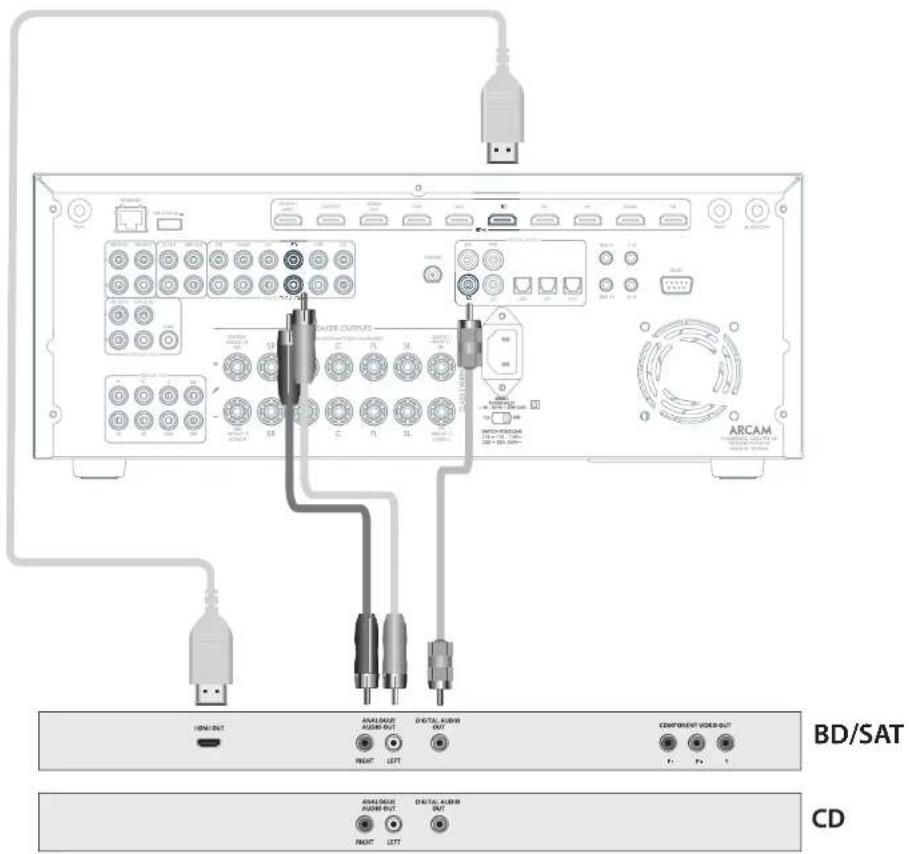
Blu-ray Disc (BD)/DVD player
IIC diagram shows how to make audio and video connections from a typical BTD/ATD player.
Whether HDV, digital or analogue connections are used, connecting using the input/inputs labeled on the Receiver-wild operation.
Satellite receiver
A satellite receiver is connected with the same order of preference according to the outwards provided by the satellite receiver.
CD player
Connect the digital output in the digital cd input of the Receiver and analogue output to the analogue cd in out of the Receiver, using a high quality interconnect cable.
NOTE: For each input, you must set the 'Audio Source' setting according to the connection type. (see "Input Config." on page EN-31)
Radio & Wireless Audio Connectors

DAB/FM Connector
The Receiver is fitted with an FM and a DAB/DAB1 receiver module. The type of aerial you need depends on your listening preferences and the local conditions.
Your Receiver is capable of superb radio reception, but only if it is receiving a good quality transmission signal.
Try the aerials supplied with your unit. If you are in a medium to strong signal area, these should be adequate for good reception. In areas with poor signal strength, you may require a roof or loft mounted aerial.
Contact your local Arcam dealer or aerial installation experts for advice about local reception conditions.
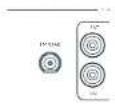
In strong signal areas, the DAB/FM/Fuvec aerial supplied can be used with reasonable results. Mount the aerial as high up as possible on a wall.
In the UK the "elements need to be positioned vertically for DAB reception since broadcasts are vertically polarised. In other localities, check with your Arcan dealer or try both horizons and vertical positions for best reception.
Try each usable wall of the room to see which gives best reception and use tacks or adhesive tape to secure the aerial in a 'T shape, but note that, no tacks should come into contact with the internal wire of the aerial.
When installed and receiving DAB/TM, check the signal strength by pressing the front panel or remote control's INFO button until the signal quality indicator is displayed.
In weak signal areas, a high gain, externally mounted or roof mounted aerial is desirable in order to receive the highest number of services.
In Band II transmission areas (such as the UK), use a multi-criterion, Yap aircraft with the elements mounted vertically, as the transmitters are vertically polarised. If you are close to more than one transmitter, use an omnidirectional or folded dipole serial.
If the DAB services in your area are parameterised in 1-band, then ask your dealer for advice for the best aerial to use.
Wi-Fi/Bluetooth
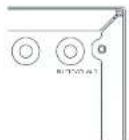
fusing the Wi-Fi or Bluetooth features of the Receiver, please attach the single antenna for the Bluetooth and the two antennas as for the Wi-Fi.
Other Connectors
Serial connector
RS232 serial connector

The connector is used with control devices having an RS232 serial port (for example, Cistron and ANX touch-screen controllers).
Network connector
Networking is a large subject and on my the briefest guidelines are presented in this handbook. Please contact your Arcane dealer or socialist installer for more information about introducing the Receiver into your computer network.
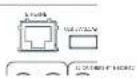
Ethernet
If an Ethernet cable is connected, the Receiver will automatically attempt to connect to your network.
You should use CATS cable plugged into the RJ45 socket labelled ETHERNET on the rear panel.
If your network uses static IP addressing rather than DHCP, you will need to provide IP address: gateway and DNS; see page Dh-34 for information on setting up the network.
USB connector
The Receiver can be unicast via the USB socket on the host of the unit, if no network connection and so "Over The Air" update is not available.
Trigger connectors
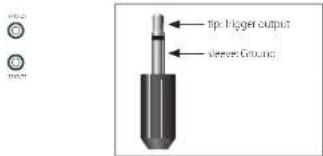
The trigger connectors (TRIG Z1 and TRIG Z2) provide an electrical signal whenever the Receiver is switched on and the relevant zone enabled.
The trigger signal can be used to switch on and off compatible pieces of home entertainment equipment, for example, you could set up a trigger to turn on your television and BD player whenever the Receiver was switched on.
There are two trigger output sockets on the Receiver, each capable of outputting a 12V, 70mA switching signal. The socket is disagreed for mono 35mm jacklet tip in the trigger output, sleeve is ground.
TRIGZ1
Use for remotely turning on and lift power amps or source equipment for Zone 1. On=120; Off=0V.
TRIGZ2(AVR21,AVR31,AV41)
Use for remotely turning on and off power amps or source equipments: for Zorc 9.0n = 12V, Off = 0V.
Infrared (IR) connectors

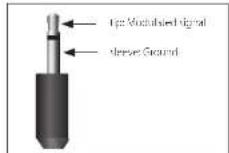
The infrared inputs 21 IR and 22 IR allow the connection of external IR receivers, either when the Receiver front panel IR receiver is fully or partially obstructed or to allow the use of a remote control in zone 2.
There are two IR inputs on the Receiver, each designated for stereo or mono 3.5mm Jacks. Tip is the modulated signal, sleeve is ground.
Z1IR
This input is intended for use with a local IR receiver when the front panel of the Receiver is blocked.
Z2 IR (AVR21, AVR31, AV41)
This input's intended for use with an Ili receiver in Zone 2 to allow remote control of Receiver from a second room.
Speakers
The AVR5/AVR11/AVR21/AVR31/AVR41 allows you to connect up to sixteen speakers. The AVR41 is designed to be used with additional power amplifiers for all channels. The AVR5/ AVR11/AVR21/AVR31 has 7 channels of amplification. 5 channels of amplification correspond to speakers installed in the front left, centre, front right, surround left, surround right. The remaining 2 channels of amplification can be assigned as:
bi-amp the front left and right
surround back left and surround back right
height1 left and right
Zone 2 left and right (AVR21, AVR31, AV41)
Height front left, height front right, height back left, height back right and five more additional speakers can be attached using an additional power amplifier, see page EN-16 for more information.
With the addition of correctly installed and configured height channels, Do by Atmos for the Home, DTSX or Aero 3D brings the ultimate cinema sound experience to your home theatre to create powerful, mixing audio that flows around you.
The configuration and placement of your speakers is very important. All speakers, with the exception of the subwoofer(s), should be arranged around your normal viewing/listening position. The subwoofer should be placed in a position which gives an even frequency response in all listening positions. Incorrect placement leads to bass boom in some areas. Often the only way to find a good position for your subwoofer(s) is by experimentation. A good place to start experimenting is close to a wall but at least 1m away from any corners. You can also consult your subwoofer/handbook for placement suggestions.
Connecting Speakers
To connect each of the speakers, uncrew the corresponding terminals on this back of the Receiver, insert the speaker wires through the hole in each port and screw the terminals back up. Make sure that the red (positive/-) terminal of the speaker is connected to the red (positive/-) terminal on the back panel, and the black (negative/-) terminal of the speaker is connected to the black (negative/-) terminal on the back panel.
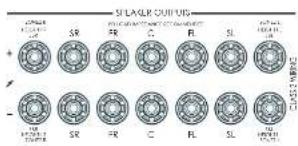
It is important that no stray strands of wire from these connections are allowed to touch another cable or the product casing. Failure to ensure this can cause a short circuit and damage your Receiver.
Ensure the unit is switched off whilst connecting speakers. Do not over-tighten the loudspeaker terminals, or use a wrench, pliers, etc., as this could damage the terminals and this would not be covered under the product's warranty.
Speaker cables
The speakers should be connected to the amplifier using good-quality, high-purity, low impedance copper cables. Cheap speaker cables should be avoided - they are a false economy and can significantly degrade the sound quality.
The cable runs to the speakers should be as short as possible. Connections in the speaker terminals should always be finger tight, whether using tape wires or spadecom connectors.
Bi-amping the Front Left & Front Right speakers
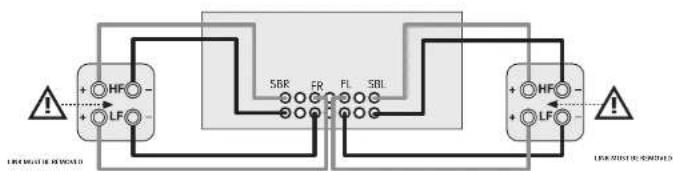
Hi amping is the use of two amplifier channels per speaker. Hi amping can provide better sound quality than conventional single wiring. If you do not have Surround Back speakers (i.e., you have a 5" surround system, not a 7" system) then you can use the spare Surround Back speaker outputs to amplify the front left and right speakers if your speakers support hi-mping. The spare channels can alternatively be used to power stereo speakers in another room (Zone 2).
Speakers that support bi-amping have two sets of 1 / 7 terminals per speaker, usually linked together by metal strips. These metal strips MUST be removed when bi-amping; failure to remove them will result in damage to the amplifier that is not covered under warranty.
To iB-amp the front left and right speakers, remove the metal strips from the speaker terminals. Connect the wooder or LF terminals to the FL and FR terminals on the Receiver. Connect the tweeter or HF terminals to the SBL and SBR terminals on the Receiver. Finally, navigate to the Setup Menu 'Spkr Types' and set the Use Channels 6+7 for menu option to iBamp L-R see page EN-32.
Connecting Subwoofer
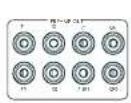
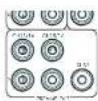
The Receiver also allows up to four active subwoofoers to be connected to the SUB or Ch13/14/15/16 outwards. Refer to your subwoofer handbook for the correct setting up and connection procedure for your particular subwoofer(s).
[16
Using external power amplifiers
he internal power amplifier of the Receiver can be supplemented or replaced with external power amplification, such as the Arcam PA720. Connect the PREAMP OUT sockets to your power amplifier inputs:
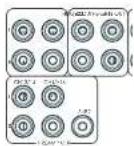
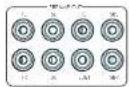
FL, FR
Connect these to the equivalent Right and Left front channels of your power amplifier.
C
Connect these to the Centre front channel of your power amplifier.
SUB
Subwoofer outputs. Connect this to the input of your active subwoofer(s), if present.
SR, SL
Surround Right and Surround Left outputs. Connect these to the Surround Right and left power amplifier inputs.
SBR, SBL
Surround Back Right and Surround Back Left outputs. Connect these to the Surround Back Right and Surround Back Left power amplifier Inputs.
Height 1 (Height Front), Height 2 (Height Back)
Height Front and Height Back Connects these to the Height channel power amplifier inputs.
All preamplifier analogue outputs are buffered, have a low output impedance and are at line level. They are able to drive long cables or several inputs in parallel if required.
Operation
Operating your Receiver
For information display we recommend you use the OSD (On-Screen Display) on your display device wherever possible.
Switching on
Press the front panel power button in The power LED will glow white. When initialisation is complete, the display shows the volume setting and the name of the selected input.
Please wait until the unit has finished initialising before operating the Receiver. It is recommended that if the unit is switched off, you should wait at least 10 seconds before switching the unit back on.
Standby
The Receiver has a standby mode which can be entered by pressing STANDBY on the remote control. When in standby mode, the display is blank and the POWER ons are red.
If the unit is to be left unused for an extended period, we recommend that you disconnect it from the mains supply to save power.
To switch on from standby
Press the STANOGY button on the remote control, any key on the front panel (other than the power button) or rotate the volume knob.
Front panel display
The Receiver is ready for use after about four seconds.
he display window shows the currently selected source and the last selected information view setting (this information line can be changed using the INPUT).
The current volume setting for Zone 1 is displayed on the front panel. The volume setting for Zone 2 is displayed temporally whenever it is set.
The front panel display is also used for unit setup after processing the MENTION of the front panel or rcrodit.
Selecting a source
To select a particular source, press the INPUT-INPUT+ buttons until that source is shown on the front panel display, or if available) press the corresponding source button on the remote. The following sources are available:
| STB Set Top Box input |
| GAME Game console input |
| AV Audio/Visual input |
| SAT Sate life input |
| 3D Blurring Disc/DVD player input |
| UHD UHD player input |
| PVR Personal Video Recorder input |
| CD Compact Disc player input |
| FM Internal tuner input |
| DIAR Internal tuner input (this source is market dependent and may not be available on your Receiver) |
| NFI Ethernet input |
| ST BT input |
| AUX Auxiliary front panel) input |
| DISPLAY The Audio Return Channel (ARC) from a compliant display. Use this with a compliant television using internal TV tuners. |
Most audio inputs have both analogue and digital connections. You must specify the type of connection used for each input using the Audio Source option in the Input Config', menu, see page EN 31. Note that an incorrect setting will result in no sound - the default, for inputs with HDMI is HDMI audio. If you are not using HDMI audio then this setting must be changed. For inputs that do not have HDMI, the default is glial audio.
The processing mode and Stereo Direct functions are remembered and recalled for each Individual Input.
Stereo Direct
To listen to a pure analogue stereo input, press the DIRECT button. The Stereo Direct mode automatically bypasses all processing and any surround functions. In direct mode, digital processing is shut down to improve the sound quality and reduces digital noise with the Receiver to an absolute minimum.
Note: when Stereo Direct mode is selected, no bass management is performed, meaning that bass signals will not be redirected to a subwoofer.
Volume control
It is important to realise that the level of the volume indicator is not an accurate indication of the power delivered to your loudspeakers. The Receiver often delivers its full output power long before the volume control reaches its maximum position, particularly when listening to heavily recorded music. In comparison, some movie sound tracks can appear very quiet, as many directors like to keep maximum levels in reserve for special effects sequences.
Headphones
To use headphones with the Receiver, plug the headphones into the PHONES socket in the centre of the front panel.
When headphones are plugged into the front panel PHONES socket, the outputs for Zone 1 are muted and the audio will be down-mixed to two channels (20). The two-channel down-mix is required so that the centre channel and surround information can be heard via the headphones.
Extended front panel menu
Pressing the MENU on the Front panel and holding it for longer than four seconds will bring up the Extended Menu, allowing you to perform the following:
Restore to factory defaults
This option allows you to restore all settings on your Receiver to the defaults that it left the factory with.
Check for update
Checks for an over-the-air firmware update (requires external network connection):
This option allows you to restore all settings to their state as saved using the 'Stones secure backup' feature. This option is useful if settings are accidentally changed:
Store secure backup
This option allows you to save all the Receiver settings to a secure area of memory. If the settings can be retrieved using the restore option above.
Restore USB backup
This option allows you to restore all the settings from a file previously saved on a USB flash drive.
Store USB backup
This option allows you to save at the settings to a USB flash drive.
Region
Set the regior you are incoed- Europe, (Rm) US or Canada
Change remote code
The default BCS system code the Recover respondents to is 16. If required, for example due to another device in your system also using this BCS system code, it can be changed to 19. The supplied remote card can also be reprogrammed to use BCS system code 19 commands, see page EN-22.
Standby mode
"Auto" uses the power saving auto standby feature, which will cause the unit to go into standby after 70 minutes if no signal is present or user input occurs. "manual" allows the user full control of when the unit gets into standby.
Protection sensitivity
This option allows adjustment of the protection sensitivity of the power amplifier (not AW41). Caution should be used with this setting as it is deliberately configured for maximum protection and should only be adjusted when using speakers that are 'complex loads'.
Use display HDMI
If so, to "no" the Receiver will ignore the EIDD of the display and send all resolutions from the source through the Receiver.
Display type
Adjust the position of the OS0 depending on if a 169.8/21.9 display is being used.
Updating firmware via USB
The firmware in your Receiver can be updated from a USB flash drive containing firmware update files.
You can download the latest firmware file, together with upgrading instructions from the Arcam website (www.arcam.co.uk).
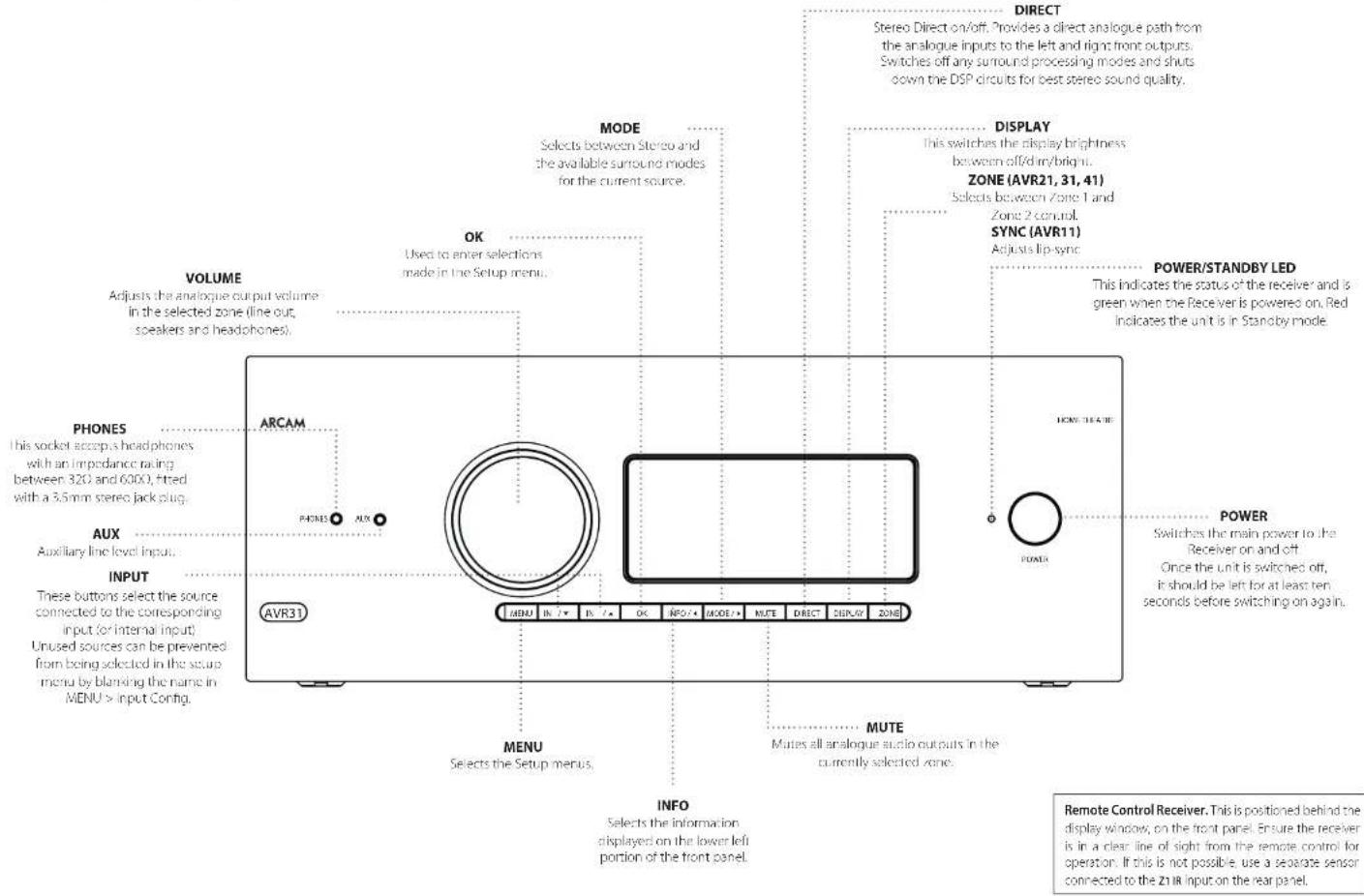
Front Panel Operation
CN-19
Remote Control
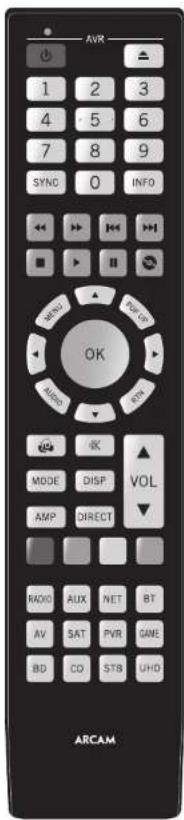
The universal remote controller
The Receiver is supplied with a so-called 'universal' backhaul remote control that can control up to eight devices. It is pre-programmed for use with the Receiver and many other Arcam products (FMDAB tuners, CD players and 3D players).
With its extensive built in library of codes, it can also be used with thousands of third party audio-visual components TVs, satellite and set-to-boxes, PVRs, CD players, etc. See the list of codes at the back of this handbook.
It is also a learning/remote, so you can teach it almost any function from an old single-device remote.
Using the remote control
case keep in mind the following when using the remote protocol:
Ensure there are no obstacles between the remote control and the remote sensor on the Receiver. The remote has a range of about 7 metres, if the remote sensor is obscured, the 21 IR remote control input jack on the rear panel is available. Please consult your dealer for further information.)
Remote operation may become unreliable if sunlight or fluorescent light is shining on the remote sensor of the Receiver.
- Replace the batteries when you notice a reduction in the operating range of the remote control.
Inserting batteries into the remote control
- Open the battery compartment on the back of the handset. To do this, press the catch on the battery cover as indicated by the arrow on the catch and remove the battery cover.
- Inset: two 'AAA' batteries, as indicated in the battery compartment.
- Replace the battery cover. To do this, locate the lug on the battery cover into the corresponding hole on the short edge of the battery compartment. Now press the opposite end of the battery cover (with the catch) down so that the cover is flush with the main body of the remote and the catch clicks.
Notes on batteries:
1.1. Incorrect use of batteries can result in hazards such as leakage and bursting.
Do not mix old and new batteries together.
Do not use non-identical bacteria together although they may look similar, different bacteria may have different voltages.
Ensure the plus (+) and minus . ends of eq battery match the direction indicated in the battery compartment.
Remove batteries from equipment that is not go to be used for a month or more.
When disposing of used batteries, please comply with governmental or local regulations that apply in your country or area.
Useful information
Backlight
A backlight comes on for eight seconds whenever a key is pressed. This helps you use the handouts in subdued lighting conditions.
LED blinks
Short blinks indicate a valid key press.
Multiple short blinks convey information (such as a device code) or signal the beginning and successful completion of a programming sequence.
The symbol is used in the manual to indicate an LED blink.
Timeouts and unassigned keys
Time out - After 30 seconds the remote exits the programming state and returns to normal operation.
Stuck key timeout - After any key is pressed continuously for 30 seconds, this remote stops sending IR transmission to conserve battery life. The remote remains off until all keys are released.
Unassigned keys - the remote identifiers any unassigned key presses for a particular Device Mode and does not transmit
Low voltage indicator
When the batteries are running down, the backlight flashes briefly whenever you press a button:
If this happens, fit two new AAA alkaline batteries as soon as possible.
Device Mode/Source keys
As the remote can control your receiver as well as a range of other equipment. many of the buttons have more than one function depending on the device mode selected on the remote control.
The Device Mode keys (shown below) select the source on the Responder. If none of these keys is pressed,brickly, a command is transmitted to change the source on the unit. Also the functionality of the remote control changes to operate the selected source device; it's like having a bundle of different remotes in your hand.
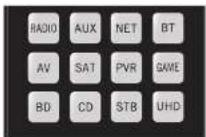
| BIO | Internal HDMI or HDMI luncer input |
| ALR | Auxiliary input |
| NET | Ethernet input (e.g. Internet radio) |
| WT | Bluetooth input |
| AV | Audio-visual input |
| SAT | Satellite input |
| PSM | Personal Video Recorders (or Digital Video Recorders) input |
| SMI | Games console input |
| BD | Hlu-ray Disc or DVD player |
| CB | Compact Disc player input |
| SIR | Sci Top Box recorder input |
| UHD | UHD player input |
Each Device Mode changes the behaviour of many of the remote keys to control the source device; approximately, in this example, in CD mode 4 plays the previous CD track, but in AV mode 3 issues the IV [stream down] command.
The remote remains in the last selected Device Mode so it is not necessary to press a Device Mode key before every command key all you are doing is playing or skipping tracks on a CD, for example.
Navigation keys
The Navigation keys steer the cursor in Setup menus or on-screen menus. They also replicate the navigation functions of original remotes supplied with other home entertainment devices in your system. OK confirm a setting.
Volume control
By default, the remote is set up so that the volume control and mode button always control the volume of the Receiver, regardless of which Device Mode the remote is currently set for. This is known as volume 'punch through'.
For example, if you are listening to a CD, you will probably have the remote in CD Device Mode to control the CD player. You can use the volume controls on the remote directly to adjust the volume of the Receiver without first having to press AMP to put the remote into AMP Device Mode. The volume buttons 'punch through' the CD Device Mode on the remote to the AMP Device Mode.
Volume punch through can be disabled individually for any Device Mode I desired.
Customising the remote
he remoise offers a code to creating feature that allows you to copy up to 16 functions from an original remote control onto the remote keyboard. For details of this, and other customisation features, see 'Customising the Remote' on page EN 22.
The remote complies with Part 15 of the FCC rules
This equipment has been tested and found to comply with the limits for a class B digital device, pursuant to part 15 of the FCC. Rules, those limits are合规 to provide a reasonable protection against harmful interference in a residential installation. This equipment generates, uses, and can radiate radio frequency energy and if not installed and used in accordance with the instructions, may cause harmful interference to radio communications. However, there is no guarantee that interference will not occur in a particular installation. If this equipment does cause harmful interference to radio or television reception, which can be determined by turning the equipment off and on, the user is encouraged to try to correct the interference by one or more of the following measures:
Scortien or relocate the receiving antenna.
Increase the separation between the equipment and receiver.
Connect the equipment into an outlet or a circuit different from that in which the receiver is connected.
Consult the dealer or an experienced radio/IV technician for help.
Customising the Remote
Code learning
The supplied remote comes with a complete library of pre-programmed codes. After you have set up the remote for your device, you may find that there are one or more functions on your original remote which do not have a place on the keypad. For convenience, the remote offers a Code Learning feature that allows you to copy up to 16 functions from an original remote control onto the remote keypad.
Before you start, make sure that:
The original remote control is working correctly.
The remotes are not pointing at your device.
The remoteshave freshbatteries.
The romeotes are not in direct sunlight or under strong. fluorescent lights.
NOTE
Learned functions are mode-dependent. You could assign up to eight different functions to a single key - a separate learned function for each mode.
Direct code setup (Method 1)
The first method is to program the remote with the 3-digit code number for the device you wish to control - see "device code tables". Make a note of the suggested number or numbers - the most popular code is listed first. Now power on the device.
Press the Device key for the product you want to set up, together with the key. Hold down both buttons for three seconds until the HD stays lit.
You are new in setup mode, and you can release the buttons.
2. Enter a 3-digit code for the device.
If the 8-digit code number you entered is correct for the device, it will turn off. If it doesn't turn off, enter the new code number from your list until the device does turn off.
3. Once you have found the correct code, press the Device key again. The LED blinks three times to confirm that the code has been successfully stored.
Library search setup (Method 2)
Library search allows you to scan through all the codes contained in the remote's memory. It can take a lot longer than the previous method, so only use this method if:
- Your device does not respond to the remote after you have tried all the codes listed for your brand.
-
Your brand is not listed at all in the Device Code tables.
-
Press the Device key for the product you want to set up, together with then key. Hold down north buttons for three seconds until the LED stays lit.
- Point the remote control at the product you wish to control and press the or button on the navigation pad. Each time the or button is pressed, the code counts up (for down) one code number with a sigma to power off the device.
3.Continue pressing the up or down button, in approximately one second intervals, until the device turns off. DO NOT alternate the up and down buttons - you need to move in only one direction.) - to store, he correct code, press the device key again. The ID blinks three times in confirm that the code has been successfully scored.
Learning setup (Method 3)
The third method involves 'teaching' the Arcam remote from the original remote for the device. The two remotes should be facing each other, about 10cm apart.
- Press the Device key for the product you want to set up together with one key. Hold down both buttons for three seconds until the LED stays lit.
- Press the button on the Arcan remote that you want to assign a command to. The LED links once indicating that the remote is ready to learn the command.
- Press and hold the appropriate key on the other remote until one 1+0 blinks twice . . . . . . This indicates the Arcam remote has learned the command from your other remote.
-
Continue Learning the commands from your other remote by pressing the next button on one remote and repeating steps 2 and 3.
-
Once the remote has learned all the selected commands, press and hold the Device key you used to enter learning together with the Numeric key to score the learned commands.
NOTE
If the Arcam remote LED blinks five times
there was an error in the learning process. In this case, please start the Learning Setup from the start.
TheAard keysdo notleam commands.
Important notes
Once you start a Code Learning session, you have approximately ten seconds to conduct each step. Any longer, and a much more means that you'll have to start the process again.
The Learning feature is mode-specific - you can copy one feature per mode onto a key.
The remote can learn approximately 16 functions in total.
To replace a learned function, simply assign a new function to the same key.
- Learned functions are retained when you change batteries.
Code Learning fails, try altering the distance between the two remotes, make sure that the ambient light is not too bright.
Deleting the learned data
To delete all the learned data for a device:
- Press the Device key for the product you want to sell up, together with the 3 key. Hold down both buttons for three seconds until the LED stays lit.
- Press and hole down the Device key for the product that you went to erase, together with the key for three seconds until the 1+0 blinking twice.
-
If no further key presses are made for 3D seconds after the LED oinks twice, the remote leaves erase mode without deleting the learned data.
-
If you press the Device key together with the key one more time within 30 seconds after HD blinks twice, you can finish the erase mode deleting all the data learned on the Device. The LED blinks three times to confirm.
To delete the learned data for a key for a device:
- Press the Device key for the product you want to set up, logon with this key. Hold down both buttons for three seconds until the LED stays lit.
- Press and hold down the key on which you want to delete the data for three seconds. The LED blinks twice if any further key press is made; the remote escapes from erase mode without deleting the learned data.
- If any further key press is not made for 30 seconds, the I-H2 clinks twice 12 the retrograde escapes from the crash mode automatically without deleting the learned data.
- If you press the Device key together with the 3 key again within 30 seconds after the I-EO blinks twice, all the data learned for that Device is deleted and you have erase mode. The LED alinks three times In confirmation.
Reading stored code numbers
- Press the Device key for the product that you want to set up together with the 4key, Hold down both keys for three seconds until the ID blinks.
- Press the INpO and count the number of blinks (一 = 1,二 = 2,三 = 3 etc.There is a time gap between digits.(Note that 0^ is represented by ten blinks.
Locking/Unlocking a specific Device Mode
When you first unpack your remote and insert the batteries, it is able to control certain Arcam components automatically (e.g. BD players, Amplifiers, Tuners and CD players). We achieve this by programming specific Arcam device codes onto the relevant Device Mode keys, then locking the Device Modes so you don't reprogram them inadvertently.
If you want to override these locked default settings - to control a third-party BD player, for example - you will first need to unlock BD Mode before setting up the remote using one of the learning methods described on the previous page.
Here are the factory default settings:
| Device Mode | Default status | Default codes |
| AMP | Locked 00 | ( Arcam code 16) |
| BD | Locked 00 | ( Arcam) |
| AV | Unlocked 108 (Philips TV) | |
| UHD | Unlocked Code learning only | |
| GAME | Unlocked Code learning only | |
| STB | Unlocked 030 (Bushy/Goodmans/Grundig, from SAT database) | |
| SAT | Unlocked 128 (Sky + Digital, from SAT database) | |
| PVR | Unlocked 08 (Humax PVR, from SAT database) | |
| CD | Locked 00 | ( Arcam) |
Alternative codes are available for multi-room solutions, or in the case of code clashes with other manufacturer's products.
For example:
AMP(system code 19):002
Note that you need to change the system code on the product you wish to control, as well as the remote.
- AMP, BD and CD are the Device keys that may be Locked or Unlocked. Lock and Unlock are toggles (they change from Lock to Unlock to Lock, etc).
- Press and hold the Device and @keys together for three seconds.
The power HD says it, showing that it is in lock/unlock setup mode. - If there is no further key input for 30 seconds, the LED goes off and the remote leaves Lock/unlockset up mode.
- To toggle the status of a device and then verify the status of a device, press the 100% in sequence.
If you have locked the device, the LED blinks three times.
If unlocked the device, the LED blinks five times
5. If you press a valid Device key within 30 seconds, the 1.D link three times: and the remote leaves 1ock/unlock setup mode.
Controlling the volume of other devices
By default, the volume keys and mute key control the amplifier volume.
You can configure these buttons so they send volume commands to another device. In the following example, the volume commands are sent to a linked AV device (your television, for instance):
-
Press AV for three seconds, until the LED lights and stays on.
-
Press VOP
- Press Apgain. The I-D bink three times
The volume and mute keys will now send the volume commands to the TV.
To set the volume buttons to control the amplifier once 3, repeat the above steps, except pressAMP in step 3.
Hidden commands
| Command | Effect |
| AMP+ | Sends a Power On command |
| AMP+ | Sends a Power Off command |
| AMP+OK | Sends a Zone command |
| AMP+ | Cycles through HDMI outputs 1, 2, 3&2 |
| CD+ | Sends a Power On command |
| CD+ | Sends a Power Off command |
| BD+ | Sends a Power On command |
| BD+ | Sends a Power Off command |
| BD+ | Sends a Resolution command |
Factory default reset
You can reset your remote to the original factory default settings.
Press and hold both the (home) and MENU keys for about five seconds until the power LED blinks five times
All programming and setup codes that you have entered into the remote are erased and the remote returns to the original factory default settings.
Device codes
The tables that are in the final section of this Handbook list 3-figure codes for different manufacturers' devices.
Use these when setting your remote up to control your devices, as described in Direct code setup: Method 1 (see previous page).
If more than one code number is listed, try the first number. If the results are unsatisfactory, continue trying the numbers for that manufacturer to get the best fit with the functionality required.
If the manufacturer of your equipment is not listed, you can try Library search setup: Method 2 (see previous page). This method allows you to scan through every code contained in the remote's memory.
AMP
AMP Device Mode
The Allow Mode button configures the remote to control the Receiver. Pressing this button does not affect the currently selected input on the Receiver.
The functionality of the remote is centric sensitive for the internal sources and is described in the following table.
| Single press - Toggles Receiver power between standby and on in the current zone (zone in which the command is received). Press and hold - Forces all zones into standby, regardless of which zone the command was received in. | |
| L.D | The number keys can be used for direct entry of numeric values |
| SMC | Sync. Delays may be introduced into the video signal by video processing which causes a mismatch between the audio and video timing. You will not see this by speech sound being out of synchronization with the liu movements in the video, to compensate for this, you can adjust the liu sync delay. Press the synchon- and use the ① and ② navigallum buttons. Press again to exit the liu sync trim menu. |
| HIO | Into cycles through the information displayed on the lower left portion of the front panel display when on TUNINET input/USB |
| Brings up the DTSK dialogue control adjustment. | |
| VIO | Displays the unit's setup menu on the On Screen Display. |
| TUGER | Toggles Dialby Audio Processing. |
| AIOB | Toggles Dialby Live EQ on/off. |
| STM | Brings up a temporary subwoofer rim control. Use the \( \left( 4\right) \) and \( \left( 5\right) \) navigation buttons. Press RTN again to exit the sub trim control. As this is a temporary adjustment, the sub trim level is reset to the value set in the Speaker Levels menu when the unit is turned off or put into standby. |
| ※ | Toggles the music function of the AVR. |
| \( {v}_{\text{ST }} \) | Adjust amplifier volume. |
| \( {v}_{\text{DSS }} \) | Cycles through the available surround and downmix modes. |
| \( {v}_{\text{RF }} \) | Cycles through the front panel display's brightness options. |
| \( {v}_{\text{RF }} \) | Reset remote to AMP mode. |
| \( {v}_{\text{DCT }} \) | Sacro direct on/off. Provides a direct analogic path from the analogue inputs to the left and right front outputs. Switches off any surround processing modes and shuts down the DEP circuits for the best stereo sound quality. |
#
Navigate the files and menus on the screen.
0 selects the highlighted file or enters the highlighted menu on the screen equivalent to 'Enter' or 'Select' on some remote controls.
Up
L
Right
Down
AMP - Power on front stnder.
AMP Standby from Power on
AMP OK select Zone 2
Network commands
| BD | Red button. |
| GFFH | Green button. |
| FH100 | Yellow button. |
| FIRE | Blue button. |
| H200 | Tuner input. |
| H30 | Aux input. |
| NET | NET input. |
| ST | ST input. |
| TV | AV input. |
| SAT | SAT input. |
| PWR | PWR input. |
| GATE | Game console input. |
| EO | EO input. |
| OT | OD input. |
| STB | ETB input. |
| UHD | UHD input. |
When using the network client, the keys below are used to navigate music files in AMP Devices Mode.
| Suggests the previous/next track in the current playlist. | |
| Pause and playback of the current track. | |
| Stops playback. |
BD
BD/DVD Device Mode
The 8Device Mode button configures the remote in control the functions of Arcane Bluay Disc and 1900 players, although this can be changed. Pressing this button also selects BD as the source.
| Loggers power between stnancy and ran. | |
| ▲ | Open/close disc tray. |
| 1.5 | Searches for and plays the track corresponding to the key pressed when playing a CD. |
| REF | Cycles through the front panel display's brightness options. |
| 0002 | Cycles through the repeat options (track, disc, etc.). |
| ← | Fast rewind. |
| → | Fast forward. |
| ← | Press and release to skip back to the beginning of the current/previous track. |
| → | Press and release to skip forwards to the beginning of the next track. |
| ■ | Stop playback of a BD or DVD. |
| ■II | Pause and playback of the current track. |
| ● | Start recording (on products that have this feature). |
| #EM | Disc menu. |
| #LP | Activators BD/DVD player menu if available. |
| Navigate setup and BD/DVD programme selection menus. OK selects the highlighted file or enters the highlighted menu on the screen - equivalent to Enter' or Select' on some remote controls. Up Left Right Down BD + Power on from Standby BD + Standby from Power on BD - changes the picture resolution (for BD, only on the Home screen). | |
| Returns navigation to the top level of the menu ("Home"). | |
| Changes audio decode format (Dolby Digital, DTS, etc.). | |
| AVI | Reset remote to AMP mode. |
| IPD | RED button for BD. |
| GREEN | GREEN button for BD. |
| YELLOW | YELLOW button for BD. |
| BLACK | BLUE button for BD. |
AV
AV Device Mode
The AVDeVic mode button configures the remote to control the functions of a television or other display device. You will need to configure this Device Mode to work with your equipment. Pressing this button also selects AVS the source.
| Toggles power between standby and on. (Some TVs require you to use a number key to turn them on) | |
| Functions as original remove number key usually for channel selection. | |
| Display INFO or OSD (On Screen Display) function, if available. | |
| AV: this function is TV specific. | |
| Channel down. | |
| Channel up. | |
| Displays picture information; this function is TV specific. | |
| Guide. | |
| Navigates setup and programme selection menus. OK confirms a selection (equivalent to Enter or Select on some remote). | |
| Returns navigation to the top level of the menu (Home). | |
| Resettes remote to AV mode. | |
| RED key for Text TV | |
| GREEN key for Text TV | |
| YELLOW key for Text TV | |
| BLUE key for Text TV. |
UHD
UHD Device Mode
The UHD page allows code learning from a dedicated UHD remote - see "Customising the Remote" on page EN-22
CN-25
STB
STB Device Mode
The STDevice.Model button success as the source. If configured to work with your set top six decoders device, the remote can subsequently control the dev
| Logges power between standby and on. | |
| a.s | Functions as original remote number key usually for channel selection. |
| 100 | Display INFO or OSD (On Screen Display) function, if available. |
| 5000 | Selects the Library or Media function. |
| « | Rewind. |
| » | Hasi Forward. |
| « | Channel down. |
| « | Channel up. |
| ■ | Stop playback. |
| ■II | Pause and playback of the current track. |
| ■ | Record. |
| ■IIII | Opens the EPG (Electronic Program Guide) on some satellite and cable set top boxes. |
| POPUP | Turns on the Menu function if the set top box uses this feature. |
| ■ | Navigate setup and programme selection menus. OK confirms a selection (equivalent to "Enter" or "Select" on some remotes). |
| ■ | Returns navigation to the top level of the menu ("Home"). |
| ■| | | | Selects the Help function. |
| AVI | Resettes remote to AVIP mode. |
| ■| | RED button for set top box. |
| GREEN | GREEN button for set top box. |
| YELLOW | YELLOW button for set top box. |
| BLUE | BLUE button for set too box. |
SAT
SAT Device Mode
The device: Marie button selects as source. If configured in work with your satellite receiver, the remote can subsequently control the device.
| Toggles power between standby and on. | |
| - functions as original remote number key - usually for channel selection. | |
| TF | Display (NFO or OSD) (On Screen Display), function, if available. |
| Channel down. | |
| Channel up. | |
| WD | Displays programme information. |
| PON | Guide (or Setup) on some set top boxes. |
| Navigate setup and programme selection menus. OK confirms a selection (equivalent to "Enter" or "Select" on some remotes). | |
| Returns navigation to the top level of the menu ("Home"). | |
| IM | Back. |
| MT | Resets remote to AMP mode. |
| BD | RED button for Satellite. |
| GREEN | GREEN button for Satellite. |
| YELLOW | YELLOW button for Satellite. |
| BLUE | BLUE button for Satellite. |
PVR
PVR Device Mode
IcPvice Mode button selects a source. It configured to work with your personal (hard disc) video recorder or similar device, the remote can subsequently control the device.
| Toggles power between standby and on. | |
| L2 | Functions as original remove number key - usually for channel selection. |
| M0 | Display NFO or OSD (On Screen Display) function, if available. |
| M20 | Selects the Library or Media function. |
| ← | Rewind. |
| → | Fast Forward. |
| ↑ | Channel down. |
| ↑ | Channel up. |
| ■ | Stop playback. |
| ■II | Pause and playback of the current track. |
| ● | Record. |
| mms | Opens the EPG (Electronic Program Guide) on some satellite and cable set top boxes. |
| REFLP | Turns on the Menu function if the PVR uses this feature. |
| Navigate setup and programme selection menus. OK confirms a selection (equivalent to 'Enter' or 'Select' on some remote). |
| Returns navigation to the top level of the menu ('Home'). | |
| Selects the Help function. | |
| Resetset remote to AMP mode. | |
| RED button for PVR. | |
| GREEN button for PVR. | |
| YELLOW button for PVR. | |
| BLUE button for PVR. |
CD
CD Device Mode
The CDevic Mode buitian selcs a 0hce source
The Burton is configured to control the CD functions of Arcam CD players, although this can be changed (see "locking/unlocking a specific Device Modes" on page 19.23).
| Loggers power between standby and active. | |
| ▲ | Open/close disc tray. |
| ▲ | Searches for and plays the track corresponding to the key pressed. |
| STEP | Cycles through the front panel display's brightness options. |
| WOOZ | Cycles through the repeat options (track, disc, etc.) |
| ← | Fast rewind. |
| → | Fast forward. |
| ↔ | Press and release to skip back in the beginning of the current/previous track. |
| || | Press and release to skip forwards to the beginning of the next track. |
| ■ | Stop playback of a CD. |
| ||| | Pause and playback of the current track. |
| nUP | n'normal play' (i.e. the display does not show the letter P), press the ↑ and ↓ keys to select the track and then CLEAR the track. n'program play' mode, no CLEAR deletes the stored track. |
| Navigate setup and CD programme selection menu. OK selects the highlighted file or enters the highlighted menu on the screen - equivalent to 'Enter' or 'Select' on some remote controls. Up Ctrl Right Down CD + Power on from Standby CD + Standby from Power on | |
| ATF | Reset this move to AMP mode. |
| E20 | Plays the programmedacks. |
EN-27
Essential Setup
Before you use your Receiver it is essential that you enter some information into the setup menus about your speaker configuration. This allows the Receiver to process any surround sound digital source to exactly match your system and give you the ultimate surround sound experience.
There are three pieces of vital information which are outlined in the sections 'Speaker Types', 'Speaker Distances' and 'Speaker Levels'.
The way you enter this information manually into the Receiver is given later in the "Setup Menu" section on page HN-30.
When calibrated using Dirac Live room equalization the speaker levels and delays will be established automatically and applied when the equalisation is turned on, speaker types however must be manually entered. For use with equalization turned off, the speaker size, speaker distance and speaker levels settings must be entered manually. It is important to understand why these speaker settings must be entered, which is why this section is presented before the section on equalisation."
Speaker types
You need to set the type of speakers that you have connected to your Receiver.
Large capable of full frequency range reproduction Small not capable of full frequency range reproduc
None speaker not present in your configuration
The terms 'a quote' and 'Small' do not necessarily relate to the physical size of your speakers. As a rule of thumb, if a speaker cannot reproduce a flat frequency response down to about 40Hz and very few (low cant) is often better to consider them as 'SmiF for set up' purposes of home cinema.
When a speaker is set to Small, very low frequency sounds are redirected away from that speaker to a 'Large' speaker or a subwoofer, which are far better suited to reproducing these low frequency sounds.
Note that it is not possible to set all speakers to 'SmalI' unless there is a subwoofer in your speaker configuration. If you do not have a subwoo'er, you will be forced to set your front speakers to 'Large'.
(Advanced users may wish to automatically override the 'Small speaker setting for purely stereo music listening when not watching movies. This can be achieved in the 'Input Config.' menu - see page EN-31).
Crossover frequency
If you have set any speakers as being Small, then you will be required to set a value for the crossover frequency. This is the frequency below which signals are filtered away from these Small speakers and redirected to Large speakers or the subwoofer (if present). A frequency of 80Hz is often a good starting point, however you will probably have to experiment with different values to find the best value for your system or consult your speaker handbook.
Use Channels 6+7 for
If not used in the main zone, it is possible to assign the Surround Back channels to Height 1, bi-amp the front left/Right channels or to provide an armful output to Zone 2.
Speaker Levels
Finally the levels of all the speakers in the system need to be adjusted to match each other at the listening position, again to create a proper surround effect. To help with this the Receiver can generate a test noise for each speaker which should be measured with a sound pressure level (SPL) meter. The meter should be set to C^* weighting and slow response. Several smartphone/toilet apos are available which can also perform this function. The level of noise measured at the listening position from each speaker should be adjusted on the Speaker Trims page of the Setup menu so that the meter reads 75dB SPL it does not matter what the system volume setting of the Receiver is before turning the test noise on as the volume setting is overriden for the duration of the speaker noise test.
There are several basic SPL meters on the market at reasonable prices aimed at home cinema enthusiasts. Check your local technology store, search online or ask your dealer. If you do not have an SPL meter or suitable app, you can try to adjust the noise level of each speaker by ear. In this case it is not possible to adjust the speakers to the absolute 75dB SPL volume level, but you should aim for all speakers sounding equally loud. Sitting speaker test noise levels by ear is not recommended as it is very difficult to do accurately, but is often better than doing nothing at all.
Speaker Distances
It is essential for the distance from each speaker to the listening position to be accurately measured and entered into the Setup' menu. This ensures that the sounds from the various speakers arrive at the listening position at the correct time to recreate a realistic surround effect. The distance can be entered in coordinates or inches.

DIRAC
Dirac Live for Arcam
There is a proprietary automatic loudspeaker calibration function built into your receiver from Dirac Research. Using a PC/MAC based application, this attempts to set the essential speaker settings for all the speakers in your system. It also calculates room equalisation (Room EQ ) fit values to remove some of the worst effects of resonant frequencies in the listening room.
Your Receiver package is supplied with a calibration microphone, which should be inserted into a USB socket on a PC or MAC connected to the same network as the Receiver and positioned as directed by the Dirac Live PC/MAC application. This microphone picks up the special calibration tones generated by the source when Dirac Live application is run. The Receiver then analyzes the signal and computes:
speaker delays,
H. agcaker [vyc]
problem resonant frequencies in the room while need control by filtering.
To help the system be as accurate as possible when performing Dirac Live setup, there are a few guidance rules that should be followed:
Minimise any background sounds in the listen room and other nearby rooms.
- Close all windows and doors in the iszening room.
- Turn off all fans including air-conditioning systems.
Mounting the microphone on a tripod or similar.
Position the set up microphone pointing upwards roughly head height when sat in the normal listening position. It is not necessary to point the microphone directly at the speaker generating the test tone, the microphone should be pointing vertically towards the ceiling. (It helps if you are able to position the microphone exactly where your head would normally be for listening, with the microphone in direct unobstructed view of all speakers.)
If your system includes an active subwoofer, set by setting its output level / gain control to a value roughly matching the front speakers.
When activated, a calibration tone is played through each channel of the Receiver in turn, including the subwoofer channel. The calibration tone cycles round each of the speakers multiple times as the different parameters are calculated. Follow the 'progress' information on your PC MAC.
By default, Room EQ is not applied to any of the source Inputs. You should enable Room EQ on inputs you think benefit from this feature, as required, by listening when playing typical source material through each input. After being calculated, this is enabled from within the input Config menu.
While room equilibration can help to reduce problems with listening room acoustics, it is usually far better to try to solve these problems with the room directly. Proper loudspeaker positioning, acoustic wall treatments and moving the listening position away from walls should produce far better results overall. However, it may be difficult to do this in a home environment, so Room EQ is your next best choice.
atProblems
We advise you to look over the reported measurements on the screen following Dirac Live setup for any obviously incorrect results, in particular to ensure the reported speakers match your configuration and that the speaker distances to the listening position appear look roughly correct. If the results are not what you expected we can run Dirac Live setup. The Dirac Live setup function is normally quite accurate but occasionally false results can be generated. Problems may be as a result of
external sounds or rumbling/handling noises pick up by the microphone
square reflections of hard surfaces (e.g. windows walls) close to the listening position.
1 very strong acoustic resonances within the room,
1 obstacles (such as a sofa) between speakers and in microphone.
If you are still experiencing difficulties or you wish to have the most accurate results for ultimate surround performance, we recommend using the manual method of establishing speaker distances and levels.
Using subwoofoers
If your system includes active subwoofoRs you may need to set the subwoofer output level/gain control set to a higher or lower value.
Please refer to the Dirac application and quick start guide for full details of how to use the system with your Recover.
Downloading the Dirac Live application
To download the Dirac Live PC/MAC application and quick start guide, please visit:
Using Dirac
You can store up to three Dvac EQ curves in the Receiver. Each input can use a different curve, for example a "Movie" curve on the BD input and "Music" curve on the CD input.
This can be set on a per input basis using the AUDIO
The remote.
Alteratively use the Room EQ menu item in the Audio settings menu to set the curve for each input. See "Room EQ" on page n-31.
Note: When Dirac is run for the first time, the curve will be applied to all inputs. Subsequent curves will not be automatically applied, use the methods above to choose the required curve for the input question.
for AVS5 an additional license and calibration kit are required, please visit:
live.dirac.com
Setup Menus
The Setup menus allow you to configure all aspects of your Receiver. The next few pages will go through the menu items and explain their functions. The Setup menus will probably look quite daunting if you are new to setting up home cinema, but, the majority of them need only be configured once when you first install the system (or if your system changes or you move house!
Entering Setup mode
To enter the setup menu, press the MENU on the remote control or font panel. The font panel display shows the setup menu (splitware right).
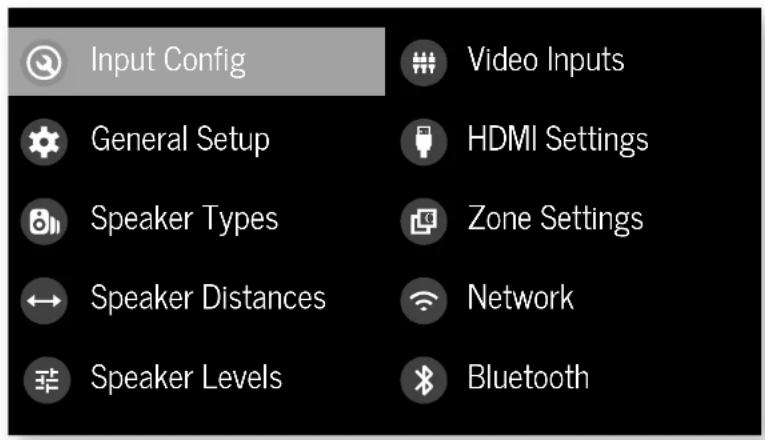
Navigating the setup menu
... using the remote control
The setup menu can be navigated by using the cursor (arrow) keys on the remote control. This is by far the easiest method.
- To enter the setup menu, press the MENU (which is located immediately under the navigation buttons).
- Use the 念 and 念 keys to navigate up and down the main section headings.
-
Once you have the main section that you require highlighted, use the key to enter the section.
-
Use the and keys to navigate up and down the section settings in the right-hand panel. Some settings may be grayed out. These are either for information only (e.g. incoming sampling frequency) or are not currently selectable. Scroll bars on the sides of the right-hand panel indicate your position in the settings list where there are more items than can be displayed at once.
- PressingOeolecs is a setting to change it, pressing OK again de selects the setting.
- At any time, press the mENTION to exit the menu. Any changes to settings are saved.
... using the keys on the front panel
The Receiver front panel controls can be used to configure the unit. Follow the instructions for using the remote control, in this case using INNOLDN, for INPUT left INFO and MOutlight.
Input Config.
The audio and video settings on this page of the Setup menu can be tailored specifically and independently for the currently selected input.
When a different input is selected on the input line, all the input-specific settings for that input are displayed below it. These settings are applied to the named input only and are stored in memory and recalled each time the unit is powered up and whenever that input is selected.
Input - The currently selected input connectors to which the settings below are:
Name The display name of the input. You can change the name of any input to more closely match your setup. For example, if you had two satellite receivers, you could connect the main receiver to the Sat audio and video input connectors and change the Name to 'SAT 1'. You could then connect the second satellite receiver to the UHD audio and video input connectors, but change the UIID Name to 'SAT 2'. It is then clearer to users of your Receiver which inputs they wish to select when scrolling through.
Lip Sync - Each input can have its own scaling to add a time delay between the audio and video signals to compensate for the sound and picture not being synchronised. This is normally required when video processing is used in the system for scaling or de-interlacing video. The range of lip sync delays is 0 to 250 milliseconds.
The lip sync adjustment can on y correct for delayed video. If the audio is late set lip sync to : y minimum.
Mode Set the initial audio decode mode for stereo sources on this input.
Last Mode recalls the last used setting for this in when a stereo source was applied. See section "Two-channel source modes" on page EN-35 for more information.
MCH.Mode - Sets the initial audio decode mode for multi-channel digital sources on this input.
1 Last Mode recalls the last used setting for this in when a stereo source was applied. See section "Multi-channel source modes" on page EN-35 for more information.
Bass -
Treble -
These allow you to alter the bass and treble tone controls for all currently active speakers for each individual input. For example, if your PVR source sounds a little bass light, you can always correct for this by selecting PVR on the input line at the top of this menu and edit 2 or 3d to the Bass control. Then, whenever the PVR input is selected, the bass is automatically aposted for as long as that input is selected.
Room EQ- When the PIac Live application is run and EQ filters are downloaded into one of the three slots available, this can be selected.
Not Calculated: (Information only) There are no KQ filters, so cannot be selected.
Project Name: Dirac Live Room EQ is applied to the current source and will display the name of the project from the Dirac Live application.
1 Off: Dirac Live Room HQ is not applied to the current source.
Input Trim - Sets the maximum analogue input signal level (sensitivity) on this input before the ADC (Analogue-to-Digital converter) signal path choices. Options are 1, 2 and 4 volts RMS maximum input. The default is 2Vrms maximum. For example, analogue sources with low output levels may benefit by choosing the 1V maximum setting. This helps maximise signal to noise performance of the Receiver and also helps keep the various analogue sources sounding about the same level for any given Receiver volume control setting.
Dolby Audio Processing - Applies Dolby Audio Processing to the incoming audio.
Off (dc'ull) Dolby Audible Processing is not applied to this input.
Movetable for movie viewing.
Must be for music listening.
11 Nightpresses the audio to be more suitable for late night viewing or listening.
Stereo Mode - If you have configured your system to have a subwoofer, then you have the flexibility to choose how bass information is distributed between the front, side/right, speakers and the subwoofer when listening to stereo (two channel only) analogue and digital sources. Choose the option which gives you the most sound, even sounding bass. If you are using a subwoofer for stereo, please also see Sun Stereo below to set the level of the subwoofer. For best results test with a setup disc or live programme material. This setting can be used to override your normal speaker settings in the Sokr Types menu whenever the Receiver plays stereo material. It's quite common to find that two channel stereo music listening is best done with a slightly different subwoofer setting than for surround movies.
As Spkr Types: When an analogue or digital stereo source is played, your normal speaker configuration (as in Spkr Types menu) is used to reproduce the signal.
Left/Right: Full frequency stereo information. All audio is sent to the front left and right speakers only without any bass redirection. You can use this setting if you consider your front left/right speakers to be able to handle the full frequency range of music. If you have set your front left/right speaker size as Small in the Spiky Types setup page, you may wish to use this option to override the setting to Large for stereo music listening, if you have full frequency range left/right speakers. It can often be beneficial to set full frequency range speakers to Small in the Spiky Types setup page for use with movies, if you have a subwoofer in your system. Doing so may deliver more impact on movie soundtracks as subwoofer designs to handle reproduction of high bass content. However, you may find that for stereo music a better overall result is obtained by not using the subwoofer and effectively treating the front left/right speakers as Large.
Left/Right+Sub: Full frequency range stereo is fed to the front left and right speakers and extracted bass is sent up the subwoofer. In this case, the low frequency information is effectively duplicated.
Sat+Sub: Use this setting if you really do have Small satellite front left and right speakers, or if you prefer the overall sound of bass being handled by the subwoofer. Full bass management is used so that analogic and digital stereo sources are fed to the DSP where the bass is filtered off front left and right and redirected to the subwoofer.
NOTE: The Stereo Mode function is not available when using an analogue source in Stereo Direct mode.
Sub Stereo If Left/Right+Sub or Set+Sub is selected in Stereo Mode above, this setting adjusts the level of the subwoofer when the source is two channel stereo.
IMAXmode(AVR11,AVR21,AVR31,AV41)-Selects if IMAX mode is enabled from the incoming audio stream (auto) or forced on or off.
Auro-matic 3D (AVR11, AVR21, AVR31, AV41) - Selects the mode of the Aero-matic 3D upmode.
Small: Adjusts the upmixer for a small-sized room
Medium: (default) Adjusts the upriver for a medium-sized room
Large: Adjusts the uomixer for a large-sized room.
Movie: Adjusts the upmixer for him material.
Speech: Adjusts the upmixer to focus on speech in reliability.
Auro-matic 3D Strength (AVR11, AVR21, AVR31, AV41)
Adjusts the amount of unprocessed to processed signal when using the Auto Automatic 3D upmixer.
Audio Source - Selects the particular connection type for each input. The default is HDMI for inputs with an HDMI connection and Digital for inputs without an HDMI connection. This setting must be changed if another connection is used.
Select from the list the audio type you are using on this
SOURCE
In HDM; the unit is forced to use the HDMI audio input for this source.
Li Digital: the unit is forced to use the optical (TOSLINK) or coaxial (S/PDF) digital audio input for this source
- Analogue: the unit is forced to use the analogue audio input for this source.
CD Direct Tums on/off the compressed audio detection mure delay. Your AVI mutes when it detects a change or break in a digital stream. This is intentional and prevents unwanted noise from being output from your speakers when using sources that change between multiple formats (e.g. a Blu ray player or TV Se; Top Box). CD direct can be activated when used with a source that will only transmit a consistent format (e.g. a CD player with PCM audiol). This will defeat the muting and prevent potential loss of the beginning of 'sacks where audio begins very promptly.
General Setup
General information and system controls
Source Input - (information only) The currently selected input to which the settings below relate.
Incoming Format (Information only) The format of the digital audio stream connected to this input. If present.
Incoming Sample Rate (in information only) the sample rate of the digital audio stream connected to this input. If present,
Incoming Bit Rate (information only) The bit rate of the digital audio stream connected to this input. If present.
Dialnorm - Information only if a Dolby Dig to audio stream is connected to this input, this is the Dialogue Normalisation setting requested by the stream.
Incoming Resolution - Information only. Shows the incoming video resolution.
Audio Compression - Allows selection of compression which is ideal for late night listening. The compression effect increases the volume of the quiet passages and decreases the volume of the lounder passages. Compression only applies to Delay/DTS soundtrack formats that support this function.
Off: (default) no audio compression is applied.
IT Medium: compression is applied so that loud portions of a soundtrack are reduced in level. Dolby
True IHD stream is compressed automatically as set by the incoming sream.
11 High: the maximum amount of dynamic range compression is applied, so that the difference between loud and quiet portions of a soundtrack is minimised.
I his titting applies to all inputs when a relevant digital audio stream is decoded. It is stored in memory and recalled each time the unit is powered up.
Balance - To alter the sound balance temporarily between front left and right speakers. You can alter the sound stage to either the left or the right by up to 605. Note that it is not possible to shift the audio signal completely over to one channel. This function resets to equal left/right balance when the input is changed.
DTS Dialogue Control Sets the level of the dialogue channel in compatible D1S audio streams.
Maximum Volume - Limits the maximum volume setting the system can be turned up to in the main zone. This is a useful feature to prevent accidental overdriving of low power handling speakers (for example). It is stored in memory and recalled each time the unit is powered up.
Max On Volume - limits the maximum volume the system operates in the main zone when it is switched on or comes out of Standby. The system comes on at this store volume setting if the last used (possibly very loud) volume exceeds this value. It is stored in memory and recalled each time the unit is powered up.
Display on time - Sets the time that the front panel display remains illuminated after receiving a command. The default is always on.
Control Enables or disabiloes RS232 or IP (NET) control, a system that allows control from various third-party home automation systems. Note, only RS232 or IP control can be used, not both.
Power on - Determines how the unit powers on. Stby: In Standby mode
□On:On
Last state: Last state (default)
Speaker Types
Language Select the language for the menu wo English, French, German, Spanish, Dutch, Russian, Chinese.
Settings for the types of loudspeaker you have connected in your configuration. These settings are applied to all audio inputs and are stored in memory and recalled each time the unit is powered up.
Front Left/Right -
Centre -
Surr.Left/Right-
Curr. Back I/R
Height Front
Height Back
Here you set the type of speakers that you have connected to your Receiver:
Large: capable of full frequency range reproduction Small: not capable of full frequency range reproduction at the low frequency end
1 None: speaker not present in your configuration
NOTE: It is not possible to set all speakers to Small unless there is a subwoofer in your speaker configuration. If you do not have a subwoofer, you will be forced to set your front speakers to Large.
NOTE: If there are only two ceiling height speakers connected, these need to be set as front, though can be placed either in front of, or above, the listening position.
Subwoofer configures the dedicated sub out terminals are used for a single subwoofer channel (using the two parallel ports).
Channel 13 & 14
Channel 15 & 16 -
Conjugates the speaker positions that channels 13, 14, 15 & 16 are used for.
Height Type - configures the type of height, speakers ceiling mounted or Do by enabled.
Use Channels 6+7 for - If your main zone speaker set up does not include Surround Back Left and Right speakers, you can choose to use the Surround Back amplifier channels as
the Height 1 amplifiers, to Bi-Amp the Front Left and Right pfc, or as a stereo power amplifier for Zone 7.
Filter Slope - Configures the filter slope used for bass management · 126.8, 24.8 , 36.8, 48.8, 56.8/octave
Sub Gain = configures the output level trim for all outputs configured as subcoolers in -6dB steps from 0dB to -30dB.
Speaker Distances
Calibration settings for the distances between the loudspeakers and the listening position.
NOTE: Speakers that are not present in your configuration will be greyed out.
If Dirac Live is used, these settings will be shown in time (ms) and not distance.
These settings are applied to all audio inputs and are stored in memory and recalled each time the unit is powered up.
Units - Select whether you wish to measure distances in Imperial or metric units.
Front Left -
Centre -
Front Right -
Surr. Right -
Surr. Back Right -
Surr. Back Lu
Surr. Left -
Left Top Front -
Right Top Front -
Left Top Back -
Right Top Back -
Subwoofer
Channel 13
Channel 14
Channel 15
Channel 16
As described in 'Essential Setup' on page EN-28, measure the distance from each loudspeaker in your system to your ear in the main listening position and enter the values. This allows the Receiver to calculate the correct relative delay for each
loudspeaker.
Speaker Levels
Calibration settings for the test noise signal level through the loudspeakers and measured at the listening position,
NOTE: Speakers that are not present in your configuration will be greyed out.
These settings are applied to all audio inputs and are stored in memory and recalled each time the un t is powered up.
Test Tone: selects the internal test zone generator or allows the use of an external test zone from the currently selected HDVI input (e.g. pycled from a BDO).
Front Left
Centre
Front Right -
Surr. Right -
Surr. Back Right -
Surr. Back Left
Surr.Left-
Left Top Front -
Right Top Front -
Left Top Back
Right Top Back
Subwoofer
Channel 13
Channel 14
Channel 15
Channel 16
Use the 空 and navigation buttons on the remote control to select the relevant speaker. Press 空 to enable/ disable the calibration noise and the 空 and navigation buttons to adjust the noise level from each speaker.
As described in "Essential Setup" on page EN 28, adjust the
level of the test noise from each speaker so that an SPL meter at Uc: listening position measures 7.0dB SPL.
Video Inputs
Settings to optionally assign a video source to each of the normally audio-only inputs.
These settings are stored in memory and recalled each time the unit is powered up.
Video Input CD
Video Input Aux -
Video Input FM
Video Input DAB -
Video Input Net -
Video Input BT -
The default for each of the audio inputs is 'None'. You could, however, associate 'Sat' video with FM or Digital Radio audio to receive radio commentary of a sports game with pictures from satellite coverage, for example.
HDMI Settings
The settings in this menu control the output resolution from the video processor in the receiver. These settings are applied to all video inputs and are stored in memory and received each time the unit is powered up.
Zone 1 OSD - Selects whether the main zone pop-up OSD messages are On or Off. It is stored in memory and recalled each time the unit is powered up.
When On, all user adjustments that are made during the general use of the sieve are displayed on screen as well as the front panel display. This includes the adjustment of volume, subwoofer level, lip sync, long controls, etc. It is stored in memory and recalled each time the unit is powered up.
When Off, the above user adjustments will not appear on screen, only on the front panel display. This leaves the picture on your display device clear of pop up text. However, regardless of this setting the Setup menus are always displayed on screen.
Zone 1 Out - This setting controls the output for zone 1 from either output 1, output 2 or both.
Zone 1 Lipsync (Information only) Displays how much lip sync is automatically applied to the HDMI output to
compensate for video processing delays in the attached display device. Not all display devices support this function.
HDMI Audio to TV - his seiting controls the audio being sent direct to the TV.
HDMI Bypass & IP - This setting controls the functionality of HDMI bypass & IP control while in standby. Selecting "low Power" (default) will mean that IP control (network) and HDMI bypass are disabled. Selecting "HDMI & IP On" means that IP Control (network) & HDMI bypass is enabled.
HDMI Bypass Source Selects which input is used for HDMI bypass function, e then a specific input or the last input used.
CEC Control Selects if CEC control is enabled or output 1.
eARC Control - This setting enables/disables volume control from this display.
TV Audio This setting enables/disables auto-switching to eARC audio from the cisplay.
Power Off Control - This acting emcbics/disabes auto power control from other CEC enable devices.
Zone Settings (AVR21, AVR31, AV41)
Lists the volume and control settings for Zone 2. These settings are applied to all audio inputs and are stored in memory and recalled each time the unit is powered up.
Z2 Input - Selects the input to be routed to Zone 7. The default is Follow Z1, i.e. the same source as currently selected in Zone 1.
Zone 2 Status - Selects if Zone 2 is in Standby or On.
Zone 2 Volume - The current volume in Zone 2.
Zone 2 Max. Vol Limits the maximum volume setting the system can be turned up to in the Zone 2. This is a useful feature to prevent accidental overdriving of low power handling speakers, for example.
Zone 2 Fixed Vol - the Zone 2 volume control can be locked at the current value for use with an external amplifier with its own volume control in Zone 2.
Zone 2 Max On Vol - Limits the maximum volume the system operates in the Zone 2 when it is switched on or comes out of Standby. The system comes on at this volume if the last used (possibly very loud) volume exceeds this value.
Connecting to a Network
Network
The Receiver is fitted with a network audio client which is capable of Airplay7 and Chromecast built-in as well as stored music on a network storage device such as a PC, or an NAS drive.
The wireless network is configured using the Apple AirPlay setup or the Google Home app.
SSID (Information only) Displays the SSID the receiver is currently connected to, "wired" if a wired connection is used, or "not connected" if no connection is present.
IP Address (Information only): IP address assigned by the DHCP server, or if not using DHCP, the IP address you have assigned to http Receiver for your network.
MAC address - Information only; The unique address of the network card in your Receiver.
Friendly name - (information only) The network friendly name of your Receiver.
Bluetooth
The Receiver is fitted with a Bluetooth audio input.
Pair Device - Makes the Receiver discoverable by Bluetooth devices.
Clear Paired Device List - Cies the Receiver's list of paired Bluetooth devices.
Paired Devices - Displays a list of the devices paired with the Receiver.
In order to use the AirPlay and Chromecast built-in functionality of the Receiver you will need to connect it to your home network via a wireless or wired connection.
The following sections detail how to do this.
Note: before attempting to setup a wireless connection ensure the supplied wireless antennas are fitted to the antenna socket on the rear of the Receiver.
Home Automation Control
When connected to a network the Receiver can be controlled and monitored remotely using dedicated home automation software.
The same controls are also available via the RS232 input. Various third-party systems are available providing sophisticated control over all your entertainment devices. Contact your dealer or installer for details. The technical details of the remote control protocol are available upon request, by contacting Arcam at luxurysupport@harman.com.
For details of the available controls please refer to the control document which can be found at www.orcom.co.uk for further information.
AirPlay Setup
Wired Connection
Connect an ethernet cable to the Receiver
To listen to audio via AirPlay on your Receiver, ensure you Apple device is connected to the same network as the Receiver and simply select the Receiver as the AirPlay Audio playback device.
Note: The Receiver will appear as ArcCAM modelname.xxxxx in the AirPlay speaker menu, where xxxxx is the last 6 digits of the units MAC address.
Wireless Connection
Ensure your Apple device is connected to the wireless network you wish to connect the Receiver to.
Open the Wi-Fi settings menu on the Apple device and select the Receiver from the "Set up new AirPlay speaker" menu. Follow the instructions on screen. To listen to audio via AirPlay on your Receiver, ensure your Apple device is connected to the same network as the Receiver and simply select the Receiver as the AirPlay audio playback device.
Note: The Receiver will appear as AXCAM modelname xxxxx in the Airplay speaker setup menu, where xxxxx is the last 6 digits of the unit's MAC address.
Chromecast built-in Setup
Wired Connection
Connect anEthernet cable to the Receiver.
Wired & Wireless Connection
Download and open the Google Home application.


You should be prompted that there is a device available for setup. If not simply tap "Add" followed by "Setup a Device". Select the Receiver and follow the instructions on screen.
To listen to cast audio from any supported application on your Receiver, ensure your device is connected to the same network as the Receiver. Tap the Chromecast built in icon from within the application and select the Receiver as the playback device.
Note: The Receiver will appear as modeInarnic xxxxx in the setup menu, where xxxxxis the last 6 digits of the units IMAC address.
Spotify Connect
Use your phone, tablet or computer as a remote control for Spotify.
Go to spootify.com/connect to learn how.
Decoding Modes

Introduction
Your Receiver receiver provides all the key decoding and processing modes for analogue and digital signals, including the at-rest high definition audio formats over HDMI.
Modes for digital sources
Digital recordings are usually encoded to include information about their format type. The Receiver detects automatically the relevant format in a digital signal such as Dolley Atmos, TrueHD, Dolby Digital Plus, DT5X, DT5-HD Master Audio, Aero 3D, Dolby Digital, or DT5 - and switches in the appropriate decoding.
Modes for analogue sources
Analogue recordings do not contain information about their encoding formats, so the desired mode - such as Dolby Surrogate - needs to be selected manually.
Mode memory
[Oblby Digital or DTS audio (including the high definition formats) can be output in two mix modes, selected using the MODE button.]
- Surround (e.g., five main channels plus a subwoo for a 5.1 source)
Stareo downmix.
Two-channel audio, regardless of whether it is analogue or digital can also be output in two mix modes, selected using the mode button:
Surround (e.g., Delby Surround, DT's NeuralX, etc.)
Stereo.
The Receiver stores the settings for each source. Thus the decoding mode for the following groups of source material can be stored independently:
- Dooby Digital (multi channel) and DTS source matrix
- Two channel Dooby, PCM or Analogue source code
Two-channel source modes
The following decoding and surround modes are for creating multi-channel stereo modes from 2-channel sources. They are available on the Receiver for standard and high definition Dolby Digilat 7.0, DTIS 7.0, PCM or analogue sources:
Stereo -
16 Channel Stereo -
Dolby Surround
Dolby Virtual Height -
DTS Neural:X-
DTS Virtual:X
Auro-matic 3D (AVR11, AVR21, AVR31, AV41)
Stereo
In this mode the Receiver works as a conventional high quality audio amplifier. Note that if the subwoofer is enabled in stereo mode, then some processing of the signal is carried out.
- Stereo Direct: this achieves the most direct signal path if an analogue correction is present.
16 Channel Stereo: this produces an output from all speakers by copying the left output to all left speakers and the right output to all right speakers. The centre speaker outputs a mix of left and right.
Dolby Surround
Midelay Surround allows the Receiver to derive up to 16 outputs from a two or multi-channel source to take better advantage of 3 amplifier and scrouzers in your setup.
Dolby Virtual Height
Dolloy Virtual Height creates an immersive audio experience by visualising height content over traditional speaker configurations without the need for height speakers. Note this mode is NOT available if height speakers are selected.
DTS Neural:X
DIS NeuralX is an advanced up-mixer that renders up to 47.4 channels of immersive audio from nearly any lower g.hannel count content.
DTS Virtual:X
DTS VirtualX creates an immersive audio experience by visualising height content over traditional speaker configurations without the need for height speakers. Note this mode is NOT available if height speakers are selected.
Auro-matic 3D (AVR11, AVR21, AVR31, AV41)
Auto-magic 3D creates an immersive audio experience by creating additional channels from the incoming audio to match the available output channels, enhancing the listening experience.
Multi-channel source modes
Digital multi-channel source material is normally provided as '5.1 audio; the '5.1 channels comprise of left, centre and right front speakers; two surround speakers and a low frequency effects (LFE) channel. Since the LFE channel is not a full range channel, it is referred to as '1'.
Surround systems decode and recodure the 5:1 channels directly. The D1S-R5 matrix enhanced decoding system creates one extra rear channel from information buried in the two surround signals of the 5:1 source. The CS enhanced system is sometimes referred to as a 6:1 system. This extra surround back channel is normally reproduced through two separate loudspeakers, creating a 7^7^ system.
DTS-ES discrete is a true 6.1 source, with six discretely encoded channels, plus the 5.1+ channel.
Dolly Digital Plus, Dolly TrueHD, Dolly Atmos, D15SX, DTS-HD, Aero 3D are high-resolution surround formats found on Blu-Ray discs
Decoding modes
The modes given in the following table are available for multi channel digital sources:
Special modes such as DTS-ES 6.1 discrete, Dolby Digital Plus, Dolby TruchoHD, Dolby Atmos, DTSX, DTS HD and MAX ENHANCED.Auro 3D are only available from the correct source material.
High resolution audio sources
| Dolby Almos | Dolby Almos content is mixed as audio objects instead of traditional channels, so can take full advantage of the number and pacement of your speakers. |
| Dolby TrueHD | Provides up to 7.1 full channels at 50kHz, 24bit resolution, with potentially no losses in the compression process. Data rates can be up to 18Mbps. |
| Dolby Digital Plus | Provides up to 7.1 discographic channels of audio with less compression than traditional Dolby Digitalencoding. Data rates can be up to 6Mbps. |
| DTSX-HD Master Audio | Provides up to 7.1 full channels at 50kHz, 24bit resolution, with potentially no losses in the compression process. Data rates can be up to 24.5Mbps. |
| DTSX® DTSX is a decoder package that renders immersive content which has been encoded with DTSX encoding. DTSX content consists of audio objects or a combination of audio channels and objects. The DTSX decoder package also plays back legacy DTS formats including DTS-HD Master Audio lossless and lossy streams. Supports greater than 7.1 channel output configurations (including height speakers) Provides "Dialogue-Control" so consumers can adjust the sound to their preference or the listening environment. Remaps any DTS content to any speaker layout Supports Blu-ray Disc (3D), DVD and streaming media formats, and legacy streams up to 192kHz Includes NeuralX, the latest upmixing/downmixing technology from DIS. | |
| IMAX FN-ANCHS (AVR11, AVR21, AVR31, AV41) | IMAX® Enhanced produces much the highest level of standards, ensuring the best color, contrast, clarity and sound on the market. These are products endorsed by IMAX to fully deliver the most immersive at-home entertainment experience and leverage the full quality and scale of IMAX Enhanced content. The IMAX Enhancer program introduces a new standard in home entertainment. |
| AURO 3D (AVR11, AVR21, AVR31, AV41) | AURO 3D is a decoder package that renders the audio at three levels -ear level, height level and the centre height level, creating an immersive sphere of audio. |
For Dolby Digital sources
| Dolby Digital 5.1 | Dolby Digital S.1 sources deliver sound with five discrete full range channels: left, center, right, surround left, surround right, plus LFE channel. |
| Dolby Digital Stereo Downmix Provides a stereo downmix of the source material for use with headphones. | |
| Dolby Digital S.1 + Dolby Surround | This mode is used to derive information for the individual surround back channels from the surround channels, using the Dolby Surround decoder. |
| For DTS sources | |
| DTS S.1 Less common than the Dolby Stereo Downmix Provides a stereo downmix of the source material for use with headphones. | |
| DTS E5.6.1 Matrix | This is a 6.1 channel format based on DTS S.1. It has the sixth channel matrix encoded into the surround left and surround right channels. The sixth channel is a surround centre channel and is directed to the surround back left and surround back right speakers. |
| DTS E5.6.1 Discrete | This is a pure discrete 6.7 channel sound format. DTS HS discrete mode operates only on sources with DTS E5.6.1 discrete audio decoding. |
| DTS96/24 Provides up to 5.1 channels | audits of audio at 960Hz, 24bit resolution for superior sound quality compared to standard DTS S.1 |
Tuner Operation
The Receiver is fitted with an FM/DAB/DAH+ Edgitta radio turrent. DA8 broadcasts are not available in all locations.
This section deals with tumor appication, for information on setting up the tuner and installing serials, see page EN-13.
The front panel will also give the same information, pressing the INFO will cycle through the various items of information:
FM
Process mode (default)
Radiotext (if available)
□Programme type (if available)
DAB
□ Processing mode (default)
n Radiotext (if available)
□Fopamc type
Signal quality
Bit rate of transmission
Tuning/Channel Selection
When switching to the internal TUNER source, the Receiver enters the last used tuner band, be it -M or DAR. Repeatedly pressing RARIOs through the available tuner bands on your Receiver.
FM analogue radio
Frequency tuning on FM ratio is performed using the and buttons on the remote control in TUN device mode. Individual presses move the frequency down and up one step. If you press and hold either of the tuning buttons for two seconds, the laser scans to the next strong signal. You can step a scan at any time by pressing one of the tuning buttons again.
In Europe, the internal FM radio is capable of receiving RDS (Radio Data System) radiosex signals that are transmitted on some stations. The RDS information typically includes the radio station name, the music or speech genre as well as additional information related to the current programme. On music stations this is often information on the currently playing track.
DAB digital radio
Digital Audio Broadcasting (DA) has become more widely available. See www.worlddab.org/country_information for information on DAB availability.
You will need to scan for available stations before being able to listen to them.
To scan for DAB stations, first select the DAB timer then press and hold until the display indicates scanning has started. The Receiver will then scan all the DAB radio frequencies and compile a list of the stations that are available.
When the scan is complete, you can scroll through the station list using the + and + buttons on the remote control. To listen to the currently displayed station press the + if you do not press + within two seconds, the display will revert to displaying the currently waiting station.
Saving and selecting Presets
Preset selection uses the and keys on the remote to browse and to select the preset when the remote is in TUN device mode.
Up to 50 presets can be scored and these can be from any
bond, for example. Preset 1 could be an FM station, preset with a DAI station, etc. Pressing the okey causes the next available preset number to be displayed, then pressing this key again stores the current frequency/channel in that preset. If a different preset number is required, press into and keys until the desired number is displayed before pressing the okey for a second time:
Deleting Presets
When in turn browse mode (using and to scroll through the preset), the yellow button on the remote is used to delete the currently highlighted but not paying station or frequency.
Troubleshooting
Problem Check the following:
| There are no lights on the unit | ☐ The power cord is plugged into the receiver and the mains socket it is plugged into is switched on.☐ The power button is pressed in.☐ If a red led is present, the receiver is in standby mode. Press any button on the front panel or the standby button on the remote control. |
| The unit responds erratically or not at all to the remote control | ☐ There are fresh batteries in the remote control.☐ The front panel window is visible and you are pointing the remote control towards it. |
| The front panel display is blank | ☐ The display hasn't been turned off. Press the DISPLAY button on the front panel or remote control. |
| No picture is being produced | ☐ Your viewing device is turned on and switched to display your receiver. Test by pressing the MENU on the receiver or on the remote and look for the main menu screen on your display device.☐ The correct video input is selected on the receiver.☐ The video source is on, is operating normally, and is in 'play' mode if appropriate. |
| There are bright edges or 'ghosts' on the picture | ☐ Ensure the 'sharpspress' control on your display device is switched off or set to near minimum.☐ For HDMI connections, try using a shorter cable or alternatively a different brand. |
| No sound is produced | ☐ The correct input has been selected.☐ The 'audio source' has been set correctly in the 'input config' Menu☐ The source equipment is on, is operating normally and is in 'play' mode if appropriate.☐ The volume is turned up to a reasonable level and the receiver is not in mute mode. |
| The sound is poor or distorted | ☐ You have not excessively increased the input sensitivity (E. Reduced the maximum input signal voltage) in the input config. Menu if an analogue input is being used.☐ You have selected the correct size of speakers to suit your system in the setup menu. |
Problem Check the following:
| Sound only comes from some of the speakers | ☐ You have an appropriate surround source selected and playing. ☐ The bd/dvd disc is encoded in the appropriate format, and the correct format has been selected in the disc start menu of the bo player (if applicable). ☐ The bd/dvd player has been set to output 'bitsream'audio on the digital output. ☐ The display window indicates that the disc you are playing is a multichannel recording (you may need to press the INIFy several times until you get to the incoming format display). ☐ All the speakers are correctly connected to the speaker terminals and are secure. ☐ You have not selected 'stereo' as the decoding mode. ☐ Your speaker balance is correct. ☐ You have configured the receiver to include all the speakers in your system. |
| Unable to select Dolby or DIS decoding modes | ☐ The receiver can only apply dolby and disc decoding to sources which have been encoded in the same format. ☐ Check that: ☐ Digital source is selected and connected. ☐ The source is playing appropriately encoded material. ☐ The bd/dvd disc is encoded in the appropriate format and that the correct format has been selected in the disc start menu of the bd player (if applicable). ☐ The bd/dvd player has been set to output 'bitsream'audio on the digital output. |
| When playing a Dolby BD/DVD, the AV selects Dolby Surround | ☐ You have a digital connection from your oo/dvd player. ☐ Sometimes dolby bd/dvd discs contain material at either the beginning or the end of the main movie that is not in full 5.1 format, but in two channels. |
| Hum on the analogue input | ☐ All cables are making a good connection. If necessary withdraw the cable from the connector and plug it fully in again (turn the power off before doing this). ☐ The connections inside the source cable connector are not broken or badly soldered. ☐ If the hum originates only when one particular source component is connected, that an aerial cable, or disk connection to this source is ground isolated. Contact your installation contractor. |
Problem Check the following:
| There is radio or television reception interference. | □ Where the interference is coming from switch off each so component in turn, then any other equipment. Most electronic equipment does generate low levels of interference. □ Try re-arranging cable from the nuisance source away from other cabling. □ Ensure that the cable used is high quality, specified for its purpose and is properly screened. □ If the problem persists, contact your dealer. |
| The source switching changes randomly or freezes on one source | □ There are no static or impulse interference problems caused by nearby power equipment switching, e.g., hearing or air conditioning control Switch the receiver off, wait ten seconds, then switch it on again to clear an operating problem. Contact your installer if the problem returns or persists. □ There is no direct sunlight shining on the infra-red detector behind the front, panel display. |
| Volume is always too loud when I turn on | □ The 'max on volume' setting is not set too high. |
| If files are a NAS drive cannot be played | □ The files are in a compatible format. □ The computer is connected via a network and not usb - the receive- usb port cannot be used for a direct connection to a computer |
| If you cannot connect to a wired network | □ The ethernet cable you are using is correctly connected between the receiver and the network hardware. □ The network is set up for fixed ip addressing and you have the receive set to use dhcp. □ The network is set up for dhcp and you have the receiver set to use fixed ip addressing. |
| If you cannot connect to a favourite internet radio station | □ The station is still broadcasting or is not congested - try again later. |
| If the internet radio station sound quality is poor or broken | □ The radio station has a low bit rate (use the INFO key to find this). □ The network is not slow or congested. |
CN-39
Specifications
AV41
| Stereo line inputs | |
| Maximum input | 4.5V rms |
| Nominal sensitivity | 1V, 2V, 4V (user adjustable) |
| Input impedance | 47kΩ |
| Signal/noise ratio (A-wtd ref 100W) | 93dB/110dB |
| normal/stereo direct | |
| Frequency response | 20Hz - 20kHz ± 0.1dB |
| Preamplifier outputs | |
| Nominal output level (single-ended/balanced) | IV RMS/2V RMS |
| Output impedance | 560Ω |
| THD+N (20Hz-20kHz) | -100dB |
| Headphone output | |
| Maximum output level into 32Ω | 5Wms |
| Output impedance | <100Ω |
| General | |
| Mains voltage | 110-120V or 220-240V, 50-60Hz |
| Power consumption (maximum) | 50W (thermal dissipation approx. 170 BL/night) |
| Power consumption (idle, typical) | 40W (thermal dissipation approx. 170 BL/night) |
| Power consumption (standby) | <0.5W |
| Dimensions W x D(including speaker terminals) x H (including feet) | 433 x 425 x 171mm |
| Weight (net) | 10.6kg |
| Weight (packed) | 13.9kg |
| Supplied accessories | Mains headRemote control with 2 x AAA batteriesManualDAB/M aerial3 x WiFi/Blucoish antennasCalibration microphoneUSB cable |
| E&OE | |
| NOTE: All specification values are typical unless otherwise stated. | |
Continual improvement policy: Arcam has a policy of continual improvement for its products. This means that designs and specifications are subject to change without notice.
AVR31
| Continuous power output, per channel, 8Ω/4Ω | |
| 2 channels driven, 70Hz - 70kHz, <0.037% THz | 120W/700W |
| 2 channels driven, 1kHz, 0.7% THz | 140W/770W |
| 7 channels driven, 1kHz, 0.7% THz | 100W/180W |
| Residual noise & hum (A wtd) | <0.15mW |
| Stereo line Inputs | |
| Maximum Input | 4.5V rms |
| Nominal sensitivity | 1V, 2V, 4V (user adjustable) |
| Input impedance | 4.7kΩ |
| Signal/noise ratio (A-wto re*100W) norma/stereo direct | 93dB/110dB |
| Frequency response | 20Hz - 20kHz ± 0.1dB |
| Preamplifier outputs | |
| Nominal output level | 1V RMS |
| Output impedance | 560Ω |
| THD-N (20I z - 20d Iz) | -100dB |
| Headphone output | |
| Maximum output level into 32Ω | 5Vrms |
| Output impedance | <100Ω |
| General | |
| Mains voltage | 110-120V or 220-240V, 50-60Hz |
| Power consumption (maximum) | 1.5kW (Thermal dissipation approx. 5200 BTU/hour) |
| Power consumption (sole, typical) | 100W (Thermal dissipation approx. 340 BTU/hour) |
| Power consumption (standby) | <0.5W |
| Dimensions W x D(including speaker terminals) x H (including feet) | 433 x 425 x 171mm |
| Weight (net) | 18.1kg |
| Weight (packs) | 21.4q |
| Supplied accessories | Mains loadRemote control with 2 x AAA batteriesManualDAHB/Macromal3 x WH/Huoboth anteromaccaloration microphoneUSB cable |
| E&OE | |
| NOTE: All specification values are typical unless otherwise stated. | |
AVR21
| Continuous power output, per channel, 8Ω/4Ω | |
| 2 channels driven, 20Hz - 20kHz, <0.02% THD | 11GW/175W |
| 2 channels driven, 1kHz, 0.2% THD | 125W/190W |
| 7 channels driven, 1kHz, 0.2% THD | 90GW/110W |
| Residual noise & hum (A wind) | <0.19mV |
| Stereo line Inputs | |
| Maximum input | 4.5V rms |
| Nominal sensitivity | IV, 2V, 4V (user adjustable) |
| Input impedance | 47kΩ |
| Signal/noise ratio (A-wtd ref 100W) normal/stereo direct | 93cB/110dB |
| Frequency response | 20Hz - 20kHz ± 0.263 |
| Preamplifier outputs | |
| Nominal output level | 1V RMS |
| Output impedance | 560Ω |
| THD+N (20Hz - 20kHz) | -100dB |
| Headphone output | |
| Maximum output level into 32Ω | 5Wms |
| Output impedance | <100Ω |
| General | |
| Mains voltage | 110-120V or 220-240V, 50-60Hz |
| Power consumption (maximum) | 1.5kW (Thermal dissipation approx. S200 STU/hour) |
| Power consumption (idle, typical) | 100W (Thermal dissipation approx. 340 STU/hour) |
| Power consumption (standby) | <0.5W |
| Dimensions W x D(including speaker terminals) x H(including feet) | 433 x 425 x 171 mm |
| Weight (net) | 16.6kg |
| Weight (packaged) | 19.9kg |
| Supplied accessories | Maira loadRemote control with 2 x AAA batteriesManualOAB+M aerial3 x W/H/Bluetooth antennasCalibration microphoneUSB cable |
| E&OE | |
| NOTE: All specification values are typical unless otherwise stated. | |
AVR11
| Continuous power output, per channel, 8Ω/4Ω | |
| 7 channels driven, 70Hz - 20kHz, <0.07% THD | 80W/100W |
| 7 channels driven, 1kHz, 0.2% THD | 85W/120W |
| 7 channels driven, 1kHz, 0.2% THD | 60W/85W |
| Rtssidual noise & hum (A-wtd) | <0.1mW |
| Stereo line Inputs | |
| Maximum input | 4.5V rms |
| Nominal sensitivity | 1V, 2V, 4V (user adjustable) |
| Input impedance | 4/8Ω |
| Signa/noise ratio (A-wtd net 100W); normal/stereo direct | 93c/s/110cB |
| Frequency response | 20Hz - 20kHz ± 0.2dB |
| Preamplifier outputs | |
| Nominal output level | 0.8V RMS |
| Output impedance | 560Ω |
| THD+N (20 lZ - 20k lZ) | -100dB |
| Headphone output | |
| Maximum output level into 32Ω | 5Vrms |
| Output impedance | <100Ω |
| General | |
| Mains voltage | 110~120V or 220~240V, 50~60Hz |
| Power consumption (maximum) | 1.5kW (Thermal dissipation approx. 5200 BTU/hour) |
| Power consumption (idle, typical) | 90W (Thermal dissipation approx. 340 BTU/hour) |
| Power consumption (standby) | <0.5W |
| Dimensions W x D(including speaker terminals) x H (including feet) | 433 x 425 x 171mm |
| Weight (net) | 16.5kg |
| Weight (packed) | 19.8kg |
| Supplied accessories | Mains loadRemote control with 2 x AAA batteriesManualD/A/B/M actuarial3 x WH/H/Bluckstone antennaCalibration microphoneUSB cable |
| D&OE | |
| NOTE: All specification values are ycosical unless otherwise stated. | |
Worldwide Guarantee
This entitles you to have the unit repair red free of charge, during the first five years after purchase, provided that it was originally purchased from an authorised Arcam dealer. The Arcam dealer is responsible for all after-sale service. The manufacturer can take no responsibility for defects arising from accident, misuse, abuse, wear and tear, neglect or through unauthorised adjustment and/or repair, neither can they accept responsibility for damage or loss occurring during transit to or from the person claiming under the guarantee.
The warranty covers:
Parts (excluding ship drivers) and labour costs for five years from the purchase date (see below for additional terms and conditions). After five years you must pay for both parts and labour costs.
Disc drives (of any type) are covered under this warranty for three years from the purchase date.
The warranty does not cover battery replacement at any time.
The warranty does not cover transportation costs at any time.
Claims under guarantee
This equipment should be backed in the original packing and returned to the dealer from whom it was purchased. It should be sent carriage prepaid by a repurable carrier - not by post. No responsibility can be accepted for the unit whilst in transit to the dealer or distributor and customers are therefore advised to insure the unit against loss or damage whilst in transit.
For further details contact Arcam at luxurysupport@harman.com.
Problems?
If your Arcam desti is unable to answer any query regarding this or any other Arcam product please contact Arcam Customer Support at the above address and we will do our best to be p you.
On-line registration
You can register your product on-line at www.arcam.co.uk.
HANDBOOK

ARCAM HDA
AMPLIFICATEURS AVR D'AMBIANCE
AV41/AVR31/AVR21/AVR11
Bienvenue
MQA (Master Quality Assurance)
SAT, PVR, BD, CD, STB, AV
STB, JEU, AV, BD, PVR, CD
Z2 IR (AVR21, AVR31, AV41)
I a touche mode peripherique sahoisit cstme source.
Cinematable for moviye view ng
Configuration Chromecast built-in
Connexion par fil
Auro-Matic 3D (AVR11, AVR21, AVR31, AV41) -
Stereo
Auro-Matic 3D (AVR11, AVR21, AVR31, AV41)
Modes sources multicanaux
Poepepepepepepepepepepepepepepepepepepepepepepepepepepepepepepepepepepepepepepepepepepepepepepepepepepepepepepepepepepepepepepepepepepepepepepepepepepepepepepepepepepepepepepepepepepepepepepepepepepepepe pe
AV41/AVR31/AVR21/AVR11
Willkommen
MQA (Measor Quality Authorized)
OUTPUT (Zone2 - AVR21, AVR31, AV41)
Digitale Audioanschlüsse
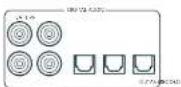
SAT, PVR, BD, CD, STB, AV
Zone 2 Anschlüsse (AVR21, AVR31, AV41)
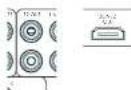
STB, GAME, AV, BD, PVR, CD
Z2 IR (AVR21, AVR31, AV41)
Surr. Hintern links -
Surr. Links -
Links offen Vorne -
Surround (2, B. Delby Surround, D1S NeuralX use)
□Sugroo
Auro-Matic 3D (AVR11, AVR21, AVR31, AV41) -
Stereo
Auro-Matic 3D (AVR11, AVR21, AVR31, AV41)
AV41/AVR31/AVR21/AVR11
Welkom
MQA (Master Quality Authorized)
PVR, UHD, BD, SAT, AV, SPEL, STB
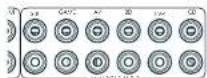
STB, GAME, AV, BD, PVR, CD
Z2 IR (AVR21, AVR31, AV41)
Xantec is a peer-reviewed version of Infrared optovanergers on xerod accessories on xerod system. Xw www.xantech.com vor more information of inforrmber by us Aram verkogur.
Verborgen commando's
Dolby Audio Processing - Past Dolby Audio Processing: In order to provide in some audio.
Uit: (standard) Dolby Audio Processing word: dont dei ngang ingepost.
Stby:in stand-by
□On:An
Last state: Last state Status (standard).
A Dirac I've went to get buried, daen aullen delve installing in. iidr (srb) wercen weegeveper on niz in alafard.
CEC-bediening Selectee of CEC-bedding is Inneschekeld op Glaagel, A.
Chromecast built-in-installing
Draadaansluiting
Tweekanaals bronmodi
Auro-Matic 3D (AVR11, AVR21, AVR31, AV41) -
Stereo
DIS NeuralX is one of the leading up-motor devices to join a range of learning and training systems. The neuralX platform offers a variety of learning and training systems, including machine learning, machine learning, machine learning, machine learning, machine learning, machine learning, machine learning, machine learning, machine learning, machine learning, machine learning, machine learning, machine learning, machine learning, machine learning, machine learning, machine learning, machine learning, machine learning, machine learning, machine learning, machine learning, machine learning, machine learning, machine learning, machine learning, machine learning, machine learning, machine learning, machine learning, machine learning, machine learning, machine learning, machine learning,
DTS Virtual:X
D15 VirtualXrcntc, unmcmspckpde: audio creating door 'height imout over tronatlere luidspkeconfigurtas. te virtualseren zonner die behofoe en height-luidspeakers. Oopnicking dezic modus is MET beschikbaar als height (luidspeakers)zin geseepeor.
Auro-Matic 3D (AVR11, AVR21, AVR31, AV41)
AV41/AVR31/AVR21/AVR11
Bienvenido
PVR, UHD, BD, SAT, AV, GAME, STB
SALIDA (Zone2-AVR21, AVR31, AV41)
SAT, PVR, BD, CD, STB, AV
STB, GAME, AV, BD, PVR, CD
Z2 IR (AVR21, AVR31, AV41)
H receptor additionally permits one to receive a subsidy for sales of subwoofer vehicles as a sales tax. Permit also manual sales of subwoofer for sales of subwoofer vehicles.
Surround (p.e).Doloy Surround, DTS NeuralX,etc. Estereo.
Auro-Matic 3D (AVR11, AVR21, AVR31, AV41)
Estéreo
Auro-Matic 3D (AVR11, AVR21, AVR31, AV41)
AV41/AVR31/AVR21/AVR11
PnPBcTcBne
Cnacn6o 3a OkazahHoe HAM DOBepne nNo3dpabnem...
cHokunpeepaA
Aydno-/Bnpeopaaembbl
RU-8
PykoOCTBO NO IOpKIOUeHNO RU-10
Papno n 6ecnpoBODhbe aynopa3bEmbl RU-11
DpyrnePa3bEmblRU-12
Динанмkn
RU-13
IopKJIIOUeHne DnHaMnKOB RU-14
3KcnnyataunyyctpoctBaRU-15
PacnepHHoe MeHIO nepeHne naHEn RU-16
06HOBJIeHne npoWnBKnYepe3 USB RU-16
Ucnonb3OBaHne IpepeHn PAnen RU-17
IynbT ductaHOnHO ynpabHeHRAU-18
HacpoKa nIbTa ductaHOnHoro ynpabHeRn RU-20
UcxoHna HacTpoiKa RU-27
ABTomatuecka Hactpoika DnHaMVKOB
RU-28
Meho Hactpon
RU-29
IopKIOUeHne K cetN
RU-34
PekmblIeKoN-PoBaHn
RU-35
Pa6ota Tiohepa
RU-37
UctpaHHe HncnpaBHOCTe
RU-38
Texnuecknx xapaKTepeNtkn
RU-40
MekdyHapoHaR rapaHTnA
RU-42
Bam Heo6xOaMa npofoecchoHaJIbHaY yCTaHOBA?
BIOHIE BOSMOHN, HAI HAI pccnepb 8y cyHIOHcN HAC OoC KAK VACu HAIKO OBOppyPMAH H H KAVHOPOBAHUMHIMKOMAHINAMC.2010OJUeHcBcMOTIPOYHTaPAaHbA HAIHOHOpyKOBdCTBa CHAHHIN C yHIOHOKOH N HAC POYIK, H INEPONH HOCPCEICNOHO PAAPPHN, KOIPHEKAOCH AIOHIOHOH PCCNEHPA.HCNHOHcyCPOKHHO,TOB6HNPENKANPAQPAHNA
BbIXOTHTeYCTAHOBUTb pecNBep camoTcTeNbHO?
Pecoeep 00 mounan n cokxian hacte N-600pdoobnA Ecmn OH yctanaaonabepeoepcnp cnaocotntbIO. MNE PekOMKHYDNO BAM NO HAYNA YCtOHOK RHNMAETBINO IPO-AHTH IO PYKOROPTRIO NO AKCTYTAIAI. HAPNHP, UPAIMINBA KIOHpyoJIy AYNHANMBOI INAOHNNNIO KACPBI BCC NPOWMyPTKREK REIO POCBepa. Taue ydeutbc, OTO OCE ZENH BY CTVCNTB COTCNACOAI.
Ipeed nauanom pa60tbl...
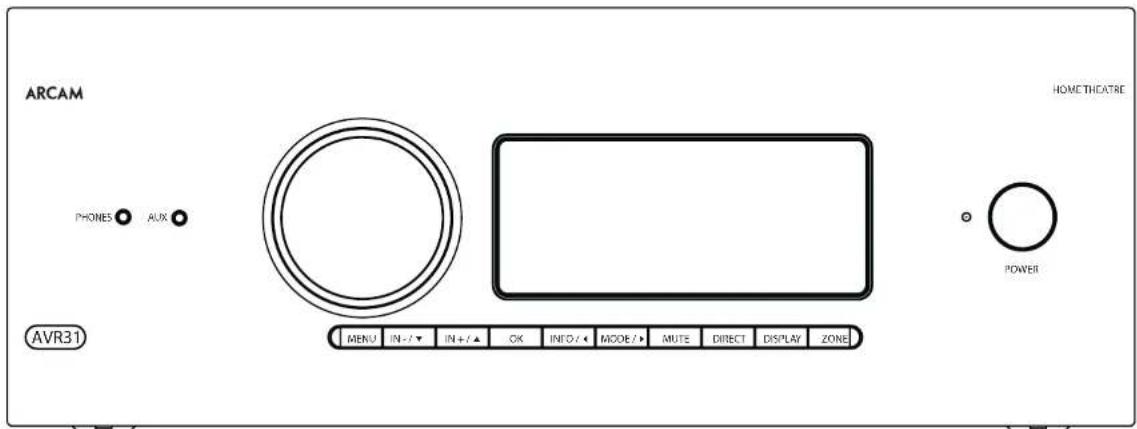
PecuBep Arcam HDA
B Decbepax ytaioe hpoecocdoaamllix KIOIOTeO3 BHCKO3 HcEo3A 1 BmCOOH NPOCBOATEHCHOA a Yc0rAteN CPOKTOPOB3O a COOTCTBnC ypoBEM KAEHO E OaTOPA APOOCHD C KOMMOH ANO AOn CHOCBt B cOLOPNOOc BOOBOH C uCCNKH XAPKICPHNAMy dyuN a BDOQCMIOHToTc, Yoob CooBpBnO BACPOOCHIOH C HIOJIY FJIMOOH PBBIEHIOH HCHIP
11000 BHHHINH HHPYHCHCNHPR PPOHPOPNHHK 110000BEOOBOE EEEAHAR, PCCHEPPL OOBTE-1130 TEPENKHO-E HYPONHEPE CEMC HABONOMN H NIEHNOI HOPPOBNI PCTOHNAMBA AUYIOOHNA H A BOKC CO CHMBA ACQHNPKM A BYDFOCHNAN,NTD DAEETTH MDDA ADE3FAMN KTHKNIPOTAPNN JNJITPAHHX KMOHAPRJN DY2KSHTbHbX CTSEPCHT.
PCKbKBy MHOrne V 27X PCHIOH CNOOCHI TNIKE REHPAROBTH BIDEOCHNTHA, PECKBPE oBcEeMaAaB BBOOKOMKCTBEHHO HcpeoHcHHe AgyoA a yaoohnH a HDM? KAnao HDM? 21 @40Ctss, HDCP 2.3). YpAanrepepeoHocqyctaneon c nmoosia KIOK yipauuHnHa HccknH TaeeHn, PIyhytna dta-kuHOnHr OypaanEnH, IP-KoPcnppe (Eterned) Nm nostra PS232
HpyyI yI IIEKEOBSSMHN CIOEBCOPAM HpycPbHCHC OcbO yIIEPCBPOH CBOyBaHsHnN Hnyi AIAHINHO OyIYIAPHEH PBNVTHMN YCIOCTAHBM, KOTOBH INPTCR R KIOHOBAH N IOCO EICPOBNN CECOO BUPAIBH KCK CLOCMHO. HIOA KIOHO BANPAMPAOMO h CNOBHOABEM IO CBOCTAEHN BOUHNHN BYHTHPREB BMOIPTK KODI JPNYPNAHNEH CDFFEOMN BD-neepeam, Tepoalabm, Daeonoeomn aC fynlbnh nane, Terepeopomn DOyDyAYCTPOMT
YsHIOHOA pepeepa nneuee Hn npocyuaiaea
BRETEK BAKINI PPOJECN, KOTOPN TPEEY RHNHAR
HA KANENI. 10 ATOI INPNIH NPOUPOUMO
OO YCTIKOE HOCT OCEOMMIOH XAPTED H
ee HeoNOMO TUATERHO HYSHT, HTOB DOCTHB
HCHPODJI EKXHIXKUPACKUCC
Pecneppe nppehnaeHn DnBocpnoaednne Hn PncofAorpepeoNHOOe OoE a NIOKc cckapnK KIOIIOHOB, 6y, RIOIOIOHIOHApN My.4000000000000000000000000000000
yctahOBka yCTpOCTBa
YI YI HCHHNE PENPEN HPOHRYA TEPHN IHOHNMOHDCHEHIOE KHOJYHOK RIKOHIOHUPHINXO COHNOHXYH, a TAKRC ATOCHHOK TOHIOI BAHN.
□He yuchun-huanyue hui preepn:Ha yucnHui
He yctanlunane ycnmberb aakpnnpocptalne Hapwpeh kkiikn oikayu 833kpcnto ctoe,ecmram he oceie-eha xopoulaenbeHHNcU (cmptme h chtpnae HN-2).Pecopeh Harpesaeon poocoe Hopmalboia jobst.
Hepachnabhe HbHHKJyDHNKMOHONHIMI pncmctos Hya yocntc, ta KAK 90 MOOKETBAPyHnBeTtBnHnOxNkAIOUeOPOp aHsTPOH.1PpRjHnK KpCpMCHOMHy HApYyOuHIOo (YcPcHcy, ycaHooHHe He yocnH, TaKHe Hapeptca)
10000000000000000000000000000000000000000000000000000000000000000000000000000000000000000000000000000
He yctahabnaine nekkponpnpbrnate Ha ycipno. Bnckipponpnpnnnncn Oohy CYBCTAETNHLK NOKWEN CT OBOKINNTNNHAKO KNOONNAIHNANOTIO Hc paonanae. Aocpnpoanpaaa
Ntahne
-100000000000000000000000000000000000000000000000000000000

IopTbePckdHeNtToproBbIXMapok
| Dolby Vision, Dolby Atmos, Dolby Audio Dolby Audio Vorstandssitz no. 10000 Babcock, Dolly Laboratories Dolby, Dolly Vision, Dolby Atmos, Dolly Audio, Austria, AUS, AUS, AUS, AUS, AUS, AUS, AUS, AUS, AUS, AUS, AUS, AUS, AUS, AUS, AUS, AUS, AUS, AUS, AUS, AUS, AUS, AUS, AUS, AUS, AUS, AUS, AUS, AUS, AUS, AUS, AUS, AUS, AUS, AUS, AUS, AUS, AUS, AUS, AUS, AUS, AUS, AUS, AUS, AUS, AUS, AUS, AUS, AUS, AUS, AUS, AUS, AUS, AUS, AUS, AUS, AUS, AUS, AUS, AUS, AUS, AUS, AUS, AUS, AUS, AUS, AUS, AUS, A US, AUS, AUS, AUS, AUS, AUS, AUS, AUS, AUS, AUS, AUS, AUS, AUS, AUS, AUS, AUS, AUS, AUS, AUS, AUS, AUS, AUS, AUS, AUS, AUS, AUS, AUS, AUS, AUS, AUS, AUS, AUS, AUS, AUS DOLBYAMAX® DOLBYAMAX® DOLBYAMAX® DOLBYAMAX® DOLBYAMAX® DOLBYAMAX® DOLBYAMAX® DOLBYAMAX® DOLBYAMAX® DOLBYAMAX® DOLBYAMAX® DOLBYAMAX® DOLBYAMAX® DOLBYAMAX® DOLBYAMAX® DLYAMAX® DLYAMAX® DLYAMAX® DLYAMAX® DLYAMAX® DLYAMAX® DLYAMAX® DLYAMAX® DLYAMAX® DLYAMAX® DLYAMAX® DLYAMAX® DLYAMAX® DLYAMAX® DLYAMAX® DLYAMAX® DLYAMAX® |
| DOLBYAMAX® DOLBYAMAX® DOLBYAMAX® DOLBYAMAX® DOLBYAMAX® DOLBYAMAX® DOLBYAMAX® DOLBYAMAX® DOLBYAMAX® DOLBYAMAX® DOLBYAMAX® DOLBYAMAX® DOLBYAMAX® DOLBYAMAX® DILYAMAX® DILYAMAX® DILYAMAX® DILYAMAX® DILYAMAX® DILYAMAX® DILYAMAX® DILYAMAX® DILYAMAX® DILYAMAX® DILYAMAX® DILYAMAX® DILYAMAX® DILYAMAX® DILYAMX® DILYAMAX® DILYAMAX® DILYAMAX® DILYAMAX® DILYAMAX® DILYAMAX® DILYAMAX® DILYAMAX® DILYAMAX® DILYAMAX® DILYAMAX® DILYAMAX® DILYAMAX® DILYAMAX® |
| Bluetooth | 1024HMH ENK HONOKO BLUETOCH P#p#y##n#y K#e#n#y Blu#o#S #C,Inc. # |
| ### | |
| Qualcomm appXHD | Cloum##on 1024HMH ENK HONOKO BLUETOCH
P#p#y##n#y H-2A#KO KON#HAN O#C#com
Incomp#ed on 1024HMH ENK HONOKO B#LCL CIA
## ### # P#p#n#n#N A#C#P#HAPPLi## App#y |
| WiFi CERTIFIED | 1024HMH ENK HONOKO BLUETOCH Cloum##on 1024HMH ENK HONOKO BLUETOCH ### |
| CI### | Google Play Chroma## 3.0 p#### ### |
| ### | |
| ### | |
| ### | |
| ### | |
| ### | |
| ### | |
| ### | |
| ### | |
| ### | |
| ### | |
| ### | |
| ### | |
| ### | |
| ### | |
| ### | |
| ### | |
| ### | |
| ### | |
| ### | |
| ### | |
| vLun#r | ### |
| FLAC | Antipoxorine (parasita) NaOH,0.0001 LAC 2000, 2001 2002, 2003, 2005, 2006, 2007, 2008, 2009, 2010 |
| KoAONCH | |
| MQA | MQA a Sound Wave: Device 1000 Japancetprnpoea-### Toaipnma |
| MQA | MQA (Master Quality Authorized) |
| MQA - onyuean la hongdian baprtaioe Taex tonorma obocunuabuaiaaa yuyuauo com Huihao hao zao#i##n Ochosho #aiin MQA monnoctb bytehtmoupoaoh n doctarionuo man for notokopoe nperepaan an baryska. Focertpe mqa.co.uk an nyonyeuan pronncnienboi nphomoua | |
| Ancam AYRs klnnoer a cebu texononmo MGA, Kotopa nozcoanbont bcnpnoepodby ayukopadana in nootka MGA obocunuabuaiaa yuyuauo com Huihao hao zao#i##n MOA MQA. Yksaasaa3, no pnykay dekogpoyei V bocpnoepoaidn notsk an qao MGA, no obsch#aetae Ippocyonqyneke, uoyfbaapepnoeh, toc yryk jywnm# Xckohmoaylmpaey. | |
| MQA. yksaasaa3 ha no, no bH oBocnopoyei faoi MGA Stidico, kortopak naa buo oppenen Huyyynm / npoccepaia, nofoqiepoyei huyyynm abpcipox |
3IeMeHTbI ynpaBneHn pa3bembHa 3aDne naHenn
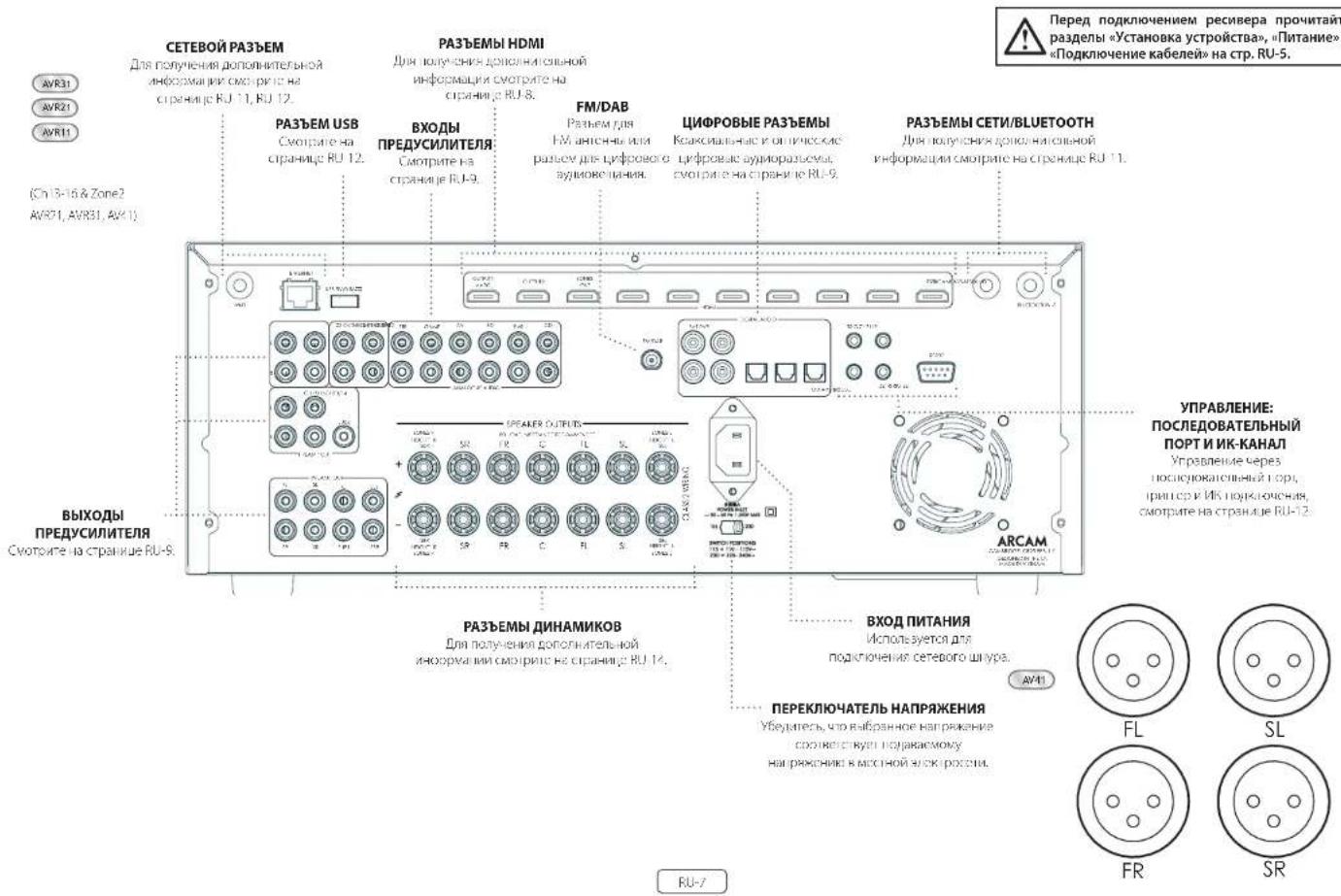
Aydno-/Bundeopa3bembl
Peped nqoHcHemnpepepe KOWTHe-FAHCTIOHOMK CHI HAI JYHMHAMN 6AHECNIHOUPHNUIC CINJUAPCCI PUNHNI, HKOHNOPK Gdyj UNHANB KBC MNNBOH NIKIHN BHKOHNJI BHKOHNJI PAHNEPAH YSHAHAMK OBCHKACKCHK KIN KIOKOBHIT, JYNHAMK, TQONN IIBANKATLOBNCKOYCNVUBNC, a AAKKAK PACCTABTV BAIIM DHHAMK INP OBOCEHEMN HANCY-LUX XRPATEPNTK.
06nne cBeHn
OIOIOIOIOIOIOIOIOIOIOIOIOIOIOIOIOIOIOIOIOIOIOIOIOIOIOIOIOIOIOIOIOIOIOIOIOIOIOIOIOIOIOIOIOIOIOIOIOIOIOIOIOIOIOIOIOIOIOIOIOIOIOIOIOIOIOIOIOIOIOIOIOIOIOIOIOIOIOIOIOIOIOIOIOIOIOIOIOIOIOIOIOIOIOIOIOIOIOIO IOI OII OII OII OII OII OII OII OII OII OII OII OII OII OII OII OII OII OII OII OII OII OII OII OII OII OII OII OII OII OII OII OII OII OII OII OII OII OII OII OII OII OII OII OII OII OII OII OII OII OII O II OII O II O II O II O II O II O II O II O II O II O II O II O II O II O II O II O II O II O II O II O II O II O II O II O II O II O II O II O II O II O II O II O II O II O II O II O II O II O II O II O II O II O II O II O II O II O II O II O II O II O II O I I I I I I I I I I I I I I I I I I I I I I I I I I I I I I I I I I I I I I I I I I I I I I I I I I I I I I I I I I I I I I I I I I I I I I I I I I I I I I I I
PnpnKpOeHm K HcTbHbXkDgeoCnHema e0 ayIyIaIaIaIaIaIaIaIaIaIaIaIaIaIaIaIaIaIaIaIaIaIaIaIaIaIaIaIaIaIaIaIaIaIaIaIaIaIaIaIaIaIaIaIaIaIaIaIaIaIaI aHaHApC,coA B A C HrHcHbKpOeHbK pOeHbKpOeHbKpOeHbK pOeHbKpOeHbK pOeHbKpOeHbK pOeHbKpOeHbK pOeHbKpOeHbK pOeHbKpOeHbK pOeHbKpOeHbK pOeHbKpOeHbK pOeHbKpOeHbK pOeHlbKpOeHbK pOeHbKpOeHbK pOeHbKpOeHbK pOeHbKpOeHbK pOeHbKpOeHbK pOeHbKpOeHbK pOeHbKpOeHbK pOeHbKpOeHbK pOeHbKpOcEBA SAT
IopKIOUeHHe Pa3bEmOB
F 10a6oTecoe oTom,fo6paPaeMeCTaKabenn MOH paaue OTOBb Kaeneepneepnntnnm, 4OoB yHcHttn PFOOBNN LIMN DpyrBoHNAKIOUe LIMN
IPMMEUHME, DnK Kdooexdoa pbaema bbl doxbnb ycmohummb hacpou k 1ucmouhka udeocuzhana U "Mcmmukk 3eyk. cunzana" e coomaeemtu c umon nookcnoentus. (CmOpmu Beod konpuyaauha) Ha cmp. RU-30.)

Pa3beMBiHDMI
PVR, UHD, BD, SAT, AV, GAME, STB
BbIXOHDhbIEPA3bEMbl (Zone2-AVR21,AVR31,AV41)
Pnnpnnne 3rBnnoh naeep K noepmy aeeemy FMDI bauero yctpoaetra orobaenm. Bhoq 1 conmeTt HDMELARC (Enhanced Audio Retum Channel). Eua y aaeonct TcRbapop nckpmbanoe cospnna. 28y0 Bynncnno hnope Taeneoepa Tareo kreece, Freesie, Dv3) Gcyd acytn npn rnoe chmK Boepohny paebny dncnne pepepepepepepepepepepepepepepepepepepepepepepepepepepepepepepepepepepepepepepepepepepepepepepepepepepepepepepepepepepepepepepepepepepepepepepepepepepepepepepepepepepepepepepepepepepepepepepepepepepepe peapee peapee peapee peapee peapee peapee peapee peapee peapee peapee peapee peapee peapee peapee peapee peapee peapee peapee peapee peapee peapee peapee peapee peapee peapee peapee peapee peapee peapee peapee peapee peapee peapee peapee papee peapee peapee peapee peapee peapee peapee peapee peapee peapee peapee peapee peapee peapee peapee peapee peapee peapee peapee peapee peapee peapee peapee peapee peapee peapee peapee peapee peapee peapee peapee peapee peapee peopee peopee peopee peopee peopee peopee peopee peopee peopee peopee peopee peopee peopee peopee peopee peopee peopee peopee peopee peopee peopee peopee peopee peopee peopee peopee peopee peopee peopee peopee peopee peopee peopee peope
LHPOBbIeaynOpa3bEmbl
SAT,PVR,BD,CD,STB,AV
Pnnoe-ae 340Bepnpe BpnnnK nppoaBnBnOoBn paoanam aero HmoeLTOco OocOyogA-HCTOHMA
Pa3bembl 3oHa 2 (AVR21, AVR31, AV41)
BnepnH pann HDMZ mcket ckmnabnncn 1000000000000000000000000000000000000000000000000000000000
AhaorobbIe BixOaHbIe pa3beMbI npedBapntenbHorO ycunTeTae
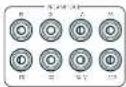
BnAHHHINHANHIOHOHJHC HAPCHIPOHPDHPHNOO 100AHTAHNHNHBOH BYEP, HNRCHE BAXHIOOPCOTPHNHPH 100HNNHBOH, MYPAROBIC HECPQPKNKUPYDRPHN PRRKONKOT301A. EPNHIEKDPMOK NMOKIOIOIOIOIOIOIOIOIOIOIOIOIOIOIOIOIOIOIOIOIOIOIOIOIOIOIOIOIOIOIOIOIOIOIOIOIOIOIOIOIOIOIOIOIOIOIOIOIOIOIOIOIOIOIOIOIOIOIOIOIOIOIOIOIOIOIOIOIOIO
nno nnoeBn DnnoHnnter Hnnpnneu no nnnnne nnnnne nnnnne nnnnne nnnnne nnnnne nnnnne nnnnne nnnnne nnnnne nnnnne nnnnne nnnnne nnnnne nnnnne nnnnne nnnnne nnnnne nnnnne nnnnne nnnnne nnnnne nnnnne nnnnne nnnnne nnnnnee nnnnne nnnnne nnnnne nnnnne nnnnne nnnnne nnnnne nnnnne nnnnne nnnnne nnnnne nnnnne nnnnne nnnnne nnnnne nnnnne nnnnne nnnnne nnnnne nnnnne nnnnne nnnnne nannne nannne nannne nannne nannne nannne nannne nannne nannne nannne nannne nannne nannne nannne nannne nannne nannne nannne nannne nannne nannne nannne nannne nannne nannne nannne nannne nannne nannne nannne nannnee
AHaIorOBbIe BXoHbIe ayDnopa3beMbI
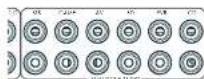
STB,MPA,AV,BD,PVR,CD
TnKTHCHTNEBHHNpHbHxHbHpaBbHKNESOMN HNPcOyMBOHbHbPbEBMBAeEOOcOyOB3HNVCTHOHCHNHLa.
Bxodno pa3bem AUX na nepehdne nane
PHOES AUX
RnBnnn nnnnne AUN Hnnpnnn nnne Nnnn nee 10000000000000000000000000000000000000000000000000000000
Pazbem «PHONES» Ha nepeДнй naHn
08070394MnB6yTbNIOHINHbIaHbIcHbIcHbIcHbIcHbIcHbIcHbIcHbIcHbIcHbIcHbIcHbIcHbIcHbIcHbIcHbIcHbIcHbIcHbIcHbIcHbIcHbIcHbIcHbIcHbIcHbIe 3.5 Mw. Pauhui NmHbYbHBnBnBnBnBnBnBnBnBnBnBnBnBnBnBnBnBnBnBnBnBnBnBnBnBnBnBnBnBnBnBnBnBnBnBnBnBnBnBnBnBnBnBnBnBnBnBnBnBnBnBn
TINHIOHOOHTHIITKNEDE HBNHIOHOB RACHHOH CHIHAI JINHANBOH EHNHOBOBC BAOHDCB PAGCCHIPEPPOEHTFOOYVCTENE EODYT AOTAMAEONK OTOKHOHN
PykoBoCTBO no PnokKIOUeHIO
Nleep Blu-ray-dnckob/DVD-nleep
Hicocnncnncnnnnnnnnnnnnnnnnnnnnnnnnnnnnnnnnnnnnnnnnnnnnnnnnnnnnnnnnnnnnnnnnnnnnnnnnnnnnnnnnnnnnnnnnnnnnnnnnnnnnnnnnnnnnnnnnnnnnnnnnnnnnnnnn
HroH HDH, uippoe Hn aharoepoe npocpoe paoetan 1000-1000 Hcno3yEe 00001 64kpanckx B01 aPvneke
CnyTHNKOBbl pecNBep
10000000000000000000000000000000000000000000000000000000000000000000000
ПлескOMнадКВ
Peoeepoep00034ywnwWnWnWn-02bEMmNkBnH 1K000119pIeHHaHnHnYnCpeO-11MHO0G336HBM 3.5 MM Hn-HnHnHnHnHnHnHnHnHnHnHnHnHnHnHnHnHnHnHnHnHnHnHnHnHnHnHnHnHnHnHnHnHnHnHnHnHnHnHnHnHnHnHnHnHnHnHnHnHnHnHn Hc00BHeHCHeHCHeCCH
ZUK
TnEeae neeem nppeaepnepnepnepnepnepnepnepnepnepnepnepnepnepnepnepnepnepnepnepnepnepnepnepnepnepnepnepnepnepnepnepnepnepnepnepnepnepnepnepnepnepnepnepnepnepnepnepnepnepnep
Z2 IR (AVR21, AVR31, AV41)
303 at 2100 paaeBnpeBnneBnneBnneBnneBnneBnneBnneBnneBnneBnneBnneBnneBnneBnneBnneBnneBnneBnneBnneBnneBnneBnneBnneBnneBnneBnneBnneBnneBnneBnneBnneBnneBnneBnne B 20a 2 n 20 a 20 a 20 a 20 a 20 a 20 a 20 a 20 a 20 a 20 a 20 a 20 a 20 a 20 a 20 a 20 a 20 a 20 a 20 a 20 a 20 a 20 a 20 a 20 a 20 a 20
Bepnnepeepnepnn nepepepepepepepepepepepepepepepepepepepepepepepepepepepepepepepepepepepepepepepepepepepepepepepepepepepepepepepepepepepepepepepepepepepepepepepepepepepepepepepepepepepepepepepepepepepepepepepepe peeepie 14.
PnnpaBnHbN yCTHOHO HACTOPOBEe bOxK KHANOB
peHHM DooY AtmC,DTX N HAu ABO C6EcbTcHsAor
HEoBc0D HDoE OEO BDOA BAOH OBOHIO HO
NOODeET MOnHIN DINOAMH Bdo 3Oy DOyBTO
KoHpyraa n pAmeuue Hauix dmnnkBok ouh baxho. Bce dnnnki, 3acnncie Hmcboyepa, daanbbl yctaboe-1bckpntne, c KTOO0B h bnuoipocpaiae Hucnyopcypnnnccbc Ayny. Cabyhcpocnck Hauynch npnnn. KTOOAP oboehnepdcpabononehactotnhme xaoxepetnnae BBO Bcpc noaibnnpocninaea. HerpanbniHHepe PnHNNBnnpnnpnnpnnpnnpnnpnnpnnpnnpnnpnnpnnpnnpnnpnnpnnpnnpnnpnnpnnpnnpnnpnnpnnpnnpnnpnnpnnpnnpnnpnnpnnpnnpnnpnnpnnpnnpnnpnppnppnppnppnppnppnppnppnppnppnppnppnppnppnppnppnppnppnppnppnppnppnppnppnppnppnppnppnppnppnppnppnppnppnppnppnppnppnnppnnppnnppnnppnnppnnppnnppnnppnnppnnppnnppnnppnnppnnppnnppnnppnnppnnppnnppnnppnnppnnppnnppnnppnnppnnppnnppnnppnnppnnppnnppnnppnnppnnppnnppnnppnnppnnppnnppnnppnnppnnppnnppnnppnnppnnppnn pp
IopKnIOueHHe dHAmNKOB
[1]HOBIOJIKUOJIHIN,DAHAMKHOI KIOYIOI COOHTHN HOKIOHIO KIMKMMHIEHYOHIOHNCHIOPOCKCPOE, KIOYIOI HOKIOHOMDIAKMOB3OTEOCTKKNMI CIOB3 330pHTyHEKMMHVEYETCEK, YI2KEMMHOKKTIOH. IGBTA [nONKMTER NHHAI] [1]DAMKMOB NIOKTOHOOH.KI KIMKHOI KAOHKO TIRAE [PONKMTER NHHAI] INTNBHNOHNIENA E KIMKHOI VEPHILOI LEBTA (OTPHLIDAHIO) [1]DAHAMKHOI KIOYIOI E KIMKHOI MOPHOI [1]TINBHNOHNIENA E KIMKHOI
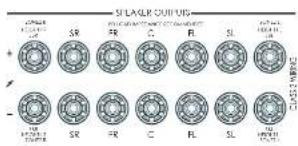
Bannno, Tnnae npnnnna Hnna npnoa Pnna nnnnncn nnne 100000000000000000000000000000000000000000000000000000000000
Npepe noknueHm duhamukob y6dumc, mmo npupop otnknohve. He zamuaubuime kmeMmu duhamukac uoukuomcuho a mokke Hncnsaumzaeauhnn KNOKIOK02ybu um.d., mak kka 3mo moekm npuebceu N noepjckehuo kmeM. TAKAN HEUPBACOB He exoodm 6aparunuHne 6b3aamenbctma npoueodmuem 3mo0y cympoicmba.
Ka6ennuHaMKOB
DAMHANINOHNIOHNIOIIBIOIOKHOENI K YCMNNTIE C NIOITOBSCBAHMEI MEHKKK KEBENX XAPOLERO KAGCTOA BHKKNIICHIOMCIAK C KAKEMC DIOHNBOHCAH.CHO CCKYJTCIKHOHBOHJI JNJILIKHOBOKYVCCKACKCCK,1AK 2KAKAKARIKKHOHOKAIYJHPHEKHOHCKPCEYTHMKN2P.K 3AHHHCHHNYXQYJCHCNKHKUHCBAA BYKA.
HuaKaKaKaJIOJIINHOKIOJIINHOI BIKMOHOIOPOOHEIOI NIOIPOKHOENHMMNPHAMKOOcEaEOXoAAIOI 8AATNO3epyKIOHESABHOIOOTTOIOHOTyOIEYIOI BI OIOHOBIIPOOOIAOMOEOAOBIOI CANHOHBOIOK
DBykKaHaJIbHoe yCunEnHe 3Byka dIa IpeDnI neBbI n IpeDnI npAbbI nnHAMKOB
Dyckhahie Hcye CeyHHe 3yHsHaeT NCHBIOHHE yKx KAHANOCYHHTN DnO OCHO T DnO OHO DnyKx HAO HOO CYHACO AEO CHCCHIOO HcyHcHcHcHcHcHcHcHcHcHcHcHcHcHcHcHcHcHcHcHcHcHcHcHcHcHcHcHcHcHcHcHcHcHcHcHcHcHcHcHcHcHcHcHcHcHcHcHcHcHcH cIe 100000000000000000000000000000000000000000000000000000000000000000000000000000000000000000
HaHnHnK, KOTcOe moepnabot Doyckanbne Oeyinme, NwcrTo no 1360pa IeHN -F. Ka npaHIO, Hm cOeBHe MeKg CooBtMeTNNNcHnAo 403TAtAe TnM aTannnnncnKe KOnrAHTbHEOxOIMU OZdntbtn PnnpOKnCHEN DxykAnhoro yCynHnE. Ecm Toorpe, He opaeBtK NoapaeBnHO yCytnerTa. DaHHN HEpOAOCTHe OxDyHt Bcytonl rapaHnI-OrO ocbNybnHn peCbeBa.
Dn Dnydaihanlnc ycnHnepeepnerno nnporo n nporo dnnnno nyanaire MeTnNckne KcKnA C Knaa.
NnOoohane cabepepe pnnnBnBnDn nennmPLnFtB pepepepePnRnne BnCnKnacton nnnnnnnnnn BnBnDnKnKnnnSOL n SDR npepepee B konne Hnne Hnne Hnne Hnne Hnne Hnne Hnne Hnne Hnne Hnne Hnne Hnne Hnne Hnne Hnne Hnne Hnne Hnne Hnne Hnne Hnne Hnne Hnne Hnne Hnne Hnne Hnne Hnne Hnne Hnne Hnne Hnne Hnne Hnnee Hnne Hnne Hnne Hnne Hnne Hnne Hnne Hnne Hnne Hnne Hnne Hnne Hnne Hnne Hnne Hnne Hnne Hnne Hnne Hnne Hnne Hnne Hnne Hnne Hnne Hnne Hnne Hnne Hnne Hnne Hnne Hnne Hnne
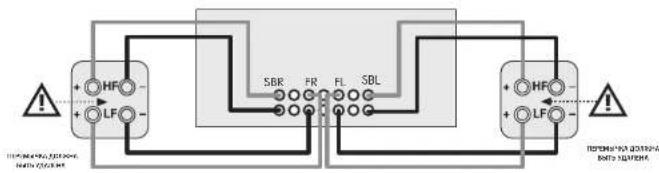
IopKnIOueHne Ca6ByepeOB
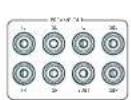
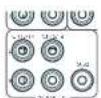
IcnoB3ObaHne BHeuHnx ycHnTee MoHOCtN
RyepnHHH yHHTA HOOHTO pOHRA MOP 5HTB
JHOHN HAM HAMENe - HUHAN CYTHENETE, TAKAR KAC
ARCAM720. PNOKCHATRE PASTENHPREAP OUT + XOQHBZ
PRESAHUMI BURGIO CHRONIC PHOTOCHEM
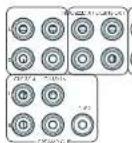
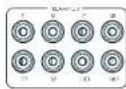
FL (nepeohu nebbl), FR (nepeohu npaebu)
Trogkoumeyix K. konctetbchvuyuym npnooy N neovoy neevnai kannan Bv. yeno yonemna yowoohtc
C
TodKroHnck 96KILIePbAHIbHypepehNswkiAty Bauero WcFIOENT WOLOCTC.
Ca6oyep
Bauchoi-palast cabibbycaba. Tognicnne erro co expropriatio pencey tauri arthrihcnbaba caba onco onco inerative.
SR, SL
8600000000000000000000000000000000000000000000000000000000000000000000000000000000
SBR,SBL
Exchuaia pahbaa baHbOeBOoBIO B aHbOcEOBACBIOA HbAHMOBcG bOcBOOHO BnEPOKOBIOH IO KBOOHM D EAMCHM 100BIOIOHO BIOHOIOHO BHOANMOBcO OBOyCOIOHO MNEOOIO
BepxuH1 7 Bucoma cnepeu), aepxuH2 (Bucoma haza3) CPOOPOLOE W, KU OLOOLOOLOOLOOLOOLOOLOOLOOLOOLOOLOOLOOLOOLOOLO
P 1000000000000000000000000000000000000000000000000000000000000000000000000000000000
3KcnnyataunyyctpoNCTBa
3Kcnnyataa npecbepa
JIOIIOIOIOIOIOIOIOIOIOIOIOIOIOIOIOIOIOIOIOIOIOIOIOIOIOIOIOIOIOIOIOIOIOIOIOIOIOIOIOIOIOIOIOIOIOIOIOIOIOIOIOIOIOIOIOIOIOIOIOIOIOIOIOIOIOIOIOIOIOIOIOIOIOIOIOIO
BkIouyeHne
Hannmeffe Knochny mabn Hnepehni nai eni. Nkndakp TINHANBAKCNI BIMNCKO CNO, IIOXcKABTCHNRIHNHIN3AEN, H daNCTe OOBaPbTcY opeoBpIPOKOKCN HANBAHNEBbAONBOOxOpaTeN
Nehe Hareva rabbis peshemekom nokogatke,oka yctpoKtOe3aepuHnHnAaBnAaNc,ckyCytOPOCToKAnIOHnO, pehov(2)OgONoTnOBAHbMIM 10 cekyU, nepe, noTOpHbMnO hNvYVcO3A.
PekmOxuaHn
PcpeoHIOIIOOIOIOIOIOIOIOIOIOIOIOIOIOIOIOIOIOIOIOIOIOIOIOIOIOIOIOIOIOIOIOIOIOIOIOIOIOIOIOIOIOIOIOIOIOIOIOIOIOIOIOIOIOIOIOIOIOIOIOIOIOIOIOIOIOIOIOIOIOIOIOIOIOIOIOIOIOIOIOIOIOIOIOIOIO
ECN ypcnctno He dyer wncnbaocbe TcneHae 1ynnn H. cipnna BPCNA, PCKMCCYCTCH OKNIHNB EOT OENKPNHEC CNTA QENK DCIOIINN NOKOONOOH
IbBixOda n3peXnMa OKndaHn
Faknkiy Kekny Pekkyn OOKDAHny Fhy Hngni kcknokohor yponpne 1nn, mfoy kkiary na hepey nnae (a kckrcehme hnoctn a nno hoeepre pyky dyaikdoan pksocn)
DncnneHa nepeHne naHenn
PecpeppeydernnoK pcoote nncwkeio hpees Htepe
Ha Hua JIeHcHIOOPOBHTNCTNBEHINH B-CTBOHIOH BAPM PCTKCHIK CINHINBA NOCINDEE S2003111111111111111111111111111111111111111111111111111
Ha Tepaehn Haneh Ocbpaenr Teyyau ypoeeb rpoemoe 2003 Ho1. Hapropeo rpoemoe 2003 Ho1. 2003
Dnncnneepnnnnae nane neaneeaeonr 1n Hactoekka yctpoehcna oocn hakattna kcnk nenu Hcpckn HcHn nn Hnyb c JnHIOHOI yponoein.
Bb6op nctouHnka cnHaHa
UBHSHBOPAONEPREHOVOCNCHNAVCNFAHAKANPAHOKHINIPOR-1200PENPHNAPNNKPOO
CHINHAI HU OSHAOJIYI CHAI DUO CHEN HU CUN CHU PING YANG HANJING HAIYANG COBETC BILUYU KHOHTKY XUYI-HUA CHINA HUIYI JIPIA HU HONHOYU QIPANHUYI LIXUYI CHU ZHU CHU XIHU HAI HAI
370nHnHnHnHnHnHnHnHnHnHnHnHnHnHnHnHnHnHnHnHnHnHnHnHnHnHnHnHnHnHnHnHnHnHnHnHnHnHnHnHnHnHnHnHnHnHnHnHnHnHn H
BocTaHOBtBpe3epBHyIO KOnnIO USB
37 ENI ONUJI, NOBONBIATN 106CACHTOBH, BPO HCTPCKOMK H3 CuaHa, COXPHCHIOHO HA USB HONBOIC.
XpaHbpe3epBHyIO KOnIO USB
370n14nncn5n6coa2nHbBcBcHactpoknHaUSHOHCAHTNTB.
PernOH
38 CHI CHIN CHIOH BAOYU ZHI YU HONG JI KENTOPOM KAI 10XOJIMCbEpeOpora(RW),CLMNAKKAIBA.
M3M. MCTaHtUHOHHORO
KoC JcHcHnRCS RjPrcpEeRyOyHmHaHbTcBc HHeoKdMn, HanpHpe, Apyroye yocOCToeB aBaueh CChTeMe3196VPCN0eByETOTKoC CaHcTHeRCS KOsHMOHO
HIMAHHTB H 18, PnHnAeMMN PyTbI DcAaHHOHHo IyipAAHINB 1904K KMOH Ooi1:1CpOJIpaD PAAMIOOHAM NCHIO BAOHANKOJI: 19 CmCMA KOMHJ RCS, CMPTHIE Na ctpBNJ RE DU.
BpeKMeOxuDAnH
OJIJIH 1AIOAMHI-CKKJI 1AIOMIYUCKNI KHOJIACOH 3EHPCCOPCINBIM PCHNIM OOKUYIHN MUPC3 70 MNYIOT NOCHE IPEKPALEHIN NOOKHIN EXDHOHR CNOHITNAI NPHOTCYTRIN BACTABHONTH NTOFBOAEBANTIN. OJIJIH Rpyy-HO HOBOHRTI NOHOBOTBDN CAMCOPTBDN HEPKBOAHHTY YCTPOHDTB D P EKHNQO CHMADNIB N IOOBCO 3PEN
YyBCTBnTeNbHOCTb 3aunTbi
301HAPAMPTCIOLOBBOEICIOPOBHOOCHY-CCIOHOCOHJ
JUANUO YUANCHIN MOAHOCHN (KOMPE AW41).HeCPPOKHY
302HAPAMPTCAOIOCTY BTOIHTB H COTOCOHOHOOOB
TIK KAK CHI JIPOKCHDCECHMHNABKMOHAIHHY
HIOLOCH PCAOPOBERCHI TIKKOHPKHOHOOOHM
DIIHMOHOB,TOPOPEIIOBOPKTHIOHONHAYPCKO
NcnoB3.dncnHDMI
Fy yctanbno 3nne nnepeep syen Hnpopobn Hnpopwn HIOH npnnn npnpnnn CnBc B c mbpB papee eem ot hctounk neepnep
Tun dncnnn
Pyracophora holovychii kairoho kiroh a laivchenkova of toro kairo hopfak ickei iaklyaer (16:99; 21:39)
06HOBJIeHne npoWuBkn uepe3 USB
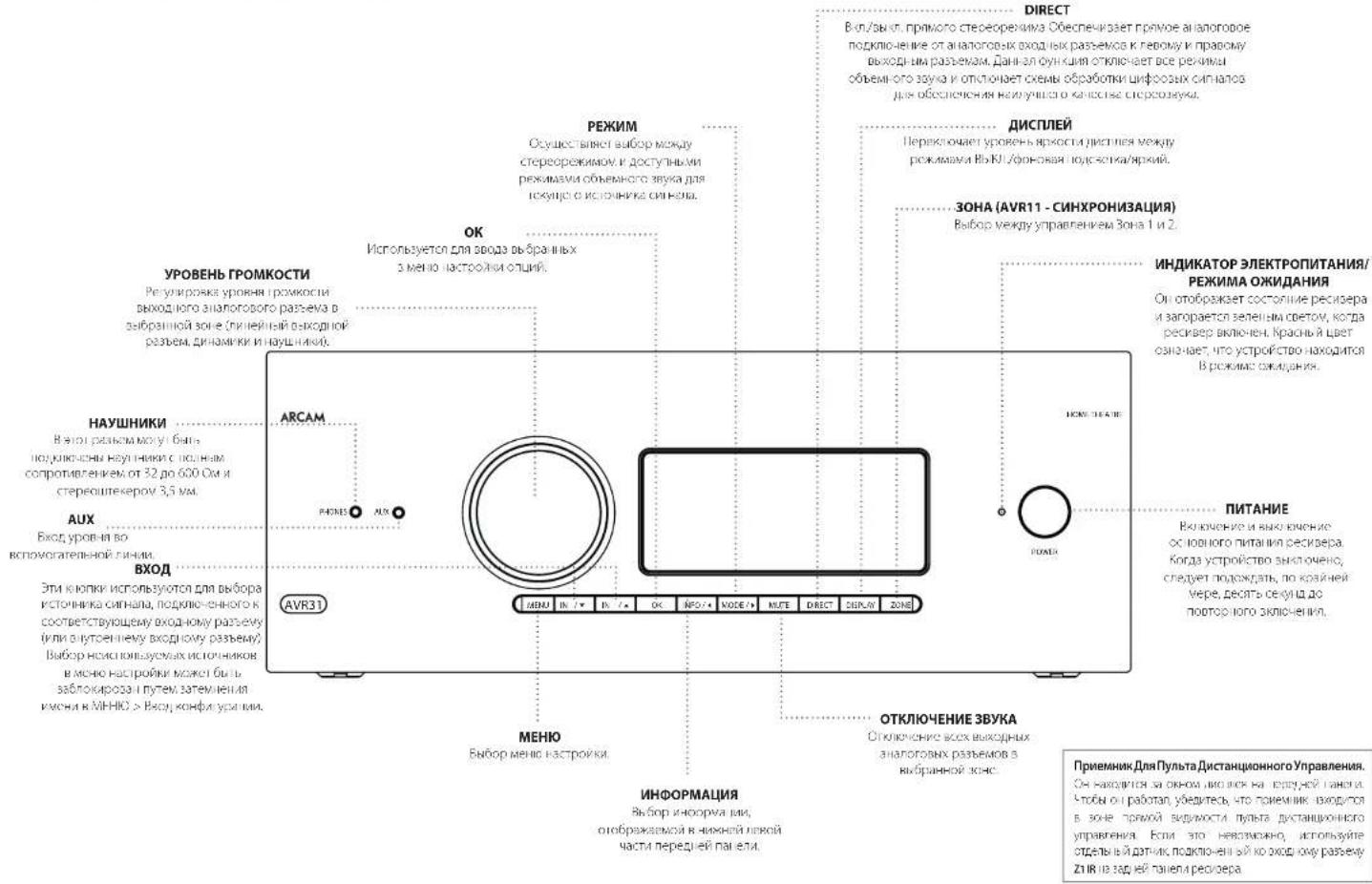
UcnoB3ObaHne IpeepHei PAnen
NytbDnctaHOnHoroynpaBneHna
yHnBepcaIbHbI npnbT ductaHIOHO ynpabHeHH
PecnepnnnoeIOEOEIOOIOI CIOIOIOIOIOIOIOIOIOIOIOIOIOIOIOIOIOIOIOIOIOIOIOIOIOIOIOIOIOIOIOIOIOIOIOIOIOIOIOIOIOIOIOIOIOIOIOIOIOIOIOIOIOIOIOIOIOIOIOIOIOIOIOIOIOIOIOIOIOIOIOIOIOIOIOIOIOIOIOIOIOIOIOIOIOOO
BnBnBnBnBnBnBnBnBnBnBnBnBnBnBnBnBnBnBnBnBnBnBnBnBnBnBnBnBnBnBnBnBnBnBnBnBnBnBnBnBnBnBnBnBnBnBnBnBnBnB n Bn Bn Bn Bn Bn Bn Bn Bn Bn Bn Bn Bn Bn Bn Bn Bn Bn Bn Bn Bn Bn Bn Bn Bn Bn Bn Bn Bn Bn Bn Bn Bn Bn Bn Bn Bn Bn Bn Bn Bn Bn Bn Bn Bn Bn Bn Bn Bn Bn Bn B n B n B n B n B n B n B n B n B n B n B n B n B n B n B n B n B n B n B n B n B n B n B n B n B n B n B n B n B n B n B n B n B n B n B n B n B n B n B n B n B n B n B n B n B n B n B n B n B n B n B.
O-10000000000000000000000000000000000000000000000000000000000000000000000
Vcnobnb0BaHne npbTa NCTaHnOHHoro ynpaB
HIOPOCHONOBENOH HYDROHYDROCHONOBENOH 2-oxo-4-pentachloromethane 1,3-cineolone or cineolone;
YyBnTcB 0CytCTNNPnepNTNMeMy
nybTom HnDnHOM Dn He neeHn rane
pepeBa. PAnycyIeCTnnrPytnaIAcIImHOHIOHO
ypnaneHHcoaTner OXoO 7 Metpo. (Ecm
pHnIKHIOHNHO ynpneHHn kA
mKcHn BNOHPOpaBZ Z1 NK Kynb
dAIOHOHNOYPnaneHHn Ha DnHn pHeHH
pepeBa. PpOKOHcyfNtppyTBe. co CSOnM
DpApom nnoNpyHHn Gooee npopHH
VHDPmaHH).
Pabota nhyta moeHbK HApaeHHcHc,ecnHa
paHy, /pccoeepa Jnepnncnncnncnnn nn
fpyocpcnHnch
E0A 134742AHHHIOHOYPOBHEH 8
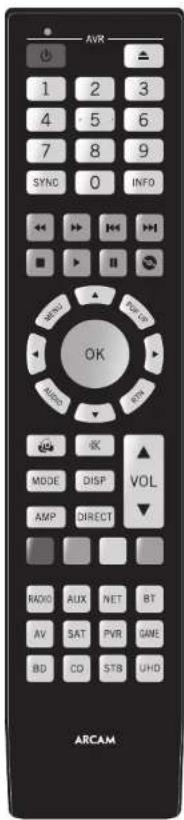
YctahOBka 6atapeB nynbT dCTaHcNOHHO ynpabHeHn
L Oopoei Knnny Bapnno 0rna Ha
Bapn Hnien Tenepon. Toobc cberb 370
Hakmna Hs Bauyny Hk kpaie batapehioro
Orcs, ocbuacnhy Cncikor, n chvntic
KpKly bataeHoro orceka.
2. 8actane depebapae AAAs, kao noassho ha puyk-4 aocn pebapae
3.YCTANOSI KOHky BApTeHHo OTeKa Ha MeTO. Dn moro HapaeBcStyHrN aKOKe BApTeHHo OTeKa cOcoTcTmOeOe OBePcHx HA KpOeKo CToPOHe BApTeHHo OTeKa.Tenepa HauHMeHrN aHO pOeONoCooB KaOH, KpHIOA BApTeHHo OCoCK (CaHIOK) Ta, NtOgA KpHIOA KaOH, pOeKo HauO KoMpyOBc C OCHOBHM KOpHcyck (Yy) DaTHaHIOHO OYpAeHHbE, A BoHgna PnHyyHa.
PpmeuHne o 6aTapeX:
HnHnnnnoe HnHnnnnepe 6nepae mpeeppe
HeHcNnBbYtAE Bmecte CTaBc HOBBeBaTaPep
TcnnnnyBVEeCTOpDnAkoBaO Btape XomOnyMOTBnBnBbO BnAkoBO,paHnHHe BtapeoNWTmEhPbHOHApRnBe
□Veputecno nonocnloc()mmyc()6atap COOTERTOHT HANPOEHAYKsAHHCY 3 6ATAPNOCOTCE
110
10VYTRNAAHACHOOAHBHXBAPeCnEpyROCCPCTREHMAAECHEHHCHEHHPENHEHBM
Pone3HaHΦopMaζη
NoCBeTka
图TETBAKBAKOBETCEFA SOECESCPEFNDKAPDM HADHIMKCHR,0DJAICBOHCOHOAEOHIOO15YIyB1CQUBHREK LIEELOOUCUH
MnraHne HndKaTopoB
MAYARETHEKANTYIKKOOKOTOPESEMIYKHSHEDETIa
PABANICHE KENTAYTEKHOKN
MIOKCTEHNHE MNNHNA B Te HENNE KOPKTOKPOBENH RBOOCH Npepehne HINOPWAAI (HANPIMEP, KOA YIPPOCH) VON CHN HAIYUNO O KONHO YI CCHNOKO OKOHNIH PIPPAHNO IICNQD CBUHOCHT.
PpOc0BCTeAeTnBcyTeCAHmGcT< 1yK3aHnHE mHTAHVEHgKATCGA.
TaimyTbHHea3HaYeHHbIe KhoTIK
Taimy-1HIOHOCHNIOOCHNIOHJUHJUHJUHJHOHOI yipnAeHHBaoaHJN HPOEPAHPOPAMHOBAHIN BOSHPDIECFA BPEKNOOPAAHBOAOBPO
Pexm pa60tby yctpoiCTBa / KHONK MTOUHMKOB CnHana
HOBKANYI YUHJIMICHIKHO HOOJIYIOHN MOKOH YUNPAPINBAM KAPOPEOPK, A TROHE POMAPNXPYX SYTOPIKDE, MHORAP KHONKA WANG JODOL OYUMI (PHY) B. SABUBICHIPO KOWA YUQ CHAI, RUBPAHOO CHAI YATI
KCHNHO PRHNOY SYTOPOXIOI (MO) HPOOHNANHINB ENHBOA TAOHOHNA CHPHNA H PECHEPNEI PPK KEPCTOM HENPATNQDTH NEXK KCHNHO AYPTOPOHO IEPNIEHIC KANHNOI DUR GZENHO TAOHOHNA CHA HAOI BDOE FQYIOHNOHBCTB PNTBTA DHTAHIOHO KPOI YTO300HNI HHSHTERON DPN P306TH C BDOOHNOI YAPTOPOHOCTAOHNOHNOC HNDTPOOHO DNO DPO PAHOI YTO MEBTEHEKOBKO PASTNNHNOX BYPTOS DHTAHIOHO YOTPAPEHNOHO HND400
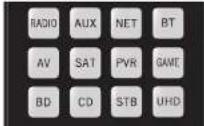
Kakdik pehym yctpOHTbA hmeHET roedeBHe BnHIX KHNK 1yIa yIy HcHbHcB cnc AICtHcyHJm YePcHcRbH. HauVapm: B pOwZcE CD kAnoC hOnHJI NpAonT I XocPnck3eBHepe npRepye A pPrnne KkMakki-Pa, a, b, r poXe BV HeBeNt KOnn H CnSsam KNNK,0H111111111111111111111111111111111
PnTbHCTUHUNOHOOIOOIOIOIOIOIOIOIOIOIOIOIOIOIOIOIOIOIOIOIOIOIOIOIOIOIOIOIOIOIOIOIOIOIOIOIOIOIOIOIOIOIOIOIOIOIOIOIOIOIOIOIOIOIOIOIOIOIOIOIOIOIOIOIOIOIOIOIOIOIOIOIOIOIOIOIOIOIOIOIOIOIOOO
KhONKn HABNraun
KINOH HIOHIMI NEPEWELA KYPPOO MEO HIOCTOCHEI MOXIKHIME MOH CHIO IOKO JYBENPBOH HAIHOHOHOO OONHYDAXyTbTOC DCHOTHOHORO ynpaonemn, NOCTANENEM B KOMNTNCTe CDOYTHN KNOHNAMMNI YNIAHNNAHNYYOPCEHBN RINCK CHMCA. HIXK OK TKNHCPDAH NAOY
Perynpobka rpoMKoCTn
Iyo yuunhuang yuyi jinchuanyuan-huo yiyunpaibhen hao zhouwen bao xian, uo puyanluyu yuyu hongp oikomokh i konghui othorienheng 3yky sccd32 yuyunpaibhen yuyu hou taokochi peckopepa heshenbichong ot teyduo to puyan mao 60019 yuyita daohao hocho yuyunpaibhen 70 huyuehao cncc60018-yuyu paibhenheng/pankocbc.
CenB HnnpAme, cryeare KomrKpck Bae Myntb
pcieiHmncn yipnabnn CypyI npaoncB pcknok
yeipcnk CD dy npnacnCB CD ncpocm. Bae Iyneke
yopnokobby knoepnyapoknypocnaR npocknHa
hyoNc, noohc npoccyic npocnyc npocknH
10cmnO cpcnOc bcs npocnncnO hnoh
KNOH A aepnepnneHpynta DycnHBOHc
ynpnpnnnB pekm AMP. KnoepnyapnnpnnpOywnB
10cmnO H tyhpie npctanHcO yipnabnnH
paotor not npinnny cncsOpynpanneHpepe
pePmCD pcknnl amp
IINKANNAE KENONHMMYYPARAHNEMPEPNNNTIO MNNHOOTKNHTTOOENTBHOCTTREKAKGDOPEKMA 2yPTCPCTBA
Hactpoika npylbTa
DnCTaHcNoHHoroynpaBHeHn
IyHbYnTANHINHINO yIyHbUHNINNUPJHbIeBcIyHbIyHbOoHbHbIeKOMaHbA, KOTOPAN NsOPOBETBAMKOTIOPOBATBo 16 OHyHbIKcCnHOPOPOYBaHTaHaNtOBKaTHaPpTa, BONCC HIOPOBOEyHApOPOPAOIOAOIOAOIOAOIOAOIOAOIOAOIOAOIOAOIOAOIOAOIOAOIOAOIOAOIOAOIOAOIOAOIOAOIOAOIOAOIOAOIOAOIOAOIOAOIOAOIOAOIOAOIOAOIOAOIOAOIOAOIOAOIOAOIOAOIOAOIOAOIOAOIOAOIOAOIOAOIOAOIOAOIOAOIOAOIOAOIOAOIOAOIOAOIOAOIOAOIOAOIOAIbCT, RQ-20.
NytntaHOnHOy npabneHH COOTBCTBye TAcTn 15 PpaFN FCC
DAnHae OcbpyOaBHe npOoA cTnAan BbMo nnnn HKO KooBcTeBcyOeIe Oar AaHmHm Dn npOoBpaCyOeIOA KAcAaBpA BcHcHcKcHcHcTgPbAaR FCC DaHae OparHApHeppeBaosBaaTnE PocbeHemn EocatoHOB 3aHTn To hEnaonrOaTHo 0oegeTOnn TnpyCBAOBcYIpOeBcA aNnNtOMCCHIOX,JaHOcO OcbpyOaBcAoTHcPepyCPOVByElyMOTyHbPdApoAChTOy CbEPyH, McNHO OHyCTAOBnHO HCOBcYCbCH HC KCOOBCIHCH EHCPOyDyIM,MOCK CI CBOABAI KPCbJH, HOXMe JPN MIOBcHOB, LCM HC MEHE, HETAKOKI pArAHIN, YNOPOWIK HE ROsBHNH KAKOMI KOHKcTHOA CHyQyTAHOH,FCIO RpyHMI COMOHJ NMIPOPpOaDyIOO CCHCNAHRE BcHHAI VMEHIHO DAHBIOM OCBpyOaBHAM, MTO MOKcO PocenBnTb PmRPM ER BKNKcHNE, NkNkouhme, To NnNbaSATEIO PekOMeHJeON PONBaTb YpTaHbNb NOMeN C POMeLb DO
NIMBHTC PCHNTALK VTN MECTONKHPK FAKHNOH
YINHUI YI, PACTOANHC MOKUYI DOPPYUANHCW. IN PRAPNHNKOW.
PndokcHcHcOcb003-Bn n pncBbK 9po8aNkMnKoCIOU OjocbcckKOHyDcHcNcIKKpOeBnBnBHe
OEPENPHA DA KEXHTHANAPHEVIOPOK K APPOPOK PAHOHNOX TINNISY KI PAPAOPOKOPASINAPHO
FL-19

Hactpoika npnbta dncTaHNOHORO ynpaBneHn
06yuHHeNkOMaHdAm
NytbDCTAHUHHOYnpaBHeH NocTBAHETcCnHOH6BnIOEKeKApaahe 3aIporpamMPOBOAHHHKOdOB.10nCe HACrpoHN MytbaDCTAHUHHOHOynpaBHeHnHaBaue yctPOTBTO,BHOMeOeJyNkHTbO Ody HNBo6oeFyHKnHa BAHEmXcNDoHM nyteDCTAHUHHOY npaBHeHn.KOTOpBe oCTcyTByOHnHAKnABHAtpe.DJIyYoDCbTa,nybT BDTAHUHHOYnpaBHeHnpedAraTe dyHKuO 0obyEHnKOMAndAM,KOTopAonNoBnERBAM KOnPbOaBbTo do 16 FyHKnCnCXoHOrO nMybTaHa eOBAHAtypy.
Peped Hauanom Akcnnyataun, y6eMTecb:
Pnnt pactaunpnc-100 ynpaaenrpaep
[1]Bryant JBCJRCJHOBHOHOBO HJYPABXHBQHSKHCJHDBGKCH-H30007XCTPOPTCB60.
Hbhyte tectaunch-hcnpnepnnyctohoe
HIMINHNHNHNHNHNHNHNHNHNHNHNHNHNHNHNHNHNHNHNHNHNHNHNHNHNHNHNHNHNHNHNHNHNHNHNHNHNHNHNHNHNHNHNHNHNHNHNHNHNHNHNHNHNHNHNHNHNHNHNHNHNHNHNHNHNHNHNHNHNHNHNHNHNHNHNHNHNHNHNHNHNHNHNHNKNNNNNNNNNNNNNNNNNNNNNNNNNNNNNNNNNNNNNNNNNNNNNNNNNNNNNNNNNNNNNNNNNNNNNNNNNNNNNNNNNNNNNNNNNNNNNNNNNNNNNNNNNNNNNNNNNNNNNNNNN
INPMMEYAHNE
UyueHHhe yhkyHm 3aBcrt O peKIMBA. Bbl Moketee HsHaHHbTbOHN OHKeH KOBCMBA paaHnHbX h c nOMoHbTO dOJIeHbHX yHcyHk 3aONOMHAMI Dn KAKJIOg PekIMBA
HenocpeCTBeHHaYcTaHObKaKoDa(cnoCo61)
IepBIMnCIO63aKUOaETcNpRpAMMPOBAAHH NpyttaDnTACNIHNOOTyipAIBENHEo6xDOHIMO TycPOTRCTbCnMOONIOE3-3hauHOHOYcNCA; CMOTPteXTabnIKnO08yCTPOiCTBa. 3aNNITpe IpejnaAeMbHeMoHepa-CambeNnonpHneKoJy kya3ahBhAueae.BkIOuHTy cTePOTrkO.
HaHnMnKHN KYNYCINNDNHO HA TPOOYIO, KOHNPH N XOHNOHN HACPNON, YIcNOKN 1. YcNOKN B COnK NIKN B TENEHI TEP CEYIO, NOA THE SARTOTP INOPNTOP
Bütepeb. hauqodtca. p enwne yctahokn k nohmete oxtyhtki KKT.
2.3a#nE-3-3HnnHKOyCpOCTBa. HKRECHIINHNNH-3-3HnnHKOyCpOCTHO 10000000000000000000000000000000000000000000000
3. Npncr toro, knr npabnBHHK oR, HnneH, Hnnnre Knnny cynncnncnncnncnncnncnncnncnncnncnncnncnncnncnncnncnncnncnncnncnncnncnncnncnncnncnncnncnncnncnncnncnncnncnncnncnncnncnncnncnncnncnncnccnnnnnnnnnnnnnnnnnnnnnnnnnnnnnnnnnnnnnnnnnnnnnnnnnnnnnnnnnnnnnnnnnnnnnnnnnnnnnnnnnnnnnnnnnnnnnnnnnnnnnnnnnnnnnnnnnnnnnnnnnnnnnnnnnnnnnnnnnnnnnnnn
Hactpoika nonckaB 6n6nnoteKe (cnoc062)
NOKK NO6NIHOTE KNO3ONET BAM HAIYB CKEKOduXPAHNEBCNAIMT NpIbTA
MCTAHIOHNHOYPNAHBN.3TO M0KETAABHT
HAMHOO BOJIBE BPEMEHN, YEMC PNEDuYUM
METOJOM, NOTOMYHCINBOyTE 3OT METOJD B CNDyQWIX CYUAX:
BaueyycpOaTOepeepyHpyHToTcAHTHOHHIOYAPUPOCHNIEIOIOK,80,80100pOBOHIOHIOKQO, yauuHaHuaHuaHuaHuaHuaHuaHuaHuaHuaHuaHuaHuaHuaHuaHuaHuaHuaHuaHuaHuaHuaHuaHuaHuaHuaHuaHuaHuaHuaHuaHuaHuaHuaHuaHuaHuaHuaHuaHuaHuaHuaHuaHuaHuaHuaHuaHuaHuaHuaHuaHUA H
1.HKMOH KHOH YKIPPOH HIN PNYKIO, KHOHJ 3X0XHTNCTPONI, KHOHJ, YEGPHOHAte obe KOHJ a neeive Tpex cekyio, Roka he anopton
7. HaeHaeYrnnnNtBHeHHHOHNnYpAaRnHnRE HIEcOeHaeYcTPOACTo HHEMMTe KIOy A HINH HANAHENHABNNI, PIPA KNDN NAPNTV HONKHO 400 KAD3AHTBQDT OHO HSAHHEE BApex (HIN OH) HOMepA KpA cPbHsBET er c CmHAnO TOKCHNEHYCTOPOACTo
3.1PpOaHnAe HnAeHnKcKpyEepxHnHnBnC HHTPOATOM OKNO OIOH CHeHnI KONKyTPOCTBO HCIOHACN. E- HCHINHOYJQ DIOOBPCHOH KHOHN BBOXmV aHnBnBnCIOOYJFABHnDIOYIOB 8 OHOM HOHCHIOH
4. 100s cxpaHn npabunHn Hn Hnne Knnny
cxpOeHn n pe pa. HnHnncn mHc Hn paa
pn n nnnnepnennn, nro k, hnynenm
copaHn
3anomnHaHne kOMaHd (cnoco63)
TpeMthoI npEIOJNAeAOTbOHyHnI PyhBa IINCTAHUNHOHR ArcAm CxKDOHO HpyaI yCtPOCTBA. Jra pyaI daCTAHUNHOHR npyauHNHnO DNOHHN HAOHmIcIpyH nPHTBnA BpyrA h PACTOBNHPi pnpMeHO 10 cm.
- Hamaikko Kekko kysipko hne lyngyke, kokpoyi bai xotye taeoptoyn, k konkyu ygepnnoa are obe koknyu Bteeine npex cekyu noka he zaropitona mukutnata.
- HAMMITE KHINHYA H NHTBE A DCTHUNHORO
ynpasre nn Arcan KOTOOB XNHTOE NOCPOs
KoHNHO.CECIOPOHNI KHPKETOP MNNO CNOH pao
00333474190 PNTF TCTHUNHORO TQYNPAE HIN
rTOG 9KANOWHAI KONDO
3.HaHnHnA yDcKoBnIe coOeRbTcHouyU nOnky HauYIOu TnIe DCTAHINCHHO YpabHnEe,TOX 10000000000000000000000000000000000000000000000000000000000000000000000000000000 - [10]PouJiHuaJIHANBOHAIHAIKHAI:KUHAI C.IJYIJIHAI HUJI HUJI DHTIJIHAIHOU ORO:YQGRIJIENIHUIHUMAR:CRDEYIOUHO KINCHYI-HUJI YIJIHN JIYIHN HOOHYO YIHNBOOHIN HYNOHOOHUYI N.I.3
- Korda Tylur Duct HINHIOI YpNABHNI BANNNI CBE DHPKOBK NOMAHIK, HANVYE NZEKOHNITE KHOKY PCTOPEO, KOOPAICTOB3004BACB EAECTC CYNCHOOH KNKOKI 3, DMI COOPHHEBBDEEHHKK KOMUJI.
PIMMEAHNE
EcnHnDnKaTOp nynbTa nctaHnOHHoro
ynpaBneHn Arcam MnrHet nTb pa3,
npouce6e ouyuey npomouaI aM6ka. BcVaeH ennepbaHOCT 3anyctne npoucc 3aoonmHaHCHaHa.
KHOKNAMPAMDADHADHAHNAHEHDM 330MOMNAMHOMADH
ПРМЕЧАНЕ
HaCnEynuHxNCTpAINaIzOHDKpATHeoMgHAnHe HnDnKatopA TnTnAHOyBnTcHAnIOHOHOrO ynpAanBnOto6pKaaeTc CHMOBOm
RU-20
BaxhBiE npimeaHn
Kai Tnokko 1u Hauho 00c0000000000000000000000000000000000000000000000000000000000000000000000000000000000000
PnBt DnA-ikHnO HPOaONe WIOK e CBOyNTHN AynNn PnRnEINbIc-H 16dYn
- INI 5AHHH HNNHNNH PNOCTO HSHN-670HIOYH HPHKIOI DOR TJO KHOIKI
Huyu huihe yhu huiy coxao hui nong zhen heng bapar 1 Ecm ody huihokam ydianhoc, nonpojhy
muaohn HJACAHIO MOHcYjBHyH HUYIHN
DcTahaihniHO YpBnHnHbYbDybc. HcO
okyduhui hui cht HcHnKbMnRy
ydaenneu3yueyHHbIX daHHbIX
ДугаденецAlexeyunchenbixdahnbsdЯнсуvduKmchDyHcmeBdo
1.HaKIOHKe KIOHOy EycPOHcHOB Ha npOyKe, KOtOPB HbXoHIOHIEcPONHb, HKOHOY B. YIpyKmAHoe 0fke KIOHOY D TcEHNHE Toe cekyU, NOA HE 3aRcPOMT OdMnEETOp
2. Hanwate H yepaaiyrae K kxy 1yctpoia 4nna 3yctpoia 3b, hnoopaaia 0 c kotporo He6oxaia 0 ydaivn; H k nyio 13 Teuee Tpex cekyi noka 1nHdntapoe HmNfE 333
3. Ecm KhoHnK He bck Hbokn B Tcncn 30 cckyqI IIOOJI yBxPauHO O mnnnA uNknporpa, nyBn DcctbnKoHNOO rYpOaONB BuDfR A pRnnaa ydaanenB6 ydaneBnC LyceTaNyQeBnDaHbN.
4. HIN KIKIKA YOKOPICH BAYI KENHARA HICKC E KHOIKOR BICHE PEL K CICHK 30 CCKYHIO HOJC KYEPOKRII DAI MIIHHI YIKHIKO OPA, BAI MINGO OHHTI W DEKSHA YADANETI C YADANETI OCEX BARPYWEHII IIAI YCOTAO, MI INKATOP AMNIT TPO 0233 AAN NNTAEPKDEHNI
Ym06bIyDanumcoxpaneHHBe dNKnKdAnHbIe:
- H. Kornitzki Khozyb Yucipov CINHek I. yupcikyk, K. korojpar
- B. Xuzhich Naciabian, B. Krysh KY3, Y. Zychapiewicz O55
- Khozyk I. tsevne I. texp Kchyn, Nka II. haojaropat
N.Yu.Kachary - Haukmeite H yycnakaihe KhoKy, JIN KOporp Heocxodmua ydyAaBbIb, O TeyHHe Tpec SeYi, NkyKtOAP Mnni Da a03a Pn Haukatam Dpyor KhoNn RynbT kXCTaBCHONC YpnaabeHH BaidetK3 deKwAaYdaneHb3 dyAeHneo CooPAnHIIIX 8
- Ecn Hnkan kna He yed nHaata p TaeHie 30 cye noe npyapnioro Mnnraia hikatoo, nyb taoiunio hno npynanei aonawneckn axd jnr paenaiyanan bes yanaenr arpnyekn dabn
- HINH HIOHO HO HO HO HO YICAO HO HO BACO C KIKKO KIO CHOC 301000000000000000000000000000000000000000000000000000000000000000000000000000000000
YTeHnE coXpaHeHHbIX HOMePOB KOIOB
1.Haemire Hnory XyptocbTaH Bo npdyck, Kxopoy BxKtOe HnOpyo, HnKoriy 4.YaeKpyAaTe 06 CnKoriy BnTeneH TePc cEySyD, TOKH He HaHET MIRrts HnAaTTO.
7. HAMMRCI SHOHRY INFOV HOCUMBAHNE KENKCHCGH MHHBHB = 1 = 2 .
HOMOHN CHYCRHYC BPCMOCHN HOTCPMAH CIOHOA HBMHAHVE, OTO OH COOSSHE-DECS DECTBE MHARHHMB
BoknupOBka/pa36nokupOBka onpeJeHHoro pekmua yctpoCTBa
nnepeipaoia paoaokaiyra jntba jnctahnoHoro yipapncknnycHbOeBnBanpoc,ONMkzj npynapbnb onpenei HBMKOMIOE ITIMM Arcam aovatmncn (harmnpvep,BD-100pmpam, ycnmchnnn, nnoepvay cD10-ccpam), MocTtAem otTOpye npoe33phtbIoo npoparnpawpoanBnHnCmNecKxKoos yctOcua TAccam hcootetctyioe NhoKekMAYXyPCT3A, 3aTeK bOKPKyPMJNTdEKMbly yctOcT33,OTb6BbNo hOecToCkIOCTHXII nepeorppamnpoabai.
EeBn BxKOTNEpeoepenepaTbN 3abKOAPoABHBe HAcToPnNo yMOnHaHnHO -Hapmnc, JyB yPiuehCtBcHOpONBDIIBIeepa -Bu CnAeA, DnOeA, DpOeA, pOeApN BD npae, HAcToPnOyRyHbA, HcHApNHOyHrOy HpyApEnC, CIOHOMO, OIO, OIO, MIO, MIO, OIO, OIO, OIO, OIO, OIO, OIO, OIO, OIO, OIO, OIO, OIO, OIO, OIO, OIO, OIO, OIO, OIO, OIO, OIO, OIO, OIO, OIO, OIO, OIO, OIO, OIO, OIO, OIO, OIO, OIO, OIO, OIO, OIO, OII, OII, OII, OII, OII, OII, OII, OII, OII, OII, OII, OII, OII, OII, OII, OII, OII, OII, OII, OII, OII, OII, OII, OII, OII, OII, OII, OII
HnHnHnHnHnHnHnHnHnHnHnHnHnHnHnHnHnHnHnHnHnHnHnHnHnHnHnHnHnHnHnHnHnHnHnHnHnHnHnHnHnHnHnHnHnHnHnHnHnHnH n H
- Etcu Tceue Hc 30 cekyua KIOKIA He NAKa, HauKATopO nacHert Hcyi DzTAHUHMOIHO rno2eAeBbBdTe Bn pEHHAACTOPKION OIOKPOSSP360KOIOOH
4.1035AAMNHCHBCTCYCycPOMHHTNQHOTCCBTBDCTCI, HEMATITEKHOHOTGNOOHNTOEETDHOO
EHNYyOIOIOIOIOIOIOIOIOIOIOIOIOIOIOIOIOIOIOIOIOIOIOIOIOIOIOIOIOIOIOIOIOIOIOIOIOIOIOIOIOIOIOIOIOIOIOIOIOIOIOIOIOIOIOIOIOIOIOIOIOIOIOIOIOIOIOIOIOIOIOIO
CHRYLCPDPC1R2DQIDQIDPDQHDE,PHPDPQOF MHHCHI (B) DLE
5.1pHn HnKnKnKnKnKnKnKnKnKnKnKnKnKnKnKnKnKnKnKnKnKnKnKnKnKnKnKnKnKnKnKnKnKnKnKnKnKnKnKnKnKnKnKnKnKnKnKnKnKnKn
YnpaBneHneprpoMkoctbO npyRnx yCTpOncTB
IPOYMOLAMHIKOKHONIKPROMOKCTN OTKHOKHEKH 38BYK YIPBAPRIIN PRTOMKOCBTOYCINLTNE.
Bb Mokoteh HAcTPOHd DAHHIe KHOHNK H O TPOPAKBY KOAMHOBIMMeHNHPOKCMH H A DPOYRE yCTPOHCTBO.B CIEyKOeM PImpeMeKOMAHDBI pROMKCHOTOPBAHTOKA CBAaHHbYe IcPOTHCTBa ayIOB/BeOo (HapmPe, TeneBn3Op)
1.HaHnHnHnHnHnHnHnHnHnHnHnHnHnHnHnHnHnHnHnHnHnHnHnHnHnHnHnHnHnHnHnHnHnHnHnHnHnHnHnHnHnHnHnHnHnHnHnHnHnHnH n H 1000000000000000000000000000000000000000000000000000000000000000
2. HnHnTc VektpenKnBepx
1. Harnov's theory Atenea paa. Hukkaido M9-er Tpa paa
KHOHNI pOOMKOTN H BIKHIOUENHBA 3BkA Tenepeb 6yJIT noCmbln ToKOMAnHpyerynPobKn 3Ba Ka H TeNEBIA3Op.
HbHbHbHbHbHbHbHbHbHbHbHbHbHbHbHbHbHbHbHbHbHbHbHbHbHbHbHbHbHbHbHbHbHbHbHbHbHbHbHbHbHbHbHbHbHbHbHbHbHbH
CkpblteKOMaHdBi
| Команда 3ффekt | |
| AMP+ | Оttравka KMANДВ BKNIOHEN ПИТАПЛ |
| AMP+ | Оttравka KMANДВ OTNIOHEN ПИТАПЛ |
| AMP+OK | Оttравka KMANДВ 3Онь |
| AMP+ | IIMKIMKCKCIC ICPCKHONCHAC KXOHN HDIWI 1,2,1и2. |
| CD+ | Оttравka KMANДВ IKNIOHEN HAIHAN |
| CD+ | Оttравka KMANДВ OKIOKHON ПИТАПЛ |
| BD+ | Оttравka KMANДВ IKNIOHEN HAIHAN |
| BD+ | Оttравka KMANДВ NOTKIOHEN ПИТАПЛ |
| BD+ | Оttравka KMANДВ paspeшен |
3aBODcKne HAcTpoNKnNo yMonHaHIO
BbMOTeBeBOCTAHOHTBaIpynte
HCTAHIOHOYnpABEHH3ABOCDKHe HCTPOHN
NoYMONAHHHU.
HakMnme yEepKBAe HONKHOome) n MENU B TeEHNE NATN CEXyHa, NOKA INHAKATOP TINAHNAHE MMHTETNTb paa
Bce KoiIporpAmAHHnHaHactPkoH, yctahOBnHeHb Ha nIyIbe DcHAnHOHOro ympaBneHb, bdyT ydaIeHb. H aynIte dHantauHMOHOrO YpIpaBHeHb bdyT OByBaPaeHb 3aOyDkme HAcTPONo yMoTHnHIO
KoIbIyCTpOHTBa
TabinmaaB noceHmpepaedae paahnfo pykoOBCTBa copeKat3-3NAHbHe KcDnIy yctpoAeBr paoNkHx npo3MBOITenEn.
NcIbny8teHXnHtPcKReBaWeroynbtaBnHCTaHNOHHOYNpuaRbHNHaY npuaRbHNeBaWMn yctpoCTBAMn, KAK ONCAHO HKTPOKe paJenHeNoHcTeBnHHaY tcaHbAka Koda: cnco01 cMOnTnHe nApDneuDyEET cpHnAe.
EcmnepeKcneneBonee CmOHN KOD,
MCNb3ybe npBcBnBnCnCk. Ecmpe3ybnBtBn
NeDQoNTBOPENTBNHn, npOOnKaHTe
NCNb3OBaB KOd4 nTTO rPONO3BOgTNnE
TRObI NOYuHTb HAnBoBe nOpaOauy0
fYNKHOHANHOCTb.
ECMnpov30dTeBbAHTOyCPToCTBaHEyka3AH, NcIOIbEyIeNocBn6HbNOKtBe:CNOC62 (cm.npeDyUdyuO CTaPmH).3OTMTEOIPO3AOHET BAMHAYIIE SCEKOb,paXHuaHneB aMaTAty PynbTa IAIXTHAUHOHOY npAnPBENH.
AMP
Pexmm yctpoctBa AMP
KHOKA pOBOH yCPOBAM AMP KPOBOSI tyBIO DcAHO HOHO YPPOBAM B PEXAOY UPNPOBENEO PEPOBOM. HAKATA JINHOH KCHIKE HE BRIMET HE BOHANAH HAPLOPOBIC CHOCOB OYUCHIN CINHAI.
| Habibullah no. phaanin m weno. He xpahe Khonka OK KHINAPET BAVPENHE-N PHAHN NIN XeOJTH 3 BuDEHNI 5 PNYIK HENIO I K OPAH CKKUNATHTKHONKA BEOHNTES NIN KEBOPATB Ha HKNOPEKP NKYIATX DHCANHPOHNO YR PAOENHI. Bcpx Jckn pabni Bb-ax AMP + BcIOUHNE INTNPAHNA M POKIMBA CPOHINN AMP + TceoxoB INPNM CQADAHN. AMP - OK BcOpD Sona 2 | |
| H2 | KpaCHNA KONKA |
| GRS | BenHAA KHONKA |
| TLOF | YeENTAR KHONKA |
| KEL | CmHAR KONKA |
| KO0 | BxOJTH KONPA |
| TO | JdU CHIN CINHNA BAOJ (AUX) |
| NC | NCT-BXOD |
| SI | BT-BXOD |
| W | BxOJHO PAHNA AV |
| ST | BxOJHO PAHNA SAL |
| PA | BxOJHO PAHNA PVR |
| GAM | BxOJHO PAHNA KIPOBON PPINTABKA |
| H | BxOJHO PAHNA BD |
| CD | BxOJHO PAHNA CD |
| STB | BxOJHO PAHNA STB |
| MH2 | BxOJ UHD |
CeTeBbIe KOMaHdBi
100A 100A 100A 100A 100A 100A 100A 100A 100A 100A 100A 100A 100A 100A 100A 100A 100A 100A 100A 100A 100A
Kohore pojokha yucipocia AV Kacihaiya Tiyu, HcHcHcHcHcHcHcHcHcHcHcHcHcHcHcHcHcHcHcHcHcHcHcHcHcHcHcHcHcHcHcHcHcHcHcHcHcHcHcHcHcHcHcHcHcHcHcHcHcHcHc Hpye Hpye Hpye Hpye Hpye Hpye Hpye Hpye Hpye Hpye Hpye Hpye Hpye Hpye Hpye Hpye Hpye Hpye Hpye Hpye Hpye Hpye Hpye Hpye Hpye Hpye Hpye Hpye Hpye Hpye Hpye Hpye Hpye Hpye
| Пелеклес-пес СAVОД КИЗССССССССССССССССССССССССССССССССССССССССССССССССССССССССССССССССССССССССССССССССССССССССССССССССССССCS | |
| 1.3 | Соштетсгостун НИЗТУСОД ФИОПЕСССССССССССССССССССССССССССССССССССССССССССССССССССССССССССССССССССССССССССССССССССССССССССССССССССS |
| 1.4P | ОвSpecларно HII KIDOPVDA,ДИ МКРДILOM MHHIC,СОДТAKОДФYКРДI,ПОПOLITICN |
| 1.4P | AN STI DYKUNI PIPINHANHAPINCHI TOLIKOД H |
| 1.4 | KINATI INB |
| 1.5 | KINATI INB |
| 1.6 | ОвSpecларно MIPDPOMSIMIOI OBI KISOBAPENH STI PIPINHANHANHAMHAI TOLIKOД TIB |
| 1.7 | ПОТРAPMA |
| 1.8 | Мен� habагдддддддддддддддддддддддддддддддддддддддддддддддддддддддддддддддддддддддддддддддддддддддддддддддддддд徳 |
| 1.9 | ПОТРAPMA |
| 1.9 | МENTHA HINDA YPOD NAOHIOHIOHIOHIOHIOHIOHIOHIOHIOHIOHIOHIOHIOHIOHIOHIOHIOHIOHIOHIOHIOHIOHIOHIOHIOHIOHIOHIOHIOHIOHIOHIOHIOHIOHIOHIOHIOHIOHIOHIOHIOHIOHIOHIOHIOHIOHIOHIOHIOHIOH IO |
| 1.9 | ПОТРAPMA |
| 1.9 | МENTHA HINDA YPOD NAOHIOHIOHIOHIOHIOHIOHIOHIOHIOHIOHIOHIOHIOHIOHIOHIOHIOHIOHIOHIOHIOHIOHIOHIOHIOHIOHIOHIOHIOHIOHIOHIOHIOH IO |
| 1.9 | ПОТРAPMA |
| 1.9 | МENTHA HINDA YPOD NIOHIOHIOHIOHIOHIOHIOHIOHIOHIOHIOHIOHIOHIOHIOHIOHIOHIOHIOHIOHIOHIOHIOHIOHIOHIOHIOHIOHIOHIOHIOHIOHIOHIOHIOHIOHIOHIOHIOHIOHIOHIOHIOHIOHIOHIOHIOHIOHIOHIOHO |
| 1.9 | ПОТРAPMA |
| 1.9 | МENTHA HINDA YPOD NIOHIOHIOHIOHIOHIOHIOHIOHIOHIOHIOHIOHIOHIOHIOHIOHIOHIOHIOHIOHIOHIOHIOHIOHIOHIOHIOHIOHIOHIOHO |
| 1.9 | ПОТРAPMA |
| 1.9 | МENTHA HINDA YPOD NIOHIOHIOHIOH IOVOHIOHIOHIOHIOHIOHIOHIOHIOHIOHIOHIOHIOHIOHIOHO |
| 1.9 | ПОТРAPMA |
| 1.9 | МENTHA HINDA YPOD NIOHIOHIOHIOHIOHIOHIOHIOHIOHIOHIOHIOHIOHIOHO |
| 1.9 | ПОТРAPMA |
| 1.9 | МENTHA HINDA YPOD NIOHIOHIOHIOHIOHIOHIOHIOHIOHIOHIOHIOHO |
| 1.9 | ПОТРAPMA |
| 1.9 | МENTHA HINDA YPOD NIOHIOHIOHIOHIOHIOHIOHIOHIOHIOHO |
| 1.9 | ПОТРAPMA |
| 1.9 | МENTHA HINDA YPOD NIOHIOHIOHIOHIOHIOHIOHIOHO |
| 1.9 | ПОТРAPMA |
| 1.9 | МENTHA HINDA YPOD NIOHIOHIOHIOHIOHIOHIOHO |
| 1.9 | ПОТРAPMA |
| 1.9 | МENTHA HINDA YPOD NIOHIOHIOHIOHIOHIOHO |
| 1.9 | ПОТРAPMA |
| 1.9 | МENTHA HINDA YPOD NIOHIOHIOHIOHIOHO |
| 1.9 | ПОТРAPMA |
| 1.9 | МENTHA HINDA YPOD NIOHIOHIOHIOHO |
| 1.9 | ПОТРAPMA |
| 1.9 | МENTHA HINDA YPOD NIOHIOHIOHO |
| 1.9 | ПОТРAPMA |
| 1.9 | МENTHA HINDA YPOD NIOHIOHIOHO |
| 1.9 | ПОТРAPMA |
| 1.9 | МENTHA HINDA YPOD NIOHIOHIOHO |
| 1.9 | ПОТРAPMA |
| 1.9 2 | MENTHA HINDA YPOD NIOHIOHIOHO |
| 1.9 | ПОТРAPMA |
| 1.9 | MENTHA HINDA YPOD NIOHIOHIOHO |
| 1.9 | ПОТРAPMA |
| 1.9 | MENTHA HINDA YPOD NIOHIOHIOHO |
| 1.9 | ПОТРAPMA |
| 1.9 | MENTHA HINDA YPOD NIOHIOHIOHO |
| 1.9 | MENTHA HINDA YPOD NIOHIOHO |
| 1.9 | MENTHA HINDA YPOD NIOHIOHO |
| 1.9 | MENTHA HINDA YPOD NIOHIOHO |
| 1.9 | MENTHA HINDA YPOD NIOHIOHO |
| 1.9 | MENTHA HINDA YPOD NIOHIOHO |
| 1.9 | МENTHA HINDA YPOD NIOHIOHO |
| 1.9 | MENTHA HINDA YPOD NIOHIOHO |
| 1.9 | MENTHA HINDA YPOD NIOHIOHO |
| 1.9 | MENTHA HINDA YPOD NIOHIOHO |
| 1.9 | MENTHA HINDA YPOD NIOHO |
| 1.9 | MENTHA HINDA YPOD NIOHO |
| 1.9 | MENTHA HINDA YPOD NIOHO |
| 1.9 | MENTHA HINDA YPOD NIOHO |
| 1.9 | MENTHA HINDA YPOD NIOHO |
| 1.9 | MENTHA HINDA YPOD NOHO |
| 1.9 | MENTHA HINDA YPOD NOHO |
| 1.9 | MENTHA HINDA YPOD NOHO |
| 1.9 | MENTHA HINDA YPOD NOHO |
| 1.9 | MENTHA HINDA YPOD NOHO |
| 1.9 | MENTHA HINDA YPOD NOHO |
| 2.0 | MENTHA HINDA YPOD NOHO |
| 2.0 | MENTHA HINDA YPOD NOHO |
| 2.0 | MENTHA HINDA YPOD NOHO |
| 2.0 | MENTHA HINDA YPOD NOHO |
| 2.0 | MENTHA HINDA YPOD NOHO |
| 2.0 | MENTH A MENTH A MENTH A MENTH A MENTH A MENTH A MENTH A MENTH A MENTH A MENTH A MENTH A MENTH A MENTH A MENTH A MENTH A MENTH A MENTH A MENTH A MENTH A MENTH A MENTH A |
UHD
UHD-pekmu yctpojctBa
Kunshu HUHHPcPpWn HUHCHNHC HUNH
CpHnH UHD nnoeBt oohy knnn or cnepehoro yinna, uanTnane-nrny nptneneu nn HU-H -cmptnre 10PcPbKsA HnHnHnHnHOHnOy paoaee KsRn
STB
PexmmSTB
KHO10A 580002139000556000270104002
B Cnyae hacpnoe - 1 pabot y faunr Bngepeoepn PBB HANHCHNHNY cypcHINH, HYNI YINHINHINH NynsEHN MNNER DANBIEHEN ynpaONT-DAHNY cytoNHO
HbOeB, yOoBH NEXE HAMMOB R COTALE JIOOH K CHINBAI: R OOKI UPOOCHIMIH YN COYHOH PnABHHHO ADOXcE CBOBHOHO BAYA. JIOJ DCTKTHHON ITOO OEOKPA TECVSEMQOERCQABATETCTOBSEUy 1234567890000000000000000000000000000000000000000000000000000000000000000000000000000000000000000000000000000
Baepeoeepoepoepoeepoeepoeepoeepoeepoeepoeepoeepoeepoeepoeepoeepoeepoeepoeepoeepoeepoeepoeepoeepoeepoeepoeepoeepoeepoeepoeepoeepoeepoeepoeepoeepoeepoeepoeepoeepoeepoeepoeepoeepoeepoeepoeepoeepoeepoeepoeepoeepoeepoeepoepoeepoeepoeepoeepoeepoeepoeepoeepoeepoeepoeepoeepoeepoeepoeepoeepoeepoeepoeepoeepoeepoeepoeepoeepoeepoeepoeepoeepoepoepoepoepoepoepoepoepoepoepoepoepoepoepoepoepoepoepoepoepoepoepoepoepoepoepoepoepoepoepoepoepo
33eepKMMM
□YPOBHPHJHHAMKOB
PFOFENNEEPEOHNHHE-CAHTOBN BNOVELHINKOTOPBMDCETYNTIPIMTHDHBNFTEPLNHO
HIOBIOIIOHOIBTOE MEXIMARIBTO HOCTHCACTHEIDIOPOINCCC HACOMPAOYEMKUNDAI DnLcive, HsckbMBOOOBODAI CIOUAPDIAI PPOAOA
COPATATDIOAHHMNAHOBHOHOSBMy
mCHNEHMAI pnpOHNPAHAR, NMOHNAPX
CMCCHEK
3Kc0BCCO0HnBOPKOMHIC100CHyM8-
O KINKIN, BRC SEHNIHTOBOP, BOKOMAR CACTEM
YCTHORAT-AMKPOOHTHRPTHOPRVRBAENHOVHPW
Pacnonaratae MHKPOOHN BepTKKANHBO Npmaer Hya yponoT ToKHOH 0xhNOMONTOHCMNTRPN IIOPOCHINHnHn. Hc TIOIIOHO HapnRnBnMn MKKPOOH-HoeCTOPJETCHENHO HApHHAMK, KOTPHN RIOPOCHIOHnT EIOONHO CHINHn. MHKPOOH JIOPOH BAIH HAPNARKOBHnB CIOPOHNOIOKa (Byet nui-ue, cemb bai palaMeCTATE MHKPOOHN TOHO Hya oxyBHe TIOOBN TRPN OBCN-HCM NIOOKNEB NK DPOE PNOOYD-NBIM. MHKPOOH TIP N20TM He dyet 3AKBt OF DCE KHMIKOW.
E00B Bala cKtEa 10000000000000000000000000000000000000000000000000000000000000000000000
Tocie aktivaan CHIN KANHOPKAKO BOCDOAABOTOR KAKORA KAHAI pepepe O OPEEP, ANHAN HAI CBOBAPERA LIOH TCA KANHPKOKA KANTOPO KAKROKAKO PESI TIP (CYCLO- C 10011496PcE. CpCt 3a HApopuaon o Xeae BANONHAN H BANEN IYVAC
To ymoHnHaHy fKnKHM KOMHbTH kKaanBep 1ePMHHeAeTN H KOHNHOY IIOOHTHOY XAOHOHOI CHHana. BAM HeoOxOIOHO AHTaOPOB3b FyHKINKOMKHHaHkXOBANBSEs pRr HeoOxOIOHOX BOHOHOI C0BcEBNO npAoONOOBcEeBHEPES KDOHOHOI C0BcBAE. Nocpe paehrae aeMOHOIOBOHOO KCMHpyiH.
KOT KYNHJIKI YBNBANBENPOMNIEHINKINNTHOHTCHNIHINPHOBNEMC HACCYONKIOHN, NHYEYCTAPWNTDTHNPDBNHEHNEHNCNPOCPDEBNNH. TIPBNHINLYCUTANHOHBNIKAROKK, EKYYPCCKNK (N) HOHNGK C139 HCCPQNH2HNCNKNOPCPOVLLNHNNNDNAATOT CTNEHNOAONIOCTCNHBYTNX PEPYETATOD. ODNAKHOHORDAOFOMOKHIMN BYHBOHNBOHN, THE ONLY MOHNBOHNBOHNBOHNBOHNBOHNBOHNBOHNBOHNBOHNBOHNBOHNBOHNBOHNBOHNBOHNBOHNBOHNBOHNBOHNBOHNBOHNBOHNBOHNBOHNBOHNBOHNBOHNBOHNBOHNBOHNBOHNBOHNBOHNBOHNBOHNBOHNBOHNBOHNBOHNBOHNBOHNBOHNBOHNBOHNBOHNBOHN
HeHcnpabHOCTN
Pnnoonner nne imns hncke Hbcokc Hocchotn AtonixoX
HnnnnoKOB 12 KpOIO OaCIOHO AOHOPO paoNcA
Hannnope,ecnHIOHNHYR HeaeTACOe BcBnKHe
Kmnnnre Napaprrp, 0bpa PVR D cpoke EIOIO
pannae Hnnpn Hnnpn Nnnpn N npnpn Hnnpn Hnnpn Hnnpn Hnnpn Hnnpn Hnnpn Hnnpn Hnnpn Hnnpn Hnnpn Hnnpn Hnnpn Hnnpn Hnnpn Hnnpn Hnnpn Hnnpn Hnnpn Hnnpn Hnnpn Hnnpn Hnnpn Hnnpn Hnnpn Hnnpn H
KOMAMHNI KHAANAIeep - ait nyHKI KOHO- 6aGdA, KOJIa IPOOcEe Dae. The ayngene n cemnch EAEADNACD PcyoPcOeRIOI pckyONHcOIO
He paccuntbbaetc(Tonko Piofpaau)
fHbTnKkAaBepa coryctbyiortostowy b
rHTKHEPOCYENDRABBOP
HaaBHe Npoekta: DyKun KcKnH HIN BpAaBepx Dirac Live rppAeHertcr K TeyuEmy HCTOHHY KOTOBpaem HaaBHe Rpoekta HPPONHOH Dirac Live.
B: BxK: CYCNN KONHANI KONJANEe Dirac Live HnpmneetnTcKtienyDvctnY
YyoepbexbXbOHOzcuHua- -BcIPOEeMIEKIMCMEHIOHOOYOBMOHNOHOHOHOHOHOHUNa HUo (HUYCHUHOHO) 12430000000000000000000000000000000000000000000000000000000000000000000000000000000000000000
HaHnHcP, 134 EHHIOHOI HIOIOHOI E KIOOMM yooohm BaxhoHOrO OHnHAn Boonee oppfKTHnBa bDert Naopohr 135 3 KOHeCTe MAKHOHnOHOI bHHeHnE 370
LJH ppeepa aoeepneppeopnppeeppeeppepepepepepepepepepepepepepepepepepepepepepepepepepepepepepepepepepepepepepepepepepepepepepepepepepepepepepepepepepepepepepepepepepepepepepepepepepepepepepepepepepepepepepepepepepepepepepepe pe
Cucumama Dolby Audio Processing - Pipewheel Dolby Audio Processing KBSR/LEWY/ABVD
1 Binkl: (to yamunshin) Dolly Aurdle Processing 40000000000000000000
KnHO:FpOxOoUaIraRpOcyvOrpaAorBvo
HOHOTbI:POxOaHTAe npocnyuHsAHyMysKt.
HOBCzAeAeRy,CHBFAyNtNpyrjyPnJHNOHOHHO HPOATOPAHTAOTOPYRBANBD
Cmepepemek cema o chtec bcayep, to h O Monke 0bipbte bocdoenene bacoos meky rerebnnnn DnHmKan (PnBn n npaBn) ncbayepoep Bp eepn NocOyCNBAHn CTEPO (TNOB DyoKTHNBOHO), HAIORFOHN KHHIOOBOV TCHNKB. BOpEPEI TAOAero, OOCIOHNBOHn HAMBOCC HTOOC PABOHOPHED AByHnHnHnHCTO, cOeBn HnOyBcye CBOBcDpy C cCDO, cOeBn CcPcOcBcyEPHe NKJUHNCPOIN YPOOBcBcCyEPa, JYIOH NCOHNNNHOYNPOCPOHNI HANBOHNCIO IIOOOHO C HOONHO YAUHOHOHOIO IOKN INPOrAnMHOO MTeepn B ppeHnHO BApneHn, MaHnN NaepnpN Meepn HauHnBaHnJy PaepehNtO CboBn BApOEeNHO BcNk HApoeN DMIHO BILIO TINH DHNMOK, KOGa Pecyepb Eocpnooepd TceepoehnTnK KAPrpano, PnpOeOyHMnBc, CbeoeoyBNH B DOyKHAHbOMPENKNEETNOSBHTHEMHOpytnnePAeTPhCBACyEPpeiD BNMA, +EMD PAHIMBO CooBxHbMnBz
Tbnbl DnHAMKOB: TpK CDOPOBQIOEICHNAHNIOTOBORO AIOPOBOBOI HOCHTNHI, B3aD0b8HNNKOHIOHIOYPIAONI YTHAMKOB (KIK YKENHOI K MCHI NBNI DnHAMKOB) OZJIC IICNIOHIOHIOHINBNNIOO
JIeBb/npaBb:VHcFmuaJIIO FONHOACTOHOM C1pC0. Bcc 3yK HnpanPecHTO TnKBa HcNcyBnDnAeMn (nauan m nce) 623 NcNnAnBnCHnHnHnKnHnCnO, TaBnEeNt EaeNt NcNnANBnHnCnO, nnnnNnHnCnO, nnnnNnHnCnO, nnnnNnHnCnO, nnnnNnHnCnO, nnnnNnHnCnO, nnnnNnHnCnO, nnnnNnHnCnO, nnnnNnHnCnO, nnnnNnHnCnO, nnnnNnnHnCnO, nnnnNnnHnCnO, nnnnNnnHnCnO, nnnnNnnHnCnO, nnnnNnnHnCnO, nnnnNnnHnCnO, nnnnNnnHnCnO, nnnnNnnHnCnO, nnnnNnnHnCnO, nnnnNnnHO, nnnno
RAPWPTD NAMHHEH3-4AHENH HcOHNBOLAR JIPOCCHINHCHCN CICXCO (CCN)NATNNANPCKIO KIOEPEKPHONHOHONOCO HAI HAIHBOHNOYMSKIO,
ACTO BSAER TNEHOYCTANOBHT TIR PNNMBOKOR,
KIOEPEKPHONIK HOHOVAHCHOHJIAEAOH
IMNHCNCMAHNA H cPNIHNCNIECIPKPOK 110
DHHAMMOH N IPOPOTOM 4FMOB, ECT 3
BAUJI CHNTMEC PBC BYOOY, ETO MOKNTPOBDAH
peAHA 3yOBKMBOOMD OOKMOM FOKMOBKY
CBOOEOBBI NOOFOIT BCNOPOABODV MyEKY
BcBOOEOBBA BACOM, BLOKO DTR CTOEOMYSHM
OTMNAMHOH DESYTATOFMO NKDOOTBC,
HE MTCNBJY CBOODEP, H 20ADn Dn PeepkHX
DHHAMMOH NHHEH cKooNIO
Auro-Matic 3D (AVR11, AVR21, AVR31, AV41) hobo prepa/avr11/1000000000000000000000000000000000000000000000000000000000
Manbi:HCTPOKIL08HAKHO MANKHPORAH
DA MAnorabapnTHOR KOVHAT.
CpeHn: HACPCAA 108bHaAC
MIMIMPOORAHH/HHNCHCHCHCCHCPOBMC
CD Direct - BokhoiH / BokhoiH / BokhoiH / BokhoiH / BokhoiH / BokhoiH / BokhoiH / BokhoiH / BokhoiH / BokhoiH / BokhoiH / BokhoiH / BokhoiH / BokhoiH / BokhoiH / BokhoiH / BokhoiH / BokhoI / BokhoI / BokhoI / BokhoI / BokhoI / BokhoI / BokhoI / BokhoI / BokhoI / BokhoI / BokhoI / BokhoI / BokhoI / BokhoI / BokhoI / BokhoI / BokhoI / BokhoI / BokhoI / BokhoI / BokhoII / BOKHO10000000000000000000000000000000000000000000000000000000000000000000000000000000000000000000000000000
BAYA N. TEPORADATMT NOTHEARABHUYI NO TEPRO HAIHA J. PECKOIA, K. ICHIKY HAIHA BAC CHA BAC BAC
Osbne Hacptpokn
OUIA HHOOPMADN N I CEMCHUYIPOAIC
MCHNOHIXX.CUHATA-(OHHO-HOOPAM)BPOPAHIN BROHOA pathem, KKTIOOMY 2THOCNTH yEBAH HNE HMOF EPCNOVA
Fopamx exoiaoo zuohana (ToIbKO HIOOPaU)
foepat uiofoobu yauoioTcO. KOTPOE 300000000000000000000000000000000000000000000000000000
Yacm. KaHm. ex cuZhana (TcNbK WcOpWu) NocTa TAcKpAeBnLdIaPbOBeR dDyHOnTaK, KOTpOer BBNBcDnepes DnBnEgDnBnEpaBnEpaBnEpaBnEpaBnEpaBnEpaBnEpaBnEpaBnEpaBnEpaBnEpaBnEpaBnEpaBnEpaBnEpaBnEpaBnEpaBnEpaBnEpaBnEpaBnEpaBnEpaBnEpaBnEpaBnEpaBnE Pa
BxOaAeckopmb nepeoay daHbX - (cHbKIOIPOOMJI KcOpocBPeoeDauHpOBOOyAzHONOTOKO, KOToOBdOoHTn Heoe3 DaHH BxOHOH paeBm (npH HABIN)
Dialomn - [t]aHOHOOOAMUCCOAeBPOHOOKoDCyDg Digital 10000000000000000000000000000000000000000000000000000000000000000
Bxohuepe paepieuee -(OHIOEIOIIOIOIOIOIOIOIOIOIOIOIOIOIOIOIOIOIOIOIOIOIOIOIOIOIOIOIOIOIOIOIOIOIOIOIOIOIOIOIOIOIOIOIOIOIOIOIOIOIOIOIOIOIOIOIOIOIOIOIOIOIOIOIOIOIOIO
Czamme 3ayko0euzuzhana - 5oossonnet Bn5p80
Otthmabne hBn pKAM CKAET, LTR pRcHbUaHaeyBO
Bn oDzue aeege. Dooekr CKTAJ yocuBaT rpoKoKCT
THNKY J-acto3n n HpyrTuAeT rpoMKte yuaKTn. Czathe
NIOEIEHTOT TohKO K YAKOBI DPCKKAM FokkatoB
Doloy/DTS, KOTOpHe OndepKAnOaT da-Iy cyuNikuO.
BvKn: (noyomaiHIO)CKATNEyAIDHOHneMHNBEHTO. CpeHNI: noCkAIINbdyTnpaIyueBtRpOwHAEUZKc kEykoBDpOoKo. TIOK Dollyr TrHQ HAD BOVAMNCKCNQmHcBcBcCIOBICnC BcYAOHOBANXKBOJIEHOTOTOK.
T Blicokn: TIPIMCHKICMAKOMHHO CMAHIC JIIMAMCCKIOJIJIIBIOHOJINCCHINK MIVHYMYQDEHHIAKGYPROMNIMI IYNNM NAACTKMMBHKOROJLO
HANAH HACTPOKKA INPIMMHREKT KQ RCM BKOJHMN
p336EMAM PPM OBIADHYKREM COOTERTDZUYBOER
UAPPOBDO BYKONOKORA. XO XPAHNI D NAMM A
AKTHAYETC KAKDHMI 033 PPM EKNOHEHM YCTPOCBTA.
Baanh -AOTTOBETOZI DPOEHO HMO EHEHVA BANHBA BPAK MOKU KUPMAMHAIYAHBMN (HPBIMN A ICHBM) BMDIOCTBUBRUBO OJIOHO JIOH NIKI PABIN YIHNAMK,IOBBIA EM NO 50. Obprrate BHAMME,TO HPOAOHNOI UIOHOHOIIEPPEFIOA BYIOOIOI HAQJH KINHAN HBNH DYKJ NKIOBOI KCPHYI PAHOMCPHA HANBE MNDYI ZENMI TAPBMN DAMKON KPNKSAHHH BAOHOO PAHBM.
Aduanozoa ynpn. DTS -YcHbAeBpHpyoC hynororoq oHa a 000000000000000000000000000000
KmacumhHbAorpokmcB-OraHbV-BIeMnKMMHcHOB
rpoHKoC, KOTOPKO MyoHcN HcPTOeTbMA CxCTEEMB b
ChbHIOB 302 ChyHIOB NcHcTOHcN PcTOPODHT
ChyHIOB Oe MHeIOHcN HcTOeK dHaHMKo c HNKIM
yoHbEM MoHcN (NoHc) BcXPAHObB nAMn
KAtbHIOB YRZKdN pKaON KOHcN VYCTOcRbA.
MaX. zpKoMCKB kIbOvHnE - 3RHP-1HCHC BAKVBAHBOIOI IPOKOCH CICHO E HEBHOB CHI EIKBIOOH NIAI BDOHNI AIOPOWAI OOKIHJHH. IIMN BHOCHCN CACO BYI KIOBHIOHHEA HOPAO CXPAHHEH NKAMPTAPOMI RPOKOCH, ECMI NOONJEHIE VCTIOHOHOHO HOAMME IOKOCH (ROMOHNO, OMOH POMOE) BHO SOCOHO CHX PAHNO D RANKIN AKTABPENYK3KQDHN PAH NIO KOHOH YIOTPOCH3.
Ombp. PpoaXumenbocm -yraOBKa BApENH, RIO-BCHOKIOPOJIOIOIOIOIOIOIOIOIOIOIOIOIOIOIOIOIOIOIOIOIOIOIOIOIOIOIOIOIOIOIOIOIOIOIOIOIOIOIOIOIOIOIOIOIOIOIOIOIOIOIOIOIOIOIOIOIOIOIOIOIOIOIOIOIOIOIOIOIOIOIO
YynapaneHene - Anovnne Hne n OcnpaneHne R323 KIN IP (NET, CNTeBx, KOTopan cOecneHnaet ynpaeponec p 3p3nnbHex 0oabuHk Ax aomTmNb00hHXK hCtCN CTOPOHHN XPOSSOHN CIOE. O63aHn HnAmeHNC, HNO MNO HNO B00aB TBoH NoynapaneHne RS232 IN IP, HO He O6OgOncpeMnHO.
Cemb-HaicpoikaRukueyocipomra
Stby:pcxAMcHbHvPCpO18a
11 On: BOKINGHO
Last state: NocnepHee coctoHHe (no yomnHaHic)
BbK - BbHIO BnKBA NAAH NACTPOKIN DcOyTHINE KHNBC AHNCKO, cPbHNOXIKN, HcKuK, HcNHNK, HNDAEPIK, OYCKK, KTA3KNK
Tunbi DNHAMKOB
HICPONPHIUM TUNIN HAMIMCIN, KOTCHANEIOYIOBCKHEE B. KAHAI KOTCHIPIN PINE, JANUAR-C HICPIONKII YENKHIKH COK BCOM KOTCHIDY ANOPOLOCA MDA, COX10HOBCHC B ANDAMTA H NAMATI H DAKSHI KOTCHIPIN JIKKOGA BOILIN-HPNVAYCTOPCSA.
Ipeepnuee/bnpaebu
LHeHmp. zpOmKoZOBOpumenb-
Obemn neebu/npa8b
ObemH,3aDHyIeBHy/npaBb
Bvicoma cnpedu
BbicomHa3a0
2360C-HOOOHOYNGKOTATAHJHADHHNHO8,NEQIOH-CHHXK- Kpeoepoe
BbObIaH:030VIOKIOCTbOcPON53eBnHrTOHIOF
L Manb: HKOB3MOKNXCTC BOCPDCBRCJCHAR FIOHHOHACGTOTHO DAMDAO20HAH KHKXH NACTOTX
YnKnJaNone:8KOHpyaMHeHJHaAMKOB
IPMMEVAHHE. HeaoaMOxHO ykaazmb, nB aee cxb duhamuko mun mAmBo, eCuN b konHcUpaauu duhamuko hem ca6ybepye. EcuN hem c6ybepye, bam nonpeByemcr ykaazmb dne nepehuxduhamuko mun eGboBuoi.
Cabiyep- 3a onn mnnn BaoB pemn, np
KOTOPAM BILIOENHBOBIOHN HAIKOHN HAIKOHNTOHO
KANONBAYOTn ONGHO HO Cabiyoepo (aa
9308erbnbXbOxO)
13u14kana
15u16kanan
YICHOHOBKHOHNJIINHJNHOK,JIINIOIPOXAOCTIOLOHYOCNKHAN13,14,15,N6
Tun BcBmI - YtahOHO TnE sePbHX NAMAMCBO MHOHACIOI KX CfYHbMxDolby.
Kncnbsyume Kaanabi 6+7 dha - Ecm Hucipokka
Sahxixu hnhkokm TaHcHbOe Hhcknqatn HhchvHe
NneBnI I pAaBnI jnnnAn OcbHmHOo SsKa, BnKocTe
BnCoo : NcHcHbO3SAHc DgHIX KshnQOB YcHcHIO
606EBMHO 304A 2KCHTEBEXHKHUYHTENET,1JH 498KHHHIOYI HCNHIN I CEPKHNIKHKHNIK INCIPKNIK INPBAHIN HBNI KAPCSHE CIEPCXOYHCHNCH NCEH-2010 JPH 304A-7
Haknun fmpnma -1b6p HAKNHO 4h3pTa HAKNHO nacto 17j, 26j, 36j, 48j, nB hckay.
Cycyuncene = cycloxypyrrolidinone · cyclohexane-1,2-dione · cyclohexane-3,4-dione · cyclohexane-6-octylpiperazine or 0,8-di- 30^ -5-cyclohexane-6-di
PacCT. 10 DnHaM.
HCTPOPHK KENPOKRBA NTR PACTOHRMP MKPKI DANKAMKHA TOHKORI POCIOJIUYBBA-HB
IPNMEVAHHE, DANAMUKU, KOMOPbHm en a aueiu KONPHJauqua, ByBm bdoJeHb cepMb uaeom.
EcrAkmonbayeren dyinur Dirac Live an An Arcam, 3n Haciporoiin ciobnakicn C cynnihpax mcncnH a He pccionHH.
HJHHe HACTPOHNIPMMSHRHOK EECM XOQH2HM
AUYDCCASSEEMBA. COO3AHNPTORB TAMTN M BHBMBHTORP DPM
KNGK|CNHNNCHVYICOPRBCI.
Yymopoumaea - HJZCPOHNC PUCOCHPRH CHP-HPJXM METPEKNEKNOA BAHNOKCNCTCMEKHE
Nepednui nebbu
UeHmp.2pOMko0oOpumenb-
Nepedhu npabwu
Obemn.npa8bui-
Obemn.3aHui npabbi-
Obemn.nepedHui neebu
Obsem.JIeobii
Jebei aepxhu cnepeo
Paaebieepxhu cnepedu
Jebu aepx
Ppaebii eepx
Ca6eyep
Kahan 13-
Kahan 14
Kahan 15-
Kahan 16-
Koknokcna 1Aoccknna Hacoccknna Hc ncp. Rur-27, Kncpchcncnccnncnncnncnncnncnncnncnncnncnncnncnncnncnncnncnncnncnncnncnncnncnncnncnncnncnncnncnncnncnncnncnncnncnncnncnncnncnncnncnncnncnncnncnncnncnncnncnncnncnncnccnnnnnnnnnnnnnnnnnnnnnnnnnnnnnnnnnnnnnnnnnnnnnnnnnnnnnnnnnnnnnnnnnnnnnnnnnnnnnnnnnnnnnnnnnnnnnnnnnnnnnnnnnnnnnnnnnnnnnnnnnnnnnnnnnnnnnnnnnnnnnnnnnnnnnnnnnnnnnnnnnnnnnnnnnn
ypoBHNMHAMIKOB
HacnoaK4 KANVbOPOBIM yocnIc nnIa TcTeobx LyNco, nocOanuHn Hecp3 AINMnA, AMeepTOTC B TOKE nocOyTuSAL
IPNMEVAHHE. Dunamuku, komopbix hme a waeuw Kohoufyaquuu, 6yBym bdoenhenb cepm uaeomn.
HnHHe HACPTPOH NPMHHTOTC KO CEM DNOHMN
BHyOPAPBOMC, COXPAI BNTCB NAMM 4 NBB3A00CRF FQK
KARJCMK KCHCNYCYD126387
Teom-moh -Bb60 a-bpyrheo rhenepatopc Tecebroe coriHia nIa bteco Tcero coriHa of abpa Horo b yHnHmN BcKyo HDVHI (HePwP, cHtHne CnepcBIC)
Ipeohui neebu
LHeHmp.2pOmKo2oOpumenb-
Ipeedhu npabbi
06bemn.npaabu
ObemH.3aHn npabu
Obemn. nepeHnneBb
ObemH. Nebu
Jeebi bepxhu cpepu
IpaBv bepxH u cpeu
Jeebiu eepx
PpaBueeepx
Cabiyepep
Kanan 13-
Kanlan 14-
Kan15-
Kan16-
MnHnHnHnHnHnHnHnHnHnHnHnHnHnHnHnHnHnHnHnHnHnHnHnHnHnHnHnHnHnHnHnHnHnHnHnHnHnHnHnHnHnHnHnHnHnHnHnHnHnHn Hnnnnnnnnnnnnnnnnnnnnnnnnnnnnnnnnnnnnnnnnnnnnnnnnnnnnnnnnnnnnnnnnnnnnnnnnnnnnnnnnnnnnnnnnnnnnnnnnnnnnnnnnnnnnnnnnnnnnnnnnnnnnnnnnnnnnnnnnnnnnnnnnnnnnnnnnnnnnnnnnnnnnnnnnnnnn
ypo8eH ywoH H KaHDMHANMKE.
Kak oncaho B VXcHnH HacipnoHa Ha cip. RJ-27, HacipnoYyOoNc10TOxH NAYHHe KApOMNpHAMnK, YTOs2 HA cHTeKpe SPL 3 TOKe NKpeHAn G6No 3-B-HHNE 7S 5SPL.
Bx.BuJeopa3bEmbl
Hactpoa gn dononniHn HaaHnHnHn HbdoactoHnHnDnKdKO 0xOIO OdyIOp3Bn.
34A HcTPOkN XOAHTCR BAMTH IN 8MNTBQYOTCR KADHn
p33 pR KIKKNEHIN YCTPACTR.
BudoeoxoCD
BudeoxoAux
BudeoxoFDM-
Budgeoxd DAB
BudoeoxoNET
BudoeoxoBDT-
Iyo yozohin HINDA KAKATO EKISHO AYUAPRASMA YUANTAO HENI HAMWHEE-EYHOMA/NEONe CYNBEXHMOXERA, HAIHANWOP, CABUEH IYINO CO SA1 e F M. AN. APRIPPRIMPAJAD NIPN JIO ROPCITIKI KUMAR (COW) MAJIIMAN CNOPTI BIX NEPEPAH NO PAUYA, A MOBOPAKHE I IPOPMAIRAPATG CO CHINA)
HacTpoKn HDMI
HactpoK B DaHcHbM HeHIO NsOoBIOI peryoPpOaBb3
p33peUeHb HxoxDioI OcHnA C BeaePOuoeoCoa
peCvepBa. DhaHne HactpoKpnHMeNtOcK BO cEeB XoHbIM DHOeOoBcEM, CoXpaHIOBt B PaTHIN I
BbHb03 CTO TpN KxOcM OKxOHeNtOcYpOaTbOa.
30aTOSD-1AIOIHOBAHbUHbKLAJIpaHbBcOoBIOCHIN BUBAOHNJOO CHXPAHONC BIAHNNN A KTHIBNDCYICARKABdBASPNI ANBOHCHIN YCTOPONC
TtpnBvlope npapamrBKn, Kc nIbIbIaRerHcknckpeynpnO, BnIOeKHeNpI pI cIIOIOBaeHHpcNcAep,6byt otOpaikatbH hApkeH HnHdncnepepehane HcQoTHocarHactpoHrpOxO, YpOBeHcSsyEh, CHXPOHMaPENpYyOaAeHNToAHmHdp. HactpoHxPxpHCTB R aMnHn AKNbIPByTOKAND P3pTnIKNkHbVYcypOHTa
TnPnBbOpepapawetpaBkn.yk3aHHe H
FIOB30875C04e HACTOPOH OTOBPA2OTO 101HO HA JYICUCC TCEPCHN HANCN. IINIOTOM HAYIPOPCRCIOBOPOPHCHNHOHBIBCTON BNTNNBAMNIPEKT. CYHAKO BHE AABKIVOCNTI HACIOEK MEOVKO, HACPTOKAI OTOBPA2HTCHNA KApKpC.
FecuBep 06ocpy,08h ayioBxopn Btueoth
Napheo ycmnucoe - 1n3nnn onbnapone Hn peueepndpynnyyyc0aekabnnu Bluetooth
OnuchmuTcIcuKoCpRHEHbYrOpaOeB-00nCTCA BcNkOyUcPcRbTeBtOoB, cOpRHeHbKcOeBcBPO
Conpexhenbmycpoaema -OcPcpeBnCnCnAe yTPOCTRc, compoe BHN C PecneDPeM.
HactpoiKa Chromecast built-in
PpOBoHoe CoeINHeHne
PncoeHnne cetbeb Kabebb Ethemet K pecnoepy.
BecnpoBOdHoe POnKIOUeHne
Banypnye npwnckneHme Google Hmmyctanoe ero.

Bnanyhnoe cooobne H oHIO yOCTPOCTOOCYIHO
HnHcTPOINH B pOHTON CHyBE POCTOHN
OoabHnHn H cTPOINH aYTOPTOB.
JINPnnprrnBnAByAaNpOeepnBnAorO
pnnoKENH HBauepepeaeyeBnTeC,TO
Baue ypcOteo nKnKeHnK Tk KneC, TIO
pcnepc. HAnncn HAnncn COnnnccn Buil in
pnnoKENH HBepepepepeep a KahectoeypcIbTa
BOPOPNDEeH
PnmeaHne. Pecnncp Bpyj1 CbBcBckcb H MCHD HACPOBIA JNAMCHM AEMC KACAM XXXXX, 1JCE XXXXX -XOCIOJIHNC6 UPMH DMC JUCCCA YCIYVDCBA.
Spotify Connect
YINBURTHS, ECHEKTECH/SEVEREM, MYNIBR K. SPOTY EIOHOH C. IENKOHA, IUDHECTA HUI KOMINO HUO
yianconbuehactpainepesopfitycom/connect
Pexmbl DeKoDn-PoBaHna
BVeDHeNc
Peccehre houpeepnber Bce knoeepne pepeaeky npoeepnn H oepapn aenanrnnn Hn poeepnx CnHnhoBn BnOoBn DpOmtn BbOCOKO daOpCCHN nocnepnho ToonkneHn HDM).
Pexmbi dna nphiobbixnctouhknOB
HIOPOKANE 3AANO 6000BANKOPABHOH INCOJENATI HIOPOMAHIO O CBOE OOPATE. PECHEP 1OTOMANHECN IOPONEDEN cooTERTAYOUIOH FOOPATI KIOPOSORCINANA, HAPVPEK, DOLBY Atmos.TUEHD, Do by Digital Plus, LTSX, LTS-HD Master Audio, Auto 3D, DOLBY DigitAIHN DTS.AKIONAOKO cOOPETXTOYUH pEXMIK DEKOKOPOAHN.
Pekmbi nna hanaorobbix nctouhknOB
AbeIOIOKIOIbT BAnIOIcHIOIcHIOIcHIOIcHIOIcHIOIcHIOIcHIOIcHIOIcHIOIcHIOIcHIOIcHIOIcHIOIcHIOIcHIOIcHIOIcHIOIcHIOIcHIOIcHIOIcHIOIcHIOIcHIOIcHIOIcHIOIc HApOMeTe 1oPpOBoaHaBn, TOnTOyM Te bocOxOaMbN pRmM, HApOMeP, Do By Surf and HeoDooipoMo 6oBaPbT ooyHO.
3anomnHaHnepeKIma
Ayio Dolly Digital Media DIS (1000000000000000000000000000000000000000000000000000000000000000000000000000000000000000000)
ObshmebnyBHTHnPIMe,PTBocIOK KaHAnHOcNvSxepHJUHKOHNK45.1
YMeHbueHeHnKaH2AnO CTepeo.
Dyckb1BnHoe Dyeo (KAK ANANOCOe, Ta K LpPPOOE) MOKET BDOBHTBcDy2X CDEAUAIII 60 PEXMIX, 260BDIILIXC CNOLOE C NOHOT DEKIMAX
06ObemnBnyk (I-mpimcE, Delby Surroul, DFT Neurabck A1.17
Ciepe.
Auro-Matic 3D (AVR11, AVR21, AVR31, AV41)
Crepeo
H HnH pnnnepeeppepepeek 00000000000000000000000000000000000000000000000000000000000000000000
Ctepeo perynato: novotetoc Hanyuetaero KHeTb 3a yka,ecm Ectb aHaHoroBoe nOcHoeHie.
16-Kanahnoe Ctepeo: BbOBDIT 3Bk H3 JHANHKO, KOTIpya TBBb BXOHOH PAHEH HA BCE JINHAMKIA, a IpaBb - HA BCC PONBAE DHNAMKIA. Cen pTaBb HAMKIM-3BIOPT 33yK KOJ SJCNBJA, kX JINPBOXYPHAMKIA.
DopMaT Dolby Surround
Ooaii Dolly Surround houaohebei Huyunhui Coo BAOJIOJI M JYXU IN EOCEN HAOBOHAI JIUBA KANBHHN 600K1000HCHINHOHEAR HOXC YCUNHICHI N JIPAHAMCO B AIEECBACTCC
Dolby Virtual Height
JIKKDCD Dolly Visual Height 0600mm HBCOHTBHK BCA-3ECTBO BYBA 3C CWT BIPYABHIMI KONHTBA HBCOTBI R CBAHBM 3C TPEHANHMMI KINCHIBHIMI (POMKHOCHIOCTC 6C HOCBOHPOHOTK VCOHBOBHOH BEPHXVDMAHKOB.PHMHMAHNE To pEXKMI HOEOCYTH, EACNTOPLQYTOBTC BHCOTOH KOHNOH.
Декорд.TS Neural:X
IeepDISNeurX-ATOycnepnctnroaHnn anoptnnoNoblaioeroMnKippoaHnn,nooMIOuHnn Oonrnnntpeoopaasne 7.1.4 KAnOaPrae cex TINNOK-TeHTA.
DTS Virtual:X
Dekoeep DTS Neural: X coegaet 0eefk oobemhoro
BbHnHn: nCIOHOHnT aIyIMnHnHnK, Hp BHCOTHHN
KIOHOHn, PIMCHUHnC. TTO pRMAHNC HOCTCYHn, ECFA
XcNtCOBLYSTHR BHCOTHHN KIOHHN.
Auro-Matic 3D (AVR11, AVR21, AVR31, AV41)
Auto Mach. 3D NIOSHOURI HAIJIAMINOH XEICIKOM NIOYCTBHM. COLOIDO DORONIMHEDE NKDOHNHE KBNHMMN BAOJIPERO ABOVOCINHARA, YTOOY EKTHAKRIT PECTUBUMBHYA HEAP, TOTYNI NKBOHNI JYABAMMUN N NOHS CHT TEM CAAQ OF OEFENT OPONCYLMOHAR.
Pexmbl MHOrOkaHaJIbHbIX NCTOCHIKOB
LpOgpoA HACOTKAKHbB HCTOHJHK OUGHO
Pnepoctanetckn Kc kkyho 5.1x KaHaneh 5.1 cocton H3
TcHsckn AHCIO o TcHpHApno HnEPOO OyHbMkO
Xayj BAMHAMR OBCMHNO OyBzKa HANKHA K436N HAcTt
COKOeKfK KAHAN HADK NACTO Hc RINHETK KAHONOF C
mHmDnana30-OM,OH603HaBcF KAK<1x
CICOMM 60000000000000000000000000000000000000000000000000000000000000000000000000000000000000000000000000000
DTS-ES Discrete Narmetron KOHOBKOM e1e ctehtio dckpctre 3a4008bHHBM KEBHBM KKHATOM HABMX NACO1<1%
Do by Digital Plus, Dolby TrueID. Doloy Atmos, DTSX DTS-HD, Auto 3D fllonikon dopfematm othre oto zyba uasckoru o papacucinh, hcmohycuusmaHn daekk Bui Ray
PekmbldeKoDn-poBaHn
PENMMH, PNPDEEHCHE A CTEADUCUOCT ToFJHAE, JOCTYHNH JIINHCHIKHNNX HAPBOBASVICT-NOHCK.
Cenfice pexnus, hare kac D5 HS 8.1 discrete,Dolby Digital Plus,Dolby TrucHD.Dolby Aumes,D15X,D15HMAX ENHANCED u Auro SD, dacynnh taonko npn Hauanu ccoBETCRDyNnIXHONKOB
AynonctouHnK BbCOKOrpa3peHn
| Dolay Almac Kaich Dolay Almac | MIMAPYCRCH KAK YBOSKOKI, a Hc TpAaHmHnHc KANHIL, TINAMKY MONGJI BOCILBZBE CIEH NCMNIOHNMOOIPCIMMAH KANHCKCTBA PACIKKKNH BAAK DAMMOK |
| Dolay MeHDI PEPoctaner KOH | KUPAYKO 7.1 HOHNN KANHOR c cactorion 96 kU, PAPENHOM 74-61 ECL ETEP PRN PCKAHK CCKXTH IPEeepy dHnHx MOH coctarabto 15 MoTVC |
| Dolay Digital Plus PEPoctaner | KOPAYPOAU 7.1 AOKPENAX ayHNO BLOC c MEHUEB CITONHNG CKAMN NO CBOA-HNK C OBBHNI KOLIOPOPAHARMAH Dolay Digital CCKXTH peepaHnDAHKK MOEET COCTARABTO 6 MoTVC |
| DTS-HD Master Audio PEPoctaner | KOPAYPOAU 7.1 HOHNS KANHOR c cactorion 96 kU, PapaeHHem 24-61 ECL ETEP PRN PCKAHK CCKXTH peepaHnDAHKK MOEET coctarabto 24.5 MoTVC |
| DTSX* DTSX KAMETCA deKOePOA | KOTSOB ooboe-HNEET KONTENT c nONHb DOFFEXTK IUPHYCNH, ZAOUYAPOHNN c HOMHOH KOUPLAHN DTSX KAMHON DTSX COCTOH aH yBDOOCKBUN KIN KOBIOHAN BAOIOHAN H yBDOOCKBUN DEKOPA DTSX TAOKE pOPOPOPOOHT yCTAPEOHE FOAPMT DTS, BANONA TOROK DTS-HD Master Audio 60 HotePBHOM C TETRPMN. IUPPOVHBACT BAOHINCC KONH FYPANB HNN C KANHON 7.1 (KOBIOHAN BPOHIN DAMMOK) |
| OBCGCHNACT XUYOOHNC bY BAN CHNG, KOTPOCC HOBLOB C TONBOHOTOM PERYPOPOB HNN BCOHNTCHN CO CHNOB IPEyIOHTEHMM NPOYIOHWM UPPOYHBAHNE PEeepaERPeepaNET IOOBI KOITE I DTS B COOTERTCHN C NOBBY BACONONE HEM DAMMOK | |
| IUPPOVHBAET φOOMATB BII-Ray Disc (RD), D/D a mTROPOBoro MytBMEPA, a TAKVE yCTAPEAHE TOTOKN 192 kU. BUNOJAE NURALK, HOBOHNO TeyHONORIO NODBIAOJOERA/HONIAOJOERA MNHIUPPOBAHn OR DTS. | |
| IMAX Enhanced (AVR11, AVR21, AVR31, AVR41) | IUPPOVHBAET IMAX* Enhanced c HOBO HOBO c HOBO HOBO c HOBO HOBO c HOBO HOBO c HOBO HOBO c HOBO HOBO c HOBO HOBO c HOBO HOBO c HOBO HOBO c HOBO HOBO c HOBO HOBO c HOBO HOBO c HOBO HOBO c HOBO HOBO c HOBO HOBO c IUPPOVHBAET IMAX, CIOPOPOBHN C HOBO HOBO c HOBO HOBO c HOBO HOBO c HOBO HOBO c HOBO HOBO c HOBO HOBO c HOBO HOBO c HOBO HOBO c HOBO HOBO c HOBO HOBO c HOBO HOBO c HOBO HOBO c HOBO HOBO c HOBO HOBO c H OBIO IUPPOVHBAET PPOPOPOHNN C HOBO HOBO c HOBO HOBO c HOBO HOBO c HOBO HOBO c HOBO HOBO c HOBO HOBO c HOBO HOBO c HOBO HOBO c HOBO HOBO c HOBO HOBO c HOBO HOBO c HOBO HOBO c HOBO HOBO c HOBO HOBO c IMAX Enhanced: IUPPOVHBAET IMAX* Enhanced yCABIOBAN HOBAN CBOBIPR B OCBIOBAN IUPPOVHBAET IMAX* Enhanced c HOBO HOBO c HOBO HOBO c HOBO HOBO c HOBO HOBO c HOBO HOBO c HOBO HOBO c HOBO HOBO c HOBO HOBO c HOBO HOBO c HOBO HOBO c HOBO HOBO c HOBO HOBO c HOBO IUPPOVHBAET IMAX* Enhanced c HOBO HOBO c HOBO HOBO c HOBO HOBO c HOBO HOBO c HOBO HOBO c HOBO HOBO c HOBO HOBO c HOBO HOBO c HOBO HOBO c HOBO HOBO c HOBO HOBO c HOBO HOBO c HOB0 HOB0 c HOB0 HOB0 c HOB0 HOB0 c HOB0 HOB0 c HOB0 HOB0 c HOB0 HOB0 c HOB0 HOB0 c HOB0 HOB0 c HOB0 HOB0 c HOB0 HOB0 c HOB0 HOB0 c HOB0 HOB0 c HOB0 HOB0 c HOB0 HOB0 c HOB0 HOB0 c IMAX Enhanced: IUPPOVHBAET PPOPOVHBAET |
| AURO 3D (AVR1, AVR21, AVR31, AVR41) | AURO 3D plecctanenet coboi napiem h decoep, kortopn bocnpvssdnt ayey Hre pex yprnHKN HApYpHNC YK, yzooHNC NTHy HyaOe HsONCA B0a, coayhna adcpck npysckn a cspcy bnyea | |
| Дун ectоников Dolby Digital | ||
| Dolby Digital S.1 (Kontonka) Dolby | Digital S.1 plecctanenet brya K pntb ny jckpcttnnne Icnipnupnauuunnnn HkaneHHN IcHNN, Icnipnupnauuunnnn HcHNN, Icnipnupnauuunnnn HcHNN, Icnipnupnauuunnnn HcHNN, Icnipnupnauuunnnn HcHNN, Icnipnupnauuunnnn HcHNN, Icnipnupnauuunnnn HcHNN, Icnipnupnauuunnnn HcHNN, HcHNN, Icnipnupnauuunnnn HcHNN, Icnipnupnauuunnnn HcHNN, Icnipnupnauuunnnn HcHNN, Icnipnupnauuunnnn HcHNN, Icnipnupnauuunnnn HcHNN, Icnipnupnauuunnnn HcHNN Dolby Digital S.1 + Dolby Surround | Пдьпхяримпсглгггггггггггггггггггггггггггg Дун ectоников DTS |
| DILS 5.1 Mmcc pacnpac banychni | Bouma, Tm Doly Digital, b ayyao pacnac npnsanr Kak obcepeuapauu npceocxodoe khectto 3yga. DT5.1 ocebeuchoe obem ha b ayyC kncuho pny KauoOB C nnonlBd AabTsoHc Hkanom Tm36X Vacot. | |
| DTS 5.1 Stered Downmix Cooncaner | Rox-kuithin HIOK KaHAno ctepcn dnr PCtonnoBae HuyuHOB. | |
| DTS-5.6.1 Mainke G#pmpat kana | C# r KaOHpya#y #7, ocbuaHbH na D15 S.1 Ch. Amet Icnipnupnauuunuuu KaHypy, taokipnupnauuunuu Kueyra a npaamai KaHbHn OcbuaHc 3yka. Icmu KaH - an npaamai KaHbHn KaHbHn OcbuaHc KaHbHn KaHbHn Hpaamipovce 3 neb#3 zdavm npaamai zdavm npaamai OcbuaHc 3yka. | |
| DTS-ES 6.1 Discrete | Eto deKtontienbHm,doopert b ayyoooc fdoopart kaBoc 6.1 Perny DTS-ES Discrete Icnipnupnauuunuuu KaHypy, taokipnupnauu unu KaHbHn OcbuaHc 2D5.6.1 Discrete. | |
| DTS9G/24 Pleecctaner do 5.1 ay | Oekonpano c c aactorot 96 4tu, paeepeuioe 24 bay n Oekonpano c c aactorot 96 4tu, paeepeuioe 24 bay n Oekonpano c c aactorot 96 4tu, paeepeuioe 24 bay n Oekonpano c c aactorot 96 4tu, paeepeuioe 24 bay n Oekonpano c c aactiorot 96 4tu, paeepeuioe 24 bay n Oekonpano c c aactorot 96 4tu, paeepeuioe 24 bay n Oekonpano c c aactorot 96 4tu, paeepeuioe 24 bay n Oekonpano c c aactorot 96 4tu, paeespeuioe 24 bay n Oekonpano c c aactorot 96 4tu, paeepeuioe 24 bay n Oekonpano c c aactorot 96 4tu, paeepeuioe 24 bay n Oekonpano c c aactorot 96 4tu, paeepeuioe 24 bay n | |
Pa60Ta Tiohepa
AV41/AVR31/AVR21/AVR11
Benvenuto
PVR, UHD, BD, SAT, AV, GAME, STB
Collegare le uiche videoHDM del dispositivo sorgeente a quosti corrispondenti ingressi HDM.
USCITA (Zone2-AVR21, AVR31, AV41)
SAT, PVR, BD, CD, STB, AV
STB, GAME, AV, BD, PVR, CD
Z2 IR (AVR21, AVR31, AV41)
Val sspotify.com/connect per scopire come.
Surround (ed es, Dolby Surround, DT5 NeuralX, ect
Stereo.
3D Auro-Matic (AVR11, AVR21, AVR31, AV41)
Stereo
3D Auro-Matic (AVR11, AVR21, AVR31, AV41)
AV41/AVR31/AVR21/AVR11

安全

CAUTION
#
A
ATTENTION
DE CHOC ELECTRIQUE

请公司关注监管
(动式)
(2)股东投票代码:362107
内对没有见
4.1.1.1
北京:自前
由台格的法
Chromecast built-in 设置
无线连接
将以太网线续连接到接收器。
无线连接
Auro-matic 3D (AVR11, AVR21, AVR31, AV41) -
立体声
Auro-matic 3D (AVR11, AVR21, AVR31, AV41)
AV41/AVR31/AVR21/AVR11
#
ArcamHDA 十
于国
Aram是中,
PVR, UHD, BD, SAT, AV, GAME, STB
H
Zone2-AVR21,AVR31,AV41)
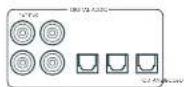
SAT, PVR, BD, CD, STB, AV
01
2AV41)
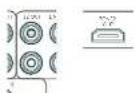
22HDM1-
哈尔拉托 克利阿莫 克鲁
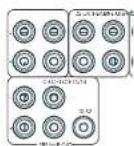
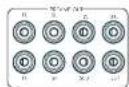
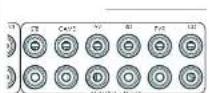
STB, GAME, AV, BD, PVR, CD
中
前用印AUX

AUX 3.5mm
前用期日托上
中 100W HWHH 100W HWHH 100W HWHH 100W HWHH 100W HWHH 100W HWHH 100W HWHH 100W HWHH 100W HWHH 100W HWHH 100W HWHH 100W HWHH 100W HWHH 10
吉卡
#
RS232 机制封装电路

T
NteWtK
国
iD
H
EETHERNET 45
Z2 IR (AVR21, AVR31, AV41)
2012年月日中
相:求天机的IR默是部无主神志到
$ echo "The command's menu is: 42,0123456789";
$ echo "This command is a random number list".
中
中
甲乙
M 1
#
L. 10.3.4.5.6.7.8.9.10.11.12.13.14.15.16.17.18.19.20.21.22.23.24.25.26.27.28.29.30.31.32.33.34.35.36.37.38.39.40.41.42.43.44.45.46.47.48.49.50.51.52.53.54.55.56.57.58.59.60.61.62.63.64.65.66.67.68.69.70.71.72.73.74.75.76.77.78.79.80.81.82.83.84.85.86.87.88.89.90.91.92.93.94.95.96.97.98.99.100
T
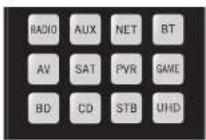
歌樂樂樂樂樂樂樂樂樂樂樂樂樂樂樂樂樂樂樂樂樂樂樂樂樂樂樂樂樂樂樂樂樂樂樂樂樂樂樂樂樂樂樂樂樂樂樂樂樂樂樂樂樂樂樂樂樂樂樂樂樂樂樂樂樂樂樂樂樂樂樂樂樂樂樂樂樂
舍地
| 명목 | 요这部分 |
| AMP+ | 선류 기재 썸명목지poons |
| AMP+ | 선류 기재 썸명목지poons |
| AMP+OK | 고수 힘명목지poons |
| AMP+ | HDM 힘명목지,1,2,3,4,5,6,7,8,9,10,11,12,13,14,15,16,17,18,19,20,21,22,23,24,25,26,27,28,29,30,31,32,33,34,35,36,37,38,39,40,41,42,43,44,45,46,47,48,49,50,51,52,53,54,55,56,57,58,59,60,61,62,63,64,65,66,67,68,69,70,71,72,73,74,75,76,77,78,79,80,81,82,83,84,85,86,87,88,89,90,91,92,93,94,95,96,97,98,99,100,101,102,103,104,105,106,107,108,109,110,111,112,113,114,115,116,117,118,119,120,121,122,123,124,125,126,127,128,129,130,131,132,133,134,135,136,137,138,139,140,141,142,143,144,145,146,147,148,149,150,151,152,153,154,155,156,157,158,159,160,161,162,163,164,165,166,167,168,169,170,171,172,173,174,175,176,177,178,179,180,181,182,183,184,185,186,187,188,189,190,191,192,193,194,195,196,197,198,199,200,201,202,203,204,205,206,207,208,209,210,211,212,213,214,215,216,217,218,219,220,221,222,223,224,225,226,227,228,229,230,231,232,233,234,235,236,237,238,239,240,241,242,243,244,245,246,247,248,249,250,251,252,253,254,255,256,257,258,259,260,261,262,263,264,265,266,267,268,269,270,271,272,273,274,275,276,277,278,279,280,281,282,283,284,285,286,287,288,289,290,291,292,293,294,295,296,297,298,299,300,301,302,303,304,305,306,307,308,309,310,311,312,313,314,315,316,317,318,319,320,321,322,323,324,325,326,327,328,329,330,331,332,333,334,335,336,337,338,339,340,341,342,343,344,345,346,347,348,349,350,351,352,353,354,355,356,357,358,359,360,361,362,363,364,365,366,367,368,369,370,371,372,373,374,375,376,377,378,379,380,381,382,383,384,385,386,387,388,389,390,391,392,393,394,395,396,397,398,399,400,401,402,403,404,405,406,407,408,409,410,411,412,413,414,415,416,417,418,419,420,421,422,423,424,425,426,427,428,429,430,431,432,433,434,435,436,437,438,439,440,441,442,443,444,445,446,447,448,449,450,451,452,453,454,455,456,457,458,459,460,461,462,463,464,465,466,467,468,469,470,471,472,473,474,475,476,477,478,479,480,481,482,483,484,485,486,487,488,489,490,491,492,493,494,495,496,497,498,499,500,501,502,503,504,505,506,507,508,509,510,511,512,513,514,515,516,517,518,519,520,521,522,523,524,525,526,527,528,529,530,531,532,533,534,535,536,537,538,539,540,541,542,543,544,545,546,547,548,549,550,551,552,553,554,555,556,557,558,559,560,561,562,563,564,565,566,567,568,569,570,571,572,573,574,575,576,577,578,579,580,581,582,583,584,585,586,587,588,589,590,591,592,593,594,595,596,597,598,599,600,601,602,603,604,605,606,607,608,609,610,611,612,613,614,615,616,617,618,619,620,621,622,623,624,625,626,627,628,629,630,631,632,633,634,635,636,637,638,639,640,641,642,643,644,645,646,647,648,649,650,651,652,653,654,655,656,657,658,659,660,661,662,663,664,665,666,667,668,669,670,671,672,673,674,675,676,677,678,679,680,681,682,683,684,685,686,687,688,689,690,691,692,693,694,695,696,697,698,699,700,701,702,703,704,705,706,707,708,709,710,711,712,713,714,715,716,717,718,719,720,721,722,723,724,725,726,727,728,729,730,731,732,733,734,735,736,737,738,739,740,741,742,743,744,745,746,747,748,749,750,751,752,753,754,755,756,757,758,759,760,761,762,763,764,765,766,767,768,769,770,771,772,773,774,775,776,777,778,779,780,781,782,783,784,785,786,787,788,789,790,791,792,793,794,795,796,797,798,799,800,801,802,803,804,805,806,807,808,809,810,811,812,813,814,815,816,817,818,819,820,821,822,823,824,825,826,827,828,829,830,831,832,833,834,835,836,837,838,839,840,841,842,843,844,845,846,847,848,849,850,851,852,853,854,855,856,857,858,859,860,861,862,863,864,865,866,867,868,869,870,871,872,873,874,875,876,877,878,879,880,881,882,883,884,885,886,887,888,889,890,891,892,893,894,895,896,897,898,899,900,901,902,903,904,905,906,907,908,909,910,911,912,913,914,915,916,917,918,919,920,921,922,923,924,925,926,927,928,929,930,931,932,933,934,935,936,937,938,939,940,941,942,943,944,945,946,947,948,949,950,951,952,953,954,955,956,957,958,959,960,961,962,963,964,965,966,967,968,969,970,971,972,973,974,975,976,977,978,979,980,981,982,983,984,985,986,987,988,989,990,991,992,993,994,995,996,997,998,999,1000,1010、 |
中國長垣九台山
LIOI 1
(含)MENU 贝贝贝贝贝贝贝贝贝贝贝贝贝贝贝贝贝贝贝贝贝贝贝贝贝贝贝贝贝贝贝贝贝贝贝贝贝贝贝贝贝贝贝贝贝贝贝贝贝贝贝贝贝贝贝贝贝贝贝贝贝贝贝贝贝贝贝贝贝
贝云原猿凿日默藏于蒙园藻藻皂藻皂藻皂藻土哉员糟和贝云原猿凿在圆原的粤昌韵葬凿皂藻皂藻皂藻土凿员援
长垣司
子海海海的马自的,
則對目,樂藥對,樂藥對,樂藥對,樂藥對,樂藥對,樂藥對,樂藥對,樂藥對,樂藥對,樂藥對,樂藥對,樂藥對,樂藥對,樂藥對,樂藥對,樂藥對,樂藥對,樂藥對,樂藥對,樂藥對,樂藥對,樂藥對,樂藥對,樂藥對,樂藥對,樂藥
月樂樂樂樂樂樂樂樂樂樂樂樂樂樂樂樂樂樂樂樂樂樂樂樂樂樂樂樂樂樂樂樂樂樂樂樂樂樂樂樂樂樂樂樂樂樂樂樂樂樂樂樂樂樂樂樂樂樂樂樂樂樂樂樂樂樂樂樂樂樂樂樂樂樂樂樂樂樂樂樂樂樂樂樂樂乐
图
默默默默默默默默默默默默默默默默默默默默默默默默默默默默默默默默默默默默默默默默默默默默
□□:中中中中中中中中中中中中中中中中中中中中中中中中中中中中中中中中中中中中中中中中中中中中中中中中中中中中中中中中中中中中中中中中中中中中中中中中中中中中中中中
:SfFJ 1000
月 电
134-
15 16-
13.14.15.1601A
67A 1000000000000000000000000000000000000000000000000000000000
日 1234567890
Chromecast built-in serial
京航
3.5
★
GoogleHomee


DSWn.120234567890000000000000000000000000000000000000000000000000
OMOAMK3D(AVR11,AVR21,AVR31, AV41)
| 선수선원품류,체-member, 82/4.0 | |
| 2개일본 채류, 20kHz, <0.02% THD1 | 110W/175W |
| 7개일본 채류, 1kHz, 0.2% THD2 | 125W/100W |
| 7개일본 채류, 1kHz, 0.2% THD2 | 90W/110W |
| auto'spel or bing hong kong (A wcd) | <0.15mV |
| SWIIELORIOINILIKE | |
| 내용품목 | 4.5Vms |
| 通话接听机 | 1V, 2V, 4V (사용품수성 기재) |
| 自動화 키우버스 | 470Ω |
| USB/蜂鸣器(A-wcd ref 100W) 키우버스 /usb-USB/USB/USB/USB/USB/USB/USB/USB/USB/USB/USB/USB/USB/USB/USB/USB/USB/USB/USB/USB/USB/USB/USB/USB/USB/USB/USB/USB/USB/USB/USB/USB/USB/USB/USB/USB/USB/USB/USB/USB/USB/USB/USB/USB/USB/USB/USB/USB/USB/USB/USB 9365/110GB | |
| usb-USB/USB/USB/USB/USB/USB/USB/USB/USB/USB/USB/USB/USB/USB/USB/USB/USB/USB/USB/USB/USB/USB/USB/USB/USB/USB/USB/USB/USB/USB/USB/USB/USB/USB/USB/USB/USB/USB/USB/USB/USB/USB/USB/USB/USB/USB/USB/USB/USB 20Hz~20Hz ± 0.2dB | |
| FRUSIONBRANCH | |
| SWIRMS | 1V RMS |
| SWIRMS SWIRMS SWIRMS SWIRMS SWIRMS SWIRMS SWIRMS SWIRMS SWIRMS SWIRMS SWIRMS SWIRMS SWIRMS SWIRMS SWIRMS SWIRMS SWIRMS SWIRMS SWIRMS SWIRMS SWIRMS SWIRMS SWIRMS SWIRMS SWIRMS SWIRMS | 560Ω |
| -100mΩ | |
| 多媒体通讯 | |
| SWIRMS | 5Vrms |
| SWIRMS SWIRMS SWIRMS SWIRMS SWIRMS SWIRMS SWIRMS SWIRMS SWIRMS SWIRMS SWIRMS SWIRMS SWIRMS SWIRMS SWIRMS SWIRMS SWIRMS SWIRMS SWIRMS SWIRMS SWIRMS SWIRMS SWIRMS SWIRMS SNR | <100Ω |
| USB USB USB USB USB USB USB USB USB USB USB USB USB USB USB USB USB USB USB USB USB USB USB USB USB USB USB USB USB USB USB USB USB USB USB USB USB USB USB USB USB USB USB USB USB USB USB USB USB USB USB | 110~120V Parallel 220~240V, 50~60Hz |
| 1.5kW(NTM,内置5200BTU/SAT) | |
| 100W(内置蓝牙RFID 340 BTU/SAT) | |
| <0.5W | |
| 433x425x171mm | |
| 16.6kg | |
| 19.9kg | |
| SWIRMS SWIRMS SWIRMS SWIRMS SWIRMS SWIRMS SWIRMS SWIRMS SWIRMS SWIRMS SWIRMS SWIRMS SWIRMS SWIRMS SWIRMS SWIRMS SWIRMS SWIRMS SWIRMS SWIRMS SWIRMS SWIRMS SWIRMS SWIRMS SWSIRMS SWIRMS SWIRMS SWIRMS SWIRMS SWIRMS SWIRMS SWIRMS SWIRMS SWIRMS SWIRMS SWIRMS SWIRMS SWIRMS SWIRMS SWIRMS SWIRMS SWIRMS SWIRMS SWIRMS SWIRMS SWIRMS SWIRMS SWIRMS SWIRMS SWSIRms SWIRMS SWIRMS SWIRMS SWIRMS SWIRMS SWIRMS SWIRMS SWIRMS SWIRMS SWIRMS SWIRMS SWIRMS SWIRMS SWIRMS SWIRMS SWIRMS SWIRMS SWIRMS SWIRMS SWIRMS SWIRMS SWIRMS SWIRMS SWIRMS SWIRms SWIRms SWIRms SWIRms SWIRms SWIRms SWIRms SWIRms SWIRms SWIRms SWIRms SWIRms SWIRms SWIRms SWIRms SWIRms SWIRms SWIRms SWIRms SWIRms SWIRms SWIRms SWIRms SWIRms SWIRms SWIRrms SWIRms SWIRms SWIRms SWIRms SWIRms SWIRms SWIRms SWIRms SWIRms SWIRms SWIRms SWIRms SWIRms SWIRms SWIRms SWIRms SWIRms SWIRms SWIRms SWIRms SWIRms SWIRms SWIRms SWIRms SWIRm SWIRms SWIRms SWIRms SWIRms SWIRms SWIRms SWIRms SWIRms SWIRms SWIRms SWIRms SWIRms SWIRms SWIRms SWIRms SWIRms SWIRms SWIRms SWIRms SWIRms SWIRms SWIRms SWIRms SWIRms SWIR ms SWIRms SWIRms SWIRms SWIRms SWIRms SWIRms SWIRms SWIRms SWIRms SWIRms SWIRms SWIRms SWIRms SWIRms SWIRms SWIRms SWIRms SWIRms SWIRms SWIRms SWIRms SWIRms SWIRms SWIRms SWIRMS SWIRms SWIRms SWIRms SWIRms SWIRms SWIRms SWIRms SWIRms SWIRms SWIRms SWIRms SWIRms SWIRms SWIRms SWIRms SWIRms SWIRms SWIRms SWIRms SWIRms SWIRms SWIRms SWIRms SWIRm SWIRm SWIRm SWIRm SWIRm SWIRm SWIRm SWIRm SWIRm SWIRm SWIRm SWIRm SWIRm SWIRm SWIRm SWIRm SWIRm SWIRm SWIRm SWIRm SWIRm SWIRm SWIRm SWIRm SWIRm SWIRms SWIRms SWIRms SWIRms SWIRms SWIRms SWIRms SWIRms SWIRms SWIRms SWIRms SWIRms SWIRms SWIRms SWIRms SWIRms SWIRms SWIRms SWIRms SWIRms SWIRms SWIRms SWIRms SWIRm SWIRrms SWIRm SWIRm SWIRm SWIRm SWIRm SWIRm SWIRm SWIRm SWIRm SWIRm SWIRm SWIRm SWIRm SWIRm SWIRm SWIRm SWIRm SWIRm SWIRm SWIRm SWIRm SWIRm SWIRm SWIRm SWIIM SWIRm SWIRm SWIRm SWIRm SWIRm SWIRm SWIRm SWIRm SWIRm SWIRm SWIRm SWIRm SWIRm SWIRm SWIRm SWIRm SWIRm SWIRm SWIRm SWIRm SWIRm SWIRm SWIRm SWIRm SWIR m SWIRm SWIRm SWIRm SWIRm SWIRm SWIRm SWIRm SWIRm SWIRm SWIRm SWIRm SWIRm SWIRm SWIRm SWIRm SWIRm SWIRm SWIRm SWIRm SWIRm SWIRm SWIRm SWIRm SWIRm SWIRr m SWIRm SWIRm SWIRm SWIRm SWIRm SWIRm SWIRm SWIRm SWIRm SWIRm SWIRm SWIRm SWIRm SWIRm SWIRm SWIRm SWIRm SWIRm SWIRm SWIRm SWIRm SWIRm SWIRm SWIRm SWIIN SWIIN SWIIN SWIIN SWIIN SWIIN SWIIN SWIIN SWIIN SWIIN SWIIN SWIIN SWIIN SWIIN SWIIN SWIIN SWIIN SWIIN SWIIN SWIIN SWIIN SWIIN SWIIN SWIIN SWIIN SWI IN SWIIN SWIIN SWIIN SWIIN SWIIN SWIIN SWIIN SWIIN SWIIN SWIIN SWIIN SWIIN SWIIN SWIIN SWIIN SWIIN SWIIN SWIIN SWIIN SWIIN SWIIN SWIIN SWIIN SWIIN SWIin SWIIN SWIIN SWIIN SWIIN SWIIN SWIIN SWIIN SWIIN SWIIN SWIIN SWIIN SWIIN SWIIN SWIIN SWIIN SWIIN SWIIN SWIIN SWIIN SWIIN SWIIN SWIIN SWIIN SWIIN SWIIn SWIIN SWIIN SWIIN SWIIN SWIIN SWIIN SWIIN SWIIN SWIIN SWIIN SWIIN SWIIN SWIIN SWIIN SWIIN SWIIN SWIIN SWIIN SWIIN SWIIN SWIIN SWIIN SWIIN SWIIN SWI-IN SWIIN SWIIN SWIIN SWIIN SWIIN SWIIN SWIIN SWIIN SWIIN SWIIN SWIIN SWIIN SWIIN SWIIN SWIIN SWIIN SWIIN SWIIN SWIIN SWIIN SWIIN SWIIN SWIIN SWIIN SWIINA SWIIN SWIIN SWIIN SWIIN SWIIN SWIIN SWIIN SWIIN SWIIN SWIIN SWIIN SWIIN SWIIN SWIIN SWIIN SWIIN SWIIN SWIIN SWIIN SWIIN SWIIN SWIIN SWIIN SWIIN SWIHN SWIIN SWIIN SWIIN SWIIN SWIIN SWIIN SWIIN SWIIN SWIIN SWIIN SWIIN SWIIN SWIIN SWIIN SWIIN SWIIN SWIIN SWIIN SWIIN SWIIN SWIIN SWIIN SWIIN SWIIN SWIINI SWIIN SWIIN SWIIN SWIIN SWIIN SWIIN SWIIN SWIIN SWIIN SWIIN SWIIN SWIIN SWIIN SWIIN SWIIN SWIIN SWIIN SWIIN SWIIN SWIIN SWIIN SWIIN SWIIN SWIIN SWIIP | |
AVR11
Luxurysupport@harman.com Arc-m#
怎能有息或身如?
Aram 1
二、欧拉在粤
网台网口www.arcam.co.uk
device code tables
| Brix | 55 |
| Deprui | 15 |
| Fucaricau | 15 |
| Gini 555 | |
| Savvi | 60 |
| X# Salarie Ratio | $15 |
| Alfa A27/380/09/09 | |
| Alfa A27/380/09/09 | |
| Alfa A27/380/09/09 | |
| Alfa A27/380/09/09 | |
| Alfa A27/380/09/09 | |
| Alfa A27/380/09/09 | |
| Alfa A30/40/09/09 | |
| Alfa A30/40/09/09 | |
| Alfa A30/40/09/09 | |
| Alfa A30/40/09/09 | |
| Alfa A30/40/09/09 | |
| Alfa A30/40/09/09 |
| Europa 01/02 352 | 08697 |
| Blue Sky | 109 172 249 200 |
| Buenos Aires | 264 273 282 289 |
| Brasil | 063 108 |
| Burma | 262 |
| Busanis | 163 |
| Ecuador | 419 |
| Enellos | 173 179 129 198 |
| Estonia | 270 |
| Brasil Energia 204 745 | |
| Brickwalla RAS | |
| Brother | 410 |
| Brava | 264 |
| Bré | 144 247 |
| Brìnza 311 063 069 07 | |
| Cama | 024 115 121 125 |
| Cama | 174 144 202 245 |
| Cama | 246 262 262 285 |
| Cama | 286 287 287 314 |
| Cama | 407 402 |
| Camper | 280 |
| Carlo | 301 310 311 312 |
| Cantabria | 115 118 |
| Cugli Elegs 249 249 249 | |
| Cugli | 020 039 108 264 |
| Cle | 026 094 108 166 |
| Cmeel | 272 |
| Cmeel | 251 294 297 |
| Cinque | 191 252 258 |
| Custanci | 264 271 198 179 |
| Cunlina | 165 176 159 187 |
| Cunlina | 165 171 158 187 |
| Cunlina | 267 262 255 260 |
| Cunlina | 267 262 255 260 |
| Cunlina | 267 262 255 260 |
| Cunlina | 267 262 255 260 |
| Cunlina | 267 262 255 260 |
| Cunlina 250 252 | |
| Cunlina | 219 |
| Cunlina | 226 |
| Cunlina | 171 277 |
| Cunlina 250 252 | |
| Cundinamarca 72 | |
| Cundinamarca cubed cono | 172 173 179 198 |
| Cundinamarca | 108 |
| Cuayal | 146 166 221 267 |
| Cuayal | 263 085 086 000 |
| Davon | 108 144 171 135 |
| Davon | 245 250 255 265 |
| Davon | 261 257 271 282 |
| Davon | 262 407 409 418 |
| Co-Ediciones de la Cumbi | 264 155 153 |
| Cunlina | 111 363 |
| Dóvidao | 108 607 |
| Dóvidao | 108 120 117 170 |
| Dóvidao | 219 410 |
| Dóvidao | 0.44 250 |
| Duytjek | 194 |
| Doyenstal | 134 |
| Doyenstal | 011 060 069 108 |
| Doyenstal | 129 125 101 196 |
| Doyenstal | 199 457 |
| Del Rio 749 | |
| Denver | 074 177 282 403 |
| Desmont | 108 |
| Duyin-27 |
| Duluzion 225 |
| Dugan 331 |
| Dugie 187 |
| Dunys 602 |
| Dimash 219 230 304 208 |
| 150 |
| Ghoshmari 132 |
| Udoes 108 |
| Dual 108 123 127 158 |
| Eklre 108 123 127 158 |
| 233,243,248,249 |
| 550,276,285,293 |
| Dumont 287 137 105 109 |
| 110,195,204,204,204,207 |
| Dudardand 293 287 |
| T. Yaxar 164 |
| Bst 005 11/20 250 |
| Edison 1/2 |
| Edison Kinney 1/2 |
| Elbe 088/71139 120 |
| 44,100,195,203,229,240,249,250,267 |
| ELLA 108 248 |
| Elle 166 |
| Elles 109 |
| Elles Co 250 |
| Elles 108 111,159,171,410 |
| Tickmania 285 108 16,274 |
| Chins |
| El 03,074,202,294,407 |
| Elin 287 108 132 |
| Elis 251 132 10 |
| Elman |
| Hitz 138 171 40 |
| Heronson 296 130 240 |
| Eic |
| Ecor |
| Euroline 296 |
| Europor |
| Furday |
| Evelyn |
| Ercen U 088 |
| Eupakil |
| Ferrari |
| Fepasson |
| Gyose |
| Fetuca |
| Fictalis |
| Finlanda |
| Firlika |
| Firlia |
| Firlia 031,066,069,074 |
| Firlia 087,092,102,104,106,107,109,111,115 |
| Firlia 128,140,141,155,159,161,166,226,227,229,240,249,250,251,252,253,254,255,256,257,258,259,260,261,262,263,264,265,271,274 |
| Firlinne |
| Firlinne 108,141,158,206,246,249,261,264,271,274 |
| Fisher |
| Fisher 01,02,026,108,159,221,233 |
| Hint 275 |
| Foue |
| 123,194,206 |
| Formart | 108 109 110 119 |
| Fina | 108 143 |
| Hontech | 159 129 166 171 |
| Futuro Cereia | 283 159 157 247 |
| Futural | 279 264 286 293 |
| Galact | 108 185 255 265 |
| Galaxy | 255 |
| Galeria | 17 |
| Gis. 137/148/148 | 171 |
| General Electric | 171 |
| Galvan 18/220 300 | |
| Geolok | 249 264 |
| Goldharz | 159 171 |
| Goldfinch 271 | |
| Goldfinger 338/352 000 | 108 |
| Goldknock | 165 171 191 |
| Goldfish | 249 264 |
| Goldfish 271 | |
| Gooding | 172 |
| Goodwin | 103 063 064 068 |
| Gratian | 074 108 109 109 |
| Gratios | 110 115 129 129 |
| Gratios 170 | 187 170 171 176 |
| Gratios 194 | 225 219 230 231 |
| Gratios 268 | 264 269 270 271 |
| Gratios 305 | 305 306 307 308 |
| Gravende | 107 039 |
| Graves | 086 090 108 118 |
| Graves 274 745 | 246 274 285 |
| Grams 244 413 | |
| Grundstücke | 038 |
| Grund | 108 137 144 147 |
| Grundstücks | 145 149 159 160 |
| Grund von | 170 262 264 269 |
| Grund von Grund | 200 265 266 268 |
| Grund von Grund | 059 273 |
| Ghent Wall 074 428 | |
| Grundgeorg 031 063 065 | 033 035 039 041 |
| Grundgeorg 042 043 044 | 042 043 044 045 |
| Grundgeorg 051 045 053 | 051 045 055 056 |
| Grundgeorg 051 051 053 | 051 051 055 056 |
| Grundgeorg 051 051 053 | 051 051 055 056 |
| Grundgeorg 051 051 053 | 051 051 055 056 |
| Grundgeorg 051 051 053 | 042 042 053 056 |
| Grundgeorg 051 051 053 | 042 051 053 056 |
| Grundgeorg 051 051 053 | 042 051 053 056 |
| Gall 407 | |
| Gall 407 | |
| Gall 407 | |
| Gall 407 | |
| Gall 407 | |
| Gall 407 | |
| Gall 407 | |
| Gall 407 | |
| Gall 407 | |
| Gall 407 | |
| Gall 407 | 042 042 053 056 |
| Gall 407 | |
| Gall 407 | |
| Gall 407 | |
| Gall 407 | |
| Gall 407 | |
| Gall 407 | |
| Gall 407 | |
| Gall 407 | |
| Gall 407 |
| Harmfuls | 069 172 173 |
| 110 110 111 | |
| 126 144 145 146 | |
| 151 222 225 | |
| 229 218 252 251 | |
| 260 166 199 198 | |
| 402 404 414 | |
| Harmless | 161 |
| Humane | 159 |
| Humus | 297 |
| Hld | 203 |
| Hollister | 172 |
| Horn | 108 158 171 277 |
| 410 | |
| Illness | 173 179 |
| Illam | 054 108 177 224 |
| 244 410 | |
| Hitless | 273 |
| Hilustre | 302 |
| Hit | 204 |
| Hirachei | 022 059 048 048 |
| 029 030 030 039 | |
| 040 041 033 037 | |
| 055 056 050 054 | |
| 108 115 121 126 | |
| 127 128 129 134 | |
| 135 140 147 157 | |
| 156 161 161 168 | |
| 166 169 172 219 | |
| 218 226 239 276 | |
| 229 236 250 254 | |
| 413 415 417 421 | |
| 423 | |
| Illiou 273 | |
| III | 108 195 151 |
| Loher | 059 117 153 246 |
| 250 | |
| Hosoi | 204 |
| Huyer 159 161 173 | |
| Houny | 063 069 077 108 |
| 118 152 149 250 | |
| 263 264 293 407 | |
| Iyanda 152 155 161 | 335 |
| 317 | |
| Iyondu | 44 |
| Kc | 094 108 159 171 |
| 439 410 | |
| Kdei | 291 437 |
| Iyemba 108 109 113 | |
| 154 165 229 243 | |
| 200 260 267 401 | |
| Iyodori | 152 141 147 148 |
| 242 211 273 279 | |
| Iyengali 171 | |
| Iyofo- | 127 159 161 189 |
| 237 215 | |
| Iyotsoetum 110 | |
| Iyotsoian | 233 |
| Iyotsoian | 057 108 132 134 |
| 137 141 147 154 | |
| 165 179 212 274 | |
| 265 265 355 616 | |
| Iyotsoian | 085 085 108 132 |
| 144 156 171 210 | |
| Iyotra | 171 |
| Iyotri 111/112 | |
| Iyotri | 323 |
| Iyotri/111 | 074 108 163 237 |
| Iyotri | 249 264 248 |
| Sida 225 | |
| Sic | 141 159 |
| U | 171 |
| In. | 08/159 171/99410 |
| in. | 0412371111111111111111111111111111111111111111111111111111111111111111111111111111111111111111111111111111 |
| Jepuisin 293 | |
| Juno 293 | |
| Jouleol 069 074 283 | 206 |
| Juc. | 120159279709 |
| K.Cesic 107 | |
| Kudu | 136 |
| Kubai | 12729273380416 |
| Kamimorion | 66440 |
| Kapirich | 0891411471480 |
| Kircher | 0412439391091111111111111111111111111111111111111111111111111111111111111111111111111111111111111111111111111110 |
| Kathiric | 187 |
| Kawa | 409 |
| Kindo | 0601081273722924242424242424242424242424242424242424242424242424242424242424242424242424242424242424242424242424242 |
| Karnady | 140197 |
| Kerres | 10829261 |
| Kaynay | 207235 |
| Klton | 246264793 |
| Kretzel | 05810823929264273 |
| Kreting 386 N/A 274 | |
| Kroika 405 | |
| Kronen 410 | |
| Kula-technique | 144158233 |
| Laser | 574 |
| Lasser | 116 |
| Longo | 1081107040410 |
| Lanot | 248264 |
| Lev 426 | |
| Li | 01321401308060000000000000000000000000000000000000000000000000000000000000000000000000000000000000000000000000000 |
| Liesenkueiter | 138 |
| Liees | 061074033108123333333333333333333333333333333333333333333333333333333333333333333333333333333333333333333333333333 |
| Lüsse | 04609999999999999999999999999999999999999999999999999999999999999999999999999999999999999999999999999999 |
| Lugli | 076187253 |
| Luna | 13719722922292424 |
| Lumineson | 029249249249 |
| Lusar | 03200000241001051111111111111111111111111111111111111111111111111111111111111111111111111111111111111111111111111112 |
| M.I.Flectronic | 16310410510072727404276 |
| M.I.SC | 074 |
| Macromic | 059 |
| Magnanimy | 168164158168 |
| Magnolium | 185 199 |
| Magnaporchis | 106 |
| Magnusius | 251 |
| Magnus | 651 071 252 253 254 450 |
| Manihotis | 249 254 |
| Manuret 108 | |
| Marsal | 664 |
| Manuret 231 074 779 407 | |
| Manuret | 108 |
| Manuret 235 037 05 | 660 |
| Manuret 235 037 05 | 042 063 069 070 039 096 100 108 116 136 14 159 171 172 18 202 219 220 407 409 416 |
| Manit | 749 |
| Manit 031 407 | |
| Manit | 611 074 138 110 127 137 14 142 249 202 254 279 288 287 293 407 408 |
| Manit | 273 |
| Manirex | 410 |
| Manirex 286 | |
| Manirx | 152 |
| Manirx 135 | |
| Manirx 037 132 236 387 | 100 01 108 218 219 256 364 765 322 525 |
| Minimax | 674 249 703 764 282 295 |
| Minimax | 286 |
| Minimax 092 097 100 172 233 | |
| Minimax | 110 047 |
| Minimax 097 095 077 077 017 129 100 170 224 249 | |
| Minimax | 158 191 289 225 259 267 767 |
| Minimax | 031 229 033 |
| Manuret | 109 152 299 418 |
| Manuret | 219 251 |
| ManuLig. 250 | |
| ML | 038 131 131 |
| Multiliter 241 254 407 | |
| Multiliter | 031 229 033 046 199 259 771 189 267 |
| Munierma | 251 |
| Narbo | 407 |
| Nakamura | 170 |
| Nariba | 137 |
| Nedermert | 037 013 253 393 038 084 095 092 039 01 108 110 119 131 13 137 154 169 664 311 217 176 717 233 245 202 251 205 256 374 404 |
| No | 664 108 420 |
| Neufunsi 105 243 750 | |
| Neufunsi 289 | |
| Nko 108 | |
| Nko 219 | |
| Nko 29 264 |
| Nkpa | 108 |
| Nisam | 268 |
| Nkabo | 172 232 267 |
| Ngepantai | 172 179 |
| Nakia | 602 074 112 135 |
| 135 170 59 52 | |
| 140 111 13 26 | |
| 158 22 27 25 | |
| 256 376 79 44 | |
| Nadamintale | 665 125 167 173 |
| 173 179 35 349 | |
| 251 270 282 296 | |
| Nadway | 203 |
| Narm N | 108 |
| Narnak,249 264 | |
| Narwa | 987 |
| Nanawirni | 106 |
| Orominee 332 101 106 | 142 159 137 |
| Okono | 108 255 |
| Grewa 654 138 180 | 409 |
| Open | 250 |
| Grewa | 64 008 139 154 |
| Ochibiter | 989 |
| Oriin | 625 025 292 |
| 253 039 069 070 | |
| 374 133 138 186 | |
| 152 135 137 198 | |
| 125 135 137 198 | |
| 235 249 250 251 | |
| 226 407 204 410 | |
| Oriin 13 262.074 | 16 116 |
| 228 229 207 410 | |
| Oromund 219 | |
| Ouali | 108 |
| Ouale | 69 060 111 155 |
| Ouila | 118 |
| Oil | 390 106 204 282 |
| Oitawaand | 67 667 036 045 |
| 376 030 065 069 | |
| 376 031 062 068 | |
| 296 029 094 084 | |
| 120 101 108 106 | |
| 111 110 108 109 | |
| 120 151 152 159 | |
| 136 155 137 159 | |
| 138 152 135 160 | |
| 163 171 163 185 | |
| 163 222 202 211 | |
| 202 215 202 217 | |
| 287 288 287 295 | |
| 292 270 277 280 | |
| 422 422 405 406 | |
| 424 412 | |
| Owo 050 038 108 | 663 109 738 749 |
| Pacic | 251 |
| Valladium | 67 008 118 127 |
| 137 137 137 162 | |
| 171 239 245 249 | |
| 290 255 290 276 | |
| 283 037 | |
| Penasmita 148 67 | 68 354 |
| 401 407 403 404 | |
| 452 | |
| Petrie Lémane | 44 |
| Petrie Maceoni | 176 179 |
| M'laco 06 144 149 | 146 |
| 165 202 243 255 | |
| 250 267 |
| Phillips | 027/038/009/019 | |
| 027 021 045/067 | ||
| 045 022 138 104 | ||
| 111 112 116 119 | ||
| 112 113 115 118 | ||
| 407 412 | ||
| Phyllis | 111 719 222 219 | |
| Phoenix 090/108 119 | ||
| Pierce | 108 132 198 402 | |
| Foster | 987 | |
| Ryerson | 556 253 | |
| Evergreen | 122 | |
| President | 066 029 | |
| President Office | 112 104 | |
| President | 368 | |
| P1923 | ||
| P1929 | ||
| P1925 | ||
| No 201 427 | ||
| Prentice 189 171 267 | ||
| Poincare 231 108 268 | ||
| Poincare 120 185 | ||
| Poincare 120 178 299 | ||
| 200 229 245 267 | ||
| 270 285 286 287 | ||
| Pronotal 18 | ||
| Pronotal 107 108 2 | 9249 | |
| Pronotal 66 108 109 120 | ||
| 287 418 | ||
| Pyr. 103 100 33 | ||
| Quadrant 120 245 266 | ||
| Quadrant 266 277 299 | ||
| 245 231 234 266 | ||
| 277 216 213 218 | ||
| 211 204 204 177 | ||
| 195 185 171 153 | ||
| 98 165 165 153 | ||
| 136 166 148 162 | ||
| 141 140 136 131 | ||
| 139 138 136 117 | ||
| 111 108 105 122 | ||
| 101 100 100 100 | ||
| 092 090 089 087 | ||
| 086 084 072 092 | ||
| 059 043 042 020 | ||
| 036 027 025 | ||
| Routafé 265 267 108 261 | ||
| Reference in 108 61 104 | ||
| Routafé in 108 104 | ||
| Reference in 108 245 267 | ||
| Reference in 108 245 267 | ||
| Reference in 108 245 267 | ||
| Reference in 108 245 267 | ||
| Reference in 108 245 267 | ||
| Reference in 108 245 267 | ||
| Reference in 107 245 267 | ||
| Reference in 107 245 267 | ||
| Reference in 107 245 267 | ||
| Reference in 107 245 267 | ||
| Reference in 107 245 267 | ||
| Reference in 107 245 267 | ||
| Reference in 107 245 267 | ||
| Reference in 107 245 267 | ||
| Reference in 107 245 267 | ||
| Reference in 107 245 267 | ||
| Reference in 107 245 267 | ||
| Reference In 107 245 267 | ||
| Reference in 107 245 267 | ||
| Reference in 107 245 267 | ||
| Reference in 107 245 267 | ||
| Reference in 107 245 267 | ||
| Reference in 107.245 267 | ||
| Reference in 107 245 267 | ||
| Reference in 107 245 267 | ||
| Reference in 107 245 267 | ||
| Reference in 107 245 267 | ||
| Reference in 107 245 177 | ||
| Reference in 107 245 177 | ||
| Reference in 107 245 177 | ||
| Reference in 107 245 177 | ||
| Reference in 107 245 177 | ||
| Reference in 107 245 177 | ||
| Selbst | 02/29/06/07 10:00 |
| 104/105/106 17:00 | |
| 132/134/135 18:00 | |
| 140/145/150 19:00 | |
| 237/242/251 29:21 | |
| 377/379/380 | |
| Summen 1/1/20 | 05/06/08/10 12:00 |
| 108/111/112 12:00 | |
| 257/259/261 29:00 | |
| 410 | |
| Summe 108/249/264 410 | |
| Surya | 193 |
| Surya 03/03/03 151 | 352 |
| 07/08/08/08 10:00 | |
| 123/159/159 20:00 | |
| 271/298/298 28:00 | |
| 481/482 | |
| Schulz/Losing | 04/08/11 61:11 |
| 130/161/167 48 | |
| 150/171/179 240 | |
| 250/254/257 27:27 | |
| 296/300 | |
| Schulzer | 05/06/06 166/280 |
| 108/111/117 41 | |
| 152/158/159 66 | |
| 295/292/295 29 | |
| 250/251/258 269 | |
| 282/284/290 | |
| Schulzer 01/05/07 251 | |
| Seite 05/05 | 06/06/07 11:11 |
| 141/158/163 17:11 | |
| 287/299/299 293 | |
| 410 | |
| Stichtech | 78/407 |
| Stichts 08/08/09 100 | 110 |
| 137/155/157 226 | |
| 326/345/346 347 | |
| 348/351/350 | |
| Sectiz | 294 |
| Sensor | 117 |
| Semen 04/04/04 247 | |
| Semen 01/01 | 074 |
| Shipp 01/02/01 032 | 129/131/134 424 |
| 483 | |
| Systom 10/149 040 | |
| Systothi | 198 |
| Svhlak | 186-44,440,264 |
| Svumlur 10/18/18 285 201 | 100/101/103 219 |
| 221/259/294 | |
| Sise | 059 |
| Sise 01/01 | 213/207 |
| Sise Schmieder | 03/07/07 282 206 |
| 294/307 | |
| Sise | 094/074 171 204 |
| 277/210 | |
| Sirey 226 | |
| Singr-009/109 154 | 185 |
| 204/201 | |
| Brüneurly | 029/06/06 169 |
| 274/118/148 158 | |
| 163/195/196 198 | |
| 212/249/212 261 | |
| Sly | 187/197/207 |
| Six | 294/297 |
| Stryand | 127 |
| Sins. | 118 |
| Solomon 242 Bonni 129/40 Sons | 134 |
| Sono 279 | |
| Sumon 110/156 | |
| Sumus | 109 |
| Sumo 0722 1-212 213 | 71415518177 |
| Kunlondin | 37410849354 407 |
| Sumo 170 | |
| Standort 108 | |
| Staat 128 171/24 | |
| Staat 171 | |
| Staat | 251 |
| Sten | 28808915157 32924854872 |
| Stinn | 410 |
| Strino | 115125286 |
| Sumi 2/3 | |
| Sumiart | 074109171 |
| Superior | 285 |
| Supelj 1071108 171 213 240 | |
| Supreme 2/3 | |
| Swissac Tudorius 108 | 181794020200 |
| Trenching | 175446254 |
| Tachip | 158192286 |
| Torling | 061066665673 079128118128 159151181189 |
| Touran 280 418 | 280280287 |
| Trn | 152 |
| Irrn | 122 |
| Tst Foreign | 131160 |
| Trz | 108144179165 16610171745 |
| Techine | 108123185749 264261 |
| Techna | 24728786427 |
| Technist | 108118248 |
| Technod | 115133249 |
| Technjagen 009 22 | 400 |
| Trentor | 108159171248 |
| Tessier 242 | |
| Tshon | 171388 |
| Trevea | 17318178 |
| Teufelkne 177/179 | 195195 225251270 |
| Teuca 177 | |
| Teewer | 137233 |
| Teuza 031 077 100 227 202 264127 | |
| Teuwe | 10812517129 |
| Toon | 086089134193 107247 |
| Treviee | 331407 |
| Tera | 531094108294 407 |
| Tovar 094 108 112 | 123 12714419159 17155129926 |
| Tuvon 1/1 |
| Testis 089/247/09 | 109 |
| Testis 089/247/09 | 109 |
| Testis 089/247/09 | 109 |
| Testis 089/247/09 | 109 |
| Testis 089/247/09 | 109 |
| Testis 089/247/09 | 109 |
| Videton 111145 173'95 2014.00 |
| Wston 108140,247 |
| Kolmogorov 167 |
| Wug 069 |
| Vosum 137221 |
| Wakir 286 |
| Wallham 134145 169'171 168 |
| Wadson 051079 108127 179,71194216 704-293410 |
| War Bank 148 158 Wegener 243249 264 262 408 |
| Witlmer 350 |
| Whitchie 108110 |
| Witson 413 |
| Wharfield 413418 |
| White Wellington House 108'10'149'265 |
| Wierzyk 428 |
| Wilson 249 |
| Wright 110120 225 278 707 |
| Xenius 298 |
| Xyco 353 |
| Yarns 554 |
| Yoko 064128 136 144 159,61170171 224'40 |
| Zinsek 221 |
| Zinsulst 137197 |
ARCAM
WWW.ARCAM.CO.UK
THE WEST WING, STIRLING HOUSE
WATERBEACH, CAMBRIDGESHIRE, CB25 9PB
+44 (0) 1223 203200SH321 ISSUE A