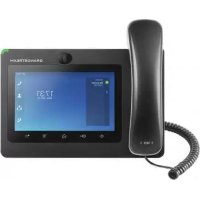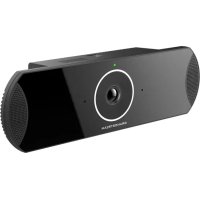
GVC3210 - IP Phone GRANDSTREAM - Free user manual and instructions
Find the device manual for free GVC3210 GRANDSTREAM in PDF.


| Product Type | IP Video Phone |
| Brand | Grandstream |
| Model | GVC3210 |
| Display | 7-inch color touchscreen |
| Screen Resolution | 1024 × 600 pixels |
| Operating System | Android |
| Network Connectivity | Ethernet 10/100/1000, Wi-Fi 802.11 b/g/n, Bluetooth |
| Ports | 1 × USB 2.0, 1 × HDMI, 1 × RJ45 |
| Power Supply | PoE (802.3af) or 5V/2A power adapter |
| Dimensions (W × H × D) | 200 × 130 × 30 mm |
| Weight | 500 g |
| Key Features | HD video calls, unified messaging, directory, conferencing |
| Maintenance and Cleaning | Unplug the device, clean with a soft dry cloth |
| Security | Regular firmware updates, enable TLS/SRTP encryption |
| Spare Parts and Repairability | Infrared remote control, power adapter, Ethernet cable |
| General Information | 2-year warranty, compatible with SIP and Android |
Frequently Asked Questions - GVC3210 GRANDSTREAM
User questions about GVC3210 GRANDSTREAM
0 question about this device. Answer the ones you know or ask your own.
Ask a new question about this device
Download the instructions for your IP Phone in PDF format for free! Find your manual GVC3210 - GRANDSTREAM and take your electronic device back in hand. On this page are published all the documents necessary for the use of your device. GVC3210 by GRANDSTREAM.
USER MANUAL GVC3210 GRANDSTREAM
Grandstream Networks, Inc.
GVC32XX
Remote Control Upgrading Instructions Guide
Table of Contents
SUPPORTED DEVICES 4
DOCUMENT PURPOSE 5
PREREQUISITES 6
UPGRADE REMOTE CONTROL 7
Install Remote Control App 7
Table of Figures
Figure 1: Application. 7
Figure 2: File Manager 7
Figure 3: Settings. 8
Figure 4:Unknown Source. 8
Figure 5: Install Remote Control 9
Figure 6: Open App 9
Table of Tables
Table 1: List of Supported Products 4
SUPPORTED DEVICES
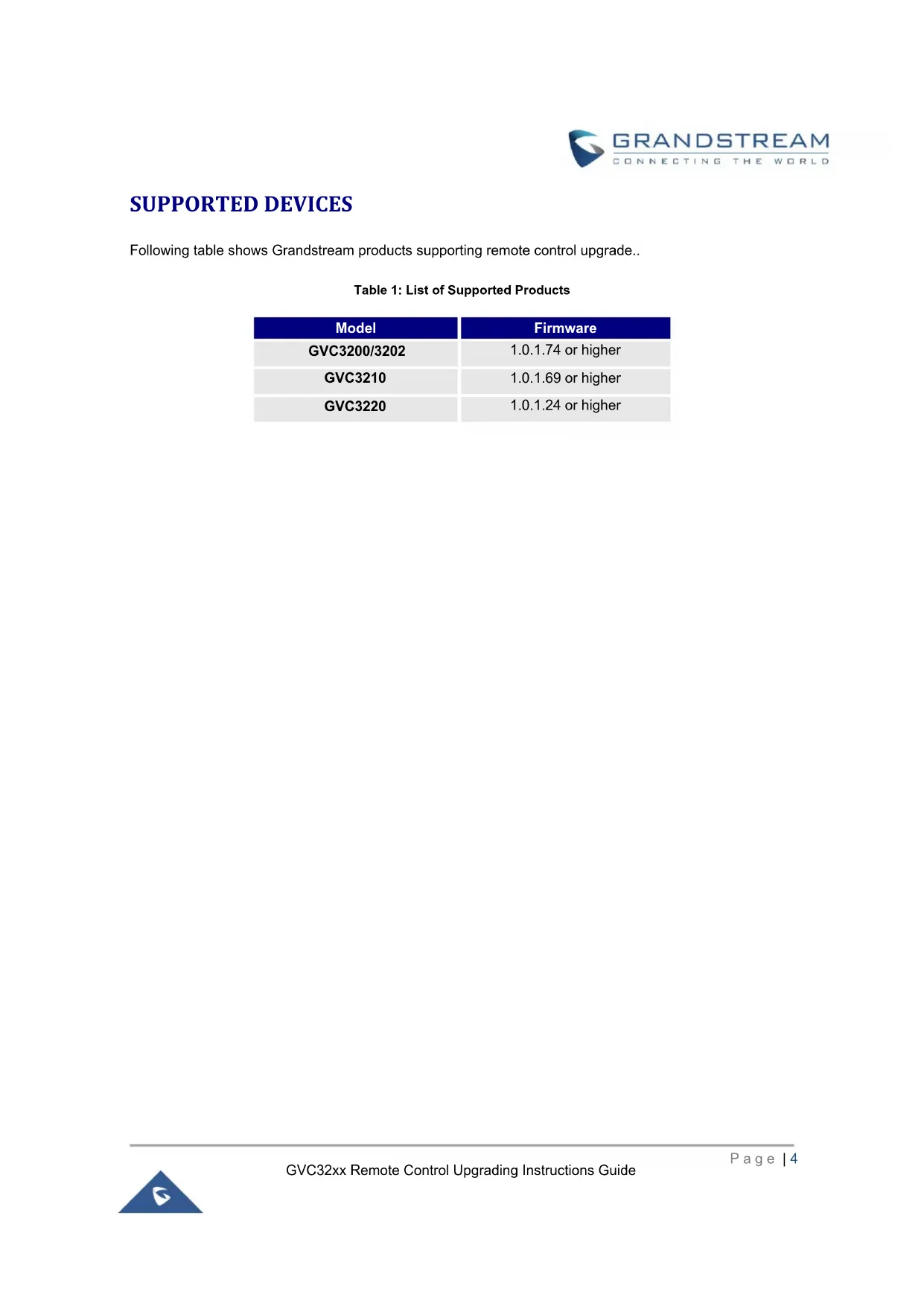
Following table shows Grandstream products supporting remote control upgrade..
Table 1: List of Supported Products
| Model | Firmware |
| GVC3200/3202 | 1.0.1.74 or higher |
| GVC3210 | 1.0.1.69 or higher |
| GVC3220 | 1.0.1.24 or higher |
DOCUMENT PURPOSE
This document describes the detailed steps to upgrade the GVC32xx remote control software version. Upgrading remote control makes sure the remote control has the latest software which contains new fixes. For issues such as touchpad on remote control is not working, please follow below operations to upgrade and restore it.
PREREQUISITES
Please make sure GVC32xx is using the latest official or Beta firmware in Grandstream website: https://www.grandstream.com/support/firmware
- Please make sure your remote control is paired with GVC32xx device.
It is recommended to replace a new battery on your remote control to ensure sufficient battery supply for upgrading process.
UPGRADE REMOTE CONTROL
Install Remote Control App
Step 1: On your PC, download remote control firmware from the following link:
https://www.grandstream.com/hubfs/Product_Documentation/GVC320x_RemoteControl_Firmware.zip
Step 2: Unzip the package. Open the folder and find file "upgrade_rmt.apk". Copy file "upgrade_rmt.apk" to a USB flash drive plugged in the PC.
Step 3: Plug in USB flash drive into GVC32xx USB port.
Step 4: On GVC32xx, proceed from File Manager USB Disk, click on "upgrade_rmt.apk" to install it.
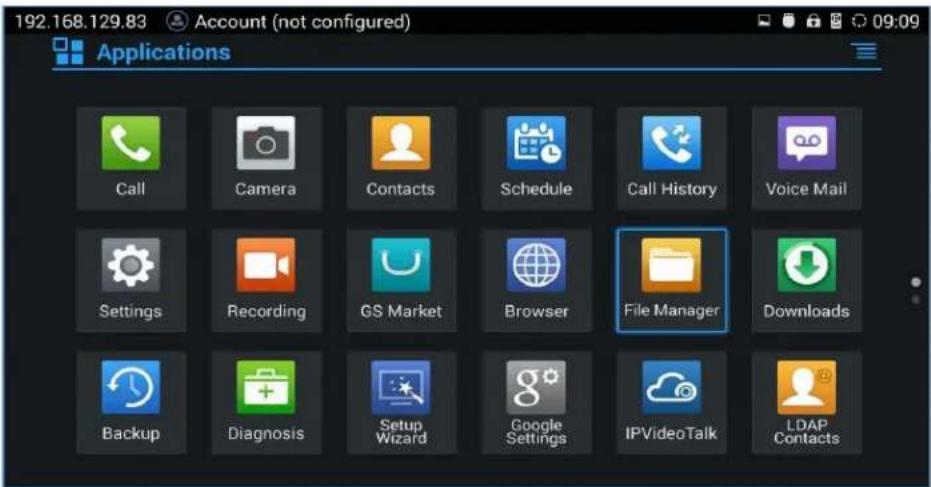
Figure 1: Application
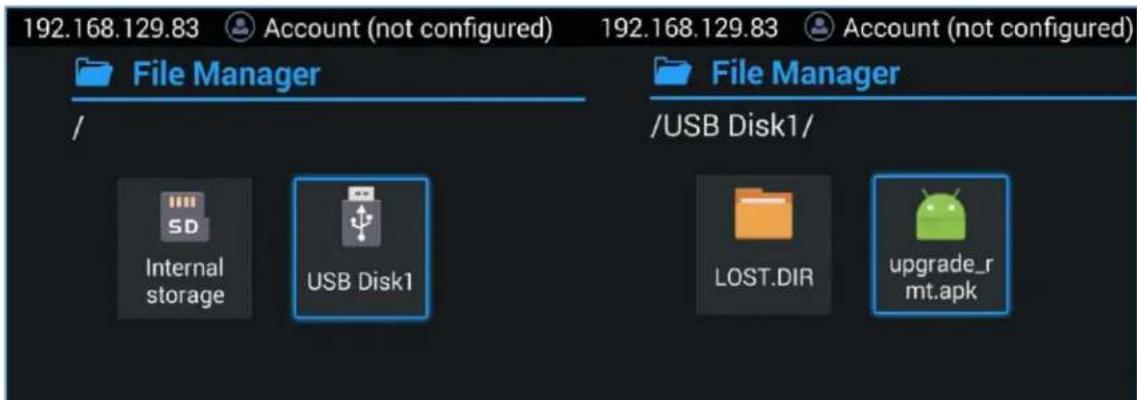
Figure 2: File Manager
Step 5: If you see "Install blocked" prompt, please proceed from the Menu: Settings System Security, enable "Unknown Sources" option.
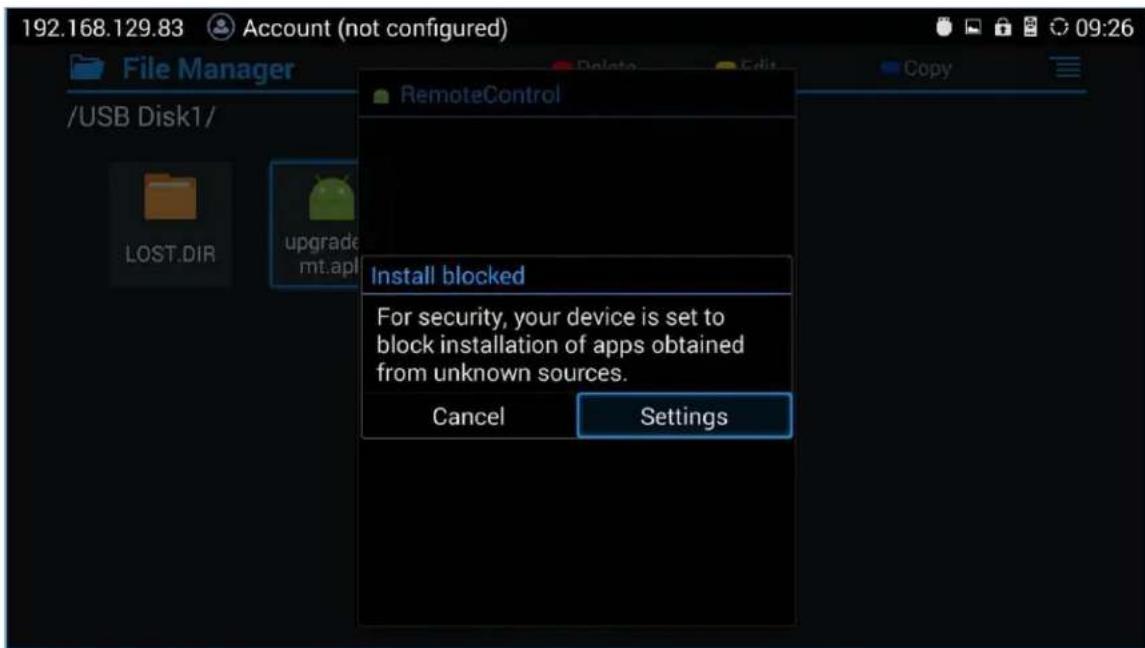
Figure 3: Settings
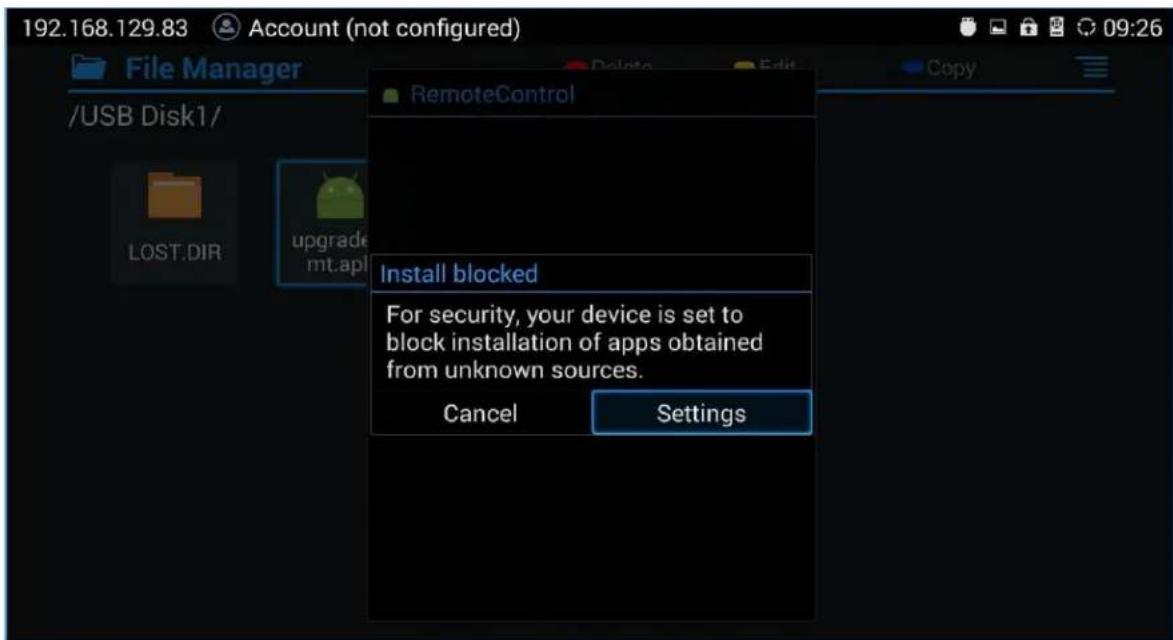
Figure 4:Unknown Source
Step 6: After allowing Unknown Sources Installation, please go back to File Manager->USB Disk, click on "upgrade_rmt.apk" to install it.
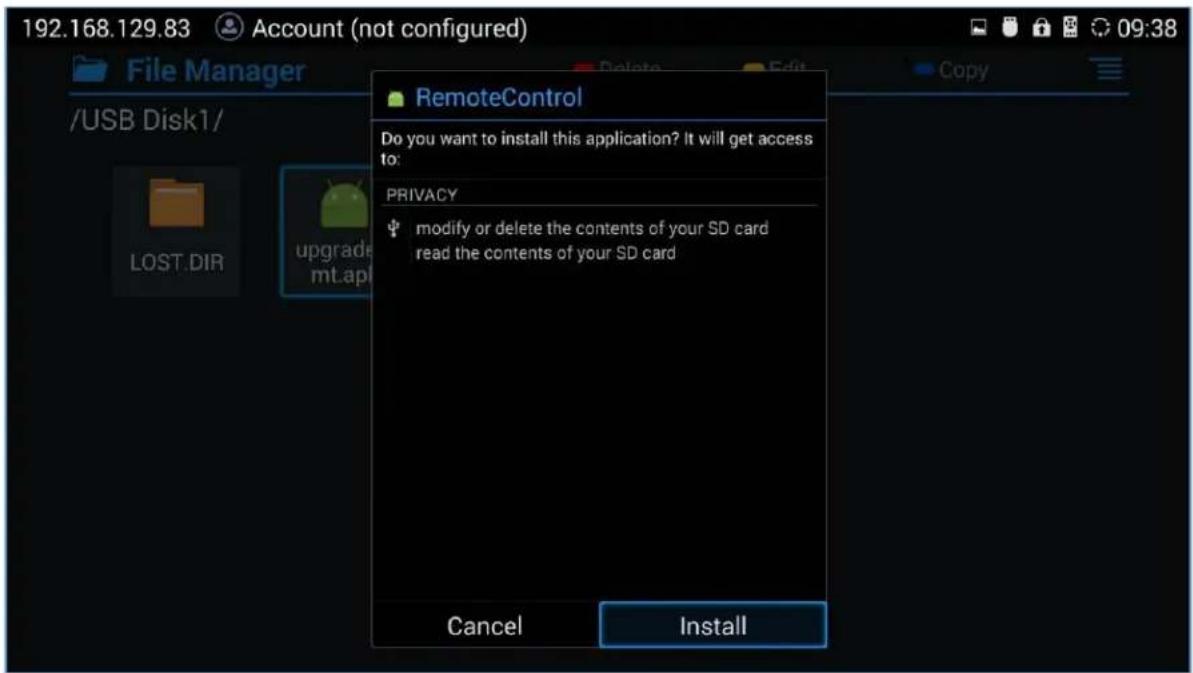
Figure 5: Install Remote Control
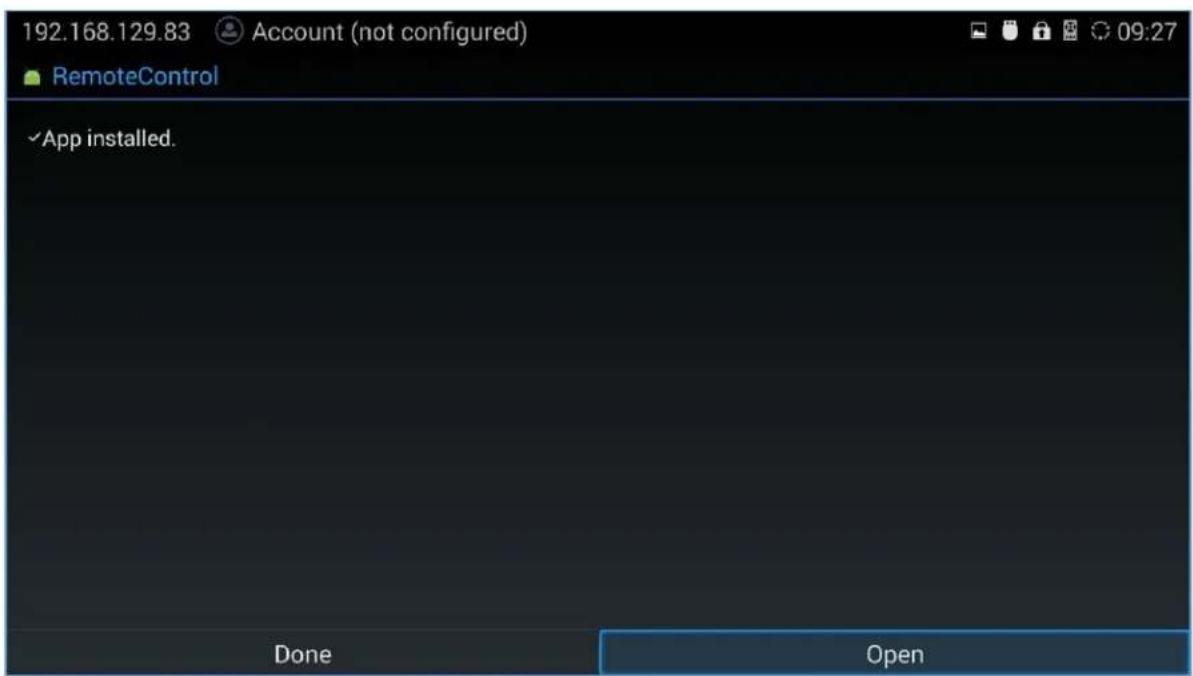
Figure 6: Open App