ManualGo.com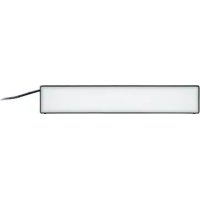
IAN 341729 - LED Lighting Livarno Lux - Free user manual and instructions
Find the device manual for free IAN 341729 Livarno Lux in PDF.



Download the instructions for your LED Lighting in PDF format for free! Find your manual IAN 341729 - Livarno Lux and take your electronic device back in hand. On this page are published all the documents necessary for the use of your device. IAN 341729 by Livarno Lux.
USER MANUAL IAN 341729 Livarno Lux
Installation, operating and safety information
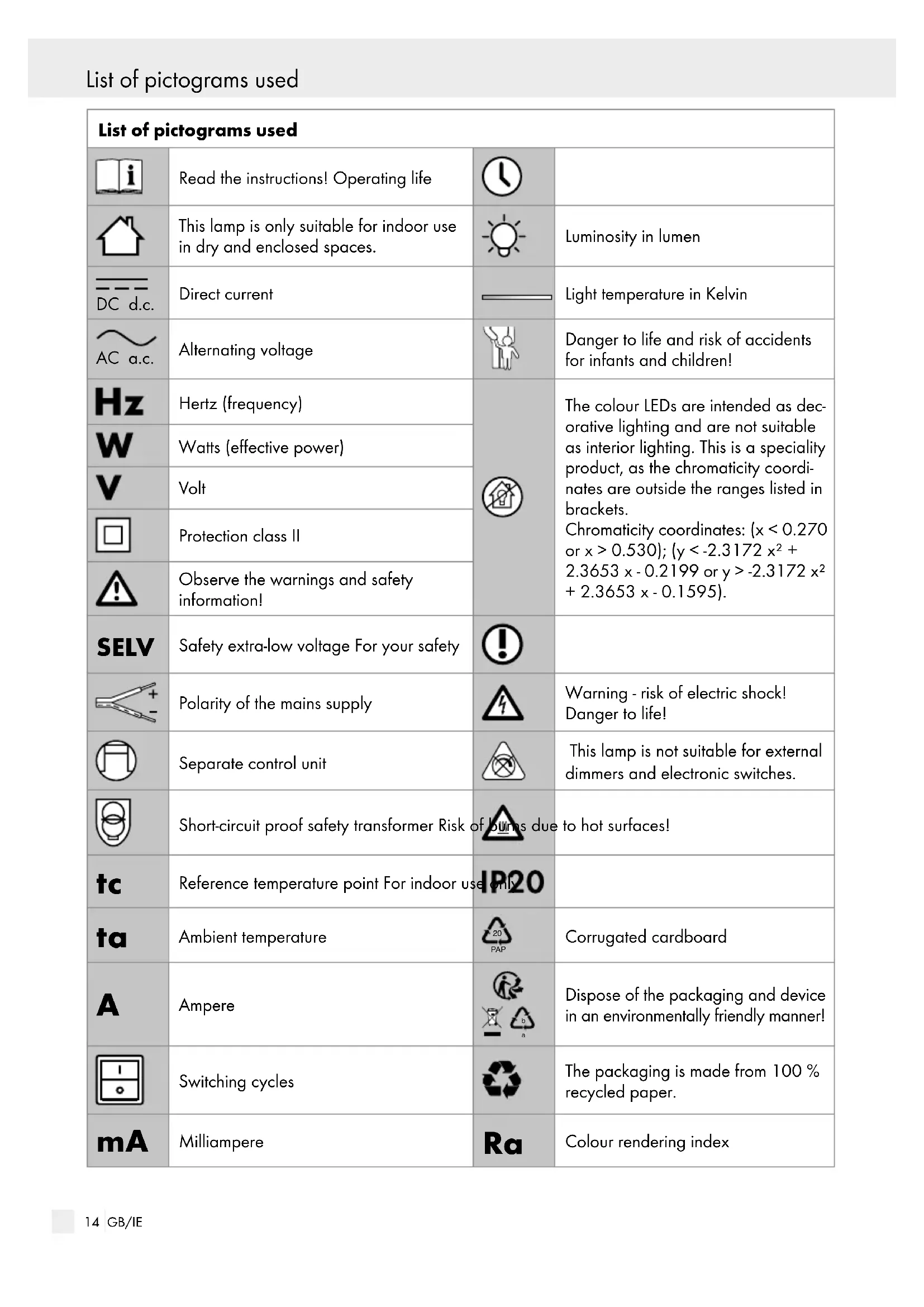
PAP Corrugated cardboard
Dispose of the packaging and device in an environmentally friendly manner! Switching cycles The packaging is made from 100 % recycled paper.
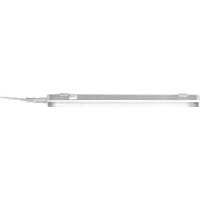
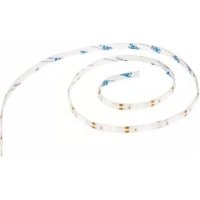
Colour rendering index Introduction15 GB/IE List of pictograms used Introduction Smart LED under-cabinet lighting Introduction Congratulations on your new product. You have selected a high quality product. Please be sure to carefully read the com- plete operating instructions. These instructions are part of the product and contain important information on setup and handling. Always follow all safety in- structions. Before using this product for the first time verify the correct voltage and that all parts are prop- erly installed. Should you have any questions or you are unsure about operating the product, please con- tact the dealer or service centre. Please keep these instructions in a safe place and pass them on to third parties as applicable. Intended use This light is only suitable for indoor use in dry and enclosed spaces. This light is only intended for private residential use, not for commercial use. Any use other than that de- scribed above is prohibited and will result in product damage. This is further associated with dangers, e.g. short-circuit, fire, electric shock, etc. This product is intended for normal operation. The colour LEDs are intended as decora- tive lighting and are not suitable as inte- rior lighting. This is a specialist product, as the chromaticity values lie outside of the ranges stated in brackets. Chromaticity coordinates: (x < 0.270 or x > 0.530); (y < -2.3172 x² + 2.3653 x - 0.2199 or y > -2.3172 x² + 2.3653 x - 0.1595). Scope of delivery Check that all the parts are present and that the device is in perfect condition immediately after unpacking. 1 LED light strip, 14149505L / 14149506L 2 wall plugs 2 screws 1 set of installation instructions and instructions for use Parts description
Mounting opening Technical data Lamp: Model no.: 14149505L (black) / 14149506L (white) Operating voltage: 230–240 V
50 Hz Rated power: max. 7 W Protection class: II / IP rating: IP20 LED module: Output: max. 5.8 W ZigBee: Version: 3.0 Compatible: iOS 9.0 / Android 5.0 Frequency: 2.4 GHz ISM band Max. transmitting power: <+ 10 dBm16 GB/IE Safety Safety Safety notices Damage due to failure to comply with these operatin
instructions will invalidate the warranty! We assume no liability for consequential damage! We assume no liability for material damage or personal injury due to improper handling or failure to comply with the safety instructions!
SMALL CHILDREN! Never leave children unattended with the packaging material. The packaging material represents a danger of suffocation. Children frequently underestimate the dangers. Do not leave the light or packaging material ly- ing unattended. Plastic film or bags, plastic parts, etc. are dangerous for children to play with. This device may be used by children age 8 years and up, as well as by persons with reduced phys- ical, sensory or mental capacities, or lacking experience and / or knowledge, so long as they are supervised or instructed in the safe use of the device and understand the associated risks. Children should not be allowed to play with the device. Cleaning and user maintenance should not be performed by children without supervision. Avoid the risk of fatal injury from electric shock Check the lamp for possible damage before every use. Never use the light if it shows any signs of damage. A damaged light means danger of death from electric shock. In the event of damage, repairs or other problems with the light please contact the service centre or a qualified electrician. The external flexible cord on this light is not replaceable; if the cord is damaged the light must be disposed of. Verify the existing mains voltage matches the required operating voltage of the lamp (see “Technical data“) before use. Ensure that the light does not come into contact with water or other liquids under any circum- stances. Always unplug the lamp from the mains prior to assembly, disassembly, cleaning or if the lamp will not be used for extended periods. Never open any of the components of the elec- trical equipment or insert any objects into the same components. This will pose a risk of fatal injury from electric shock. The lamp‘s illuminant is not replaceable. The entire lamp needs to be replaced if the illumi- nant reaches the end of its service life. This lamp is not suitable for external dimmers or electronic switches. The colour LEDs are decorative lighting. Not suitable as interior lighting. Prevent fire and injury hazards Do not look into the illuminant from a close distance during operation. Do not look at the LED with an optical instrument (e.g. magnifier). Exposure to certain strobe lights or lighting effects can cause epileptic seizures or uncon- sciousness in some people. If you experience symptoms of an epileptic seizure, seek immedi- ate medical attention. Do not cover the lamp or the mains plug with objects. Excessive heat can result in a fire. Do not operate the product inside the packag- ing. Otherwise there is the risk of overheating! Do not operate the lamp unattended. For your safety Mount the light so that it is protected from moisture and dirt. Always be attentive! Always pay attention to what you are doing and always proceed with ... / Wall mounting (optional) / Before first use / Initial use / Resetting the lamp17 GB/IE Safety ... / Wall mounting (optional) / Before first use / Initial use / Resetting the lamp caution. Never mount or use the light if you are having difficulty concentrating or do not feel well. In order to disconnect the light completely from the power supply, the mains plug must be removed from the socket. Preparation Required tools and material The specified tools and materials are not included. The information and values specified are non-bind- ing and are only provided as a reference. The nature of the material is determined by the specific local conditions. - Pencil / marking tool - Screwdriver - Power drill - Drill bit (approx. ø 6 mm) - Ladder - Ruler / yardstick - Spirit level Wall mounting (optional) Note: During wall mounting, make sure that a properly installed plug socket is located in close proximity. Using a ruler / yardstick, mark the position of the drill holes on the wall at a spacing of approx. 195 mm. Now drill the fixing holes (ø 6 mm, depth approx. 40 mm). Insert the wall plugs
into the drilled holes. Screw the screws
provided approx. 5 mm into the wall plugs
Put the LED light strip
with the mounting holes
, move it left, right or up until the screw heads are securely positioned in the recesses of the mounting holes
Make sure the LED light strip
is correctly positioned. Plug the mains plug
into a mains socket that has been professionally installed. Use the ON / OFF in-line switch
to switch the lamp on or off. Before first use To pair the lamp with the smartphone you will need a gateway and the “Lidl Home“ app. Install the gateway per the manufacturer instructions. Download the “Lidl Home“ app from the App Store. Initial use Set up the lamp in the desired location. Plug the mains plug
into a professionally installed plug socket. Use the ON / OFF in-line switch
to switch the lamp on or off. Resetting the lamp The lamp must be in learn mode to pair the lamp with the app. This is indicated by the lamp flashing regularly. If the lamp does not automatically start flashing, return the lamp to learning mode. To activate learning mode, switch the lamp on and off as follows: – 10 sec. off – 1 sec. on – 3 sec. off – 1 sec. on – 3 sec. off – switch on The lamp should now be flashing regularly in learning mode.18 GB/IE Maintenance and cleaning / Disposal / Guarantee and serviceResetting the lamp / Pairing the LED light strip with the smartphone / App functions Note: This procedure only resets the product to offline mode and starts the learning mode. If you want to remove all product and cloud data, please refer to the section Disconnecting the remote control and smart phone. Follow the instructions and select “Disconnect and delete data” under “Remove device”. Pairing the LED light strip with the smartphone Please consult the “Lidl Home” app for DETAILS of our privacy policy.
Select “+“ (add device).
3. Select the category “Lamp“.
4. Select the gateway (only available when using
6. Click “Confirm“ whilst the LED light strip is
7. Connect to the device.
9. Go to “Device name“. Enter a name and con-
of the lamp. The selected room will now be greyed out.
11. Click “Finish“ to confirm.
12. The learning process is complete.
to return to the home screen. Disconnecting the smartphone
3. Choose one of the categories:
5. Go to “Remove device“.
6. Click “Confirm“ to proceed. To remove all
product data from the cloud, select “Disconnect and delete data”. App functions Note: Make sure that you are always operating the current version of the app on your smartphone. Update the app if necessary. Note: To use voice control, the light must be con- nected online with the “Lidl Home“ app and the “Google Home“ app. The following modes are available via app control Switching on and off – Remaining time: set timer
: switch on and off – Program: create schedules to automati- cally switch the lamps on and off White – Touch arc: adjust light colour from 2,000 K to 6,500 K – Touch panel: adjust light intensity from 1 % to 100 % Colours – Touch ring: set desired colour – Sun: dim LED light strip – Contrast: adjust colour intensity Scene – Night: warm, soft light – Reading: neutral light – Working: cold white light – Leisure: bright, warm light – Soft: green light – Colorful: six mode colour change – Dazzling: colour change (red, green, blue) – Gorgeous: flowing colour change19 GB/IE Maintenance and cleaning / Disposal / Guarantee and serviceResetting the lamp / Pairing the LED light strip with the smartphone / App functions Maintenance and cleaning RISK OF ELECTRIC SHOCK! First remove the mains plug
from the socket. RISK OF ELECTRIC SHOCK! For electrical safety, never clean the light with water or other liquids, or immerse it in water.
CAUTION! RISK OF BURNS DUE TO
HOT SURFACES! Allow the lamp to cool down completely. Do not use solvents, benzene or similar substances. They could damage the light. Only use a dry, lint-free cloth for cleaning. Plug the mains plug
into the socket again. Disposal The packaging is made entirely of recyclable mate- rials, which you may dispose of at local recycling facilities.