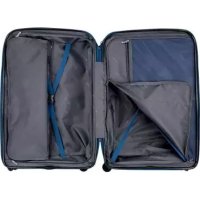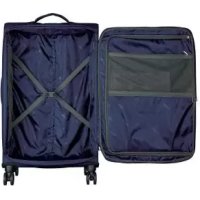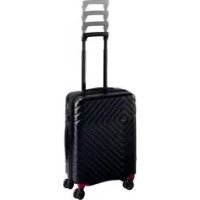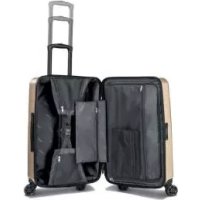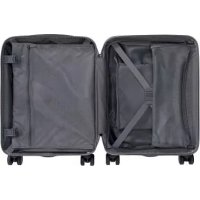
IAN 313856 - Suitcase Topmove - Free user manual and instructions
Find the device manual for free IAN 313856 Topmove in PDF.


User questions about IAN 313856 Topmove
0 question about this device. Answer the ones you know or ask your own.
Ask a new question about this device
Download the instructions for your Suitcase in PDF format for free! Find your manual IAN 313856 - Topmove and take your electronic device back in hand. On this page are published all the documents necessary for the use of your device. IAN 313856 by Topmove.
USER MANUAL IAN 313856 Topmove
SMART-BOARDCASE/SMART CABIN CASE/VALISE SMART
DE
SMART-BOARDCASE
Instructions for use and safety notes
NL BE
SMART-BOARDCASE
Before reading, unfold both pages containing illustrations and familiarise yourself with all functions of the device.
FR BE
GB/IE Instructions for use and safety notes Page 21
List of pictograms used.
Introduction
Notes on trademarks.. Page 22
Intended use.. Page 22
Parts description.. Page 23
Scope of delivery.. Page 23
Technical data.. 23
Safety notes.. Page 24
Using the power bank. Page 25
Using the storage pouch for the power bank.. Page 25
Safety information.. 25
Charging the power bank.. Page 27
Opening/closing the USB socket strip cover
Using the combination lock.
Changing the current number combination.. Page 29
OKOBAN® ID function. Page 30
Procedure.. Page 30
Using the protective cover.. Page 31
Storage 31
Cleaning
Disposal
Warranty and service information.. Page 32
Warranty terms.. Page 32
Warranty period and statutory claims for defects.. Page 32
Warranty terms.. Page 33
Processing of warranty claims.. Page 33
Service.. 34
| List of pictograms used | |||
| i | Read the instructions! | www.k | You can find further information on the website! |
| ! | Please observe the warnings and safety instructions! | a b | Dispose of the packaging and device in an environmentally friendly manner! |
| i | For your safety! | ||
Smart Cabin Case
Introduction
Congratulations on the purchase of your new product. You have chosen a high-quality product. Familiarise yourself with the product before using it for the first time. Please also carefully read the following instructions for use and safety notes. The product must only be used as described and for the specified fields of application. Keep these instructions in a safe place for future reference. When passing the product on to others, be sure to also include all documentation. Remove the suitcase from its packaging and examine it for any damage. If you detect any damage, please do not use the suitcase and read the warranty section.
Notes on trademarks
USB® is a registered trademark of USB Implementers Forum, Inc.. All other names and trademarks are the property of their respective owners.
- Intended use
This product was exclusively designed for private use and is not suitable for commercial use. The suitcase is only intended for transporting your personal possessions. Improper use of the suitcase can result in property
damage or personal injury. The manufacturer and retailer assume no liability for damage resulting from improper use. The suitcase is not a toy.
- Parts description
1 Telescopic rod
2 Handle
3TravelSentry Approved combination lock
4 Twin wheels
5 USB socket strip
6 Retractable address panel
OKOBAN®UID
Catch to open the lock
9 Sliding switch (Reset)
10 Number wheel
11 USB-A socket - connect external devices for charging
12 Micro-USB socket - for connecting to a power source if the power
bank needs to be charged
13 Protective cover for USB socket strip
14 Micro-USB attachment - is connected to the micro-USB socket on a power bank if the power bank needs to be charged
15 USB-A attachment - to connect with the USB socket on a power bank
16 Storage pocket for the power bank
17 Rainproof protective cover
18 Storage pouch for power bank
- Scope of delivery
1 Smart cabin case
1 Removable garment bag
1 Separate bag
1 Set of instructions for combination lock, OKOBAN, USB socket strip
1 Rainproof protective cover
1 Storage pouch for power bank
- Technical data
Suitcase
Suitcase size: approx. 55 × 40 × 20 cm (h x w x d)
Empty weight: approx. 4.20kg
Volume: approx. 33 L
Max. filling weight: 10kg
Max. total weight: 14.20 kg
USB socket strip
USB-A socket (x 2): OUTPUT 5 V 2.1 A maximum output power)
Micro-USB socket: INPUT 5 V 2A=
① NOTE!
If two external devices are connected, the output power provided by the power bank is divided between both USB-A sockets.

Safety notes
WARNING! DANGER TO LIFE! DANGER OF SUFFOCATION DUE TO PROTECTIVE COVER! Keep the protective cover away from babies, toddlers and children. Keep the protective cover out of the reach of children.
- Only use the protective cover 17 for the intended purpose. The protective cover 17 is designed exclusively to protect the suitcase against rain, moisture and humidity.
ATTENTION! Risk of injury!
Lifting or carrying heavy luggage incorrectly may result in injuries or damage to bones, muscles or joints. Hold the suitcase with both hands on the sides when lifting it. Ask for help if you are not able to lift the suitcase. Ensure when unpacking the suitcase that children do not get caught up in or suffocate in the packaging.
ATTENTION! Risk of damage!
You can prevent damage to your suitcase by following the instructions below.
- Please take note of the maximum weight capacity of the suitcase.
-
Carry the suitcase up the stairs instead of pulling it.
-
Do not overpack your suitcase.
Using the power bank
This chapter only describes the possible connections with the power bank. Always comply with the power bank instructions.
IMPORTANT INFORMATION FOR TRANSPORTATION
Using the storage pouch for the power bank 18
Observe all national and international regulations. The power bank contains a lithium-polymer rechargeable battery. There are specific regulations for this device, in particular for airlines. At present this means that power banks may not be packed in hold baggage. Most airlines allow up to 2 power banks in hand luggage.
Always store the power bank in the storage pouch and close the zipper.
Note: Do not cover the power bank during charging! Always remove the power bank from the storage pouch when charging.

Safety information
Always observe the safety information included in the power bank operating instructions.
DANGER when charging the battery
- Do not cover the power bank during charging! That means that the front pocket of the suitcase must be open and the power bank must be removed from the packaging bag in which it was delivered and taken out of the small inner pocket inside the suitcase.
Only charge the battery in a dry location!
Remove the power bank from the suitcase in damp environments / in rain and wet conditions.
If the device is charged via a USB-2.0 / 3.0 socket on a computer, at least one other USB-2.0 / 3.0 socket on the computer must remain free. Otherwise the device should not be charged via this computer.
Due to the high power consumption, we recommend that you do not charge the power bank via a Notebook / PC. It is preferable to use an external USB power pack (min. 2 A, not included in the delivery contents).
- Do not charge up the device if another device is connected to the USB-A socket.
If multiple mobile devices are charging via the USB-A sockets at the same time, the total power consumption of the mobile devices may not exceed 2.1 A.
If you use a USB power pack, the plug socket used must always be easily accessible so that the USB power pack can be quickly removed from the plug socket in the case of emergency. Please also observe the operating instructions of the USB power pack.
WARNING: Damage to property
If you notice anything unusual (e.g. unusual noise, strange odour or smoke), switch the device off immediately and disconnect all cables. Do not use the device anymore.
Charging external devices
- Open the front pocket of the suitcase.
- On the left there are two cables. Take the USB-A cable15 and plug it into the USB-A socket on the power bank marked 2.1 A.
- Put the power bank in the small storage pocket on the left.
-
Open the protective cover 13 on the top of the suitcase.
-
Connect one or two external devices to the USB-A socket using a USB charging cable. The total power consumption of the connected devices may not exceed 2.1 A.
- Check the power bank display to see if the charging process has started automatically. If it has not, briefly press the corresponding start button on the power bank.
- You can now close the front pocket.
- After charging, remove any connected attachments from the sockets and close the protective cover.
- Charging the power bank
Note: The power bank must be completely removed from the suitcase during charging.
- Open the front pocket of the suitcase.
- On the left there are two cables. Take the micro-USB attachment (small attachment) 14 and plug it into the micro-USB socket on the power bank.
- Remove the power bank from the suitcase completely. Do not put the power bank in the storage pocket, and also remove it from the storage bag.
- Open the protective cover on the top of the suitcase.
-
Connect the micro-USB attachment on a USB charging cable to the micro-USB socket 12 on the suitcase.
-
Connect the USB-A attachment directly to a USB 2.0 / 3.0 socket on a computer or to a USB power pack (not included in the delivery contents).
- Check the power bank to see if the charging process has begun.
- If you want to end the charging process, unplug all connections.
- Opening / closing the USB socket strip cover
If the USB socket strip 5 is not used, make sure that the intended cover 13 is always closed. To open the USB socket strip 5, open the cover 13 from above. Follow the direction of the arrow.
Using the combination lock 3
The number combination is set to the digits 0 - 0 - 0 . You can set your own number combination as follows:
- There is a small sliding switch 9 right beside the number wheels 10 . Slide this to the side using a pointed object so that it is in the "SET" position. Then, adjust the number wheels 10 to the desired number combination.
- After you have entered the desired number combination, slide the switch back to its original position and you will now only be able to open the suitcase using the newly set number combination.
-
Please learn the new combination off by heart. Ideally, you should write down the new number combination and keep it in a safe place. At least one number wheel must be misaligned to close the lock. The lock will re-open if the number combination you have set is entered.
-
To open the combination lock: Move the slider in the direction of the arrow shown, depending on which compartment you want to open (main compartment in the direction of the number wheels [10], front compartment in the direction of the side handle).
Additional information
This combination lock 3 is a Travel Sentry® Approved combination lock and can be used in over 35 countries, including the USA, Canada, Japan, Israel, China, Germany, the Netherlands, South Korea and Switzerland*.
This is so that closed suitcases can be opened for inspection and closed again by TSA authorities (Transportation Security Administration) without having to use force. This is why there is NO key included in the delivery of the suitcase.

- You can find a full overview of the participating countries at www.travelsentry.org.
- Changing the current number combination
① NOTE:
Please note that the number combination can only be changed using the current combination. Otherwise, it is not possible to change it. If you have forgotten the code that you were using, please do NOT operate the sliding switch (Reset) 9.
To change the settings for your combination lock, please follow the instructions below:
- Set the number wheels to the number combination you have been using.
- Repeat steps 1 to 3 of the section "Using the combination lock" to set the new number combination.
- OKOBAN® ID function
OKOBAN by TRAVEL SENTRY
TRAVEL SENTRY® offers a FREE global registration and notification service for luggage and other personal items with OKOBAN®. You will find your unique identification number (UID 7) on the back of you suitcase, which you can use to register on www.okoban.com.
Procedure
-
Create a FREE personal user account on www.okoban.com or log into your existing account.
-
When you register your account for the first time, and after you have entered your account details (including your email address and password), you will receive an email with a verification link to activate your account from noreply@okoban.com. Please click on the link in the email to confirm your account and complete the activation process.
-
Now enter the 12-digit UID (XXXX-XXXX-XXXX) on the back of your suitcase on www.okoban.com or scan the QR code. You can register as many pieces of luggage as you like for FREE with your account.
-
Provide your name and address for the finder and add some details about the object.
-
If someone finds your lost luggage, they will be able to enter your UID on the OKOBAN® website. You will then be notified that your suitcase has been found and will be told how to contact the finder.
(1) IMPORTANT:
The UID is useless without a corresponding user account. This is why you need to register the UID with your personal information beforehand.
Using the protective cover
WARNING! DANGER TO LIFE! DANGER OF SUFFOCATION DUE TO PROTECTIVE COVER! Keep the protective cover away from babies, toddlers and children. Keep the protective cover out of the reach of children.
- Only use the protective cover 17 for the intended purpose. The protective cover 17 is designed exclusively to protect the suitcase against rain, moisture and humidity.
- Protect the suitcase in damp conditions, rain and wetness by packing it in the protective cover[17]. To do this, open the hook-and-loop fastener and place the cover completely over the case. The opening at the top should be on the back of the suitcase so that the telescopic handle and carrying handle [2] are still accessible.
Storage
Always store the dry and clean suitcase in a temperate room and keep it away from direct sunlight and sources of heat.
- Cleaning
Only clean the suitcase as described below to avoid any potential damage.
- Wipe the polycarbonate shell of the suitcase clean using a damp cloth. The front pocket can be wiped clean using a slightly dampened, clean cloth. Only wipe the USB socket strip clean using a dry cloth.
- Allow the suitcase to dry completely before storing it.
-
Do not use harsh solvent-based cleaning agents
-
Do not use sharp or abrasive cleaning utensils such as knives, metal or nylon brushes or similar. These can damage the surface.
- Disposal
Please dispose of the product and its packaging in accordance with the current local regulations.
- Warranty and service information
This product is covered by a 5 year warranty from the date of purchase (only for the suitcase). In the event of product defects, you have legal rights against the retailer of this product. Your legal rights are not limited in any way by our warranty detailed below.
Warranty terms
The warranty period begins on the date of purchase. Please keep the original sales receipt in a safe location. This document is required as your proof of purchase.
Should this product have any fault in materials or manufacture within 5 years from the date of purchase, we will repair or replace it - at our choice - free of charge. This warranty is conditional on the defective device and the receipt of purchase being presented within the 5 year warranty period including a brief written description of the nature of the defect and of the date it arose.
- Warranty period and statutory claims for defects
Repairs made under warranty do not extend the warranty period. This also applies to replaced and repaired parts. Any damage or defects present at the time of purchase must be reported immediately after unpacking the product.
Warranty terms
The device has been manufactured to strict quality guidelines and meticulously examined before delivery.
The warranty applies to defects in material or manufacture. This warranty does not apply to product parts which are subject to normal wear and tear and can be regarded as wearing parts, or for damage to breakable parts, e.g., switch, rechargeable batteries, or parts which are made of glass.
This warranty becomes void if the product has been damaged, or used or maintained improperly. All instructions provided in the instructions for use must be followed strictly to constitute proper use of the product. Purposes and practices which the instructions for use warn of or advise against must be avoided without fail.
This product is intended for private, non-commercial use only. Any incorrect or improper use of the product, use of force and modifications not performed by our authorised service branch will void the warranty.
- Processing of warranty claims
Please follow the instructions below to ensure quick processing of your claim:
- Please have your receipt and the product number (e.g. IAN 313845 / 313855 / 313856) available for all queries as proof of purchase.
- Please take the product number from the front page of the instructions (bottom left) or from the care label on the product.
- In the event of faulty operation or other defects, please first contact the service department specified below.
Download this and many other manuals, product videos and software from www.lidl-service.com.
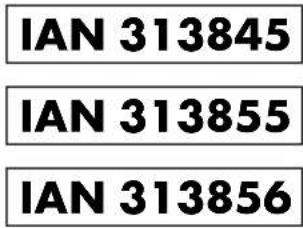
With this QR Code you can directly access the Lidl service page (www.lidl-service.com) and open your instruction manual by entering the item number 313845/313855/313856 (IAN).
Service
GB service-gb@incase-gmbh.com
IE Nservice-ie@incase-gmbh.com
Registered office: Germany
Comment procedure.. Page 44