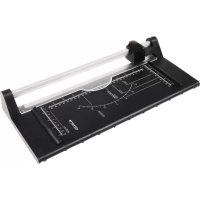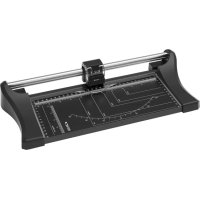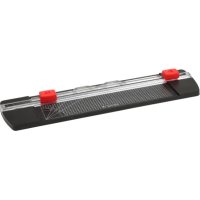
CT05 - Paper cutter Genie - Free user manual and instructions
Find the device manual for free CT05 Genie in PDF.



| Product Type | Paper Cutter / Roll Cutter |
| Brand | Genie |
| Model | CT05 |
| Dimensions (L × W × H) | 43.5 × 11 × 3 cm |
| Weight | 240 g |
| Power Supply | None (manual) |
| Maximum Cutting Capacity | 5 sheets of paper (80 g/m²) |
| Maximum Folding Capacity | 1 sheet of paper (80 g/m²) |
| Maximum Cutting Length | 300 mm |
| Cutting Functions | Straight cut, folded, perforation, tree (depending on head) |
| Types of Cutting Heads | 2 heads: left (straight/fold cut), right (perforation/tree) |
| Compatible Materials | Paper, photos, craft cardboard, similar materials |
| Blade Replacement | Yes, replacement blades available |
| Maintenance and Cleaning | Dry lint-free cloth; no solvents |
| Safety | Sharp blades; do not put hand under cutting head |
| Usage | Indoor, non-professional |
| Warranty | 2 years (standard manufacturer) |
| Manufacturer | GO Europe GmbH, Zum Kraftwerk 1, 45527 Hattingen, Germany |
| Package Contents | 1 CT05 roll cutter, 1 user manual |
| Disposal | Recyclable, check with local authorities |
Frequently Asked Questions - CT05 Genie
User questions about CT05 Genie
0 question about this device. Answer the ones you know or ask your own.
Ask a new question about this device
Download the instructions for your Paper cutter in PDF format for free! Find your manual CT05 - Genie and take your electronic device back in hand. On this page are published all the documents necessary for the use of your device. CT05 by Genie.
USER MANUAL CT05 Genie
We are delighted that you have chosen this equipment. In the case of a defect, please return the device together with the receipt and original packing material to the point of sale.
Intended use
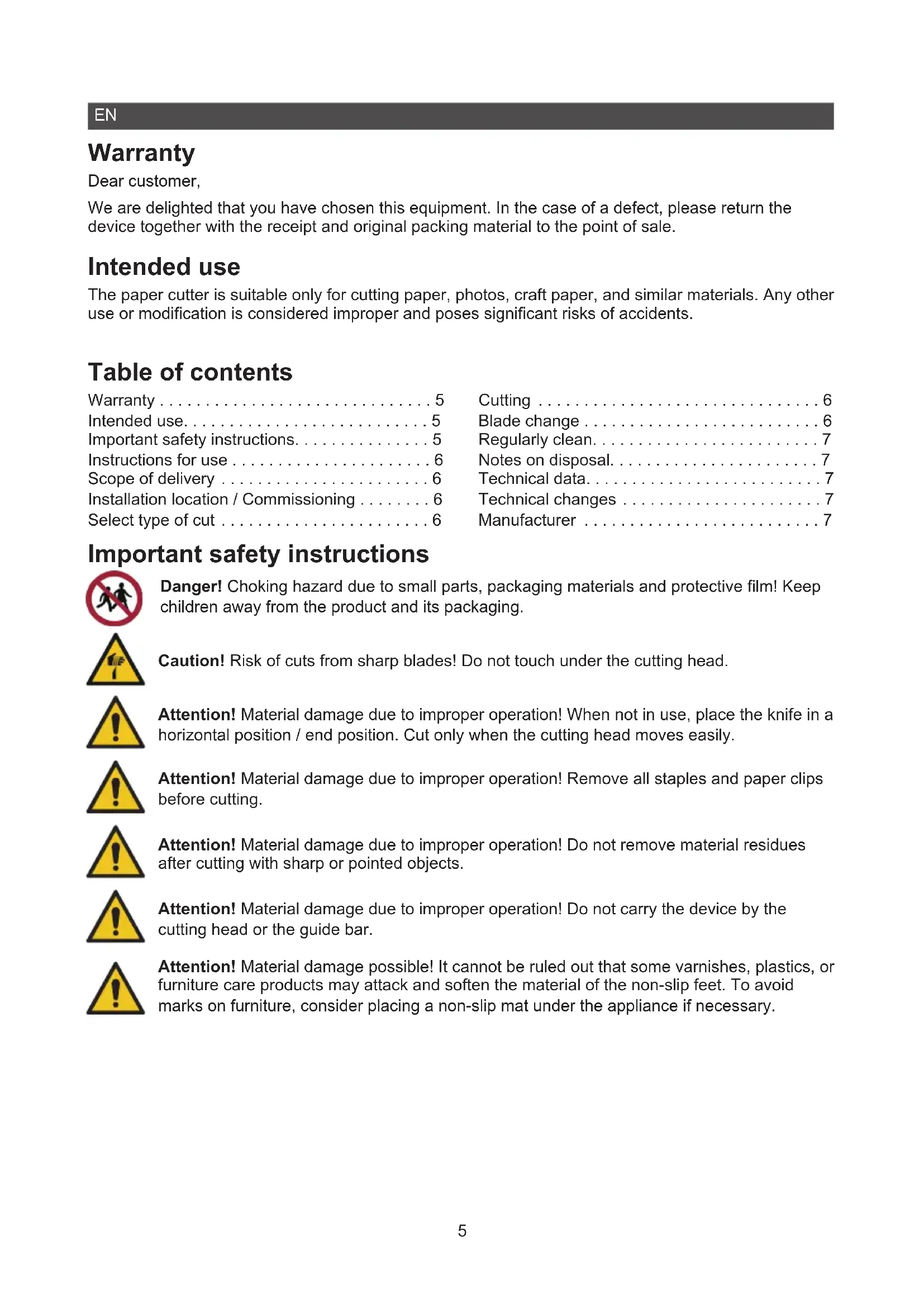
The paper cutter is suitable only for cutting paper, photos, craft paper, and similar materials. Any other use or modification is considered improper and poses significant risks of accidents.
Table of contents
Warranty 5 Cutting 6
Intended use. 5 Blade change 6
Important safety instructions. 5 Regularly clean. 7
Instructions for use 6 Notes on disposal. 7
Scope of delivery 6 Technical data. 7
Installation location / Commissioning 6 Technical changes 7
Select type of cut 6 Manufacturer 7
Important safety instructions

Danger! Choking hazard due to small parts, packaging materials and protective film! Keep children away from the product and its packaging.

Caution! Risk of cuts from sharp blades! Do not touch under the cutting head.

Attention! Material damage due to improper operation! When not in use, place the knife in a horizontal position / end position. Cut only when the cutting head moves easily.

Attention! Material damage due to improper operation! Remove all staples and paper clips before cutting.

Attention! Material damage due to improper operation! Do not remove material residues after cutting with sharp or pointed objects.

Attention! Material damage due to improper operation! Do not carry the device by the cutting head or the guide bar.

Attention! Material damage possible! It cannot be ruled out that some varnishes, plastics, or furniture care products may attack and soften the material of the non-slip feet. To avoid marks on furniture, consider placing a non-slip mat under the appliance if necessary.
Instructions for use

Please read these operating instructions before using the device. Keep these operating instructions for future reference. Hand over all documents when passing the product on to third parties.
- Protect the product from direct sunlight, naked flames, heat sources, moisture, humidity and dust.
- The product is not intended for commercial use.
- The product may only be used indoors.
- Empty the collection container at regular intervals, otherwise it may result in a paper jam.
Scope of delivery
Check the contents of the packaging. If something is missing or damaged, please contact our service.
1 Rotary Trimmer CT05 1 Operating instructions
Installation location / Commissioning
Place the product on a stable, flat surface.
Select type of cut
Select the desired cutting mode by moving the switch on the respective cutting head.
On the left cutting head, the cutting types Straight and Fold are available.
On the right cutting head, the cutting types Perforation and Welle are available.
Cutting
1 Move the cutting heads to the outer ends of the transparent guide rail.
2 Slide the paper to be cut under the transparent guide rail.
3 Position the paper to be cut using the markings as a guide.
4 Press the transparent guide rail downwards to prevent the paper being cut from slipping.
5 Move the cutting head along the transparent guide rail with gentle pressure.
Tip: If you want to utilise the full width of the rotary cutter, you can remove the unnecessary cutting head from the transparent guide rail. Follow the operating steps under the heading Blade Change.
Blade change
1 Push the cutting head into the middle of the transparent guide rail.
2 Pull the transparent guide rail apart carefully, so that the gap in the transparent guide rail opens easily.

Caution! Risk of cuts from sharp blades! Do not touch under the cutting head.
3 Remove the cutting head.
4 Remove the blade from the cutting head and insert a new blade.
5 Pull the transparent guide rail apart carefully, so that the gap in the transparent guide rail opens easily.
6 Reinsert the cutting head into the transparent guide rail.
Regularly clean
Use a dry, lint-free cloth to clean the surface.
Do not use cleaning agents or solvents.
Notes on disposal

Find out about the options for taking back old appliances free of charge from your dealer.

The packaging is made from environmentally friendly materials that can be disposed of at local recycling centres. Ask your local authority about the options for correct disposal.

Observe the labelling of the packaging material when separating waste; these are marked with abbreviations (b) and numbers (a) with the following meaning: 1-7: Plastics / 20-22: Paper and cardboard / 80-98: Composite materials.
Technical data
Maximum cutting capacity Cut 5 sheets of paper (80g / m^2)
Fold 1 sheet of paper (80g / m^2)
Maximum cutting length 300mm
Dimensions 43.5 × 11 × 3 cm
Weight 240 g
Technical changes
These operating instructions are for information purposes only. Their content is not the subject matter of the contract. All data shown are only nominal values. The equipment and options described may vary depending on the country-specific requirements.
Manufacturer
GO Europe GmbH
Zum Kraftwerk 1
45527 Hattingen, Germany
www.go-europe.de
service@go-europe.de
FR
Garantie
Cher client,
Modifications techniques 10
Fabricant. 10
Modifications techniques
J 1 J 1 J 1 J 1 J 1 J 1 J 1 J 1 J 1 J 1 J 1 J 1 J 1 J 1 J 1 J 1 J 1 J 1 J 1 J 1 J 1 J 1 J 1 J 1 J 1 J 1 J 1 J 1 J 1
Jg
S APQ = S AQP + S QPQ
7^2 - 64 = 16
S OBC = S BOC + S CDF
a1^2 + a2^2
ai a ai 的最小值为 k .
1
19.
- 电离的
- v = h ②
.
..
1 - 1
aL
aiei jie 1
aai 2 1
1
a







aaii iiaaii aiee
a 1
aalld aalld 1 1 1 1 1 1 1 1 1 1 1 1
1
j j j j j j j j j j j j j j j j j j j j j j j j j j j j j j j j j j j j j j j j j j j j
i 1
a aaa aaa aa aaa aaa aaa aaa aaa aaa aaa aaa aaa
.
.
.
a a a a a a a a a a a a a a a a a a a a a a a a a a a a
aajll
Liaaie a Juaal gill y jaiy jaiy eaii jS 1
CT.0 1aiol aiol b
1 1
juaa juaa caii aia
bollgj
aai j 15
gall gall
aal lall 1
e
- y = - ( x - 2) ^2 + 9 = - x^2 + 4x + 5
- Cldal
A
.
a
#
- S OBC = S COD + S_ BOC
aai 1

a
4. 00
将 APQ 转 A .逆时针为 90^
ylll no yll lal
a jai jia liyao aaii o jao 12juiu cai kao!



e 1y jn y n nn nnnn nn nnnn nn nnnn nn nnnn nn nnnn nn nnnn nn nnnn nn nnnn nn nnnn nn nnnn nn nnnn nn nnnn nn nnnn nn nnnn nn nnnn nn nnnn nn nnnn nn nnnn nn nnnn nn nnnn nn nnnn nn nnnn nn nnnn nn nnnn nn nnnn nn nnnnn nn nnnn nn nnnn nn nnnn nn nnnn nn nnnn nn nnnn nn nnnn nn nnnn nn nnnn nn nnnn nn nnnn nn nnnn nn nnnn nn nnnn nn nnnn nn
aannn nnnn nn
galeall (a) (b) ci jaiisii y aao n ksi ciy ciil Jiae iayi ciayi ciayi oj
S AOB = S AOB + S_ OBC
a1ai 1
aill 15
()
aal jgl glgai 1
$$ \begin{array}{l} \therefore \frac {1}{2} \times 1 = \frac {1}{2} \times 1 = \frac {1}{2} \ \therefore \text {j} \text {s g} \neq 0. \ \end{array} $$
a
i 1
y
aaiia 1s y
GO Europe GmbH
Zum Kraftwerk 1
Lal, Hattingen 45527
www.go-europe.de | service@go-europe.de