GH05 - Paper cutter Genie - Free user manual and instructions
Find the device manual for free GH05 Genie in PDF.


| Product type | Manual lever paper cutter (guillotine) |
| Brand | Genie |
| Model | GH05 |
| Maximum cutting length | 300 mm |
| Maximum cutting capacity | 5 sheets (80 g/m²) |
| Dimensions (L × W × H) | 38.5 × 19.5 × 4 cm |
| Weight | 595 g |
| Power supply | None (manual) |
| Supported cutting materials | Paper, photos, craft cardboard, similar materials |
| Intended use | Indoor, non-professional domestic use |
| Cutting guide | Positioning marks and transparent plastic rail |
| Safety device | Transparent blade guard, blade in horizontal rest position |
| Recommended cleaning | Lint-free dry cloth; silicone or anti-rust oil for the blade |
| Blade maintenance | Wipe regularly with anti-rust oil |
| Safety precautions | Do not touch the blade, do not use without blade guard, store blade in horizontal position |
| Preparation before cutting | Remove staples and paper clips |
| Available spare parts | Replacement blade (not mentioned in the manual, contact the manufacturer) |
| Repairability | Contact GO Europe GmbH after-sales service |
| Manufacturer | GO Europe GmbH, Zum Kraftwerk 1, 45527 Hattingen, Germany |
| Manufacturer website | www.go-europe.de |
| Support email | service@go-europe.de |
| Warranty | In accordance with seller's terms (return in original packaging with receipt) |
Frequently Asked Questions - GH05 Genie
User questions about GH05 Genie
0 question about this device. Answer the ones you know or ask your own.
Ask a new question about this device
Download the instructions for your Paper cutter in PDF format for free! Find your manual GH05 - Genie and take your electronic device back in hand. On this page are published all the documents necessary for the use of your device. GH05 by Genie.
USER MANUAL GH05 Genie
EN Lever cutting machine GH05
natural_image
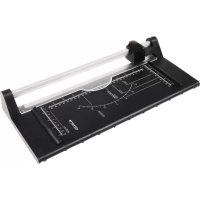
Black and white photo of a Genie cutting board with paper cut, showing internal grid lines and measurement scales (no text or symbols on the board itself)GO Europe GmbH
Zum Kraftwerk 1
45527 Hattingen
Germany
www.go-europe.com
V 2.0
03/2025
ID: 12003
Fragen und Service
Lieber Kunde,
We are delighted that you have chosen this equipment. In the case of a defect, please return the device together with the receipt and original packing material to the point of sale.
Intended use
The lever cutter is exclusively suitable for cutting paper, photos, craft cardboard, and similar materials. Any other use or modification is considered improper and poses significant risks of accidents.
Table of contents
Warranty 5
Intended use....5
Important safety instructions....5
Instructions for use 6
Scope of delivery 6
Installation location / Commissioning ..... 6
Cutting 6
Regularly clean. 7
Notes on disposal....7
Technical data. 7
Technical changes 7
Manufacturer 7
Important safety instructions

Danger! Choking hazard due to small parts, packaging materials and protective film! Keep children away from the product and its packaging.

Caution! Risk of cuts from sharp blades! Do not touch the cutting edge of the blade. Never carry the lever cutter by the blade.

Caution! Risk of cuts from sharp blades! Never use the device without the transparent blade guard.

Caution! Risk of cuts from sharp blades! When not in use, place the knife in a horizontal position / end position.

Attention! Material damage due to improper operation! When not in use, place the knife in a horizontal position / end position. Cut only when the lever moves easily to the end position.

Attention! Material damage due to improper operation! Remove all staples and paper clips before cutting.

Attention! Material damage due to improper operation! Do not remove material residues after cutting with sharp or pointed objects.

Attention! Material damage possible! It cannot be ruled out that some varnishes, plastics, or furniture care products may attack and soften the material of the non-slip feet. To avoid marks on furniture, consider placing a non-slip mat under the appliance if necessary.
Instructions for use

Please read these operating instructions before using the device. Keep these operating instructions for future reference. Hand over all documents when passing the product on to third parties.
- Protect the product from direct sunlight, naked flames, heat sources, moisture, humidity and dust.
- The product is not intended for commercial use.
- The product may only be used indoors.
• Always use the device on a stable and level surface. - Never carry the lever cutter by the blade or handle.
- Empty the collection container at regular intervals, otherwise it may result in a paper jam.
Scope of delivery
Check the contents of the packaging. If something is missing or damaged, please contact our service.
1 lever cutter device GH05 1 Operating instructions
Installation location / Commissioning
Place the product on a stable, flat surface.
Cutting

Caution! Risk of cuts from sharp blades! Do not touch the cutting edge of the blade
1 Lift the knife to the highest position by the handle.
2 Slide the paper to be cut under the transparent plastic rail.
3 Position the paper to be cut using the markings as a guide.

Caution! Risk of cuts from sharp blades! Never use the device without the transparent blade guard.
4 Press the transparent plastic rail down with your left hand to prevent the paper being cut from slipping.
5 Lower the knife with your right hand on the handle in a smooth motion until reaching the end position.
Regularly clean
Use a dry, lint-free cloth to clean the surface.
We recommend regularly wiping the knife with silicone oil or another rust protection oil.
Do not use cleaning agents or solvents.
Notes on disposal

Find out about the options for taking back old appliances free of charge from your dealer.

The packaging is made from environmentally friendly materials that can be disposed of at local recycling centres. Ask your local authority about the options for correct disposal.

Observe the labelling of the packaging material when separating waste; these are marked with abbreviations (b) and numbers (a) with the following meaning: 1–7: Plastics / 20-22: Paper and cardboard / 80-98: Composite materials.
Technical data
Maximum cutting capacity 5 sheets of paper (80 g/m 2 )
Maximum cutting length 300 mm
Dimensions 38.5 x 19.5 x 4 cm
Weight 595 g
Technical changes
These operating instructions are for information purposes only. Their content is not the subject matter of the contract. All data shown are only nominal values. The equipment and options described may vary depending on the country-specific requirements.
Manufacturer
GO Europe GmbH
Zum Kraftwerk 1
45527 Hattingen, Germany
www.go-europe.de
service@go-europe.de
FR
Garantie
Cher client,
Modifications techniques

Brand : Genie
Model : GH05
Category : Paper cutter