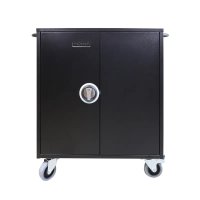
NoteCart Flex Extended 24 - Mobile storage furniture Leba - Free user manual and instructions
Find the device manual for free NoteCart Flex Extended 24 Leba in PDF.


| Product Type | Mobile storage cabinet |
| Brand | Leba |
| Model | NoteCart Flex Extended 24 |
| Capacity | 16 to 32 devices |
| Power supply | Dual on/off switch (green for accessories, blue for main), C19 socket, 8-way power strip, 10KA LED surge protection |
| Material | Metal (metal parts) |
| Handles | 2 handles included |
| Wheels | 4 wheels with 2 safety brakes |
| Locks | 3-point lock front door code 340, rear door lock code 180, 2 keys per lock |
| Shelf dividers | 34 dividers included |
| Cable management | Front cable pass-through holes, cable clamp |
| Optional accessories | Timer, active fan, thermostat, Notesecure Safeguard, 4-digit manual lock |
| Warranty | 5 years on metal parts, 2 years on electronic components |
| Maintenance | Clean with damp cloth, no detergents |
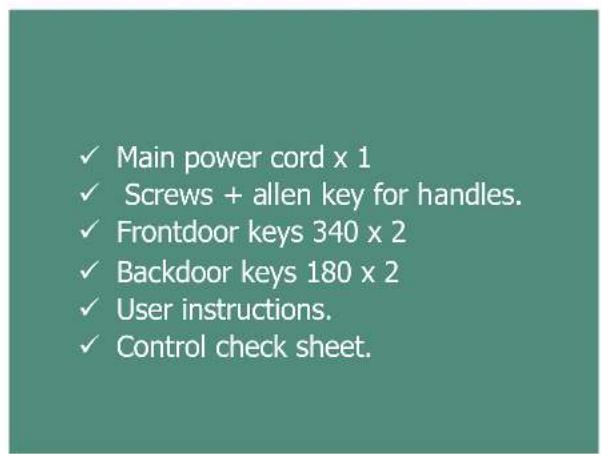
| Package contents | Notecart Flex Extended, welcome box (power cord, screws, keys, instructions), 34 dividers, 2 handles |
Frequently Asked Questions - NoteCart Flex Extended 24 Leba
User questions about NoteCart Flex Extended 24 Leba
0 question about this device. Answer the ones you know or ask your own.
Ask a new question about this device
Download the instructions for your Mobile storage furniture in PDF format for free! Find your manual NoteCart Flex Extended 24 - Leba and take your electronic device back in hand. On this page are published all the documents necessary for the use of your device. NoteCart Flex Extended 24 by Leba.
USER MANUAL NoteCart Flex Extended 24 Leba
No warranty or representation, either expressed or implied, is made with respect to the contents of this documentation, its quality, performance, merchantability, or fitness for a particular purpose. Information presented in this documentation has been carefully checked for reliability; however, no responsibility is assumed for inaccuracies. The information contained in this documentation is subject to change without notice.
In no event will Leba Innovation and Partners be liable for direct, indirect, special, incidental, or consequential damages arising out of the use or inability to use this product or documentation, even if advised of the possibility of such damages.
The mark of Crossed-out wheeled bin indicates that this product must not be disposed of with your other household waste. Instead, you need to dispose of the waste equipment by handing it over to a designated collection point for the recycling of waste electrical and electronic equipment. For more information about where to drop off your waste equipment for recycling, please contact your household waste disposal service for the shop where you purchased the product.
Certificates and important information
European Community Compliance Statement (Class A)
This product is herewith confirmed to comply with the requirements set out in the Council Directives on the Approximation of the laws of the Member States relating to Electromagnetic Compatibility Directive 2014/30/EU.

A Class product
This is a class A product. In a domestic environment this product may cause radio interference in which case the user may be required to take adequate measures.
Prewords and introduction
The Notecart Flex Extended series is by Danish design, build with materials for strong durability and with a solution made for flexibility of use. The Notecart Flex Extended comes in one size and can rummage from 16 and up to 32 devices. This User instruction covers all Notecart Flex Extended solutions.
Package contents
This Package contains following items, kindly check if all items are in the package before using the unit.
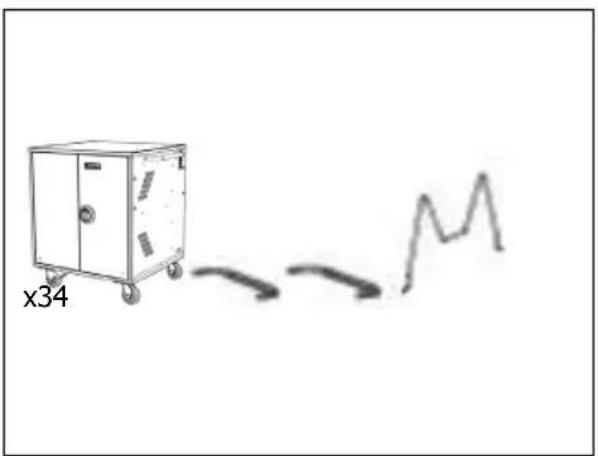
√ Notecart Flex Extended
Welcomebox (see content below)
Handles x 2
√ 34 shelf Dividers
Welcomebox content
Unpacking the Flex Extended series
Always read the instructions manual completely before starting to remove the cart from the pallet.
Two people are recommended for taking the Notecart Flex Extended off the pallet. Discard all carton packaging after local standards for Honeycomb packaging and additional plastics.
1. Installing Handles
Use the screws and washers together with the allen key included in the welcome box to assemble the handles on each side of the Notecart Flex Extended.

Cable Management
Use the Cable management holes in the top of each front room to guide the cables to the front. It is possible to lock the cables in position by turning them around the back or front hole.
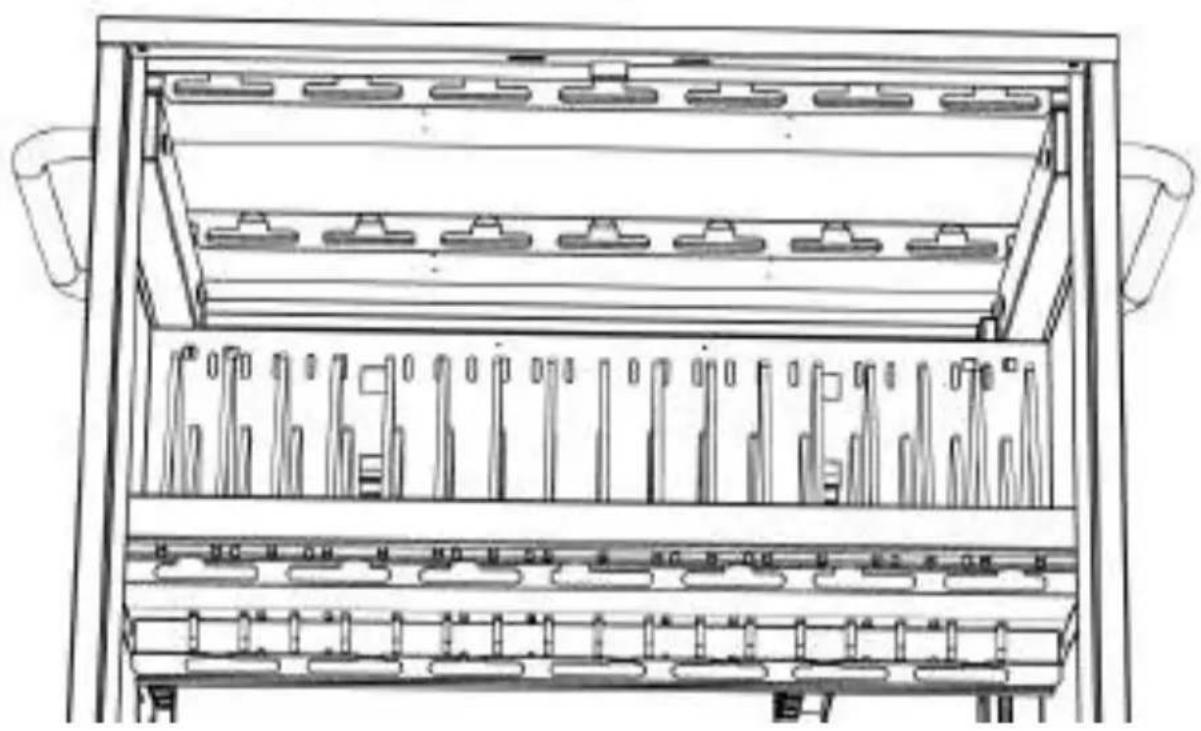
2. Place power supplies
Place power supplies correctly on trays and make sure excessive cabling is tied up properly. Lead the power cable through cable hole, and fit it in front cable clip.
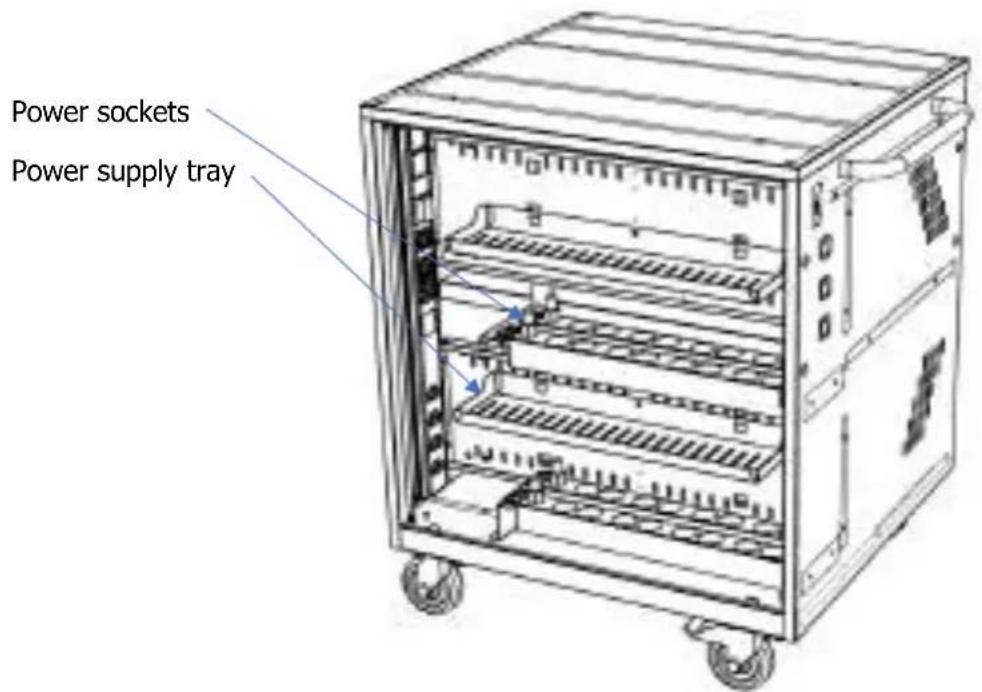
3. Powering the Notecart Flex Extended
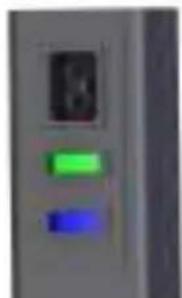
The Notecart Unifit has 2 on / off switches on the right hand side.
The top On/off switch Green is for accessories and options.
(see options and accessories for more info).
The bottom on/off switch Blue is for power to the Notecart internal electronics and devices installed. This is the main power switch.
Maintenance of Notecart Flex Extended Series
Dry with a damp cloth only, do not use excessive water or other detergent products to clean the product.
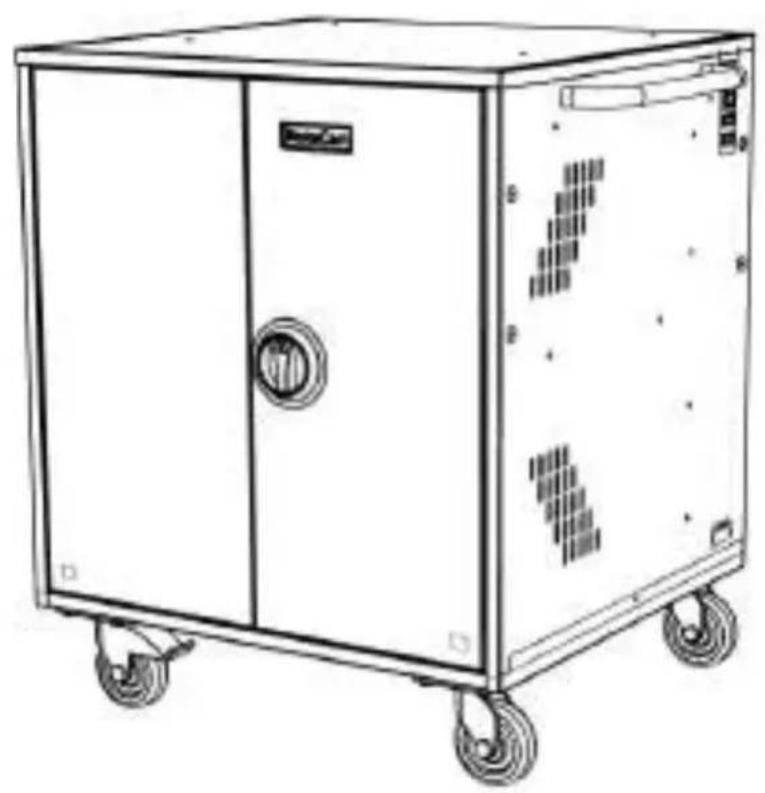
Diagram of NoteCart Flex Extended series
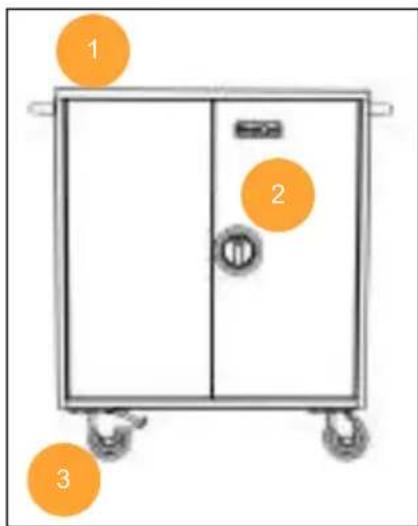
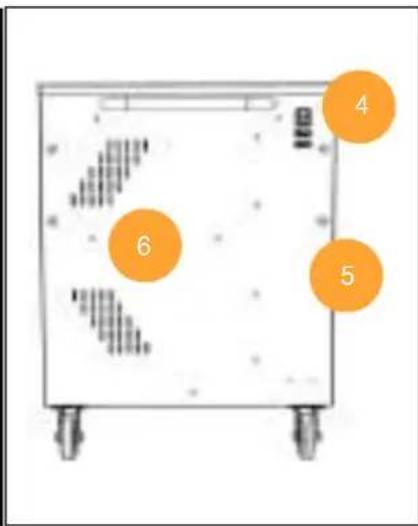
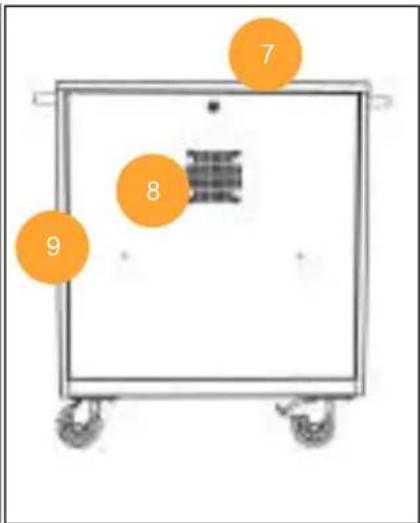
| 1. Handles x2 | 4. Main Switch on/off and power socket C19 | 7. Backdoor lock Code 180 |
| 2. Frontdoor 3-point Lock code 340 | 5. Holes for Notesecure Accessory | 8. Ventilation option for Active fan. |
| 3. 4x wheels with 2x locks. | 6. Passive ventilation holes | 9. option covered holes for RJ45 or USB connectors. |
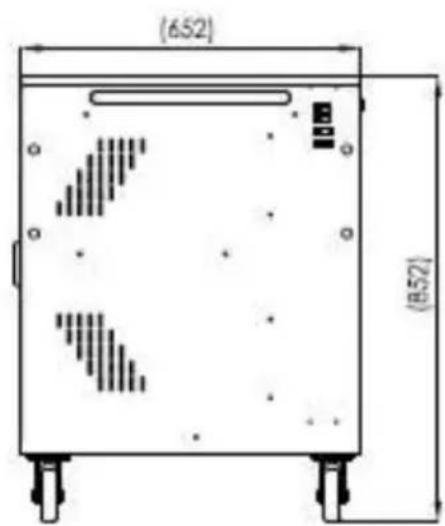
Dimensions of Unifit series:
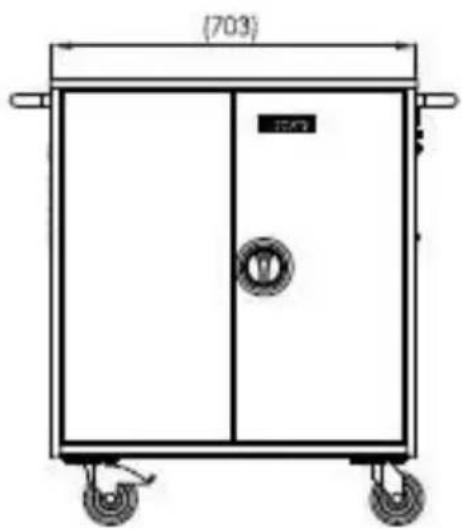
Technical diagram of electrical installation in Notecart Flex Extended series
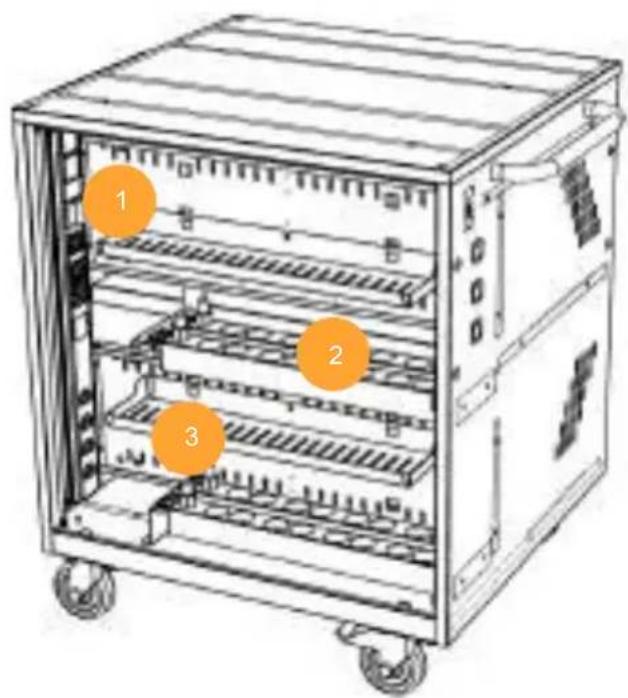
- Power panel 8 way.
-
Power supply trays
-
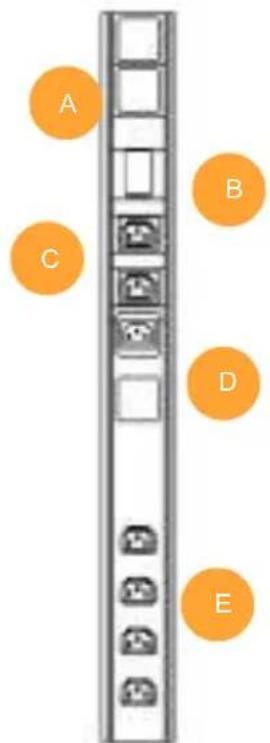
Main power supply unit explained
A: Surge protection. 10KA LED.
B: outlet C13 for accessory. (Green on/off)
C: outlet C13 main power (Blue on/off) Connected to D C14 inlet via Cable.
D: inlet C14 Main power. Connected via cable to C outlet.
E: 4 x C13 outlets sequential delayed start, 0, 2, 4, 6 seconds. Used for power panels and ventilation fan.
Options and Accessories.
The Notecart Flex Extended comes prepared for a variety of options and accessories which to improve the use and functionalities of the cart. None of these are supplied with the cart, and must be purchased as extras besides from your local reseller. If any questions, kindly refer to your local reseller, or contact Leba innovation directly at our contact info below.
Timer unit
The timer unit is used for controlling charging schedules for the Notecart Flex Extended. This has a 7-day rotating schedule with up to 18 different settings.
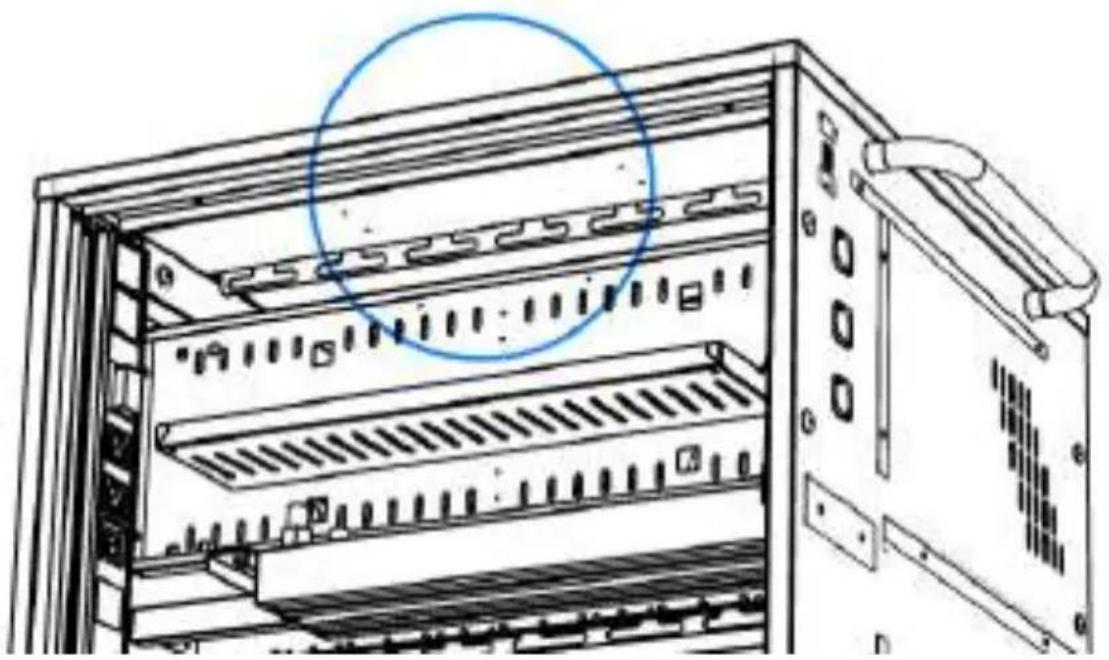
The timer unit is installed in the back of the Notecart Flex Extended in the top of the cart.
Installing the Timer:
Remove the Cable from the Main power supply unit connecting the internal sockets "C" and "D" under tech diagram explanation. Replace this cable with the timer's cables, so that the timer now controls the power directed to the 4 x C13 outlets powering the power panels. Read user instructions for the timer which is included in the Timer unit purchase for setup of the unit.
Notecart Flex Extended Active Fan Ventilation unit.
The Notecart Flex Extended has option to add a Active ventilation fan into the backdoor.
The Fan comes with all screws and nuts required, and is plugged into the B outlet in the main power distribution unit, and controlled by green Switch.
Thermostat heat controller
The Thermostat heat controller is a unit with adjustable temperature activation for the Ventilation fan if this is also purchased for the Notecart Flex Extended. This is popular when the Notecart is placed in Classrooms or at locations where noise is a nuisance to take into consideration. The Thermostat can be adjusted to activate between 10^ to 45^ , whereas it will start up the optional ventilation fan in the Notecart Flex Extended.
Installing the Thermostat:
The Thermostat is placed in the top of the Notecart Flex in the back. 4 rails on the stiffening bar where you slide the Thermostat into place, and lock it with the snap rivet included. Replace the cable C14 in the Main power supply unit which gives power to the Ventilation fan, and insert the C14 cable from the Thermostat instead. Then take the outlet cable from the Thermostat C13 and connect it together with the Ventilation fan C14 cable. The Ventilation fan is now controlled by the thermostat.
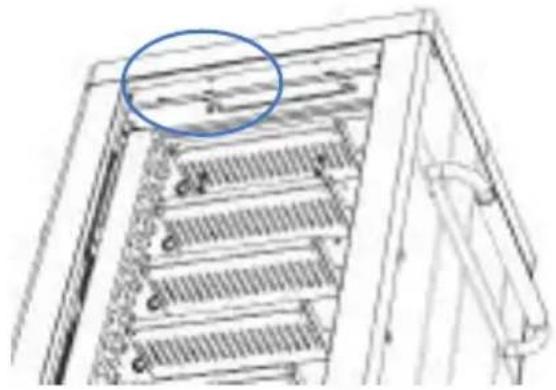
Notesecure safeguard
The Notecure solution is a wall mounting secure guard to safely place and lock the Notecart Flex Extended into the wall. The Notecart Flex Extended can be placed with either front side or back side towards the wall and locked into position. Recommended is to place it with front towards to wall, thus safeguarding the front doors and the devices inside.
Installing Notesecure Safeguard.
Remove the bushings covering the notecure holes in the Notecart by pushing them out from the inside. 2 on each side, depending if the Notecart is to be facing the wall or the front when locked into position.
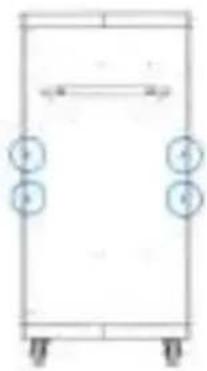
The Notecure must be mounted into the wall. Please follow user instructions which is included into the Notecure package.
Manual 4 digit codelock
The Frontdoor lock with Code 340 can be changed to a 4 digit mechanical codelock. Please follow the installation guide accompanied by the mechanical codelock once purchased.
The 4-digit mechanical lock comes with a master key solution so multiple carts can have different codes installed, but a master key for technical team maintenance.
Troubleshooting
For Trouble shooting of the Notecart Flex Extended series, kindly check below issues solutions before contacting your local reseller or Leba Innovation for help. Thank you.
| 1. Keys are missing from Lock when unpacking Welcomebox | Kindly check all packaging material before contacting your local vendor for missing parts. |
| 2. power panel: When connecting to power, devices are not charging | Kindly check all plugs are inserted correctly and tight into the power panel, and that wall socket is functional. |
| 3. Handles are falling loose over time and use | Kindly check if both washers and screws are firmly tightened on both sides of the Handles. |
| 4. The Short circuit surge protection is blinking Red and no power is active in the cart. | Contact your local reseller for a new surge protection unit replacement. Check with your local electrician what the cause of the surge has been. |
| 5. After longer time usage, the fan is not as effective as before. | Clean the filter in the bottom by releasing the fan. If the filter is broken, a new can be purchased via your local reseller. |
| 6. The product is damaged when unpacked from its packaging | Kindly see warranty and service. Prepare photo of the damaged parts for your contact RMA reclamation. |
| 7. When plugged into sockets, and devices are charging, it trips the circuit breaker. | You may have several other appliances sharing the same circuit, causing a circuit overload. Have a qualified electrician check that adequate power is available in the circuit. |
| 8. When connected, all devices are not fully charging / charging at full capacity. | Have a qualified electrician verify the current consumption of your devices. Perform the test with devices installed and batteries fully discharged. Ensure your devices are not exceeding the allotted power output of the Solution. |
Service and Warranty
Warranty of product:
Leba innovation strives for high quality products with long lasting service for end users. Materials are chosen carefully to comply with harsh public environmental use, such as Educations, healthcare and businesses.
This product has a 5 year limited warranty on metal parts.
Electronics installed into this product has a 2 year limited warranty. Kindly go to www.leba-innovation.com for details regarding warranty and return material acquisition procedures, or contact your local reseller for more info.
Brugsvejledning
Notecart Flex Extended Series
Ansvarsfraskrivelse
Installation after termostaten:
Installation of Notesecure Safeguard.