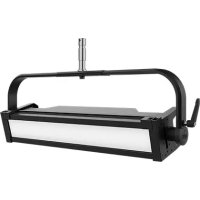
onAir Panel 3 IP - Heating Chauvet - Free user manual and instructions
Find the device manual for free onAir Panel 3 IP Chauvet in PDF.


| Product Type | Professional LED Light Panel |
| Brand | Chauvet |
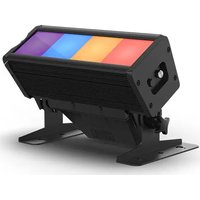
| Model | onAir Panel 3 IP |
| Protection Rating | IP65 (dust-tight and protected against water jets) |
| Power Supply | 100-240 VAC, 50/60 Hz (universal) |
| Typical Power Consumption | Approx. 172 W (at 230 V) |
| Operating Temperature | -30 °C to 45 °C (ambient); minimum startup at -20 °C |
| Safety Distance | Do not look at the light source from less than 5 m |
| Box Contents | onAir Panel 3 IP, omega bracket with mounting hardware, Seetronic Powerkon IP65 power cord, quick reference guide |
| Main Functions | Dimming, color, color temperature, saturation adjustment; built-in presets (A) and custom presets (B) |
| Control | Built-in control panel with navigation and adjustment buttons |
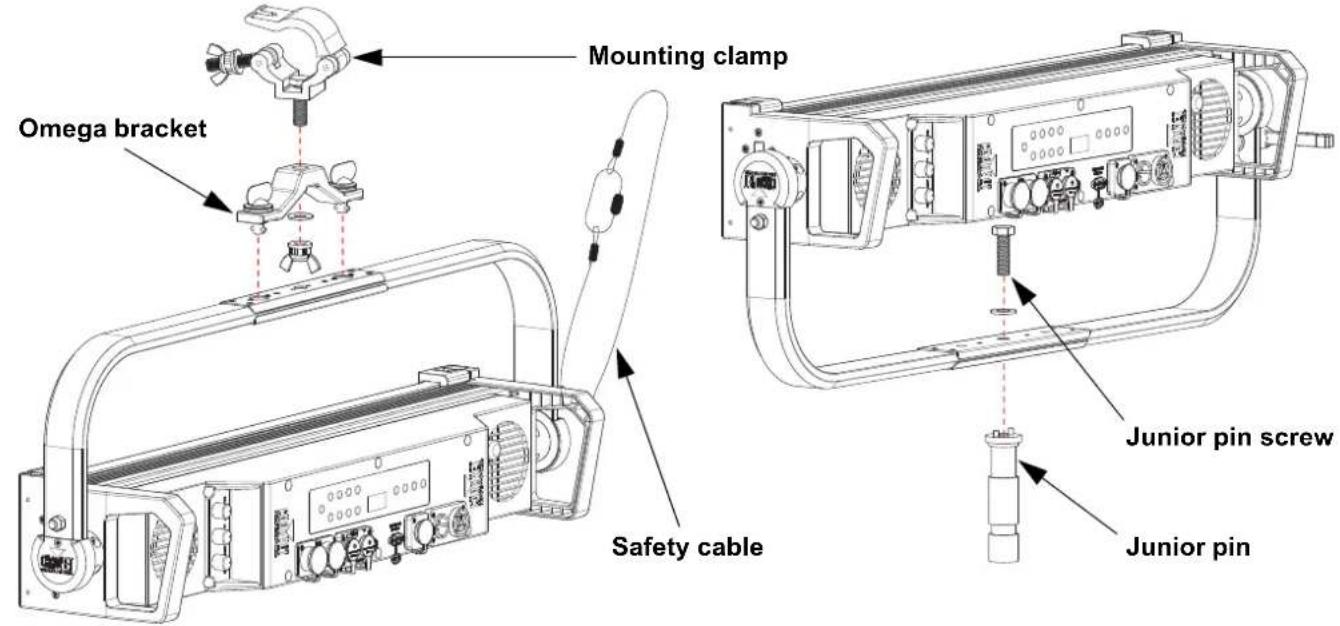
| Installation | Suspended mounting with omega bracket and safety cable; maintain at least 50 cm clearance around the product for ventilation |
| Power Cable | Seetronic Powerkon IP65 (locking connector) |
| Usage | Professional only (temporary indoor/outdoor) |
| Maintenance and Cleaning | Disconnect before cleaning; use a soft, dry cloth |
| Repairability | Light source not user-replaceable; power cord replaceable only by manufacturer or authorized service provider |
| Compliance | FCC Part 15 Class B (radio interference) |
| RF Warning | Minimum distance of 20 cm between antenna and user |
| Weight | Not specified in the manual |
| Dimensions | Not specified in the manual |
Frequently Asked Questions - onAir Panel 3 IP Chauvet
User questions about onAir Panel 3 IP Chauvet
0 question about this device. Answer the ones you know or ask your own.
Ask a new question about this device
Download the instructions for your Heating in PDF format for free! Find your manual onAir Panel 3 IP - Chauvet and take your electronic device back in hand. On this page are published all the documents necessary for the use of your device. onAir Panel 3 IP by Chauvet.
USER MANUAL onAir Panel 3 IP Chauvet
Scan the QR code to access the product page, warranty terms, and the complete User Manual
onAir IP
PANEL 3
Quick Reference Guide
English EN
Español ES
Français FR
Deutsch DE
Nederlands NL
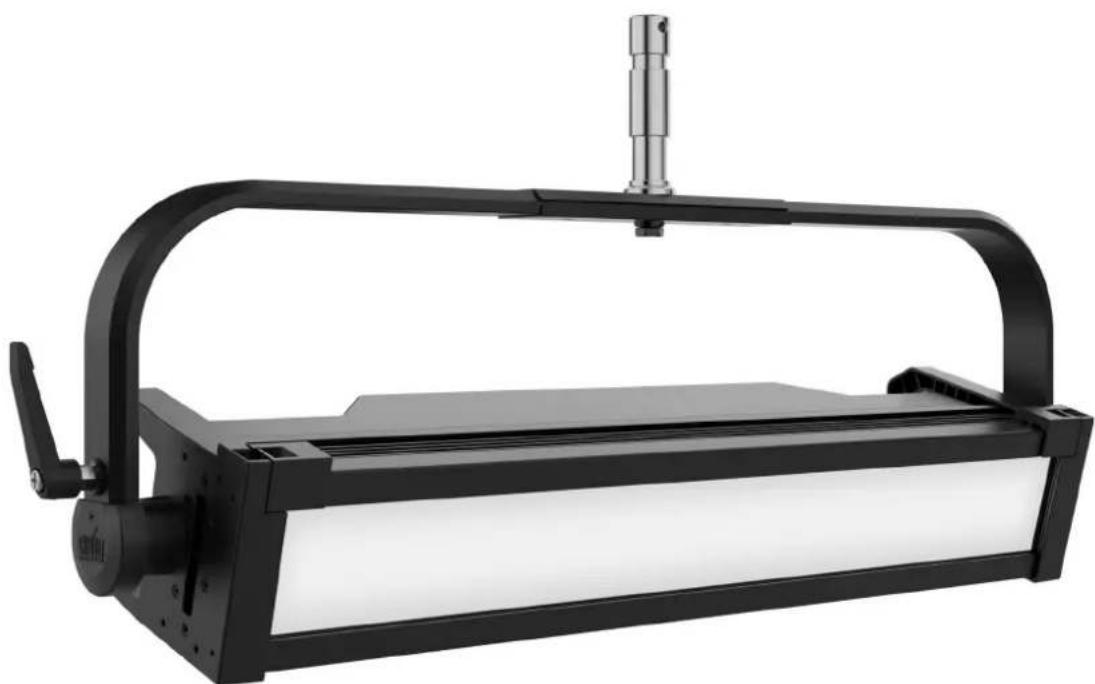
Model ID: ONAIRPANEL3IP
Intentionally Left Blank Page
Safety Notes
These Safety Notes include important information about installation, use, and maintenance of the onAir Panel 3 IP.
- The luminaire is intended for professional use only.
- The luminaire should be positioned so that prolonged staring into the luminaire at a distance closer than 16.4 ft (5 m) is not expected.
- If the external flexible cable or cord of this luminaire is damaged, it shall be replaced by a special cord or cord exclusively available from the manufacturer or its service agent.
- The light source contained in this luminaire shall only be replaced by the manufacturer or its service agent or a similar qualified person.
- CAUTION:
- This product's housing may be hot when operating. Mount this product in a location with adequate ventilation, at least 20 in (50 cm) from adjacent surfaces.
- When transferring the product from extreme temperature environments, (e.g., cold truck to warm humid ballroom) condensation may form on the internal electronics of the product. To avoid causing a failure, allow the product to fully acclimate to the surrounding environment before connecting it to power.
- Flashing light is known to trigger epileptic seizures. User must comply with local laws regarding notification of strobe use.
• ALWAYS:
- Disconnect from power before cleaning the product.
- When using an IP65-rated product in an outdoor environment, use IP65- (or higher) rated power and data cable.
- Replace and secure IP-rated protective covers to all power, data, USB, or other ports when not in use.
- Use a safety cable when mounting this product overhead.
- Connect this product to a grounded and protected circuit.
D O N O T :
- Open this product. It contains no user-serviceable parts.
- Look at the light source when the product is on.
- Leave any flammable material within 1 m of this product while operating or connected to power.
- Connect this product to a dimmer or rheostat.
- Operate this product if the housing, lenses, or cables appear damaged.
• Submerge this product (adhere to standards for the published IP rating). Regular outdoor operation is fine. -
Permanently install outdoors in locations with extreme environmental conditions. This includes, but is not limited to:
-
Exposure to a marine/saline environment (within 3 miles of a saltwater body of water).
- Locations where normal temperatures exceed the temperature ranges in this manual.
- Locations that are prone to flooding or being buried in snow.
• Other areas where the product will be subject to extreme radiation or caustic substances.
- ONLY use the hanging/mounting bracket to carry this product.
• The maximum ambient temperature is 113 °F (45 °C). Do not operate this product at higher temperatures.
• The minimum startup temperature is -4°F ( -20°C ). Do not start the product at lower temperatures.
- The minimum ambient temperature is -22°F (-30°C). Do not operate the product at lower temperatures.
- To eliminate unnecessary wear and improve its lifespan, during periods of non-use completely disconnect the product from power via breaker or by unplugging it.
- In the event of a serious operating problem, stop using immediately.

FCC Statement of Compliance
This device complies with Part 15 Part B of the FCC rules. Operation is subject to the following two conditions:
- This device may not cause harmful interference, and
- This device must accept any interference received, including interference that may cause undesired operation.
This equipment has been tested and found to comply with the limits for a Class B digital device, pursuant to Part 15 of the FCC Rules. These limits are designed to provide reasonable protection against harmful interference in a residential installation. This equipment generates uses and can radiate radio frequency energy and, if not installed and used in accordance with the instructions, may cause harmful interference to radio communications. However, there is no guarantee that interference will not occur in a particular installation. If this equipment does cause harmful interference to radio or television reception, which can be determined by turning the equipment off and on, the user is encouraged to try to correct the interference by one or more of the following measures:
- Reorient or relocate the receiving antenna.
- Increase the separation between the equipment and receiver.
- Connect the equipment into an outlet on a circuit different from that to which the receiver is connected.
- Consult the dealer or an experienced radio/TV technician for help.
Any changes or modifications not expressly approved by the party responsible for compliance could void the user's authority to operate the equipment.
RF Exposure Warning for North America and Australia
Warning! This equipment complies with FCC radiation exposure limits set forth for an uncontrolled environment. This equipment should be installed and operated with a minimum distance of 20 cm between the radiator and the user. This transmitter must not be co-located or operating in conjunction with any other antenna or transmitter.
What is Included
- onAir Panel 3 IP
• Omega bracket with mounting hardware
- Seetronic Powerkon IP65 power cable
- Quick Reference Guide
AC Power
This product has an auto-ranging power supply that can work with an input voltage range of 100–240 VAC, 50/60 Hz.
AC Plug
| Connection | Wire (U.S.) | Wire (Europe) | Screw Color |
| AC Live Black Brown Yellow/Brass | |||
| AC Neutral White Blue Silver | |||
| AC Ground Green/Yellow | Green/Yellow | Green |

To eliminate unnecessary wear and improve its lifespan, during periods of non-use completely disconnect the product from power via breaker or by unplugging it.
Power Linking
It is possible to power link onAir Panel 3 IP products. See the table below for the current draw at each voltage and frequency:
| 100 V, 60 Hz | 120 V, 60 Hz | 208 V, 60 Hz | 230 V, 50 Hz | 240 V, 50 Hz | |
| Current Draw | 1.694 A | 1.392 A | 0.823 A | 0.747 A | 0.722 A |
Never exceed 12 A on a single circuit. Power-linking cables can be purchased separately.
Mounting
Before mounting this product, read the Safety Notes. Make sure the mounting clamp is capable of supporting the weight of the product. For the Chauvet line of mounting clamps, go to http://trusst.com/productcategory/truss-clamps.
Mounting Diagram
Control Panel Description
| Button/Knob Function | |
| Exits from the current menu or function | |
| Enables the currently displayed menu or sets the currently selected value into the selected function | |
| Navigates upwards through the menu list or increases the numeric value when in a function | |
| Navigates downwards through the menu list or decreases the numeric value when in a function | |
| Increases or decreases the dimmer value or intensity | |
| Increases or decreases the hue value or X value | |
| Increases or decreases the color temperature, saturation, or Y value | |
| Toggles between A presets (built-in) and B presets (custom) | |
| <____K/B1-8> | Selects a preset. Hold for 3 seconds to save the current look to the selected B preset. |
Notas de seguridad
Intentionally Left Blank Page
Sicherheitshinweise
Intentionally Left Blank Page
Contact Us
General Information Technical Support
Chauvet World Headquarters
Address: 3360 Davie Rd. Voice: (844) 393-7575
Davie, FL 33314 Fax: (954) 756-8015
Voice: (954) 577-4455 Email: chauvetcs@chauvetlighting.com
Fax: (954) 929-5560
Toll Free: (800) 762-1084 Website: www.chauvetprofessional.com
Chauvet U.K.
Address: Pod 1 EVO Park Email: UKtech@chauvetlighting.eu
Little Oak Drive, Sherwood Park
Nottinghamshire, NG15 0EB Website: www.chauvetprofessional.eu
UK
Voice: +44 (0) 1773 511115
Fax: +44 (0) 1773 511110
Chauvet Benelux
(Entrance by Calle 2)
Email: DEtech@chauvetlighting.de
Zona Industrial Lerma Website: www.chauvetprofessional.mx
Visit the applicable website above to verify our contact information and instructions to request support. Outside the U.S., U.K., Ireland, Mexico, France, Germany, or Benelux, contact the dealer of record.



UL 1573
CSA C22.2 No. 166
E113093



RoHS

- ONAIR IP
- PANEL 3
- QUICK REFERENCE GUIDE
- INTENTIONALLY LEFT BLANK PAGE
- SAFETY NOTES
- CAUTION
- ALWAYS
- D O N O T
- FCC STATEMENT OF COMPLIANCE
- RF EXPOSURE WARNING FOR NORTH AMERICA AND AUSTRALIA
- WHAT IS INCLUDED
- AC POWER
- POWER LINKING
- MOUNTING
- NOTAS DE SEGURIDAD
- SICHERHEITSHINWEISE
- CONTACT US
- GENERAL INFORMATION TECHNICAL SUPPORT
- CHAUVET WORLD HEADQUARTERS
- CHAUVET U.K
- CHAUVET BENELUX
Brand : Chauvet
Model : onAir Panel 3 IP
Category : Heating