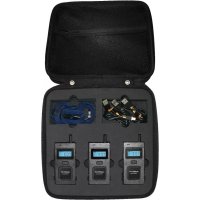
Multicom - Talkie Walkie Monacor - Free user manual and instructions
Find the device manual for free Multicom Monacor in PDF.



User questions about Multicom Monacor
0 question about this device. Answer the ones you know or ask your own.
Ask a new question about this device
Download the instructions for your Talkie Walkie in PDF format for free! Find your manual Multicom - Monacor and take your electronic device back in hand. On this page are published all the documents necessary for the use of your device. Multicom by Monacor.
USER MANUAL Multicom Monacor
2. Controls and Indicators. 15
3.How to use. 15
3.1.Power On/Off. 15
3.2. Transmitting and Receiving 15
3.2.1.Talking List 16
3.3. Volume Up / Down 16
3.1. Menu 16
3.1.1.Group selection 17
3.1.2. ID selection 17
3.1.3. Audio Output High / Low 17
3.1.4. Side Tone On/ Off. 18
3.1.5. Receive only (PTT ON/OFF) 18
3.1.6.Microphone sensitivity level control 18
4. Battery 19
5. Specification 19
6. European 2 years warranty 20
7.Declaration of Conformity 21
7.1. Where to find service hints and documentation 22
7.1. Disposal of defective electronic items 22
1. General Information
1.1. Introduction
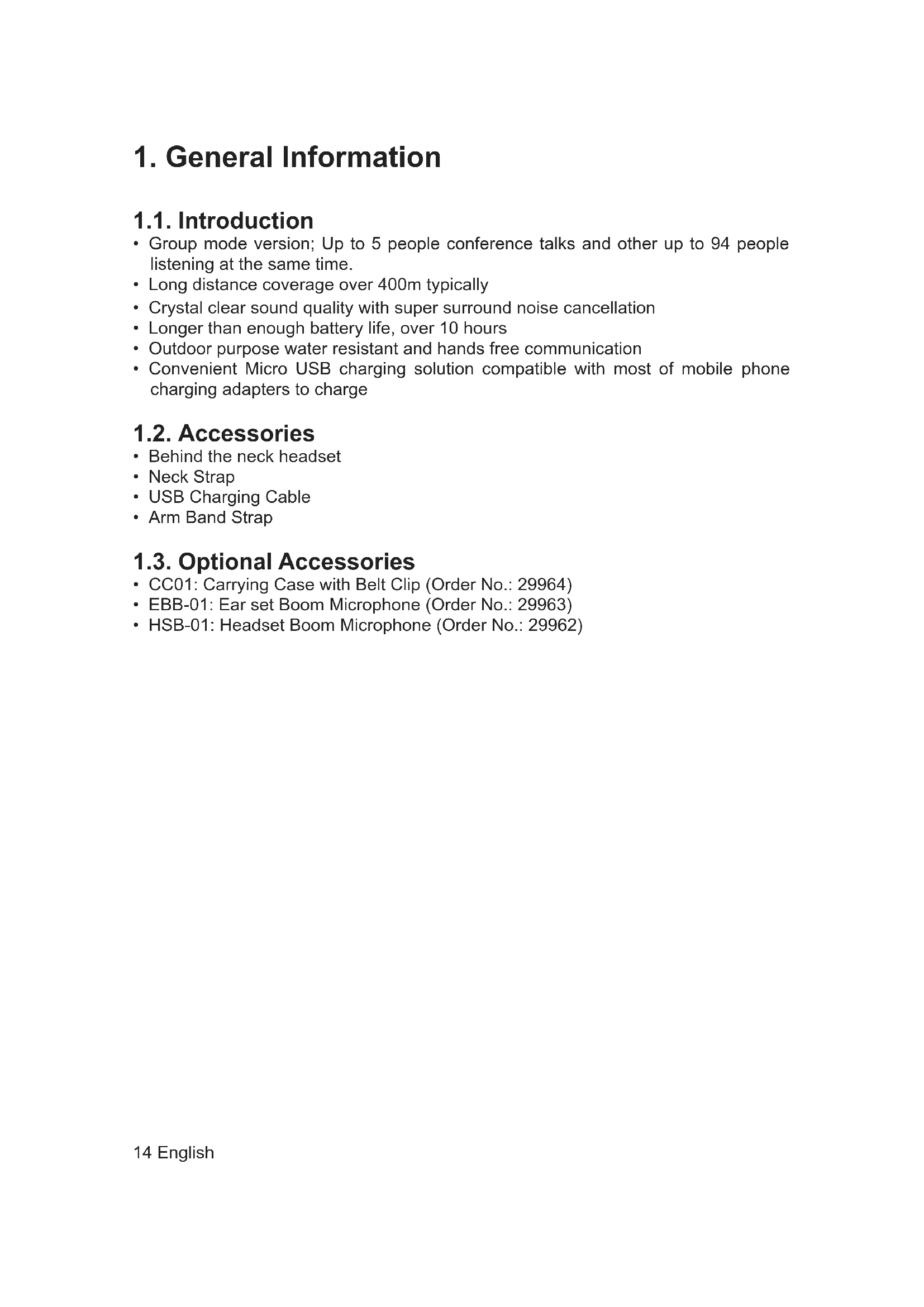
- Group mode version; Up to 5 people conference talks and other up to 94 people listening at the same time.
- Long distance coverage over 400m typically
Crystal clear sound quality with super surround noise cancellation - Longer than enough battery life, over 10 hours
- Outdoor purpose water resistant and hands free communication
- Convenient Micro USB charging solution compatible with most of mobile phone charging adapters to charge
1.2. Accessories
Behind the neck headset
- Neck Strap
USB Charging Cable
Arm Band Strap
1.3. Optional Accessories
CC01: Carrying Case with Belt Clip (Order No.: 29964)
- EBB-01: Ear set Boom Microphone (Order No.: 29963)
- HSB-01: Headset Boom Microphone (Order No.: 29962)
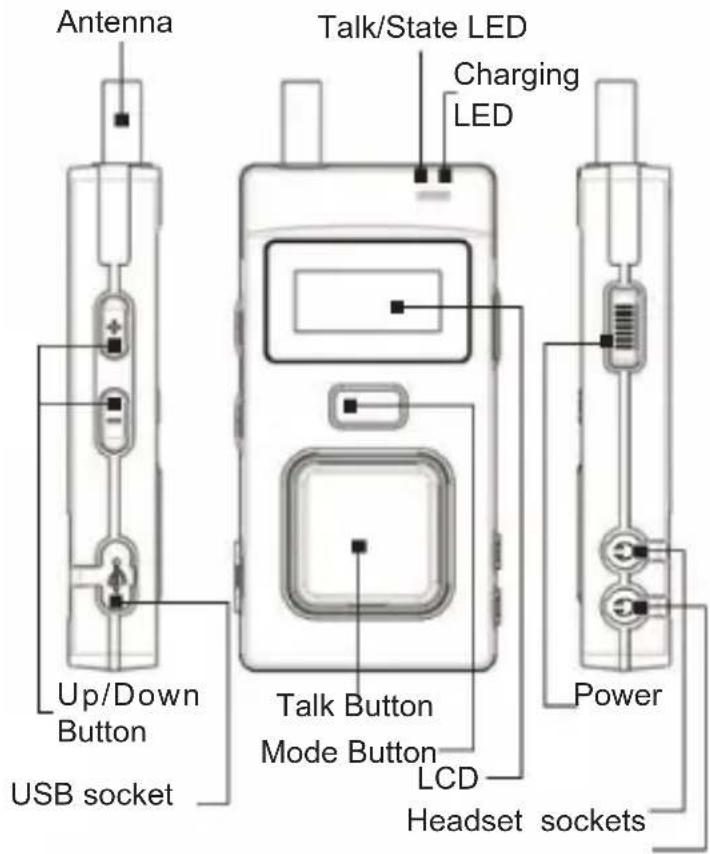
2. Controls and Indicators
3. How to use
3.1. Power On/Off
Press and hold the „Power“ button longer than 3 seconds to turn the device on.
The unit is starting with the last selected volume level
After that press and hold the „Power“ switch again for 3 seconds to turn the device off.
3.2. Transmitting and Receiving
In a master radio with ID "00", transmitting and receiving are activated automatically as soon as its ID is set with "00".
All other units in the group can activate and deactivate transmission by holding the "Talk" button for 2 seconds. The state is signalled by the "Talk" symbol in the upper left corner of the display. Reception is always active as long as the radio is switched on.
3.2.1. Talking List
5 units in a group can talk simultaneously while up to 94 units can listen. As soon as 5 units are speaking the display shows "PTT1". If now one of the listeners is activating "Talk" the unit which has been talking the longest is removed from the talking list. This unit hears a signal tone.

If now another user presses "Talk" user 3 would be removed from the list and so on. In case user 7 only wanted to make a short announcement he should disable "Talk". This way user 2 can get back to talking without removing somebody else from the talking list.
The list above is only an example and can be extended to 99 users total. In some cases it makes sense to restrict some users to "Listen only". To enable this refer to chapter "3.1.5. Receive only (PTT ON/OFF)" auf Seite 18
3.3. Volume Up / Down
It gives you to adjust the hearing volume level with 6 steps as per you prefer. Press "▲" button to control volume up and "▼" button for volume down after turn the device power on. It is available to adjust the volume level 0~6 from low to high.
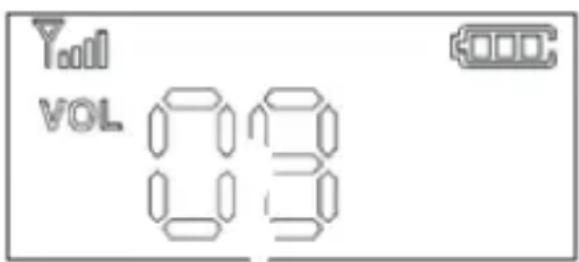
3.1. Menu
The menu settings can be viewed by short clicking the menu button repeatedly. To change the settings press the menu button for at least 3 seconds until GRP starts
to blink. Switching to the next menu option is done by pressing the menu button repeatedly. In order to change a setting the selected value can be changed by pressing ^ or ^ . To confirm the settings wait for about 3 seconds for the device to leave the menu and save the settings or press the menu button for about 2 seconds.
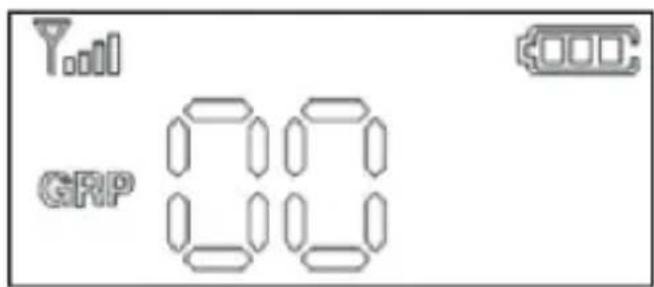
3.1.1. Group selection
Group numbers from 0-39 are available.
Every radio from a communication group needs to have the same group number.
3.1.2. ID selection
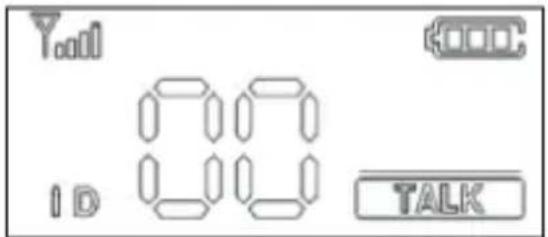
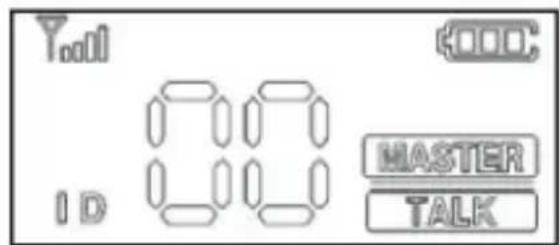
In a group, every radio needs to have each different ID per radio from „00“ to „99“. The ID „00“ becomes a master radio in a group and every group needs to have a master radio with ID „00“ per group without alternative. _MASTER“ and „TALK“ are displayed on the LCD as soon as the ID „00“ is set.
3.1.3. Audio Output High / Low
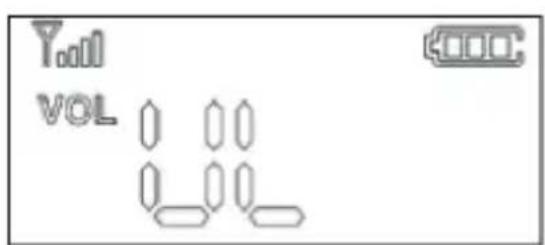
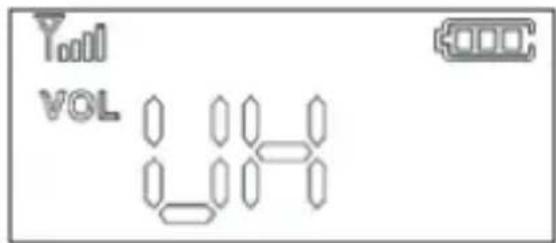
The audio output setting is changing all volume levels of the unit to a higher respectively lower level. The options UL and UH are available.
When you are listening to the radio in very loud environments you can increase the volume by selecting UH. UL is the default setting.
3.1.4. Side Tone On/ Off
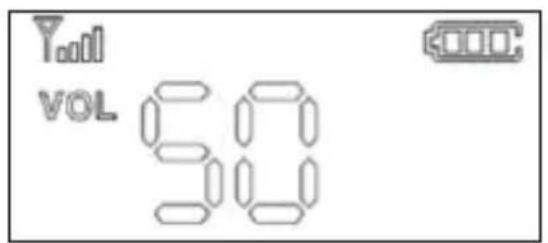
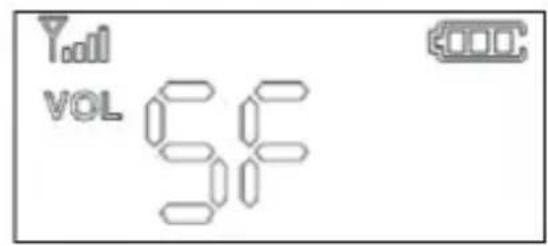
With the side tone function enabled you can hear your own voice in the background. This is useful as a self monitoring system. To enable this function select SO. SF is the default setting.
3.1.5. Receive only (PTT ON/OFF)
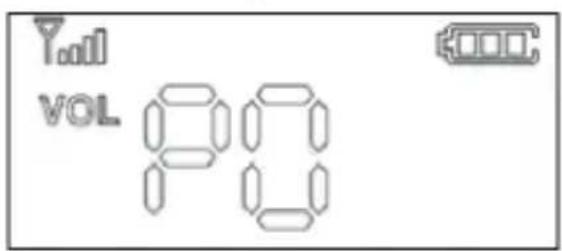
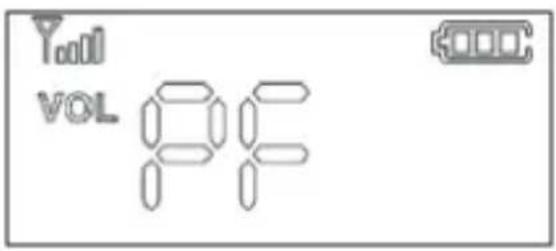
In some groups it is useful to set some units to receive only. These units cannot switch to talk mode by pressing the talk button. To enable the receiving only mode select PF. The default setting is PO.
3.1.6. Microphone sensitivity level control
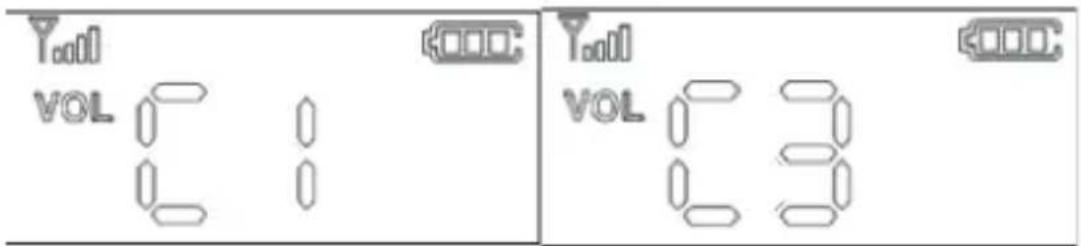
By changing the microphone sensitivity you can influence how loud other users will hear you. The highest sensitivity is C5 whereas C1 is the lowest. The default setting is C1.
Note: Not only the volume of your voice is changed but also every environment noise the microphone picks up. So it is recommended to set the sensitivity to a low setting in a noisy environment and to a higher setting in quiet surroundings.
4. Battery
The rechargeable Li-1on battery 3.7V, 1,100mA is installed in the device. Plug the USB charging cable into the USB port and recharge the battery. The Charging LED in the right side top corner of the device is blinking during charging and turns off when the battery is fully charged.
5. Specification
| Radio Frequency Type ISM 2403MHz ~ 2480MHz | |
| Type Wireless Microphone/Receiver Unit | |
| Radio Interface ISM 2.4GHz: FSK with Freq. Hopping | |
| Output Power 100mW | |
| Voice Codec 16bit/16KHz | |
| Tx Max Output Power 100mW | |
| Rx Sensitivity -95dBm | |
| Voice Latency < 35ms | |
| Num. of Frequency Channel 78ch | |
| Channel Spacing 2MHz | |
| Data Rate 2Mbps | |
| Freq. Bandwidth 2MHz | |
| Battery Li-Ion Battery @3.7V/ TBD 1100mA | |
| Antenna Internal Helical Antenna | |
| Talk Time | 10hr Typical |
| Power Consumption | Avg. 100mA |
| Distance Range(LOS) | 100m in building 400m open place |
| Frequency response | 50 Hz ~ 7 kHz |
| Maximum operation users | 99 total, 5 talking, 94 listening |
| Dimension / Weight 98mm(H) x 49mm(W) x 17mm(D) / 88g | |
| Audio In -34dB @ 2.2KΩ | |
| Audio Out 50 mW maximum @33Ω Mono | |
| LED Display Status LED, Talk LED, Charging LED | |
| Low Battery Alert Audible signal (Beep) | |
| Waterproof Water resistant | |
6. European 2 years warranty
The distributor, dealer or retail shop warrants to the original retail purchaser of this product that should this product or any part of it, under normal use and conditions, be proven defective in material or workmanship within 2 years from the date of original purchase, such defect(s) will be repaired or replaced with new or reconditioned product (at the company's option) without charge for parts and repair labor. To obtain repair or replacement within the terms of this warranty, the product is to be delivered with proof of warranty coverage (e.g. dated bill of sale), specification of defect(s), to the distributor, dealer or his authorized repair center.
The Company disclaims liability for communications range of this product. The warranty does not apply to any product or part there of which, in the opinion of the company, has suffered or been damaged through alteration, improper installation, mishandling, misuse, neglect, accident, or by removal or defacement of the factory serial number/bar code label(s). The warranty does not apply to accessory parts or problems caused through not authorized or not recommended accessories like of the units like batteries, external power supplies and over voltage caused through external power supplies, light bulbs, broken antennas, broken swivel belt clips, broken or damaged acrylic glass windows and cabinet parts.
Please contact the dealer or person where you have purchased your radio. Alternatively, if you bought the radio in Germany, you can send the radio directly to our service partner (address on the last page)
7. Declaration of Conformity

Distributor Alan Electronics GmbH
Product Name: Multicom
Model Number: 2,4 GHz ISM-Band Transceiver
Brand: ALBRECHT
The above mentioned product complies to the below mentioned standards and fulfills the essential requirements of the EC directives 1999/5/EC, 2004/108/EC and 2006/95/EC. This radio may only be used in the EU and other states applying the R&TTE directive of the European community.
| Standard Version | |
| EN 301 489-1 V1.9.2:2011 | |
| EN 301 489-17 V2.2.1:2012 | |
| EN 300 328 V1.8.1:2012 | |
| EN 60950-1 2006+A11:2009+A1:2010+A12:2011 | |
7.1. Where to find service hints and documentation
Our technical documentation is updated regularly. You can download the latest versions of user manuals, technical documents and also the dual language original declaration of conformity, as well as service hints or FAQ's any time from our server under
http://www.service.alan-electronics.de
If you should have a problem, please have a look to the service hints or frequently asked questions (FAQ) before you send your Telme back to the service center.
7.1. Disposal of defective electronic items
The European WEEE Directive does not any more allow to dispose any used electronic items via household trash bins. The local communities will provide containers for disposal of electronic waste. Please use these facilities, it will be your contribution to proper recycling of electronic material, and it is free of charge for you!

Service partner in Germany (only for radios sold in Germany):
Alan Service
c/o Transerv2000 Repair Service GmbH & Co. KG
Servicecenter Frankfurt
Robert-Bosch-Str. 35
D-64625 Bensheim
Repairs and techn. inquiries:
Tel: (+49) (0) 6251 9856 0 55
e-mail: service.alan@transerv2000.de
In other countries please contact your local distributors in case of technical problems.
Printing errors reserved.

ALBRECHT
Multicom
Guide d'utilisation
Français
Sommaire
1. Informations generales 25
1.1.Introduction 25
1.2.Accessoires 25
1.3. Accessoires facultatifs 25