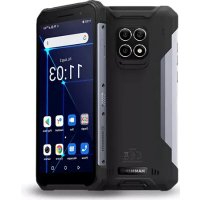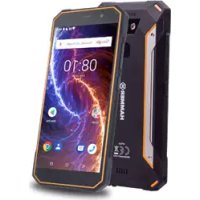
Energy 18×9 - Mobile Phone Hammer - Free user manual and instructions
Find the device manual for free Energy 18×9 Hammer in PDF.


| Product type | Mobile phone (smartphone) |
| Brand | Hammer |
| Model | Energy 18×9 |
| Screen size | 5.7 inches (touchscreen) |
| Main camera | 13 megapixels |
| Front camera | 8 megapixels |
| Number of SIMs | Hybrid dual SIM (2 SIMs or 1 SIM + microSD) |
| Water and dust resistance | IP68 certification |
| Operating system | Android |
| Connectivity | Wi-Fi 2.4 GHz and 5 GHz, Bluetooth, GPS |
| Fingerprint sensor | Yes, fingerprint reader |
| Power supply | Mains charger (adapter + USB cable) via microUSB port |
| Battery | Lithium-ion, non-removable, maximum charge 1 day |
| SAR value (GSM 2100) | 0.795 W/kg |
| Programmable button | Yes, assignable to an application |
| Maintenance | Dry cloth, avoid liquids and extreme temperatures |
| Spare parts | Original accessories recommended |
| Manufacturer | mPTech Sp. z o.o. |
| Batch number | 201806 |
| Country of manufacture | China |
Frequently Asked Questions - Energy 18×9 Hammer
User questions about Energy 18×9 Hammer
0 question about this device. Answer the ones you know or ask your own.
Ask a new question about this device
Download the instructions for your Mobile Phone in PDF format for free! Find your manual Energy 18×9 - Hammer and take your electronic device back in hand. On this page are published all the documents necessary for the use of your device. Energy 18×9 by Hammer.
USER MANUAL Energy 18×9 Hammer
www.myphone.pl/qr/hammer-energy-18x9
www.myphone.pl/qr/hammer-energy-18x9
EN - User Manual
The actual product, accompanying accessories and some of its features may differ from the presented in this manual images and descriptions. The latest manual or its more detailed version is also available on the product website: www.myphone.pl/qr/hammer-energy-18x9
To open this page, simply scan this QR Code.
www.myphone.pl/qr/hammer-energy-18x9
www.myphone.pl/qr/hammer-energy-18x9
EN - The packaging of the device can be recycled in accordance with local regulations.
Read these guidelines carefully. Not following them may be dangerous or illegal.
PT - Segurança
EN - Specific absorption rate (SAR)
The SAR factor determines the energy absorption rate of equipment generating electromagnetic radiation. The limit of the SAR recommended by the Council of the European Union is 2 W/kg. The maximum SAR values for HAMMER Energy 18x9 are 0.795 W/kg for GSM 2100 MHz and 0.165 W/kg for Wi-Fi.
PT - indice SAR
www.myphone.pl/qr/hammer-energy-18x9
www.myphone.pl/qr/hammer-energy-18x9
EN - Declaration of conformity with EU Directives
mPTech limited liability company hereby declares that HAMMER Energy 18x9 cellular phone is compliant with Directive 2014/53/UE. The full text of the EU Declaration of Conformity is available at the following Internet address:
www.myphone.pl/qr/hammer-energy-18x9
www.myphone.pl/qr/hammer-energy-18x9
www.myphone.pl/qr/hammer-energy-18x9
Manual de usuario
HAMMER Energy 18x9
Website: www.myphone-mobile.com
Fabricado en China
1. Índice
natural_image
Black exclamation mark icon on white background, no text or symbols present- Pressing during a voice call will cause an increase or decrease of the audio connection volume.
Programmable button
flowchart
graph TD
    A["Start"] --> B["Step 1: Hand press with green circle"]
    B --> C["Step 2: Arrow indicating rotation around green circle"]
    C --> D["Step 3: Hand press with green circle and blue arrow indicating rotation around green circle"]
    D --> E["Step 4: Hand press with green circle and blue arrow indicating rotation around green circle"]
Sigue los siguientes consejos. Keep the device and its accessories out of reach of children.
natural_image
Simple line drawing of a trash bin with crossed lines and a black rectangular base (no text or symbols)natural_image
Simple line drawing of a trash bin with two crossed x-axes (no text or symbols)- Communication ....19
10.1 Effectuer des appels....19
10.2 SMS - Messages ......19
natural_image
Black icon of a document with an exclamation mark (no text or symbols)-RESTRICTIONS D'UTILISATION-
natural_image
Simple line drawing of a trash bin with crossed lines indicating no waste or plastic (no text or symbols)natural_image
Simple line drawing of a trash bin with no text or symbolsWebsite: www.myphone-mobile.com
Manufactured in China
1. Table of contents
- Table of contents 22
- Safety 22
- The use of the manual 23
- Important information....24
- Package content....24
- Appearance of the phone 24
- Installation of the SIM card and memory card....26
- Buttons....26
- Using the touch screen 27
9.1 Touch....27
9.2 Swipe 27
9.3 Triple click.... 27
9.4 Hold and swipe 27
9.5 Slide in and out....27
- Communication 27
10.1 Making calls.... 27
10.2 SMS - Messages....28
- Maintenance of the device 28
- Surroundings security 28
- The use of the manual....28
13.1 Consents....28
13.2 Trademarks....29
- Correct disposal of used equipment....29
- Correct disposal of used battery 29
2. Safety
-PETROL STATIONS-
Always turn off the phone while refueling your car on petrol station. Do not use your device close to chemicals.
-ROAD SAFETY-
Do not use this device while driving any kind of vehicle.

natural_image
Black icon of a document with an exclamation mark (no text or symbols)-RESTRICTIONS OF USE-
Wi-Fi wireless connectivity uses the 2.4 GHz band and the 5 GHz band. The 5 GHz Wi-Fi band shall not be used outdoors in the European Union. Follow national and local regulations in the areas where the device is used.
-CHILDREN AND PHYSICALLY OR MENTALLY DISABLED PEOPLE-
This device should not be operated by people (including children) with limited physical or mental abilities, as well as by people with no earlier experience in operation of electronic equipment. They may use the device only under supervision of people responsible for their safety. This device is not a toy. Memory card and SIM card are small enough to be swallowed by a child and cause choking. Keep the device and its accessories out of reach of children.
-WATER AND OTHER LIQUIDS-
The device has resistance certificate IP68. It means that the device is dust-proof and waterproof when all of the rubber seals are intact and properly put in place. As far as possible protect the device from water and other liquids. Water and other fluids do not have a positive effect on phone electronic components. If wet, wipe and dry the device as soon as possible.
-QUALIFIED SERVICE-
Only qualified personnel or an authorized service center may install or repair this product. Repairing by an unauthorized or unqualified service may cause device damage and warranty loss.
-BATTERY AND ACCESSORIES-
Avoid exposing the battery to very high/low temperatures (below 0°C/32°F and over 40°C/104°F). Extreme temperatures may influence capacity and battery life. Avoid contact with liquids and metal objects as it may cause partial or complete battery damage. The battery should be used only according to its purpose. Do not destroy, impair or throw the battery into flames - it is dangerous and may cause fire. Worn-out or impaired battery should be placed in a dedicated container. Excessive charging the battery can cause damage. Therefore a single battery charge should not last longer than 1 day. Installing an incorrect battery type can cause an explosion. Never open the battery. Please dispose of battery according to the instructions. Disconnect an unused charger from power grid. In case of the charger wire damage, it should not be repaired but replaced with a new one. Use the original manufacturer's accessories only.
3. The use of the manual
The device and screen shots contained in this manual may differ from the actual product. Accessories attached to the smartphone set may differ from the illustrations included in manual. Options described in the manual are found in Android ^™ system. Those descriptions may differ, depending on the version of the operating system and applications installed on the device.
4. Important information
The majority of applications which can be installed on the device are mobile apps. Modus operandi of such applications may be different from their counterparts installed on a personal computer. Apps installed on the device may vary depending on country, region, and hardware specifications.
The manufacturer is not liable for problems caused by third party software. The manufacturer is not responsible for anomalies that may occur when editing the registry settings and modifying the operating system software. Attempts to modify the operating system can cause malfunctions and problems with applications. It may cause a loss of warranty.
Android System
Android operating system - incredible opportunities are within your hand - all applications are available at any time; the latest Gmail™ email client or browser, it is only the beginning of what you can find in this device - the rest you will find in the online Google Play.

Google Play
All manufacturer's smartphones can use the applications purchased in Google Play. To do this you should register a individual Google™ account providing e-mail and password. After registration and acceptance of the rules you can use paid and free applications listed in the Google Play.
5. Package content
• HAMMER Energy 18x9 phone
- Charger (adapter + USB cable)
• USB-C connector to minijack 3.5 mm socket
- Tool for taking out the SIM cards/microSD tray
- User manual + Warranty card

If any of the above items is missing or damaged, please contact your dealer.
6. Appearance of the phone
| Symbol | Function | |
| 1 |  | 8 Mpx digital camera lens (selfie) |
| 2 |  | Internal speaker |
| 3 |  | Brightness and proximity sensors |
| 4 |  | Notification diode |
| 5 |  | Illumination LED / Flash light |
| 6 |  | 13 Mpx digital camera lens (main) |
| 7 |  | Fingerprint reader |
| 8 |  | Volume control buttons |
| 9 |  | The tray for SIM cards/ microSD (under waterproof seal) |
| 10 |  | Programmable button |
| 11 |  | Blockade on/off button |
| 12 |  | Touchscreen 5.7" |
| 13 |  | External speaker |
| 14 |  | Microphone |
| 15 |  | Multifunctional USB-C port |
| 16 | 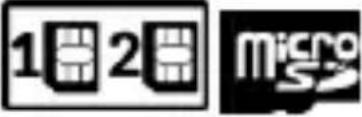 | Installation methods for SIM and microSD cards - hybrid Dual SIM |
 | Service holes. Do not insert any objects inside. Damage will result in the loss of warranty. |
© 2018 mPTech. All rights reserved.
HAMMER Energy 18x9 - EN
7. Installation of the SIM card and memory card
The device is a cellular phone made in hybrid Dual SIM technology (up to 2 SIM cards handling and 1 microSD) allowing the use of two mobile networks or one SIM card and microSD card at the same time.
To insert the SIM card (s) correctly, turn off the device, open the device, open the waterproof seal (9) with your fingernail. Slide out the tray and then precisely place the SIM card(s) on it as shown in the notches and picture (16). Then carefully and gently insert the tray into place and close the gasket securely.
To insert the memory card correctly, turn off the device, open the waterproof seal (9) with your fingernail, slide out the tray, and then precisely place the microSD card (instead of one of the SIM cards) on it as shown in the notch and picture (16). Then carefully and gently insert the tray into place and close the gasket securely.
8. Buttons
Menu
- Pressing it will cause the list of open apps to appear, where you can switch in-between or turn them off.
- A double quick press switches to the previous application.
Home
• One quick press takes you to phone desktop.
- Pressing and holding activates Google Now.
Back
- Pressing
Blockade on/off button
- One quick press locks/unlocks the screen.
-
Pressing the button for about 2 sec. will cause:
-
if the smart phone is off - the device would switch on,
- if your smartphone is on, activates a menu to shut down the device or reboot the system.
Volume increase and decrease buttons
- Pressing during a voice call will cause an increase or decrease of the audio connection volume.
Programmable button
- Pressing and holding starts the programmed application - the camera application is assigned to it as default.
© 2018 mPTech. All rights reserved.
HAMMER Energy 18x9 - EN
9. Using the touch screen
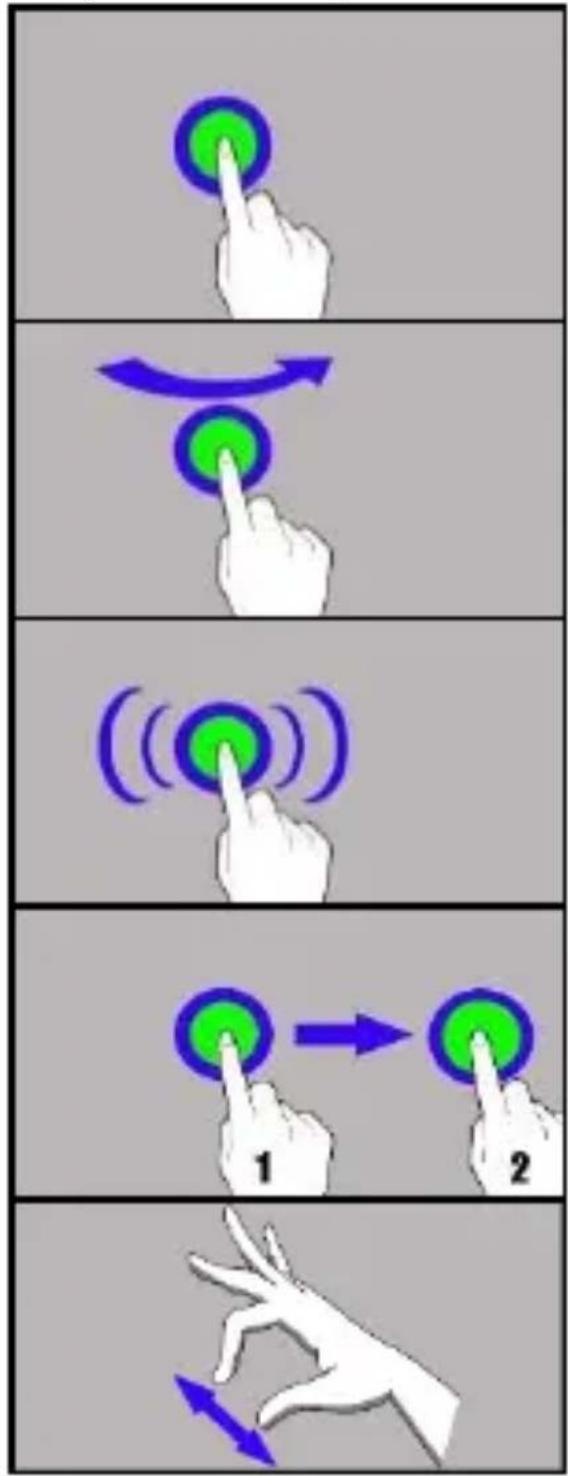
A touch screen of the smartphone lets you easily select items or perform operations. The touchscreen can be controlled by the following actions:
9.1 Touch
Touch one to start options, app, menu.
9.2 Swipe
Quickly swipe up, down, to the left or to the right, to scroll the list or the screen.
9.3 Triple click
Quickly tap the screen three times to start zooming - if this option is enabled in your smartphone settings.
9.4 Hold and swipe
Touch an element (an icon perhaps) and hold it for about 1 seconds. Then you can delete/uninstall that element.
9.5 Slide in and out
Touch the screen with two fingers and slide them together or apart to zoom in or out a photo or a map.
10. Communication
10.1 Making calls
flowchart
graph TD
    A["Hand Click"] --> B["Green Circle with Arrow"]
    B --> C["Green Circle with Blue Arrow"]
    C --> D["Blue Arrow Rolling"]
    D --> E["Green Circle with White Arrow Rolling"]
    E --> F["White Hand Click"]
    F --> G["Green Circle with Green Arrow"]
    G --> H["Green Circle with Blue Arrow"]
    H --> I["Blue Arrow Rolling"]
    I --> J["White Hand Click"]
To make a call touch "Phone" icon placed on the main screen or in
Android applications menu and choose the keyboard icon . Insert the phone number you wish to call. Press "handset" placed at the bottom of the screen and choose which SIM card you wish to use.
You can manage your messages using the [Messages] application in the home screen or smartphone menu.
Run an application and touch icon , insert number and name. When you have chosen the contact a screen will appear where you type the message itself. Type the message body. To send the message press. Before you send a text message you can transform it into a multimedia
message by pressing symbol situated in the left side of the screen and adding a file (picture, video, music etc.).
11. Maintenance of the device
Follow the instructions below.
- Keep the device and its accessories out of reach of children.
- Avoid contact with liquids; it can cause damage to electronic components of the device.
- Avoid very high temperatures for it can shorten the life of device electronic components, melt the plastic parts and destroy the battery.
- Do not try to disassemble the device. Tampering with the device in an unprofessional manner may cause serious damage to the phone or destroy it completely.
- For cleaning use only a dry cloth. Never use any agent with a high concentration of acids or alkalis.
-
Use only the original accessories. Violation of this rule may result in an invalidation of the warranty.
-
Surroundings security
| Attention | Statement |
| The manufacturer is not responsible for any consequences caused by improper usage of the device and not obeying the above instructions. | The software version can be upgraded without earlier notice. |
13. The use of the manual
13.1 Consents
Without prior written consent of the manufacturer, no part of this manual may be photocopied, reproduced, translated or transmitted in any form or by any means, electronic or mechanical, including photocopying, recording or storing in any systems of storing and sharing information.
13.2 Trademarks
- Google, Android, Google Play, Google Play logos and other brands are Google LLC trademarks.
- Oracle and Java are a registered trademarks of Oracle and / or its affiliates.
- Wi-Fi® Wi-Fi logo are a registered trademarks Wi-Fi Alliance association.
- All other trademarks and copyrights belong to their respective owners.
The Android robot has been reconstructed or modified on the basis of a project created and made available by Google. Its use is subject to the terms and conditions described in the Creative Commons 3.0 Authorization License.
14. Correct disposal of used equipment
natural_image
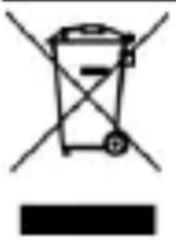
Simple line drawing of a trash bin with crossed lines indicating no waste or plastic, and a solid black bar below (no text or symbols)The device is marked with a crossed-out garbage bin, in accordance with the European Directive 2012/19/EU on used electrical and electronic Equipment (Waste Electrical and Electronic equipment - WEEE). Products marked with this symbol should not be disposed of or dumped with other household waste after a period of use. The user is obliged to get rid of used electrical and electronic equipment by delivering it to designated recycling point in which dangerous waste are being recycled. Collecting this type of waste in designated locations, and the actual process of their recovery contribute to the protection of natural resources. Proper disposal of used electrical and electronic equipment is beneficial to human health and environment. To obtain information on where and how to dispose of used electrical and electronic equipment in an environmentally friendly manner user should contact their local government office, the waste collection point, or point of sale, where the equipment was purchased.
15. Correct disposal of used battery
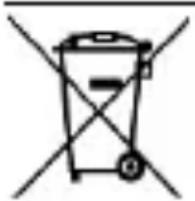
According to the EU directive 2006/66/EC with changes contained in EU directive 2013/56/UE on the disposal of batteries, this product is marked with crossed-out garbage bin symbol. The symbol indicates that the batteries used in this product should not be disposed with regular household waste, but treated according to the legal directives and local regulations. It is not allowed to dispose of batteries and accumulators with unsorted municipal waste. Users of batteries and accumulators must use the available collection points of these items, which allows them to return, recycle and disposal. Within the EU, the collection and recycling of batteries and accumulators is a subject to separate procedures. To learn more about existing procedures of recycling of batteries and accumulators please contact your local office or an institution for waste disposal or landfill.
Manual de usuario
HAMMER Energy 18x9
Website: www.myphone-mobile.com
Fabricado en China
1. Índice
flowchart
graph TD
    A["Hand Click"] --> B["Green Circle with Arrow"]
    B --> C["Green Circle with Blue Arrow"]
    C --> D["Blue Arrow Rolling"]
    D --> E["Green Circle with White Arrow Rolling"]
    E --> F["White Hand Click"]
    F --> G["Green Circle with Green Arrow"]
    G --> H["Green Circle with Blue Arrow"]
    H --> I["Blue Arrow Rolling"]
    I --> J["White Hand Click"]
10. Comunicação
natural_image
Symbol of a trash bin with crossed lines indicating no waste or discharge (no text or labels)natural_image
Simple line drawing of a trash bin with two crossed lines indicating no waste or prohibition (no text or symbols)Website: www.myphone-mobile.com
Fabbricato in Cina
1. Índice
- Pressing during a voice call will cause an increase or decrease of the audio connection volume.
Programmable button
flowchart
graph TD
    A["Hand Click"] --> B["Green Circle with Arrow"]
    B --> C["Arrow to Green Circle"]
    C --> D["Hand Click"]
    D --> E["Green Circle with Arrow"]
    E --> F["Arrow to Green Circle"]
    F --> G["Hand Click"]
    G --> H["Green Circle with Arrow"]
    H --> I["Hand Click"]
    I --> J["Green Circle with Arrow"]