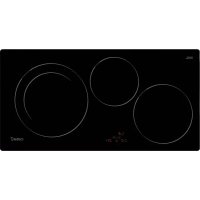
IB 753 BK - Cooker CATA - Free user manual and instructions
Find the device manual for free IB 753 BK CATA in PDF.



| Product type | Induction hob |
| Brand | CATA |
| Model | IB 753 BK |
| Number of zones | 4 |
| Control type | Touch controls |
| Power levels | 9 (1 to 9) + Booster (P) |
| Booster function | Yes, limited to 5 minutes |
| Timer | Independent and per zone (1 to 99 minutes) |
| Child safety | Key lock (display L) |
| Residual heat indicator | Display H when zone is hot |
| Automatic shut-off | After 20 seconds of inactivity; maximum operating time per zone |
| Inadvertent start protection | Object detection on sensors (code ER03) |
| Surface material | Vitroceramic |
| Recommended cookware type | Magnetic base (stainless steel, enameled cast iron); diameter ≥ 10 cm |
| Electrical supply | Mains connection (see rating plate) |
| Installation | Built-in into worktop |
| Maintenance | Scraper for residues, mild cleaner, no abrasives |
| Audible signal | Buzzer for key activation and timer end |
Frequently Asked Questions - IB 753 BK CATA
User questions about IB 753 BK CATA
0 question about this device. Answer the ones you know or ask your own.
Ask a new question about this device
Download the instructions for your Cooker in PDF format for free! Find your manual IB 753 BK - CATA and take your electronic device back in hand. On this page are published all the documents necessary for the use of your device. IB 753 BK by CATA.
USER MANUAL IB 753 BK CATA
Operating and maintenance instructions for hobs
1
THIS APPLIANCE IS CONCEIVED FOR DOMESTIC USE ONLY. THE MANUFACTURER SHALL NOT IN ANY WAY BE HELD RESPONSIBLE FOR WHATEVER INJURIES OR DAMAGES ARE CAUSED BY INCORRECT INSTALLATION OR BY UNSUITABLE, WRONG OR ABSURD USE.
The manufacturer declares that this product meets all the essential requirements for low voltage electrical material set out in European directive 2006/95/EEC of 12 December 2006 and for electromagnetic compatibility as required by European directive 2004/108/EEC of 15 December 2004.
Operating Principle (Fig. 1)
It exploits the electromagnetic properties of most cooking vessels.
The coil (inductor) which produces the electromagnetic field is operated and controlled by the electronic circuit.
The heat is transmitted to food by the cooking vessel itself.
The cooking process takes place as described below.
- loss of heat is minimum (high efficiency)
- the system stops automatically when the vessel is removed or even just lifted from the hob
- the electronic circuit guarantees maximum flexibility and fine adjustments.
(Fig.1)
1 vessel
2 induced current
3 magnetic field
4 inductor
5 electronic circuit
6 power supply
User's Instructions (Fig. 2)
1 Encendido/apagado ON/OFF
2 Minus -
3 Plus +
4 Cooking zone
5 Setting level display
6 Zone selection lights
Installation
All operations relative to installation (electric connection) should be carried out by skilled personnel in conformity with the rules in force.
As for the specific instructions see part pertaining to installer.
Switching the Touch Control ON/OFF "Z"
After mains voltage is applied the control initializes for approx. 1 second before it is ready for operation. After a reset all displays and LEDs glow for approx. 1 second. When this time is over all displays and LEDs extinguish and the control is in the stand-by mode.
Press the ON/OFF (1) button to switch the touch control on. The cooking zone displays show a static "0".
If a cooking zone is in the "hot" status, the display shows a static "H" instead of "0". The bottom right dot is blinking in 1 second intervals on all cooking zone displays to indicate that no cooking zone is selected at the moment.
After switching-ON the electronic control remains activated for 20 seconds. If no cooking zone or timer selection follows within this period of time, the electronic control automatically switches back into the stand-by-mode.
The control can only be switched-ON if it identifies the ON/OFF key alone being operated. Should it recognize key activation other than that, the control remains in the standby-mode.
If the child safety feature is active when switching on, all cooking zones show "L", (LOCKED). If the cooking zones are in a "hot" status, the display shows "L" and "H" in alternation. When the Touch Control is ON it can be switched-
OFF at any time by operating the ON/OFF key. This is also valid if the control has been locked (activated child safety feature).
The ON/OFF key has always priority in the switch-OFF function.
Automatic switch-OFF
When the control is ON it automatically switches-OFF after 20 seconds if no cooking zone or select key has been operated within this period of time. If case of a cooking zone selection, the automatic switch- OFF time is composed of 10 seconds deselection time for a cooking zone at setting"0 and 10 seconds switch-OFF time.
Switching a cooking zone ON and OFF
First place the pan in the chosen cooking zone. If the pan is not present the system cannot be switched on the correspondent zone.

If the touch control is switched on, the cooking zone can be selected by pressing the button (4) of the corresponding zone.
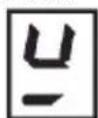
The display (5) of the zone selected lights up, while the remaining displays are dimmed. If the cooking zone is "hot", "H" and "0" are alternately displayed.
Press the PLUS (3) or MINUS (2) button to select a setting and the zone will begin to heat up.
Once the cooking zone has been selected, the setting can be selected by keeping the PLUS (3) button pressed down. The setting begins at level 1 and increases by 1 level every 0.4 seconds. When setting "9" is reached, the setting will not be changed further.
If the setting level has been selected using the MINUS (2) button, the start level is "9" (maximum level). Keep the button pressed down to lower the active level by 1 every 0.4 seconds. When setting "0" is reached, there will be no further setting changed. The setting can only be changed by pressing the MINUS (2) or PLUS (3) button again.
Switching a cooking zone off
Select the zone to be switched off using the corresponding button (4). The display (5) of the zone selected lights up, while the remaining displays are dimmed. Press the Cooking zone (4) and MINUS (2) buttons at the same time and the setting level of the zone is changed to 0. Alternatively, the MINUS button (2) can be used to reduce the setting level to 0. If a cooking zone is "hot", "H" and "0" will be alternately displayed.
Switching-OFF all cooking zones
Immediate switching-OFF of all cooking zones can be achieved anytime by means of the ON/OFF key. In the standby-mode an "H" appears on all cooking zones which are "hot". All other cooking zone displays are not illuminated.
Wattage settings
The output of the cooking zones can be set in 9 steps which are indicated by the figures "1" thru "9" by means of LE sevensegment-displays. In the cooking zone located on the front left, when selecting the power level 9 and after 30 minutes
operating, the power will decrease slightly for safety reasons. In case more power is required, select the boost level ("P")
Boost function
After selection of a respective cooking zone, the boost function can be activated by selecting the power level 9 and then pressing PLUS (3) button. By means of this function certain cooking zones are enabled to receive power over the nominal (the number of boostable cooking zone depends on the power available on a partial modules which is to be less than total hob power). If the desired cooking zone has the capacity to activate the booster, the display shows a "P" symbol. In case the available power is not enough the cooking stage display flashes for 3 seconds on the cooking zone which needs to be reduced and which requires automatic adjustment.
The boosting time is limited to 5 min to protect cooking utensils. After the booster is switched off automatically, the cooking zone continues operation on power level "9". The booster can be reactivated after some minutes.
In case that the pan is removed from the cooking zone during boosting, the boosting function remains active and boosting time continues.
The power management is based on on the principle that the last entry is requested by the induction as top priority. That means that previous actions and settings also made for the other cooking zones are reversed automatically, if necessary. If induction identifies the necessity of reducing power at a cooking zone, the selected cooking stage flashes on that cooking zone providing a correction period of 3 sec before the power is reduced automatically to a minimum cooking stage.
If the setting is adjusted within the correction period, the power management checks the settings again. Should a new setting lead to further power reduction, the correction period starts again. If no automatic correction needs being made to the cooking zone setting, the flashing stops immediately and the original value remains as a steady display indication. Should the situation change again on the power reduced cooking zone, no automatic power increase is effected.
Residual heat indicator
It is meant to indicate to the user that the glass ceramic has a dangerous touch temperature in the circumference of a cooking zone. The temperature will be determined following a mathematical model and the remaining residual heat will be indicated by means of "H" on the corresponding 7-segmentdisplay. Heating-up and cooling down will be calculated dependent on
- the selected setting (,0^ to 9^u )
- the ON/OFF time.
After switching-OFF the cooking zone the respective display shows "H" until the assigned cooking zone temperature is mathematically in a uncritical level. (≤ 60^)
Automatic power OFF function (operating time limitation)
Dependent on the selected setting, every cooking zone will be switched-OFF after a defined maximum operation time if no operation of the assigned cooking zone follows within this time period. Every change of the cooking zone condition (by means of the PLUS-, MINUS- key) puts back the maximum operation time of this cooking zone to the initial value of the operating time limitation.
Protection against unintended switching-ON
-
If the electronic control realizes a continuous operation of keys for approx. 10 seconds, it switches OFF automatically. The control sends out an audible failure signal for 10 seconds, so that the user can remove the object which has been mistakenly placed onto the operation surface. The displays show the failure code "ER03". If the failure carries on for more than 10 seconds, only the code "ER03" will be displayed as long as the failure will be recognized by the electronic control. If the cooking zone is in the "hot" status, "H" will appear on the display in alteration with the failure notice.
-
If no cooking zone will be activated within 20 seconds after switching-ON by means of the Power-key, the control switches back from the ON-condition into the stand-by-mode.
-
When the control is switched- ON the ON/OFF-key has priority over all other keys, so that the control can be switched-OFF anytime, even in case of multiple or continuous operation of keys.
-
In the stand-by mode a continuous operation will not be signalized. However, before the electronic control can be switched-on again, it has to recognize that all keys are not operated.
Key lock (child safety feature)
Child safety feature:
Key lock:
After switching-ON the control the child safety feature can be activated. To achieve this it is necessary to simultaneously operate the front right cooking zone- select-key and the MINUS-key and then press the front right cooking-zoneselect key again. There will be an "L", meaning LOCKED (child safety feature against unintended switching-ON). If a cooking zone is in the "hot" condition, "L" and "H" will be displayed in alternation.
This course of operation has to take place within a period of 10 seconds, no other key than described above may be operated. Otherwise the input will be interrupted because of incompleteness, the cook top will not be locked then. The electronic control remains in a locked condition until it gets
unlocked, even if the control has been switched-OFF and -ON in the meantime. Also a reset of the control (after a voltage drop) does not cancel the key lock.
Unlocking for cooking purposes:
To unlock and operate the control it is required to operate the front right cooking-zone select-key and the MINUS-key simultaneously. "L" (LOCKED) in the display extinguishes and all cooking zones show "0" with a blinking dot. Should a cooking zone be "hot", "H" is displayed instead of the static "0". After switching- OFF the control, the child safety feature is active again.
Cancelling the key lock:
After switching-ON the control the child safety feature can be deactivated. Here it is necessary to simultaneously operate the front right cooking-zone-select key and the MINUS-key and then operate the MINUS-key alone. If all steps have been carried out in the right order within 10 seconds the key lock gets cancelled and the control is OFF. Otherwise the input will be considered incomplete, the control remains locked and switches-OFF after 20 seconds. After a renewed switching-ON by means of the ON/OFF key all displays show "0", the display dots are blinking and the control is ready for cooking. If a cooking zone is in "hot" mode, "0" and "H" will be alternately displayed.
Audible signal (buzzer)
While the control is in operation the following activities will be signaled by means of a buzzer:
- normal key activation with a short sound signal.
- continuous operation of keys over a longer period of time (10 seconds) with a longer, intermittent sound signal.
Timer function (optional)
The timer function is realized in two versions:
- Stand-alone timer 1..99 min: sound signal when the time is over (= minute minder). This function is only available when the cooktop is not in operation, i.e. when there is no cooking.
- Cooking zone timer 1..99 min: sound signal when the time is over, four cooking zones can be programmed independently.
Timer as minute minder (stand-alone):
- If the control is ON and no cooking zone selected, the standalone-timer can be used by simultaneously operating MINUS (2) and PLUS (3) keys.
- Adjustment range (0-99min), it can be set in 1-minute steps with any key, starting at 1 up to 99 (end stop) with the minus-key starting at 99 down to 0 (end stop)
- Continuous activation of the plusor minus-key results in a dynamic increase of the adjustment speed up to maximum value without sound signal.
- when the plus- or minus key is released in the meantime, the adjustment speed starts again from a (low) initial value.
- adjustment can be made with a continuously activated plus-or minus-key or by tip-operation (with sound signal) After the timer is set the time runs down according to the adjustment. When the time is over there is a sound signal and the timer display blinks.
The sound signal will be stopped
- automatically after 2 minutes and/or
- by operating any key. Then the blinking of the timer display stops and the display extinguishes.
Switching-OFF/changing the timer
- The timer can be changed or switched-off anytime by simultaneously operating MINUS (2) and PLUS (3) keys. (with sound signal). The timer will be switched off by counting down to "0" with the minus-key. For 6 seconds the timer display remains at "0" before it will be switched-off.
- If the control will be switched-ON by means of the Powerkey, the stand-alone timer will be switched-off also.
Timer programming on cooking zones
When the control is switched- ON an independent timer can be programmed for every cooking zone.
- By selecting a cooking zone with the cooking-zone-selectkey (4), then selecting the setting and, finally, operating MINUS (2) and PLUS (3) keys simultaneously, the timer can be programmed as a switch-off function for a cooking zone.
- During timer programming, the pilot light (6) of the selected cooking zone blinks.
- When the timer has run down, there is a sound signal and the timer display shows "00" statically, the assigned cooking zone timer LED blinks. The programmed cooking zone will be cut off and ^1H " will be displayed if the coking zone is hot, otherwise a stroke will show in the cooking zone display.
The sound signal and the blinking of the timer LED will be stopped
automatically after 2 minutes
- by operating any key.
The timer display extinguishes.
The basic behaviour follows the description of the "minute minder" (stand-alone-timer).
Precautions
- when the hob is in use keep all magnetizable objects away (credit cards, floppy disks, calculators and so on)
- do not use any alluminium foil or place any foodstuffs wrapped in alluminium foil directly on the hob
- do not place any metal objects such as knives, forks, spoons and lids on the hob surface as they will heat up
- when cooking in a non-stick pan without seasoning, do not exceed 1-2 minutes' pre-heating time
- when cooking food that may easily stick, start at a low power output level and then slowly increase while regularly stirring.
- after cooking is finished, switch off using the control provided (turn down to "0"), and do not rely on the pan sensor
- If the surface of the hob is damaged, immediately disconnect the appliance from the mains to prevent the possibility of electric shock.
- Never use a steam cleaner to clean the hob.
- This appliance hood is not designed to be used by people (including children) with reduced physical, sensorial or mental capacity, or who lack experience or knowledge about it, unless they have had supervision or instructions on how to use the hood by someone who is responsible for their safety.
- Children must be supervised to ensure that they do not play with the appliance.
Cooking vessels (Fig. 3)
- a magnet-attracting vessel may be a suitable vessel for induction cooking
- prefer vessels which are especially declared to be suitable for induction cooking
- flat- and thickbottomed vessels
- a vessel with the same diameter as zones ensures the maximum exploitation of power
- a smaller vessel reduces power exploitation, but does not cause any energy loss. We would anyhow not recommend the use of vessels with diameters smaller than 10cm .
- stainless-steel vessels with multi-layer or ferritic stainless-steel bottoms when specifically suited for induction cooking
- cast-iron preferably enamel-bottomed vessels to avoid scratching the pyroceram surface
- we do not recommend the use of any glass, ceramic, earthenware, aluminium, copper or non-magnetic (austenitic) stainlesssteel vessels.
Maintenance (Fig. 4)
By means of a scraper immediately remove any alluminium foil bits, food spills, grease splashes, sugar marks and other high sugarcontent food from the surface in order to avoid damaging the hob.
Subsequently clean the surface with some towel and appropriate product, rinse with water and dry by means of a clean cloth. Under no circumstance should sponges or abrasive cloths be used; also avoid using aggressive chemical detergents such as oven sprays and spot removers.
- that the plant is fitted with an efficient earth connection, following the standards and law provisions in force.
- The earth connection is compulsory in terms of the law.
Should there be no cable and/or plug on the equipment, use suitable absorption material for the working temperature as well, as indicated on the matrix plate. Under no circumstance must the cable reach a temperature above 50^ of the ambient temperature. Insert in the fixed wiring a mean for disconnection from the supply mains having a contact separation in all poles that provide full disconnection under overvoltage category III conditions, in accordance with the wiring rules. The plug or omnipolar switch must be easily reached on the installed equipment.
This appliance is not intended to be used via an external timer or a remote control system.
The manufacturers decline any responsibility in the event of non-compliance with what is described above and the accident prevention norms not being respected and followed.
To avoid all risk, if the power cable becomes damaged, it must only be replaced by the manufacturer, by an authorised service centre, or by a qualified electrician.
Installer's Instructions
Installation
These Instructions are for the qualified technician, as a guide to installation, adjustment and maintenance, according to the laws and standards in force. These operations must always be carried out when the appliance has been disconnected from the electric system.
Positioning (Fig. 5)
The fixture is especially designed for fitting into a work-top as shown in the corresponding figure. Place the supplied sealing agent along the hob perimeter. Do not install the hob over an oven; in case you do, make sure of the following:
- the oven is equipped with an appropriate cooling system
- there is no warm-air leakage from the oven towards the hob
- suitable air-inlets are provided as shown in the figure.
(Fig. 5)
1 Front view
2 Front side
3 Oven or cupboard zone
4 Air input
Electrical connection (Fig. 6)
Prior to carrying out the electrical connection, please ensure that:
the plant characteristics are such as to follow what is indicated on the matrix plate placed at the bottom of the working area;

QUESTO PRODOTTO E STATO CONCEPITO PER UN IMPIEGO DI TIPO DOMESTICO. IL COSTRUTTORE DECLINA OGNI RESPONSABILITA NEL CASO DI EVENTUALI DANNI A COSE O PERSONE DERIVANTI DA UNA NON CORRETTA INSTALLAZIONE O DA USO IMPROPrio, ERRONEO OD ASSURDO.
Sakerhetsmekanism for barn:
Blockering av touchkontrollerna:
Hnctpykun nn nohnoh3OBate.1 (Pnc.2)
1-BKJIOUHHe H BBKJIIOUHHe
2-Y6aBHTb"-"
3-ПиббавNTb"+"
4-30HaIPIHROBJIeHH
5-OTo6paKeHHe yPoBHa HacTpoKn
6-HNKATOpbBb6opa30HbI
MONTAK
Bce OepaHIN PO MoHTaxy (JIEKTPnuecckne IIOKIIHOeHH) IOJIHKHbI INOH3BO,INTbcr ToIBko KBaJIHΦHnIPoBaHHbIM IepcoHaIOM H B COOTBCTCBH C cyIeCTByIOIHMH HOpMaTHBAMH.
B Pa3IeIc "JMy MOHTaKHHKa" npHbcIeHbI Bcc Iop6octn MOHTaKa.
BkIOChHc H bIKIOChHe Touch Control
IocJIe IIOJIIOHcHnK C cTn IIHTaHn, yKe yepe3 cekyHny Touch Control 6yIET AKTHBHpOBaH.
IocIc c6poca Bccx IINCHIIeEB, IHOJIb LEDs 6yuyr MHRaTb np6H3HTeJIbHO B TeUeHHe OIOHO CEkyHbI. IocIc ETOrO BCC IINCHIIeH INHOJIb LEDs norachYr, H Touch Control nepeJETB COCTOHHOEOKHaHHA.
HaKMHTc KHOIIky BKIOUCHH/BBKIOUChHH (1) ⅡIBAKIOUCHHH CCHCOPHOrO yipabJIChHH.
HaHcIIeB30hAxBapKn BbybNHTe“0”.BcIyueae「ropeHHnOIOHOH30H BapKn (BbICOKa TeMIIepaTypa), HA HcIIe IOBHTcCHMBOI“H”BMecTO"0”。ToKa, pacIoIOKeHHa Ha IpaBoH IIHKHeYactH BceX dHcIIeEB B 30hAx BapKn, bJeT qAcTo MHTaB TteEHNEoHOH cekHybl, HAI HAIOMHHHn, YTO Ioka eIe He Bb6pHa HNOHA BAPKn.
IocJIe BkIIIOHeHn, Touch Control GyIeT aKTHBnPOBaH B TeHeHne 20 ckyH. B TOM cIyHae, eCIN Bb He b6paHn HN 3OHy BapKn, HN TaHmep, Touch Control abTomathueckHe BepHETcB peKHM OKNJdaHH.
Touch Control BKJIOaetcB pa60ry Haxkathem Bcero JINHb OHOI KJIABHH INHTAHN.
B cIyuee eCn Bb HaKaJIOn OJHOBpeMeHNO KJIABHIpyHe KJIABHH, He 6yJeI npO3BeJeHO HHKAKoTO DeiCTBn, H Touch Control octaHertc B pekHMe OKHaJaHH. Ecln B MOMeHT BKIOUChHn AKIHBNPOBaHO IIpHcIOco6IChHe 6c0IIacHocTH IJIeTcH, HA INCHIN Cx BO BCCX 3OHAX BapKn BbICBTcR "L" (locked/3abIOKpObaHo). B cIyuee «rOpEHn» B 3OHAx BapKn, Ha dIncIIeX BbcBETraC NoOepeHIO 6yKBbl "L" "I" (hot/ropuHn).
Touch Control MOKHO B IIO60I MOMENT BIKIOHTB KIAHBIIeH INIHAA. 3TO MOKHO CINATb DAcB TcX cIyAax, KOrJa ynpabJIeHne 3aIIOKNPOBAHO HOCpeCTBOM IIpncIOco6JeHHN 6e3OAnachocTHnIJITeTJ.
KlaBnHa IIHTaIIHbCerIa HMeet npHOpHTe IJIb bIKIOeHHA.
ABTomathueckoBbIKJIOeHHe
IocJIe BkIOueHH, Touch Control BbKIOHuaeTcR aBtOMaTHueeCKn Upe3 20 ckyHπ np OTCyTcTBH DeCtBn. IocJIe Bb6opa 3oHb BapKn, Bpcmr aBtOMaTHuCCKO T BbKIOUChH NOppa3NCTcTa Ha nepHObB B 10 ckyHπ HcTeueHH NepBbIX 10 ckyHd BbKIOHuaeTc 3OHa BapKn, a HcTeueHH CJeDyOuHx 10 ckyHd Touch Control BbKIOHuaeTcR.
BkJIOeHHe/BbIKJIOeHHe 30hB BapKn.
IocTABbTe KAcTPOJIHO Ha coOTBcTCTByIOUHy 3OHy BApKn. Ecln KAcTPOJI He CTOH HA MecTe, ChCTema He AKTHBpyET COOTBcTCTBYIOUHy 3OHy, a Ha INcN.Iee IONABHTc8 CJeDyIOH NCHMBOI:
IIph BkIOHeHOM cHcOpHOM yIpaBJIeHH MOKHO BbI6paT bIO6yBO BapOHyO 30Hy HAKaTHem KHOIIKN BbI6opa COOTBETCTByIOUe 30HOI (5).
Iinie Bb6paHHo3OHb (6) 3 aropaetc ChJbHee, a octaJIbHbc HcIICh rachyT. Ecin 30Ha HarpcBactc, To IooUcpEHO OTo6paKaOTc CHMBOJI «H» H «0».
HaKHMa KHOIIKN «IJIIOC» (3) H «MHHYC» (2), MoKHO BbIpaTb Heo6XoHMBn yPoBeHb MOHOCTH, H 3OHa HaHHeH HarpeBaTbc.
Bb6paB Bapouhyo 30Hy, MoXHO HacTpOHTb ypoBcHb MOIOHOCTH, HaxHMaKHOJky «IJIIOC» (3); HaunHa cypOBHr 1yBeHHeHHe Ha oINH IIIaR 6yJeT npOHcxOHTb KaKJbIe 0,4 c. YpOBeH 9 ABJETcMAKCHMaJIbHbIM yPOBHeM MOIOHOCTH.
Ipn HacptpoKe ypOBH MaIOHOCTn Iprn HOMOuN KHOIIKN
(MaKCHMaJIbHbI yPOBcHb).EcIN yIcPxHBaTB O TY KHOIIKY
HaxaToH, yPOBcHb MOIOHOCTn 6yIeT CHHXaTbcra Ha OINH
KaXbIe 0,4 cekHyIbI. YpOBeHb 0 ABJIEcTc MHHMajlbHbIM
yPOBHeM MoIOOCTH. JIpyERyIHPOBaHHyPOBHa MOIOHOCTn
HcO6xoJIMO ChOba HaKaTb KHOIIKy
Bbkiouenue 6apouno 3onbl
Bb6epHte 30Hy, KOtopyIO Heo6xOINMO OTKIIIOHTb, IIpn HOMOUI COOTBeTCTByIOUe KHOIKN (5). INCHIIeB bIbpaHHoH 30Hb (6) 3aOpHTcra CHIbHee, a OCTaJIbHbIe INCIJIEN IORACHyT. IIpn OIOHBpeMeHHOM HaKaTHN KHOIOK «IJIIOC» (3) H «MHIYC» (2) yPOBEHb MOIHOCTH Bb6paHHoH 30Hb ycTaHaBJIHBAeTCra HA «0». B KaueCTbe aJIbTePHaTHBBI MOKHO HcIIIOB3OBaTB KHOIky «MHIYC» (2), YTO6bl CHIN3HTb yPOBEHb MOIHOCTH IO «0».
3aHTa B CJIyae HeIpn03BOJbIOB BKJIIOeHHA
B cIyHac, cCII 3JIeKTPoHHb KOHTPOJIb OIpcIcJIHr TpAKT HnpepbHBoro HaKaTHHa KJIaBHbU B TeueHHe Ipi6JIH3NTcJIbHO 10cekyH, IpoH3OJHET ABOTOMaTHueCKoe BByKIOUeHHe. Ipo3ByHr AkycTHueckn CnHaaI OH6Kn B TeueHHe 10 cekyH, YTO6bl OIOBcCTHTb IOJIb3OBaTeJb OoiH6Ke, ObHApyKeHHo CEHCOPAM N I I npuHnC II pHyCtTBn IpcMCTa Ha KJIaBHInc. Ha INcIiCC NOBHTCR KoI OIN6KN "ER03", n OH He Ncye3He, IOKA 3JIeKTPoHHb KOHTPOJIb He 3apeHcTPhpyet OIN6Ky. EcIH 3OHa BapKn (rOpHT), HA INcIIee 6yIeT IOBJIaTbcra Oo3HaueHHe "I" IooOpeEINO C oOo3HaueHem OIN6Kn.
B cyuae eHn B TeueHne 20 cekyHIOOCJI BKNHOeHHN Touch Control He 6yET AKTHBNPOBaHa HN OHa H3 30H BApKn, KOHTpoJIb BepHT IIINTy B COCTOAHHE OKHdHHN.
-Пив BKIOHOCHHOM Touch Control, KJIaBHIa ON/OFF HMeet ПИнорHTET OTHOCHTEJBHO OCTAIBHBIX KJIaBHIII. 3TO JaET BO3MOKHOCTb BbIKIOHOTb IIINTy B JIO60I MOMEHT,ДАжЕВ CJIYuae ОДНOBPCMCHHORO HaKaTHHa HcCKOJIbKO KJIaBHIII HIN DJIHTeJIbHORO HaKaTIIHa HIX.
BpcKHMcOHNHaHnIIOCToHHOC HauKaTHHe KaJIaBHnH He OKaKcT HNKaKOrO BO3dCCTBn. B JIObOM CUYAc, IITTO, TTO6bl CHOba BKIOHTb 3IEKTPOHH KOHTPOIB KOHTPOIB CHaVaJa OnpceJIaeT, HkaTa II Kaka-H6yH H3 KJIaBHIII.
6.10KpOBka K.IaBmI (IprHcIOco6.IeHne IIM 6eOHaocOHT eTeii)
Ekokupo6ka klaauiu:
IIA kTHBaHIN IPNCHNOC6EHHN IJIN 6e30nacHocTH JTeH INoCIE BKNIOueHHN Touch Control Tpe6yetca HkaTb OHOBpEmHo HA KJIABHIIY Bb6opapipaboi HHKHei 3OHI Ha KJIABHIIY MEHbIIE, IocIc YcRO CHOBa HAKATb HA KJIABHIIY Bb6opapipAOBn HIXKHe 3OHI. IIOBHTcO 6o3Hauchne L"O3HauAoHcc LOCKED-3AKPbITO (IPNCIO6JeHHe IJIN 6e30nacHocTH JTeH, IpeOTBpaAioHoe HeIPOH3BOJIbHOE BKIOueHHe).B Clyae eCIn 3OHa BapKn «TopHTI, IooOpceHHO 6ydyT NOKa3AHb IOo3HaueHHN "L" H".
JaHHa onepaHn JOnKHa 6bTb npOn3BeHea B TeueHne 10
HocJeIyOuHx CeKyH, H HeJb38 HaKHMaTb Hn Ha OHy n3 KJIaBnH,
HOMMBOH yKa3aHHbIX. B IIpoTHBHOm Clyuae,
HocJeIOBaTeJIbIOCTb 6yET IpeKpaHHe H IIHTa He 3a6IoKpuyetc.
3JIeKToHbIKoHTpoJIb6yJeT 3a6IOKHOBAH IO MOMeHTa eI0 pa36IOKHOBAHIIIOJIb3OBAteJIEM,XOTN HA IPOTJKeHH 3TOI0 BpeMeHH eI0 MOxHO BbIKJIOOHHTb H CHOBA BKIOOHHTb. N daKe c6poc Touch Control (IOcJIe OTKJIIOUeHH INrAHH) He HApYHINT 6IOKHOBky KJIABHI.
Pa36loKupoBaHue Klaaunu dIaBapku:
Ipa36IOKpOBaHHa Touch Control HaKaTb OINHOpeMeHHo Ha KJIaBnHbY Bb6opa 30Hb BapKN, pacIOIOKCHHyO B IpaBOH HIXKHe 3OHe H KaBnHy MEHbIIE. O6O3HaueHHe "L" (LOCKED/ 3a6IOKpOBaHO) Hcye3HET c HcHJIeA, a BO BcEx 3OHax BapKN IOBAHTc8 O6O3HaueHHe "0" co CbETaIEC TcHKO. B cIyuae r o1HOH H3 3OH BapKN, BMEcTO 0 IOBAHTc8 O6O3HaueHHe "H". IIocNe BbIKIOUChHHa Touch Control npncno6JeHc IJia 6e3OHAchOCTH JTei 6yJET CHOBA AKTHBnPOBaHO.
Pa3o1okupo6ka klaauiu:
IocJIe BkHIOueHHn Touch Control MoKHO De3aKTbHnpOBaTb npCHIOcO6JIeHHe 6e30NaHcHcOHT HeTei. JIra 3TOrO cJeMyET OIOHBpeMeHHo HauKaTb Ha KJIaBNIy Bbl6opa 30bH BApKn, paIOIOJckHHyO Ha IpaBoH HIXHcH qCTn H KaJIaBNIy MEHbIIIE, H NocJC 3TOrO ToJIbKO Ha KJIaBNIy MEHbIIIE. EclN Bcc 3TH OIEpaHH BblIOJIHeHb B yKa3aHHOM IopJaKe H B IepHOI NocJIeYIOUIX 10ceKYH, 6IOKHpOBKa KJIaBNI CHHMaETc, H Touch Control BbIKIOHaetc. B IpOTHBOM cIyae, NocJIeIOBaTeNbHOCtB IeCTBn Hc 6yIcT 3AbcpHcHa, Touch Control 6yIcT ocTaBaTbc 3a6IOKHpOBaHHbIM, H OH OTKIOHHTcYepe3 20 ceKyH.
EcnBbCHOBaBKIOHHTe Touch Control c NMOOJIbHO KJIABHHON/OFF,Ha Bcex IHCIIeEx IOBBTcR“0”,IeCtTHHbIe DoJH6yDyTBcBeChb,H Touch Control 6yTe rotOB IJIa HaaJaBaPkn.EcJN KaKaJ-ⅡH6o3OHa rOpayA,Ha IINCIcc 6yDyT IONpcMcHHOOT6paKaTaBC3 HAueHnR «0» H.>
AkyctHueckn chHnaJ (3BOHOK)
Bo Bpemn HcnoJIb3OBaHH, Bby ycJIbHHTe 3BOHOK B cIeIyIOHNx CUYHAX:
- HopmaJIbHoe HaJxMaHHe Ha KJIaBnIIH-KopOTKn CnTHaI.
IIOctOaHHe HaKaHHe Na KJIaBbHIN B TeueHHe 6oJIee 10 cekyII - IIpepbHBCTbI JInHTcJIbHbI CHTHaJI.
Функштаймета
- ABToMaTHnueckN UpeC3 IBC MHHyTbI.
IIpn HaukaTHN JIO6oK KJIABHNH.
Hcnne HpectaHt MHrAtb H BbIKIOHTcA.
Bbkiouhenue /u3meheneue 3adaaHOzo nepuoda 6peenu maImepa
B JIO60MOMeHT MOKHO H3MeHnTb 3aHaHHoe BpeMa TaIMepa HIN BIKJIOOHHTb ERO, HAKAB OIHOBpeMeHHO HAKHMA KHOIIKN "-(2) H "+"(3)(co 3ByKObIM cHIIaIOM). TaIMeP BkIOHHTc, HOTCHET BpeMeHH BepHcTcK "0" HkaTHem KJIaBHIII MEHb IIIE.
B TeueHne 6 cekyH TaHmep 6yder Ha "0", HocJe Yero OH BBIKJIOHOTc.
- IIpn BkIIOUcHH Touch Control (HaKaTb Ha KJIaBHIy IHTaHH) HC3aBHCHMBI TaHMcP BBKIOUHTcI.
Hpozpa.mmmuo6aue maumepa 3n 30n 6apku
BKnIOuHB Touch Control, MoKHO IIporpaMMPOBaIb Hc3aBnCHMbl TaIMCp IIA KaKIOI 30Hb BApKN.
TaimepMOKHO3aIporpaMMNPOBaTbHa BbIKIOUcHc 3OHBI IIpHROTOBIEIHn, BB6paB 30uY IIpHROTOBIEIHn KHOIIKOI Bb6opa 3oHbI (4), 3aTeM B b6paB HAcTpOiKy n, HaKOHcI, OIOHOBCMHHO HAKNMAI KHOIIKN"-" (2) II"+"(3).
BoBpemI IporpaMmHPOBaHH TaIIMePA MHaet KOHTpoJIbHbI HINIKaTOP (6) Bbl6paHHO30HbI pNIROTOBJeHH.
- HCTeueHH 3aHIIHOI nepHOa BpeMeHH Bby ycIbIHHTe 3ByKOBOI cHHaJI, Ha IIcHIIIE I OABHTcO 0o3HaueHHe "00", a INoID LED TOI 3ObI BapK, KOTOPa pAOtaE t TaIMepOM, HauHET MHRATb. 3OHa BAPKN BbIKIOHTcA, a HA IIcHIIIE IOBHTcO 0o3HaueHHe "H" B TOM Clyuae, ecJIN 3OHa «ROPHT". B IpOTHBOM Clyuae Ha IIcHIIIE 3OHa IIONBHTcYePTOQUKa.
3BykoBoB CnHaJI MmHaHne DcHJIe IpeKpaTtca.
- ABToMaTHHcckHNpe3 IBC MHHyTbI.
IIpH HaaatnIIO6oJIaABHH.
HcnTJIe TaMepa BbIKJIOHTc

- Operating Principle (Fig. 1)
- (Fig.1)
- User's Instructions (Fig. 2)
- Installation
- Switching the Touch Control ON/OFF "Z"
- Automatic switch-OFF
- Switching a cooking zone ON and OFF
- Switching-OFF all cooking zones
- Wattage settings
- Boost function
- Residual heat indicator
- Automatic power OFF function (operating time limitation)
- Protection against unintended switching-ON
- Key lock (child safety feature)
- Key lock:
- Unlocking for cooking purposes:
- Cancelling the key lock:
- Audible signal (buzzer)
- Timer function (optional)
- Timer as minute minder (stand-alone):
- The sound signal will be stopped
- Switching-OFF/changing the timer
- Timer programming on cooking zones
- Precautions
- Maintenance (Fig. 4)
- Installer's Instructions
- Positioning (Fig. 5)
- (Fig. 5)
- Electrical connection (Fig. 6)
- QUESTO PRODOTTO E STATO CONCEPITO PER UN IMPIEGO DI TIPO DOMESTICO. IL COSTRUTTORE DECLINA OGNI RESPONSABILITA NEL CASO DI EVENTUALI DANNI A COSE O PERSONE DERIVANTI DA UNA NON CORRETTA INSTALLAZIONE O DA USO IMPROPrio, ERRONEO OD ASSURDO.
- Blockering av touchkontrollerna:
- Hnctpykun nn nohnoh3OBate.1 (Pnc.2)
- MONTAK
- BkIOChHc H bIKIOChHe Touch Control
- ABTomathueckoBbIKJIOeHHe
- BkJIOeHHe/BbIKJIOeHHe 30hB BapKn.
- Bbkiouenue 6apouno 3onbl
- 3aHTa B CJIyae HeIpn03BOJbIOB BKJIIOeHHA
- Ekokupo6ka klaauiu:
- Pa36loKupoBaHue Klaaunu dIaBapku:
- Pa3o1okupo6ka klaauiu:
- AkyctHueckn chHnaJ (3BOHOK)
- Функштаймета
- Bbkiouhenue /u3meheneue 3adaaHOzo nepuoda 6peenu maImepa
- Hpozpa.mmmuo6aue maumepa 3n 30n 6apku
Brand : CATA
Model : IB 753 BK
Category : Cooker