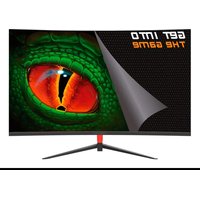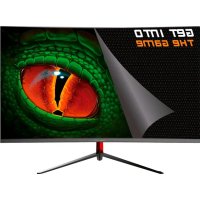
XGM22R - Monitor KeepOut - Free user manual and instructions
Find the device manual for free XGM22R KeepOut in PDF.



| Product type | 21.5-inch Gaming Monitor |
| Brand | KeepOut |
| Model | XGM22R |
| Panel type | VA |
| Resolution | FHD 1920 x 1080 |
| Refresh rate | 75 Hz |
| Response time | 4 ms |
| Backlight | LED |
| Viewing angle (H/V) | 178° / 178° |
| Brightness | 250 cd/m² |
| Contrast ratio | 3000:1 |
| Aspect ratio | 16:9 |
| Video inputs | VGA, HDMI 1.4 |
| Audio input | 3.5 mm jack |
| Built-in speakers | 2 x 3 W |
| VESA mount compatibility | 75 x 75 mm |
| Power supply | 12 V / 3 A power adapter (model THX-120300KDV) |
| Adapter input voltage | 100-240 VAC, 50/60 Hz |
| Maximum power consumption | 36 W |
| Eye care functions | Blue light filter, flicker reduction |
| Operating temperature | Ambient, max 30°C |
| Maximum operating altitude | 2000 m |
| Maintenance | Unplug before cleaning; use a soft dry cloth |
| Manufacturer information | APPROX Iberia S.L., C/Tecnología 5, 41120 Gelves, Seville, Spain |
| Origin | Made in China |
Frequently Asked Questions - XGM22R KeepOut
User questions about XGM22R KeepOut
0 question about this device. Answer the ones you know or ask your own.
Ask a new question about this device
Download the instructions for your Monitor in PDF format for free! Find your manual XGM22R - KeepOut and take your electronic device back in hand. On this page are published all the documents necessary for the use of your device. XGM22R by KeepOut.
USER MANUAL XGM22R KeepOut
Read the instructions
before using
gaming monitor
XGm22B-XGM22
DESCRIPCION DEL PRODUCTO
The XGM22B or XGM22R (depending of the colour) is a 21.5" Gaming monitor with ultra FHD resolution, offering you an unprecedented combination of experience to enjoy your best games, with comfort for your eyes and great image sharpness.
Its 75Hz display is optimized to reduce the emission of blue light waves and minimize flicker, protecting your eyes so you can spend more time playing your games in front of the screen.
Your games will come to life and offers more realistic images. If your thing is Gaming at a high level with a response time of 4ms you will play more fluidly. It includes rear speakers.
PACKAGE CONTENTS
XGM22B or XGM22R
- User Guide
- Base and screws
Power adapter
HDMI cable
Note: Make sure that your packaging contains the items described above. If you find any items missing or damaged, please contact the store where you purchased the product.
SAFETY AND MAINTENANCE INSTRUCTIONS
Read this guide before using the device.
Never open the internal electronic parts, danger of electric shock.
Do not push objects of any kind into the unit through the electronic openings as they may touch voltage points and short out parts, resulting in fire or electric shock.
Do not spill any liquid on the unit.
Never throw the product into a source of heat or fire.
Always keep the product at room temperature, maximum 30^
Do not drop the product, do not sit on it, do not bend the cable. Danger of breakage.
Always place this device on a stable surface. Otherwise, it may fall and become damaged.
Do not use this product at altitudes above 2000m , please note the operating voltage indicated on the back of the monitor and on the supplied adapter (in this case 12VDC/3A).
Do not connect the power adapter to a power outlet with wet hands, otherwise an electric shock may occur.
Always use the supplied power adapter. Do not use a compatible or damaged one. Doing so may result in electric shock or fire.
When cleaning the device, be sure to unplug the power adapter, use a soft cloth instead of industrial chemicals to clean the device, be sure not to let water enter the device.
Do not disassemble this device without permission.
In the event of a fault, be sure to contact a service person to fix it.
Unauthorized disassembly of this device may result in electric shock or fire. In case of unusual noise from this device, be sure to unplug the power adapter and contact authorized service personnel.
When this device is idle for a long time, be sure to turn off the power. Otherwise, electric shock or fire may result.
Follow local ordinances for product disposal.
INPUTS AND OUTPUTS
HDMI input
If your PC has HDMI video output, connect the supplied HDMI cable between the HDMI input of the monitor and the HDMI output of the PC. This input is HDMI version 1.4.
VGA input
If your PC has VGA video output, purchase a VGA cable and connect it between the VGA input of the monitor and the VGA output of the PC.
DC input
Connect the supplied power supply cable to the DC input of the Monitor and plug the adapter into a household electrical outlet. 12V/3A power supply.
3.5mm jack input
This input can only be used if the monitor is connected via a VGA cable, purchase a 3.5mm Jack to 3.5mm Jack (male-male) cable and connect it between the audio output of your PC and the 3.5mm Jack input of the monitor, the PC audio will be played through the rear speakers of the monitor.
FUNCTIONS OF THE BUTTONS
Press the power button to turn the monitor on or off.
Note: To access the monitor options you must have a source connected to one of the monitor inputs.
Press the up button to move up through the different menus and modify the values. If you are not in the OSD menu, it allows you to change the brightness of the display.
Press the down button to move down through the different menus and change values. If you are not in the OSD menu, it allows you to change the different types of screen displays.
Press the Menu button to display the OSD menu on the screen. Once inside, it also has the function to accept or access the internal functions.
Press the Auto button to exit the current menu or exit the OSD menu. If you are not in the OSD menu, a crosshair is displayed on the screen.
OSD MENU
The OSD menu of the monitor provides various settings for the monitor, such as colour, brightness and contrast, etc.
| IMAGE | BRIGHTNESS | Allows you to adjust brightness levels |
| CONTRAST | Adjusts contrast levels | |
| ECO MODE | Allows you to select different presets. | |
| DCR | Enables or Enables the DCR setting. | |
| COLOR | COLOR TEMPERATURE | Allows you to set different colour options: User, Cool, Normal, Warm, Normal, Warm. |
| RED | Make adjustments with red colours prevailing | |
| GREEN | Make adjustments with green colours prevailing | |
| BLUE | Make adjustments prevailing the blue colours | |
| SIZE AND POSITION | ASPECT RATIO | Allows you to set the screen aspect ratio to 16:9 or 4:3 |
| BLUE FILTER | Allows you to enable the blue filter | |
| CONFIGURATION | LANGUAGE | Allows you to select the language |
| INPUT SIGNAL | Allows you to select the image source | |
| MENU ITEM H | Allows you to adjust the OSD position horizontally | |
| MENU POSITION V | Allows you to adjust the position of the OSD vertically | |
| MENU TIME | Allows you to adjust the OSD time | |
| VOLUME | Adjusts the volume of the speakers | |
| RESTORE VALUES | Allows you to adjust the default values | |
| INFORMATION | Displays frequency and resolution |
TECHNICAL SUPPORT
For more information about the installation of this product, please visit our website keepoutgaming.com or send an email to support@keep-out.eu.
TECHNICAL SPECIFICATIONS
Display:21,5" Grade A Matte
Type: VA
Resolution: FHD 1920*1080
Frequency: 75Hz
Response time: 4ms
Backlighting: LED
Viewing Angle: H:178° V:178° Viewing Angle: H:178° V:178
Brightness: 250cd/m2
Contrast: 3000:1
Format: 16:9
Inputs: VGA, HDMI, Audio Jack 3.5mm
Speakers: 2*3W
Vesa: 75mm× 75mm
POWER ADAPTER SPECIFICATIONS
| Name or brand | APPROX |
| Commercial register number | B-91202499 |
| Manufacturer's address | C/Tecnología, 5. Gelves. Sevilla. 41120 |
| Model Identifier | THX-120300KDV |
| Description Model identifier | AC/DC Adapter for XGM22R, XGM22B |
| Input voltage | 100-240VAC, 0.65A |
| Input AC frequency | 50/60Hz |
| Output voltage | 12VDC |
| Max. output current | 3A |
| Max. output power | 36W |
| Average active efficiency | 88.13% |
| Efficiency at low load (10%) | 88.92% |
| No load power consumption | 0,134W |
RECYCLING
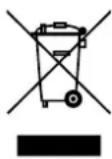
AEE REI-RAEE 5548 In this manual, the crossed-out wheeled bin symbol indicates that the product is subject to a European directive, 2002/96/EC, electrical or electronic products, batteries, accumulators and other accessories must be subject to separate collection.
At the end of the device's life, make use of the recycling bins. This gesture will help reduce health risks and preserve the environment.
The town halls and distributors will provide you with the essential details regarding the recycling of your old device. If this device has an internal battery, it must be removed and disposed of separately for proper disposal.
DESCRIPTION DU PRODUIT
Keep Out is a registered brand of Approx Iberia. S.L. C/TecnoLogia 5, PO Box 15, 41120 Gelves, Sevilla (Spain). Keep Out is not associated to any manufacturer. All brands and registered trademarks are the property of their respective owners and are used for descriptive purposes only. Made in China.
support@keep-out.eu.
The content of this guide is subject to typographical errors