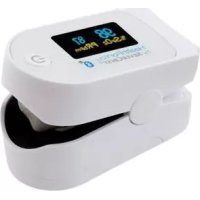
IAN 322246 - Pulse oximeter SILVERCREST - Free user manual and instructions
Find the device manual for free IAN 322246 SILVERCREST in PDF.


| Product Type | Fingertip Pulse Oximeter |
| Brand | SilverCrest |
| Model Reference | SPO 55 / IAN 322246 |
| Dimensions (L x W x H) | 58.5 x 31 x 32 mm |
| Weight (without batteries) | Approx. 27 g |
| Power Supply | 2 AAA 1.5 V batteries |
| Battery Life | Approx. 2 years (3 measurements/day of 60 s) |
| Measurement Method | Non-invasive: arterial oxygen saturation (SpO₂) and pulse rate |
| SpO₂ Measurement Range | 0 – 100 % |
| SpO₂ Accuracy | ± 2 % (70 – 100 %) |
| Pulse Measurement Range | 30 – 250 beats/min |
| Pulse Accuracy | ± 2 beats/min |
| Internal Memory | 100 slots |
| Data Transmission | Bluetooth® Low Energy |
| Display | Screen with auto-rotation (portrait/landscape) |
| Operating Conditions | +10 °C to +40 °C, RH ≤ 75 %, 700-1060 hPa |
| Storage Conditions | -40 °C to +60 °C, RH ≤ 95 %, 500-1060 hPa |
| Classification | IP22, Type BF applied part |
| Expected Service Life | 3 years |
| Cleaning and Maintenance | Soft cloth with medical alcohol; do not immerse |
| Warranty | 3 years (excluding wear, improper use) |
| Package Contents | Oximeter, 2 AAA batteries, instruction manual, quick guide, belt pouch, tether strap |
| Serial Number | In the battery compartment |
Frequently Asked Questions - IAN 322246 SILVERCREST
User questions about IAN 322246 SILVERCREST
0 question about this device. Answer the ones you know or ask your own.
Ask a new question about this device
Download the instructions for your Pulse oximeter in PDF format for free! Find your manual IAN 322246 - SILVERCREST and take your electronic device back in hand. On this page are published all the documents necessary for the use of your device. IAN 322246 by SILVERCREST.
USER MANUAL IAN 322246 SILVERCREST
Instructions for use and safety notes
PL
PULSOKSYMETR
Before reading, unfold both pages containing illustrations and familiarise yourself with all functions of the device.
图图
GB / IE Instructions for use and safety notes Page 53
www.healthforyou.lidl
App/Web-Version "HealthForYou"
Bluetooth ^® and the related logo are registered trademarks of Bluetooth SIG, Inc. Use of these brands by Hans Dinslage GmbH is under license. All other brands and trade names are the property of the respective owners.
Apple and the Apple logo are trademarks of Apple Inc., registered in the U.S. and other countries. App Store is a service mark of Apple Inc., registered in the U.S. and other countries. Google Play and the Google Play logo are
trademarks of Google LLC. Android is a trademark of Google LLC.
52 DE/AT/CH
List of pictograms used......Page 55
Introduction Page 58
Intended use......Page 58
Function Page 59
Improper use Page 60
Parts description......Page 61
Scope of delivery......Page 62
Technical data......Page 62
Important safety notes......Page 65
Battery safety notes......Page 69
Initial use......Page 71
Inserting / Replacing batteries...... Page 72
Attaching the neck strap......Page 72
"HealthForYou" App/Web version..... Page 73
Use......Page 74
Measurements......Page 77
Transferring measurements to the
"HealthForYou" app via Bluetooth®......Page 78
Analysing measurements......Page 81
Altitude-related drop in
oxygen saturation Page 82
Cleaning and care......Page 84
Storage Page 85
Troubleshooting Page 86
Disposal Page 89
Warranty / Service......Page 91
Information on electromagnetic compatibility....Page 94
| List of pictograms used | |||
| Warns of risks of injury or health hazards | Read instructions for use | ||
 | Safety note related to possible damage to the product / components |  %SpO_2 %SpO_2 | Arterial oxygen saturation of haemoglobin (in percent) |
| Safety notes |  PR bpm PR bpm | Pulse rate (beats per minute) | |
| Instructions |  | Permissible storage, transport and operating pressure | |
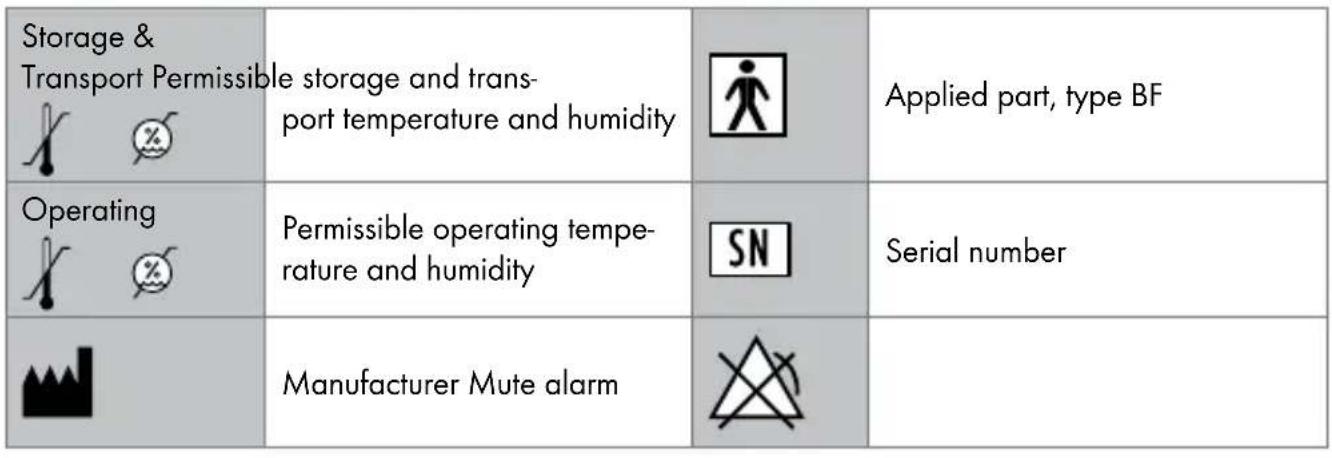 |
 0483 0483 | This product fulfils the requirements of the applicable European and national directives. | IP22 | Device protects against foreign matter ≥12.5 mm and against water falling diagonally |
 | Improper disposal of batteries can harm the environment! |  | Dispose of the packaging and pulse oximeter in an environmentally friendly manner! |
 | Data transfer via Bluetooth® low energy technology |  | Batteries included (2 x AAA) |
Pulse oximeter
- Introduction

Familiarise yourself with the pulse oximeter before using it for the first time. Please carefully read the following instructions for use and the important safety notes. Failure to observe the notes may result in personal injury or property damage. Only use the pulse oximeter as described and for the indicated
purposes. Keep these instructions for use in a safe place. Include all documentation when passing the pulse oximeter to third parties.
Intendeduse
Only use the SPO 55 pulse oximeter on people to measure the arterial oxygen saturation (SpO _2 ) of haemoglobin and the heart rate (pulse rate). The pulse oximeter is suitable for private environments (at home) and healthcare (hospitals, medical facilities).
Any other use not specified above or modification of the pulse oximeter is prohibited and may result in injuries and / or damage the pulse oximeter. The manufacturer assumes no liability for damages caused by improper use.
Function
The SPO 55 pulse oximeter serves non-invasive measurement of the arterial oxygen saturation ( SpO_2 ) and the heart rate (pulse rate). The oxygen saturation indicates the percentage of haemoglobin in the arterial blood is loaded with oxygen. The respiratory function is therefore an important parameter of assessment.
The pulse oximeter uses two rays with different wavelengths which strike the finger inside the housing to take measurements. A low oxygen saturation rate is primarily caused by illness (respiratory illnesses, asthma, heart failure, etc.). People with a low oxygen saturation rate often experience the following symptoms: shortness of breath, increased heart rate, impaired performance,
59 GB/IE
nervousness and perspiration. Chronic and known low oxygen saturation requires monitoring with your pulse oximeter under medical supervision. An acute low oxygen saturation, with or without symptoms, requires immediate medical attention. This could be a sign of a life-threatening condition. The pulse oximeter is therefore particularly suited for high-risk patients such as persons with heart disease, asthma, as well as for athletes and healthy persons in high altitudes (e.g. mounting climbers, skiers or amateur pilots).
Improperuse
!me pulse oximeter shows
an instant measurement but cannot be used for continuous monitoring.
The pulse oximeter does not have an alarm and is therefore not suitable for analysing medical results. Do not self-diagnose or self-treat based on the measurements without consulting your attending physician. Do not start new medication without consulting a physician and do not modify the type and / or dosage of current medications.
The pulse wave and the pulse bar do not allow an assessment of the intensity of the pulse or circulation at the measured site but solely visualise the current signal visualisation at the site measured, but does not allow certain pulse diagnosis.
Partsdescription
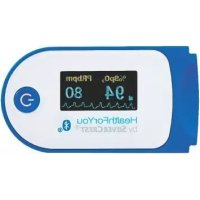
1 Display
2 Function button
3 Finger opening
4 Battery cover

Display
5 Oxygen saturation (value in percent)
6 Pulse rate (value in beats per minute)
7 Pulse wave (plethysmographic waveform)
8 Pulse bar
9 Battery level
10 Strap
- Scope of delivery
1 SPO 55 pulse
oximeter
1 Strap
1 Set of instructions
2 1.5 V AAA batteries
for use
1 Belt pouch
1 Quick start guide
●Technicaldata
Model no.: SPO 55
Measuring method: non-invasive measurement of the arterial oxygen
saturation of haemoglobin
and pulse frequency of the finger
Measuring range: SpO_2 0–100 %,
Pulse 30-250 beats /
minute
Accuracy: SpO_2 70-100 %, ± 2 %,
Pulse 30-250 bpm,
± 2 beats / minute
Dimensions: 58.5 mm x 31 mm x 32 mm
(L × W × H)
Weight: approx. 27 g (without batteries)
Sensor system for
measuring SpO_2 : red light (wavelength 660 nm); infrared (wavelength 905 nm); silicon receiver diode
Admissible operating
conditions: +10 °C to +40 °C, ≤ 75 % relative humidity, 700- 1060 hPa ambient pressure
Admissible
storage conditions: -40 °C to +60 °C, ≤ 95 % relative humidity, 500–1060 hPa ambient pressure
Power supply: 2 x 1.5 V === AAA batteries Battery life: 2 AAA batteries provide app- prox. 2 years of use at 3 measurements per day (60 seconds each).
Classification: IP22, applied part type BF Expected service life: 3 years Memory spaces: 100
Data transfer
via Bluetooth®
low energy
technology: The pulse oximeter uses Bluetooth ^ low energy technology, frequency band 2.402–2.480 GHz, the maximum transmitting power distributed in the frequency band < 2.87 dBm
For a list of compatible smartphones, information about the "HealthForYou" app and software, and further details about the devices please visit: www.healthforyou.lidl
System requirements
of the "HealthForYou"
web version: - MS Internet Explorer
- MS Edge
- Mozilla Firefox
- Google Chrome
-AppleSafari
(respective current versions)
System requirements
of the "HealthForYou"
App: iOS version 10.0 and up,
Android ^TM Version 5.0 and up,
Bluetooth ^® 4.0 and up.
The serial number is located inside the battery compartment.
Technical specifications subject to change without notice due to updates.

Important safety notes
WARNING! This device is not intended for use by people (including children) with restricted physical, sensory or mental skills or a lack of
experience and / or a lack of knowledge, unless they are supervised by a person who is responsible for their safety or are instructed by such a person in how to use the device.
■ Do NOT use the pulse oximeter
- if you are allergic to rubber products.
- if the device or the respective finger is moist.
- on toddlers or infants.
- during an MRI or CT scan.
- on the arm with the cuff whilst measuring the blood pressure.
- on fingers with painted nails, dirt or adhesive bandages.
- very large fingers which cannot easily be inserted in the device without using force (fingertip: width approx. >20 mm, thickness approx. >15 mm).
- on fingers with anatomic deformities, oedemas, scars or burns.
- on too small of fingers such as in toddlers (width approx. < 10 mm, thickness approx. < 5 mm).
- in areas the patient is restless (e.g. trembling).
- near flammable or explosive gas mixtures.
■ Prolonged use of the pulse oximeter may cause pain in persons with circulatory disorders. Therefore do not use the pulse oximeter on the same finger for longer than approx. 2 hours.
- Do not look directly into the housing during measurement. The red light and the invisible infrared light of the pulse oximeter is harmful to the eye.
■ Failure to observe the following instructions may result in faulty or failed measurements:
- Do not use nail polish, artificial nails or other cosmetic on the monitored finger.
- Be sure the fingernail on the monitored finger is short enough so the finger pad covers the sensor elements inside the housing.
- Keep the hand, finger and body still during measurement.
- Oxygen saturation and heart rate measurements may be false or impossible in persons with arrhythmia.
-T he pulse oximeter will display high measurements when carbon monoxide poisoning is present.
- To prevent false readings, keep bright light sources (e.g. fluorescent lamps or direct sunlight) out of the immediate surroundings of the pulse oximeter.
- Measurements may be faulty or false in persons with low blood pressure, jaundice or taking vasoconstriction medications.
- False measurements should be expected in patients who have received contrast agents in the past, and in patients with haemoglobin abnormality. This particularly applies to carbon monoxide poisoning and methaemoglobin poisoning caused by e.g. local anaesthetics or due to methemoglobin reductase deficiency.
■ Protect the pulse oximeter from dust, shock, moisture, and extreme temperatures.
- Keep out of areas with explosive substances.
Routinely inspect the pulse oximeter to ensure the device is not visibly damaged before use and the battery level is sufficient. When in doubt, do not use and contact service or an authorised retailer.
Do not use additional parts not recommended or sold as accessories by the manufacturer.
- Never open or repair the device or the proper function cannot be guaranteed. Non-compliance will void the warranty.
- Please contact service or an authorised retailer for repairs.

Battery safety notes
■ DANGER TO LIFE! Keep batteries out of the reach of children. Seek immediate medical attention if swallowed!
EXPLOSION HAZARD! Never recharge disposable batteries. Never short-circuit and /or open es. The battery may overheat, igniteode.
■ Never throw batteries into fire or water.
■ Never exert mechanical stress on batteries.
Risk of battery leakage
- Avoid extreme conditions and temperatures which may affect batteries, e.g. radiators / direct sunlight.
If batteries / rechargeable batteries have leaked, avoid contact with skin, eyes and mucous membranes with the chemicals!
Flush immediately the affected areas with fresh water and seek medical attention!
WEAR SAFETY GLOVES!
Leaked or damaged batteries can cause burns on contact with the
skin. Therefore wear suitable safety gloves in this case.
In the event of a battery leak, immediately remove the batteries from the product to prevent damage.
Only use the same type of batteries. Do not mix old and new batteries!
■ Remove the batteries if the product will not be used for an extended period.
Risk of product damage
■ Only use the specified battery type!
- Insert the batteries according to the polarity marking (+) and (-) on the battery and the product.
- Clean the contacts on the battery and inside the battery compartment before inserting!
- Immediately remove drained batteries from the product.
- Do not use rechargeable batteries.
- Initial use
☐ Verify the parts listed in the scope of delivery are complete.
☐ Remove all packaging material.
- Inserting/Replacing batteries
☐ Slide the battery cover open (Fig. C).
☐ Insert the two included batteries (with the correct polarity) in the pulse oximeter (Fig. D). Please note the marking inside the battery compartment.
☐ Close the battery compartment (Fig. E).
Note: Measurement data is still retained after the battery has been replaced.
- Attaching the neck strap
☐ To transport the pulse oximeter more easily, you can attach a neck strap to the device.
-
Push the narrow end of the neck strap through the bracket (Fig. I).
-
Feed the other end of the neck strap through the loop of the narrow end, and pull tight (Fig. J).
●"HealthForYou" App/Web version
Download the free app "HealthForYou" from the Apple App Store and Google Play.
☐ Follow the installation instructions on the screen.
Alternatively, you can also visit the website at www.healthforyou.lidl.
Use
The function button 2 on the pulse oximeter has 4 functions:
| On | Briefly press the function button 2 to switch on the pulse oximeter. |
| Activate and deactivate Bluetooth® | Briefly press the function key 2 to switch on the pulse oximeter.Hold the function key 2 on the switched on pulse oximeter pressed for 5 seconds to proceed to Bluetooth®settings. “*ON” or “*OFF” will appear on the display.Briefly press the function key 2 to activate (*ON) or deactivate (*OFF) Bluetooth®.To return to measuring, hold the function key 2 pressed for 5 seconds. |
| Activate and deactivate Bluetooth® | To switch off the pulse oximeter, wait 10 seconds. The pulse oximeter will then automatically switch off. |
| Transferring measurements to the "HealthForYou" app and synchronising the time and date | There are two options for transferring data to the "HealthForYou" app. Bluetooth® must be activated (ON) on your smartphone and on the pulse oximeter for both options.Note: The "HealthForYou" app must be open for transfer to occur.Option 1: Hold the function key 2 on the switched off pulse oximeter pressed for 5 seconds to transfer the data to the app. |
| Transferring measurements to the “HealthForYou” app and synchronising the time and date | Option 2: After measurements are taken, the data will automatically be sent to the app. If Bluetooth® is deactivated (OFF), the notification OFF will be displayed after your measurement has been carried out. |
| Brightness function To select your desired display brightness, hold down the function button 2 for slightly longer during operation. | |
! Note
The orientation of the display (landscape, portrait) is automatic. This means that it is always easy to read the values on the
display, regardless of how you hold the pulse oximeter.
☐ The memory of the pulse oximeter has over 100 storage slots. If these are all full, the oldest value will be overwritten.
☐ To reset the device to its factory settings, proceed as follows:
-
Remove one of the two batteries inserted into the device.
-
Press and hold the function button and reinsert the battery.
-
After inserting the battery, hold down the function button 2 for a further 5 seconds. If you have successfully
followed the instructions, "RESET" will appear in the display.
Measurements
Slide one finger into the finger opening on the pulse oximeter. Hold the finger still (Fig. F).
Press the function button. The pulse oximeter will now begin the measurement. Do not move during measurement (Fig. G).
After a few seconds the display will show your measurements (Fig. H).
77 GB/IE
After removing your finger from the pulse oximeter, the device will automatically switch off after approx. 10 seconds.
●Transferring measurements to the "HealthForYou" app via Bluetooth®
Note: Bluetooth ^® must be activated ( ✕ ON) for transfer to occur.
Note: The "HealthForYou" app must be open for transfer to occur.
The time and date will be synchronised with the smartphone during every data transfer.
Note
As soon as you have connected the pulse oximeter with your smartphone, the current date and time are updated on the pulse oximeter.
We therefore recommend connecting the pulse oximeter with your smartphone before taking your first measurement, so that all measurements are saved with the current date and correct time.
To synchronise measurements with your smartphone via Bluetooth®:
□ Activate Bluetooth®th your smartphone settings, open the "HealthForYou" app and follow the instructions.
☐ Select and connect to the SPO 55 in the settings menu of the app. A randomly generated six digit PIN code will be displayed on the pulse oximeter. At the same time, an entry field will appear on your smartphone where you should enter this PIN code.
There are two options for synchronising data to your smartphone. Bluetooth ^® must be activated ( ) on your smartphone and on the pulse
oximeter for both options. The "HealthForYou" app must also be open on the smartphone.
Option 1: Hold the function key 2 on the switched off pulse oximeter pressed for 5 seconds. "SYNC" will flash on the display 1. The device will now attempt to connect to the app for 30 seconds. Once connected, "SYNC" will stop flashing. All stored measurements will be automatically transferred to the app. The pulse oximeter will then automatically switch off.
Option 2: After measurements are taken, the data will automatically be sent to the app. "SYNC" will flash on the display 1.
The device will attempt to connect to the app for 30 seconds.
Once connected, "SYNC" will stop flashing.
All stored measurements will be automatically transferred to the app. The pulse oximeter will then automatically switch off.
If Bluetooth ^® is deactivated (OFF), the notification
* OFF will be displayed after your measurement has been carried out.
●Analysingmeasurements
WARNING! The following table for assessing measurements does NOT apply to persons with certain pre-existing conditions (e.g. asthma, heart failure, respiratory disorders) and in altitudes over 1500 metres.
If you have a pre-existing condition, always consult your physician to analyse your measurements.
| SpO2 (oxygen saturation) measurement in % | Classification / required action |
| 99-94 Normal range | |
| 93-90 Low range: medical consultation recommended | |
| < 90 Critical range: medical consultation urgently required | |
| Source: According to “W Windisch et al., S2k-Guideline: Non-invasive and Invasive Ventilation for Treatment of Chronic Respiratory Failure - Update 2017; Pneumologie 2017; 71: 722-795” | |
Altitude-related drop in oxygen saturation
Note: The following table provides information on how different altitudes affect the oxygen saturation and how this affects the human organism. The following table does NOT apply to persons with certain pre-existing conditions (e.g. asthma, heart failure, respiratory disorders, etc.). Persons with pre-existing conditions may already experience symptoms (e.g. hypoxia) in low altitudes.
| Altitudes Expected SpO_2 value (oxygen saturation) in % | Affects on people |
| 1500-2500 m>90 No anoxia (typically) | |
| 2500-3000 m~ 90 Anoxia, acclimatisation recommended | |
| Source: Hackett PH, Roach RC: High-Altitude Medicine. In: Auerbach PS (ed): Wilderness Medicine, 3rd edition; Mosby, St. Louis, MO 1995; 1-37. | |
- Cleaning and care

ATTENTION! POSSIBLE PROPERTY
DAMAGE! Do not use high pressure sterilisation on the pulse oximeter!
Never hold the pulse oximeter under water, as liquid may enter and damage the pulse oximeter.
☐ Clean the housing and the rubberised inner surface of the pulse oximeter with a soft
cloth dampened with surgical spirits after every use.
Replace the batteries if the display on the pulse oximeter shows the battery 9 is low.
☐ If the pulse oximeter will not be used for more than one month, remove both batteries from the device to prevent possible battery leakage.
Storage
ATTENTION! POSSIBLE PROPERTY
DAMAGE! Store the pulse oximeter in a dry location (relative humidity ≤ 95 %). High humidity can shorten the life or damage the pulse oximeter. Store the pulse oximeter in a location with ambient temperatures between -40 °C and 60 °C.
85 GB/IE
- Troubleshooting
| Problem Possible cause Solution | ||
| The pulse oximeter doesn't display measurements. | The batteries inside the pulse oximeter are drained. | Replace the batteries. |
| The batteries were inserted incorrectly. | Reinsert the batteries. If measurements are not displayed after inserting the batteries correctly, please contact service. | |
| Pulse oximeter shows interrupted measurements or severe jumps in the measurement. | Circulation problems in the finger being measured. | Refer to warnings and safety notes. |
| The finger being measured is too large or too small. | The fingertip must be the following size: between 10 and 20 mm wide between 5 and 15 mm thick | |
| The finger, hand or body are moving. | Keep the finger, hand and body still during measurement. | |
| Arrhythmia Seek medical attention. | ||
| Unable to transfer the measurements. | The "HealthForYou" app is not open or Bluetooth® is off in the smartphone settings. | Activate Bluetooth® on your smartphone and start the app. |
| The batteries in the pulse oximeter are low or drained. | Replace the batteries. | |
| The device is still on. Wait for the device to switch off. | ||
| Bluetooth® is not switched on. | Activate Bluetooth® (ON). | |
●Disposal
The packaging is made entirely of recyclable materials, which you may dispose of at local recycling facilities.
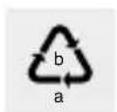
Observe the marking of the packaging materials for waste separation, which are marked with abbreviations
(a) and numbers (b) with following meaning:
1-7: plastics / 20-22: paper and fibreboard / 80-98: composite materials.

The product and packaging materials are recyclable, dispose of it separately for better waste treatment. The Triman logo is valid in France only.

Contact your local refuse disposal authority for more details of how to dispose of your worn-out product.
To help protect the environment, please dispose of the product properly when it has reached the end of its useful life and not in the household waste. Information on collection points and their opening hours can be obtained from your local authority.
Per Directive 2006/66/EC and its amendments, defective or used batteries must be recycled. Return the batteries and/or the product to a collection site.
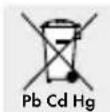
Improper disposal of batteries can harm the environment!
Never dispose of batteries in your household bin. They may contain toxic heavy metals and are subject to hazardous waste regulations. The chemical symbols of the heavy metals are: Cd = cadmium, Hg = mercury, Pb = lead. Therefore dispose of used batteries through your local collection facilities.
- Warranty / Service
The pulse oximeter is covered by a 3 year warranty from the date of purchase for defects in material and manufacture.
The warranty does not cover:
- Damage due to improper use.
·Wearparts.
- Damage caused by the customer.
- If the device has been opened by an unauthorised repair shop.
This warranty does not affect the customer's legal rights. The customer must provide proof of purchase in order for any warranty claims within the warranty period to be honoured. The warranty claim must be filed with Hans Dinslage GmbH, Uttenweiler, Germany, within 3 years from the date of purchase.
In the event of a complaint, please contact our Service Department listed below:
Service Hotline (toll-free):
GB
∅ 0800 93 10 319
(Mon-Fri: 8 am-6 pm)
service-uk@sanitas-online.de
IE
1800 93 92 35
(Mon-Fri: 8 am-6 pm)
service-ie@sanitas-online.de
If we ask you to return the defective pulse oximeter, please send the product to the following address:
NU Service GmbH
Lessingstraße 10b
89231 Neu-Ulm/GERMANY
IAN 338569\_2001
This device complies with European Standards EN60601-1 and EN60601-1-2 (conformity with CISPR 11, IEC 61000-4-2, IEC 61000-4-3, IEC 61000-4-8) and is subject to special precautions with respect to electromagnetic compatibility. Please note that portable and mobile HF communication devices may interfere with this device. You can request further information from the customer service address below.
This device complies with EU Medical Devices Directive 93/42/EEC, the Medical Devices Act and standard DIN EN ISO 80601-2-61 (Medical electrical equipment–Particular requirements for basic safety and essential performance of pulse oximeter equipment).
We hereby confirm that this product complies with the European RED Directive 2014/53/EU. The CE declaration of conformity for this product
is available at: www.beurer.com/web/we-landingpages/de/cedeclarationofconformity.php.
●Informationon electromagnetic compatibility
The device is suitable for use in all environments that are listed in these instructions for use, including in the home.
In the presence of electromagnetic disturbances, the device may under some circumstances only be useable to a limited extent. This can result in error messages or the breakdown of the display / device, for example.
The use of the device immediately next to other devices or stacked with other devices is to be avoided, as this can result in faulty operation. If it is necessary to use the device in such a way in spite of this, this device and the other device
should be monitored to make sure that they are working correctly.
The use of equipment other than that which has been specified or made available by the manufacturer of this device can lead to electromagnetic interference or the reduced electromagnetic stability of the device and can lead to faulty functioning.
Keep portable RF communication devices (including peripheral equipment such as antenna cables or external antennae) at least 30 cm away from all device parts, including all cables supplied. Failure to observe these instructions may lead to a reduction in the performance features of the device.
Failure to observe these instructions may lead to a reduction in the performance features of the device.
Bluetooth ^® and the related logo are registered trademarks of Bluetooth SIG, Inc. Use of these brands by Hans Dinslage GmbH is under license. All other brands and trade names are the property of the respective owners.
Apple and the Apple logo are trademarks of Apple Inc., registered in the U.S. and other countries. App Store is a service mark of Apple Inc., registered in the U.S. and other countries. Google Play and the Google Play logo are trademarks of Google LLC. Android is a trademark of Google LLC.
low energy technology,
bande de fréquence
2,402-2,480 GHz,
service-f@sanitas-online.de
BE
∅ 0800 70 611
(Iu.-ve.: 8-18 horloge)
service-be@sanitas-online.de
Bluetooth ^® and the related logo are registered trademarks of Bluetooth SIG, Inc. Use of these brands by Hans Dinslage GmbH is under license. All other brands and trade names are the property of the respective owners.
Apple and the Apple logo are trademarks of Apple Inc., registered in the U.S. and other countries. App Store is a service mark of Apple Inc., registered in the U.S. and other countries. Google Play and the Google Play logo are
149 FR/BE
trademarks of Google LLC. Android is a trademark of Google LLC.
App/web-versie "HealthForYou"
Le order icon de WAARSCHUWING!
Service hotline (gratis)
NL
0800 54 30 543
(ma.-fr.: 8-18 klok)
service-nl@sanitas-online.de
BE
0800 70 611 (ma. - fr.: 8-18 klok)
service-be@sanitas-online.de
Bluetooth ^® and the related logo are registered trademarks of Bluetooth SIG, Inc. Use of these brands by Hans Dinslage GmbH is under license. All other brands and trade names are the property of the respective owners.
Apple and the Apple logo are trademarks of Apple Inc., registered in the U.S. and other countries. App Store is a service mark of Apple Inc., registered in the U.S. and other countries. Google Play and the Google Play logo are
trademarks of Google LLC. Android is a trademark of Google LLC.
2,402-2,480 GHz, emitowanq
service-pl@sanitas-online.de
Bluetooth ^® and the related logo are registered trademarks of Bluetooth SIG, Inc. Use of these brands by Hans Dinslage GmbH is under license. All other brands and trade names are the property of the respective owners.
Apple and the Apple logo are trademarks of Apple Inc., registered in the U.S. and other countries. App Store is a service mark of Apple Inc., registered in the U.S. and other countries. Google Play and the Google Play logo are trademarks of Google LLC. Android is a trademark of Google LLC.
NOSIT OCHRANNÉ RUKA-
www.beurer.com/web/we-landingpages/de/ cedeclarationofconformity.php.
Bluetooth ^® and the related logo are registered trademarks of Bluetooth SIG, Inc. Use of these brands by Hans Dinslage GmbH is under license. All other brands and trade names are the property of the respective owners.
Apple and the Apple logo are trademarks of Apple Inc., registered in the U.S. and other countries. App Store is a service mark of Apple Inc., registered in the U.S. and other countries. Google Play and the Google Play logo are trademarks of Google LLC. Android is a trademark of Google LLC.
Legenda použitých piktogramov......Strana 295
Úvod......Strana 298
NOSTE OCHRANNÉ RUKA-
Bluetooth ^® and the related logo are registered trademarks of Bluetooth SIG, Inc. Use of these brands by Hans Dinslage GmbH is under
license. All other brands and trade names are the property of the respective owners.
Apple and the Apple logo are trademarks of Apple Inc., registered in the U.S. and other countries. App Store is a service mark of Apple Inc., registered in the U.S. and other countries. Google Play and the Google Play logo are trademarks of Google LLC. Android is a trademark of Google LLC.

Hans Dinslage GmbH
Riedlinger Str. 28
88524 Uttenweiler
GERMANY
- PULSOKSYMETR
- 图图
- App/Web-Version "HealthForYou"
- List of pictograms used......Page 55
- Introduction Page 58
- Important safety notes......Page 65
- Initial use......Page 71
- Use......Page 74
- Pulse oximeter
- - Introduction
- Intendeduse
- Function
- Improperuse
- !me pulse oximeter shows
- Partsdescription
- Display
- - Scope of delivery
- ●Technicaldata
- Important safety notes
- Battery safety notes
- Risk of battery leakage
- WEAR SAFETY GLOVES!
- Risk of product damage
- - Initial use
- - Inserting/Replacing batteries
- - Attaching the neck strap
- ●"HealthForYou" App/Web version
- Use
- ! Note
- Measurements
- ●Transferring measurements to the "HealthForYou" app via Bluetooth®
- Note
- ●Analysingmeasurements
- Altitude-related drop in oxygen saturation
- - Cleaning and care
- ATTENTION! POSSIBLE PROPERTY
- Storage
- - Troubleshooting
- ●Disposal
- Improper disposal of batteries can harm the environment!
- - Warranty / Service
- IAN 338569\_2001
- ●Informationon electromagnetic compatibility
- App/web-versie "HealthForYou"
- NOSIT OCHRANNÉ RUKA-
- Legenda použitých piktogramov......Strana 295
- Úvod......Strana 298
- NOSTE OCHRANNÉ RUKA-
- Hans Dinslage GmbH
Brand : SILVERCREST
Model : IAN 322246
Category : Pulse oximeter