DR 880 - Marine VHF Radio ALBRECHT - Free user manual and instructions
Find the device manual for free DR 880 ALBRECHT in PDF.



User questions about DR 880 ALBRECHT
0 question about this device. Answer the ones you know or ask your own.
Ask a new question about this device
Download the instructions for your Marine VHF Radio in PDF format for free! Find your manual DR 880 - ALBRECHT and take your electronic device back in hand. On this page are published all the documents necessary for the use of your device. DR 880 by ALBRECHT.
USER MANUAL DR 880 ALBRECHT
natural_image
Exterior view of a vintage-style electronic device with two speakers and a digital display (no visible text or symbols)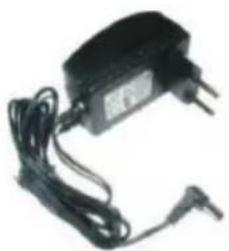
natural_image
Black electronic device with attached wires and a power plug (no visible text or symbols)

text_image
ALBRECHT DR 880 ALBRECHT DR 880 DINJAM-DR 880 Deep Sound Modelnatural_image
Close-up of a black plastic electronic component with a white arrow pointing to its side (no text or symbols visible)text_image
DAB Scanning Stations 8 43%- Table of content....16
- Before you start....17
- Language....17
- Package contents....18
- Overview of your DR 880 ....18
5.1 Front Panel 18
5.2 Back Panel....19
5.3 Remote Control....20
- DAB/DAB+ Radio mode .....20
6.1 Scanning for stations 21
6.2 Selecting stations.... 21
6.3 Preset a Station 21
6.4 Preset recall 21
6.5 Manual Tune 21
6.6 DAB display information....21
6.7 Dynamic range control (DRC)....22
6.8 Station Order....22
- FM Radio Mode....22
7.1 Selecting stations....22
7.2 Preset a station....23
7.3 Preset recall 23
7.4 FM display information....23
7.5 FM Audio Setting....23
- Aux in mode....24
- System Settings....24
9.1 Equalizer 24
9.2 Backlight 24
9.3 Time/Date setup....24
9.4 Alarm....24
9.5 Sleep (Timer) 25
9.6 Factory reset....25
9.7 Info 25
9.8 Language 25
- Troubleshooting....26
- Warranty and Recycling Information....27
2. Before you start
Please read these instructions carefully. They contain important information which will help you get the best from your product and ensure safe and correct installation and operation.
General safety information
- Keep the product and all its parts out of reach of small children.
- This product is not intended for use by persons (including children) with reduced physical, sensory or mental capabilities, or lack of experience and knowledge, unless they have been given supervision or instruction concerning the use of the appliance by a person responsible for their safety.
- Do not attempt to open the product. This product does not contain any user serviceable parts. Unauthorised handling of the device may damage it and will void your warranty.
- Do not use your Radio near emergency/intensive care medical equipment; if you have a pacemaker fitted or during an electrical storm.
- To avoid possible hearing damage, do not listen to this radio at high volume levels for long periods of time. Always keep the volume within reasonable limits.
Power source
- Only use the power supply that came with the product. Using an unauthorised power supply will invalidate your guarantee and may irrecoverably damage the product.
- Disconnect your Radio from the mains power supply during thunderstorms.
• Always check that you have completely switched off your Radio, before you change or disconnect the power supply. - Where the mains power plug or an appliance coupler is used as the disconnect device, the disconnect device shall remain readily operable.
Moisture and water
- Keep it dry. Avoid exposure to precipitation, humidity and liquids which could all affect the product circuitry.
- Do not leave it in low temperatures as moisture can form inside the product, which may damage the circuit board.
Ventilation
- Do not block or cover slots, holes or openings on the product by placing on soft furnishings such as carpets, rugs or beds as these are provided for functionality and/or ventilation to ensure safe operation of the product
Heat sources and flames
- Do not leave it in high temperatures as electronic devices and plastic parts may warp in heat.
- Keep it away from bright sunlight or heat sources, such as a radiator.
3. Language
If you would like to change the language, press „MENU“ on the remote control or directly on the radio and go to „System-Einstellungen/Sprache“ to switch to your preferred language.
4. Package contents
Please make sure that the following contents are included in the package:
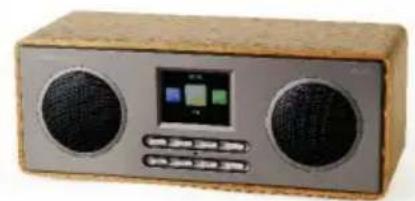
- DR 880 Radio
- Power supply
- Remote control
- DR 880 User manual
natural_image
Exterior view of a wooden electronic device with two speakers and a digital display (no visible text or symbols)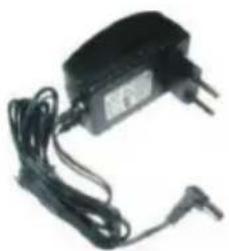
natural_image
Black electronic device with attached wires and a power plug (no visible text or symbols)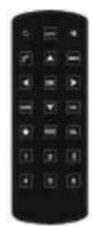

text_image
ALBRECHT DR 880 ALBRECHT DR 880 DINJAM-DR 880 Deep Audio Model5. Overview of your DR 880
Please spend some time to familiarize yourself with its features.
5.1 Front Panel

text_image
Speaker LCD-Display 14:04 AUX DAB FM DAB/DAB+ ENTER MENU VOL+ INFO MODE VOL- ENTER INFO ▲/▼ MODE MENU VOL+/VOL-
Long press to switch on/off the radio (in standby mode: showing clock and date)
MENU: Short press to return to main menu or previous menu
▼: Scroll down
▲: Scroll up
ENTER: (OK) Confirm your selection of a menu option
MODE: DAB/DAB+, FM, AUX
VOL+: Increase the output volume
VOL-: Decrease the output volume
INFO: Press to toggle the radio station information
5.2 Back Panel

text_image
ALBRECHT, GmbH DR 840 DAB!DAB+/FM Radio Power:DC PV=1.0A Production Lot: Alan Electronics GmbH ROHS 11 12 1 16 2016 3 8 7 6 5 4 LIN :IN Dr -91 1 2The DR880 has the following connectors at the backside:
- Line in (AUX)
- DC power in
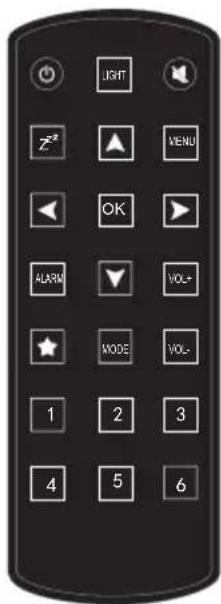
5.3 Remote Control
Switch on/off the radio (in standby mode: showing clock and date)
LIGHT: Select the backlight level
: Mute the audio output.
Z^z : Shortcut to Sleep timer settings
▲: Scroll up, enter text
▼: Scroll down, enter text
◀: Go back to previous menu
▶: Confirm your selection of an option and go to the next submenu.
OK: (ENTER) Confirm your selection of a menu option
ALARM: Short cut to Alarm 1, Alarm 2 settings
MODE: DAB/DAB+, FM, AUX
VOL+: Increase the audio output.
VOL-: Decrease the audio output.
1\~6: Recall a preset radio station
text_image
LIGHT Z# MENU OK ALARM VOL+ MODE VOL- 1 2 3 4 5 6
natural_image
Close-up of a black plastic electronic component with a white arrow pointing to a cutout (no text or symbols visible)Battery: Before the first use of the remote control you have to insert the provided CR2025 Lithium battery, This type of battery should last many month or even years when used on regular basis. The battery has to be inserted so the + sign shows upwards.
6. DAB/DAB+ Radio mode
DAB radio mode receives DAB/DAB+ digital radio and displays information about the station.
Telescopic antenna: please make sure that the antenna is fully extended before you switch on your radio and attempt to tune to a DAB/FM station (a vertical position is recommended). This will ensure that the maximum signal strength is available when the radio begins to scan. Extending the antenna also ensures the best possible sound quality.
To enter DAB mode, press MODE > DAB > OK or ENTER
6.1 Scanning for stations
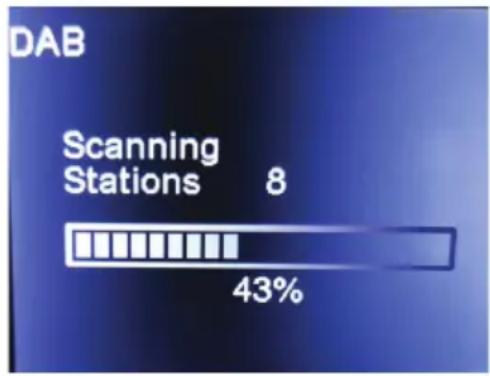
The first time you select DAB radio mode, or if the station list is empty, DR 880 automatically performs a full scan to search for available stations.
text_image
DAB Scanning Stations 8 43%Once the scan is complete, the radio shows a list of available stations
If you wish to do a DAB full scan later again, select Menu > Full Scan > OK. Please note that the staion list (not the favorites) will be overwritten.
6.2 Selecting stations
To change a station, press ▼ or ▲ to scroll through the list of stations and press OK to select. Once selected, the station plays and the screen shows information about the station, track or show.
6.3 Preset a Station
DR 880 has 20 preset memories for DAB, In order to save a DAB station, press and hold ★ on the remote control or Menu > Preset store > OK on the device, then press ▲/▼ to select the memory.
6.4 Preset recall
Press 1-6 or ★ on the remote control to recall the preferred station. You can also select Menu > Preset Recall on the radio.
6.5 Manual Tune
As well as the normal method of scanning and selecting stations from a list, you can also tune manually to a particular channel/frequency. To manually tune, select Menu > Manual Tune and press ▼ or ▲ to select a particular channel/frequency.
6.6 DAB display information
While the DAB radio is playing, the display shows information of the current song. To view further information, press INFO. Each time you press INFO, another set of information is displayed, cycling through DLS text, signal strength, programme type, ensemble name, channel number/frequency, signal error rate, bit rate/codec, time and date. Additionally DAB+ is able to show slideshow pictures transmitted by the radio stations. In order to switch between full screen and minimized view press Select.
6.7 Dynamic range control (DRC)
If you are listening to music with a high dynamic range in a noisy environment, you may wish to compress the audio dynamic range. This makes quiet sounds louder, and loud sounds quieter. There are 3 levels of compression:
- DRC off - no compression. This is the default setting.
• DRC low - medium compression.
• DRC high - maximum compression.
Press Menu > DRC > ▲/▼ to select High, Low or Off > and press OK to confirm.
6.8 Station Order
The stations are listed by Alphanumeric/Ensemble/Valid.
Press Menu > Station Order > ▲/▼ to select Alphanumeric, Ensemble or Valid > and press OK to confirm.
7. FM Radio Mode
FM radio mode receives analogue radio from the FM band and displays RDS (Radio Data System) information about the station and show (where broadcasted).
To enter FM mode, press MODE > FM > OK or ENTER
7.1 Selecting stations
The first time you select FM radio, DR 880 is set to the bottom of the FM band.

text_image
08:00 AM 87.50MHz 1/1 ↑SEEK↓ ←TURN→Long press ▲/▼ to seek for FM stations The frequency display starts to run up/down as DR 880 scans the FM band. It stops when it receives a station.
You may short press ▲/▼ to tune stations manually. Each step moves 0.05MHz.
To transfer the next receivable 20 FM stations into the memory, press MENU > Scan > OK You can turn with ◀/▶ between the preset FM stations.
Attention: The Scan function overwrites all previous preset stations!
7.2 Preset a station
DR 880 has 20 preset memories for FM. In order to save a FM station, press and hold ★ on the remote control or Menu > Preset store > OK on the device, then press ▲/▼ to select the memory.

text_image
06:10 System Settings Preset Recall Preset Store FM Audio Setting 3/47.3 Preset recall
Press 1-6 or ★ on the remote control to recall the preferred station. You can also select Menu > Preset Recall on the radio.

text_image
Preset Recall 01. 02. 89.80 03. 91.80 04. 87.80 05. 94.20 06. 95.80 01/207.4 FM display information
When listening to an FM station you can change the information that will appear on the second line of the display: Radiotext (RT). This is scrolling text information supplied by the broadcaster. Information could be the name of an artist or music title, DJ's name, contact details for the radio station etc.
- Program Type (PTY) - Such as 'Rock', 'Pop', Talk' or 'News'
• Station name or frequency - Such as WDR2 or 93.30MHz
• Audio mode – Stereo or Mono
• Time and date - supplied by the broadcaster.
Repeatedly press and release the Menu/Info button to cycle through the different information options.

text_image
08:00 AM S2 87.8 87.8MHz ↑TURN↓ ←SEEK→ AUTO ↕7.5 FM Audio Setting
The radio will automatically switch between Stereo and Mono, depending on the quality of the signal being received but you can override this function and manually switch between 'Forced Mono' and 'Stereo Allowed'.
8. Aux in mode
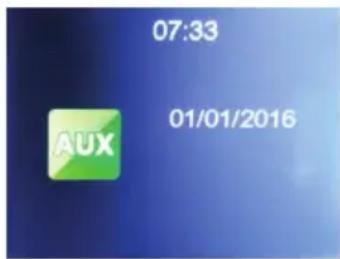
Aux in mode plays audio from an external source such as an MP3 player, mobile phone, etc. To play audio with Aux in mode:
- Turn the volume low on at the audio source device.
- Connect the external audio source to the LINE-IN 3.5mm stereo socket.
- Press MODE > AUX > OK.
- Adjust the volume at the audio source device as required.
Note: You can't adjust or mute the volume on the DR880, only on the external source
text_image
07:33 01/01/2016 AUX9. System Settings
Press MENU > System Settings > OK select between Equalizer, Backlight, Time/Date, Alarm, Sleep, Factory Reset, Info or Language.
9.1 Equalizer
Default Equalizer is Rock, you may change to Normal, Classic, Pop or Jazz.
9.2 Backlight
Configure the backlight brightness of the display.
If you select Power Saving you can select the level to which the display is dimmed down when the radio enters the Standby mode or when the radio gets no key input for 15, 20, 30, 45, 60, 90, 120 or 180 seconds (Timeout).
The On options keeps the display always illuminated. You can adjust the Timeout (no key input) and Brightness (Level) in three steps (High, Medium, Low).
The brightness-levels are also selectable with the LIGHT button on the remote control.
9.3 Time/Date setup
Set Time/Date- Press ▲/▼ to adjust and ◀/► to move between the digits and press OK to confirm.
Set Format- Chose time format display as 12 Hour or 24 Hour (default) and press OK to confirm.
Set Update- Chose the update source: Update from DAB, Update from FM or No Update and press OK to confirm.
9.4 Alarm
Alarm1 and Alarm2 are two independent alarms.
Choose Alarm 1 or 2 and press the OK button to select. Use ▲/▼ to choose between: Alarm-Mode, Alarm-Time, Alarm-Sound, Alarm-Volume and press OK to confirm. Press ▲/▼ to adjust the mode, time, sound and volume settings, press ◀/► to move between the digits.
When the alarm(s) is/are set, there will be a clock icon at the top of the display. The clock icon with alarm time will also be displayed on the standby mode screen. During alarm, press any key to enter snooze mode. It will alarm again after 5 minutes. Press the ⏻ key to stop the alarm. Alarm settings are also available via ALARM on the remote control

text_image
09:13 43 Alarm Mode : Daily Alarm Time : 09:01 Alarm Sound : Buzzer Alarm Volume : 0 1/49.5 Sleep (Timer)
The Sleep Timer turns the radio off after the adjusted time:
15/30/45/60/75/90/105/120 minutes. Once the time is set, there will be a bed icon with remaining minutes at the top right corner of the display. The DR 880 will switch into Standby mode once the time runs out. Sleep Timer settings are also available with Z^Z via remote control
9.6 Factory reset
Restore the default settings. Please note all the Station presets, settings and configuration will be lost after you have performed the "Factory Reset".
9.7 Info
Shows the Software and DAB Version

text_image
SW version DAB1800-160922 DAB SDK v0.5.17 r81809.8 Language
Default OSD language is German, you may change to: English/Dansk/Nederlands/Suomi/Français/Deutsch/Italiano/Norsk/Polski/Português/Espanol/Svenska/Türkçe
10. Troubleshooting
| Error Remedy | |
| The device does not switch on. 1. | Check if the power adaptor is connected properly.2. The device may malfunction when used in areas with strong radio interference. The device will work properly again once there is no more interference. |
| No sound 1. Turn on the sound | as it may be muted2. Increase the volume. |
| Radio reception is poor 1. Check/move the FM antenna.2. Move the radio to a different location.3. Check that you do not have other electrical equipment too close to your radio, causing interference.4. Visit www.digitalradio.de for information about DAB reception in your area. | |
| Alarm does not work 1. Switch on the alarm.2. Due to the volume setting, refer to the solutions of “No sound”.3. The source of alarm was set to a station that can't be received. Change the source of alarm. | |
| The function buttons do not respond | Check that the power supply is switched on. Press and release the Power button on the radio.Try a reset to factory defaults.NOTE: All of your settings, including the radio station list and any presets will be deleted when you reset the Radio |
11. Warranty and Recycling Information
We are legally obliged to include disposal and warranty information as well as EU declaration of conformity with the use instructions in different countries for every unit. Please find this information on the following pages.
2-Year Warranty from Date of Purchase
The manufacturer/retailer guarantees this product for two years from date of purchase. This warranty includes all malfunctions caused by defective components or incorrect functions within the warranty period excluding wear and tear, such as exhausted batteries, scratches on the display, defective casing, broken antenna and defects due to external effects such as corrosion, over voltage through improper external power supply or the use of unsuitable accessories. Defects due to unintended use are also excluded from the warranty.
Please contact your local dealer for warranty claims. The dealer will repair or exchange the product or forward it to an authorized service center. You can also contact our service partner directly. Please include your proof of purchase with the product and describe the malfunction as clearly as possible.
WEEE and Recycling
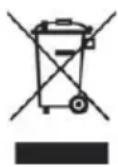
The European laws do not allow any more the disposal of old or defective electric or electronic devices with the household waste. Return your product to a municipal collection point for recycling to dispose of it. This system is financed by the industry and ensures environmentally responsible disposal and the recycling of valuable raw materials.
Service Address And Technical Hotline (for units sold in Germany)
Alan Service
c/o Transerv2000 Repair Service GmbH & Co. KG
Servicecenter Frankfurt
Robert-Bosch-Str. 35
D - 64625 Bensheim
Contact our service hotline by phone +49 (0) 6251 9856 5 55 (regular costs for German fixed network) or e-mail at Service.alan@transerv2000.de
Conformity Declaration
Hereby, Alan Electronics GmbH declares that the radio equipment type DR 883 is in compliance with Directive 2014/53/EU. The full text of the EU declaration of conformity is available at the following internet address: www.alan-electronics.de

Printing errors reserved.
Information in this user manual are subject to change without prior notice.

ALBRECHT® Audio
ALBRECHT DR 880
natural_image
Exterior view of a wooden box radio with two speakers and a digital display (no visible text or symbols)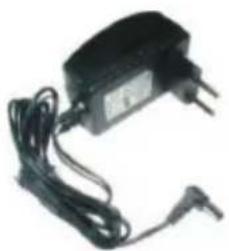
natural_image
Black electronic device with two leads and a power adapter, no visible text or symbols
text_image
ALBRECHT DR 880 ALBRECHT DR 880 DINJAM-DR MAIN Deep Audio Englishnatural_image
Close-up of a black plastic container with a white arrow pointing to its side (no text or symbols visible)text_image
DAB Scanning Stations 8 43%natural_image
Exterior view of a vintage-style electronic device with two speakers and a digital display (no visible text or symbols)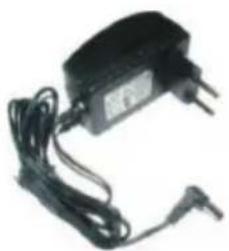
natural_image
Black electronic device with attached wires and a power plug (no visible text or symbols)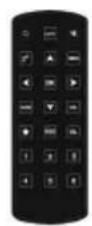
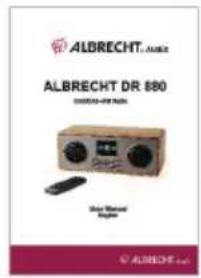
text_image
ALBRECHT DR 880 ALBRECHT DR 880 DINJAM-DR 880 Deep Sound ModelMODE: DAB/DAB+, FM, AUX
MODE: DAB/DAB+, FM, AUX