E4WP31 - Appliance accessory ELECTROLUX - Free user manual and instructions
Find the device manual for free E4WP31 ELECTROLUX in PDF.



User questions about E4WP31 ELECTROLUX
0 question about this device. Answer the ones you know or ask your own.
Ask a new question about this device
Download the instructions for your Appliance accessory in PDF format for free! Find your manual E4WP31 - ELECTROLUX and take your electronic device back in hand. On this page are published all the documents necessary for the use of your device. E4WP31 by ELECTROLUX.
USER MANUAL E4WP31 ELECTROLUX
natural_image
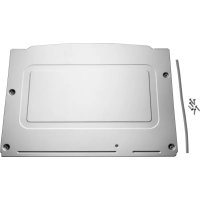
Pure technical line drawing of a rectangular device casing with mounting holes and a central rectangular frame (no text or symbols)1.1 Appliance overview
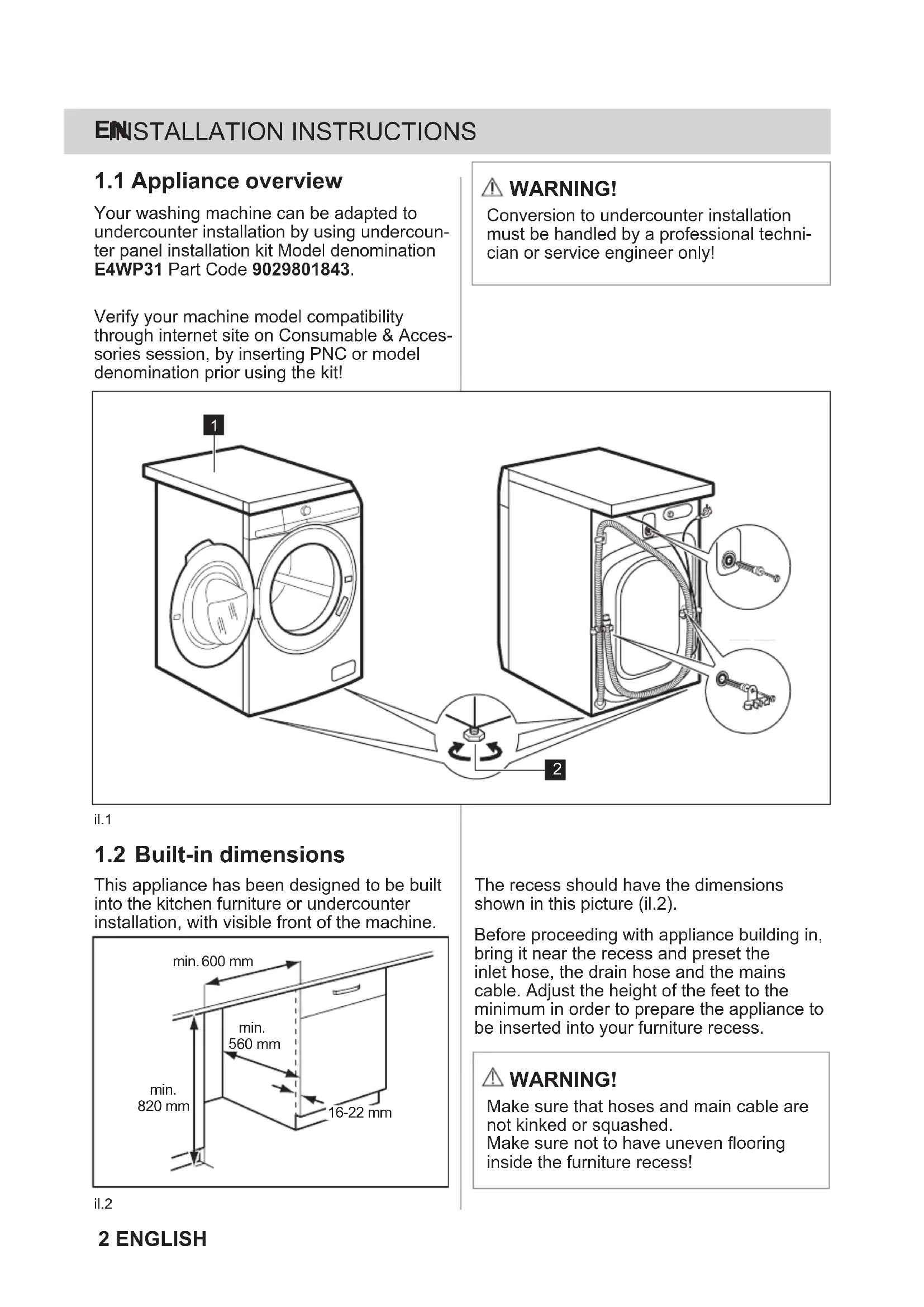
Your washing machine can be adapted to undercounter installation by using undercounter panel installation kit Model denomination E4WP31 Part Code 9029801843.
Verify your machine model compatibility through internet site on Consumable & Accessories session, by inserting PNC or model denomination prior using the kit!
⚠ WARNING!
Conversion to undercounter installation must be handled by a professional technician or service engineer only!
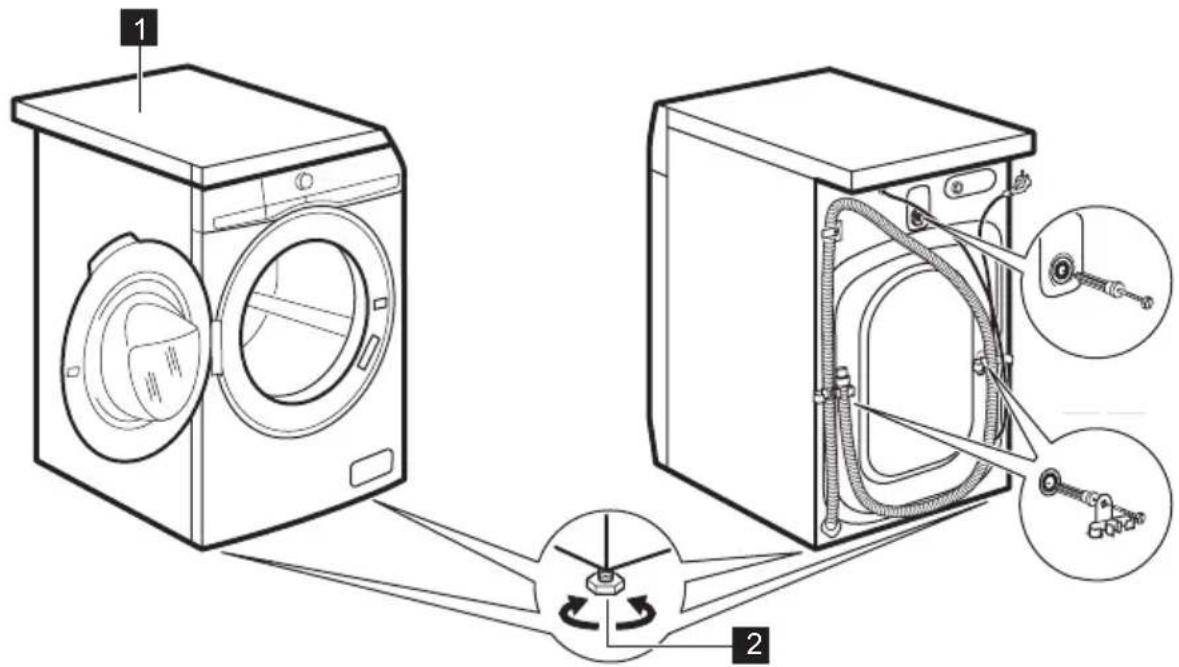
il.1
1.2 Built-in dimensions
This appliance has been designed to be built into the kitchen furniture or undercounter installation, with visible front of the machine.
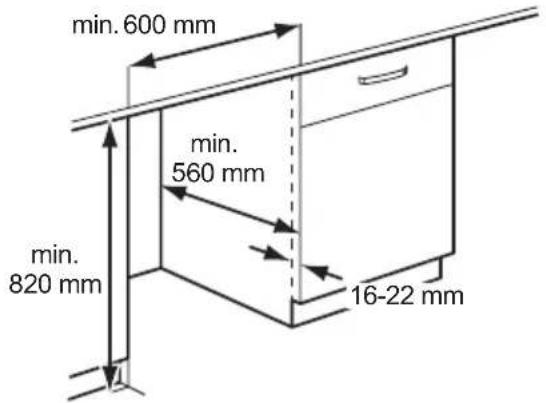
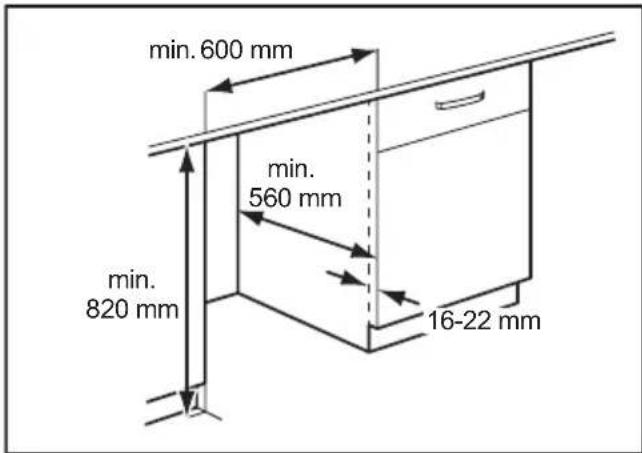
The recess should have the dimensions shown in this picture (il.2).
Before proceeding with appliance building in, bring it near the recess and preset the inlet hose, the drain hose and the mains cable. Adjust the height of the feet to the minimum in order to prepare the appliance to be inserted into your furniture recess.
WARNING!
Make sure that hoses and main cable are not kinked or squashed.
Make sure not to have uneven flooring inside the furniture recess!
il.2
2 ENGLISH
1.3 Installation Instructions
Tools needed: Electrical screwdriver with Cross, Torx T20 & Hexagonal 7, 8 mm bits
1.3.A
- To install the kit please remove the original worktop 1 by unscrewing the two back top fastening screws located left and right side on the machine back.
- Use a screwdriver with cross (or hexagonal 8mm) bit.
- Save the 2 screws removed as they will be reused afterwards.
- Slide the Worktop towards the back to disengage it from front fastening. Store the original worktop for any future reuse, if the case.
- Open the conversion kit package to access to the flat steel metal panel.
1.3.B
- Please unscrew and remove the 2 front screws highlighted by arrow.
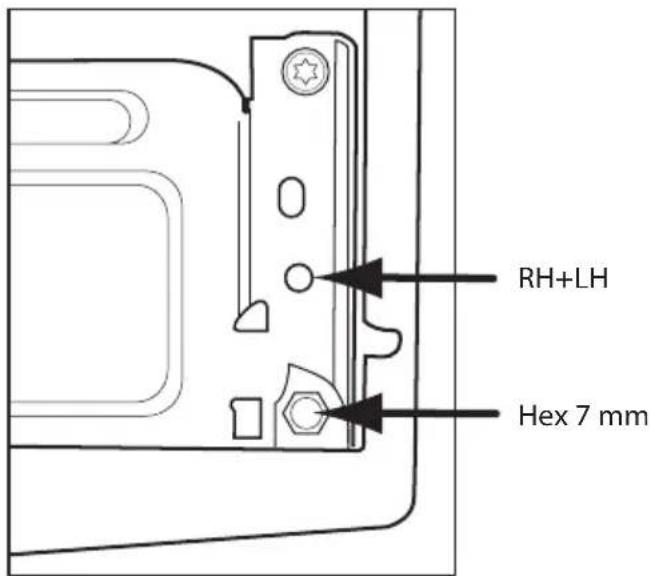
il.3
1.3.C
- Seal assembly between facia panel and front beam.
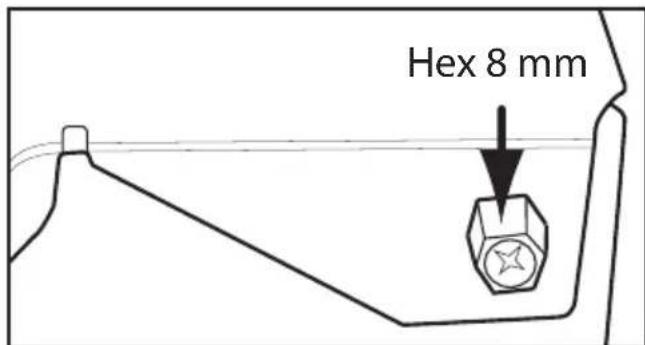
- Remove the hexagonal head screws that hold facia panel on LH & RH front side, using a 7 mm bit.
- Unsnap the highlighted facia panel hook (il.4). Facia panel can go in ajar condition.
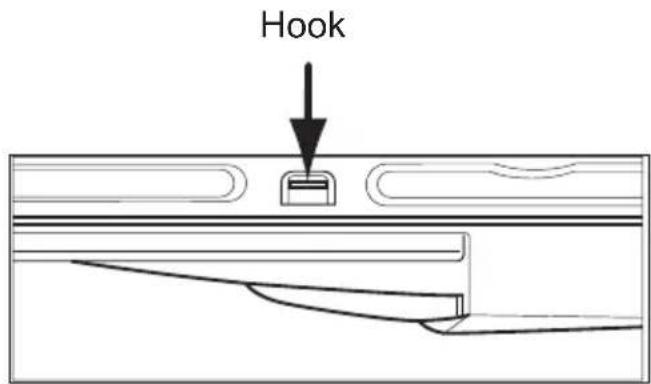
il.4
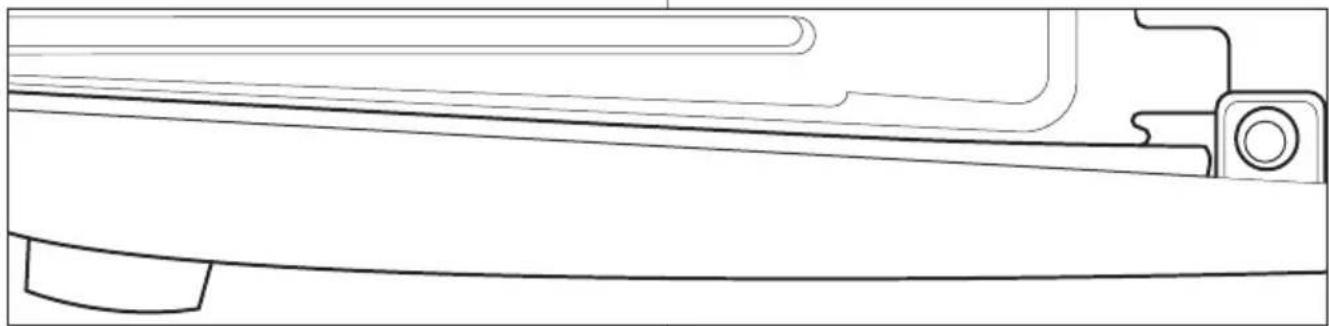
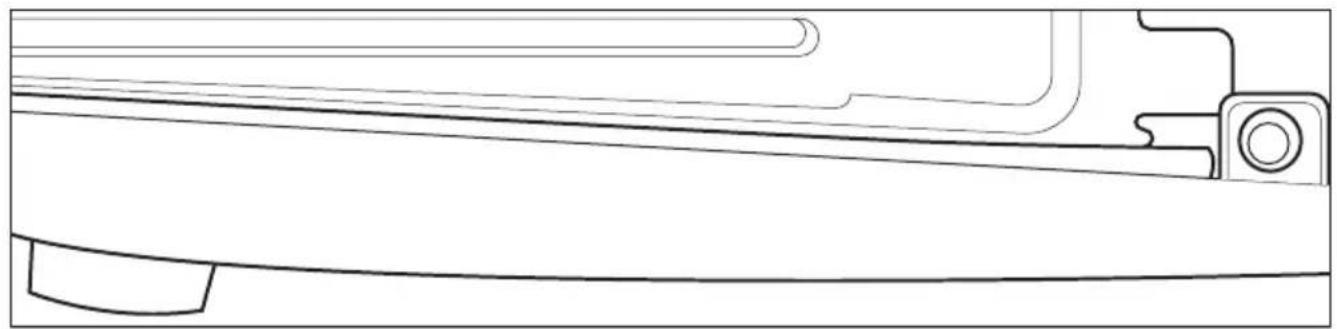
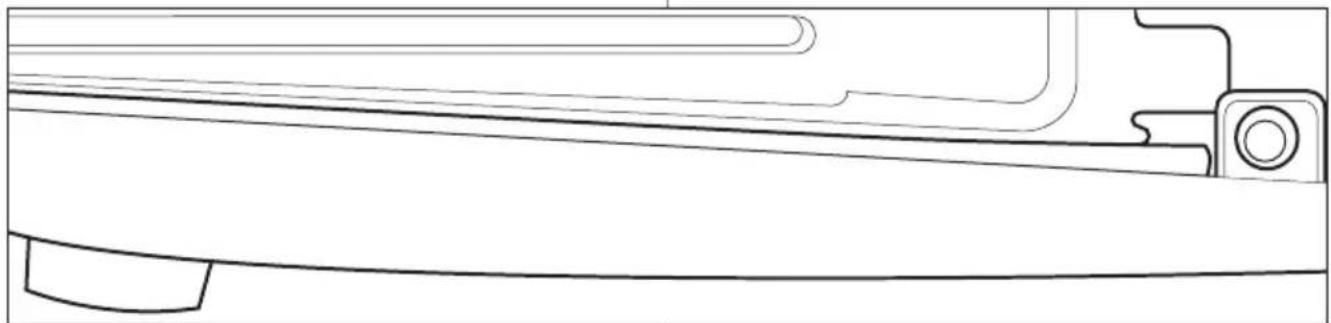
• Take the grey shaped rubber seal from kit, position it between facia panel hook and RH machine side, with three shape on the bottom (il.5).
- Re-snap the facia panel hook, re-use the 7 mm hexagonal head screws on LH & RH side.
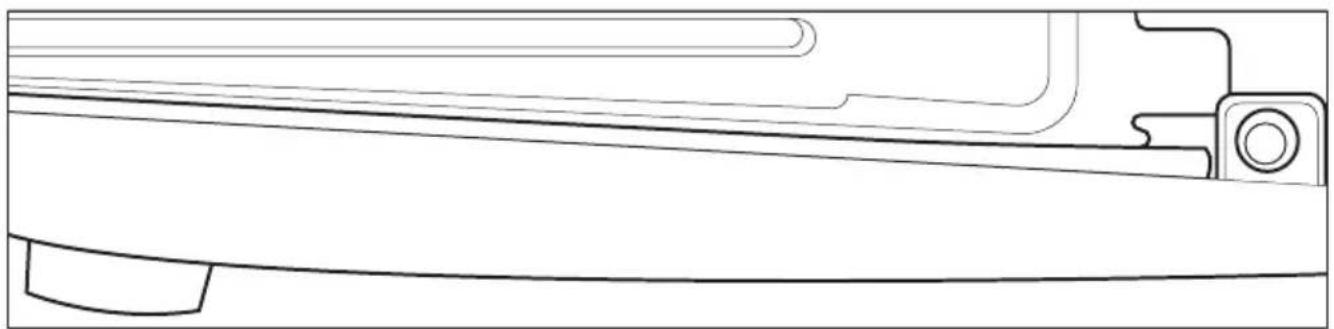
- The seal will be kept in position between facia panel and top front beam (il.6).
1.3.D
• Take the metal worktop and assemble it on machine by sliding it on the top of the machine.
- Pay attention to insert the front middle protruding rivet engaging it inside own slot on machine front beam!
- Ensure that rubber facia panel rubber seal is going underneath metal panel flanged profile!
- Push the metal top towards the machine front, such to have the protruding back ears going in contact with machine cabinet back.
- Reuse the 2 original screws of which at point 1.3.A, to fix the metal worktop on the back (il.7).
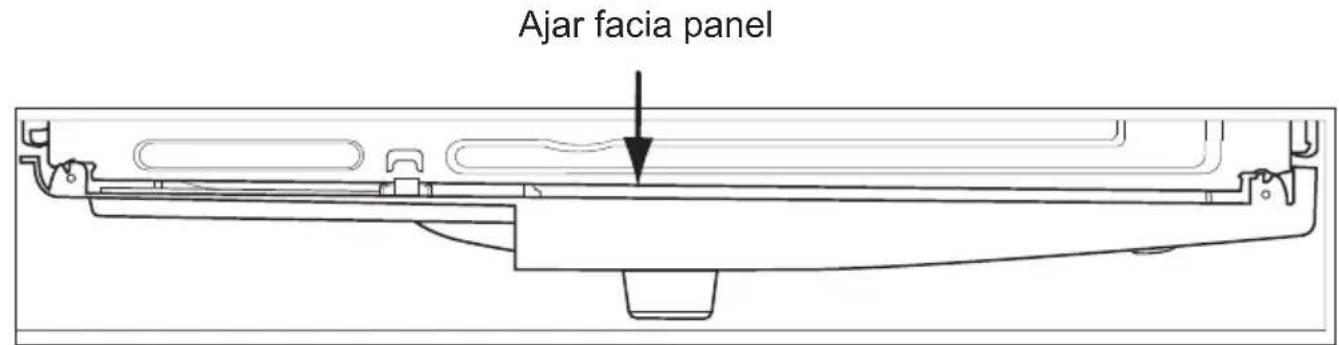
il.5
natural_image
Technical line drawing of a mechanical component or bracket (no text or symbols)il.6
il.7
1.3.E
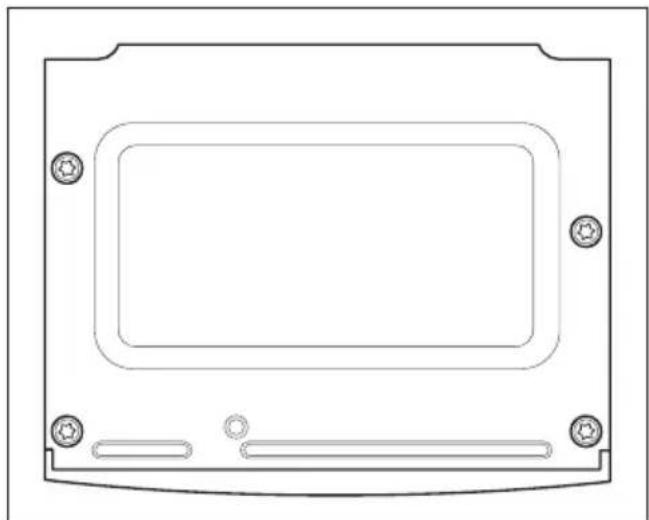
• Take the hardware bag from the kit packaging and complete the top 4 fastenings using 4 screws M5x20. Please note that the top right middle screw shall be fixed at last one using an electrical screwdriver (Pos. 4 -Metric self holing screw).
- Please complete the screwing by screw-driver with low speed selected. This to avoid over screwing. All 4 top fastening have Torx Bit T20 (il.8).
Your machine is ready to be built into your furniture.
natural_image
Technical line drawing of a rectangular electronic component with mounting holes and a central rectangular cavity (no text or symbols)il.8
⚠ WARNING!
Make sure that mains cable and hoses are not kinked or squashed! Ensure final machine levelling by adjusting front feet 2 !
il.1
natural_image
Technical line drawing of a rectangular electronic component with mounting holes and a central rectangular cavity (no text or symbols)il.8
il.1
natural_image
Technical line drawing of a mechanical component with an arrow indicating a specific feature (no text or symbols present)il.5
natural_image
Technical line drawing of a mechanical component or bracket (no text or symbols)il.6
1.3.D
natural_image
Technical line drawing of a rectangular electronic component with mounting holes and a central rectangular cavity (no text or symbols)il.8
il.1
natural_image
Technical line drawing of a mechanical component with an arrow indicating a specific feature (no text or symbols present)il.5
natural_image
Technical line drawing of a mechanical component or bracket (no text or symbols)il.6
1.3.D
natural_image
Technical line drawing of a rectangular electronic component with mounting holes and internal channels (no text or symbols)il.8
il.1
natural_image
Technical line drawing of a mechanical component with an arrow indicating a specific feature (no text or symbols present)il.5

natural_image
Technical line drawing of a mechanical component or bracket (no text or symbols)il.6
1.3.D
natural_image
Technical line drawing of a rectangular electronic device with mounting holes and a central rectangular frame (no text or symbols)il.8
il.1
natural_image
Technical line drawing of a mechanical component with an arrow indicating a specific feature (no text or symbols present)il.5
natural_image
Technical line drawing of a mechanical component or bracket (no text or symbols)il.6
natural_image
Technical line drawing of a rectangular electronic component with mounting holes and internal channels (no text or symbols)il.8
[EMPTY]
[Non-Text]
(No text)
The Ground Truth image displays a single, solid horizontal line, which is a stylistic or background element (like a rule line on paper). According to Rule 2, such lines must be ignored by the OCR result. The provided OCR content is "____", which consists of underscores. Underscores are not equivalent to a solid line and are not permitted under the “Stylistic/Background Lines (Ignore)” rule. Outputting underscores for a solid line constitutes an error, as it misrepresents the visual element and violates the instruction to ignore stylistic lines. Therefore, the OCR result is inconsistent with the Ground Truth.
(1) AD = BD = 1
[Non-Text]
[Non-Text]
[Non-Text]
The Ground Truth image displays a single, solid horizontal line, which is a stylistic or background element (like a rule line on paper). According to Rule 2, such lines must be ignored by the OCR result. The provided OCR content is "____", which consists of underscores. Underscores are not equivalent to a solid line and are not permitted under the “Stylistic/Background Lines (Ignore)” rule. Outputting underscores for a solid line constitutes an error, as it misrepresents the visual element and violates the instruction to ignore stylistic lines. Therefore, the OCR result is inconsistent with the Ground Truth.
The Ground Truth image displays a single, solid horizontal line. According to Rule 2 (UNDERSCORE & LINE RULES), this is a stylistic or background line, not a placeholder underscore. Therefore, the OCR result must ignore it and output nothing or only meaningful text. The provided OCR content is "____", which consists of four underscores. This is an incorrect interpretation of the line as a placeholder, violating the rule that stylistic lines must be ignored. The OCR has hallucinated placeholder underscores where none should exist in the GT. Hence, the OCR result is inconsistent with the Ground Truth.
(No text)
[Non-Text]
[Non-Text]
The Ground Truth image displays a single, solid horizontal line. According to Rule 2 (UNDERSCORE & LINE RULES), this is a stylistic or background line, not a placeholder underscore. Therefore, the OCR result must ignore it. The provided OCR content is "____", which consists of four underscores. This is an incorrect interpretation of the line as a placeholder, violating the rule that stylistic lines must be ignored. The OCR has hallucinated underscores where none should exist based on the GT's visual context. Hence, the OCR result is inconsistent with the Ground Truth.
[Non-Text]
......
[Non-Text]
......
[Non-Text]
[Non-Text]
(1) AD = BD = 1
[Non-Text]
The Ground Truth image displays a single, solid horizontal line. According to Rule 2 (UNDERSCORE & LINE RULES), this is a stylistic or background line, not a placeholder underscore. Therefore, the OCR result must ignore it and output nothing or only meaningful text. The provided OCR content is "____", which consists of four underscores. This is an incorrect interpretation of the line as a placeholder, violating the rule that stylistic lines must be ignored. The OCR has hallucinated placeholder underscores where none exist in the GT. Hence, the OCR result is inconsistent with the Ground Truth.
[Non-Text]
The Ground Truth image displays a single, solid horizontal line. According to Rule 2 (UNDERSCORE & LINE RULES), this is a stylistic or background line, not a placeholder underscore. Therefore, the OCR result must ignore it and output nothing or only meaningful text. The provided OCR content is "____", which consists of four underscores. This is an incorrect interpretation of the line as a placeholder, violating the rule that stylistic lines must be ignored. The OCR has hallucinated placeholder underscores where none should exist in the GT. This adheres to the strict requirement to ignore such lines.
[Non-Text]