AC027 - Baby monitors ANGELCARE - Free user manual and instructions
Find the device manual for free AC027 ANGELCARE in PDF.



| Product Type | Baby Movement Monitor |
| Brand | Angelcare |
| Model | AC027 |
| Category | Baby Monitor |
| Baby Unit Power Supply | 2 AAA alkaline 1.5V batteries |
| Movement Sensor Power Supply | 1 CR2450 3V lithium battery (included) |
| Range (open field) | Up to 20 meters (65 feet) |
| Transmission Frequency | 2.402 to 2.480 GHz |
| Maximum RF Power | 4 dBm (2.5 mW) |
| Main Functions | Movement detection, no-movement alarm, pause, sensitivity adjustment (low/medium/high), low battery indicator |
| Safety | Does not replace parental supervision, does not prevent SIDS, keep out of reach of children, do not expose to water or moisture |
| Maintenance and Cleaning | Unplug before cleaning, wipe with a dry, lint-free cloth |
| Spare Parts and Repairability | CR2450 battery recommended by Angelcare, use only manufacturer accessories |
| Operating Temperature | 10°C to 40°C (50°F to 104°F) |
| Compatible Mattresses | Standard spring and foam mattresses (except memory foam, hollow structure, water beds) |
| Warranty (North America) | 1 year |
Frequently Asked Questions - AC027 ANGELCARE
User questions about AC027 ANGELCARE
0 question about this device. Answer the ones you know or ask your own.
Ask a new question about this device
Download the instructions for your Baby monitors in PDF format for free! Find your manual AC027 - ANGELCARE and take your electronic device back in hand. On this page are published all the documents necessary for the use of your device. AC027 by ANGELCARE.
USER MANUAL AC027 ANGELCARE
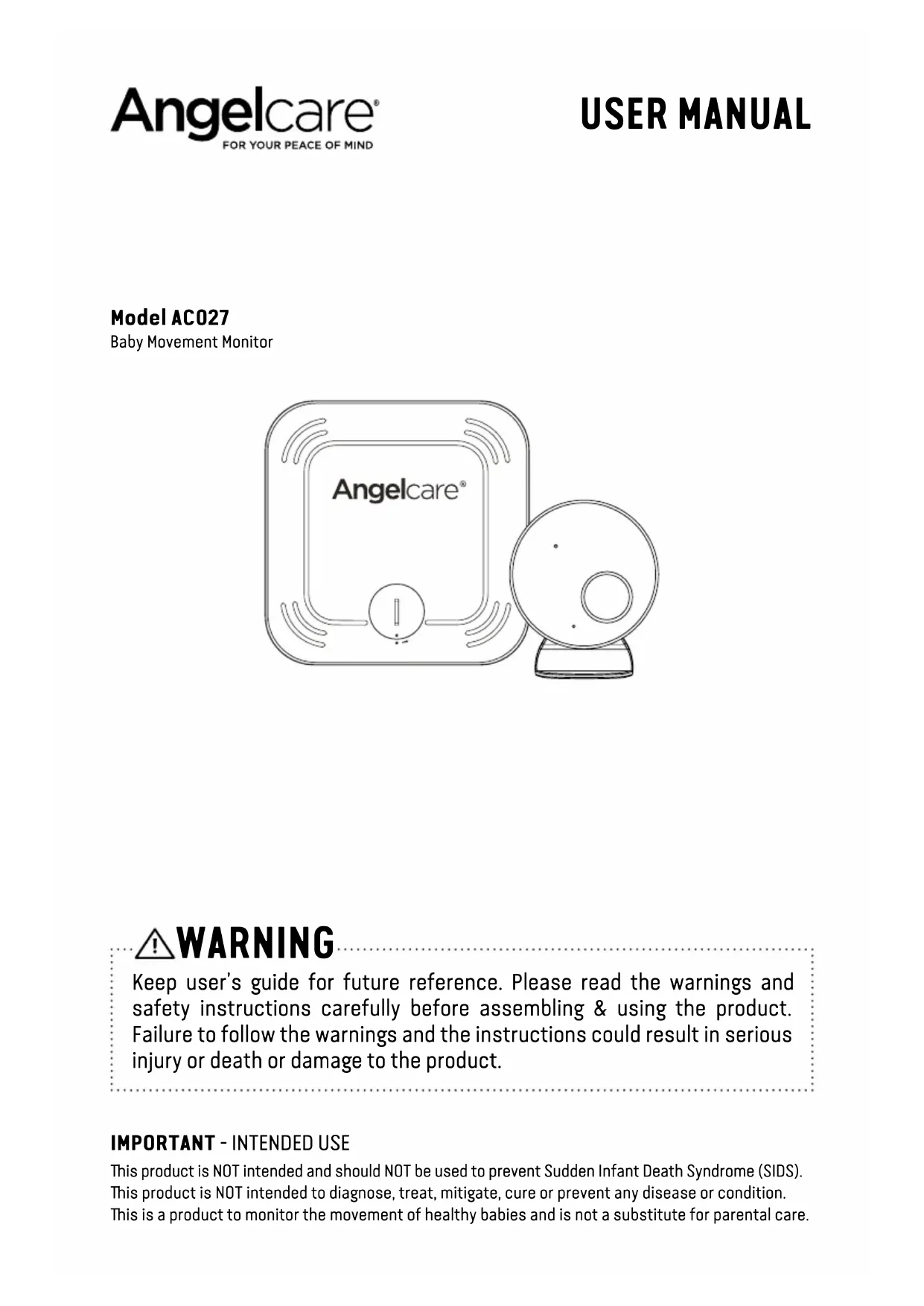
Baby Movement Monitor

WARNING
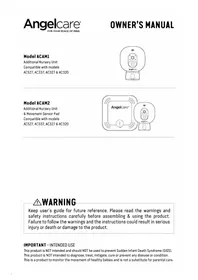
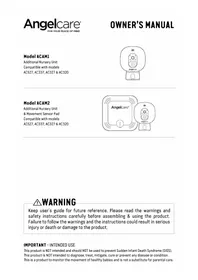
Keep user's guide for future reference. Please read the warnings and safety instructions carefully before assembling & using the product. Failure to follow the warnings and the instructions could result in serious injury or death or damage to the product.
IMPORTANT - INTENDED USE
This product is NOT intended and should NOT be used to prevent Sudden Infant Death Syndrome (SIDS). This product is NOT intended to diagnose, treat, mitigate, cure or prevent any disease or condition. This is a product to monitor the movement of healthy babies and is not a substitute for parental care.
This baby monitor is compliant with all relevant standards regarding electromagnetic fields and is, when handled as described in the User's Guide, safe to use.

WARNING
1.

WARNING
- KEEP the Nursery unit out of the reach of children more than 3 feet or 1 meter away.
- This product is NOT a Toy. NEVER allow children to play with it.
2.

WARNING - MOVEMENT SENSOR PAD - NO ALARM
- Sources of vibration & movement, other than your baby's, can be detected by the Sensor Pad and interfere with the performance of your Angelcare monitor.
The alarm will not sound if it detects movement other than your baby's. - High sensitivity settings can pick up other sources of vibration & movement - please read instructions on sensitivity setting to adjust accordingly.
- Other active and older babies (toddlers) in the same room can be detected and the alarm will not sound.
-
Ensure the baby's environment is FREE from any movements or vibrations when using the Sensor Pad - see below warnings 3 to 11.
-
DO NOT use a crib mobile and other crib accessories that may produce movements or vibrations.
- Fans (including ceiling), washing machines, floor boards, central heating or loud music are all forms of movement and vibration and may interfere and be detected by the Sensor Pad.
- If an additional Nursery Unit is added then it must be positioned at least 6.5 feet (2 metres) minimum from Nursery Unit 1 and Sensor Pad as this could interfere with performance.
- DO NOT use with bedside crib touching parent's/ carer's bed as the Sensor Pad will detect your movements.
- DO NOT place the crib against a wall or skirting board as vibrations may be detected.
- Following removal of baby from the crib, some mattresses may still detect mattress movement due to it forming back into shape and alarm may not sound.
- Ensure crib is stable to eliminate any movement. 10. Crib should not be placed in reaching distance of another crib or bed.
-
DO NOT use other wireless devices in the same room as the monitor (including mobile phones, microwaves...). They may interfere with signal and performance.
-
The Sensor Pad is made of plastic and does not permit air to circulate. Therefore, mildew build up could develop underneath the mattress in the Sensor Pad area.
We suggest rotating & airing /drying the mattress regularly to prevent any mildew. AVOID CONTACT WITH MOISTURE. Clean - wipe with a dry lint free cloth. - The Sensor Pad is not suitable for use above age 24 months.
-
This product cannot replace responsible adult supervision.
-
This product is designed to aid in the monitoring of your child. When using the monitor, you must still provide the supervision necessary for the continued safety of your child.
-
Use this appliance ONLY for its intended use as described in this manual.
-
The Sensor Pad is not intended to be used to determine if a child is out of the crib.
- ALWAYS be sure to immediately check on baby whenever an alarm sounds.
- Adult assembly required. Keep small parts away from children when assembling.
- Follow instructions and test this monitor and its functions so you are familiar with it prior to actual use. ALWAYS be sure that both the
transmitter and receiver are working properly and are within range of each other - check periodically and when changing location of the Nursery Unit.
19. DO NOT use the baby monitor near water Care should be taken so that objects DO NOT fall onto units and that liquids are not spilled into either unit or Sensor Pad through its openings.

CAUTION
RISK OF ELECTRIC SHOCK
DO NOT OPEN

DO NOT EXPOSE TO RAIN OR MOISTURE
- Keep monitor AWAY from heat sources (such as stoves, radiators, etc.). Heat can damage the case or electrical parts.
- ALWAYS place both the Nursery Unit and the Parent Unit on a flat solid surface in an upright position that allows for proper VENTILATION. DO NOT place on sofas, cushions, beds, etc. which may block ventilation or anywhere that would muffle the sound or interfere with the normal flow of air.
- Ie baby monitor can only be used between 10^ and 40^ (50^ and 104^)
WARNING AND SAFETY
INSTRUCTIONS BATTERY SPECIF
WARNING
Do not ingest the battery, Chemical Burn Hazard. This product contains a coin/button cell battery. If the coin/button cell battery is swallowed, it can cause severe internal burns in just 2 hours and can lead to death. Keep new and used batteries away from children. If the battery compartment does not close securely, stop using the product and keep it away from children. If you think batteries might have been swallowed or placed inside any part of the body, seek immediate medical attention.
- [e] Wireless Sensor Pad uses a replaceable Button Cell Lithium Battery. Only use the Angelcare recommended replacement battery (see Technical Specification).
- Danger of explosion if the wrong battery is used or if replaced incorrectly. Refer to User's Guide for correct battery installation.
- DO NOT short circuit supply terminals.
- DO NOT mix old and new batteries and only use Angelcare recommended replacement batteries (see Technical Specification).
- Ie Button Cell Battery represents a small part and a choking hazard - KEEP away from children!
- Exercise care in handling batteries in order not to short out the batteries with conducting materials such as rings, bracelets and keys.
-
Overcharging, short circuiting, reverse charging, mutilation, or incineration of batteries must be avoided to prevent one or more of the following occurrences: release of toxic materials, release of hydrogen and/or oxygen, gas and rise in surface temperature.
-
DO NOT attempt to recharge batteries provided with or identified for use with this product that are not intended to be charged. The batteries may leak corrosive electrolyte or explode.
-
Incorrect polarity installation of the batteries in the end product must be avoided. Reverse insertion of batteries can cause charging, and that may result in leakage or explosion.
-
Remove batteries from units if you store the product over 30 days because the batteries could leak and damage the product.
-
Discard 'dead' batteries as soon as possible since 'dead' batteries are more likely to leak in a product. If a battery has leaked or vented, discard product responsibly.
-
DO NOT store this product, or the batteries provided with or identified for use with this product, in high-temperature & high humidity environments and avoid direct sunlight.
33. CAUTION
- Danger of explosion if battery is incorrectly replaced. Replace only with the same or equivalent type.
- Battery cannot be subjected to high or low extreme temperatures, low air pressure at high altitude during use, storage or transportation.
- Replacement of a battery with an incorrect type can [C]result in an explosion or the leakage of flammable liquid or gas.
- Disposal of a battery into fire or a hot oven, or mechanically crushing or cutting of a battery, can result in an explosion.
- Leaving a battery in an extremely high temperature surrounding environment can result in an explosion or the leakage of flammable liquid or gas.
- A battery subjected to extremely low air pressure may result in an explosion or the leakage of flammable liquid or gas.
- The applied nameplate is located at the product rear enclosure.
IMPORTANT SAFETY INSTRUCTIONS
- Sensor Pad -
- If your crib does not have a solid, stationary, completely flat, firm surface including a spring or slat base, place a hard board between the crib base and the Sensor Pad, to ensure correct operation (see specification on STEP 2).
- The Sensor Pad functions with standard crib sprung and foam mattresses and not memory foam (partial or full), hollow frame construction mattresses and water beds. Please consult Angelcare if unsure of mattress compatibility.
- Only use attachments/accessories and replacement parts specified by the manufacturer. Any mounting of the product should follow the manufacturer's instructions.
- DO NOT position this product on an unstable cart, stand, tripod, bracket or table. The product may fall, causing serious injury to a child or adult and serious damage to the product.
-
Use ONLY the stand sold with the product.
-
Be sure replacement parts are supplied by Angelcare and have the same characteristics as original part. Unauthorized substitution may result in fire, electric shock or fire.
-
Nursery Unit Antenna - The antenna used for this transmitter must be installed to provide a separation distance of at least 8^ (20 cm) from all
persons and must not be collocated or operating in conjunction with any other antenna or transmitter.
- Cleaning - Disconnect all units before cleaning. DO NOT immerse any part of the monitor in water. Clean only with a dry cloth.
SET UP REQUIREMENTS
WHAT'S IN THE BOX
Nursery Unit
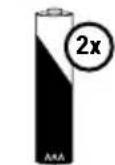
2 2× 1.5V AAA batteries (for Nursery Unit)
3 Stand (for Nursery Unit)
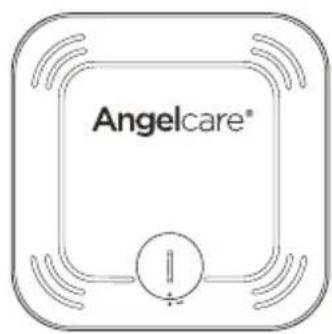
4 Sensor Pad
CR2450 3V Battery (for Sensor Pad)
WHAT YOU NEED
- Hardboard, if the crib does not have a firm surface (see 'IMPORTANT' note - Step 1)
- Posidrive screwdriver
1
2

3
4

5
1- SETTING UP THE SENSOR PAD
The Sensor Pad is designed to detect subtle baby movements on the surface of the mattress. The alarm will only sound if NO movement is detected for 20 seconds.
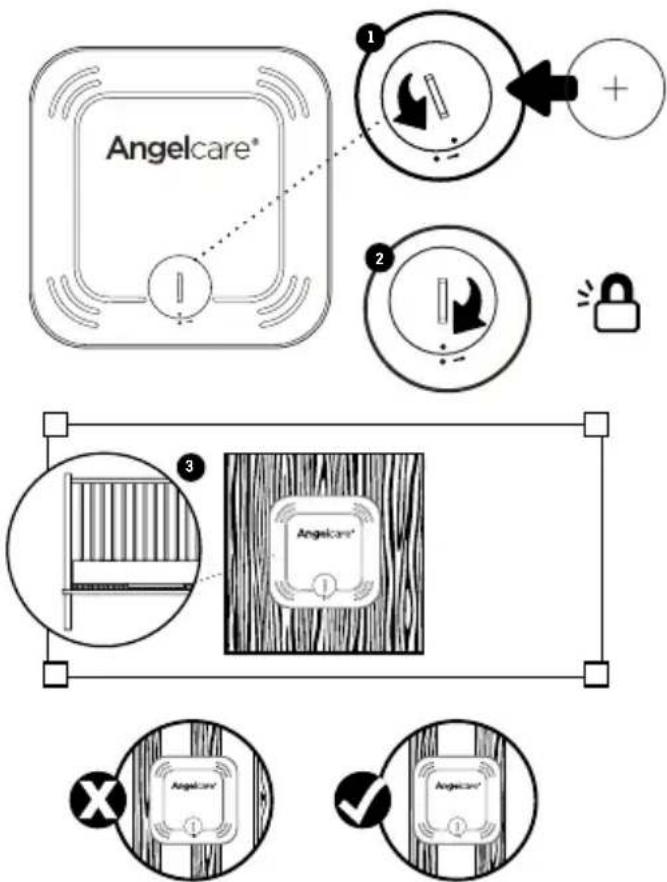
Correct positioning for slatted base
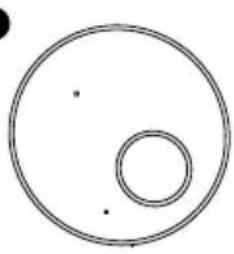
- Use a coin to remove/replace the battery cover and insert the battery face with + face up.
- Replace the battery cover, align 2 dots and click to secure.
- Remove the mattress from the cot, place Sensor Pad -Angelcare® logo side up-on base in approximate centre of mattress, along the length. It should be centred on the hardboard if your cot requires a hardboard support (see 'IMPORTANT' note below).
- Replace the mattress.

IMPORTANT
- If your crib does not have a solid, stationary, completely flat, firm surface including a spring or slat base, place a hardboard between the crib base and the Sensor Pad, to ensure correct
operation. The hardboard support must measure at least 30 × 30 cm ( 12'' × 12'' ) and 6 mm ( 1/4'' ) thick. This hardboard support must be larger than the Sensor Pad surface area.
- The Sensor Pad functions with standard crib sprung and foam mattresses and not memory foam (partial or full), hollow frame construction mattresses and water beds. Please consult Angelcare if unsure of mattress compatibility. The hardboard maintains a constant

pressure on the Sensor Pad, enabling it to detect the baby's movements even when the baby is at the edges of the crib.
2- SETTING UP THE NURSERY UNIT

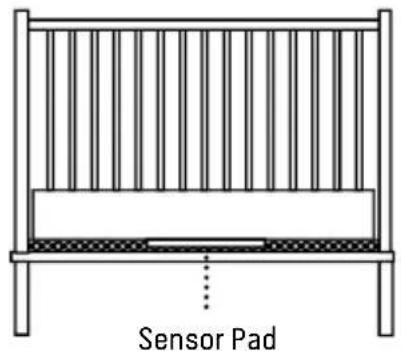
Place the Nursery Unit at least 3 feet (1 meter) from the crib


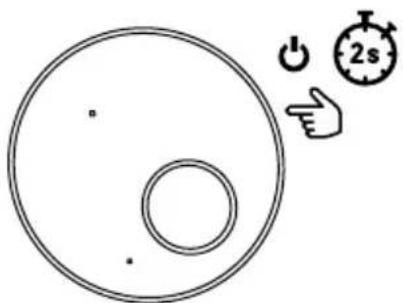
3- TURNING ON YOUR MONITOR
The Movement Sensor Pad alarm will sound after a few seconds if the child is not in the crib.
Note:
- The Nursery Unit will flash blue to confirm pairing with the Sensor Pad.
- If the green light does not appear but the red light is flashing, or if there are false alarms, adjust the sensitivity level (STEP 3, TEST THE SENSOR PAD).
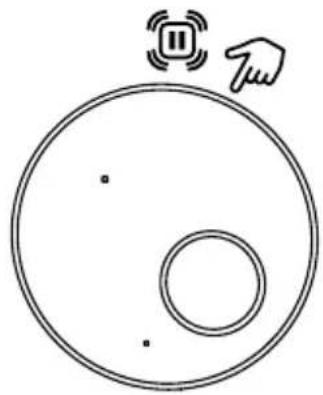
PAUSING AND RESTARTING THE SENSOR PAD
- Allows you to pause the Sensor Pad if you remove baby from the crib, e.g. for feeding or comforting. Ensure to un-pause the Sensor Pad before putting baby in the crib.
TEST THE SENSOR PAD
- Sources of vibration & movement other than your baby's can be detected by the Sensor Pad
and interfere with the performance of your Angelcare monitor. The alarm will not sound if it detects movement other than your baby's.
- There are 3 sensitivity settings - low, medium and high. The unit is set at medium (default) and can be adjusted accordingly.
- The Sensor Pad will detect false movements if you are touching the crib.
- The monitor will produce a Rouse alarm single beep tone designed to stir baby if no movement has been detected for 15 seconds. If no further

movement is detected, the main alarm will sound at 20 seconds - a series of continuous beeps.
SENSOR PAD FOUR CORNER TEST
- Place the Sensor Pad at the approximate centre of baby's sleeping area and put the mattress back in place.
- Switch ON the Nursery Unit - check that Nursery Unit and Sensor Pad units are paired (connected).
- Immediately pat your hand lightly and continuously on a corner of the mattress twice for Sensor to detect movement.
- Step away from the crib.
- The alarm will sound from the Nursery and Parent Unit after 20 seconds. If the Alarm does not sound, ensure everything is setup correctly and try again; check battery levels on all units, follow the manual for 'NO ALARMS' - the sensitivity setting may require lowering by a single level due to other vibrations/movements.
- If the alarm sounds, pat your hand lightly on a corner of mattress twice for Sensor to detect movement. It may take up to 8 seconds to recognise movement and for alarm to stop.
- If the alarm continues, even after lightly patting the corner of your mattress twice, adjust the sensitivity higher and repeat this test.
IMPORTANT
- Test your monitor before first use.
- Prior to use and on a regular basis (before placing your child in the crib) always check the Sensor Pad is detecting no movements or vibrations in its environment.
- Test your monitor every time you move the Sensor Pad to a different place.
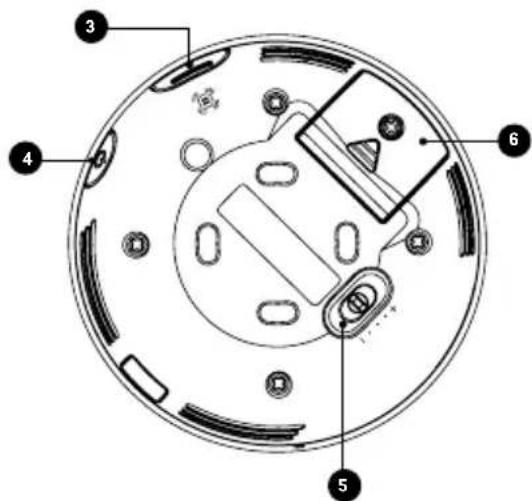
4- GETTING TO KNOW YOUR MONITOR
NURSERY UNIT
Powerindicator
/ Low battery light indicator
2 Movement Sensor Pad indicator
3 Pause movement Sensor Pad
Allows you to pause the Sensor Pad if you remove baby from the crib, e.g. for feeding or comforting. Ensure to un-pause the Sensor Pad before putting baby in the crib / Pairing button (press & hold)
4 Power ON/OFF (press & hold)
Movement Sensor Pad sensitivity switch To ensure adequate monitoring of your child's movements, you can adjust the sensitivity of the Sensor Pad (STEP 3, TEST THE SENSOR PAD)
6 Battery door (2 x AAA)

5-NURSERY UNIT ALERTS
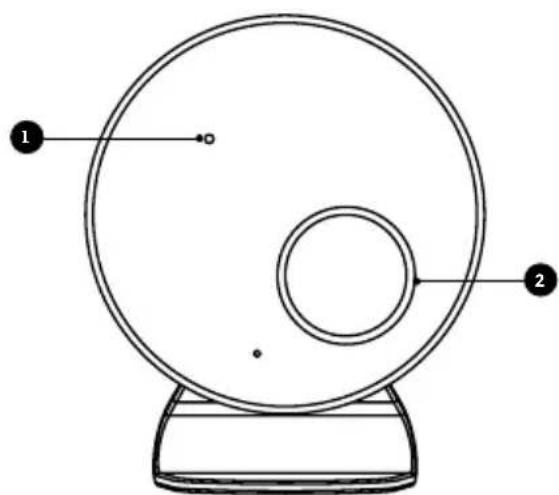
NURSERY UNIT
Power ON/OFF & Low Battery Light Indicator
Flashing yellow: Nursery Unit battery is low.
The Nursery Unit emits a single beep every 20 seconds.
2 Movement Sensor Pad
Flashing red: No movement is detected.
The Nursery Unit speakers will emit loud consecutive beeps - this is the Movement Alarm.
Flashing white: Monitor is paused.
Flashing light blue: Loss of connectivity between the Nursery Unit and the Sensor Pad.
The Nursery Unit emits a single beep every 20 seconds.
Flashing yellow: Sensor Pad battery is low.
The Nursery Unit emits a single beep every 20 seconds.
Note:
Press Pause on the Nursery Unit to stop the alarm.
6- TROUBLESHOOTING
MOVEMENT SENSOR PAD - NO ALARM
Sources of vibration & movement, other than your baby's, can be detected by the Sensor Pad and the alarm will not sound.
Refer toWarnings 3 to 11 and see STEP 3,TEST THE SENSOR PAD.
MOVEMENT SENSOR PAD - FALSE ALARMS SENSOR PAD LIGHT INDICATOR FLASHING RED
-
Sensor Pad False alarms may happen for several reasons, always be sure to immediately check on baby whenever an alarm sounds:
-
Nursery Unit has not been turned OFF after you have removed your baby from the crib.
- Make sure there is no bedding between the mattress and the Sensor Pad.
- Sensor Pad has not been placed under the mattress properly. Be sure the Sensor Pad is on a flat, firm surface with the printed side facing up.
- The sensitivity level may also need to be adjusted.
LOSS OF CONNECTIVITY (NURSERY UNIT BLUE LIGHT FLASHES AND EMITS A BEEP EVERY 20 SECONDS)
- Bring the units closer together.
- Press and hold for 2 seconds the Nursery Unit ON/OFF button, the Nursery Unit will emit a beep and will flash blue to confirm connectivity.
NO POWER
- Check or replace batteries.
- Make sure monitor is ON.
CUSTOMER CARE - LIMITED WARRANTY
Angelcare® warrants to the original owner of this product that Angelcare® monitor is free from any material and workmanship defects for the term of the warranty period (see warranty table below to determine the warranty for your country). If this monitoring system fails to function properly when used as directed under normal conditions and during the warranty period, Angelcare® will either repair or replace the product, at our discretion, free of charge. Please contact your local distributor to validate warranty and warranty period.
The product must be accompanied by a proof of purchase, either a bill of sale or other proof that the monitoring system is within the warranty period. Angelcare® will bear the cost of repairing or replacing the product and shipping it back to you.
This warranty does not apply to a product which has been damaged as a result of improper maintenance, an accident, improper voltage supply or any other form of misuse. The warranty is also void if the owner repairs or modifies the product in any way. Angelcare® is not liable for any incidental or consequential damages with regard to this product. The warranty also excludes any liability other than what is stated above. No other warranty is given.
This warranty does not cover products and accessories which are not Angelcare-branded, or any problems that result from usage that is not in accordance with product instructions, failure to follow the product instructions, or problems caused by using accessories, parts or components not supplied by Angelcare.
LEGAL RIGHTS VARY FROM COUNTRY TO COUNTRY. SOME COUNTRIES DO NOT ALLOW THE EXCLUSION OR LIMITATION OF INCIDENTAL OR CONSEQUENTIAL DAMAGES, SO THE ABOVE LIMITATIONS MAY NOT APPLY TO YOU. WE ARE NOT IN ANY WAY RESPONSIBLE FOR ANY OUTCOME RESULTING FROM THE USE OF THIS PRODUCT.
| Warranty term per country | |
| North America 1 year | |
TECHNICAL SPECIFICATIONS
Range:
Open field (Open area without obstructions): up to 65 feet (20 meters).


Power Supply:
2 x 1.5V AAA alkaline batteries for Nursery Unit
1 Included CR2450 3V battery (Changzhou Jin Tan Chao, Chuang Battery Co., Ltd. model number: CR2450H) (Wireless Sensor Pad)
Caution: To reduce the risk of electric shock, do not expose this product to rain or moisture.
Danger of explosion if batteries are incorrectly replaced. The battery for the Sensor Pad is a user replaceable Lithium (not Li-Ion) battery and is NOT rechargeable. Only use the Angelcare recommended replacement battery. To obtain information on replacement batteries please contact Angelcare customer service: www.angelcarebaby.com or contact your local distributor. Instructions will be included with the replacement battery. Dispos of exhausted batteries properly according to your local ordinances. Keep all batteries away from children.
Batteries:
- DO NOT mix old and new batteries.
- D0 NOT mix alkaline standard (carbon-zinc), or rechargeable (NI-CD, NIMH, etc.) batteries.
CAUTION: RISK OF EXPLOSION IF BATTERY IS REPLACED BY AN INCORRECT TYPE. DISPOSE OF USED BATTERIES ACCORDING TO THE INSTRUCTIONS.
Transmission:
Data transmission between the Nursery Unit and the Sensor Pad is made on 2.402 to 2.480 GHz frequency. Maximum RF Power Transmitted: 4dBm (2.5mW) RF Channel no. between Nursery Unit and Sensor Pad: 79
See product for compliance marks specific to this device.


Federal Communications Commission (FCC) -
This device has been tested and found to comply with the limits for a Class B digital device, pursuant to Part 15 of the FCC rules. Operation is subject to the following two conditions: (1) this device may not cause interference, and (2) this device must accept any interference, including interference that may cause undesired operation of the device.
Industry Canada (IC) - This device contains license-exempt transmitter(s)/receiver(s) that comply with Innovation, Science and Economic Development Canada's license-exempt RSS standard (s). Operation is subject to the following two conditions: (1) this device may not cause interference, and (2) this device must accept any interference, including interference that may cause undesired operation of the device.
RF Exposure - This device is designed and manufactured to comply with Radio Frequency (RF) radiation exposure limits for EU, FCC and IC for an uncontrolled environment. To maintain the compliance, human exposure to the nursery unit shall not be less than 20~cm (8 inches) during normal operation. This product meets the applicable Industry Canada technical specifications CAN ICES-3 (B)/NMB-3 (B)
Go to: www.angelcarebaby.com/declaration-of-conformity for full compliance statements.
PROTECT THE ENVIRONMENT
According to local laws and regulations your product and/or its battery shall be disposed of separately from household waste. When the product/battery reaches its end of life take it to a collection point designated by local authorities. The separate disposal and recycling will help conserve natural resources and protect human health and the environment. Refer to User's Guide for removal of batteries.

Contact information
IMPORTANT! This Angelcare® monitor is a personal care product. Please do not return this product to the store. If you have questions or need help, please call your distributor before returning this product.
We, at Angelcare®, stand behind all of our products. If you are not completely satisfied or have any questions, please contact your distributor before returning this product:
United States and Canada: Please contact us at: info@angelcarebaby.com
Other countries: Find your local distributor by visiting our website:
To register your product, visit our online registration at: www.angelcarebaby.com.
We will use the information provided to contact you if there is a Safety alert or Recall for this product.
TO LEARN MORE
To learn more, watch the set-up videos and other functionalities on our website.
https://angelcare.zendesk.com/hc/
www.angelcarebaby.com
Angelcare Canada Inc.
2000 McGill College Avenue, Suite 250
Montreal, Quebec, Canada, H3A 3H3
Modèle AC027
https://angelcare.zendesk.com/hc/
Modelo AC027
https://angelcare.zendesk.com/hc/
www.angelcarebaby.com
Angelcare Canada Inc.
2000 McGill College Avenue, Suite 250
Montreal, Quebec, Canada, H3A 3H3