ACAM2 - Baby monitors ANGELCARE - Free user manual and instructions
Find the device manual for free ACAM2 ANGELCARE in PDF.


User questions about ACAM2 ANGELCARE
0 question about this device. Answer the ones you know or ask your own.
Ask a new question about this device
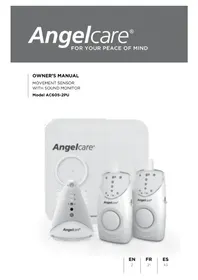
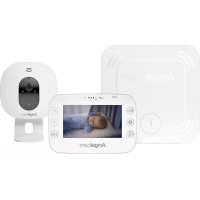
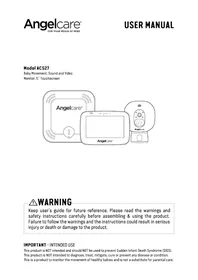
Download the instructions for your Baby monitors in PDF format for free! Find your manual ACAM2 - ANGELCARE and take your electronic device back in hand. On this page are published all the documents necessary for the use of your device. ACAM2 by ANGELCARE.
USER MANUAL ACAM2 ANGELCARE
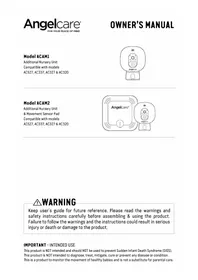
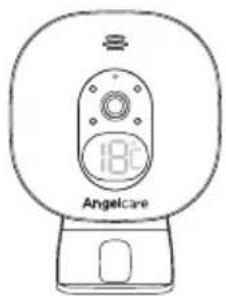
Additional Nursery Unit Compatible with models AC527, AC337, AC327 & AC320
text_image
18°C AngelcareModel ACAM2
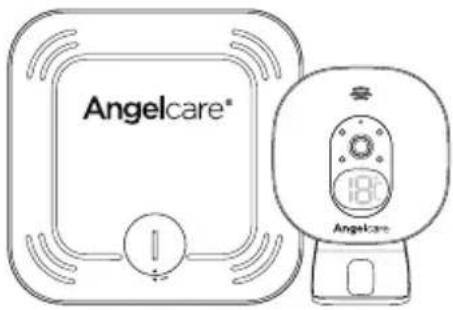
Additional Nursery Unit & Movement Sensor Pad Compatible with models AC527, AC337, AC327 & AC320
text_image
Angelcare® 180Ω AngelcareWARNING
Keep user's guide for future reference. Please read the warnings and safety instructions carefully before assembling & using the product. Failure to follow the warnings and the instructions could result in serious injury or death or damage to the product.
IMPORTANT - INTENDED USE
This product is NOT intended and should NOT be used to prevent Sudden Infant Death Syndrome (SIDS). This product is NOT intended to diagnose, treat, mitigate, cure or prevent any disease or condition. This is a product to monitor the movement of healthy babies and is not a substitute for parental care.
This baby monitor is compliant with all relevant standards regarding electromagnetic fields and is, when handled as described in the User's Guide, safe to use

WARNINGS
- Because of the serious strangulation risk to infant & toddlers, parents & caregivers should note the following Warnings

text_image
Safety warning symbol for child smoking, featuring a stethoscope and no sign with a crossed-out device⚠ WARNING - Strangulation Hazard - Children have STRANGLED in cords
- KEEP the Nursery Unit and adaptor cords OUT of the reach of children more than 3 feet or 1 metre away
- NEVER use extension cords with adaptors. ONLY use adaptors provided
- This product is NOT a Toy. NEVER allow children to play with it
2.
⚠ WARNING - MOVEMENT SENSOR PAD - NO ALARM
- Sources of vibration & movement, other than your baby's, can be detected by the Sensor Pad and interfere with the performance of your Angelcare monitor
- The alarm will not sound if it detects movement other than your baby's
- High sensitivity settings can pick up other sources of vibration & movement - please read instructions on sensitivity setting to adjust accordingly
- Other active and older babies (toddlers) in the same room can be detected and the alarm will not sound
-
Ensure the baby's environment is FREE from any movements or vibrations when using the Sensor Pad - see below warnings 3 to 11
-
DO NOT use a cot mobile and other cot accessories that may produce movements or vibrations
- Fans (including ceiling), washing machines, floor boards, central heating or loud music are all forms of movement and vibration and may interfere and be detected by the Sensor Pad
- The additional Nursery Unit and Sensor Pad must be positioned 2 metres (6.5 feet) minimum from any existing Nursery Unit and Sensor Pad as they could interfere with performance.
- DO NOT use with bedside cot touching parent's/carer's bed as the Sensor Pad will detect your movements
- DO NOT place the cot against a wall or skirting board as vibrations may be detected
- Following removal of baby from the cot, some mattresses may still detect mattress movement due to it forming back into shape and alarm may not sound
-
Ensure cot is stable to eliminate any movement
-
Cot should not be placed in reaching distance of another cot or bed
- DO NOT use other wireless devices in the same room as the monitor (including mobile phones, microwaves...). They may interfere with signal and performance
- The Sensor Pad is made of plastic and does not permit air to circulate. Therefore, mildew build up could develop underneath the mattress in the Sensor Pad area
We suggest rotating & airing /drying the mattress regularly to prevent any mildew. AVOID CONTACT WITH MOISTURE. Clean - wipe with a dry, lint-free cloth - The Sensor Pad is not suitable for use above age 24 months
- This product cannot replace responsible adult supervision
- This product is designed to aid in the monitoring of your child. When using the monitor, you must still
provide the supervision necessary for the continued safety of your child
- Use this appliance ONLY for its intended use as described in this manual
- The Sensor Pad is not intended to be used to determine if a child is out of the cot
- ALWAYS be sure to immediately check on baby whenever an alarm sounds
- Keep cords out of the reach of ANY children
- ONLY use the chargers and power adaptors provided. Do not use other types as this may damage the device and battery pack (if included in your model)
- Adult assembly required. Keep small parts away from children when assembling
- Follow instructions and test this monitor and its functions so you are familiar with it prior to actual use. ALWAYS be sure that both the transmitter and receiver are working properly and are within range of each other - check periodically and when changing location of the Nursery Unit
- DO NOT touch the plug contacts especially with sharp or metal objects
- DO NOT use the baby monitor near water.
Care should be taken so that objects DO NOT fall onto units and that liquids are not spilled into either unit or Sensor Pad through its openings

CAUTION
RISK OF ELECTRIC SHOCK DO NOT OPEN

DO NOT EXPOSE TO RAIN OR MOISTURE
- Keep monitor AWAY from heat sources (such as stoves, radiators, etc.). Heat can damage the case or electrical parts
- ALWAYS place both the Nursery Unit and the Parent Unit on a flat solid surface in an upright position that allows for proper VENTILATION. DO NOT place on sofas, cushions, beds, etc. which may block ventilation or anywhere that would muffle the sound or interfere with the normal flow of air
- The baby monitor can only be used between 10°C and 40°C (50°F and 104°F)
WARNINGS AND SAFETY INSTRUCTIONS - BATTERY SPECIFIC
- ALWAYS keep all batteries away from children
-
The Parent Unit battery is a replaceable Li-Ion battery. The Wireless Sensor Pad uses a replaceable Button Cell Lithium Battery. Only use the Angelcare recommended replacement battery (see Technical Specification)
-
Danger of explosion if the wrong battery is used or if replaced incorrectly. Refer to User's Guide for correct battery installation
- DO NOT short circuit supply terminals
-
DO NOT mix old and new batteries and only use Angelcare recommended replacement batteries (see Technical Specification)
-
This product contains a Button Cell Battery and if swallowed can cause internal chemical burns in as little as two hours and lead to death. Dispose of used batteries immediately. Keep new and used batteries away from children. If you think batteries might have been swallowed or placed inside any of the body, seek medical attention.
- The Button Cell Battery represents a small part and a choking hazard – KEEP away from children!
- Exercise care in handling batteries in order not to short out the batteries with conducting materials such as rings, bracelets and keys
- Overcharging, short circuiting, reverse charging, mutilation, or incineration of batteries must be avoided to prevent one or more of the following occurrences: release of toxic materials, release of hydrogen and/or oxygen, gas and rise in surface temperature
- DO NOT attempt to recharge batteries provided with or identified for use with this product that are not intended to be charged The batteries may leak corrosive electrolyte or explode
- Incorrect polarity installation of the batteries in the end product must be avoided Reverse insertion of batteries can cause charging, and that may result in leakage or explosion
- Remove batteries from units if you store the product over 30 days because the batteries could leak and damage the product
- Discard 'dead' batteries as soon as possible since 'dead' batteries are more likely to leak in a product. If a battery has leaked or vented, discard product responsibly
- DO NOT store this product, or the batteries provided with or identified for use with this product, in high-temperature & high humidity environments and avoid direct sunlight
IMPORTANT SAFETY INSTRUCTIONS
-
Sensor Pad -
-
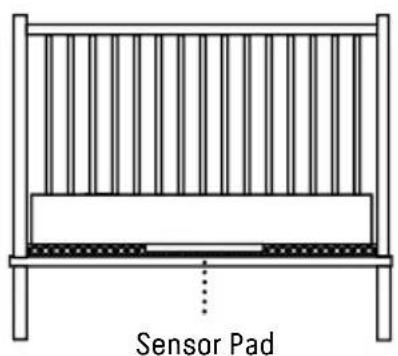
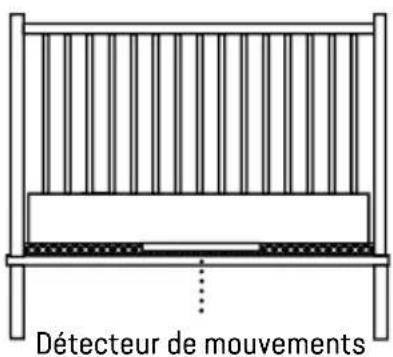
If your cot does not have a solid, stationary, completely flat, firm surface including a spring or slat base, place a hard board between the cot base and the Sensor Pad, to ensure correct operation (see specification on STEP 2)
- The Sensor Pad functions with standard cot sprung and foam mattresses and not memory foam (partial or full), hollow frame construction mattresses and water beds. Please consult Angelcare if unsure of mattress compatibility
- This monitor uses public airwaves to transmit signals. The Parent Unit may pick up signals or interference from other nursery monitors in your area. Your monitor may even be picked up by other households. To protect your privacy, make sure both units are turned OFF when not in use
- Power cord protection - Protect the Adaptor's power cord from being walked on or pinched by furniture or other items - Power
supply cords should be routed so that they are not likely to be walked on or pinched by items upon or against them, paying particular attention to cords and plugs, convenience receptacle, and the point where they exit from the product. The socket outlet should be installed near the equipment and should be easily accessible. Make sure to plug the adaptor to the socket outlet nearest to the equipment and that is easily accessible. To disconnect from mains, unplug the adaptor
41. Only use attachments/accessories and replacement parts specified by the manufacturer. Any mounting of the product should follow the manufacturer's instructions
- DO NOT position this product on an unstable cart, stand, tripod, bracket or table. The product may fall, causing serious injury to a child or adult and serious damage to the product
- Use ONLY the stand sold with the product
- Be sure replacement parts are supplied by Angelcare and have the same characteristics as original part. Unauthorised substitution may result in fire, electric
shock or fire
- Unplug this appliance during lightning storms or when not used for long periods of time
-
Servicing - DO NOT attempt to service this product yourself as opening or removing covers (except battery door) may expose you to dangerous voltage or other hazards
-
Power Supply – see Technical Specification within this guide
- Overloading - DO NOT overload wall outlets, extension cords or integral convenience receptacles as this can result in a risk of fire or electric shock
- Nursery Unit Antenna - The antenna used for this transmitter must be installed to provide a separation distance of at least 8" (20 cm) from all persons and must not be collocated or operating in conjunction with any other antenna or transmitter
- Cleaning - Disconnect all units before cleaning. DO NOT immerse any part of the monitor in water. Clean only with a dry cloth
SET UP REQUIREMENTS
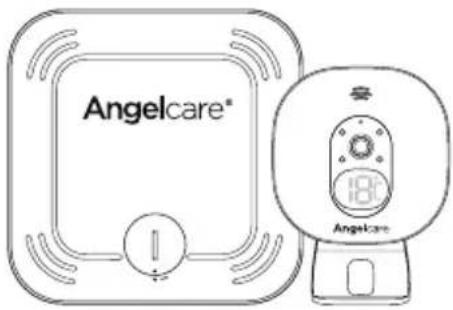
WHAT'S IN THE BOX
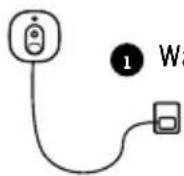
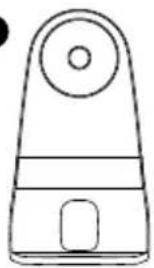
1 Nursery Unit
2 Stand (for Nursery Unit)
3 AC Adaptor
4 Sensor Pad (on model ACAM2)
5 CR2450 Battery (for Sensor Pad) (on model ACAM2)
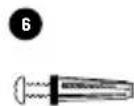
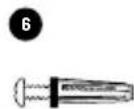
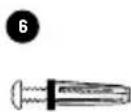
6 Hardware (for wall mounting)
WHAT YOU NEED
Hardboard, if the cot does not have a firm surface (for model ACAM2)
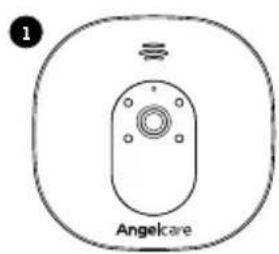
text_image
1 Angelcare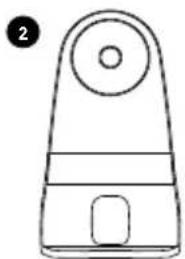
natural_image
Simple line drawing of a mechanical device with a circular top and rectangular base (no text or symbols)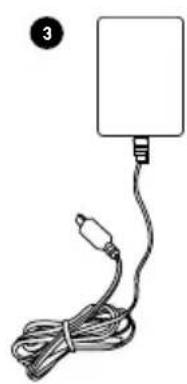
natural_image
Simple line drawing of a cable with a rectangular connector and a separate cable (no text or symbols)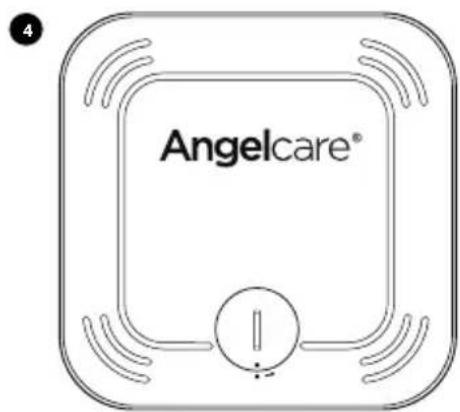
text_image
Angelcare®
1- SETTING UP THE NURSERY UNIT
text_image
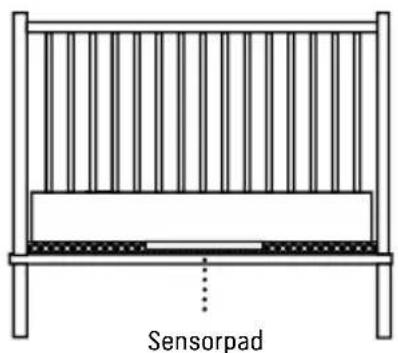
Sensor PadPlace the Nursery Unit and Adaptor cord at least 1 metre (3 feet) from the cot

Wall-Mounted
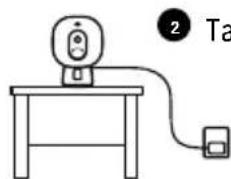
text_image
2 TaTabletop
PAIRING YOUR ADDITIONAL NURSERY UNIT
- Turn ON the Parent Unit and keep the additional Nursery Unit OFF
- Go to General setting menu.
- Go to the Pairing Menu
- In the Pairing Menu, select Nursery Unit 2 Icon
- The Linking Icon 📂 appear on the screen
- Turn ON the Nursery Unit 2 (the additional Nursery Unit) and press and hold its "pause/pairing" button until the power LED (AC327 & AC320) or temperature indicator (AC337 & AC527) starts flashing while pairing
- If the connection has been made, the Green Successful Pairing Icon will appear on the screen and the menu will show the OK Paired Icon OK
- Otherwise, the Red Failed Pairing Icon will appear on the screen. You will need to try again
3
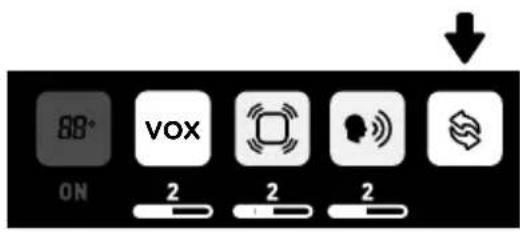
text_image
88° ON VOX 2 2 2
4
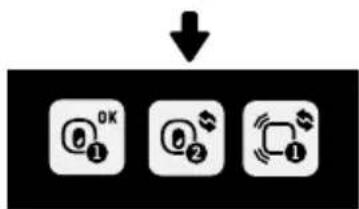
flowchart
graph TD
    A["OK"] --> B["OK"]
    B --> C["OK"]
6
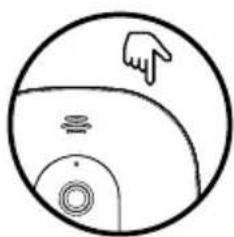
natural_image
Simple line drawing of a circular object with a pointing hand and internal symbols (no text or labels)
IMPORTANT

text_image
CAM 2- To customise the settings of your additional Nursery Unit, make sure the CAM2 is selected and broadcasting sound
- When using two Nursery Units you will only be able to hear audio from one Nursery Unit at a time (Nursery Unit sound transmitted is highlighted in the info bar). In split screen, the sound transmitted from the Nursery Unit will be indicated on the screen by a speaker icon shown to the right of the CAM icons
SWITCH NURSERY UNIT VIEW AND BROADCASTING SOUND
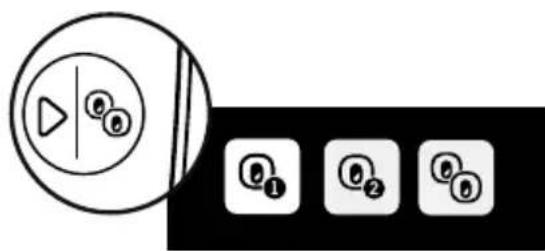
With more than one Nursery Unit you can view each Nursery Unit individually or use the split screen mode
ON MODEL AC337, AC327 & AC320
- Press the View Mode button on the Parent Unit
- Select the preferred Nursery Unit or the split view • In split view, you can change the broadcasting Nursery Unit sound with the Switch Nursery Unit sound button of the Parent Unit
ON MODEL AC527
- Press the View Mode button on the first menu
- Select the preferred Nursery Unit or the split view
text_image
Diagram showing a play button icon next to four circular icons labeled ①, ②, ③, and ④, likely representing media control buttons.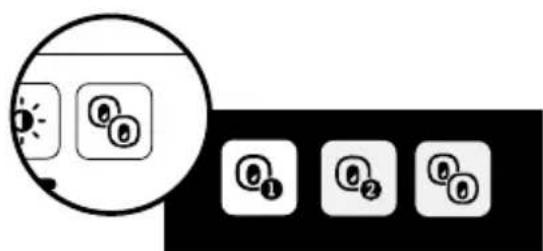
text_image
Diagram showing a sun icon with three circular buttons labeled ①, ②, and ③, alongside four numbered square icons.
IMPORTANT
- The CAM1 or CAM2 icon will appear on the menu to indicate which Nursery Unit is broadcasting sound
- In split view, some function won't be available (greyed out)
PAIRING YOUR ADDITIONAL SENSOR PAD TO YOUR NEW CAMERA UNIT (FOR MODEL ACAM2)
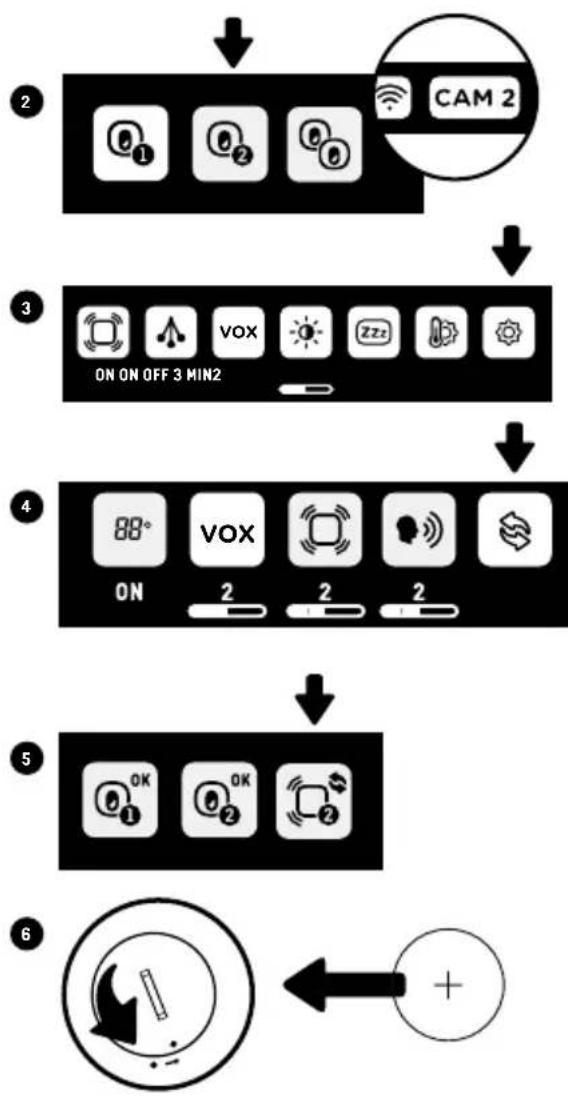
In order to connect your second Sensor Pad to your second Nursery Unit, you need to make sure the second Nursery Unit is paired with the Parent Unit first
- Remove the batteries of both Sensor Pad (if you have two)
- Select Nursery Unit 2 in the view mode • Make sure CAM2 is selected in order to change the settings of the Nursery Unit 2 and Sensor Pad 2
- Go into the General setting menu
- Go into the Pairing Icon
- In the Pairing Menu, select Sensor Pad 2 Icon
- Insert the battery into the Sensor Pad 2 (the additional Sensor Pad). It will automatically activate it
- If the connection has been made, the Green Successful Pairing Icon will appear on the screen and the menu will show the OK Paired Icon
- Otherwise, the Red Failed Pairing Icon will appear on the screen. You will need to try again
- You can now replace the battery of your Sensor Pad 1
flowchart
graph TD
    A["2"] --> B["3"]
    B --> C["4"]
    C --> D["5"]
    D --> E["6"]
    style A fill:#f9f,stroke:#333
    style B fill:#ccf,stroke:#333
    style C fill:#cfc,stroke:#333
    style D fill:#fcc,stroke:#333
    style E fill:#ffc,stroke:#333

IMPORTANT
Refer to your existing model full user manual (www.angelcarebaby.com/manuals) to get more information on how to set up the Sensor Pad:
- The additional Nursery Unit and Sensor Pad must be positioned 2 metres (6.5 feet) minimum from any existing Nursery Unit and Sensor Pad as they could interfere with performance
- Test your monitor before first use
- Prior to use, and on a regular basis (before placing your child in the cot) always check the Sensor Pad is detecting no movements or vibrations in its environment
- Test your monitor every time you move the Sensor Pad to a different place
- If your cot does not have a solid, stationary, completely flat, firm surface place a hardboard between the cot base and the Sensor Pad (refer to specification in your existing manual)
- This product is an addition to your Angelcare Monitor, to obtain the full instructions on how to operate the Nursery Unit and Sensor Pad, refer to your Angelcare Monitor Instruction Guide.
TECHNICAL SPECIFICATIONS
Range: Open field (Open area without obstructions):
- Between the Nursery Unit and the Parent Unit: up to 250 metres (820 feet)
- Between the Nursery Unit and the Sensor Pad: up to 6 metres (20 feet)
Number of Channels:
19 channels
Power Supply:
100-240 V AC / 5V DC 0.6A Adaptor for the Nursery Unit 1 included lithium CR2450 3V battery for model ACAM2 (wireless Sensor Pad)
Caution: To reduce the risk of electric shock, do not expose this product to rain or moisture.
Danger of explosion if batteries are incorrectly replaced. The battery included for the Parent Unit is a user replaceable Li-ion rechargeable battery. Only use the Angelcare recommended replacement battery. The battery for the Sensor Pad is a user replaceable Lithium (not Li-Ion) battery and is NOT rechargeable. To obtain information on replacement batteries please contact Angelcare customer service: www.angelcarebaby.com or contact your local distributor. Instructions will be included with the replacement battery. Keep all batteries away from children.
Batteries:
- CAUTION: RISK OF EXPLOSION IF BATTERY IS REPLACED BY AN INCORRECT TYPE
Transmission:
Transmission between the Parent Unit and the Nursery Unit is made on 2.4 GHz frequency
Transmission between the Nursery Unit and the Sensor Pad is made on 2.4 GHz frequency for model ACAM2
Maximum RF Power Transmitted:
20dBm (100mW) between Nursery Unit and Parent Unit
4dBm (2.5mW) between Nursery Unit and Sensor Pad for model ACAM2
EU only - ErP Compliance
Hereby, Angelcare Monitors Inc., declares that this Baby Monitor is in compliance with Directive 2014/53/EU. The full text of the EU declaration of conformity is available at the following internet address:
www.angelcare-baby.com/declaration-of-conformity
Federal Communications Commission (FCC) – This device has been tested and found to comply with the limits for a Class B digital device, pursuant to Part 15 of the FCC rules. Operation is subject to the following two conditions: (1) this device may not cause interference, and (2) this device must accept any interference, including interference that may cause undesired operation of the device.
Industry Canada (IC) – This device complies with the Industry Canada license exempt RSS standard(s): Operation is subject to the following two conditions: (1) this device may not cause interference, and (2) this device must accept any interference, including interference that may cause undesired operation of the device.
RF Exposure - This device is designed and manufactured to comply with Radio Frequency (RF) radiation exposure limits for EU, FCC and IC for an uncontrolled environment. To maintain the compliance, human exposure to the nursery unit shall not be less than 20 cm (8 inches) during normal operation.
Go to: www.angelcarebaby.com for Full User's guide including full compliance statements.
PROTECT THE ENVIRONMENT
The wheelie bin symbols mean that according to local laws and regulations your product and/or its battery shall be disposed of separately from household waste. When the product/battery reaches its end of life take it to a collection point designated by local authorities. The separate disposal and recycling will help conserve natural resources and protect human health and the environment. Refer to User's Guide for removal of batteries.
See product for compliance marks specific to this device.

text_image
Collection of six types of copyright symbols: battery, recycling, warning symbol, C€, and BCCUSTOMER CARE - LIMITED WARRANTY
Angelcare® warrants to the original owner of this product that Angelcare® monitor is free from any material and workmanship defects for the term of the warranty period (see warranty table below to determine the warranty for your country). If this monitoring system fails to function properly when used as directed under normal conditions and during the warranty period, Angelcare® will either repair or replace the product, at our discretion, free of charge. Please contact your local distributor to validate warranty and warranty period.
The product must be accompanied by a proof of purchase, either a bill of sale or other proof that the monitoring system is within the warranty period. Angelcare® will bear the cost of repairing or replacing the product and shipping it back to you.
This warranty does not apply to a product which has been damaged as a result of improper maintenance, an accident, improper voltage supply or any other form of misuse. The warranty is also void if the owner repairs or modifies the product in any way. Angelcare® is not liable
for any incidental or consequential damages with regard to this product. The warranty also excludes any liability other than what is stated above. No other warranty is given.
This warranty does not cover products and accessories which are not Angelcare®-branded, or any problems that result from usage that is not in accordance with product instructions, failure to follow the product instructions, or problems caused by using accessories, parts or components not supplied by Angelcare.
LEGAL RIGHTS VARY FROM COUNTRY TO COUNTRY. SOME COUNTRIES DO NOT ALLOW THE EXCLUSION OR LIMITATION OF INCIDENTAL OR CONSEQUENTIAL DAMAGES, SO THE ABOVE LIMITATIONS MAY NOT APPLY TO YOU.
WE ARE NOT IN ANY WAY RESPONSIBLE FOR ANY OUTCOME RESULTING FROM THE USE OF THIS PRODUCT.
| Warranty term per country | |
| North America, UK, South Africa, Russia 1 year | |
| Other countries 2 years | |
Contact information
IMPORTANT! This Angelcare® monitor is a personal care product. Please do not return this product to the store. If you have questions or need help, please call your distributor before returning this product.
We, at Angelcare ^® , stand behind all of our products. If you are not completely satisfied or have any questions, please contact your distributor before returning this product:
United States and Canada: Please contact us at: info@angelcarebaby.com
Other countries: Find your local distributor by visiting our website: angelcarebaby.com/distributors
To register your product, visit our online registration at: www.angelcarebaby.com. We will use the information provided to contact you if there is a Safety alert or Recall for this product.
TO LEARN MORE
To learn more, watch the set-up videos and other functionalities on our website.
https://angelcare.zendesk.com/
www.angelcarebaby.com
Angelcare Monitors Inc.
201, boulevard de l'Industrie, local 104 Candiac (Quebec) J5R 6A6 Canada
Modèle ACAM1
text_image
18°C Angelcare
Modèle ACAM2
text_image
Safety warning symbol for child using a no-smoking device, with a camera and phone icon above
natural_image
Simple line drawing of a mechanical device with a circular top and rectangular base (no text or symbols)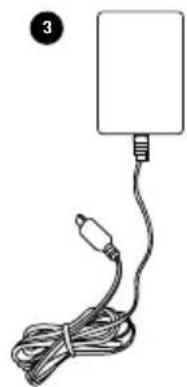
natural_image
Simple line drawing of a cable with a plug and connector, no text or symbols present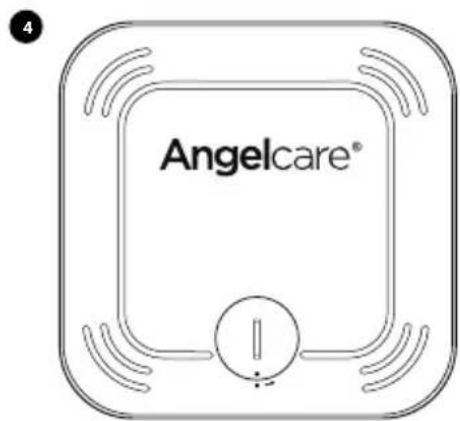
text_image
Angelcare®
1- INSTALLATION DE L'UNITÉ DU NOURRISSON
natural_image
Simple line drawing of a hand pointing at a circular object with internal symbols (no text or labels)
IMPORTANT

text_image
CAM 2MODÈLES AC337, AC327 ET AC320
text_image
Diagram showing a play button icon next to four circular icons labeled ①, ②, ③, and ④, likely representing media control buttons.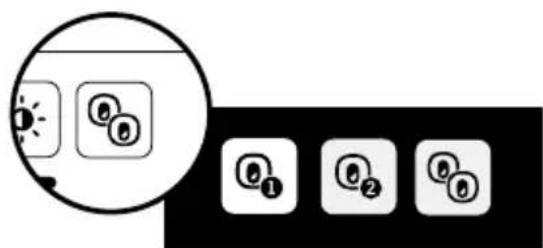
text_image
Diagram showing a sun icon with three circular buttons labeled ①, ②, and ③, alongside four numbered square icons.
IMPORTANT
Federal Communications Commission (FCC) –
https://angelcare.zendesk.com/
www.angelcarebaby.com
Angelcare Monitors Inc.
text_image
18°C Angelcare
Modelo ACAM2
text_image
Safety warning symbol for child pregnancy with no phone, megaphone, and cameratext_image
Angelcare2
natural_image
Simple line drawing of a mechanical device with a circular top and rectangular base (no text or symbols)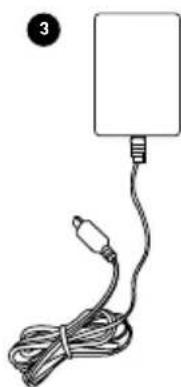
natural_image
Simple line drawing of a rectangular device with a coiled cable and connector (no text or symbols)4

text_image
Angelcare®5

6
natural_image
Diagram of a baby crib with vertical bars and a horizontal bar, no text or symbols presentnatural_image
Simple line drawing of a hand pointing at a circular object with internal symbols (no text or labels)
⚠️ IMPORTANTE

text_image
CAM 2text_image
Diagram showing a play button icon next to four labeled buttons (①, ②, ③) in a black box.EN EL MODELO AC527
text_image
Diagram showing a sun icon and four circular icons labeled ①, ②, ③, with a magnified view of the sun's effect.
IMPORTANTE
text_image
ON ON OFF 3 MIN VOX 2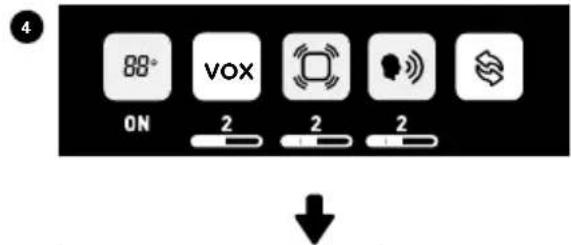
text_image
4 88° VOX ON 2 2 2 ↓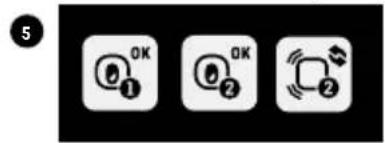
text_image
OK OK OK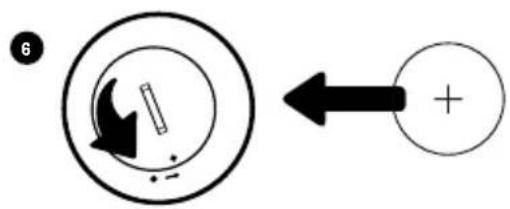
text_image
6 ← +
IMPORTANTE
www.angelcarebaby.com/declaration-of-conformity
https://angelcare.zendesk.com/
www.angelcarebaby.com
Angelcare Monitors Inc.
201, boulevard de l'Industrie, local 104 Candiac (Quebec) J5R 6A6 Canadá
Modell ACAM1
text_image
18°C Angelcare
Modell ACAM2
text_image
Safety warning symbol for child smoking, featuring a stethoscope and no sign with a baby inside.natural_image
Diagram of a simple bench with vertical bars and a horizontal beam, labeled 'Sonoermette' at the bottom (no other text or symbols)Sensormatte
natural_image
Simple line drawing of a circular object with a pointing hand and internal symbols (no text or labels)

WICHTIG

text_image
CAM 2AN MODELL AC337, AC327 UND AC320
text_image
Diagram showing a play button and three labeled buttons (①, ②, ③) in a control panel.AN MODELL AC527
text_image
Diagram showing a sun icon and four labeled circular icons (①, ②, ③) inside a circle, likely representing a camera or navigation interface.
WICHTIG
www.angelcarebaby.com/declaration-of-conformity
text_image
Image displaying six types of copyright symbols: crossed-out recycling, recycling, checkmark, C€, and BC.KUNDENDIENST - GARANTIE
https://angelcare.zendesk.com/
www.angelcarebaby.com
Angelcare Monitors Inc.
text_image
18°C AngelcareModel ACAM2
Extra babytoestel
text_image
Safety warning symbol for child smoking with radio, no text present⚠ WAARSCHUWING.
⚠ WAARSCHUWING - BEWEGINGSSENSORPAD - GEEN ALARM
text_image
1 Angelcare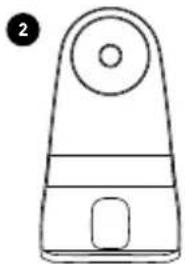
natural_image
Simple line drawing of a device with a circular top and rectangular base (no text or symbols)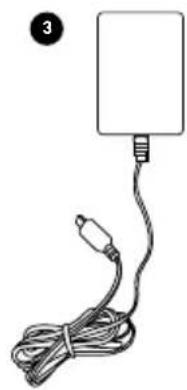
natural_image
Simple line drawing of a cable with a plug and connector, no text or symbols present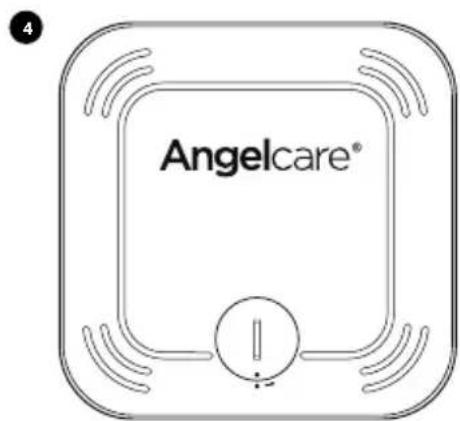
text_image
Angelcare®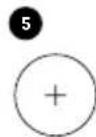
1- INSTALLATIE VAN HET BABYTOESTEL
text_image
Sensorpadflowchart
graph TD
    A["OK"] --> B["OK"]
    B --> C["Wireless Signal"]
6
natural_image
Simple line drawing of a circular object with a pointing hand and internal symbols (no text or labels)
BELANGRIJK

text_image
CAM 2text_image
Diagram showing a play button icon next to four numbered circular icons labeled ①, ②, ③, and ④.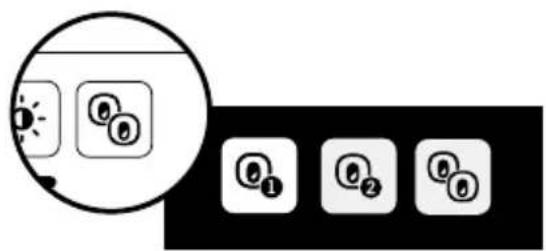
text_image
Diagram showing a camera icon with three circular buttons labeled ①, ②, and ③, alongside four numbered button icons.
BELANGRIJK
www.angelcare-baby.com/declaration-of-conformity
VOOR MEER INFORMATIE
https://angelcare.zendesk.com/
www.angelcarebaby.com
Angelcare Monitors Inc.
AC527, AC337, AC327 e AC320
text_image
18°C AngelcareModello ACAM2
AC527, AC337, AC327 e AC320
text_image
Angelcare® 180Ω Angelcare
! AVVERTENZA
text_image
Safety warning symbol showing a baby inside a circle with a camera and no sign, indicating no protection or absence of use.natural_image
Simple line drawing of a mechanical device with a circular top and rectangular base (no text or symbols)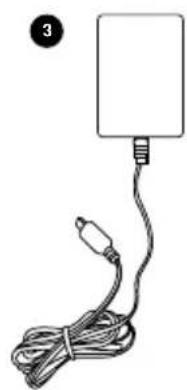
natural_image
Simple line drawing of a cable with a plug and connector, no text or symbols present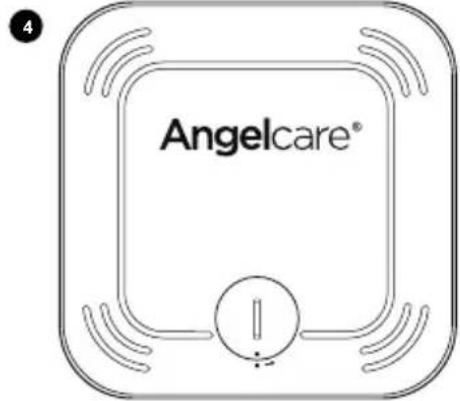
text_image
Angelcare®
natural_image
Simple line drawing of a circular object with a pointing hand and internal symbols (no text or labels)

IMPORTANTE

text_image
CAM 2SUI MODELLI AC337, AC327 E AC320
text_image
Diagram showing a play button icon next to four labeled buttons (①, ②, ③) in a black box.SUL MODELLO AC527
text_image
Diagram showing a sun icon with three circular buttons labeled ①, ②, and ⑥, alongside four numbered square icons below.https://angelcare.zendesk.com/
www.angelcarebaby.com
Angelcare Monitors Inc.